ESP FORD KUGA 2010 1.G User Guide
[x] Cancel search | Manufacturer: FORD, Model Year: 2010, Model line: KUGA, Model: FORD KUGA 2010 1.GPages: 226, PDF Size: 8.07 MB
Page 115 of 226
PRINCIPLE OF OPERATION
Electronic stability programme
(ESP)
WARNING
ESP does not relieve you of your
responsibility to drive with due care
and attention.
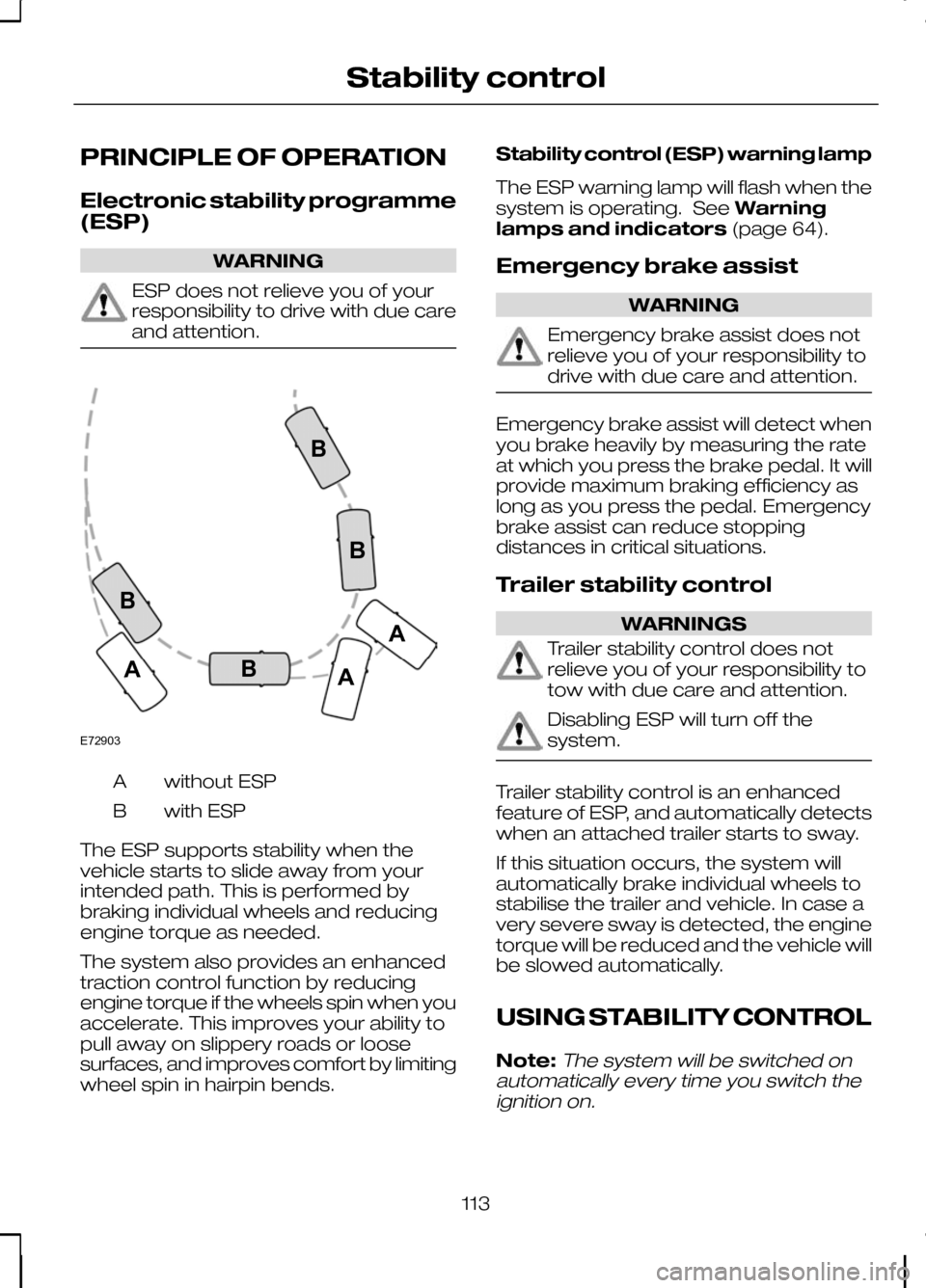
without ESP
A
with ESP
B
The ESP supports stability when the
vehicle starts to slide away from your
intended path. This is performed by
braking individual wheels and reducing
engine torque as needed.
The system also provides an enhanced
traction control function by reducing
engine torque if the wheels spin when you
accelerate. This improves your ability to
pull away on slippery roads or loose
surfaces, and improves comfort by limiting
wheel spin in hairpin bends. Stability control (ESP) warning lamp
The ESP warning lamp will flash when the
system is operating. See
Warning
lamps and indicators (page 64).
Emergency brake assist WARNING
Emergency brake assist does not
relieve you of your responsibility to
drive with due care and attention.
Emergency brake assist will detect when
you brake heavily by measuring the rate
at which you press the brake pedal. It will
provide maximum braking efficiency as
long as you press the pedal. Emergency
brake assist can reduce stopping
distances in critical situations.
Trailer stability control
WARNINGS
Trailer stability control does not
relieve you of your responsibility to
tow with due care and attention.
Disabling ESP will turn off the
system.
Trailer stability control is an enhanced
feature of ESP, and automatically detects
when an attached trailer starts to sway.
If this situation occurs, the system will
automatically brake individual wheels to
stabilise the trailer and vehicle. In case a
very severe sway is detected, the engine
torque will be reduced and the vehicle will
be slowed automatically.
USING STABILITY CONTROL
Note:The system will be switched on
automatically every time you switch the ignition on.
113
Stability controlE72903AAABBBB
Page 117 of 226
PRINCIPLE OF OPERATION
WARNING
The parking aid does not relieve you
of your responsibility to drive with
due care and attention.
CAUTIONS
Vehicles fitted with a trailer tow
module not approved by us may not
correctly detect obstacles.
The sensors may not detect objects
in heavy rain or other conditions that
cause disruptive reflections.
The sensors may not detect objects
with surfaces that absorb ultrasonic
waves.
The parking aid does not detect
obstacles moving away from the
vehicle. They will only be detected
shortly after they start to move towards
the vehicle again. Take particular care when reversing
with a tow ball arm or rear fitted
accessories e.g. a bicycle carrier, as
the rear parking aid will only indicate the
distance from the bumper to the obstacle. If you use a high pressure spray to
wash your vehicle, only spray the
sensors briefly from a distance not
less than 20 centimetres (8 inches). Note:On vehicles fitted with a tow ball
arm, the parking aid is deactivated automatically when any trailer lamps (orlighting boards) are connected to the13-pin socket via a trailer tow module wehave approved.
Note:Keep the sensors free from dirt,
ice and snow. Do not clean with sharp objects.
Note:The parking aid may emit false
tones if it detects a signal using the same frequency as the sensors or if the vehicleis fully laden.
Note:The outer sensors may detect the
side walls of a garage. If the distance between the outer sensor and the sidewall remains constant for three seconds,the tone will switch off. As you continue,the inner sensors will detect rearwardobjects.
USING THE PARKING AID
Switching the parking aid on
and off
Note:
The parking aid switches off
automatically when you start the engine or when you exceed 16 km/h (10 mph).
Note:The front and rear sensors are
always activated or deactivated together.
The parking aid is per default off. To
switch the parking aid on, press the switch
in the instrument panel or select reverse
gear.
The light in the switch illuminates when
the parking aid is activated.
To turn it off, press the switch again.
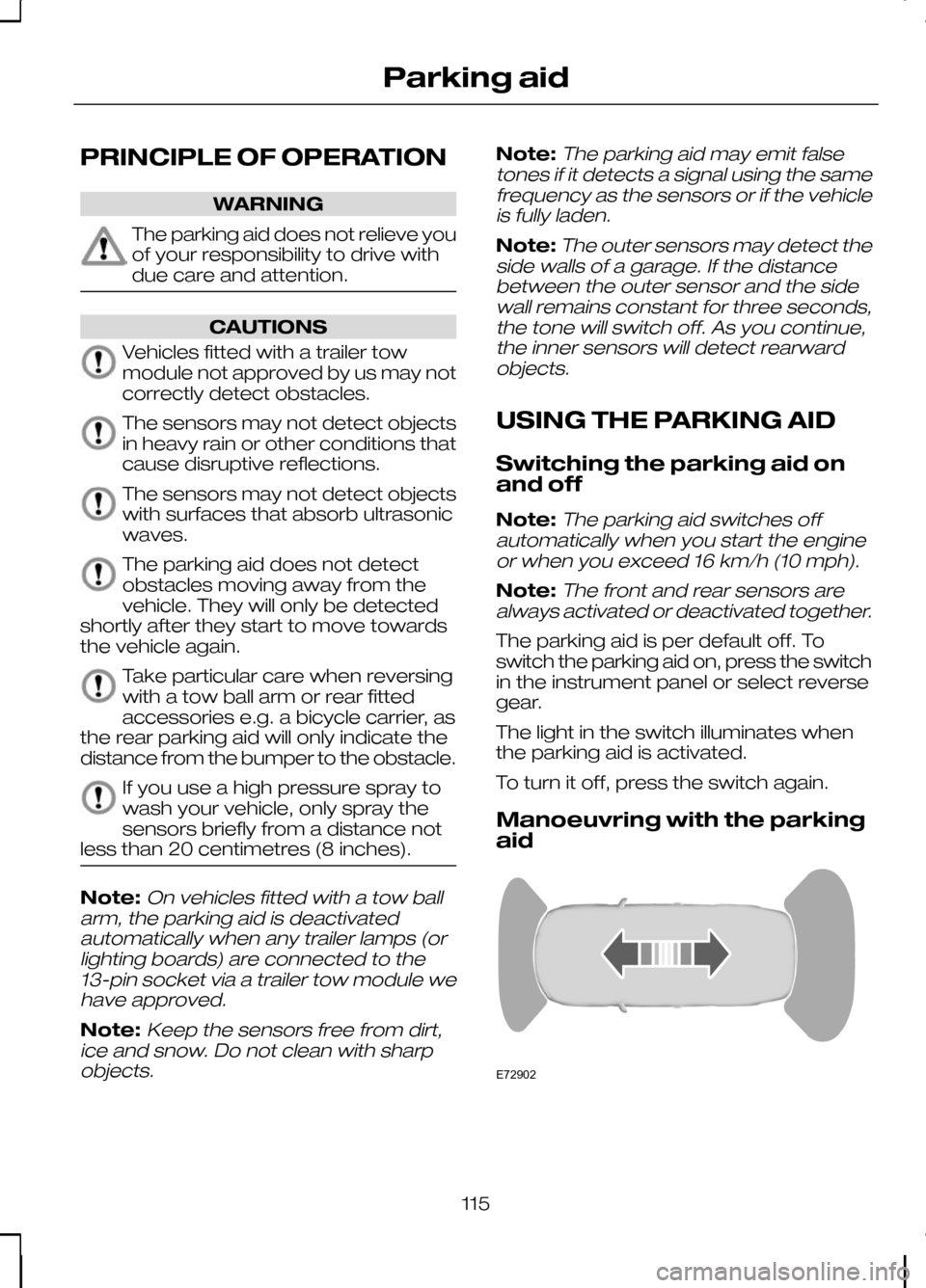
Manoeuvring with the parking
aid 115
Parking aidE72902
Page 119 of 226
PRINCIPLE OF OPERATION
The camera is a visual aid for use when
reversing.
WARNING
The camera does not relieve you of
your responsibility to drive with due
care and attention.
CAUTIONS
If you use a high pressure spray to
wash your vehicle, only spray the
camera briefly from a distance not
less than 20 centimetres (8 inches). Do not apply pressure to the camera.
The position and the angle of the
camera automatically changes.
Note:Keep the camera free from dirt,
ice and snow. Do not clean with sharp objects, degreaser, wax or organicproducts. Use only a soft cloth.
During operation, guide lines appear in
the display which represent your vehicle's
path and approximate distance from
rearward objects.
USING THE REAR VIEW
CAMERA WARNINGS
The operation of the camera may
vary depending on the ambient
temperature, vehicle and road
conditions. The distances shown in the display
may differ from the actual distance.
Do not place objects in front of the
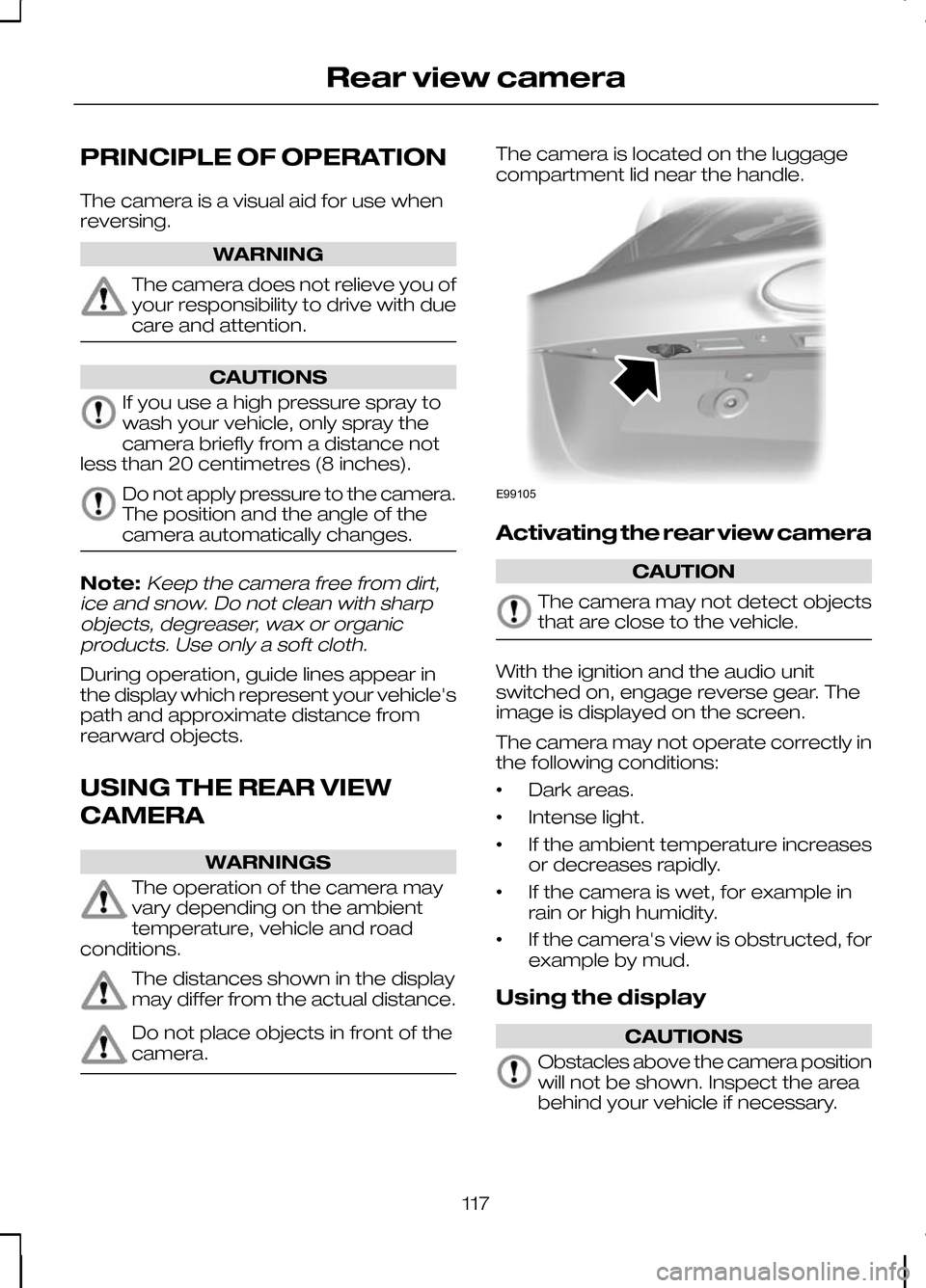
camera. The camera is located on the luggage
compartment lid near the handle.
Activating the rear view camera
CAUTION
The camera may not detect objects
that are close to the vehicle.
With the ignition and the audio unit
switched on, engage reverse gear. The
image is displayed on the screen.
The camera may not operate correctly in
the following conditions:
•
Dark areas.
• Intense light.
• If the ambient temperature increases
or decreases rapidly.
• If the camera is wet, for example in
rain or high humidity.
• If the camera's view is obstructed, for
example by mud.
Using the display CAUTIONS
Obstacles above the camera position
will not be shown. Inspect the area
behind your vehicle if necessary.
117
Rear view cameraE99105
Page 122 of 226
PRINCIPLE OF OPERATION
Cruise control allows you to control your
speed using the switches on the steering
wheel. You can use cruise control when
you exceed approximately 30 km/h (20
mph).
USING CRUISE CONTROL
WARNING
Do not use cruise control in heavy
traffic, on twisty roads or when the
road surface is slippery.
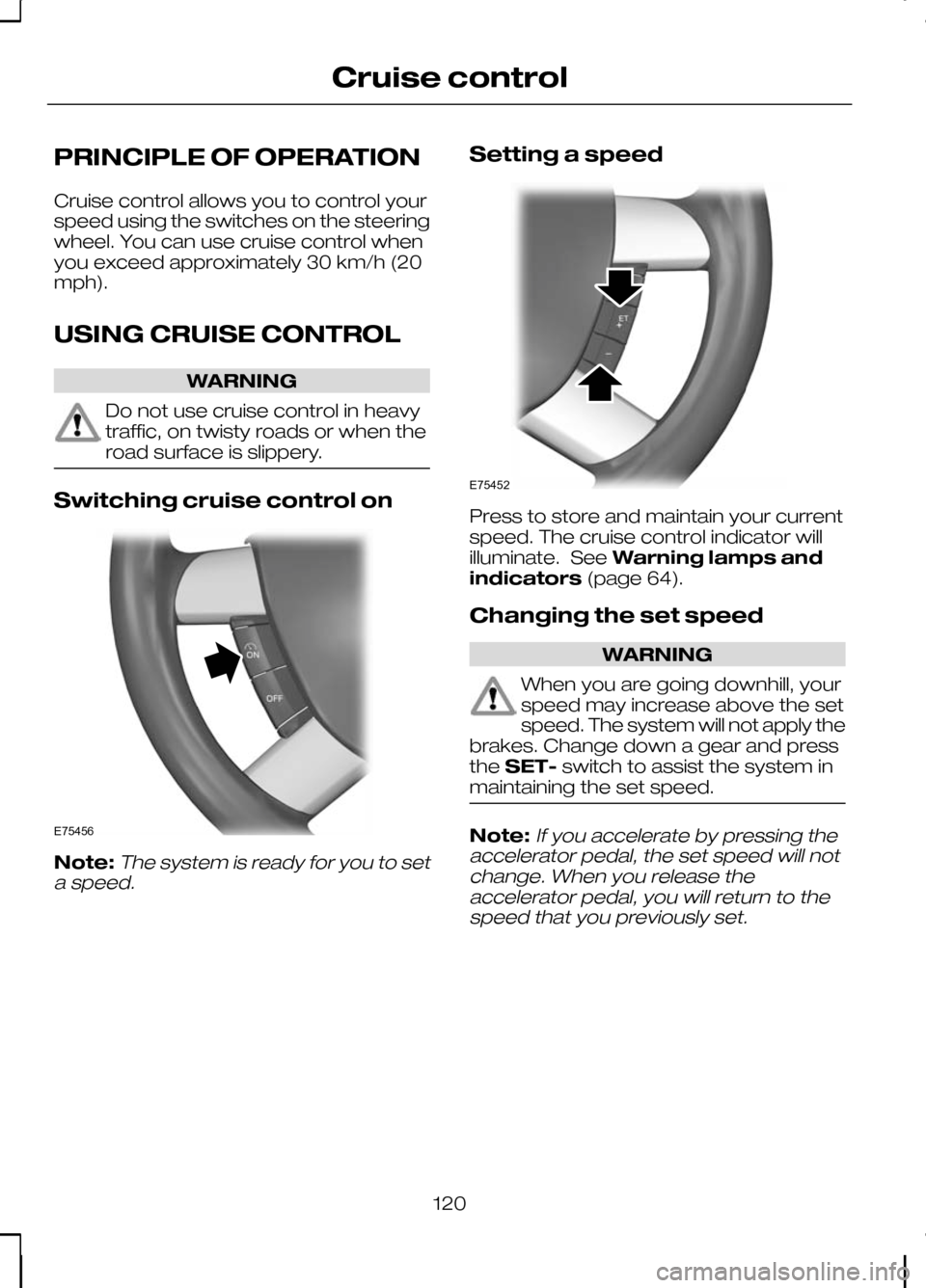
Switching cruise control on
Note:The system is ready for you to set
a speed.
Setting a speed Press to store and maintain your current
speed. The cruise control indicator will
illuminate. See
Warning lamps and
indicators (page 64).
Changing the set speed WARNING
When you are going downhill, your
speed may increase above the set
speed. The system will not apply the
brakes. Change down a gear and press
the SET- switch to assist the system in
maintaining the set speed. Note:
If you accelerate by pressing the
accelerator pedal, the set speed will not change. When you release theaccelerator pedal, you will return to thespeed that you previously set.
120
Cruise controlE75456 E75452
Page 137 of 226
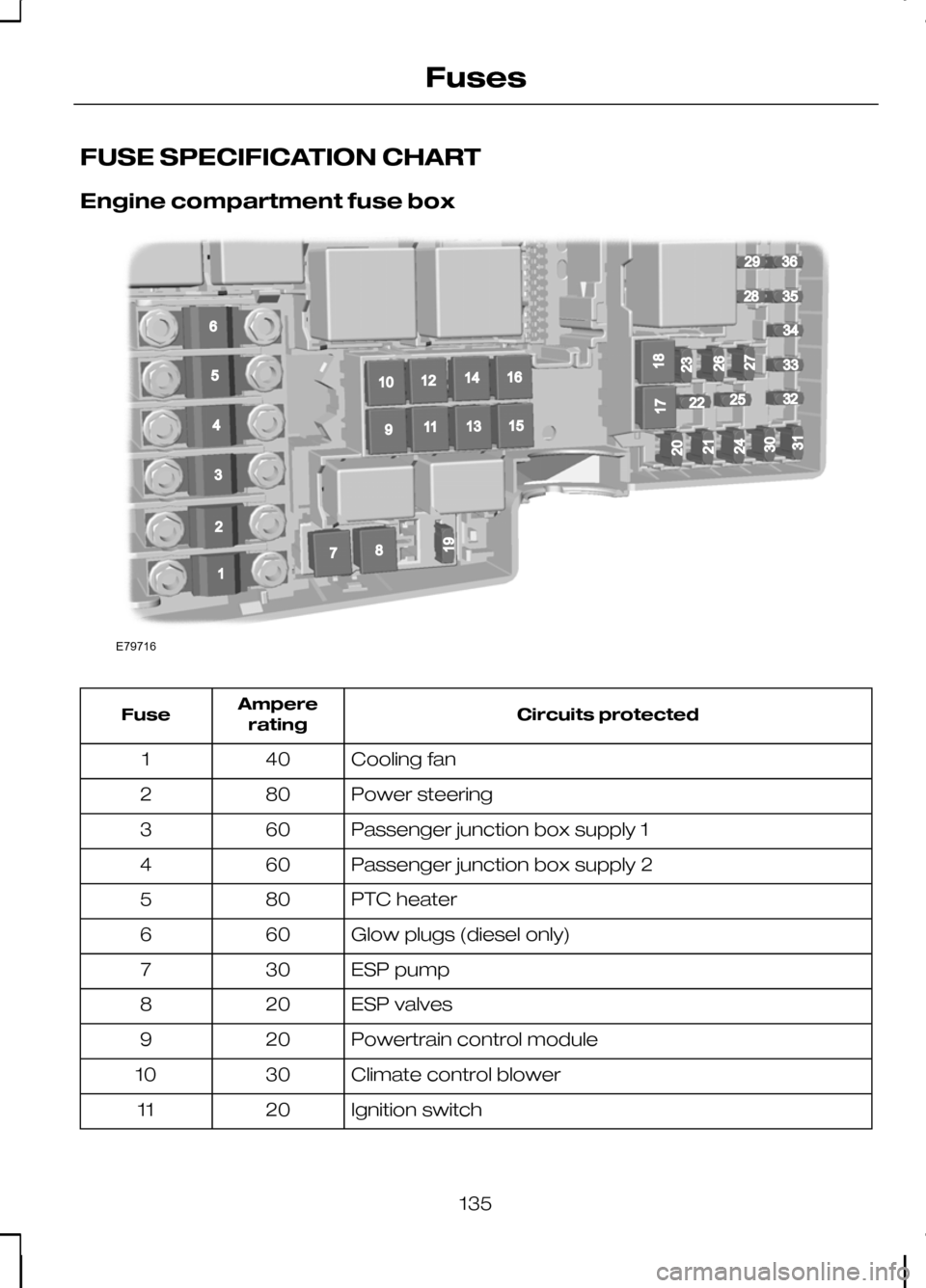
FUSE SPECIFICATION CHART
Engine compartment fuse box
Circuits protected
Ampere
rating
Fuse
Cooling fan
40
1
Power steering
80
2
Passenger junction box supply 1
60
3
Passenger junction box supply 2
60
4
PTC heater
80
5
Glow plugs (diesel only)
60
6
ESP pump
30
7
ESP valves
20
8
Powertrain control module
20
9
Climate control blower
30
10
Ignition switch
20
11
135
FusesE79716196781091211141316152936283435332225325432120171824213031232627
Page 138 of 226
Circuits protected
Ampere
rating
Fuse
Ignition relay 15l
40
12
Starter solenoid
20
13
Heated windscreen, right-hand side
40
14
Not used
-
15
Heated windscreen, left-hand side
40
16
Not used
-
17
Power converter
30
18
ESP module
10
19
Horn
15
20
Auxiliary heater
20
21
Power steering module
10
22
Headlamp washer
30
23
Diesel fuel heater
15
24
Ignition, relays
10
25
Automatic transmission
15
26
Air conditioning clutch
10
27
Glow plug monitoring (diesel only)
10
28
Dual zone climate control
10
29
Powertrain control module
3
30
Battery sensor smart charging
10
31
Injectors (petrol only)
10
32
Heated oxygen sensors (petrol only)
10
33
Ignition coils, valves
10
34
Powertrain control module, valves, solenoids
10
35
Powertrain control module
10
36
136
Fuses
Page 163 of 226
7. Install the wheel trim using the ball of
your hand. WARNING
Have the wheel nuts checked for
tightness and the tyre pressure
checked as soon as possible.
Note:If the spare wheel is different in size
or construction to the road wheels, have this replaced as soon as possible.
TYRE REPAIR KIT
Your vehicle is not equipped with a spare
tyre, but does include an emergency tyre
repair kit that can be used to repair one
flat tyre.
The tyre repair kit is located in the
underfloor storage compartment. See
Storage compartments (page 98).
General information WARNINGS
Depending on the type and extent
of tyre damage, some tyres can
only be partially sealed or not sealed
at all. Loss of tyre pressure can affect
vehicle handling, leading to loss of vehicle
control. Do not use the tyre repair kit if the
tyre has already been damaged as
a result of being driven under
inflated. Do not use the tyre repair kit on run
flat tyres.
Do not try to seal damage other
than that located within the visible
tread of the tyre.
Do not try to seal damage to the
tyre’s sidewall. The tyre repair kit seals most tyre
punctures [with a diameter of up to six
millimetres (1/4 inch)] to temporarily
restore mobility.
Observe the following rules when using
the kit:
•
Drive with caution and avoid
making sudden steering or
driving manoeuvres, especially if
the vehicle is heavily loaded or you are
towing a trailer.
• The kit will provide you with an
emergency temporary repair, enabling
you to continue your journey to the
next vehicle or tyre dealer, or to drive
a maximum distance of
200 kilometres (125 miles).
• Do not exceed a
maximum speed
of 80 km/h (50 mph).
• Keep the kit out of the reach of
children.
• Only use the kit when the ambient
temperature is between –30°C (-22°F)
and +70°C (+158°F).
Using the tyre repair kit WARNINGS
Compressed air can act as an
explosive or propellant.
Never leave the tyre repair kit
unattended while in use.
CAUTION
Do not keep the compressor
operating for more than 10 minutes.
Note:
Use the tyre repair kit only for the
vehicle with which it was supplied.
161
Wheels and tyres
Page 166 of 226
14.
Quickly unscrew the hose Cfrom
the tyre valve and replace the
protective cap A. Fasten the valve
cap again.
15. Leave the sealant bottle Kin the
bottle holder E.
16. Make sure the kit, the bottle lid and the orange cap are stored safely, but
still easily accessible in the vehicle.
The kit will be required again when
you check the tyre pressure.
17. Immediately drive approximately three kilometres (two miles) so that
the sealant can seal the damaged
area.
Note:When pumping in the sealant
through the tyre valve, the pressure may rise up to 6 bar (87 psi) but will drop againafter about 30 seconds. WARNING
If you experience heavy vibrations,
unsteady steering behaviour or
noises while driving, reduce your
speed and drive with caution to a place
where it is safe for you to stop the vehicle.
Recheck the tyre and its pressure. If the
tyre pressure is less than 1.3 bar (19 psi)
or if there are any cracks, bumps or similar
damage visible, do not continue driving
with this tyre. Checking the tyre pressure
1. Stop the vehicle after driving
approximately three kilometres
(two miles). Check, and where
necessary, adjust the pressure of the
damaged tyre.
2. Attach the kit and read the tyre pressure from the pressure gauge F.
3. If the pressure of the sealant-filled tyre
is 1.3 bar (19 psi) or more, adjust it to
the specified pressure. See
Technical specifications (page
168). 4. Follow the inflation procedure once
again to top up the tyre.
5. Check the tyre pressure again from the pressure gauge F. If the tyre
pressure is too high, deflate the tyre
to the specified pressure using the
pressure relief valve B.
6. Once you have inflated the tyre to its correct tyre pressure, move the
compressor switch Hto position 0,
remove the power plug Gfrom the
socket, unscrew the hose C, fasten
the valve cap and replace the
protective cap A.
7. Leave the sealant bottle Kin the bottle
holder Eand store the kit away safely
in its original location.
8. Drive to the nearest tyre specialist to get the damaged tyre replaced.
Before the tyre is removed from the
rim, inform your tyre dealer that the
tyre contains sealant. Renew the kit
as soon as possible after it has been
used once.
Note:
Remember that emergency
roadside tyre repair kits only provide temporary mobility. Regulationsconcerning tyre repair after usage of tyrerepair kit may differ from country tocountry. You should consult a tyrespecialist for advice. WARNING
Before driving, make sure the tyre
is adjusted to the recommended
inflation pressure. See
Technical
specifications (page 168). Monitor the
tyre pressure until the sealed tyre is
replaced. Empty sealant bottles can be disposed
of together with normal household waste.
Return remains of sealant to your dealer
or dispose of it in compliance with local
waste disposal regulations.
164
Wheels and tyres
Page 167 of 226
RUN FLAT TYRES
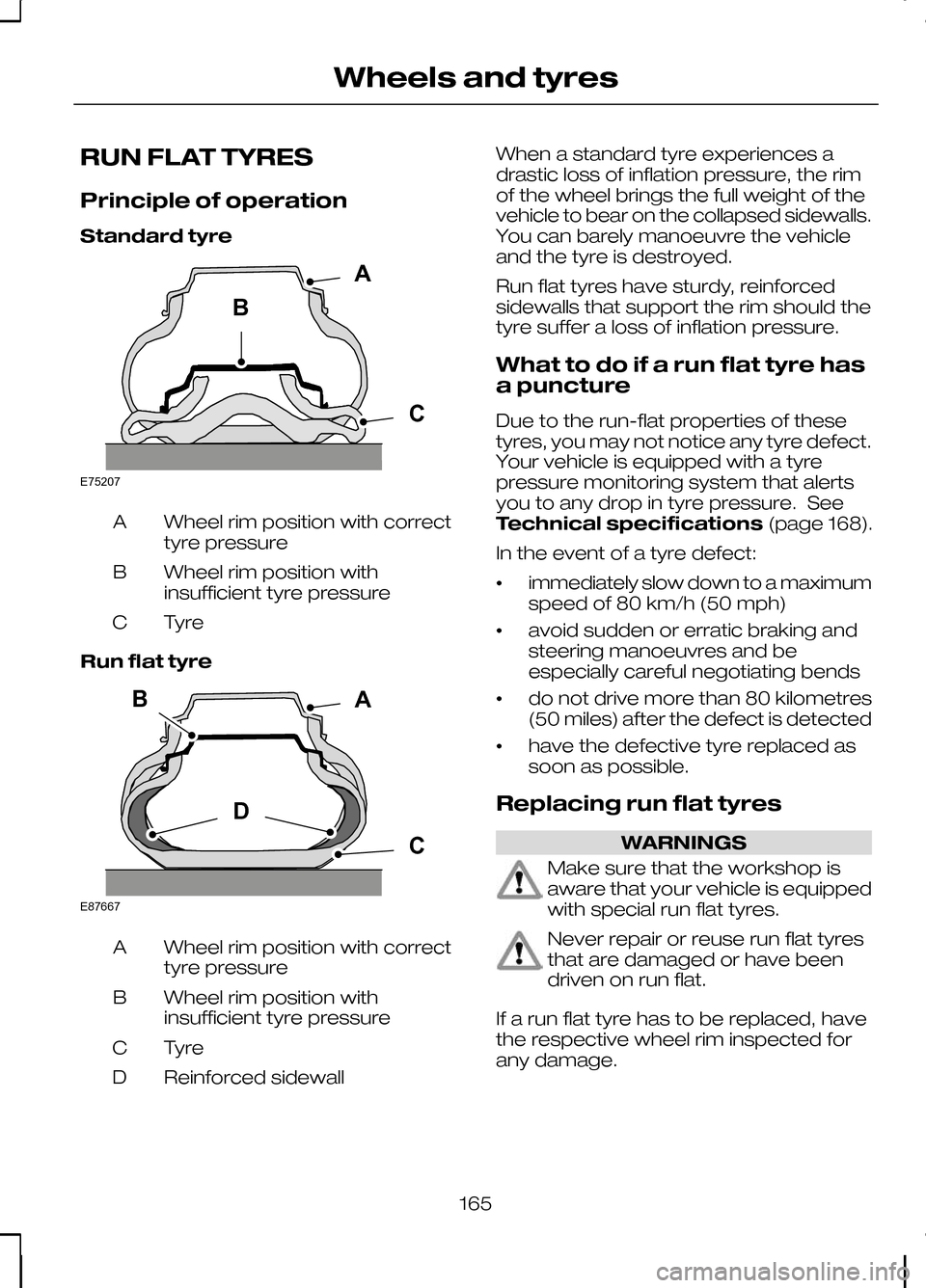
Principle of operation
Standard tyre
Wheel rim position with correct
tyre pressure
A
Wheel rim position with
insufficient tyre pressure
B
TyreC
Run flat tyre Wheel rim position with correct
tyre pressure
A
Wheel rim position with
insufficient tyre pressure
B
TyreC
Reinforced sidewall
D When a standard tyre experiences a
drastic loss of inflation pressure, the rim
of the wheel brings the full weight of the
vehicle to bear on the collapsed sidewalls.
You can barely manoeuvre the vehicle
and the tyre is destroyed.
Run flat tyres have sturdy, reinforced
sidewalls that support the rim should the
tyre suffer a loss of inflation pressure.
What to do if a run flat tyre has
a puncture
Due to the run-flat properties of these
tyres, you may not notice any tyre defect.
Your vehicle is equipped with a tyre
pressure monitoring system that alerts
you to any drop in tyre pressure. See
Technical specifications
(page 168).
In the event of a tyre defect:
• immediately slow down to a maximum
speed of 80 km/h (50 mph)
• avoid sudden or erratic braking and
steering manoeuvres and be
especially careful negotiating bends
• do not drive more than 80 kilometres
(50 miles) after the defect is detected
• have the defective tyre replaced as
soon as possible.
Replacing run flat tyres WARNINGS
Make sure that the workshop is
aware that your vehicle is equipped
with special run flat tyres.
Never repair or reuse run flat tyres
that are damaged or have been
driven on run flat.
If a run flat tyre has to be replaced, have
the respective wheel rim inspected for
any damage.
165
Wheels and tyresBACE75207 BDCAE87667
Page 169 of 226
Vehicles with stability control
(ESP)
Vehicles with stability control (ESP) may
exhibit some unusual driving
characteristics which can be avoided by
switching the system off. See
Using
stability control (page 113).
TYRE PRESSURE
MONITORING SYSTEM WARNINGS
The system does not relieve you of
your responsibility to regularly check
the tyre pressures.
The system will only provide a low
tyre pressure warning. It will not
inflate the tyres.
Do not drive on significantly
under-inflated tyres. This may cause
the tyres to overheat and fail.
Under-inflation reduces fuel efficiency,
tyre tread life and may also affect your
ability to drive the vehicle safely. CAUTIONS
Do not bend or damage the valves
when you are inflating the tyres.
Have tyres installed by properly
trained technicians.
The Deflation Detection System will alert
you if there is a change of air pressure in
any tyre. It does this by using the ABS
sensors to detect the rolling
circumference of the wheels. When the
circumference changes, this indicates low
pressure in a tyre, a warning message is
displayed in the information display and
the message indicator will illuminate. See
Information messages
(page 73).Apart from a too low tyre pressure or a
damaged tyre, the following situations can
affect the rolling circumference:
•
Vehicle load is uneven.
• When using a trailer or travelling up
and down an incline.
• Using snow chains.
• Driving on soft surfaces such as snow
or mud.
Note:The system will still function
correctly, but there may be an increased detection time.
If a low pressure warning message is
displayed in the information display, check
the tyre pressures as soon as possible
and inflate them to the recommended
pressure. See Technical
specifications (page 168).
If this happens frequently, have the cause
determined and rectified as soon as
possible.
System reset
Note:
Do not reset the system when the
vehicle is moving.
Note:You should reset the system
following any adjustment to the tyre pressures or any changing of tyres.
Note:Turn the ignition on.
Type 2 instrument cluster
1. Using the multifunction lever, navigate
to'SET' > T. Pres.
2. Press and hold the SET/RESET
button until the message Tyre
Pressure set appears.
Type 3 instrument cluster
1. Using the multifunction lever, navigate
tohold 'SET' to set Tyre Pres.
167
Wheels and tyres