auto button FORD MAVERICK 2022 Owner's Guide
[x] Cancel search | Manufacturer: FORD, Model Year: 2022, Model line: MAVERICK, Model: FORD MAVERICK 2022Pages: 533, PDF Size: 9.58 MB
Page 380 of 533
Selecting a Radio Station From a List
1. Select Sources.
2. Select a radio source.
3. Select
Browse.
4. Select a radio station from the list.
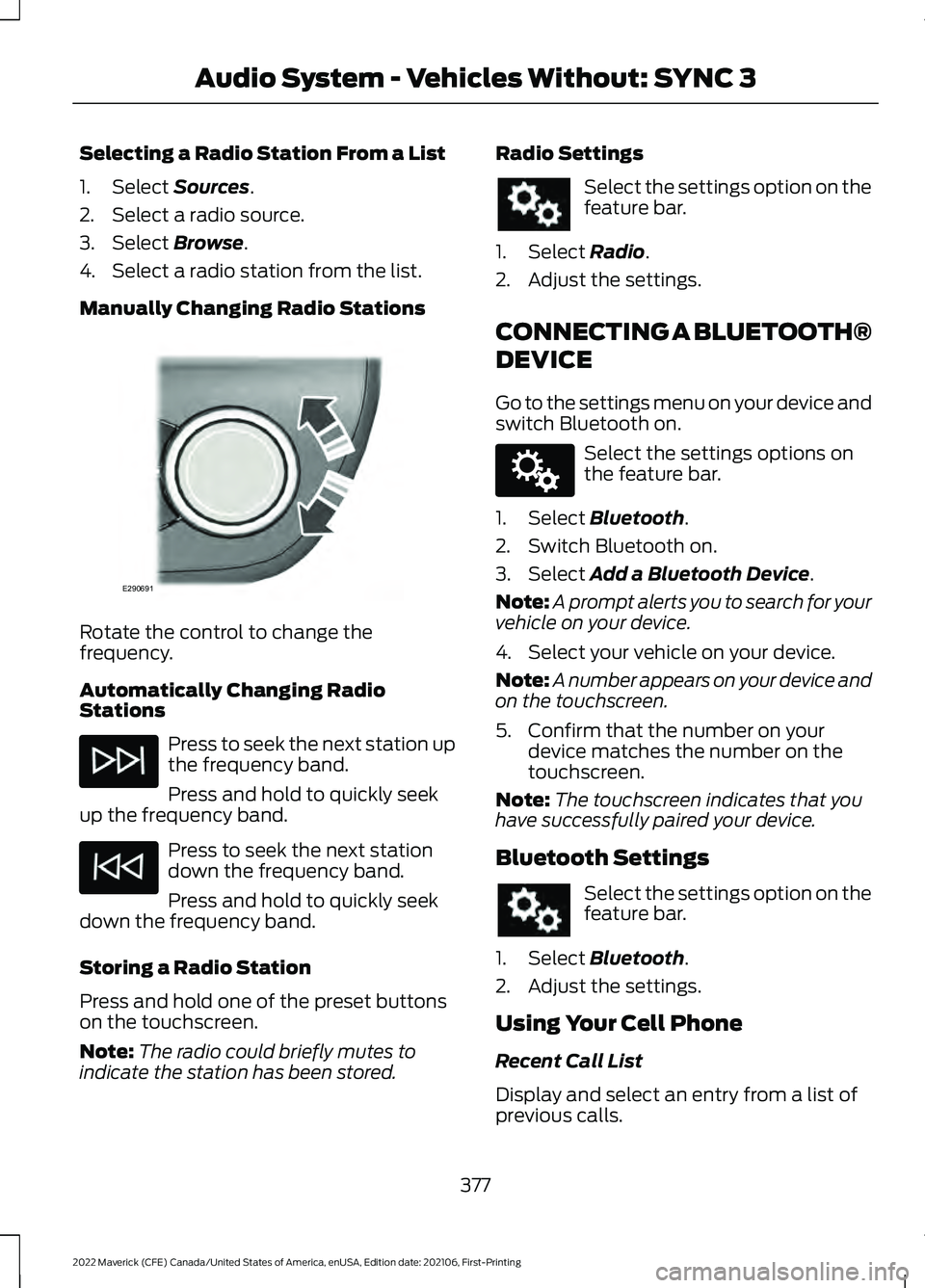
Manually Changing Radio Stations Rotate the control to change the
frequency.
Automatically Changing Radio
Stations
Press to seek the next station up
the frequency band.
Press and hold to quickly seek
up the frequency band. Press to seek the next station
down the frequency band.
Press and hold to quickly seek
down the frequency band.
Storing a Radio Station
Press and hold one of the preset buttons
on the touchscreen.
Note: The radio could briefly mutes to
indicate the station has been stored. Radio Settings Select the settings option on the
feature bar.
1. Select Radio.
2. Adjust the settings.
CONNECTING A BLUETOOTH®
DEVICE
Go to the settings menu on your device and
switch Bluetooth on. Select the settings options on
the feature bar.
1. Select
Bluetooth.
2. Switch Bluetooth on.
3. Select
Add a Bluetooth Device.
Note: A prompt alerts you to search for your
vehicle on your device.
4. Select your vehicle on your device.
Note: A number appears on your device and
on the touchscreen.
5. Confirm that the number on your device matches the number on the
touchscreen.
Note: The touchscreen indicates that you
have successfully paired your device.
Bluetooth Settings Select the settings option on the
feature bar.
1. Select
Bluetooth.
2. Adjust the settings.
Using Your Cell Phone
Recent Call List
Display and select an entry from a list of
previous calls.
377
2022 Maverick (CFE) Canada/United States of America, enUSA, Edition date: 202106, First-Printing Audio System - Vehicles Without: SYNC 3E290691 E142607
Page 388 of 533
Note:
The audio mutes briefly while the
system saves the preset and returns once it
is stored.
Note: You can save presets from multiple
sources to the memory preset bar.
MUTING THE AUDIO Press the button on the steering
wheel to mute the audio.
Press to mute the signal. Press
again to restore the signal.
ADJUSTING THE SOUND
SETTINGS
Balance and Fade (If Equipped)
1. Access the vehicle drawer on the touchscreen.
2. Press
SETTINGS.
3. Press
Sound.
4. Press
Balance / Fade.
5. Press the arrows to adjust the settings.
Tone Settings
1. Access the vehicle drawer on the touchscreen.
2. Press
SETTINGS.
3. Press
Sound.
4. Press
Tone Settings.
5. Use the slider bar to adjust the settings.
Speed Compensated Volume
1. Access the vehicle drawer on the touchscreen.
2. Press
SETTINGS.
3. Press
Sound.
4. Press
Speed Compensated Volume. 5. Press a setting.
Occupancy Mode
(If Equipped)
1. Access the vehicle drawer on the touchscreen.
2. Press
SETTINGS.
3. Press
Sound.
4. Press
Occupancy Mode.
5. Press a setting.
Sound Mode
(If Equipped)
1. Access the vehicle drawer on the touchscreen.
2. Press
SETTINGS.
3. Press
Sound.
4. Press
Sound Mode.
5. Press a setting.
SETTING THE CLOCK AND
DATE
1. Access the vehicle drawer on the touchscreen.
2. Press
SETTINGS.
3. Press
Clock.
4. Set the time.
Note: The
AM and PM options are not
available if 24-hour mode is on.
5. Press the arrows to adjust the settings.
Switching Automatic Time
Updates On and Off
1. Access the vehicle drawer on the touchscreen.
2. Press
SETTINGS.
3. Press
Clock.
4. Switch
Automatic time zone update
on or off.
385
2022 Maverick (CFE) Canada/United States of America, enUSA, Edition date: 202106, First-Printing Audio System - Vehicles With: SYNC 3
Page 394 of 533
Switching Automatic System Updates
On
Select the settings option on the
feature bar.
1. Select Automatic Updates.
2. Switch
Automatic System Updates
on.
The system is now set to check for and
receive system updates when it is
connected to a Wi-Fi network.
Note: You can use the system when a
download is in progress.
Note: If the system is disconnected from
the Wi-Fi network when a download is in
progress, the download continues the next
time the system is connected to a Wi-Fi
network.
Additional Information and
Assistance
For additional information and assistance,
we recommend that you contact an
authorized dealer or refer to the local Ford
website. USING VOICE RECOGNITION
The SYNC 3 system allows you to use voice
commands to control features like audio
and climate controls. By using voice
commands, you can keep your hands on
the wheel and your eyes on the road.
You can access each feature controlled by
SYNC 3 through a variety of commands. To activate the SYNC 3 voice
commands push the voice
button on the steering wheel and
wait for the prompt.
___ is a dynamic listing, meaning that it can
be the name of anything, such as artist, the
name of contact or number. The context
and the description of the command tell
you what to say for this dynamic option.
There are some commands that work for
every feature, these commands are: Action and Description
Voice Command
Brings you to the main menu.
Main Menu
Returns you to the previous screen.
Go back
Ends the voice session.
Cancel
Gives you a list of possible voice commands.
List of Commands
You can name any feature and the system gives a list of
commands available for the feature. For example, you could
say:
___ List of Commands
Phone List of Commands
Navigation List of Commands
391
2022 Maverick (CFE) Canada/United States of America, enUSA, Edition date: 202106, First-Printing SYNC™ 3
(If Equipped)E280315 E142599
Page 401 of 533
Description
Voice Command
The system does not confirm before placing a call.
Phone Confirmation Off
The system displays a short list of available commands.
Voice Command Lists On
The system does not display the list of commands.
Voice Command Lists Off
You can use the volume control to adjust
the volume of the system voice prompts.
While prompt is active, adjust the volume
control up or down to your desired setting.
Note: Depending on the current climate
control settings, the fan speed may
automatically go down while issuing voice
commands or while making and receiving
phone calls via SYNC to reduce the amount
of background noise in the vehicle. The fan
speed will automatically return to normal
operation once the voice session ends. You
can adjust the fan speed during a voice
session, simply press the fan buttons (or
turn the fan knob) to increase or decrease
the fan speed to the setting you prefer.
To disable this automatic fan speed
reduction feature during voice sessions,
press and hold the climate control AC and
Recirculated air buttons simultaneously,
release and then increase fan speed within
2 seconds. To re-enable this feature, repeat
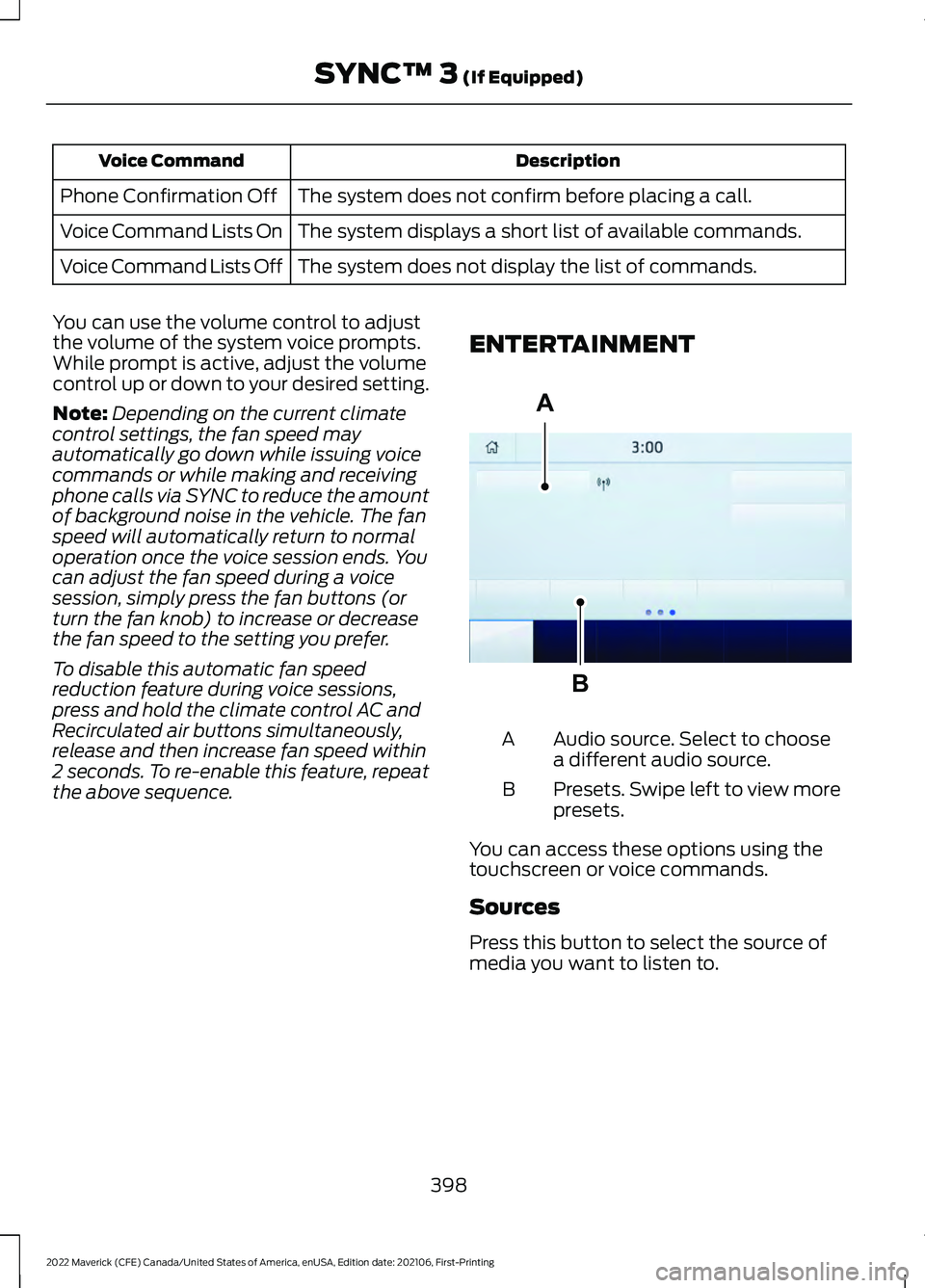
the above sequence. ENTERTAINMENT Audio source. Select to choose
a different audio source.
A
Presets. Swipe left to view more
presets.
B
You can access these options using the
touchscreen or voice commands.
Sources
Press this button to select the source of
media you want to listen to.
398
2022 Maverick (CFE) Canada/United States of America, enUSA, Edition date: 202106, First-Printing SYNC™ 3 (If Equipped)A
BE293491
Page 414 of 533
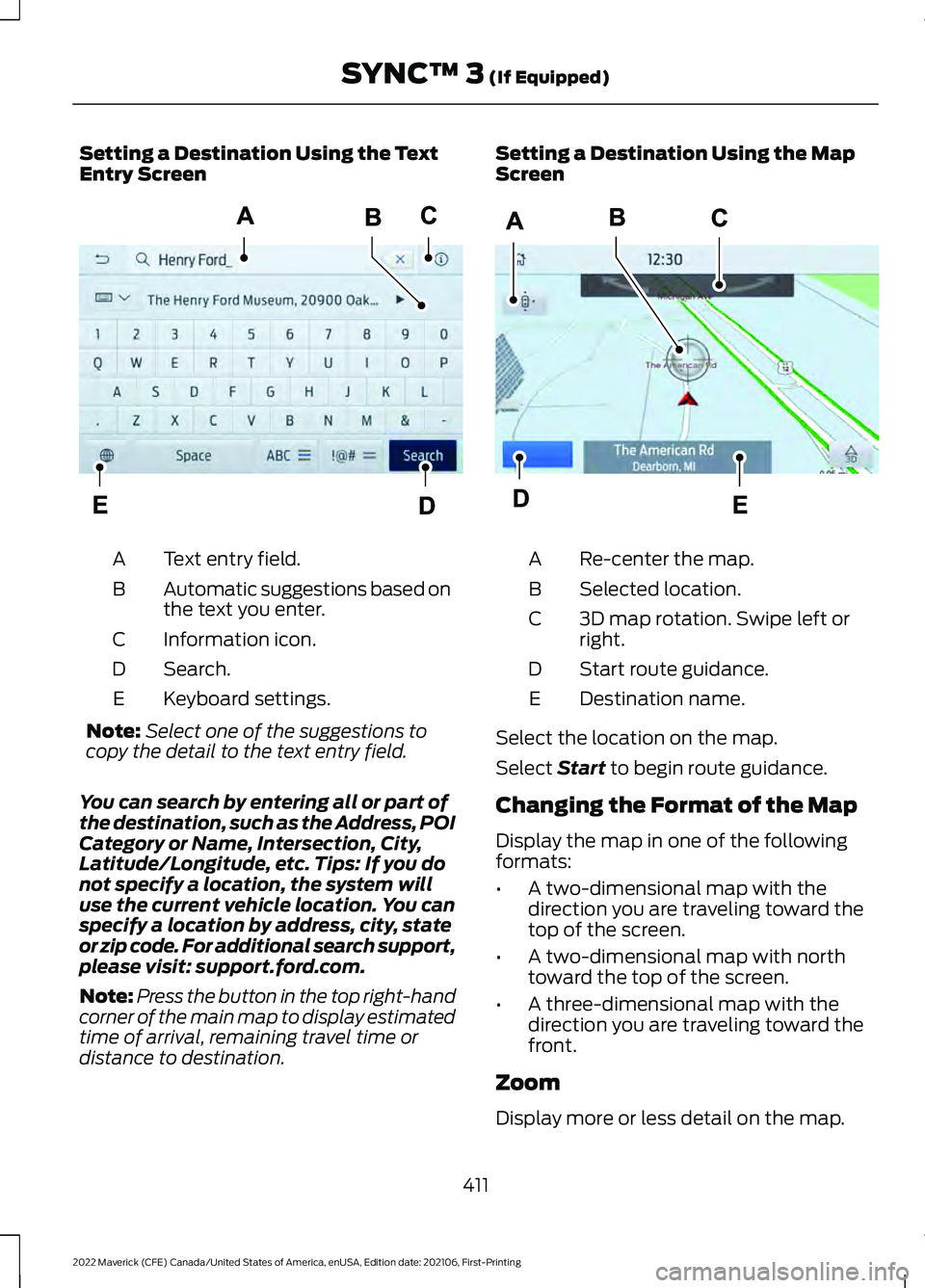
Setting a Destination Using the Text
Entry Screen
Text entry field.
A
Automatic suggestions based on
the text you enter.
B
Information icon.
C
Search.
D
Keyboard settings.
E
Note: Select one of the suggestions to
copy the detail to the text entry field.
You can search by entering all or part of
the destination, such as the Address, POI
Category or Name, Intersection, City,
Latitude/Longitude, etc. Tips: If you do
not specify a location, the system will
use the current vehicle location. You can
specify a location by address, city, state
or zip code. For additional search support,
please visit: support.ford.com.
Note: Press the button in the top right-hand
corner of the main map to display estimated
time of arrival, remaining travel time or
distance to destination. Setting a Destination Using the Map
Screen
Re-center the map.
A
Selected location.
B
3D map rotation. Swipe left or
right.
C
Start route guidance.
D
Destination name.
E
Select the location on the map.
Select Start to begin route guidance.
Changing the Format of the Map
Display the map in one of the following
formats:
• A two-dimensional map with the
direction you are traveling toward the
top of the screen.
• A two-dimensional map with north
toward the top of the screen.
• A three-dimensional map with the
direction you are traveling toward the
front.
Zoom
Display more or less detail on the map.
411
2022 Maverick (CFE) Canada/United States of America, enUSA, Edition date: 202106, First-Printing SYNC™ 3
(If Equipped)E297558 E297559
Page 421 of 533
Note:
A paid subscription is required to
access and use these features. Go to
www.siriusxm.com/travellink for more
information.
Note: Visit www.siriusxm.com/traffic and
click on Coverage map and details for a
complete listing of all traffic areas covered
by SiriusXM Traffic and Travel Link. Note:
Neither Sirius nor Ford is responsible
for any errors or inaccuracies in the SiriusXM
Traffic and Travel Link services or its use in
vehicles.
When you subscribe to SiriusXM Traffic
and Travel Link, it can help you locate the
best gas prices, find movie listings, get
current traffic alerts, view the current
weather map, get accurate ski conditions
and see scores to current sports games. Action and Description
Menu Item
Touch these buttons to identify traffic incidents on your route,
near your vehicle’s current location or near any of your favorite
places, if programmed.
Traffic on Route
Traffic Nearby
Touch this button to view fuel prices at stations close to your
vehicle’s location or on an active navigation route.
Fuel Prices
Touch this button to view nearby movie theaters and their
show times, if available.
Movie Listings
Touch this button to view the nearby weather, current weather,
or the five-day forecast for the chosen area.
Weather
Select to see the weather map,
which can show storms, radar
information, charts and winds.
Map
Select to choose from a listing of
weather locations.
Area
Touch this button to view scores and schedules from a variety
of sports. You can also save up to 10 favorite teams for easier
access. The score automatically refreshes when a game is in
progress.
Sports Info
Touch this button to view ski conditions for a specific area.
Ski Conditions
SETTINGS Press the button to enter the
settings menu. Once you select a tile, press the
button next to a menu item to
view an explanation of the
feature or setting.
Sound
Select this tile to adjust the sound settings.
418
2022 Maverick (CFE) Canada/United States of America, enUSA, Edition date: 202106, First-Printing SYNC™ 3 (If Equipped)E280315 E268570
Page 425 of 533
Possible Cause and Resolution
Symptom
–Incorrect device settings.
•Make sure that your device does not have an auto-
install program or active security settings.
• Check that your device is not set only to charge.
– Device lock screen enabled.
•Unlock your device before connecting it.
The system does not recog-
nize my device. –
Device limitation.
•Do not leave your device in your vehicle during very
hot or very cold weather conditions.
– Cable connection issue.
•Correctly connect the cable to your device and the
vehicle USB port.
– Incompatible cable.
•Use the cable recommended by the manufacturer
of your device.
The system does not under-
stand the name of a track or
artist. –
Device limitation. Bluetooth® does not support voice
commands.
• Connect your device to a USB port.
• If you have an iOS device, press and hold the voice
control button on the steering wheel to use Siri to
play specific tracks.
I cannot stream audio from
my
Bluetooth® device. –
Incompatible device.
•Check the compatibility of your device on our
website.
– Device not connected.
•Pair your device. See
Phone (page 408).
– Media player not running.
•Start the media player on your device.
The system does not recog-
nize the music on my device. –
Missing or incorrect audio file metadata, for example
artist, song title, album or genre.
•Repair the files on your device.
– Corrupt files.
•Repair the files on your device.
422
2022 Maverick (CFE) Canada/United States of America, enUSA, Edition date: 202106, First-Printing SYNC™ 3
(If Equipped)
Page 519 of 533
Catalytic Converter –
Troubleshooting..........................................181
C
atalytic Converter – Warning Lamps........181
Changing a Flat Tire...................................346
Changing a Road Wheel...........................346
Changing the 12V Battery..........................310
Changing the Engine Air Filter - 2.0L EcoBoost™................................................308
Changing the Engine Air Filter - 2.5L, Hybrid Electric Vehicle (HEV)
.............309
Changing the Fuel Filter...........................309
Changing the Remote Control Battery - Vehicles With: Push Button Start.........63
Changing the Remote Control Battery - Vehicles Without: Push Button
Start.................................................................62
Changing the Vehicle Wi-Fi Hotspot Name or Password...................................373
Charging a Device........................................148
Charging a Wireless Device.......................152
Checking MyKey System Status..............69
Checking the Brake Fluid...........................192
Checking the Coolant
................................304
Checking the Seatbelts...............................48
Checking the Tire Pressures....................338
Checking the Wiper Blades.......................90
Children and Airbags
.....................................53
Child Restraint Anchor Points....................32 Locating the Child Restraint Lower Anchor
Points................................................................... 32
Locating the Child Restraint Top Tether Anchor Points................................................... 33
What Are the Child Restraint Anchor Points................................................................... 32
Child Restraints
...............................................33
Child Restraint Position Information.............33
Child Restraints Recommendation...............34
Child Safety
.......................................................31
Child Restraint Anchor Points.......................... 32
Child Restraints..................................................... 33
Installing Child Restraints................................. 34
Child Safety Locks..........................................41
Child Safety Precautions
..............................31
Cleaning Products........................................319
Cleaning the Exterior...................................319 Cleaning Camera Lenses and
Sensors.............................................................. 321Cleaning Chrome, Aluminium or Stainless
Steel.................................................................. 320
Cleaning Headlamps and Rear Lamps................................................................ 319
Cleaning Stripes or Graphics..........................321
Cleaning the Engine Compartment............320
Cleaning the Exterior Precautions................319
Cleaning the Underbody.................................. 321
Cleaning Wheels................................................ 320
Cleaning Windows and Wiper Blades............................................................... 320
Cleaning the Interior....................................321 Cleaning Carpets and Floor Mats................322
Cleaning Displays and Screens..................... 322
Cleaning Fabric Seats and Headliners........................................................ 322
Cleaning Leather and Vinyl............................ 322
Cleaning Moonroof Tracks.............................. 323
Cleaning Plastic................................................... 321
Cleaning Seatbelts............................................ 323
Cleaning Storage Compartments...............323
Cleaning the Instrument Panel......................321
Clearing All MyKeys.......................................69
Climate Control.............................................126 Auto Mode............................................................. 127
Climate Control – Troubleshooting.............129
Climate Control – Troubleshooting.........................................129
Clima
te Control – Frequently Asked
Questions......................................................... 129
Cold Weather Precautions
........................273
Configuring the Trip Computer - Vehicles With: 4.2 Inch Screen.................................121
Connected Vehicle
......................................369
Connecting the Vehicle to a Mobile
Network............................................................ 369
Connected Vehicle Data
..............................24
Connected Vehicle Limitations..............369
Connected Vehicle Requirements........369
Connected Vehicle – Troubleshooting - Vehicles With: Modem
............................370
Connected Vehicle – Troubleshooting - Vehicles With: SYNC 3.............................371
Connecting a Bluetooth® Device
...........377
Connecting a Trailer.....................................261
Connecting a Trailer Precautions...........261
516
2022 Maverick (CFE) Canada/United States of America, enUSA, Edition date: 202106, First-Printing Index
Page 520 of 533
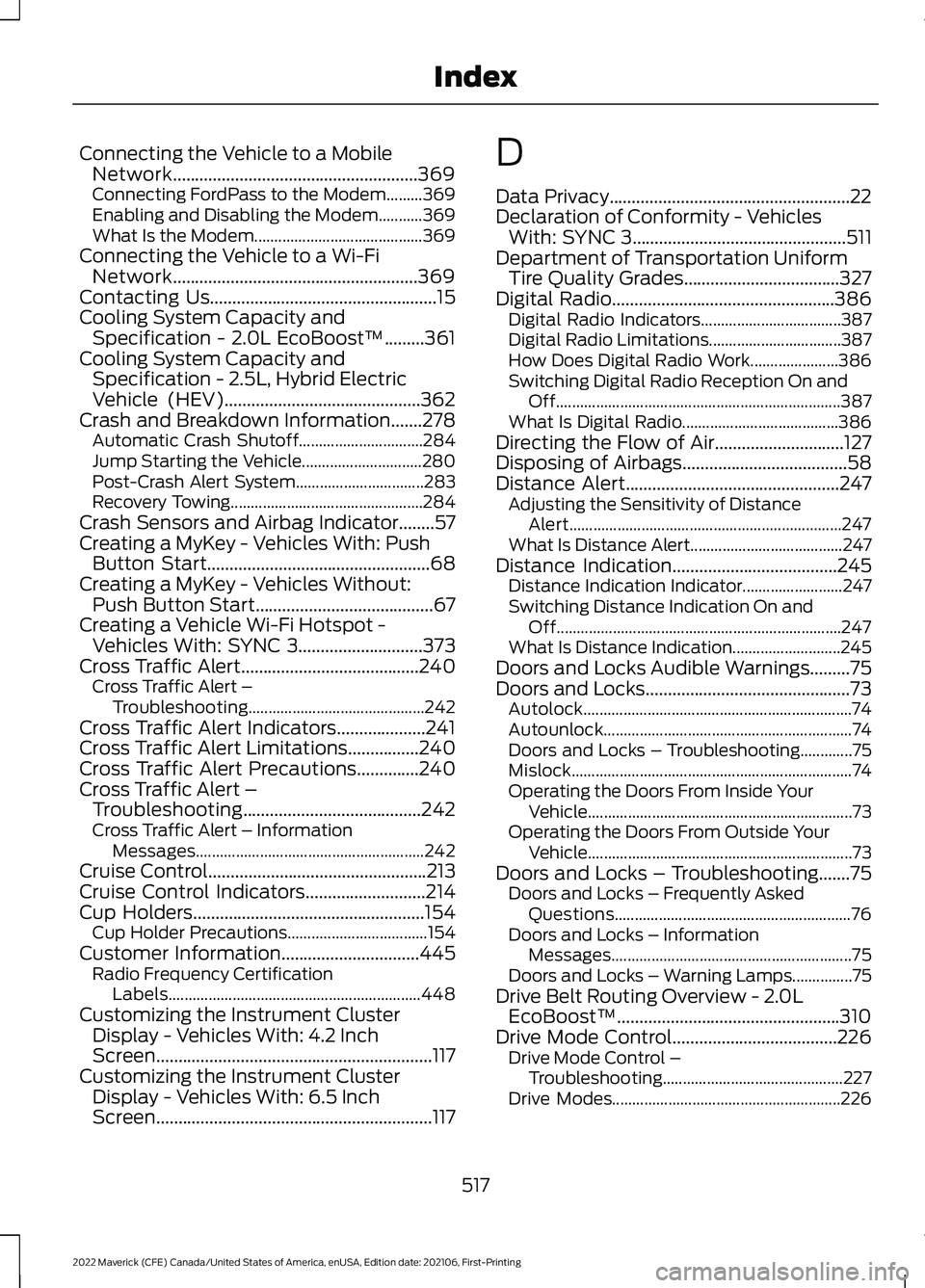
Connecting the Vehicle to a Mobile
Network.......................................................369
Connecting FordPass to the Modem.........369
Enabling and Disabling the Modem...........369
What Is the Modem.......................................... 369
Connecting the Vehicle to a Wi-Fi Network.......................................................369
Contacting Us...................................................15
Cooling System Capacity and Specification - 2.0L EcoBoost™.........361
Cooling System Capacity and Specification - 2.5L, Hybrid Electric
Vehicle (HEV)
............................................362
Crash and Breakdown Information.......278
Automatic Crash Shutoff............................... 284
Jump Starting the Vehicle.............................. 280
Post-Crash Alert System................................ 283
Recovery Towing................................................ 284
Crash Sensors and Airbag Indicator........57
Creating a MyKey - Vehicles With: Push Button Start..................................................68
Creating a MyKey - Vehicles Without: Push Button Start........................................67
Creating a Vehicle Wi-Fi Hotspot - Vehicles With: SYNC 3
............................373
Cross Traffic Alert........................................240
Cross Traffic Alert –
Troubleshooting............................................ 242
Cross Traffic Alert Indicators....................241
Cross Traffic Alert Limitations................240
Cross Traffic Alert Precautions
..............240
Cross Traffic Alert – Troubleshooting........................................242
Cross Traffic Alert – Information Messages......................................................... 242
Cruise Control
.................................................213
Cruise Control Indicators...........................214
Cup Holders
....................................................154
Cup Holder Precautions................................... 154
Customer Information
...............................445
Radio Frequency Certification
Labels............................................................... 448
Customizing the Instrument Cluster Display - Vehicles With: 4.2 Inch
Screen
..............................................................117
Customizing the Instrument Cluster Display - Vehicles With: 6.5 Inch
Screen
..............................................................117 D
Data Privacy......................................................22
Declaration of Conformity - Vehicles
With: SYNC 3
................................................511
Department of Transportation Uniform Tire Quality Grades...................................327
Digital Radio..................................................386 Digital Radio Indicators................................... 387
Digital Radio Limitations................................. 387
How Does Digital Radio Work...................... 386
Switching Digital Radio Reception On and Off....................................................................... 387
What Is Digital Radio....................................... 386
Directing the Flow of Air.............................127
Disposing of Airbags
.....................................58
Distance Alert................................................247
Adjusting the Sensitivity of Distance
Alert.................................................................... 247
What Is Distance Alert...................................... 247
Distance Indication.....................................245 Distance Indication Indicator......................... 247
Switching Distance Indication On and Off....................................................................... 247
What Is Distance Indication........................... 245
Doors and Locks Audible Warnings
.........75
Doors and Locks..............................................73 Autolock................................................................... 74
Autounlock.............................................................. 74
Doors and Locks – Troubleshooting.............75
Mislock...................................................................... 74
Operating the Doors From Inside Your Vehicle.................................................................. 73
Operating the Doors From Outside Your Vehicle.................................................................. 73
Doors and Locks – Troubleshooting.......75 Doors and Locks – Frequently Asked
Questions........................................................... 76
Doors and Locks – Information Messages............................................................ 75
Doors and Locks – Warning Lamps...............75
Drive Belt Routing Overview - 2.0L EcoBoost™..................................................310
Drive Mode Control.....................................226 Drive Mode Control –
Troubleshooting............................................. 227
Drive Modes......................................................... 226
517
2022 Maverick (CFE) Canada/United States of America, enUSA, Edition date: 202106, First-Printing Index
Page 527 of 533
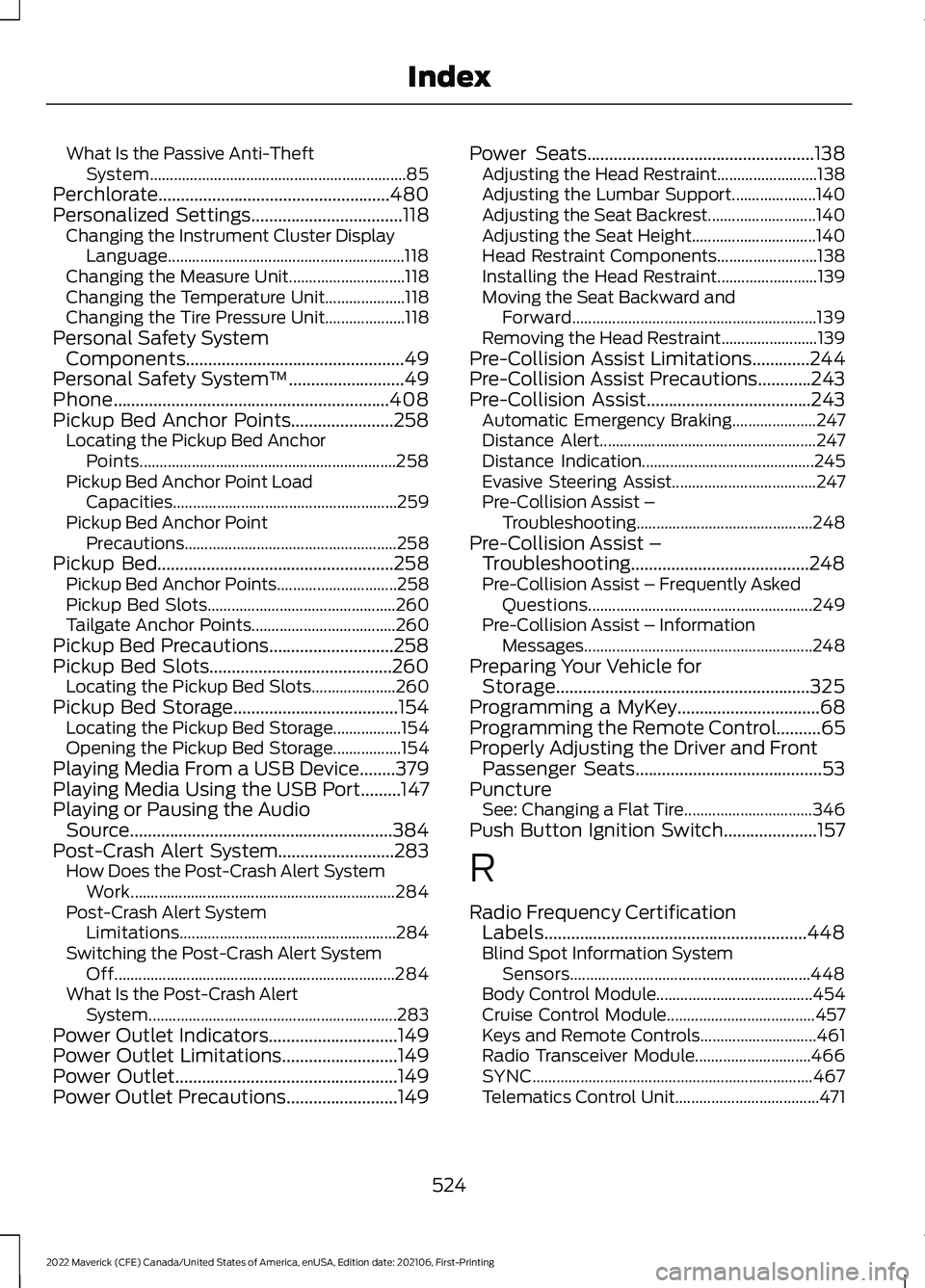
What Is the Passive Anti-Theft
System................................................................ 85
Perchlorate....................................................480
Personalized Settings..................................118
Changing the Instrument Cluster Display
Language........................................................... 118
Changing the Measure Unit............................. 118
Changing the Temperature Unit.................... 118
Changing the Tire Pressure Unit.................... 118
Personal Safety System Components
.................................................49
Personal Safety System ™..........................49
Phone..............................................................408
Pickup Bed Anchor Points.......................258 Locating the Pickup Bed Anchor
Points................................................................ 258
Pickup Bed Anchor Point Load Capacities........................................................ 259
Pickup Bed Anchor Point Precautions..................................................... 258
Pickup Bed
.....................................................258
Pickup Bed Anchor Points.............................. 258
Pickup Bed Slots............................................... 260
Tailgate Anchor Points.................................... 260
Pickup Bed Precautions............................258
Pickup Bed Slots.........................................260 Locating the Pickup Bed Slots..................... 260
Pickup Bed Storage.....................................154 Locating the Pickup Bed Storage.................154
Opening the Pickup Bed Storage.................154
Playing Media From a USB Device........379
Playing Media Using the USB Port.........147
Playing or Pausing the Audio Source...........................................................384
Post-Crash Alert System
..........................283
How Does the Post-Crash Alert System
Work.................................................................. 284
Post-Crash Alert System Limitations...................................................... 284
Switching the Post-Crash Alert System Off...................................................................... 284
What Is the Post-Crash Alert System.............................................................. 283
Power Outlet Indicators.............................149
Power Outlet Limitations
..........................149
Power Outlet..................................................149
Power Outlet Precautions.........................149 Power Seats
...................................................138
Adjusting the Head Restraint......................... 138
Adjusting the Lumbar Support..................... 140
Adjusting the Seat Backrest........................... 140
Adjusting the Seat Height............................... 140
Head Restraint Components......................... 138
Installing the Head Restraint......................... 139
Moving the Seat Backward and Forward............................................................. 139
Removing the Head Restraint........................ 139
Pre-Collision Assist Limitations
.............244
Pre-Collision Assist Precautions............243
Pre-Collision Assist.....................................243
Automatic Emergency Braking..................... 247
Distance Alert...................................................... 247
Distance Indication........................................... 245
Evasive Steering Assist.................................... 247
Pre-Collision Assist – Troubleshooting............................................ 248
Pre-Collision Assist – Troubleshooting........................................248
Pre-Collision Assist – Frequently Asked Questions........................................................ 249
Pre-Collision Assist – Information Messages......................................................... 248
Preparing Your Vehicle for Storage.........................................................325
Programming a MyKey
................................68
Programming the Remote Control..........65
Properly Adjusting the Driver and Front Passenger Seats..........................................53
Puncture See: Changing a Flat Tire................................ 346
Push Button Ignition Switch.....................157
R
Radio Frequency Certification Labels...........................................................448
Blind Spot Information System Sensors............................................................ 448
Body Control Module....................................... 454
Cruise Control Module..................................... 457
Keys and Remote Controls............................. 461
Radio Transceiver Module............................. 466
SYNC...................................................................... 467
Telematics Control Unit.................................... 471
524
2022 Maverick (CFE) Canada/United States of America, enUSA, Edition date: 202106, First-Printing Index