instrument panel FORD MAVERICK 2023 User Guide
[x] Cancel search | Manufacturer: FORD, Model Year: 2023, Model line: MAVERICK, Model: FORD MAVERICK 2023Pages: 556, PDF Size: 14.79 MB
Page 137 of 556
•For the system to function efficiently,the instrument panel and side air ventsshould be fully open.
•If you press AUTO during cold outsidetemperatures, the system directs airflow to the windshield and side windowair vents.In addition, the blower motormay run at a slower speed until theengine warms up.
•If you press AUTO during hottemperatures and the inside of thevehicle is hot, the system usesrecirculated air to maximize interiorcooling. Blower motor speed may alsoreduce until the air cools.
Quickly Heating the Interior
1.Press AUTO.
2.Adjust the temperature function to thesetting you prefer.
Recommended Settings forHeating
1.Press AUTO.
2.Adjust the temperature function to thesetting you prefer. Use 72°F (22°C) asa starting point, then adjust the settingas necessary.
Quickly Cooling the Interior
1.Press MAX A/C.
2.Drive with the windows open for a shortperiod of time.
Recommended Settings forCooling
1.Press AUTO.
2.Adjust the temperature function to thesetting you prefer. Use 72°F (22°C) asa starting point, then adjust the settingas necessary.
Defogging the Side Windows inCold Weather
1.Press and release defrost or maximumdefrost.
2.Adjust the temperature control to thesetting you prefer. Use 72°F (22°C) asa starting point, then adjust the settingas necessary.
133
2023 Maverick (CFE) Canada/United States of America, enUSA, Edition date: 202208, First-PrintingClimate Control - Vehicles With: Electronic Automatic TemperatureControl (EATC)
Page 151 of 556
LOCATING THE USB PORTS
Data Transfer USB Ports
The USB ports could be in the followinglocations:
•On the lower instrument panel.
•Inside the center console.
Note: These USB ports can also chargedevices.
Note: Not all USB ports in your vehicle havedata transfer capabilities.
Note: We recommend using only USB-IFcertified cables and adapters. Non-certifiedcables and adapters may not work.
Charge Only USB Ports
The USB ports could be in the followinglocations:
•On the lower instrument panel.
•On the upper instrument panel.
•Inside the media bin.
•Inside the center console.
•On the rear of the center console.
•In the cargo area.
PLAYING MEDIA USING THE
USB PORT
WARNING: Driving while distractedcan result in loss of vehicle control, crashand injury. We strongly recommend thatyou use extreme caution when using anydevice that may take your focus off theroad. Your primary responsibility is the
safe operation of your vehicle. Werecommend against the use of anyhand-held device while driving andencourage the use of voice-operatedsystems when possible. Make sure youare aware of all applicable local lawsthat may affect the use of electronicdevices while driving.
Connect your device to a data transfer USBport.
Press the audio button on thefeature bar.
Select Sources.
Select the USB option.
Press to play a track. Press againto pause the track.
Press to skip to the next track.
Press and hold to fast forwardthrough the track.
Press once to return to thebeginning of a track. Repeatedlypress to return to previoustracks.
Press and hold to fast rewind.
CHARGING A DEVICE
Connect your device to the USB port.
Data Transfer USB Ports
You can charge your device through thedata transfer USB port when SYNC is on.
147
2023 Maverick (CFE) Canada/United States of America, enUSA, Edition date: 202208, First-PrintingUSB PortsE250655 E263583 E100027 E250655
Page 153 of 556
WHAT IS THE POWER OUTLET
The power outlet is a socket that connectsan electrical device to your vehicle's powersupply.
POWER OUTLET
PRECAUTIONS
WARNING: Do not keep electricaldevices plugged into the power outletwhenever the device is not in use. Theoutlet provides power when the vehicleis on. Failure to follow this instructioncould result in personal injury.
WARNING: Do not use anextension cord or connect multipledevices to the power outlet. Doing socould result in overloading the poweroutlet. Failure to follow this instructioncould result in fire, personal injury orproperty damage.
POWER OUTLET LIMITATIONS
You should not use the power outlet forthese types of electric devices:
•Cathode ray tube type televisions.
•Motor loads, such as vacuum cleaners,electric saws or other electric powertools and compressor-drivenrefrigerators.
•Measuring devices which processprecise data, such as medicalequipment or measuring equipment.
•Other appliances requiring anextremely stable power supply, suchas microcomputer-controlled electricblankets or touch sensor lamps.
Note:Some devices may exceed the powerrating on the device label when they areinitially plugged-in and may require you topress the device power button more thanone time in order to allow a soft start. Aftermultiple attempts, if the device remains off,please consider that your device may requiremore than the available power.
Note:The power outlet provides fullavailable power when the vehicle is in park(P). Power availability may be reducedwhen the vehicle is in drive (D). If more thanone outlet is available in the vehicle, poweris divided between the outlets that are inuse at the same time.
LOCATING THE POWER
OUTLETS
The power outlet could be on theinstrument panel, the rear of the centerconsole or in the pickup bed.
POWER OUTLET INDICATORS
The power outlet indicator illuminates tolet you know the status of the system.
DescriptionIndicator Status
When the indicatorlight is on, theoutlet is providingpower.
On
When the indicatorlight is off, there isno power to theoutlet.
Off
When the indicatorlight is flashing, theoutlet is in a faultmode.
Flashing
149
2023 Maverick (CFE) Canada/United States of America, enUSA, Edition date: 202208, First-PrintingPower Outlet - Vehicles With: 110V Power Outlet
Page 155 of 556
WHAT IS THE POWER OUTLET
The power outlet can power devices usinga 12 V outlet adapter.
POWER OUTLET
PRECAUTIONS
When you switch the vehicle on, you canuse the socket to power 12 V applianceswith a maximum current rating of 15 A. Donot use the power point over the vehiclecapacity of 12 V DC 180 W or a fuse couldblow. Do not plug in any device thatsupplies power to the vehicle through thepower points. This could result in damageto vehicle systems. Do not hang anyaccessory from the accessory plug. Alwayskeep the power point caps closed whennot in use. Do not insert objects other thanan accessory plug into the power point.
To prevent the battery from running out ofcharge:
•Do not use the power point longer thannecessary when the vehicle is off.
•Do not leave devices plugged inovernight or when you park your vehiclefor extended periods.
•Using devices for extended periodsmay require starting and running theengine to recharge the battery.
LOCATING THE POWER
OUTLETS
Power outlets may be in the followinglocations:
•On the lower instrument panel.
•Inside the center console.
•On the front of the center console.
•On the rear of the center console.
•In the cargo area.
•On the passenger side floor panel.
•3rd row on the quarter trim panels.
151
2023 Maverick (CFE) Canada/United States of America, enUSA, Edition date: 202208, First-PrintingPower Outlet - Vehicles With: 12V Power Outlet
Page 156 of 556
WHAT IS THE WIRELESS
ACCESSORY CHARGER
The wireless accessory charger allows youto charge one compatible Qi wirelesscharging device on the charging area.
WIRELESS ACCESSORY
CHARGER PRECAUTIONS
WARNING: Wireless chargingdevices can affect the operation ofimplanted medical devices, includingcardiac pacemakers. If you have anyimplanted medical devices, werecommend that you consult with yourphysician.
Keep the charging area clean and removeforeign objects prior to charging a device.
Do not place items with a magnetic stripor radio-frequency identification chip, forexample passports, parking tickets,transportation passes or credit cards, nearthe charging area when charging a device.Damage could occur to the magnetic stripor radio-frequency identification chip.
Do not place metal objects, for exampleremote controls, coins and candywrappers, on or near the charging areawhen charging a device. Metal objects mayheat up and degrade the chargingperformance, in addition to causinginterruptions in charging.
Charging could be interrupted, degraded,or could stop if any of the following occur:
•The system detects a foreign object.
•The device is misaligned on thecharging area.
•The device moves on the activecharging area when the vehicle is inmotion.
•The vehicle ambient temperature is toohigh.
•You attempt to charge a non-Qicompatible device on the wirelesscharger.
Note:During charging, the device and thecharger could heat up, this is normal. If thebattery gets hotter than usual, the devicemay stop charging.
LOCATING THE WIRELESS
ACCESSORY CHARGER
The charging area is on thecenter console or in the mediabin below the instrument panel.
CHARGING A WIRELESS
DEVICE
Place the device on the center of thecharging surface with the charging sidedown. The charging stops after your devicereaches a full charge.
You can use the charger when the vehicleis in accessory mode, when the vehicle isrunning, or when SYNC is on.
Displays on the status bar whenwireless charging is in progress.
Note:The charging performance may beaffected if your device is in a case. It may benecessary to remove the case to wirelesslycharge your device.
Note:Software and firmware updates mayaffect device compatibility, including theuse of unofficial software or firmware. Youshould verify charging functionality with yourspecific devices in-vehicle.
152
2023 Maverick (CFE) Canada/United States of America, enUSA, Edition date: 202208, First-PrintingWireless Accessory Charger (If Equipped)E297549 E263583
Page 180 of 556
REFUELING YOUR VEHICLE -HYBRID ELECTRIC VEHICLE (HEV)
WARNING: When refueling alwaysshut the engine off and never allowsparks or open flames near the fuel tankfiller valve. Never smoke or use a cellphone while refueling. Fuel vapor isextremely hazardous under certainconditions. Avoid inhaling excess fumes.
WARNING: The fuel system maybe under pressure. If you hear a hissingsound near the fuel filler inlet, do notrefuel until the sound stops. Otherwise,fuel may spray out, which could causeserious personal injury.
WARNING: Do not pry open thefuel tank filler valve. This could damagethe fuel system. Failure to follow thisinstruction could result in fire, personalinjury or death.
WARNING: Do not remove the fuelpump nozzle from its fully insertedposition when refueling.
WARNING: Stop refueling whenthe fuel pump nozzle automaticallyshuts off for the first time. Failure tofollow this will fill the expansion spacein the fuel tank and could lead to fueloverflowing.
WARNING: Do not overfill the fueltank. The pressure in an overfilled tankmay cause leakage and lead to fuel sprayand fire.
WARNING: Wait at least fiveseconds before removing the fuel pumpnozzle to allow any residual fuel to draininto the fuel tank.
WARNING: Read and follow all theinstructions on the pump island.
1.When you stop your vehicle, shift intopark (P) and switch the ignition off.
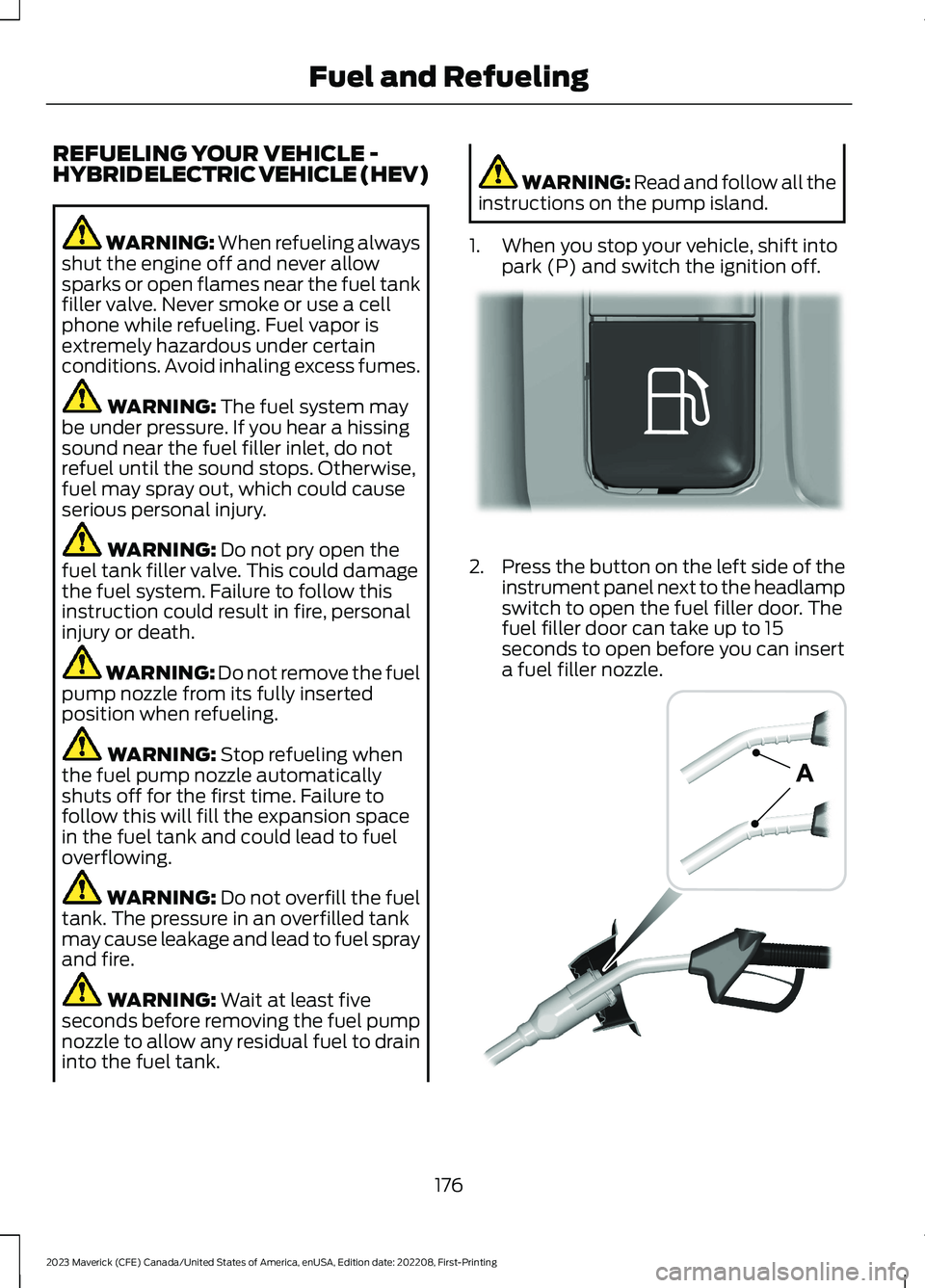
2.Press the button on the left side of theinstrument panel next to the headlampswitch to open the fuel filler door. Thefuel filler door can take up to 15seconds to open before you can inserta fuel filler nozzle.
176
2023 Maverick (CFE) Canada/United States of America, enUSA, Edition date: 202208, First-PrintingFuel and RefuelingE293006 E139202
Page 181 of 556
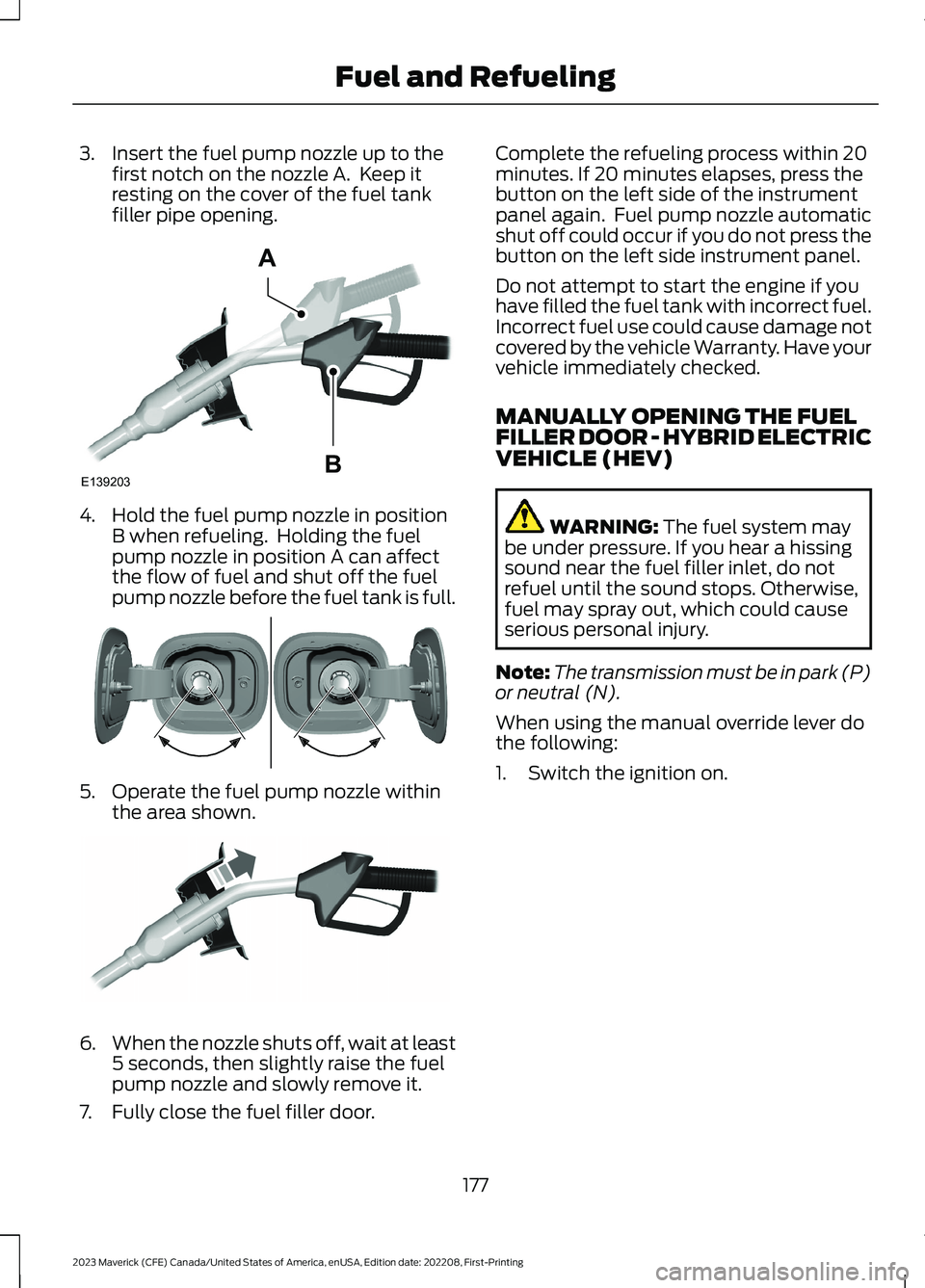
3.Insert the fuel pump nozzle up to thefirst notch on the nozzle A. Keep itresting on the cover of the fuel tankfiller pipe opening.
4.Hold the fuel pump nozzle in positionB when refueling. Holding the fuelpump nozzle in position A can affectthe flow of fuel and shut off the fuelpump nozzle before the fuel tank is full.
5.Operate the fuel pump nozzle withinthe area shown.
6.When the nozzle shuts off, wait at least5 seconds, then slightly raise the fuelpump nozzle and slowly remove it.
7.Fully close the fuel filler door.
Complete the refueling process within 20minutes. If 20 minutes elapses, press thebutton on the left side of the instrumentpanel again. Fuel pump nozzle automaticshut off could occur if you do not press thebutton on the left side instrument panel.
Do not attempt to start the engine if youhave filled the fuel tank with incorrect fuel.Incorrect fuel use could cause damage notcovered by the vehicle Warranty. Have yourvehicle immediately checked.
MANUALLY OPENING THE FUELFILLER DOOR - HYBRID ELECTRICVEHICLE (HEV)
WARNING: The fuel system maybe under pressure. If you hear a hissingsound near the fuel filler inlet, do notrefuel until the sound stops. Otherwise,fuel may spray out, which could causeserious personal injury.
Note:The transmission must be in park (P)or neutral (N).
When using the manual override lever dothe following:
1.Switch the ignition on.
177
2023 Maverick (CFE) Canada/United States of America, enUSA, Edition date: 202208, First-PrintingFuel and RefuelingE139203AB E337454 E119081
Page 249 of 556
3.Switch Cross Traffic Alert on or off.
Note:The system switches on every timeyou switch the ignition on. To permanentlyswitch the system off, contact an authorizeddealer.
LOCATING THE CROSS
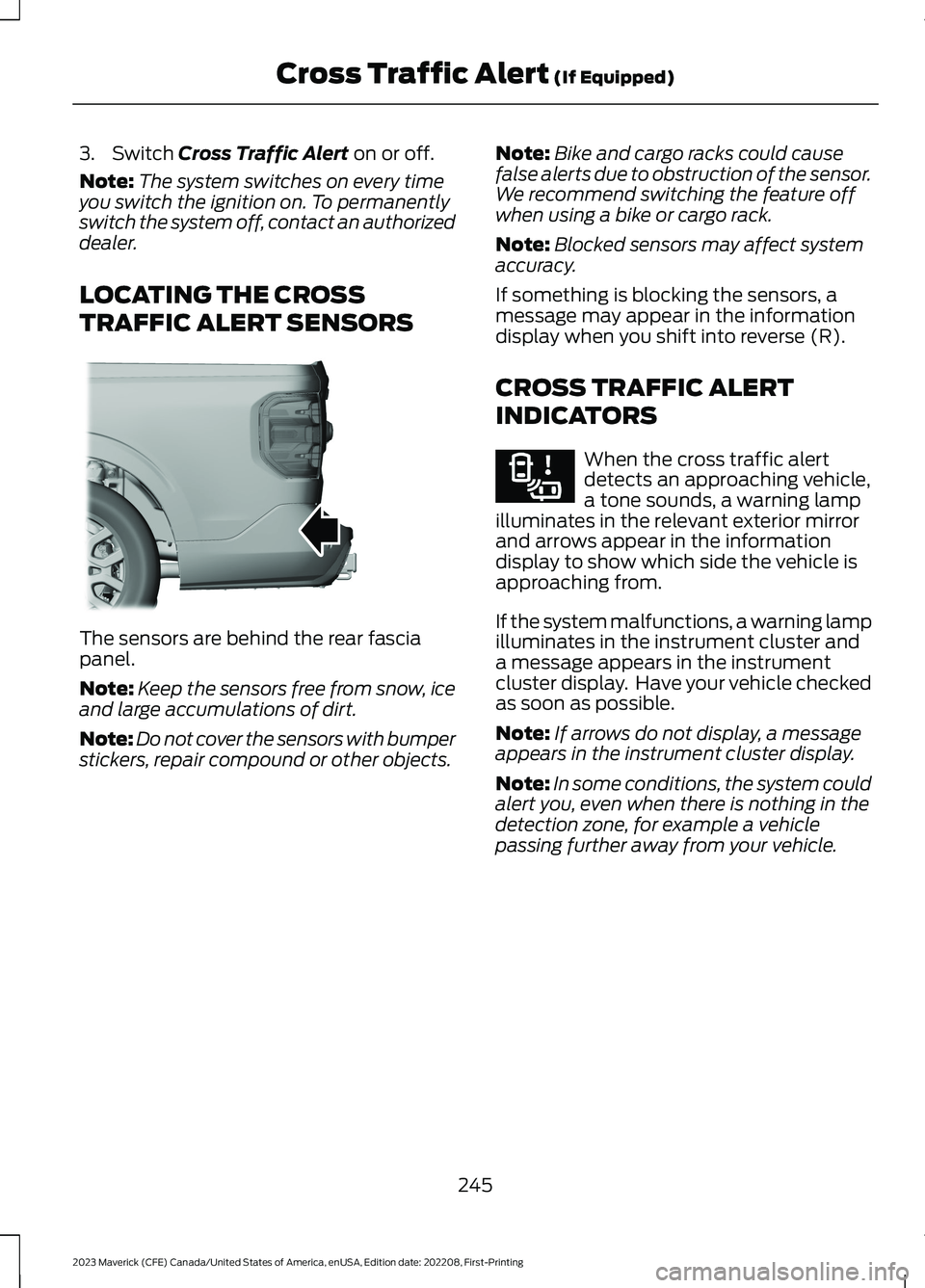
TRAFFIC ALERT SENSORS
The sensors are behind the rear fasciapanel.
Note:Keep the sensors free from snow, iceand large accumulations of dirt.
Note:Do not cover the sensors with bumperstickers, repair compound or other objects.
Note:Bike and cargo racks could causefalse alerts due to obstruction of the sensor.We recommend switching the feature offwhen using a bike or cargo rack.
Note:Blocked sensors may affect systemaccuracy.
If something is blocking the sensors, amessage may appear in the informationdisplay when you shift into reverse (R).
CROSS TRAFFIC ALERT
INDICATORS
When the cross traffic alertdetects an approaching vehicle,a tone sounds, a warning lampilluminates in the relevant exterior mirrorand arrows appear in the informationdisplay to show which side the vehicle isapproaching from.
If the system malfunctions, a warning lampilluminates in the instrument cluster anda message appears in the instrumentcluster display. Have your vehicle checkedas soon as possible.
Note:If arrows do not display, a messageappears in the instrument cluster display.
Note:In some conditions, the system couldalert you, even when there is nothing in thedetection zone, for example a vehiclepassing further away from your vehicle.
245
2023 Maverick (CFE) Canada/United States of America, enUSA, Edition date: 202208, First-PrintingCross Traffic Alert (If Equipped)E354512 E268294
Page 288 of 556
1.Exit the vehicle immediately.
2.Advise emergency assistance that anelectric or hybrid-electric vehicle isinvolved.
3.As with any vehicle fire, do not inhalesmoke, vapors or gas from the vehicle,as they may be hazardous.
Post-Incident
1.Do not store a severely damagedvehicle with a lithium-ion battery insidea structure or within 49 ft (15 m) of anystructure or vehicle.
2.Make sure that passenger and luggagecompartments remain ventilated.
3.Call emergency assistance if youobserve leaking fluids, sparks, smokeor flames, or hear gurgling or bubblingfrom the high-voltage battery.
SWITCHING THE HAZARD
FLASHERS ON AND OFF
The hazard flasher button is onthe instrument panel. Press thebutton to switch the hazardflashers on if your vehicle is creating asafety hazard for other road users.
When you switch the hazard flashers on,all front and rear direction indicators flash.
Note:The hazard flashers operate whenthe ignition is in any position, or if the key isnot in the ignition. The battery loses chargeand could have insufficient power to restartyour vehicle.
Press the button again to switch them off.
JUMP STARTING THE VEHICLE
JUMP STARTING PRECAUTIONS
WARNING: Batteries normallyproduce explosive gases which cancause personal injury. Therefore, do notallow flames, sparks or lightedsubstances to come near the battery.When working near the battery, alwaysshield your face and protect your eyes.Always provide correct ventilation.
WARNING: Keep batteries out ofreach of children. Batteries containsulfuric acid. Avoid contact with skin,eyes or clothing. Shield your eyes whenworking near the battery to protectagainst possible splashing of acidsolution. In case of acid contact with skinor eyes, flush immediately with water fora minimum of 15 minutes and get promptmedical attention. If acid is swallowed,call a physician immediately.
WARNING: Use only adequatelysized cables with insulated clamps.
WARNING: Make sure that thecables are clear of any moving parts andfuel delivery system parts.
WARNING: Connect batteries withonly the same nominal voltage.
WARNING: If the engine is runningwhile the hood is open, stay clear ofmoving engine components. Failure tofollow this warning could result in seriouspersonal injury or death.
Do not attempt to push-start an automatictransmission vehicle. This could causetransmission damage.
284
2023 Maverick (CFE) Canada/United States of America, enUSA, Edition date: 202208, First-PrintingCrash and Breakdown InformationE75790
Page 332 of 556
CLEANING THE EXTERIOR
CLEANING THE EXTERIORPRECAUTIONS
Immediately remove fuel spillages, additiveresiduals, bird droppings, insect depositsand road tar. These may cause damage toyour vehicle’s paintwork or trim over time.Remove any exterior accessories, forexample antennas, before entering a carwash.
CLEANING HEADLAMPS ANDREAR LAMPS
We recommend that you only use cold orlukewarm water containing car shampooto clean the headlamps and the rearlamps.
Do not scrape the lamps.
Do not wipe lamps when they are dry.
CLEANING WINDOWS AND WIPERBLADES
To clean the windshield and wiper blades:
•Clean the windshield with anon-abrasive glass cleaner.
Note:When cleaning the interior of thewindshield, avoid getting any glass cleaneron the instrument panel or door panels.Wipe any glass cleaner off these surfacesimmediately.
•Clean the wiper blades with washerfluid or water applied with a softsponge or cloth.
Note: Do not use razor blades or othersharp objects to clean or remove decalsfrom the inside of the heated rear window.This can cause damage not covered by thevehicle Warranty.
CLEANING CHROME, ALUMINIUMOR STAINLESS STEEL
We recommend that you only use a carshampoo, a soft cloth and water onbumpers and other chrome, aluminium orstainless steel parts.
Note:For additional information andassistance, we recommend that you contactan authorized dealer.
Note:Rinse the area well after cleaning.
Note:Do not use abrasive materials, forexample steel wool or plastic pads, as theycan scratch these surfaces.
Note:Do not use chrome cleaner, metalcleaner or polish on wheels or wheel covers.
CLEANING WHEELS
Only use a recommended wheel and tirecleaner to clean the wheels weekly. Foradditional information and assistance, werecommend that you contact anauthorized dealer.
1.Use a sponge to remove heavydeposits of dirt and brake dust.
2.Rinse well after cleaning.
Note:Do not apply a cleaning chemical towarm or hot wheel rims and covers.
If you intend on parking your vehicle for anextended period after cleaning the wheelswith a wheel cleaner, drive your vehicle fora few minutes before parking your vehicle.This reduces the risk of corrosion of thebrake discs, brake pads and linings.
Do not clean the wheels when they are hot.
Note: Some car washes could damagewheel rims and covers.
Note: Using non-recommended cleaners,harsh cleaning products, chrome wheelcleaners or abrasive materials coulddamage wheel rims and covers.
328
2023 Maverick (CFE) Canada/United States of America, enUSA, Edition date: 202208, First-PrintingVehicle Care