warning FORD MONDEO 2014 4.G Owners Manual
[x] Cancel search | Manufacturer: FORD, Model Year: 2014, Model line: MONDEO, Model: FORD MONDEO 2014 4.GPages: 446, PDF Size: 29.09 MB
Page 199 of 446
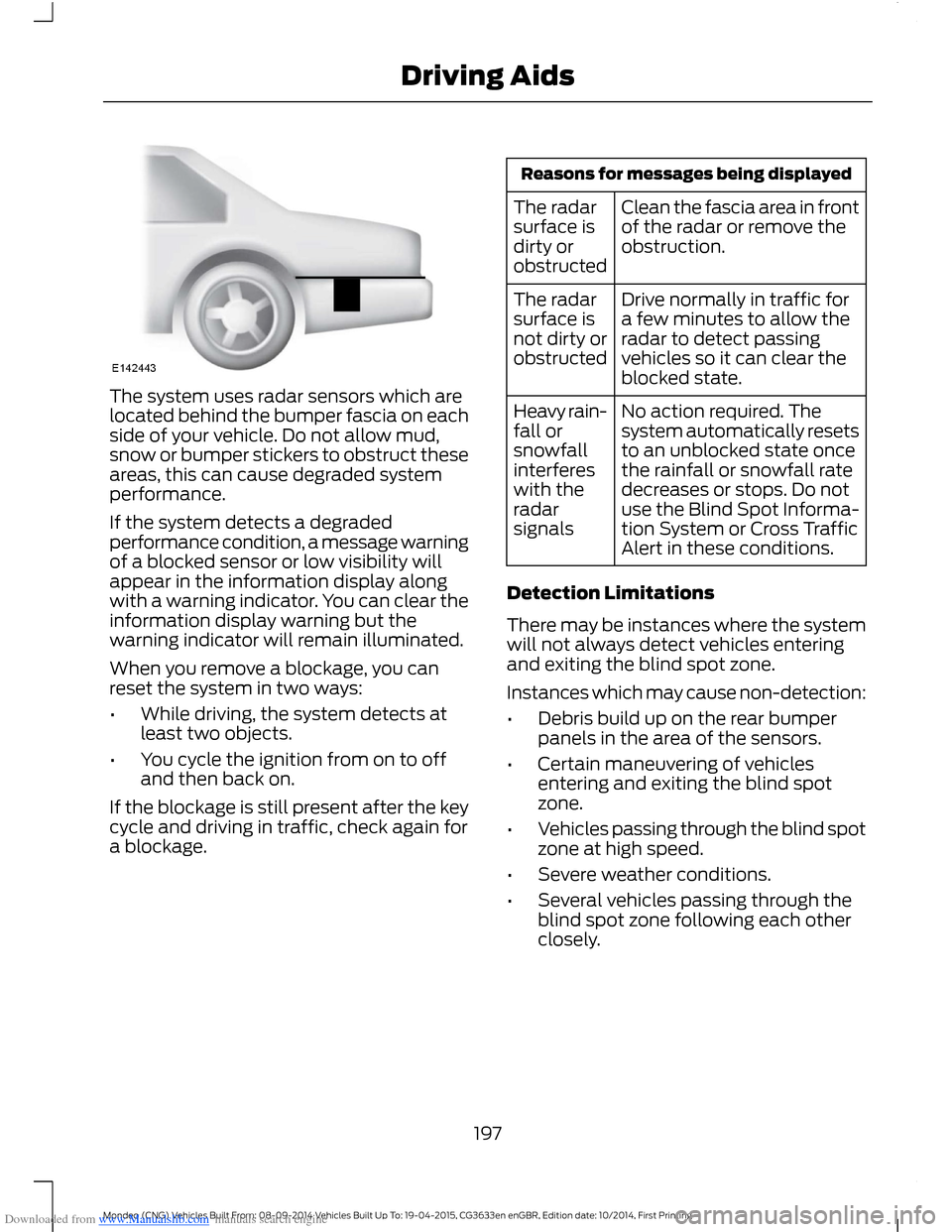
Downloaded from www.Manualslib.com manuals search engine The system uses radar sensors which arelocated behind the bumper fascia on eachside of your vehicle. Do not allow mud,snow or bumper stickers to obstruct theseareas, this can cause degraded systemperformance.
If the system detects a degradedperformance condition, a message warningof a blocked sensor or low visibility willappear in the information display alongwith a warning indicator. You can clear theinformation display warning but thewarning indicator will remain illuminated.
When you remove a blockage, you canreset the system in two ways:
•While driving, the system detects atleast two objects.
•You cycle the ignition from on to offand then back on.
If the blockage is still present after the keycycle and driving in traffic, check again fora blockage.
Reasons for messages being displayed
Clean the fascia area in frontof the radar or remove theobstruction.
The radarsurface isdirty orobstructed
Drive normally in traffic fora few minutes to allow theradar to detect passingvehicles so it can clear theblocked state.
The radarsurface isnot dirty orobstructed
No action required. Thesystem automatically resetsto an unblocked state oncethe rainfall or snowfall ratedecreases or stops. Do notuse the Blind Spot Informa-tion System or Cross TrafficAlert in these conditions.
Heavy rain-fall orsnowfallinterfereswith theradarsignals
Detection Limitations
There may be instances where the systemwill not always detect vehicles enteringand exiting the blind spot zone.
Instances which may cause non-detection:
•Debris build up on the rear bumperpanels in the area of the sensors.
•Certain maneuvering of vehiclesentering and exiting the blind spotzone.
•Vehicles passing through the blind spotzone at high speed.
•Severe weather conditions.
•Several vehicles passing through theblind spot zone following each otherclosely.
197Mondeo (CNG) Vehicles Built From: 08-09-2014 Vehicles Built Up To: 19-04-2015, CG3633en enGBR, Edition date: 10/2014, First PrintingDriving Aids
Page 200 of 446
Downloaded from www.Manualslib.com manuals search engine The following are other situations that maylimit the Cross Traffic Alert system:
•Adjacently parked vehicles or objectsobstructing the sensors.
•Approaching vehicles passing atspeeds greater than 15 mph (24 km/h).
•Driving in reverse faster than 5 mph(8 km/h).
•Backing out of an angled parking spot.
False Alerts
Note:If your vehicle has a trailer towmodule approved by us, the system willdetect a connected trailer and turn off. Fornon-factory equipped tow bars, you maywant to turn the Blind Spot InformationSystem off manually.
There may be certain instances when thereis a false alert by either the Blind SpotInformation or the Cross Traffic Alertsystems that illuminates the alert indicatorwith no vehicle in the coverage zone. Someamount of false alerts are normal; they aretemporary and self-correct.
Detection Errors
If either system senses a problem with theleft or right sensor, the Blind SpotInformation System warning indicator willilluminate and a message will appear inthe information display.
All other system faults will display onlywith a message in the information display.See Information Messages (page 96).
Switching the Systems Off and On
You can temporarily switch off one or bothsystems in the information display. SeeInformation Messages (page 96). Whenyou switch off the Blind Spot InformationSystem, you will not receive alerts and theinformation display will display a systemoff message.
Note:The Cross Traffic Alert system alwaysswitches on whenever the ignition isswitched on. However, the Blind SpotInformation System will remember the lastselected on or off setting.
One or both systems cannot be switchedoff when MyKey is used. See Principle ofOperation (page 38).
You can also have one or both systemsswitched off permanently at an authorizeddealer. Once switched off, the system canonly be switched back on at an authorizeddealer.
TRAFFIC SIGN RECOGNITION
Principle of Operation
WARNINGS
The system does not relieve you ofyour responsibility to drive with duecare and attention.
At all times you are responsible forcontrolling your vehicle, supervisingthe system and intervening ifrequired.
If the sensor becomes blocked thesystem may not function.
Note:In cold and severe weather conditionsthe system may not function. Rain, snow,spray and large contrasts in lighting can allprevent the sensor from functioningcorrectly.
Note:Do not carry out windshield repairsin the immediate area surrounding thesensor.
Note:If your vehicle has a suspension kitnot approved by us, the system may notfunction correctly.
Note:Always fit Ford original parts whenreplacing headlamp bulbs. Other bulbs mayreduce system performance.
198Mondeo (CNG) Vehicles Built From: 08-09-2014 Vehicles Built Up To: 19-04-2015, CG3633en enGBR, Edition date: 10/2014, First PrintingDriving Aids
Page 201 of 446
Downloaded from www.Manualslib.com manuals search engine Note:Keep the windshield free fromobstructions such as bird droppings, insectsand snow or ice.
Note:The system may not detect all trafficsigns and may read signs incorrectly.
Note:The system is designed toautomatically detect traffic signs meetingthe Vienna convention.
Note:Traffic sign data provided by thenavigation system contains informationintegrated to the data carrier release.
There is a sensor mounted behind theinterior rear view mirror. It continuouslymonitors road signs to inform you of thecurrent speed limit and overtakingregulations.
The system automatically detectsrecognisable traffic signs, such as:
•Speed limit signs.
•No overtaking signs.
•Speed limit cancellation signs.
When the system recognises a traffic sign,it will be shown in the display.
Using the System
Switching the System On and Off
Note:The system status and settings willremain unchanged during ignition cycles.
You can switch the system on and off usingthe information display. See GeneralInformation (page 86).
Setting the System Speed Warning
The system has a number of speedwarning levels which can be set using theinformation display. See GeneralInformation (page 86).
System Display
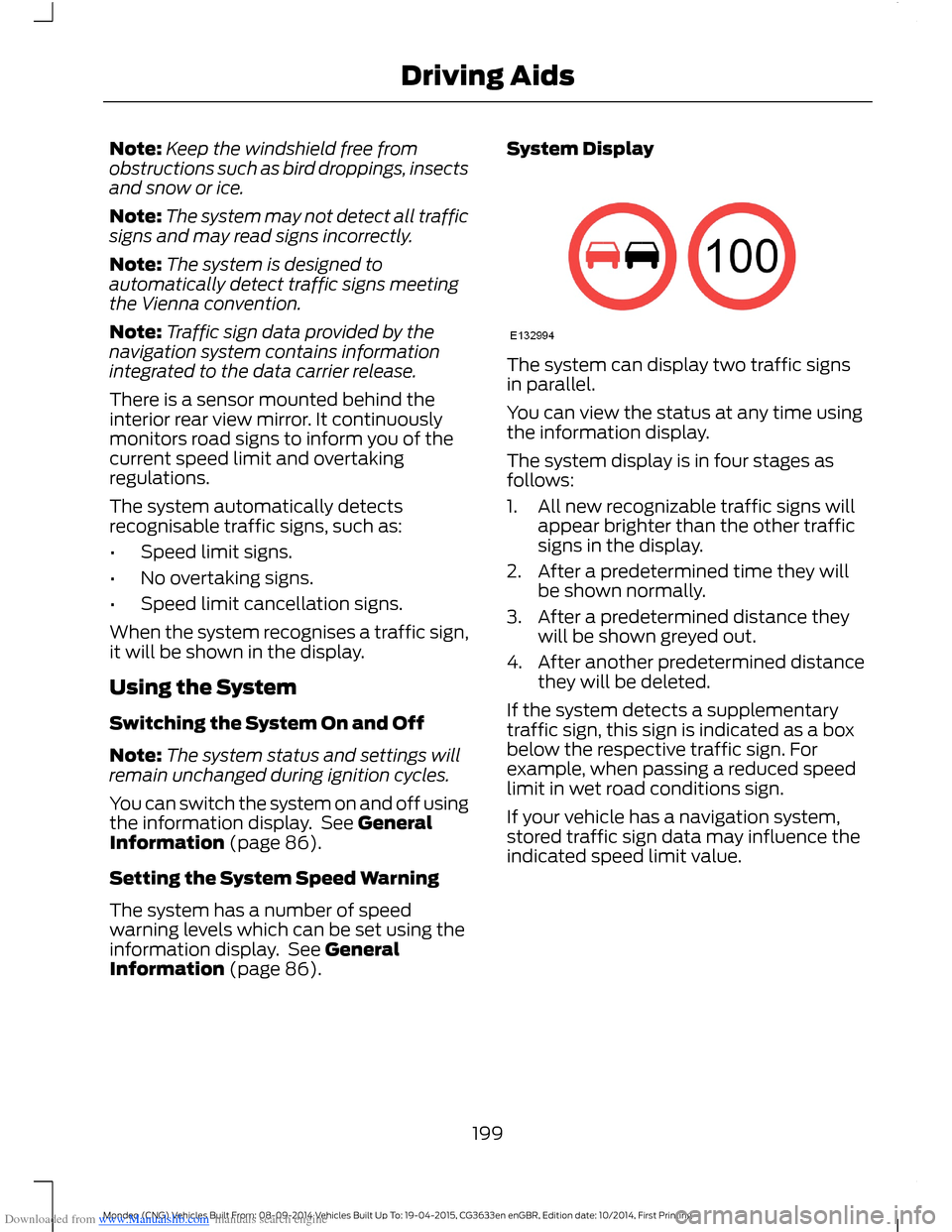
The system can display two traffic signsin parallel.
You can view the status at any time usingthe information display.
The system display is in four stages asfollows:
1.All new recognizable traffic signs willappear brighter than the other trafficsigns in the display.
2.After a predetermined time they willbe shown normally.
3.After a predetermined distance theywill be shown greyed out.
4.After another predetermined distancethey will be deleted.
If the system detects a supplementarytraffic sign, this sign is indicated as a boxbelow the respective traffic sign. Forexample, when passing a reduced speedlimit in wet road conditions sign.
If your vehicle has a navigation system,stored traffic sign data may influence theindicated speed limit value.
199Mondeo (CNG) Vehicles Built From: 08-09-2014 Vehicles Built Up To: 19-04-2015, CG3633en enGBR, Edition date: 10/2014, First PrintingDriving Aids
Page 202 of 446
Downloaded from www.Manualslib.com manuals search engine ACTIVE CITY STOP
Principle of Operation
WARNINGS
You are responsible for controllingyour vehicle at all times. The systemdoes not relieve you of yourresponsibility to drive with due care andattention. Failure to take care may resultin the loss of control of your vehicle, seriouspersonal injury or death.
To achieve full system performanceyou must break in the brakingsystem. See Breaking-In (page 221).Failure to take care may result in the lossof control of your vehicle, serious personalinjury or death.
If the system applies the brakes andthe engine stops the hazard warningflashers will automatically turn on.Failure to take care may lead to a crash orpersonal injury.
The system does not react tocyclists, motorcyclists, pedestrians,animals or vehicles that are drivingin a different direction. Failure to take caremay result in the loss of control of yourvehicle, serious personal injury or death.
The system does not operate duringharsh acceleration or steering. Failureto take care may lead to a crash orpersonal injury.
The system may not operate duringcold or severe weather conditions.Snow, ice, heavy rain and spray caninfluence the system. Keep the hood freeof snow and ice. Failure to take care mayresult in the loss of control of your vehicle,serious personal injury or death.
The system may not operate whendriving around sharp curves. Failureto take care may lead to a crash orpersonal injury.
WARNINGS
The system may not operatecorrectly if you replace thewindshield with a non-Fordwindshield. Do not carry out windshieldrepairs in front of the sensor. Failure toadhere to this warning may lead to anaccident or injury.
The system may not detect objectswith surfaces that absorb reflections.Failure to take care may result in theloss of control of your vehicle, seriouspersonal injury or death.
The system will not operate correctlyif the sensor is blocked. Keep thewindshield free from obstructions,for example, bird droppings, insects, snowor ice. Failure to adhere to this warning maylead to an accident or injury.
When you switch the ignition on thesensor transmits a laser beam. Neverlook directly into the sensor with anytype of object, there is a risk of eye injury.
The sensor is on the rear of the interiormirror. It continuously monitors conditionsto decide when to intervene.
The system operates at speeds belowapproximately 25 mph (40 km/h) byapplying the brakes if it detects that acrash is likely. If the system applies thebrakes, a message appears in theinformation display.
The system may reduce the risk of a lowspeed crash into another vehicle. It alsohelps reduce impact damage or may avoidthe crash completely.
Note:You must depress the brake pedal toobtain full braking force.
200Mondeo (CNG) Vehicles Built From: 08-09-2014 Vehicles Built Up To: 19-04-2015, CG3633en enGBR, Edition date: 10/2014, First PrintingDriving Aids
Page 203 of 446
Downloaded from www.Manualslib.com manuals search engine Switching the System Off and On
In certain situations, it is advisable toswitch the system off. For example:
•Driving off road when objects maycover the windshield.
•Driving through a car wash facility.
Selectable settings for this feature are ONand OFF. The default setting for active citystop is ON.
You can switch the system off and on usingthe information display. See (page 86).
COLLISION WARNING SYSTEM
PRINCIPLE OF OPERATION
WARNINGS
You are responsible for controllingyour vehicle at all times. The systemdoes not relieve you of yourresponsibility to drive with due care andattention. Failure to take care may resultin the loss of control of your vehicle, seriouspersonal injury or death.
To achieve full system performanceyou must break in the brakingsystem. See (page 160).Failure totake care may result in the loss of controlof your vehicle, serious personal injury ordeath.
The system does not react tocyclists, animals, pedestrians atnight, or vehicles that are driving in adifferent direction. Failure to take care mayresult in the loss of control of your vehicle,serious personal injury or death.
The system does not operate duringharsh acceleration or steering. Failureto take care may lead to a crash orpersonal injury.
WARNINGS
The system may or may not operateor may operate with reducedfunction during cold or severeweather conditions. Snow, ice, rain, sprayand fog can influence the system. Keepthe front camera and radar free of snowand ice. Failure to take care may result inthe loss of control of your vehicle, seriouspersonal injury or death.
System performance may reduce insituations where the camera'sdetection capability is limited. Thesesituations include but are not limited todirect or low sunlight, vehicles at nightwithout tail lights, unconventional vehicletypes, pedestrians with complexbackgrounds, running pedestrians, partlyobscured pedestrians, or pedestrians whichcannot be distinguished from a group.Failure to take care may result in the lossof control of your vehicle, serious personalinjury or death.
The system cannot help prevent allcollisions. Do not rely on this systemto replace driver judgment and theneed to maintain distance and speed.
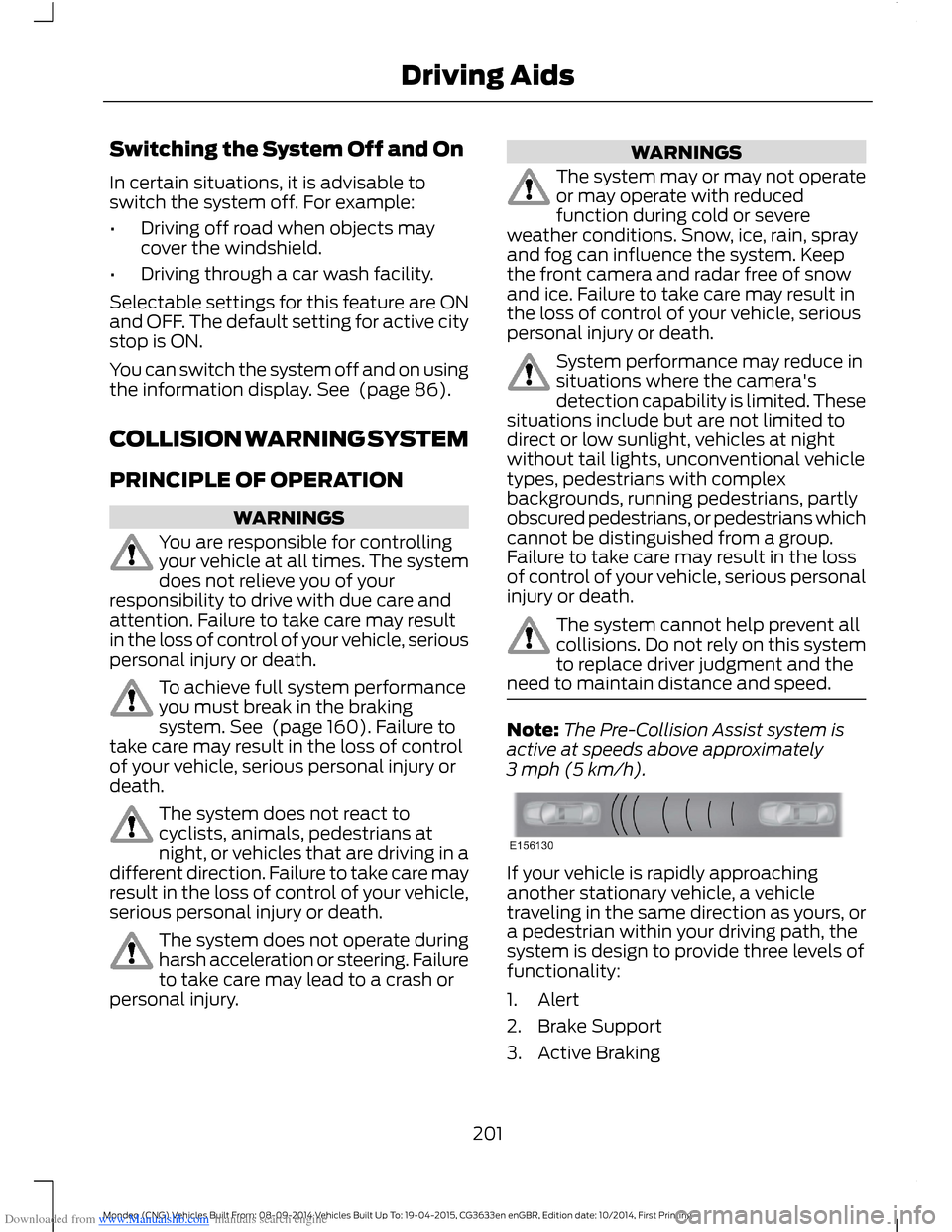
Note:The Pre-Collision Assist system isactive at speeds above approximately3 mph (5 km/h).
If your vehicle is rapidly approachinganother stationary vehicle, a vehicletraveling in the same direction as yours, ora pedestrian within your driving path, thesystem is design to provide three levels offunctionality:
1.Alert
2.Brake Support
3.Active Braking
201Mondeo (CNG) Vehicles Built From: 08-09-2014 Vehicles Built Up To: 19-04-2015, CG3633en enGBR, Edition date: 10/2014, First PrintingDriving Aids
Page 204 of 446
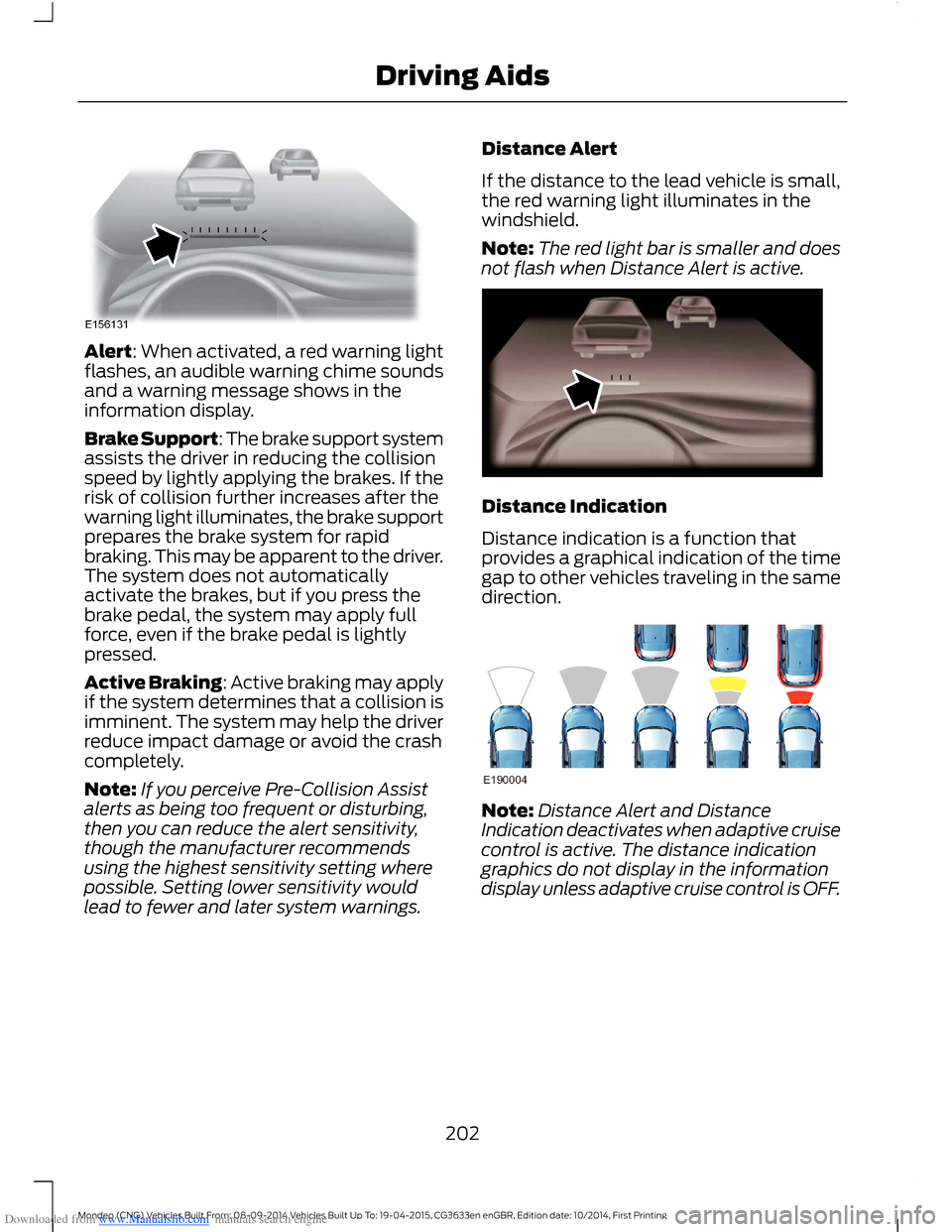
Downloaded from www.Manualslib.com manuals search engine Alert: When activated, a red warning lightflashes, an audible warning chime soundsand a warning message shows in theinformation display.
Brake Support: The brake support systemassists the driver in reducing the collisionspeed by lightly applying the brakes. If therisk of collision further increases after thewarning light illuminates, the brake supportprepares the brake system for rapidbraking. This may be apparent to the driver.The system does not automaticallyactivate the brakes, but if you press thebrake pedal, the system may apply fullforce, even if the brake pedal is lightlypressed.
Active Braking: Active braking may applyif the system determines that a collision isimminent. The system may help the driverreduce impact damage or avoid the crashcompletely.
Note:If you perceive Pre-Collision Assistalerts as being too frequent or disturbing,then you can reduce the alert sensitivity,though the manufacturer recommendsusing the highest sensitivity setting wherepossible. Setting lower sensitivity wouldlead to fewer and later system warnings.
Distance Alert
If the distance to the lead vehicle is small,the red warning light illuminates in thewindshield.
Note:The red light bar is smaller and doesnot flash when Distance Alert is active.
Distance Indication
Distance indication is a function thatprovides a graphical indication of the timegap to other vehicles traveling in the samedirection.
Note:Distance Alert and DistanceIndication deactivates when adaptive cruisecontrol is active. The distance indicationgraphics do not display in the informationdisplay unless adaptive cruise control is OFF.
202Mondeo (CNG) Vehicles Built From: 08-09-2014 Vehicles Built Up To: 19-04-2015, CG3633en enGBR, Edition date: 10/2014, First PrintingDriving Aids
Page 209 of 446
Downloaded from www.Manualslib.com manuals search engine GENERAL INFORMATION
WARNINGS
Use load securing straps to anapproved standard, e.g. DIN.
Make sure that you secure all looseitems properly.
Place luggage and other loads as lowand as far forward as possible withinthe luggage or loadspace.
Do not drive with the liftgate or reardoor open. Exhaust fumes may enteryour vehicle.
Do not exceed the maximum frontand rear axle loads for your vehicle.See Vehicle Identification Plate(page 280).
Do not allow items to contact therear windows.
Note:When loading long objects in to yourvehicle, for example pipes, timber orfurniture be careful not to damage theinterior trim.
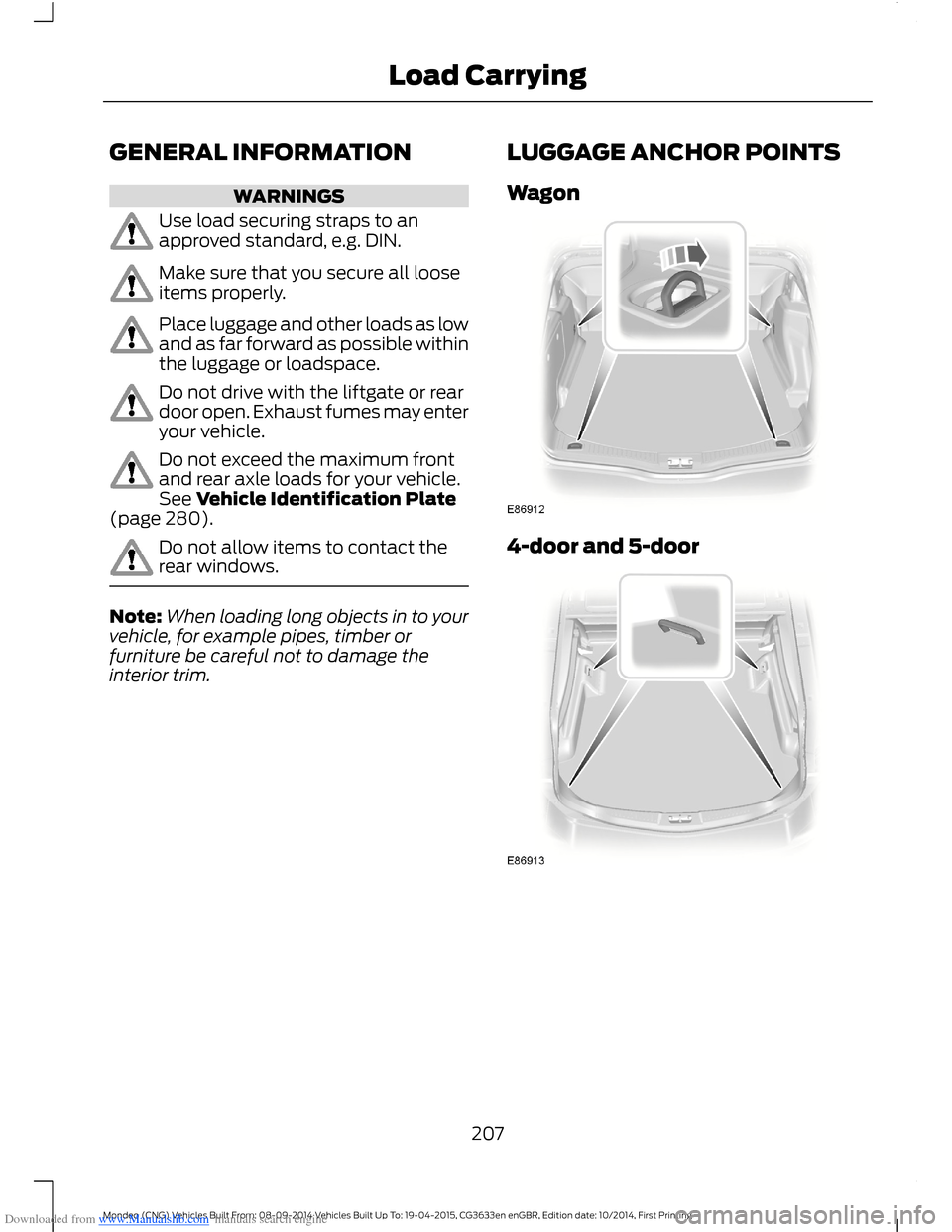
LUGGAGE ANCHOR POINTS
Wagon
4-door and 5-door
207Mondeo (CNG) Vehicles Built From: 08-09-2014 Vehicles Built Up To: 19-04-2015, CG3633en enGBR, Edition date: 10/2014, First PrintingLoad Carrying
Page 211 of 446
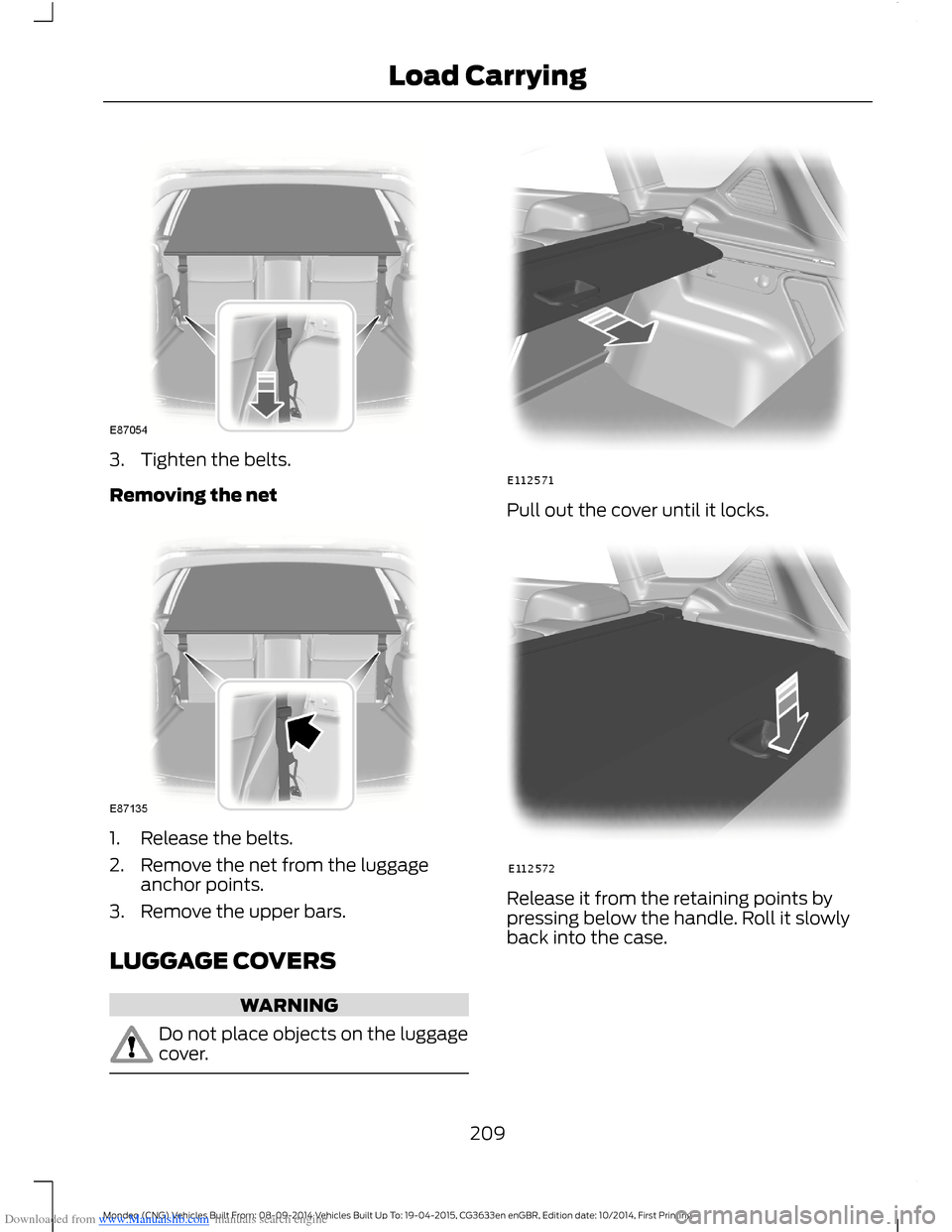
Downloaded from www.Manualslib.com manuals search engine 3.Tighten the belts.
Removing the net
1.Release the belts.
2.Remove the net from the luggageanchor points.
3.Remove the upper bars.
LUGGAGE COVERS
WARNING
Do not place objects on the luggagecover.
Pull out the cover until it locks.
Release it from the retaining points bypressing below the handle. Roll it slowlyback into the case.
209Mondeo (CNG) Vehicles Built From: 08-09-2014 Vehicles Built Up To: 19-04-2015, CG3633en enGBR, Edition date: 10/2014, First PrintingLoad Carrying
Page 212 of 446
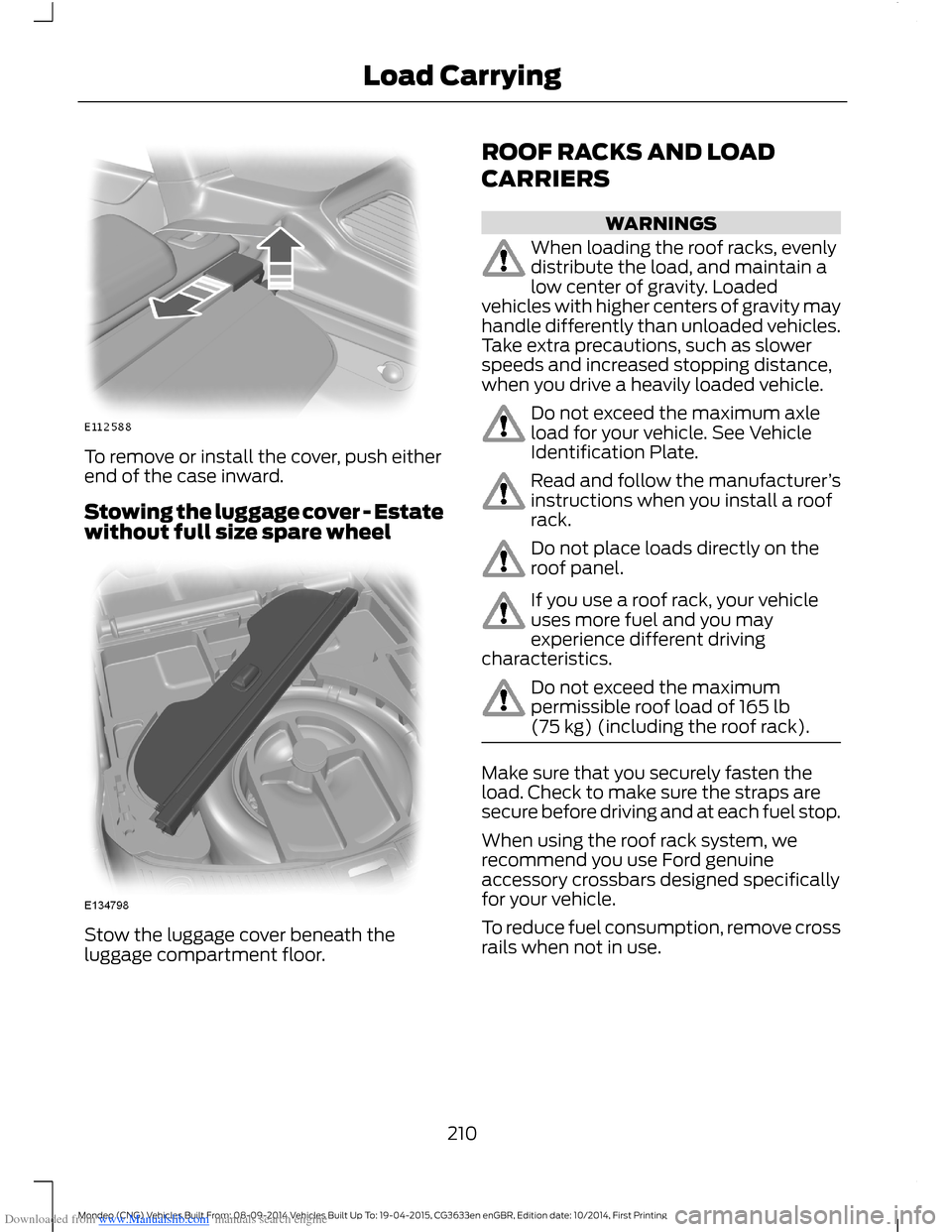
Downloaded from www.Manualslib.com manuals search engine To remove or install the cover, push eitherend of the case inward.
Stowing the luggage cover - Estatewithout full size spare wheel
Stow the luggage cover beneath theluggage compartment floor.
ROOF RACKS AND LOAD
CARRIERS
WARNINGS
When loading the roof racks, evenlydistribute the load, and maintain alow center of gravity. Loadedvehicles with higher centers of gravity mayhandle differently than unloaded vehicles.Take extra precautions, such as slowerspeeds and increased stopping distance,when you drive a heavily loaded vehicle.
Do not exceed the maximum axleload for your vehicle. See VehicleIdentification Plate.
Read and follow the manufacturer’sinstructions when you install a roofrack.
Do not place loads directly on theroof panel.
If you use a roof rack, your vehicleuses more fuel and you mayexperience different drivingcharacteristics.
Do not exceed the maximumpermissible roof load of 165 lb(75 kg) (including the roof rack).
Make sure that you securely fasten theload. Check to make sure the straps aresecure before driving and at each fuel stop.
When using the roof rack system, werecommend you use Ford genuineaccessory crossbars designed specificallyfor your vehicle.
To reduce fuel consumption, remove crossrails when not in use.
210Mondeo (CNG) Vehicles Built From: 08-09-2014 Vehicles Built Up To: 19-04-2015, CG3633en enGBR, Edition date: 10/2014, First PrintingLoad Carrying
Page 213 of 446
Downloaded from www.Manualslib.com manuals search engine LOAD RETAINING FIXTURES
WARNING
Do not exceed the maximumpermissible load of 132 lb (60 kg) ontwo load retaining fixtures and 66 lb(30 kg) on one.
Check the security of the load retainingfixtures and tighten the fittings as follows:
•Before starting.
•After driving 30 mi (50 km).
•At 620 mi (1,000 km) intervals.
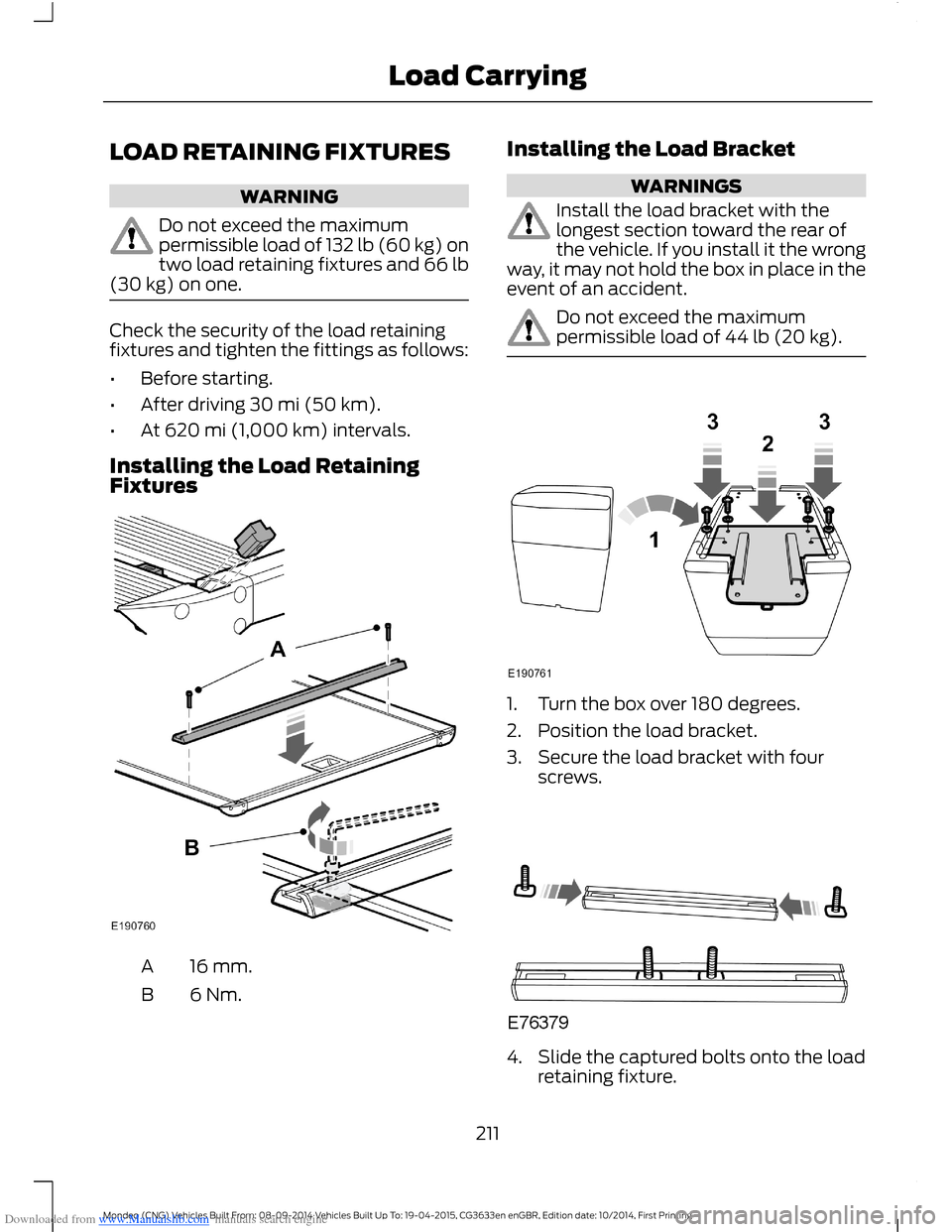
Installing the Load RetainingFixtures
16 mm.A
6 Nm.B
Installing the Load Bracket
WARNINGS
Install the load bracket with thelongest section toward the rear ofthe vehicle. If you install it the wrongway, it may not hold the box in place in theevent of an accident.
Do not exceed the maximumpermissible load of 44 lb (20 kg).
1.Turn the box over 180 degrees.
2.Position the load bracket.
3.Secure the load bracket with fourscrews.
4.Slide the captured bolts onto the loadretaining fixture.
211Mondeo (CNG) Vehicles Built From: 08-09-2014 Vehicles Built Up To: 19-04-2015, CG3633en enGBR, Edition date: 10/2014, First PrintingLoad Carrying