automatic transmission FORD MONDEO 2014 4.G Owner's Manual
[x] Cancel search | Manufacturer: FORD, Model Year: 2014, Model line: MONDEO, Model: FORD MONDEO 2014 4.GPages: 446, PDF Size: 29.09 MB
Page 163 of 446
Downloaded from www.Manualslib.com manuals search engine Note:When you apply the electric parkingbrake in certain conditions, for example, ona steep hill, the electric parking brake mayreapply the brakes within three to tenminutes.
Note:You may notice various noises whenyou apply and release the electric parkingbrake. This is normal and no cause forconcern.
Parking On a Hill (Vehicles With aManual Transmission)
If you park your vehicle facing uphill, movethe transmission to first gear (1) and turnthe steering wheel away from the curb. Ifyou park your vehicle facing downhill, movethe transmission to reverse (R) and turnthe steering wheel toward the curb.
Applying the Electric Parkingbrake
WARNING
If the brake system warning lampflashes, there could be a problemwith your electric parking brake. Havethe system checked by an authorizeddealer as soon as possible.
Note:The brake system warning lamp willilluminate for ten seconds, if the ignition isturned off after the electric parking brakehas been applied, or the electric parkingbrake has been applied after the ignition hasbeen turned off.
Note:The electric parking brake will notautomatically apply. You must apply theelectric parking brake using the electricparking brake switch.
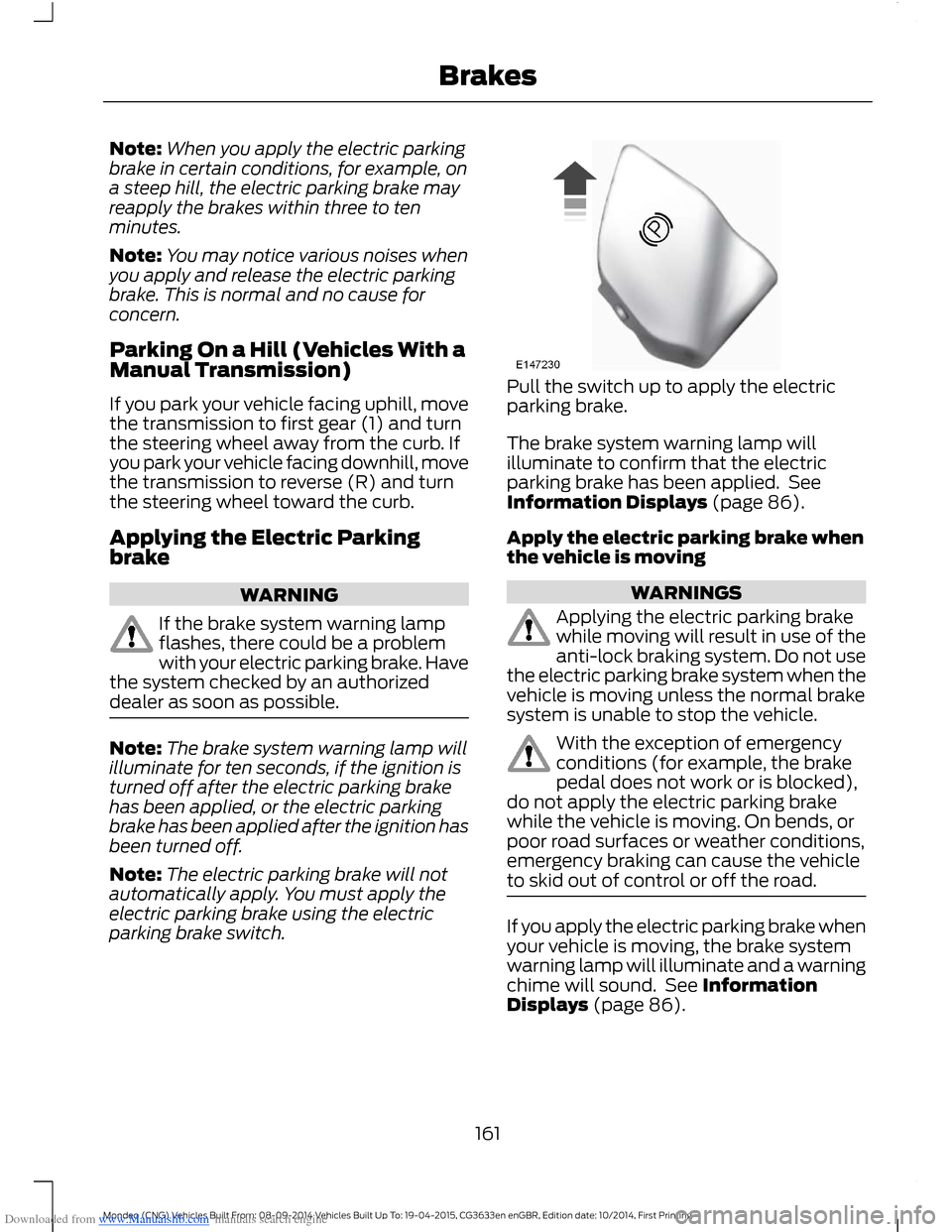
Pull the switch up to apply the electricparking brake.
The brake system warning lamp willilluminate to confirm that the electricparking brake has been applied. SeeInformation Displays (page 86).
Apply the electric parking brake whenthe vehicle is moving
WARNINGS
Applying the electric parking brakewhile moving will result in use of theanti-lock braking system. Do not usethe electric parking brake system when thevehicle is moving unless the normal brakesystem is unable to stop the vehicle.
With the exception of emergencyconditions (for example, the brakepedal does not work or is blocked),do not apply the electric parking brakewhile the vehicle is moving. On bends, orpoor road surfaces or weather conditions,emergency braking can cause the vehicleto skid out of control or off the road.
If you apply the electric parking brake whenyour vehicle is moving, the brake systemwarning lamp will illuminate and a warningchime will sound. See InformationDisplays (page 86).
161Mondeo (CNG) Vehicles Built From: 08-09-2014 Vehicles Built Up To: 19-04-2015, CG3633en enGBR, Edition date: 10/2014, First PrintingBrakes
Page 164 of 446
Downloaded from www.Manualslib.com manuals search engine If your vehicle speed is above 4 mph(6 km/h), the braking force is applied aslong as the switch is pulled. Releasing orpressing the switch or pressing theaccelerator pedal will stop the brakingforce.
Releasing the Electric ParkingBrake
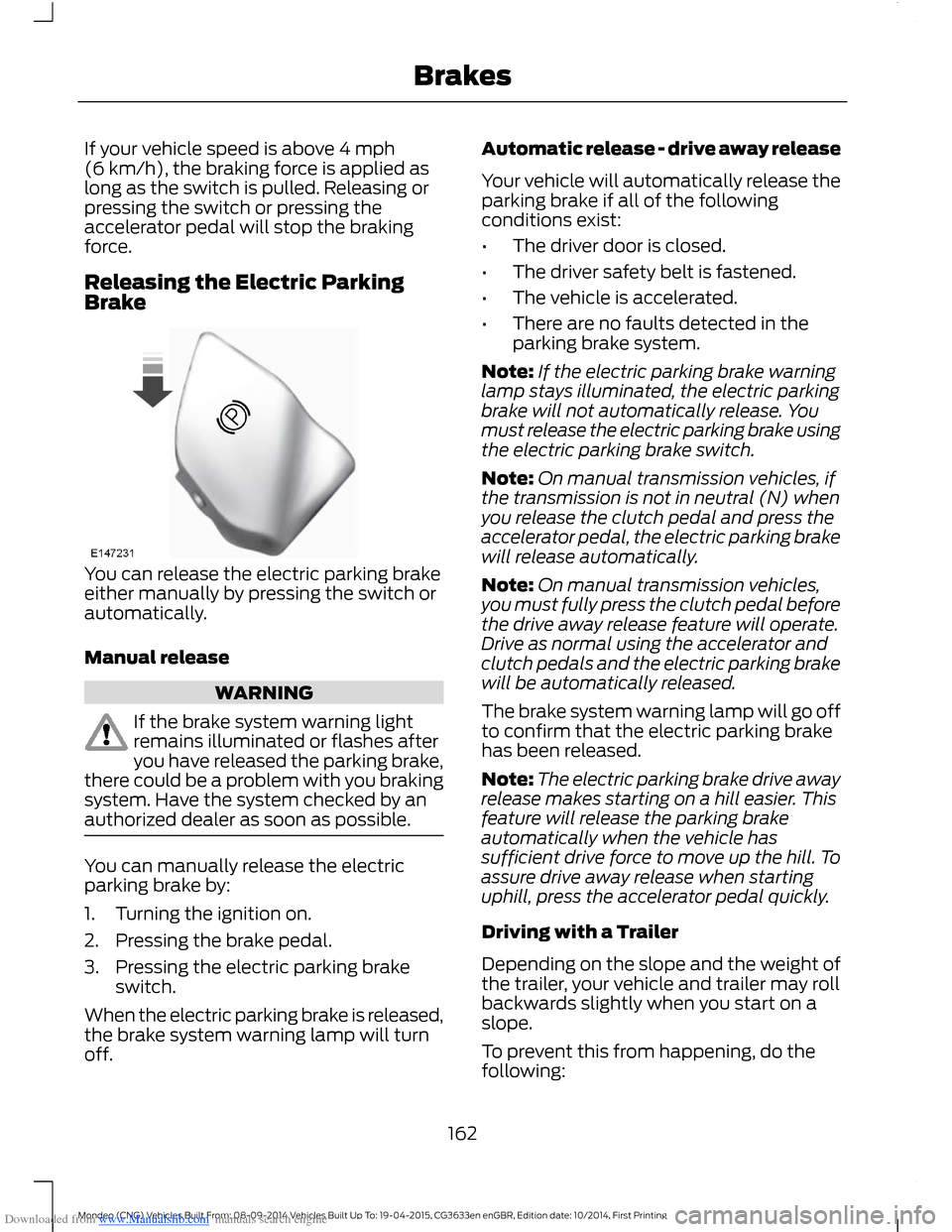
You can release the electric parking brakeeither manually by pressing the switch orautomatically.
Manual release
WARNING
If the brake system warning lightremains illuminated or flashes afteryou have released the parking brake,there could be a problem with you brakingsystem. Have the system checked by anauthorized dealer as soon as possible.
You can manually release the electricparking brake by:
1.Turning the ignition on.
2.Pressing the brake pedal.
3.Pressing the electric parking brakeswitch.
When the electric parking brake is released,the brake system warning lamp will turnoff.
Automatic release - drive away release
Your vehicle will automatically release theparking brake if all of the followingconditions exist:
•The driver door is closed.
•The driver safety belt is fastened.
•The vehicle is accelerated.
•There are no faults detected in theparking brake system.
Note:If the electric parking brake warninglamp stays illuminated, the electric parkingbrake will not automatically release. Youmust release the electric parking brake usingthe electric parking brake switch.
Note:On manual transmission vehicles, ifthe transmission is not in neutral (N) whenyou release the clutch pedal and press theaccelerator pedal, the electric parking brakewill release automatically.
Note:On manual transmission vehicles,you must fully press the clutch pedal beforethe drive away release feature will operate.Drive as normal using the accelerator andclutch pedals and the electric parking brakewill be automatically released.
The brake system warning lamp will go offto confirm that the electric parking brakehas been released.
Note:The electric parking brake drive awayrelease makes starting on a hill easier. Thisfeature will release the parking brakeautomatically when the vehicle hassufficient drive force to move up the hill. Toassure drive away release when startinguphill, press the accelerator pedal quickly.
Driving with a Trailer
Depending on the slope and the weight ofthe trailer, your vehicle and trailer may rollbackwards slightly when you start on aslope.
To prevent this from happening, do thefollowing:
162Mondeo (CNG) Vehicles Built From: 08-09-2014 Vehicles Built Up To: 19-04-2015, CG3633en enGBR, Edition date: 10/2014, First PrintingBrakes
Page 166 of 446
Downloaded from www.Manualslib.com manuals search engine Switching the System On and Off
When you switch the ignition on, thesystem automatically turns on.
You can switch the system on or off in theinformation display. See (page 86).
The system remains off until you switchthe ignition off.
Note:For vehicles with a manualtransmission, the system can be switchedon or off.
Note:For vehicles with an automatictransmission, the system cannot beswitched off.
164Mondeo (CNG) Vehicles Built From: 08-09-2014 Vehicles Built Up To: 19-04-2015, CG3633en enGBR, Edition date: 10/2014, First PrintingBrakes
Page 170 of 446
Downloaded from www.Manualslib.com manuals search engine Note:If the parking aid sensors aremisaligned due to vehicle bumper damageit will cause reduced performance or falseactivation.
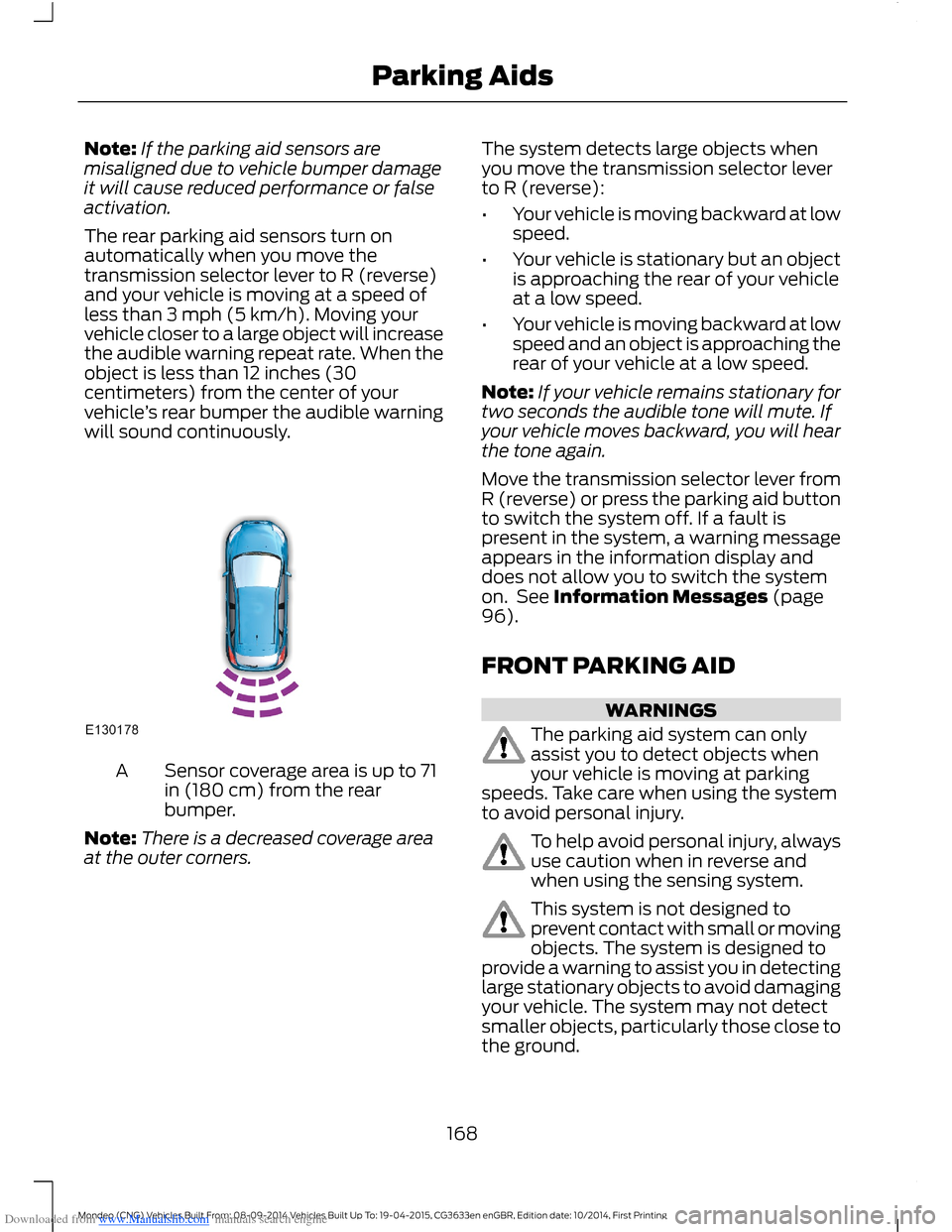
The rear parking aid sensors turn onautomatically when you move thetransmission selector lever to R (reverse)and your vehicle is moving at a speed ofless than 3 mph (5 km/h). Moving yourvehicle closer to a large object will increasethe audible warning repeat rate. When theobject is less than 12 inches (30centimeters) from the center of yourvehicle’s rear bumper the audible warningwill sound continuously.
Sensor coverage area is up to 71in (180 cm) from the rearbumper.
A
Note:There is a decreased coverage areaat the outer corners.
The system detects large objects whenyou move the transmission selector leverto R (reverse):
•Your vehicle is moving backward at lowspeed.
•Your vehicle is stationary but an objectis approaching the rear of your vehicleat a low speed.
•Your vehicle is moving backward at lowspeed and an object is approaching therear of your vehicle at a low speed.
Note:If your vehicle remains stationary fortwo seconds the audible tone will mute. Ifyour vehicle moves backward, you will hearthe tone again.
Move the transmission selector lever fromR (reverse) or press the parking aid buttonto switch the system off. If a fault ispresent in the system, a warning messageappears in the information display anddoes not allow you to switch the systemon. See Information Messages (page96).
FRONT PARKING AID
WARNINGS
The parking aid system can onlyassist you to detect objects whenyour vehicle is moving at parkingspeeds. Take care when using the systemto avoid personal injury.
To help avoid personal injury, alwaysuse caution when in reverse andwhen using the sensing system.
This system is not designed toprevent contact with small or movingobjects. The system is designed toprovide a warning to assist you in detectinglarge stationary objects to avoid damagingyour vehicle. The system may not detectsmaller objects, particularly those close tothe ground.
168Mondeo (CNG) Vehicles Built From: 08-09-2014 Vehicles Built Up To: 19-04-2015, CG3633en enGBR, Edition date: 10/2014, First PrintingParking Aids
Page 171 of 446
Downloaded from www.Manualslib.com manuals search engine WARNINGS
Traffic control systems, inclementweather, air brakes and externalmotors and fans may affect correctoperation of the sensing system; this mayinclude reduced performance or a falsealerts.
Front Sensing System
The front sensors are active when thetransmission is in any position other thanpark (P).
You can also press the parking aid buttonto switch the front parking aid system onwithout selecting reverse (R).
Note:Keep the sensors located on thebumper or fascia free from snow, ice andlarge accumulations of dirt. If the sensorsare covered, the system’s accuracy can beaffected. Do not clean the sensors withsharp objects.
Note:If your vehicle sustains damage tothe bumper or fascia, leaving it misalignedor bent, the sensing zone may be alteredcausing inaccurate measurement ofobstacles or false beeps.
When the parking aid system produces anaudible warning, the audio system mayreduce the set volume to a predeterminedlevel.
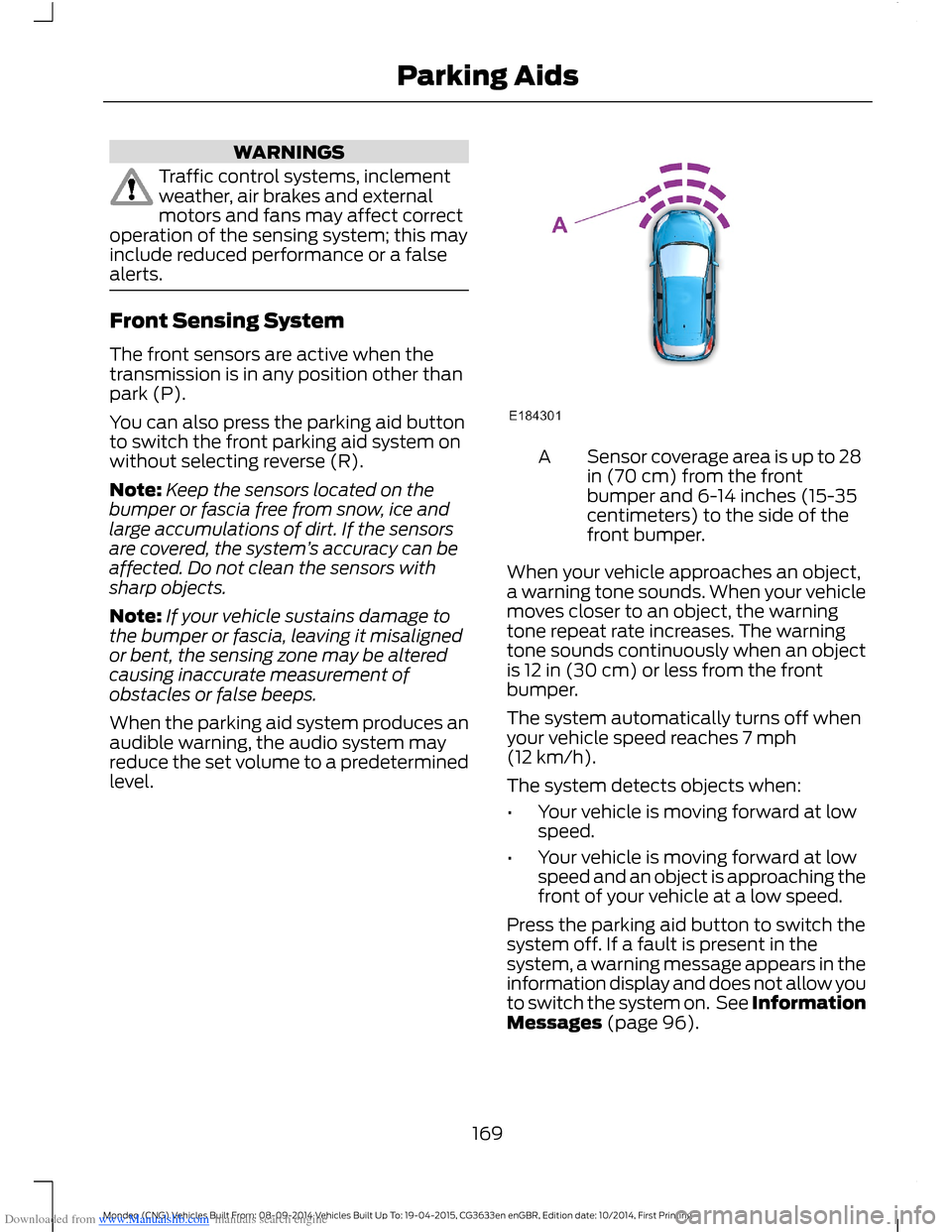
Sensor coverage area is up to 28in (70 cm) from the frontbumper and 6-14 inches (15-35centimeters) to the side of thefront bumper.
A
When your vehicle approaches an object,a warning tone sounds. When your vehiclemoves closer to an object, the warningtone repeat rate increases. The warningtone sounds continuously when an objectis 12 in (30 cm) or less from the frontbumper.
The system automatically turns off whenyour vehicle speed reaches 7 mph(12 km/h).
The system detects objects when:
•Your vehicle is moving forward at lowspeed.
•Your vehicle is moving forward at lowspeed and an object is approaching thefront of your vehicle at a low speed.
Press the parking aid button to switch thesystem off. If a fault is present in thesystem, a warning message appears in theinformation display and does not allow youto switch the system on. See InformationMessages (page 96).
169Mondeo (CNG) Vehicles Built From: 08-09-2014 Vehicles Built Up To: 19-04-2015, CG3633en enGBR, Edition date: 10/2014, First PrintingParking Aids
Page 172 of 446
Downloaded from www.Manualslib.com manuals search engine If the transmission is in reverse (R), thefront sensing system provides audiowarnings when your vehicle is moving andthe detected obstacle is moving towardsyour vehicle. Once the vehicle is stationary,the audio warning will be stopped after 2seconds.
Obstacle Distance Indicator (If
Equipped)
The system provides obstacle distanceindication through the information display.The distance indicator displays when thetransmission is in reverse (R).
The indicator displays:
•As the distance to the obstacledecreases the indicator blocksilluminate and move towards thevehicle icon.
•If there is no obstacle detected, thedistance indicator blocks are greyedout.
Vehicles with automatic transmission
If the gearshift is in neutral (N), the systemprovides obstacle distance indicationthrough the information display. If yourvehicle moves the front sensing systemprovides an audible warning when thevehicle is moving at 7 mph (12 km/h) orbelow and an obstacle is located insidethe detection area. Once the vehicle isstationary, the audio warning will bestopped after 4 seconds.
If the gearshift is in drive (D) or any otherforward gear, the front sensing systemprovides audio warnings when the vehicleis moving and an obstacle is located insidethe detection area. Once the vehicle isstationary, the audio warning will bestopped after 2 seconds.
SIDE SENSING SYSTEM
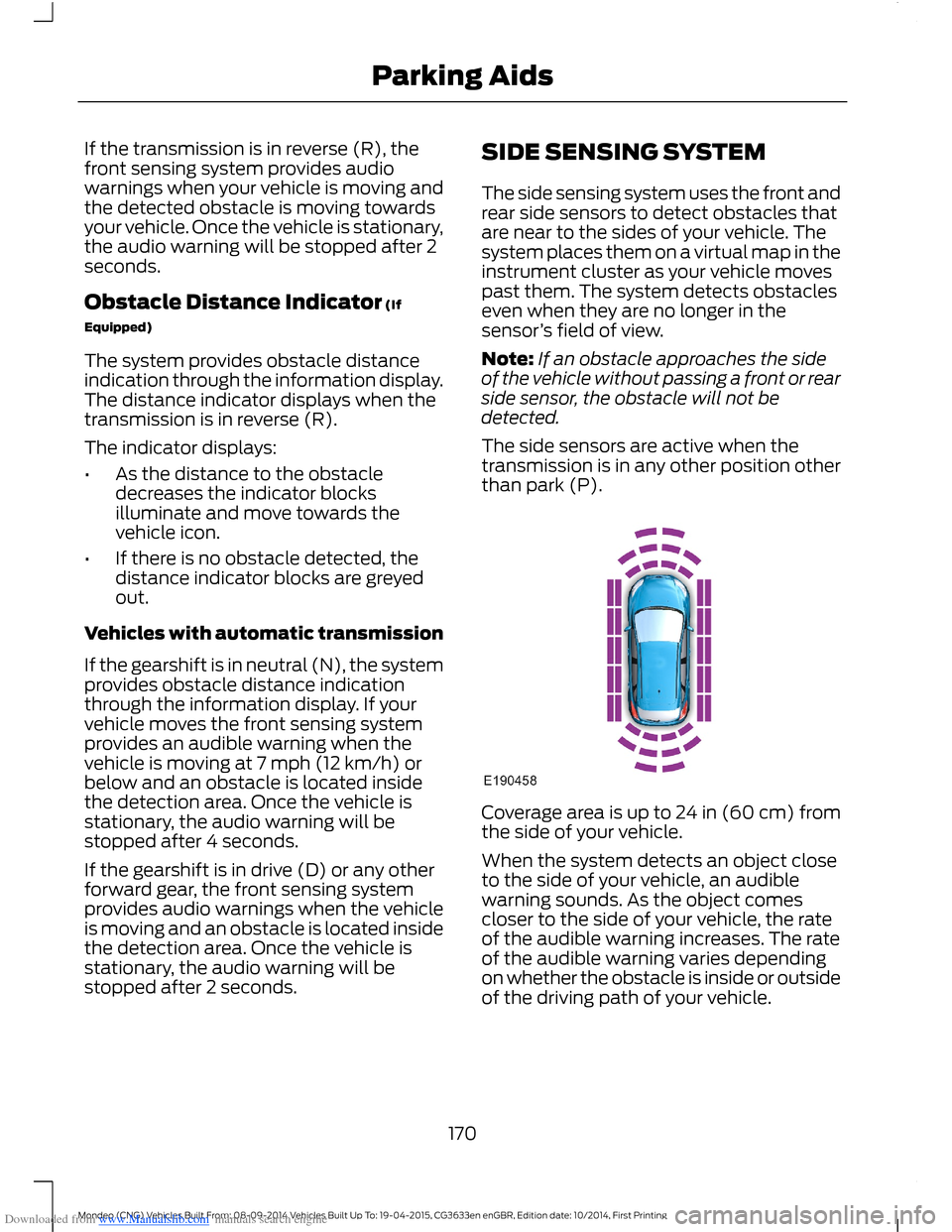
The side sensing system uses the front andrear side sensors to detect obstacles thatare near to the sides of your vehicle. Thesystem places them on a virtual map in theinstrument cluster as your vehicle movespast them. The system detects obstacleseven when they are no longer in thesensor’s field of view.
Note:If an obstacle approaches the sideof the vehicle without passing a front or rearside sensor, the obstacle will not bedetected.
The side sensors are active when thetransmission is in any other position otherthan park (P).
Coverage area is up to 24 in (60 cm) fromthe side of your vehicle.
When the system detects an object closeto the side of your vehicle, an audiblewarning sounds. As the object comescloser to the side of your vehicle, the rateof the audible warning increases. The rateof the audible warning varies dependingon whether the obstacle is inside or outsideof the driving path of your vehicle.
170Mondeo (CNG) Vehicles Built From: 08-09-2014 Vehicles Built Up To: 19-04-2015, CG3633en enGBR, Edition date: 10/2014, First PrintingParking Aids
Page 175 of 446
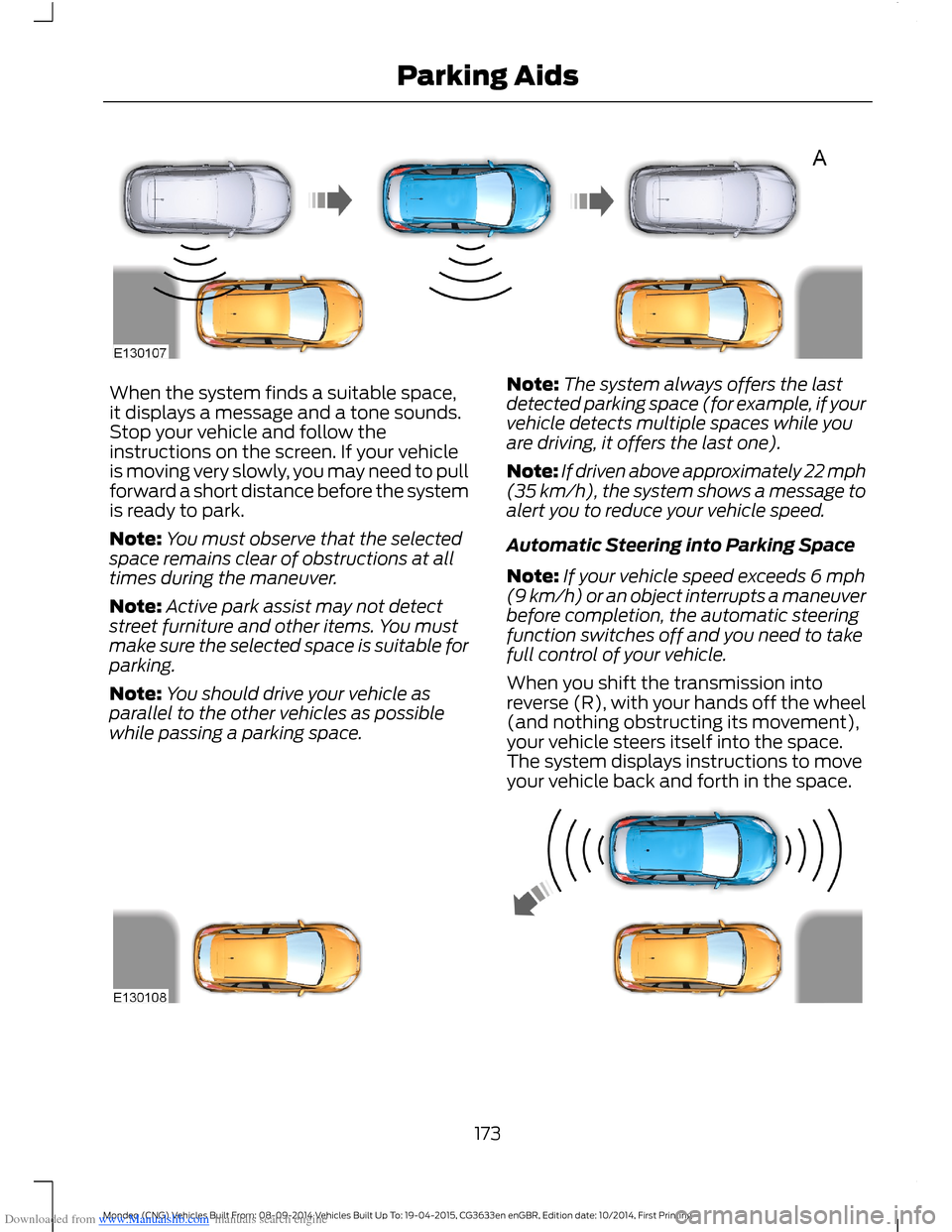
Downloaded from www.Manualslib.com manuals search engine When the system finds a suitable space,it displays a message and a tone sounds.Stop your vehicle and follow theinstructions on the screen. If your vehicleis moving very slowly, you may need to pullforward a short distance before the systemis ready to park.
Note:You must observe that the selectedspace remains clear of obstructions at alltimes during the maneuver.
Note:Active park assist may not detectstreet furniture and other items. You mustmake sure the selected space is suitable forparking.
Note:You should drive your vehicle asparallel to the other vehicles as possiblewhile passing a parking space.
Note:The system always offers the lastdetected parking space (for example, if yourvehicle detects multiple spaces while youare driving, it offers the last one).
Note:If driven above approximately 22 mph(35 km/h), the system shows a message toalert you to reduce your vehicle speed.
Automatic Steering into Parking Space
Note:If your vehicle speed exceeds 6 mph(9 km/h) or an object interrupts a maneuverbefore completion, the automatic steeringfunction switches off and you need to takefull control of your vehicle.
When you shift the transmission intoreverse (R), with your hands off the wheel(and nothing obstructing its movement),your vehicle steers itself into the space.The system displays instructions to moveyour vehicle back and forth in the space.
173Mondeo (CNG) Vehicles Built From: 08-09-2014 Vehicles Built Up To: 19-04-2015, CG3633en enGBR, Edition date: 10/2014, First PrintingParking Aids
Page 177 of 446
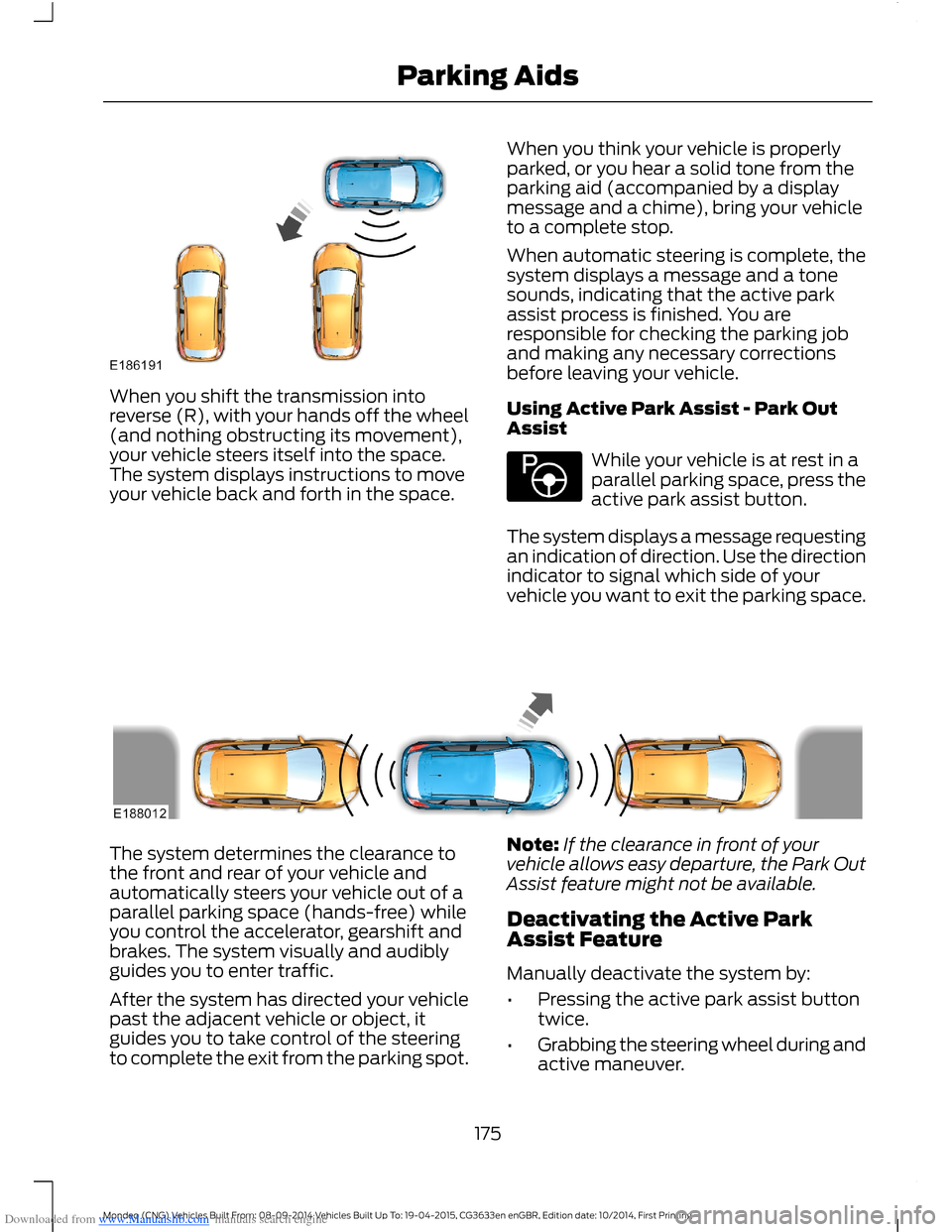
Downloaded from www.Manualslib.com manuals search engine When you shift the transmission intoreverse (R), with your hands off the wheel(and nothing obstructing its movement),your vehicle steers itself into the space.The system displays instructions to moveyour vehicle back and forth in the space.
When you think your vehicle is properlyparked, or you hear a solid tone from theparking aid (accompanied by a displaymessage and a chime), bring your vehicleto a complete stop.
When automatic steering is complete, thesystem displays a message and a tonesounds, indicating that the active parkassist process is finished. You areresponsible for checking the parking joband making any necessary correctionsbefore leaving your vehicle.
Using Active Park Assist - Park OutAssist
While your vehicle is at rest in aparallel parking space, press theactive park assist button.
The system displays a message requestingan indication of direction. Use the directionindicator to signal which side of yourvehicle you want to exit the parking space.
The system determines the clearance tothe front and rear of your vehicle andautomatically steers your vehicle out of aparallel parking space (hands-free) whileyou control the accelerator, gearshift andbrakes. The system visually and audiblyguides you to enter traffic.
After the system has directed your vehiclepast the adjacent vehicle or object, itguides you to take control of the steeringto complete the exit from the parking spot.
Note:If the clearance in front of yourvehicle allows easy departure, the Park OutAssist feature might not be available.
Deactivating the Active ParkAssist Feature
Manually deactivate the system by:
•Pressing the active park assist buttontwice.
•Grabbing the steering wheel during andactive maneuver.
175Mondeo (CNG) Vehicles Built From: 08-09-2014 Vehicles Built Up To: 19-04-2015, CG3633en enGBR, Edition date: 10/2014, First PrintingParking Aids
Page 178 of 446
Downloaded from www.Manualslib.com manuals search engine •Driving above approximately 22 mph(35 km/h) for 30 seconds during anactive park search.
•Driving above 6 mph (9 km/h) duringautomatic steering.
•Switching off the traction controlsystem.
Certain vehicle conditions can alsodeactivate the system, such as:
•Traction control has activated.
•There is an anti-lock brake systemactivation or failure.
If a problem occurs with the system, awarning message displays accompaniedby a tone. Occasional system messagesmay occur in normal operation. Forrecurring or frequent system faults, contactan authorized dealer to have your vehicleserviced.
Troubleshooting the System
The system does not look for a space
The traction control system may be off.
The transmission is in reverse (R). Your vehicle must be moving forward to be able todetect a parking space.
The system does not offer a particular space
The sensors may be covered (for example, snow, ice or dirt buildup). Covered senorscan affect the system's functionality.
There is not enough room in the parking space for your vehicle to safely park.
There is not enough space for the parking maneuver on the opposite side of the parkingspace.
The parking space is farther than 4.9 ft (1.5 m) or closer than 15.7 in (0.4 m) away.
The transmission is in reverse (R). Your vehicle must be moving forward to be able todetect a parking space.
Your vehicle is going faster than 19 mph (30 km/h) for parallel and 22 mph (35 km/h)for perpendicular parking.
176Mondeo (CNG) Vehicles Built From: 08-09-2014 Vehicles Built Up To: 19-04-2015, CG3633en enGBR, Edition date: 10/2014, First PrintingParking Aids
Page 188 of 446
Downloaded from www.Manualslib.com manuals search engine Overriding the System
WARNING
Whenever the driver is overriding thesystem by pressing the acceleratorpedal, the system does notautomatically apply the brakes to maintainseparation from any vehicle ahead.
You can override the set speed and gap bypressing the accelerator pedal.
When you override the system,the green indicator lightilluminates and the lead vehiclegraphic does not show in theinformation display.
The system resumes operation when yourelease the accelerator pedal. The vehiclespeed decreases to the set speed, or alower speed if following a slower vehicle.
Automatic Switch Off
The system does not operate below12 mph (20 km/h). An audible warningsounds and the automatic braking releasesif the vehicle drops below this speed.
Automatic cancellation can also occur if:
•The tires lose traction.
•The engine speed is too low.
•You apply the parking brake.
Note:If the engine speed drops too low,the information display indicates low enginespeed. Shift to a lower gear (manualtransmission only) to avoid automaticcancellation.
Hilly Condition Usage
You should select a lower gear positionwhen the system is active in situationssuch as prolonged downhill driving onsteep grades, for example in mountainousareas. The system needs additional enginebraking in these situations to reduce theload on the vehicle’s regular brake systemto prevent them from overheating.
Note:An audible warning sounds and thesystem shuts down if it applies brakes foran extended period of time. This allows thebrakes to cool down. The system functionsnormally again when the brakes have cooleddown.
Detection Beam Issues
The radar sensor has a limited field ofvision. It may not detect vehicles at all ordetect a vehicle later than expected insome situations. The lead vehicle graphicdoes not illuminate if the system does notdetect a vehicle in front of you.
186Mondeo (CNG) Vehicles Built From: 08-09-2014 Vehicles Built Up To: 19-04-2015, CG3633en enGBR, Edition date: 10/2014, First PrintingCruise Control