engine FORD MUSTANG 2001 4.G User Guide
[x] Cancel search | Manufacturer: FORD, Model Year: 2001, Model line: MUSTANG, Model: FORD MUSTANG 2001 4.GPages: 240, PDF Size: 2.11 MB
Page 16 of 240
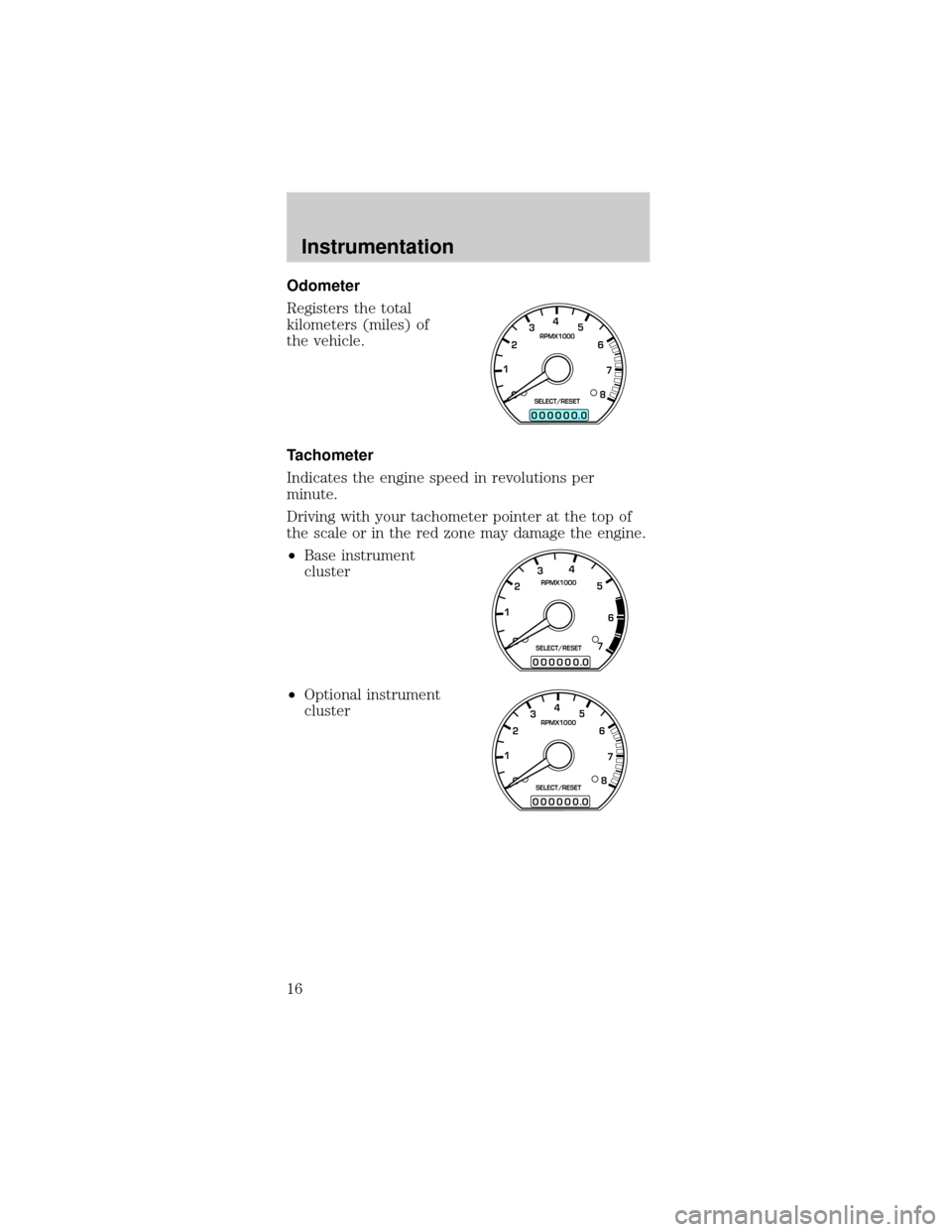
Odometer
Registers the total
kilometers (miles) of
the vehicle.
Tachometer
Indicates the engine speed in revolutions per
minute.
Driving with your tachometer pointer at the top of
the scale or in the red zone may damage the engine.
²Base instrument
cluster
²Optional instrument
cluster
0
00000 00
4
5
6
7
8 3
2
1RPMX1000
SELECT/RESET
.
0
00000 00
4
5
6
7 3
2
1RPMX1000
SELECT/RESET
.
0
00000 00
4
5
6
7
8 3
2
1RPMX1000
SELECT/RESET
.
Instrumentation
16
Page 17 of 240
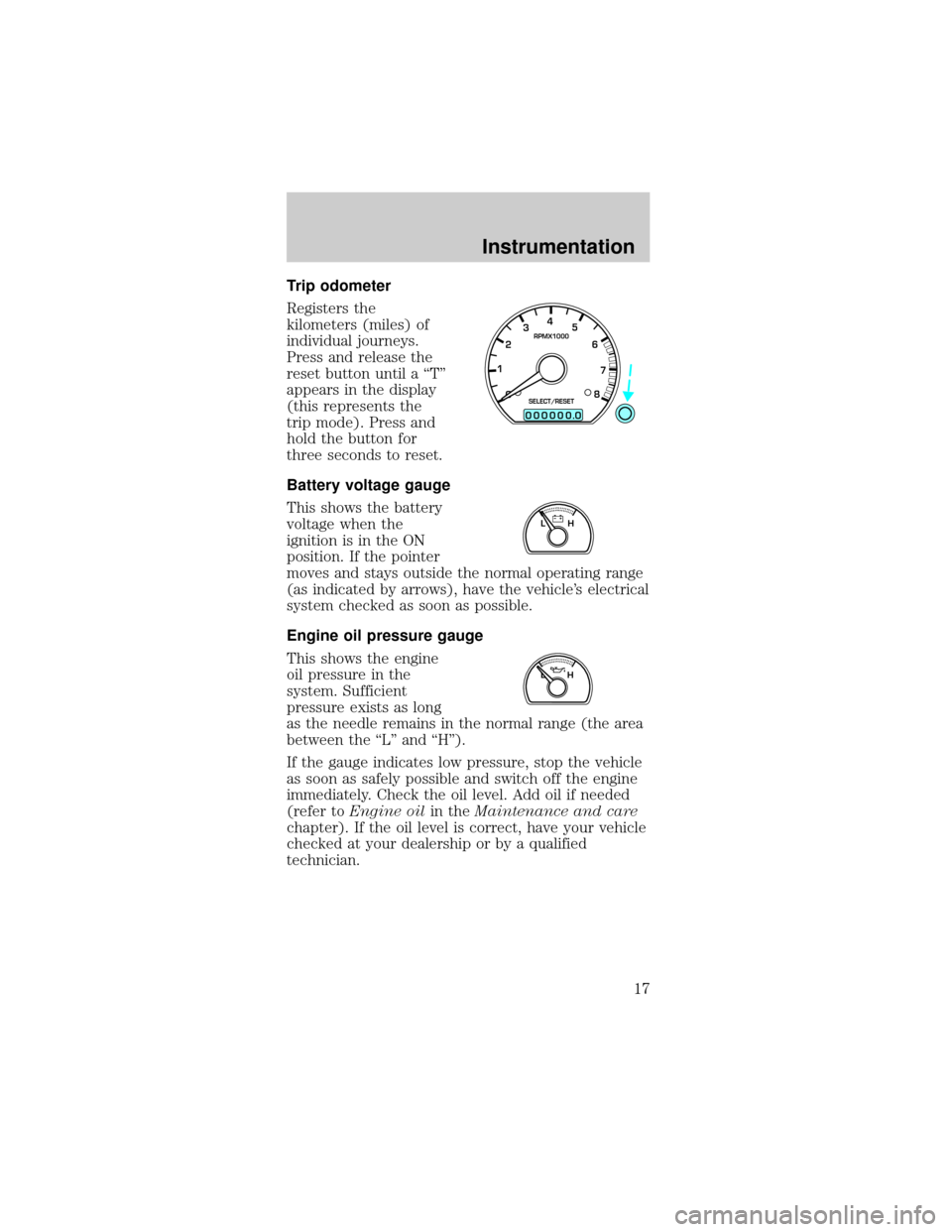
Trip odometer
Registers the
kilometers (miles) of
individual journeys.
Press and release the
reset button until a ªTº
appears in the display
(this represents the
trip mode). Press and
hold the button for
three seconds to reset.
Battery voltage gauge
This shows the battery
voltage when the
ignition is in the ON
position. If the pointer
moves and stays outside the normal operating range
(as indicated by arrows), have the vehicle's electrical
system checked as soon as possible.
Engine oil pressure gauge
This shows the engine
oil pressure in the
system. Sufficient
pressure exists as long
as the needle remains in the normal range (the area
between the ªLº and ªHº).
If the gauge indicates low pressure, stop the vehicle
as soon as safely possible and switch off the engine
immediately. Check the oil level. Add oil if needed
(refer toEngine oilin theMaintenance and care
chapter). If the oil level is correct, have your vehicle
checked at your dealership or by a qualified
technician.
0
00000 00
4
5
6
7
8 3
2
1RPMX1000
SELECT/RESET
.
LH
LH
Instrumentation
17
Page 52 of 240
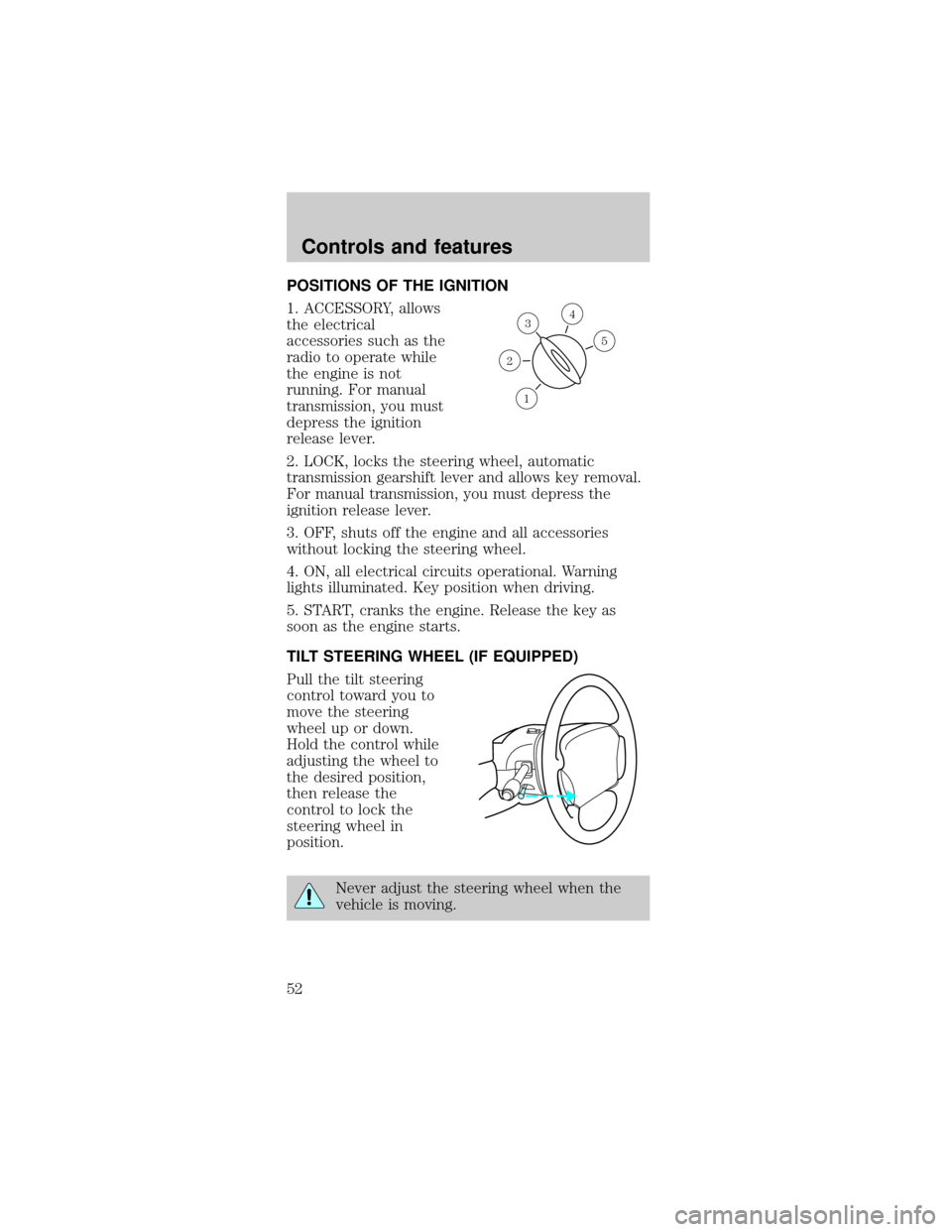
POSITIONS OF THE IGNITION
1. ACCESSORY, allows
the electrical
accessories such as the
radio to operate while
the engine is not
running. For manual
transmission, you must
depress the ignition
release lever.
2. LOCK, locks the steering wheel, automatic
transmission gearshift lever and allows key removal.
For manual transmission, you must depress the
ignition release lever.
3. OFF, shuts off the engine and all accessories
without locking the steering wheel.
4. ON, all electrical circuits operational. Warning
lights illuminated. Key position when driving.
5. START, cranks the engine. Release the key as
soon as the engine starts.
TILT STEERING WHEEL (IF EQUIPPED)
Pull the tilt steering
control toward you to
move the steering
wheel up or down.
Hold the control while
adjusting the wheel to
the desired position,
then release the
control to lock the
steering wheel in
position.
Never adjust the steering wheel when the
vehicle is moving.
3
1
2
5
4
Controls and features
52
Page 67 of 240
Replacing the batteries
The transmitter is powered by two coin type
three-volt lithium batteries. Typical operating range
will allow you to be up to 10 meters (33 feet) away
from your vehicle. A decrease in operating range can
be caused by:
²weather conditions
²nearby radio towers
²structures around the vehicle
²other vehicles parked next to the vehicle
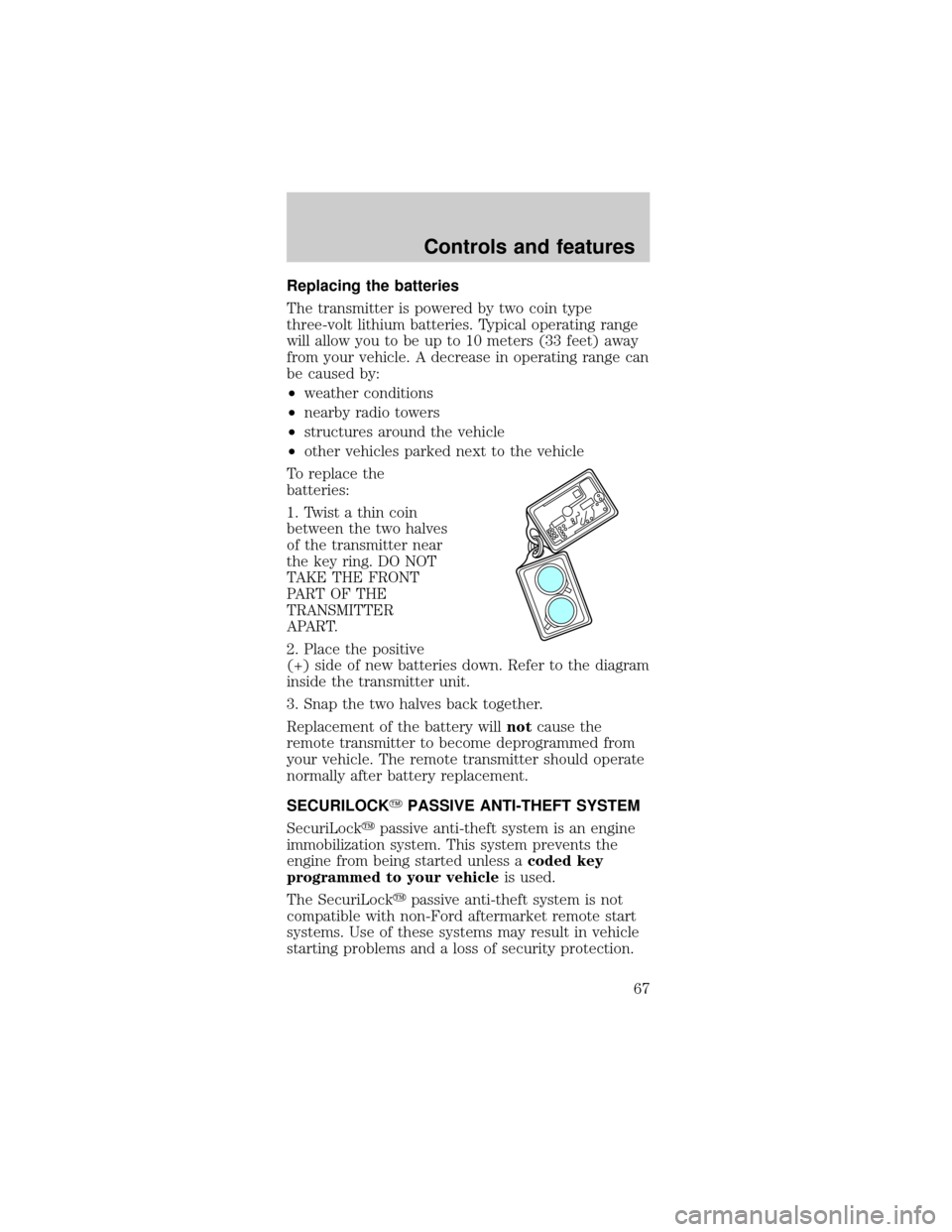
To replace the
batteries:
1. Twist a thin coin
between the two halves
of the transmitter near
the key ring. DO NOT
TAKE THE FRONT
PART OF THE
TRANSMITTER
APART.
2. Place the positive
(+) side of new batteries down. Refer to the diagram
inside the transmitter unit.
3. Snap the two halves back together.
Replacement of the battery willnotcause the
remote transmitter to become deprogrammed from
your vehicle. The remote transmitter should operate
normally after battery replacement.
SECURILOCKYPASSIVE ANTI-THEFT SYSTEM
SecuriLockypassive anti-theft system is an engine
immobilization system. This system prevents the
engine from being started unless acoded key
programmed to your vehicleis used.
The SecuriLockypassive anti-theft system is not
compatible with non-Ford aftermarket remote start
systems. Use of these systems may result in vehicle
starting problems and a loss of security protection.
Controls and features
67
Page 69 of 240
touching thecoded keyignition key while starting
the engine. These objects and devices cannot damage
thecoded keyignition key, but can cause a
NOÐSTART condition if they are too close to the key
during engine start. If a problem occurs, turn ignition
OFF and restart the engine with all other objects on
the key ring held away from the ignition key. Check
to make sure thecoded keyignition key is an
approved Fordcoded keyignition key.
If your keys are lost or
stolen you will need to
do the following:
²
Use your spare key
to start the vehicle. or
²Have your vehicle towed to a dealership or
locksmith. The key codes will need to be erased
from your vehicle and new key codes will need to
be re-coded.
Replacing coded keys can be very costly and you
may want to store an extra programmed key away
from the vehicle in a safe place to prevent an
unforeseen inconvenience.
The correctcoded keykey must be used for your
vehicle. The use of the wrong type ofcoded key
key may lead to a ªNO-STARTº condition.
If an unprogrammed key is used in the ignition
it will cause a ªNO STARTº condition.
Programming spare keys
A maximum of eight keys can be coded to your
vehicle. Only SecuriLockykeys can be used. To
program acoded keyyourself, you will need two
previously programmedcoded keys(keys that
already operate your vehicle's engine) and the new
unprogrammed key(s) readily accessible for timely
implementation of each step in the procedure.
If two previously programmed coded keys are not
available, you must bring your vehicle to your
dealership to have the spare coded key(s)
programmed.
Controls and features
69
Page 70 of 240
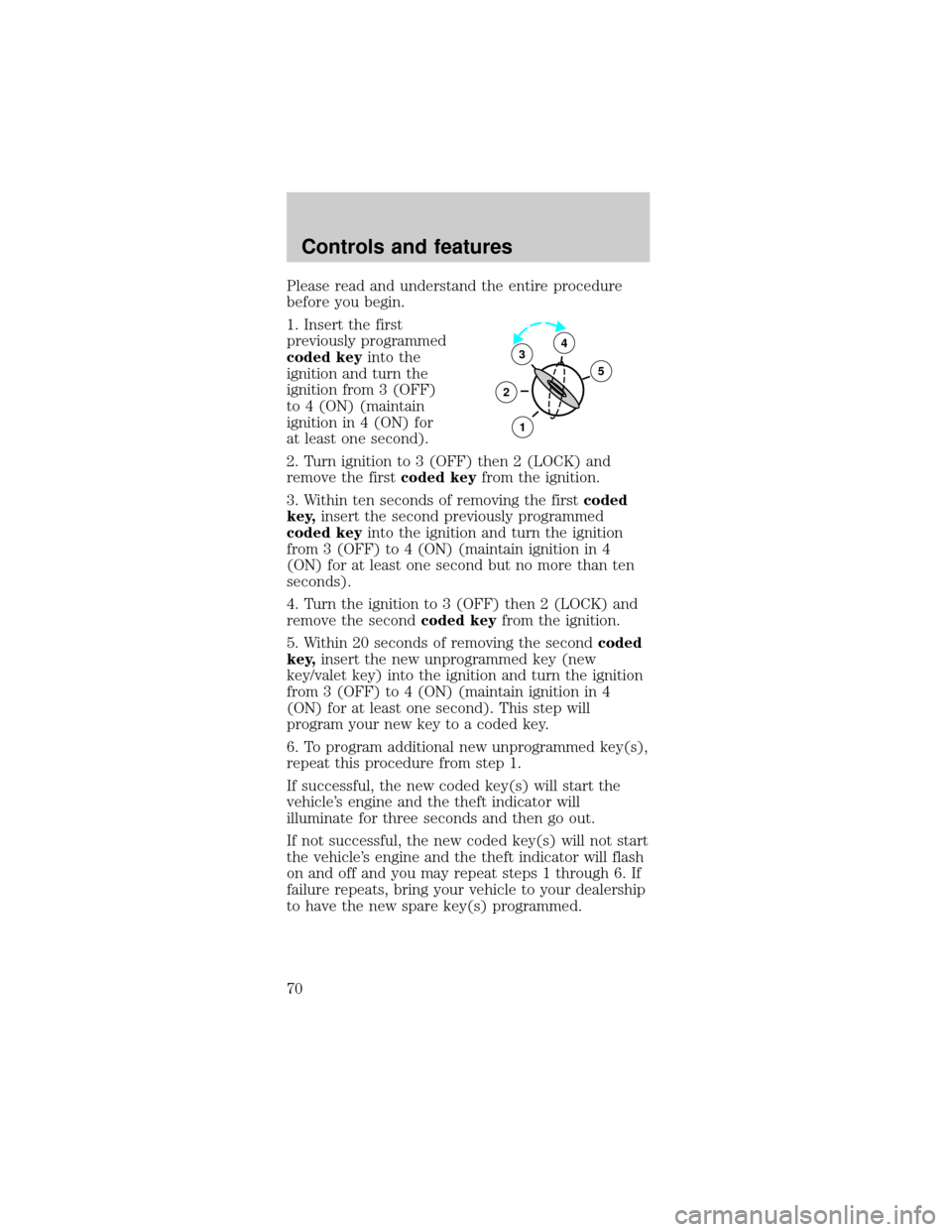
Please read and understand the entire procedure
before you begin.
1. Insert the first
previously programmed
coded keyinto the
ignition and turn the
ignition from 3 (OFF)
to 4 (ON) (maintain
ignition in 4 (ON) for
at least one second).
2. Turn ignition to 3 (OFF) then 2 (LOCK) and
remove the firstcoded keyfrom the ignition.
3. Within ten seconds of removing the firstcoded
key,insert the second previously programmed
coded keyinto the ignition and turn the ignition
from 3 (OFF) to 4 (ON) (maintain ignition in 4
(ON) for at least one second but no more than ten
seconds).
4. Turn the ignition to 3 (OFF) then 2 (LOCK) and
remove the secondcoded keyfrom the ignition.
5. Within 20 seconds of removing the secondcoded
key,insert the new unprogrammed key (new
key/valet key) into the ignition and turn the ignition
from 3 (OFF) to 4 (ON) (maintain ignition in 4
(ON) for at least one second). This step will
program your new key to a coded key.
6. To program additional new unprogrammed key(s),
repeat this procedure from step 1.
If successful, the new coded key(s) will start the
vehicle's engine and the theft indicator will
illuminate for three seconds and then go out.
If not successful, the new coded key(s) will not start
the vehicle's engine and the theft indicator will flash
on and off and you may repeat steps 1 through 6. If
failure repeats, bring your vehicle to your dealership
to have the new spare key(s) programmed.
3
2
1
5
4
Controls and features
70
Page 85 of 240
Do not sit on top of a buckled safety belt to
avoid the Belt Minder chime. Sitting on the
safety belt will increase the risk of injury in an
accident. To disable (one-time) or deactivate the
Belt Minder feature please follow the directions
stated below.
One time disable
Anytime the safety belt is buckled and then
unbuckled during an ignition ON cycle, Belt Minder
will be disabled for that ignition cycle only.
Deactivating/activating the belt minder feature
Read steps1-9thoroughly before proceeding
with the deactivation/activation programming
procedure.
The Belt Minder feature can be deactivated/activated
by performing the following procedure:
Before following the procedure, make sure that:
²the parking brake is set
²the gearshift is in P (Park) (automatic
transmission) or the neutral position (manual
transmission)
²the ignition switch is in the OFF position
²all vehicle doors are closed
²the driver's safety belt is unbuckled
²the parklamps/headlamps are in OFF position (If
vehicle is equipped with Autolamps, this will not
affect the procedure.)
To reduce the risk of injury, do not
deactivate/activate the Belt Minder feature
while driving the vehicle.
1. Turn the ignition switch to the RUN (or ON)
position. (DO NOT START THE ENGINE)
Seating and safety restraints
85
Page 103 of 240
PREPARING TO START YOUR VEHICLE
Engine starting is controlled by the powertrain
control system. This system meets all Canadian
Interference-Causing Equipment standard
requirements regulating the impulse electrical field
strength of radio noise.
When starting a fuel-injected engine, avoid pressing
the accelerator before or during starting. Only use
the accelerator when you have difficulty starting the
engine. For more information on starting the vehicle,
refer toStarting the enginein this chapter.
Extended idling at high engine speeds can
produce very high temperatures in the
engine and exhaust system, creating the risk of
fire or other damage.
Do not park, idle, or drive your vehicle in
dry grass or other dry ground cover. The
emission system heats up the engine compartment
and exhaust system, which can start a fire.
Do not start your vehicle in a closed garage
or in other enclosed areas. Exhaust fumes
can be toxic. Always open the garage door before
you start the engine. SeeGuarding against
exhaust fumesin this chapter for more
instructions.
If you smell exhaust fumes inside your
vehicle, have your dealer inspect your
vehicle immediately. Do not drive if you smell
exhaust fumes.
Starting
103
Page 104 of 240
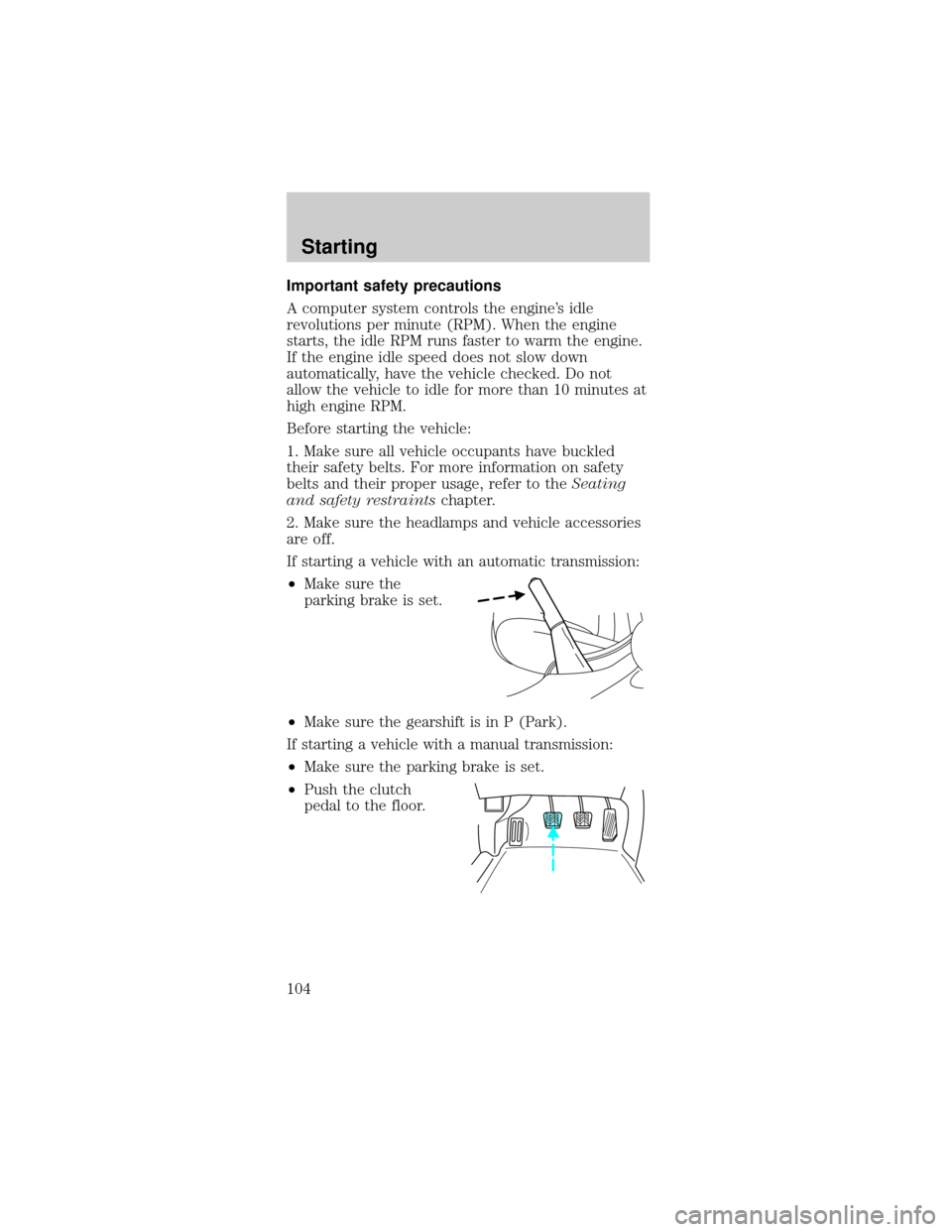
Important safety precautions
A computer system controls the engine's idle
revolutions per minute (RPM). When the engine
starts, the idle RPM runs faster to warm the engine.
If the engine idle speed does not slow down
automatically, have the vehicle checked. Do not
allow the vehicle to idle for more than 10 minutes at
high engine RPM.
Before starting the vehicle:
1. Make sure all vehicle occupants have buckled
their safety belts. For more information on safety
belts and their proper usage, refer to theSeating
and safety restraintschapter.
2. Make sure the headlamps and vehicle accessories
are off.
If starting a vehicle with an automatic transmission:
²Make sure the
parking brake is set.
²Make sure the gearshift is in P (Park).
If starting a vehicle with a manual transmission:
²Make sure the parking brake is set.
²Push the clutch
pedal to the floor.
Starting
104
Page 105 of 240
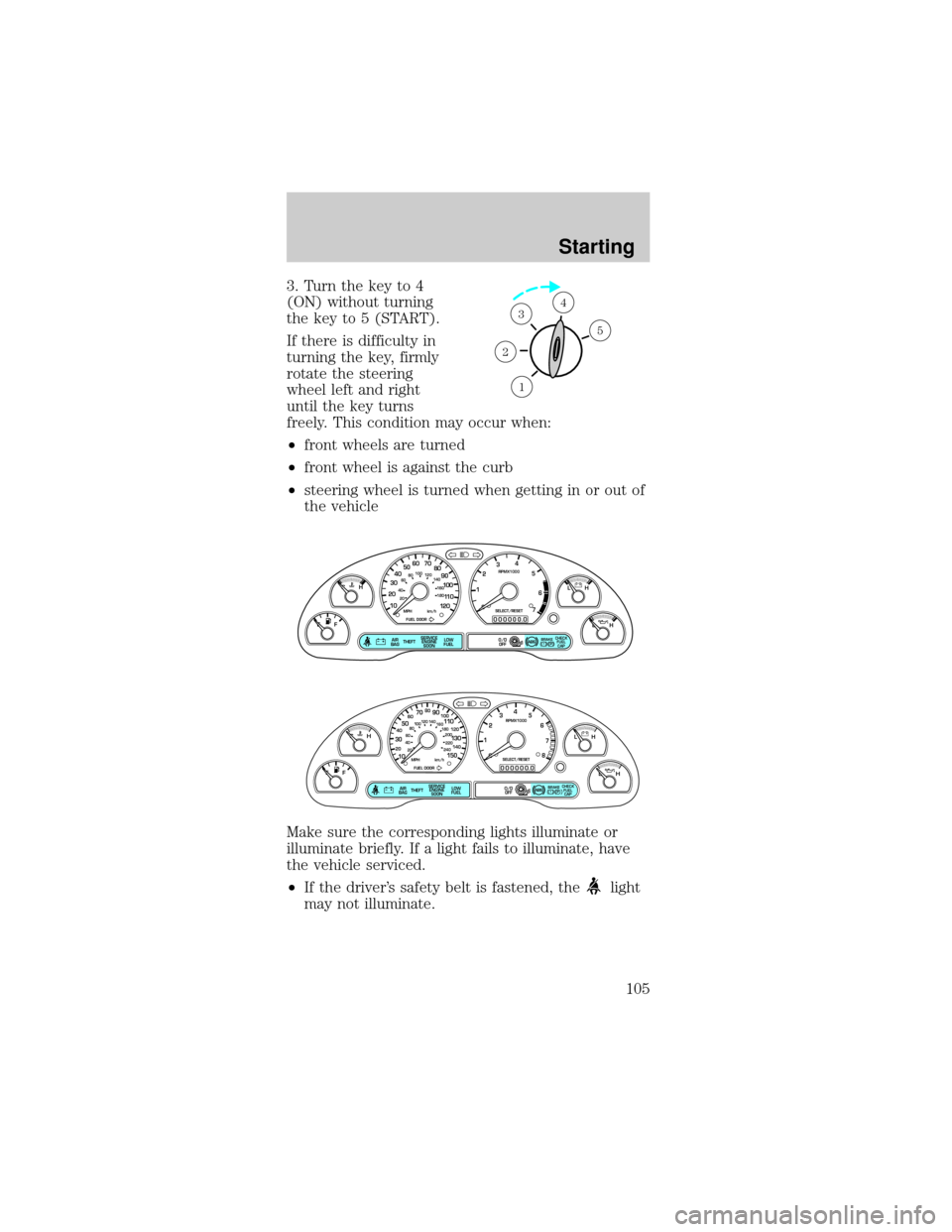
3. Turn the key to 4
(ON) without turning
the key to 5 (START).
If there is difficulty in
turning the key, firmly
rotate the steering
wheel left and right
until the key turns
freely. This condition may occur when:
²front wheels are turned
²front wheel is against the curb
²steering wheel is turned when getting in or out of
the vehicle
Make sure the corresponding lights illuminate or
illuminate briefly. If a light fails to illuminate, have
the vehicle serviced.
²If the driver's safety belt is fastened, the
light
may not illuminate.
1
2
34
5
P! BRAKE
L
0
00000 00
C
E
FH
LH
10 203020 406080100
120
140
160
180
405060 70
80
90
100
11 0
1204
5
6
7 3
2
1
H
THEFT
RPMX1000
FUEL DOORSELECT/RESET
LOW
FUELO/D
OFF AIR
BAGSERVICE
ENGINE
SOON
MPH km/h
ABS
.
CHECK
FUEL
CAP
P! BRAKE
L
0
00000 00
C
E
FH
LH
102040608020 40608010 012 0 14 0
160
180
200
220
240
100
120
140
305070 90
110
13 0
1504
5
6
7
8 3
2
1
H
THEFT
RPMX1000
FUEL DOORSELECT/RESET
LOW
FUELO/D
OFF AIR
BAGSERVICE
ENGINE
SOON
MPH km/h
ABS
.
CHECK
FUEL
CAP
Starting
105