lock FORD MUSTANG 2001 4.G Owners Manual
[x] Cancel search | Manufacturer: FORD, Model Year: 2001, Model line: MUSTANG, Model: FORD MUSTANG 2001 4.GPages: 240, PDF Size: 2.11 MB
Page 4 of 240
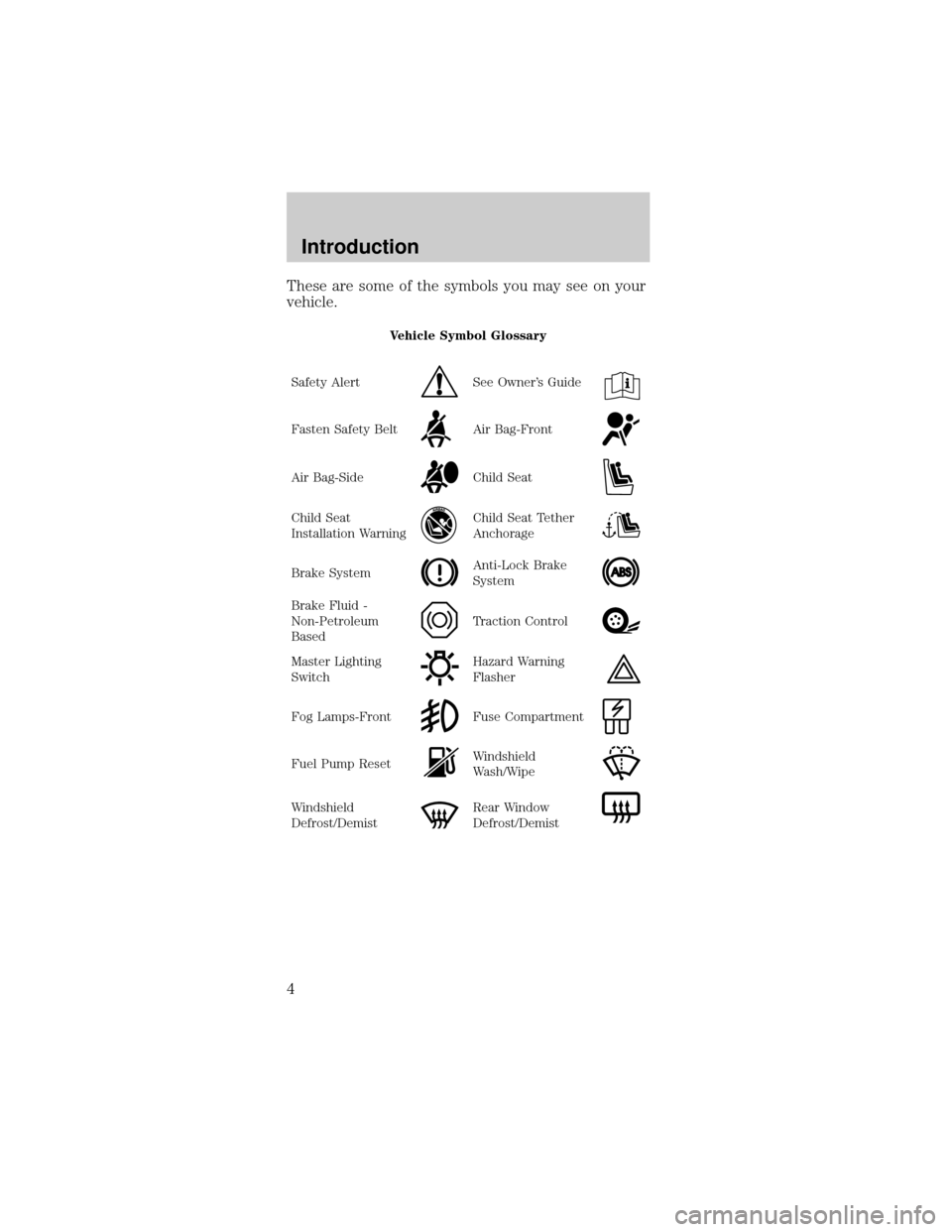
These are some of the symbols you may see on your
vehicle.
Vehicle Symbol Glossary
Safety Alert
See Owner's Guide
Fasten Safety BeltAir Bag-Front
Air Bag-SideChild Seat
Child Seat
Installation WarningChild Seat Tether
Anchorage
Brake SystemAnti-Lock Brake
System
Brake Fluid -
Non-Petroleum
BasedTraction Control
Master Lighting
SwitchHazard Warning
Flasher
Fog Lamps-FrontFuse Compartment
Fuel Pump ResetWindshield
Wash/Wipe
Windshield
Defrost/DemistRear Window
Defrost/Demist
Introduction
4
Page 5 of 240
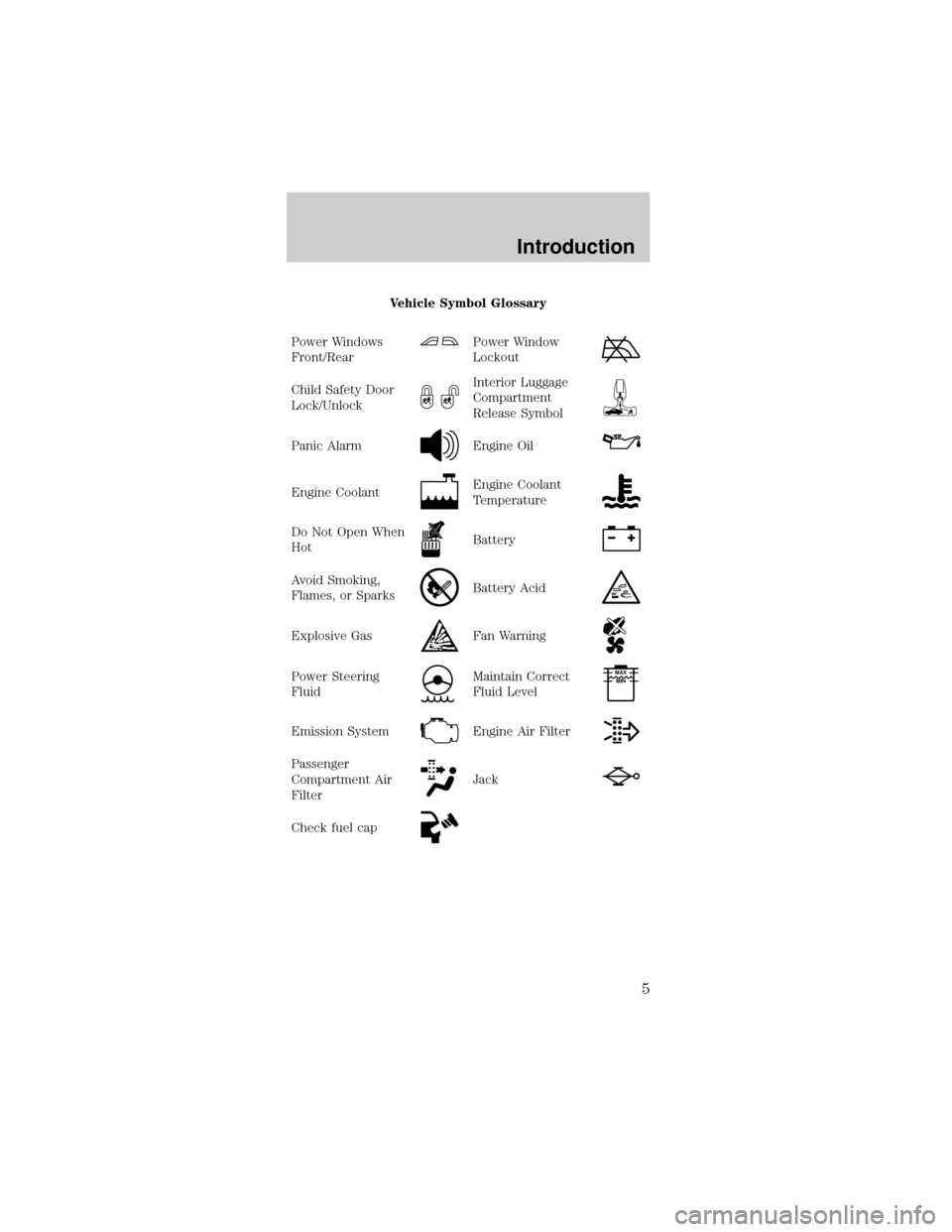
Vehicle Symbol Glossary
Power Windows
Front/Rear
Power Window
Lockout
Child Safety Door
Lock/UnlockInterior Luggage
Compartment
Release Symbol
Panic AlarmEngine Oil
Engine CoolantEngine Coolant
Temperature
Do Not Open When
HotBattery
Avoid Smoking,
Flames, or SparksBattery Acid
Explosive GasFan Warning
Power Steering
FluidMaintain Correct
Fluid LevelMAX
MIN
Emission SystemEngine Air Filter
Passenger
Compartment Air
FilterJack
Check fuel cap
Introduction
5
Page 9 of 240

Safety belt
Momentarily illuminates
when the ignition is
turned to the ON
position to remind you
to fasten your safety belts. For more information,
refer to theSeating and safety restraintschapter.
Charging system
Illuminates when the
ignition is turned to
the ON position and
the engine is off. The light also illuminates when the
battery is not charging properly, requiring electrical
system service.
Air bag readiness
Momentarily
illuminates when the
ignition is turned ON.
If the light fails to illuminate, continues to flash or
remains on, have the system serviced immediately.
Anti-theft system
Refer toSecuriLocky
passive anti-theft
systemin theControls
and featureschapter.
Service engine soon
Your vehicle is
equipped with a
computer that monitors
the engine's emission control system. This system is
commonly known as the On Board Diagnostics
System (OBD II). The OBD II system protects the
environment by ensuring that your vehicle continues
to meet government emission standards. The OBD II
system also assists the service technician in properly
servicing your vehicle.
AIR
BAG
THEFT
SERVICE
ENGINE
SOON
Instrumentation
9
Page 12 of 240
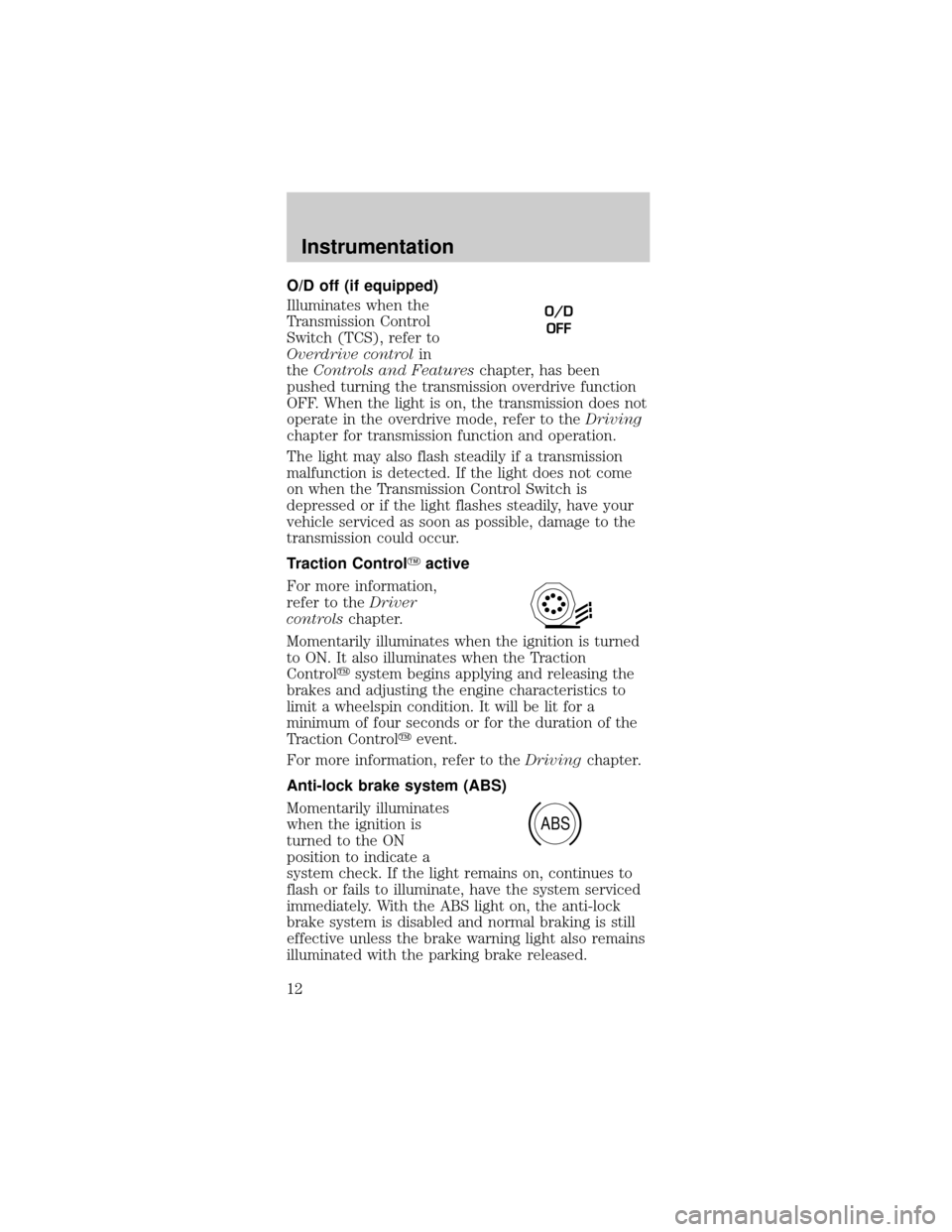
O/D off (if equipped)
Illuminates when the
Transmission Control
Switch (TCS), refer to
Overdrive controlin
theControls and Featureschapter, has been
pushed turning the transmission overdrive function
OFF. When the light is on, the transmission does not
operate in the overdrive mode, refer to theDriving
chapter for transmission function and operation.
The light may also flash steadily if a transmission
malfunction is detected. If the light does not come
on when the Transmission Control Switch is
depressed or if the light flashes steadily, have your
vehicle serviced as soon as possible, damage to the
transmission could occur.
Traction ControlYactive
For more information,
refer to theDriver
controlschapter.
Momentarily illuminates when the ignition is turned
to ON. It also illuminates when the Traction
Controlysystem begins applying and releasing the
brakes and adjusting the engine characteristics to
limit a wheelspin condition. It will be lit for a
minimum of four seconds or for the duration of the
Traction Controlyevent.
For more information, refer to theDrivingchapter.
Anti-lock brake system (ABS)
Momentarily illuminates
when the ignition is
turned to the ON
position to indicate a
system check. If the light remains on, continues to
flash or fails to illuminate, have the system serviced
immediately. With the ABS light on, the anti-lock
brake system is disabled and normal braking is still
effective unless the brake warning light also remains
illuminated with the parking brake released.
O/D
OFF
ABS
Instrumentation
12
Page 13 of 240
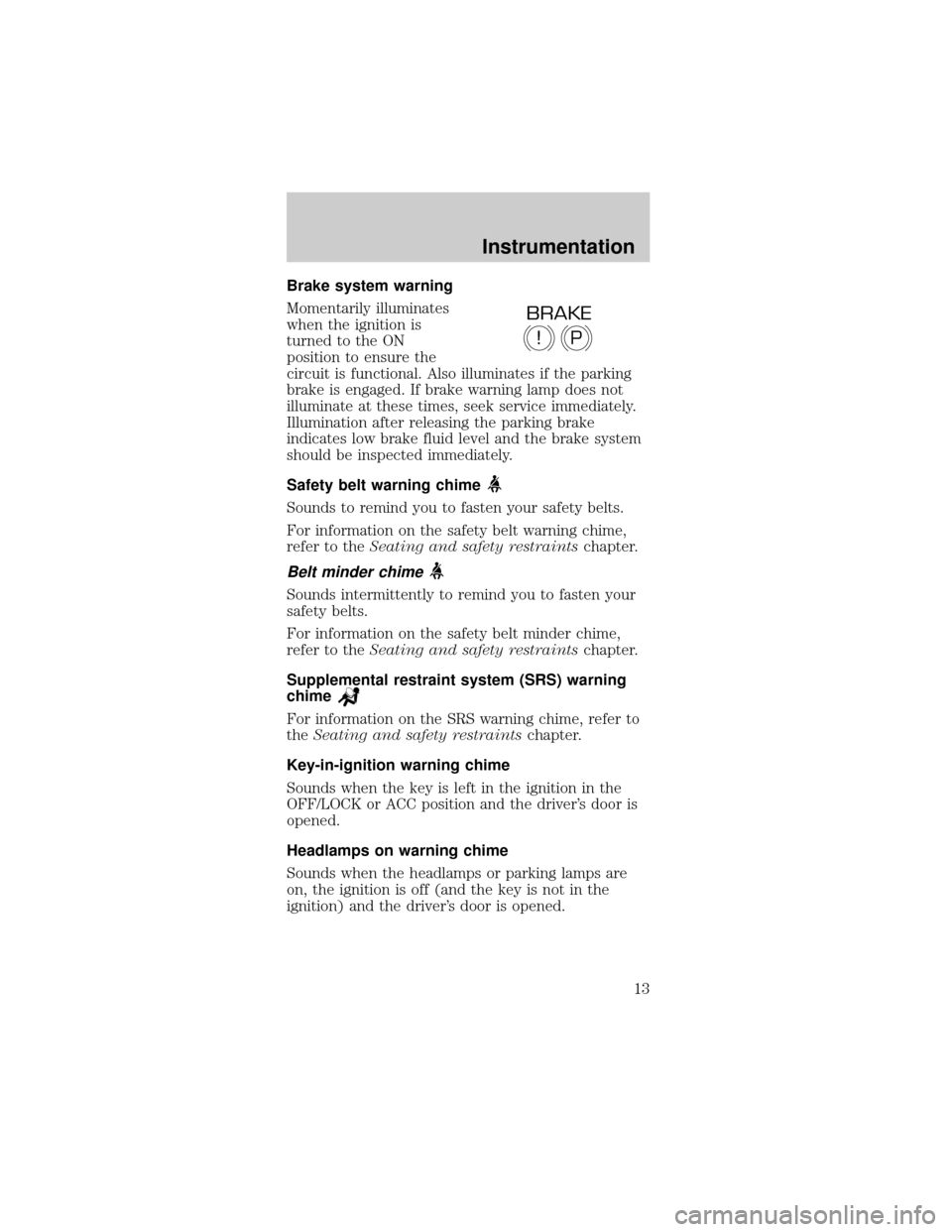
Brake system warning
Momentarily illuminates
when the ignition is
turned to the ON
position to ensure the
circuit is functional. Also illuminates if the parking
brake is engaged. If brake warning lamp does not
illuminate at these times, seek service immediately.
Illumination after releasing the parking brake
indicates low brake fluid level and the brake system
should be inspected immediately.
Safety belt warning chime
Sounds to remind you to fasten your safety belts.
For information on the safety belt warning chime,
refer to theSeating and safety restraintschapter.
Belt minder chime
Sounds intermittently to remind you to fasten your
safety belts.
For information on the safety belt minder chime,
refer to theSeating and safety restraintschapter.
Supplemental restraint system (SRS) warning
chime
For information on the SRS warning chime, refer to
theSeating and safety restraintschapter.
Key-in-ignition warning chime
Sounds when the key is left in the ignition in the
OFF/LOCK or ACC position and the driver's door is
opened.
Headlamps on warning chime
Sounds when the headlamps or parking lamps are
on, the ignition is off (and the key is not in the
ignition) and the driver's door is opened.
P!
BRAKE
Instrumentation
13
Page 19 of 240
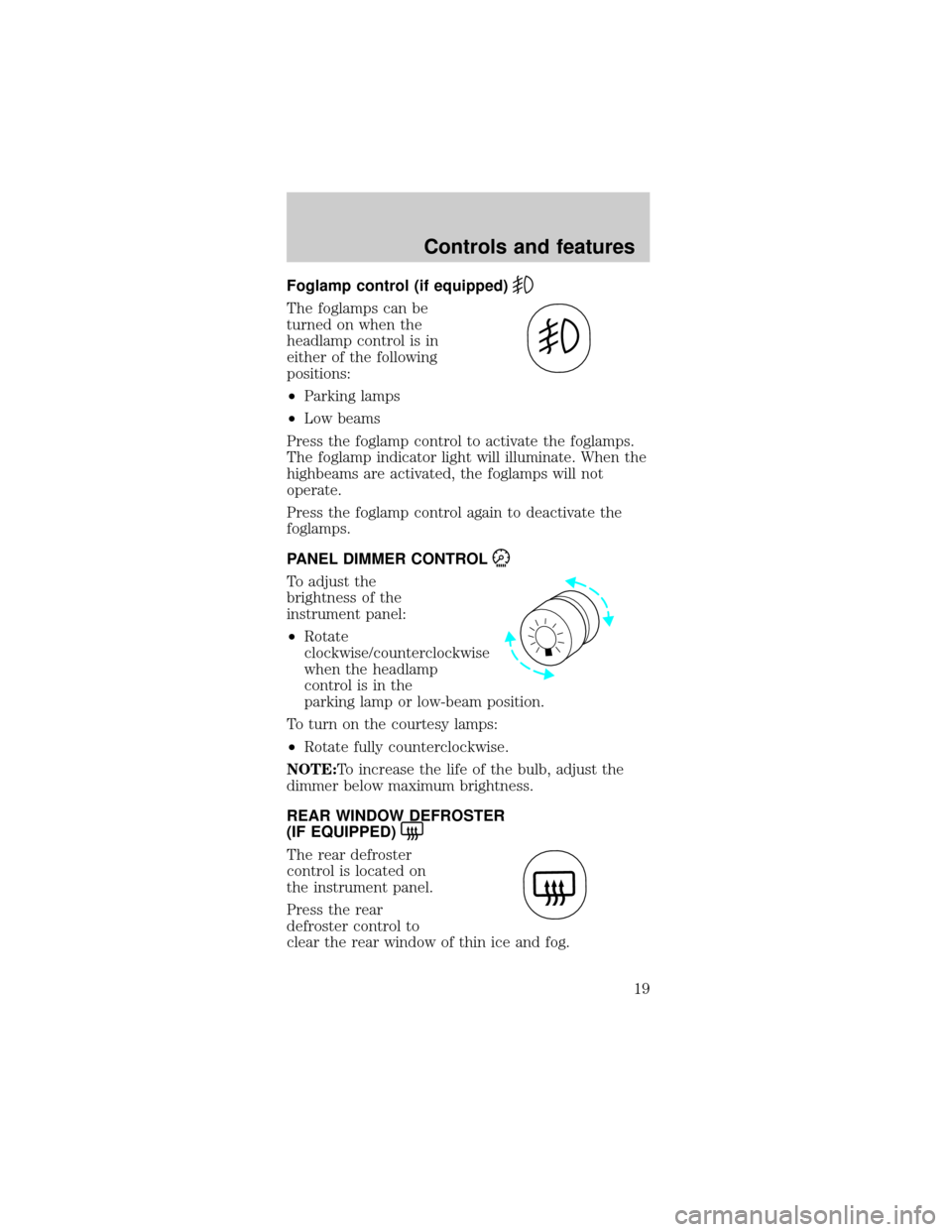
Foglamp control (if equipped)
The foglamps can be
turned on when the
headlamp control is in
either of the following
positions:
²Parking lamps
²Low beams
Press the foglamp control to activate the foglamps.
The foglamp indicator light will illuminate. When the
highbeams are activated, the foglamps will not
operate.
Press the foglamp control again to deactivate the
foglamps.
PANEL DIMMER CONTROL
To adjust the
brightness of the
instrument panel:
²Rotate
clockwise/counterclockwise
when the headlamp
control is in the
parking lamp or low-beam position.
To turn on the courtesy lamps:
²Rotate fully counterclockwise.
NOTE:To increase the life of the bulb, adjust the
dimmer below maximum brightness.
REAR WINDOW DEFROSTER
(IF EQUIPPED)
The rear defroster
control is located on
the instrument panel.
Press the rear
defroster control to
clear the rear window of thin ice and fog.
Controls and features
19
Page 23 of 240
cooling the vehicle if driven for two or three
minutes with the windows open. This will force
most of the hot, stale air out of the vehicle. Once
the vehicle has been ªaired outº, operate the
climate control system as desired.
²Do not place objects under the front seat that
may interfere with the airflow to the rear seats.
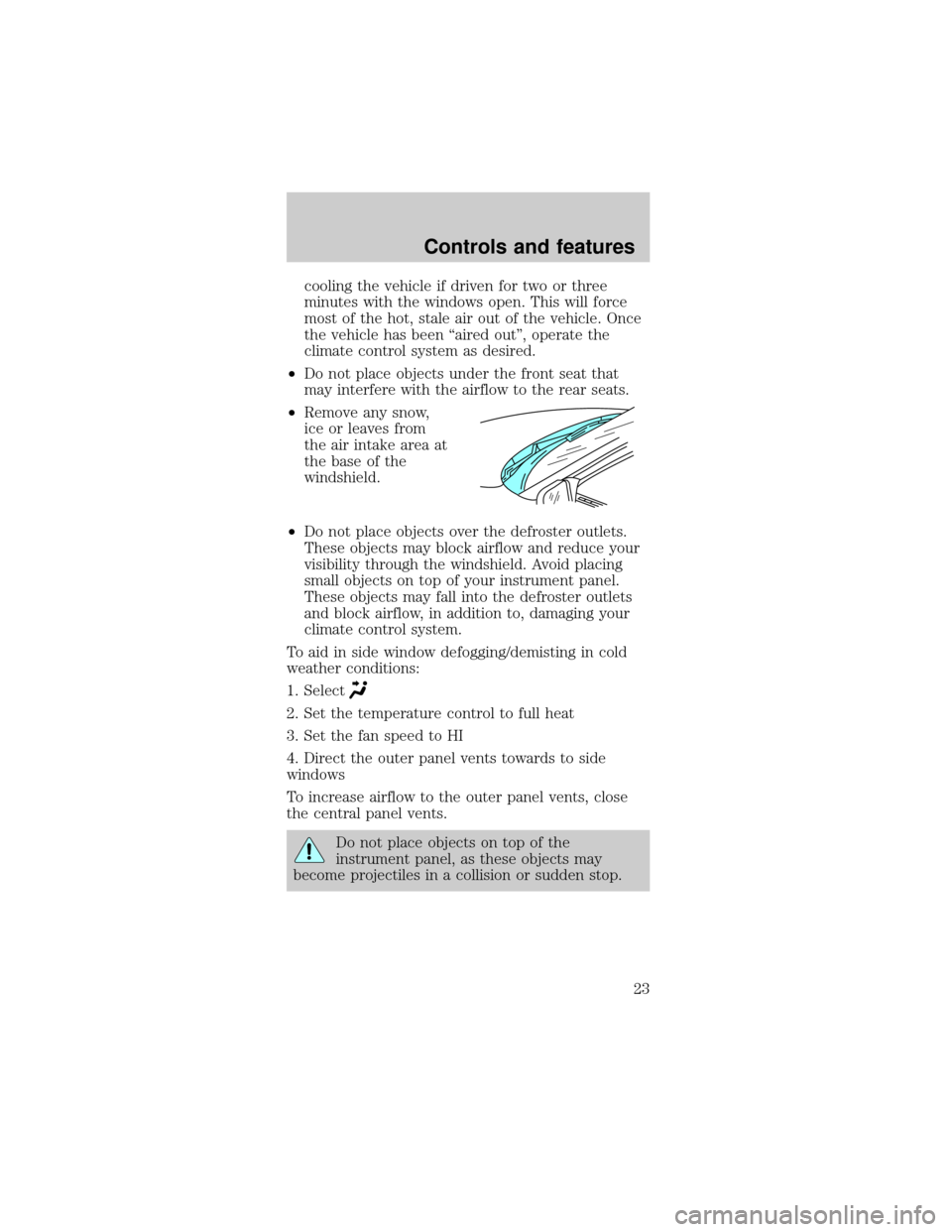
²Remove any snow,
ice or leaves from
the air intake area at
the base of the
windshield.
²Do not place objects over the defroster outlets.
These objects may block airflow and reduce your
visibility through the windshield. Avoid placing
small objects on top of your instrument panel.
These objects may fall into the defroster outlets
and block airflow, in addition to, damaging your
climate control system.
To aid in side window defogging/demisting in cold
weather conditions:
1. Select
2. Set the temperature control to full heat
3. Set the fan speed to HI
4. Direct the outer panel vents towards to side
windows
To increase airflow to the outer panel vents, close
the central panel vents.
Do not place objects on top of the
instrument panel, as these objects may
become projectiles in a collision or sudden stop.
Controls and features
23
Page 33 of 240
Press the SHUFFLE control to start this feature.
Random order play will continue until the SHUFFLE
control is pressed again.
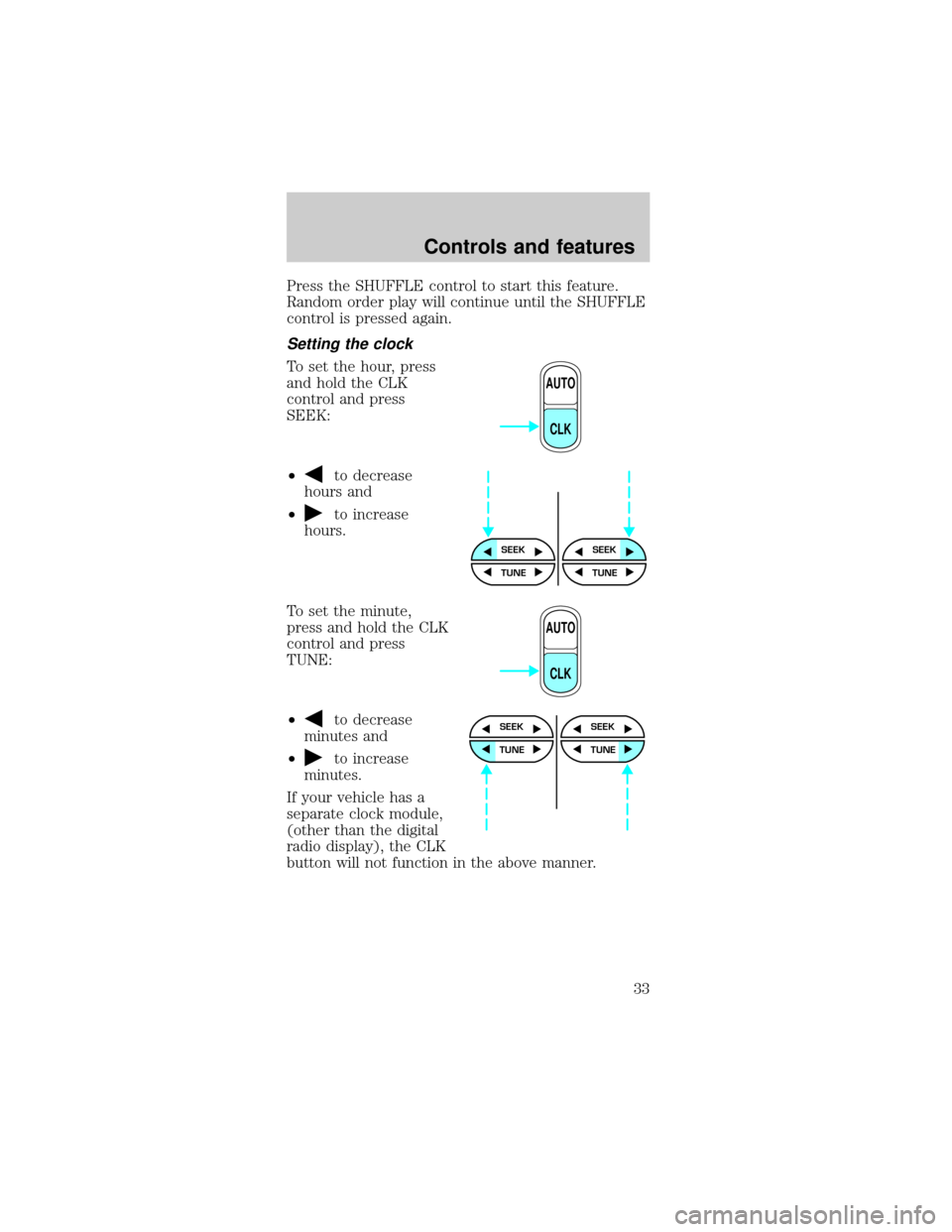
Setting the clock
To set the hour, press
and hold the CLK
control and press
SEEK:
²
to decrease
hours and
²
to increase
hours.
To set the minute,
press and hold the CLK
control and press
TUNE:
²
to decrease
minutes and
²
to increase
minutes.
If your vehicle has a
separate clock module,
(other than the digital
radio display), the CLK
button will not function in the above manner.
AUTO
CLK
SEEKSEEK
TUNE TUNE
AUTO
CLK
SEEK
TUNE
SEEK
TUNE
Controls and features
33
Page 34 of 240
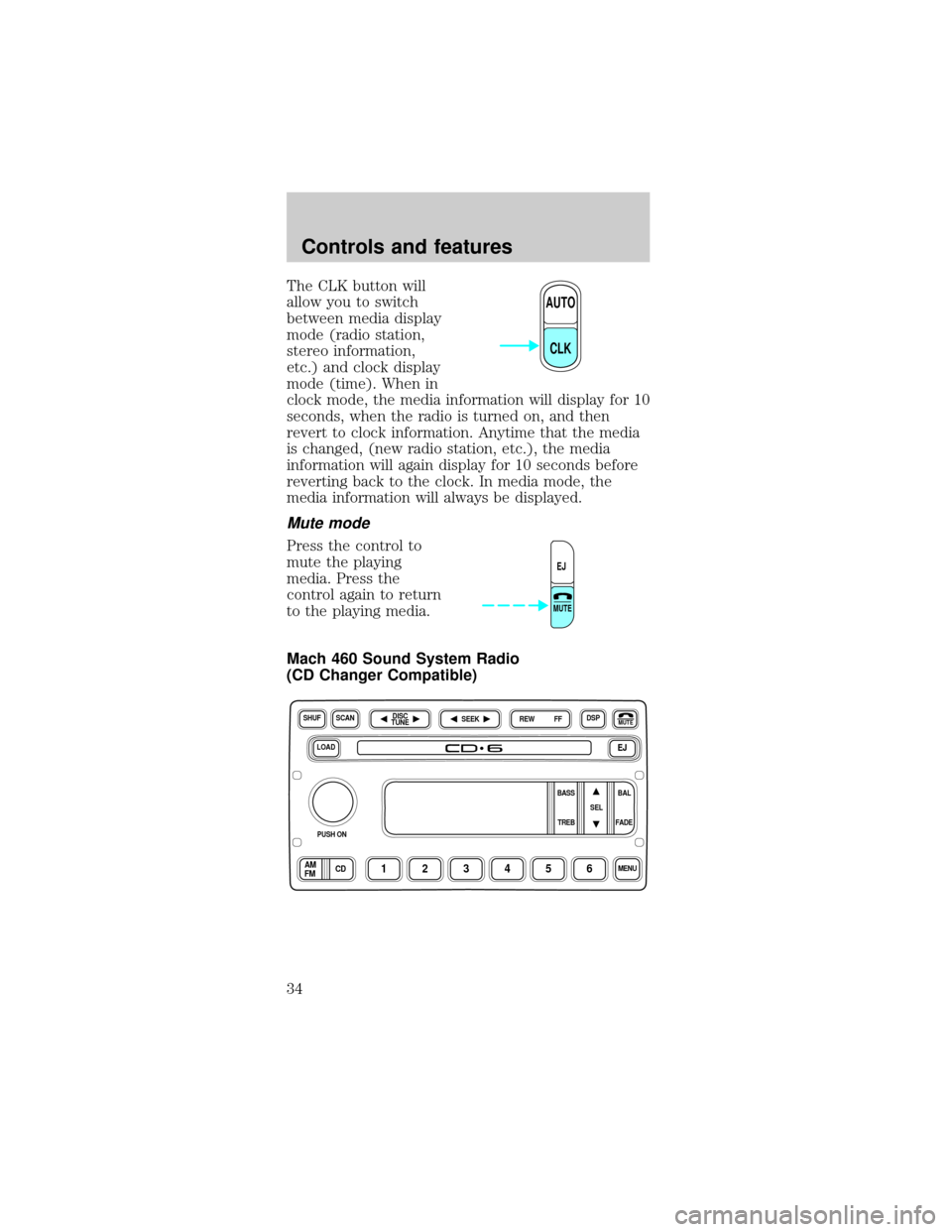
The CLK button will
allow you to switch
between media display
mode (radio station,
stereo information,
etc.) and clock display
mode (time). When in
clock mode, the media information will display for 10
seconds, when the radio is turned on, and then
revert to clock information. Anytime that the media
is changed, (new radio station, etc.), the media
information will again display for 10 seconds before
reverting back to the clock. In media mode, the
media information will always be displayed.
Mute mode
Press the control to
mute the playing
media. Press the
control again to return
to the playing media.
Mach 460 Sound System Radio
(CD Changer Compatible)
AUTO
CLK
EJ
MUTE
LOADEJ
SHUFDSPMUTE
SELBAL BASS
FADE TREB
SCAN
PUSH ON
CD123456MENUAM
FM
SEEKREW FFDISC
TUNE
Controls and features
34
Page 43 of 240
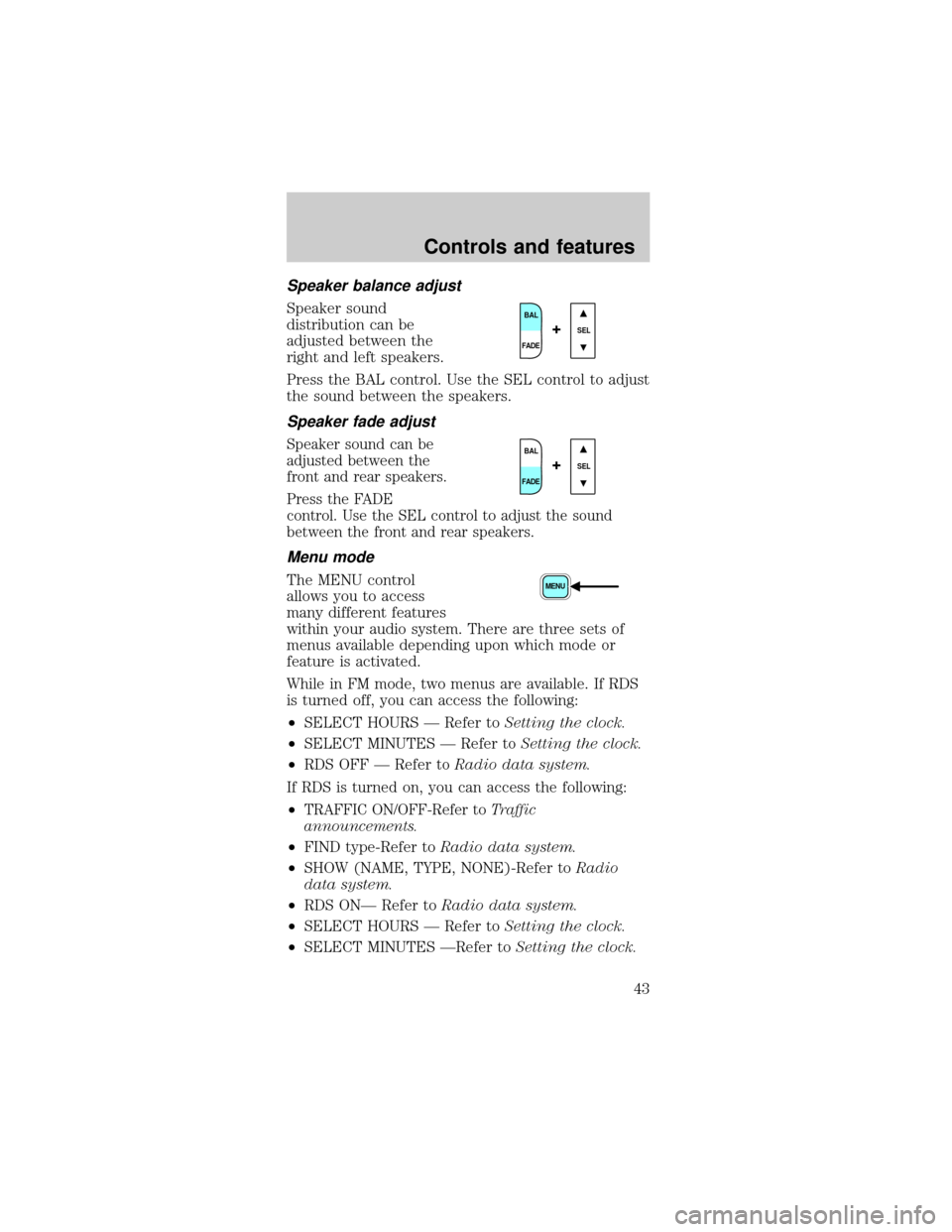
Speaker balance adjust
Speaker sound
distribution can be
adjusted between the
right and left speakers.
Press the BAL control. Use the SEL control to adjust
the sound between the speakers.
Speaker fade adjust
Speaker sound can be
adjusted between the
front and rear speakers.
Press the FADE
control. Use the SEL control to adjust the sound
between the front and rear speakers.
Menu mode
The MENU control
allows you to access
many different features
within your audio system. There are three sets of
menus available depending upon which mode or
feature is activated.
While in FM mode, two menus are available. If RDS
is turned off, you can access the following:
²SELECT HOURS Ð Refer toSetting the clock.
²SELECT MINUTES Ð Refer toSetting the clock.
²RDS OFF Ð Refer toRadio data system.
If RDS is turned on, you can access the following:
²
TRAFFIC ON/OFF-Refer toTraffic
announcements.
²FIND type-Refer toRadio data system.
²SHOW (NAME, TYPE, NONE)-Refer toRadio
data system.
²RDS ONÐ Refer toRadio data system.
²SELECT HOURS Ð Refer toSetting the clock.
²SELECT MINUTES ÐRefer toSetting the clock.
BAL
FADESEL+
BAL
FADESEL+
MENU
Controls and features
43