automatic transmission FORD MUSTANG 2002 4.G Owners Manual
[x] Cancel search | Manufacturer: FORD, Model Year: 2002, Model line: MUSTANG, Model: FORD MUSTANG 2002 4.GPages: 264, PDF Size: 2.56 MB
Page 89 of 264
OVERDRIVE CONTROL (IF EQUIPPED)
Activating overdrive
(Overdrive) is the normal drive position for the
best fuel economy.
The overdrive function allows automatic upshifts and
downshifts through all available gears.
Deactivating overdrive
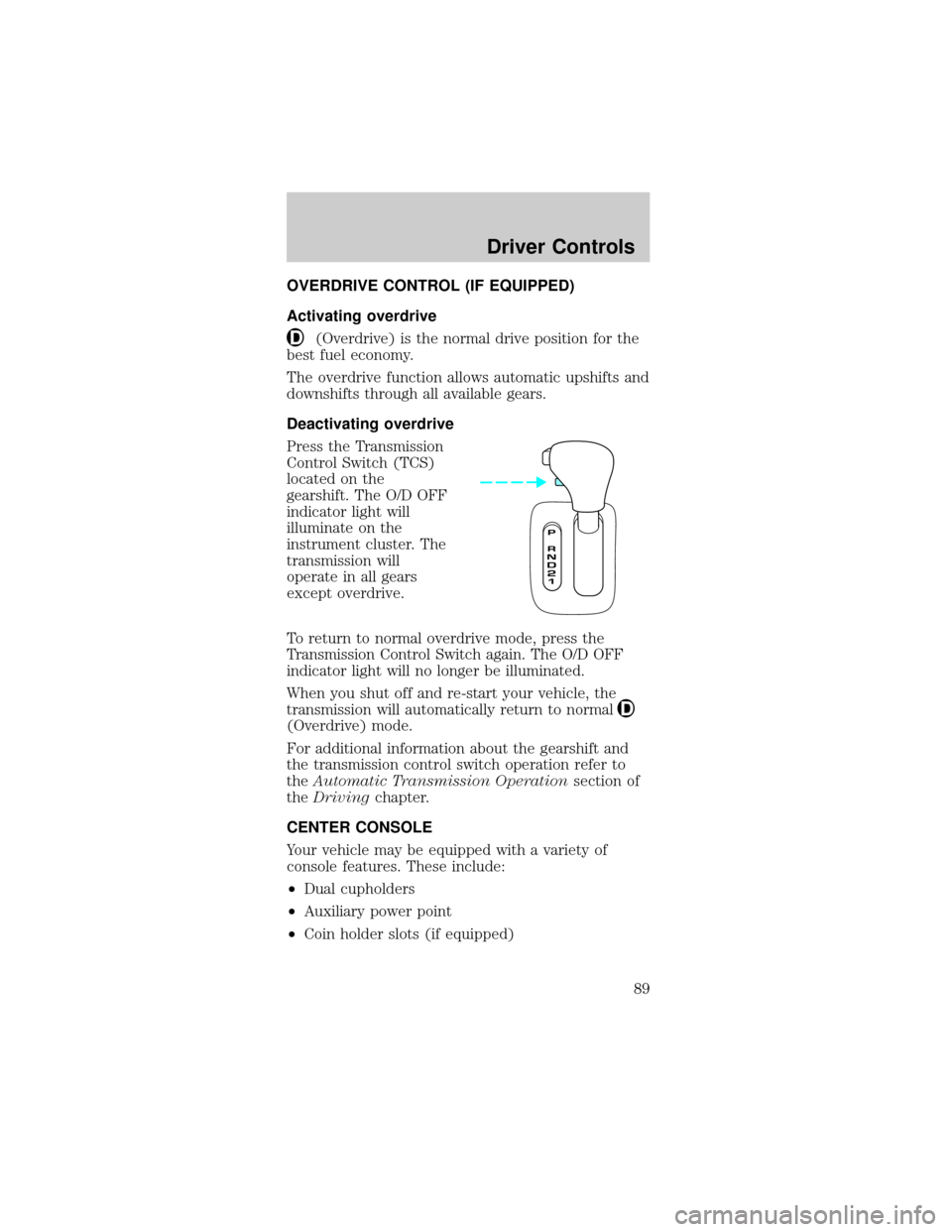
Press the Transmission
Control Switch (TCS)
located on the
gearshift. The O/D OFF
indicator light will
illuminate on the
instrument cluster. The
transmission will
operate in all gears
except overdrive.
To return to normal overdrive mode, press the
Transmission Control Switch again. The O/D OFF
indicator light will no longer be illuminated.
When you shut off and re-start your vehicle, the
transmission will automatically return to normal
(Overdrive) mode.
For additional information about the gearshift and
the transmission control switch operation refer to
theAutomatic Transmission Operationsection of
theDrivingchapter.
CENTER CONSOLE
Your vehicle may be equipped with a variety of
console features. These include:
²Dual cupholders
²Auxiliary power point
²Coin holder slots (if equipped)
Driver Controls
89
Page 117 of 264
The BeltMinder feature can be deactivated/activated
by performing the following procedure:
Before following the procedure, make sure that:
²The parking brake is set.
²The gearshift is in P (Park) (automatic
transmission) or the neutral position (manual
transmission).
²The ignition switch is in the OFF position.
²All vehicle doors are closed.
²The driver's safety belt is unbuckled.
²The parklamps/headlamps are in OFF position (If
vehicle is equipped with Autolamps, this will not
affect the procedure).
To reduce the risk of injury, do not
deactivate/activate the Belt Minder feature
while driving the vehicle.
1. Turn the ignition switch to the RUN (or ON)
position. (DO NOT START THE ENGINE.)
2. Wait until the safety belt warning light turns off.
(Approximately 1±2 minutes.)
²Steps 3±5 must be completed within 60 seconds
or the procedure will have to be repeated.
3. Buckle then unbuckle the safety belt three times,
ending with the safety belt unbuckled. This can be
done before or during BeltMinder warning activation.
4. Turn on the parklamps/headlamps, turn off the
parklamps/headlamps.
5. Buckle then unbuckle the safety belt three times,
ending with the safety belt unbuckled.
²After step 5 the safety belt warning light will be
turned on for three seconds.
6. Within seven seconds of the safety belt warning
light turning off, buckle then unbuckle the safety
belt.
Seating and Safety Restraints
117
Page 136 of 264
STARTING
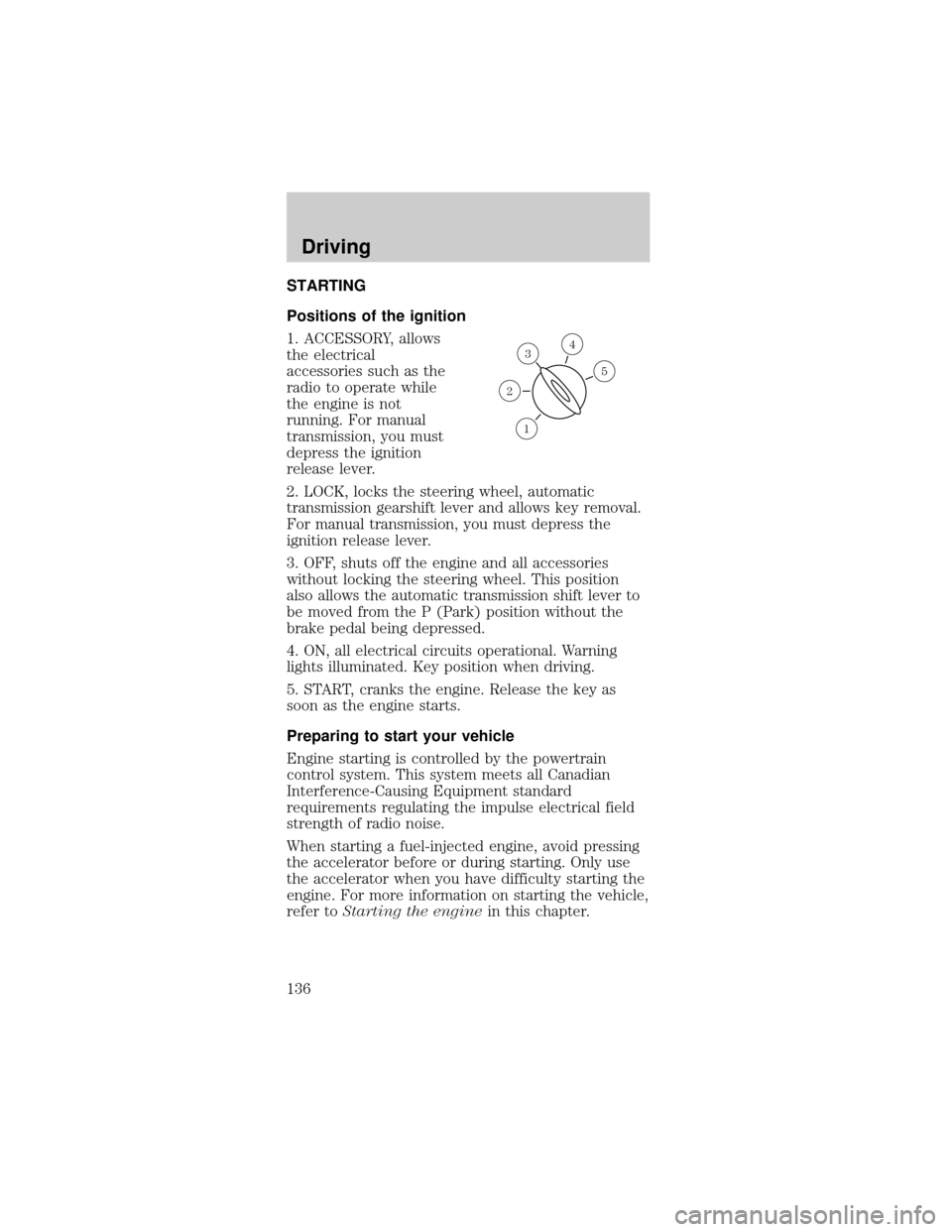
Positions of the ignition
1. ACCESSORY, allows
the electrical
accessories such as the
radio to operate while
the engine is not
running. For manual
transmission, you must
depress the ignition
release lever.
2. LOCK, locks the steering wheel, automatic
transmission gearshift lever and allows key removal.
For manual transmission, you must depress the
ignition release lever.
3. OFF, shuts off the engine and all accessories
without locking the steering wheel. This position
also allows the automatic transmission shift lever to
be moved from the P (Park) position without the
brake pedal being depressed.
4. ON, all electrical circuits operational. Warning
lights illuminated. Key position when driving.
5. START, cranks the engine. Release the key as
soon as the engine starts.
Preparing to start your vehicle
Engine starting is controlled by the powertrain
control system. This system meets all Canadian
Interference-Causing Equipment standard
requirements regulating the impulse electrical field
strength of radio noise.
When starting a fuel-injected engine, avoid pressing
the accelerator before or during starting. Only use
the accelerator when you have difficulty starting the
engine. For more information on starting the vehicle,
refer toStarting the enginein this chapter.
3
1
2
5
4
Driving
136
Page 138 of 264
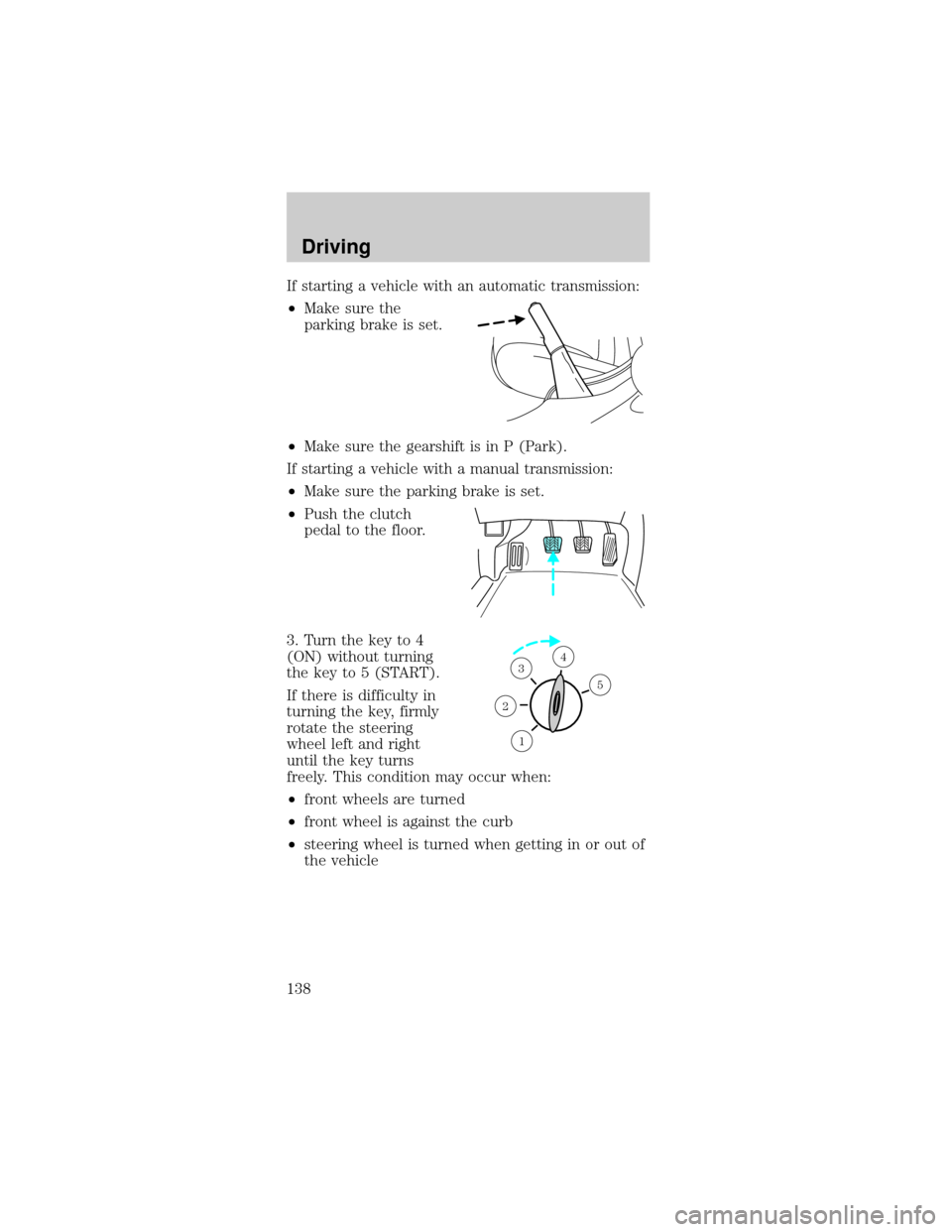
If starting a vehicle with an automatic transmission:
²Make sure the
parking brake is set.
²Make sure the gearshift is in P (Park).
If starting a vehicle with a manual transmission:
²Make sure the parking brake is set.
²Push the clutch
pedal to the floor.
3. Turn the key to 4
(ON) without turning
the key to 5 (START).
If there is difficulty in
turning the key, firmly
rotate the steering
wheel left and right
until the key turns
freely. This condition may occur when:
²front wheels are turned
²front wheel is against the curb
²steering wheel is turned when getting in or out of
the vehicle
1
2
34
5
Driving
138
Page 143 of 264
Always set the parking brake fully and make
sure that the gearshift is securely latched in
P (Park) (automatic transmission) or in 1 (First
Gear) (manual transmission).
The parking brake is not recommended to stop a
moving vehicle. However, if the normal brakes fail,
the parking brake can be used to stop your vehicle
in an emergency. Since the parking brake applies
only the rear brakes, the vehicle's stopping distance
will increase greatly and the handling of your vehicle
will be adversely affected.
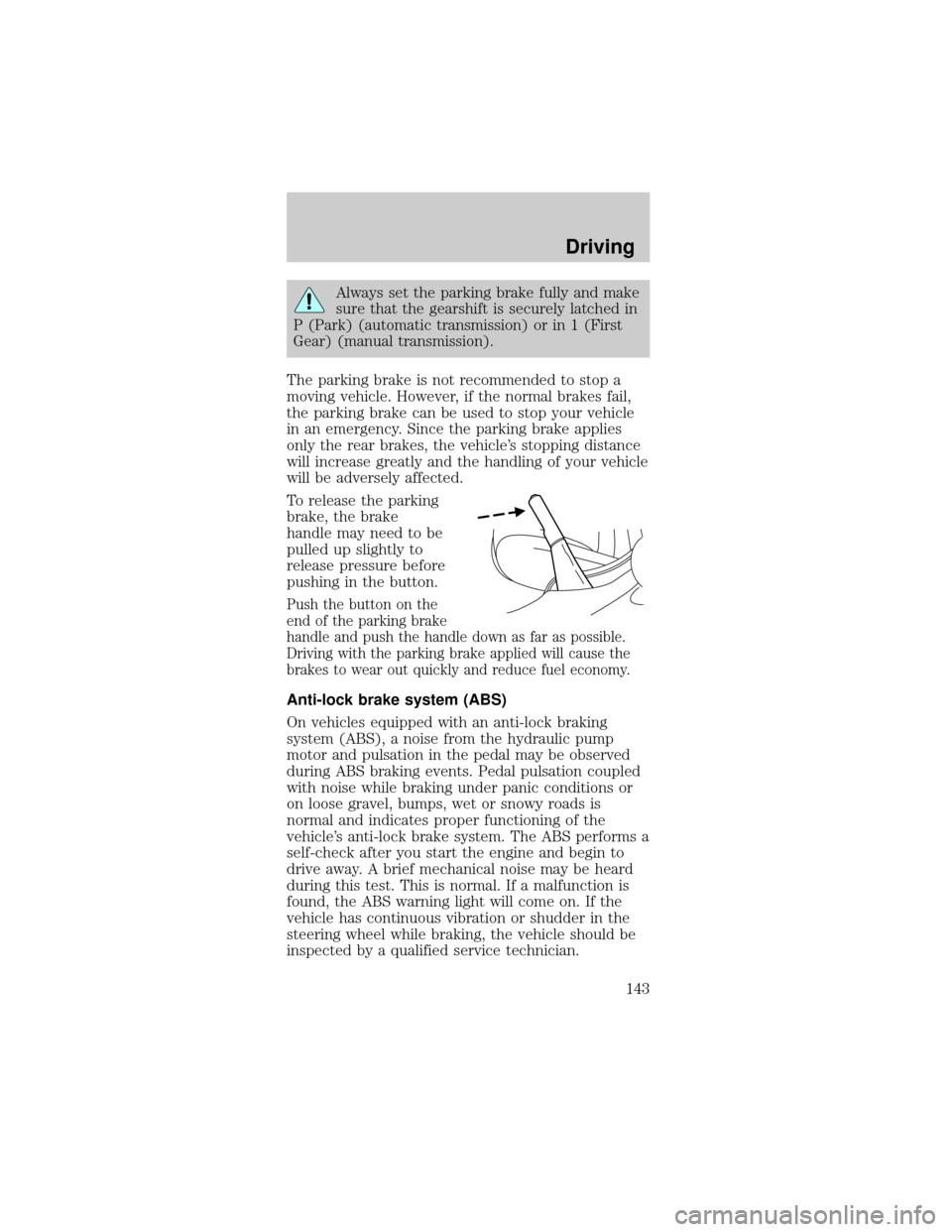
To release the parking
brake, the brake
handle may need to be
pulled up slightly to
release pressure before
pushing in the button.
Push the button on the
end of the parking brake
handle and push the handle down as far as possible.
Driving with the parking brake applied will cause the
brakes to wear out quickly and reduce fuel economy.
Anti-lock brake system (ABS)
On vehicles equipped with an anti-lock braking
system (ABS), a noise from the hydraulic pump
motor and pulsation in the pedal may be observed
during ABS braking events. Pedal pulsation coupled
with noise while braking under panic conditions or
on loose gravel, bumps, wet or snowy roads is
normal and indicates proper functioning of the
vehicle's anti-lock brake system. The ABS performs a
self-check after you start the engine and begin to
drive away. A brief mechanical noise may be heard
during this test. This is normal. If a malfunction is
found, the ABS warning light will come on. If the
vehicle has continuous vibration or shudder in the
steering wheel while braking, the vehicle should be
inspected by a qualified service technician.
Driving
143
Page 148 of 264
To reduce the risk of injury, never run the
engine with one wheel off the ground, such
as when changing a tire.
AUTOMATIC TRANSMISSION OPERATION
(IF EQUIPPED)
Brake-shift interlock
This vehicle is equipped with a brake-shift interlock
feature that prevents the gearshift lever from being
moved from P (Park) when the ignition is in the ON
position unless brake pedal is depressed.
If you cannot move the gearshift lever out of P
(Park) with ignition in the ON position and the
brake pedal depressed:
1. Apply the parking brake, turn ignition key to
LOCK, then remove the key.
2. Insert the key and turn it to OFF.Apply the
brake pedal and shift to N (Neutral).
In the ignition OFF position, the automatic
transmission shift lever can be moved from
the P (Park) position without the brake pedal
depressed. To avoid unwanted vehicle movement,
always set the parking brake.
3. Start the vehicle.
If it is necessary to use the above procedure to
move the gearshift lever, it is possible that a fuse
has blown or the vehicle's brakelamps are not
operating properly. Refer toFuses and relaysin the
Roadside emergencieschapter.
Do not drive your vehicle until you verify
that the brakelamps are working.
Driving
148
Page 149 of 264
If your vehicle gets stuck in mud or snow it may be
rocked out by shifting from forward and reverse
gears, stopping between shifts, in a steady pattern.
Press lightly on the accelerator in each gear.
Do not rock the vehicle if the engine is not at
normal operating temperature or damage to
the transmission may occur.
Do not rock the vehicle for more than a few
minutes or damage to the transmission and
tires may occur or the engine may overheat.
Always set the parking brake fully and make
sure the gearshift is latched in P (Park).
Turn the ignition to the LOCK position and remove
the key whenever you leave your vehicle.
If the parking brake is fully released, but the
brake warning lamp remains illuminated, the
brakes may not be working properly. See your
dealer or a qualified service technician.
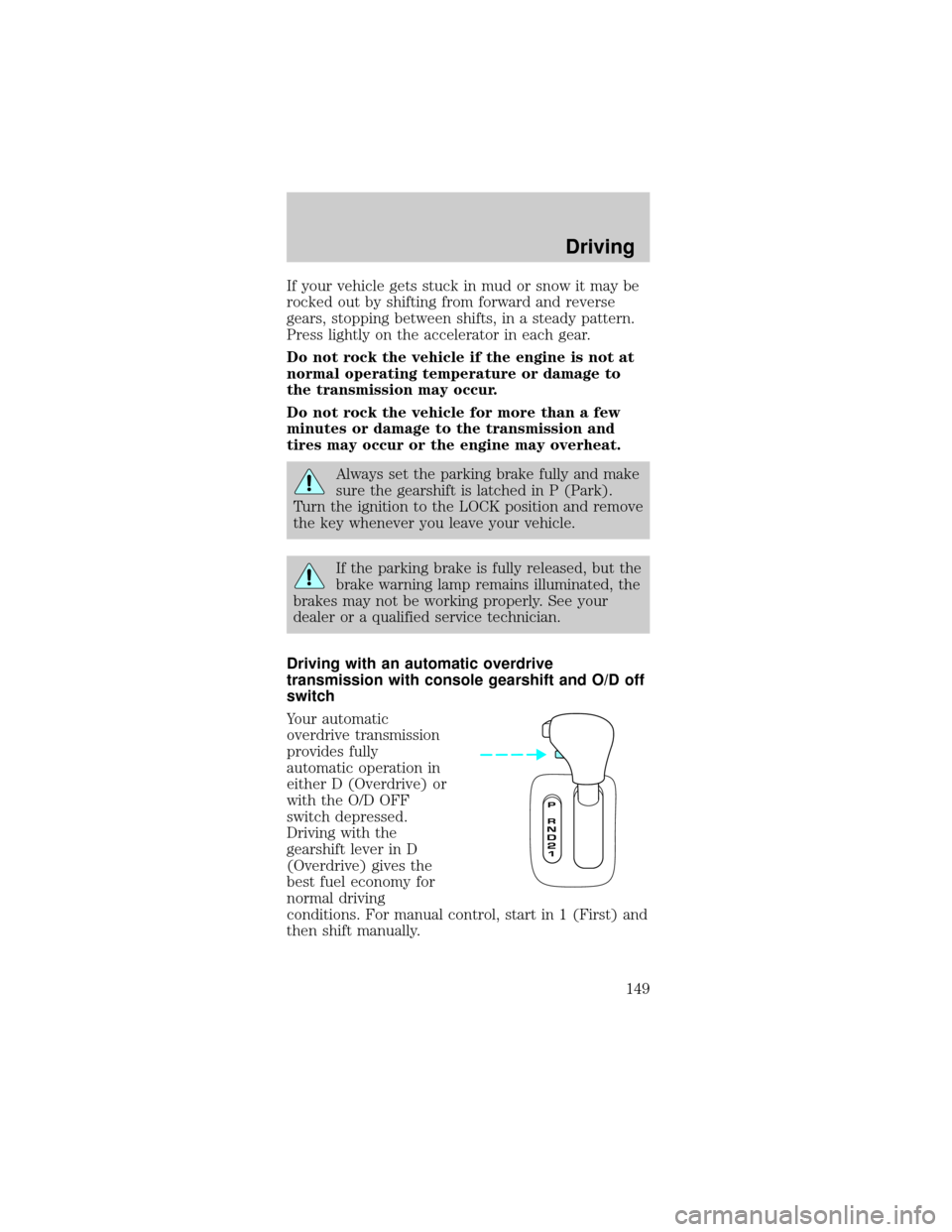
Driving with an automatic overdrive
transmission with console gearshift and O/D off
switch
Your automatic
overdrive transmission
provides fully
automatic operation in
either D (Overdrive) or
with the O/D OFF
switch depressed.
Driving with the
gearshift lever in D
(Overdrive) gives the
best fuel economy for
normal driving
conditions. For manual control, start in 1 (First) and
then shift manually.
Driving
149
Page 150 of 264
Driving with a 4±speed automatic transmission
(if equipped)
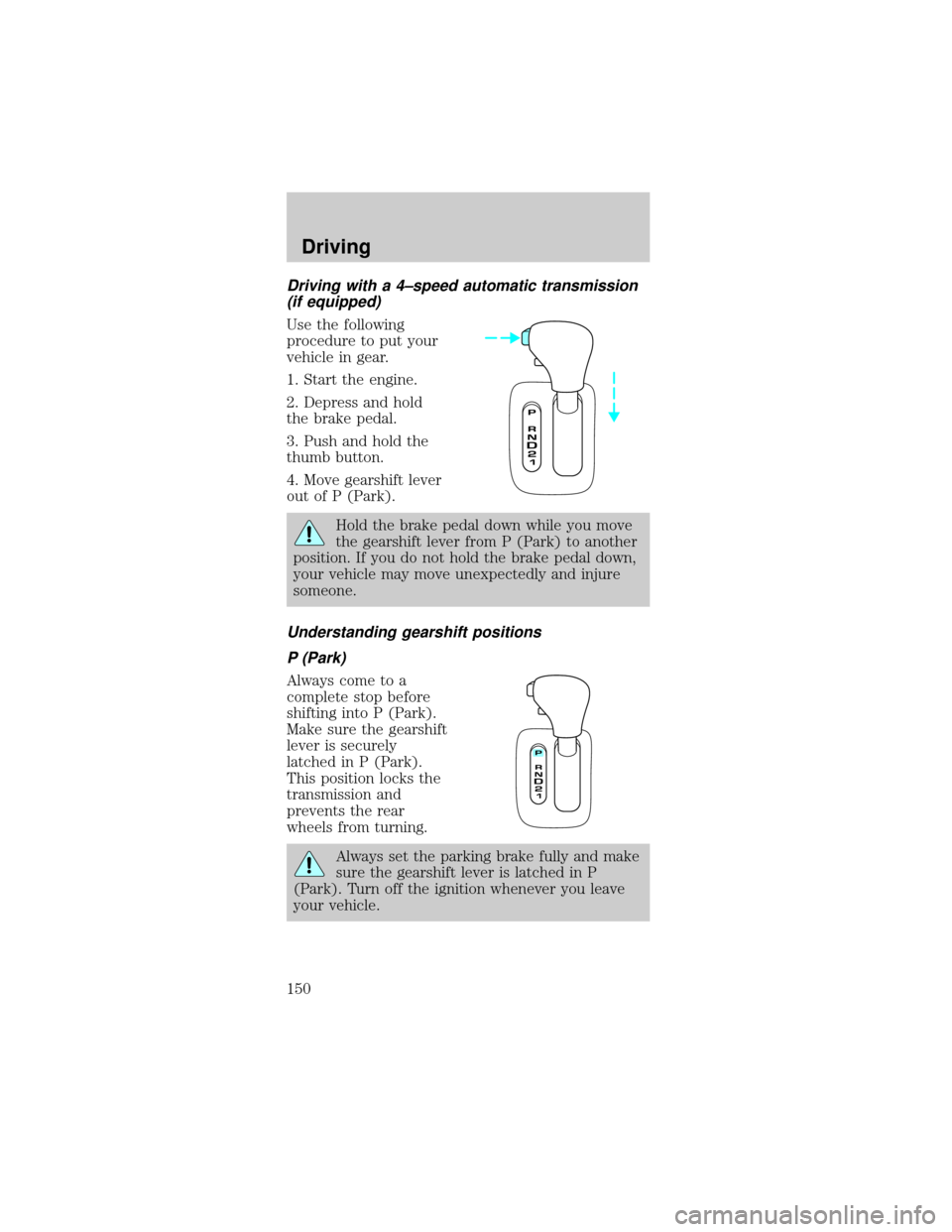
Use the following
procedure to put your
vehicle in gear.
1. Start the engine.
2. Depress and hold
the brake pedal.
3. Push and hold the
thumb button.
4. Move gearshift lever
out of P (Park).
Hold the brake pedal down while you move
the gearshift lever from P (Park) to another
position. If you do not hold the brake pedal down,
your vehicle may move unexpectedly and injure
someone.
Understanding gearshift positions
P (Park)
Always come to a
complete stop before
shifting into P (Park).
Make sure the gearshift
lever is securely
latched in P (Park).
This position locks the
transmission and
prevents the rear
wheels from turning.
Always set the parking brake fully and make
sure the gearshift lever is latched in P
(Park). Turn off the ignition whenever you leave
your vehicle.
Driving
150
Page 153 of 264
To return to(Overdrive) mode, press the
transmission control switch. The O/D OFF indicator
will no longer be illuminated.
Each time the vehicle is started, the transmission
will automatically return to normal overdrive mode.
Every time the vehicle is shut off and restarted, you
must press the transmission control switch to cancel
overdrive operation if driving in overdrive is not
desired.
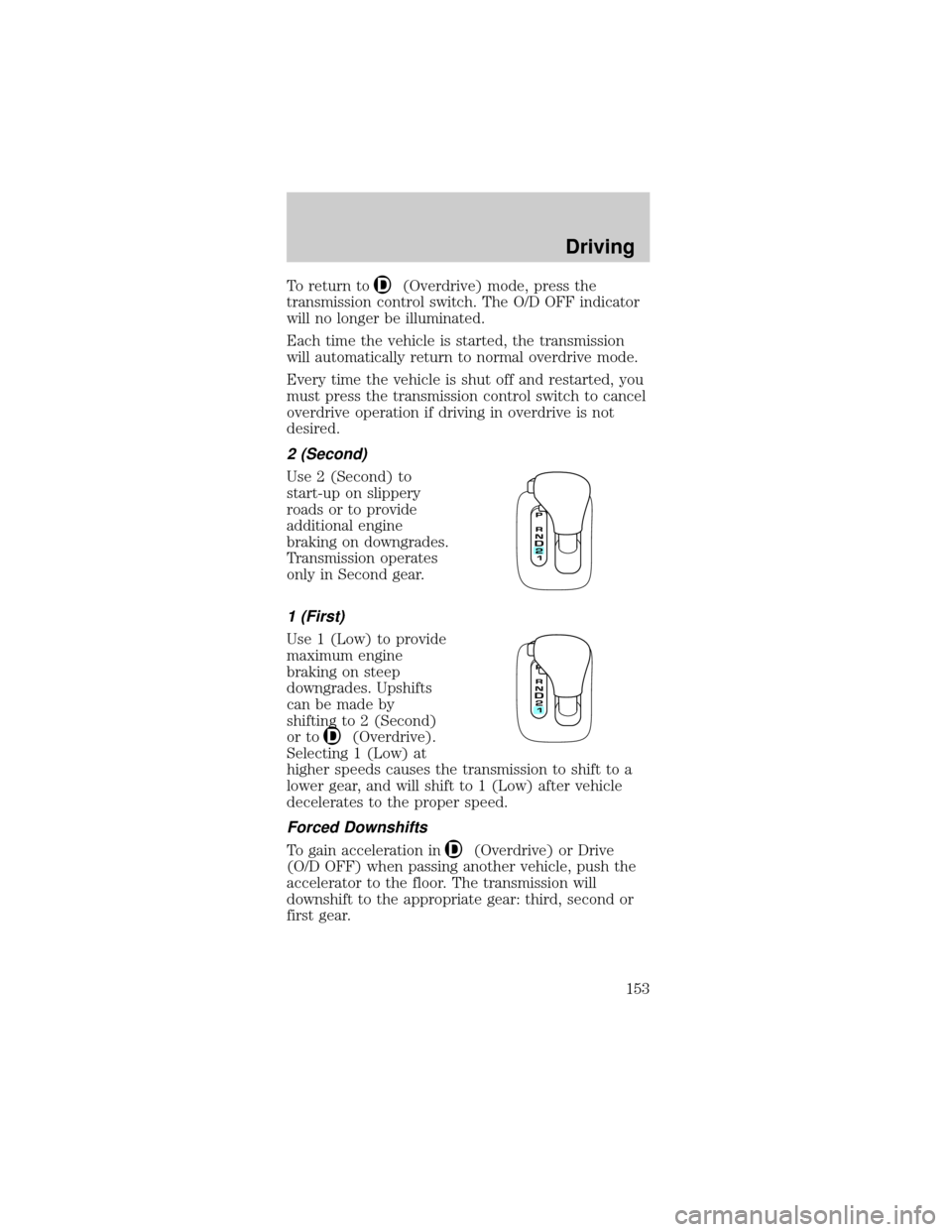
2 (Second)
Use 2 (Second) to
start-up on slippery
roads or to provide
additional engine
braking on downgrades.
Transmission operates
only in Second gear.
1 (First)
Use 1 (Low) to provide
maximum engine
braking on steep
downgrades. Upshifts
can be made by
shifting to 2 (Second)
or to
(Overdrive).
Selecting 1 (Low) at
higher speeds causes the transmission to shift to a
lower gear, and will shift to 1 (Low) after vehicle
decelerates to the proper speed.
Forced Downshifts
To gain acceleration in(Overdrive) or Drive
(O/D OFF) when passing another vehicle, push the
accelerator to the floor. The transmission will
downshift to the appropriate gear: third, second or
first gear.
Driving
153
Page 175 of 264

Do not attempt to push-start your vehicle.
Automatic transmissions do not have
push-start capability; also, the catalytic
conveter may become damaged.
Preparing your vehicle
When the battery is disconnected or a new battery is
installed, the transmission must relearn its adaptive
strategy. As a result of this, the transmission may
shift firmly. This operation is considered normal and
will not effect function or durability of the
transmission. Over time, the adaptive learning
process will fully update transmission operation to
its optimum shift feel.
1.
Use only a 12±volt supply to start your vehicle.
2.Do not disconnect the battery of the disabled vehicle
as this could damage the vehicle's electrical system.
3.Park the booster vehicle close to the hood of the
disabled vehicle making sure the two vehiclesdo not
touch. Set the parking brake on both vehicles and stay
clear of the engine cooling fan and other moving parts.
4. Check all battery terminals and remove any
excessive corrosion before you attach the battery
cables. Ensure the vent caps are tight and level.
5. Turn the heater fan on in both vehicles to protect
any electrical surges. Turn all other accessories off.
Connecting the jumper cables
1. Connect the positive (+) booster cable to the
positive (+) terminal of the discharged battery.
Note:In the illustrations,lightning boltsare used
to designate the assisting (boosting) battery.
+–+–
Roadside Emergencies
175