set clock FORD MUSTANG 2003 4.G Owners Manual
[x] Cancel search | Manufacturer: FORD, Model Year: 2003, Model line: MUSTANG, Model: FORD MUSTANG 2003 4.GPages: 256, PDF Size: 2.4 MB
Page 24 of 256
These stations are temporarily stored in the memory
preset controls (until deactivated) and are accessed
in the same manner as your original presets.
To deactivate autoset and return to your audio
system’s manually set memory stations, press the
AUTO control again.
Setting the clock
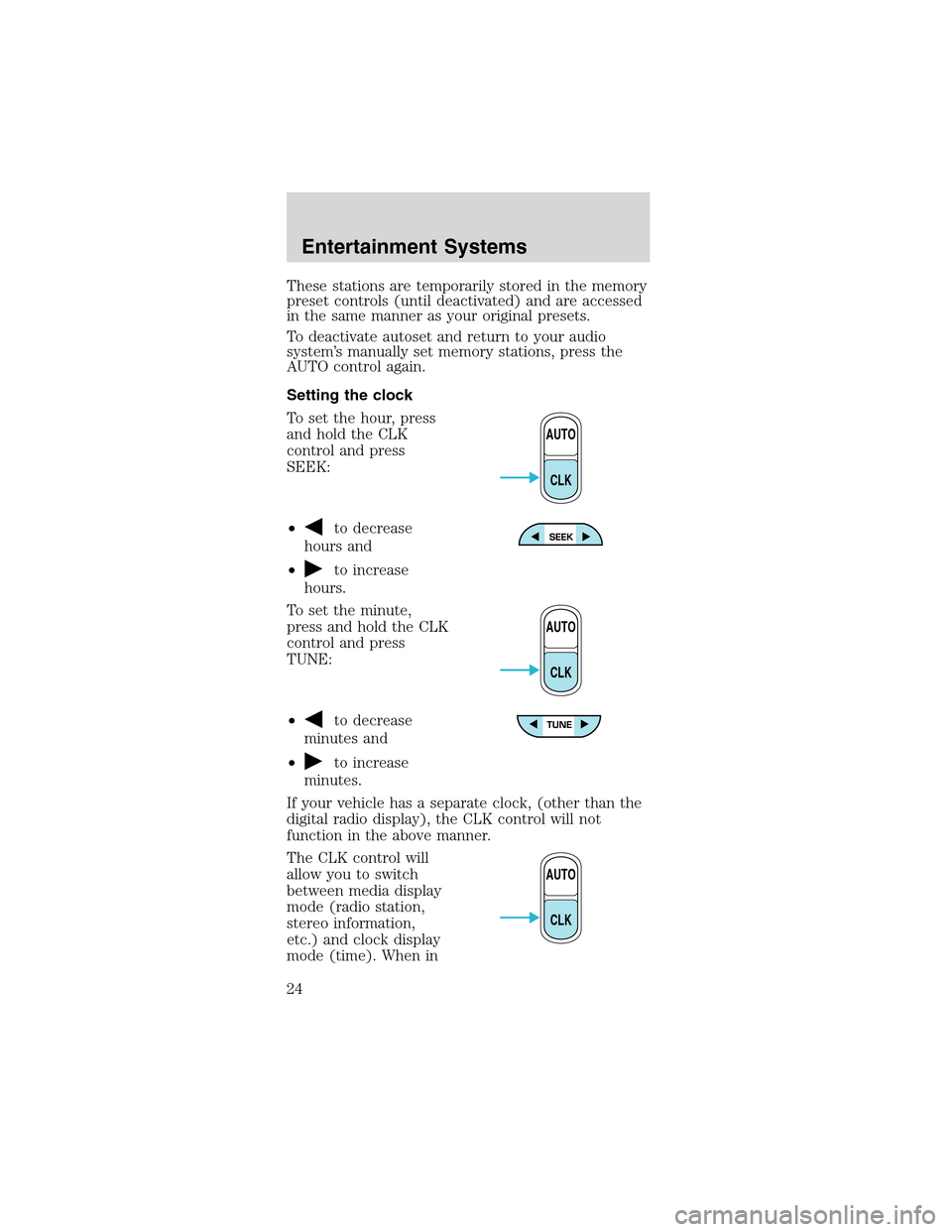
To set the hour, press
and hold the CLK
control and press
SEEK:
•
to decrease
hours and
•
to increase
hours.
To set the minute,
press and hold the CLK
control and press
TUNE:
•
to decrease
minutes and
•
to increase
minutes.
If your vehicle has a separate clock, (other than the
digital radio display), the CLK control will not
function in the above manner.
The CLK control will
allow you to switch
between media display
mode (radio station,
stereo information,
etc.) and clock display
mode (time). When in
AUTO
CLK
AUTO
CLK
AUTO
CLK
Entertainment Systems
24
Page 34 of 256
Setting memory preset stations
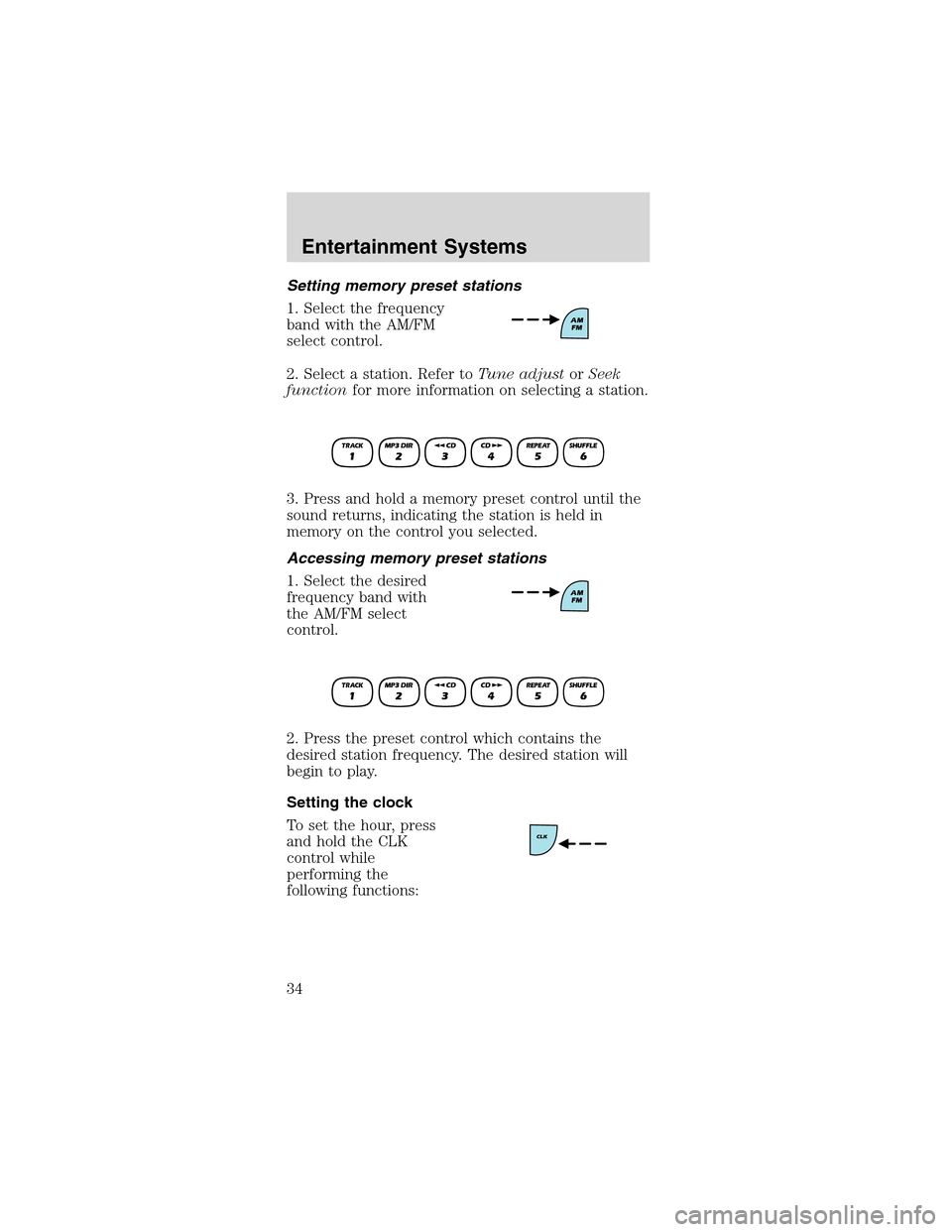
1. Select the frequency
band with the AM/FM
select control.
2. Select a station. Refer toTune adjustorSeek
functionfor more information on selecting a station.
3. Press and hold a memory preset control until the
sound returns, indicating the station is held in
memory on the control you selected.
Accessing memory preset stations
1. Select the desired
frequency band with
the AM/FM select
control.
2. Press the preset control which contains the
desired station frequency. The desired station will
begin to play.
Setting the clock
To set the hour, press
and hold the CLK
control while
performing the
following functions:
Entertainment Systems
34
Page 35 of 256
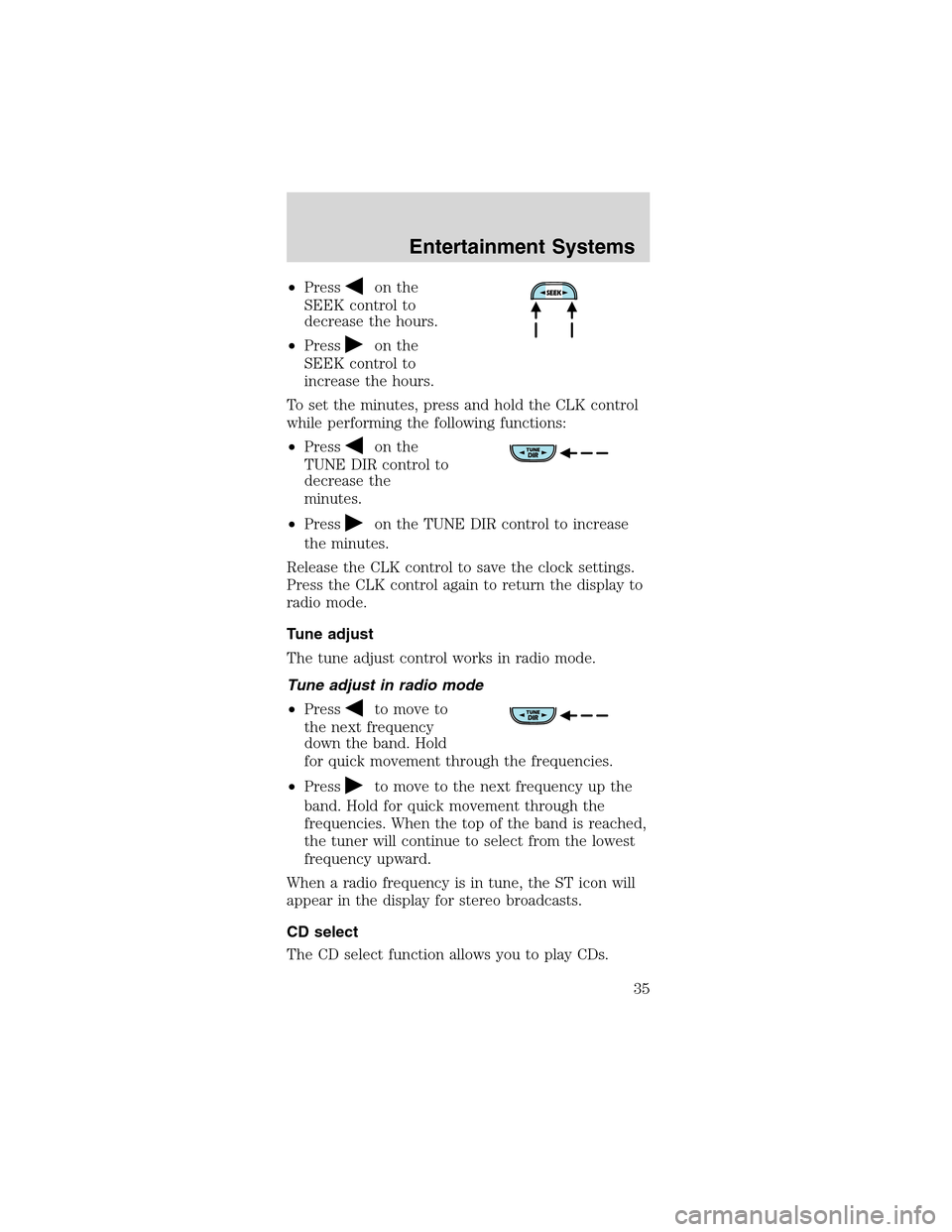
•Presson the
SEEK control to
decrease the hours.
•Press
on the
SEEK control to
increase the hours.
To set the minutes, press and hold the CLK control
while performing the following functions:
•Press
on the
TUNE DIR control to
decrease the
minutes.
•Press
on the TUNE DIR control to increase
the minutes.
Release the CLK control to save the clock settings.
Press the CLK control again to return the display to
radio mode.
Tune adjust
The tune adjust control works in radio mode.
Tune adjust in radio mode
•Press
to move to
the next frequency
down the band. Hold
for quick movement through the frequencies.
•Press
to move to the next frequency up the
band. Hold for quick movement through the
frequencies. When the top of the band is reached,
the tuner will continue to select from the lowest
frequency upward.
When a radio frequency is in tune, the ST icon will
appear in the display for stereo broadcasts.
CD select
The CD select function allows you to play CDs.
Entertainment Systems
35
Page 48 of 256
preset stations. This feature is helpful on trips when
you travel between cities with different radio
stations.
Starting autostore
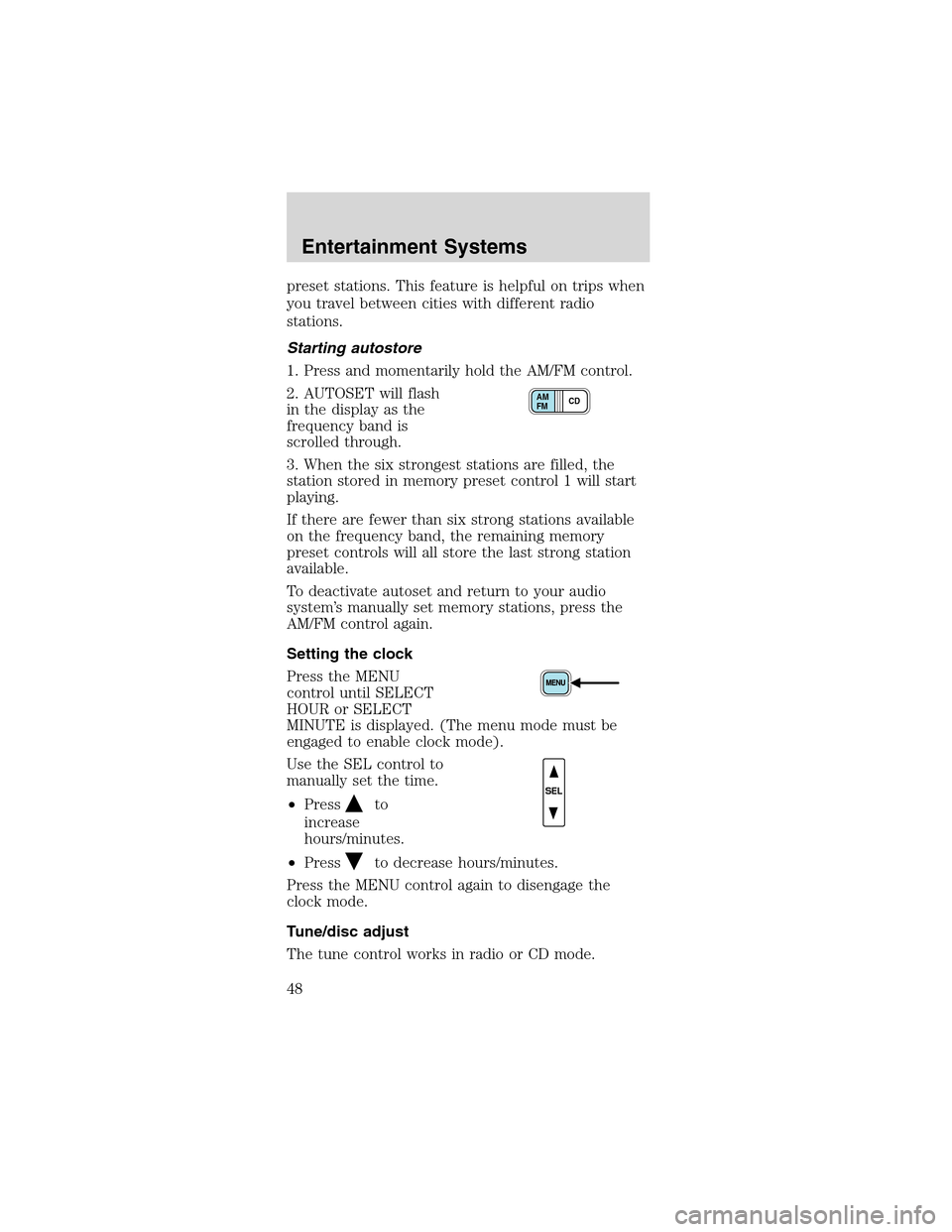
1. Press and momentarily hold the AM/FM control.
2. AUTOSET will flash
in the display as the
frequency band is
scrolled through.
3. When the six strongest stations are filled, the
station stored in memory preset control 1 will start
playing.
If there are fewer than six strong stations available
on the frequency band, the remaining memory
preset controls will all store the last strong station
available.
To deactivate autoset and return to your audio
system’s manually set memory stations, press the
AM/FM control again.
Setting the clock
Press the MENU
control until SELECT
HOUR or SELECT
MINUTE is displayed. (The menu mode must be
engaged to enable clock mode).
Use the SEL control to
manually set the time.
•Press
to
increase
hours/minutes.
•Press
to decrease hours/minutes.
Press the MENU control again to disengage the
clock mode.
Tune/disc adjust
The tune control works in radio or CD mode.
CD AM
FM
SEL
Entertainment Systems
48
Page 53 of 256
Compression feature (if equipped)
The compression
feature operates in CD
mode and brings soft
and loud CD passages
together for a more
consistent listening level.
On Audiophile audios, press the MENU control until
compression status is displayed. Press the SEL
control to enable the compression feature when
COMP OFF is displayed. Press the SEL control again
to disable the feature when COMP ON is displayed.
On Premium audios,
press the COMP
control until COMP ON
is displayed.
Menu mode
The MENU control
allows you to access
many different features
within your audio system. There are three sets of
menus available depending upon which mode or
feature is activated.
While in FM mode, two menus are available.If RDS
is turned OFF, you can access the following:
•SELECT HOURS—Refer toSetting the clock.
•SELECT MINUTES—Refer toSetting the clock.
•RDS OFF—Refer toRadio data system feature.
If RDS is turned ON, you can access the following:
•TRAFFIC ON/OFF-Refer toTraffic
announcements.
•FIND type-Refer toProgram type.
•SHOW (NAME, TYPE, NONE)- Refer toRadio
data system feature.
•RDS ON—Refer toRadio data system feature.
SEL+MENU
Entertainment Systems
53
Page 54 of 256
•SELECT HOURS—Refer toSetting the clock.
•SELECT MINUTES—Refer toSetting the clock.
When in CD mode, you can access: SELECT HOURS,
SELECT MINUTES or COMP ON/OFF.
SELECT HOURS, SELECT MINUTES—Allows you
to adjust the hours and minutes. Refer toSetting
the clock.
TRAFFIC ON/OFF—Traffic announcements can be
programmed as local or distant. Refer toTraffic
announcements.
RDS ON/OFF—This feature allows your audio
system to receive text information from
RDS-equipped FM radio stations. Refer toRadio
Data System feature.
FIND type—Allows you to select your desired FM
program type and search for that selection.
SHOW—Allows you to select from NAME (displays
the name of the radio station), TYPE (displays the
RDS program type: rock, jazz, etc.), or NONE
(deactivates the RDS display).
Radio data system (RDS) feature
This feature allows
your audio system to
receive text
information from
RDS-equipped FM
radio stations.
To activate RDS:
•When in FM mode, press the MENU control until
RDS OFF displays.
•Press the SEL control to engage this feature
(RDS ON).
SEL+MENU
Entertainment Systems
54
Page 167 of 256
If the vehicle slips off the jack, you or
someone else could be seriously injured.
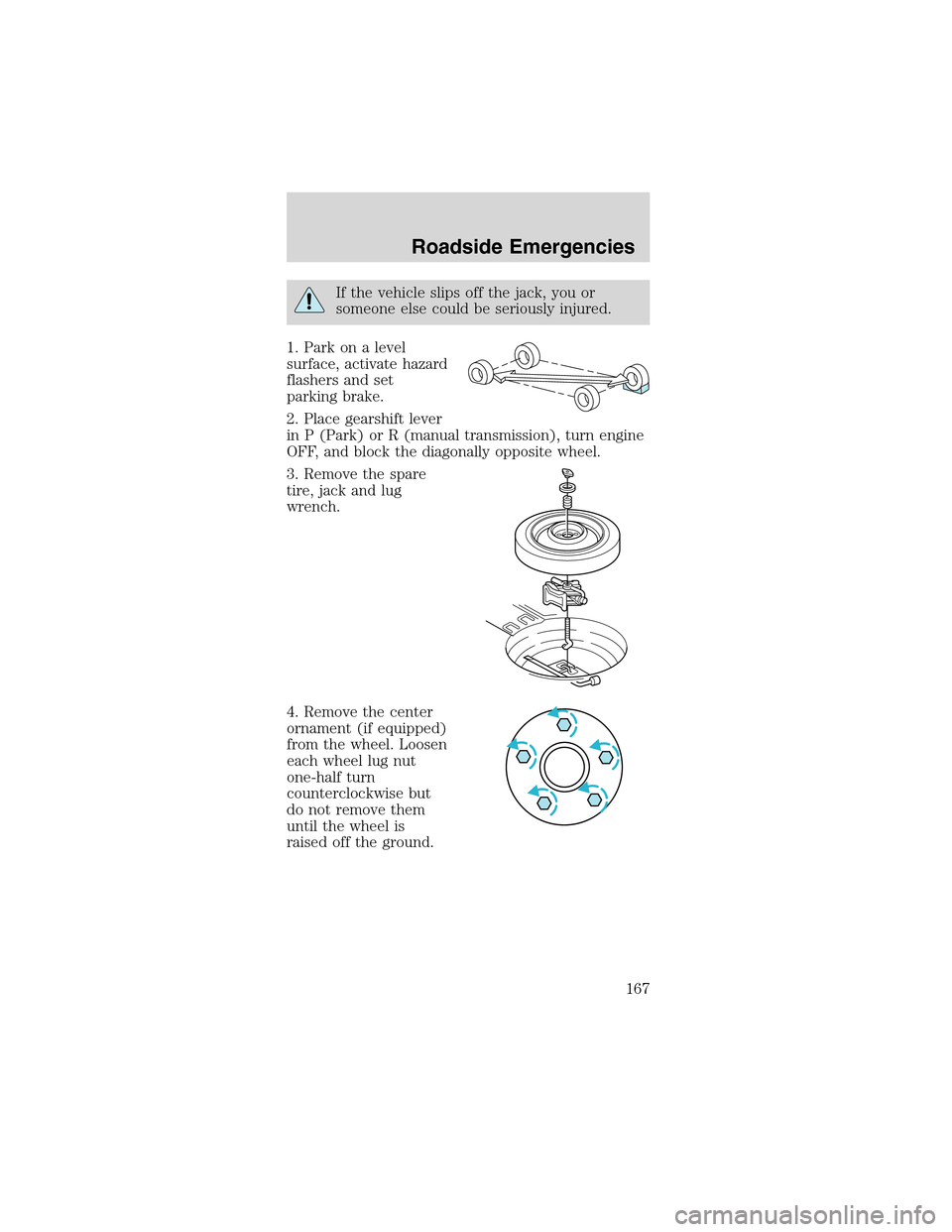
1. Park on a level
surface, activate hazard
flashers and set
parking brake.
2. Place gearshift lever
in P (Park) or R (manual transmission), turn engine
OFF, and block the diagonally opposite wheel.
3. Remove the spare
tire, jack and lug
wrench.
4. Remove the center
ornament (if equipped)
from the wheel. Loosen
each wheel lug nut
one-half turn
counterclockwise but
do not remove them
until the wheel is
raised off the ground.
Roadside Emergencies
167
Page 169 of 256
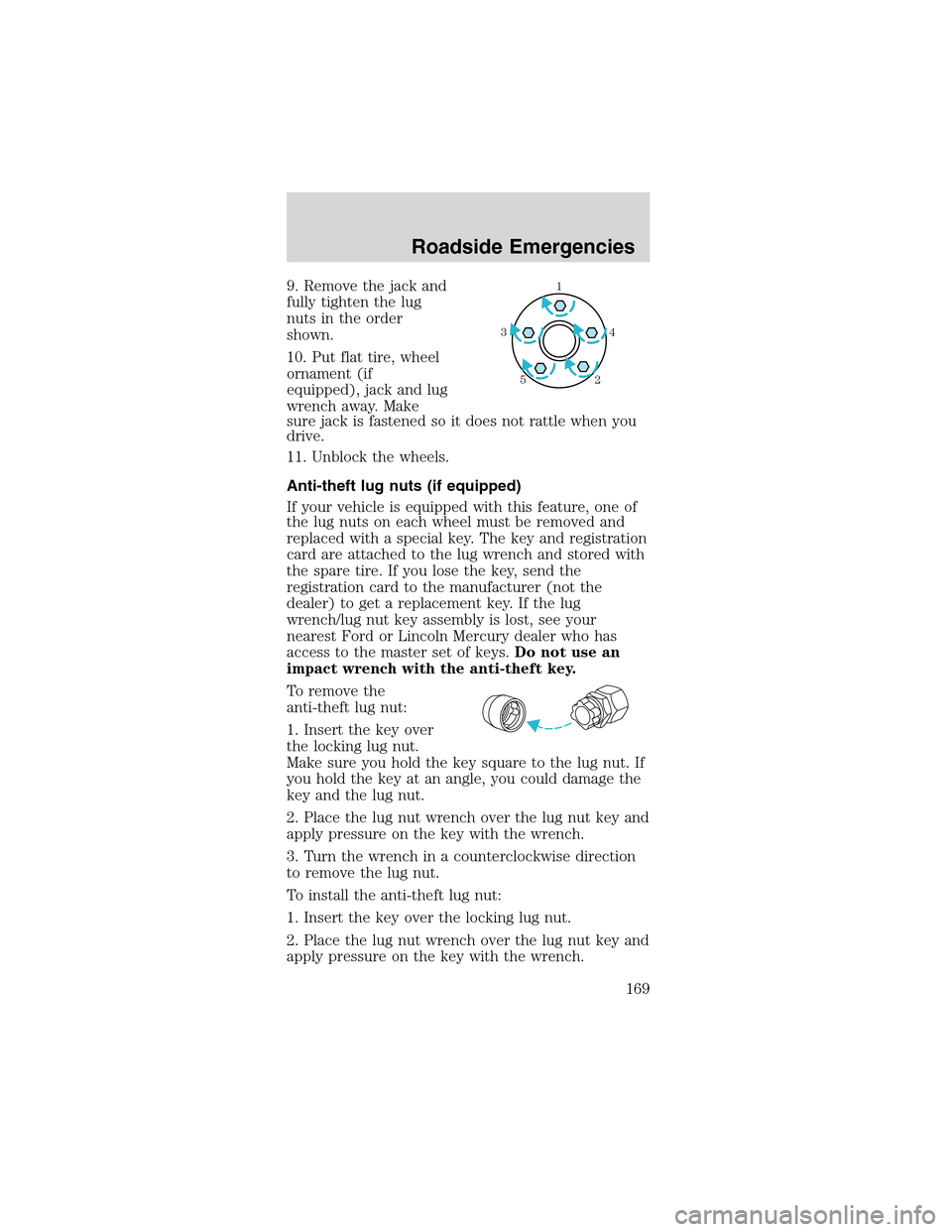
9. Remove the jack and
fully tighten the lug
nuts in the order
shown.
10. Put flat tire, wheel
ornament (if
equipped), jack and lug
wrench away. Make
sure jack is fastened so it does not rattle when you
drive.
11. Unblock the wheels.
Anti-theft lug nuts (if equipped)
If your vehicle is equipped with this feature, one of
the lug nuts on each wheel must be removed and
replaced with a special key. The key and registration
card are attached to the lug wrench and stored with
the spare tire. If you lose the key, send the
registration card to the manufacturer (not the
dealer) to get a replacement key. If the lug
wrench/lug nut key assembly is lost, see your
nearest Ford or Lincoln Mercury dealer who has
access to the master set of keys.Do not use an
impact wrench with the anti-theft key.
To remove the
anti-theft lug nut:
1. Insert the key over
the locking lug nut.
Make sure you hold the key square to the lug nut. If
you hold the key at an angle, you could damage the
key and the lug nut.
2. Place the lug nut wrench over the lug nut key and
apply pressure on the key with the wrench.
3. Turn the wrench in a counterclockwise direction
to remove the lug nut.
To install the anti-theft lug nut:
1. Insert the key over the locking lug nut.
2. Place the lug nut wrench over the lug nut key and
apply pressure on the key with the wrench.1
4 3
2 5
Roadside Emergencies
169
Page 170 of 256
3. Install the lug nut by turning the wrench
clockwise.
JUMP STARTING YOUR VEHICLE
The gases around the battery can explode if
exposed to flames, sparks, or lit cigarettes.
An explosion could result in injury or vehicle
damage.
Batteries contain sulfuric acid which can
burn skin, eyes and clothing, if contacted.
Do not attempt to push-start your vehicle.
Automatic transmissions do not have
push-start capability; also, the catalytic
converter may become damaged.
Preparing your vehicle
When the battery is disconnected or a new battery is
installed, the transmission must relearn its shift
strategy. As a result, the transmission may have firm
and/or soft shifts. This operation is considered
normal and will not affect function or durability of
the transmission. Over time, the adaptive learning
process will fully update transmission operation.
1.Use only a 12–volt supply to start your
vehicle.
2. Do not disconnect the battery of the disabled
vehicle as this could damage the vehicle’s electrical
system.
3. Park the booster vehicle close to the hood of the
disabled vehicle making sure the two vehiclesdo
nottouch. Set the parking brake on both vehicles
and stay clear of the engine cooling fan and other
moving parts.
4. Check all battery terminals and remove any
excessive corrosion before you attach the battery
cables. Ensure the vent caps are tight and level.
5. Turn the heater fan on in both vehicles to protect
any electrical surges. Turn all other accessories off.
Roadside Emergencies
170
Page 205 of 256
3. Run the engine until it reaches normal operating
temperature.
4. Allow the engine to idle for at least one minute.
5. Turn the A/C on and allow the engine to idle for
at least one minute.
6. Drive the vehicle to complete the relearning
process.
•The vehicle may need to be driven 16 km (10
miles) or more to relearn the idle and fuel trim
strategy.
•If you do not allow the engine to relearn its
idle trim, the idle quality of your vehicle may
be adversely affected until the idle trim is
eventually relearned.
When the battery is disconnected or a new battery
installed, the transmission must relearn its adaptive
strategy. As a result of this, the transmission may
shift firmly. This operation is considered normal and
will not affect function or durability of the
transmission. Over time the adaptive learning
process will fully update transmission operation to
its optimum shift feel.
If the battery has been disconnected or a new
battery has been installed, the clock and the preset
radio stations must be reset once the battery is
reconnected.
•Always dispose of
automotive batteries
in a responsible
manner. Follow your
local authorized
standards for
disposal. Call your
local authorized
recycling center to find out more about recycling
automotive batteries.
LEAD
RETURN
RECYCLE
Maintenance and Specifications
205