engine FORD MUSTANG 2008 5.G User Guide
[x] Cancel search | Manufacturer: FORD, Model Year: 2008, Model line: MUSTANG, Model: FORD MUSTANG 2008 5.GPages: 280, PDF Size: 2.69 MB
Page 17 of 280
•Optional instrument cluster
Refer toMessage centerin the
Driver Controlschapter on how to
switch the display from Metric to
English.
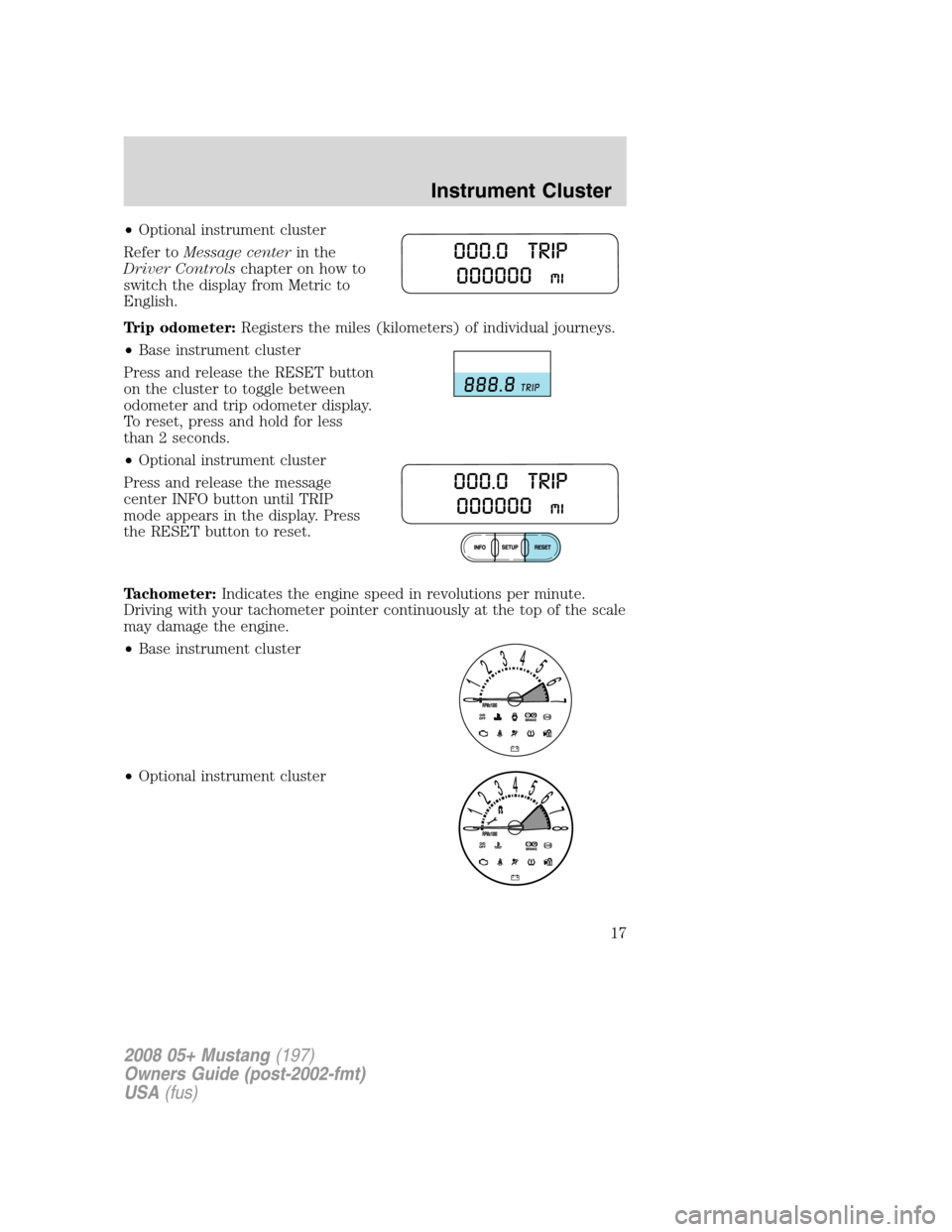
Trip odometer:Registers the miles (kilometers) of individual journeys.
•Base instrument cluster
Press and release the RESET button
on the cluster to toggle between
odometer and trip odometer display.
To reset, press and hold for less
than 2 seconds.
•Optional instrument cluster
Press and release the message
center INFO button until TRIP
mode appears in the display. Press
the RESET button to reset.
Tachometer:Indicates the engine speed in revolutions per minute.
Driving with your tachometer pointer continuously at the top of the scale
may damage the engine.
•Base instrument cluster
•Optional instrument cluster
2008 05+ Mustang(197)
Owners Guide (post-2002-fmt)
USA(fus)
Instrument Cluster
17
Page 18 of 280
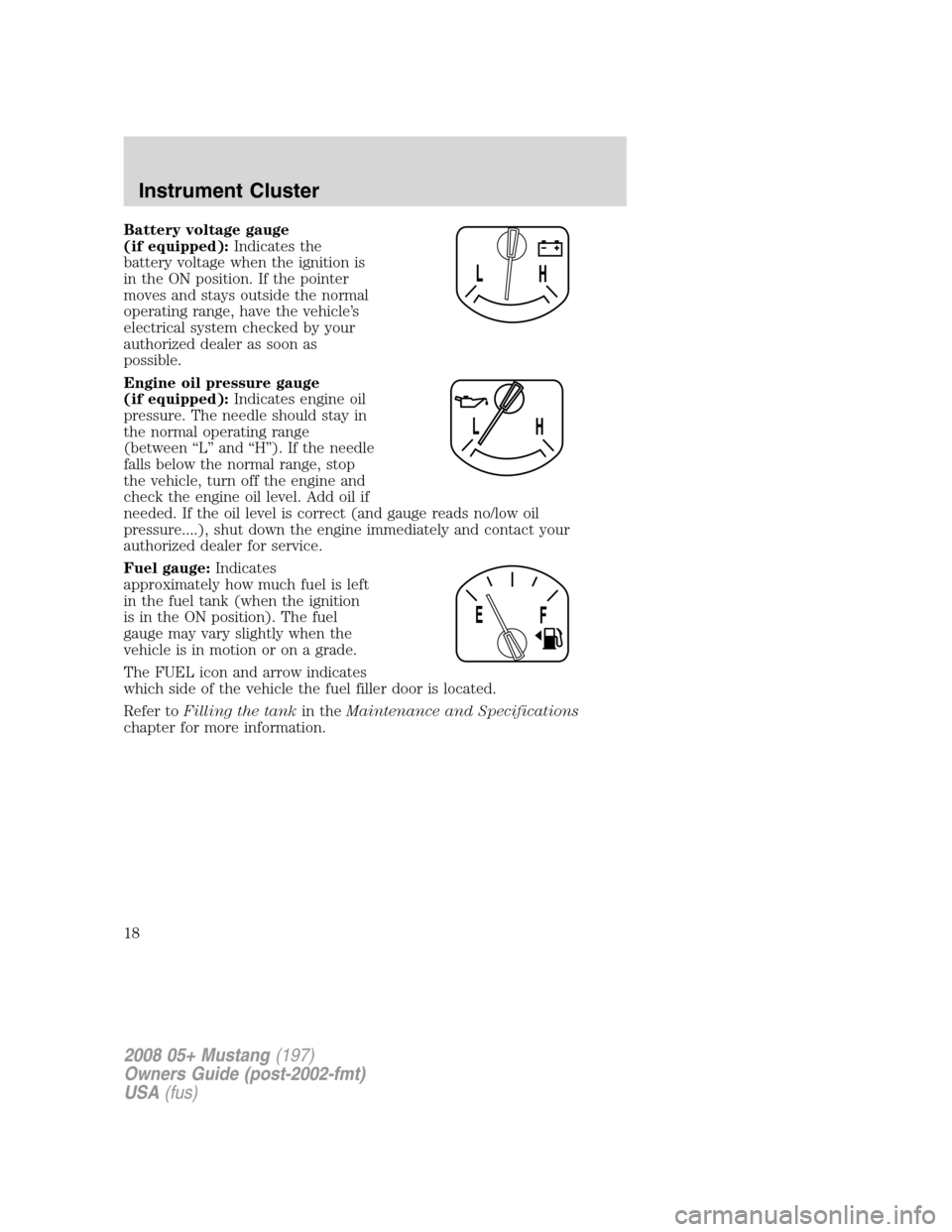
Battery voltage gauge
(if equipped):Indicates the
battery voltage when the ignition is
in the ON position. If the pointer
moves and stays outside the normal
operating range, have the vehicle’s
electrical system checked by your
authorized dealer as soon as
possible.
Engine oil pressure gauge
(if equipped):Indicates engine oil
pressure. The needle should stay in
the normal operating range
(between “L” and “H”). If the needle
falls below the normal range, stop
the vehicle, turn off the engine and
check the engine oil level. Add oil if
needed. If the oil level is correct (and gauge reads no/low oil
pressure....), shut down the engine immediately and contact your
authorized dealer for service.
Fuel gauge:Indicates
approximately how much fuel is left
in the fuel tank (when the ignition
is in the ON position). The fuel
gauge may vary slightly when the
vehicle is in motion or on a grade.
The FUEL icon and arrow indicates
which side of the vehicle the fuel filler door is located.
Refer toFilling the tankin theMaintenance and Specifications
chapter for more information.
2008 05+ Mustang(197)
Owners Guide (post-2002-fmt)
USA(fus)
Instrument Cluster
18
Page 59 of 280
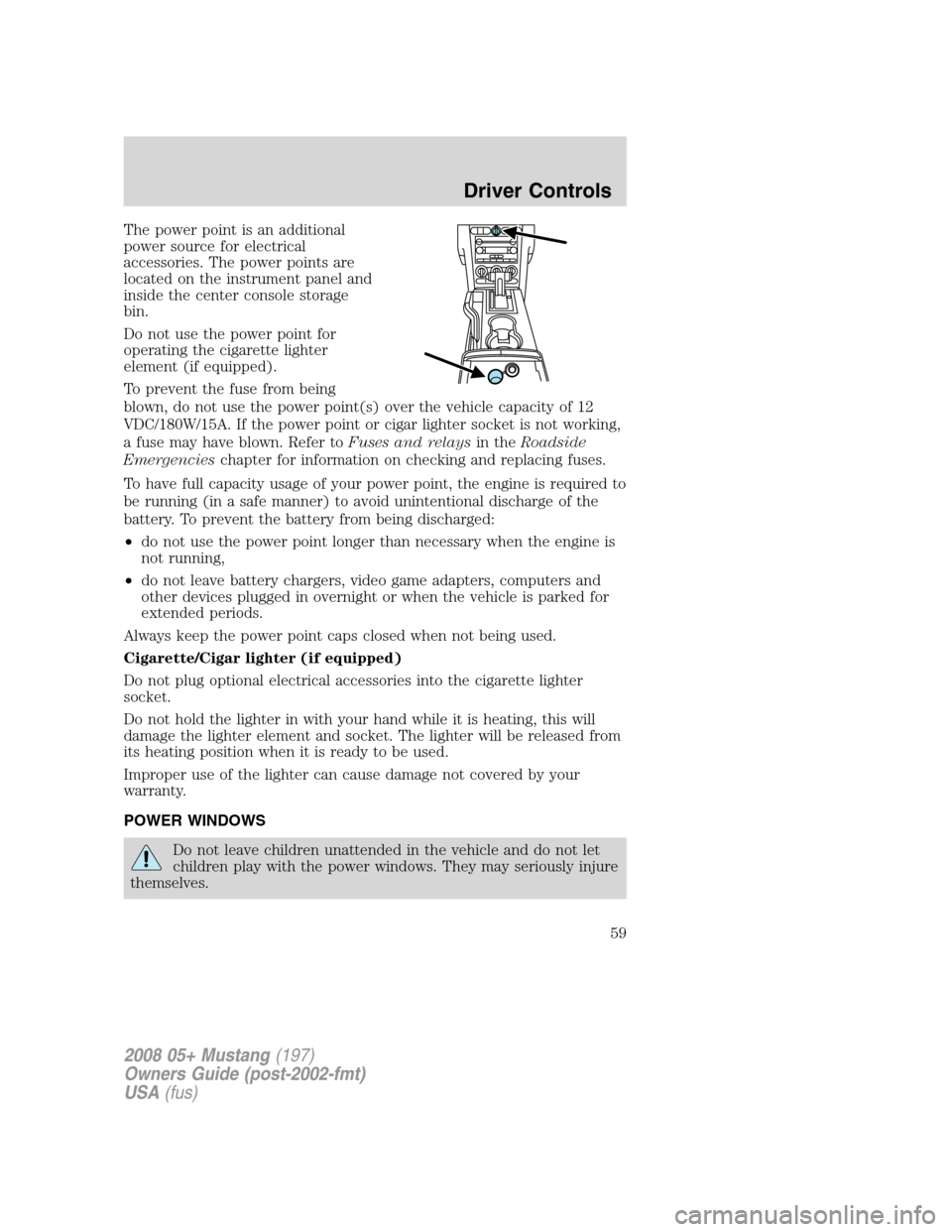
The power point is an additional
power source for electrical
accessories. The power points are
located on the instrument panel and
inside the center console storage
bin.
Do not use the power point for
operating the cigarette lighter
element (if equipped).
To prevent the fuse from being
blown, do not use the power point(s) over the vehicle capacity of 12
VDC/180W/15A. If the power point or cigar lighter socket is not working,
a fuse may have blown. Refer toFuses and relaysin theRoadside
Emergencieschapter for information on checking and replacing fuses.
To have full capacity usage of your power point, the engine is required to
be running (in a safe manner) to avoid unintentional discharge of the
battery. To prevent the battery from being discharged:
•do not use the power point longer than necessary when the engine is
not running,
•do not leave battery chargers, video game adapters, computers and
other devices plugged in overnight or when the vehicle is parked for
extended periods.
Always keep the power point caps closed when not being used.
Cigarette/Cigar lighter (if equipped)
Do not plug optional electrical accessories into the cigarette lighter
socket.
Do not hold the lighter in with your hand while it is heating, this will
damage the lighter element and socket. The lighter will be released from
its heating position when it is ready to be used.
Improper use of the lighter can cause damage not covered by your
warranty.
POWER WINDOWS
Do not leave children unattended in the vehicle and do not let
children play with the power windows. They may seriously injure
themselves.
2008 05+ Mustang(197)
Owners Guide (post-2002-fmt)
USA(fus)
Driver Controls
59
Page 66 of 280
Turning off speed control
There are two ways to turn off the speed control:
•Press the speed control OFF
control.
•Turn OFF the ignition.
Note:When you turn off the speed
control or the ignition, your speed control set speed memory is erased.
CONVERTIBLE (IF EQUIPPED)
Do not store articles behind rear seat. Articles stored in the convertible
top stowage compartment may break the rear glass window when the top
is lowered.
Lowering the convertible top
The convertible top can be lowered with the side windows down. The
windows will automatically lower when lowering or raising the top.
The convertible topwill not operateunless the vehicle is traveling
under 3.1 mph (5 km/h). Do not lower the top when the top material is
wet.
To lower the convertible top:
1. Bring vehicle to a complete stop. Key must be in the ON position. It is
recommended that the vehicle’s engine is running when lowering the top
to prevent draining the battery.
2. Check the convertible top stowage compartment behind the rear seat
to be sure it is empty and ready to receive the top. Check the
convertible top outer surface to be sure it is free of leaves and debris.
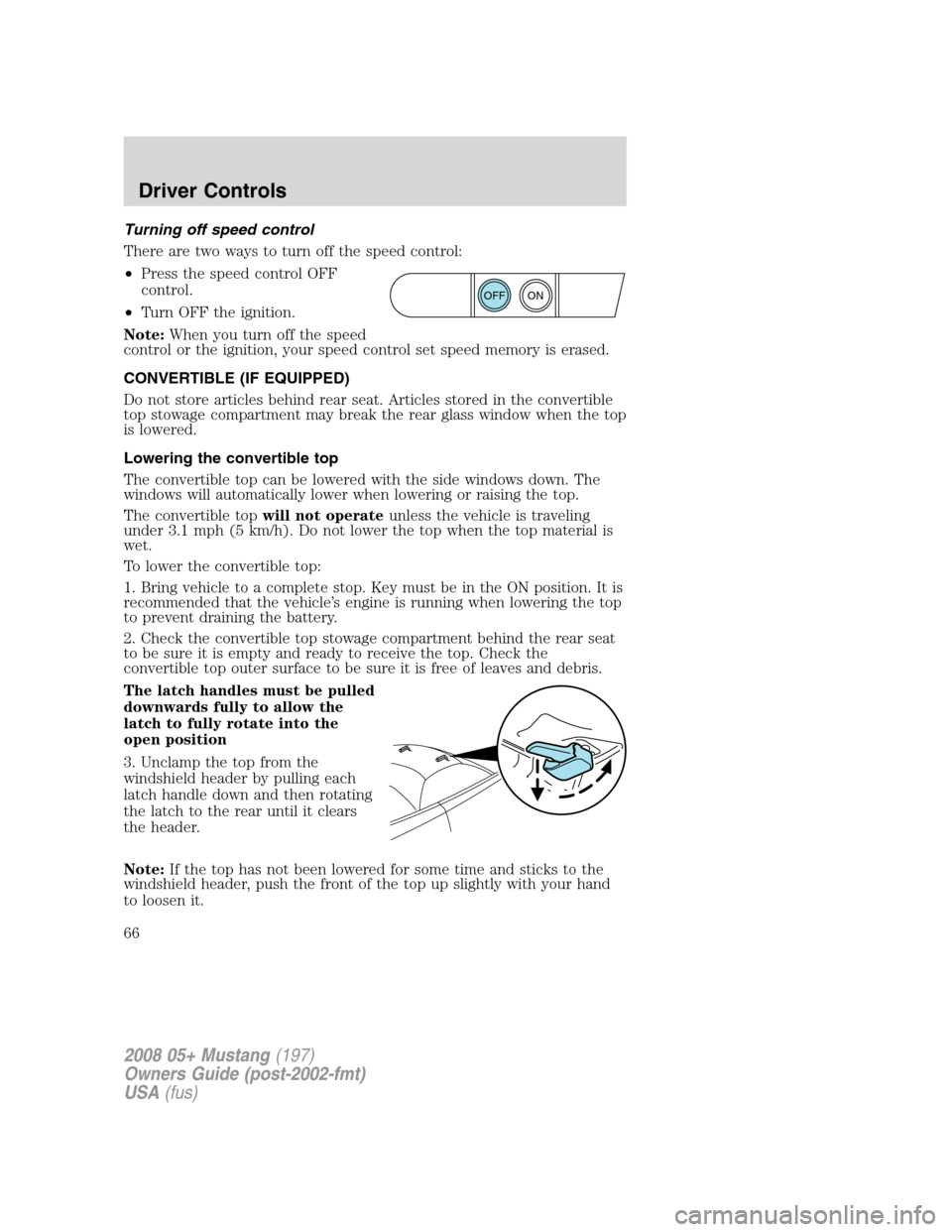
The latch handles must be pulled
downwards fully to allow the
latch to fully rotate into the
open position
3. Unclamp the top from the
windshield header by pulling each
latch handle down and then rotating
the latch to the rear until it clears
the header.
Note:If the top has not been lowered for some time and sticks to the
windshield header, push the front of the top up slightly with your hand
to loosen it.
ON
OFF
2008 05+ Mustang(197)
Owners Guide (post-2002-fmt)
USA(fus)
Driver Controls
66
Page 69 of 280
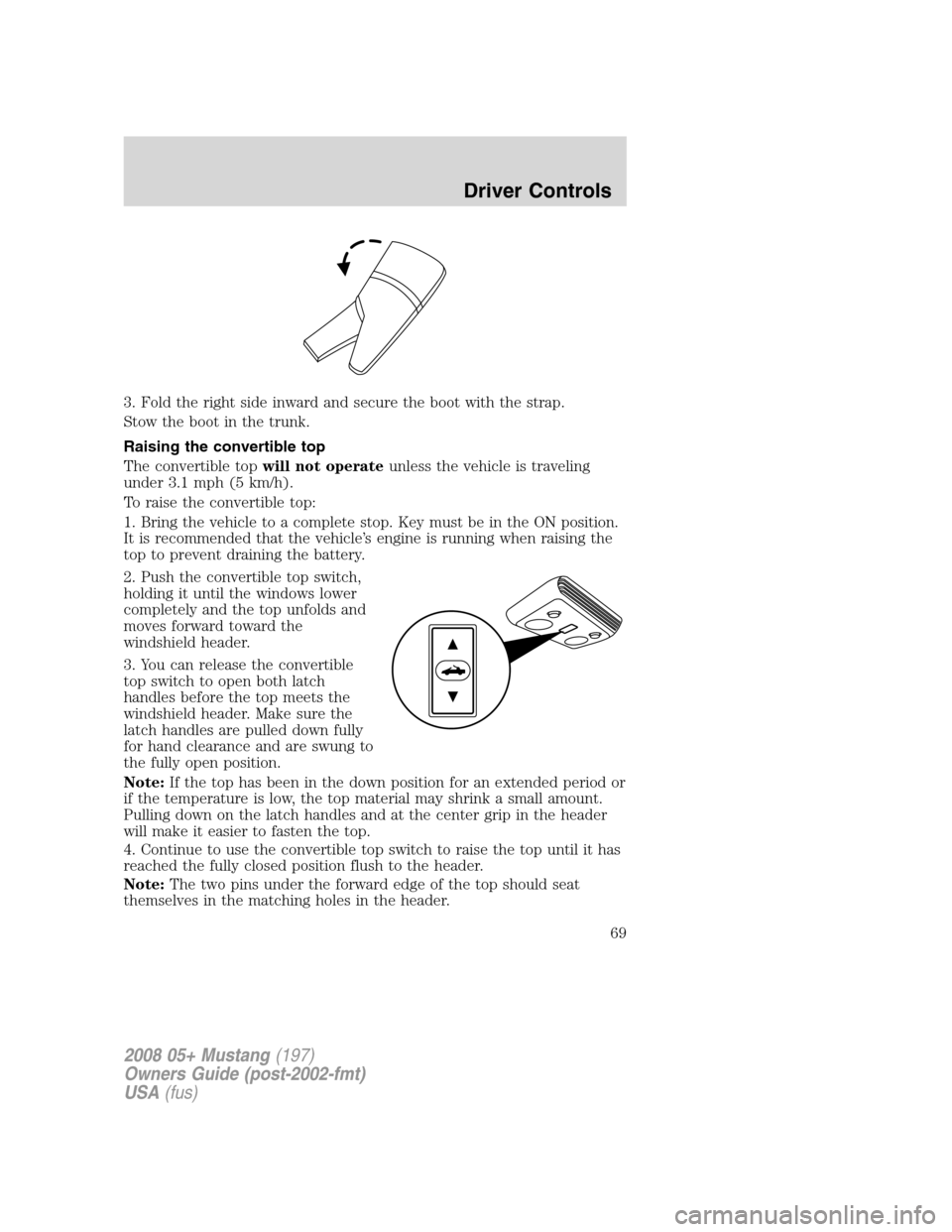
3. Fold the right side inward and secure the boot with the strap.
Stow the boot in the trunk.
Raising the convertible top
The convertible topwill not operateunless the vehicle is traveling
under 3.1 mph (5 km/h).
To raise the convertible top:
1. Bring the vehicle to a complete stop. Key must be in the ON position.
It is recommended that the vehicle’s engine is running when raising the
top to prevent draining the battery.
2. Push the convertible top switch,
holding it until the windows lower
completely and the top unfolds and
moves forward toward the
windshield header.
3. You can release the convertible
top switch to open both latch
handles before the top meets the
windshield header. Make sure the
latch handles are pulled down fully
for hand clearance and are swung to
the fully open position.
Note:If the top has been in the down position for an extended period or
if the temperature is low, the top material may shrink a small amount.
Pulling down on the latch handles and at the center grip in the header
will make it easier to fasten the top.
4. Continue to use the convertible top switch to raise the top until it has
reached the fully closed position flush to the header.
Note:The two pins under the forward edge of the top should seat
themselves in the matching holes in the header.
2008 05+ Mustang(197)
Owners Guide (post-2002-fmt)
USA(fus)
Driver Controls
69
Page 77 of 280
Warning display Status
Check brake system Warning returns after the ignition key
is turned from OFF to ON.
Low tire pressure
Tire pressure monitor fault
Tire pressure sensor fault
Security event occurred
Low brake fluid level
DRIVER’S DOOR AJAR.Displayed when the driver’s door is not
completely closed.
PASSENGER DOOR AJAR.Displayed when the passenger side door is
not completely closed.
LOW OIL PRESSURE.Displayed when the engine oil pressure is low. If
this warning message is displayed, check the level of the engine oil.
Refer toEngine oilin theMaintenance and Specificationschapter for
information about adding engine oil. If the oil level is OK and this
warning persists, shut down the engine immediately and contact your
authorized dealer for service.
CHECK CHARGING SYSTEM.Displayed when the electrical system is
not maintaining proper voltage. If you are operating electrical accessories
when the engine is idling at a low speed, turn off as many of the
electrical loads as soon as possible. If the warning stays on or comes on
when the engine is operating at normal speeds, have the electrical
system checked as soon as possible.
CHECK TRACTION CONTROL™.Displayed when the Traction
Control™ system is not operating properly. If this message is displayed
on the message center the Traction Control™ system will be partially
operable. If this warning stays on, contact your authorized dealer for
service as soon as possible. For further information, refer toTraction
control™in theDrivingchapter.
CHECK FUEL CAP.Displayed when the fuel filler cap is not properly
installed. Check the fuel filler cap for proper installation. Refer toFuel
filler capunder theFuel Information sectionin theMaintenance and
Specificationschapter.
LOW FUEL LEVEL.Displayed as an early reminder of a low fuel
condition.
CHECK BRAKE SYSTEM.Displayed when the braking system is not
operating properly. If the warning stays on or continues to come on,
contact your authorized dealer as soon as possible.
2008 05+ Mustang(197)
Owners Guide (post-2002-fmt)
USA(fus)
Driver Controls
77
Page 88 of 280

You may also perform the following power door lock sequence to
enable/disable the perimeter lamps feature. All vehicle doors must be
closed before beginning the procedure. You must complete Steps 1–3
within 30 seconds, or the procedure will have to be repeated.
1. Turn the ignition to the 3 (ON) position, then press the
control
three times.
2. Turn the ignition to the 1 (OFF) position, then press the
control
three times.
3. Turn the ignition to the 3 (ON) position; the horn will chirp to
indicate the driver configuration mode has been activated.
Activating or deactivating the perimeter lighting once in program mode is
accomplished by:
•pressing the trim panel power door unlock control (
) twice within
five seconds.
At this point, perimeter lighting will be activated if it was previously
deactivated, and deactivated if it was previously activated. Confirmation
of perimeter lighting being activated is provided by a short horn chirp
followed by a long horn sound; Confirmation of perimeter lighting being
deactivated is provided by a short horn chirp only.
Exiting the program mode is accomplished by turning the ignition to any
position other than the 3 (ON) position, or two minutes elapsing since
the program mode was entered.
SECURILOCK™ PASSIVE ANTI-THEFT SYSTEM
SecuriLock™ passive anti-theft system is an engine immobilization
system. This system is designed to help prevent the engine from being
started unless acoded key programmed to your vehicleis used. The
use of the wrong type of coded key may lead to a “no-start” condition.
Your vehicle comes with two coded keys; additional coded keys may be
purchased from your authorized dealer. The authorized dealer can
program your spare keys to your vehicle or you can program the keys
yourself. Refer toProgramming spare keysfor instructions on how to
program the coded key.
Note:The SecuriLock™ passive anti-theft system is not compatible with
non-Ford aftermarket remote start systems. Use of these systems may
result in vehicle starting problems and a loss of security protection.
2008 05+ Mustang(197)
Owners Guide (post-2002-fmt)
USA(fus)
Locks and Security
88
Page 89 of 280
Note:Large metallic objects, electronic devices that are used to
purchase gasoline or similar items, or a second coded key on the same
key chain may cause vehicle starting issues. You need to prevent these
objects from touching the coded key while starting the engine. These
objects will not cause damage to the coded key, but may cause a
momentary issue if they are too close to the key when starting the
engine. If a problem occurs, turn the ignition off, remove all objects on
the key chain away from the coded key and restart the engine.
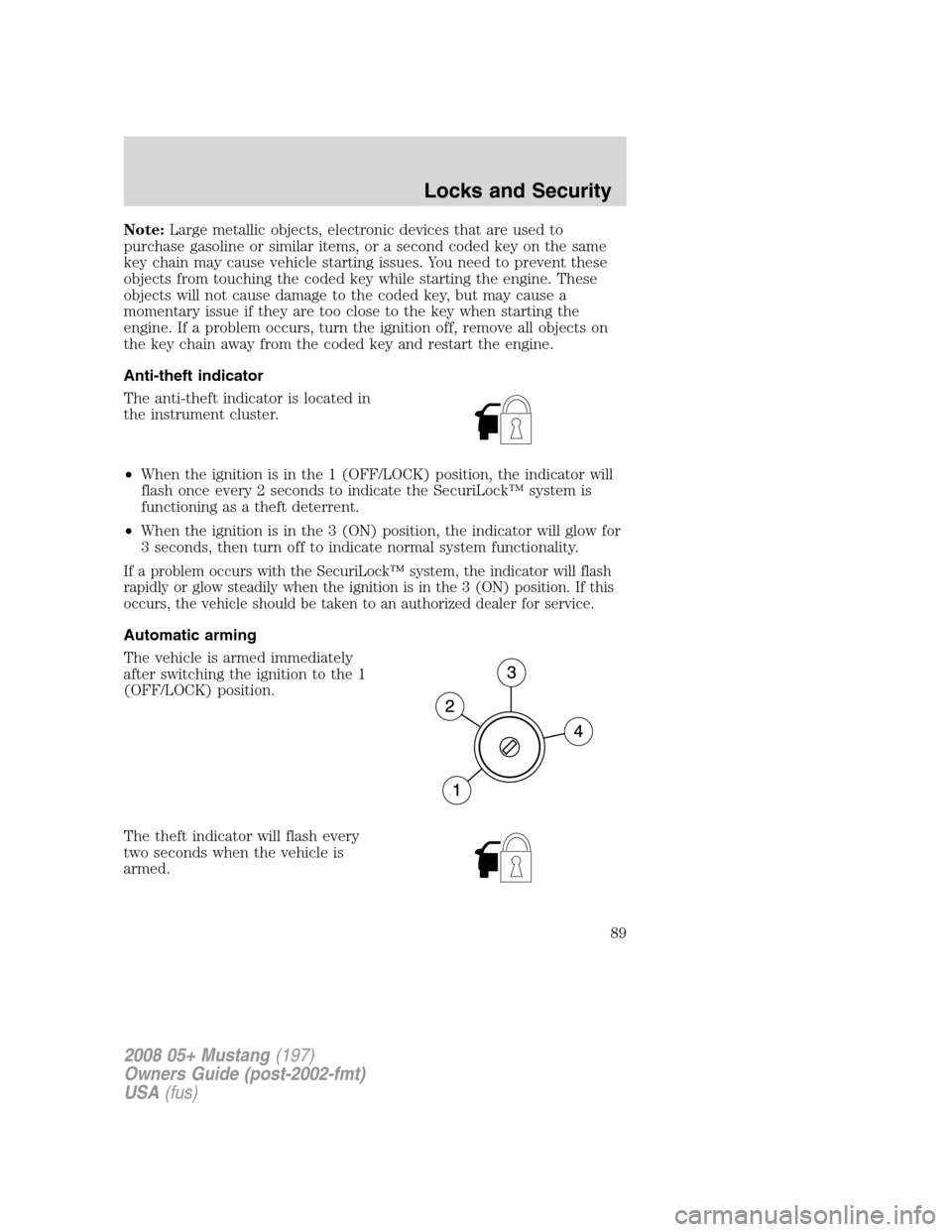
Anti-theft indicator
The anti-theft indicator is located in
the instrument cluster.
•When the ignition is in the 1 (OFF/LOCK) position, the indicator will
flash once every 2 seconds to indicate the SecuriLock™ system is
functioning as a theft deterrent.
•When the ignition is in the 3 (ON) position, the indicator will glow for
3 seconds, then turn off to indicate normal system functionality.
If a problem occurs with the SecuriLock™ system, the indicator will flash
rapidly or glow steadily when the ignition is in the 3 (ON) position. If this
occurs, the vehicle should be taken to an authorized dealer for service.
Automatic arming
The vehicle is armed immediately
after switching the ignition to the 1
(OFF/LOCK) position.
The theft indicator will flash every
two seconds when the vehicle is
armed.
2008 05+ Mustang(197)
Owners Guide (post-2002-fmt)
USA(fus)
Locks and Security
89
Page 90 of 280
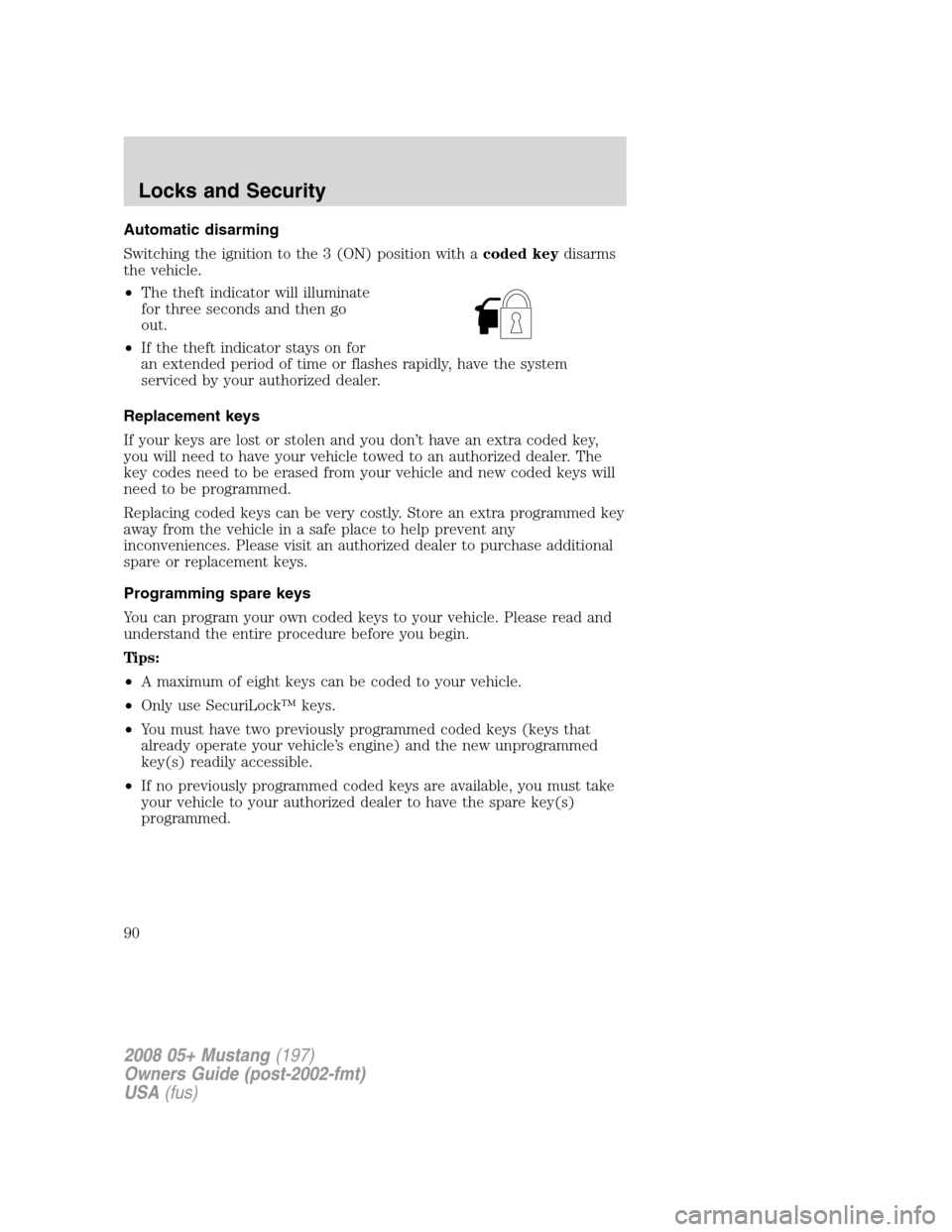
Automatic disarming
Switching the ignition to the 3 (ON) position with acoded keydisarms
the vehicle.
•The theft indicator will illuminate
for three seconds and then go
out.
•If the theft indicator stays on for
an extended period of time or flashes rapidly, have the system
serviced by your authorized dealer.
Replacement keys
If your keys are lost or stolen and you don’t have an extra coded key,
you will need to have your vehicle towed to an authorized dealer. The
key codes need to be erased from your vehicle and new coded keys will
need to be programmed.
Replacing coded keys can be very costly. Store an extra programmed key
away from the vehicle in a safe place to help prevent any
inconveniences. Please visit an authorized dealer to purchase additional
spare or replacement keys.
Programming spare keys
You can program your own coded keys to your vehicle. Please read and
understand the entire procedure before you begin.
Tips:
•A maximum of eight keys can be coded to your vehicle.
•Only use SecuriLock™ keys.
•You must have two previously programmed coded keys (keys that
already operate your vehicle’s engine) and the new unprogrammed
key(s) readily accessible.
•If no previously programmed coded keys are available, you must take
your vehicle to your authorized dealer to have the spare key(s)
programmed.
2008 05+ Mustang(197)
Owners Guide (post-2002-fmt)
USA(fus)
Locks and Security
90
Page 91 of 280
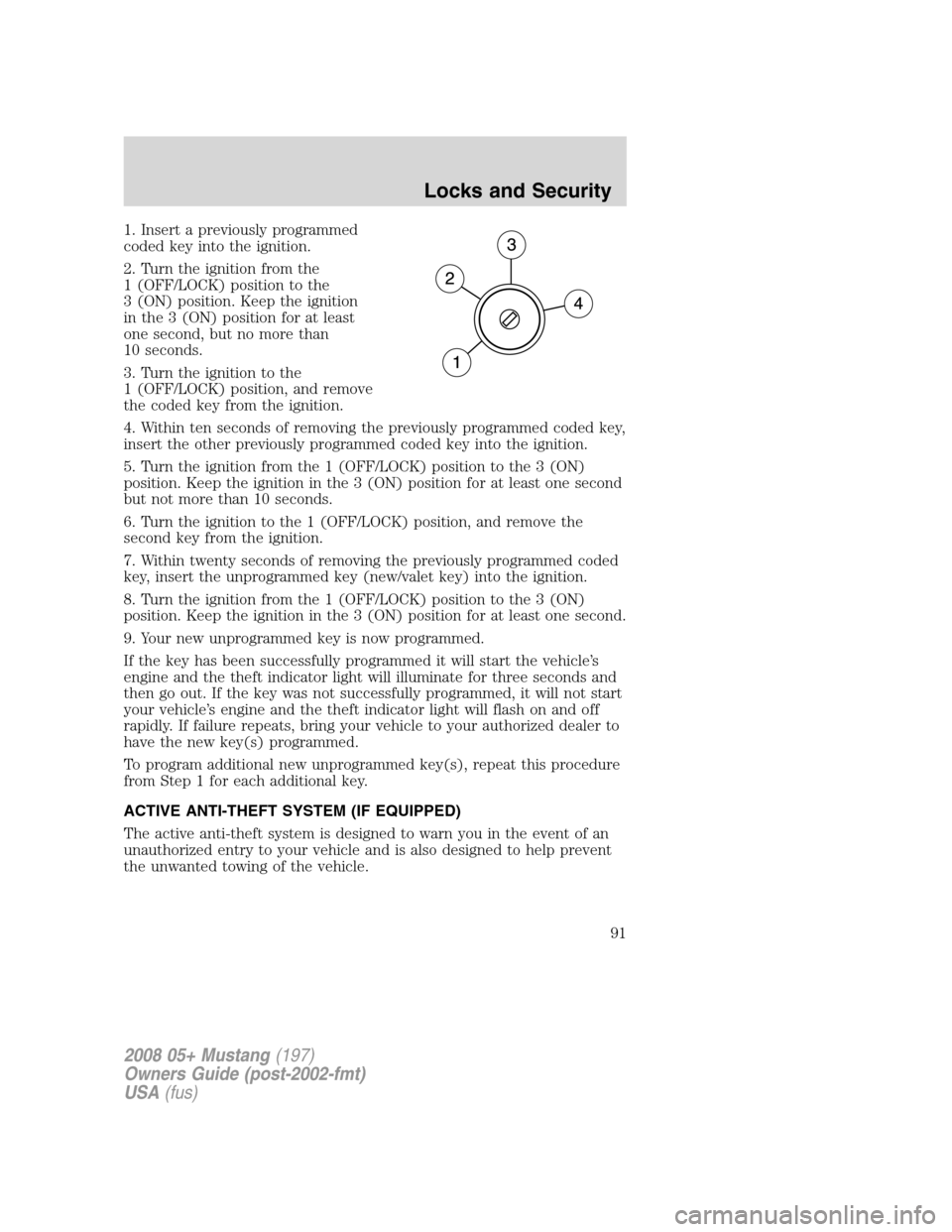
1. Insert a previously programmed
coded key into the ignition.
2. Turn the ignition from the
1 (OFF/LOCK) position to the
3 (ON) position. Keep the ignition
in the 3 (ON) position for at least
one second, but no more than
10 seconds.
3. Turn the ignition to the
1 (OFF/LOCK) position, and remove
the coded key from the ignition.
4. Within ten seconds of removing the previously programmed coded key,
insert the other previously programmed coded key into the ignition.
5. Turn the ignition from the 1 (OFF/LOCK) position to the 3 (ON)
position. Keep the ignition in the 3 (ON) position for at least one second
but not more than 10 seconds.
6. Turn the ignition to the 1 (OFF/LOCK) position, and remove the
second key from the ignition.
7. Within twenty seconds of removing the previously programmed coded
key, insert the unprogrammed key (new/valet key) into the ignition.
8. Turn the ignition from the 1 (OFF/LOCK) position to the 3 (ON)
position. Keep the ignition in the 3 (ON) position for at least one second.
9. Your new unprogrammed key is now programmed.
If the key has been successfully programmed it will start the vehicle’s
engine and the theft indicator light will illuminate for three seconds and
then go out. If the key was not successfully programmed, it will not start
your vehicle’s engine and the theft indicator light will flash on and off
rapidly. If failure repeats, bring your vehicle to your authorized dealer to
have the new key(s) programmed.
To program additional new unprogrammed key(s), repeat this procedure
from Step 1 for each additional key.
ACTIVE ANTI-THEFT SYSTEM (IF EQUIPPED)
The active anti-theft system is designed to warn you in the event of an
unauthorized entry to your vehicle and is also designed to help prevent
the unwanted towing of the vehicle.
2008 05+ Mustang(197)
Owners Guide (post-2002-fmt)
USA(fus)
Locks and Security
91