radio controls FORD MUSTANG 2008 5.G Owners Manual
[x] Cancel search | Manufacturer: FORD, Model Year: 2008, Model line: MUSTANG, Model: FORD MUSTANG 2008 5.GPages: 280, PDF Size: 2.69 MB
Page 1 of 280
Introduction 4
Instrument Cluster 10
Warning lights and chimes 10
Gauges 15
Entertainment Systems 19
How to get going 19
AM/FM stereo with CD 23
AM/FM stereo with in-dash six CD 27
Auxiliary input jack (Line in) 35
Satellite radio information 38
Climate Controls 42
Manual heating and air conditioning 42
Rear window defroster 44
Lights 46
Headlamps 46
Turn signal control 49
Bulb replacement 50
Driver Controls 57
Windshield wiper/washer control 57
Steering wheel adjustment 58
Power windows 59
Mirrors 62
Speed control 64
Message center 70
Locks and Security 79
Keys 79
Locks 79
Anti-theft system 88
Table of Contents
1
2008 05+ Mustang(197)
Owners Guide (post-2002-fmt)
USA(fus)
Page 35 of 280
Auxiliary input jack (Line in)
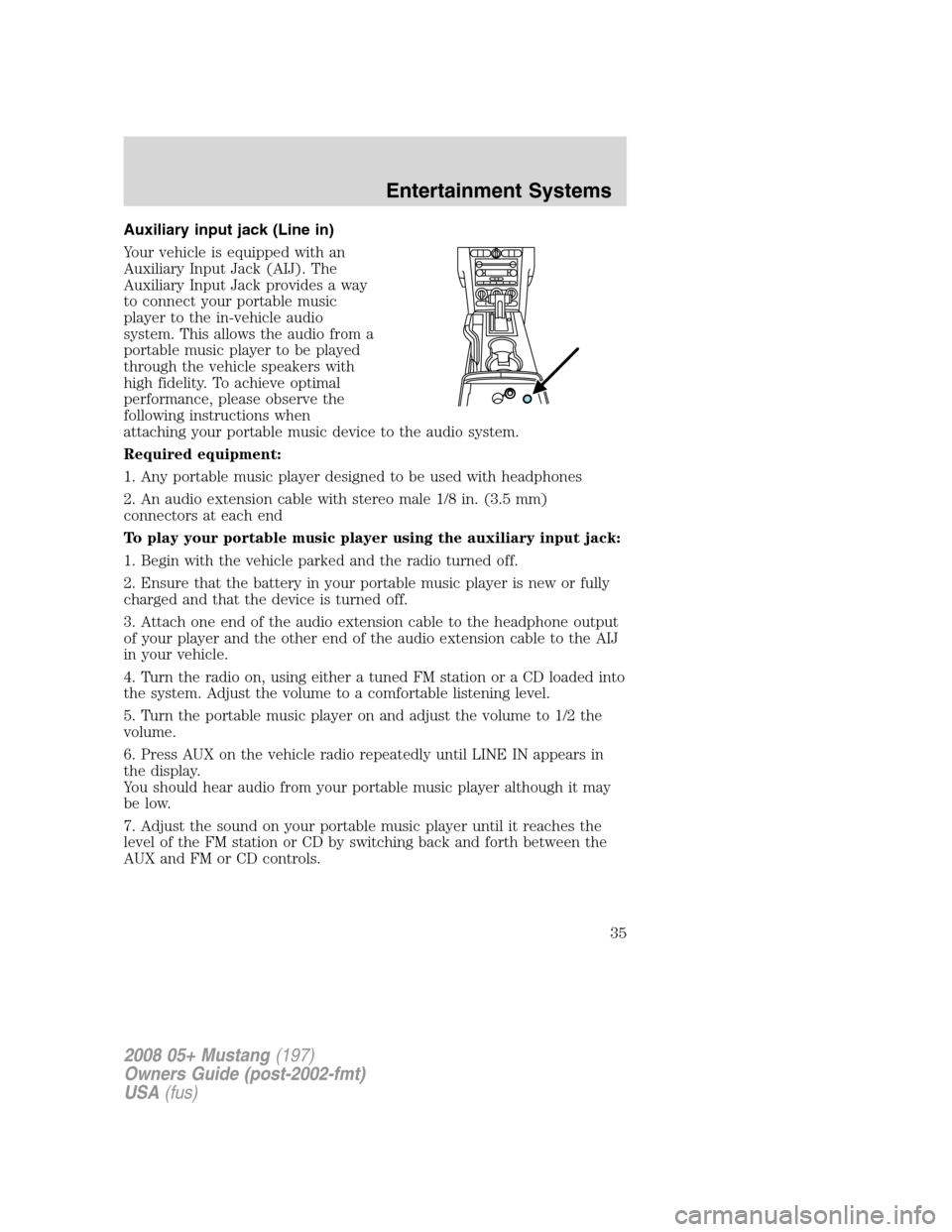
Your vehicle is equipped with an
Auxiliary Input Jack (AIJ). The
Auxiliary Input Jack provides a way
to connect your portable music
player to the in-vehicle audio
system. This allows the audio from a
portable music player to be played
through the vehicle speakers with
high fidelity. To achieve optimal
performance, please observe the
following instructions when
attaching your portable music device to the audio system.
Required equipment:
1. Any portable music player designed to be used with headphones
2. An audio extension cable with stereo male 1/8 in. (3.5 mm)
connectors at each end
To play your portable music player using the auxiliary input jack:
1. Begin with the vehicle parked and the radio turned off.
2. Ensure that the battery in your portable music player is new or fully
charged and that the device is turned off.
3. Attach one end of the audio extension cable to the headphone output
of your player and the other end of the audio extension cable to the AIJ
in your vehicle.
4. Turn the radio on, using either a tuned FM station or a CD loaded into
the system. Adjust the volume to a comfortable listening level.
5. Turn the portable music player on and adjust the volume to 1/2 the
volume.
6. Press AUX on the vehicle radio repeatedly until LINE IN appears in
the display.
You should hear audio from your portable music player although it may
be low.
7. Adjust the sound on your portable music player until it reaches the
level of the FM station or CD by switching back and forth between the
AUX and FM or CD controls.
2008 05+ Mustang(197)
Owners Guide (post-2002-fmt)
USA(fus)
Entertainment Systems
35
Page 61 of 280
Accessory delay
With accessory delay, the window switches, convertible top (if equipped)
and radio may be used for up to ten minutes after the ignition switch is
turned to the OFF position or until either front door or trunk is opened.
Bounce Back (Front windows only)
When an obstacle has been detected in the window opening as the
window is moving upward, the window will automatically move down and
stop at a prescribed position.
Bounce Back Override (Front windows only)
To override Bounce Back, within 2 seconds after reaching Bounce Back
position, if the switch is moved from the Neutral to the Express Up
positionthe window will travel up with no bounce back protection.
If the switch is released before the window reaches fully closed position,
the window will stop. For example: Bounce Back Override can be used to
overcome the resistance of ice on the window or seals.
Short drop glass (Front windows only)
In order to improve door efforts and sealing, your vehicle is equipped
with short drop glass. This feature lowers the glass when either door is
opened. The glass returns to its closed position when the door is closed.
Proper operation of the short drop glass requires that the windows be
calibrated.Though your windows will have been calibrated before
your vehicle is delivered to you, it is possible for the windows to
lose calibration.If a window loses its calibration, your short drop
feature will lower the window, but will not raise it again when the door is
closed. To re-calibrate the window, pull the switch up to raise the
window until it completes its travel and hold the switch up for 2
seconds. Another possible effect of lost calibration is that the feature
may not lower the window. To re-calibrate the window in this case, lower
the window until it completes its travel and hold the switch down for 2
seconds. Immediately after releasing the window down switch, pull the
switch up to raise the window until it completes its travel and hold the
switch up for 2 seconds.Perform Short drop re-calibration with
doors closed only. Re-Calibrating with doors open will cause the
window to continuously bounce back.
Rear Power Windows (Convertible Only)
The rear quarter windows are operated by a single window switch
located at the Driver door window controls. Press and pull the window
switch to open and close the windows.
2008 05+ Mustang(197)
Owners Guide (post-2002-fmt)
USA(fus)
Driver Controls
61