door lock FORD MUSTANG 2010 5.G Owners Manual
[x] Cancel search | Manufacturer: FORD, Model Year: 2010, Model line: MUSTANG, Model: FORD MUSTANG 2010 5.GPages: 318, PDF Size: 2.91 MB
Page 11 of 318
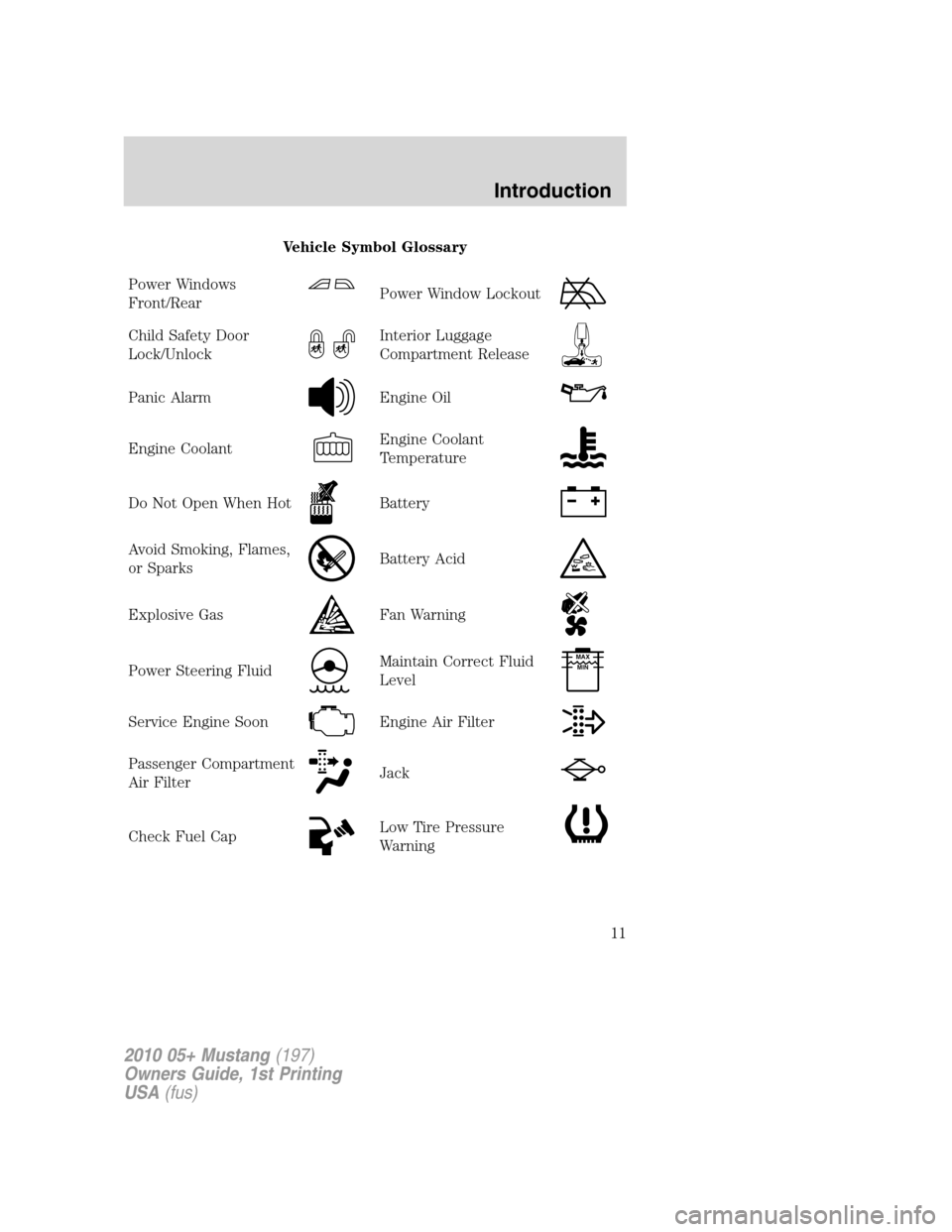
Vehicle Symbol Glossary
Power Windows
Front/Rear
Power Window Lockout
Child Safety Door
Lock/UnlockInterior Luggage
Compartment Release
Panic AlarmEngine Oil
Engine CoolantEngine Coolant
Temperature
Do Not Open When HotBattery
Avoid Smoking, Flames,
or SparksBattery Acid
Explosive GasFan Warning
Power Steering FluidMaintain Correct Fluid
LevelMAX
MIN
Service Engine SoonEngine Air Filter
Passenger Compartment
Air FilterJack
Check Fuel CapLow Tire Pressure
Warning
2010 05+ Mustang(197)
Owners Guide, 1st Printing
USA(fus)
Introduction
11
Page 16 of 318
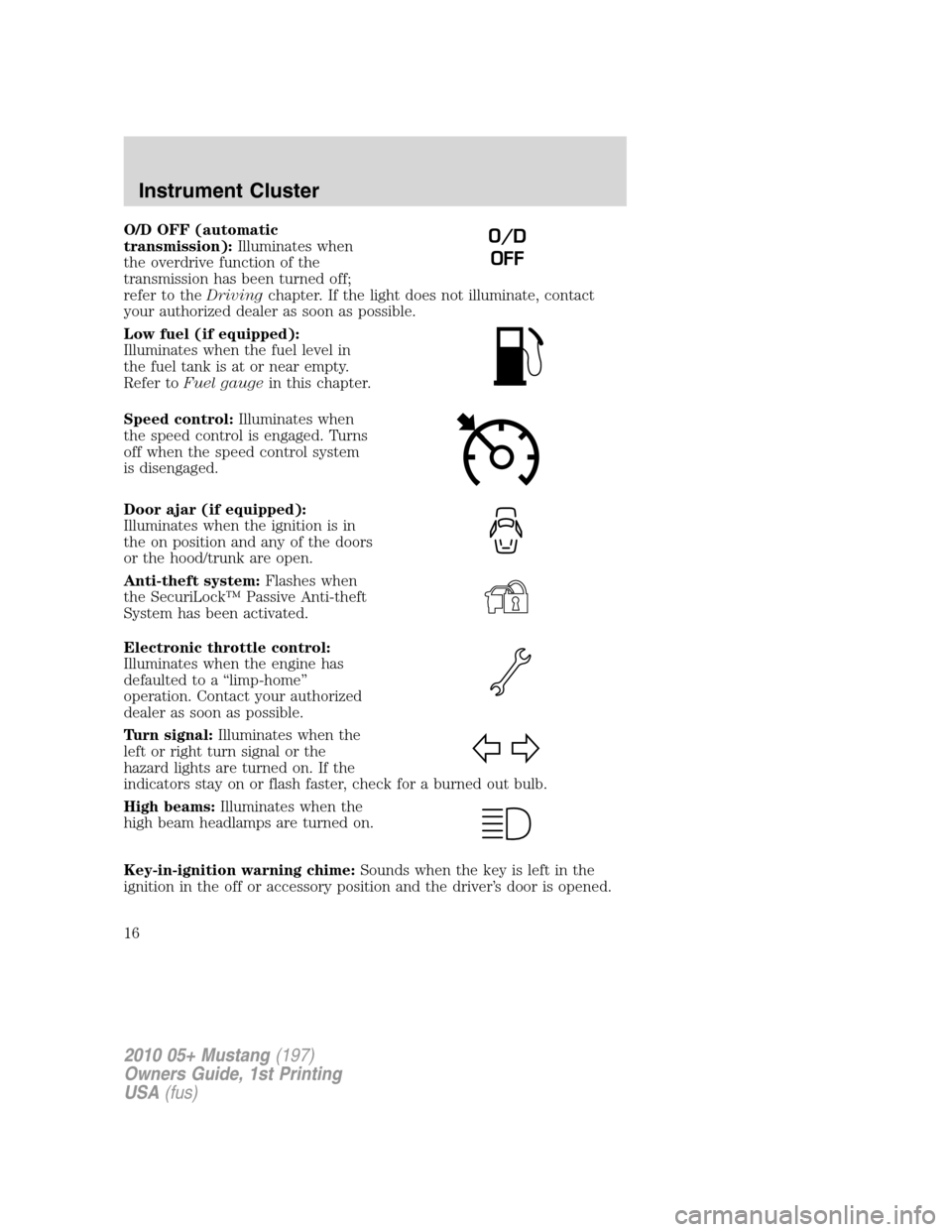
O/D OFF (automatic
transmission):Illuminates when
the overdrive function of the
transmission has been turned off;
refer to theDrivingchapter. If the light does not illuminate, contact
your authorized dealer as soon as possible.
Low fuel (if equipped):
Illuminates when the fuel level in
the fuel tank is at or near empty.
Refer toFuel gaugein this chapter.
Speed control:Illuminates when
the speed control is engaged. Turns
off when the speed control system
is disengaged.
Door ajar (if equipped):
Illuminates when the ignition is in
the on position and any of the doors
or the hood/trunk are open.
Anti-theft system:Flashes when
the SecuriLock™ Passive Anti-theft
System has been activated.
Electronic throttle control:
Illuminates when the engine has
defaulted to a “limp-home”
operation. Contact your authorized
dealer as soon as possible.
Turn signal:Illuminates when the
left or right turn signal or the
hazard lights are turned on. If the
indicators stay on or flash faster, check for a burned out bulb.
High beams:Illuminates when the
high beam headlamps are turned on.
Key-in-ignition warning chime:Sounds when the key is left in the
ignition in the off or accessory position and the driver’s door is opened.O/D
OFF
2010 05+ Mustang(197)
Owners Guide, 1st Printing
USA(fus)
Instrument Cluster
16
Page 20 of 318
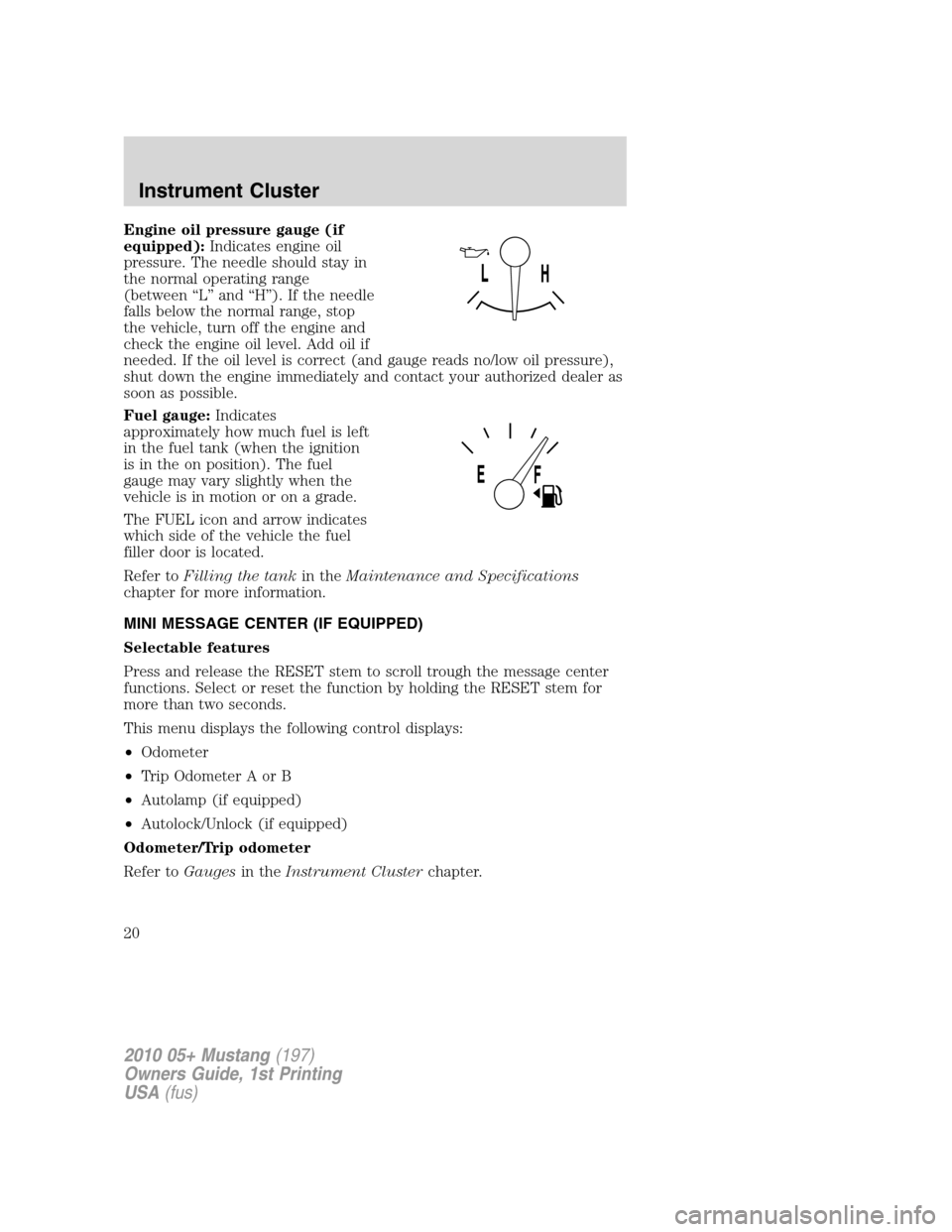
Engine oil pressure gauge (if
equipped):Indicates engine oil
pressure. The needle should stay in
the normal operating range
(between “L” and “H”). If the needle
falls below the normal range, stop
the vehicle, turn off the engine and
check the engine oil level. Add oil if
needed. If the oil level is correct (and gauge reads no/low oil pressure),
shut down the engine immediately and contact your authorized dealer as
soon as possible.
Fuel gauge:Indicates
approximately how much fuel is left
in the fuel tank (when the ignition
is in the on position). The fuel
gauge may vary slightly when the
vehicle is in motion or on a grade.
The FUEL icon and arrow indicates
which side of the vehicle the fuel
filler door is located.
Refer toFilling the tankin theMaintenance and Specifications
chapter for more information.
MINI MESSAGE CENTER (IF EQUIPPED)
Selectable features
Press and release the RESET stem to scroll trough the message center
functions. Select or reset the function by holding the RESET stem for
more than two seconds.
This menu displays the following control displays:
•Odometer
•Trip Odometer A or B
•Autolamp (if equipped)
•Autolock/Unlock (if equipped)
Odometer/Trip odometer
Refer toGaugesin theInstrument Clusterchapter.
2010 05+ Mustang(197)
Owners Guide, 1st Printing
USA(fus)
Instrument Cluster
20
Page 21 of 318
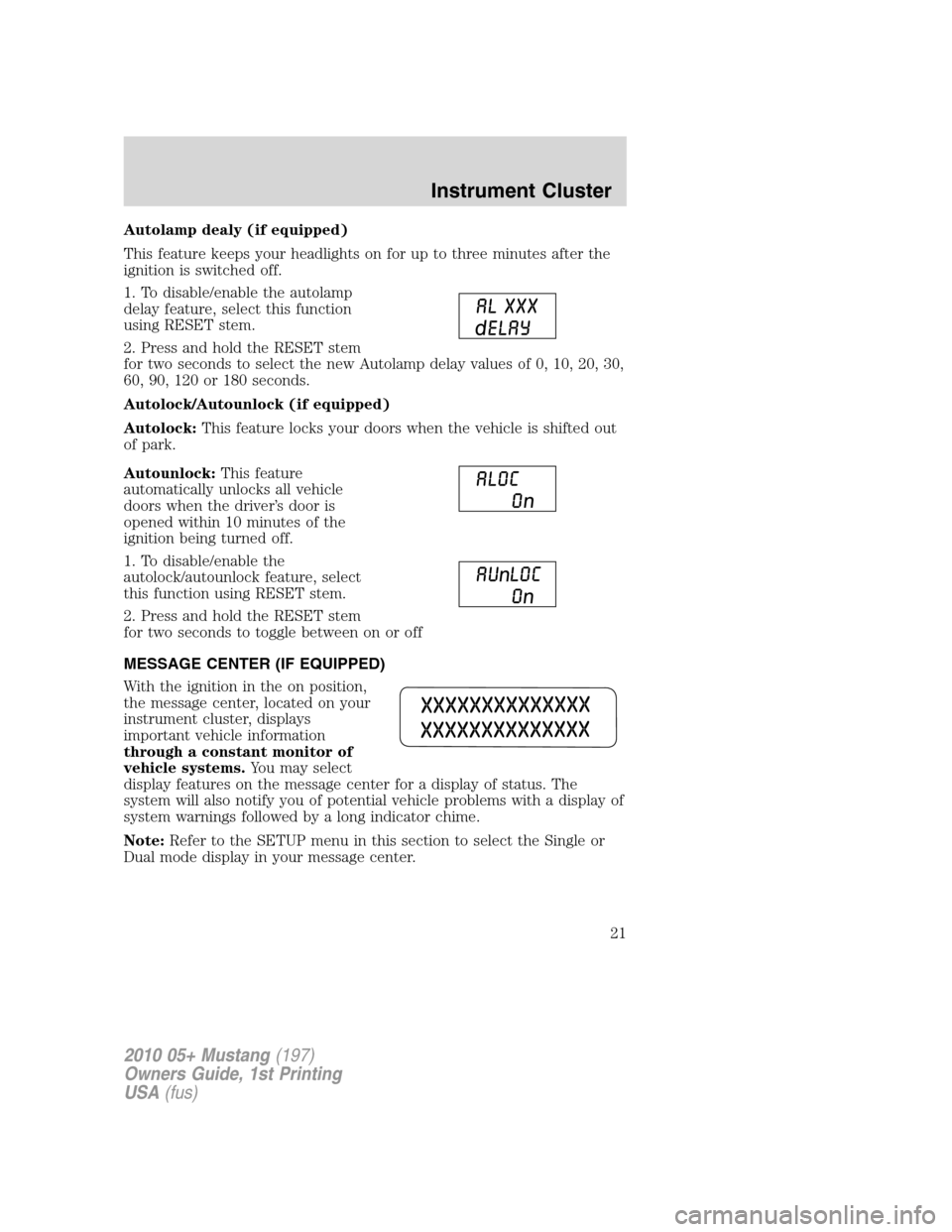
Autolamp dealy (if equipped)
This feature keeps your headlights on for up to three minutes after the
ignition is switched off.
1. To disable/enable the autolamp
delay feature, select this function
using RESET stem.
2. Press and hold the RESET stem
for two seconds to select the new Autolamp delay values of 0, 10, 20, 30,
60, 90, 120 or 180 seconds.
Autolock/Autounlock (if equipped)
Autolock:This feature locks your doors when the vehicle is shifted out
of park.
Autounlock:This feature
automatically unlocks all vehicle
doors when the driver’s door is
opened within 10 minutes of the
ignition being turned off.
1. To disable/enable the
autolock/autounlock feature, select
this function using RESET stem.
2. Press and hold the RESET stem
for two seconds to toggle between on or off
MESSAGE CENTER (IF EQUIPPED)
With the ignition in the on position,
the message center, located on your
instrument cluster, displays
important vehicle information
through a constant monitor of
vehicle systems.You may select
display features on the message center for a display of status. The
system will also notify you of potential vehicle problems with a display of
system warnings followed by a long indicator chime.
Note:Refer to the SETUP menu in this section to select the Single or
Dual mode display in your message center.
2010 05+ Mustang(197)
Owners Guide, 1st Printing
USA(fus)
Instrument Cluster
21
Page 26 of 318
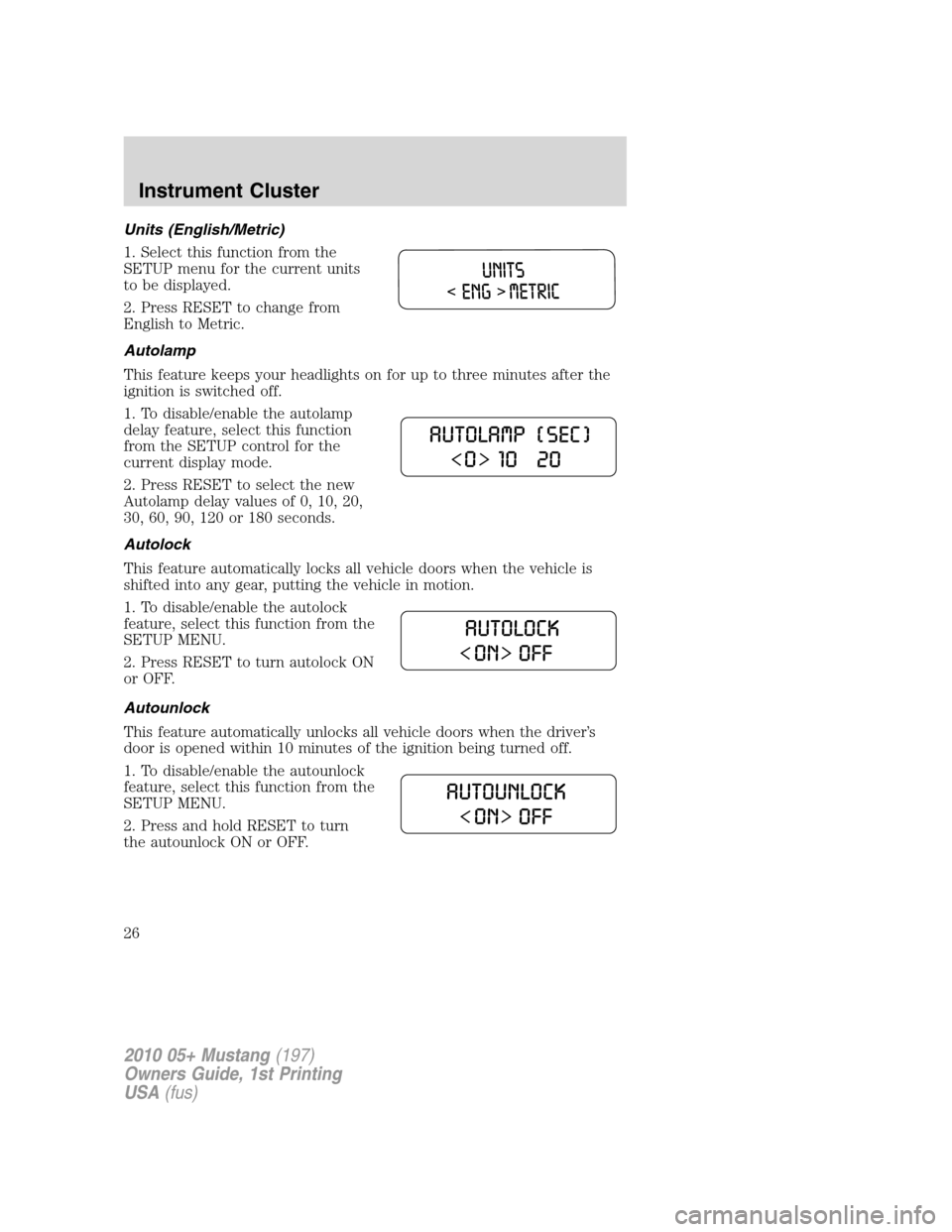
Units (English/Metric)
1. Select this function from the
SETUP menu for the current units
to be displayed.
2. Press RESET to change from
English to Metric.
Autolamp
This feature keeps your headlights on for up to three minutes after the
ignition is switched off.
1. To disable/enable the autolamp
delay feature, select this function
from the SETUP control for the
current display mode.
2. Press RESET to select the new
Autolamp delay values of 0, 10, 20,
30, 60, 90, 120 or 180 seconds.
Autolock
This feature automatically locks all vehicle doors when the vehicle is
shifted into any gear, putting the vehicle in motion.
1. To disable/enable the autolock
feature, select this function from the
SETUP MENU.
2. Press RESET to turn autolock ON
or OFF.
Autounlock
This feature automatically unlocks all vehicle doors when the driver’s
door is opened within 10 minutes of the ignition being turned off.
1. To disable/enable the autounlock
feature, select this function from the
SETUP MENU.
2. Press and hold RESET to turn
the autounlock ON or OFF.
2010 05+ Mustang(197)
Owners Guide, 1st Printing
USA(fus)
Instrument Cluster
26
Page 75 of 318
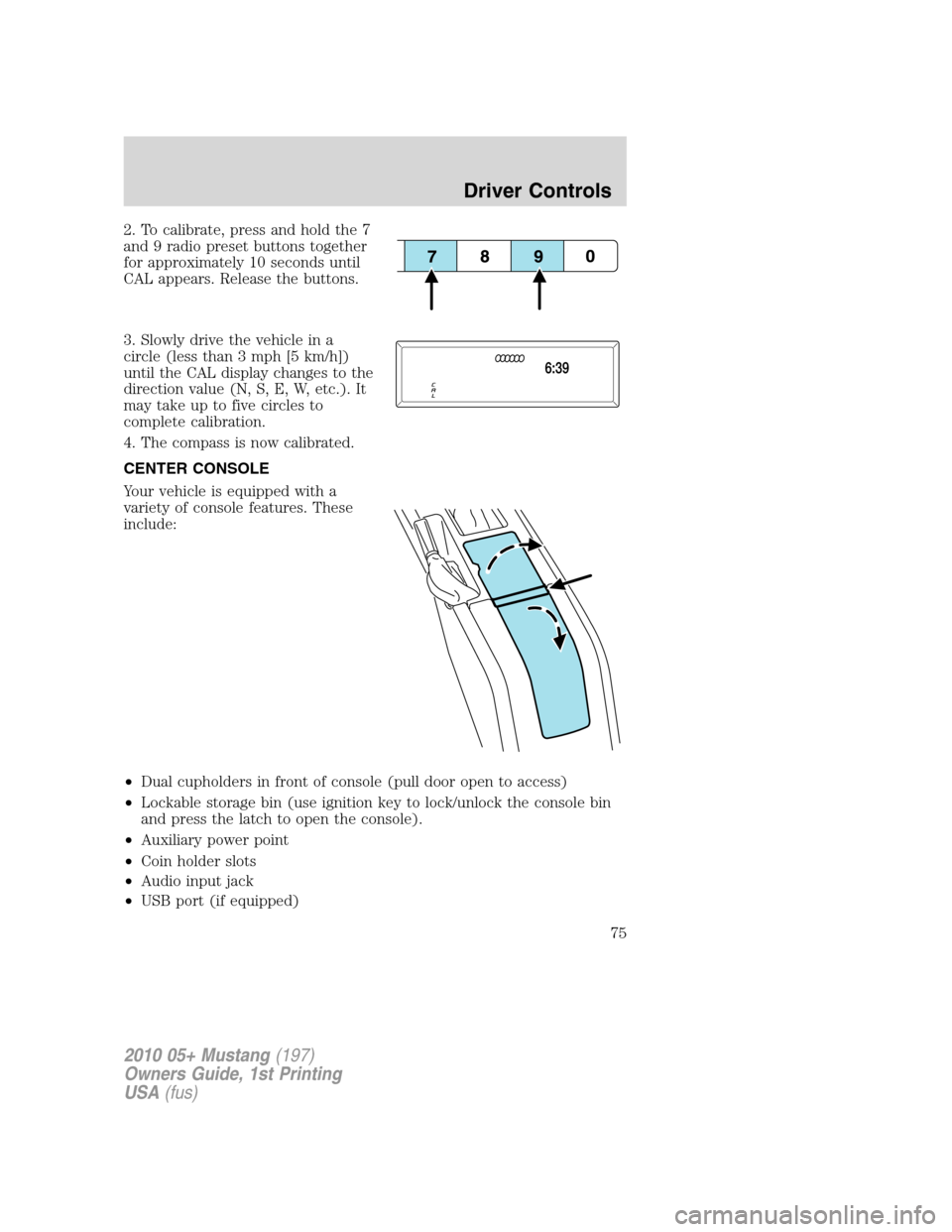
2. To calibrate, press and hold the 7
and 9 radio preset buttons together
for approximately 10 seconds until
CAL appears. Release the buttons.
3. Slowly drive the vehicle in a
circle (less than 3 mph [5 km/h])
until the CAL display changes to the
direction value (N, S, E, W, etc.). It
may take up to five circles to
complete calibration.
4. The compass is now calibrated.
CENTER CONSOLE
Your vehicle is equipped with a
variety of console features. These
include:
•Dual cupholders in front of console (pull door open to access)
•Lockable storage bin (use ignition key to lock/unlock the console bin
and press the latch to open the console).
•Auxiliary power point
•Coin holder slots
•Audio input jack
•USB port (if equipped)
2010 05+ Mustang(197)
Owners Guide, 1st Printing
USA(fus)
Driver Controls
75
Page 90 of 318
Interior trunk control lockout (convertible vehicles only)
This feature helps prevent unauthorized access to the trunk when the
convertible top is open, by disabling the interior trunk control.
This is useful when you want to leave the convertible top open, but still
prevent access to the trunk.
To operate this feature (the vehicle must be off and accessory power
delay not active):
Lock the vehicle using the integrated keyhead transmitter or the power
door lock switch. The interior trunk control will now be disabled.
To enable the interior trunk control:
•use the integrated keyhead transmitter to unlock the vehicle.
•or turn the ignition on.
The interior trunk control will now work normally.
POSITIVE RETENTION FLOOR MAT (IF EQUIPPED)
WARNING:Do not install additional floor mats on top of the
factory installed floor mats as they may interfere with the
accelerator or the brake pedals.
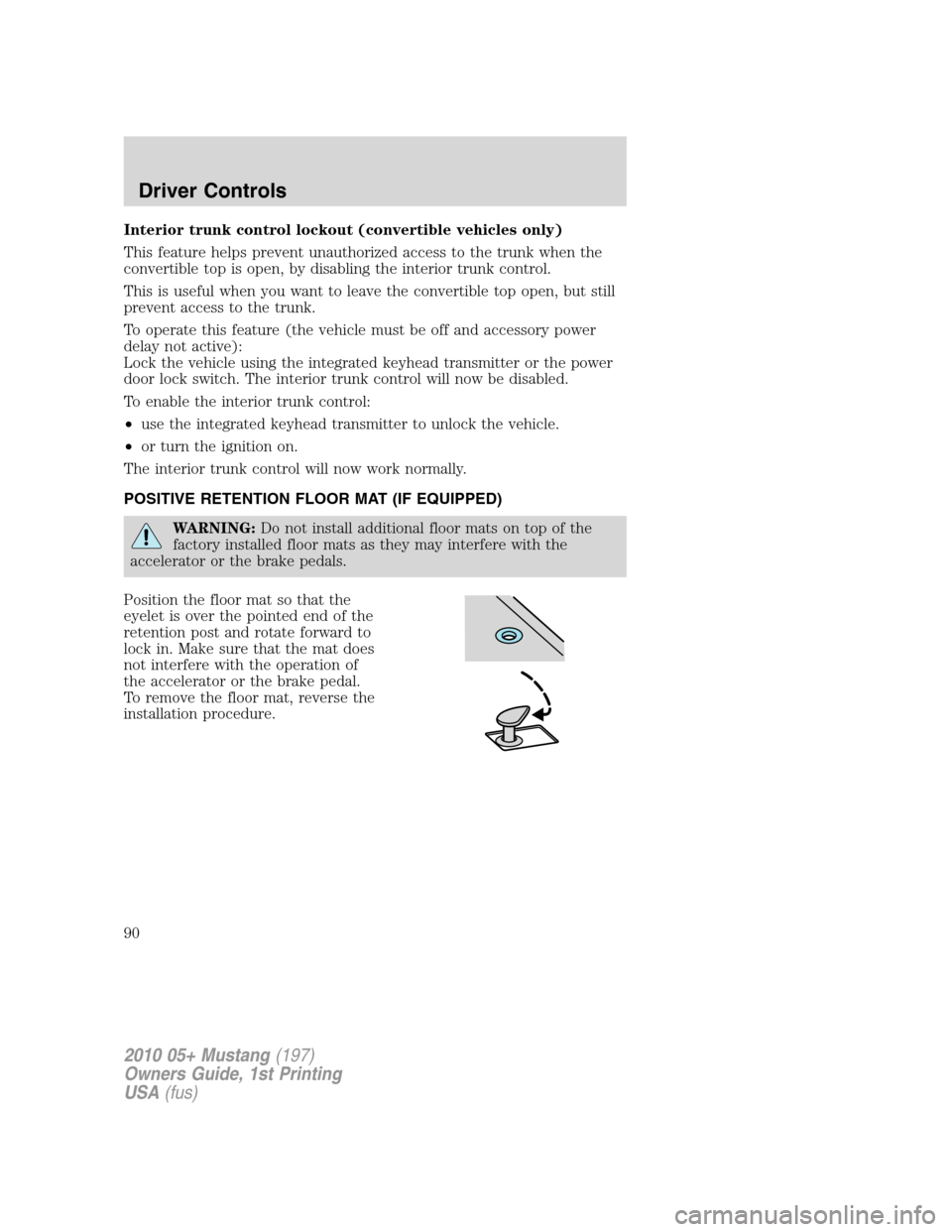
Position the floor mat so that the
eyelet is over the pointed end of the
retention post and rotate forward to
lock in. Make sure that the mat does
not interfere with the operation of
the accelerator or the brake pedal.
To remove the floor mat, reverse the
installation procedure.
2010 05+ Mustang(197)
Owners Guide, 1st Printing
USA(fus)
Driver Controls
90
Page 92 of 318
Recommended handling of the Integrated Keyhead Transmitter
(IKT)
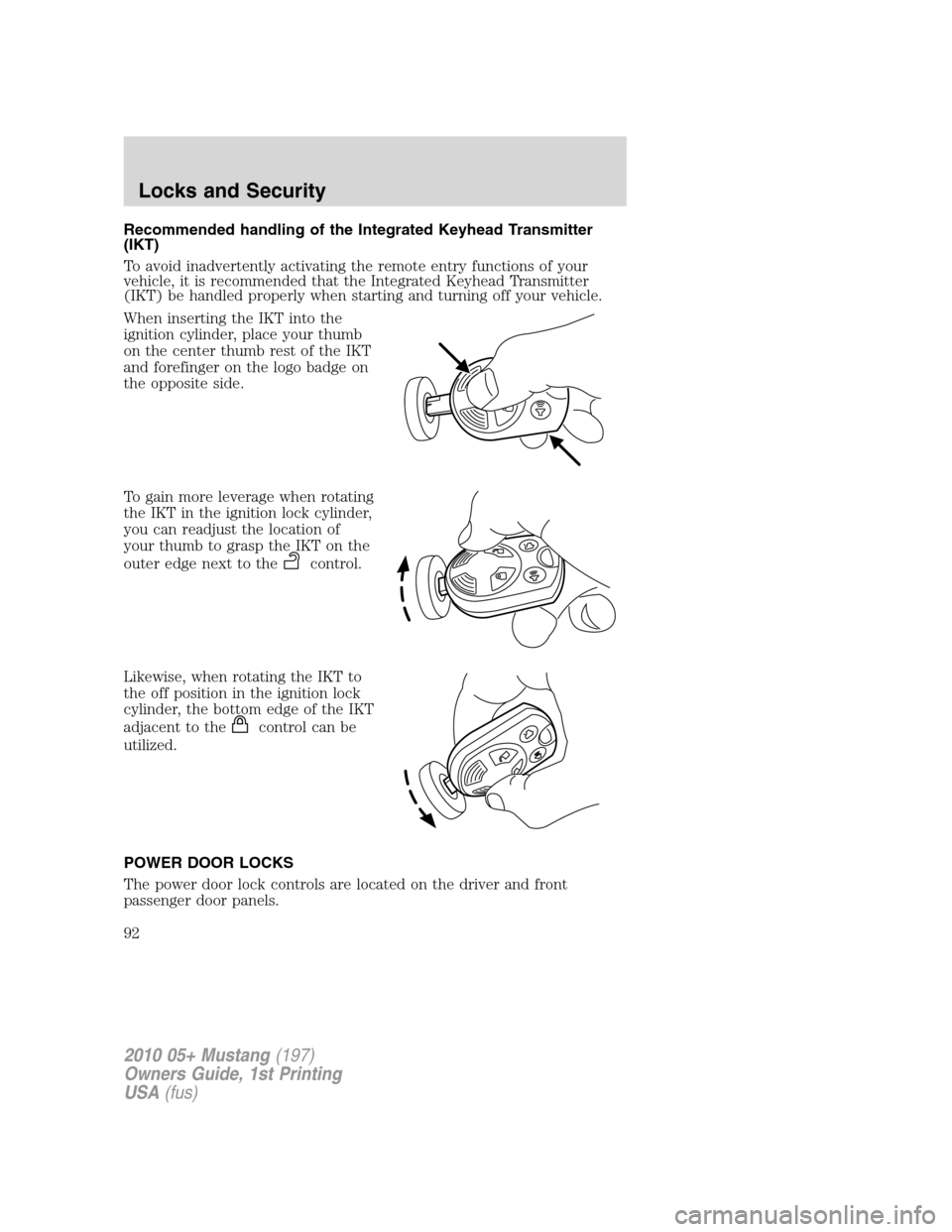
To avoid inadvertently activating the remote entry functions of your
vehicle, it is recommended that the Integrated Keyhead Transmitter
(IKT) be handled properly when starting and turning off your vehicle.
When inserting the IKT into the
ignition cylinder, place your thumb
on the center thumb rest of the IKT
and forefinger on the logo badge on
the opposite side.
To gain more leverage when rotating
the IKT in the ignition lock cylinder,
you can readjust the location of
your thumb to grasp the IKT on the
outer edge next to the
control.
Likewise, when rotating the IKT to
the off position in the ignition lock
cylinder, the bottom edge of the IKT
adjacent to the
control can be
utilized.
POWER DOOR LOCKS
The power door lock controls are located on the driver and front
passenger door panels.
2010 05+ Mustang(197)
Owners Guide, 1st Printing
USA(fus)
Locks and Security
92
Page 93 of 318
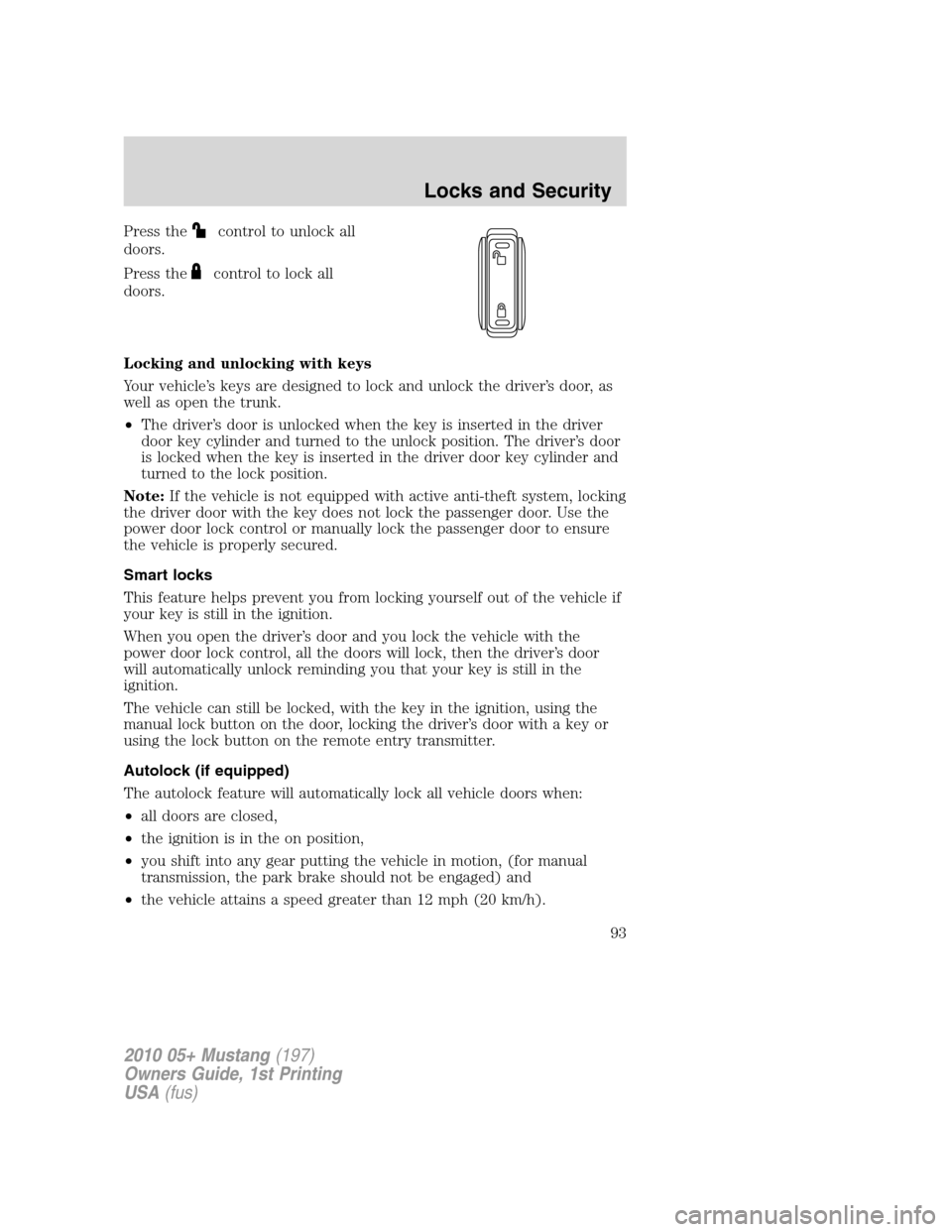
Press thecontrol to unlock all
doors.
Press the
control to lock all
doors.
Locking and unlocking with keys
Your vehicle’s keys are designed to lock and unlock the driver’s door, as
well as open the trunk.
•The driver’s door is unlocked when the key is inserted in the driver
door key cylinder and turned to the unlock position. The driver’s door
is locked when the key is inserted in the driver door key cylinder and
turned to the lock position.
Note:If the vehicle is not equipped with active anti-theft system, locking
the driver door with the key does not lock the passenger door. Use the
power door lock control or manually lock the passenger door to ensure
the vehicle is properly secured.
Smart locks
This feature helps prevent you from locking yourself out of the vehicle if
your key is still in the ignition.
When you open the driver’s door and you lock the vehicle with the
power door lock control, all the doors will lock, then the driver’s door
will automatically unlock reminding you that your key is still in the
ignition.
The vehicle can still be locked, with the key in the ignition, using the
manual lock button on the door, locking the driver’s door with a key or
using the lock button on the remote entry transmitter.
Autolock (if equipped)
The autolock feature will automatically lock all vehicle doors when:
•all doors are closed,
•the ignition is in the on position,
•you shift into any gear putting the vehicle in motion, (for manual
transmission, the park brake should not be engaged) and
•the vehicle attains a speed greater than 12 mph (20 km/h).
2010 05+ Mustang(197)
Owners Guide, 1st Printing
USA(fus)
Locks and Security
93
Page 94 of 318
The autolock feature repeats when:
•any door is opened then closed while the ignition is in the on position
and the vehicle speed is 9 mph (15 km/h) or lower, and
•the vehicle attains a speed greater than 12 mph (20 km/h).
Deactivating/activating autolock
Your vehicle comes with the autolock feature enabled. There are three
methods to enable/disable this feature:
•Through your authorized dealer, or
•performing the power door lock control procedure, or
•performing the message center procedure. Refer toMessage centerin
theInstrument Clusterchapter.
Note:The autolock feature can be activated/deactivated independently
of the autounlock feature.
Before following the activation or deactivation procedures, make sure
that the active anti-theft system is not armed, ignition is in the off
position, and all vehicle doors are closed.
Power door unlock/lock procedure
You must complete Steps 1-5 within 30 seconds or the procedure will
have to be repeated. If the procedure needs to be repeated, you must
wait 30 seconds.
Note: Alldoors must be closed and remain closed throughout the
configuration process.
1. The ignition must be off to begin
sequence.
2. Turn the ignition to the on
position.
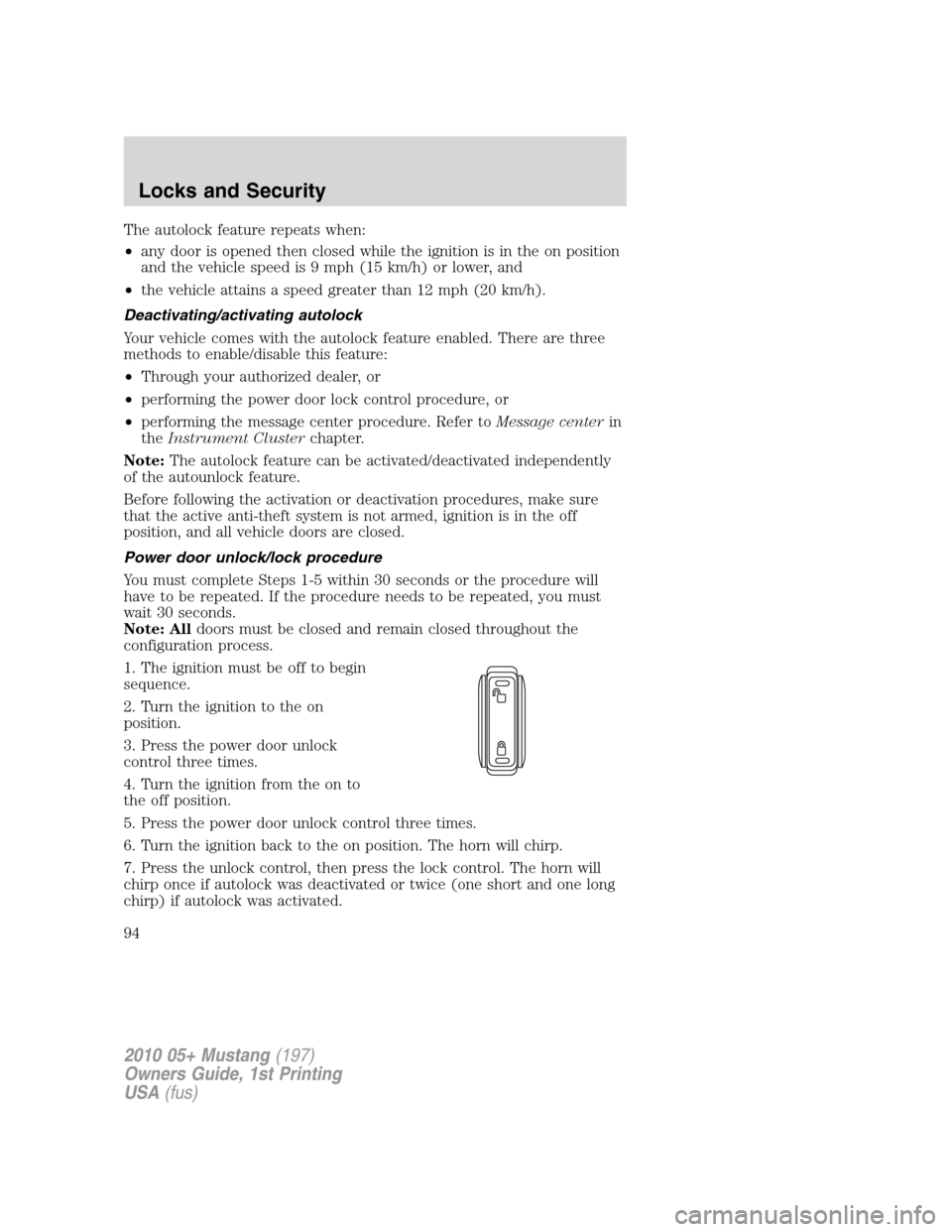
3. Press the power door unlock
control three times.
4. Turn the ignition from the on to
the off position.
5. Press the power door unlock control three times.
6. Turn the ignition back to the on position. The horn will chirp.
7. Press the unlock control, then press the lock control. The horn will
chirp once if autolock was deactivated or twice (one short and one long
chirp) if autolock was activated.
2010 05+ Mustang(197)
Owners Guide, 1st Printing
USA(fus)
Locks and Security
94