fuel FORD MUSTANG 2014 5.G User Guide
[x] Cancel search | Manufacturer: FORD, Model Year: 2014, Model line: MUSTANG, Model: FORD MUSTANG 2014 5.GPages: 461, PDF Size: 5.47 MB
Page 97 of 461
High Beams
Illuminates when the high beam headlamps are on.
Low Fuel
Illuminates when the fuel level in the fuel tank is at or near
empty.
Low Tire Pressure Warning
Illuminates when your tire pressure is low. If the light remains
on at start-up or while driving, the tire pressure should be
checked. When the ignition is first turned to on, the light will
illuminate for three seconds to ensure the bulb is working. If the light
does not turn on or begins to flash, contact your authorized dealer as
soon as possible.
Powertrain Malfunction/Reduced Power
Illuminates when a powertrain fault has been detected. Contact
your authorized dealer as soon as possible.
Safety Belt
Reminds you to fasten your safety belt. A Belt-Minder® chime
will also sound to remind you to fasten your safety belt.
96Instrument Cluster
2014 05+ Mustang(197)
Owners Guide gf, 1st Printing, November 2012
USA(fus)
Page 98 of 461
Service Engine Soon
Theservice engine soonindicator light illuminates when the
ignition is first turned to the on position to check the bulb and to
indicate whether the vehicle is ready for Inspection/Maintenance
(I/M) testing. Normally, the service engine soon light will stay on until the
engine is cranked, then turn itself off if no malfunctions are present.
However, if after 15 seconds the service engine soon light blinks eight
times, it means that the vehicle is not ready for I/M testing. See the
Readiness for Inspection/Maintenance (I/M) testingin theFuel and
Refuelingchapter.
Solid illumination after the engine is started indicates the on-board
diagnostics system (OBD-II) has detected a malfunction. SeeOn-board
Diagnostics (OBD-II)in theFuel and Refuelingchapter. If the light is
blinking, engine misfire is occurring which could damage your catalytic
converter. Drive in a moderate fashion (avoid heavy acceleration and
deceleration) and have your vehicle serviced immediately by your
authorized dealer.
WARNING:Under engine misfire conditions, excessive exhaust
temperatures could damage the catalytic converter, the fuel
system, interior floor coverings or other vehicle components, possibly
causing a fire.
Speed Control (if equipped)
The speed control system indicator light changes color to
indicate what mode the system is in:
•On (amber light): Illuminates when the speed control system is turned
on. Turns off when the speed control system is turned off.
•Engaged (green light): Illuminates when the speed control system is
engaged. Turns off when the speed control system is disengaged.
Stability Control System
Illuminates when the AdvanceTrac®/Traction control is active.
If the light remains on, have the system serviced immediately.
Instrument Cluster97
2014 05+ Mustang(197)
Owners Guide gf, 1st Printing, November 2012
USA(fus)
Page 99 of 461
Stability Control System Off
Illuminates when AdvanceTrac®/Traction control has been
disabled by the driver.
Turn Signal
Illuminates when the left or right turn signal or the hazard
warning flasher is turned on. If the indicators stay on or flash
faster, check for a burned out bulb.
Upshift (if equipped)
To maximize fuel economy, this light illuminates when the
manual transmission should be shifted to the next highest gear.
AUDIBLE WARNINGS AND INDICATORS
Key In Ignition Warning Chime
Sounds when the key is left in the ignition in the off or accessory
position and the driver’s door is opened.
Keyless Warning Alert (If Equipped)
Sounds when the keyless vehicle is in RUN and the driver’s door is
opened.
Headlamps On Warning Chime
Sounds when the headlamps or parking lamps are on, the ignition is off
(the key is not in the ignition) and the driver’s door is opened.
Parking Brake On Warning Chime
Sounds when you have left the parking brake on and drive your vehicle.
If the warning chime remains on after you have released the parking
brake, have the system checked by your authorized dealer immediately.
98Instrument Cluster
2014 05+ Mustang(197)
Owners Guide gf, 1st Printing, November 2012
USA(fus)
Page 100 of 461
GENERAL INFORMATION
WARNING:Driving while distracted can result in loss of vehicle
control, accident and injury. Ford strongly recommends that drivers
use extreme caution when using any device or feature that may take their
focus off the road. Your primary responsibility is the safe operation of the
vehicle. We recommend against the use of any handheld device while
driving and that you comply with all applicable laws.
Various systems on your vehicle can be controlled using the information
display controls located on the steering wheel. Corresponding
information is displayed in the information display.
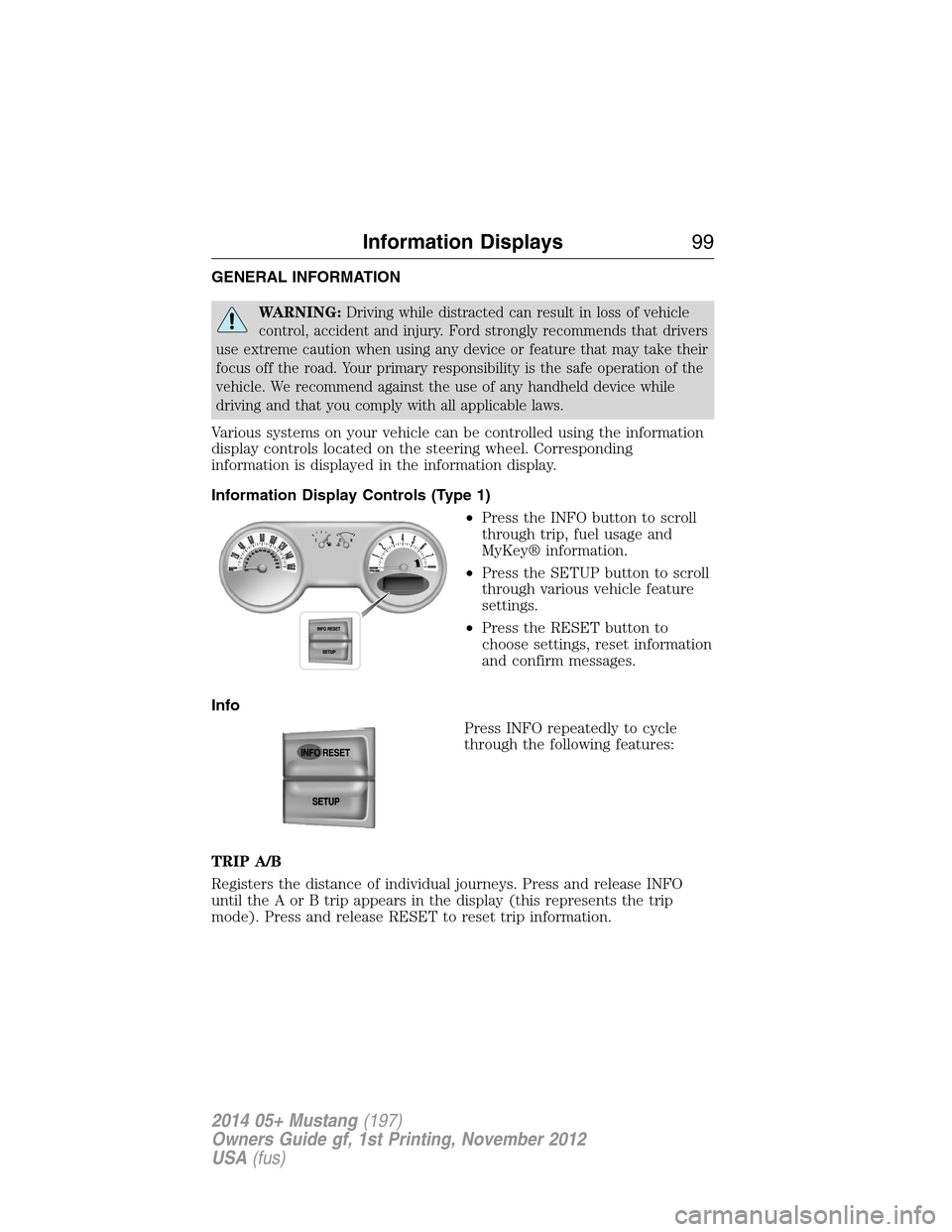
Information Display Controls (Type 1)
•Press the INFO button to scroll
through trip, fuel usage and
MyKey® information.
•Press the SETUP button to scroll
through various vehicle feature
settings.
•Press the RESET button to
choose settings, reset information
and confirm messages.
Info
Press INFO repeatedly to cycle
through the following features:
TRIP A/B
Registers the distance of individual journeys. Press and release INFO
until the A or B trip appears in the display (this represents the trip
mode). Press and release RESET to reset trip information.
Information Displays99
2014 05+ Mustang(197)
Owners Guide gf, 1st Printing, November 2012
USA(fus)
Page 101 of 461
MYKEY MILES (km)
For more information, see theMyKey®chapter.
MILES (km) TO E
This displays an estimate of approximately how far you can drive with
the fuel remaining in your tank under normal driving conditions.
Remember to turn the ignition off when refueling to allow this feature to
correctly detect the added fuel.
AVG MPG (L/100 km)
Average fuel economy displays your average fuel economy in miles/gallon
or liters/100 km.
MPG (L/km)
This displays instantaneous fuel economy as a bar graph ranging from↓
poor economy to↑excellent economy.
Your vehicle must be moving to calculate instantaneous fuel economy.
When your vehicle is not moving, this function shows↓, one or no bars
illuminated. Instantaneous fuel economy cannot be reset.
TIMER
Timer displays the trip elapsed drive time.
To operate, do the following:
1. Press and release RESET in order to start the timer.
2. Press and release RESET to pause the timer.
3. Press and hold RESET until the timer resets.
Blank Screen
The display will be blank after cycling through all of the Info menu
items.
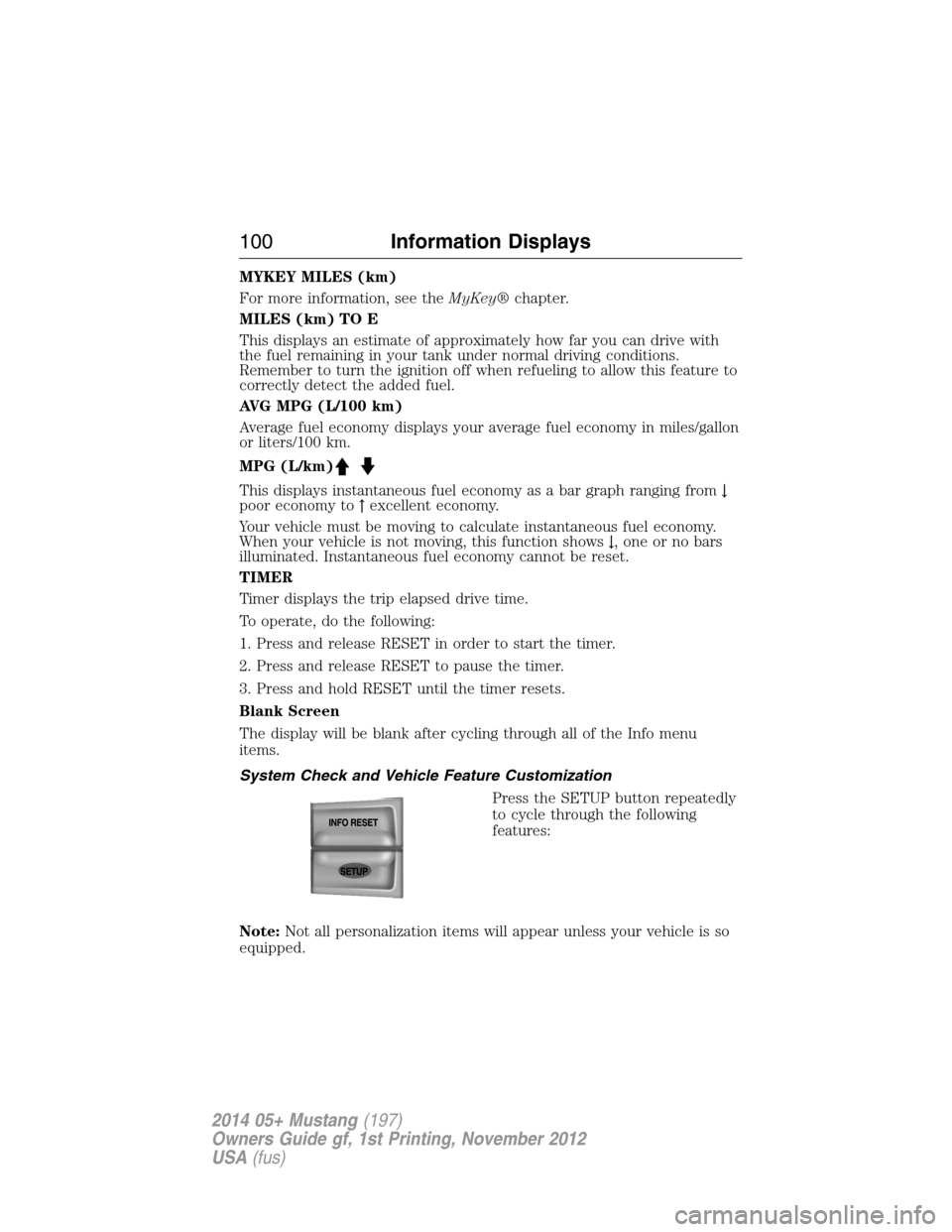
System Check and Vehicle Feature Customization
Press the SETUP button repeatedly
to cycle through the following
features:
Note:Not all personalization items will appear unless your vehicle is so
equipped.
100Information Displays
2014 05+ Mustang(197)
Owners Guide gf, 1st Printing, November 2012
USA(fus)
Page 102 of 461
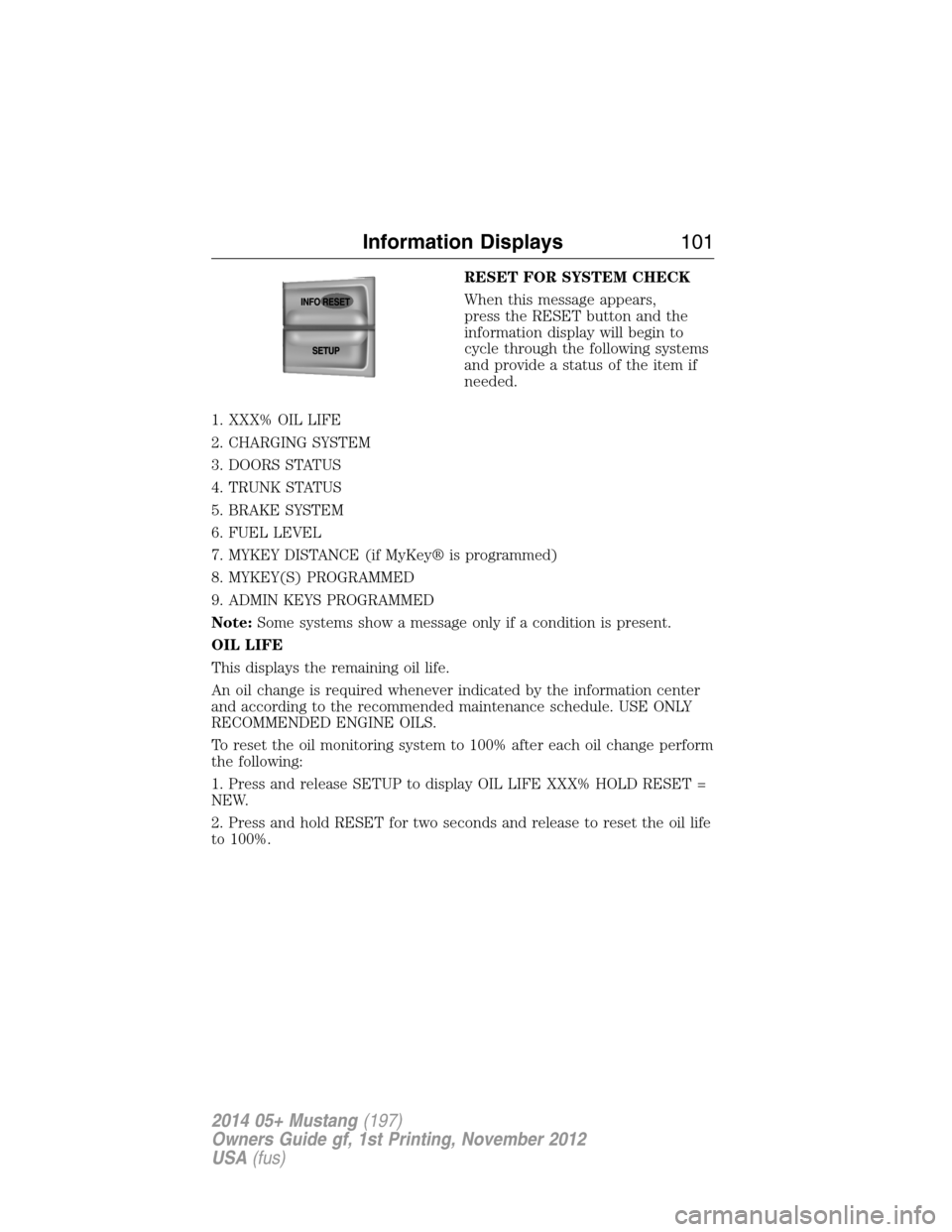
RESET FOR SYSTEM CHECK
When this message appears,
press the RESET button and the
information display will begin to
cycle through the following systems
and provide a status of the item if
needed.
1. XXX% OIL LIFE
2. CHARGING SYSTEM
3. DOORS STATUS
4. TRUNK STATUS
5. BRAKE SYSTEM
6. FUEL LEVEL
7. MYKEY DISTANCE (if MyKey® is programmed)
8. MYKEY(S) PROGRAMMED
9. ADMIN KEYS PROGRAMMED
Note:Some systems show a message only if a condition is present.
OIL LIFE
This displays the remaining oil life.
An oil change is required whenever indicated by the information center
and according to the recommended maintenance schedule. USE ONLY
RECOMMENDED ENGINE OILS.
To reset the oil monitoring system to 100% after each oil change perform
the following:
1. Press and release SETUP to display OIL LIFE XXX% HOLD RESET =
NEW.
2. Press and hold RESET for two seconds and release to reset the oil life
to 100%.
Information Displays101
2014 05+ Mustang(197)
Owners Guide gf, 1st Printing, November 2012
USA(fus)
Page 105 of 461
LANGUAGE = ENGLISH / SPANISH / FRENCH
Allows you to choose which language for the information display.
Selectable languages are English, Spanish, or French.
Waiting four seconds or pressing the RESET button cycles through each
of the language choices.
Press and hold RESET for two seconds to set the language choice.
Information Messages
SeeInformation Messageslater in this chapter for more information.
Information Display Controls (Type 2)
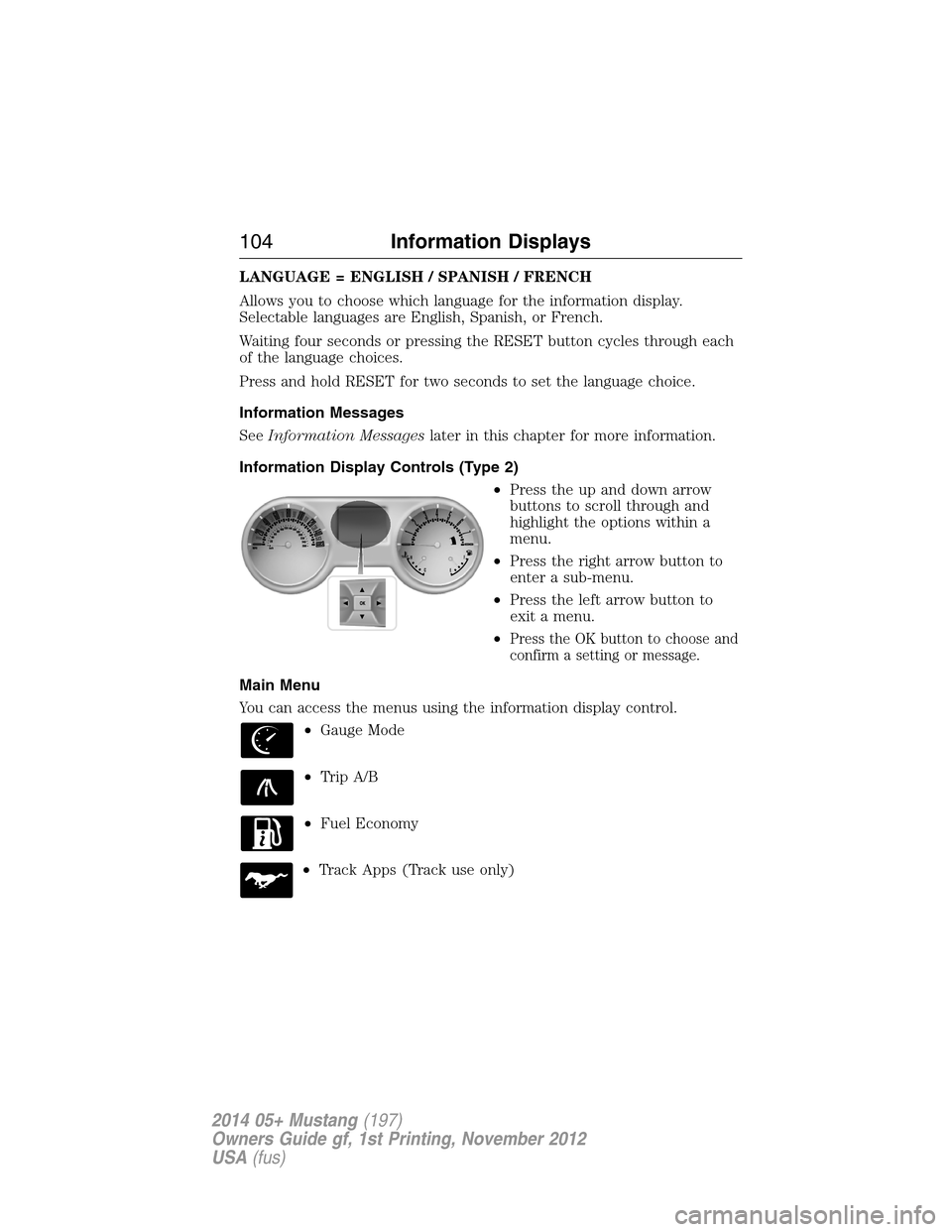
•Press the up and down arrow
buttons to scroll through and
highlight the options within a
menu.
•Press the right arrow button to
enter a sub-menu.
•Press the left arrow button to
exit a menu.
•
Press the OK button to choose and
confirm a setting or message.
Main Menu
You can access the menus using the information display control.
•Gauge Mode
•Trip A/B
•Fuel Economy
•Track Apps (Track use only)
104Information Displays
2014 05+ Mustang(197)
Owners Guide gf, 1st Printing, November 2012
USA(fus)
Page 106 of 461
•Settings
•Information
†Gauge Mode
Gauges Detail Air/Fuel Ratio Virtual gauge shown
Vacuum inHG /
Boost psi
(Shelby®
GT500®)Virtual gauge shown
Cyl Head Virtual gauge shown
Inlet Air Virtual gauge shown
Oil Press. No virtual gauge available
Oil Temp. Virtual gauge shown
Trans temp
(auto
transmission
only)Virtual gauge shown
Voltage Virtual gauge shown
†SeeVirtual Gaugeslater in this section for more information.
†Trip A / B
Trip time
Trip distance
Fuel used
Avg mpg(L/100km)
Odometer (displays in lower line and may display in other menus)
†SeeTrip Computerlater in this section for more information.
Information Displays105
2014 05+ Mustang(197)
Owners Guide gf, 1st Printing, November 2012
USA(fus)
Page 107 of 461
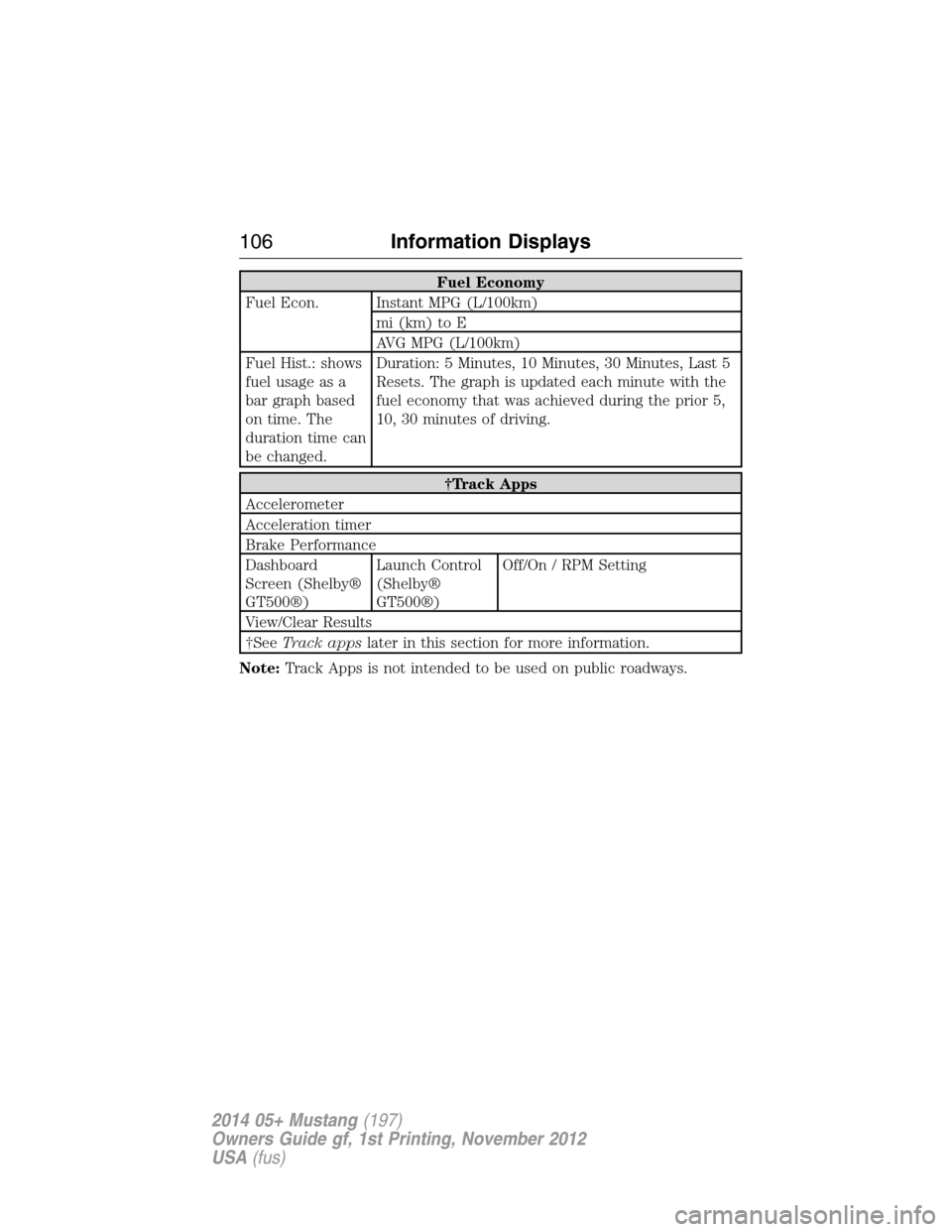
Fuel Economy
Fuel Econ. Instant MPG (L/100km)
mi (km) to E
AVG MPG (L/100km)
Fuel Hist.: shows
fuel usage as a
bar graph based
on time. The
duration time can
be changed.Duration: 5 Minutes, 10 Minutes, 30 Minutes, Last 5
Resets. The graph is updated each minute with the
fuel economy that was achieved during the prior 5,
10, 30 minutes of driving.
†Track Apps
Accelerometer
Acceleration timer
Brake Performance
Dashboard
Screen (Shelby®
GT500®)Launch Control
(Shelby®
GT500®)Off/On / RPM Setting
View/Clear Results
†SeeTrack appslater in this section for more information.
Note:Track Apps is not intended to be used on public roadways.
106Information Displays
2014 05+ Mustang(197)
Owners Guide gf, 1st Printing, November 2012
USA(fus)
Page 111 of 461
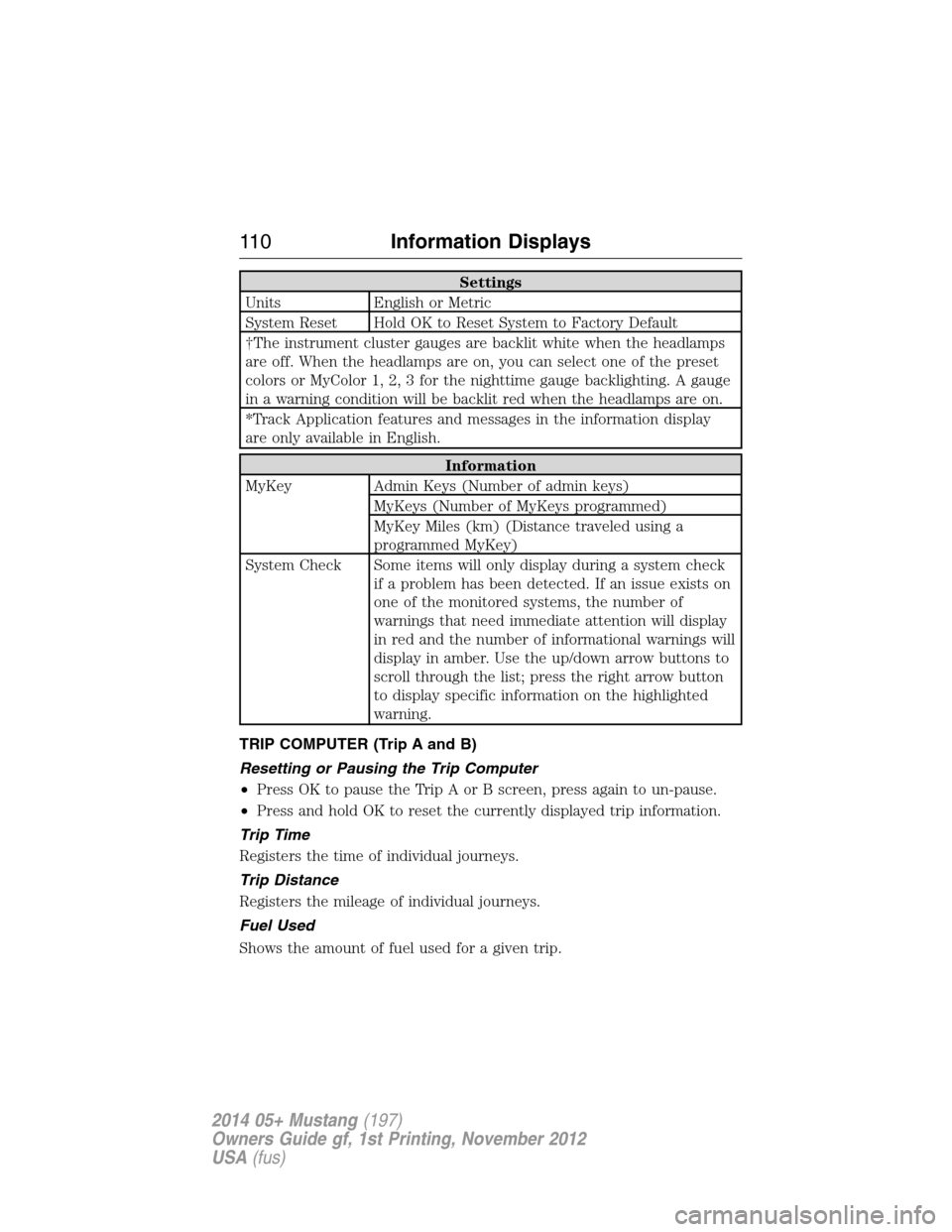
Settings
Units English or Metric
System Reset Hold OK to Reset System to Factory Default
†The instrument cluster gauges are backlit white when the headlamps
are off. When the headlamps are on, you can select one of the preset
colors or MyColor 1, 2, 3 for the nighttime gauge backlighting. A gauge
in a warning condition will be backlit red when the headlamps are on.
*Track Application features and messages in the information display
are only available in English.
Information
MyKey Admin Keys (Number of admin keys)
MyKeys (Number of MyKeys programmed)
MyKey Miles (km) (Distance traveled using a
programmed MyKey)
System Check Some items will only display during a system check
if a problem has been detected. If an issue exists on
one of the monitored systems, the number of
warnings that need immediate attention will display
in red and the number of informational warnings will
display in amber. Use the up/down arrow buttons to
scroll through the list; press the right arrow button
to display specific information on the highlighted
warning.
TRIP COMPUTER (Trip A and B)
Resetting or Pausing the Trip Computer
•Press OK to pause the Trip A or B screen, press again to un-pause.
•Press and hold OK to reset the currently displayed trip information.
Trip Time
Registers the time of individual journeys.
Trip Distance
Registers the mileage of individual journeys.
Fuel Used
Shows the amount of fuel used for a given trip.
11 0Information Displays
2014 05+ Mustang(197)
Owners Guide gf, 1st Printing, November 2012
USA(fus)