sat nav FORD MUSTANG 2014 5.G User Guide
[x] Cancel search | Manufacturer: FORD, Model Year: 2014, Model line: MUSTANG, Model: FORD MUSTANG 2014 5.GPages: 461, PDF Size: 5.47 MB
Page 403 of 461
SIRIUS® Information
Note:SIRIUS reserves the unrestricted right to change, rearrange, add
or delete programming including canceling, moving or adding particular
channels, and its prices, at any time, with or without notice to you. Ford
Motor Company shall not be responsible for any such programming
changes.
SIRIUS satellite radio is a
subscription-based satellite radio
service that broadcasts a variety of
music, sports, news, weather, traffic
and entertainment programming.
Your factory-installed SIRIUS
satellite radio system includes
hardware and a limited subscription term that begins on the date of sale
or lease of your vehicle. See your authorized dealer for availability.
For more information on extended subscription terms (a service fee is
required), the online media player and a list of SIRIUS satellite radio
channels, and other features, please visit www.siriusxm.com in the
United States, www.sirius.ca in Canada, or call SIRIUS at 1-888-539-7474.
Satellite radio electronic serial number (ESN):You need your ESN
to turn on, modify or track your satellite radio account. The ESN is on
the System Information Screen (SR ESN: XXXXXXXXXXXX). To access
your ESN, touch the I button on the navigation screen, and then select
the System Info tab.
Potential reception issues
Antenna
obstructionsFor optimal reception performance, keep the
antenna clear of snow and ice build-up and
keep luggage and other materials as far away
from the antenna as possible.
TerrainHills, mountains, tall buildings, bridges,
tunnels, freeway overpasses, parking garages,
dense tree foliage and thunderstorms can
interfere with your reception.
402Navigation System (If Equipped)
2014 05+ Mustang(197)
Owners Guide gf, 1st Printing, November 2012
USA(fus)
Page 404 of 461
Potential reception issues
Station overloadWhen you pass a ground-based
broadcast-repeating tower, a stronger signal
may overtake a weaker one and the audio
system may mute.
Satellite radio signal
interferenceYour display may show ACQUIRING... to
indicate the interference and the audio
system may mute.
Troubleshooting tips
Radio Display Condition Possible Action
Acquiring... Radio requires more
than two seconds to
produce audio for the
selected channel.No action required.
This message should
disappear shortly.
Sat Fault/SIRIUS
System FailureThere is an internal
module or system
failure present.If this message does
not clear shortly, or
with an ignition key
cycle, your receiver
may have a fault. See
your authorized dealer
for service.
Invalid Channel. The channel is no
longer available.Tune to another
channel or choose
another preset.
Unsubscribed Channel. Your subscription does
not include this
channel.Contact SIRIUS at
1-888-539-7474 to
subscribe to the
channel, or tune to
another channel.
No Signal. The signal is lost from
the SIRIUS satellite or
SIRIUS tower to your
vehicle antenna.The signal is blocked.
When you move into
an open area, the
signal should return.
Navigation System (If Equipped)403
2014 05+ Mustang(197)
Owners Guide gf, 1st Printing, November 2012
USA(fus)
Page 405 of 461
Troubleshooting tips
Radio Display Condition Possible Action
Updating. Update of channel
programming in
progress.No action required.
The process may take
up to three minutes.
Call SIRIUS
1–888–539–7474.Your satellite service is
no longer available.Contact SIRIUS at
1-888-539-7474 to
resolve subscription
issues.
No Channels Available. All the channels in the
selected channels are
either skipped or
locked.Use the channel guide
to turn off theLock
orSkipfunction on
that station.
Subscription Updated. SIRIUS has updated
the channels available
for your vehicle.No action required.
CD
Press the MEDIA hard button, and then select the CD tab on
the touchscreen. If there is no disc in the system, NO DISC
appears in the status bar and you cannot access the CD screen.
Once a disc is loaded, you can choose from Scan, Compress, Repeat,
Shuffle, Track List and Record.
When you select: You can:
ScanHear a brief sampling of all listenable tracks.
CompressTurn the compression feature on and off. This
feature boosts more quiet music and lowers
louder music to minimize the need for volume
adjustment.
RepeatHear the selected track continuously.
ShufflePlay the tracks in a random order.
Track ListView a list of the tracks.
RecordSave the CD or CD tracks into the Jukebox to
hear them played later.
404Navigation System (If Equipped)
2014 05+ Mustang(197)
Owners Guide gf, 1st Printing, November 2012
USA(fus)
Page 419 of 461
SOUND
The sound menu allows you to access and adjust settings, such as Bass,
Treble, Fade, Balance, Speed Compensated Volume (SCV) and the
visualizer. Press the SOUND hard button.
When you select: You can:
Bass/TrebleIncrease or decrease levels by pressing + or -.
Balance/FadeAdjust the sound between the left and right
speakers and front and rear speakers.
SCVHave the system automatically adjust radio
volume according to vehicle speed to
compensate for road and wind noise. Select a
level of compensation between 1 and 7 by
pressing the corresponding button.
VisualizerTurn the audio visualizer display on or off.
Note:Turning the visualizer setting to off
does not remove the visualizer on the home
screen. You need to select a different view in
order to remove the visualizer.
NAVIGATION SYSTEM
Your navigation system allows you to set a destination by using your
touchscreen or voice commands.
The navigation system contains map coverage for the United States,
Puerto Rico and U.S. Virgin Islands, Canada and Mexico.
Disclaimer
A disclaimer appears once per ignition cycle when theDESTbutton is
pressed. PressAcceptto agree to the terms and access navigation functions.
If you do not press Accept, you only have access to non-navigation functions.
The disclaimer has information similar to the following:
•Always obey local traffic regulations.
•We recommend you program the system only when your vehicle is at a
stop.
•Some functions are unavailable while your vehicle is moving to help
minimize distraction.
•Periodic map updates are available at an additional cost.
418Navigation System (If Equipped)
2014 05+ Mustang(197)
Owners Guide gf, 1st Printing, November 2012
USA(fus)
Page 429 of 461
Route Selection Screen Icons
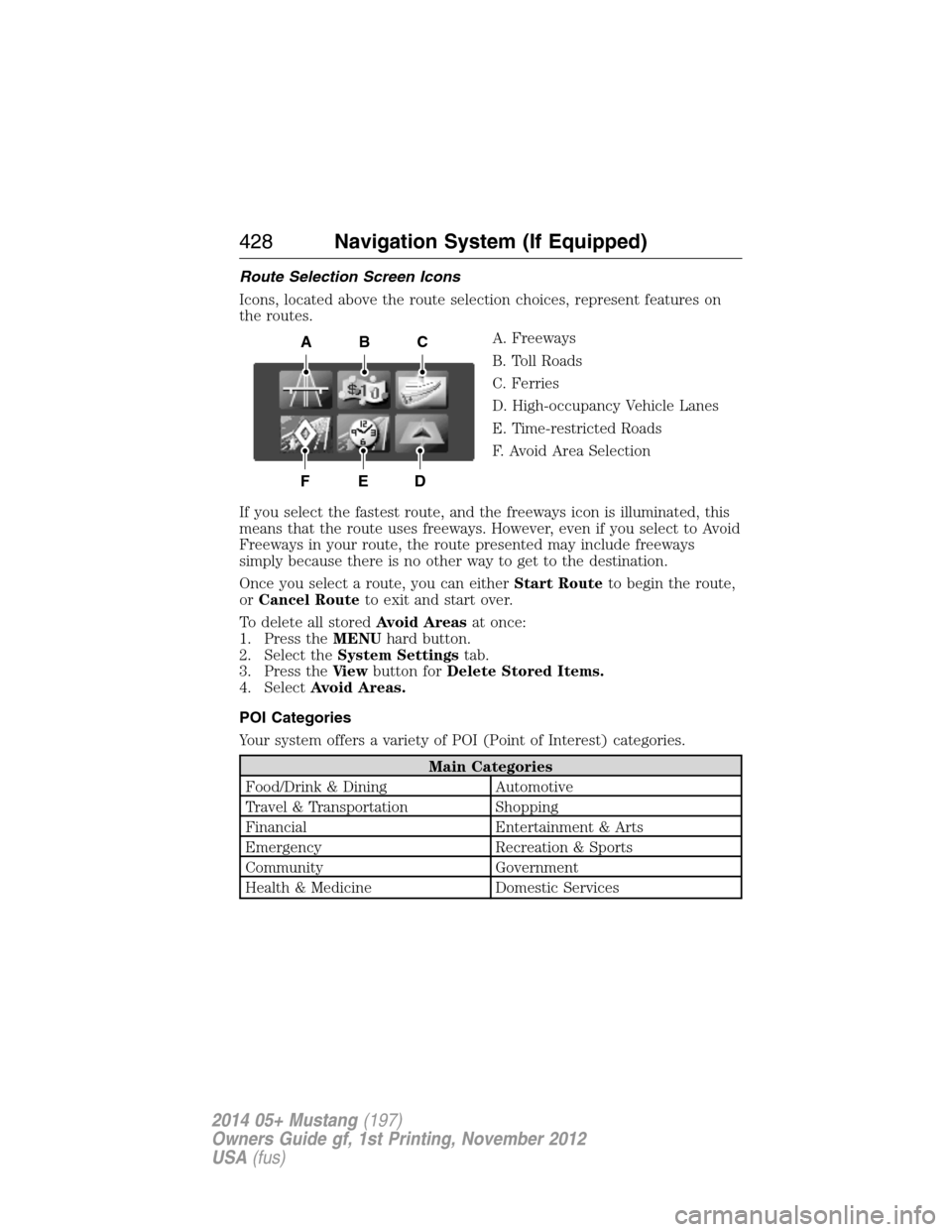
Icons, located above the route selection choices, represent features on
the routes.
A. Freeways
B. Toll Roads
C. Ferries
D. High-occupancy Vehicle Lanes
E. Time-restricted Roads
F. Avoid Area Selection
If you select the fastest route, and the freeways icon is illuminated, this
means that the route uses freeways. However, even if you select to Avoid
Freeways in your route, the route presented may include freeways
simply because there is no other way to get to the destination.
Once you select a route, you can eitherStart Routeto begin the route,
orCancel Routeto exit and start over.
To delete all storedAvoid Areasat once:
1. Press theMENUhard button.
2. Select theSystem Settingstab.
3. Press theVi e wbutton forDelete Stored Items.
4. SelectAvoid Areas.
POI Categories
Your system offers a variety of POI (Point of Interest) categories.
Main Categories
Food/Drink & Dining Automotive
Travel & Transportation Shopping
Financial Entertainment & Arts
Emergency Recreation & Sports
Community Government
Health & Medicine Domestic Services
ABC
DEF
428Navigation System (If Equipped)
2014 05+ Mustang(197)
Owners Guide gf, 1st Printing, November 2012
USA(fus)
Page 436 of 461
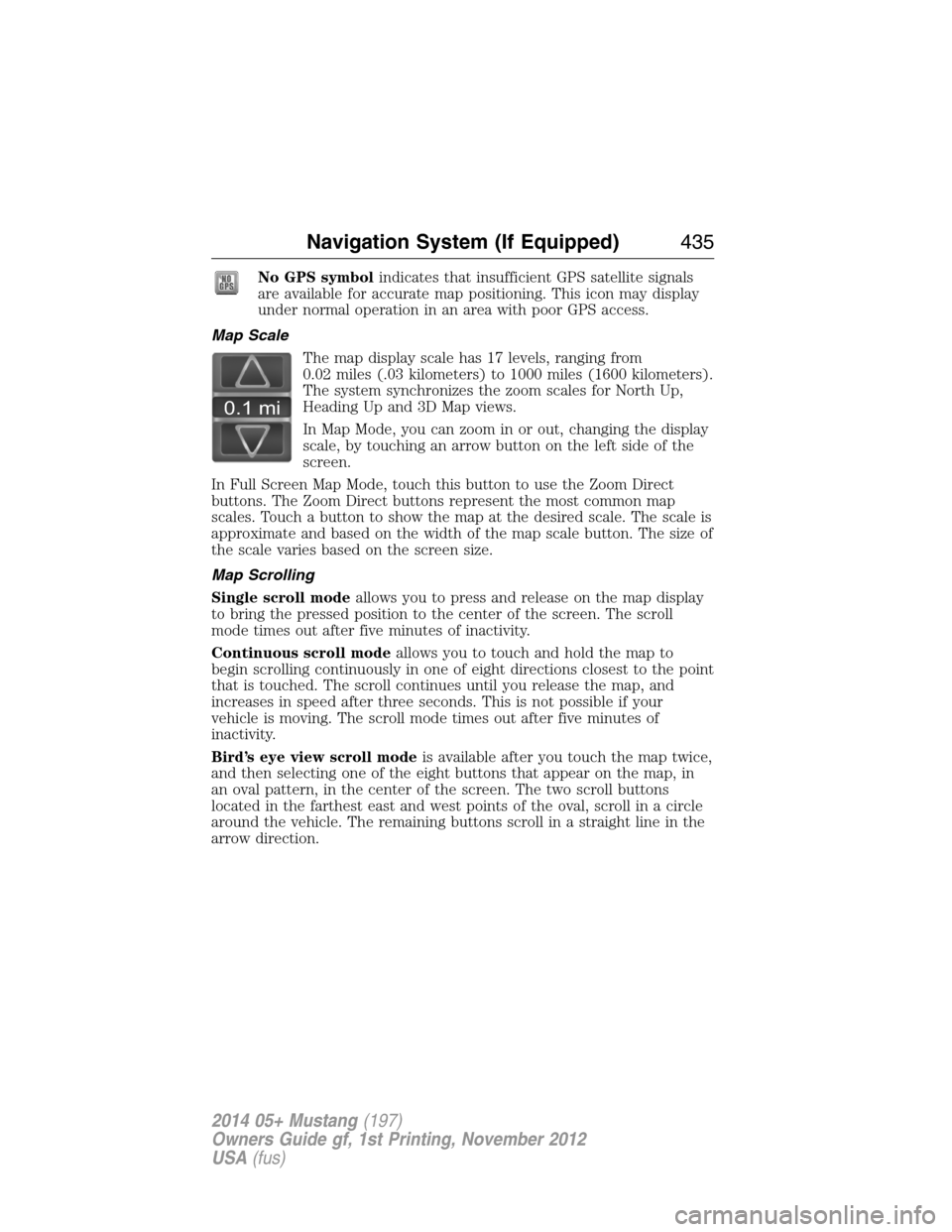
No GPS symbolindicates that insufficient GPS satellite signals
are available for accurate map positioning. This icon may display
under normal operation in an area with poor GPS access.
Map Scale
The map display scale has 17 levels, ranging from
0.02 miles (.03 kilometers) to 1000 miles (1600 kilometers).
The system synchronizes the zoom scales for North Up,
Heading Up and 3D Map views.
In Map Mode, you can zoom in or out, changing the display
scale, by touching an arrow button on the left side of the
screen.
In Full Screen Map Mode, touch this button to use the Zoom Direct
buttons. The Zoom Direct buttons represent the most common map
scales. Touch a button to show the map at the desired scale. The scale is
approximate and based on the width of the map scale button. The size of
the scale varies based on the screen size.
Map Scrolling
Single scroll modeallows you to press and release on the map display
to bring the pressed position to the center of the screen. The scroll
mode times out after five minutes of inactivity.
Continuous scroll modeallows you to touch and hold the map to
begin scrolling continuously in one of eight directions closest to the point
that is touched. The scroll continues until you release the map, and
increases in speed after three seconds. This is not possible if your
vehicle is moving. The scroll mode times out after five minutes of
inactivity.
Bird’s eye view scroll modeis available after you touch the map twice,
and then selecting one of the eight buttons that appear on the map, in
an oval pattern, in the center of the screen. The two scroll buttons
located in the farthest east and west points of the oval, scroll in a circle
around the vehicle. The remaining buttons scroll in a straight line in the
arrow direction.
0.1 mi
Navigation System (If Equipped)435
2014 05+ Mustang(197)
Owners Guide gf, 1st Printing, November 2012
USA(fus)