warning FORD MUSTANG 2014 5.G Owner's Guide
[x] Cancel search | Manufacturer: FORD, Model Year: 2014, Model line: MUSTANG, Model: FORD MUSTANG 2014 5.GPages: 461, PDF Size: 5.47 MB
Page 53 of 461
If it is necessary to modify an advanced front airbag system to
accommodate a person with disabilities, contact the Ford Customer
Relationship Center at the phone number shown in theCustomer
Assistancesection of this owner’s manual.
SIDE AIRBAGS
WARNING:Do not place objects or mount equipment on or near
the airbag cover, on the side of the seat backs (of the front
seats), or in front seat areas that may come into contact with a
deploying airbag. Failure to follow these instructions may increase the
risk of personal injury in the event of a crash.
WARNING:Do not use accessory seat covers. The use of
accessory seat covers may prevent the deployment of the side
airbags and increase the risk of injury in an accident.
WARNING:Do not lean your head on the door. The side airbag
could injure you as it deploys from the side of the seat back.
WARNING:Do not attempt to service, repair, or modify the
airbag, its fuses or the seat cover on a seat containing an airbag,
as you could be seriously injured or killed. Contact your authorized
dealer as soon as possible.
WARNING:If the side airbag has deployed, the airbag will not
function again. The side airbag system (including the seat) must
be inspected and serviced by an authorized dealer. If the airbag is not
replaced, the unrepaired area will increase the risk of injury in a crash.
The side airbags are located on the outboard side of the seat backs of
the front seats. In certain lateral crashes, the airbag on the side affected
by the crash will be inflated. The airbag was designed to inflate between
the door panel and occupant to further enhance the protection provided
occupants in side impact crashes.
52Supplementary Restraints System
2014 05+ Mustang(197)
Owners Guide gf, 1st Printing, November 2012
USA(fus)
Page 54 of 461
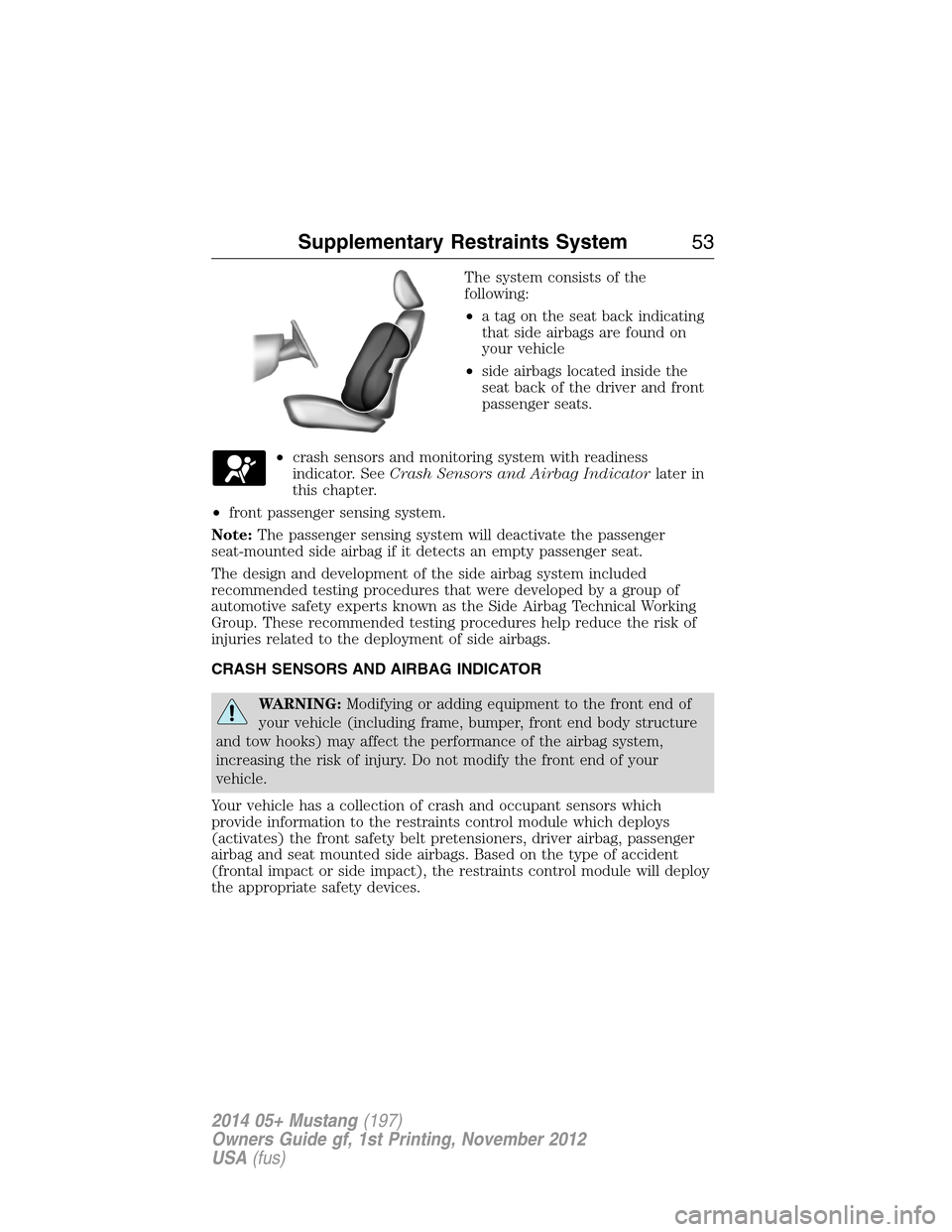
The system consists of the
following:
•a tag on the seat back indicating
that side airbags are found on
your vehicle
•side airbags located inside the
seat back of the driver and front
passenger seats.
•crash sensors and monitoring system with readiness
indicator. SeeCrash Sensors and Airbag Indicatorlater in
this chapter.
•front passenger sensing system.
Note:The passenger sensing system will deactivate the passenger
seat-mounted side airbag if it detects an empty passenger seat.
The design and development of the side airbag system included
recommended testing procedures that were developed by a group of
automotive safety experts known as the Side Airbag Technical Working
Group. These recommended testing procedures help reduce the risk of
injuries related to the deployment of side airbags.
CRASH SENSORS AND AIRBAG INDICATOR
WARNING:Modifying or adding equipment to the front end of
your vehicle (including frame, bumper, front end body structure
and tow hooks) may affect the performance of the airbag system,
increasing the risk of injury. Do not modify the front end of your
vehicle.
Your vehicle has a collection of crash and occupant sensors which
provide information to the restraints control module which deploys
(activates) the front safety belt pretensioners, driver airbag, passenger
airbag and seat mounted side airbags. Based on the type of accident
(frontal impact or side impact), the restraints control module will deploy
the appropriate safety devices.
Supplementary Restraints System53
2014 05+ Mustang(197)
Owners Guide gf, 1st Printing, November 2012
USA(fus)
Page 55 of 461
The restraints control module also monitors the readiness of the above
safety devices plus the crash and occupant sensors. The readiness of the
safety system is indicated by a warning indicator light in the instrument
cluster or by a backup tone if the warning light is not working. See the
Instrument Clusterchapter. Routine maintenance of the airbag is not
required.
A difficulty with the system is indicated by one or more of the following:
•The readiness light will either flash or stay lit.
•The readiness light will not illuminate immediately after the
ignition is turned on.
•A series of five beeps will be heard. The tone pattern will repeat
periodically until the problem and/or light are repaired.
If any of these things happen, even intermittently, have the supplemental
restraint system serviced at an authorized dealer immediately. Unless
serviced, the system may not function properly in the event of a crash.
The safety belt pretensioners and the airbag supplemental restraint
system are designed to activate when the vehicle sustains longitudinal or
lateral deceleration sufficient to cause the restraints control module to
deploy a safety device.
The fact that the safety belt pretensioners or airbags did not activate for
both front seat occupants in a crash does not mean that something is
wrong with the system. Rather, it means the restraints control module
determined the accident conditions (such as crash severity, belt usage)
were not appropriate to activate these safety devices.
•Front airbags are designed to activate only in frontal and near-frontal
crashes (not rollovers, side impacts or rear impacts) unless the crash
causes sufficient longitudinal deceleration.
•The safety belt pretensioners are designed to activate in frontal,
near-frontal and side crashes.
•Side airbags are designed to inflate in side impact crashes, not
rollovers, rear impacts, frontal or near-frontal crashes, unless the crash
causes sufficient lateral deceleration.
AIRBAG DISPOSAL
Contact your authorized dealer as soon as possible. Airbags must be
disposed of by qualified personnel.
54Supplementary Restraints System
2014 05+ Mustang(197)
Owners Guide gf, 1st Printing, November 2012
USA(fus)
Page 59 of 461
PRINCIPLES OF OPERATION
MyKey® allows you to program keys with restricted driving modes to
promote good driving habits. All but one of the keys programmed to the
vehicle can be activated with these restricted modes. Any keys that have
not been programmed are referred to as an administrator key or admin
key which can be used to:
•create a restricted key
•program optional MyKey settings
•clear all MyKey features altogether.
Once a key has been programmed, you can access the following
information using the information display control:
•How many admin keys and MyKeys are programmed to the vehicle.
•The total distance the vehicle has been driven with a MyKey.
For vehicles equipped with intelligent access (push button start), when
both a MyKey and an admin intelligent access key (fob) are present, the
admin fob will be recognized by the vehicle to start the engine.
Standard Settings
These settings cannot be changed.
•Belt-Minder. This cannot be disabled and the five-minute timer does
not expire. The audio system is muted when this feature is activated.
•Early low fuel.
•When the fuel gauge reads approximately 3/32nd tank, or your
estimated travel distance is 62 miles (100 kilometers) until the
tank is empty, whichever comes first.
•The fuel indicator lamp illuminates in yellow and the information
display shows a low fuel message.
•When the fuel tank gauge reads “E,” another set of warnings occur:
the information display shows a red warning light and the words
“Low Fuel” in red.
•Driver assist features, if equipped on your vehicle, are forced on:
parking aid, blind spot information system (BLIS) with cross traffic
alert and the collision warning system.
58MyKey
2014 05+ Mustang(197)
Owners Guide gf, 1st Printing, November 2012
USA(fus)
Page 60 of 461
Optional Settings
These settings can be configured right after a MyKey is first created or
changed afterward with an admin key.
•Vehicle speed limit of 80 mph (130 km/h). Visual warnings are
displayed followed by an audible tone when vehicle speed has reached
80 mph (130 km/h).
•Vehicle speed warning of 45, 55 or 65 mph (75, 90, or 105 km/h).
Visual warnings are displayed followed by an audible tone when the
preselected vehicle speed is exceeded.
•Audio system maximum volume of 45%. A message in the audio
system is displayed when attempting to exceed the limited volume.
•AdvanceTrac. The system cannot be turned off when Always-on has
been set.
CREATING A MYKEY
Use the information display controls to create a MyKey.
For Type 1 information display controls:
1. Insert the key you want to program into the ignition or, if the vehicle
is equipped with push button start, put the Intelligent Access key in
the backup slot; see theStarting and Stopping the Enginechapter
for the backup slot location.
2. Turn the ignition on.
3. Press SETUP using the information display buttons until PRESS
RESET TO CREATE MYKEY is displayed.
4. Press and release the RESET button. HOLD RESET TO CONFIRM
MYKEY will be displayed.
5. Press and hold the RESET button for two seconds until MARK THIS
AS RESTRICTED is displayed Wait until KEY RESTRICTED AT
NEXT START is displayed.
The key is successfully programmed. Make sure you label it so you can
distinguish it from the admin keys.
For Type 2 information display controls:
1. Insert the key you want to program into the ignition or, if the vehicle
is equipped with push button start, put the Intelligent Access key in
the backup slot; see theStarting and Stopping the Enginechapter
for the backup slot location.
2. Turn the ignition on.
3. At the main menu screen select SETTING then MYKEY by pressing
OK or the right arrow key.
MyKey59
2014 05+ Mustang(197)
Owners Guide gf, 1st Printing, November 2012
USA(fus)
Page 70 of 461
INTERIOR LUGGAGE COMPARTMENT RELEASE
WARNING:Keep vehicle doors and luggage compartment locked
and keep keys and remote transmitters out of a child’s reach.
Unsupervised children could lock themselves in the trunk and risk
injury. Children should be taught not to play in vehicles.
WARNING:Do not leave children, unreliable adults, or animals
unattended in the vehicle. On hot days, the temperature in the
trunk or vehicle interior can rise very quickly. Exposure of people or
animals to these high temperatures for even a short time can cause
death or serious heat-related injuries, including brain damage. Small
children are particularly at risk.
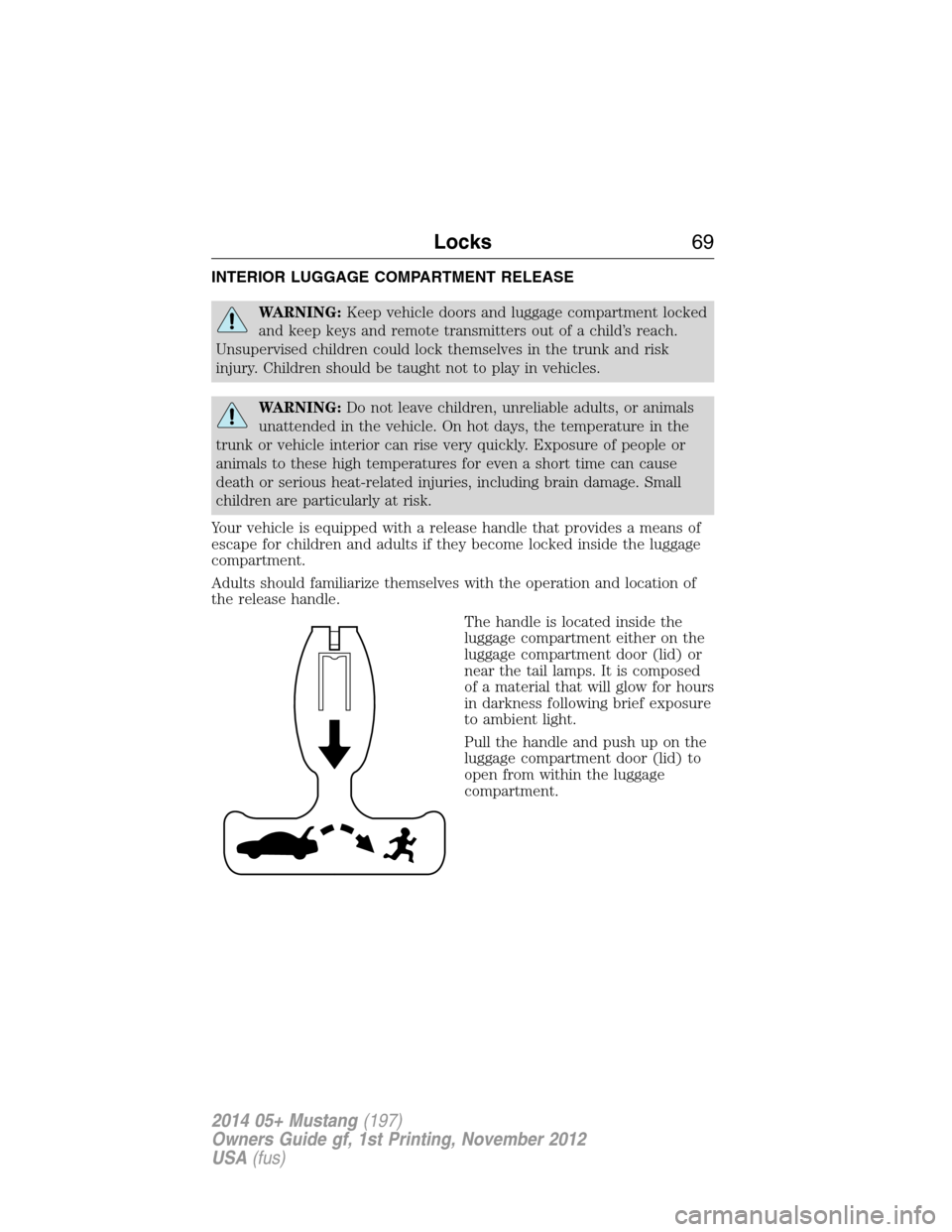
Your vehicle is equipped with a release handle that provides a means of
escape for children and adults if they become locked inside the luggage
compartment.
Adults should familiarize themselves with the operation and location of
the release handle.
The handle is located inside the
luggage compartment either on the
luggage compartment door (lid) or
near the tail lamps. It is composed
of a material that will glow for hours
in darkness following brief exposure
to ambient light.
Pull the handle and push up on the
luggage compartment door (lid) to
open from within the luggage
compartment.
Locks69
2014 05+ Mustang(197)
Owners Guide gf, 1st Printing, November 2012
USA(fus)
Page 76 of 461
ADJUSTING THE STEERING WHEEL
WARNING:Do not adjust the steering wheel when your vehicle
is moving.
Note:Make sure that you are sitting in the correct position. SeeSitting
in the Correct Positionin theSeatschapter.
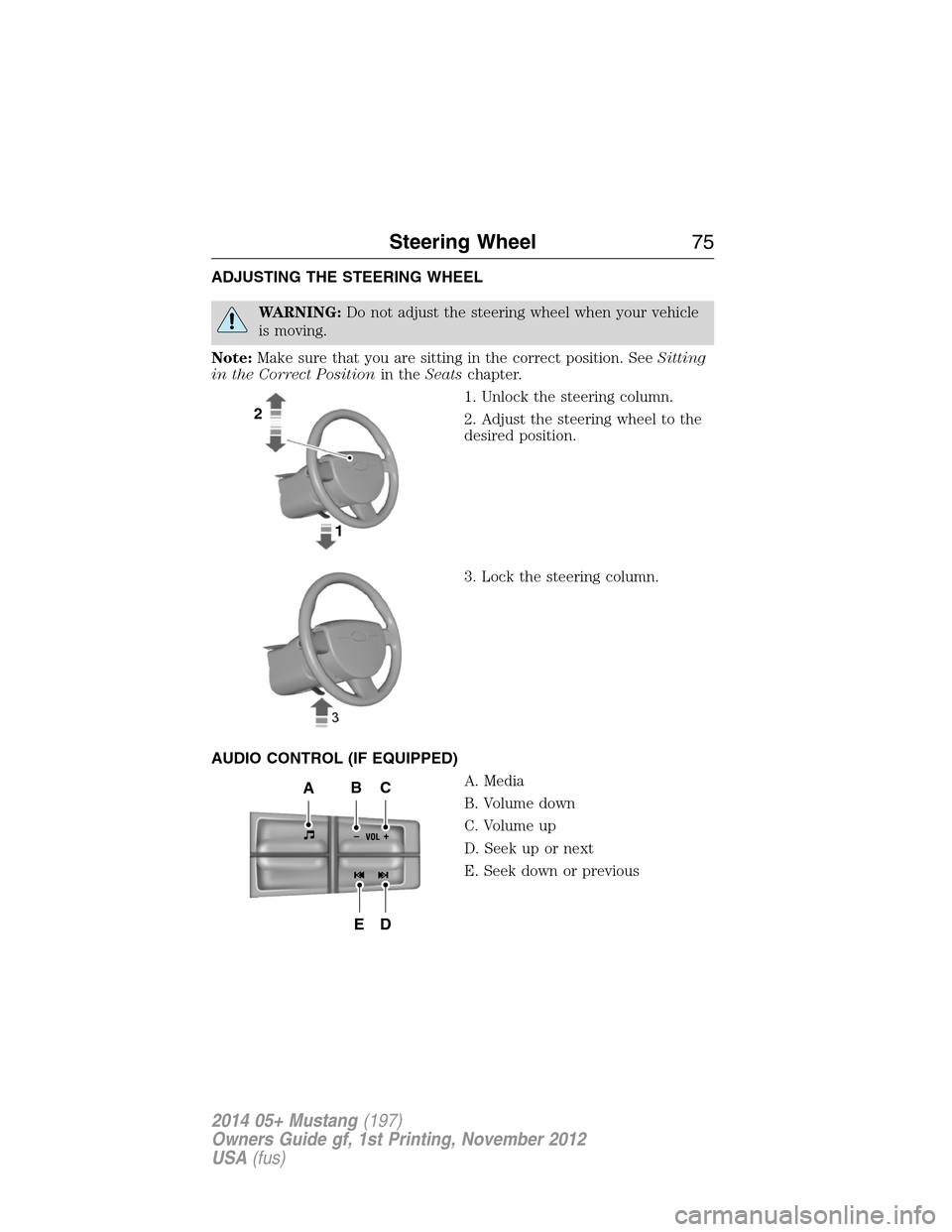
1. Unlock the steering column.
2. Adjust the steering wheel to the
desired position.
3. Lock the steering column.
AUDIO CONTROL (IF EQUIPPED)
A. Media
B. Volume down
C. Volume up
D. Seek up or next
E. Seek down or previous
2
1
-+
ABC
ED
Steering Wheel75
2014 05+ Mustang(197)
Owners Guide gf, 1st Printing, November 2012
USA(fus)
Page 82 of 461
AUTOLAMPS (If equipped)
WARNING:In severe weather conditions, it may be necessary to
switch your headlamps on manually.
Note:If the vehicle is equipped with autolamps, it will have the
windshield wiper rainlamp feature.When the windshield wipers are
turned to low- or high-speed wiping during daylight, and the headlamp
control is in the autolamp position, the exterior lamps will turn on after a
brief delay and will remain on until the wipers are turned off.
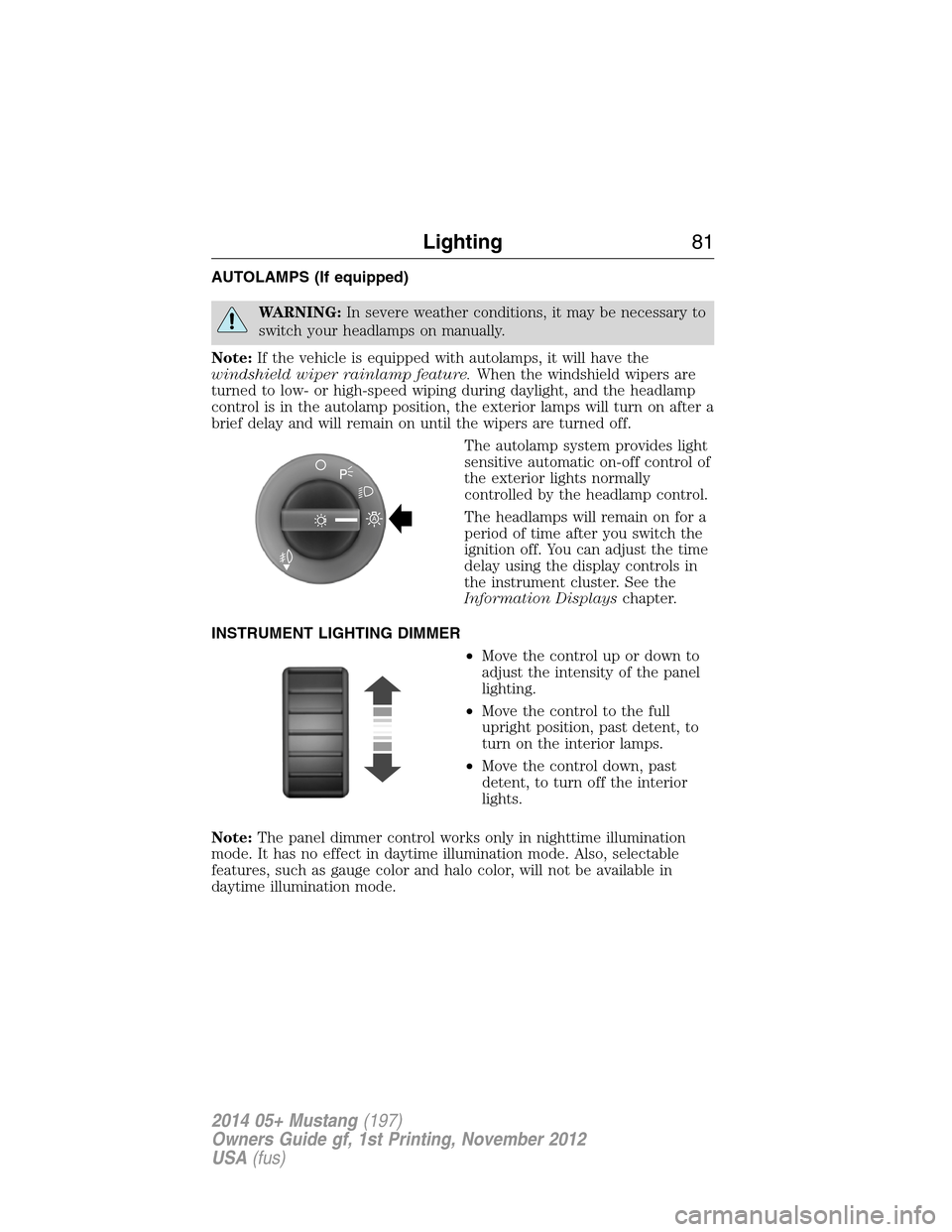
The autolamp system provides light
sensitive automatic on-off control of
the exterior lights normally
controlled by the headlamp control.
The headlamps will remain on for a
period of time after you switch the
ignition off. You can adjust the time
delay using the display controls in
the instrument cluster. See the
Information Displayschapter.
INSTRUMENT LIGHTING DIMMER
•Move the control up or down to
adjust the intensity of the panel
lighting.
•Move the control to the full
upright position, past detent, to
turn on the interior lamps.
•Move the control down, past
detent, to turn off the interior
lights.
Note:The panel dimmer control works only in nighttime illumination
mode. It has no effect in daytime illumination mode. Also, selectable
features, such as gauge color and halo color, will not be available in
daytime illumination mode.
A
Lighting81
2014 05+ Mustang(197)
Owners Guide gf, 1st Printing, November 2012
USA(fus)
Page 84 of 461
DAYTIME RUNNING LAMPS (IF EQUIPPED)
WARNING:Always remember to turn on your headlamps at
dusk or during inclement weather. The Daytime Running Lamp
(DRL) system does not activate the tail lamps and generally may not
provide adequate lighting during these conditions. Failure to activate
your headlamps under these conditions may result in a collision.
The system switches the headlamps on with a reduced output (vehicles
equipped with halogen headlamps) or turns the front fog lamps on
(vehicles equipped with HID headlamps) in low light situations.
To switch the system on:
1. Switch the ignition on.
2. Switch the lighting control to the off, autolamp or parking lamp
position.
3. Make sure the transmission selector lever is not in position P.
4. Make sure the parking brake is disengaged.
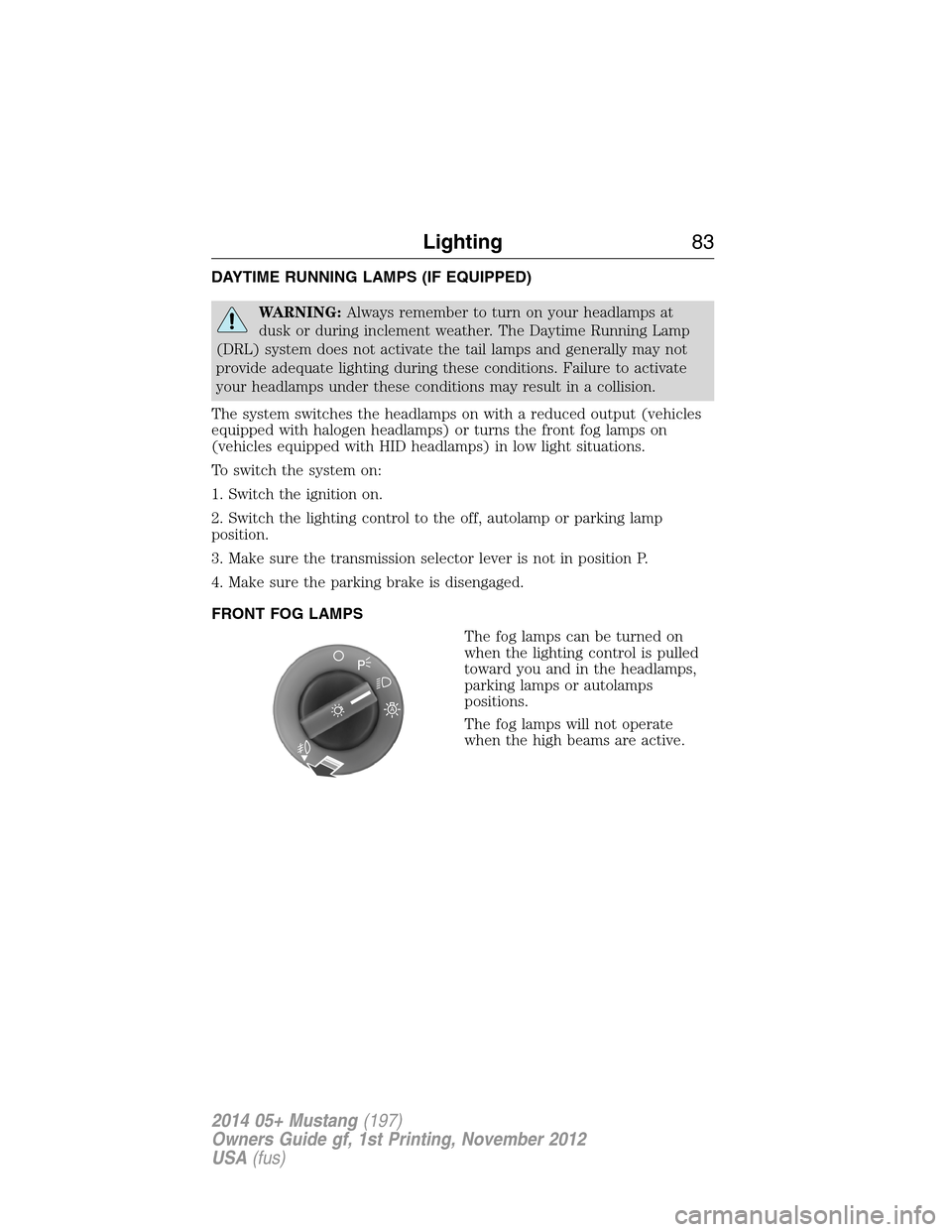
FRONT FOG LAMPS
The fog lamps can be turned on
when the lighting control is pulled
toward you and in the headlamps,
parking lamps or autolamps
positions.
The fog lamps will not operate
when the high beams are active.
A
Lighting83
2014 05+ Mustang(197)
Owners Guide gf, 1st Printing, November 2012
USA(fus)
Page 86 of 461
POWER WINDOWS
WARNING:Do not leave children unattended in your vehicle
and do not let children play with the power windows. They may
seriously injure themselves.
WARNING:When closing the power windows, you should verify
they are free of obstructions and make sure that children and
pets are not in the proximity of the window openings.
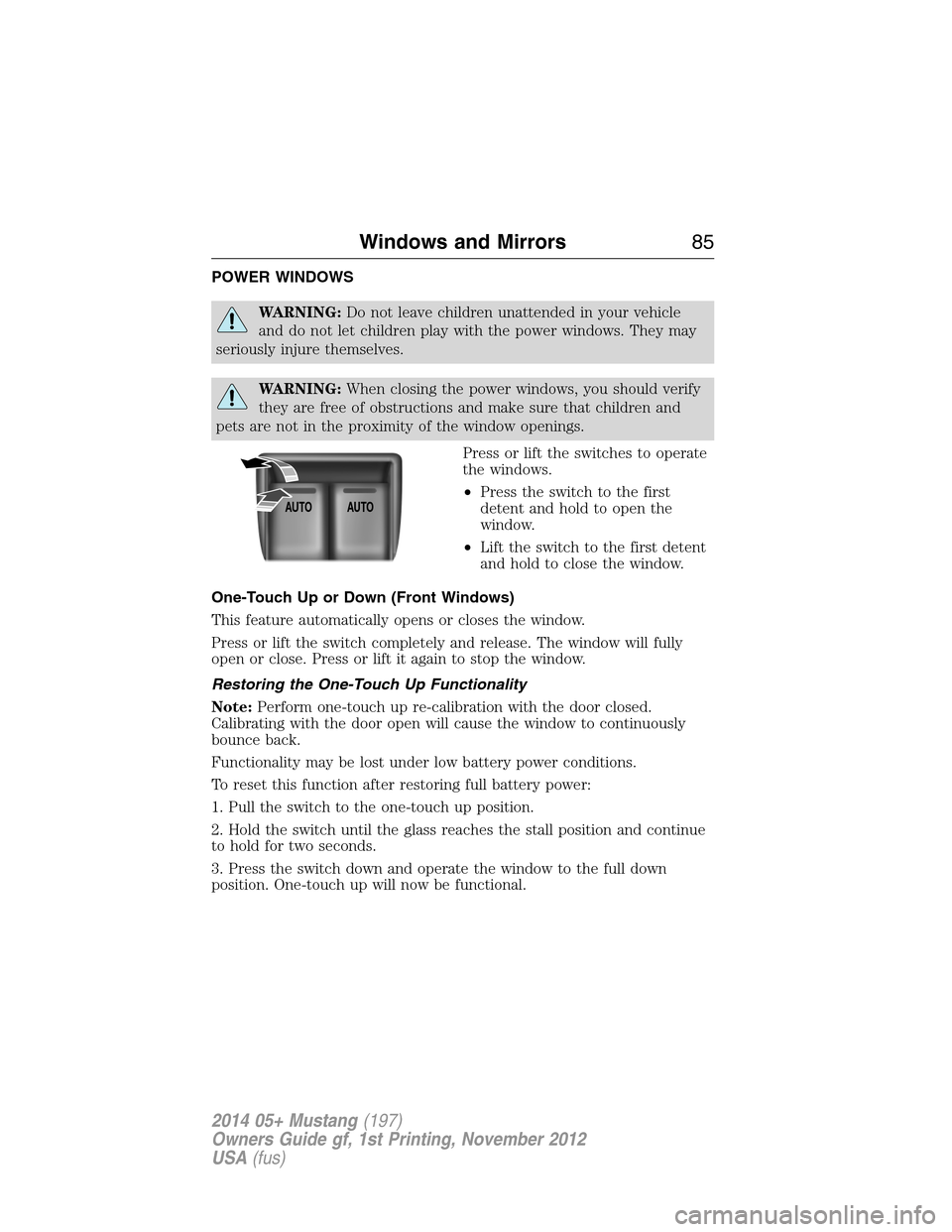
Press or lift the switches to operate
the windows.
•Press the switch to the first
detent and hold to open the
window.
•Lift the switch to the first detent
and hold to close the window.
One-Touch Up or Down (Front Windows)
This feature automatically opens or closes the window.
Press or lift the switch completely and release. The window will fully
open or close. Press or lift it again to stop the window.
Restoring the One-Touch Up Functionality
Note:Perform one-touch up re-calibration with the door closed.
Calibrating with the door open will cause the window to continuously
bounce back.
Functionality may be lost under low battery power conditions.
To reset this function after restoring full battery power:
1. Pull the switch to the one-touch up position.
2. Hold the switch until the glass reaches the stall position and continue
to hold for two seconds.
3. Press the switch down and operate the window to the full down
position. One-touch up will now be functional.
AUTOAUTO
Windows and Mirrors85
2014 05+ Mustang(197)
Owners Guide gf, 1st Printing, November 2012
USA(fus)