USB port FORD MUSTANG 2014 5.G Owners Manual
[x] Cancel search | Manufacturer: FORD, Model Year: 2014, Model line: MUSTANG, Model: FORD MUSTANG 2014 5.GPages: 461, PDF Size: 5.47 MB
Page 4 of 461
Instrument Cluster 92
Gauges.............................................92
Warning lamps and indicators.............................94
Audible warnings and indicators...........................98
Information Displays 99
Controls.............................................99
Information messages..................................114
Audio System 120
AM/FMstereowithCD/MP3 .............................122
Auxiliary input jack...................................125
USBport...........................................127
Satellite radio information...............................128
Climate Control 131
Manual heating and air conditioning........................131
Navigation system based climate control....................133
Rear window defroster.................................136
Cabin air filter.......................................137
Seats 138
Sitting in the correct position............................138
Head restraints.......................................139
Manual seats........................................142
Power seats.........................................143
Heated seats........................................144
Rear seats..........................................145
Universal Garage Door Opener (If Equipped) 147
HomeLink® wireless control system.......................148
Auxiliary Power Points 152
Table of Contents3
2014 05+ Mustang(197)
Owners Guide gf, 1st Printing, November 2012
USA(fus)
Page 128 of 461
6. PressAUXuntilLINEorLINE INappears in the display. You
should hear music from your device even if it is low.
7. Adjust the volume on your portable music player until it reaches the
volume level of the FM station or CD. Do this by switching back and
forth between the AUX and FM or CD controls.
USB PORT (IF EQUIPPED)
WARNING:Driving while distracted can result in loss of vehicle
control, crash and injury. We strongly recommend that you use
extreme caution when using any device that may take your focus off
the road. Your primary responsibility is the safe operation of your
vehicle. We recommend against the use of any hand-held device while
driving and encourage the use of voice-operated systems when possible.
Make sure you are aware of all applicable local laws that may affect the
use of electronic devices while driving.
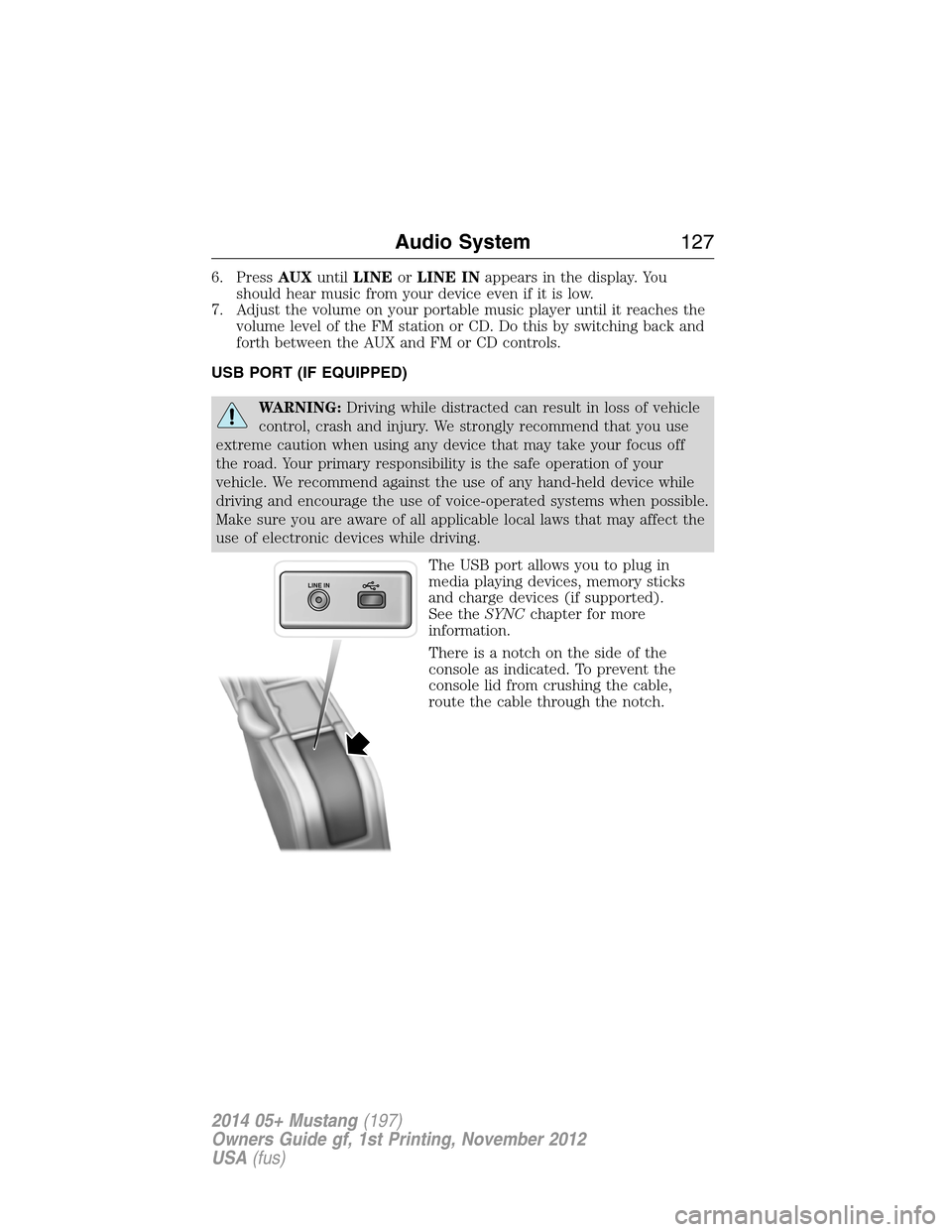
The USB port allows you to plug in
media playing devices, memory sticks
and charge devices (if supported).
See theSYNCchapter for more
information.
There is a notch on the side of the
console as indicated. To prevent the
console lid from crushing the cable,
route the cable through the notch.
LINE IN
Audio System127
2014 05+ Mustang(197)
Owners Guide gf, 1st Printing, November 2012
USA(fus)
Page 154 of 461
CENTER CONSOLE
Stow items in the cupholder carefully as items may become loose during
hard braking, acceleration or collisions, including hot drinks which may
spill.
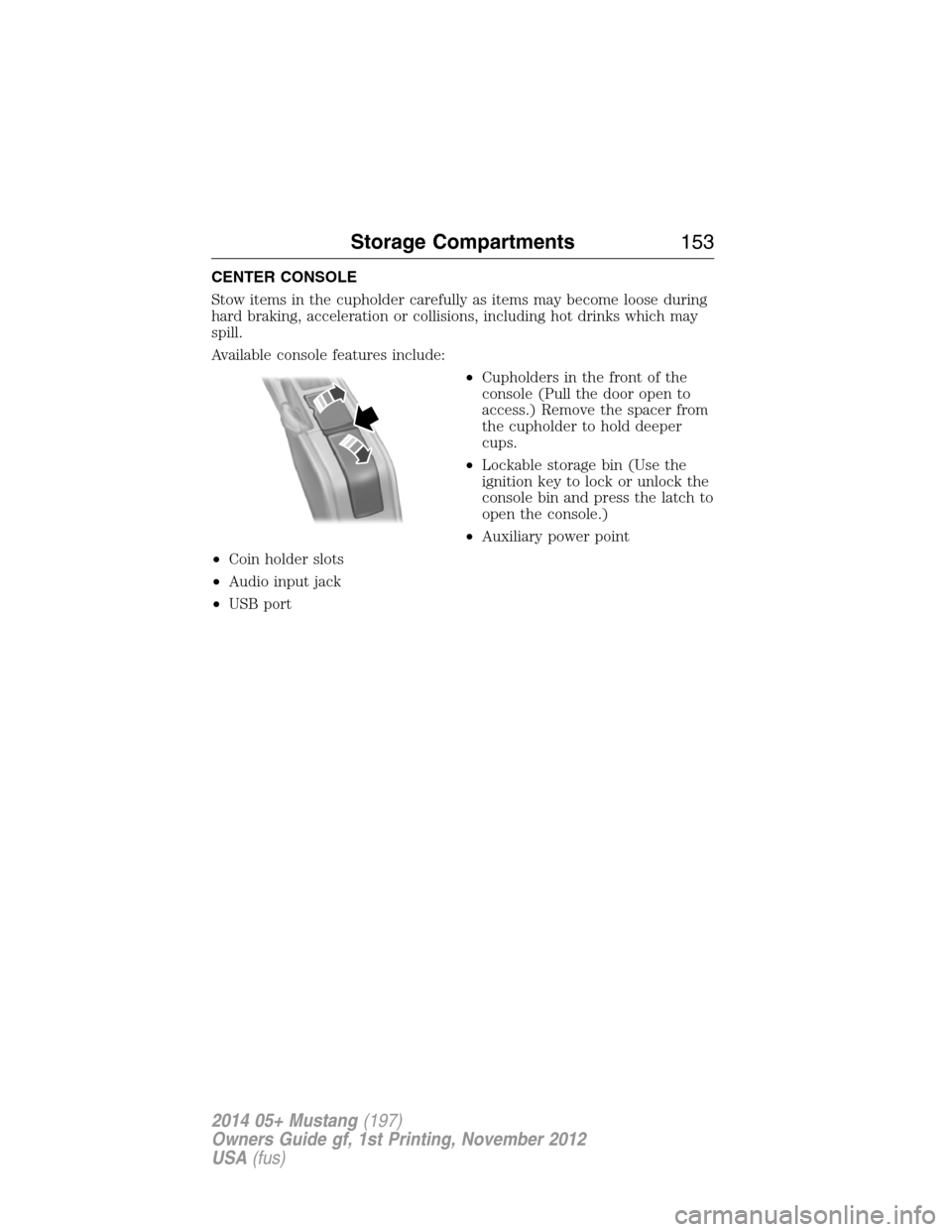
Available console features include:
•Cupholders in the front of the
console (Pull the door open to
access.) Remove the spacer from
the cupholder to hold deeper
cups.
•Lockable storage bin (Use the
ignition key to lock or unlock the
console bin and press the latch to
open the console.)
•Auxiliary power point
•Coin holder slots
•Audio input jack
•USB port
Storage Compartments153
2014 05+ Mustang(197)
Owners Guide gf, 1st Printing, November 2012
USA(fus)
Page 336 of 461
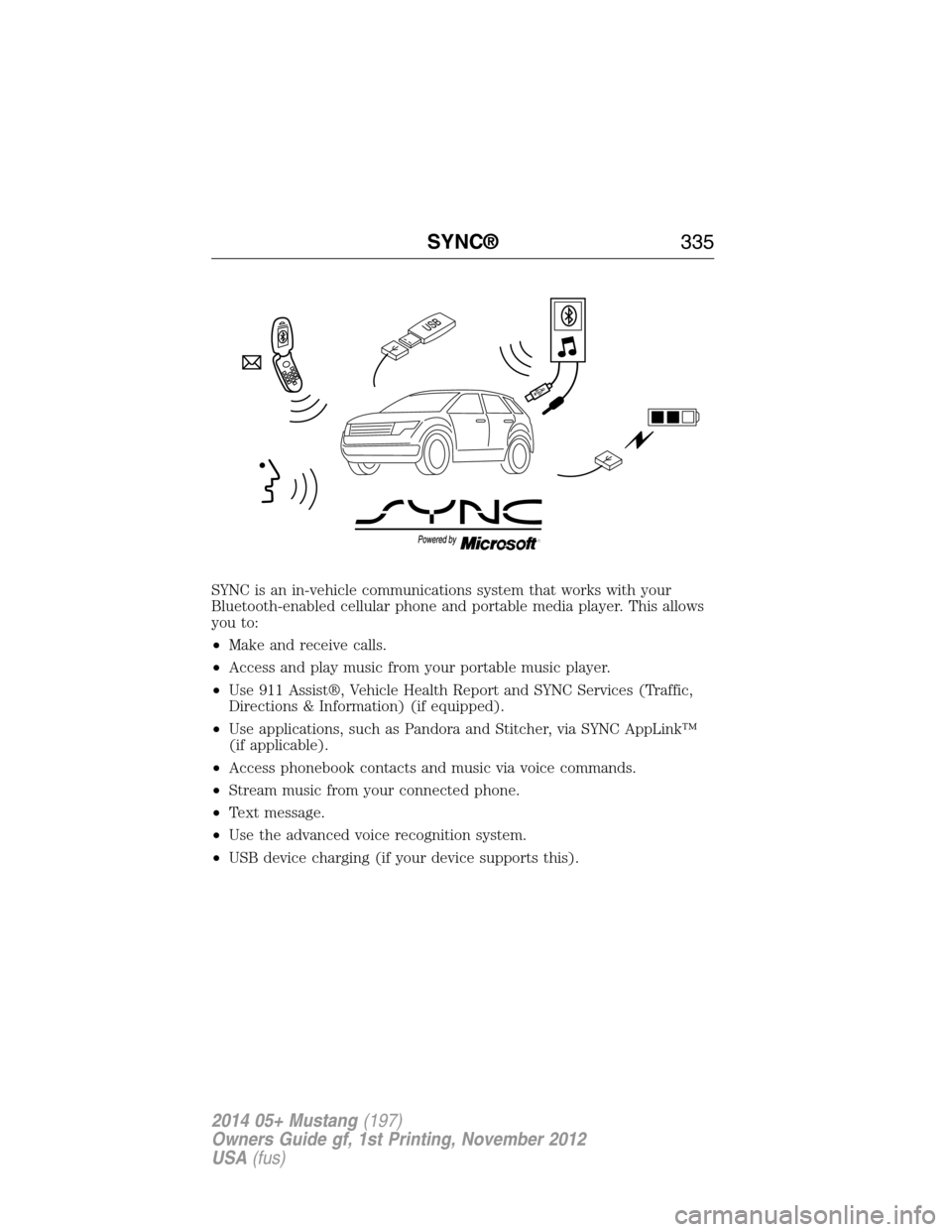
SYNC is an in-vehicle communications system that works with your
Bluetooth-enabled cellular phone and portable media player. This allows
you to:
•Make and receive calls.
•Access and play music from your portable music player.
•Use 911 Assist®, Vehicle Health Report and SYNC Services (Traffic,
Directions & Information) (if equipped).
•Use applications, such as Pandora and Stitcher, via SYNC AppLink™
(if applicable).
•Access phonebook contacts and music via voice commands.
•Stream music from your connected phone.
•Text message.
•Use the advanced voice recognition system.
•USB device charging (if your device supports this).
SYNC®335
2014 05+ Mustang(197)
Owners Guide gf, 1st Printing, November 2012
USA(fus)
Page 339 of 461
The cellular profile, media device index, and development log remain in
the vehicle unless you delete them and are generally accessible only in
the vehicle when the cellular phone or media player is connected. If you
no longer plan to use the system or the vehicle, we recommend you
perform a Master Reset to erase all stored information.
System data cannot be accessed without special equipment and access to the
vehicle’s SYNC module. Ford Motor Company and Ford of Canada do not
access the system data for any purpose other than as described absent
consent, a court order, or where required by law enforcement, other
government authorities, or other third parties acting with lawful authority.
Other parties may seek to access the information independently of Ford
Motor Company and Ford of Canada. For further privacy information, see the
sections on 911 Assist®, Vehicle Health Report, and Traffic, Directions and
Information.
USING VOICE RECOGNITION
This system helps you control many features using voice commands.
This allows you to keep your hands on the wheel and focus on what is in
front of you.
Initiating a Voice Session
Push the voice icon; a tone sounds and Listening appears in the
display. Say any of the following:
Say: If you want to:
“Phone” Make calls.
“USB” Access the device connected to your USB
port.
“Bluetooth Audio” Stream audio from your phone.
“Line in” Access the device connected to the auxiliary
input jack.
“Cancel” Cancel the requested action.
“SYNC” Return to the main menu.
“Voice settings” Adjust the level of voice interaction and
feedback.
“Vehicle Health Report” Run a vehicle health report.
*
338SYNC®
2014 05+ Mustang(197)
Owners Guide gf, 1st Printing, November 2012
USA(fus)
Page 361 of 461
SYNC Services Quick Tips
PortableYour subscription is associated with your
Bluetooth-enabled cellular phone number, not
your VIN (Vehicle Identification Number).
You can pair and connect your phone to any
vehicle equipped with Traffic, Directions and
Information and continue enjoying your
personalized services.
You can even access your account outside the
vehicle. Just use the number on your phone’s
call history. Traffic and Directions features do
not function properly but information services
and the 411 connect and text message
features are available.
SYNC AppLink™
Note:Your smartphone must be paired and connected to SYNC to access
AppLink.
Note:iPhone® users need to connect the phone to the USB port in
order to start the application. It is recommended to lock your iPhone®
after starting an application.
Note:The AppLink feature is not available if your vehicle is equipped
with the MyFord Touch® or MyLincoln Touch™ system.
Depending on your display type, you can access AppLink from the media
menu, the phone menu, or by using voice commands. Once an app is
running through AppLink, you can control main features of the app
through voice commands and steering wheel controls.
To Access Using the Phone Menu
1. Press the Phone button.
2. Browse to Mobile Applications and press OK.
3. Browse to your desired app and press OK.
4. Once an app is running through SYNC, you can access an app’s menu
by pressing the MENU button to first access the SYNC menu.
5. Scroll until “
then press OK. From here, you can access an application’s features,
such as Thumbs up, Thumbs down, etc. For more information, please
visit www.SYNCMyRide.com.
360SYNC®
2014 05+ Mustang(197)
Owners Guide gf, 1st Printing, November 2012
USA(fus)
Page 362 of 461
To Access Using the Media Menu
1. Press the AUX button to access the SYNC menu.
2. Press the Menu button to access the SYNC Media menu.
3. Browse to Mobile Applications and press OK.
4. Browse to your desired app and press OK.
5. Once an app is running through SYNC, you can access an app’s menu
by pressing the MENU button to first access the SYNC menu.
6. Scroll until “
then press OK. From here, you can access an application’s features,
such as Thumbs up, Thumbs down, etc. For more information, please
visit www.SYNCMyRide.com.
To Access Using the Navigation Screen (If Equipped)
1. Press the Phone button.
2. Press the SYNC Apps tab.
3. Press Mobile Apps.
4. Select the app to start it.
To Access Using Voice Commands
1. Press the voice icon.
2. When prompted, say “Mobile Apps”.
3. Say the name of the application after the tone.
4. The app should start. While an app is running through SYNC, you can
press the voice button and speak commands specific to the app, such
as “Play Station Quickmix”. Say “Help” to discover available voice
commands.
USING SYNC WITH YOUR MEDIA PLAYER
You can access and play music from your digital music player over
the vehicle’s speaker system using the system’s media menu or voice
commands. You can also sort and play your music by specific categories,
such as artists, albums, etc.
SYNC is capable of hosting nearly any digital media player including:
iPod®, Zune™, Plays from device players, and most USB drives. SYNC
also supports audio formats such as MP3, WMA, WAV and ACC.
SYNC®361
2014 05+ Mustang(197)
Owners Guide gf, 1st Printing, November 2012
USA(fus)
Page 363 of 461
Connecting Your Digital Media Player to the USB Port
Note:If your digital media player has a power switch, make sure that
the device is turned on.
To connect using voice commands:
1. Plug the device into the vehicle’s USB port.
2. Press the voice icon and when prompted, say “User device”.
3. You can now play music by saying any of the appropriate voice
commands, such as:
•Play All
•Play Artist
•Play Album
•Play Genre
•Play Playlist
•Play Track
To connect using the system menu:
1. Plug the device into the vehicle’s USB port.
2. Press the MEDIA hard button.
3. Select the User Device tab, the press Source repeatedly until USB
appears.
4. Press Music Library.
5. Select from the listed features.
Once connected, the system indexes any readable media files. (The time
required to complete this depends on the size of the media content
being indexed.) If Autoplay is on, you can access media files randomly as
they are indexed. If turned off, indexed media is not available until the
indexing process is complete. SYNC is capable of indexing thousands of
average size media and notifies you if the maximum indexing file size is
reached.
362SYNC®
2014 05+ Mustang(197)
Owners Guide gf, 1st Printing, November 2012
USA(fus)
Page 365 of 461
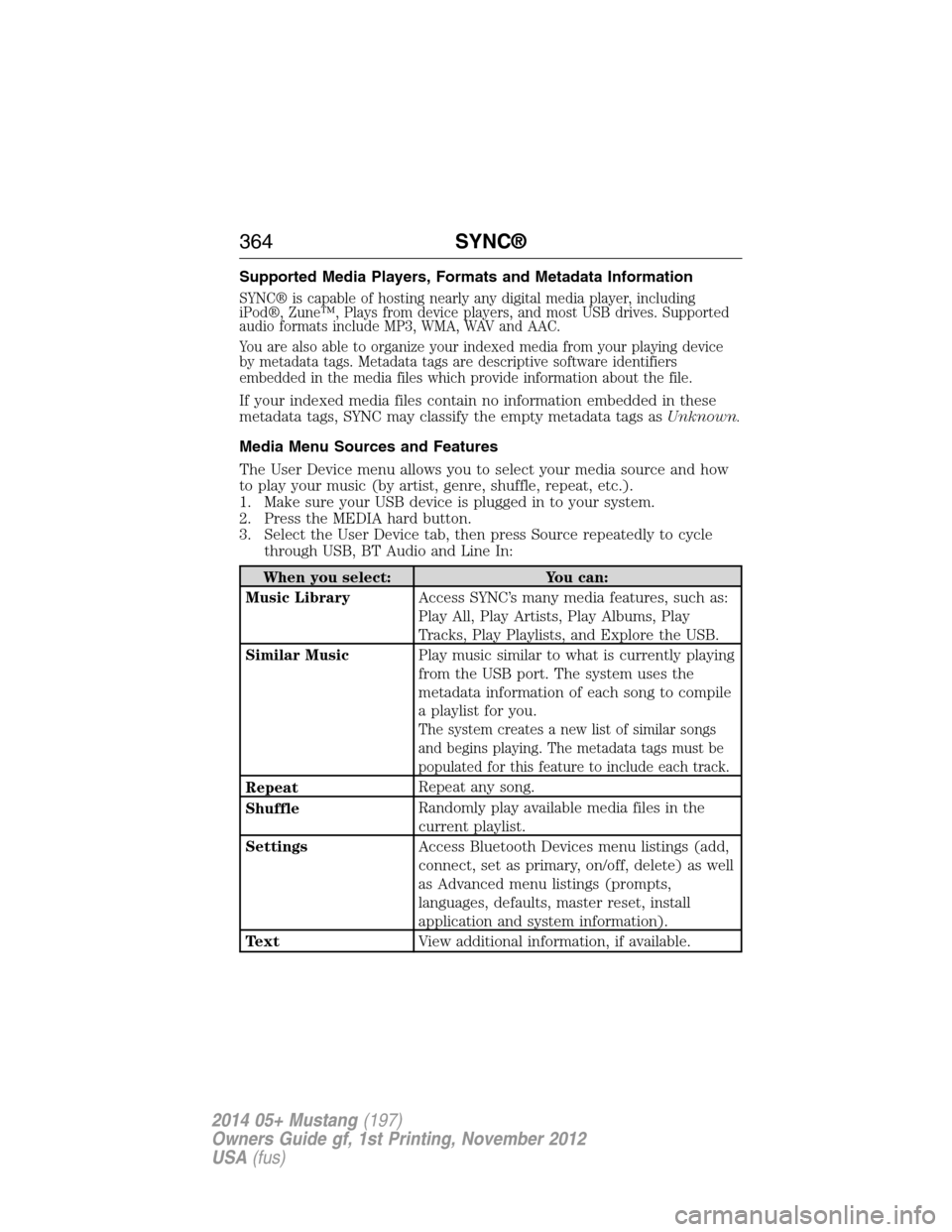
Supported Media Players, Formats and Metadata Information
SYNC® is capable of hosting nearly any digital media player, including
iPod®, Zune™, Plays from device players, and most USB drives. Supported
audio formats include MP3, WMA, WAV and AAC.
You are also able to organize your indexed media from your playing device
by metadata tags. Metadata tags are descriptive software identifiers
embedded in the media files which provide information about the file.
If your indexed media files contain no information embedded in these
metadata tags, SYNC may classify the empty metadata tags asUnknown.
Media Menu Sources and Features
The User Device menu allows you to select your media source and how
to play your music (by artist, genre, shuffle, repeat, etc.).
1. Make sure your USB device is plugged in to your system.
2. Press the MEDIA hard button.
3. Select the User Device tab, then press Source repeatedly to cycle
through USB, BT Audio and Line In:
When you select: You can:
Music LibraryAccess SYNC’s many media features, such as:
Play All, Play Artists, Play Albums, Play
Tracks, Play Playlists, and Explore the USB.
Similar MusicPlay music similar to what is currently playing
from the USB port. The system uses the
metadata information of each song to compile
a playlist for you.
The system creates a new list of similar songs
and begins playing. The metadata tags must be
populated for this feature to include each track.
RepeatRepeat any song.
ShuffleRandomly play available media files in the
current playlist.
SettingsAccess Bluetooth Devices menu listings (add,
connect, set as primary, on/off, delete) as well
as Advanced menu listings (prompts,
languages, defaults, master reset, install
application and system information).
TextView additional information, if available.
364SYNC®
2014 05+ Mustang(197)
Owners Guide gf, 1st Printing, November 2012
USA(fus)
Page 366 of 461
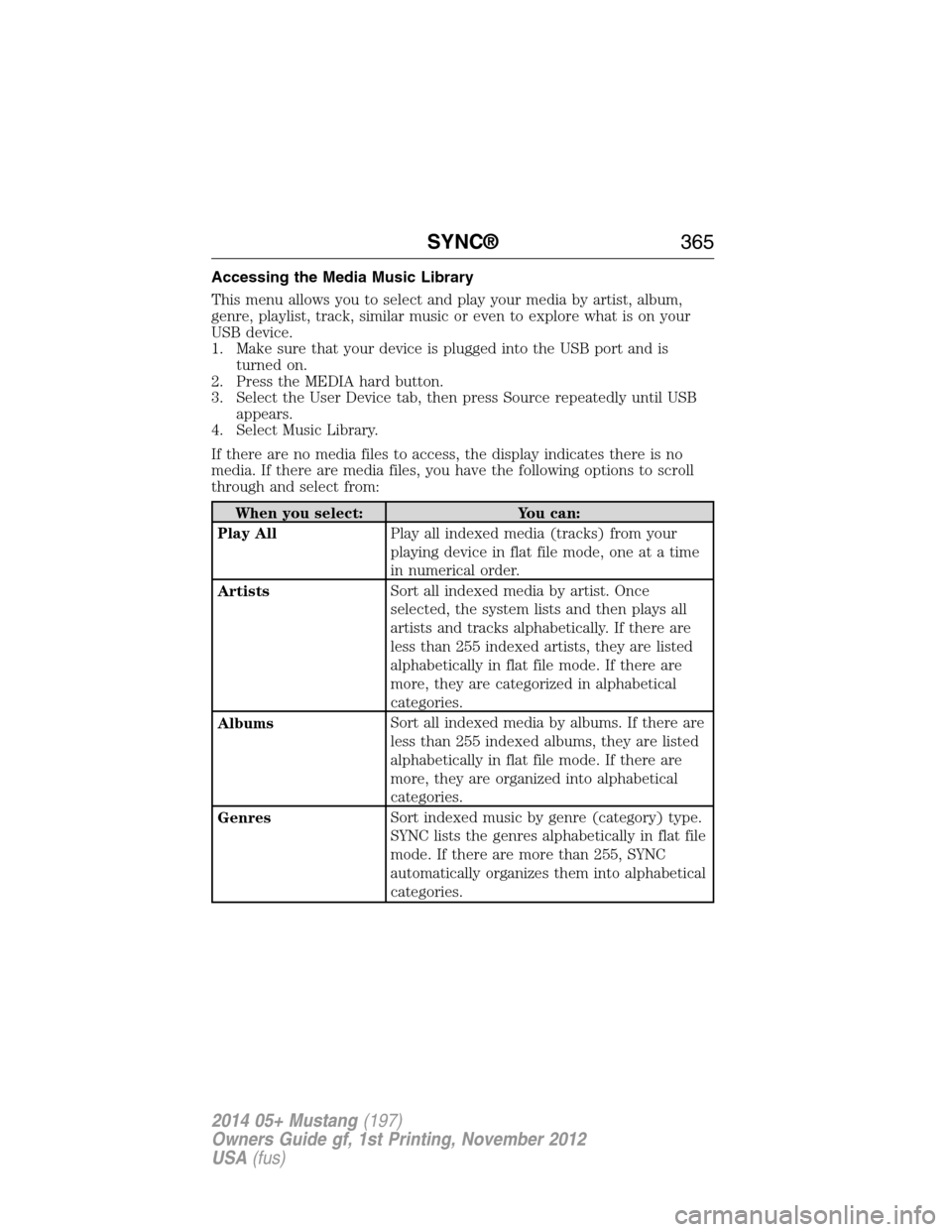
Accessing the Media Music Library
This menu allows you to select and play your media by artist, album,
genre, playlist, track, similar music or even to explore what is on your
USB device.
1. Make sure that your device is plugged into the USB port and is
turned on.
2. Press the MEDIA hard button.
3. Select the User Device tab, then press Source repeatedly until USB
appears.
4. Select Music Library.
If there are no media files to access, the display indicates there is no
media. If there are media files, you have the following options to scroll
through and select from:
When you select: You can:
Play AllPlay all indexed media (tracks) from your
playing device in flat file mode, one at a time
in numerical order.
ArtistsSort all indexed media by artist. Once
selected, the system lists and then plays all
artists and tracks alphabetically. If there are
less than 255 indexed artists, they are listed
alphabetically in flat file mode. If there are
more, they are categorized in alphabetical
categories.
AlbumsSort all indexed media by albums. If there are
less than 255 indexed albums, they are listed
alphabetically in flat file mode. If there are
more, they are organized into alphabetical
categories.
GenresSort indexed music by genre (category) type.
SYNC lists the genres alphabetically in flat file
mode. If there are more than 255, SYNC
automatically organizes them into alphabetical
categories.
SYNC®365
2014 05+ Mustang(197)
Owners Guide gf, 1st Printing, November 2012
USA(fus)