transmission FORD MUSTANG 2021 User Guide
[x] Cancel search | Manufacturer: FORD, Model Year: 2021, Model line: MUSTANG, Model: FORD MUSTANG 2021Pages: 530, PDF Size: 10.22 MB
Page 101 of 530

Transmission Not in Park
Sounds when the gear selector is in any
position other than park (P), and you
switch the vehicle ignition off or to the
accessory position. If the door is ajar, the
tone is continuous. Once you close the
door, the tone continues for a period of
time.
Direction Indicator Left On
Sounds when the direction indicator does
not disengage after 2.0 mi (3.2 km) of
driving.
Beltminder Warning
Sounds when the system detects an
unfastened seatbelt in an occupied seat
and your vehicle is moving.
98
Mustang (CZG) Canada/United States of America, Vehicles Built From: 14-09-2020, enUSA, Edition date: 202010, Second-Printing Instrument Cluster
Page 105 of 530
Pony
Create MyColor
Change with Drive Mode
Cluster
Appear-
ance Normal
Sport
Track
1 See Track Use (page 276).
Note: Quiet start allows you to schedule when the exhaust mode turns on the quiet setting.
The time window can be from 1 to 24 hours.
Note: Depending on your vehicle
configuration, some features such as
Exhaust Mode and Line Lock may be if
equipped.
Note: The menu options for Performance
Shift Indicator, Launch Control, and Rev
Match are for manual transmissions only.
Phone
See
General Information (page 392). Audio
See
General Information (page 392).
Navigation
(If Equipped)
See
General Information (page 392).
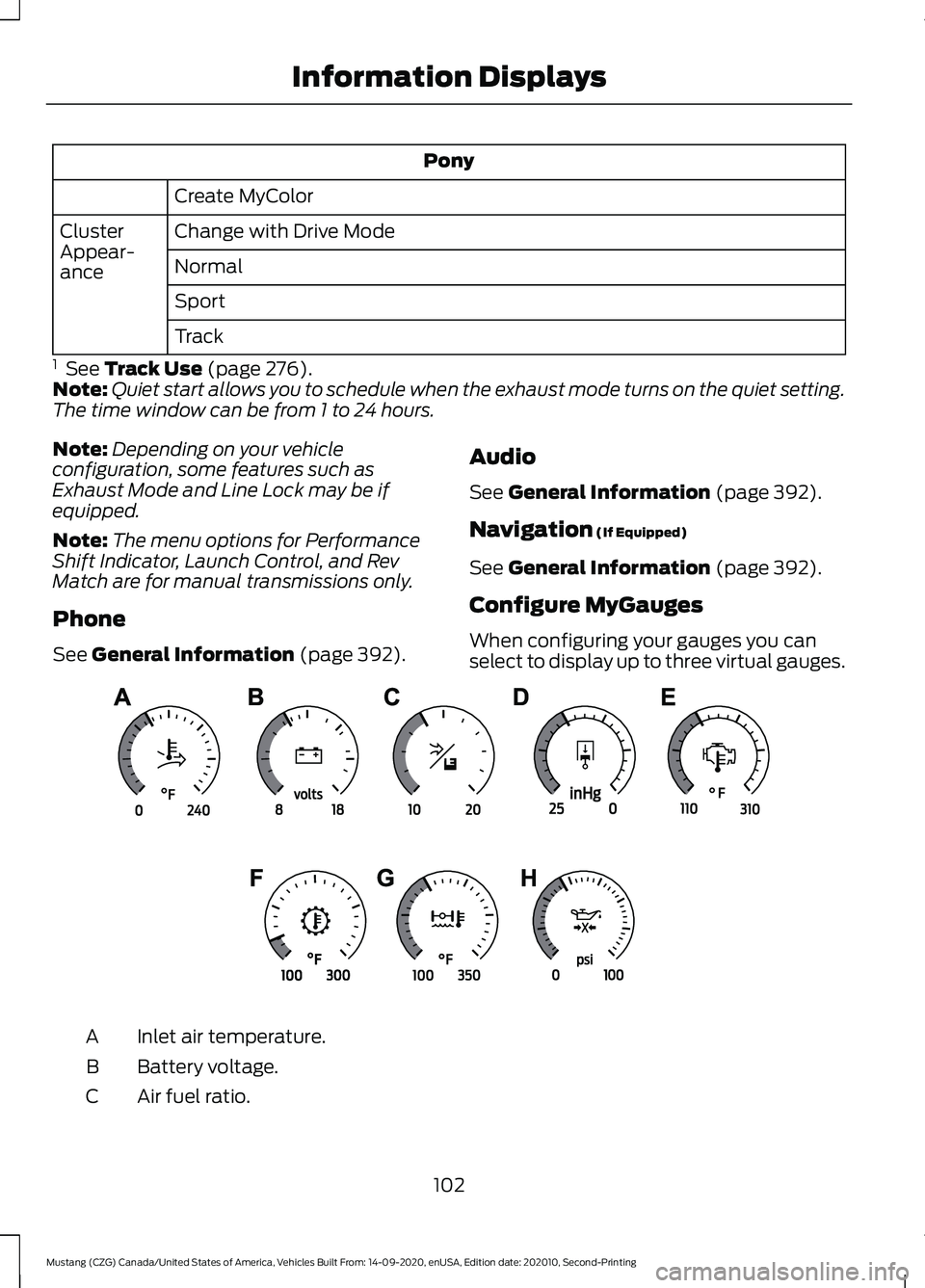
Configure MyGauges
When configuring your gauges you can
select to display up to three virtual gauges. Inlet air temperature.
A
Battery voltage.
B
Air fuel ratio.
C
102
Mustang (CZG) Canada/United States of America, Vehicles Built From: 14-09-2020, enUSA, Edition date: 202010, Second-Printing Information DisplaysE339879
Page 106 of 530
Vacuum.
D
Cylinder head temperature.
E
Transmission oil temperature.
F
Axle temperature.
G
Engine oil pressure.
H
GENERAL INFORMATION -
VEHICLES WITH: 4.2 INCH
INSTRUMENT CLUSTER
DISPLAY SCREEN WARNING: Driving while distracted
can result in loss of vehicle control, crash
and injury. We strongly recommend that
you use extreme caution when using any
device that may take your focus off the
road. Your primary responsibility is the
safe operation of your vehicle. We
recommend against the use of any
hand-held device while driving and
encourage the use of voice-operated
systems when possible. Make sure you
are aware of all applicable local laws
that may affect the use of electronic
devices while driving.
Note: Some items could appear slightly
different or not at all if the features are
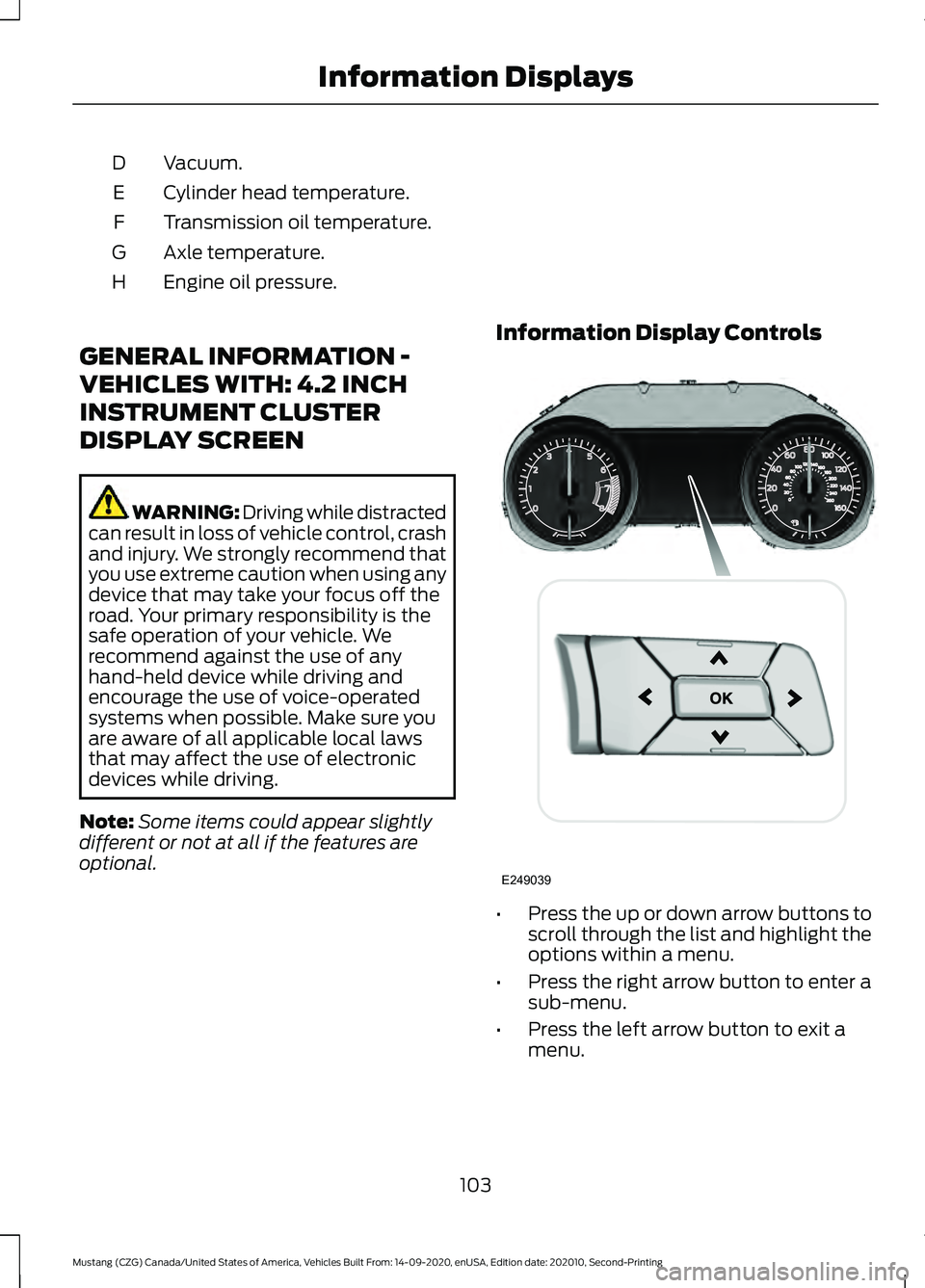
optional. Information Display Controls
•
Press the up or down arrow buttons to
scroll through the list and highlight the
options within a menu.
• Press the right arrow button to enter a
sub-menu.
• Press the left arrow button to exit a
menu.
103
Mustang (CZG) Canada/United States of America, Vehicles Built From: 14-09-2020, enUSA, Edition date: 202010, Second-Printing Information DisplaysE249039
Page 108 of 530
Gauge Mode
Vacuum
Voltage
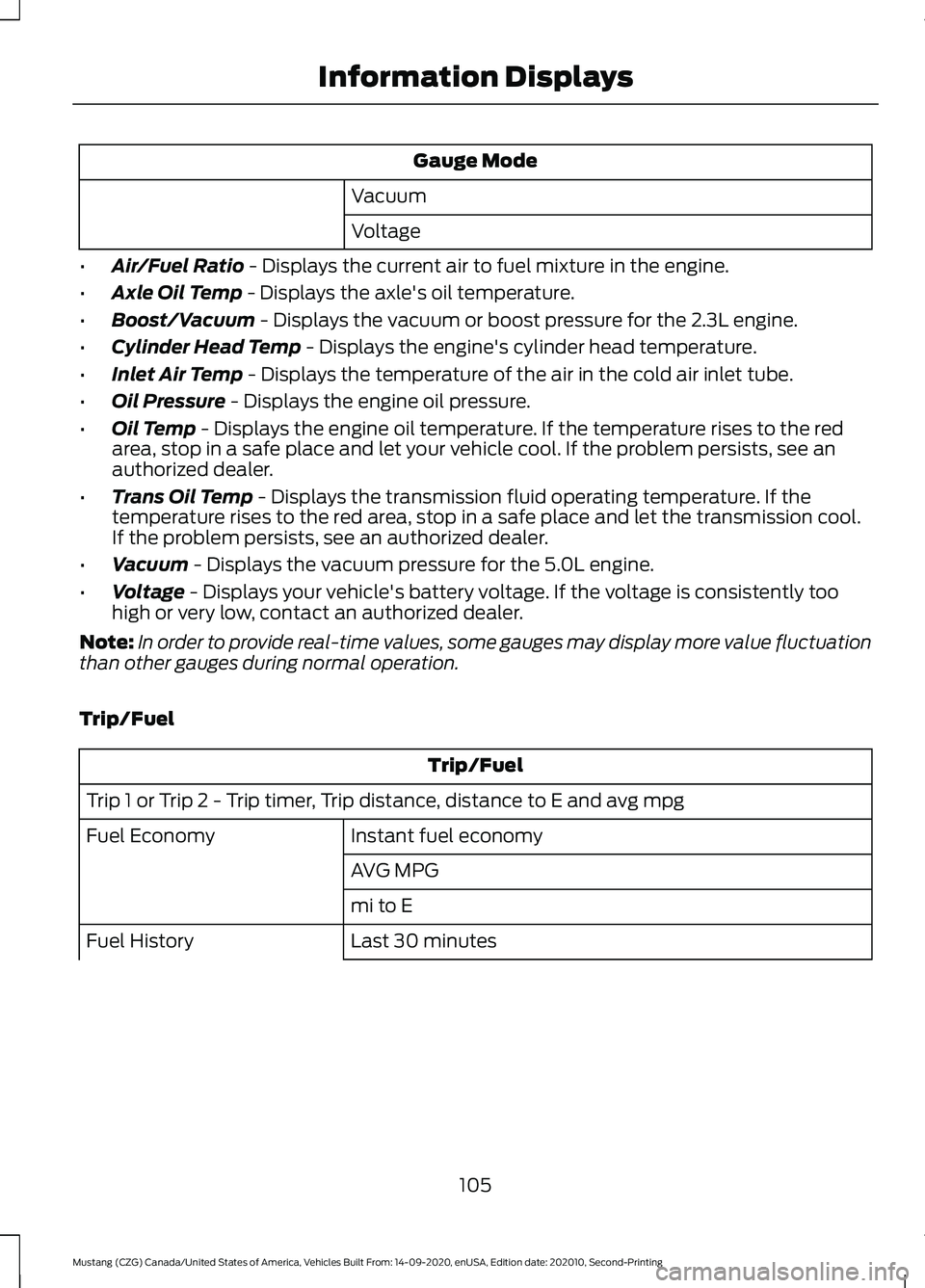
• Air/Fuel Ratio - Displays the current air to fuel mixture in the engine.
• Axle Oil Temp
- Displays the axle's oil temperature.
• Boost/Vacuum
- Displays the vacuum or boost pressure for the 2.3L engine.
• Cylinder Head Temp
- Displays the engine's cylinder head temperature.
• Inlet Air Temp
- Displays the temperature of the air in the cold air inlet tube.
• Oil Pressure
- Displays the engine oil pressure.
• Oil Temp
- Displays the engine oil temperature. If the temperature rises to the red
area, stop in a safe place and let your vehicle cool. If the problem persists, see an
authorized dealer.
• Trans Oil Temp
- Displays the transmission fluid operating temperature. If the
temperature rises to the red area, stop in a safe place and let the transmission cool.
If the problem persists, see an authorized dealer.
• Vacuum
- Displays the vacuum pressure for the 5.0L engine.
• Voltage
- Displays your vehicle's battery voltage. If the voltage is consistently too
high or very low, contact an authorized dealer.
Note: In order to provide real-time values, some gauges may display more value fluctuation
than other gauges during normal operation.
Trip/Fuel Trip/Fuel
Trip 1 or Trip 2 - Trip timer, Trip distance, distance to E and avg mpg Instant fuel economy
Fuel Economy
AVG MPG
mi to E
Last 30 minutes
Fuel History
105
Mustang (CZG) Canada/United States of America, Vehicles Built From: 14-09-2020, enUSA, Edition date: 202010, Second-Printing Information Displays
Page 115 of 530
Pony
Lap Timer
Start Option
Shift Point
Perform-
ance Shift
Indicator Shift Tone
Shift Light Mode
Launch Control
Launch
Control
RPM
Rev Match Show Gauges
Gauges
Configure MyGauges
Primary Color
MyColor
Secondary Color
Ambient Light
Create MyColor
Change with Drive Mode
Cluster
Appear-
ance Normal
Sport
Track
1 See Track Use (page 276).
Note: Quiet start allows you to schedule when the exhaust mode turns on the quiet setting.
The time window can be from 1 to 24 hours.
Note: Depending on your vehicle
configuration, some features such as
Exhaust Mode and Line Lock may be if
equipped.
Note: The menu options for Performance
Shift Indicator, Launch Control, and Rev
Match are for manual transmissions only.
Phone
See
General Information (page 392). Audio
See
General Information (page 392).
Navigation
(If Equipped)
See
General Information (page 392).
112
Mustang (CZG) Canada/United States of America, Vehicles Built From: 14-09-2020, enUSA, Edition date: 202010, Second-Printing Information Displays
Page 116 of 530
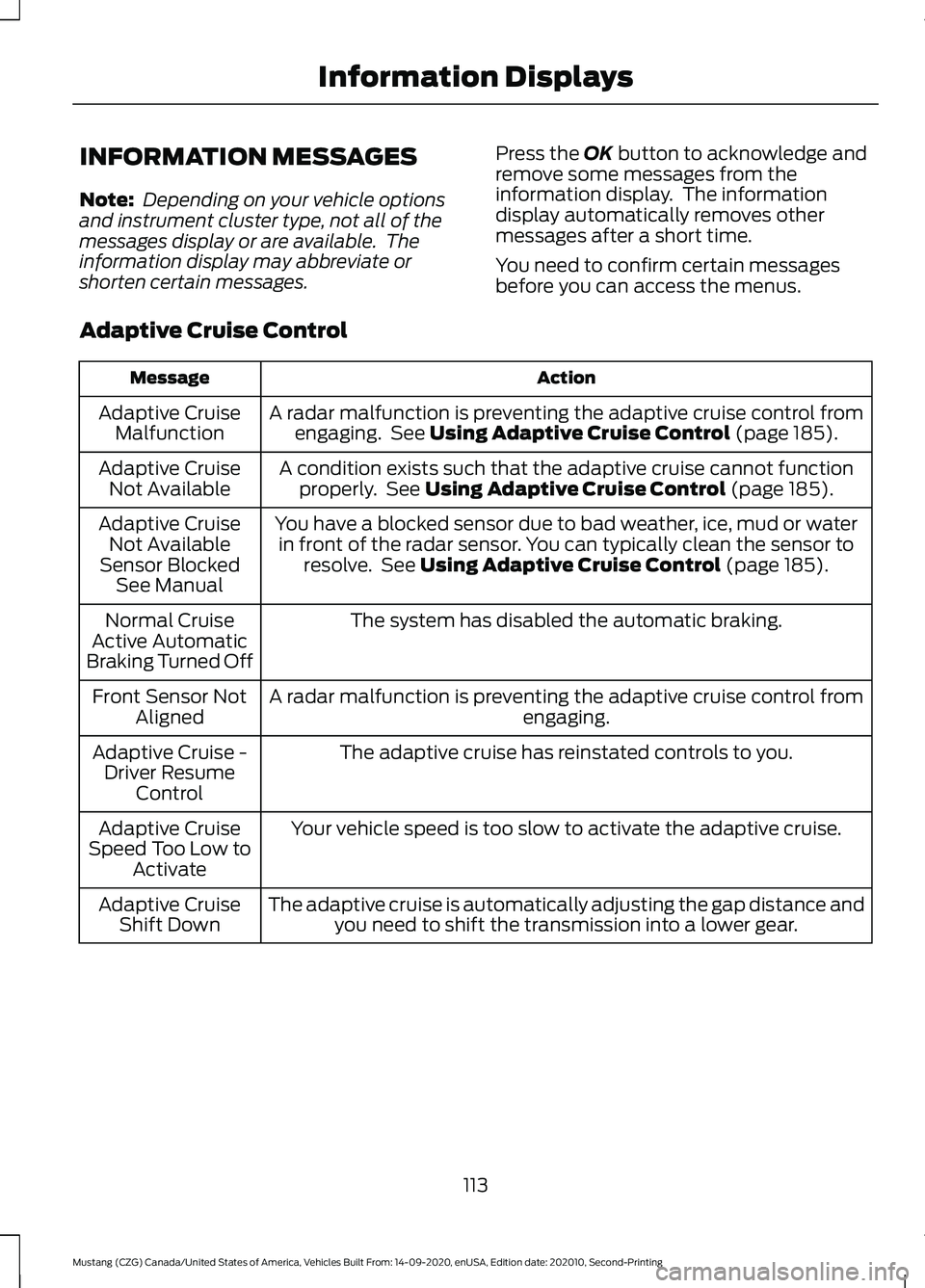
INFORMATION MESSAGES
Note:
Depending on your vehicle options
and instrument cluster type, not all of the
messages display or are available. The
information display may abbreviate or
shorten certain messages. Press the OK button to acknowledge and
remove some messages from the
information display. The information
display automatically removes other
messages after a short time.
You need to confirm certain messages
before you can access the menus.
Adaptive Cruise Control Action
Message
A radar malfunction is preventing the adaptive cruise control fromengaging. See
Using Adaptive Cruise Control (page 185).
Adaptive Cruise
Malfunction
A condition exists such that the adaptive cruise cannot functionproperly. See
Using Adaptive Cruise Control (page 185).
Adaptive Cruise
Not Available
You have a blocked sensor due to bad weather, ice, mud or waterin front of the radar sensor. You can typically clean the sensor to resolve. See
Using Adaptive Cruise Control (page 185).
Adaptive Cruise
Not Available
Sensor Blocked See Manual
The system has disabled the automatic braking.
Normal Cruise
Active Automatic
Braking Turned Off
A radar malfunction is preventing the adaptive cruise control from engaging.
Front Sensor Not
Aligned
The adaptive cruise has reinstated controls to you.
Adaptive Cruise -
Driver Resume Control
Your vehicle speed is too slow to activate the adaptive cruise.
Adaptive Cruise
Speed Too Low to Activate
The adaptive cruise is automatically adjusting the gap distance andyou need to shift the transmission into a lower gear.
Adaptive Cruise
Shift Down
113
Mustang (CZG) Canada/United States of America, Vehicles Built From: 14-09-2020, enUSA, Edition date: 202010, Second-Printing Information Displays
Page 120 of 530
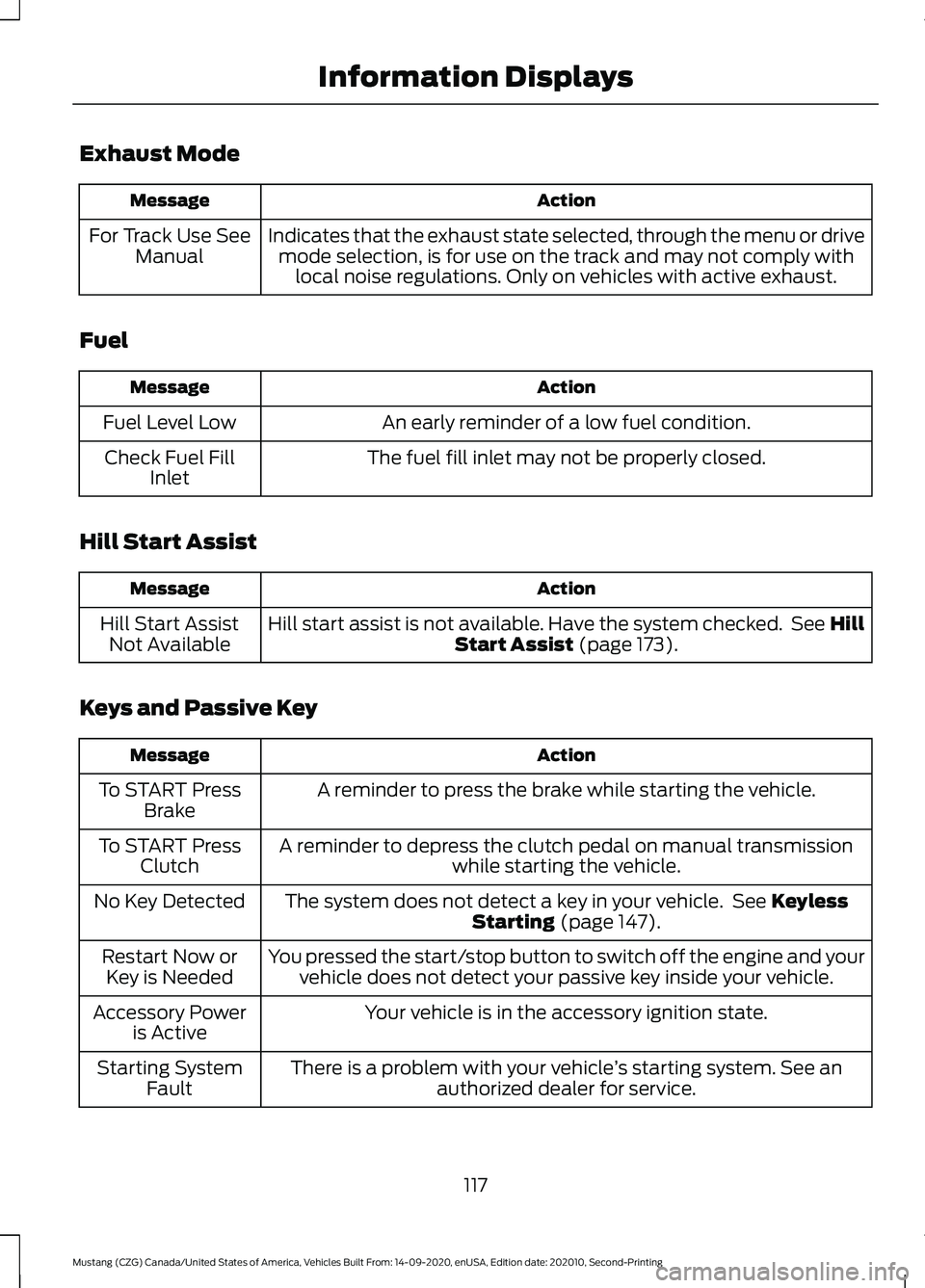
Exhaust Mode
Action
Message
Indicates that the exhaust state selected, through the menu or drivemode selection, is for use on the track and may not comply with local noise regulations. Only on vehicles with active exhaust.
For Track Use See
Manual
Fuel Action
Message
An early reminder of a low fuel condition.
Fuel Level Low
The fuel fill inlet may not be properly closed.
Check Fuel Fill
Inlet
Hill Start Assist Action
Message
Hill start assist is not available. Have the system checked. See Hill Start Assist (page 173).
Hill Start Assist
Not Available
Keys and Passive Key Action
Message
A reminder to press the brake while starting the vehicle.
To START Press
Brake
A reminder to depress the clutch pedal on manual transmission while starting the vehicle.
To START Press
Clutch
The system does not detect a key in your vehicle. See
Keyless
Starting (page 147).
No Key Detected
You pressed the start/stop button to switch off the engine and yourvehicle does not detect your passive key inside your vehicle.
Restart Now or
Key is Needed
Your vehicle is in the accessory ignition state.
Accessory Power
is Active
There is a problem with your vehicle ’s starting system. See an
authorized dealer for service.
Starting System
Fault
117
Mustang (CZG) Canada/United States of America, Vehicles Built From: 14-09-2020, enUSA, Edition date: 202010, Second-Printing Information Displays
Page 126 of 530

Tire Pressure Monitoring System
Action
Message
One or more tires on your vehicle has low tire pressure. See Tire
Pressure Monitoring System (page 324).
Tire Pressure Low
The tire pressure monitoring system is malfunctioning. If the warningstays on or continues to come on, have the system checked. See Tire Pressure Monitoring System
(page 324).
Tire Pressure
Monitor Fault
A tire pressure sensor is malfunctioning or your spare tire is in use.
See
Tire Pressure Monitoring System (page 324). If the warning
stays on or continues to come on, have the system checked as soon as possible.
Tire Pressure
Sensor Fault
Traction Control Action
Message
The status of the system after you switched it off.
Traction Control
Off
The status of the system after you switched it on.
Traction Control
On
The system detects a spinout and turns on the hazard flashers.
Spinout Detected
Hazards Activated
Transmission Action
Message
Have the system checked.
Transmission
Malfunction
Service Now
Have the system checked.
Transmission
Service Required
A reminder to shift into park.
Transmission Not
in Park
123
Mustang (CZG) Canada/United States of America, Vehicles Built From: 14-09-2020, enUSA, Edition date: 202010, Second-Printing Information Displays
Page 127 of 530
WHAT IS REMOTE START
The system allows you to remotely start
your vehicle and therefore to heat or cool
the interior to a predetermined
temperature.
REMOTE START LIMITATIONS
Remote start does not work under the
following conditions:
•
The alarm horn is sounding.
• The hood is open.
• The transmission is not in park (P).
• The ignition is on.
• The battery voltage is below the
minimum operating voltage.
Note: Do not use remote start if your fuel
level is low.
ENABLING REMOTE START
1. Press Settings on the touchscreen.
2. Press
Vehicle Settings.
3. Press
Remote Start Setup.
4. Switch
Remote Start on or off.
Note: To remote start with FordPass, make
sure that the modem is enabled.
See
Connecting FordPass to the Modem
(page
360). REMOTELY STARTING THE
ENGINE WARNING: Do not start the engine
in a closed garage or in other enclosed
areas. Exhaust fumes are toxic. Always
open the garage door before you start
the engine. Failure to follow this
instruction could result in personal injury
or death.
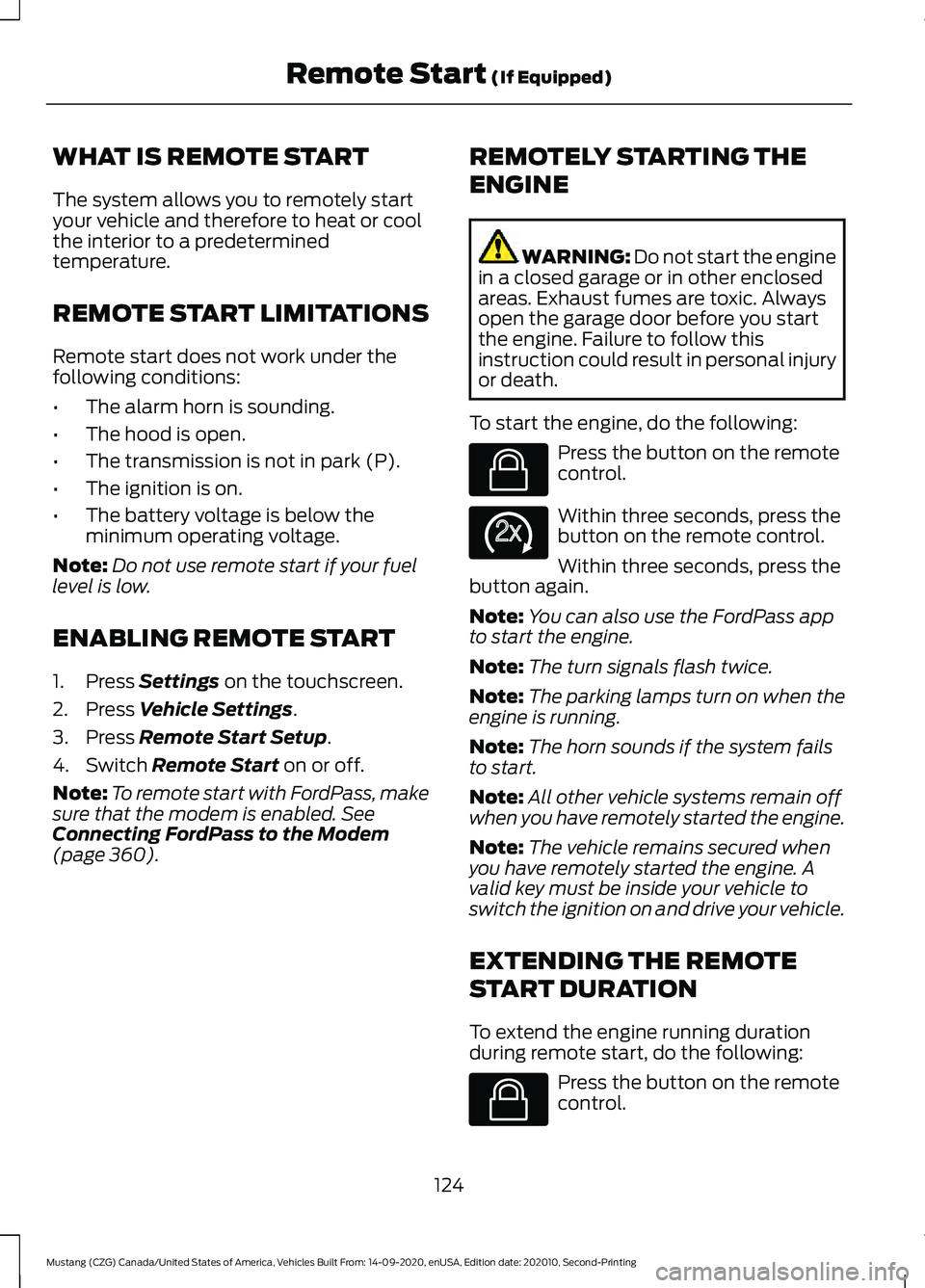
To start the engine, do the following: Press the button on the remote
control.
Within three seconds, press the
button on the remote control.
Within three seconds, press the
button again.
Note: You can also use the FordPass app
to start the engine.
Note: The turn signals flash twice.
Note: The parking lamps turn on when the
engine is running.
Note: The horn sounds if the system fails
to start.
Note: All other vehicle systems remain off
when you have remotely started the engine.
Note: The vehicle remains secured when
you have remotely started the engine. A
valid key must be inside your vehicle to
switch the ignition on and drive your vehicle.
EXTENDING THE REMOTE
START DURATION
To extend the engine running duration
during remote start, do the following: Press the button on the remote
control.
124
Mustang (CZG) Canada/United States of America, Vehicles Built From: 14-09-2020, enUSA, Edition date: 202010, Second-Printing Remote Start
(If Equipped)E138623 E138625 E138623
Page 141 of 530
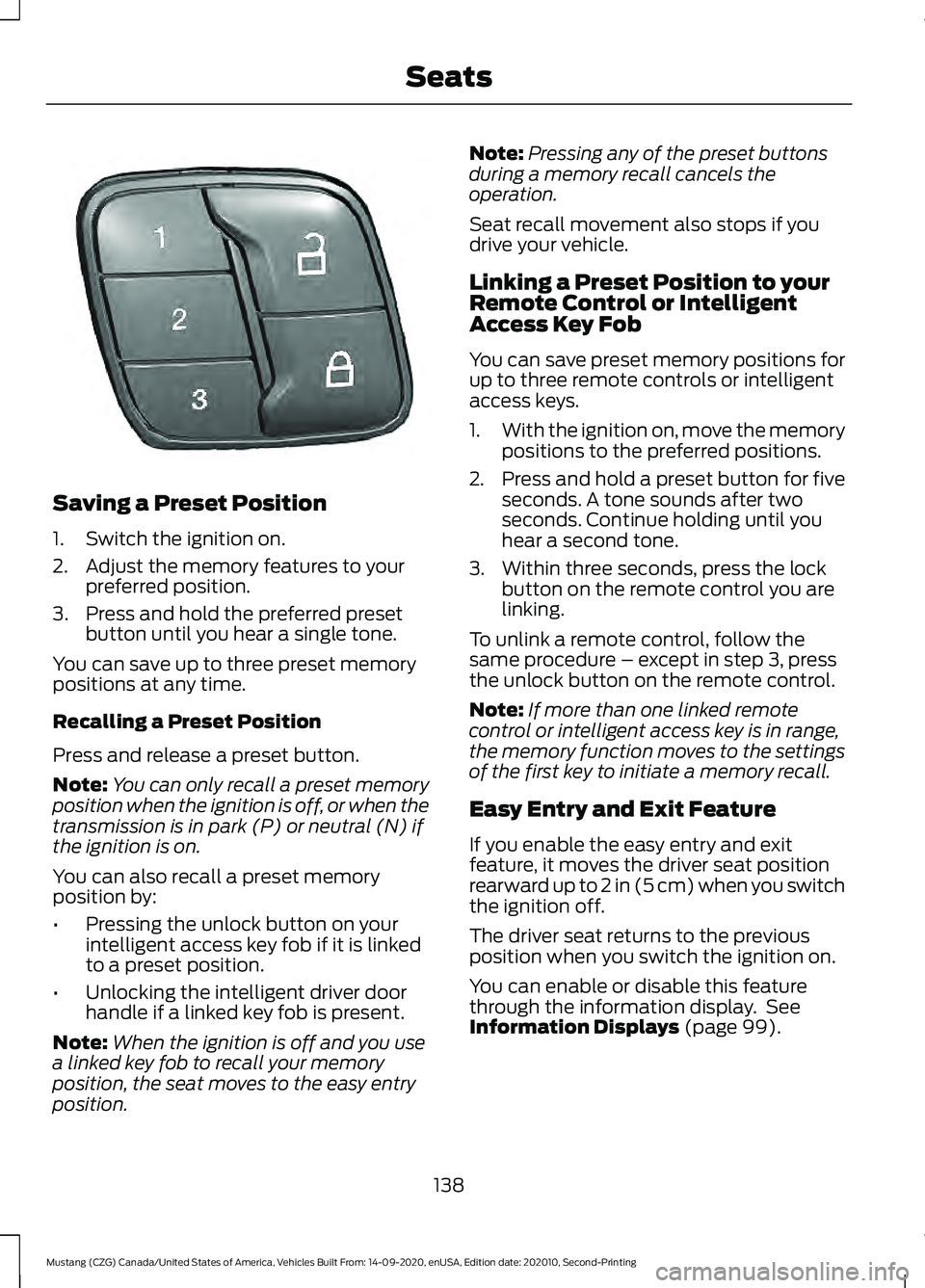
Saving a Preset Position
1. Switch the ignition on.
2. Adjust the memory features to your
preferred position.
3. Press and hold the preferred preset button until you hear a single tone.
You can save up to three preset memory
positions at any time.
Recalling a Preset Position
Press and release a preset button.
Note: You can only recall a preset memory
position when the ignition is off, or when the
transmission is in park (P) or neutral (N) if
the ignition is on.
You can also recall a preset memory
position by:
• Pressing the unlock button on your
intelligent access key fob if it is linked
to a preset position.
• Unlocking the intelligent driver door
handle if a linked key fob is present.
Note: When the ignition is off and you use
a linked key fob to recall your memory
position, the seat moves to the easy entry
position. Note:
Pressing any of the preset buttons
during a memory recall cancels the
operation.
Seat recall movement also stops if you
drive your vehicle.
Linking a Preset Position to your
Remote Control or Intelligent
Access Key Fob
You can save preset memory positions for
up to three remote controls or intelligent
access keys.
1. With the ignition on, move the memory
positions to the preferred positions.
2. Press and hold a preset button for five seconds. A tone sounds after two
seconds. Continue holding until you
hear a second tone.
3. Within three seconds, press the lock button on the remote control you are
linking.
To unlink a remote control, follow the
same procedure – except in step 3, press
the unlock button on the remote control.
Note: If more than one linked remote
control or intelligent access key is in range,
the memory function moves to the settings
of the first key to initiate a memory recall.
Easy Entry and Exit Feature
If you enable the easy entry and exit
feature, it moves the driver seat position
rearward up to 2 in (5 cm) when you switch
the ignition off.
The driver seat returns to the previous
position when you switch the ignition on.
You can enable or disable this feature
through the information display. See
Information Displays (page 99).
138
Mustang (CZG) Canada/United States of America, Vehicles Built From: 14-09-2020, enUSA, Edition date: 202010, Second-Printing SeatsE331901