ECO mode FORD MUSTANG 2022 Owner's Manual
[x] Cancel search | Manufacturer: FORD, Model Year: 2022, Model line: MUSTANG, Model: FORD MUSTANG 2022Pages: 528, PDF Size: 10.04 MB
Page 127 of 528
WHAT IS REMOTE START
The system allows you to remotely start
your vehicle and therefore to heat or cool
the interior to a predetermined
temperature.
REMOTE START LIMITATIONS
Remote start does not work under the
following conditions:
•
The alarm horn is sounding.
• The hood is open.
• The transmission is not in park (P).
• The ignition is on.
• The battery voltage is below the
minimum operating voltage.
Note: Do not use remote start if your fuel
level is low.
ENABLING REMOTE START
1. Press Settings on the touchscreen.
2. Press
Vehicle Settings.
3. Press
Remote Start Setup.
4. Switch
Remote Start on or off.
Note: To remote start with FordPass, make
sure that the modem is enabled.
See
Connecting FordPass to the Modem
(page
368). REMOTELY STARTING THE
ENGINE WARNING: Do not start the engine
in a closed garage or in other enclosed
areas. Exhaust fumes are toxic. Always
open the garage door before you start
the engine. Failure to follow this
instruction could result in personal injury
or death.
To start the engine, do the following: Press the button on the remote
control.
Within three seconds, press the
button on the remote control.
Within three seconds, press the
button again.
Note: You can also use the FordPass app
to start the engine.
Note: The turn signals flash twice.
Note: The parking lamps turn on when the
engine is running.
Note: The horn sounds if the system fails
to start.
Note: All other vehicle systems remain off
when you have remotely started the engine.
Note: The vehicle remains secured when
you have remotely started the engine. A
valid key must be inside your vehicle to
switch the ignition on and drive your vehicle.
EXTENDING THE REMOTE
START DURATION
To extend the engine running duration
during remote start, do the following: Press the button on the remote
control.
124
2022 Mustang (CZG) Canada/United States of America, Vehicles Built From: 27-09-2021, enUSA, Edition date: 202110, First-Printing Remote Start
(If Equipped)E138623 E138625 E138623
Page 128 of 528
Within three seconds, press the
button on the remote control.
Within three seconds, press the
button again.
Note: You can extend the engine running
duration to a maximum of 30 minutes.
REMOTELY STOPPING THE
ENGINE
Use the FordPass App to stop the engine.
REMOTE START REMOTE
CONTROL INDICATORS
Remote Control Feedback
An LED on the remote control provides
status feedback of remote start or stop
commands. Status
LED
Remote startsuccessful.
Solid green.
Remote stopsuccessful.
Solid red.
Request failed or
status not received.
Blinking red.
Status incomplete.
Blinking green.
REMOTE START SETTINGS
SWITCHING CLIMATE CONTROL
AUTO MODE ON AND OFF
1. Using the information display controls on the steering wheel, select Settings.
2. Select Vehicle.
3. Select
Remote Start.
4. Select
Climate Control. 5. Switch
Auto on or off.
Note: If you switch the auto mode on, the
system attempts to heat or cool the interior
to
72°F (22°C).
Note: When you switch the ignition on, the
climate control system returns to the last
used settings.
Note: The heated windshield, heated rear
window, heated mirrors, heated seats and
heated steering wheel could turn on in cold
weather.
SWITCHING CLIMATE CONTROL
LAST SETTINGS ON AND OFF
1. Using the information display controls on the steering wheel, select Settings.
2. Select
Vehicle.
3. Select
Remote Start.
4. Select
Climate Control.
5. Switch
Last Settings on or off.
Note: If you switch the last settings on, the
system remembers the last used settings.
SWITCHING THE HEATED SEAT
SETTINGS ON AND OFF
1. Using the information display controls on the steering wheel, select Settings.
2. Select
Vehicle.
3. Select
Remote Start.
4. Select
Front Seats.
5. Select
Auto or Off.
Note: If you switch the heated seat settings
on, the heated seats turn on during cold
weather.
Note: You cannot adjust the heated seat
settings when you have remotely started
the engine.
125
2022 Mustang (CZG) Canada/United States of America, Vehicles Built From: 27-09-2021, enUSA, Edition date: 202110, First-Printing Remote Start
(If Equipped)E138625
Page 132 of 528
Setting the Temperature
Press the toggle button on the left-hand
side of the climate control upward or
downward to set the left-hand
temperature.
Note:
This control also adjusts the
right-hand side temperature when you
switch off dual zone mode.
Press the toggle button on the right-hand
side of the climate control upward or
downward to set the right-hand
temperature.
Switching Auto Mode On and Off Press and release the button to
switch on automatic operation,
then set the temperature.
The system adjusts the blower motor
speed, air distribution, air conditioning
operation, and outside or recirculated air
to reach and maintain the temperature you
have set.
Note: You can also switch off dual zone
mode by pressing and holding the button
for more than two seconds.
Switching the Air Conditioning On
and Off Press and release the button.
Use air conditioning with recirculated air
to improve cooling performance and
efficiency.
Note: In certain conditions, such as
maximum defrost, the air conditioning
compressor could continue to operate even
after you switch off the air conditioning. Switching the Climate Control On
and Off Press and release the button.
Switching Defrost On and Off Press and release the button to
distribute air through the
windshield air vents and
de-mister.
You can also use this setting to defog and
clear the windshield of a thin covering of
ice.
Switching Maximum Air
Conditioning On and Off Press and release the button for
maximum cooling.
Recirculated air flows through the
instrument panel air vents, air conditioning
turns on and the blower motor adjusts to
the highest speed.
Switching Maximum Defrost On
and Off Press and release the button for
maximum defrosting.
Air flows through the windshield air vents,
and the blower motor adjusts to the
highest speed.
You can also use this setting to defog and
clear the windshield of a thin covering of
ice.
Note: To prevent window fogging, you
cannot select recirculated air when
maximum defrost is on.
Note: The heated rear window also turns
on when you select maximum defrost.
129
2022 Mustang (CZG) Canada/United States of America, Vehicles Built From: 27-09-2021, enUSA, Edition date: 202110, First-Printing Climate Control
Page 133 of 528
Switching Recirculated Air On and
Off
Press and release the button to
switch between outside air and
recirculated air.
The air currently in the passenger
compartment recirculates. This may
reduce the time needed to cool the interior
when used with A/C, and reduce unwanted
odors from entering your vehicle.
Note: Recirculated air may turn off
automatically, or prevent you from switching
on in all air flow modes except MAX A/C to
reduce the risk of fogging. Recirculation may
also turn on and off automatically in various
air distribution control combinations to
improve heating or cooling efficiency.
HINTS ON CONTROLLING THE
INTERIOR CLIMATE -
VEHICLES WITH: MANUAL
TEMPERATURE CONTROL
General Hints
Note: Prolonged use of recirculated air may
cause the windows to fog up.
Note: You may feel a small amount of air
from the footwell air vents regardless of the
air distribution setting.
Note: To reduce humidity build-up inside
your vehicle, do not drive with the system
switched off or with recirculated air always
switched on.
Note: Do not place objects under the front
seats as this may interfere with the airflow
to the rear seats.
Note: Remove any snow, ice or leaves from
the air intake area at the base of the
windshield. Note:
To improve the time to reach a
comfortable temperature in hot weather,
drive with the windows open until you feel
cold air through the air vents.
Quickly Heating the Interior
1. Adjust the blower motor speed to the highest speed setting.
2. Adjust the temperature control to the highest setting.
3. Direct air to the footwell air vents.
Recommended Settings for
Heating
1. Adjust the blower motor speed to the center setting.
2. Adjust the temperature control to the midway point of the hot settings.
3. Direct air to the footwell air vents.
Quickly Cooling the Interior
1. Switch MAX A/C on.
2. Drive with the windows open for a short
period of time.
Recommended Settings for
Cooling
1. Adjust the blower motor speed to the center setting.
2. Adjust the temperature control to the midway point of the cold settings.
3. Direct air to the instrument panel air vents.
Vehicle Stationary for Extended
Periods During Extreme High
Ambient Temperatures
1. Apply the parking brake.
2. Place your vehicle in park (P) or neutral
(N).
3. Switch
MAX A/C on.
130
2022 Mustang (CZG) Canada/United States of America, Vehicles Built From: 27-09-2021, enUSA, Edition date: 202110, First-Printing Climate Control
Page 134 of 528
4. Adjust the blower motor speed to the
lowest speed setting.
Defogging the Side Windows in
Cold Weather
1. Direct air to the instrument panel and windshield air vents.
2. Press and release A/C.
3. Adjust the temperature control to the setting you prefer.
4. Adjust the blower motor speed to the highest setting.
5. Direct air toward the side windows.
6. Close the instrument panel air vents.
HINTS ON CONTROLLING THE
INTERIOR CLIMATE -
VEHICLES WITH: AUTOMATIC
TEMPERATURE CONTROL
General Hints
Note: Prolonged use of recirculated air may
cause the windows to fog up.
Note: You may feel a small amount of air
from the footwell air vents regardless of the
air distribution setting.
Note: To reduce humidity build-up inside
your vehicle, do not drive with the system
switched off or with recirculated air always
switched on.
Note: Do not place objects under the front
seats as this may interfere with the airflow
to the rear seats.
Note: Remove any snow, ice or leaves from
the air intake area at the base of the
windshield.
Note: To improve the time to reach a
comfortable temperature in hot weather,
drive with the windows open until you feel
cold air through the air vents. Automatic Climate Control
Note:
Adjusting the settings when your
vehicle interior is extremely hot or cold is
not necessary. Automatic mode is best
recommended to maintain set temperature.
Note: The system adjusts to heat or cool
the interior to the temperature you select
as quickly as possible.
Note: For the system to function efficiently,
the instrument panel and side air vents
should be fully open.
Note: If you select
AUTO during cold
outside temperatures, the system directs
air flow to the windshield and side window
air vents. In addition, the blower motor may
run at a slower speed until the engine warms
up.
Note: If you select
AUTO during hot
temperatures and the inside of the vehicle
is hot, the system uses recirculated air to
maximize interior cooling. Blower motor
speed may also reduce until the air cools.
Quickly Heating the Interior
1. Press and release
AUTO.
2. Adjust the temperature function to the
setting you prefer.
Recommended Settings for
Heating
1. Press and release
AUTO.
2. Adjust the temperature function to the
setting you prefer. Use
72°F (22°C) as
a starting point, then adjust the setting
as necessary.
Quickly Cooling the Interior
1. Press and release
MAX A/C.
Recommended Settings for
Cooling
1. Press and release
AUTO.
131
2022 Mustang (CZG) Canada/United States of America, Vehicles Built From: 27-09-2021, enUSA, Edition date: 202110, First-Printing Climate Control
Page 150 of 528
GENERAL INFORMATION
WARNING: Extended idling at high
engine speeds can produce very high
temperatures in the engine and exhaust
system, creating the risk of fire or other
damage. WARNING:
Do not park, idle or
drive your vehicle on dry grass or other
dry ground cover. The emission system
heats up the engine compartment and
exhaust system, creating the risk of fire. WARNING: Do not start the engine
in a closed garage or in other enclosed
areas. Exhaust fumes can be toxic.
Always open the garage door before you
start the engine. WARNING:
Exhaust leaks may
result in entry of harmful and potentially
lethal fumes into the passenger
compartment. If you smell exhaust
fumes inside your vehicle, have your
vehicle inspected immediately. Do not
drive if you smell exhaust fumes.
If you disconnect the battery, your vehicle
may exhibit some unusual driving
characteristics for approximately
5 mi
(8 km) after you reconnect it. This is
because the engine management system
must realign itself with the engine. You
can disregard any unusual driving
characteristics during this period.
The powertrain control system meets all
Canadian interference-causing equipment
standard requirements regulating the
impulse electrical field or radio noise.
When you start the engine, avoid pressing
the accelerator pedal before and during
operation. Only use the accelerator pedal
when you have difficulty starting the
engine. KEYLESS STARTING
Note:
The keyless starting system may not
function if the key is close to metal objects
or electronic devices such as cellular
phones.
Note: A valid key must be located inside
your vehicle to switch the ignition on and
start the engine.
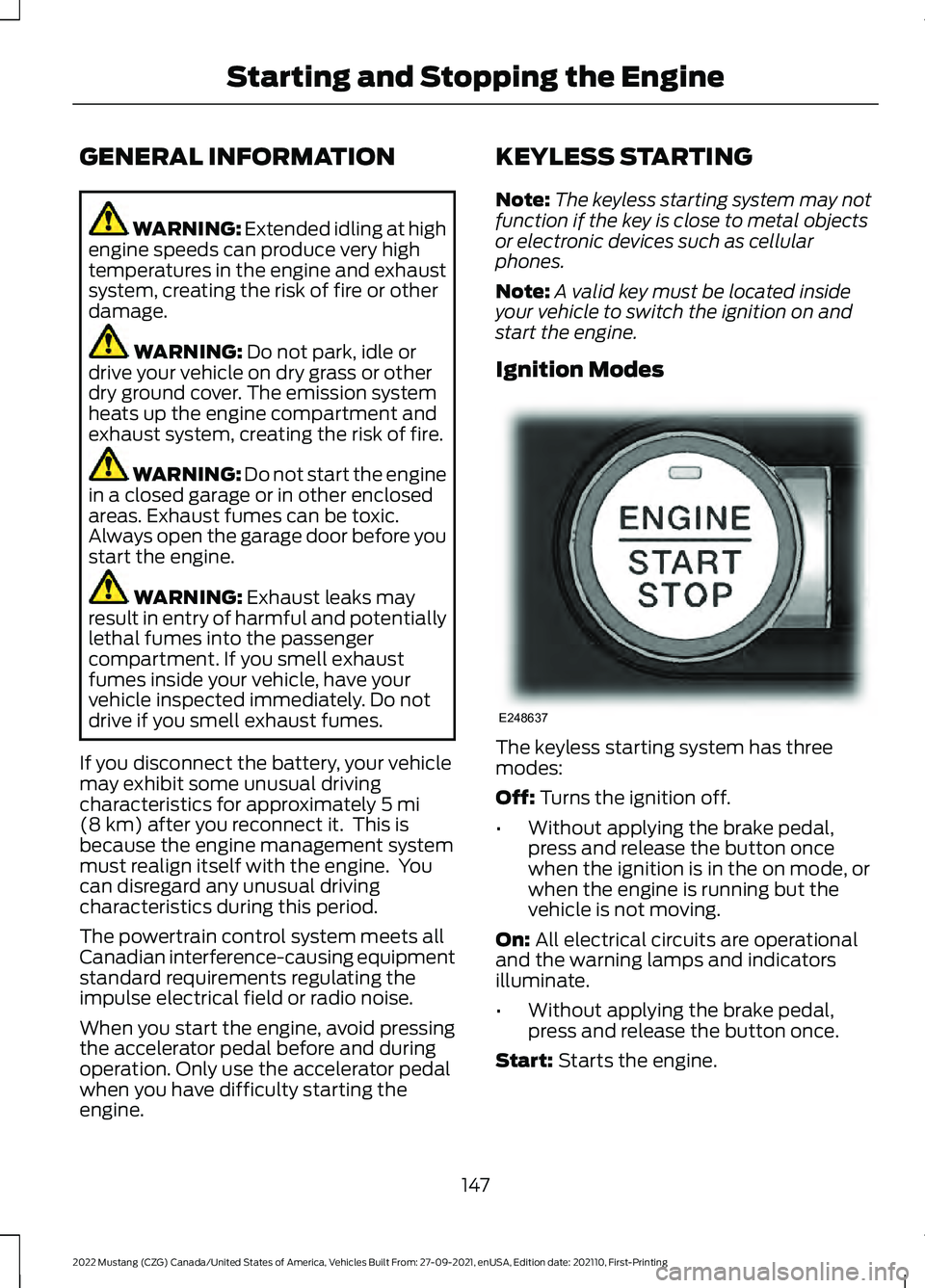
Ignition Modes The keyless starting system has three
modes:
Off:
Turns the ignition off.
• Without applying the brake pedal,
press and release the button once
when the ignition is in the on mode, or
when the engine is running but the
vehicle is not moving.
On:
All electrical circuits are operational
and the warning lamps and indicators
illuminate.
• Without applying the brake pedal,
press and release the button once.
Start:
Starts the engine.
147
2022 Mustang (CZG) Canada/United States of America, Vehicles Built From: 27-09-2021, enUSA, Edition date: 202110, First-Printing Starting and Stopping the EngineE248637
Page 170 of 528
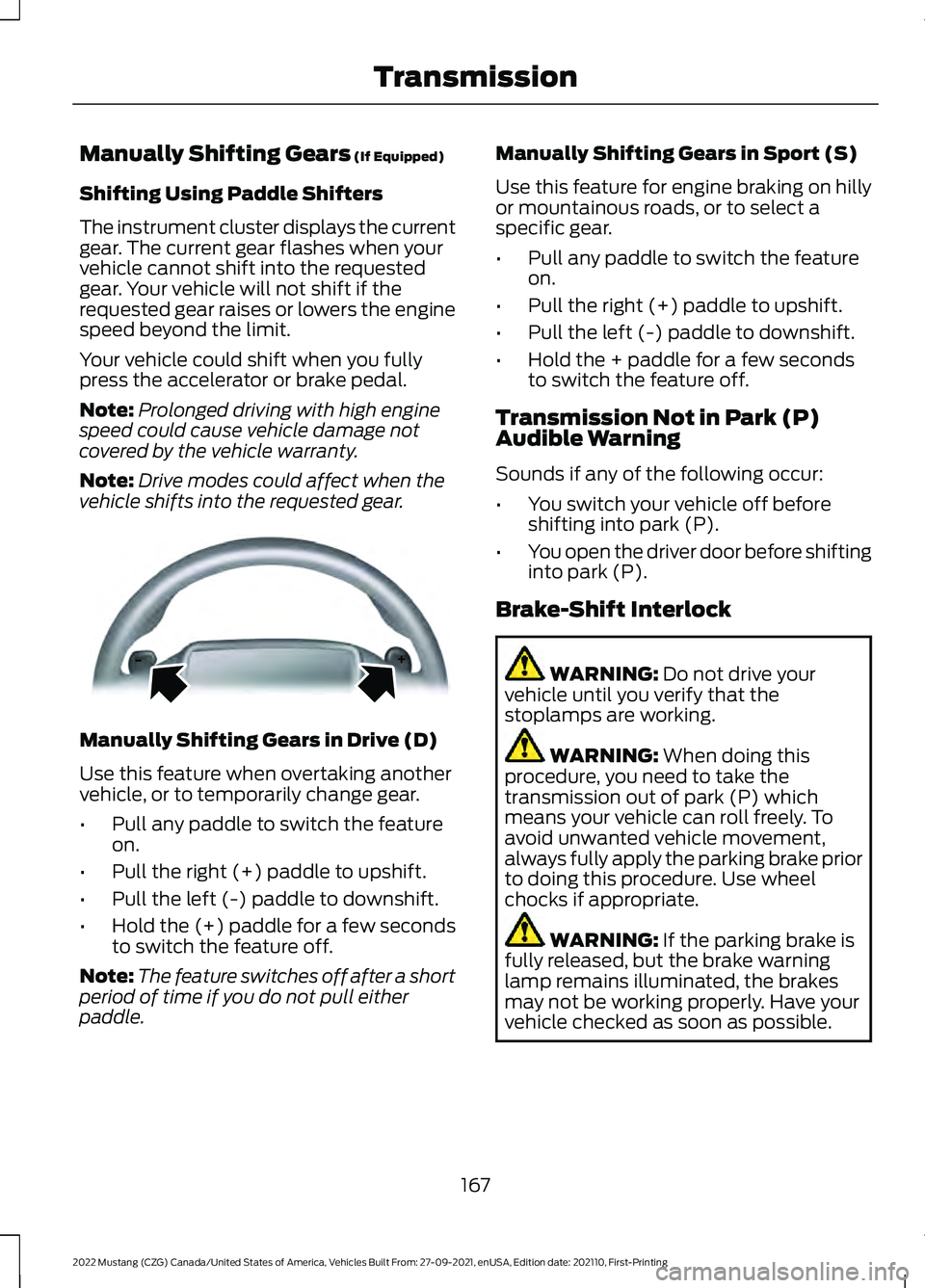
Manually Shifting Gears (If Equipped)
Shifting Using Paddle Shifters
The instrument cluster displays the current
gear. The current gear flashes when your
vehicle cannot shift into the requested
gear. Your vehicle will not shift if the
requested gear raises or lowers the engine
speed beyond the limit.
Your vehicle could shift when you fully
press the accelerator or brake pedal.
Note: Prolonged driving with high engine
speed could cause vehicle damage not
covered by the vehicle warranty.
Note: Drive modes could affect when the
vehicle shifts into the requested gear. Manually Shifting Gears in Drive (D)
Use this feature when overtaking another
vehicle, or to temporarily change gear.
•
Pull any paddle to switch the feature
on.
• Pull the right (+) paddle to upshift.
• Pull the left (-) paddle to downshift.
• Hold the (+) paddle for a few seconds
to switch the feature off.
Note: The feature switches off after a short
period of time if you do not pull either
paddle. Manually Shifting Gears in Sport (S)
Use this feature for engine braking on hilly
or mountainous roads, or to select a
specific gear.
•
Pull any paddle to switch the feature
on.
• Pull the right (+) paddle to upshift.
• Pull the left (-) paddle to downshift.
• Hold the + paddle for a few seconds
to switch the feature off.
Transmission Not in Park (P)
Audible Warning
Sounds if any of the following occur:
• You switch your vehicle off before
shifting into park (P).
• You open the driver door before shifting
into park (P).
Brake-Shift Interlock WARNING:
Do not drive your
vehicle until you verify that the
stoplamps are working. WARNING:
When doing this
procedure, you need to take the
transmission out of park (P) which
means your vehicle can roll freely. To
avoid unwanted vehicle movement,
always fully apply the parking brake prior
to doing this procedure. Use wheel
chocks if appropriate. WARNING:
If the parking brake is
fully released, but the brake warning
lamp remains illuminated, the brakes
may not be working properly. Have your
vehicle checked as soon as possible.
167
2022 Mustang (CZG) Canada/United States of America, Vehicles Built From: 27-09-2021, enUSA, Edition date: 202110, First-Printing TransmissionE144821
Page 180 of 528
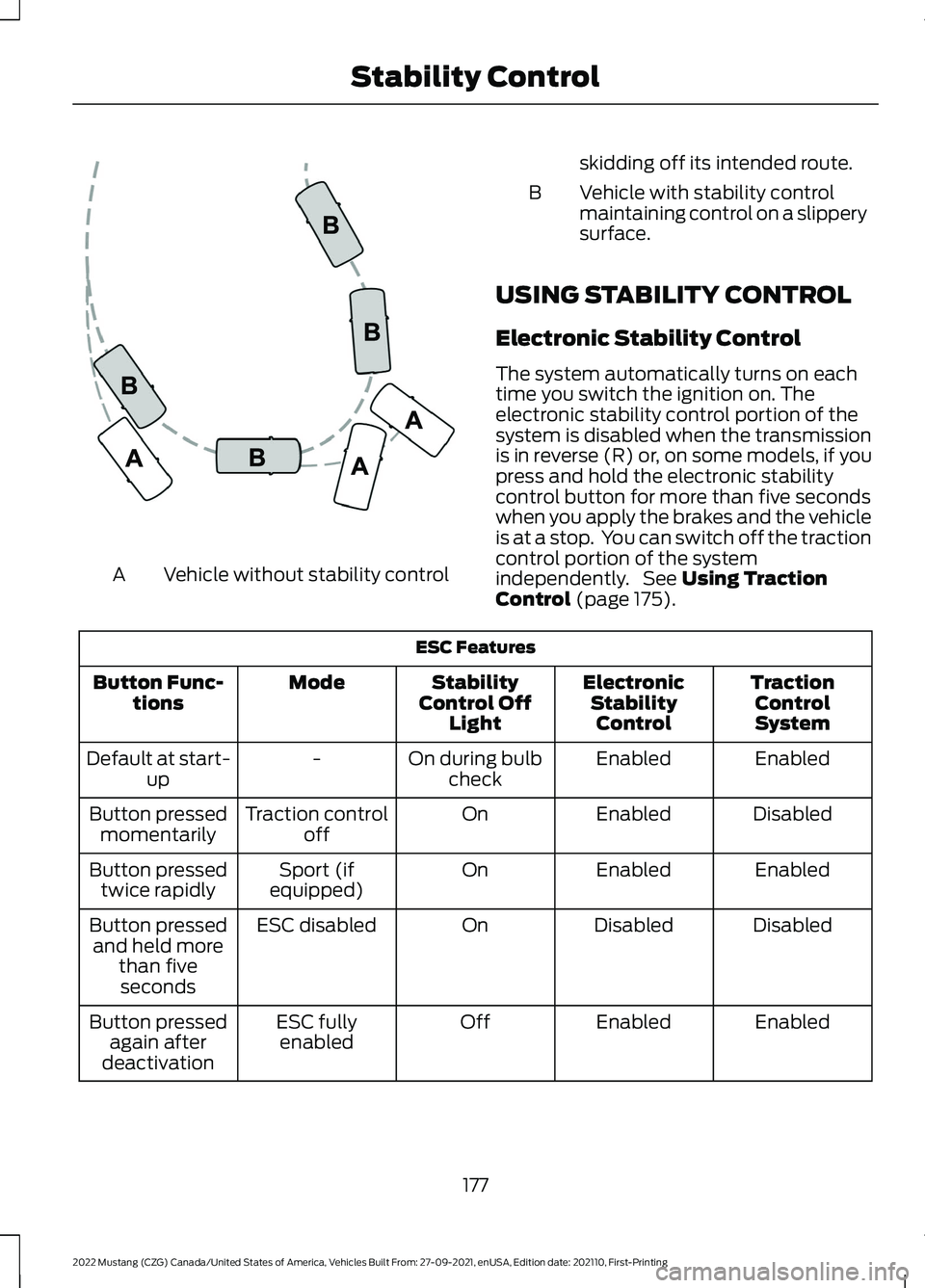
Vehicle without stability control
A skidding off its intended route.
Vehicle with stability control
maintaining control on a slippery
surface.
B
USING STABILITY CONTROL
Electronic Stability Control
The system automatically turns on each
time you switch the ignition on. The
electronic stability control portion of the
system is disabled when the transmission
is in reverse (R) or, on some models, if you
press and hold the electronic stability
control button for more than five seconds
when you apply the brakes and the vehicle
is at a stop. You can switch off the traction
control portion of the system
independently. See Using Traction
Control (page 175). ESC Features
TractionControlSystem
Electronic
StabilityControl
Stability
Control Off Light
Mode
Button Func-
tions
Enabled
Enabled
On during bulb
check
-
Default at start-
up
Disabled
Enabled
On
Traction control
off
Button pressed
momentarily
Enabled
Enabled
On
Sport (if
equipped)
Button pressed
twice rapidly
Disabled
Disabled
On
ESC disabled
Button pressed
and held more than fiveseconds
Enabled
Enabled
Off
ESC fully
enabled
Button pressed
again after
deactivation
177
2022 Mustang (CZG) Canada/United States of America, Vehicles Built From: 27-09-2021, enUSA, Edition date: 202110, First-Printing Stability ControlE72903
Page 208 of 528
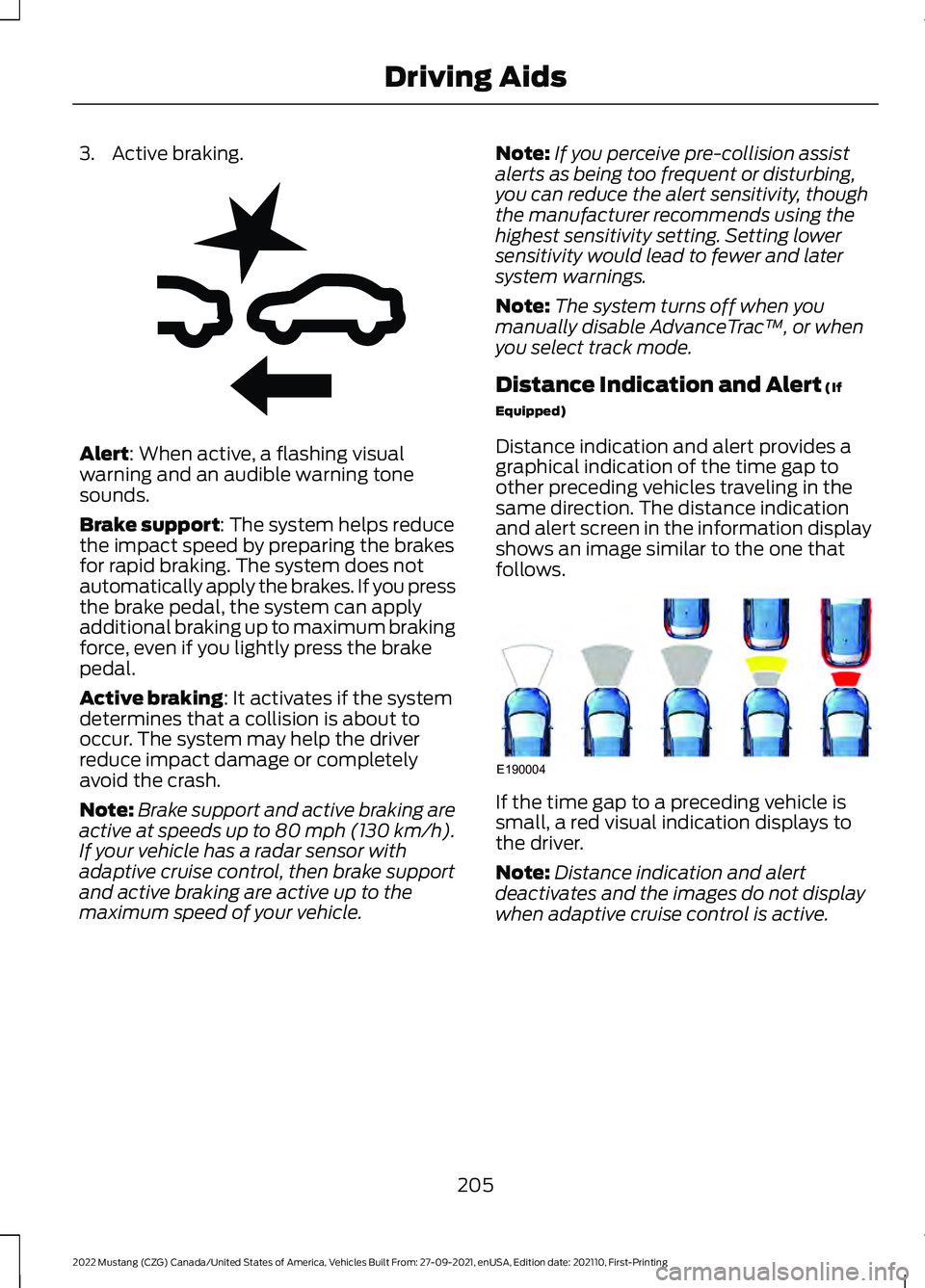
3. Active braking.
Alert: When active, a flashing visual
warning and an audible warning tone
sounds.
Brake support
: The system helps reduce
the impact speed by preparing the brakes
for rapid braking. The system does not
automatically apply the brakes. If you press
the brake pedal, the system can apply
additional braking up to maximum braking
force, even if you lightly press the brake
pedal.
Active braking
: It activates if the system
determines that a collision is about to
occur. The system may help the driver
reduce impact damage or completely
avoid the crash.
Note: Brake support and active braking are
active at speeds up to 80 mph (130 km/h).
If your vehicle has a radar sensor with
adaptive cruise control, then brake support
and active braking are active up to the
maximum speed of your vehicle. Note:
If you perceive pre-collision assist
alerts as being too frequent or disturbing,
you can reduce the alert sensitivity, though
the manufacturer recommends using the
highest sensitivity setting. Setting lower
sensitivity would lead to fewer and later
system warnings.
Note: The system turns off when you
manually disable AdvanceTrac ™, or when
you select track mode.
Distance Indication and Alert
(If
Equipped)
Distance indication and alert provides a
graphical indication of the time gap to
other preceding vehicles traveling in the
same direction. The distance indication
and alert screen in the information display
shows an image similar to the one that
follows. If the time gap to a preceding vehicle is
small, a red visual indication displays to
the driver.
Note:
Distance indication and alert
deactivates and the images do not display
when adaptive cruise control is active.
205
2022 Mustang (CZG) Canada/United States of America, Vehicles Built From: 27-09-2021, enUSA, Edition date: 202110, First-Printing Driving AidsE255268 E190004
Page 211 of 528
DRIVE CONTROL - MACH 1 (IF
EQUIPPED)
Selectable Drive Modes
Selectable drive modes deliver a
customized driving experience using a
variety of electronic vehicle systems. The
systems optimize vehicle dynamics and
powertrain response based on your
selected mode. Systems associated with
selectable drive modes are:
• Electronically power assisted steering.
See
Steering (page 203).
• Electronic stability control and traction
control maintain your vehicle control
in adverse conditions or high
performance driving.
See Stability
Control (page 176). See Traction
Control (page 175).
• Electronic throttle control enhances
the powertrain response to your driving
input.
• Adaptive dampers, if your vehicle
comes with them.
• Active exhaust, if provided on your
vehicle, adjusts the sound
characteristics of your vehicle.
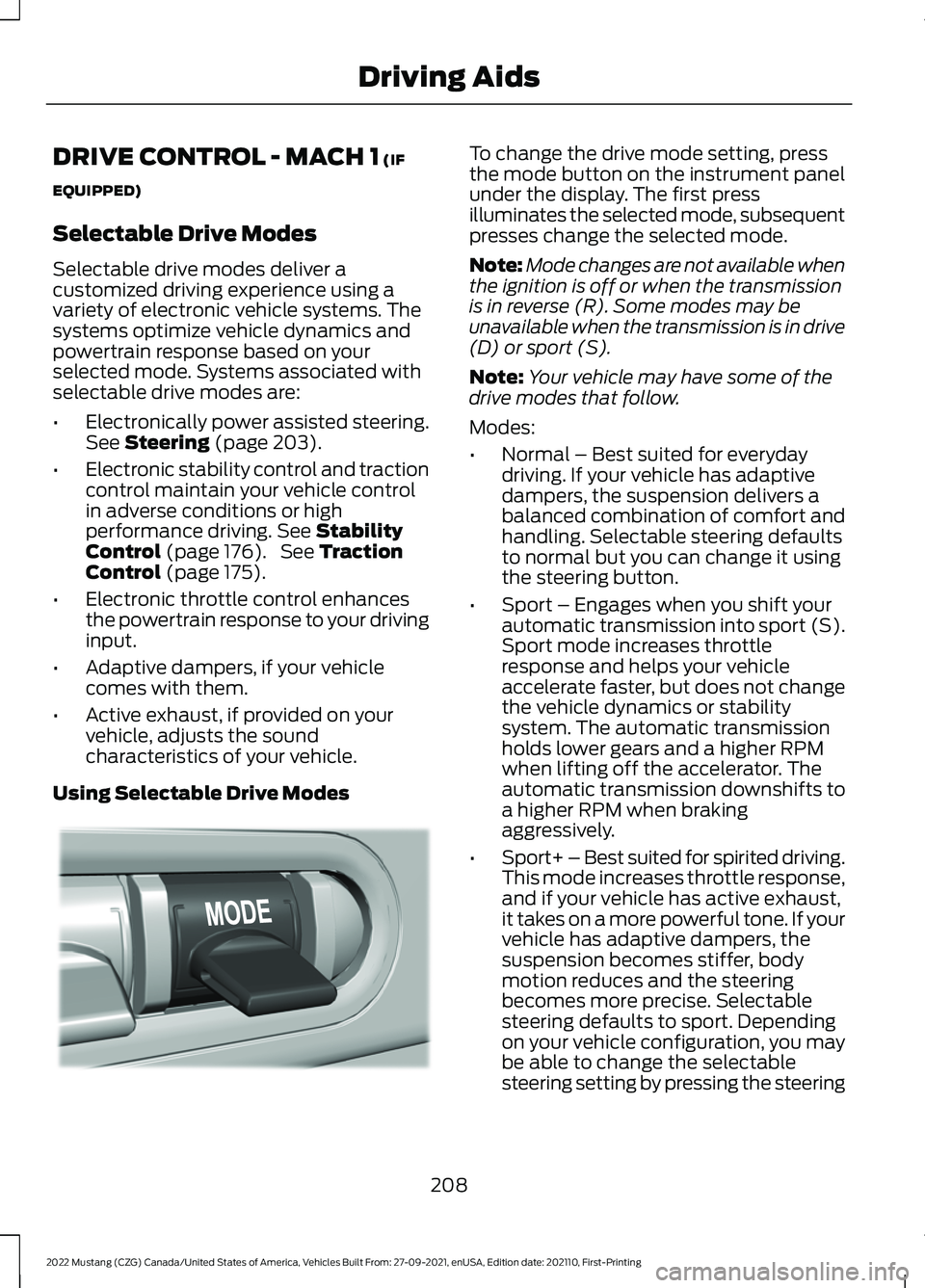
Using Selectable Drive Modes To change the drive mode setting, press
the mode button on the instrument panel
under the display. The first press
illuminates the selected mode, subsequent
presses change the selected mode.
Note:
Mode changes are not available when
the ignition is off or when the transmission
is in reverse (R). Some modes may be
unavailable when the transmission is in drive
(D) or sport (S).
Note: Your vehicle may have some of the
drive modes that follow.
Modes:
• Normal – Best suited for everyday
driving. If your vehicle has adaptive
dampers, the suspension delivers a
balanced combination of comfort and
handling. Selectable steering defaults
to normal but you can change it using
the steering button.
• Sport – Engages when you shift your
automatic transmission into sport (S).
Sport mode increases throttle
response and helps your vehicle
accelerate faster, but does not change
the vehicle dynamics or stability
system. The automatic transmission
holds lower gears and a higher RPM
when lifting off the accelerator. The
automatic transmission downshifts to
a higher RPM when braking
aggressively.
• Sport+ – Best suited for spirited driving.
This mode increases throttle response,
and if your vehicle has active exhaust,
it takes on a more powerful tone. If your
vehicle has adaptive dampers, the
suspension becomes stiffer, body
motion reduces and the steering
becomes more precise. Selectable
steering defaults to sport. Depending
on your vehicle configuration, you may
be able to change the selectable
steering setting by pressing the steering
208
2022 Mustang (CZG) Canada/United States of America, Vehicles Built From: 27-09-2021, enUSA, Edition date: 202110, First-Printing Driving AidsE294773