airbag FORD MUSTANG 2023 Owner's Guide
[x] Cancel search | Manufacturer: FORD, Model Year: 2023, Model line: MUSTANG, Model: FORD MUSTANG 2023Pages: 535, PDF Size: 15.46 MB
Page 392 of 535
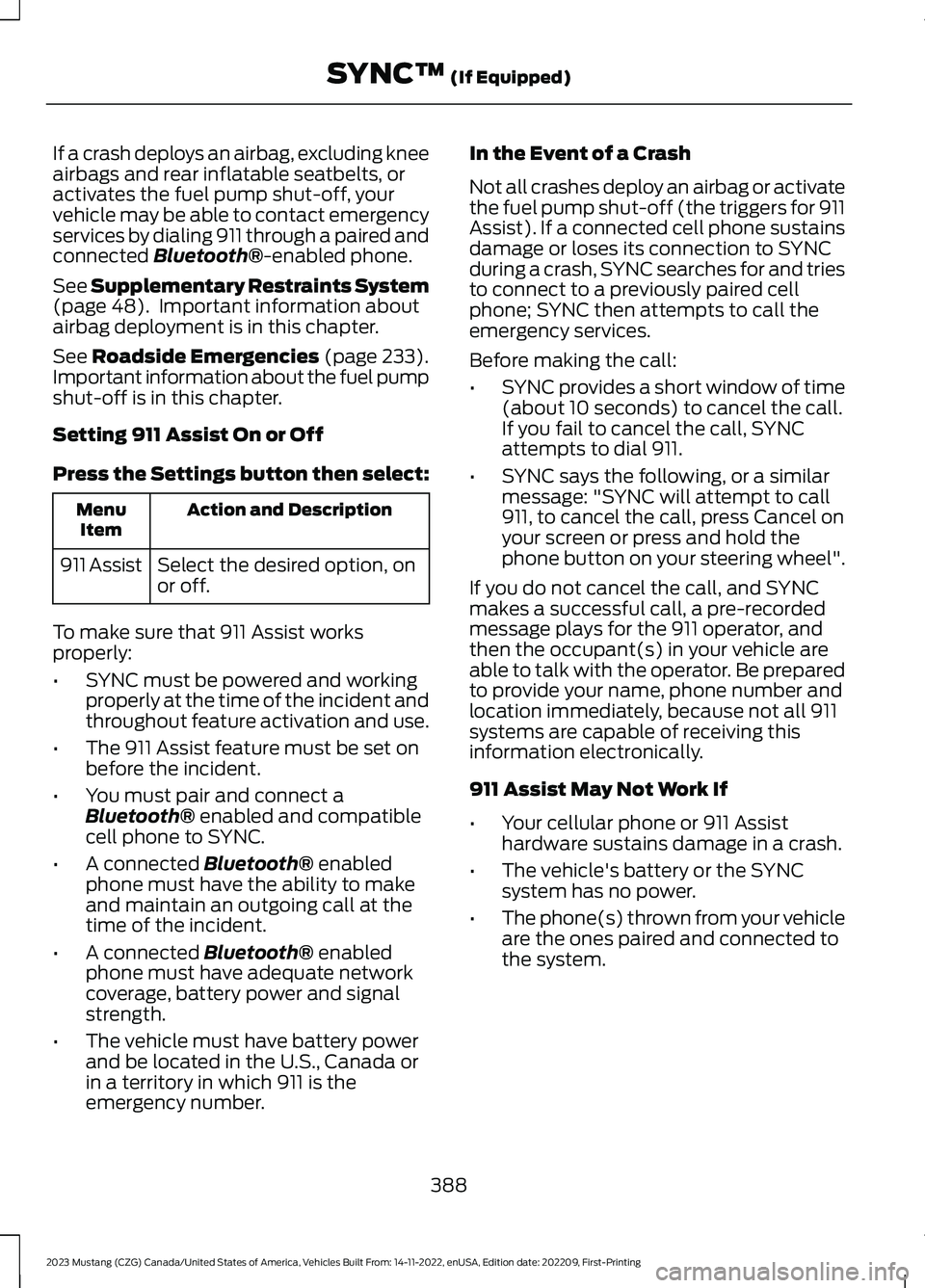
If a crash deploys an airbag, excluding kneeairbags and rear inflatable seatbelts, oractivates the fuel pump shut-off, yourvehicle may be able to contact emergencyservices by dialing 911 through a paired andconnected Bluetooth®-enabled phone.
See Supplementary Restraints System(page 48). Important information aboutairbag deployment is in this chapter.
See Roadside Emergencies (page 233).Important information about the fuel pumpshut-off is in this chapter.
Setting 911 Assist On or Off
Press the Settings button then select:
Action and DescriptionMenuItem
Select the desired option, onor off.911 Assist
To make sure that 911 Assist worksproperly:
•SYNC must be powered and workingproperly at the time of the incident andthroughout feature activation and use.
•The 911 Assist feature must be set onbefore the incident.
•You must pair and connect aBluetooth® enabled and compatiblecell phone to SYNC.
•A connected Bluetooth® enabledphone must have the ability to makeand maintain an outgoing call at thetime of the incident.
•A connected Bluetooth® enabledphone must have adequate networkcoverage, battery power and signalstrength.
•The vehicle must have battery powerand be located in the U.S., Canada orin a territory in which 911 is theemergency number.
In the Event of a Crash
Not all crashes deploy an airbag or activatethe fuel pump shut-off (the triggers for 911Assist). If a connected cell phone sustainsdamage or loses its connection to SYNCduring a crash, SYNC searches for and triesto connect to a previously paired cellphone; SYNC then attempts to call theemergency services.
Before making the call:
•SYNC provides a short window of time(about 10 seconds) to cancel the call.If you fail to cancel the call, SYNCattempts to dial 911.
•SYNC says the following, or a similarmessage: "SYNC will attempt to call911, to cancel the call, press Cancel onyour screen or press and hold thephone button on your steering wheel".
If you do not cancel the call, and SYNCmakes a successful call, a pre-recordedmessage plays for the 911 operator, andthen the occupant(s) in your vehicle areable to talk with the operator. Be preparedto provide your name, phone number andlocation immediately, because not all 911systems are capable of receiving thisinformation electronically.
911 Assist May Not Work If
•Your cellular phone or 911 Assisthardware sustains damage in a crash.
•The vehicle's battery or the SYNCsystem has no power.
•The phone(s) thrown from your vehicleare the ones paired and connected tothe system.
388
2023 Mustang (CZG) Canada/United States of America, Vehicles Built From: 14-11-2022, enUSA, Edition date: 202209, First-PrintingSYNC™ (If Equipped)
Page 393 of 535
911 Assist Privacy Notice
When you switch on 911 Assist, it maydisclose to emergency services that yourvehicle has been in a crash involving thedeployment of an airbag or activation ofthe fuel pump shut-off. Certain versions orupdates to 911 Assist may also be capableof electronically or verbally disclosing to911 operators your vehicle location or otherdetails about your vehicle or crash to assist911 operators to provide the mostappropriate emergency services. If you donot want to disclose this information, donot switch the feature on.
SYNC Mobile Apps
The system enables voice and steeringwheel control of SYNC AppLink enabledsmartphone apps. When an app is runningthrough AppLink, you can control mainfeatures of the app through voicecommands and steering wheel controls.
Note:You must pair and connect yoursmartphone to SYNC to access AppLink.
Note:Android users need to connect thephone to SYNC using Bluetooth®.
Note:For information on available apps,supported smartphone devices andtroubleshooting tips please visit the Fordwebsite.
Note:Availability of SYNC AppLink enabledApps will vary by region.
Note:Make sure you have an active accountfor the app that you have downloaded.Some apps work automatically with nosetup. Other apps want you to configureyour personal settings and personalize yourexperience by creating stations or favorites.We recommend you do this at home oroutside of your vehicle.
To Access Using the SYNC Menu
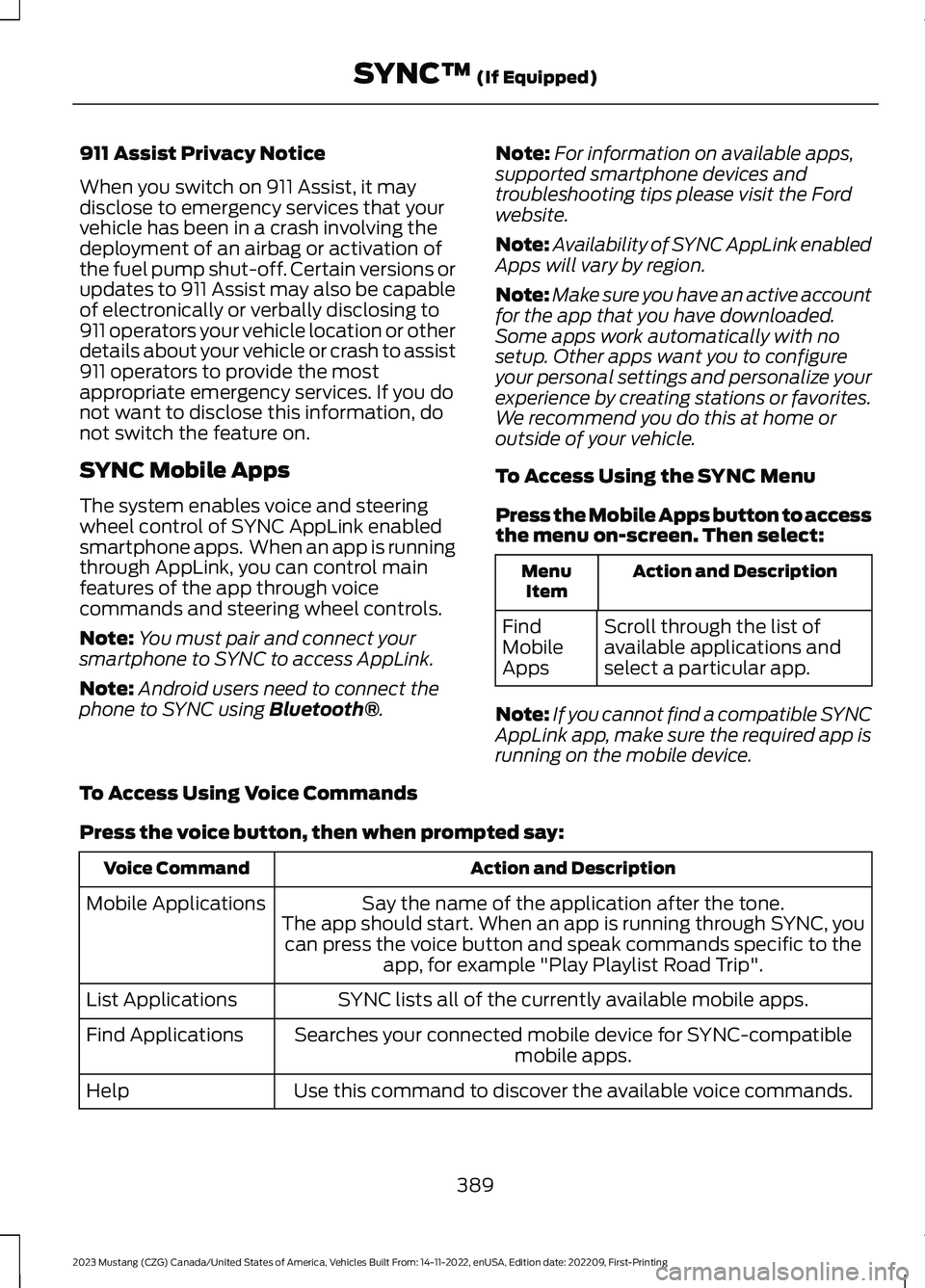
Press the Mobile Apps button to accessthe menu on-screen. Then select:
Action and DescriptionMenuItem
Scroll through the list ofavailable applications andselect a particular app.
FindMobileApps
Note:If you cannot find a compatible SYNCAppLink app, make sure the required app isrunning on the mobile device.
To Access Using Voice Commands
Press the voice button, then when prompted say:
Action and DescriptionVoice Command
Say the name of the application after the tone.The app should start. When an app is running through SYNC, youcan press the voice button and speak commands specific to theapp, for example "Play Playlist Road Trip".
Mobile Applications
SYNC lists all of the currently available mobile apps.List Applications
Searches your connected mobile device for SYNC-compatiblemobile apps.Find Applications
Use this command to discover the available voice commands.Help
389
2023 Mustang (CZG) Canada/United States of America, Vehicles Built From: 14-11-2022, enUSA, Edition date: 202209, First-PrintingSYNC™ (If Equipped)
Page 455 of 535
Make sure to change your vehicle’s oils andfluids at the specified intervals or inconjunction with a repair. Flushing is aviable way to change fluid for many vehiclesub-systems during scheduledmaintenance. It is critical that systems areflushed only with new fluid that is the sameas that required to fill and operate the
system or using a Ford-approved flushingchemical.
Owner Checks and Services
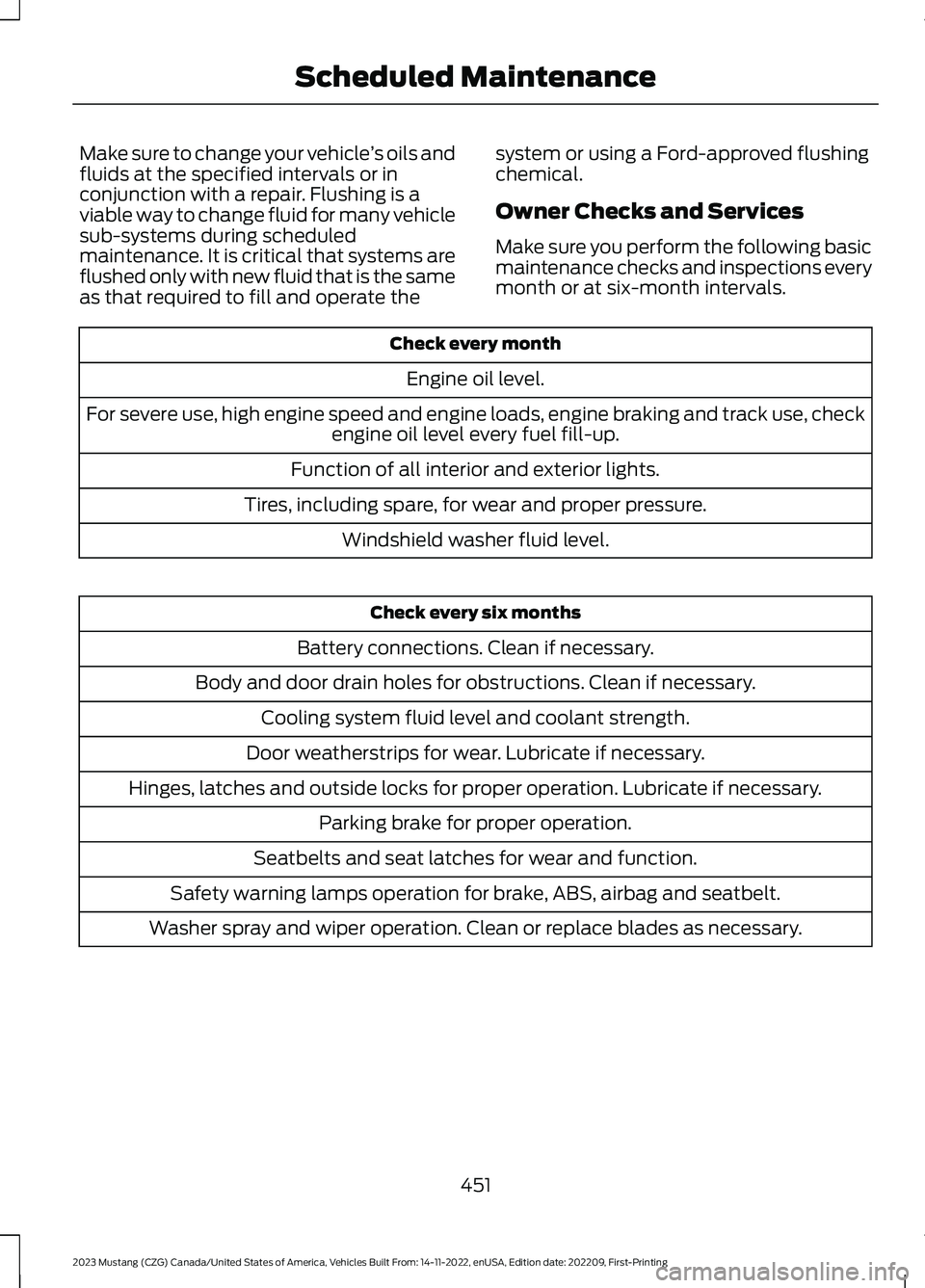
Make sure you perform the following basicmaintenance checks and inspections everymonth or at six-month intervals.
Check every month
Engine oil level.
For severe use, high engine speed and engine loads, engine braking and track use, checkengine oil level every fuel fill-up.
Function of all interior and exterior lights.
Tires, including spare, for wear and proper pressure.
Windshield washer fluid level.
Check every six months
Battery connections. Clean if necessary.
Body and door drain holes for obstructions. Clean if necessary.
Cooling system fluid level and coolant strength.
Door weatherstrips for wear. Lubricate if necessary.
Hinges, latches and outside locks for proper operation. Lubricate if necessary.
Parking brake for proper operation.
Seatbelts and seat latches for wear and function.
Safety warning lamps operation for brake, ABS, airbag and seatbelt.
Washer spray and wiper operation. Clean or replace blades as necessary.
451
2023 Mustang (CZG) Canada/United States of America, Vehicles Built From: 14-11-2022, enUSA, Edition date: 202209, First-PrintingScheduled Maintenance
Page 500 of 535
ELECTROMAGNETIC
COMPATIBILITY
WARNING: Do not place objectsor mount equipment on or near theairbag cover, on the side of the front orrear seatbacks, or in areas that maycome into contact with a deployingairbag. Failure to follow theseinstructions may increase the risk ofpersonal injury in the event of a crash.
WARNING: Do not fasten antennacables to vehicle wiring, fuel pipes andbrake pipes.
WARNING: Keep antenna andpower cables at least 4 in (10 cm) fromany electronic modules and airbags.
Note:We test and certify your vehicle tomeet electromagnetic compatibilitylegislation. It is your responsibility to makesure that any equipment an authorizeddealer installs on your vehicle complies withapplicable local legislation and otherrequirements. Installation of someaftermarket electronic devices coulddegrade the performance of vehiclefunctions, which use radio frequency signalssuch as broadcast radio receiver, tirepressure monitoring system, push buttonstart,Bluetooth® connectivity or satellitenavigation.
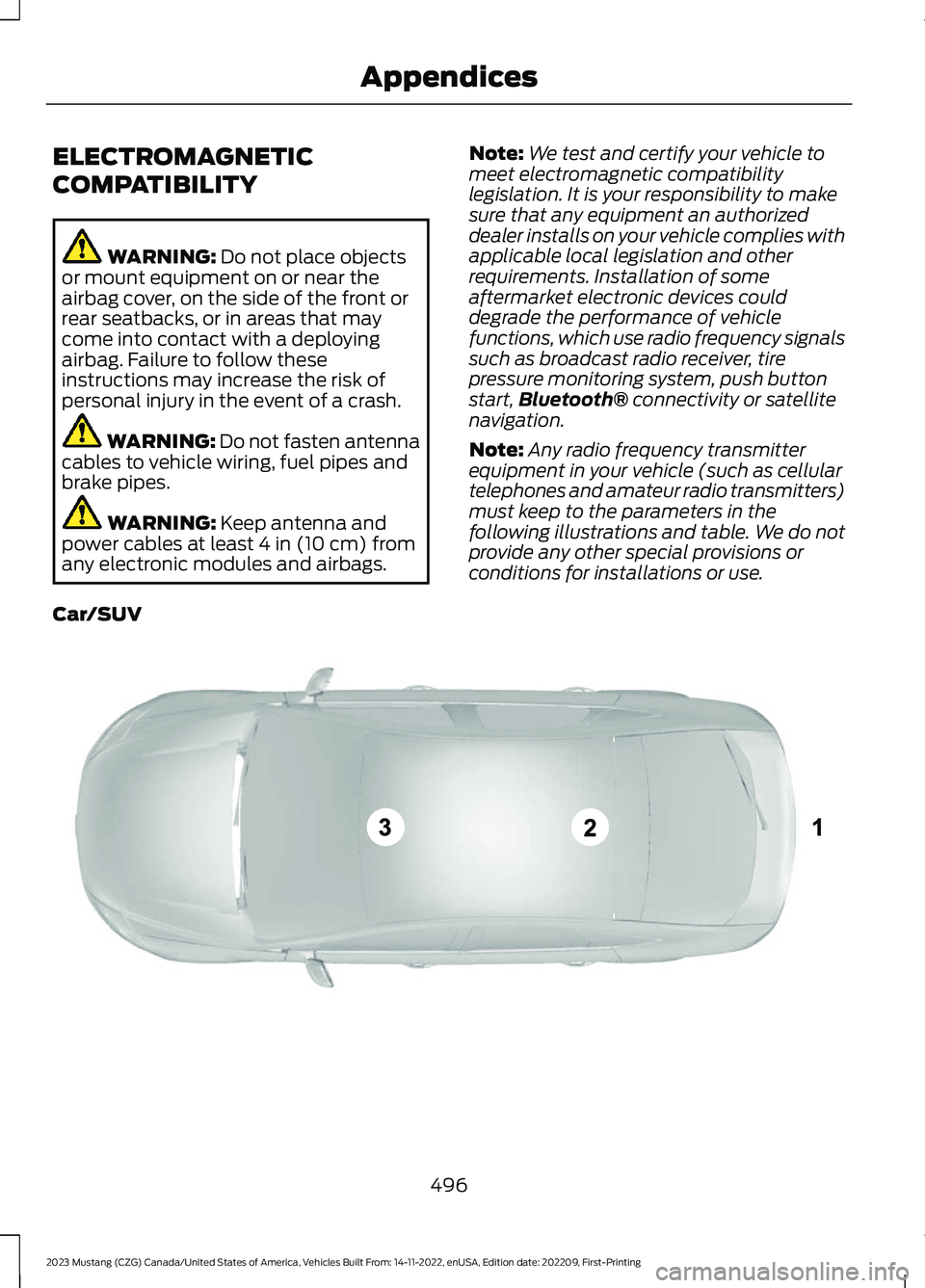
Note:Any radio frequency transmitterequipment in your vehicle (such as cellulartelephones and amateur radio transmitters)must keep to the parameters in thefollowing illustrations and table. We do notprovide any other special provisions orconditions for installations or use.
Car/SUV
496
2023 Mustang (CZG) Canada/United States of America, Vehicles Built From: 14-11-2022, enUSA, Edition date: 202209, First-PrintingAppendicesE239120
Page 511 of 535
1. Safe and Lawful Use
You acknowledge that devoting attentionto the TeleNav Software may pose a riskof injury or death to you and others insituations that otherwise require yourundivided attention, and you thereforeagree to comply with the following whenusing the TeleNav Software:
(a) observe all traffic laws and otherwisedrive safely;
(b) use your own personal judgment whiledriving. If you feel that a route suggestedby the TeleNav Software instructs you toperform an unsafe or illegal maneuver,places you in an unsafe situation, or directsyou into an area that you consider to beunsafe, do not follow such instructions;
(c) do not input destinations, or otherwisemanipulate the TeleNav Software, unlessyour vehicle is stationary and parked;
(d) do not use the TeleNav Software forany illegal, unauthorized, unintended,unsafe, hazardous, or unlawful purposes,or in any manner inconsistent with thisAgreement;
(e) arrange all GPS and wireless devicesand cables necessary for use of theTeleNav Software in a secure manner inyour vehicle so that they will not interferewith your driving and will not prevent theoperation of any safety device (such as anairbag).
You agree to indemnify and hold TeleNavharmless against all claims resulting fromany dangerous or otherwise inappropriateuse of the TeleNav Software in any movingvehicle, including as a result of your failureto comply with the directions above.
2. Account Information
You agree: (a) when registering theTeleNav Software, to provide TeleNav withtrue, accurate, current, and completeinformation about yourself, and (b) toinform TeleNav promptly of any changesto such information, and to keep it true,accurate, current and complete.
3. Software License
•Subject to your compliance with theterms of this Agreement, TeleNavhereby grants to you a personal,non-exclusive, non-transferable license(except as expressly permitted belowin connection with your permanenttransfer of the TeleNav Softwarelicense), without the right tosublicense, to use the TeleNavSoftware (in object code form only) inorder to access and use the TeleNavSoftware. This license shall terminateupon any termination or expiration ofthis Agreement. You agree that you willuse the TeleNav Software only for yourpersonal business or leisure purposes,and not to provide commercialnavigation services to other parties.
3.1 License Limitations
•(a) reverse engineer, decompile,disassemble, translate, modify, alteror otherwise change the TeleNavSoftware or any part thereof; (b)attempt to derive the source code,audio library or structure of theTeleNav Software without the priorexpress written consent of TeleNav;(c) remove from the TeleNavSoftware, or alter, any of TeleNav's orits suppliers' trademarks, trade names,logos, patent or copyright notices, orother notices or markings; (d)
507
2023 Mustang (CZG) Canada/United States of America, Vehicles Built From: 14-11-2022, enUSA, Edition date: 202209, First-PrintingAppendices
Page 529 of 535
A
A/CSee: Climate Control.........................................126About This Manual...........................................9About This Supplement - Mach 1...............9ABSSee: Brakes.............................................................171ABS driving hintsSee: Hints on Driving With Anti-LockBrakes..................................................................171Accessories....................................................446AccessoriesSee: Replacement PartsRecommendation............................................19ACCSee: Using Adaptive Cruise Control............185Adjusting the Headlamps.........................274Adjusting the Steering Wheel....................75Airbag Disposal...............................................57Air ConditioningSee: Climate Control.........................................126Air FilterSee: Changing the Engine Air Filter - 2.3LEcoBoost™/5.0L..........................................263See: Changing the Engine Air Filter - 5.0L,Mach 1...............................................................264AlarmSee: Anti-Theft Alarm.........................................74Ambient Lighting............................................83Anti-Theft Alarm............................................74Appendices...................................................496Apps.................................................................428At a Glance.......................................................23Audible Warnings and Indicators.............97Audio Control...................................................75Audio System................................................373General Information..........................................373Audio Unit - Vehicles With: 4.2 InchCenter Display Screen.............................373Audio Unit - Vehicles With: 8 Inch CenterDisplay Screen............................................375Autolamps.........................................................81Automatic Climate Control.......................127Automatic High Beam Control.................84Automatic High Beam ControlIndicators.......................................................84Automatic Transmission...........................164
Automatic Transmission FluidCheck.............................................................270Autowipers........................................................78Auxiliary Power Points................................144
B
BatterySee: Changing the 12V Battery.......................271Blind Spot Information System...............197BLISSee: Blind Spot Information System...........197Body Styling Kits.........................................300Bonnet LockSee: Opening and Closing the Hood...........257Booster Seats..................................................35Brake Fluid Check........................................270Brakes.................................................................171General Information............................................171Brake System Specifications - Mach1.......................................................................339Breaking-In.....................................................230Bulb Specification Chart..........................366
C
Canceling the Set Speed...........................185Capacities and Specifications - 2.3LEcoBoost™.................................................345Capacities and Specifications - 5.0L,Mach 1...........................................................353Capacities and Specifications -5.0L................................................................359Capacities and Specifications................337Car WashSee: Cleaning the Exterior..............................293See: Cleaning the Exterior - Mach 1............293Catalytic Converter......................................160Center Console..............................................145Changing a Bulb...........................................276Changing a Fuse...........................................255Changing a Road Wheel...........................330Changing the 12V Battery...........................271Changing the Engine Air Filter - 2.3LEcoBoost™/5.0L......................................263Changing the Engine Air Filter - 5.0L,Mach 1...........................................................264
525
2023 Mustang (CZG) Canada/United States of America, Vehicles Built From: 14-11-2022, enUSA, Edition date: 202209, First-PrintingIndex
Page 530 of 535
Changing the Vehicle Wi-Fi HotspotName or Password...................................372Changing the Wiper Blades.....................276Checking MyKey System Status...............65Checking the Wiper Blades......................276Child Restraint and SeatbeltMaintenance.................................................46Child Restraint Positioning..........................37Child Safety......................................................25General Information............................................25Cleaning Leather Seats..............................297Cleaning Products.......................................292Cleaning the Convertible Top.................300Cleaning the Engine....................................295Cleaning the Engine - Mach 1..................295Cleaning the Exterior..................................293Cleaning the Exterior - Mach 1................293Cleaning the Instrument Panel andInstrument Cluster Lens.........................297Cleaning the Interior...................................296Cleaning the Wheels..................................298Cleaning the Windows and WiperBlades...........................................................296Clearing All MyKeys.......................................64Clearing the Garage Door Opener..........142Climate.............................................................419Climate Control.............................................126Climate Controlled Seats..........................138Closing the Convertible Top....................229Clutch Fluid Check - ManualTransmission................................................271Cold Weather Precautions.......................230Connected Vehicle......................................368Connecting the Vehicle to a MobileNetwork...........................................................368Connected Vehicle Limitations..............368Connected Vehicle Requirements........368Connected Vehicle – Troubleshooting -Vehicles With: Modem...........................369Connected Vehicle – Troubleshooting -Vehicles With: SYNC 3............................370Connecting the Vehicle to a MobileNetwork.......................................................368Connecting FordPass to the Modem.........368Enabling and Disabling the Modem...........368What Is the Modem..........................................368Connecting the Vehicle to a Wi-FiNetwork.......................................................368
Convertible Top............................................228Coolant CheckSee: Engine Coolant Check............................265Crash Sensors and Airbag Indicator.......56Creating a MyKey...........................................64Creating a Vehicle Wi-Fi Hotspot...........372Cross Traffic Alert.........................................199Cruise Control................................................184Cruise Control Indicators...........................185Cruise Control - Vehicles With: AdaptiveCruise Control...............................................76Cruise Control - Vehicles With: CruiseControl.............................................................76Customer Assistance.................................239Customer Information...............................459Radio Frequency CertificationLabels...............................................................459
D
Data Recording................................................15Daytime Running Lamps - Vehicles With:Configurable Daytime RunningLamps..............................................................82Daytime Running Lamps - Vehicles With:Daytime Running Lamps (DRL)............82Digital Radio...................................................377Direction Indicators.......................................83Doors and Locks.............................................67Drive Control..................................................210Drive Control - Mach 1................................207Driver Alert.......................................................192Driver and Passenger Airbags...................49Driver and Passenger Knee Airbags........54Driving Aids.....................................................192Driving at High Speed.................................335Driving Economically..................................230Driving Hints..................................................230Driving Through Shallow Water..............231DRLSee: Daytime Running Lamps - Vehicles With:Configurable Daytime RunningLamps..................................................................82See: Daytime Running Lamps - Vehicles With:Daytime Running Lamps (DRL)................82
526
2023 Mustang (CZG) Canada/United States of America, Vehicles Built From: 14-11-2022, enUSA, Edition date: 202209, First-PrintingIndex
Page 534 of 535
Replacing a Lost Key or RemoteControl.............................................................62Replacing the Cabin Air Filter...................132Reporting Safety Defects (CanadaOnly)..............................................................244Reporting Safety Defects (U.S.Only)..............................................................244Reprogramming the Garage DoorOpener...........................................................143Resuming the Set Speed...........................185Roadside Assistance..................................233Roadside Emergencies..............................233Running-InSee: Breaking-In.................................................230Running Out of Fuel.....................................153
S
Safety Canopy™ - Coupe...........................54Safety Precautions.......................................152Satellite Radio...............................................379Scheduled Maintenance..........................449Seatbelt Extensions......................................46Seatbelt Reminder........................................44Seatbelts...........................................................40Principle of Operation........................................40Seatbelt Warning Lamp and IndicatorChime..............................................................43Seats..................................................................133Security...............................................................73Settings............................................................431Setting the Cruise Control Speed..........184Side Airbags.....................................................53Sitting in the Correct Position..................133Snow ChainsSee: Using Snow Chains.................................325Spare WheelSee: Changing a Road Wheel.......................330Special Notices...............................................20Special Operating Conditions ScheduledMaintenance..............................................455Speed ControlSee: Cruise Control............................................184Stability Control.............................................175Principle of Operation.......................................175Starting a Gasoline Engine........................147Starting and Stopping the Engine.........146General Information..........................................146
Steering...........................................................202Steering Wheel Lock....................................147Steering Wheel................................................75Storage Compartments.............................145Sun Visors.........................................................88Supplementary Restraints System.........48Principle of Operation........................................48Suspension Specifications - Mach1.........................................................................341Switching Automatic High Beam ControlOn and Off.....................................................84Switching Cruise Control On andOff...................................................................184Switching the Heated Steering WheelOn and Off......................................................77Symbols Glossary...........................................12SYNC™ 3.......................................................400General Information........................................400SYNC™ 3 Troubleshooting......................433SYNC™ Applications andServices........................................................387SYNC™...........................................................383General Information.........................................383SYNC™ Troubleshooting..........................391
T
Technical SpecificationsSee: Capacities and Specifications.............337The Better Business Bureau (BBB) AutoLine Program (U.S. Only)........................241Tire Care..........................................................307Tire Inflation When PuncturedSee: Tire Sealant and Inflator Kit.................301Tire Pressure Monitoring System...........326Tire Repair KitSee: Tire Sealant and Inflator Kit.................301Tire Sealant and Inflator Kit.....................301TiresSee: Wheels and Tires......................................301Towing a Trailer - Mach 1............................219Towing a Trailer.............................................219Towing the Vehicle on FourWheels...........................................................227Towing..............................................................219Track Use - Mach 1.......................................278Track Use........................................................285
530
2023 Mustang (CZG) Canada/United States of America, Vehicles Built From: 14-11-2022, enUSA, Edition date: 202209, First-PrintingIndex