wheel FORD MUSTANG MACH E 2023 Owner's Manual
[x] Cancel search | Manufacturer: FORD, Model Year: 2023, Model line: MUSTANG MACH E, Model: FORD MUSTANG MACH E 2023Pages: 496, PDF Size: 13.09 MB
Page 196 of 496
ELECTRIC MOTOR
PRECAUTIONS
WARNING: When your vehicle isstationary, keep the brake pedal fullypressed when shifting gears. Failure tofollow this instruction could result inpersonal injury, death or propertydamage.
WARNING: Do not apply the brakepedal and accelerator pedalsimultaneously. Applying both pedalssimultaneously for more than a fewseconds will limit power, which mayresult in difficulty maintaining speed intraffic and could lead to serious injury.
WARNING: Apply the parkingbrake, shift into park (P), switch thevehicle off and remove the key or remotecontrol before you leave your vehicle.Failure to follow this instruction couldresult in personal injury or death.
Note:You may not be able to shift out ofpark (P) unless the intelligent access key isinside your vehicle.
SELECTOR POSITIONS
PARK (P)
WARNING: Shift into park (P) onlywhen your vehicle is stationary.
In park (P) power is not transmitted to thedriven wheels.
Note:A tone sounds if you attempt to exityour vehicle without the selector in park (P).
Note:Your vehicle may not shift out of park(P) if the vehicle battery has run out ofcharge. See Jump Starting the Vehicle(page 309).
Note:Your vehicle may not shift out of park(P) if a fuse is blown. See Fuses (page 314).
Note:The electronic parking brake couldapply when the selector is in park (P). SeeAutomatically Releasing the ElectricParking Brake (page 200).
Note:Your vehicle could shift into park (P)if you attempt to exit your vehicle withoutthe selector in park (P). See How DoesAutomatic Return to Park (P) Work (page194).
Note:A tone could sound when you selectpark (P).
REVERSE (R)
WARNING: Shift into reverse (R)only when your vehicle is stationary.
In reverse (R) power is transmitted to thedriven wheels.
NEUTRAL (N)
WARNING: In neutral (N) yourvehicle is free to roll.
In neutral (N) power is not transmitted tothe driven wheels.
DRIVE (D)
In drive (D) power is transmitted to thedriven wheels.
192
2023 Mustang Mach-E (CGW) Canada/United States of America, enUSA, Edition date: 202209, DOMElectric Motor
Page 200 of 496
HOW DOES ALL-WHEEL DRIVE
WORK
The all-wheel drive system is designed tocontinuously monitor and adjust powerdelivery to the front and rear wheels tooptimize both traction and handling.
There is further information on driving inunique driving conditions. See DrivingHints (page 301).
ALL-WHEEL DRIVE
PRECAUTIONS
WARNING: Do not becomeoverconfident in the ability of all-wheeldrive vehicles. Although an all-wheeldrive vehicle may accelerate better thana two-wheel drive vehicle in low tractionsituations, it won't stop any faster thantwo-wheel drive vehicles. Always driveat a safe speed.
ALL-WHEEL DRIVE
LIMITATIONS
The all-wheel drive system is not intendedfor use with mismatched tires.
Different tire sizes between the front andrear axles can cause system damage.
ALL-WHEEL DRIVE – TROUBLESHOOTING
ALL-WHEEL DRIVE – INFORMATION MESSAGES
ActionMessage
The all-wheel drive system temporarily turns off to protectitself from overheating.AWD TemporarilyDisabled
The all-wheel drive system is not operating properly. If thewarning stays on or continues to come on, contact anauthorized dealer.
AWD Off
The all-wheel drive system will resume normal function.AWD Restored
196
2023 Mustang Mach-E (CGW) Canada/United States of America, enUSA, Edition date: 202209, DOMAll-Wheel Drive (If Equipped)
Page 203 of 496
BRAKES – FREQUENTLY ASKEDQUESTIONS
Is occasional brake noise normal
Occasional brake noise is normal. If ametal-to-metal, continuous grindingor continuous squeal sound is present,the brake linings could be worn-out.Have the system checked by anauthorized dealer.
Note: Brake dust could accumulate on thewheels, even under normal drivingconditions. Some dust is inevitable as thebrakes wear, and does not contribute tobrake noise. See Cleaning Wheels (page332).
199
2023 Mustang Mach-E (CGW) Canada/United States of America, enUSA, Edition date: 202209, DOMBrakes
Page 217 of 496
WHAT IS TRACTION CONTROL
The traction control system helps to avoiddrive wheel spin and loss of traction.
HOW DOES TRACTION
CONTROL WORK
If your vehicle begins to slide, the systemapplies the brakes to individual wheelsand, when needed, reduces power at thesame time. If the wheels spin whenaccelerating on slippery or loose surfaces,the system reduces power in order toincrease traction.
SWITCHING TRACTION
CONTROL ON AND OFF
WARNING: Operating your vehiclewith the traction control disabled couldlead to an increased risk of loss of vehiclecontrol, vehicle rollover, personal injuryand death.
The system turns traction control andstability control on each time you poweron your vehicle.
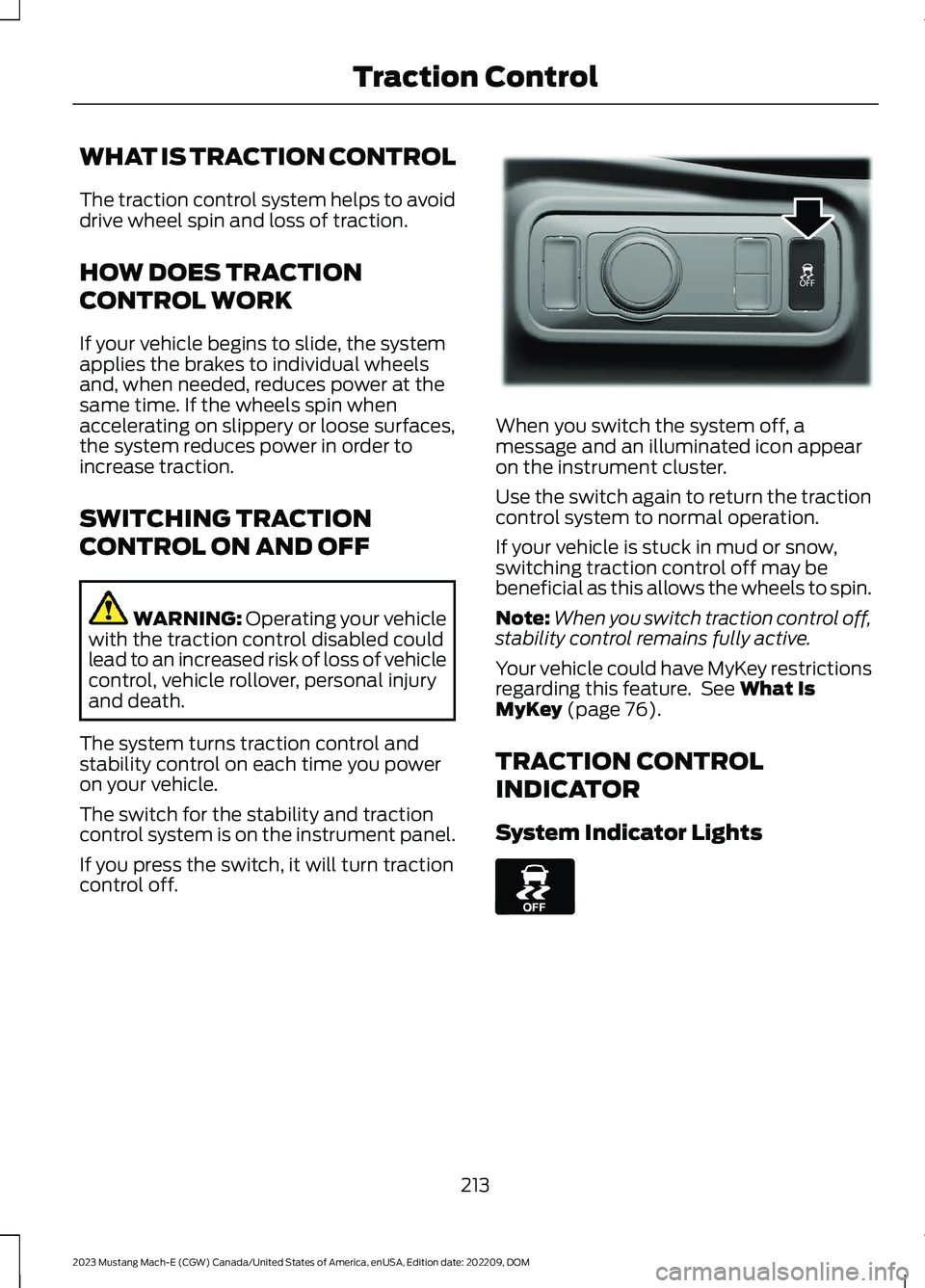
The switch for the stability and tractioncontrol system is on the instrument panel.
If you press the switch, it will turn tractioncontrol off.
When you switch the system off, amessage and an illuminated icon appearon the instrument cluster.
Use the switch again to return the tractioncontrol system to normal operation.
If your vehicle is stuck in mud or snow,switching traction control off may bebeneficial as this allows the wheels to spin.
Note:When you switch traction control off,stability control remains fully active.
Your vehicle could have MyKey restrictionsregarding this feature. See What IsMyKey (page 76).
TRACTION CONTROL
INDICATOR
System Indicator Lights
213
2023 Mustang Mach-E (CGW) Canada/United States of America, enUSA, Edition date: 202209, DOMTraction ControlE341071 E130458
Page 219 of 496
HOW DOES STABILITY
CONTROL WORK
WARNING: Vehicle modificationsinvolving braking system, aftermarketroof racks, suspension, steering system,tire construction and wheel and tire sizemay change the handling characteristicsof your vehicle and may adversely affectthe performance of the electronicstability control system. In addition,installing any stereo speakers mayinterfere with and adversely affect theelectronic stability control system.Reducing the effectiveness of theelectronic stability control system couldlead to an increased risk of loss of vehiclecontrol, vehicle rollover, personal injuryand death.
WARNING: Remember that evenadvanced technology cannot defy thelaws of physics. It's always possible tolose control of a vehicle due toinappropriate driver input for theconditions. Aggressive driving on anyroad condition can cause you to losecontrol of your vehicle increasing the riskof personal injury or property damage.Activation of the electronic stabilitycontrol system is an indication that atleast some of the tires have exceededtheir ability to grip the road; this couldreduce the operator's ability to controlthe vehicle potentially resulting in a lossof vehicle control, vehicle rollover,personal injury and death.
If a driving condition activates either thestability control or the traction controlsystem you may experience the followingconditions:
•The stability and traction control lightflashes.
•Your vehicle slows down.
•Reduced power.
The stability control system has severalfeatures built into it to help you maintaincontrol of your vehicle:
Electronic Stability Control
Electronic stability control enhances yourvehicle’s ability to prevent skids or lateralslides by applying brakes to one or moreof the wheels individually and, if necessary,reducing power.
Curve Control
Curve control enhances your vehicle’sability to follow the road when corneringseverely or avoiding objects in the roadway.Curve control operates by reducing powerand, if necessary, applying brakes to oneor more of the wheels individually.
Traction Control
Traction control enhances your vehicle’sability to maintain traction of the wheelsby detecting and controlling wheel spin.See What Is Traction Control (page 213).
215
2023 Mustang Mach-E (CGW) Canada/United States of America, enUSA, Edition date: 202209, DOMStability Control
Page 220 of 496
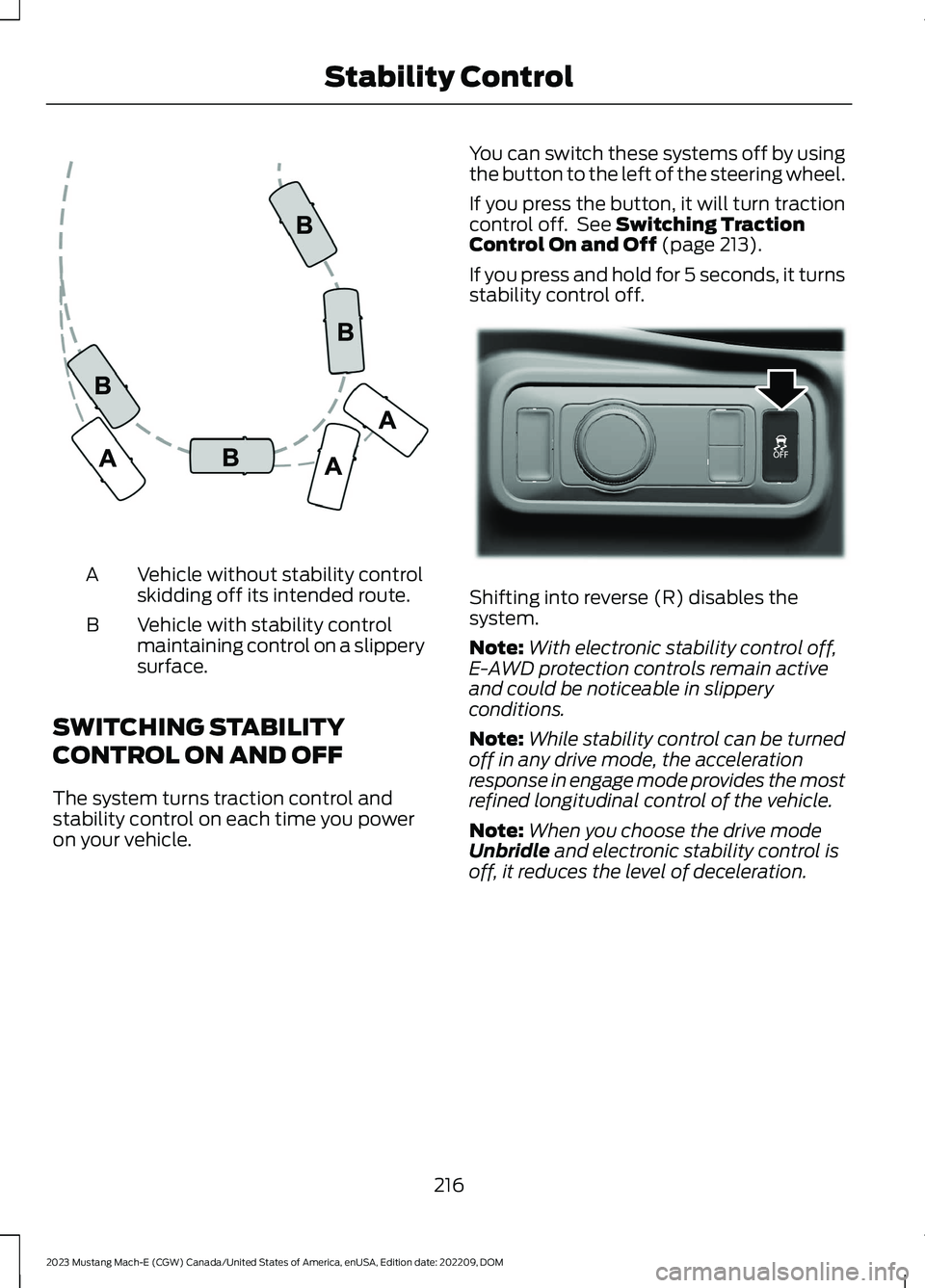
Vehicle without stability controlskidding off its intended route.A
Vehicle with stability controlmaintaining control on a slipperysurface.
B
SWITCHING STABILITY
CONTROL ON AND OFF
The system turns traction control andstability control on each time you poweron your vehicle.
You can switch these systems off by usingthe button to the left of the steering wheel.
If you press the button, it will turn tractioncontrol off. See Switching TractionControl On and Off (page 213).
If you press and hold for 5 seconds, it turnsstability control off.
Shifting into reverse (R) disables thesystem.
Note:With electronic stability control off,E-AWD protection controls remain activeand could be noticeable in slipperyconditions.
Note:While stability control can be turnedoff in any drive mode, the accelerationresponse in engage mode provides the mostrefined longitudinal control of the vehicle.
Note:When you choose the drive modeUnbridle and electronic stability control isoff, it reduces the level of deceleration.
216
2023 Mustang Mach-E (CGW) Canada/United States of America, enUSA, Edition date: 202209, DOMStability ControlE72903 E341071
Page 228 of 496
The side parking aid may not function if:
•Your vehicle remains stationary for overtwo minutes.
•The anti-lock brake system activates.
•The traction control system activates.
•Your vehicle is in park (P).
•The steering wheel angle informationis not available. You must drive at least492 ft (150 m) above 19 mph(30 km/h) to reset the steering wheelangle information.
Note:If you switch traction control off, theside sensing system also turns off.
To reinitialize the system, drive the lengthof your vehicle.
The side parking aid does not detect anobject that is moving toward the side ofyour vehicle, for example another vehiclemoving at a low speed, if it does not passa front or rear parking aid sensor.
If the transmission is in reverse (R), the sidesensing system provides audible warnings.When your vehicle is moving slowly,obstacles are detected within 24 in(60 cm) and are inside the driving path ofyour vehicle. If your vehicle remainsstationary for a few seconds, the audiblewarning turns off. Visual indication isalways present in reverse (R).
If your vehicle is in neutral (N), the sidesensing system provides visual indicationonly when your vehicle is moving slowlyand there is a front or rear parking aidobstacle detected, and the side obstacleis within 24 in (60 cm) from the side ofyour vehicle. If your vehicle remainsstationary for a few seconds, the visualindication turns off.
If the transmission is in drive (D) or anyother forward gear, the side sensing systemprovides audible and visual warnings.When your vehicle is moving slowly,obstacles are detected within 24 in(60 cm) and are inside the driving path ofyour vehicle. If your vehicle remainsstationary for a few seconds, the visualindication and audible warning turns off.
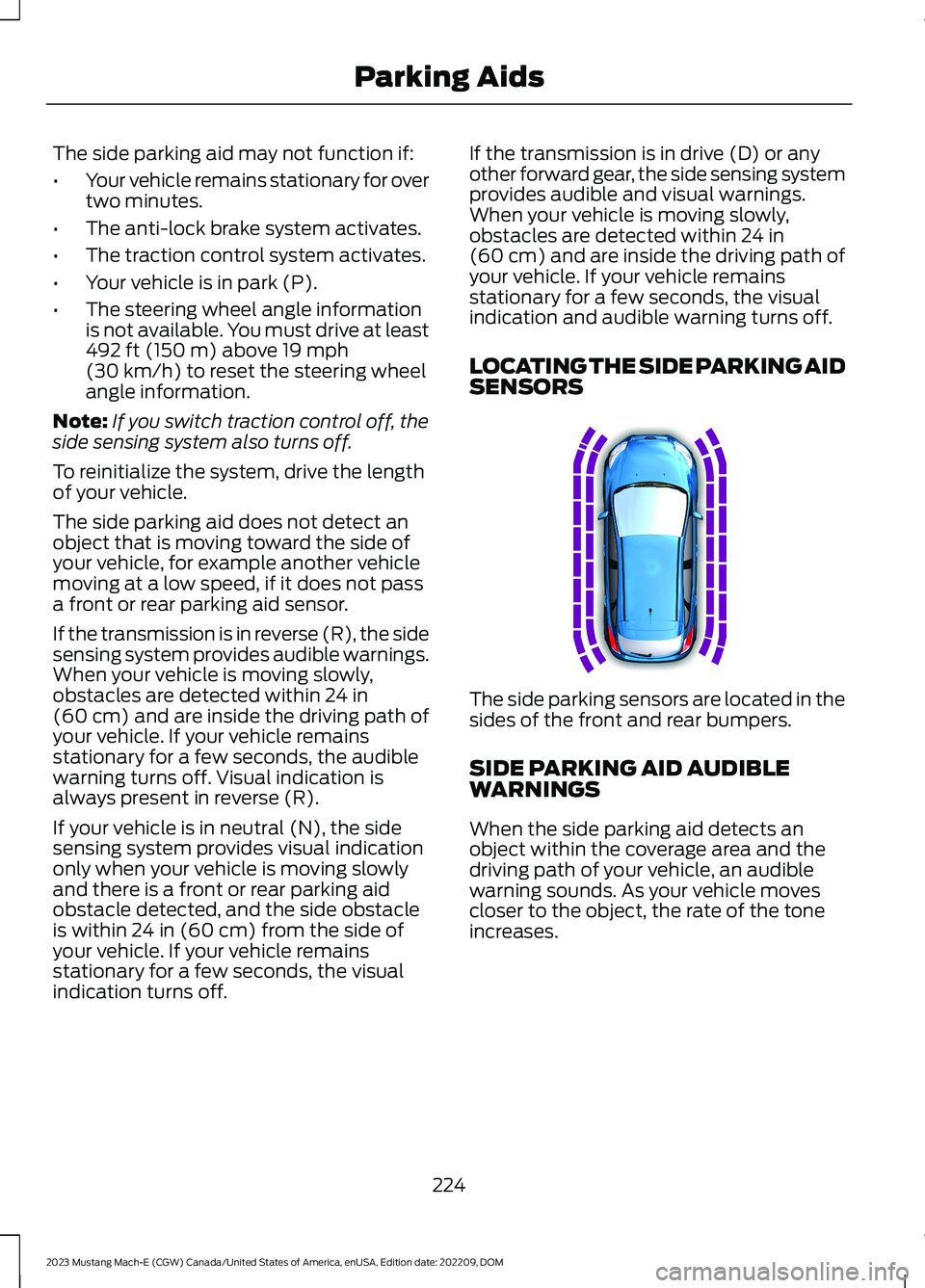
LOCATING THE SIDE PARKING AIDSENSORS
The side parking sensors are located in thesides of the front and rear bumpers.
SIDE PARKING AID AUDIBLEWARNINGS
When the side parking aid detects anobject within the coverage area and thedriving path of your vehicle, an audiblewarning sounds. As your vehicle movescloser to the object, the rate of the toneincreases.
224
2023 Mustang Mach-E (CGW) Canada/United States of America, enUSA, Edition date: 202209, DOMParking AidsE187810
Page 231 of 496
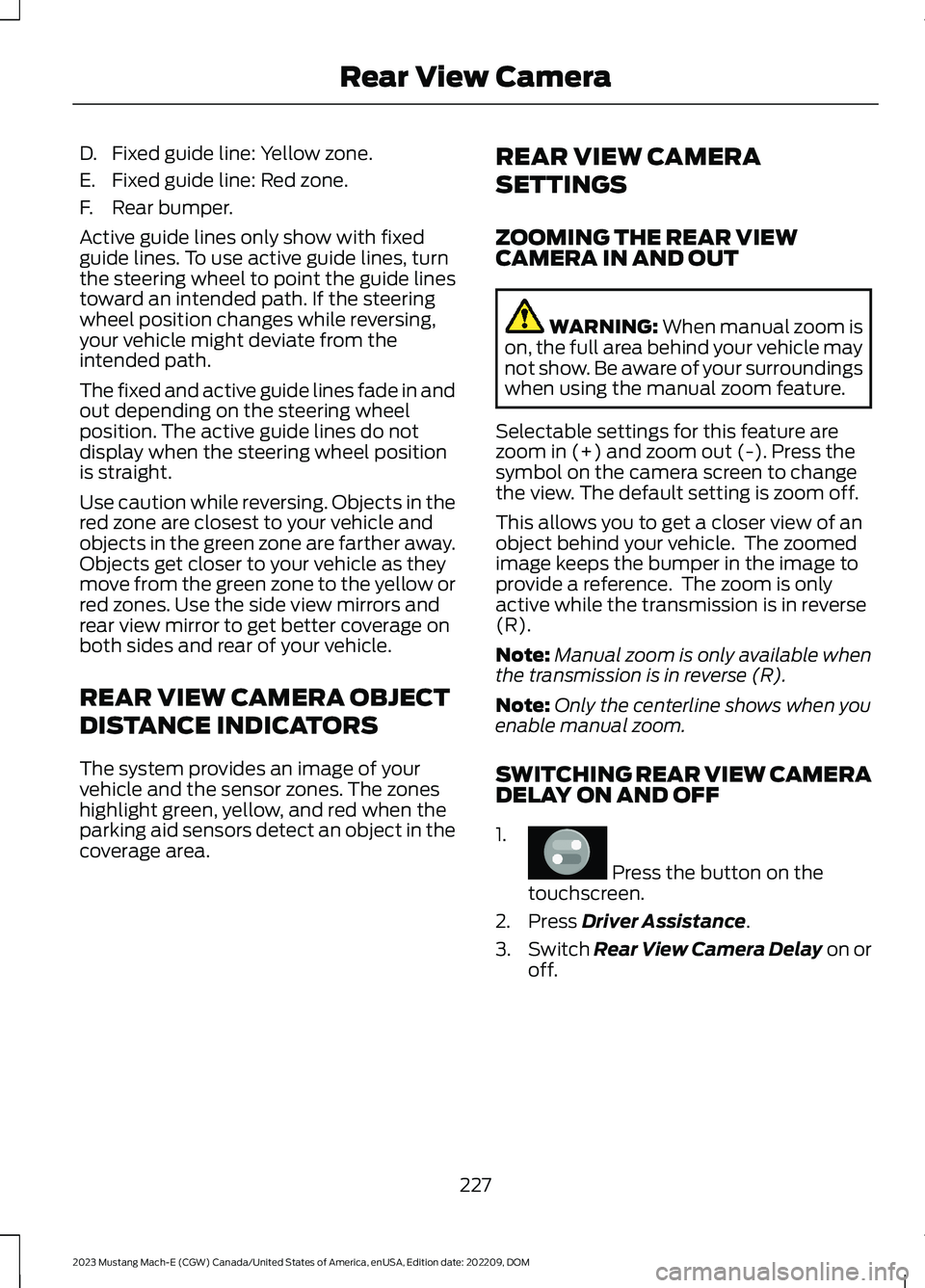
D.Fixed guide line: Yellow zone.
E.Fixed guide line: Red zone.
F.Rear bumper.
Active guide lines only show with fixedguide lines. To use active guide lines, turnthe steering wheel to point the guide linestoward an intended path. If the steeringwheel position changes while reversing,your vehicle might deviate from theintended path.
The fixed and active guide lines fade in andout depending on the steering wheelposition. The active guide lines do notdisplay when the steering wheel positionis straight.
Use caution while reversing. Objects in thered zone are closest to your vehicle andobjects in the green zone are farther away.Objects get closer to your vehicle as theymove from the green zone to the yellow orred zones. Use the side view mirrors andrear view mirror to get better coverage onboth sides and rear of your vehicle.
REAR VIEW CAMERA OBJECT
DISTANCE INDICATORS
The system provides an image of yourvehicle and the sensor zones. The zoneshighlight green, yellow, and red when theparking aid sensors detect an object in thecoverage area.
REAR VIEW CAMERA
SETTINGS
ZOOMING THE REAR VIEWCAMERA IN AND OUT
WARNING: When manual zoom ison, the full area behind your vehicle maynot show. Be aware of your surroundingswhen using the manual zoom feature.
Selectable settings for this feature arezoom in (+) and zoom out (-). Press thesymbol on the camera screen to changethe view. The default setting is zoom off.
This allows you to get a closer view of anobject behind your vehicle. The zoomedimage keeps the bumper in the image toprovide a reference. The zoom is onlyactive while the transmission is in reverse(R).
Note:Manual zoom is only available whenthe transmission is in reverse (R).
Note:Only the centerline shows when youenable manual zoom.
SWITCHING REAR VIEW CAMERADELAY ON AND OFF
1.
Press the button on thetouchscreen.
2.Press Driver Assistance.
3.Switch Rear View Camera Delay on oroff.
227
2023 Mustang Mach-E (CGW) Canada/United States of America, enUSA, Edition date: 202209, DOMRear View CameraE386797
Page 234 of 496
Side View Camera
The side view camera is on the outsidemirror. It provides a video image of the areaon the sides of your vehicle to aid you whenparking.
360 DEGREE CAMERA GUIDE
LINES
Note:Active guide lines are only availablewhen the transmission is in reverse (R).
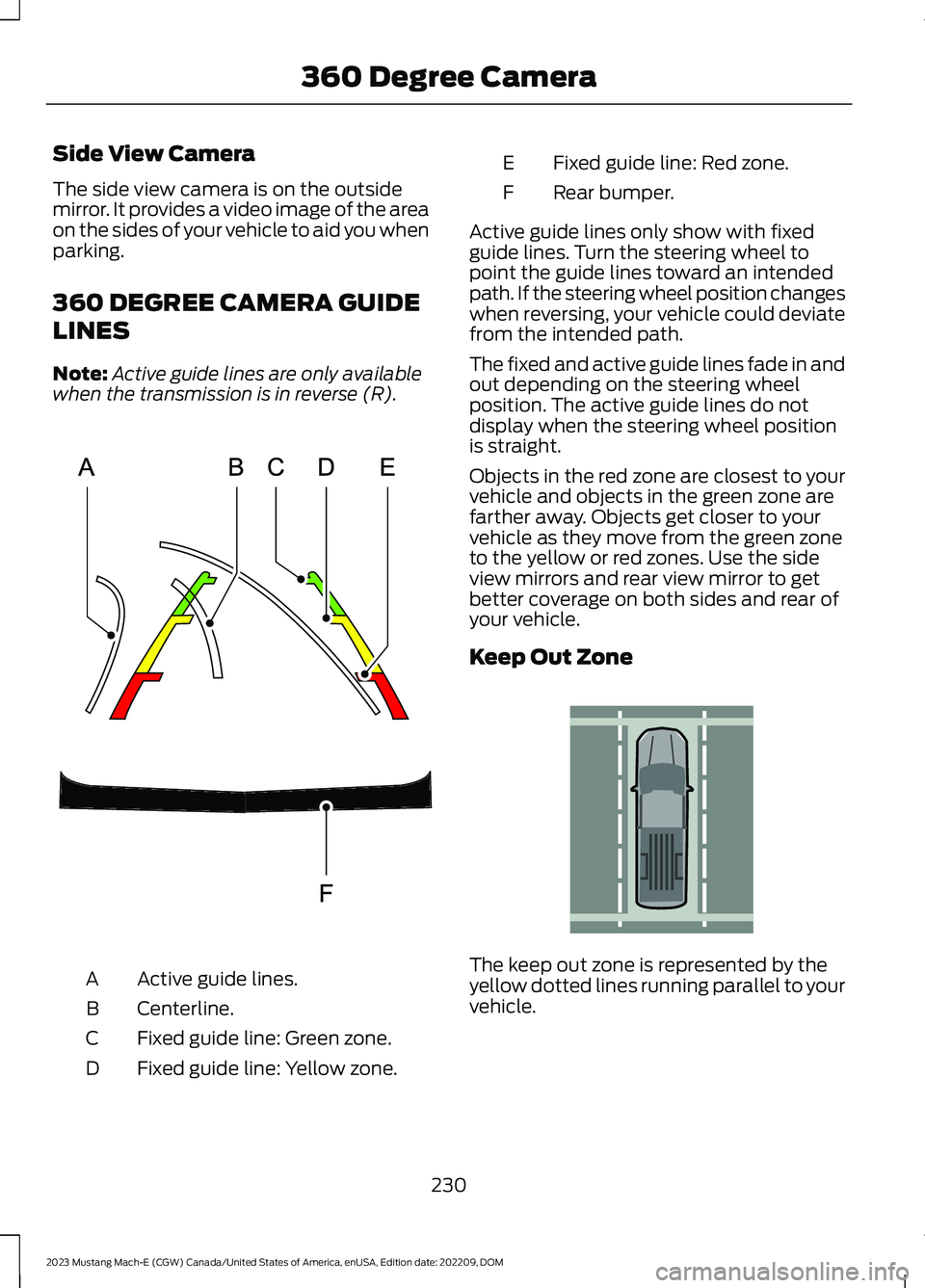
Active guide lines.A
Centerline.B
Fixed guide line: Green zone.C
Fixed guide line: Yellow zone.D
Fixed guide line: Red zone.E
Rear bumper.F
Active guide lines only show with fixedguide lines. Turn the steering wheel topoint the guide lines toward an intendedpath. If the steering wheel position changeswhen reversing, your vehicle could deviatefrom the intended path.
The fixed and active guide lines fade in andout depending on the steering wheelposition. The active guide lines do notdisplay when the steering wheel positionis straight.
Objects in the red zone are closest to yourvehicle and objects in the green zone arefarther away. Objects get closer to yourvehicle as they move from the green zoneto the yellow or red zones. Use the sideview mirrors and rear view mirror to getbetter coverage on both sides and rear ofyour vehicle.
Keep Out Zone
The keep out zone is represented by theyellow dotted lines running parallel to yourvehicle.
230
2023 Mustang Mach-E (CGW) Canada/United States of America, enUSA, Edition date: 202209, DOM360 Degree CameraE306774 E310341
Page 237 of 496
3.Use the turn signal lever to search fora parking space on the driver orpassenger side of your vehicle.
Note:If you do not use the turn signal lever,the system searches for a parking space onthe passenger side of your vehicle.
4.Drive your vehicle approximately 3 ft(1 m) away from and parallel to theother parked vehicles when searchingfor a parking space.
Note:A tone sounds and a messageappears in the information andentertainment display when active parkassist finds a suitable parking space.
5.Press and hold the brake pedal.
6.Release the steering wheel and shiftinto neutral (N).
7.Press and hold the parking aid button.
8.Release the brake pedal to allow yourvehicle to park.
Note:You can slow down your vehicle atany time by pressing the brake pedal.
Note:When parallel parking betweenobjects, the system parks closer to theobject in front of your vehicle to allow easieraccess to the luggage compartment.
Note:When parking is complete, yourvehicle shifts into park (P).
ENTERING A PERPENDICULAR
PARKING SPACE
1.Press the parking aid button.
Note:Active park assist does not recognizeparking space lines and centers your vehiclebetween objects.
2.Press the active park assist icon on thetouchscreen.
3.Select perpendicular parking.
4.Use the turn signal lever to search fora parking space on the driver orpassenger side of your vehicle.
Note:If you do not use the turn signal lever,the system searches for a parking space onthe passenger side of your vehicle.
5.Drive your vehicle approximately 3 ft(1 m) away from and perpendicular tothe other parked vehicles whensearching for a parking space.
Note:A tone sounds and a messageappears in the information andentertainment display when active parkassist finds a parking space.
6.Press and hold the brake pedal.
7.Release the steering wheel and shiftinto neutral (N).
8.Press and hold the parking aid button.
9.Release the brake pedal to allow thevehicle to park.
Note:Active park assist backs your vehicleinto parking spaces.
Note:Active park assist aligns the front endof your vehicle with the lane side of theobject next to it.
Note:When the system detects only oneobject, it allows enough distance to openthe door on either side.
Note:You can slow down your vehicle atany time by pressing the brake pedal.
Note:When parking is complete, yourvehicle shifts into park (P).
EXITING A PARKING SPACE
Active park assist only assists leavingparallel parking spaces.
1.Press the parking aid button.
2.Press the active park assist icon on thetouchscreen.
3.Select parallel park exit.
233
2023 Mustang Mach-E (CGW) Canada/United States of America, enUSA, Edition date: 202209, DOMActive Park Assist (If Equipped)