lock FORD POLICE INTERCEPTOR UTILITY 2015 1.G Owner's Manual
[x] Cancel search | Manufacturer: FORD, Model Year: 2015, Model line: POLICE INTERCEPTOR UTILITY, Model: FORD POLICE INTERCEPTOR UTILITY 2015 1.GPages: 398, PDF Size: 6.24 MB
Page 71 of 398
Battery Saver
The battery saver shuts off the lamps 10 minutes after you switch the
ignition off.
•If you switched the dome lamps on using the panel dimmer control,
the battery saver shuts them off 10 minutes after you switch the
ignition off.
•If the courtesy lamps turn on because you opened one of your vehicle
doors or the trunk or liftgate, the battery saver shuts them off
10 minutes after you switch the ignition off.
•The battery saver shuts off the headlamps 10 minutes after you switch
the ignition off.
TRUNK RELEASE (SEDAN)
To open the trunk from outside your vehicle, use the key in the trunk
lock cylinder.
To open the trunk from inside your vehicle, press the
button located on the instrument panel.
Your dealer can set the trunk-release button to open
the trunk only when the ignition is in the on position,
or to open the trunk when the ignition is in any
position. See your authorized dealer to change these
settings.
LIFTGATE (UTILITY)
WARNING:Make sure to close and latch the liftgate to prevent
drawing exhaust fumes into your vehicle. This will also prevent
passengers and cargo from falling out. If you must drive with the
liftgate open, keep the vents or windows open so outside air comes into
your vehicle. Failure to follow this warning could result in serious
personal injury.
Note:Be careful when opening or closing the liftgate in a garage or
other enclosed area to avoid damaging the liftgate.
Note:Do not hang anything, for example a bike rack, from the spoiler,
glass or liftgate. This could damage the liftgate and its components.
Note:Do not leave the liftgate open while driving. This could damage
the liftgate and its components.
70Locks
2015 Police(pol)
Owners Guide gf, 1st Printing, April 2014
USA(fus)
Page 72 of 398
Note:Make sure the liftgate is closed and latched before driving your
vehicle. An unlatched liftgate may cause objects to fall out or block your
rear view.
The liftgate area is only intended for cargo, not passengers.
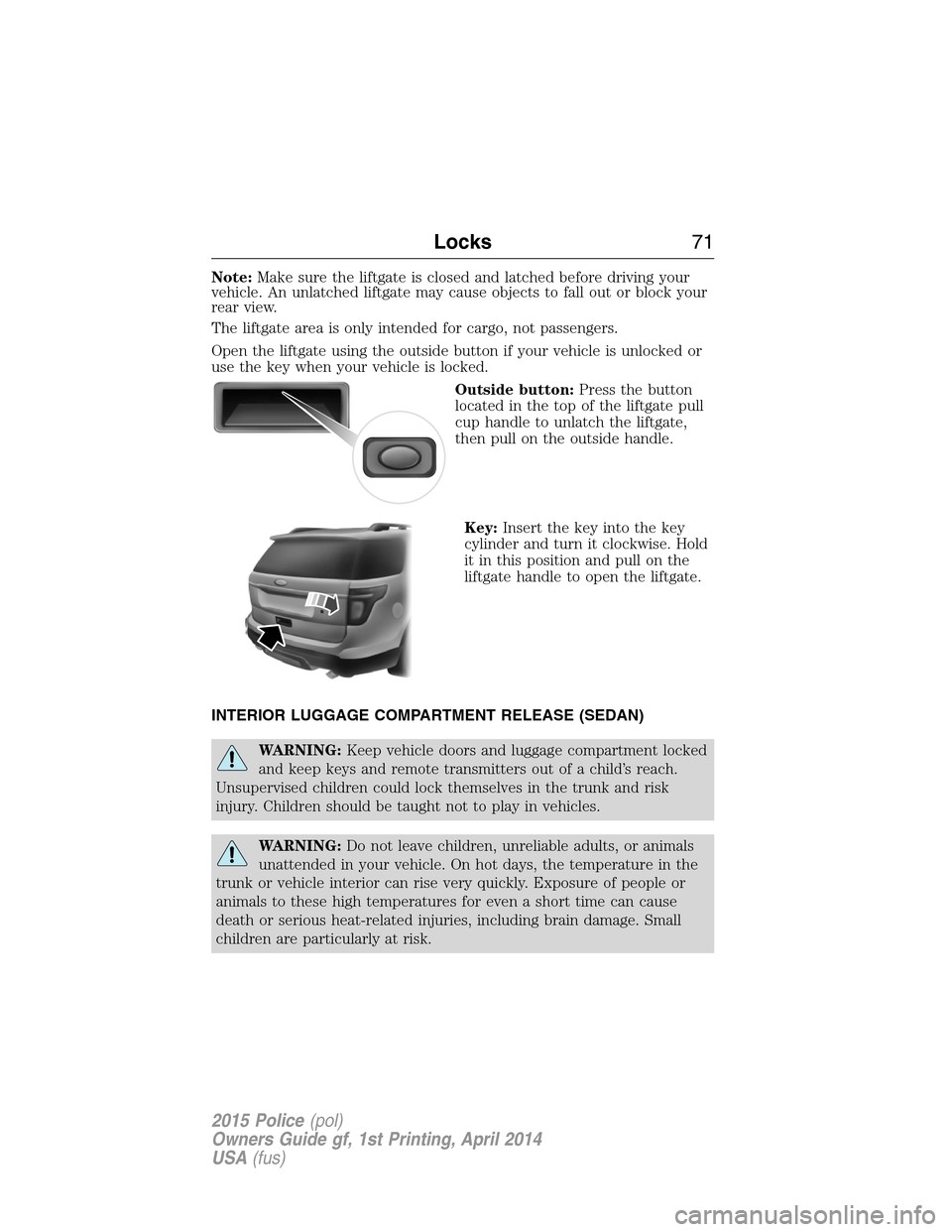
Open the liftgate using the outside button if your vehicle is unlocked or
use the key when your vehicle is locked.
Outside button:Press the button
located in the top of the liftgate pull
cup handle to unlatch the liftgate,
then pull on the outside handle.
Key:Insert the key into the key
cylinder and turn it clockwise. Hold
it in this position and pull on the
liftgate handle to open the liftgate.
INTERIOR LUGGAGE COMPARTMENT RELEASE (SEDAN)
WARNING:Keep vehicle doors and luggage compartment locked
and keep keys and remote transmitters out of a child’s reach.
Unsupervised children could lock themselves in the trunk and risk
injury. Children should be taught not to play in vehicles.
WARNING:Do not leave children, unreliable adults, or animals
unattended in your vehicle. On hot days, the temperature in the
trunk or vehicle interior can rise very quickly. Exposure of people or
animals to these high temperatures for even a short time can cause
death or serious heat-related injuries, including brain damage. Small
children are particularly at risk.
Locks71
2015 Police(pol)
Owners Guide gf, 1st Printing, April 2014
USA(fus)
Page 73 of 398
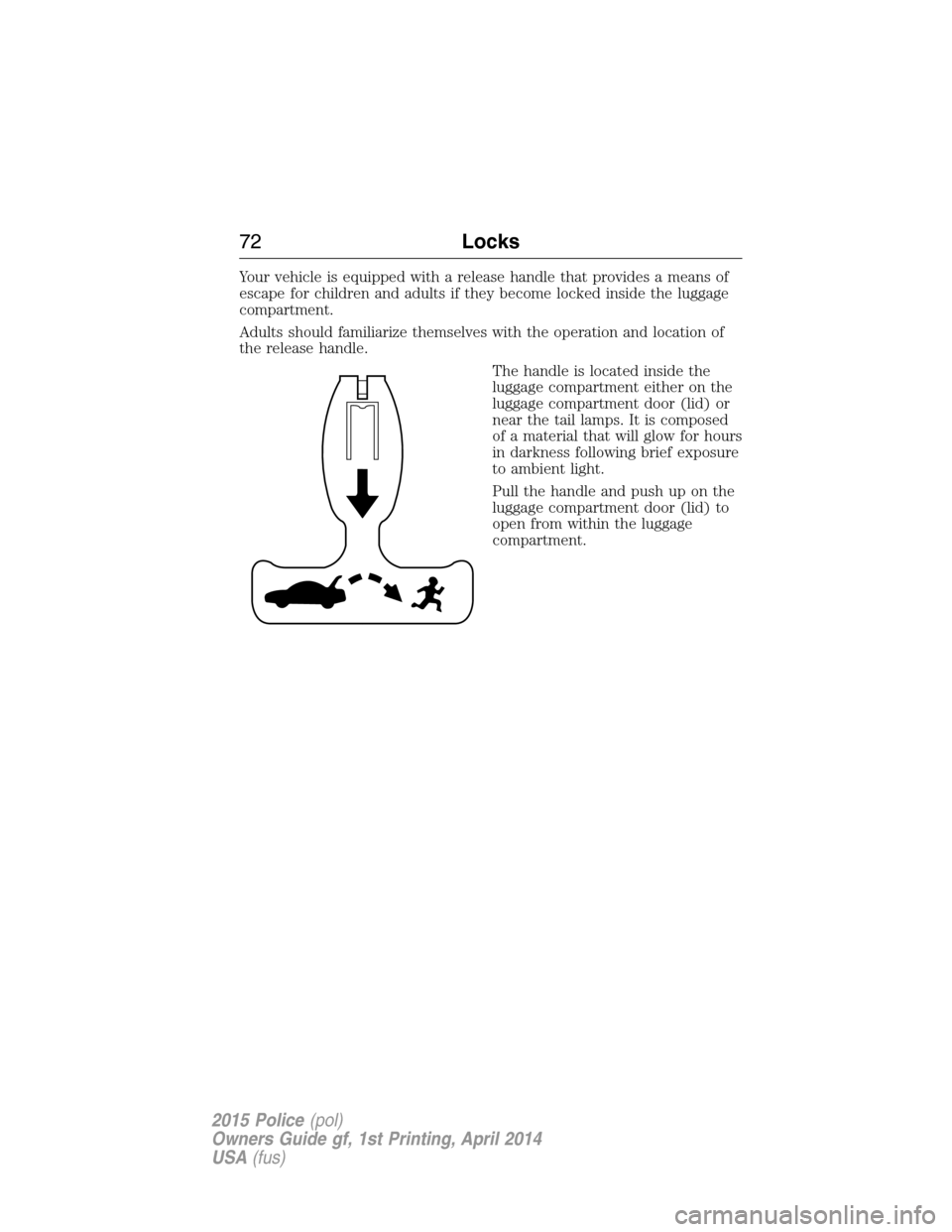
Your vehicle is equipped with a release handle that provides a means of
escape for children and adults if they become locked inside the luggage
compartment.
Adults should familiarize themselves with the operation and location of
the release handle.
The handle is located inside the
luggage compartment either on the
luggage compartment door (lid) or
near the tail lamps. It is composed
of a material that will glow for hours
in darkness following brief exposure
to ambient light.
Pull the handle and push up on the
luggage compartment door (lid) to
open from within the luggage
compartment.
72Locks
2015 Police(pol)
Owners Guide gf, 1st Printing, April 2014
USA(fus)
Page 74 of 398
ANTI-THEFT ALARM (IF EQUIPPED)
The system will warn you of an unauthorized entry to your vehicle.
The park and turn lamps flash and the horn sounds if unauthorized entry
is attempted while the alarm is armed. It triggers immediately if the
luggage compartment or the hood opens, and after a 12-second delay if
any door opens.
Take all remote controls to an authorized dealer if there is any potential
alarm problem with your vehicle.
Arming the Alarm
The alarm is ready to arm when there is not a key in the ignition. Press
the door lock button and close the door to arm the alarm.
Disarming the Alarm
Disarm the alarm by any of the following actions:
•Unlock the doors or luggage compartment with the remote control.
•Switch the ignition on or start your vehicle.
•Use a key in the driver door to unlock your vehicle, and then switch
the ignition on within 12 seconds.
Note:The system will not disarm by unlocking the door with the key.
Security73
2015 Police(pol)
Owners Guide gf, 1st Printing, April 2014
USA(fus)
Page 75 of 398
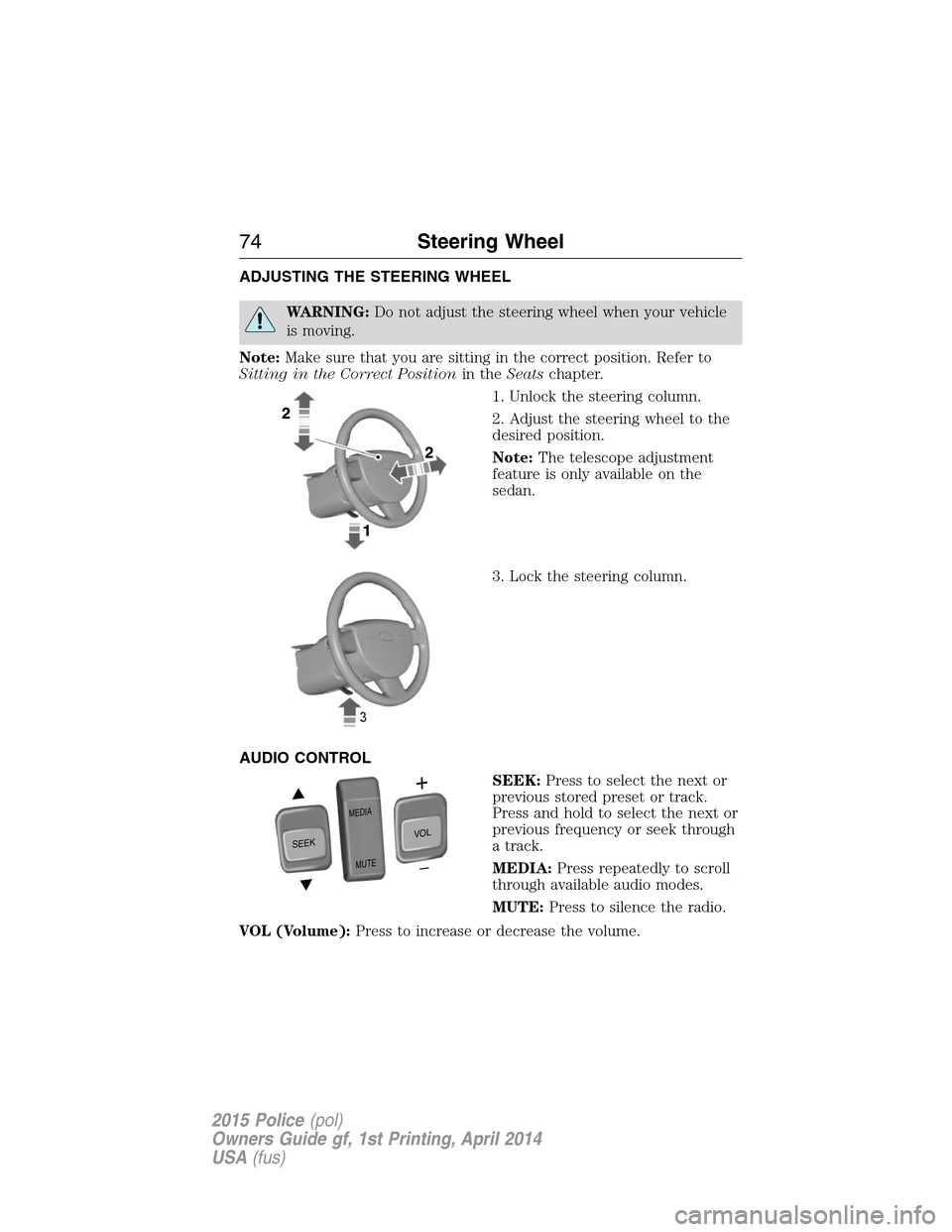
ADJUSTING THE STEERING WHEEL
WARNING:Do not adjust the steering wheel when your vehicle
is moving.
Note:Make sure that you are sitting in the correct position. Refer to
Sitting in the Correct Positionin theSeatschapter.
1. Unlock the steering column.
2. Adjust the steering wheel to the
desired position.
Note:The telescope adjustment
feature is only available on the
sedan.
3. Lock the steering column.
AUDIO CONTROL
SEEK:Press to select the next or
previous stored preset or track.
Press and hold to select the next or
previous frequency or seek through
a track.
MEDIA:Press repeatedly to scroll
through available audio modes.
MUTE:Press to silence the radio.
VOL (Volume):Press to increase or decrease the volume.
SEEK
MEDIA
MUTE
V
O
L
74Steering Wheel
2015 Police(pol)
Owners Guide gf, 1st Printing, April 2014
USA(fus)
Page 89 of 398
Overriding the Bounce-Back Feature
WARNING:When you override the bounce-back feature the
window will not reverse if it detects an obstacle. Take care when
closing the windows to avoid personal injury or damage to your vehicle.
Pull up the window switch and hold within two seconds of the window
reaching the bounce-back position. The window will travel up with no
bounce-back protection. The window will stop if you release the switch
before the window is fully closed.
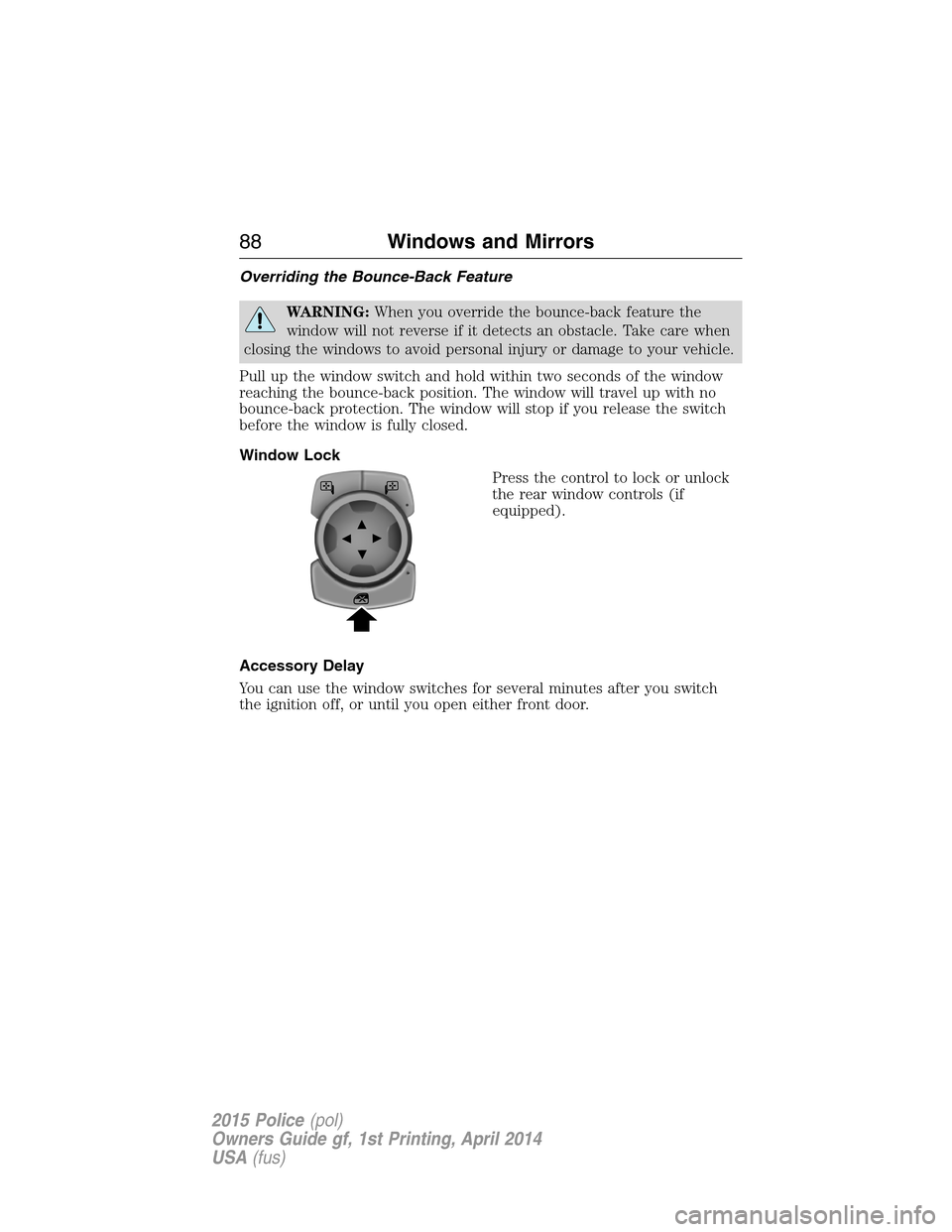
Window Lock
Press the control to lock or unlock
the rear window controls (if
equipped).
Accessory Delay
You can use the window switches for several minutes after you switch
the ignition off, or until you open either front door.
88Windows and Mirrors
2015 Police(pol)
Owners Guide gf, 1st Printing, April 2014
USA(fus)
Page 92 of 398
INTERIOR MIRROR
WARNING:Do not adjust the mirror when your vehicle is
moving.
Note:Do not clean the housing or glass of any mirror with harsh
abrasives, fuel or other petroleum or ammonia based cleaning products.
You can adjust the interior mirror to your preference. Some mirrors also
have a second pivot point. This lets you move the mirror head up or
down and from side to side.
Pull the tab below the mirror toward you to reduce glare at night.
Auto-Dimming Mirror (If Equipped)
Note:Do not block the sensors on the front and back of the mirror.
Mirror performance may be affected. A rear center passenger or raised
rear center head restraint may also block light from reaching the sensor.
The mirror will dim automatically to reduce glare when bright lights are
detected from behind your vehicle. It will automatically return to normal
reflection when you select reverse gear to make sure you have a clear
view when backing up.
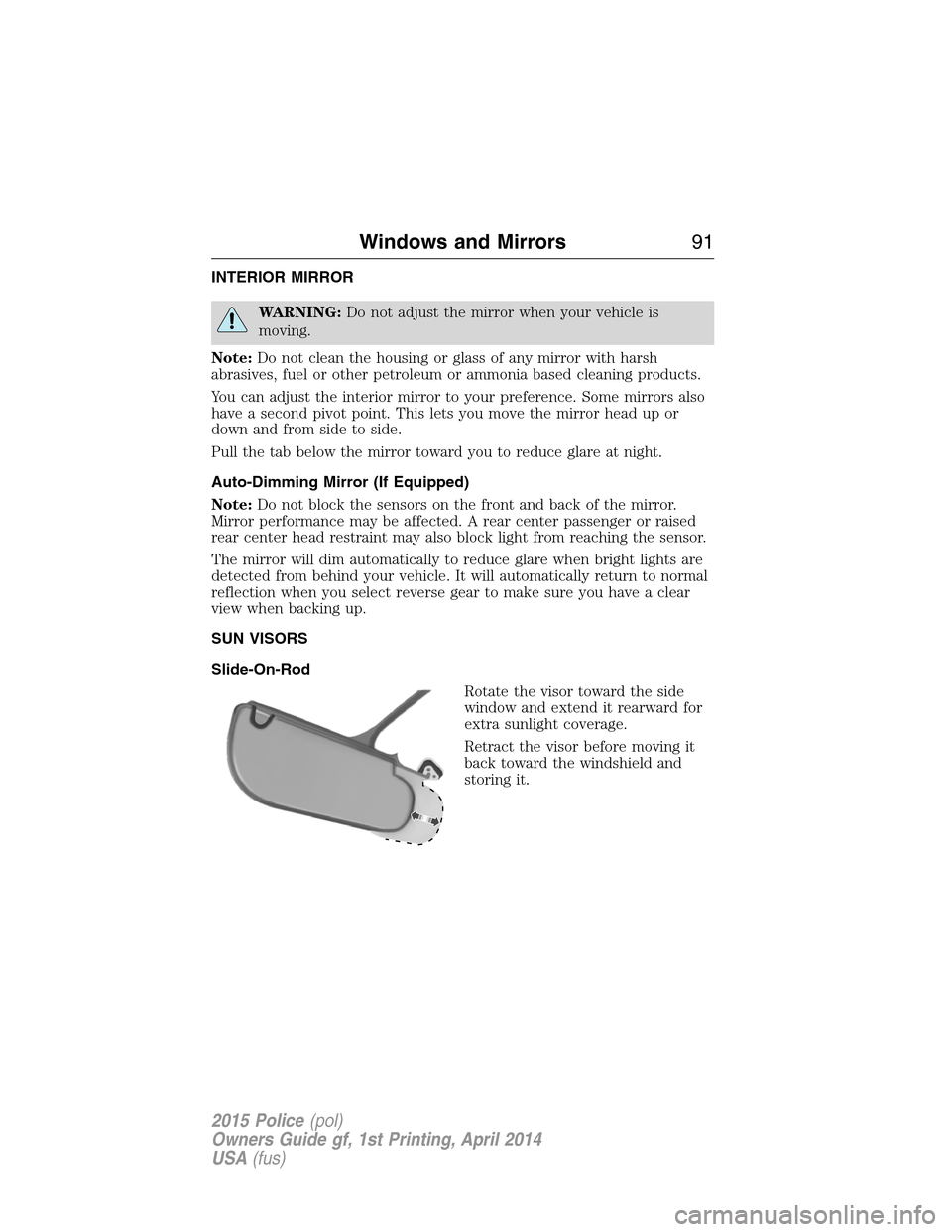
SUN VISORS
Slide-On-Rod
Rotate the visor toward the side
window and extend it rearward for
extra sunlight coverage.
Retract the visor before moving it
back toward the windshield and
storing it.
Windows and Mirrors91
2015 Police(pol)
Owners Guide gf, 1st Printing, April 2014
USA(fus)
Page 95 of 398
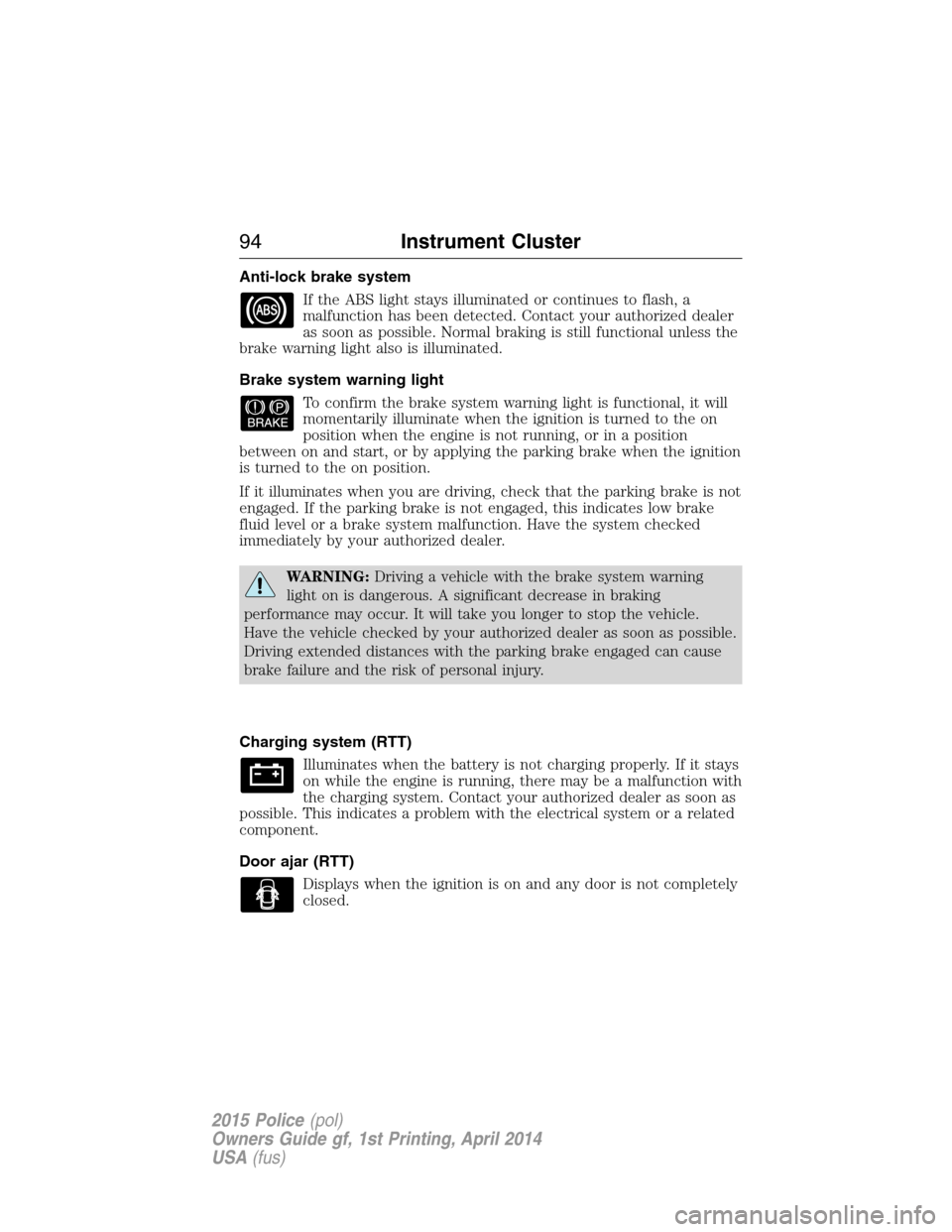
Anti-lock brake system
If the ABS light stays illuminated or continues to flash, a
malfunction has been detected. Contact your authorized dealer
as soon as possible. Normal braking is still functional unless the
brake warning light also is illuminated.
Brake system warning light
To confirm the brake system warning light is functional, it will
momentarily illuminate when the ignition is turned to the on
position when the engine is not running, or in a position
between on and start, or by applying the parking brake when the ignition
is turned to the on position.
If it illuminates when you are driving, check that the parking brake is not
engaged. If the parking brake is not engaged, this indicates low brake
fluid level or a brake system malfunction. Have the system checked
immediately by your authorized dealer.
WARNING:Driving a vehicle with the brake system warning
light on is dangerous. A significant decrease in braking
performance may occur. It will take you longer to stop the vehicle.
Have the vehicle checked by your authorized dealer as soon as possible.
Driving extended distances with the parking brake engaged can cause
brake failure and the risk of personal injury.
Charging system (RTT)
Illuminates when the battery is not charging properly. If it stays
on while the engine is running, there may be a malfunction with
the charging system. Contact your authorized dealer as soon as
possible. This indicates a problem with the electrical system or a related
component.
Door ajar (RTT)
Displays when the ignition is on and any door is not completely
closed.
94Instrument Cluster
2015 Police(pol)
Owners Guide gf, 1st Printing, April 2014
USA(fus)
Page 100 of 398
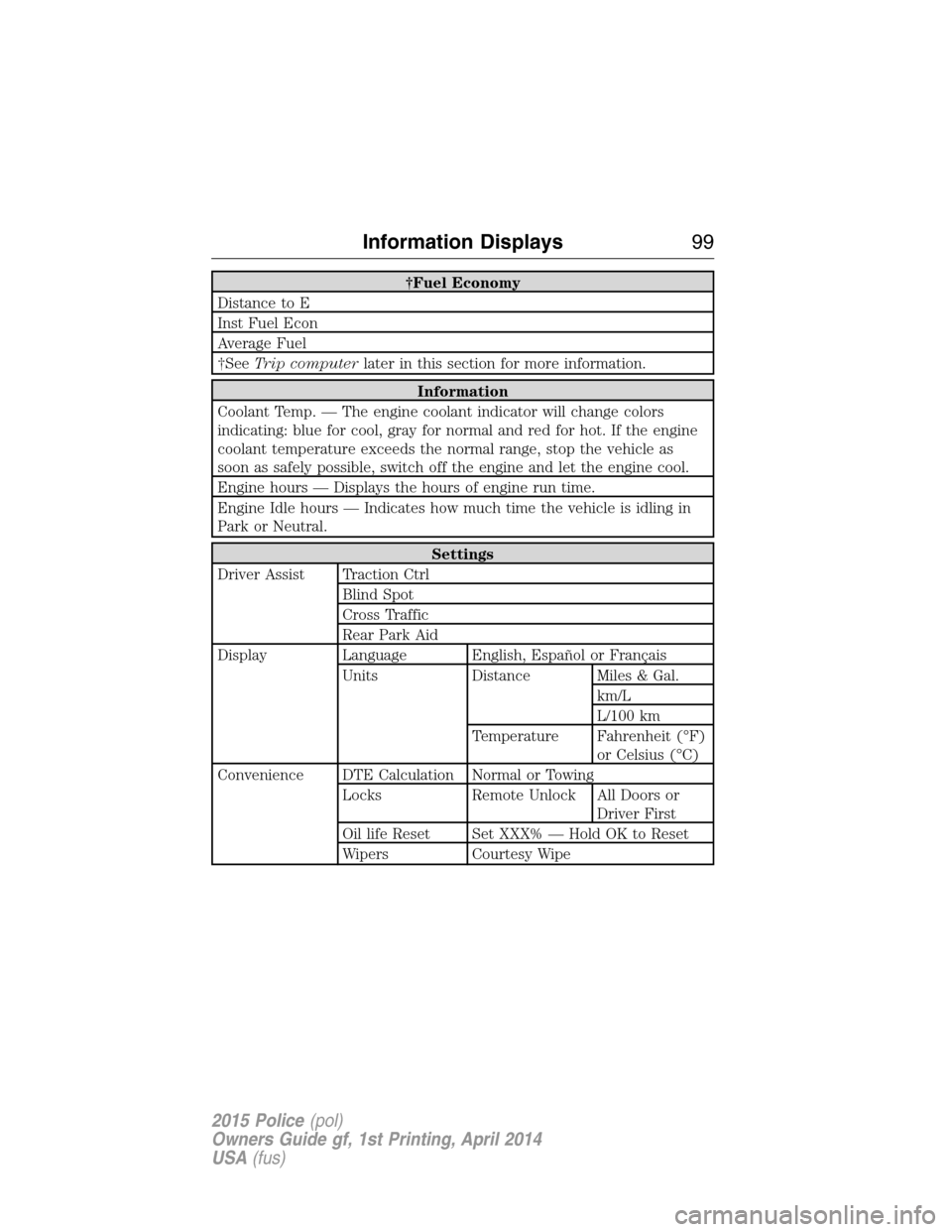
†Fuel Economy
Distance to E
Inst Fuel Econ
Average Fuel
†SeeTrip computerlater in this section for more information.
Information
Coolant Temp. — The engine coolant indicator will change colors
indicating: blue for cool, gray for normal and red for hot. If the engine
coolant temperature exceeds the normal range, stop the vehicle as
soon as safely possible, switch off the engine and let the engine cool.
Engine hours — Displays the hours of engine run time.
Engine Idle hours — Indicates how much time the vehicle is idling in
Park or Neutral.
Settings
Driver Assist Traction Ctrl
Blind Spot
Cross Traffic
Rear Park Aid
Display Language English, Español or Français
Units Distance Miles & Gal.
km/L
L/100 km
Temperature Fahrenheit (°F)
or Celsius (°C)
Convenience DTE Calculation Normal or Towing
Locks Remote Unlock All Doors or
Driver First
Oil life Reset Set XXX% — Hold OK to Reset
Wipers Courtesy Wipe
Information Displays99
2015 Police(pol)
Owners Guide gf, 1st Printing, April 2014
USA(fus)
Page 104 of 398
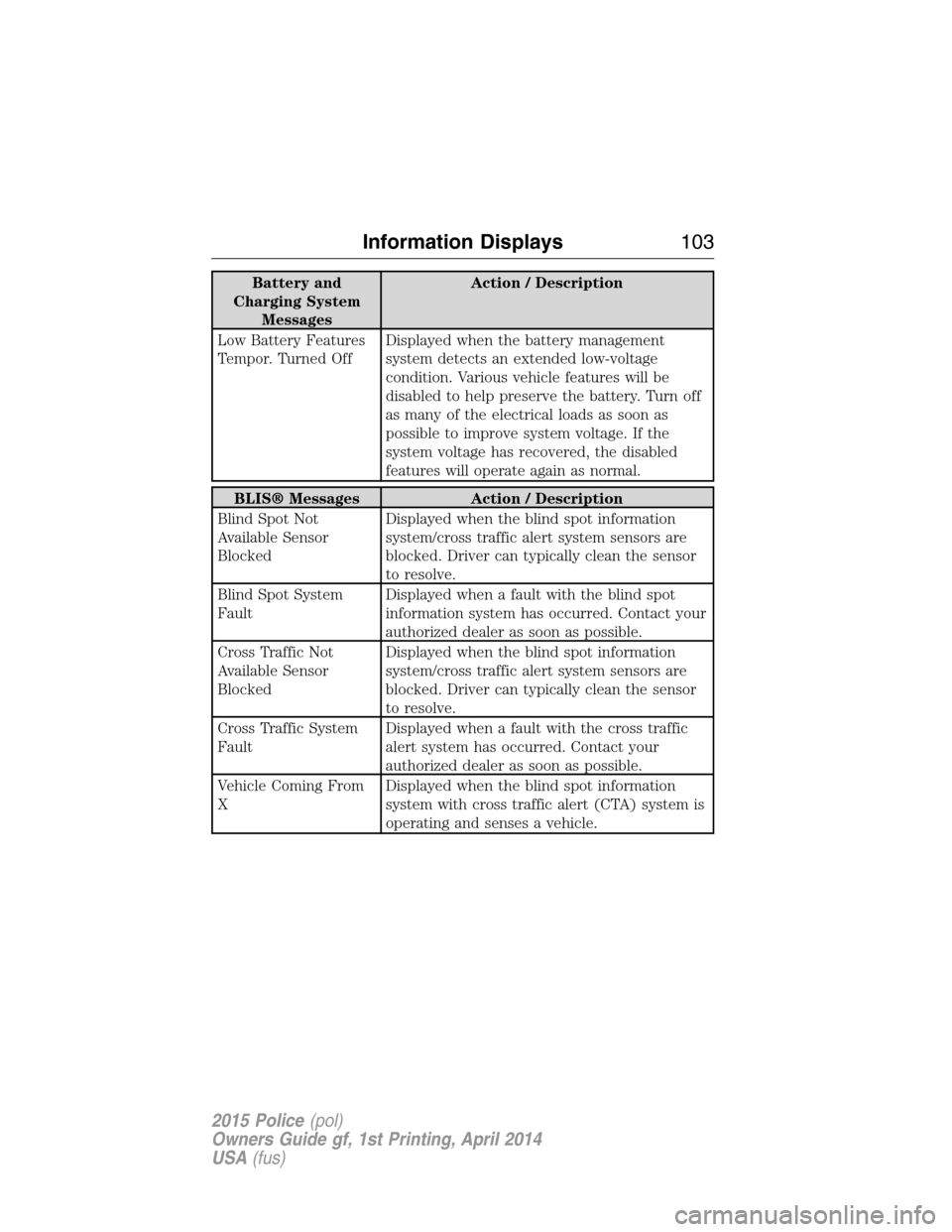
Battery and
Charging System
MessagesAction / Description
Low Battery Features
Tempor. Turned OffDisplayed when the battery management
system detects an extended low-voltage
condition. Various vehicle features will be
disabled to help preserve the battery. Turn off
as many of the electrical loads as soon as
possible to improve system voltage. If the
system voltage has recovered, the disabled
features will operate again as normal.
BLIS® Messages Action / Description
Blind Spot Not
Available Sensor
BlockedDisplayed when the blind spot information
system/cross traffic alert system sensors are
blocked. Driver can typically clean the sensor
to resolve.
Blind Spot System
FaultDisplayed when a fault with the blind spot
information system has occurred. Contact your
authorized dealer as soon as possible.
Cross Traffic Not
Available Sensor
BlockedDisplayed when the blind spot information
system/cross traffic alert system sensors are
blocked. Driver can typically clean the sensor
to resolve.
Cross Traffic System
FaultDisplayed when a fault with the cross traffic
alert system has occurred. Contact your
authorized dealer as soon as possible.
Vehicle Coming From
XDisplayed when the blind spot information
system with cross traffic alert (CTA) system is
operating and senses a vehicle.
Information Displays103
2015 Police(pol)
Owners Guide gf, 1st Printing, April 2014
USA(fus)