transmission FORD POLICE INTERCEPTOR UTILITY 2017 1.G Owners Manual
[x] Cancel search | Manufacturer: FORD, Model Year: 2017, Model line: POLICE INTERCEPTOR UTILITY, Model: FORD POLICE INTERCEPTOR UTILITY 2017 1.GPages: 360, PDF Size: 4.06 MB
Page 5 of 360
Lighting
General Information......................................62
Lighting Control..............................................62
Autolamps........................................................63
Instrument Lighting Dimmer.....................64
Daytime Running Lamps
............................64
Direction Indicators
.......................................65
Interior Lamps.................................................65
Windows and Mirrors
Power Windows
..............................................67
Exterior Mirrors................................................68
Interior Mirror
...................................................69
Sun Visors
.........................................................70
Instrument Cluster
Gauges.................................................................71
Warning Lamps and Indicators.................72
Audible Warnings and Indicators.............75
Information Displays
General Information
.......................................77
Information Messages.................................80
Climate Control
Manual Climate Control..............................90
Hints on Controlling the Interior Climate...........................................................91
Heated Windows and Mirrors....................92
Cabin Air Filter
.................................................92
Seats
Sitting in the Correct Position...................93
Head Restraints
..............................................93
Manual Seats
..................................................95
Power Seats
.....................................................96
Rear Seats
........................................................96 Auxiliary Power Points
Auxiliary Power Points.................................98
Storage Compartments
Center Console
...............................................99
Overhead Console
.........................................99
Starting and Stopping the Engine
General Information...................................100
Ignition Switch
..............................................100
Starting a Gasoline Engine.......................100
Engine Block Heater
....................................102
Police Engine Idle Feature.........................103
Fuel and Refueling
Safety Precautions
......................................104
Fuel Quality - Gasoline...............................105
Fuel Quality - E85........................................105
Fuel Filler Funnel Location
.......................106
Running Out of Fuel....................................106
Refueling..........................................................107
Fuel Consumption
........................................110
Emission Control System............................111
Transmission
Automatic Transmission.............................114
All-Wheel Drive
Using All-Wheel Drive..................................116
Brakes
General Information
....................................123
Hints on Driving With Anti-Lock Brakes...........................................................123
Parking Brake
.................................................124
Traction Control
Principle of Operation.................................125
2
Police Interceptor (TUB) Canada/United States of America, Police, enUSA, First Printing Table of Contents
Page 6 of 360
Using Traction Control................................125
Stability Control
Principle of Operation.................................126
Using Stability Control................................127
Parking Aids
Principle of Operation.................................128
Rear Parking Aid
............................................128
Rear View Camera........................................129
Cruise Control
Principle of Operation.................................133
Using Cruise Control....................................133
Driving Aids
Blind Spot Information System...............135
Cross Traffic Alert
..........................................137
Steering.............................................................141
Load Carrying
Rear Loadspace Hatches..........................142
Rear Under Floor Storage
..........................142
Roof Racks and Load Carriers.................142
Load Limit
........................................................143
Towing
Towing a Trailer.............................................149
Recommended Towing Weights
............150
Essential Towing Checks............................151
Towing the Vehicle on Four Wheels......153
Driving Hints
Breaking-In......................................................155
Economical Driving......................................155
Driving Through Water................................156
Floor Mats
.......................................................156 Roadside Emergencies
Roadside Assistance
...................................158
Hazard Warning Flashers..........................159
Fuel Shutoff
....................................................159
Jump Starting the Vehicle.........................160
Post-Crash Alert System...........................162
Transporting the Vehicle............................162
Customer Assistance
Getting the Services You Need...............164
In California (U.S. Only).............................165
The Better Business Bureau (BBB) Auto Line Program (U.S. Only)......................166
Utilizing the Mediation/Arbitration Program (Canada Only)........................167
Getting Assistance Outside the U.S. and Canada.........................................................167
Ordering Additional Owner's Literature.....................................................168
Reporting Safety Defects (U.S. Only)
.............................................................169
Reporting Safety Defects (Canada Only)
.............................................................169
Fuses
Fuse Specification Chart
.............................171
Changing a Fuse............................................179
Maintenance
General Information
.....................................181
Opening and Closing the Hood................181
Under Hood Overview - 3.5L Ecoboost™.................................................183
Under Hood Overview - 3.7L....................184
Engine Oil Dipstick
.......................................185
Engine Oil Check...........................................185
Oil Change Indicator Reset.......................186
Engine Coolant Check................................186
Automatic Transmission Fluid Check............................................................190
Brake Fluid Check.........................................192
3
Police Interceptor (TUB) Canada/United States of America, Police, enUSA, First Printing Table of Contents
Page 7 of 360
Power Steering Fluid Check......................193
Washer Fluid Check.....................................193
Changing the 12V Battery..........................193
Checking the Wiper Blades......................195
Changing the Wiper Blades......................195
Adjusting the Headlamps.........................196
Removing a Headlamp...............................197
Changing a Bulb............................................197
Bulb Specification Chart
..........................200
Changing the Engine Air Filter................203
Vehicle Care
General Information
...................................204
Cleaning Products
.......................................204
Cleaning the Exterior
..................................205
Waxing............................................................206
Cleaning the Engine
...................................206
Cleaning the Windows and Wiper Blades..........................................................207
Cleaning the Interior...................................207
Cleaning the Instrument Panel and Instrument Cluster Lens.......................208
Cleaning Leather Seats.............................208
Repairing Minor Paint Damage
..............209
Cleaning the Alloy Wheels.......................209
Vehicle Storage
............................................209
Wheels and Tires
General Information.....................................212
Tire Care
...........................................................214
Using Snow Chains.....................................228
Tire Pressure Monitoring System...........229
Changing a Road Wheel............................233
Technical Specifications...........................238
Capacities and Specific- ations
Engine Specifications - 3.5L Ecoboost™................................................239
Engine Specifications - 3.7L....................239 Motorcraft Parts - 3.5L Ecoboost™......240
Motorcraft Parts - 3.7L................................241
Vehicle Identification Number
................242
Vehicle Certification Label.......................243
Transmission Code Designation............243
Capacities and Specifications - 3.5L Ecoboost™................................................244
Capacities and Specifications - 3.7L
.....248
Audio System
General Information
...................................253
Audio Unit - Vehicles With: AM/FM/CD/ SYNC............................................................254
Digital Radio
..................................................256
Satellite Radio
..............................................259
USB Port
..........................................................261
Media Hub.......................................................261
SYNC™
General Information
...................................262
Using Voice Recognition...........................264
Using SYNC™ With Your Phone............266
SYNC™ Applications and Services
......278
Using SYNC™ With Your Media Player...........................................................283
SYNC™ Troubleshooting
.........................292
Ford Protect
Ford Protect
..................................................300
Scheduled Maintenance
General Maintenance Information.......302
Normal Scheduled Maintenance
..........305
Special Operating Conditions Scheduled Maintenance.............................................308
Scheduled Maintenance Record..............311
Decommissioning the Vehicle
Decommissioning Requirements
...........321
4
Police Interceptor (TUB) Canada/United States of America, Police, enUSA, First Printing Table of Contents
Page 16 of 360
On Board Diagnostics Data Link
Connector
WARNING
Use of wireless plug-in devices in the
OBD Data Link Connector (DLC) may
allow unauthorized third parties to
gain access to vehicle systems and data
which could impair the function of various
vehicle systems, including safety-related
systems. The DLC should only be used by
a repair facility that operates in accordance
with Ford ’s service and repair instructions. Your vehicle has an OBD Data Link
Connector (DLC) that is used in
conjunction with a diagnostic scan tool for
vehicle diagnostics, repairs and
reprogramming services. Installing an
aftermarket device that uses the DLC
during normal driving for purposes such as
remote insurance company monitoring,
transmission of vehicle data to other
devices or entities, or altering the
performance of the vehicle, may cause
interference with or even damage to
vehicle systems. We do not recommend
or endorse the use of aftermarket plug-in
devices unless approved by Ford. The
vehicle Warranty will not cover damage
caused by an aftermarket plug-in device.
Notice to Owners of Pickup Trucks
and Utility Type Vehicles
WARNING
Utility vehicles have a significantly
higher rollover rate than other types
of vehicles.
Before you drive your vehicle, please read
this Owner
’s Guide carefully. Your vehicle
is not a passenger car. As with other
vehicles of this type, failure to operate this
vehicle correctly may result in loss of
vehicle control, vehicle rollover, personal
injury or death. Using Your Vehicle With a
Snowplow
Do not use this vehicle for
snowplowing.
Your vehicle is not equipped with a
snowplowing package.
Using Your Vehicle as an
Ambulance
Do not use this vehicle as an
ambulance.
Your vehicle is not equipped with the Ford
Ambulance Preparation Package.
My Fleet Management
This feature allows a fleet administrator
to control specific vehicle settings using a
Ford authorized service tool. This helps the
fleet administrator set certain vehicle
settings to match administrative policy.
The configurable settings are:
•
Vehicle Speed: Select an alternative
speed limit that is below your vehicle's
maximum capability. A message
displays and a tone sounds when
starting your vehicle to indicate the
customized speed limit.
• Audio Volume: Select a limit for the
maximum volume of the audio system
in the range of 0% (full mute) to 100%
(no limit) in 10% increments.
13
Police Interceptor (TUB) Canada/United States of America, Police, enUSA, First Printing Introduction
Page 37 of 360
Deactivating and Activating the
Belt-Minder Feature
WARNING
While the system allows you to
switch this feature off, the intent of
the system is to remind you to wear
your safety belt to improve your chance to
survive an accident. We recommend you
leave the system switched on for yourself
and others who may use the vehicle. Note:
The driver and front passenger
warnings switch on and off independently.
When you perform this procedure for one
seating position, do not buckle the other
position as this will terminate the process.
Read Steps 1–4 thoroughly before
proceeding with the programming
procedure.
Before following the procedure, make sure
that:
• The parking brake is set.
• The transmission is in park (P).
• The ignition is off.
• The driver and front passenger safety
belts are unbuckled.
1. Switch the ignition on. Do not start the
vehicle.
2. Wait until the safety belt warning light turns off (about 1 minute). After Step
2, wait an additional 5 seconds before
proceeding with Step 3. Once you start
Step 3, you must complete the
procedure within 60 seconds.
3. For the seating position you are switching off, buckle then unbuckle the
safety belt four times at a moderate
speed, ending in the unbuckled state.
After Step 3, the safety belt warning
light turns on. 4. While the safety belt warning light is
on, buckle and then unbuckle the
safety belt. After Step 4, the safety belt
warning light flashes for confirmation.
• This will switch the feature off for that
seating position if it is currently on.
• This will switch the feature on for that
seating position if it is currently off.
CHILD RESTRAINT AND
SEATBELT MAINTENANCE
Inspect the vehicle safety belts and child
safety seat systems periodically to make
sure they work properly and are not
damaged. Inspect the vehicle and child
seat safety belts to make sure there are no
nicks, tears or cuts. Replace if necessary.
All vehicle safety belt assemblies, including
retractors, buckles, front safety belt buckle
assemblies, buckle support assemblies
(slide bar-if equipped), shoulder belt
height adjusters (if equipped), shoulder
belt guide on seat back (if equipped), child
safety seat LATCH and tether anchors, and
attaching hardware, should be inspected
after a crash. Read the child restraint
manufacturer's instructions for additional
inspection and maintenance information
specific to the child restraint.
Ford Motor Company recommends that
all safety belt assemblies in use in vehicles
involved in a crash be replaced. However,
if the crash was minor and an authorized
dealer finds that the belts do not show
damage and continue to operate properly,
they do not need to be replaced. Safety
belt assemblies not in use during a crash
should also be inspected and replaced if
either damage or improper operation is
noted.
Properly care for safety belts. See Vehicle
Care (page 204).
34
Police Interceptor (TUB) Canada/United States of America, Police, enUSA, First Printing Seatbelts
Page 52 of 360
PRINCIPLE OF OPERATION
The remote control allows you to:
•
Remotely lock or unlock the vehicle
doors.
• Unlock the doors without actively using
a key or remote control (intelligent
access only).
• Remotely open the power liftgate (if
equipped).
• Remotely start or stop the engine and
user pre-set features (if equipped).
• Arm and disarm the anti-theft system.
• Activate the panic alarm.
GENERAL INFORMATION ON
RADIO FREQUENCIES
This device complies with Part 15 of the
FCC Rules and with Industry Canada
license-exempt RSS standard(s).
Operation is subject to the following two
conditions: (1) This device may not cause
harmful interference, and (2) This device
must accept any interference received,
including interference that may cause
undesired operation.
Note: Changes or modifications not
expressively approved by the party
responsible for compliance could void the
user's authority to operate the equipment.
The term IC before the radio certification
number only signifies that Industry Canada
technical specifications were met.
The typical operating range for your
transmitter is approximately 33 feet (10
meters). Vehicles with the remote start
feature will have a greater range. One of
the following could cause a decrease in
operating range:
• weather conditions
• nearby radio towers •
structures around the vehicle
• other vehicles parked next to your
vehicle
The radio frequency used by your remote
control can also be used by other short
distance radio transmissions, for example
amateur radios, medical equipment,
wireless headphones, remote controls and
alarm systems. If the frequencies are
jammed, you will not be able to use your
remote control. You can lock and unlock
the doors with the key.
Note: Make sure to lock your vehicle before
leaving it unattended.
Note: If you are in range, the remote control
will operate if you press any button
unintentionally.
Note: The remote control contains sensitive
electrical components. Exposure to moisture
or impact may cause permanent damage.
REMOTE CONTROL
(If Equipped)
Note: If there are problems with the remote
entry system, make sure to take all remote
entry transmitters with you to an authorized
dealer in order to aid in troubleshooting the
problem.
49
Police Interceptor (TUB) Canada/United States of America, Police, enUSA, First Printing Keys and Remote Controls
Page 79 of 360
Headlamps On Warning Chime
Sounds when you remove the key from the
ignition and open the driver's door and you
have left the headlamps or parking lamps
on.
Parking Brake On Warning Chime
Sounds when you have left the parking
brake on and drive your vehicle. If the
warning chime remains on after you have
released the parking brake, have the
system checked by your authorized dealer
immediately.
Automatic Transmission Warning
Chime
Sounds when you have not moved the
transmission selector lever to position P.
A message will be shown in the display.
76
Police Interceptor (TUB) Canada/United States of America, Police, enUSA, First Printing Instrument Cluster
Page 92 of 360
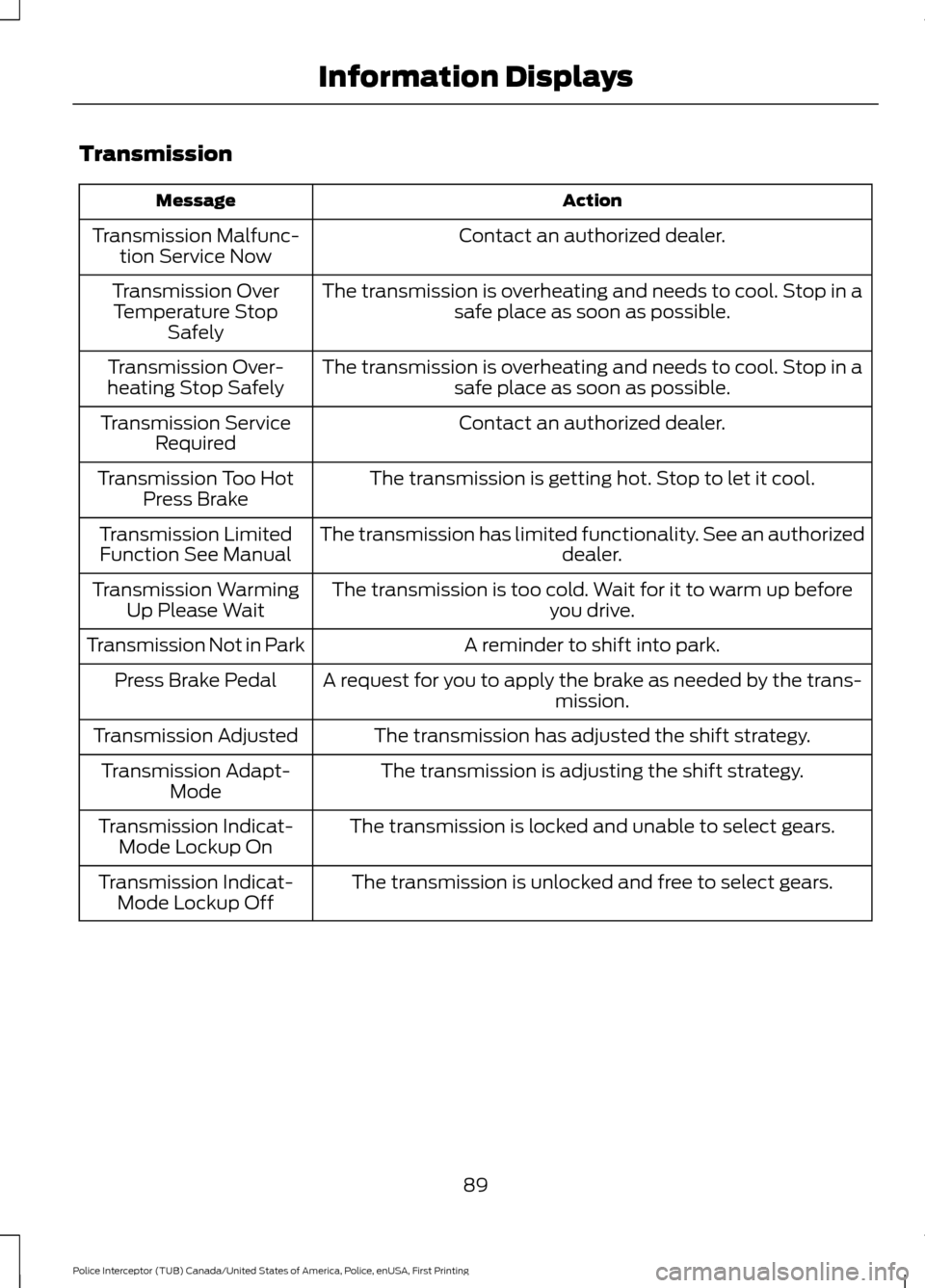
Transmission
Action
Message
Contact an authorized dealer.
Transmission Malfunc-
tion Service Now
The transmission is overheating and needs to cool. Stop in asafe place as soon as possible.
Transmission Over
Temperature Stop Safely
The transmission is overheating and needs to cool. Stop in asafe place as soon as possible.
Transmission Over-
heating Stop Safely
Contact an authorized dealer.
Transmission Service
Required
The transmission is getting hot. Stop to let it cool.
Transmission Too Hot
Press Brake
The transmission has limited functionality. See an authorized dealer.
Transmission Limited
Function See Manual
The transmission is too cold. Wait for it to warm up beforeyou drive.
Transmission Warming
Up Please Wait
A reminder to shift into park.
Transmission Not in Park
A request for you to apply the brake as needed by the trans-mission.
Press Brake Pedal
The transmission has adjusted the shift strategy.
Transmission Adjusted
The transmission is adjusting the shift strategy.
Transmission Adapt-
Mode
The transmission is locked and unable to select gears.
Transmission Indicat-
Mode Lockup On
The transmission is unlocked and free to select gears.
Transmission Indicat-
Mode Lockup Off
89
Police Interceptor (TUB) Canada/United States of America, Police, enUSA, First Printing Information Displays
Page 94 of 360
Note: Recirculated air may also turn on and off automatically in instrument
panel or instrument panel and floor airflow modes during hot weather to improve
cooling efficiency.
Heated rear window: Press to switch the heated rear window on and off. See
Heated Windows and Mirrors
(page 92).
H
HINTS ON CONTROLLING THE
INTERIOR CLIMATE
General Hints
Note: Prolonged use of recirculated air may
cause the windows to fog up.
Note: A small amount of air may be felt
from the footwell air vents regardless of the
air distribution setting.
Note: To reduce humidity build-up inside
your vehicle, do not drive with the system
switched off or with recirculated air always
switched on.
Note: Do not place objects under the front
seats as this may interfere with the airflow
to the rear seats.
Note: Keep the air intakes in front of the
windshield free from obstruction (such as
snow or leaves) to allow the climate control
system to function effectively.
Note: To reduce fogging of the windshield
during humid weather, adjust the air
distribution control to the windshield air
vents position. Increase the temperature
and fan speed and press the A/C button to
improve clearing, if required.
Heating the Interior Quickly
• Adjust the fan speed to the highest
speed setting.
• Adjust the temperature control to the
highest setting.
• Adjust the air distribution control to the
footwell air vents position. Recommended Settings for
Heating
•
Adjust the fan speed to the second
speed setting.
• Adjust the temperature control to the
midway point of the hot settings.
• Adjust the air distribution control to the
footwell and windshield air vents
position.
Cooling the Interior Quickly
• Adjust the fan speed to the highest
speed setting.
• Adjust the temperature control to the
MAX A/C
position.
• Adjust the air distribution control to the
instrument panel air vents position.
Recommended Settings for
Cooling
• Adjust the fan speed to the second
speed setting.
• Adjust the temperature control to the
midway point of the cold settings.
• Adjust the air distribution control to the
instrument panel air vents position.
Vehicle Stationary for Extended
Periods During Extreme High
Ambient Temperatures
• Apply the parking brake.
• Move the transmission selector lever
to position
P or neutral.
91
Police Interceptor (TUB) Canada/United States of America, Police, enUSA, First Printing Climate Control
Page 104 of 360
Note:
You can crank the engine for a total
of 60 seconds without the engine starting
before the starting system temporarily
disables. The 60 seconds does not have to
be all at once. For example, if you crank the
engine three times for 20 seconds each
time, without the engine starting, you
reached the 60-second time limit. A
message appears in the information display
alerting you that you exceeded the cranking
time. You cannot attempt to start the
engine for at least 15 minutes. After 15
minutes, you are limited to a 15-second
engine cranking time. You need to wait 60
minutes before you can crank the engine for
60 seconds again.
Before starting your vehicle, check the
following:
• Make sure all occupants have fastened
their safety belts.
• Make sure the headlamps and
electrical accessories are off.
• Make sure the parking brake is on.
• Make sure the transmission is in park
(P).
• Switch the ignition key to position II.
Note: Do not touch the accelerator pedal.
1. Fully depress the brake pedal.
2. Turn the key to position
III to start the
engine.
Note: The engine may continue cranking
for up to 15 seconds or until it starts.
Note: If you cannot start the engine on the
first try, wait for a short period and try again.
Failure to Start
If you cannot start the engine after three
attempts, wait 10 seconds and follow this
procedure:
1. Fully depress the brake pedal.
2. Shift into park (P). 3.
Fully depress the accelerator pedal and
hold it there.
4. Start the engine.
Stopping the Engine When Your
Vehicle is Stationary
1. Shift into park (P).
2. Turn the key to position
0.
3. Apply the parking brake.
Stopping the Engine When Your
Vehicle is Moving WARNING
Switching off the engine when the
vehicle is still moving will result in a
loss of brake and steering assistance.
The steering will not lock, but higher effort
will be required. When the ignition is
switched off, some electrical circuits,
including air bags, warning lamps and
indicators may also be off. If the ignition
was turned off accidentally, you can shift
into neutral (N) and re-start the engine. 1.
Shift into neutral and use the brakes to
bring your vehicle to a safe stop.
2. When your vehicle has stopped, shift into park (P) and turn the key to
position
0.
3. Apply the parking brake.
Guarding Against Exhaust Fumes WARNING
If you smell exhaust fumes inside
your vehicle, have your vehicle
checked by your authorized dealer
immediately. Do not drive your vehicle if
you smell exhaust fumes. Carbon
monoxide is present in exhaust fumes.
Take precautions to avoid its dangerous
effects. 101
Police Interceptor (TUB) Canada/United States of America, Police, enUSA, First Printing Starting and Stopping the Engine