lock FORD RANGER 2002 2.G Owner's Manual
[x] Cancel search | Manufacturer: FORD, Model Year: 2002, Model line: RANGER, Model: FORD RANGER 2002 2.GPages: 288, PDF Size: 3.03 MB
Page 82 of 288
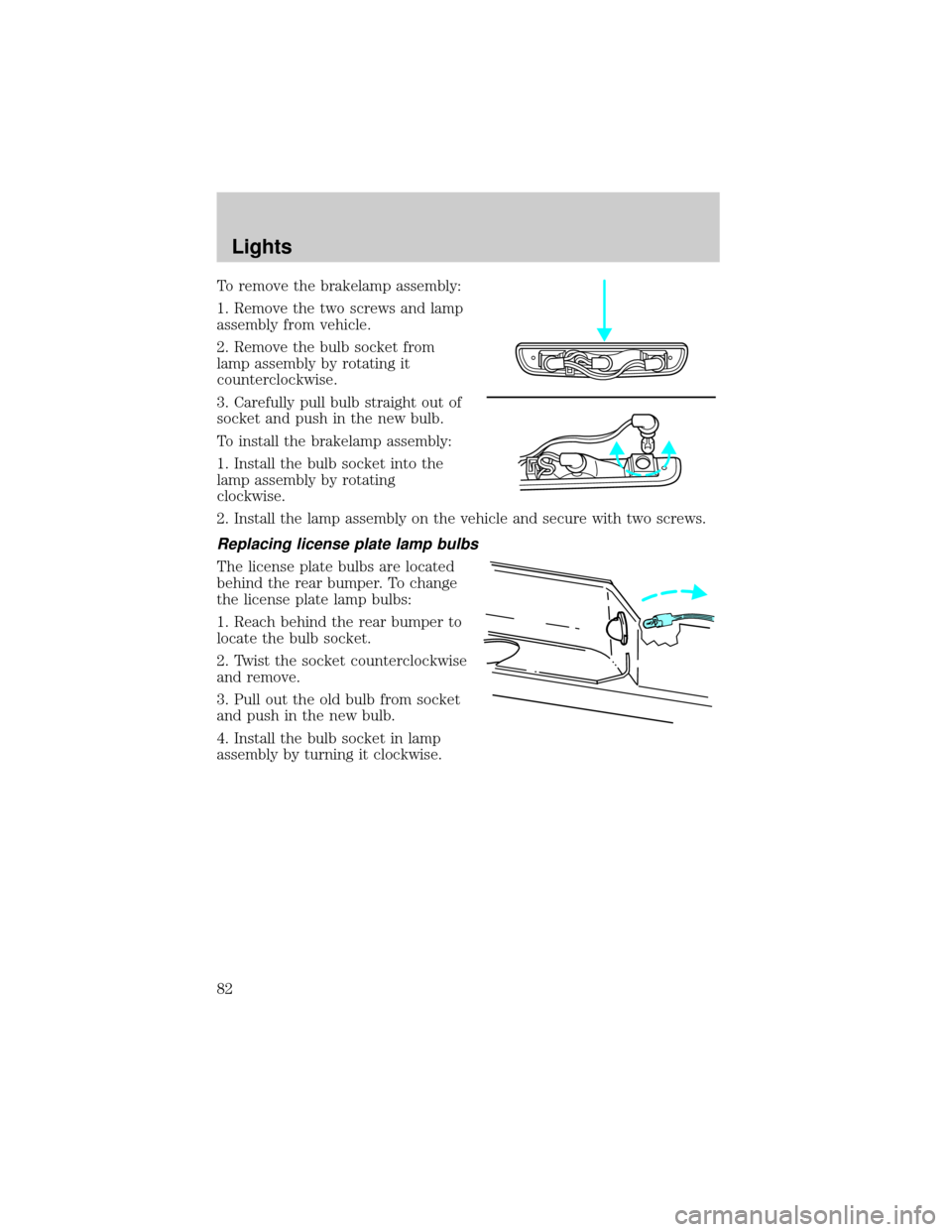
To remove the brakelamp assembly:
1. Remove the two screws and lamp
assembly from vehicle.
2. Remove the bulb socket from
lamp assembly by rotating it
counterclockwise.
3. Carefully pull bulb straight out of
socket and push in the new bulb.
To install the brakelamp assembly:
1. Install the bulb socket into the
lamp assembly by rotating
clockwise.
2. Install the lamp assembly on the vehicle and secure with two screws.
Replacing license plate lamp bulbs
The license plate bulbs are located
behind the rear bumper. To change
the license plate lamp bulbs:
1. Reach behind the rear bumper to
locate the bulb socket.
2. Twist the socket counterclockwise
and remove.
3. Pull out the old bulb from socket
and push in the new bulb.
4. Install the bulb socket in lamp
assembly by turning it clockwise.
Lights
82
Page 84 of 288
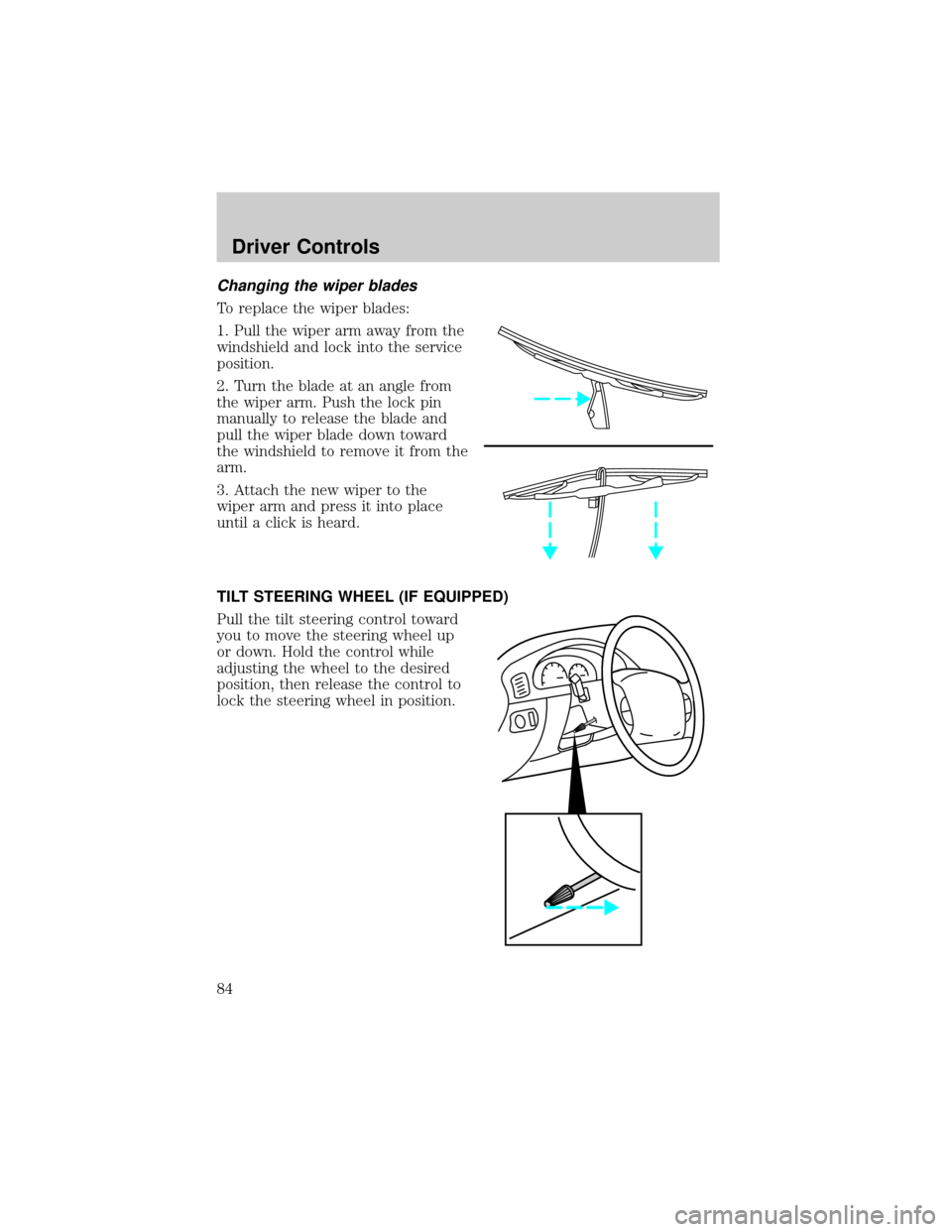
Changing the wiper blades
To replace the wiper blades:
1. Pull the wiper arm away from the
windshield and lock into the service
position.
2. Turn the blade at an angle from
the wiper arm. Push the lock pin
manually to release the blade and
pull the wiper blade down toward
the windshield to remove it from the
arm.
3. Attach the new wiper to the
wiper arm and press it into place
until a click is heard.
TILT STEERING WHEEL (IF EQUIPPED)
Pull the tilt steering control toward
you to move the steering wheel up
or down. Hold the control while
adjusting the wheel to the desired
position, then release the control to
lock the steering wheel in position.
Driver Controls
84
Page 87 of 288
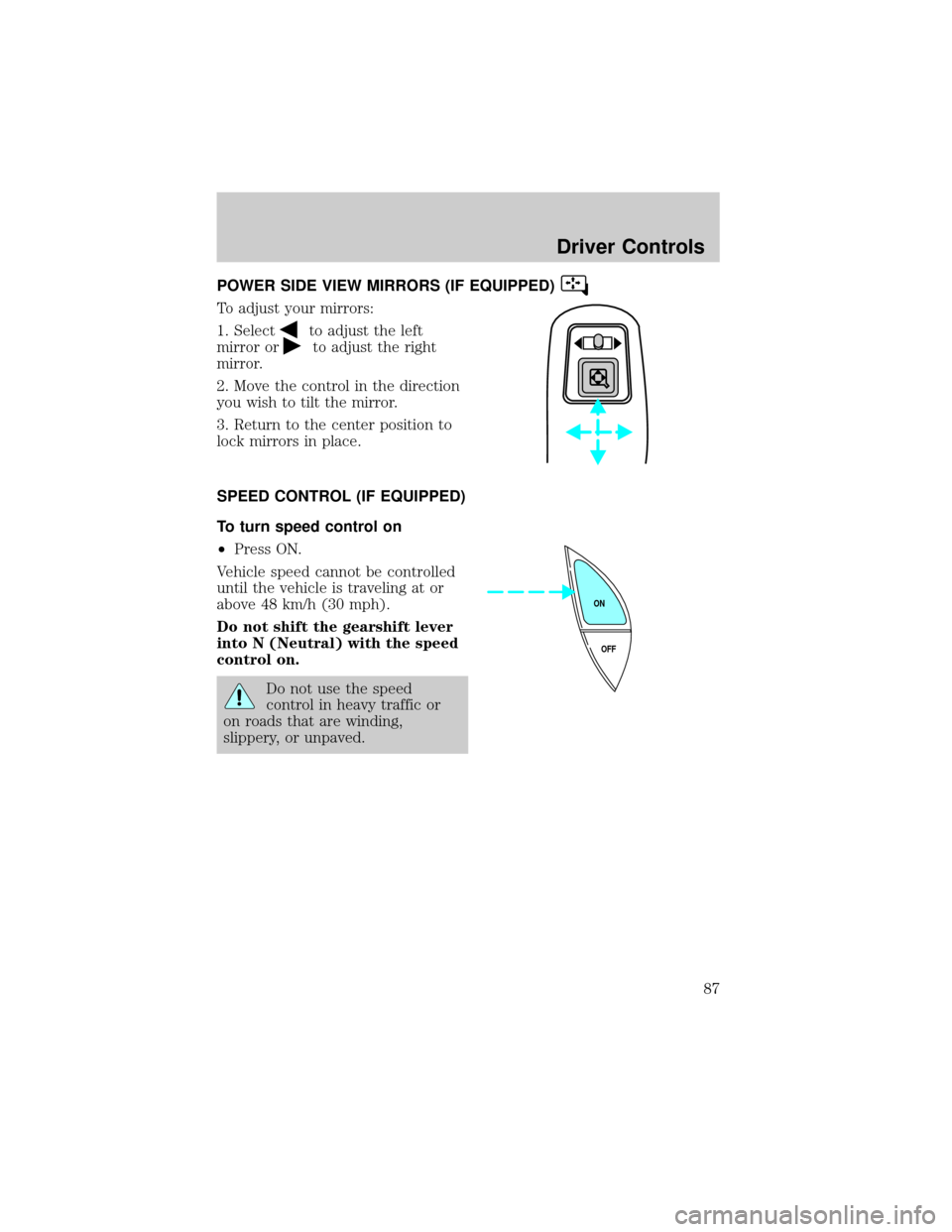
POWER SIDE VIEW MIRRORS (IF EQUIPPED)
To adjust your mirrors:
1. Select
to adjust the left
mirror or
to adjust the right
mirror.
2. Move the control in the direction
you wish to tilt the mirror.
3. Return to the center position to
lock mirrors in place.
SPEED CONTROL (IF EQUIPPED)
To turn speed control on
²Press ON.
Vehicle speed cannot be controlled
until the vehicle is traveling at or
above 48 km/h (30 mph).
Do not shift the gearshift lever
into N (Neutral) with the speed
control on.
Do not use the speed
control in heavy traffic or
on roads that are winding,
slippery, or unpaved.
OFF ON
Driver Controls
87
Page 94 of 288
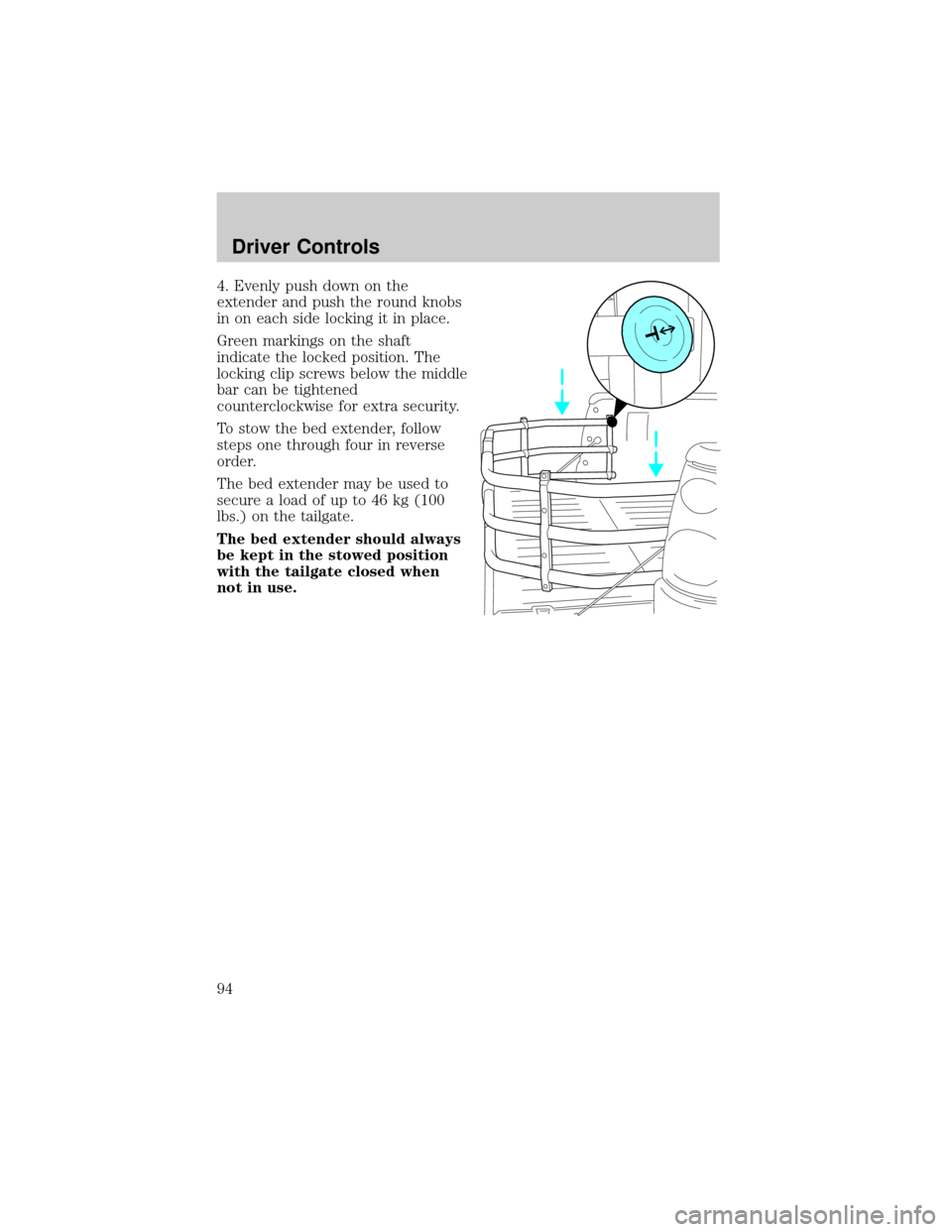
4. Evenly push down on the
extender and push the round knobs
in on each side locking it in place.
Green markings on the shaft
indicate the locked position. The
locking clip screws below the middle
bar can be tightened
counterclockwise for extra security.
To stow the bed extender, follow
steps one through four in reverse
order.
The bed extender may be used to
secure a load of up to 46 kg (100
lbs.) on the tailgate.
The bed extender should always
be kept in the stowed position
with the tailgate closed when
not in use.
Driver Controls
94
Page 95 of 288
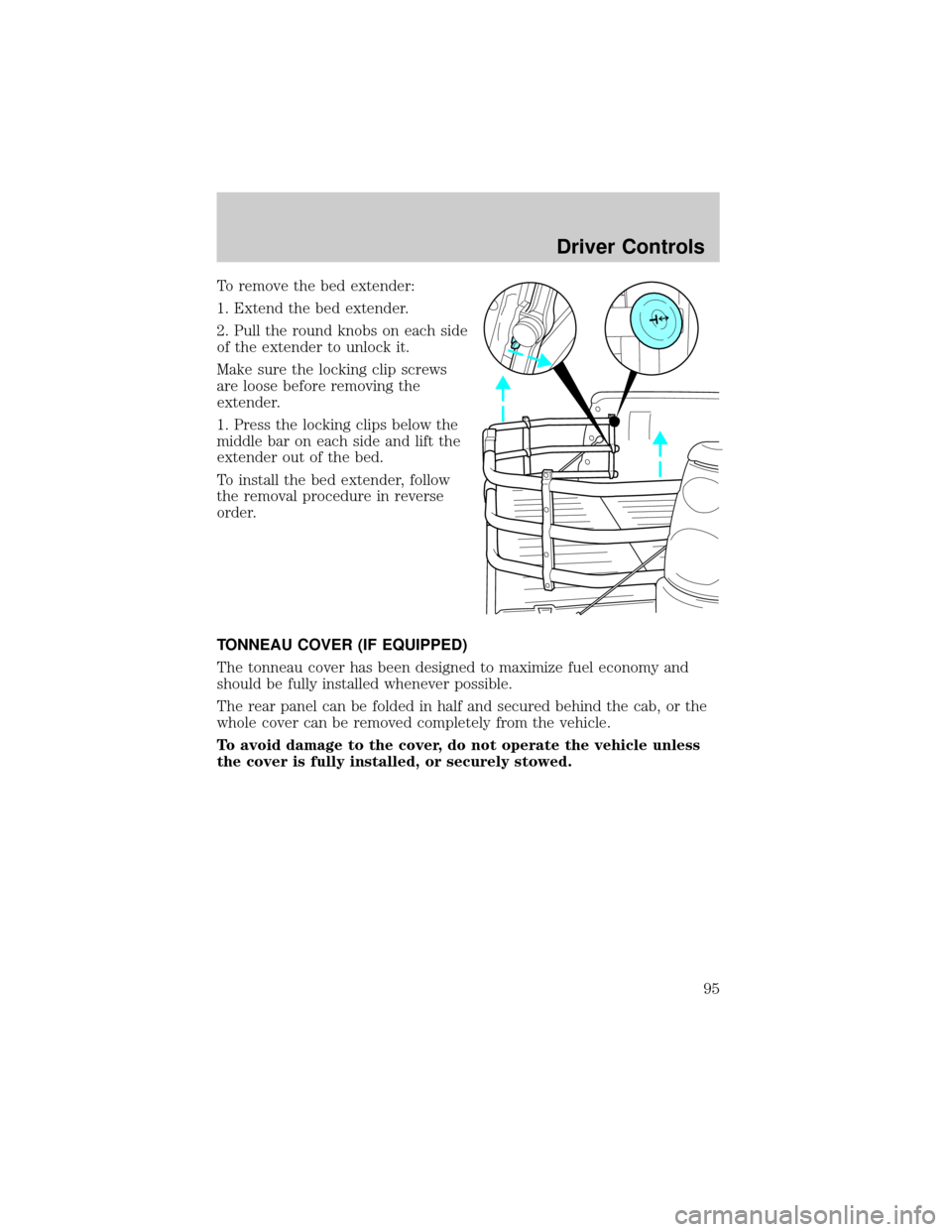
To remove the bed extender:
1. Extend the bed extender.
2. Pull the round knobs on each side
of the extender to unlock it.
Make sure the locking clip screws
are loose before removing the
extender.
1. Press the locking clips below the
middle bar on each side and lift the
extender out of the bed.
To install the bed extender, follow
the removal procedure in reverse
order.
TONNEAU COVER (IF EQUIPPED)
The tonneau cover has been designed to maximize fuel economy and
should be fully installed whenever possible.
The rear panel can be folded in half and secured behind the cab, or the
whole cover can be removed completely from the vehicle.
To avoid damage to the cover, do not operate the vehicle unless
the cover is fully installed, or securely stowed.
Driver Controls
95
Page 96 of 288
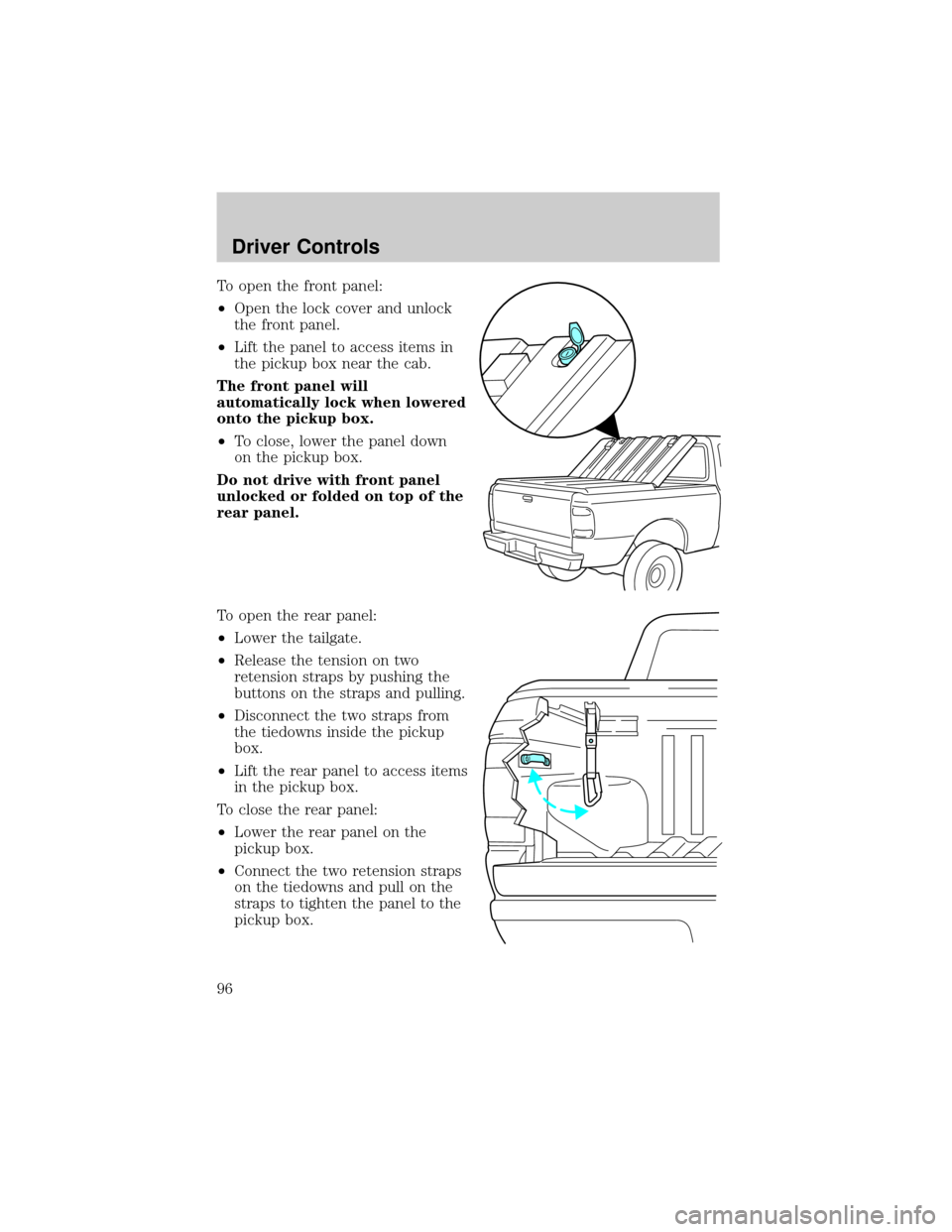
To open the front panel:
²Open the lock cover and unlock
the front panel.
²Lift the panel to access items in
the pickup box near the cab.
The front panel will
automatically lock when lowered
onto the pickup box.
²To close, lower the panel down
on the pickup box.
Do not drive with front panel
unlocked or folded on top of the
rear panel.
To open the rear panel:
²Lower the tailgate.
²Release the tension on two
retension straps by pushing the
buttons on the straps and pulling.
²Disconnect the two straps from
the tiedowns inside the pickup
box.
²Lift the rear panel to access items
in the pickup box.
To close the rear panel:
²Lower the rear panel on the
pickup box.
²Connect the two retension straps
on the tiedowns and pull on the
straps to tighten the panel to the
pickup box.
Driver Controls
96
Page 100 of 288
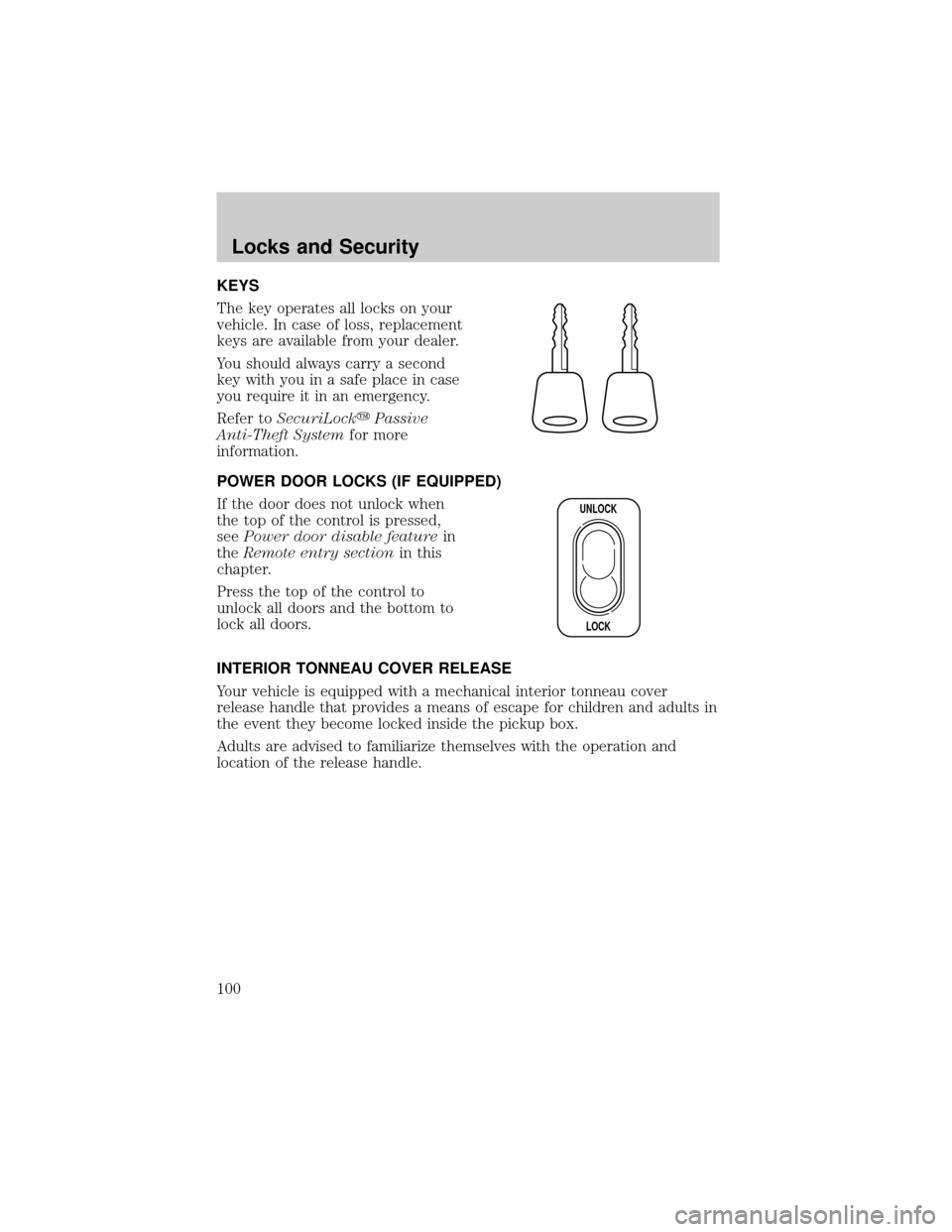
KEYS
The key operates all locks on your
vehicle. In case of loss, replacement
keys are available from your dealer.
You should always carry a second
key with you in a safe place in case
you require it in an emergency.
Refer toSecuriLockyPassive
Anti-Theft Systemfor more
information.
POWER DOOR LOCKS (IF EQUIPPED)
If the door does not unlock when
the top of the control is pressed,
seePower door disable featurein
theRemote entry sectionin this
chapter.
Press the top of the control to
unlock all doors and the bottom to
lock all doors.
INTERIOR TONNEAU COVER RELEASE
Your vehicle is equipped with a mechanical interior tonneau cover
release handle that provides a means of escape for children and adults in
the event they become locked inside the pickup box.
Adults are advised to familiarize themselves with the operation and
location of the release handle.
UNLOCK
LOCK
Locks and Security
100
Page 101 of 288
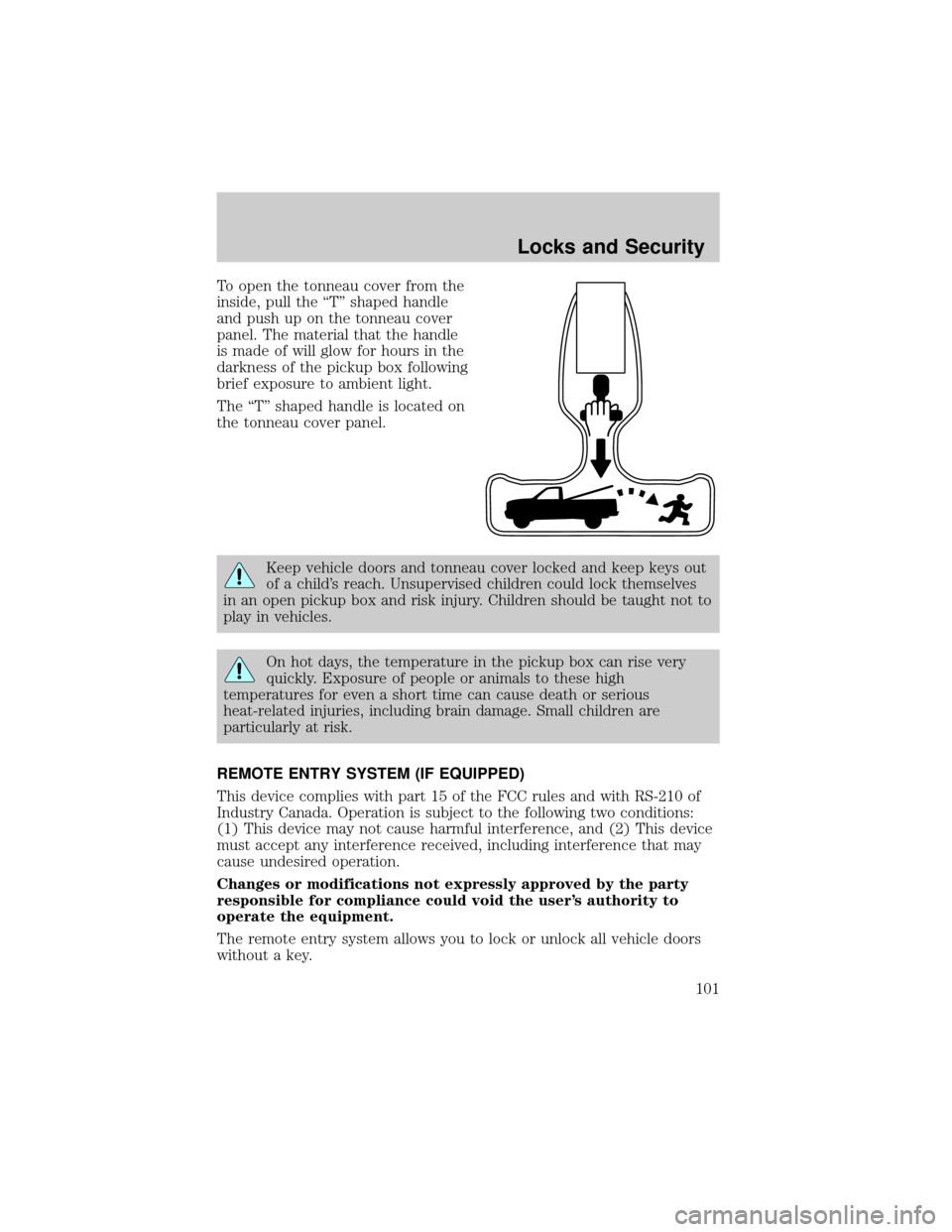
To open the tonneau cover from the
inside, pull the ªTº shaped handle
and push up on the tonneau cover
panel. The material that the handle
is made of will glow for hours in the
darkness of the pickup box following
brief exposure to ambient light.
The ªTº shaped handle is located on
the tonneau cover panel.
Keep vehicle doors and tonneau cover locked and keep keys out
of a child's reach. Unsupervised children could lock themselves
in an open pickup box and risk injury. Children should be taught not to
play in vehicles.
On hot days, the temperature in the pickup box can rise very
quickly. Exposure of people or animals to these high
temperatures for even a short time can cause death or serious
heat-related injuries, including brain damage. Small children are
particularly at risk.
REMOTE ENTRY SYSTEM (IF EQUIPPED)
This device complies with part 15 of the FCC rules and with RS-210 of
Industry Canada. Operation is subject to the following two conditions:
(1) This device may not cause harmful interference, and (2) This device
must accept any interference received, including interference that may
cause undesired operation.
Changes or modifications not expressly approved by the party
responsible for compliance could void the user's authority to
operate the equipment.
The remote entry system allows you to lock or unlock all vehicle doors
without a key.
Locks and Security
101
Page 102 of 288
The remote entry features only operate with the ignition in the LOCK
position.
If there is any potential remote keyless entry problem with your vehicle,
ensureALL key fobs(remote entry transmitters) are brought to the
dealership, to aid in troubleshooting.
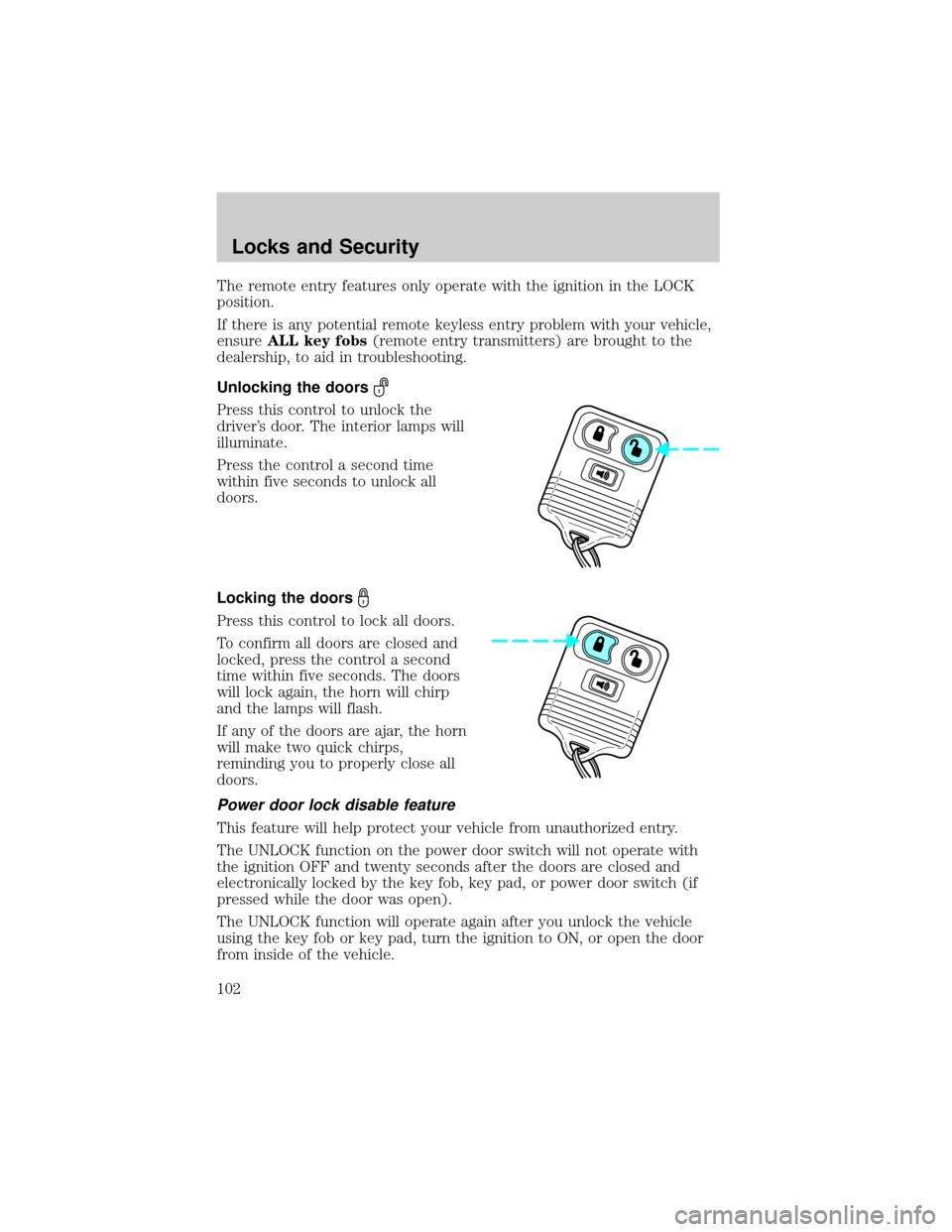
Unlocking the doors
Press this control to unlock the
driver's door. The interior lamps will
illuminate.
Press the control a second time
within five seconds to unlock all
doors.
Locking the doors
Press this control to lock all doors.
To confirm all doors are closed and
locked, press the control a second
time within five seconds. The doors
will lock again, the horn will chirp
and the lamps will flash.
If any of the doors are ajar, the horn
will make two quick chirps,
reminding you to properly close all
doors.
Power door lock disable feature
This feature will help protect your vehicle from unauthorized entry.
The UNLOCK function on the power door switch will not operate with
the ignition OFF and twenty seconds after the doors are closed and
electronically locked by the key fob, key pad, or power door switch (if
pressed while the door was open).
The UNLOCK function will operate again after you unlock the vehicle
using the key fob or key pad, turn the ignition to ON, or open the door
from inside of the vehicle.
Locks and Security
102
Page 103 of 288
Deactivating/activating power door lock disable feature
1. Turn the ignition key to ON, then
press the UNLOCK button 3 times.
2. Turn the ignition key to OFF,
then press the UNLOCK button 3
times.
3. Turn the ignition key to ON,
within five seconds press the LOCK
button 2 times.
The user should receive 2horn
chirpsto indicate the system has been disabled or 2 chirps followed by
a honk to indicate the system has been enabled.
Pressing the power door LOCK button 2 times again will toggle the trim
switch inhibit states.
Turn ignition to OFF to exit programming.
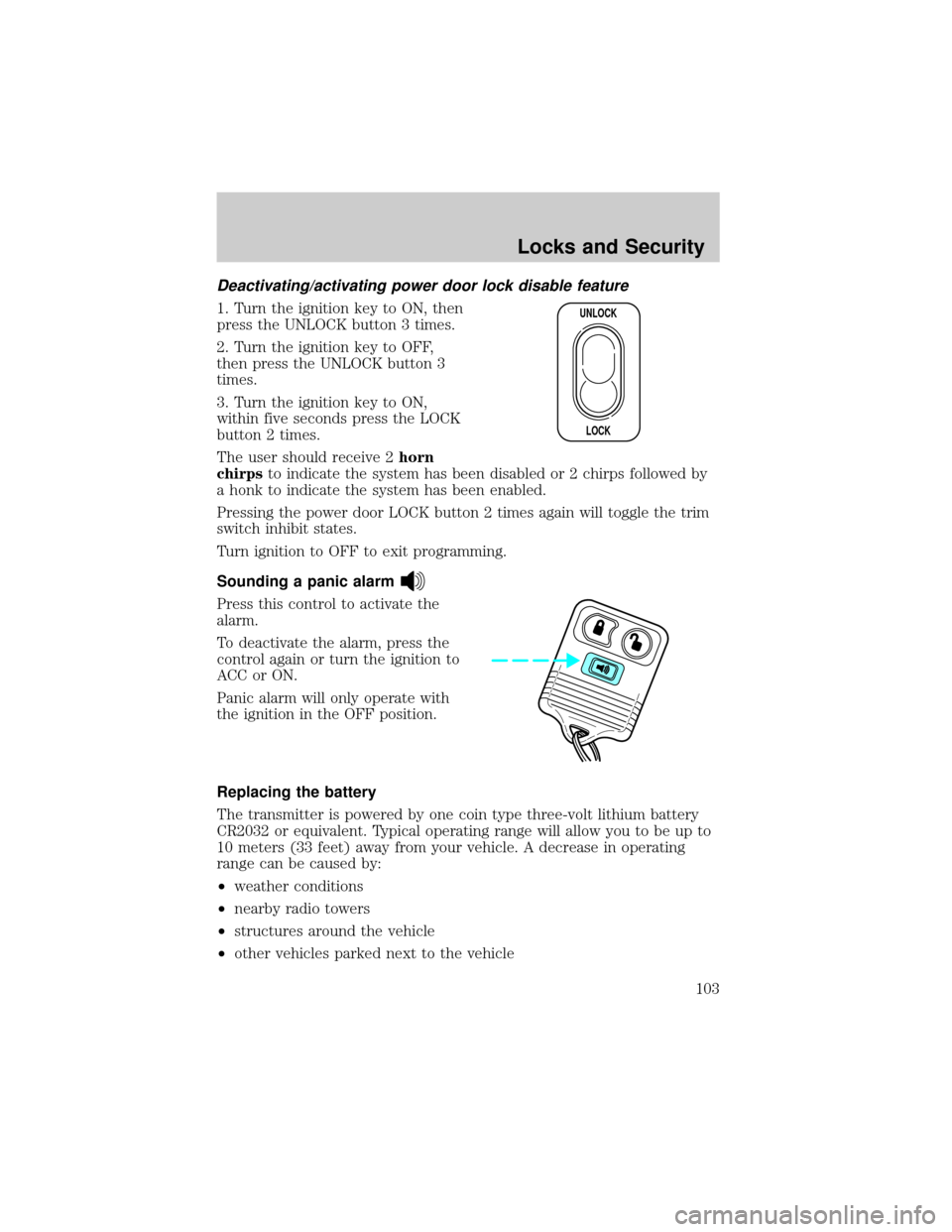
Sounding a panic alarm
Press this control to activate the
alarm.
To deactivate the alarm, press the
control again or turn the ignition to
ACC or ON.
Panic alarm will only operate with
the ignition in the OFF position.
Replacing the battery
The transmitter is powered by one coin type three-volt lithium battery
CR2032 or equivalent. Typical operating range will allow you to be up to
10 meters (33 feet) away from your vehicle. A decrease in operating
range can be caused by:
²weather conditions
²nearby radio towers
²structures around the vehicle
²other vehicles parked next to the vehicle
UNLOCK
LOCK
Locks and Security
103