warning light FORD RANGER 2020 Repair Manual
[x] Cancel search | Manufacturer: FORD, Model Year: 2020, Model line: RANGER, Model: FORD RANGER 2020Pages: 478, PDF Size: 7.44 MB
Page 313 of 478
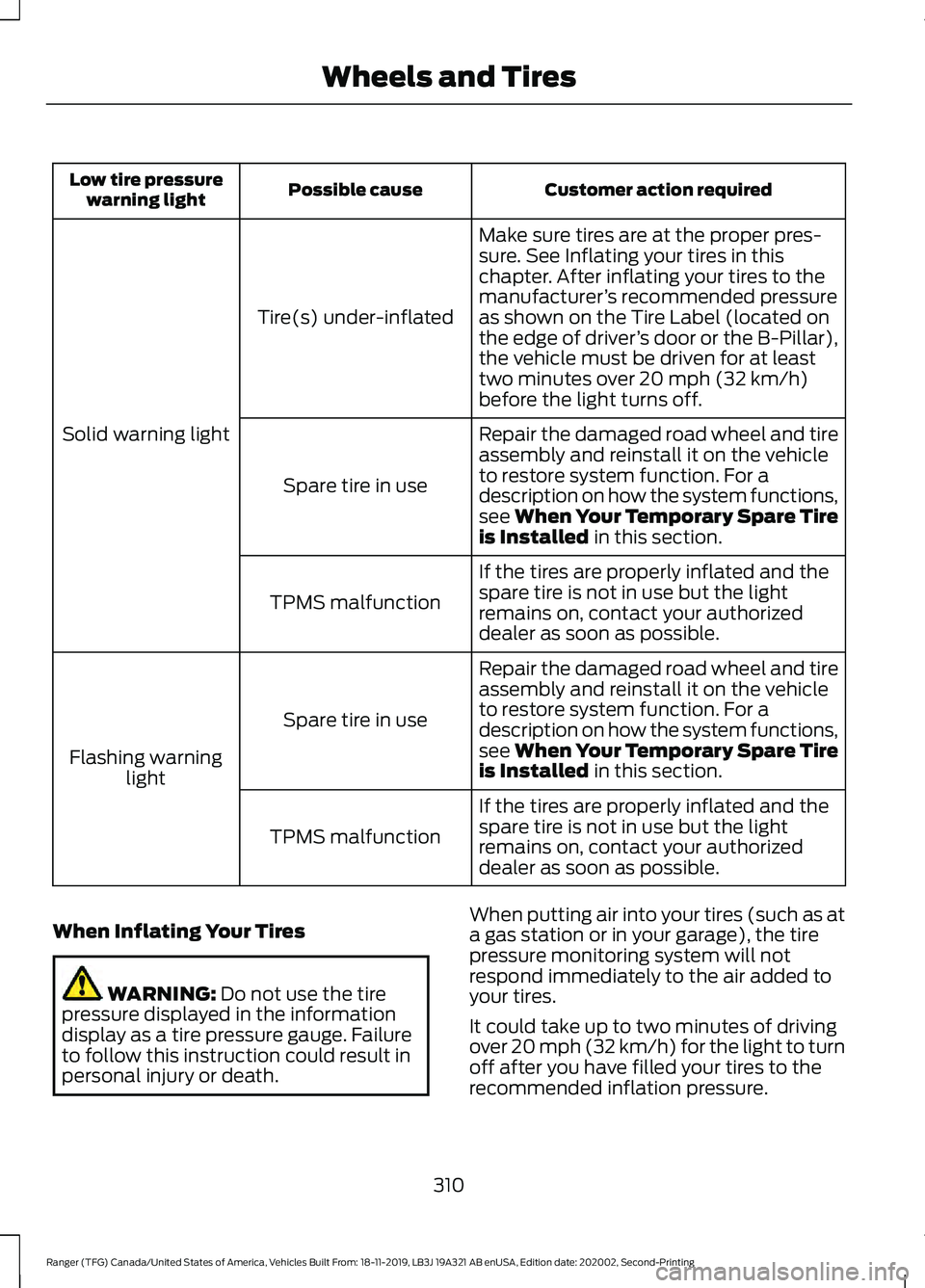
Customer action required
Possible cause
Low tire pressure
warning light
Make sure tires are at the proper pres-
sure. See Inflating your tires in this
chapter. After inflating your tires to the
manufacturer’s recommended pressure
as shown on the Tire Label (located on
the edge of driver ’s door or the B-Pillar),
the vehicle must be driven for at least
two minutes over 20 mph (32 km/h)
before the light turns off.
Tire(s) under-inflated
Solid warning light Repair the damaged road wheel and tire
assembly and reinstall it on the vehicle
to restore system function. For a
description on how the system functions,
see When Your Temporary Spare Tire
is Installed
in this section.
Spare tire in use
If the tires are properly inflated and the
spare tire is not in use but the light
remains on, contact your authorized
dealer as soon as possible.
TPMS malfunction
Repair the damaged road wheel and tire
assembly and reinstall it on the vehicle
to restore system function. For a
description on how the system functions,
see When Your Temporary Spare Tire
is Installed
in this section.
Spare tire in use
Flashing warning light
If the tires are properly inflated and the
spare tire is not in use but the light
remains on, contact your authorized
dealer as soon as possible.
TPMS malfunction
When Inflating Your Tires WARNING:
Do not use the tire
pressure displayed in the information
display as a tire pressure gauge. Failure
to follow this instruction could result in
personal injury or death. When putting air into your tires (such as at
a gas station or in your garage), the tire
pressure monitoring system will not
respond immediately to the air added to
your tires.
It could take up to two minutes of driving
over 20 mph (32 km/h) for the light to turn
off after you have filled your tires to the
recommended inflation pressure.
310
Ranger (TFG) Canada/United States of America, Vehicles Built From: 18-11-2019, LB3J 19A321 AB enUSA, Edition date: 202002, Second-Printing Wheels and Tires
Page 314 of 478
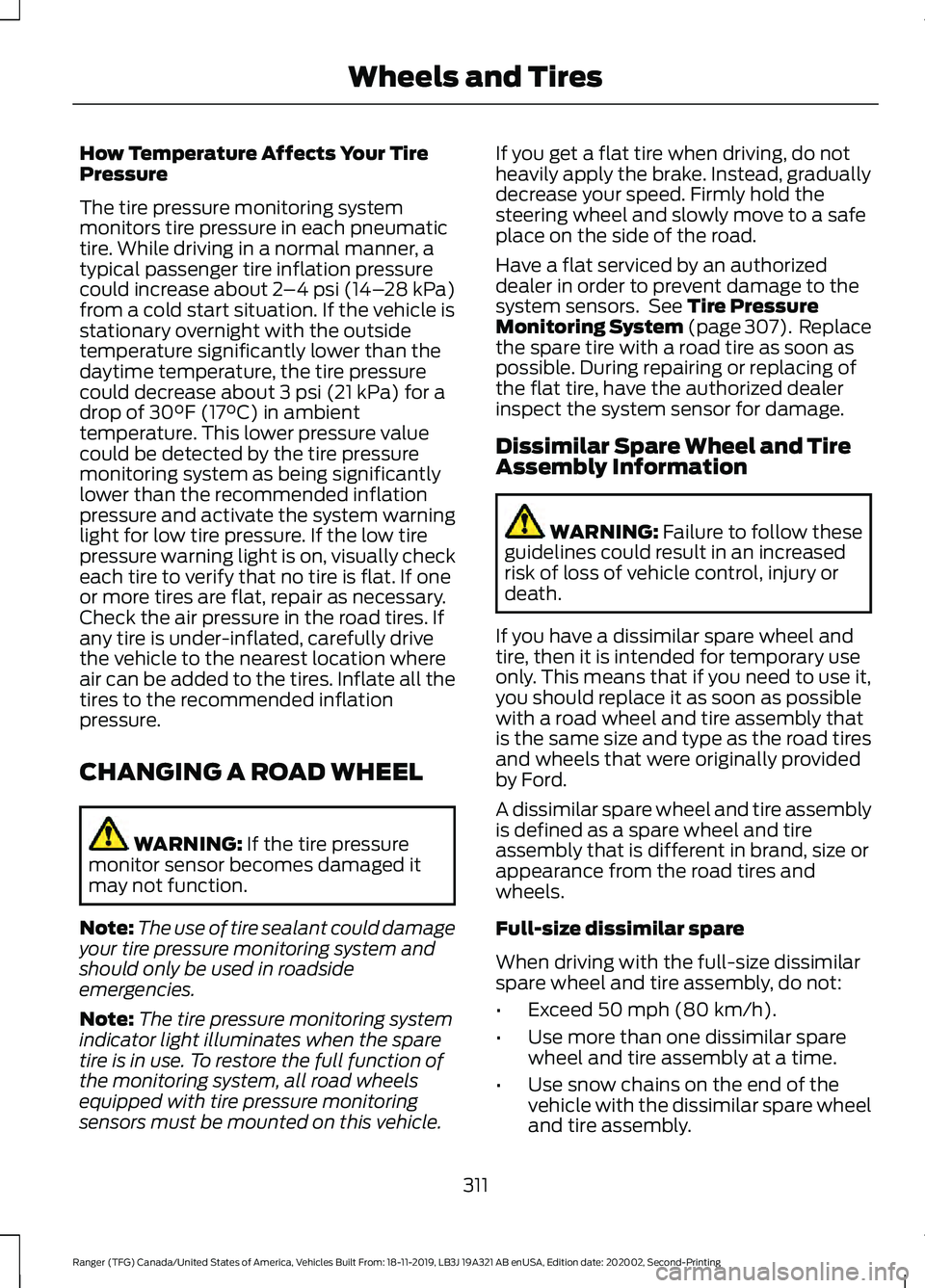
How Temperature Affects Your Tire
Pressure
The tire pressure monitoring system
monitors tire pressure in each pneumatic
tire. While driving in a normal manner, a
typical passenger tire inflation pressure
could increase about 2
–4 psi (14– 28 kPa)
from a cold start situation. If the vehicle is
stationary overnight with the outside
temperature significantly lower than the
daytime temperature, the tire pressure
could decrease about
3 psi (21 kPa) for a
drop of 30°F (17°C) in ambient
temperature. This lower pressure value
could be detected by the tire pressure
monitoring system as being significantly
lower than the recommended inflation
pressure and activate the system warning
light for low tire pressure. If the low tire
pressure warning light is on, visually check
each tire to verify that no tire is flat. If one
or more tires are flat, repair as necessary.
Check the air pressure in the road tires. If
any tire is under-inflated, carefully drive
the vehicle to the nearest location where
air can be added to the tires. Inflate all the
tires to the recommended inflation
pressure.
CHANGING A ROAD WHEEL WARNING:
If the tire pressure
monitor sensor becomes damaged it
may not function.
Note: The use of tire sealant could damage
your tire pressure monitoring system and
should only be used in roadside
emergencies.
Note: The tire pressure monitoring system
indicator light illuminates when the spare
tire is in use. To restore the full function of
the monitoring system, all road wheels
equipped with tire pressure monitoring
sensors must be mounted on this vehicle. If you get a flat tire when driving, do not
heavily apply the brake. Instead, gradually
decrease your speed. Firmly hold the
steering wheel and slowly move to a safe
place on the side of the road.
Have a flat serviced by an authorized
dealer in order to prevent damage to the
system sensors. See
Tire Pressure
Monitoring System (page 307). Replace
the spare tire with a road tire as soon as
possible. During repairing or replacing of
the flat tire, have the authorized dealer
inspect the system sensor for damage.
Dissimilar Spare Wheel and Tire
Assembly Information WARNING:
Failure to follow these
guidelines could result in an increased
risk of loss of vehicle control, injury or
death.
If you have a dissimilar spare wheel and
tire, then it is intended for temporary use
only. This means that if you need to use it,
you should replace it as soon as possible
with a road wheel and tire assembly that
is the same size and type as the road tires
and wheels that were originally provided
by Ford.
A dissimilar spare wheel and tire assembly
is defined as a spare wheel and tire
assembly that is different in brand, size or
appearance from the road tires and
wheels.
Full-size dissimilar spare
When driving with the full-size dissimilar
spare wheel and tire assembly, do not:
• Exceed
50 mph (80 km/h).
• Use more than one dissimilar spare
wheel and tire assembly at a time.
• Use snow chains on the end of the
vehicle with the dissimilar spare wheel
and tire assembly.
311
Ranger (TFG) Canada/United States of America, Vehicles Built From: 18-11-2019, LB3J 19A321 AB enUSA, Edition date: 202002, Second-Printing Wheels and Tires
Page 466 of 478
4
4WD
See: Four-Wheel Drive...................................... 162
9
911 Assist...........................................................49
A
A/C See: Climate Control........................................... 117
About This Manual
...........................................7
ABS See: Brakes............................................................. 171
ABS driving hints See: Hints on Driving With Anti-Lock
Brakes.................................................................. 171
Accessories...................................................408 Peace of Mind.................................................... 408
Accessories See: Replacement Parts
Recommendation............................................ 13
ACC See: Using Adaptive Cruise Control............189
Adjusting the Headlamps.........................275 Vertical Aim Adjustment................................. 275
Adjusting the Steering Wheel....................72
Airbag Disposal..............................................48
Air Conditioning See: Climate Control........................................... 117
Air Filter See: Changing the Engine Air Filter............280
Alarm See: Anti-Theft Alarm........................................ 70
Ambient Lighting
............................................82
Adjusting the Brightness................................... 82
Changing the Color.............................................. 82
Switching Ambient Lighting Off..................... 82
Switching Ambient Lighting On...................... 82
Anti-Theft Alarm............................................70 Alarm System........................................................ 70
Arming the Alarm.................................................. 71
Disarming the Alarm............................................ 71
Triggering the Alarm............................................. 71
Appendices....................................................432 Apps..................................................................392
Using Apps on an Android Device...............393
Using Apps on an iOS Device........................ 392
Using Mobile Navigation on an Android Device................................................................ 393
At a Glance
.........................................................17
Audible Warnings and Indicators.............95 Headlamps On Warning Chime...................... 95
Key in Ignition Warning Chime........................ 95
Keyless Warning Alert........................................ 95
Parking Brake On Warning Chime.................95
Audio Control
...................................................72
Type One.................................................................. 72
Type Two.................................................................. 73
You can operate the following functions with the control:............................................... 73
Audio Input Jack
...........................................352
Audio System................................................342
General Information......................................... 342
Audio Unit - Vehicles With: AM/FM/USB/ Bluetooth.....................................................342
Accessing the Clock Settings........................ 342
Accessing the Media Source Menu.............342
Accessing the Menu.......................................... 343
Accessing the Phone Features..................... 343
Accessing the Sound Settings...................... 343
Adjusting the Volume....................................... 343
Changing Radio Stations................................ 343
Listening to the Radio...................................... 343
Muting the Audio............................................... 343
Switching the Audio Unit On and Off........343
Using Seek, Fast Forward and Reverse............................................................. 344
Using the Display Control............................... 343
Using the Number Block................................. 344
Audio Unit - Vehicles With: SYNC 3
......................................................................346
Adjusting the Volume....................................... 347
Changing Radio Stations................................ 347
Playing or Pausing Media................................ 347
Switching the Audio Unit On and Off.........347
Using Seek, Fast Forward and Reverse.............................................................. 347
Audio Unit - Vehicles With: SYNC.........344 Accessing the Apps Menu.............................. 344
Accessing the Clock Settings........................ 344
Accessing the Information Menu................344
Accessing the Media Source Menu.............344
463
Ranger (TFG) Canada/United States of America, Vehicles Built From: 18-11-2019, LB3J 19A321 AB enUSA, Edition date: 202002, Second-Printing Index