stop start FORD SUPER DUTY 2014 3.G Owners Manual
[x] Cancel search | Manufacturer: FORD, Model Year: 2014, Model line: SUPER DUTY, Model: FORD SUPER DUTY 2014 3.GPages: 458, PDF Size: 5.3 MB
Page 5 of 458
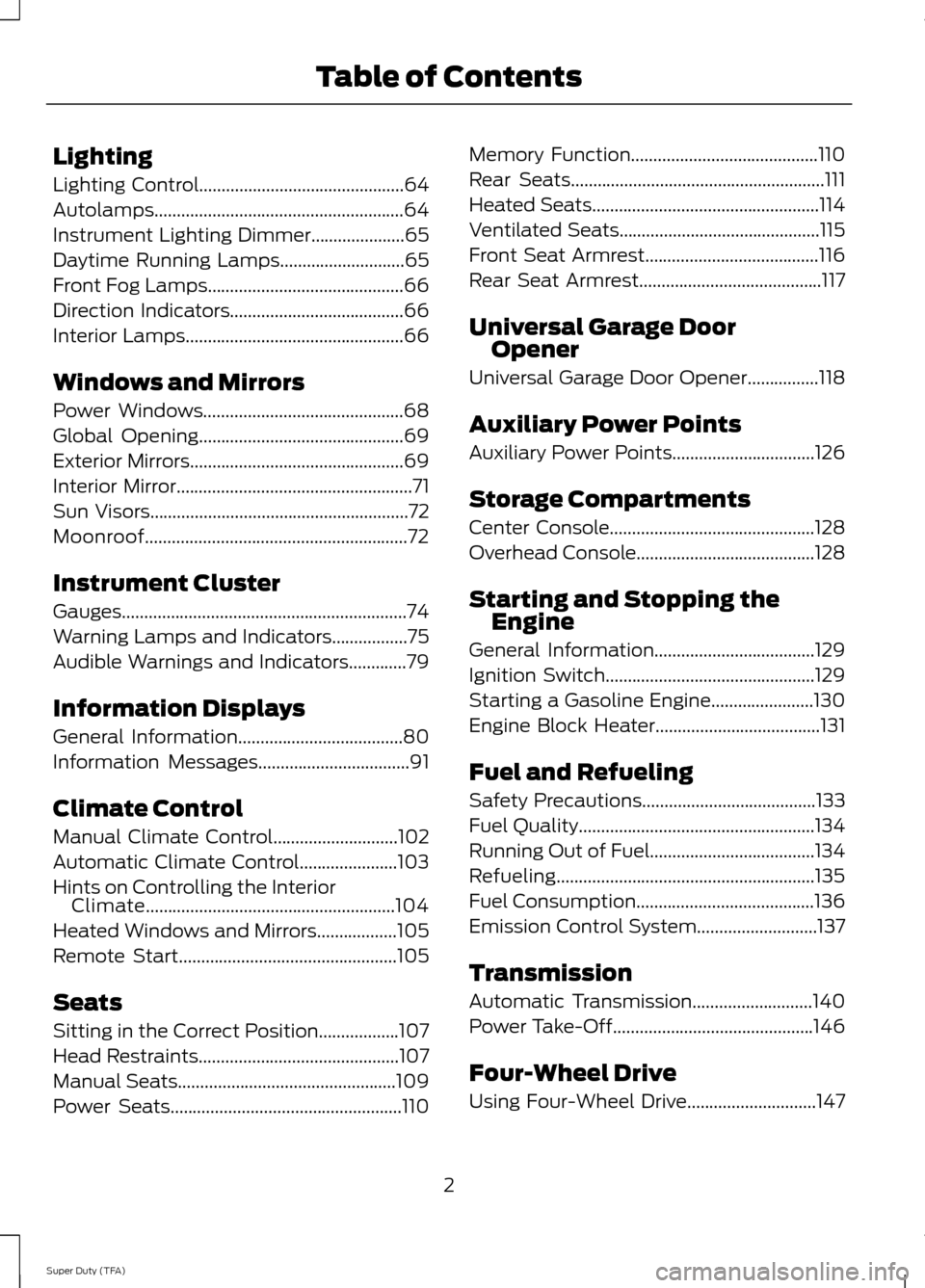
Lighting
Lighting Control..............................................64
Autolamps........................................................64
Instrument Lighting Dimmer.....................65
Daytime Running Lamps............................65
Front Fog Lamps............................................66
Direction Indicators
.......................................66
Interior Lamps.................................................66
Windows and Mirrors
Power Windows
.............................................68
Global Opening
..............................................69
Exterior Mirrors
................................................69
Interior Mirror
.....................................................71
Sun Visors
..........................................................72
Moonroof...........................................................72
Instrument Cluster
Gauges................................................................74
Warning Lamps and Indicators.................75
Audible Warnings and Indicators
.............79
Information Displays
General Information
.....................................80
Information Messages
..................................91
Climate Control
Manual Climate Control............................102
Automatic Climate Control......................103
Hints on Controlling the Interior Climate........................................................104
Heated Windows and Mirrors..................105
Remote Start
.................................................105
Seats
Sitting in the Correct Position..................107
Head Restraints
.............................................107
Manual Seats
.................................................109
Power Seats
....................................................110 Memory Function
..........................................110
Rear Seats.........................................................111
Heated Seats...................................................114
Ventilated Seats.............................................115
Front Seat Armrest.......................................116
Rear Seat Armrest.........................................117
Universal Garage Door Opener
Universal Garage Door Opener
................118
Auxiliary Power Points
Auxiliary Power Points................................126
Storage Compartments
Center Console
..............................................128
Overhead Console
........................................128
Starting and Stopping the Engine
General Information....................................129
Ignition Switch
...............................................129
Starting a Gasoline Engine.......................130
Engine Block Heater.....................................131
Fuel and Refueling
Safety Precautions
.......................................133
Fuel Quality
.....................................................134
Running Out of Fuel.....................................134
Refueling..........................................................135
Fuel Consumption
........................................136
Emission Control System...........................137
Transmission
Automatic Transmission...........................140
Power Take-Off.............................................146
Four-Wheel Drive
Using Four-Wheel Drive.............................147
2
Super Duty (TFA) Table of Contents
Page 50 of 458
Sounding a Panic Alarm
Note:
The panic alarm will only operate
when the ignition is off. Press the button to activate the
alarm. Press the button again or
turn the ignition on to deactivate
it.
Remote Start (If Equipped) WARNING
To avoid exhaust fumes, do not use
remote start if your vehicle is parked
indoors or areas that are not well
ventilated. Note:
Do not use remote start if your vehicle
is low on fuel. The remote start button is on the
transmitter.
This feature allows you to start your
vehicle from outside the vehicle. The
transmitter has an extended operating
range.
Vehicles with automatic climate control
can be set to operate when you remote
start the vehicle. See
Climate Control
(page 102). A manual climate control
system will run at the setting it was set to
when you switch the vehicle off.
Many states and provinces have
restrictions for the use of remote start.
Check your local and state or provincial
laws for specific requirements regarding
remote start systems.
The remote start system will not work if:
• the ignition is on
• the alarm system is triggered
• you disable the feature
• the hood is open
• the transmission is not in
P •
the vehicle battery voltage is too low
• the service engine soon indicator is on.
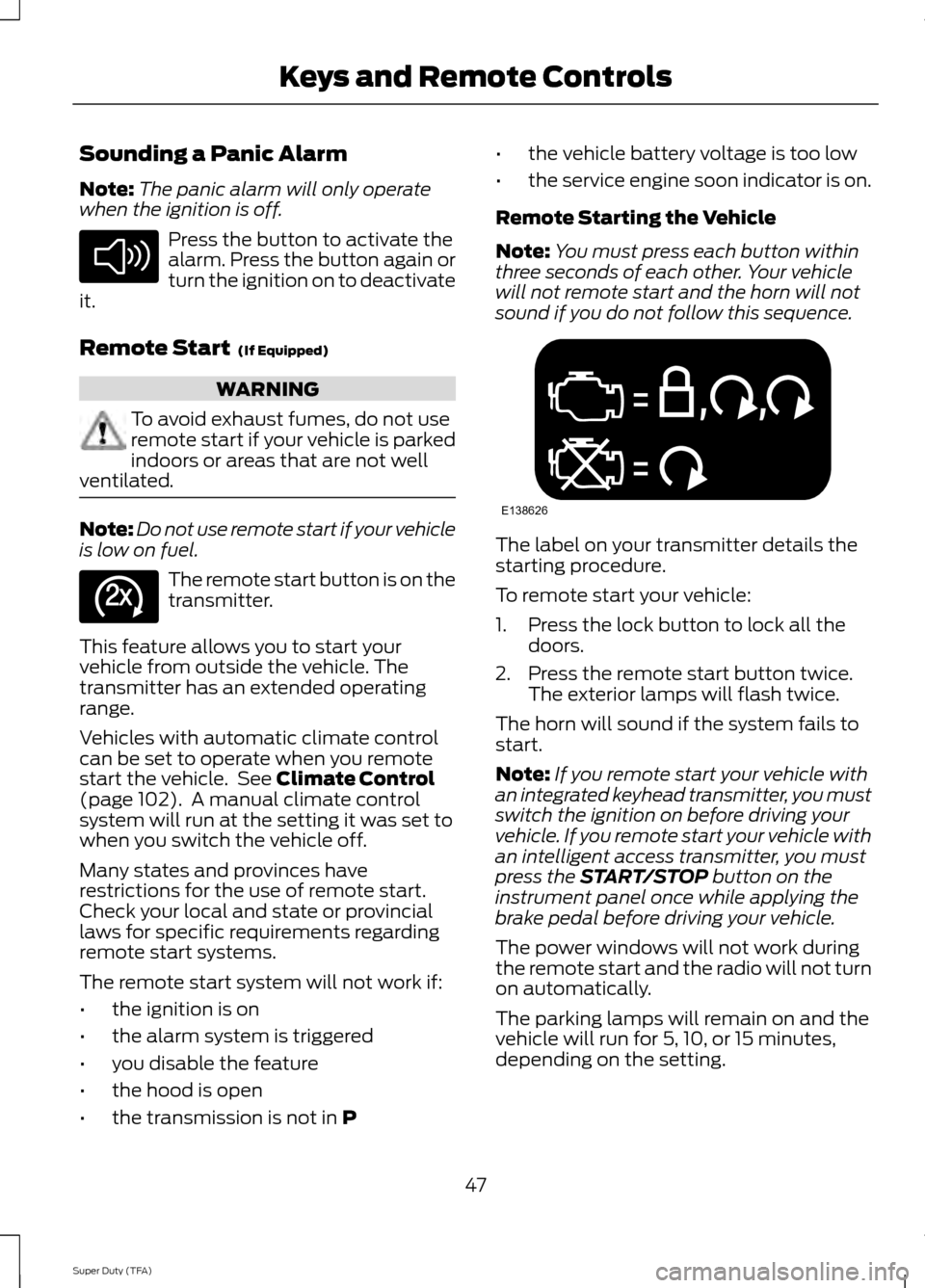
Remote Starting the Vehicle
Note: You must press each button within
three seconds of each other. Your vehicle
will not remote start and the horn will not
sound if you do not follow this sequence. The label on your transmitter details the
starting procedure.
To remote start your vehicle:
1. Press the lock button to lock all the
doors.
2. Press the remote start button twice. The exterior lamps will flash twice.
The horn will sound if the system fails to
start.
Note: If you remote start your vehicle with
an integrated keyhead transmitter, you must
switch the ignition on before driving your
vehicle. If you remote start your vehicle with
an intelligent access transmitter, you must
press the
START/STOP button on the
instrument panel once while applying the
brake pedal before driving your vehicle.
The power windows will not work during
the remote start and the radio will not turn
on automatically.
The parking lamps will remain on and the
vehicle will run for 5, 10, or 15 minutes,
depending on the setting.
47
Super Duty (TFA) Keys and Remote ControlsE138624 E138625 E138626
Page 61 of 458
1.
Insert the first previously programmed
coded key into the ignition.
2. Switch the ignition from off to on. Keep
the ignition on for at least three
seconds, but no more than 10 seconds.
3. Switch the ignition off and remove the
first coded key from the ignition.
4. After three seconds but within 10 seconds of switching the ignition off,
insert the second previously coded key
into the ignition.
5. Switch the ignition from off to on. Keep
the ignition on for at least three
seconds, but no more than 10 seconds.
6. Switch the ignition off and remove the
second previously programmed coded
key from the ignition.
7. After three seconds but within 10 seconds of switching the ignition off
and removing the previously
programmed coded key, insert the new
unprogrammed key into the ignition.
8. Switch the ignition from off to on. Keep
the ignition on for at least six seconds
until you hear the door locks cycle.
9. Remove the newly programmed coded
key from the ignition.
The key will start the engine if
programming is successful. You can
operate the remote entry system if the new
key is an integrated keyhead transmitter.
If programming was not successful, wait
20 seconds and repeat Steps 1 through 8.
If you are still unsuccessful, take your
vehicle to an authorized dealer.
ANTI-THEFT ALARM (IF EQUIPPED)
The system warns you of an unauthorized
entry to your vehicle. It triggers if any door
or the hood opens without using the key,
remote control or keyless entry keypad. The direction indicators flash and the horn
sounds if the system triggers while the
alarm is armed.
Take all remote controls to an authorized
dealer if there is any potential alarm
problem with your vehicle.
Arming the Alarm
The alarm is ready to arm when there is
not a key in the ignition. Electronically lock
the vehicle to arm the alarm.
The direction indicators flash once after
you lock the vehicle. This indicates the
alarm is in the pre-armed mode. It will fully
arm in 20 seconds.
Disarming the Alarm
Disarm the alarm by any of the following
actions:
•
Press the power door unlock button
within the 20-second pre-armed mode.
• Unlock the doors with the remote
control or keyless entry keypad.
• Switch the ignition on or start the
vehicle.
• Use a key in the driver door to unlock
the vehicle, then switch the ignition on
within 12 seconds.
Note: Pressing the panic button on the
remote control will stop the horn and signal
indicators, but will not disarm the system.
58
Super Duty (TFA) Security
Page 72 of 458
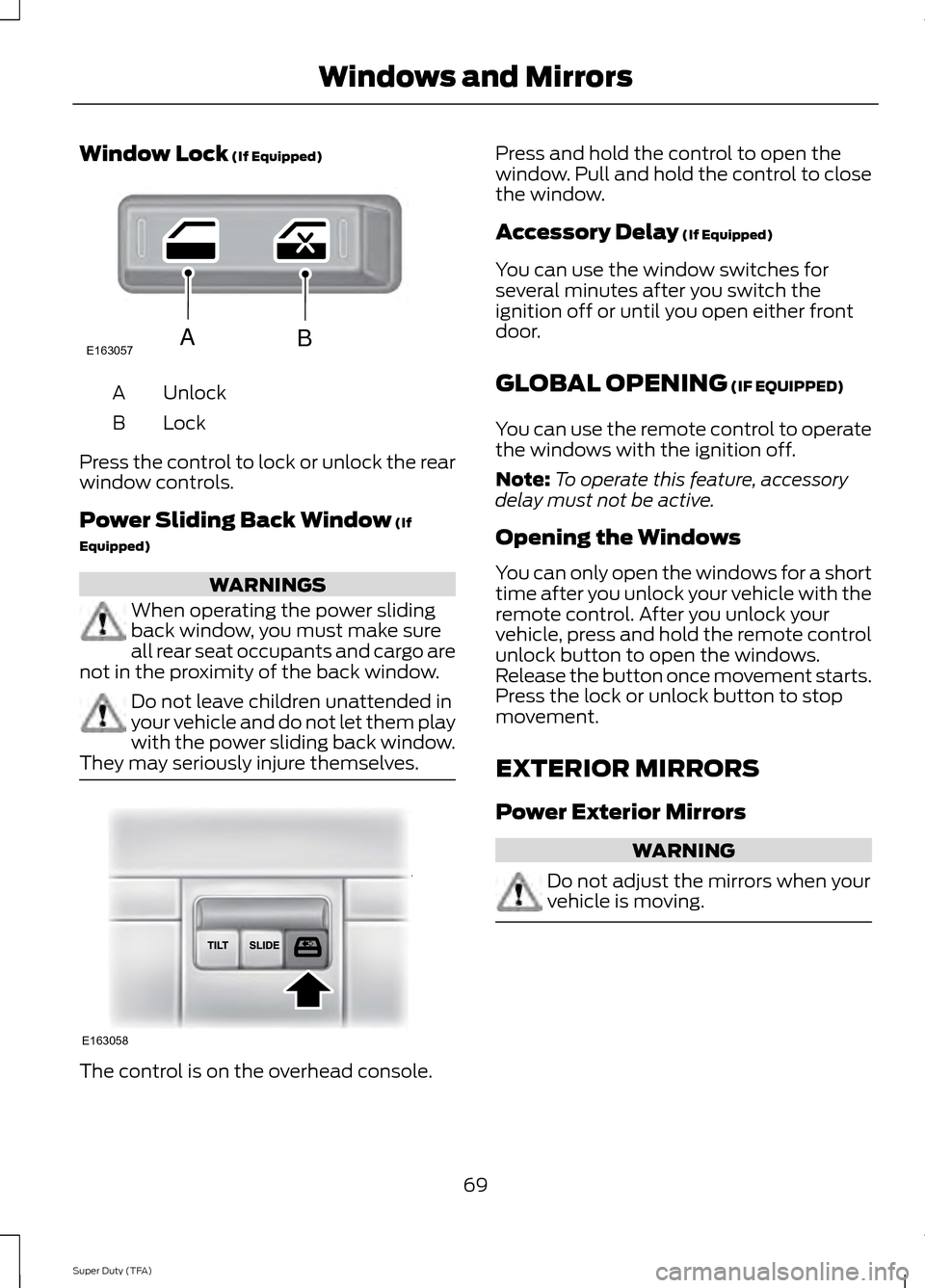
Window Lock (If Equipped)
Unlock
A
Lock
B
Press the control to lock or unlock the rear
window controls.
Power Sliding Back Window
(If
Equipped) WARNINGS
When operating the power sliding
back window, you must make sure
all rear seat occupants and cargo are
not in the proximity of the back window. Do not leave children unattended in
your vehicle and do not let them play
with the power sliding back window.
They may seriously injure themselves. The control is on the overhead console. Press and hold the control to open the
window. Pull and hold the control to close
the window.
Accessory Delay
(If Equipped)
You can use the window switches for
several minutes after you switch the
ignition off or until you open either front
door.
GLOBAL OPENING
(IF EQUIPPED)
You can use the remote control to operate
the windows with the ignition off.
Note: To operate this feature, accessory
delay must not be active.
Opening the Windows
You can only open the windows for a short
time after you unlock your vehicle with the
remote control. After you unlock your
vehicle, press and hold the remote control
unlock button to open the windows.
Release the button once movement starts.
Press the lock or unlock button to stop
movement.
EXTERIOR MIRRORS
Power Exterior Mirrors WARNING
Do not adjust the mirrors when your
vehicle is moving.
69
Super Duty (TFA) Windows and MirrorsE163057AB E163058
Page 78 of 458
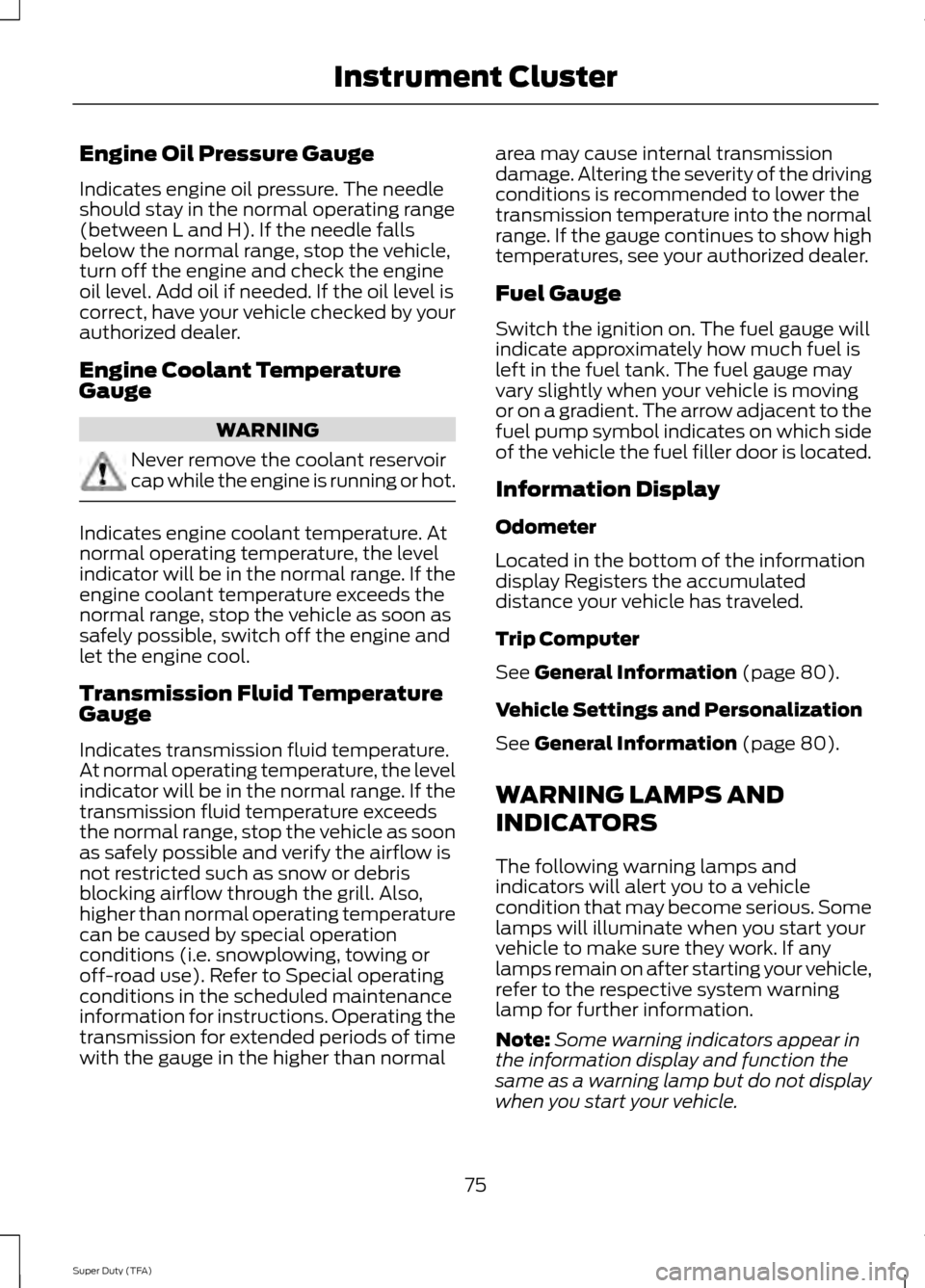
Engine Oil Pressure Gauge
Indicates engine oil pressure. The needle
should stay in the normal operating range
(between L and H). If the needle falls
below the normal range, stop the vehicle,
turn off the engine and check the engine
oil level. Add oil if needed. If the oil level is
correct, have your vehicle checked by your
authorized dealer.
Engine Coolant Temperature
Gauge
WARNING
Never remove the coolant reservoir
cap while the engine is running or hot.
Indicates engine coolant temperature. At
normal operating temperature, the level
indicator will be in the normal range. If the
engine coolant temperature exceeds the
normal range, stop the vehicle as soon as
safely possible, switch off the engine and
let the engine cool.
Transmission Fluid Temperature
Gauge
Indicates transmission fluid temperature.
At normal operating temperature, the level
indicator will be in the normal range. If the
transmission fluid temperature exceeds
the normal range, stop the vehicle as soon
as safely possible and verify the airflow is
not restricted such as snow or debris
blocking airflow through the grill. Also,
higher than normal operating temperature
can be caused by special operation
conditions (i.e. snowplowing, towing or
off-road use). Refer to Special operating
conditions in the scheduled maintenance
information for instructions. Operating the
transmission for extended periods of time
with the gauge in the higher than normal area may cause internal transmission
damage. Altering the severity of the driving
conditions is recommended to lower the
transmission temperature into the normal
range. If the gauge continues to show high
temperatures, see your authorized dealer.
Fuel Gauge
Switch the ignition on. The fuel gauge will
indicate approximately how much fuel is
left in the fuel tank. The fuel gauge may
vary slightly when your vehicle is moving
or on a gradient. The arrow adjacent to the
fuel pump symbol indicates on which side
of the vehicle the fuel filler door is located.
Information Display
Odometer
Located in the bottom of the information
display Registers the accumulated
distance your vehicle has traveled.
Trip Computer
See General Information (page 80).
Vehicle Settings and Personalization
See
General Information (page 80).
WARNING LAMPS AND
INDICATORS
The following warning lamps and
indicators will alert you to a vehicle
condition that may become serious. Some
lamps will illuminate when you start your
vehicle to make sure they work. If any
lamps remain on after starting your vehicle,
refer to the respective system warning
lamp for further information.
Note: Some warning indicators appear in
the information display and function the
same as a warning lamp but do not display
when you start your vehicle.
75
Super Duty (TFA) Instrument Cluster
Page 80 of 458
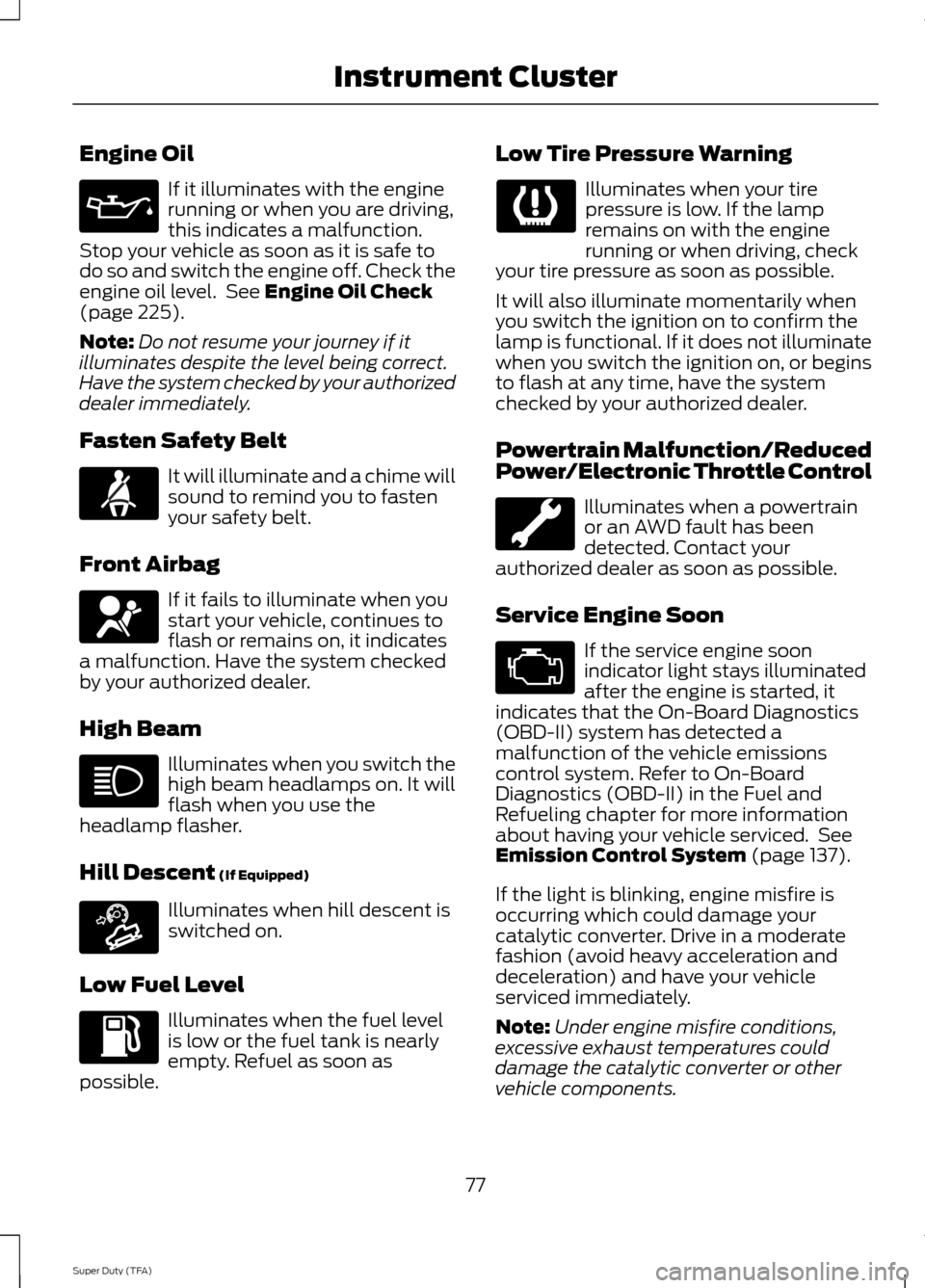
Engine Oil
If it illuminates with the engine
running or when you are driving,
this indicates a malfunction.
Stop your vehicle as soon as it is safe to
do so and switch the engine off. Check the
engine oil level. See Engine Oil Check
(page 225).
Note: Do not resume your journey if it
illuminates despite the level being correct.
Have the system checked by your authorized
dealer immediately.
Fasten Safety Belt It will illuminate and a chime will
sound to remind you to fasten
your safety belt.
Front Airbag If it fails to illuminate when you
start your vehicle, continues to
flash or remains on, it indicates
a malfunction. Have the system checked
by your authorized dealer.
High Beam Illuminates when you switch the
high beam headlamps on. It will
flash when you use the
headlamp flasher.
Hill Descent
(If Equipped) Illuminates when hill descent is
switched on.
Low Fuel Level Illuminates when the fuel level
is low or the fuel tank is nearly
empty. Refuel as soon as
possible. Low Tire Pressure Warning Illuminates when your tire
pressure is low. If the lamp
remains on with the engine
running or when driving, check
your tire pressure as soon as possible.
It will also illuminate momentarily when
you switch the ignition on to confirm the
lamp is functional. If it does not illuminate
when you switch the ignition on, or begins
to flash at any time, have the system
checked by your authorized dealer.
Powertrain Malfunction/Reduced
Power/Electronic Throttle Control Illuminates when a powertrain
or an AWD fault has been
detected. Contact your
authorized dealer as soon as possible.
Service Engine Soon If the service engine soon
indicator light stays illuminated
after the engine is started, it
indicates that the On-Board Diagnostics
(OBD-II) system has detected a
malfunction of the vehicle emissions
control system. Refer to On-Board
Diagnostics (OBD-II) in the Fuel and
Refueling chapter for more information
about having your vehicle serviced. See
Emission Control System (page 137).
If the light is blinking, engine misfire is
occurring which could damage your
catalytic converter. Drive in a moderate
fashion (avoid heavy acceleration and
deceleration) and have your vehicle
serviced immediately.
Note: Under engine misfire conditions,
excessive exhaust temperatures could
damage the catalytic converter or other
vehicle components.
77
Super Duty (TFA) Instrument Cluster E163171
Page 89 of 458
Trip A / B
Trip time
Trip distance
Fuel used
Avg MPG (L/100km)
Odometer
Press OK to pause the Trip A or B screen,
press again to un-pause.
Press and hold OK to reset the currently
displayed trip information.
Trip time
This shows the elapsed trip time. The timer
will stop when your vehicle is turned off
and will restart when your vehicle is
restarted.
Trip distance
Registers the mileage of individual
journeys. Fuel used
Shows the amount of fuel used for a given
trip.
Average MPG
Shows the average distance traveled per
unit of fuel used for a given trip.
Fuel Economy Use the arrow buttons to choose
the desired fuel economy
display.
Fuel Economy
Instant MPG (L/100km)
Fuel Econ.
Miles (kilometers) to Empty
AVG MPG (L/100km)
5, 10, 30 Minutes or Last 5 Resets
Fuel Hist.
Instant MPG
Shows your instantaneous fuel usage.
Miles to empty
Shows the approximate distance your
vehicle can travel before running out of
fuel. Average MPG
Shows the average fuel usage based on
time. Press and hold OK to reset this value.
86
Super Duty (TFA) Information DisplaysE163180
Page 94 of 458
Compass/Transmission indicator
display (if equipped)
The compass heading will display in the
upper right corner of the information
display; the transmission gear indicator
displays in the right side of the information
display when using the SelectShift
Automatic
™ transmission feature. These
displays will not be shown in all screen
modes. For example: when programming
certain vehicle features or in certain
information menus. INFORMATION MESSAGES
Note:
Depending on your vehicle options
and instrument cluster type, not all of the
messages will display or be available.
Additionally, the information display may
abbreviate or shorten certain messages.
Press the RESET button for Type 1 displays
or the OK button for Type 2 displays to
acknowledge and remove some messages
from the information display. The
information display will automatically
remove other messages after a short time.
You need to confirm certain messages
before you can access the menus.
AdvanceTrac ™ Action
Message
The system detects a condition that requires service. Havethe system checked by an authorized dealer.
SERVICE ADVAN-
CETRAC
The driver has disabled the stability control system. SeeUsing Stability Control (page 163).
ADVANCETRAC OFF
The driver has disabled the traction control system. See UsingTraction Control
(page 161).
TRACTION CONTROL
OFF
Alarm Action
Message
An unauthorized entry has triggered the alarm. See Anti-Theft Alarm
(page 58).
TO STOP ALARM
START VEHICLE
The security system has detected a fault. Have the systemchecked by an authorized dealer.
SECURITY SYSTEM
FAULT
91
Super Duty (TFA) Information Displays
Page 96 of 458
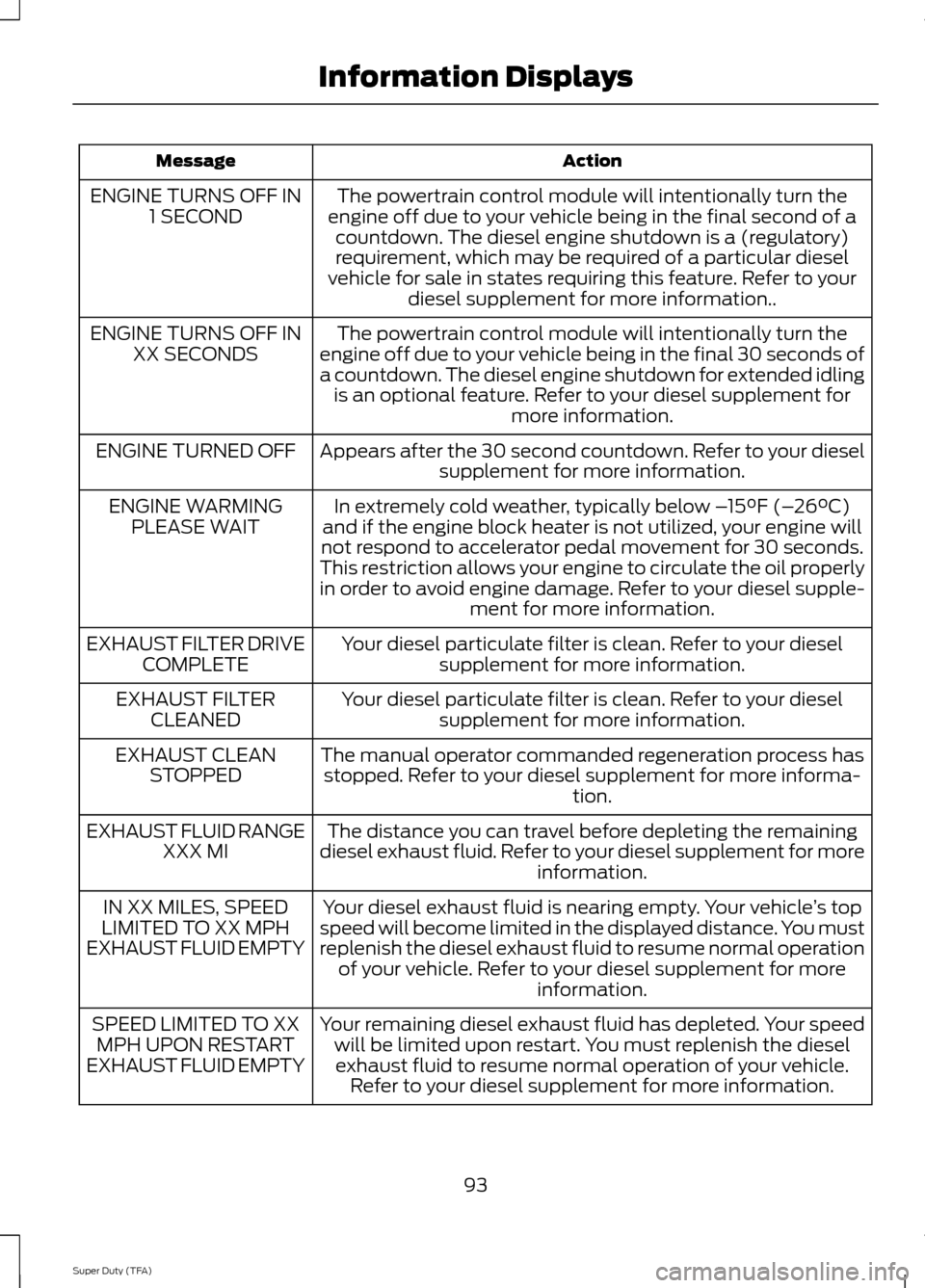
Action
Message
The powertrain control module will intentionally turn the
engine off due to your vehicle being in the final second of a countdown. The diesel engine shutdown is a (regulatory)
requirement, which may be required of a particular diesel
vehicle for sale in states requiring this feature. Refer to your diesel supplement for more information..
ENGINE TURNS OFF IN
1 SECOND
The powertrain control module will intentionally turn the
engine off due to your vehicle being in the final 30 seconds of
a countdown. The diesel engine shutdown for extended idling is an optional feature. Refer to your diesel supplement for more information.
ENGINE TURNS OFF IN
XX SECONDS
Appears after the 30 second countdown. Refer to your dieselsupplement for more information.
ENGINE TURNED OFF
In extremely cold weather, typically below – 15°F (–26°C)
and if the engine block heater is not utilized, your engine will
not respond to accelerator pedal movement for 30 seconds.
This restriction allows your engine to circulate the oil properly
in order to avoid engine damage. Refer to your diesel supple- ment for more information.
ENGINE WARMING
PLEASE WAIT
Your diesel particulate filter is clean. Refer to your dieselsupplement for more information.
EXHAUST FILTER DRIVE
COMPLETE
Your diesel particulate filter is clean. Refer to your dieselsupplement for more information.
EXHAUST FILTER
CLEANED
The manual operator commanded regeneration process hasstopped. Refer to your diesel supplement for more informa- tion.
EXHAUST CLEAN
STOPPED
The distance you can travel before depleting the remaining
diesel exhaust fluid. Refer to your diesel supplement for more information.
EXHAUST FLUID RANGE
XXX MI
Your diesel exhaust fluid is nearing empty. Your vehicle ’s top
speed will become limited in the displayed distance. You must
replenish the diesel exhaust fluid to resume normal operation of your vehicle. Refer to your diesel supplement for more information.
IN XX MILES, SPEED
LIMITED TO XX MPH
EXHAUST FLUID EMPTY
Your remaining diesel exhaust fluid has depleted. Your speedwill be limited upon restart. You must replenish the dieselexhaust fluid to resume normal operation of your vehicle. Refer to your diesel supplement for more information.
SPEED LIMITED TO XX
MPH UPON RESTART
EXHAUST FLUID EMPTY
93
Super Duty (TFA) Information Displays
Page 132 of 458

GENERAL INFORMATION
WARNINGS
Extended idling at high engine
speeds can produce very high
temperatures in the engine and
exhaust system, creating the risk of fire or
other damage. Do not park, idle or drive your vehicle
on dry grass or other dry ground
cover. The emission system heats up
the engine compartment and exhaust
system, creating the risk of fire. Do not start the engine in a closed
garage or in other enclosed areas.
Exhaust fumes can be toxic. Always
open the garage door before you start the
engine. If you smell exhaust fumes inside
your vehicle, have your vehicle
checked by your authorized dealer
immediately. Do not drive your vehicle if
you smell exhaust fumes. If you disconnect the battery, your vehicle
may exhibit some unusual driving
characteristics for approximately 5 miles
(8 kilometers) after you reconnect it. This
is because the engine management system
must realign itself with the engine. You can
disregard any unusual driving
characteristics during this period.
The powertrain control system meets all
Canadian interference-causing equipment
standard requirements regulating the
impulse electrical field or radio noise.
When you start the engine, avoid pressing
the accelerator pedal before and during
operation. Only use the accelerator pedal
when you have difficulty starting the
engine. If your vehicle is operated in a heavy snow
storm or blowing snow conditions, the
engine air induction may become partially
clogged with snow and ice. If this occurs,
the engine may experience a significant
reduction in power output. At the earliest
opportunity, clear all the snow and ice
away from the air induction inlet.
IGNITION SWITCH
A (off) - The ignition is off.
Note: When you switch the ignition off and
leave your vehicle, do not leave your key in
the ignition. This could cause your vehicle
battery to lose charge.
B
(accessory) - Allows the electrical
accessories, such as the radio, to operate
while the engine is not running.
Note: Do not leave the ignition key in this
position for too long. This could cause your
vehicle battery to lose charge.
C
(on) - All electrical circuits are
operational and the warning lamps and
indicators illuminate.
D
(start) - Cranks the engine.
129
Super Duty (TFA) Starting and Stopping the EngineC
D
B
A
E163165