ESP FORD SUPER DUTY 2015 3.G Manual Online
[x] Cancel search | Manufacturer: FORD, Model Year: 2015, Model line: SUPER DUTY, Model: FORD SUPER DUTY 2015 3.GPages: 470, PDF Size: 18.24 MB
Page 383 of 470
When HD Radio broadcasts are active, youcan access the following functions:
•Scan allows you to hear a briefsampling of all available stations. Thisfeature still works when HD Radioreception is on, although it does notscan for HD2-HD7 channels. You maysee the HD logo appear if the stationhas a digital broadcast.
•Memory presets allow you to save anactive channel as a memory preset.Touch and hold a memory preset slotuntil the sound returns. There is a briefmute while the radio saves the station.Sound returns when finished. Whenswitching to an HD2 or HD3 memorypreset, the sound mutes before thedigital audio plays, because the systemhas to reacquire the digital signal.
Note:As with any saved radio station, youcannot access the saved station if yourvehicle is outside the station’s receptionarea.
HD Radio Reception and Station Troubleshooting
Potential reception issues
If you are listening to a multicast station and you are onthe fringe of the reception area, the station may mute dueto weak signal strength.
Reception area
If you are listening to HD1, the system switches back tothe analog broadcast until the digital broadcast is availableagain. However, if you are listening to any of the possibleHD2-HD7 multicast channels, the station mutes and staysmuted unless it is able to connect to the digital signalagain.
When the system first receives a station (aside from HD2-HD7 multicast stations), it first plays the station in theanalog version. Once the receiver verifies the station is anHD Radio station, it shifts to the digital version. Dependingon the station quality, you may hear a slight sound changewhen the station changes from analog to digital. Blendingis the shift from analog to digital sound or digital back toanalog sound.
Station blending
In order to provide the best possibleexperience, use the contact form to reportany station issues found while listening toa station broadcasting with HD Radiotechnology. Independent entities own andoperate each station. These stations areresponsible for ensuring all audio streamsand data fields are accurate.
380Super Duty (), enUSAMyFord Touch™ (If Equipped)
Page 384 of 470
Potential station issues
ActionCauseIssues
No action required. This is abroadcast issue.This is poor time alignmentby the radio broadcaster.Echo, stutter, skip or repeatin audio.Increase or decrease inaudio volume.
No action required. Thereception issue may clear upas you continue to drive.
The radio is shifting betweenanalog and digital audio.Sound fading or blending inand out.
No action required. This isnormal behavior. Wait untilthe audio is available.
The digital multicast is notavailable until the HD Radiobroadcast is decoded. Oncedecoded, the audio is avail-able.
There is an audio mutedelay when selecting HD2 orHD3, multicast preset orDirect Tune.
No action required. Thestation is not available inyour current location.
The previously storedmulticast preset or directtune is not available in yourcurrent reception area.
Cannot access HD2 or HD3multicast channel whenrecalling a preset or from adirect tune.
Fill out the station issueform at website listed
below.*
Data service issue by theradio broadcaster.Text information does notmatch currently playingaudio.
Fill out the station issueform at website listed
below.*
Data service issue by theradio broadcaster.There is no text informationshown for currently selectedfrequency.
No action required. This isnormal behavior.Pressing Scan disablesHD2-HD7 channel search.HD2-HD7 stations not foundwhen Scan is pressed.
* http://www.ibiquity.com/automotive/report_radio_station_experiences
HD Radio Technology manufactured underlicense from iBiquity Digital Corp. U.S. andforeign patents. HD Radio and the HD andHD Radio logos are proprietary trademarksof iBiquity Digital Corp. Ford MotorCompany and iBiquity Digital Corp. are notresponsible for the content sent using HDRadio technology. Content may bechanged, added or deleted at any time atthe station owner's discretion.
Radio Voice Commands
If you are listening to the radio,press the voice button on thesteering wheel controls. Whenprompted, say any of the followingcommands.
If you are not listening to the radio, pressthe voice button and, after the tone, say"Radio", then any of the followingcommands.
381Super Duty (), enUSAMyFord Touch™ (If Equipped)E142599
Page 387 of 470
Tune to the channel, to Cancel the alert orto Disable Alerts. If you are listening to asporting event, you can save your favoriteteams so that the system can alert youwhen they are playing on a satellite radiochannel.
Note:SIRIUS does not support the Alertfeature on all channels. Ford MotorCompany shall not be responsible for Alertfeature variation.
Electronic Serial Number (ESN)
SIRIUS requires this number whencommunicating with you about youraccount.
Direct Tune
Touch this button to manually enter thedesired satellite channel number. TouchEnter when you are done.
Browse
Touch this button to view a list of allavailable stations. Scroll to see morecategories. Touch the station you want tolisten to.
Touch Skip if you want to skip thischannel.
Touch Lock if you do not want anyone tolisten to this channel.
Touch Title or Artist to see song andartists on other stations.
SIRIUS Satellite Radio Information
Note:SIRIUS reserves the unrestricted rightto change, rearrange, add or deleteprogramming including canceling, movingor adding particular channels, and its prices,at any time, with or without notice to you.Ford Motor Company shall not beresponsible for any such programmingchanges.
SIRIUS satellite radio is asubscription-based satellite radio servicethat broadcasts a variety of music, sports,news, weather, traffic and entertainmentprogramming. Your factory-installedSIRIUS satellite radio system includeshardware and a limited subscription termthat begins on the date of sale or lease ofyour vehicle. See an authorized dealer foravailability.
For more information on extendedsubscription terms (a service fee isrequired), the online media player and alist of SIRIUS satellite radio channels, andother features, please visitwww.siriusxm.com in the United States,www.sirius.ca in Canada, or call SIRIUS at1-888-539-7474.
Note:This receiver includes the eCosreal-time operating system. eCos ispublished under the eCos License.
Satellite Radio Electronic Serial Number(ESN)
You need your ESN to activate, modify ortrack your satellite radio account. The ESNis on the System Information Screen (SRESN:XXXXXXXXXXXX). To access yourESN, touch the bottom left corner of thetouchscreen. Touch SIRIUS > Options.
384Super Duty (), enUSAMyFord Touch™ (If Equipped)E142593
Page 395 of 470
To access, press the lower leftcorner on the touchscreen, thenselect the BT Stereo tab.
Bluetooth Audio Voice Commands
If you are listening to a Bluetoothaudio device, press the voicebutton on the steering wheelcontrol. When prompted, say "Next song","Pause", "Play" or "Previous song".
If you are not listening to a Bluetooth audiodevice, press the voice button and, afterthe tone, say "Next song", "Pause", "Play"or "Previous song".
A/V Inputs
WARNINGS
Driving while distracted can result inloss of vehicle control, crash andinjury. We strongly recommend thatyou use extreme caution when using anydevice that may take your focus off theroad. Your primary responsibility is the safeoperation of your vehicle. We recommendagainst the use of any handheld devicewhile driving and encourage the use ofvoice-operated systems when possible.Make sure you are aware of all applicablelocal laws that may affect the use ofelectronic devices while driving.
For safety reasons, do not connector adjust the settings on yourportable music player while yourvehicle is moving.
Store the portable music player in asecure location, such as the centerconsole or the glove box, when yourvehicle is moving. Hard objects maybecome projectiles in a crash or suddenstop, which may increase the risk of seriousinjury. The audio extension cable must belong enough to allow the portable musicplayer to be safely stored while yourvehicle is moving.
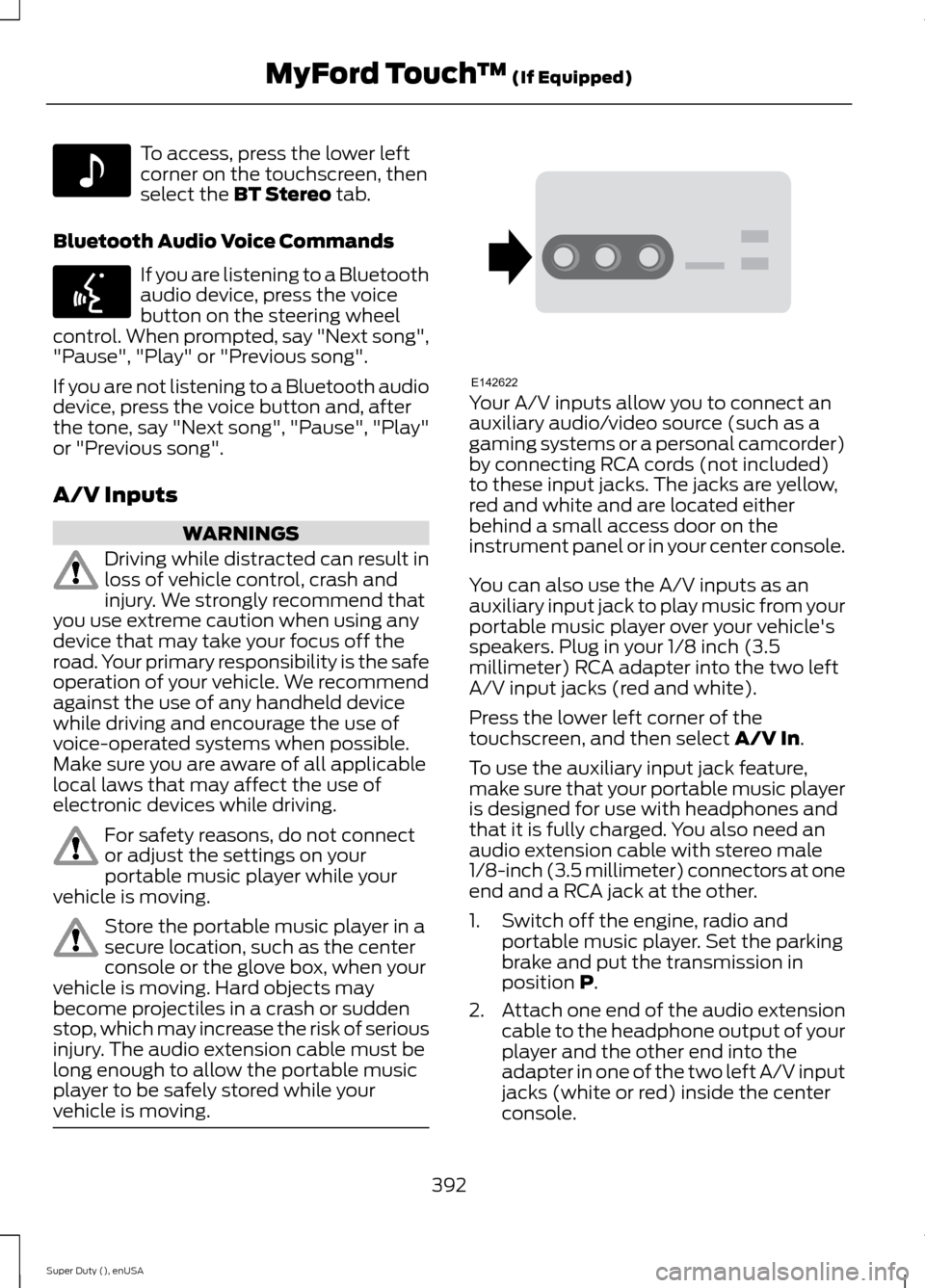
Your A/V inputs allow you to connect anauxiliary audio/video source (such as agaming systems or a personal camcorder)by connecting RCA cords (not included)to these input jacks. The jacks are yellow,red and white and are located eitherbehind a small access door on theinstrument panel or in your center console.
You can also use the A/V inputs as anauxiliary input jack to play music from yourportable music player over your vehicle'sspeakers. Plug in your 1/8 inch (3.5millimeter) RCA adapter into the two leftA/V input jacks (red and white).
Press the lower left corner of thetouchscreen, and then select A/V In.
To use the auxiliary input jack feature,make sure that your portable music playeris designed for use with headphones andthat it is fully charged. You also need anaudio extension cable with stereo male1/8-inch (3.5 millimeter) connectors at oneend and a RCA jack at the other.
1.Switch off the engine, radio andportable music player. Set the parkingbrake and put the transmission inposition P.
2.Attach one end of the audio extensioncable to the headphone output of yourplayer and the other end into theadapter in one of the two left A/V inputjacks (white or red) inside the centerconsole.
392Super Duty (), enUSAMyFord Touch™ (If Equipped)E142611 E142599 E142622
Page 397 of 470
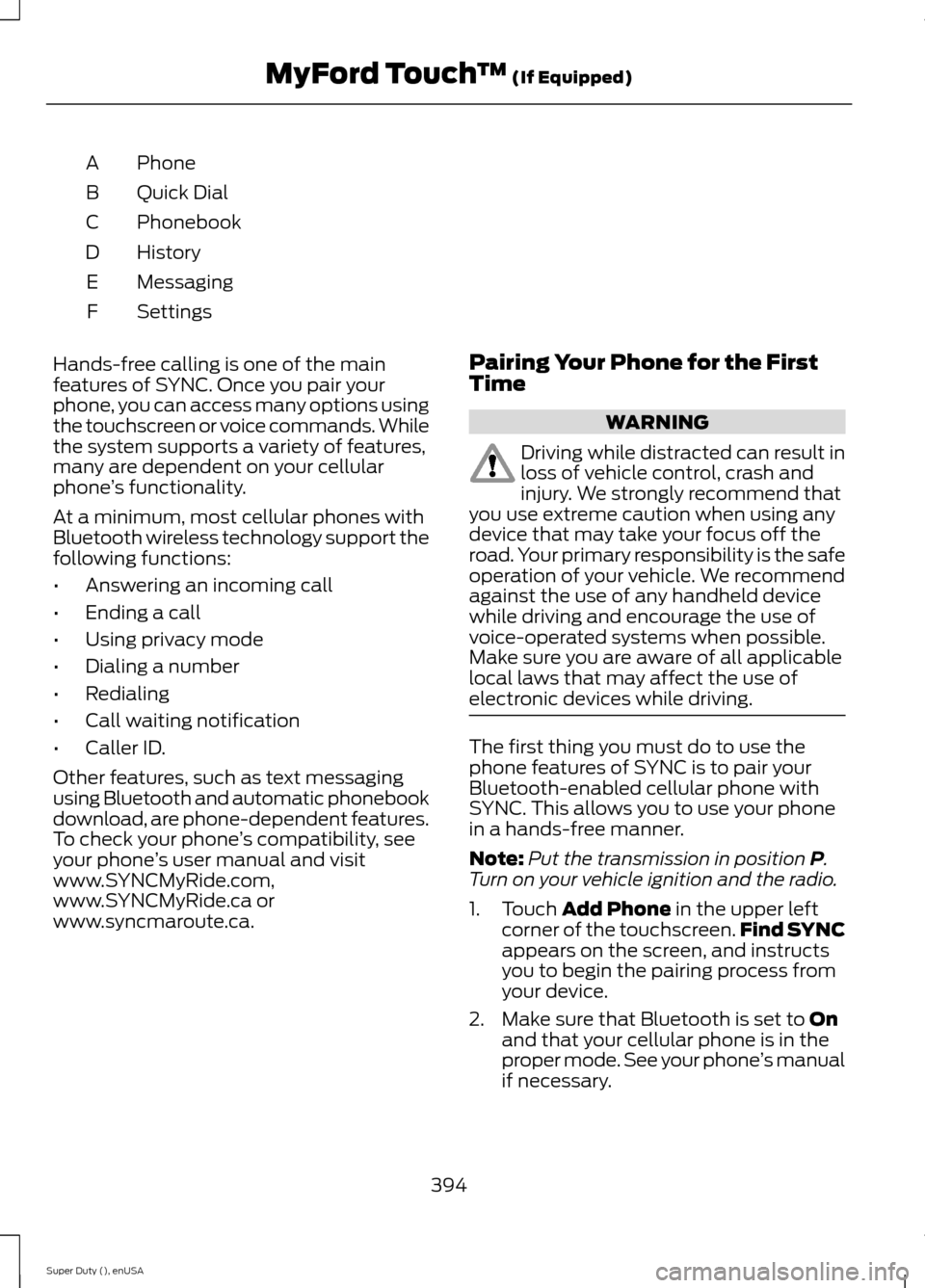
PhoneA
Quick DialB
PhonebookC
HistoryD
MessagingE
SettingsF
Hands-free calling is one of the mainfeatures of SYNC. Once you pair yourphone, you can access many options usingthe touchscreen or voice commands. Whilethe system supports a variety of features,many are dependent on your cellularphone’s functionality.
At a minimum, most cellular phones withBluetooth wireless technology support thefollowing functions:
•Answering an incoming call
•Ending a call
•Using privacy mode
•Dialing a number
•Redialing
•Call waiting notification
•Caller ID.
Other features, such as text messagingusing Bluetooth and automatic phonebookdownload, are phone-dependent features.To check your phone’s compatibility, seeyour phone’s user manual and visitwww.SYNCMyRide.com,www.SYNCMyRide.ca orwww.syncmaroute.ca.
Pairing Your Phone for the FirstTime
WARNING
Driving while distracted can result inloss of vehicle control, crash andinjury. We strongly recommend thatyou use extreme caution when using anydevice that may take your focus off theroad. Your primary responsibility is the safeoperation of your vehicle. We recommendagainst the use of any handheld devicewhile driving and encourage the use ofvoice-operated systems when possible.Make sure you are aware of all applicablelocal laws that may affect the use ofelectronic devices while driving.
The first thing you must do to use thephone features of SYNC is to pair yourBluetooth-enabled cellular phone withSYNC. This allows you to use your phonein a hands-free manner.
Note:Put the transmission in position P.Turn on your vehicle ignition and the radio.
1.Touch Add Phone in the upper leftcorner of the touchscreen.Find SYNCappears on the screen, and instructsyou to begin the pairing process fromyour device.
2.Make sure that Bluetooth is set to Onand that your cellular phone is in theproper mode. See your phone’s manualif necessary.
394Super Duty (), enUSAMyFord Touch™ (If Equipped)
Page 403 of 470
Under the Information menu, you canaccess features such as:
•SYNC Services
•Sirius Travel Link
•Alerts
•Calendar
•SYNC Applications
If your vehicle is equipped withNavigation, press theInformation button to accessthese features. If your vehicle is notequipped with Navigation, press the cornerof the touchscreen with the green tab.
SYNC Services (If Equipped,United States Only)
Note:SYNC Services varies by trim leveland model year and may require asubscription. Traffic alerts and turn-by-turndirections available in select markets.Message and data rates may apply. FordMotor Company reserves the right to changeor discontinue this product service at anytime without prior notification or incurringany future obligation.
Note:SYNC Services requires activationbefore use. Visit www.SYNCMyRide.com toregister and check your eligibility forcomplimentary services. Standard phoneand message rates may apply. Subscriptionmay be required. You must also have theactive SYNC Services Bluetooth-enabledcellular phone paired and connected to thesystem in order to connect to, and use,SYNC Services. See Phone (page 393).
Note:This feature does not functionproperly if you have enabled caller IDblocking on your cellular phone. Make sureyour cellular phone is not blocking caller IDbefore using SYNC Services.
Note:The driver is ultimately responsiblefor the safe operation of the vehicle, andtherefore, must evaluate whether it is safeto follow the suggested directions. Anynavigation features provided are only an aid.Make your driving decisions based on yourobservations of local conditions and existingtraffic regulations. Do not follow the routesuggestions if doing so would result in anunsafe or illegal maneuver, if you would beplaced in an unsafe situation, or if you wouldbe directed into an area that you considerunsafe. Maps used by this system may beinaccurate because of errors, changes inroads, traffic conditions or drivingconditions.
Note:When you connect, the service usesGPS technology and advanced vehiclesensors to collect your vehicle's currentlocation, travel direction and speed to helpprovide you with the directions, trafficreports, or business searches you request.Further, to provide the services you request,for continuous improvement, the servicemay collect and record call details and voicecommunications. For more information, seeSYNC Services Terms and Conditions atwww.SYNCMyRide.com. If you do not wantFord or its service providers to collect yourvehicle travel information or otherinformation identified in the Terms andConditions, do not subscribe or use theservice.
SYNC Services uses advanced vehiclesensors, integrated GPS technology andcomprehensive map and traffic data, togive you personalized traffic reports,precise turn-by-turn directions, businesssearch, news, sports, weather and more.For a complete list of services, or to learnmore, please visit www.SYNCMyRide.com.
Connecting to SYNC Services UsingVoice Commands
400Super Duty (), enUSAMyFord Touch™ (If Equipped)E142608 E142599
Page 405 of 470
Disconnecting from SYNC Services
1.Press and hold the hang-up phone
button on the steering wheel.
2.Say "Good-bye" from the SYNCServices main menu.
SYNC Services quick tips
You can personalize your Services feature to providequicker access to your most used or favorite information.You can save address points, such as work or home. Youcan also save favorite information like sports teams, suchas Detroit Lions, or a news category. You can learn moreabout personalization by logging ontowww.SYNCMyRide.com.
Personalizing
Press the voice button at any time (while connected toSYNC Services) to interrupt a voice prompt or an audioclip (such as a sports report) and say your voice command.
Push to interrupt
Your subscription is associated with your Bluetooth-enabled cellular phone number, not your VIN (VehicleIdentification Number). You can pair and connect yourphone to any vehicle equipped with SYNC Services andcontinue enjoying your personalized services.
Portable
SYNC Services Voice Commands
When a route has beendownloaded (non-navigationsystems), press the voice buttonon the steering wheel controls. Whenprompted, say any of the followingcommands:
"SERVICES"
"Cancel route"
"Navigation voice off"
"Navigation voice on"
"Next turn"
"Route status"
"Route summary"
"SERVICES"
"Services"
"Update route"
"Help"
Sirius Travel Link (If Equipped)
WARNING
Driving while distracted can result inloss of vehicle control, crash andinjury. We strongly recommend thatyou use extreme caution when using anydevice that may take your focus off theroad. Your primary responsibility is the safeoperation of your vehicle. We recommendagainst the use of any handheld devicewhile driving and encourage the use ofvoice-operated systems when possible.Make sure you are aware of all applicablelocal laws that may affect the use ofelectronic devices while driving.
402Super Duty (), enUSAMyFord Touch™ (If Equipped)E142599
Page 406 of 470
Note:In order to use Sirius Travel Link, yourvehicle must be equipped with navigationand your navigation SD card must be in theSD card slot.
Note:A paid subscription is required toaccess and use these features. Go towww.siriusxm.com/travellink for moreinformation.
Note:Visit www.siriusxm.com/traffic# andclick on Coverage map and details for acomplete listing of all traffic areas coveredby Sirius Travel Link.
Note:Neither Sirius nor Ford is responsiblefor any errors or inaccuracies in the SiriusTravel Link services or its use in vehicles.
When you subscribe to Sirius Travel Link,it can help you locate the best gas prices,find movie listings, get current traffic alerts,view the current weather map, getaccurate ski conditions and see scores tocurrent sports games.
If your vehicle is equipped withNavigation, touch the i(Information) button to accessthese features. If your vehicle is notequipped with Navigation, touch the cornerof the touchscreen with the green tab.
Traffic On Route and Traffic Nearby
Touch these buttons to identify trafficincidents on your route, nearby yourvehicle’s current location or near any ofyour favorite places, if programmed.
Fuel Prices
Touch this button to view fuel prices atstations close to your vehicle’s location oron an active navigation route.
Movie Listings
Touch this button to view nearby movietheaters and their show times, if available.
Weather
Touch this button to view the nearbyweather, current weather, or the five dayforecast for the chosen area. Select Mapto see the weather map, which can showstorms, radar information, charts andwinds. Select Area to select from a listingof weather locations.
Sports Info
Touch this button to view scores andschedules from a variety of sports. You canalso save up to 10 favorite teams for easieraccess. The score automatically refresheswhen a game is in progress.
Ski Conditions
Touch this button to view ski conditionsfor a specific area.
Sirius Travel Link Voice Commands
Press the voice button on thesteering wheel controls. Whenprompted, say any of thefollowing commands:
"SIRIUS TRAVEL LINK"
"5-day weather forecast"
"Fuel prices"
"Movie listings"
"Sports headlines"*
"Sports schedules"*
"Sports scores"*
"Traffic"
"Weather"
403Super Duty (), enUSAMyFord Touch™ (If Equipped)E142608 E142599
Page 408 of 470
Additional sports-related voicecommands
"WNBA schedule"
"WNBA scores"
"Help"
Alerts
If your vehicle is equipped withNavigation, touch the i(Information) button to accessthese features. If your vehicle is notequipped with Navigation, touch the cornerof the touchscreen with the green tab.
Press Alerts, and then choose from anyof the following services:
•View the complete message.
•Delete the message.
•Delete All messages.
This screen displays any system messages(such as an SD card fault).
Note:The system alerts you to anymessages by turning the information iconyellow. After you read or delete themessages, the icon returns to white.
Calendar
If your vehicle is equipped withNavigation, touch the i(Information) button to accessthese features. If your vehicle is notequipped with Navigation, touch the cornerof the touchscreen with the green tab.
Press Calendar. You can view the currentcalendar by day, week or month.
911 Assist (If Equipped)
WARNINGS
Unless the 911 Assist setting is set onbefore a crash, the system will notdial for help, which could delayresponse time, potentially increasing therisk of serious injury or death after a crash.
Do not wait for 911 Assist to make anemergency call if you can do ityourself. Dial emergency servicesimmediately to avoid delayed responsetime, which could increase the risk ofserious injury or death after a crash. If youdo not hear 911 Assist within five secondsof the crash, the system or phone may bedamaged or non-functional.
Always place your phone in a securelocation in your vehicle so it does notbecome a projectile or damaged ina crash. Failure to do so may cause seriousinjury to someone or damage the phone,which could prevent 911 Assist fromworking properly.
Note:The SYNC 911 Assist feature must beset on prior to the incident.
Note:Before setting this feature on, makesure that you read the 911 Assist PrivacyNotice later in this section for importantinformation.
Note:If any user turns 911 Assist on or off,that setting applies for all paired phones. If911 Assist is turned off, either a voicemessage plays or a display message (oricon) comes on (or both) when your vehicleis started after a previously paired phoneconnects.
Note:Every phone operates differently.While SYNC 911 Assist works with mostcellular phones, some may have troubleusing this feature.
405Super Duty (), enUSAMyFord Touch™ (If Equipped)E142608 E142608
Page 420 of 470
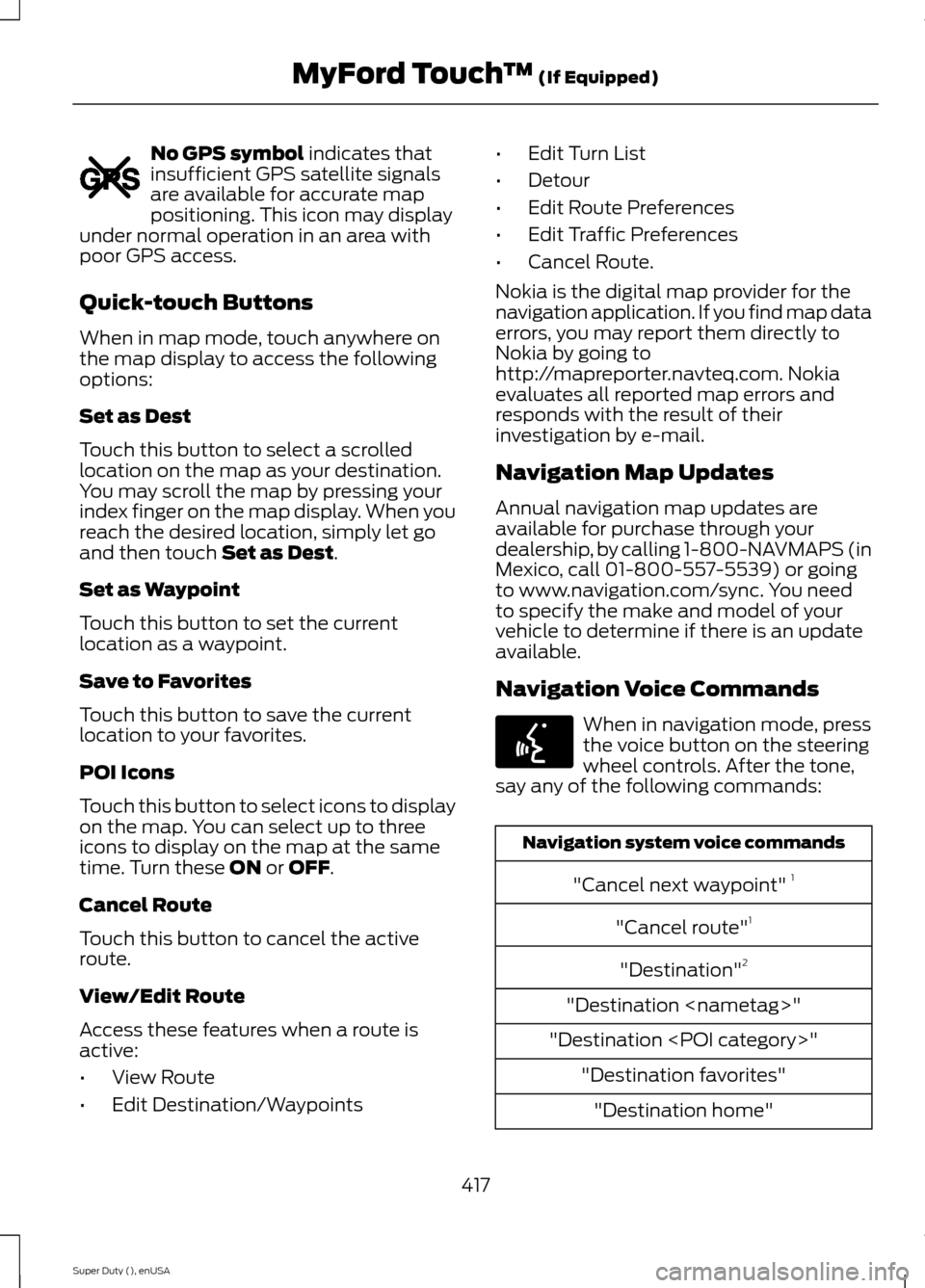
No GPS symbol indicates thatinsufficient GPS satellite signalsare available for accurate mappositioning. This icon may displayunder normal operation in an area withpoor GPS access.
Quick-touch Buttons
When in map mode, touch anywhere onthe map display to access the followingoptions:
Set as Dest
Touch this button to select a scrolledlocation on the map as your destination.You may scroll the map by pressing yourindex finger on the map display. When youreach the desired location, simply let goand then touch Set as Dest.
Set as Waypoint
Touch this button to set the currentlocation as a waypoint.
Save to Favorites
Touch this button to save the currentlocation to your favorites.
POI Icons
Touch this button to select icons to displayon the map. You can select up to threeicons to display on the map at the sametime. Turn these ON or OFF.
Cancel Route
Touch this button to cancel the activeroute.
View/Edit Route
Access these features when a route isactive:
•View Route
•Edit Destination/Waypoints
•Edit Turn List
•Detour
•Edit Route Preferences
•Edit Traffic Preferences
•Cancel Route.
Nokia is the digital map provider for thenavigation application. If you find map dataerrors, you may report them directly toNokia by going tohttp://mapreporter.navteq.com. Nokiaevaluates all reported map errors andresponds with the result of theirinvestigation by e-mail.
Navigation Map Updates
Annual navigation map updates areavailable for purchase through yourdealership, by calling 1-800-NAVMAPS (inMexico, call 01-800-557-5539) or goingto www.navigation.com/sync. You needto specify the make and model of yourvehicle to determine if there is an updateavailable.
Navigation Voice Commands
When in navigation mode, pressthe voice button on the steeringwheel controls. After the tone,say any of the following commands:
Navigation system voice commands
"Cancel next waypoint" 1
"Cancel route"1
"Destination"2
"Destination
"Destination
"Destination favorites"
"Destination home"
417Super Duty (), enUSAMyFord Touch™ (If Equipped)E142655 E142599