child lock FORD SUPER DUTY 2023 User Guide
[x] Cancel search | Manufacturer: FORD, Model Year: 2023, Model line: SUPER DUTY, Model: FORD SUPER DUTY 2023Pages: 738, PDF Size: 18.49 MB
Page 54 of 738
SEATBELT PRECAUTIONS
WARNING: Always drive and ridewith your seatback upright and the lapbelt snug and low across the hips.
WARNING: Children must alwaysbe properly restrained.
WARNING: Do not allow apassenger to hold a child on their lapwhen your vehicle is moving. Failure tofollow this instruction could result inpersonal injury or death in the event of asudden stop or crash.
WARNING: All occupants of yourvehicle, including the driver, shouldalways properly wear their seatbelts,even when an airbag supplementalrestraint system is provided. Failure toproperly wear your seatbelt couldseriously increase the risk of injury ordeath.
WARNING: It is extremelydangerous to ride in a cargo area, insideor outside of a vehicle. In a crash, peopleriding in these areas are more likely to beseriously injured or killed. Do not allowpeople to ride in any area of your vehiclethat is not equipped with seats andseatbelts. Make sure everyone in yourvehicle is in a seat and properly using aseatbelt. Failure to follow this warningcould result in serious personal injury ordeath.
WARNING: In a rollover crash, anunbelted person is significantly morelikely to die than a person wearing aseatbelt.
WARNING: Each seating positionin your vehicle has a specific seatbeltassembly made up of one buckle andone tongue designed to be used as a pair.Use the shoulder belt on the outsideshoulder only. Never wear the shoulderbelt under the arm. Never use a singleseatbelt for more than one person.
WARNING: Even with advancedrestraints systems, properly restrainchildren 12 and under in a rear seatingposition. Failure to follow this couldseriously increase the risk of injury ordeath.
WARNING: Seatbelts and seatsmay be hot in a vehicle that is in thesunshine. The hot seatbelts or seats mayburn a small child. Check seat covers andbuckles before you place a childanywhere near them.
WARNING: If your vehicle isinvolved in a crash, have the seatbeltsand associated components inspectedas soon as possible. Failure to follow thisinstruction could result in personal injuryor death.
All seating positions in this vehicle haveseatbelts. All occupants of the vehicleshould properly wear their seatbelts, evenwhen an airbag supplemental restraintsystem is provided.
The seatbelt system consists of:
•Lap and shoulder seatbelts.
•A shoulder seatbelt with automaticlocking mode, except driver seatbelt.
•Height adjusters at the front outermostseating positions.
•Seatbelt pretensioners at the frontoutermost and rear outermost seatingpositions.
50
2023 Super Duty (TFH) Canada/United States of America, enUSA, Edition date: 202211, DOMSeatbelts
Page 56 of 738
The cinch tongue slides up and down theseatbelt webbing when you stow theseatbelt or when you put the seatbelts on.When you buckle the seatbelt, the cinchtongue allows you to shorten the lapportion, but pinches the webbing to keepthe lap portion from getting longer. Thecinch tongue is designed to slip during acrash, so wear the shoulder belt properlyand do not allow any slack in either the lapor shoulder portions.
While you are fastened in the seatbelt, theseatbelt with a cinch tongue adjusts toyour movement. However, if you brakehard, turn hard, or if your vehicle receivesan impact of 5 mph (8 km/h) or more, theseatbelt locks and helps reduce yourforward movement.
SENSITIVE LOCKING MODE
WHAT IS SENSITIVE LOCKINGMODE
Sensitive locking mode is a seatbeltretractor feature that allows shoulder beltlength adjustment according to yourmovements and locking in response tovehicle movement.
HOW DOES SENSITIVE LOCKINGMODE WORK
If the driver suddenly brakes, turns a cornersharply, or the vehicle receives an impactof about 5 mph (8 km/h) or more, theseatbelts lock to help reduce forwardmovement of the driver and passengers.
In addition, the seatbelt retractor locks ifyou pull the seatbelt webbing out tooquickly. If the retractor locks, slowly lowerthe height adjuster to allow the seatbeltto retract.
If the retractor does not unlock, pull theseatbelt out slowly then feed a smalllength of webbing back toward the stowedposition.
AUTOMATIC LOCKING MODE
WHAT IS AUTOMATIC LOCKINGMODE
This feature keeps the seatbeltspre-locked. The belt still retracts to removeany slack in the shoulder belt.
WHEN TO USE AUTOMATICLOCKING MODE
Use this mode any time you install a childrestraint in a front or rear seating position.Properly restrain children 12 years old andunder in a rear seat whenever possible. SeeChild Safety (page 36).
Note:Automatic locking mode is notavailable on the driver seatbelt.
Note:Vehicles with optional front seatcenter may not have this function.
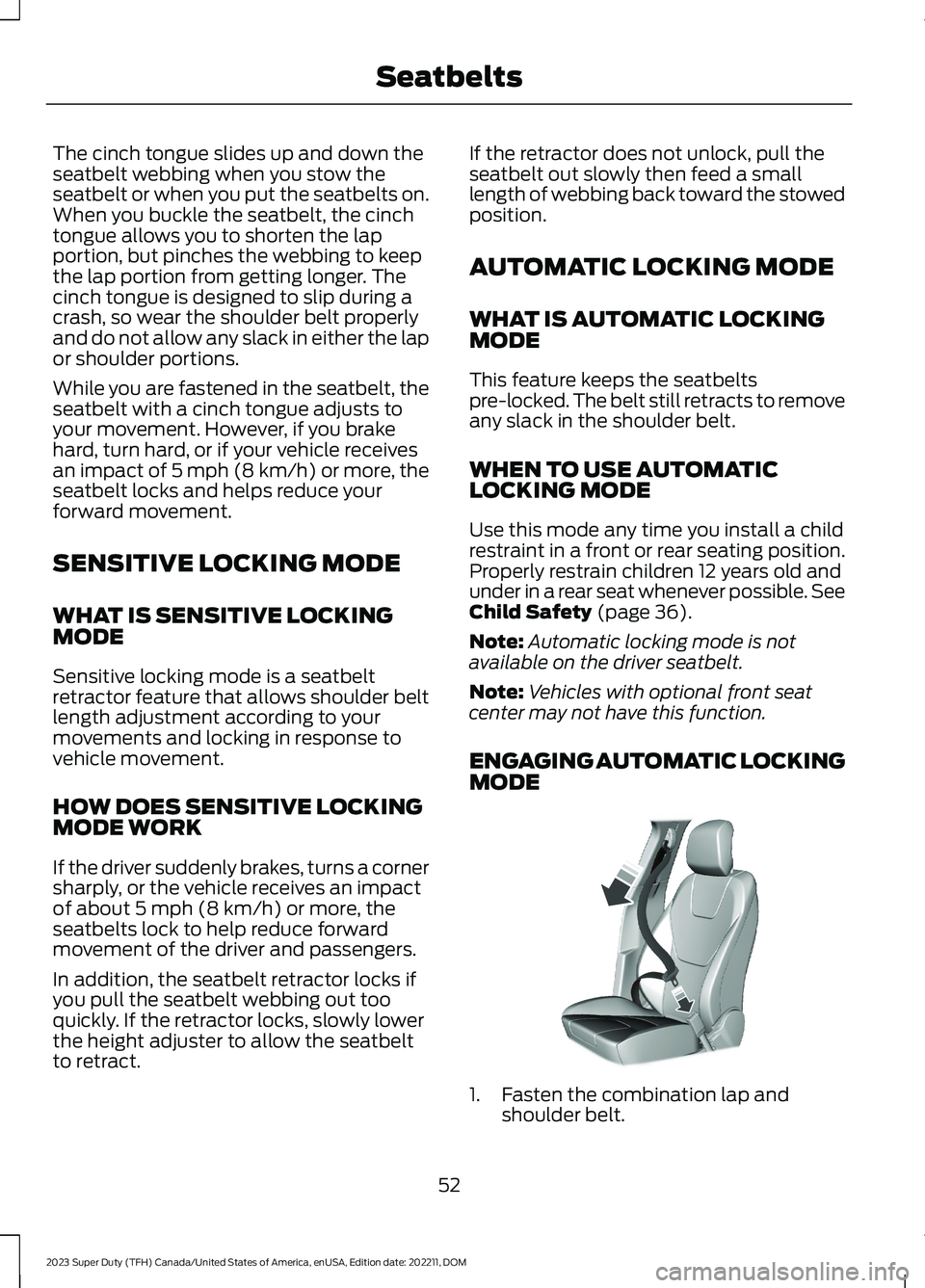
ENGAGING AUTOMATIC LOCKINGMODE
1.Fasten the combination lap andshoulder belt.
52
2023 Super Duty (TFH) Canada/United States of America, enUSA, Edition date: 202211, DOMSeatbeltsE142591
Page 78 of 738
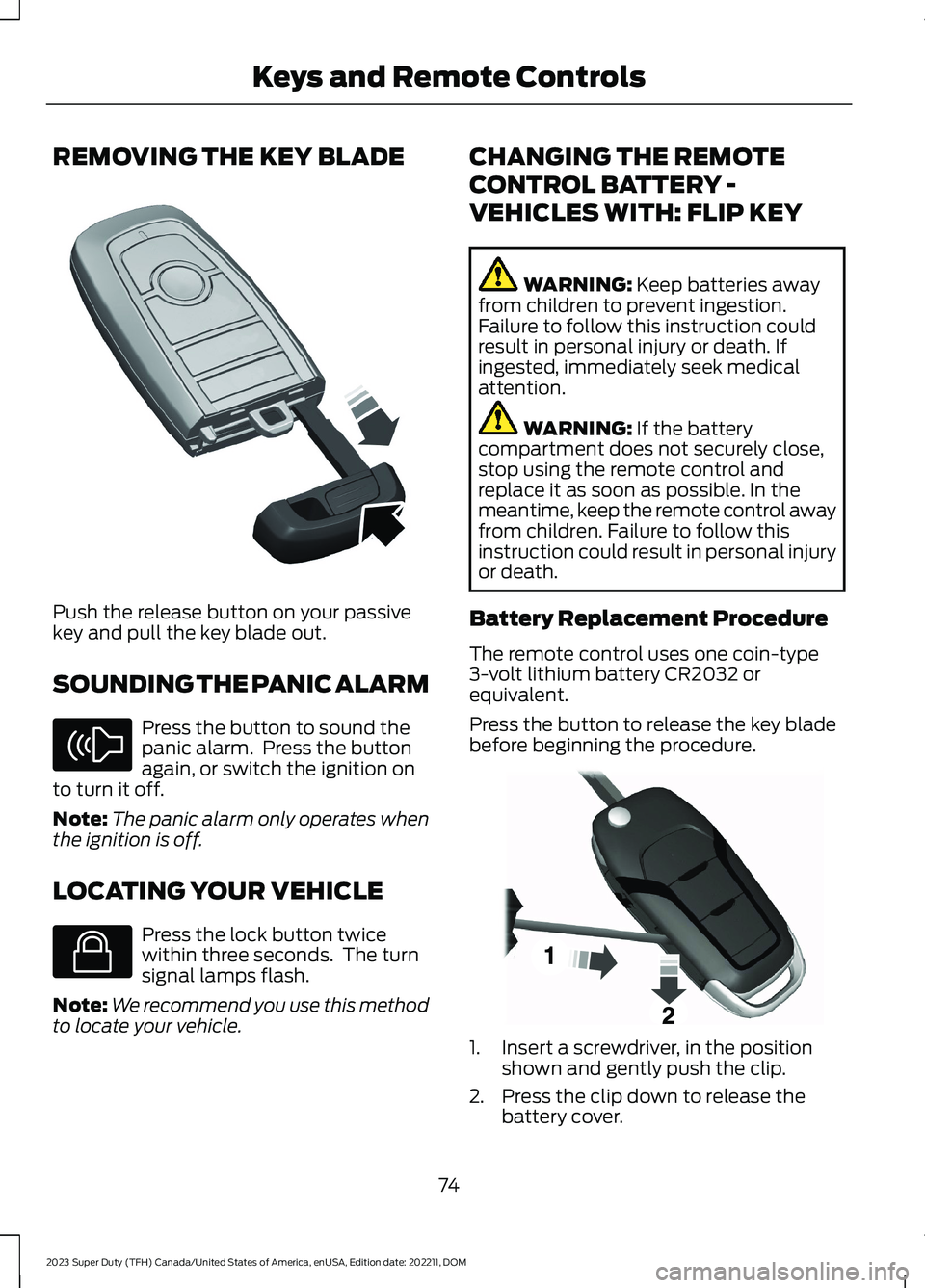
REMOVING THE KEY BLADE
Push the release button on your passivekey and pull the key blade out.
SOUNDING THE PANIC ALARM
Press the button to sound thepanic alarm. Press the buttonagain, or switch the ignition onto turn it off.
Note:The panic alarm only operates whenthe ignition is off.
LOCATING YOUR VEHICLE
Press the lock button twicewithin three seconds. The turnsignal lamps flash.
Note:We recommend you use this methodto locate your vehicle.
CHANGING THE REMOTE
CONTROL BATTERY -
VEHICLES WITH: FLIP KEY
WARNING: Keep batteries awayfrom children to prevent ingestion.Failure to follow this instruction couldresult in personal injury or death. Ifingested, immediately seek medicalattention.
WARNING: If the batterycompartment does not securely close,stop using the remote control andreplace it as soon as possible. In themeantime, keep the remote control awayfrom children. Failure to follow thisinstruction could result in personal injuryor death.
Battery Replacement Procedure
The remote control uses one coin-type3-volt lithium battery CR2032 orequivalent.
Press the button to release the key bladebefore beginning the procedure.
1.Insert a screwdriver, in the positionshown and gently push the clip.
2.Press the clip down to release thebattery cover.
74
2023 Super Duty (TFH) Canada/United States of America, enUSA, Edition date: 202211, DOMKeys and Remote ControlsE322866 E138624 E138623 E191533
Page 132 of 738
OPENING AND CLOSING THE
WINDOWS
WARNING: Do not leave childrenunattended in your vehicle and do notlet them play with the power windows.Failure to follow this instruction couldresult in personal injury.
WARNING: When closing thepower windows, verify they are free ofobstruction and make sure that childrenand pets are not in the proximity of thewindow openings.
Press the window control switchto open the window. Lift thewindow control switch to closethe window.
Note:The power windows operate with theignition on, and for several minutes after youswitch the ignition off or until you open afront door.
To reduce wind noise or pulsing noise whenone window is open, slightly open theopposite window.
One-Touch Open
Fully press the window control switch andrelease it. Press again or lift it to stop thewindow.
One-Touch Close
Fully lift the window control switch andrelease it. Press again or lift it to stop thewindow.
Resetting One-Touch Close
Carry out all steps within 30 seconds ofstarting the sequence.
1.Close the window.
2.Press and hold the window controlswitch until the window is fully open.Keep the window control switchpressed for a few seconds.
3.Lift and hold the window control switchuntil the window is fully closed. Keepthe window control switch held for afew seconds.
4.Press and hold the window controlswitch until the window is fully open.Keep the window control switchpressed for a few seconds.
5.Lift and hold the window control switchuntil the window is fully closed. Keepthe window control switch held for afew seconds.
Note:Repeat the procedure if the windowdoes not close when you use one-touch.
GLOBAL OPENING
WHAT IS GLOBAL OPENING
You can use the remote control to openthe windows with the ignition off.
USING GLOBAL OPENING
1.Press and release the unlock button onthe remote control.
2.Press and hold the unlock button onthe remote control.
3.Release the button when the windowsstart to open.
Press the lock or the unlock button on theremote control to stop global opening.
Note:You can use global opening for ashort period of time when you unlock yourvehicle using the remote control.
128
2023 Super Duty (TFH) Canada/United States of America, enUSA, Edition date: 202211, DOMWindows
Page 133 of 738
SWITCHING GLOBAL OPENING ONAND OFF
1.Using the information display controlson the steering wheel, select Settings.
2.Select Vehicle.
3.Select Windows.
4.Switch Remote Open on or off.
WINDOW BOUNCE-BACK
WHAT IS WINDOW BOUNCE-BACK
The window stops and reverses if it detectsan obstruction when closing.
OVERRIDING WINDOW BOUNCE-BACK
WARNING: If you overridebounce-back, the window does notreverse if it detects an obstacle. Takecare when closing the windows to avoidpersonal injury or damage to yourvehicle.
1.Close the window until it reaches thepoint of resistance and let it reverse.
2.Lift and hold the window control switchwithin two seconds to overridebounce-back and close the window.Bounce-back is now disabled and youcan close the window manually.
Note:The window goes past the point ofresistance and you can fully close it.
Note:If the window does not close, haveyour vehicle checked as soon as possible.
LOCKING THE REAR WINDOW
CONTROLS
Press the window control switchto lock or unlock the rear windowcontrols. It illuminates when youlock the rear window controls.
OPENING AND CLOSING THE
SLIDING WINDOWS (IF EQUIPPED)
WARNING: When closing thepower windows, verify they are free ofobstruction and make sure that childrenand pets are not in the proximity of thewindow openings.
WARNING: Do not leave childrenunattended in your vehicle and do notlet them play with the power windows.Failure to follow this instruction couldresult in personal injury.
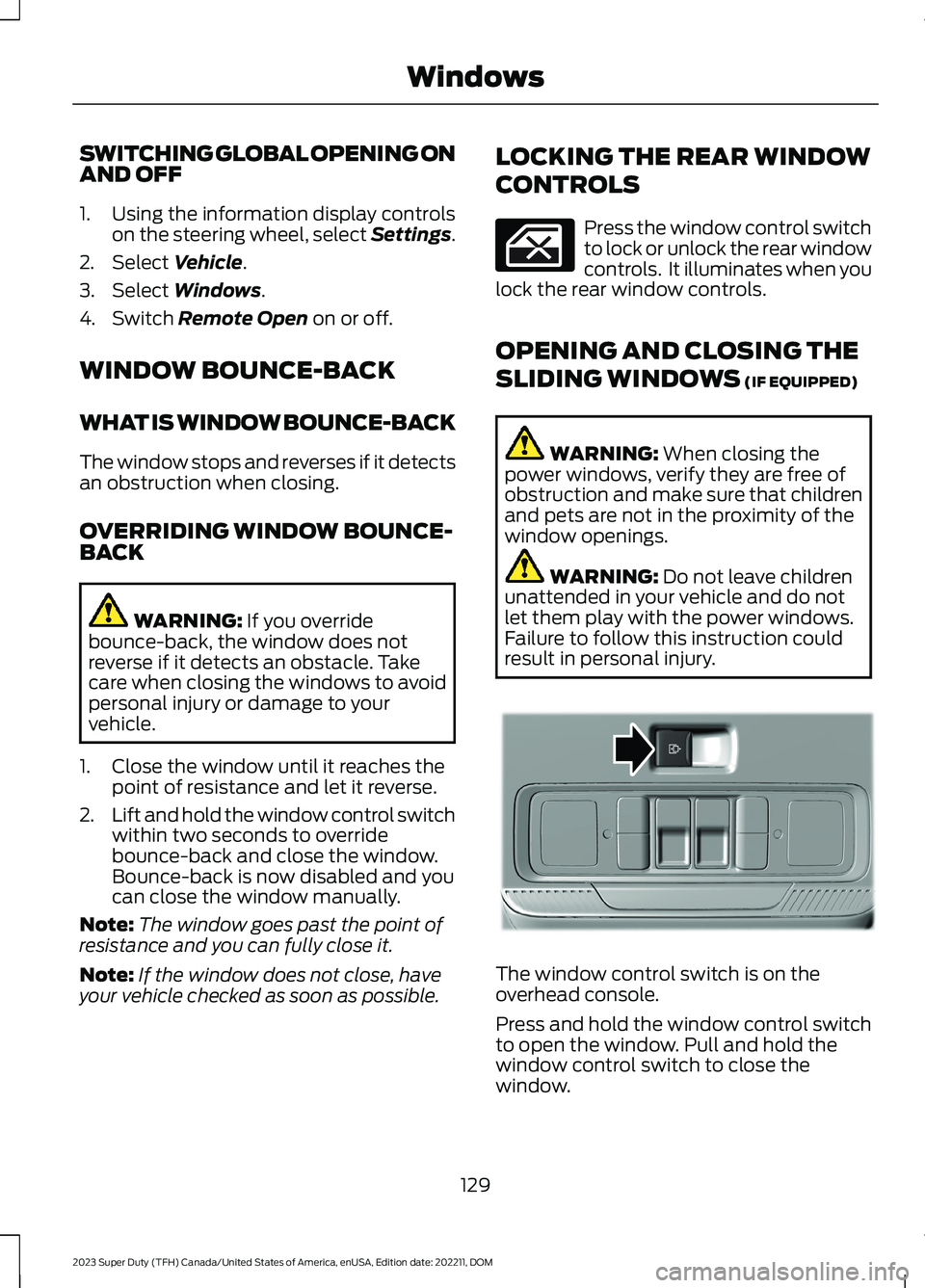
The window control switch is on theoverhead console.
Press and hold the window control switchto open the window. Pull and hold thewindow control switch to close thewindow.
129
2023 Super Duty (TFH) Canada/United States of America, enUSA, Edition date: 202211, DOMWindows E311430
Page 223 of 738
WARNING: The fuel system maybe under pressure. If you hear a hissingsound near the fuel filler inlet, do notrefuel until the sound stops. Otherwise,fuel may spray out, which could causeserious personal injury.
WARNING: Keep children awayfrom the fuel pump. Never let childrenpump fuel.
WARNING: Do not pry open thefuel tank filler valve. This could damagethe fuel system. Failure to follow thisinstruction could result in fire, personalinjury or death.
WARNING: Stay outside yourvehicle and do not leave the fuel pumpunattended when refueling your vehicle.
WARNING: Do not remove the fuelpump nozzle from its fully insertedposition when refueling.
WARNING: Stop refueling whenthe fuel pump nozzle automaticallyshuts off for the first time. Failure tofollow this will fill the expansion spacein the fuel tank and could lead to fueloverflowing.
WARNING: Do not overfill the fueltank. The pressure in an overfilled tankmay cause leakage and lead to fuel sprayand fire.
WARNING: Wait at least fiveseconds before removing the fuel pumpnozzle to allow any residual fuel to draininto the fuel tank.
1.Fully open the fuel filler door.
2.Remove the fuel filler cap by turning itcounterclockwise.
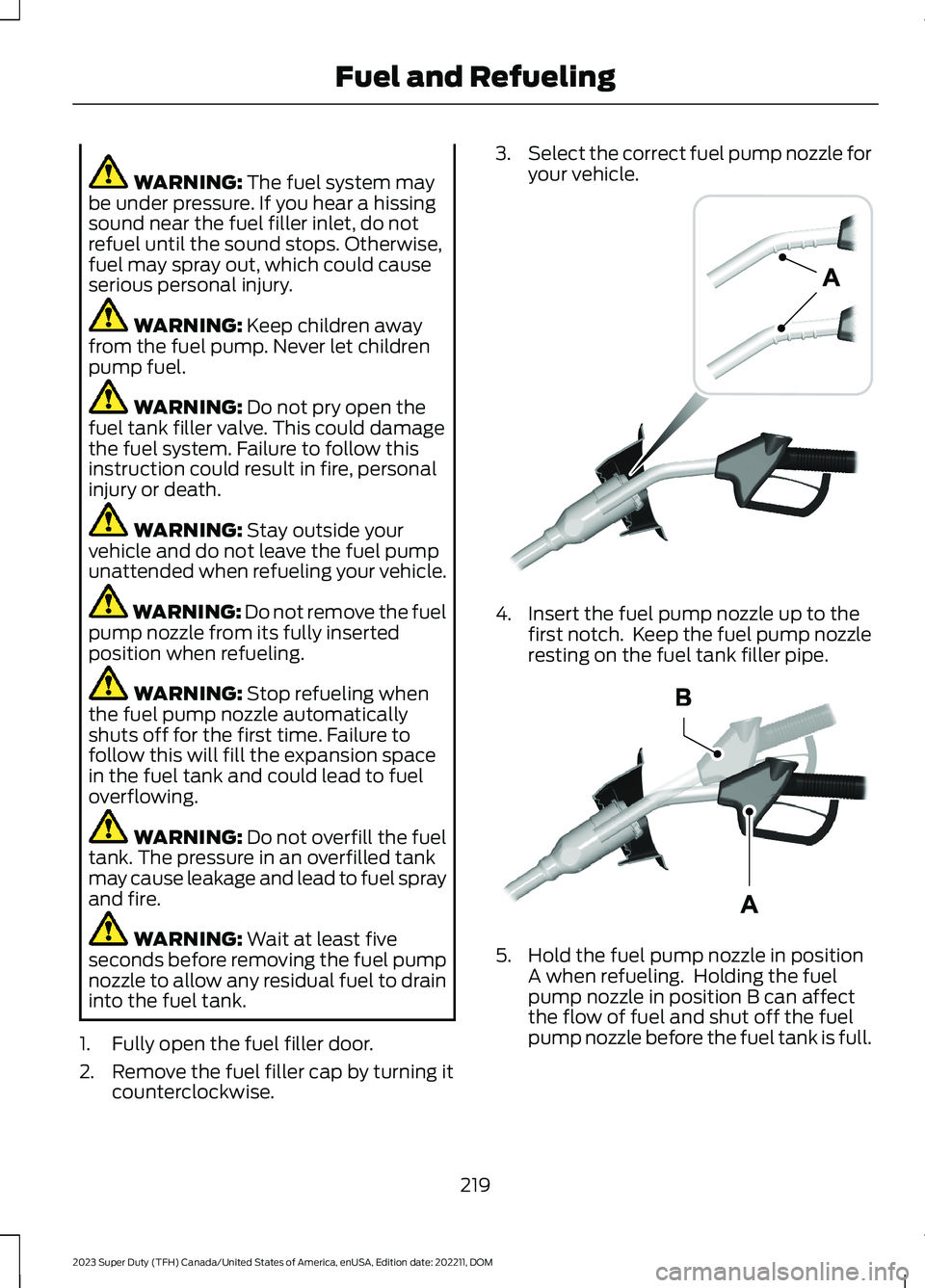
3.Select the correct fuel pump nozzle foryour vehicle.
4.Insert the fuel pump nozzle up to thefirst notch. Keep the fuel pump nozzleresting on the fuel tank filler pipe.
5.Hold the fuel pump nozzle in positionA when refueling. Holding the fuelpump nozzle in position B can affectthe flow of fuel and shut off the fuelpump nozzle before the fuel tank is full.
219
2023 Super Duty (TFH) Canada/United States of America, enUSA, Edition date: 202211, DOMFuel and RefuelingE139202 E327438
Page 468 of 738
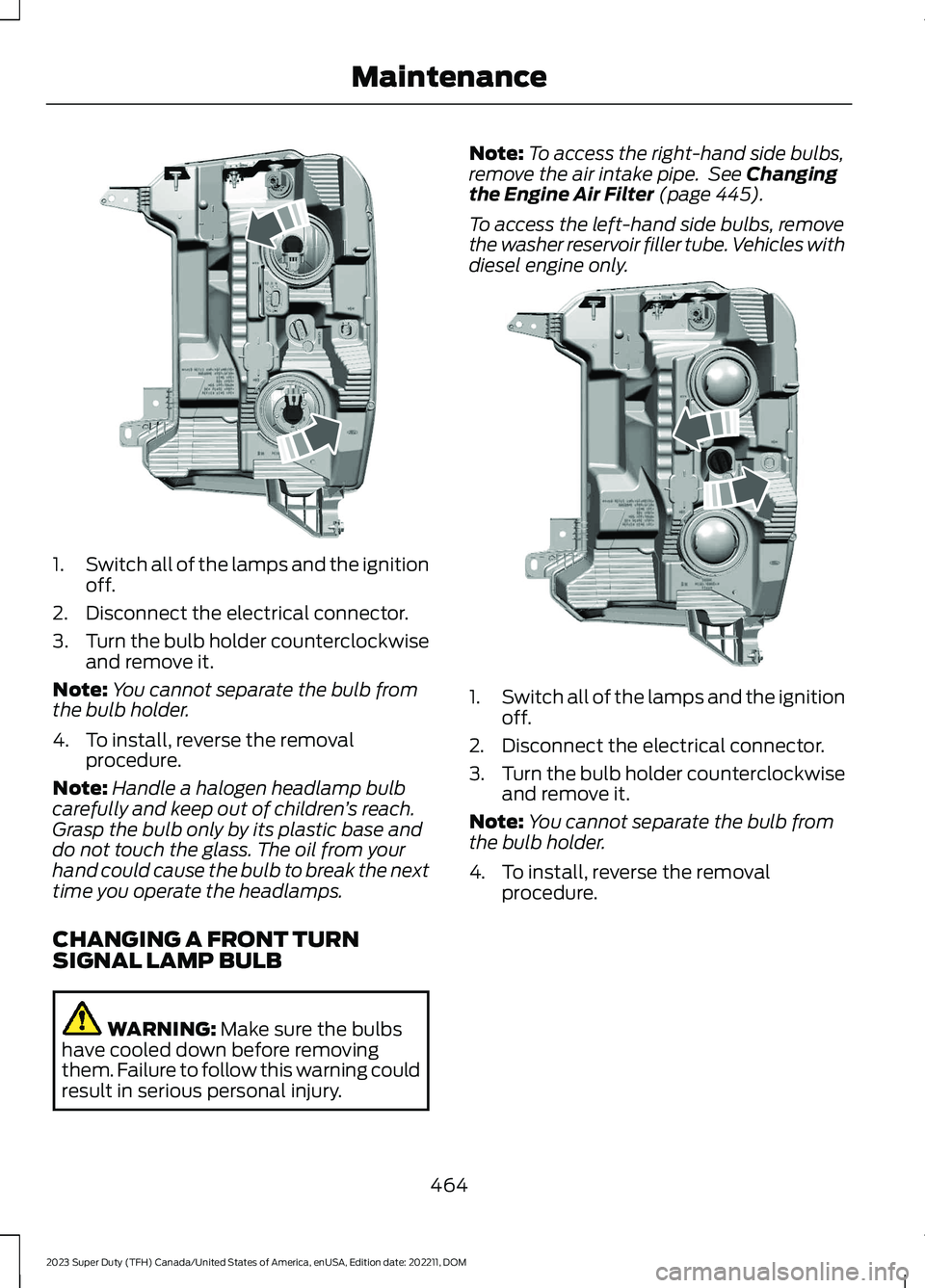
1.Switch all of the lamps and the ignitionoff.
2.Disconnect the electrical connector.
3.Turn the bulb holder counterclockwiseand remove it.
Note:You cannot separate the bulb fromthe bulb holder.
4.To install, reverse the removalprocedure.
Note:Handle a halogen headlamp bulbcarefully and keep out of children’s reach.Grasp the bulb only by its plastic base anddo not touch the glass. The oil from yourhand could cause the bulb to break the nexttime you operate the headlamps.
CHANGING A FRONT TURNSIGNAL LAMP BULB
WARNING: Make sure the bulbshave cooled down before removingthem. Failure to follow this warning couldresult in serious personal injury.
Note:To access the right-hand side bulbs,remove the air intake pipe. See Changingthe Engine Air Filter (page 445).
To access the left-hand side bulbs, removethe washer reservoir filler tube. Vehicles withdiesel engine only.
1.Switch all of the lamps and the ignitionoff.
2.Disconnect the electrical connector.
3.Turn the bulb holder counterclockwiseand remove it.
Note:You cannot separate the bulb fromthe bulb holder.
4.To install, reverse the removalprocedure.
464
2023 Super Duty (TFH) Canada/United States of America, enUSA, Edition date: 202211, DOMMaintenanceE386875 E386884
Page 586 of 738
This introduces new features and providesupdates to the vehicle's software systems.Make sure to switch Automatic Updateson, set a recurring update schedule andconnect your vehicle to Wi-Fi. Updatescould take longer when not connected toWi-Fi or could not download at all. SeeConnecting the Vehicle to a Wi-FiNetwork (page 548).
Your vehicle may be able to receivedrivable software updates, non-drivablesoftware updates or both. Drivablesoftware updates happen during normalvehicle usage and require limited inputfrom you. You are notified on yourtouchscreen and connected device priorto a non-drivable update.
Most non-drivable updates complete inless than 30 minutes, although someupdates could take up to a few hours.
You are notified of vehicle software updatestatus on to the top left of touchscreen.You can also see the notifications in yourconnected device. See Software UpdateIndicators (page 583).
Vehicle Software UpdateRequirements
Non-drivable software updates do notinstall if any of the following occur:
•Your vehicle is running.
•Your vehicle is switched on.
•Your vehicle is not parked.
•The 12 V battery charge is too low.
•The hazard indicators are switched on.
•The alarm is sounding.
•The doors are open.
•The parking lamps are switched on.
•You are pressing the brake pedal.
•An emergency call is in process.
•Your vehicle is in limp home mode.
Vehicle Software UpdateLimitations
Once you begin a non-drivable softwareupdate, you cannot:
•Cancel the update.
•Enter your vehicle unless you have akey blade.
•You can open the doors using themechanical latch if child locks arenot on.
•Use the remote control to lock, unlockor start your vehicle.
•Drive your vehicle.
•Charge your vehicle.
•Charging resumes once the updatecompletes.
SOFTWARE UPDATE
SETTINGS
To access the Software Updates menu:
1.Press Settings on the touchscreen.
2.Press Software Updates.
You can do the following in the SoftwareUpdates menu:
•Switch Automatic Updates on and off.
•Schedule and install software updates.
•View software update details.
Press the button next to a menuoption for more information.
Switching Automatic Updates Onand Off
Your vehicle may come with AutomaticUpdates switched on. To make sure yourvehicle always has the latest software,which could include security or otherenhancements, we do not recommendswitching Automatic Updates off.
582
2023 Super Duty (TFH) Canada/United States of America, enUSA, Edition date: 202211, DOMVehicle Software UpdatesE366956
Page 714 of 738
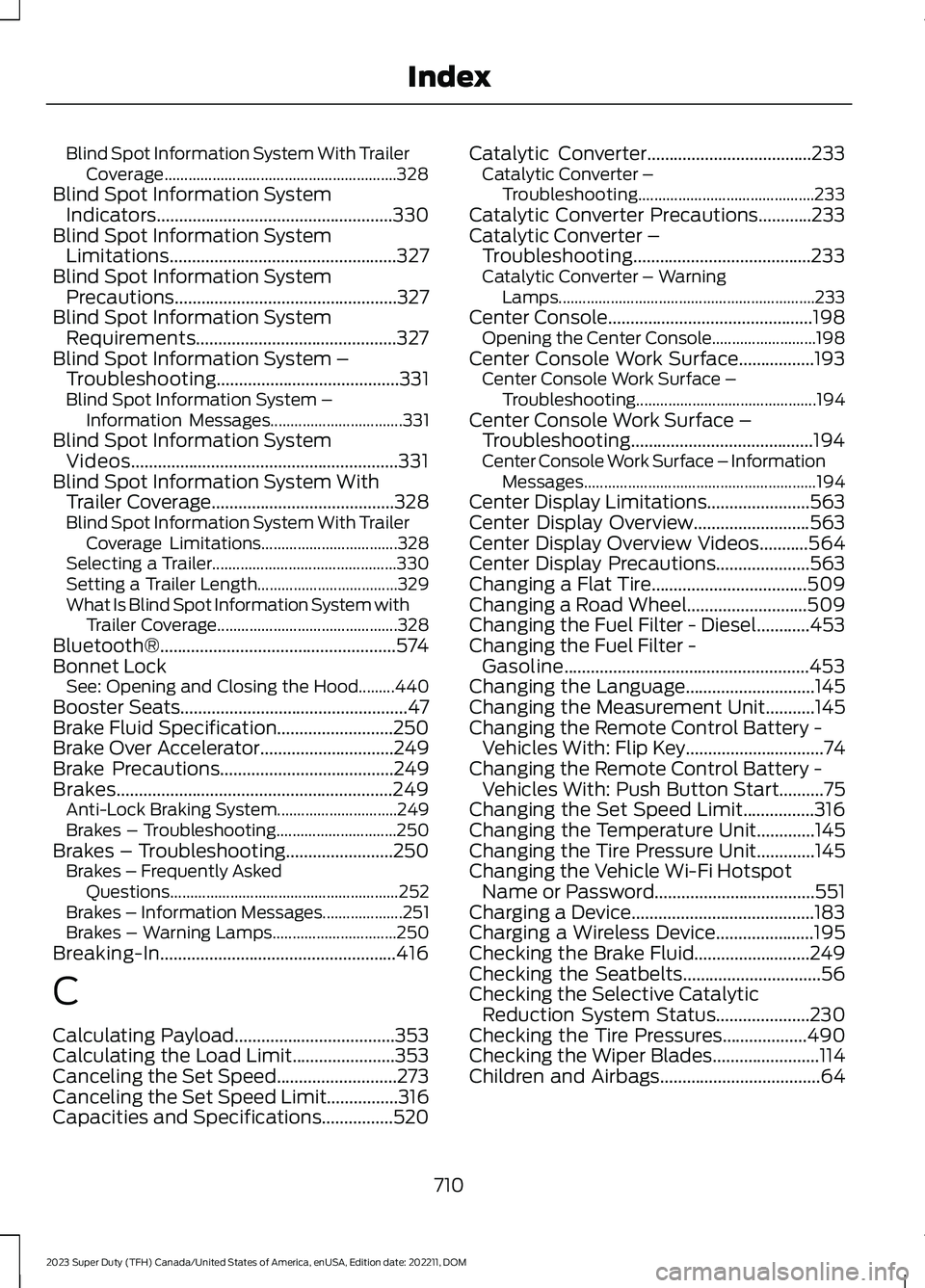
Blind Spot Information System With TrailerCoverage..........................................................328Blind Spot Information SystemIndicators.....................................................330Blind Spot Information SystemLimitations...................................................327Blind Spot Information SystemPrecautions..................................................327Blind Spot Information SystemRequirements.............................................327Blind Spot Information System –Troubleshooting.........................................331Blind Spot Information System –Information Messages.................................331Blind Spot Information SystemVideos............................................................331Blind Spot Information System WithTrailer Coverage.........................................328Blind Spot Information System With TrailerCoverage Limitations..................................328Selecting a Trailer..............................................330Setting a Trailer Length...................................329What Is Blind Spot Information System withTrailer Coverage.............................................328Bluetooth®.....................................................574Bonnet LockSee: Opening and Closing the Hood.........440Booster Seats...................................................47Brake Fluid Specification..........................250Brake Over Accelerator..............................249Brake Precautions.......................................249Brakes..............................................................249Anti-Lock Braking System..............................249Brakes – Troubleshooting..............................250Brakes – Troubleshooting........................250Brakes – Frequently AskedQuestions.........................................................252Brakes – Information Messages....................251Brakes – Warning Lamps...............................250Breaking-In.....................................................416
C
Calculating Payload....................................353Calculating the Load Limit.......................353Canceling the Set Speed...........................273Canceling the Set Speed Limit................316Capacities and Specifications................520
Catalytic Converter.....................................233Catalytic Converter –Troubleshooting............................................233Catalytic Converter Precautions............233Catalytic Converter –Troubleshooting........................................233Catalytic Converter – WarningLamps................................................................233Center Console..............................................198Opening the Center Console..........................198Center Console Work Surface.................193Center Console Work Surface –Troubleshooting.............................................194Center Console Work Surface –Troubleshooting.........................................194Center Console Work Surface – InformationMessages..........................................................194Center Display Limitations.......................563Center Display Overview..........................563Center Display Overview Videos...........564Center Display Precautions.....................563Changing a Flat Tire...................................509Changing a Road Wheel...........................509Changing the Fuel Filter - Diesel............453Changing the Fuel Filter -Gasoline.......................................................453Changing the Language.............................145Changing the Measurement Unit...........145Changing the Remote Control Battery -Vehicles With: Flip Key...............................74Changing the Remote Control Battery -Vehicles With: Push Button Start..........75Changing the Set Speed Limit................316Changing the Temperature Unit.............145Changing the Tire Pressure Unit.............145Changing the Vehicle Wi-Fi HotspotName or Password....................................551Charging a Device.........................................183Charging a Wireless Device......................195Checking the Brake Fluid..........................249Checking the Seatbelts...............................56Checking the Selective CatalyticReduction System Status.....................230Checking the Tire Pressures...................490Checking the Wiper Blades........................114Children and Airbags....................................64
710
2023 Super Duty (TFH) Canada/United States of America, enUSA, Edition date: 202211, DOMIndex
Page 715 of 738
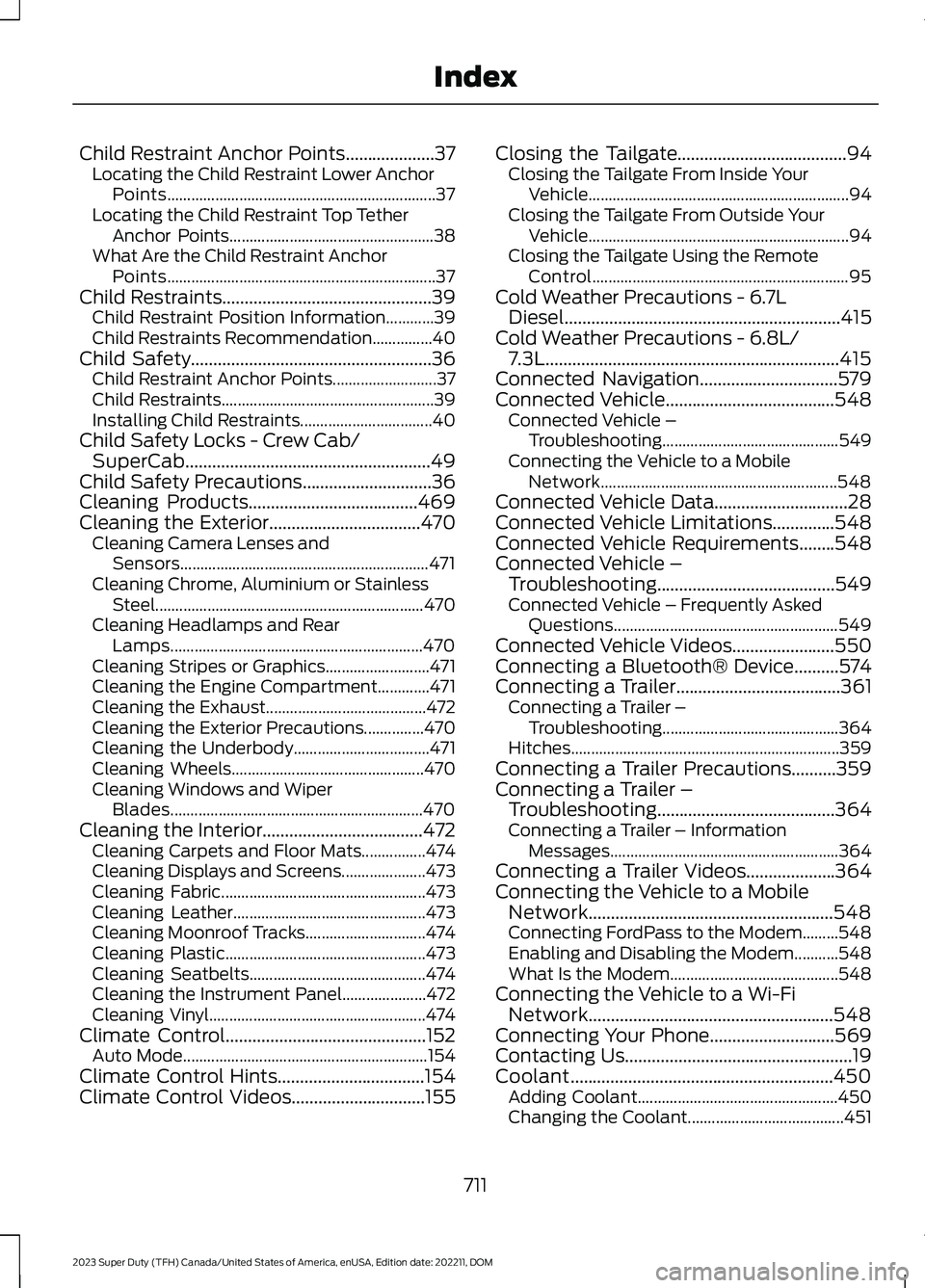
Child Restraint Anchor Points....................37Locating the Child Restraint Lower AnchorPoints...................................................................37Locating the Child Restraint Top TetherAnchor Points...................................................38What Are the Child Restraint AnchorPoints...................................................................37Child Restraints...............................................39Child Restraint Position Information............39Child Restraints Recommendation...............40Child Safety......................................................36Child Restraint Anchor Points..........................37Child Restraints.....................................................39Installing Child Restraints.................................40Child Safety Locks - Crew Cab/SuperCab.......................................................49Child Safety Precautions.............................36Cleaning Products......................................469Cleaning the Exterior..................................470Cleaning Camera Lenses andSensors..............................................................471Cleaning Chrome, Aluminium or StainlessSteel...................................................................470Cleaning Headlamps and RearLamps...............................................................470Cleaning Stripes or Graphics..........................471Cleaning the Engine Compartment.............471Cleaning the Exhaust........................................472Cleaning the Exterior Precautions...............470Cleaning the Underbody..................................471Cleaning Wheels................................................470Cleaning Windows and WiperBlades...............................................................470Cleaning the Interior....................................472Cleaning Carpets and Floor Mats................474Cleaning Displays and Screens.....................473Cleaning Fabric...................................................473Cleaning Leather................................................473Cleaning Moonroof Tracks..............................474Cleaning Plastic..................................................473Cleaning Seatbelts............................................474Cleaning the Instrument Panel.....................472Cleaning Vinyl......................................................474Climate Control.............................................152Auto Mode.............................................................154Climate Control Hints.................................154Climate Control Videos..............................155
Closing the Tailgate......................................94Closing the Tailgate From Inside YourVehicle.................................................................94Closing the Tailgate From Outside YourVehicle.................................................................94Closing the Tailgate Using the RemoteControl................................................................95Cold Weather Precautions - 6.7LDiesel..............................................................415Cold Weather Precautions - 6.8L/7.3L..................................................................415Connected Navigation...............................579Connected Vehicle......................................548Connected Vehicle –Troubleshooting............................................549Connecting the Vehicle to a MobileNetwork...........................................................548Connected Vehicle Data..............................28Connected Vehicle Limitations..............548Connected Vehicle Requirements........548Connected Vehicle –Troubleshooting........................................549Connected Vehicle – Frequently AskedQuestions........................................................549Connected Vehicle Videos.......................550Connecting a Bluetooth® Device..........574Connecting a Trailer.....................................361Connecting a Trailer –Troubleshooting............................................364Hitches...................................................................359Connecting a Trailer Precautions..........359Connecting a Trailer –Troubleshooting........................................364Connecting a Trailer – InformationMessages.........................................................364Connecting a Trailer Videos....................364Connecting the Vehicle to a MobileNetwork.......................................................548Connecting FordPass to the Modem.........548Enabling and Disabling the Modem...........548What Is the Modem..........................................548Connecting the Vehicle to a Wi-FiNetwork.......................................................548Connecting Your Phone............................569Contacting Us...................................................19Coolant...........................................................450Adding Coolant..................................................450Changing the Coolant.......................................451
711
2023 Super Duty (TFH) Canada/United States of America, enUSA, Edition date: 202211, DOMIndex