reset FORD SUPER DUTY 2023 User Guide
[x] Cancel search | Manufacturer: FORD, Model Year: 2023, Model line: SUPER DUTY, Model: FORD SUPER DUTY 2023Pages: 738, PDF Size: 18.49 MB
Page 75 of 738
Deleting a Key Card
1.Start your vehicle with any key exceptthe key you want to delete.
2.Press Settings on the touchscreen.
3.Press Vehicle.
4.Press Keys.
5.Press the trash can icon next to the keyyou want to delete.
6.Follow the prompts on thetouchscreen.
Deleting All User Key Cards
1.Start your vehicle with a factory key.
2.Perform a system reset. SeePerforming a System Reset (page584).
Note:If you have created digital keys, thereset deletes those as well.
USING DIGITAL KEY (IF EQUIPPED)
Digital key allows you to unlock and startyour vehicle with a compatible smartphoneor smartwatch. Devices set up as digitalkeys communicate with key readers in yourvehicle using near field communicationtechnology, the same technology thatpowers tap-to-pay card and mobile devicepayments. Tap your device on a key readerjust like you would tap your device at apayment terminal.
Limitations
•The key reader only recognizes a digitalkey when your device with a digital keyis within 1.6 in (4 cm) of the key reader.A digital key may not be recognized ifthe device is more than 1.6 in (4 cm)away from the key reader.
•Near field communication must beenabled on your device.
•You can still use your device to lock,unlock and start your vehicle for aperiod of time after your device'sbattery has been depleted. Check withyour device's manufacturer for detailson how to operate your digital key onlow power.
•You can enable additionalauthentication for your digital key onyour device. When enabled, your devicerequires authentication each time anaction is requested, such as unlockingthe doors or starting your vehicle. Whenyou enable additional authenticationon your device, you cannot use yourdevice when the battery is depleted.
Setting Up Digital Key
There are two types of digital keys: theowner key and shared keys. There can onlybe one owner key per vehicle. Make sureyou setup the first digital key on yourdevice, also known as the owner phone.By default, the first digital key you set upbecomes the owner key.
You can set up a digital key through theFordPass app.
1.In the FordPass app, select yourvehicle.
2.Select Set Up Digital Key and followthe instructions in FordPass.
Note:You need two factory keys in yourvehicle to complete the setup of a digitalkey. Factory keys are the keys that camewith your vehicle.
Changing the Owner Phone
You can change the owner phone throughthe FordPass app.
1.In the FordPass app, select yourvehicle.
2.Select Change Owner Phone andfollow the instructions in FordPass.
71
2023 Super Duty (TFH) Canada/United States of America, enUSA, Edition date: 202211, DOMKeys and Remote Controls
Page 76 of 738
Note:You need two factory keys in yourvehicle to complete the setup of a digitalkey. Factory keys are the keys that camewith your vehicle.
Sharing a Digital Key
You can share keys to other users from theowner phone by using Apple Wallet orGoogle Wallet.
Note:Check with your device'smanufacturer for the latest information onsharing a key.
Deleting a Digital Key
Deleting Your Own Digital Key
You can delete your digital key from yourown device by using Apple Wallet orGoogle Wallet.
Note:Check with your device'smanufacturer for the latest information ondeleting a key.
Deleting a Shared Key Remotely
You can delete a shared key remotely fromthe owner phone by using Apple Wallet orGoogle Wallet.
Note:Check with your device'smanufacturer for the latest information ondeleting a key.
Deleting All Digital Keys
1.Start your vehicle with a factory key.
Note:A factory key is a key that came withyour vehicle.
2.Perform a system reset. SeePerforming a System Reset (page584).
Note:If you have added user key cards toyour vehicle, the reset deletes those as well.
Locking and Unlocking YourVehicle
Tap your device on the exteriorkey reader, over the keyless entrykeypad, to lock or unlock thedriver door. See Locating the KeyReaders (page 73).
If your vehicle is locked and you tap yourdevice on the key reader, your vehicleunlocks. If your vehicle is unlocked and youtap your device on the key reader, yourvehicle locks.
Note:Hold your device over the exterior keyreader for a few seconds to lock or unlockall doors.
Starting Your Vehicle
Using the Exterior Key Reader
You can start your vehicle without havingto tap your device on the interior key readerif you press the ignition switch within 60seconds of unlocking your vehicle usingthe exterior key reader.
1.
Tap your key card or digitalkey on the key reader, over the keylessentry keypad. See Locating the KeyReaders (page 73).
2.Enter your vehicle.
3.Fully press the brake pedal.
4.Press the push button ignition switch.See Starting and Stopping theEngine (page 202).
Using the Interior Key Reader
1.Fully press the brake pedal.
72
2023 Super Duty (TFH) Canada/United States of America, enUSA, Edition date: 202211, DOMKeys and Remote ControlsE368487 E368487
Page 114 of 738
End of Travel Position
The steering column sets a stoppingposition just short of the end of the columnposition to prevent damage to the steeringcolumn. A new stopping position sets ifthe steering column encounters an objectwhen tilting or telescoping.
To reset the steering column to its normalstopping position:
1.Confirm there is nothing obstructingthe motion of the steering column.
2.Press and hold the steering columncontrol until the steering column stopsmoving.
3.Press the steering column controlagain.
Note:The steering column may begin tomove again.
4.When the steering column stops,continue holding the control for a fewseconds.
5.Repeat for each direction as necessary.
A new stopping position sets. The nexttime you tilt or telescope the steeringcolumn, it stops just short of the end of thecolumn position.
Memory Feature (If Equipped)
You can save and recall the steeringcolumn position with the memoryfunction. See Memory Function (page177).
Pressing the adjustment control during amemory recall cancels the operation.
Easy Entry and Exit Feature
The column moves up when you switchthe ignition off. Switch the ignition on toreturn the system to its previous settings.You can switch this feature on or off in theinstrument cluster display.
Note: If you press any adjustment ormemory button when in easy exit mode, thesystem cancels the operation.
Note:Depending on your vehicle, thecolumn may move up and in.
RESETTING THE STOPPING
POSITION - VEHICLES WITH:
POWER ADJUSTABLE
STEERING COLUMN
Note:The steering wheel stops when itdetects an obstruction. This sets a newstopping position.
To reset the steering column to its normalstopping position:
1.Confirm there is nothing obstructingthe motion of the steering column.
2.Press and hold the steering columncontrol until the steering column stopsmoving.
3.Press the steering column controlagain.
Note:The steering column may start tomove again.
4.When the steering column stops,continue holding the control for a fewseconds.
5.Repeat for each direction, as necessary.
HORN
Press on the center of thesteering wheel near the horn iconto activate the horn.
110
2023 Super Duty (TFH) Canada/United States of America, enUSA, Edition date: 202211, DOMSteering WheelE270945
Page 132 of 738
OPENING AND CLOSING THE
WINDOWS
WARNING: Do not leave childrenunattended in your vehicle and do notlet them play with the power windows.Failure to follow this instruction couldresult in personal injury.
WARNING: When closing thepower windows, verify they are free ofobstruction and make sure that childrenand pets are not in the proximity of thewindow openings.
Press the window control switchto open the window. Lift thewindow control switch to closethe window.
Note:The power windows operate with theignition on, and for several minutes after youswitch the ignition off or until you open afront door.
To reduce wind noise or pulsing noise whenone window is open, slightly open theopposite window.
One-Touch Open
Fully press the window control switch andrelease it. Press again or lift it to stop thewindow.
One-Touch Close
Fully lift the window control switch andrelease it. Press again or lift it to stop thewindow.
Resetting One-Touch Close
Carry out all steps within 30 seconds ofstarting the sequence.
1.Close the window.
2.Press and hold the window controlswitch until the window is fully open.Keep the window control switchpressed for a few seconds.
3.Lift and hold the window control switchuntil the window is fully closed. Keepthe window control switch held for afew seconds.
4.Press and hold the window controlswitch until the window is fully open.Keep the window control switchpressed for a few seconds.
5.Lift and hold the window control switchuntil the window is fully closed. Keepthe window control switch held for afew seconds.
Note:Repeat the procedure if the windowdoes not close when you use one-touch.
GLOBAL OPENING
WHAT IS GLOBAL OPENING
You can use the remote control to openthe windows with the ignition off.
USING GLOBAL OPENING
1.Press and release the unlock button onthe remote control.
2.Press and hold the unlock button onthe remote control.
3.Release the button when the windowsstart to open.
Press the lock or the unlock button on theremote control to stop global opening.
Note:You can use global opening for ashort period of time when you unlock yourvehicle using the remote control.
128
2023 Super Duty (TFH) Canada/United States of America, enUSA, Edition date: 202211, DOMWindows
Page 137 of 738
Switching Auto-fold On and Off
1.Press Settings on the touchscreen.
2.Press Vehicle Settings.
3.Press Mirrors.
4.Switch Autofold on and off.
Loose Mirror
If you manually fold your power-foldingmirrors, they may not work properly evenafter you reposition them. You need toreset them if:
•The mirrors vibrate when you drive.
•The mirrors feel loose.
•The mirrors do not stay in the folded orunfolded position.
•One of the mirrors is not in its normaldriving position.
To reset the mirrors, perform the followingsteps:
1.By hand, fold or retract both mirrors.
2.Using the power folding/powertelescoping mirror control switch,operate the mirrors until you hear anaudible click.
3.Operate the power folding or powertelescoping mirrors an additional 3 to4 times to synchronize the mirrors.
EXTENDING THE EXTERIOR
MIRRORS
This optional feature lets you extend themirror about 3 in (75 mm). It is useful whentowing a trailer. You can manually pull outor push in the mirrors to various positions.
Power Telescoping Mirrors (If
Equipped)
This feature lets you position both mirrorsat the same time.
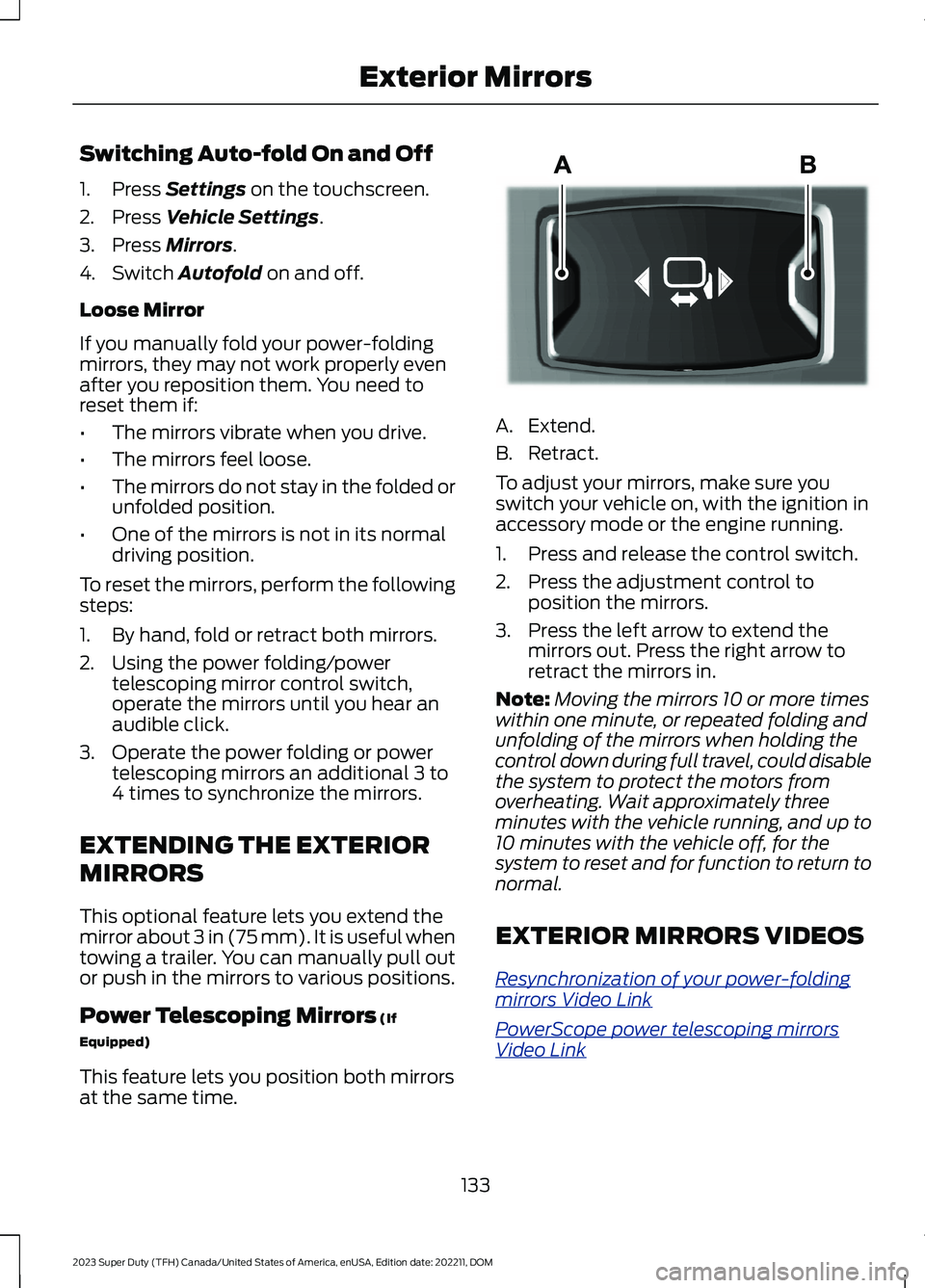
A.Extend.
B.Retract.
To adjust your mirrors, make sure youswitch your vehicle on, with the ignition inaccessory mode or the engine running.
1.Press and release the control switch.
2.Press the adjustment control toposition the mirrors.
3.Press the left arrow to extend themirrors out. Press the right arrow toretract the mirrors in.
Note:Moving the mirrors 10 or more timeswithin one minute, or repeated folding andunfolding of the mirrors when holding thecontrol down during full travel, could disablethe system to protect the motors fromoverheating. Wait approximately threeminutes with the vehicle running, and up to10 minutes with the vehicle off, for thesystem to reset and for function to return tonormal.
EXTERIOR MIRRORS VIDEOS
Resynchronization of your power-foldingmirrors Video Link
PowerScope power telescoping mirrorsVideo Link
133
2023 Super Duty (TFH) Canada/United States of America, enUSA, Edition date: 202211, DOMExterior MirrorsE218902
Page 150 of 738
ACCESSING THE TRIP
COMPUTER - VEHICLES WITH:
8 INCH SCREEN
Using Select Screens
1.Select Select Screens.
2.Use the controls on the steering wheelto navigate the menu. SeeCustomizing the Instrument ClusterDisplay (page 144). or SeeCustomizing the Instrument ClusterDisplay (page 144).
Using the Home Screen
After screens have been added, use thecontrols on the steering wheel to view eachtrip screen.
ACCESSING THE TRIP
COMPUTER - VEHICLES WITH:
12 INCH SCREEN
1.Select Trip/Fuel.
2.Select Trip 1 or Trip 2.
RESETTING THE TRIP
COMPUTER
1.Use the instrument cluster displaycontrols to navigate the home screen.
2.Select the trip screen you want to reset.
3.Press and hold the OK button until thesystem reset confirmation appears.
TRIP DATA
Trip 1 and 2
Provides trip timer, trip average fueleconomy and total trip distance traveled.
Note:Trip 1 and 2 are selectable screens.See Accessing the Trip Computer (page146). See Accessing the Trip Computer(page 146).
146
2023 Super Duty (TFH) Canada/United States of America, enUSA, Edition date: 202211, DOMTrip Computer
Page 151 of 738
WHAT IS THE HEAD UP
DISPLAY
The system displays information on adisplay screen in your field of vision,allowing you to keep your eyes on the road.You can select which information thesystem displays.
SWITCHING THE HEAD UP
DISPLAY ON AND OFF
1.Using the instrument cluster displaycontrols on the steering wheel, selectHUD.
2.Switch Head-Up Display (HUD) on oroff.
Note:The system remembers the lastsetting when you start your vehicle.
HEAD UP DISPLAY SETTINGS
1.Using the instrument cluster displaycontrols on the steering wheel, selectHUD.
Note:If HUD On is unchecked, otheroptions of the system are hidden.
You can adjust the following settings in theHUD menu:
•Content.
•Brightness.
•Vertical position.
•Image rotation.
•Drive mode layout.
Note:The head up display menuautomatically closes after a certain periodof inactivity.
Note:The head up display image brightnessautomatically adjusts to the brightness ofthe ambient environment. You have theability to adjust the brightness furtheraccording to your preference.
Note:In some instances, sunlight can causesome reflections in and around the head updisplay image.
Note:When you save a memory presetposition, your current HUD settings are alsosaved to that memory preset position. SeeMemory Function (page 177).
147
2023 Super Duty (TFH) Canada/United States of America, enUSA, Edition date: 202211, DOMHead Up Display (If Equipped)
Page 154 of 738
EXTENDING THE REMOTE
START DURATION
To extend the remote start duration duringremote start, do the following:
Press the button on the remotecontrol.
Within three seconds, press thebutton on the remote control.
Within three seconds, press thebutton again.
If the duration is set to 15 minutes, theduration extends by another 15 minutes.This provides a total of 30 minutes.
Note:Remote start can only be extendedonce.
Note:A maximum of two remote starts, orone remote start with an extension, areallowed. To reset the restart procedureswitch the vehicle to on, then to off.
REMOTE START REMOTE
CONTROL INDICATORS
Remote Control Feedback
An LED on the remote control providesstatus feedback of remote start or stopcommands.
StatusLED
Remote startsuccessful.Solid green.
Remote stopsuccessful.Solid red.
Request failed orstatus not received.Blinking red.
Status incomplete.Blinking green.
REMOTE START SETTINGS
Climate Control Settings
1.Press Settings on the touchscreen.
2.Press Vehicle Settings.
3.Press Remote Start Setup.
4.Press Climate Control.
5.Press Auto or Last settings.
Note:If you switch the auto mode on, thesystem attempts to heat or cool the interiorto 72°F (22°C). When you switch the vehicleon, the climate control system returns tothe last used settings.
Note:If you switch the last settings on, thesystem remembers the last used settings.
Heated Seat Settings (If Equipped)
1.Press Settings on the touchscreen.
2.Press Vehicle Settings.
3.Press Remote Start Setup.
4.Press Seats.
5.Press Auto or Off.
Note:If you switch the heated seat settingson, the heated seats turn on during coldweather.
Note:You cannot adjust the heated seatsettings when you remotely start yourvehicle.
Heated Steering Wheel Settings (If
Equipped)
1.Press Settings on the touchscreen.
2.Press Vehicle Settings.
3.Press Remote Start Setup.
4.Press Seats and Steering Wheel.
5.Press Auto or Off.
Note:If you switch the heated steeringwheel settings on, the heated steering wheelturns on during cold weather.
150
2023 Super Duty (TFH) Canada/United States of America, enUSA, Edition date: 202211, DOMRemote Start (If Equipped)E138623 E138625
Page 162 of 738
Note:Do not clean the mirror housing orglass with harsh abrasives, fuel or otherpetroleum-based cleaning products. Thevehicle warranty may not cover damagecaused to the mirror housing or glass.
Note:The engine must be running or yourvehicle must be ready to drive to switch thesystem on.
SETTING THE TEMPERATURE
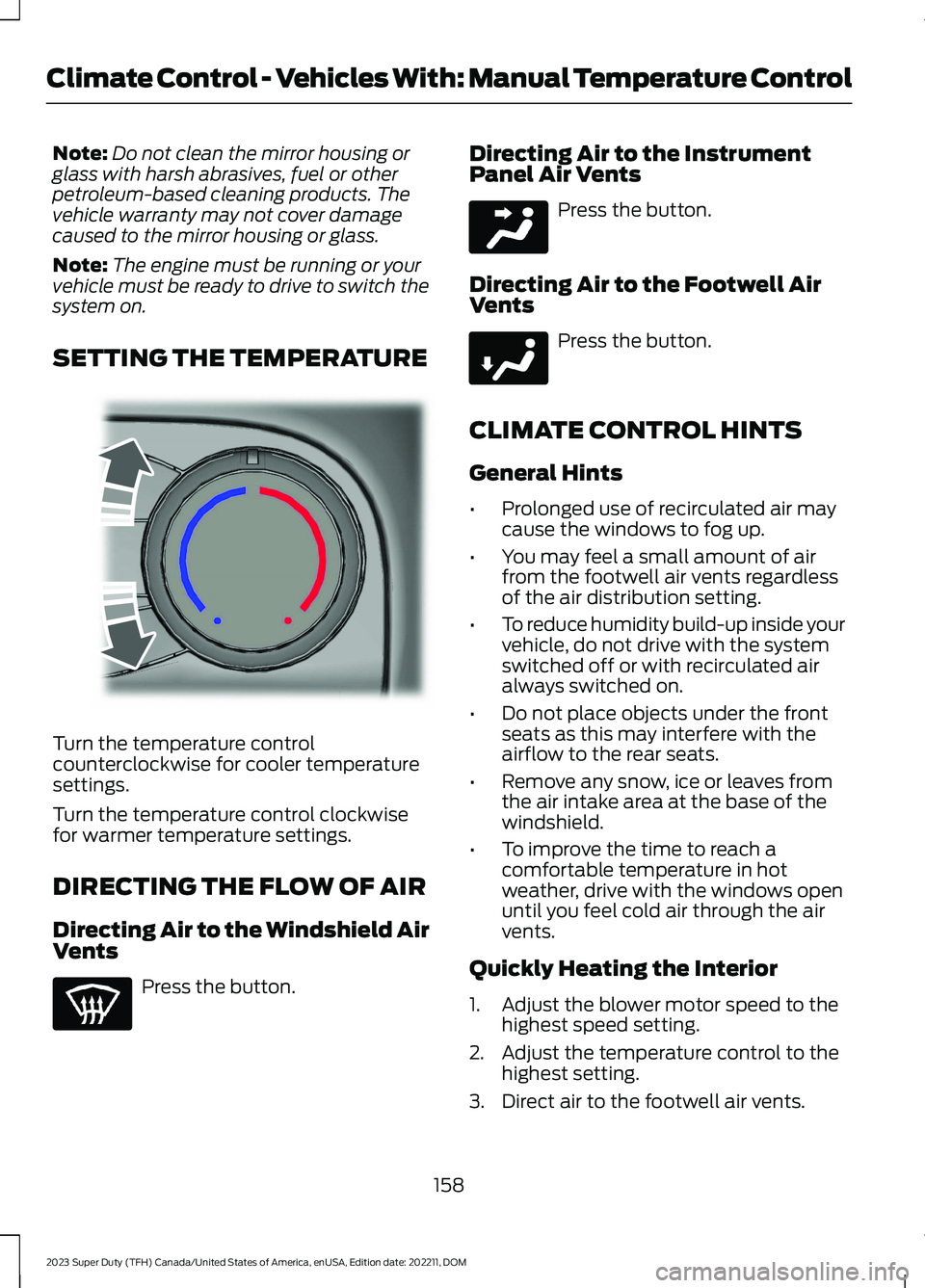
Turn the temperature controlcounterclockwise for cooler temperaturesettings.
Turn the temperature control clockwisefor warmer temperature settings.
DIRECTING THE FLOW OF AIR
Directing Air to the Windshield AirVents
Press the button.
Directing Air to the InstrumentPanel Air Vents
Press the button.
Directing Air to the Footwell AirVents
Press the button.
CLIMATE CONTROL HINTS
General Hints
•Prolonged use of recirculated air maycause the windows to fog up.
•You may feel a small amount of airfrom the footwell air vents regardlessof the air distribution setting.
•To reduce humidity build-up inside yourvehicle, do not drive with the systemswitched off or with recirculated airalways switched on.
•Do not place objects under the frontseats as this may interfere with theairflow to the rear seats.
•Remove any snow, ice or leaves fromthe air intake area at the base of thewindshield.
•To improve the time to reach acomfortable temperature in hotweather, drive with the windows openuntil you feel cold air through the airvents.
Quickly Heating the Interior
1.Adjust the blower motor speed to thehighest speed setting.
2.Adjust the temperature control to thehighest setting.
3.Direct air to the footwell air vents.
158
2023 Super Duty (TFH) Canada/United States of America, enUSA, Edition date: 202211, DOMClimate Control - Vehicles With: Manual Temperature ControlE244106 E244097 E244098
Page 179 of 738
Note:It is possible to receive no alert whenthere is an occupant in the rear seat, if alertconditions are not met. For example, if a rearseat occupant does not enter the vehiclethrough a rear door.
REAR OCCUPANT ALERT
SYSTEM SETTINGS
1.Press Settings on the touchscreen.
2.Press Vehicle.
3.Press Rear Occupant Alert.
4.Select Alert & Horn or Alert Only orOff.
Note:The default setting is Alert Only.
Note:If you choose Alert Only, the horndoes not sound even when the alertconditions are met.
Note:Performing a master reset causes thesystem to switch on again.
Switching Child Seat Installed Onand Off
When the system is switched on, itmonitors the opening and closing of therear doors to indicate the potentialpresence of an occupant in the rear seat.
1.Press Settings on the touchscreen.
2.Press Vehicle.
3.Press Rear Occupant Alert.
4.Switch Child Seat Installed on or off.
Note:The default setting is on.
Switch the system on when the childrestraint is mounted on any of thefollowing:
•Forward facing seat.
•Rear facing seat.
•Toddler in a latch system baby seat.
Switch the system off when the child isusing any of the following:
•Seatbelt.
•Booster seat.
Semiannual Reminder
When you switch the system off, amessage appears every six months as areminder that the system is off. You canswitch the system back on or leave it off.
REAR OCCUPANT ALERT
SYSTEM INDICATORS
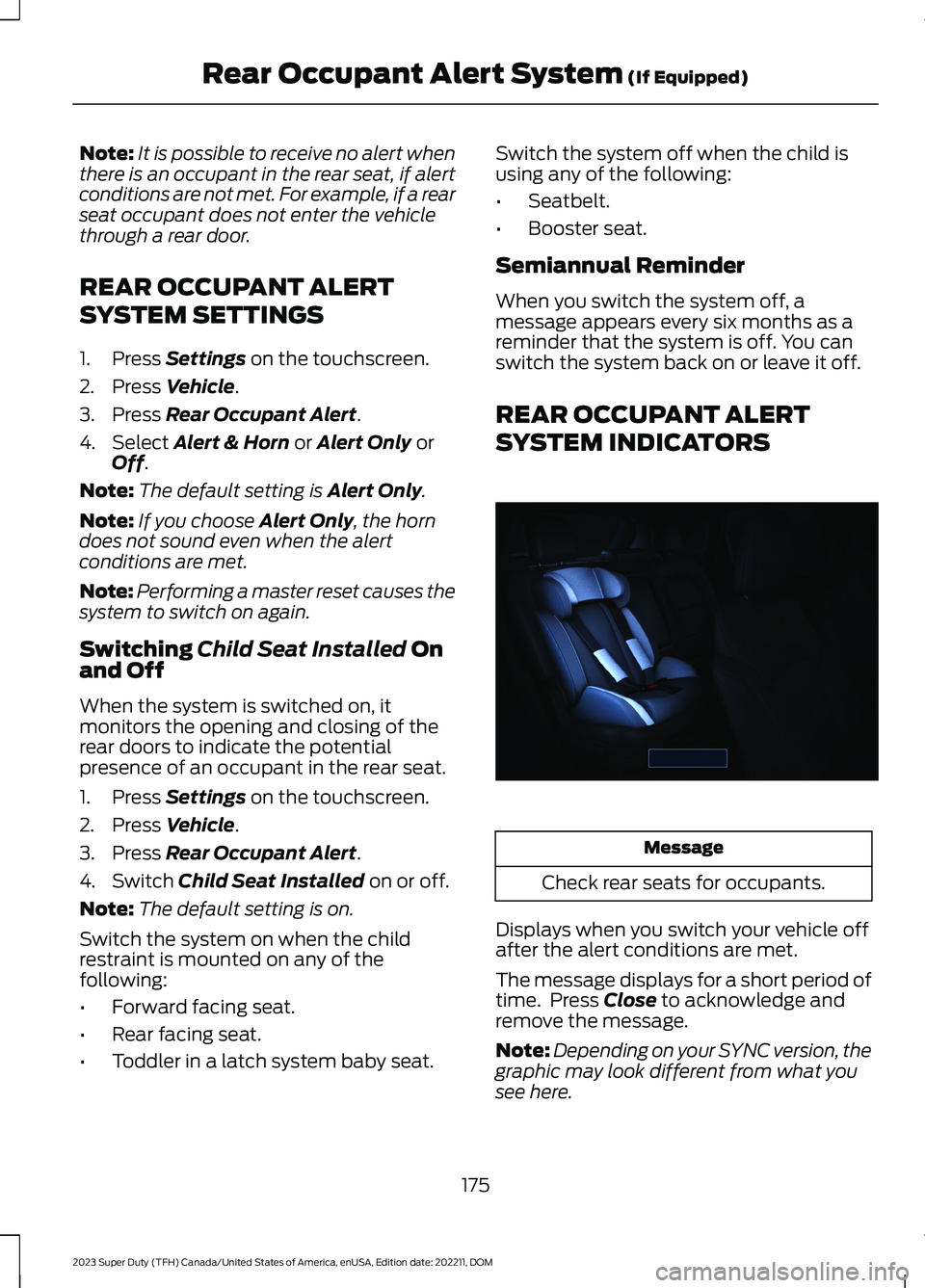
Message
Check rear seats for occupants.
Displays when you switch your vehicle offafter the alert conditions are met.
The message displays for a short period oftime. Press Close to acknowledge andremove the message.
Note:Depending on your SYNC version, thegraphic may look different from what yousee here.
175
2023 Super Duty (TFH) Canada/United States of America, enUSA, Edition date: 202211, DOMRear Occupant Alert System (If Equipped)E350472