reset FORD SUPER DUTY 2023 Owner's Manual
[x] Cancel search | Manufacturer: FORD, Model Year: 2023, Model line: SUPER DUTY, Model: FORD SUPER DUTY 2023Pages: 738, PDF Size: 18.49 MB
Page 181 of 738
WHAT IS THE MEMORY
FUNCTION
The memory function recalls the positionof these features:
•Driver seat.
•Power mirrors.
•Optional power steering column.
•Optional power adjustable pedals.
MEMORY FUNCTION
PRECAUTIONS
WARNING: Before activating thememory seat, make sure that the areaimmediately surrounding the seat is clearof obstructions and that all occupantsare clear of moving parts.
WARNING: Do not use the memoryfunction when your vehicle is moving.
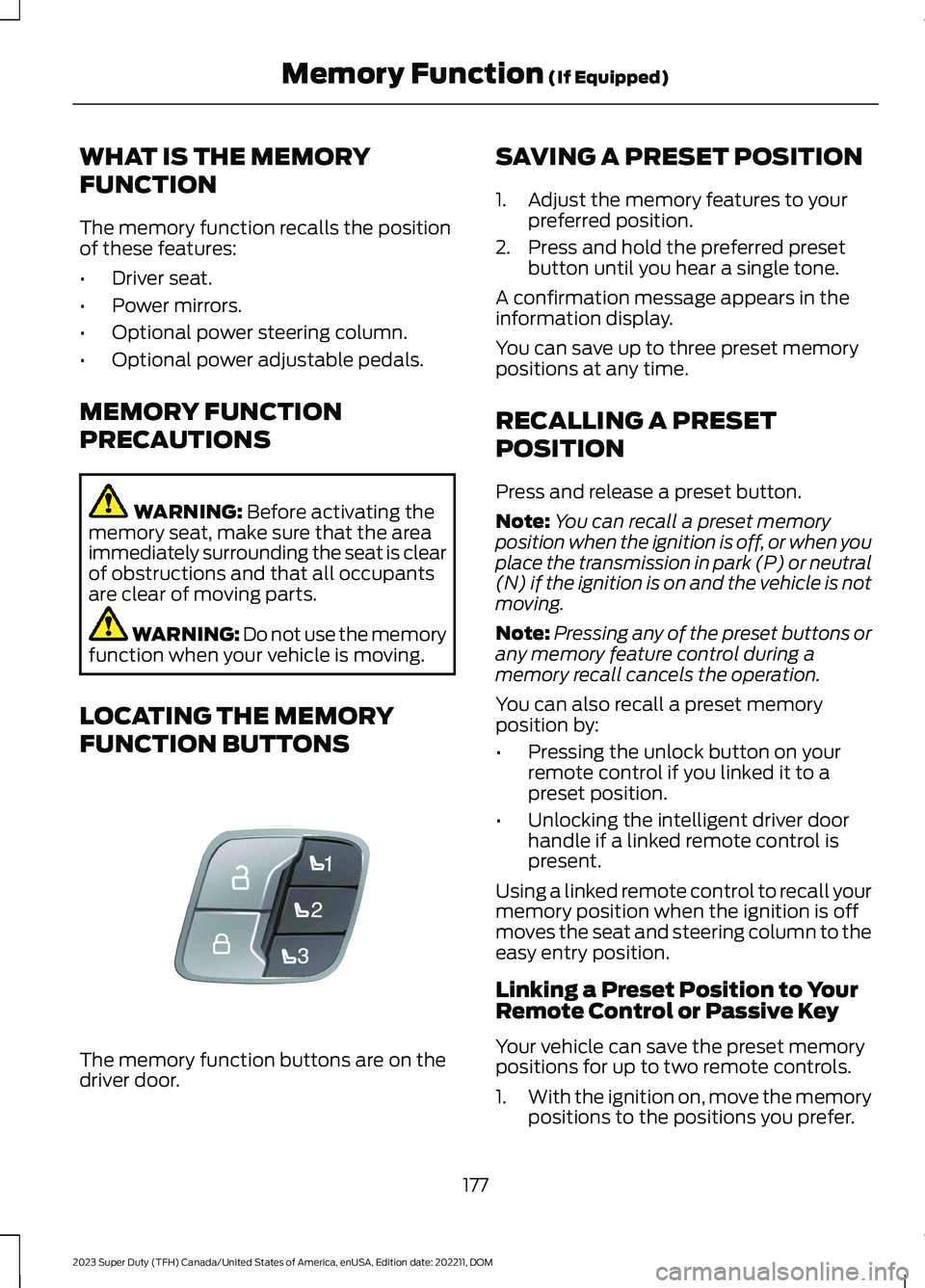
LOCATING THE MEMORY
FUNCTION BUTTONS
The memory function buttons are on thedriver door.
SAVING A PRESET POSITION
1.Adjust the memory features to yourpreferred position.
2.Press and hold the preferred presetbutton until you hear a single tone.
A confirmation message appears in theinformation display.
You can save up to three preset memorypositions at any time.
RECALLING A PRESET
POSITION
Press and release a preset button.
Note:You can recall a preset memoryposition when the ignition is off, or when youplace the transmission in park (P) or neutral(N) if the ignition is on and the vehicle is notmoving.
Note:Pressing any of the preset buttons orany memory feature control during amemory recall cancels the operation.
You can also recall a preset memoryposition by:
•Pressing the unlock button on yourremote control if you linked it to apreset position.
•Unlocking the intelligent driver doorhandle if a linked remote control ispresent.
Using a linked remote control to recall yourmemory position when the ignition is offmoves the seat and steering column to theeasy entry position.
Linking a Preset Position to YourRemote Control or Passive Key
Your vehicle can save the preset memorypositions for up to two remote controls.
1.With the ignition on, move the memorypositions to the positions you prefer.
177
2023 Super Duty (TFH) Canada/United States of America, enUSA, Edition date: 202211, DOMMemory Function (If Equipped)E307868
Page 182 of 738
2.Press and hold the preferred presetbutton for about five seconds. A tonesounds, and the instrument panelprompts you to press the lock buttonon your remote control.
3.Within ten seconds, press the lockbutton on the remote control you arelinking. The instrument panel indicatesa successful link.
To unlink a remote control, follow thesame procedure – except in step 3, pressthe unlock button on the remote control.
Note:If more than one linked remotecontrol is in range, the memory functionmoves to the settings of the first key toinitiate a memory recall.
MEMORY FUNCTION VIDEOS
Memory Seats Video Link
178
2023 Super Duty (TFH) Canada/United States of America, enUSA, Edition date: 202211, DOMMemory Function (If Equipped)
Page 190 of 738
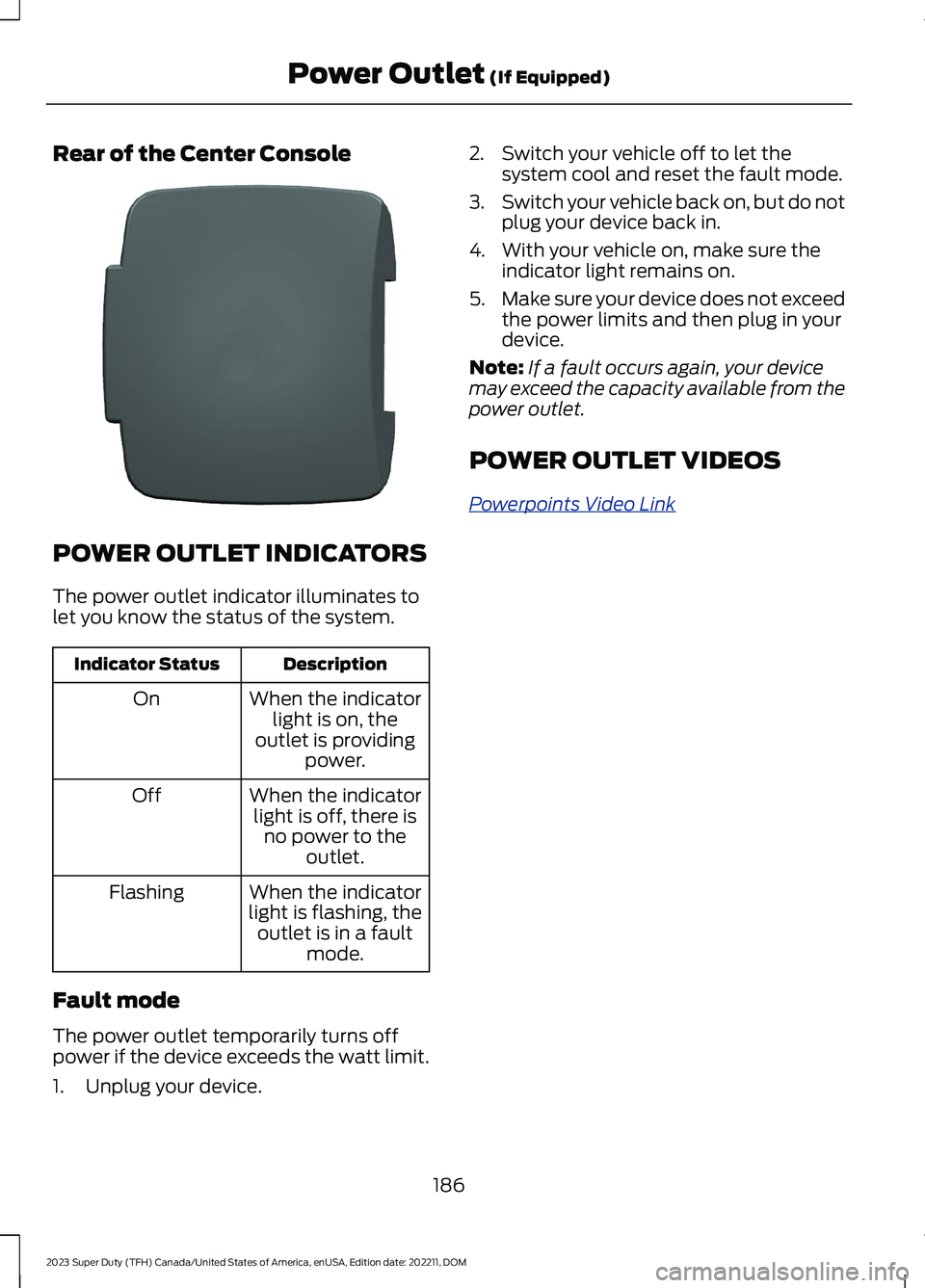
Rear of the Center Console
POWER OUTLET INDICATORS
The power outlet indicator illuminates tolet you know the status of the system.
DescriptionIndicator Status
When the indicatorlight is on, theoutlet is providingpower.
On
When the indicatorlight is off, there isno power to theoutlet.
Off
When the indicatorlight is flashing, theoutlet is in a faultmode.
Flashing
Fault mode
The power outlet temporarily turns offpower if the device exceeds the watt limit.
1.Unplug your device.
2.Switch your vehicle off to let thesystem cool and reset the fault mode.
3.Switch your vehicle back on, but do notplug your device back in.
4.With your vehicle on, make sure theindicator light remains on.
5.Make sure your device does not exceedthe power limits and then plug in yourdevice.
Note:If a fault occurs again, your devicemay exceed the capacity available from thepower outlet.
POWER OUTLET VIDEOS
Powerpoints Video Link
186
2023 Super Duty (TFH) Canada/United States of America, enUSA, Edition date: 202211, DOMPower Outlet (If Equipped)E337926
Page 193 of 738
DescriptionIndicator Status
The power point isworking and thevehicle is on.
On
The power point isoff and the vehicleis off.
Off
The power point isin fault mode.Flashing
Fault Mode
The power outlet temporarily turns offpower if the device exceeds the watt limit.
1.Unplug your device.
2.Switch your vehicle off to let thesystem cool and reset the fault mode.
3.Switch your vehicle back on, but do notplug your device back in.
4.With your vehicle on, make sure theindicator light remains on.
5.Make sure your device does not exceedthe power limits and then plug in yourdevice.
Note:If a fault occurs again, your devicemay exceed the capacity available from thepower outlet.
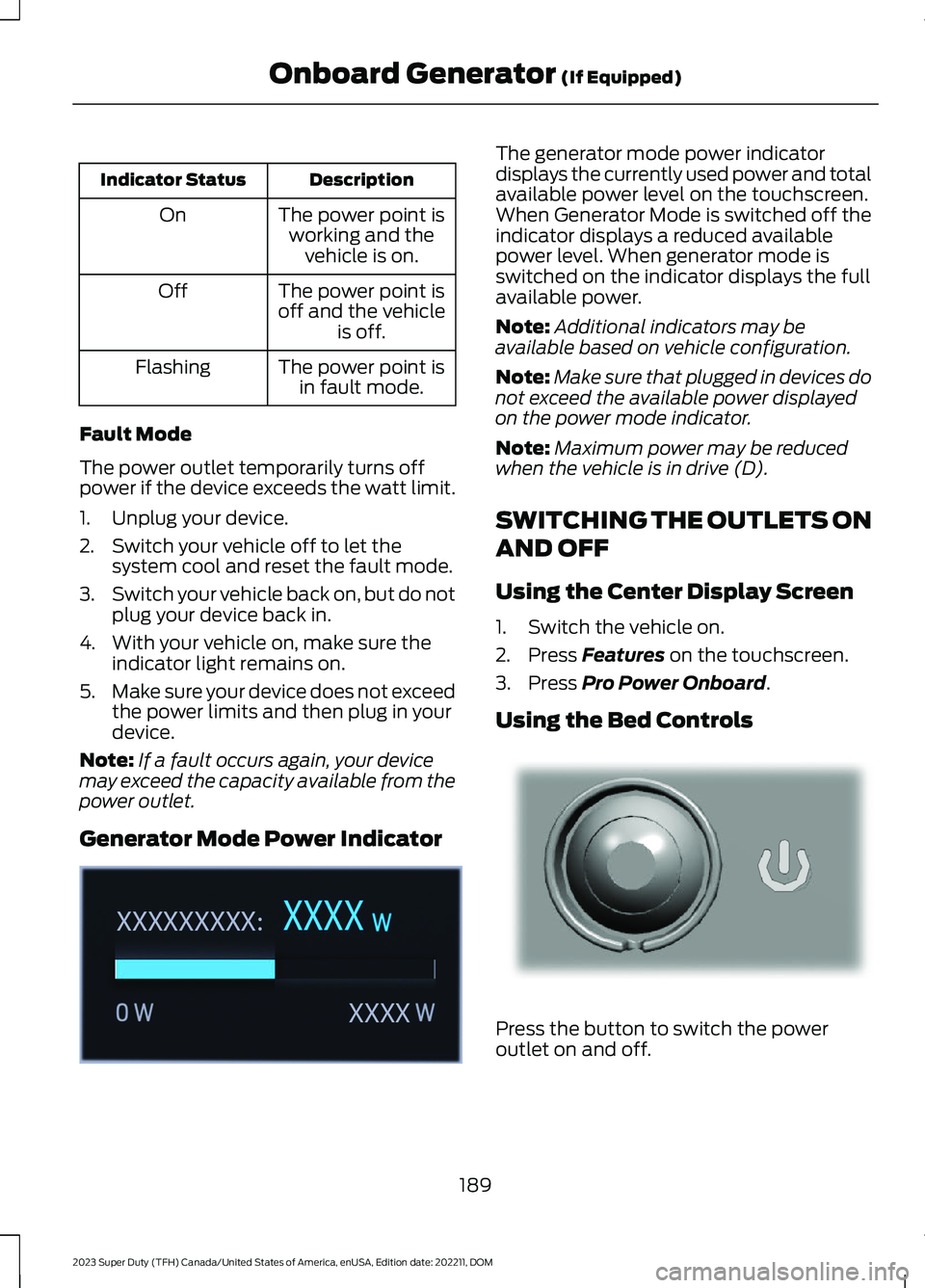
Generator Mode Power Indicator
The generator mode power indicatordisplays the currently used power and totalavailable power level on the touchscreen.When Generator Mode is switched off theindicator displays a reduced availablepower level. When generator mode isswitched on the indicator displays the fullavailable power.
Note:Additional indicators may beavailable based on vehicle configuration.
Note:Make sure that plugged in devices donot exceed the available power displayedon the power mode indicator.
Note:Maximum power may be reducedwhen the vehicle is in drive (D).
SWITCHING THE OUTLETS ON
AND OFF
Using the Center Display Screen
1.Switch the vehicle on.
2.Press Features on the touchscreen.
3.Press Pro Power Onboard.
Using the Bed Controls
Press the button to switch the poweroutlet on and off.
189
2023 Super Duty (TFH) Canada/United States of America, enUSA, Edition date: 202211, DOMOnboard Generator (If Equipped)E362360 E337175
Page 194 of 738
WHAT IS UTILITY IDLE MODE
Utility idle mode allows you to remove thekey from the ignition and keep the vehicleand bed power point running.
SWITCHING UTILITY IDLE
MODE ON AND OFF
Switching Utility Idle On
1.Start the vehicle. See Starting andStopping the Engine (page 202).
2.Press Features on the touchscreen.
3.Press Pro Power Onboard.
4.Press Generator Mode.
5.Press Utility Idle.
6.Turn the key to position 0.
7.Remove the key from the ignition.
Switching Utility Idle Off using theKey
1.Insert the key into the ignition.
2.Turn the key to position III.
Switching Utility Idle Off using theCenter Display Screen
1.Start the vehicle. See Starting andStopping the Engine (page 202).
2.Press Features on the touchscreen.
3.Press Pro Power Onboard.
4.Press Generator Mode.
5.Press Utility Idle.
6.Press Turn Vehicle Off.
WHAT IS GENERATOR MODE
Generator mode uses the vehicle engineto increase power to the bed power outletsup to the rating listed on the power outletlabel.
SWITCHING GENERATOR
MODE ON AND OFF
Using the Center Display Screen
1.Start the vehicle. See Starting andStopping the Engine (page 202).
2.Press Features on the touchscreen.
3.Press Pro Power Onboard.
4.Press Generator Mode.
Using the Instrument Panel
Press the button to switchbetween off, convenience mode,and generator mode.
RESETTING GROUND FAULT
DETECTION
After disconnecting all electrical loads theground fault can be reset using theswitches on the power point, on theinstrument panel or on the touchscreen.
Use the controls on the touchscreen to testthe ground fault detection circuit.
190
2023 Super Duty (TFH) Canada/United States of America, enUSA, Edition date: 202211, DOMOnboard Generator (If Equipped)E311311
Page 195 of 738
ONBOARD GENERATOR – TROUBLESHOOTING
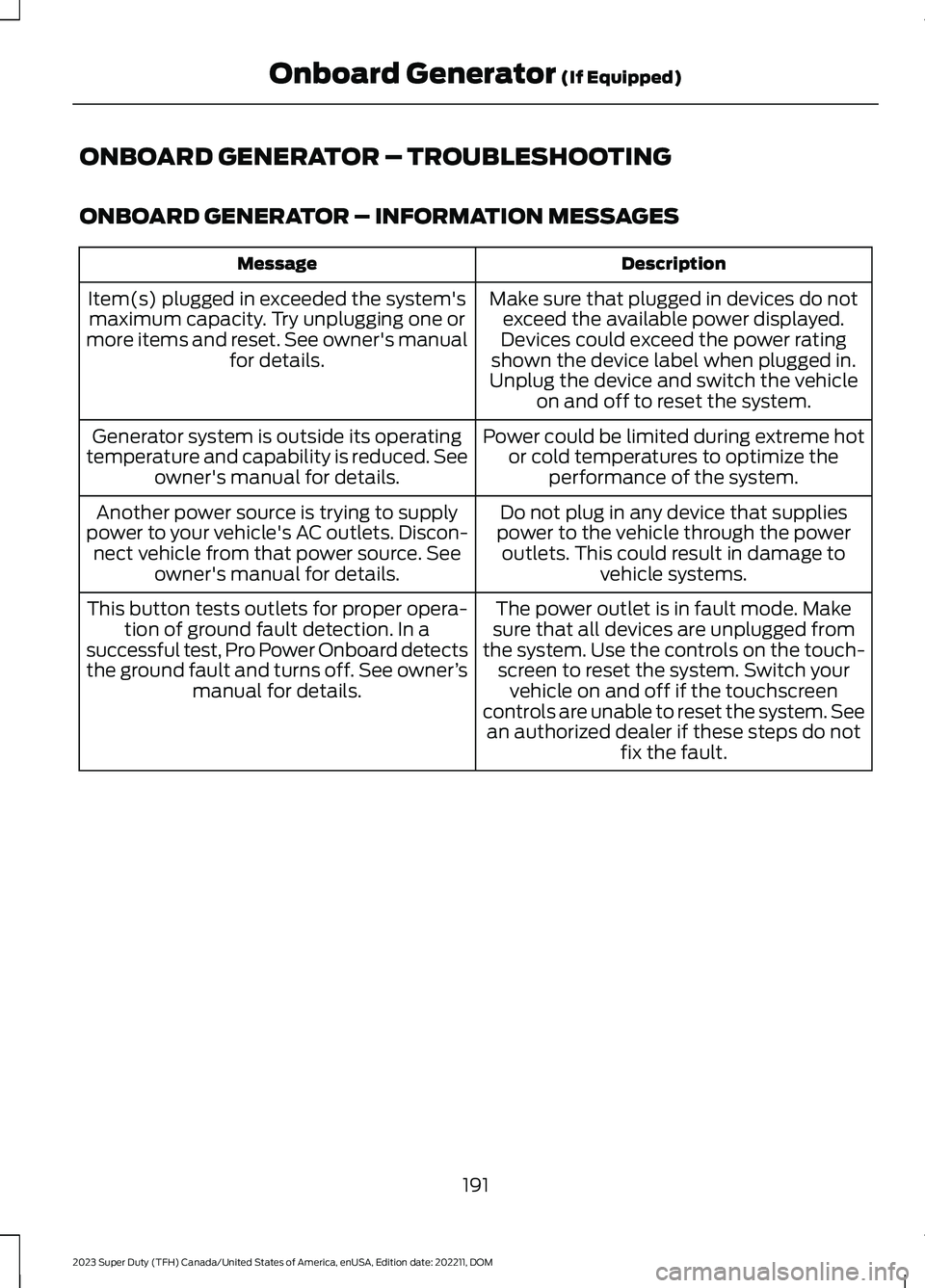
ONBOARD GENERATOR – INFORMATION MESSAGES
DescriptionMessage
Make sure that plugged in devices do notexceed the available power displayed.Devices could exceed the power ratingshown the device label when plugged in.Unplug the device and switch the vehicleon and off to reset the system.
Item(s) plugged in exceeded the system'smaximum capacity. Try unplugging one ormore items and reset. See owner's manualfor details.
Power could be limited during extreme hotor cold temperatures to optimize theperformance of the system.
Generator system is outside its operatingtemperature and capability is reduced. Seeowner's manual for details.
Do not plug in any device that suppliespower to the vehicle through the poweroutlets. This could result in damage tovehicle systems.
Another power source is trying to supplypower to your vehicle's AC outlets. Discon-nect vehicle from that power source. Seeowner's manual for details.
The power outlet is in fault mode. Makesure that all devices are unplugged fromthe system. Use the controls on the touch-screen to reset the system. Switch yourvehicle on and off if the touchscreencontrols are unable to reset the system. Seean authorized dealer if these steps do notfix the fault.
This button tests outlets for proper opera-tion of ground fault detection. In asuccessful test, Pro Power Onboard detectsthe ground fault and turns off. See owner’smanual for details.
191
2023 Super Duty (TFH) Canada/United States of America, enUSA, Edition date: 202211, DOMOnboard Generator (If Equipped)
Page 211 of 738
could be required to steer your vehicle.When you switch the ignition off, someelectrical circuits, for example airbags,also turn off. If you unintentionally switchthe ignition off, shift into neutral (N) andrestart the engine.
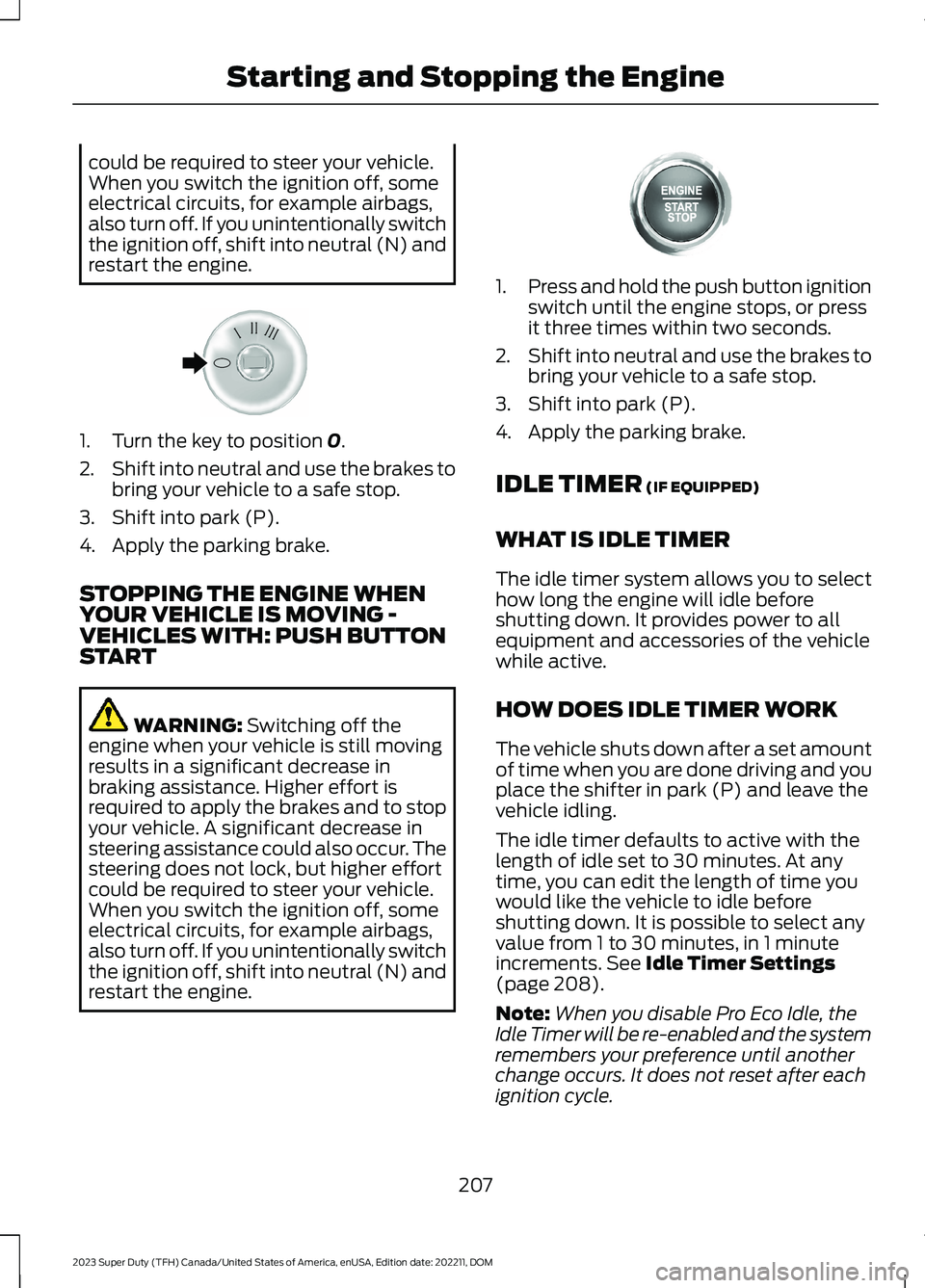
1.Turn the key to position 0.
2.Shift into neutral and use the brakes tobring your vehicle to a safe stop.
3.Shift into park (P).
4.Apply the parking brake.
STOPPING THE ENGINE WHENYOUR VEHICLE IS MOVING -VEHICLES WITH: PUSH BUTTONSTART
WARNING: Switching off theengine when your vehicle is still movingresults in a significant decrease inbraking assistance. Higher effort isrequired to apply the brakes and to stopyour vehicle. A significant decrease insteering assistance could also occur. Thesteering does not lock, but higher effortcould be required to steer your vehicle.When you switch the ignition off, someelectrical circuits, for example airbags,also turn off. If you unintentionally switchthe ignition off, shift into neutral (N) andrestart the engine.
1.Press and hold the push button ignitionswitch until the engine stops, or pressit three times within two seconds.
2.Shift into neutral and use the brakes tobring your vehicle to a safe stop.
3.Shift into park (P).
4.Apply the parking brake.
IDLE TIMER (IF EQUIPPED)
WHAT IS IDLE TIMER
The idle timer system allows you to selecthow long the engine will idle beforeshutting down. It provides power to allequipment and accessories of the vehiclewhile active.
HOW DOES IDLE TIMER WORK
The vehicle shuts down after a set amountof time when you are done driving and youplace the shifter in park (P) and leave thevehicle idling.
The idle timer defaults to active with thelength of idle set to 30 minutes. At anytime, you can edit the length of time youwould like the vehicle to idle beforeshutting down. It is possible to select anyvalue from 1 to 30 minutes, in 1 minuteincrements. See Idle Timer Settings(page 208).
Note:When you disable Pro Eco Idle, theIdle Timer will be re-enabled and the systemremembers your preference until anotherchange occurs. It does not reset after eachignition cycle.
207
2023 Super Duty (TFH) Canada/United States of America, enUSA, Edition date: 202211, DOMStarting and Stopping the EngineE322405 E357998
Page 212 of 738
Note:When you activate Pro Eco Idle, theIdle Timer will be deactivated. If you do notconfirm the activation of Pro Eco Idle within30 seconds, the Idle Timer will bere-enabled.
When the idle timer is active and yourvehicle is idling, you retain full control ofthe vehicle's accessories and equipment.
After the idle time expires, the system turnsyour vehicle off. Your vehicle does notrestart until you switch it on.
IDLE TIMER PRECAUTIONS
WARNING: Apply the parkingbrake, shift into park (P), switch theignition off and remove the key beforeyou open the hood or have any serviceor repair work completed. If you do notswitch the ignition off, the engine couldrestart at any time. Failure to follow thisinstruction could result in personal injuryor death.
IDLE TIMER SETTINGS
1.Press Settings on the touchscreen.
2.Press Vehicle Settings.
3.Press Idle Settings.
4.Adjust the duration you wish thevehicle to idle.
AUTOMATIC ENGINE STOP (IF
EQUIPPED)
WHAT IS AUTOMATIC ENGINESTOP
Automatic engine stop is a feature thatswitches the engine off if it has been idlingfor an extended period to help you savefuel.
HOW DOES AUTOMATIC ENGINESTOP WORK
Automatic engine stop turns the engineoff. The ignition also turns off in order tosave battery power. Before the engineshuts down, a message appears in theinformation display showing a timercounting down. If you do not intervenewithin 30 seconds, the engine shuts down.Another message appears in theinformation display to inform you that theengine has shut down in order to save fuel.Start your vehicle as you normally do.
SWITCHING AUTOMATIC ENGINESTOP ON AND OFF
1.Press Settings on the touchscreen.
2.Press Vehicle Settings.
3.Switch 30min Max Idle on or off.
Note: You cannot permanently switch offthe automatic shutdown. If you switch itoff, it turns on each time you switch theignition on.
OVERRIDING AUTOMATIC ENGINESTOP
Note: You cannot permanently switch offthe automatic engine stop feature. Whenyou switch it off temporarily, it turns on atthe next ignition cycle.
You can stop the engine shutdown, or resetthe timer, at any point before the30-second countdown has expired bydoing any of the following:
•Pressing the brake pedal or acceleratorpedal.
•Pressing the OK or RESET buttonduring the countdown.
208
2023 Super Duty (TFH) Canada/United States of America, enUSA, Edition date: 202211, DOMStarting and Stopping the Engine
Page 231 of 738
WARNING: Tampering with ordisabling the selective catalyticreduction system results in severevehicle performance limitation includingeventual speed limiting to 5 mph(8 km/h).
Note: Do not put diesel exhaust fluid in thefuel tank. Do not start the engine if anyamount of diesel exhaust fluid was addedto the diesel fuel tank as it will likely lead tofailure of the fuel pump and injectors andmay result in severe engine damage whichyour vehicle Warranty may not cover. Thediesel fuel tank must be completely drainedand cleaned prior to being refilled with cleandiesel fuel and starting the engine.
Selective catalytic reduction systems aresensitive to contamination of the dieselexhaust fluid. Maintaining the purity of thefluid is important to avoid systemmalfunctions. If you remove or drain thediesel exhaust fluid tank, do not use thesame fluid to refill the tank. The systemhas a sensor to monitor fluid quality.
Driving without refilling, replacingcontaminated diesel exhaust fluid, orhaving the selective catalytic reductionsystem repaired results in the followingactions as required by the California AirResources Board (CARB) and the U.S.Environmental Protection Agency (EPA):
•Within a preset distance to empty,speed is limited upon vehicle restart.Prior to this occurring a messageappears in the information display.
•Further vehicle operation withoutrefilling or replacing contaminateddiesel exhaust fluid causes the engineto enter an idle-only condition. Thisonly occurs upon vehicle refueling,vehicle idling in park for 1 hour, orengine shutdown for 10 minutes ormore and is indicated by a message inthe information display indicatingrequired actions to resume normaloperation. It is required to add aminimum of 1.0 gal (3.8 L) of dieselexhaust fluid to the tank to exit theidle-only condition, but your vehicle isstill in the speed-limiting mode untilyou refill the tank completely.
Note:For vehicle speed limiting or idle-onlycondition, normal vehicle operation resumeswhen you refill the diesel exhaust fluid tankor repair the contaminated system. If thesystem is contaminated or inoperative, haveyour vehicle checked as soon as possible.
227
2023 Super Duty (TFH) Canada/United States of America, enUSA, Edition date: 202211, DOMSelective Catalytic Reduction System (If Equipped)
Page 309 of 738
The indicator appears in the instrumentcluster display. When the system is on, thecolor of the indicator changes to indicatethe system status.
You can override the system at any timeby steering your vehicle.
Note:The correct requirements must bemet before you can switch the system on.See Lane Centering Requirements (page304).
Enabling and Disabling LaneCentering
1.Press Features on the touchscreen.
2.Press Driver Assistance.
3.Press Cruise Control.
4.Press Lane Centering Assist.
LANE CENTERING ALERTS
You must keep your hands on the steeringwheel at all times.
When the system is active and detects nosteering activity for a period of time, thesystem alerts you to put your hands on thesteering wheel. If you do not reactappropriately to the warnings the adaptivecruise control with lane centering systemcancels and slows your vehicle down toidle speeds while maintaining steeringcontrol. See Lane Centering AutomaticCancellation (page 305).
The system also alerts you if your vehiclecrosses lane line markings withoutdetected steering activity.
Note:The system could detect a light gripor light touch on the steering wheel ashands-off driving.
LANE CENTERING AUTOMATICCANCELLATION
When an external condition cancels thesystem, and your hands are on the steeringwheel, a tone sounds and a messageappears in the instrument cluster display.
When an external condition cancels thesystem, and your hands are not on thesteering wheel, the system immediatelyalerts you to take control of the vehicle. Ifthis alert is ignored, the system slows thevehicle while maintaining steeringassistance when lane markings areavailable. When no lane markings areavailable, the vehicle comes to a stop.
If your vehicle starts to slowdown after system cancellation,you must take full control of thevehicle. To re-enable adaptive cruisecontrol with lane centering aftercancellation, press and release the resumebutton.
Automatic cancellation can also occur if:
•The lane becomes too wide or narrow.
•The system cannot detect valid lanemarkings.
•Lane markings cross over one another.
•The curve of the road is too sharp.
Note:If your vehicle slows down due to yourinactivity twice within a key cycle, thesystem disables. To reset the system, whenthe vehicle is stationary, return the gearselector to park (P) and turn the vehicle off.Then, restart the vehicle with your foot onthe brake pedal.
LANE CENTERING MANUALCANCELLATION
When you perform the following actions,adaptive cruise control with lane centeringwill cancel:
305
2023 Super Duty (TFH) Canada/United States of America, enUSA, Edition date: 202211, DOMAdaptive Cruise Control (If Equipped)E308130