battery FORD SUPER DUTY 2023 Owner's Manual
[x] Cancel search | Manufacturer: FORD, Model Year: 2023, Model line: SUPER DUTY, Model: FORD SUPER DUTY 2023Pages: 738, PDF Size: 18.49 MB
Page 108 of 738
WHAT ARE THE INCLINATIONSENSORS (If Equipped)
The inclination sensor is designed to detectan attempt to raise your vehicle, forexample to remove a wheel or to tow itaway.
WHAT IS THE BATTERY BACKUPALARM (If Equipped)
The battery backup alarm is an additionalalarm sounder that has its own battery. Itcan detect if your vehicle's 12V battery isdisconnected to overcome the alarmsystem.
ARMING THE ANTI-THEFT ALARMSYSTEM
The alarm is ready to arm when you switchyour vehicle off.
Lock your vehicle with your remote controlto arm the alarm.
DISARMING THE ANTI-THEFTALARM SYSTEM
Disarm the alarm by performing any of thefollowing actions:
•Unlock the doors or luggagecompartment with the remote control.
•Switch your vehicle on or start yourvehicle.
ANTI-THEFT ALARM SYSTEM
SETTINGS
WHAT ARE THE ALARM SECURITYLEVELS
You can select two levels of alarm security,motion sensors on and motion sensors off.
Motion Sensors On
Motion sensors on is the standard setting.
In motion sensors on, all equipped sensorsare on when you arm the alarm.
Note:Do not arm the alarm with motionsensors on if passengers, animals or othermoving objects are inside your vehicle.
Motion Sensors Off
In motion sensors off, the interior sensorand the inclination sensor are off when youarm the alarm.
All the other equipped sensors activatewhen you arm the alarm in this mode.
SETTING THE ALARM SECURITYLEVEL
1.Press Settings on the touchscreen.
2.Press Vehicle.
3.Press Alarm System.
4.Press Motion Sensors.
5.Press a setting.
WHAT IS ASK ON EXIT
You can choose which level of security yourequire after you switch the ignition off.
Note:If you do not choose a setting, thesystem defaults to all sensors.
SWITCHING ASK ON EXIT ON ANDOFF
1.Press Settings on the touchscreen.
2.Press Vehicle.
3.Press Alarm System.
4.Switch Ask on Exit on or off.
104
2023 Super Duty (TFH) Canada/United States of America, enUSA, Edition date: 202211, DOMSecurity
Page 122 of 738
when the temperature is cold. Whennormal condensation occurs, a finemist can form on the interior of thelens. The fine mist eventually clearsand exits through the vents duringnormal operation.
How much condensation isacceptable?
•The presence of a fine mist, forexample no streaks, drip marks or largedroplets. A fine mist covers less than50% of the lens.
How long does it take for theacceptable condensation to clear?
•Clearing time can take as long as 48hours under dry weather conditions.
How much condensation isunacceptable?
•A water puddle inside the lamp.Streaks, drip marks or large dropletspresent on the interior of the lens.
What should I do if unacceptablecondensation is present?
•Have your vehicle checked as soon aspossible.
Why do my headlamps turn offwhen I have them switched onwhen I switch my vehicle off?
•The battery saver turns the headlampsoff after a short period of time after youswitch your vehicle off.
AUTOLAMPS
WHAT ARE AUTOLAMPS
WARNING: The system does notrelieve you of your responsibility to drivewith due care and attention. You mayneed to override the system if it does notturn the headlamps on in low visibilityconditions, for example daytime fog.
Autolamps turn the headlamps on in lowlight situations or when the windshieldwipers operate.
AUTOLAMP SETTINGS
1.Press Settings on the touchscreen.
2.Press Vehicle Settings.
3.Press Lighting.
4.Press Autolamp Delay.
5.Press a setting.
EXTERIOR LAMPS
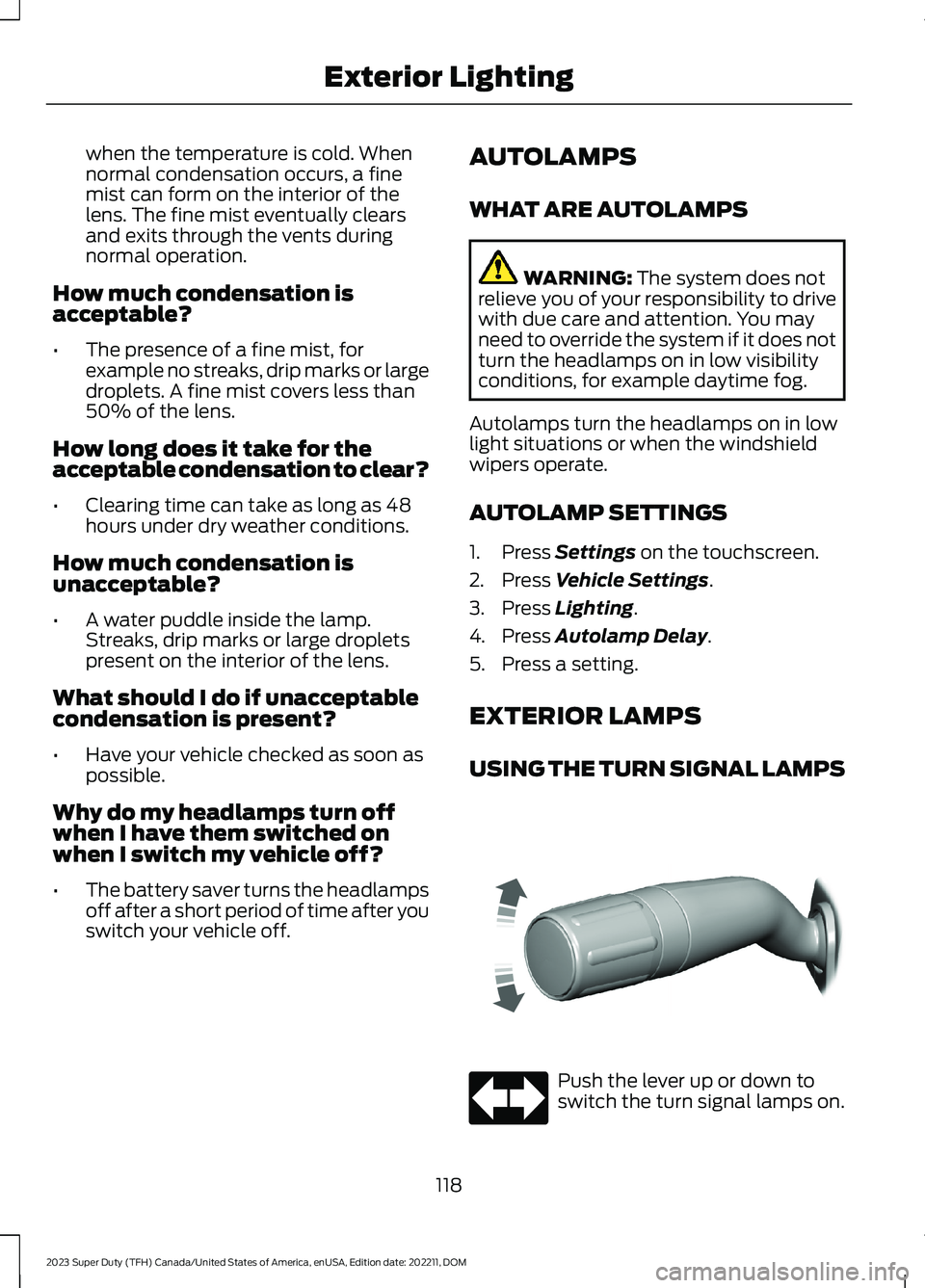
USING THE TURN SIGNAL LAMPS
Push the lever up or down toswitch the turn signal lamps on.
118
2023 Super Duty (TFH) Canada/United States of America, enUSA, Edition date: 202211, DOMExterior LightingE311431 E67018
Page 131 of 738
ADJUSTING THE INSTRUMENT
PANEL LIGHTING
BRIGHTNESS
The instrument lighting dimmer buttonsare on the lighting control.
Repeatedly press one of thebuttons to adjust the brightness.
AMBIENT LIGHTING (IF EQUIPPED)
SWITCHING AMBIENT LIGHTINGON AND OFF
1.Press Settings on the touchscreen.
2.Press Vehicle Settings.
3.Press Ambient Light.
4.Switch Ambient Light on or off.
ADJUSTING AMBIENT LIGHTING
Drag the slider left or right.
INTERIOR LIGHTING –
TROUBLESHOOTING
INTERIOR LIGHTING –FREQUENTLY ASKED QUESTIONS
Why do my courtesy lamps orinterior lamps turn off when I havethem switched on when I switchmy vehicle off?
•The battery saver turns the courtesylamps and interior lamps off after ashort period of time after you switchyour vehicle off.
127
2023 Super Duty (TFH) Canada/United States of America, enUSA, Edition date: 202211, DOMInterior LightingE291299 E296433
Page 143 of 738
WHAT ARE THE INSTRUMENT
CLUSTER WARNING LAMPS
Warning lamps alert you to a vehiclecondition that could become serious.Some lamps illuminate when you startyour vehicle to make sure they work. If anylamps remain on after starting your vehicle,refer to the respective system warninglamp for further information.
INSTRUMENT CLUSTER
WARNING LAMPS
Depending on your vehicle options, somewarning lamps can appear different or notat all.
Anti-Lock Brake System
If it illuminates when you aredriving, this indicates amalfunction. Your vehiclecontinues to have normal braking withoutthe anti-lock brake system function. Haveyour vehicle checked as soon as possible.
Battery
It illuminates when you switchthe ignition on.
If it illuminates when the engineis running, this indicates your vehiclerequires service. Have your vehiclechecked as soon as possible.
Brake System
It illuminates when you apply theparking brake and the ignition ison. If it illuminates when yourvehicle is moving, make sure theparking brake is released. If theparking brake is released, thisindicates low brake fluid level or the brakesystem requires service. Have your vehiclechecked as soon as possible.
Note:Indicators may vary depending onregion.
Diesel Exhaust Fluid
Illuminates when the dieselexhaust fluid is low,contaminated or the systemrequires service. See Selective CatalyticReduction System (page 226).
Door Ajar
It illuminates when you switchthe ignition on and remains on ifany door is open.
Electric Parking Brake
It illuminates or flashes when theelectric parking brake requiresservice.
Note:Indicators may vary depending onregion.
Engine Coolant Temperature
If it illuminates, safely stop yourvehicle and switch the vehicleoff.
139
2023 Super Duty (TFH) Canada/United States of America, enUSA, Edition date: 202211, DOMInstrument ClusterE67020 E67021 E270480 E67024 E163176 E249859 E325775 E103308
Page 153 of 738
WHAT IS REMOTE START
The system allows you to remotely startyour vehicle and to adjust the interiortemperature according to the settings thatyou chose.
REMOTE START
PRECAUTIONS
WARNING: Do not start the enginein a closed garage or in other enclosedareas. Exhaust fumes are toxic. Alwaysopen the garage door before you startthe engine. Failure to follow thisinstruction could result in personal injuryor death.
REMOTE START LIMITATIONS
Remote start does not work under thefollowing conditions:
•The alarm horn is sounding.
•The hood is open.
•The transmission is not in park (P).
•The ignition is on.
•The battery voltage is below theminimum operating voltage.
•Remote start is not enabled.
Note:Do not use remote start if the fuellevel is low.
ENABLING REMOTE START
1.Press Settings on the touchscreen.
2.Press Vehicle.
3.Press Remote Start Setup.
4.Switch Remote Start on or off.
Note:To remote start with FordPass, makesure that the modem is enabled. SeeConnecting FordPass to the Modem(page 548).
REMOTELY STARTING AND
STOPPING THE VEHICLE
Remotely Starting the Vehicle
Press the button on the remotecontrol.
Within three seconds, press thebutton on the remote control.
Within three seconds, press thebutton again.
Note:You can also use FordPass to startthe vehicle.
Note:The vehicle doors lock when yousuccessfully remote start your vehicle.
Note:The turn signal lamps flash twice.
Note:The parking lamps turn on when thevehicle is running.
Note:The horn sounds if the system failsto start.
Note:All other vehicle systems remain offwhen you have remotely started the vehicle.
Note:The vehicle remains secured whenyou have remotely started the vehicle. Avalid key must be inside your vehicle toswitch the ignition on and drive your vehicle.
Remotely Stopping the Vehicle
Press the button on the remotecontrol.
149
2023 Super Duty (TFH) Canada/United States of America, enUSA, Edition date: 202211, DOMRemote Start (If Equipped)E138623 E138625 E138625
Page 157 of 738
SWITCHING MAXIMUM
COOLING ON AND OFF
Press the button.
Note:When you switch maximum coolingoff, air conditioning remains on.
SWITCHING THE HEATED
REAR WINDOW ON AND OFF
Press the button to clear the rearwindow of thin ice and fog. Theheated rear window turns offafter a short period of time.
Note:This button also activates the heatedmirrors.
Note:Do not use harsh chemicals, razorblades or other sharp objects to clean orremove decals from the inside of the heatedrear window as this could cause damage tothe heated rear window grid lines notcovered by the vehicle Warranty.
SETTING THE BLOWER MOTOR
SPEED
Press up or down on the controlto select the blower motorspeed.
Note:For Hybrid Electric Vehicle (HEV) andPlug-In Hybrid Electric Vehicle (PHEV)vehicles, the blower motor may run, and youmay feel airflow when the climate controlis off, to provide cooling to the battery.
SWITCHING THE HEATED
MIRRORS ON AND OFF
When you switch the heated rear windowon, the heated exterior mirrors turn on.See Switching the Heated Rear WindowOn and Off (page 153).
Note:Do not remove ice from the mirrorswith a scraper or adjust the mirror glasswhen it is frozen in place.
Note:Do not clean the mirror housing orglass with harsh abrasives, fuel or otherpetroleum-based cleaning products. Thevehicle warranty may not cover damagecaused to the mirror housing or glass.
Note:The engine must be running or yourvehicle must be ready to drive to switch thesystem on.
SETTING THE TEMPERATURE
Turn the control on the left-hand side ofthe climate control to set the left-handtemperature.
Note:This control also sets the right-handside temperature when you switch off dualzone mode.
153
2023 Super Duty (TFH) Canada/United States of America, enUSA, Edition date: 202211, DOMClimate Control - Vehicles With: Automatic Temperature
Control E266187 E266186 E244115
Page 184 of 738
This equipment complies with FCCradiation exposure limits set forth for anuncontrolled environment. End Users mustfollow the specific operating instructionsfor satisfying RF exposure compliance. Thistransmitter must be at least 8 in (20 cm)from the user and must not be co-locatedor operating in conjunction with any otherantenna or transmitter.
PROGRAMMING THE GARAGE
DOOR OPENER
To clear all stored codes in the garage dooropener in your vehicle, use the clearfunction. To override one button, use thereprogram function.
Note:Make sure that the garage door andsecurity device are free from obstructionwhen you are programming. Do not programthe system with the vehicle in the garage.
Clearing the Garage Door Opener
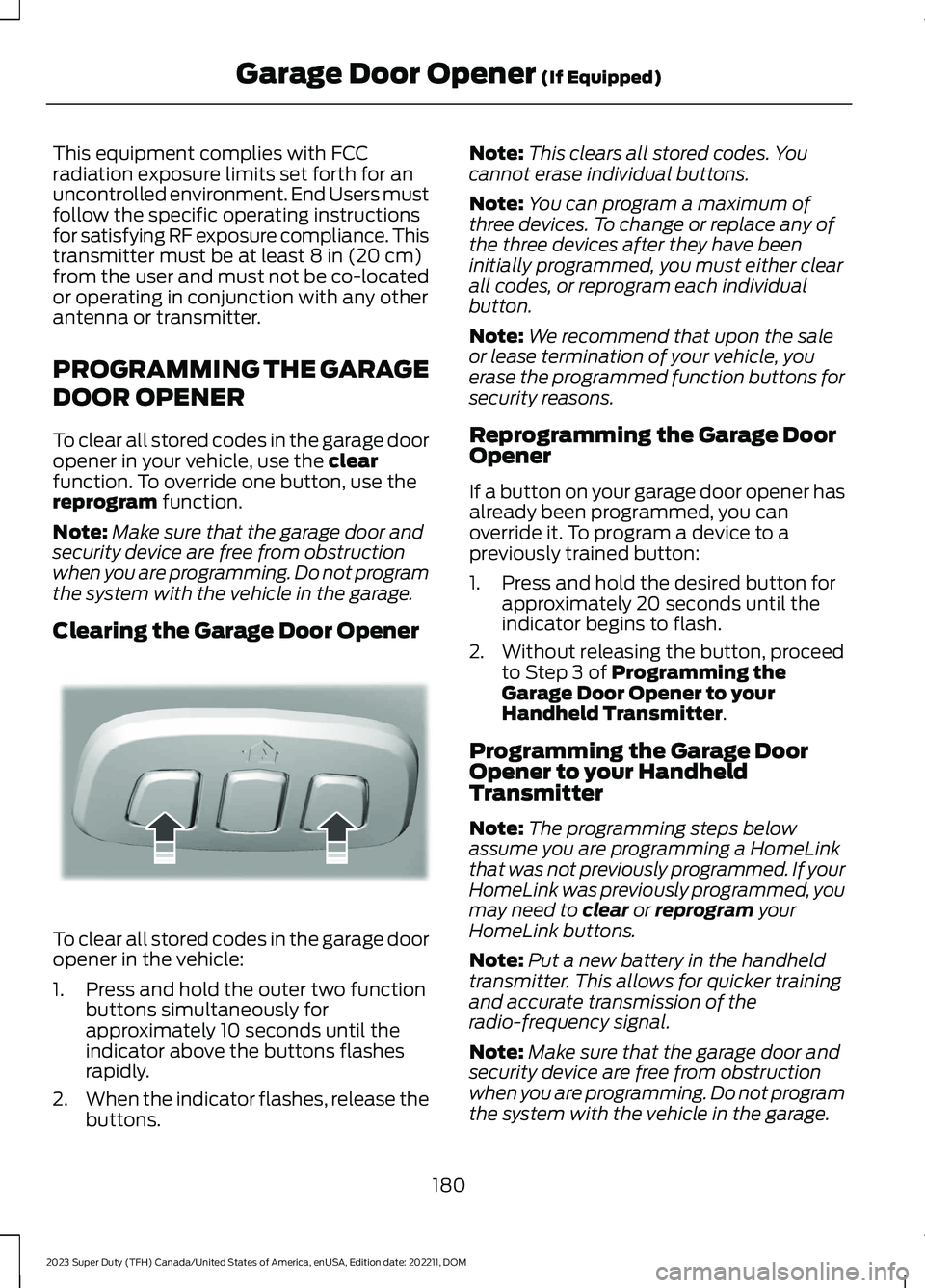
To clear all stored codes in the garage dooropener in the vehicle:
1.Press and hold the outer two functionbuttons simultaneously forapproximately 10 seconds until theindicator above the buttons flashesrapidly.
2.When the indicator flashes, release thebuttons.
Note:This clears all stored codes. Youcannot erase individual buttons.
Note:You can program a maximum ofthree devices. To change or replace any ofthe three devices after they have beeninitially programmed, you must either clearall codes, or reprogram each individualbutton.
Note:We recommend that upon the saleor lease termination of your vehicle, youerase the programmed function buttons forsecurity reasons.
Reprogramming the Garage DoorOpener
If a button on your garage door opener hasalready been programmed, you canoverride it. To program a device to apreviously trained button:
1.Press and hold the desired button forapproximately 20 seconds until theindicator begins to flash.
2.Without releasing the button, proceedto Step 3 of Programming theGarage Door Opener to yourHandheld Transmitter.
Programming the Garage DoorOpener to your HandheldTransmitter
Note:The programming steps belowassume you are programming a HomeLinkthat was not previously programmed. If yourHomeLink was previously programmed, youmay need to clear or reprogram yourHomeLink buttons.
Note:Put a new battery in the handheldtransmitter. This allows for quicker trainingand accurate transmission of theradio-frequency signal.
Note:Make sure that the garage door andsecurity device are free from obstructionwhen you are programming. Do not programthe system with the vehicle in the garage.
180
2023 Super Duty (TFH) Canada/United States of America, enUSA, Edition date: 202211, DOMGarage Door Opener (If Equipped)E188213
Page 199 of 738
WHAT IS THE WIRELESS
ACCESSORY CHARGER
The wireless accessory charger allows youto charge one compatible Qi wirelesscharging device on the charging area.
WIRELESS ACCESSORY
CHARGER PRECAUTIONS
WARNING: Wireless chargingdevices can affect the operation ofimplanted medical devices, includingcardiac pacemakers. If you have anyimplanted medical devices, werecommend that you consult with yourphysician.
WARNING: Remove all metalobjects like coins and keys from thecharging surface and remove any metalobjects attached to your mobile phonebefore placing the device on the chargingsurface. Some mobile devices or casesmay attract metal objects. Metal objectson the charging surface or attached tothe phone may become hot whilecharging is active. If an object is left onor near the charging surface or attachedto the phone while the device is charging,let the objects cool before removing toprevent personal injury.
Keep the charging area clean and removeforeign objects prior to charging a device.
Do not place items with a magnetic stripor radio-frequency identification chip, forexample passports, parking tickets,transportation passes or credit cards, nearthe charging area when charging a device.Damage could occur to the magnetic stripor radio-frequency identification chip.
Do not place metal objects, for exampleremote controls, coins and candywrappers, on or near the charging areawhen charging a device. Metal objects mayheat up and degrade the chargingperformance, in addition to causinginterruptions in charging.
Charging could be interrupted, degraded,or could stop if any of the following occur:
•The system detects a foreign object.
•The device is misaligned on thecharging area.
•The device moves on the activecharging area when the vehicle is inmotion.
•The vehicle ambient temperature is toohigh.
•You attempt to charge a non-Qicompatible device on the wirelesscharger.
Note:During charging, the device and thecharger could heat up, this is normal. If thebattery gets hotter than usual, the devicemay stop charging.
LOCATING THE WIRELESS
ACCESSORY CHARGER
The charging area is in the centerconsole media bin below theinstrument panel.
CHARGING A WIRELESS
DEVICE
Place the device on the center of thecharging surface with the charging sidedown. The charging stops after your devicereaches a full charge.
You can use the charger when the vehicleis in accessory mode, when the vehicle isrunning, or when SYNC is on.
195
2023 Super Duty (TFH) Canada/United States of America, enUSA, Edition date: 202211, DOMWireless Accessory ChargerE297549
Page 207 of 738
Switching the Ignition On
Turn the key to position II. All electricalcircuits and accessories are operationaland the warning lamps and indicatorsilluminate.
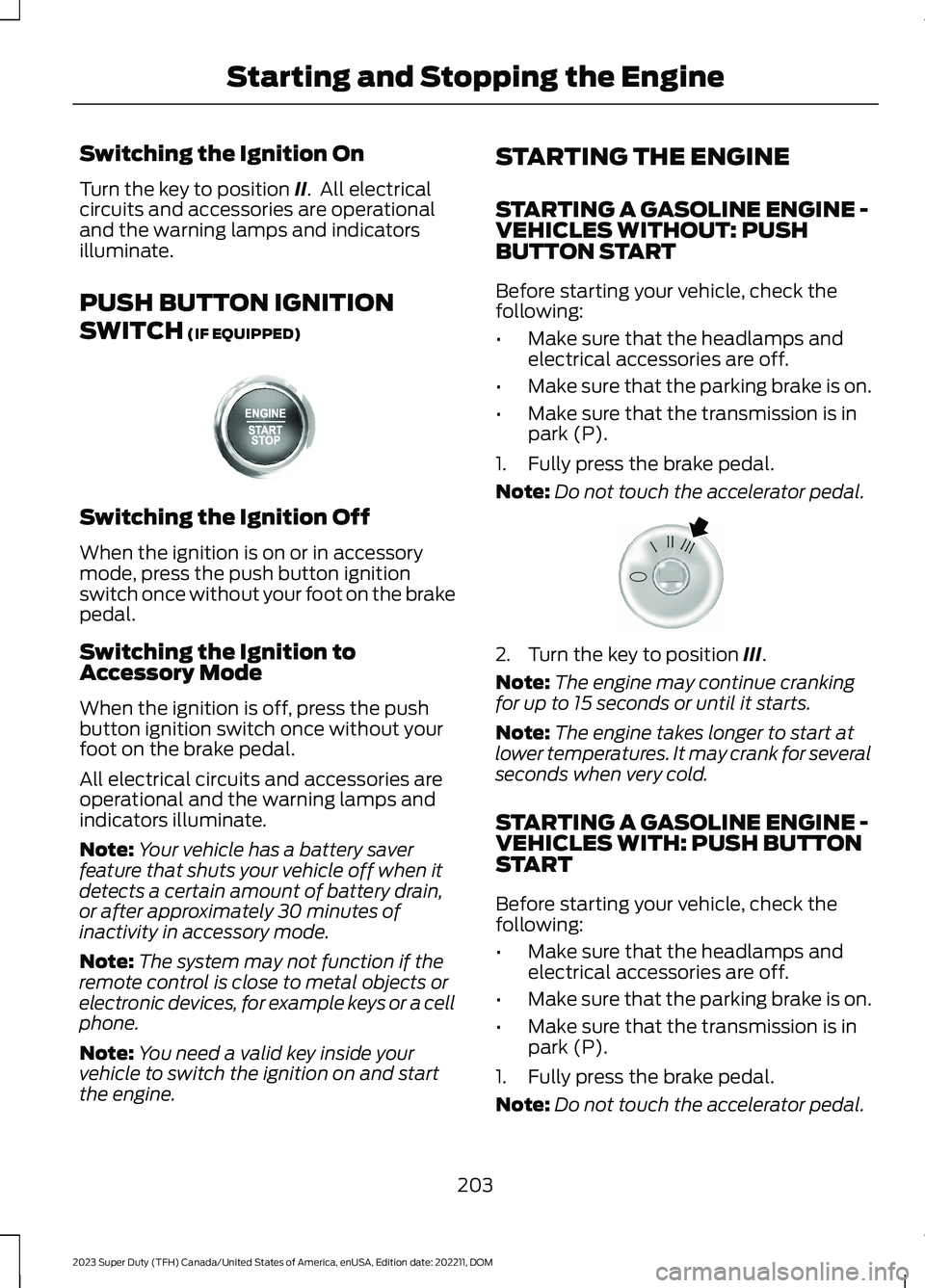
PUSH BUTTON IGNITION
SWITCH (IF EQUIPPED)
Switching the Ignition Off
When the ignition is on or in accessorymode, press the push button ignitionswitch once without your foot on the brakepedal.
Switching the Ignition toAccessory Mode
When the ignition is off, press the pushbutton ignition switch once without yourfoot on the brake pedal.
All electrical circuits and accessories areoperational and the warning lamps andindicators illuminate.
Note:Your vehicle has a battery saverfeature that shuts your vehicle off when itdetects a certain amount of battery drain,or after approximately 30 minutes ofinactivity in accessory mode.
Note:The system may not function if theremote control is close to metal objects orelectronic devices, for example keys or a cellphone.
Note:You need a valid key inside yourvehicle to switch the ignition on and startthe engine.
STARTING THE ENGINE
STARTING A GASOLINE ENGINE -VEHICLES WITHOUT: PUSHBUTTON START
Before starting your vehicle, check thefollowing:
•Make sure that the headlamps andelectrical accessories are off.
•Make sure that the parking brake is on.
•Make sure that the transmission is inpark (P).
1.Fully press the brake pedal.
Note:Do not touch the accelerator pedal.
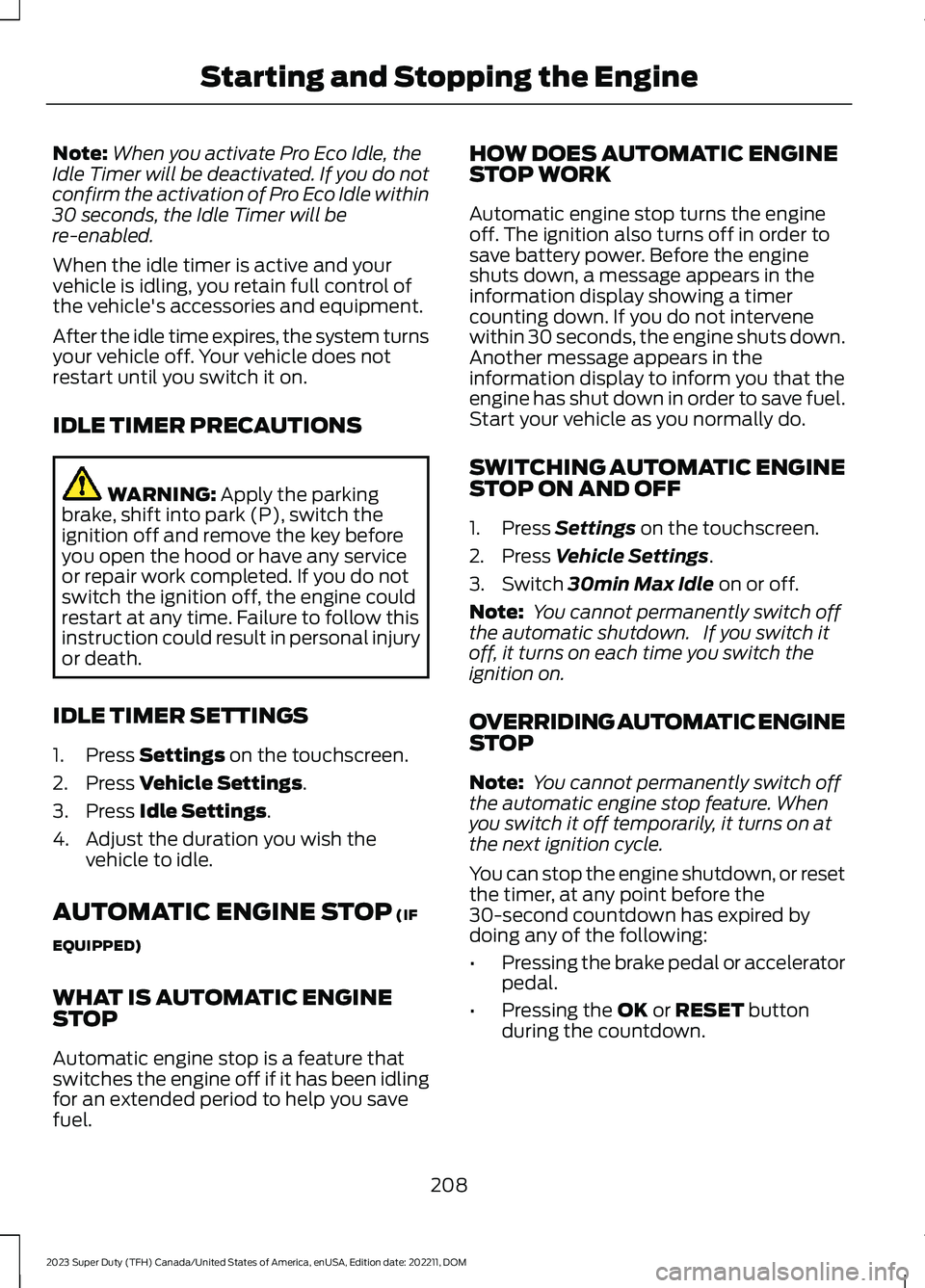
2.Turn the key to position III.
Note:The engine may continue crankingfor up to 15 seconds or until it starts.
Note:The engine takes longer to start atlower temperatures. It may crank for severalseconds when very cold.
STARTING A GASOLINE ENGINE -VEHICLES WITH: PUSH BUTTONSTART
Before starting your vehicle, check thefollowing:
•Make sure that the headlamps andelectrical accessories are off.
•Make sure that the parking brake is on.
•Make sure that the transmission is inpark (P).
1.Fully press the brake pedal.
Note:Do not touch the accelerator pedal.
203
2023 Super Duty (TFH) Canada/United States of America, enUSA, Edition date: 202211, DOMStarting and Stopping the EngineE357998 E322354
Page 212 of 738
Note:When you activate Pro Eco Idle, theIdle Timer will be deactivated. If you do notconfirm the activation of Pro Eco Idle within30 seconds, the Idle Timer will bere-enabled.
When the idle timer is active and yourvehicle is idling, you retain full control ofthe vehicle's accessories and equipment.
After the idle time expires, the system turnsyour vehicle off. Your vehicle does notrestart until you switch it on.
IDLE TIMER PRECAUTIONS
WARNING: Apply the parkingbrake, shift into park (P), switch theignition off and remove the key beforeyou open the hood or have any serviceor repair work completed. If you do notswitch the ignition off, the engine couldrestart at any time. Failure to follow thisinstruction could result in personal injuryor death.
IDLE TIMER SETTINGS
1.Press Settings on the touchscreen.
2.Press Vehicle Settings.
3.Press Idle Settings.
4.Adjust the duration you wish thevehicle to idle.
AUTOMATIC ENGINE STOP (IF
EQUIPPED)
WHAT IS AUTOMATIC ENGINESTOP
Automatic engine stop is a feature thatswitches the engine off if it has been idlingfor an extended period to help you savefuel.
HOW DOES AUTOMATIC ENGINESTOP WORK
Automatic engine stop turns the engineoff. The ignition also turns off in order tosave battery power. Before the engineshuts down, a message appears in theinformation display showing a timercounting down. If you do not intervenewithin 30 seconds, the engine shuts down.Another message appears in theinformation display to inform you that theengine has shut down in order to save fuel.Start your vehicle as you normally do.
SWITCHING AUTOMATIC ENGINESTOP ON AND OFF
1.Press Settings on the touchscreen.
2.Press Vehicle Settings.
3.Switch 30min Max Idle on or off.
Note: You cannot permanently switch offthe automatic shutdown. If you switch itoff, it turns on each time you switch theignition on.
OVERRIDING AUTOMATIC ENGINESTOP
Note: You cannot permanently switch offthe automatic engine stop feature. Whenyou switch it off temporarily, it turns on atthe next ignition cycle.
You can stop the engine shutdown, or resetthe timer, at any point before the30-second countdown has expired bydoing any of the following:
•Pressing the brake pedal or acceleratorpedal.
•Pressing the OK or RESET buttonduring the countdown.
208
2023 Super Duty (TFH) Canada/United States of America, enUSA, Edition date: 202211, DOMStarting and Stopping the Engine