horn FORD SUPER DUTY 2023 Owners Manual
[x] Cancel search | Manufacturer: FORD, Model Year: 2023, Model line: SUPER DUTY, Model: FORD SUPER DUTY 2023Pages: 738, PDF Size: 18.49 MB
Page 7 of 738
Tailgate Step.................................................100
Tailgate – Troubleshooting.......................101
Tailgate Videos.............................................102
Security
Passive Anti-Theft System......................103
Anti-Theft Alarm System.........................103
Anti-Theft Alarm System Settings.......104
Security – Troubleshooting.....................105
Power Running Boards
Power Running Board Precautions.......107
Power Running Board Settings..............107
Power Running Boards –Troubleshooting......................................108
Power Running Boards Videos..............108
Steering Wheel
Adjusting the Steering Wheel - VehiclesWith: Manual Adjustable SteeringColumn.......................................................109
Adjusting the Steering Wheel - VehiclesWith: Power Adjustable SteeringColumn.......................................................109
Resetting the Stopping Position -Vehicles With: Power AdjustableSteering Column.......................................110
Horn...................................................................110
Switching the Heated Steering WheelOn and Off....................................................111
Steering Wheel Videos................................111
Adjustable Pedals
Adjusting the Pedals....................................112
Wipers and Washers
Wipers...............................................................113
Autowipers......................................................113
Checking the Wiper Blades.......................114
Replacing the Front Wiper Blades.........114
Washers...........................................................114
Wipers and Washers Videos.....................115
Wipers and Washers – Troubleshooting..........................................................................115
Exterior Lighting
Exterior Lighting Control.............................117
Headlamps......................................................117
Headlamps – Troubleshooting................117
Autolamps......................................................118
Exterior Lamps..............................................118
Exterior Zone Lighting.................................121
Automatic High Beam Control...............122
Automatic High Beam Control –Troubleshooting.......................................124
Adaptive Front Lighting.............................124
Exterior Lighting Videos.............................125
Interior Lighting
Switching All of the Interior Lamps Onand Off........................................................126
Switching the Front Interior Lamps Onand Off........................................................126
Switching the Rear Interior Lamps Onand Off........................................................126
Interior Lamp Function..............................126
Adjusting the Instrument Panel LightingBrightness...................................................127
Ambient Lighting..........................................127
Interior Lighting – Troubleshooting.......127
Windows
Opening and Closing the Windows......128
Global Opening............................................128
Window Bounce-Back...............................129
Locking the Rear Window Controls......129
Opening and Closing the SlidingWindows.....................................................129
Windows Videos..........................................130
Interior Mirror
Interior Mirror Precautions.........................131
3
2023 Super Duty (TFH) Canada/United States of America, enUSA, Edition date: 202211, DOMTable of Contents
Page 28 of 738
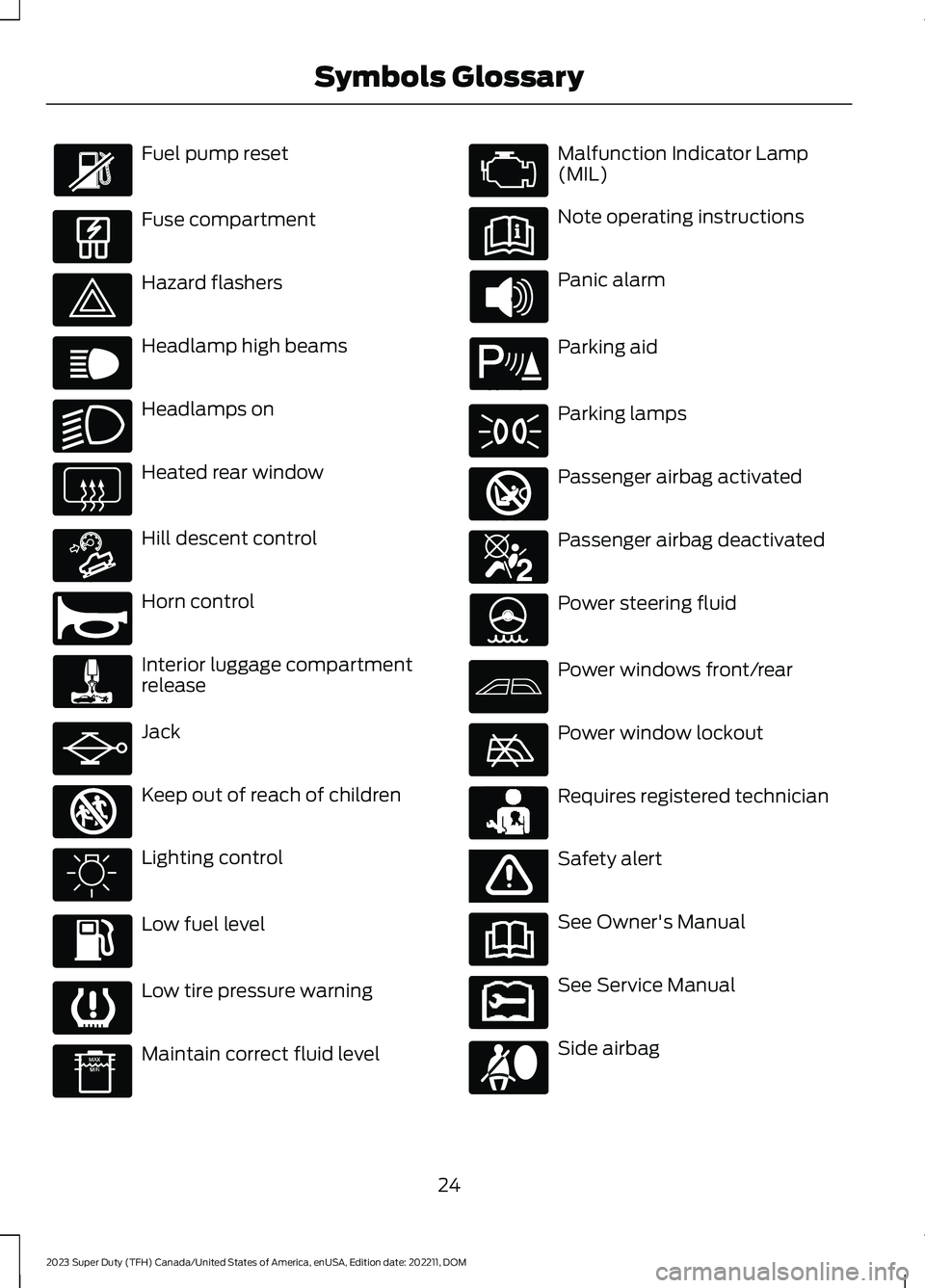
Fuel pump reset
Fuse compartment
Hazard flashers
Headlamp high beams
Headlamps on
Heated rear window
Hill descent control
Horn control
Interior luggage compartmentrelease
Jack
Keep out of reach of children
Lighting control
Low fuel level
Low tire pressure warning
Maintain correct fluid level
Malfunction Indicator Lamp(MIL)
Note operating instructions
Panic alarm
Parking aid
Parking lamps
Passenger airbag activated
Passenger airbag deactivated
Power steering fluid
Power windows front/rear
Power window lockout
Requires registered technician
Safety alert
See Owner's Manual
See Service Manual
Side airbag
24
2023 Super Duty (TFH) Canada/United States of America, enUSA, Edition date: 202211, DOMSymbols Glossary E139214 E75790 E67019 E270968 E163171 E270945 E139231 E161353 E139232 E139229 E67028 E72343 E139213 E71341 E270849 E270850 E139216 E139225 E231159 E65963 E72021 E231158
Page 86 of 738
AUTOUNLOCK
WHAT IS AUTOUNLOCK
Autounlock is a feature that centrallyunlocks the vehicle doors when yourvehicle comes to a stop and you open thedriver door.
AUTOUNLOCK REQUIREMENTS
Autounlock unlocks all the doors after:
1.The vehicle speed exceeds 12 mph(20 km/h).
2.Your vehicle comes to a stop.
3.You open the driver door.
Note:Autounlock operates for only 10minutes after the ignition is switched off.
SWITCHING AUTOUNLOCK ONAND OFF
1.Using the instrument cluster displaycontrols on the steering wheel, selectSettings.
2.Select Vehicle Settings.
3.Switch Autounlock on or off.
AUTOLOCK
WHAT IS AUTOLOCK
Autolock is a locking feature that centrallylocks your vehicle doors when driving.
AUTOLOCK REQUIREMENTS
Autolock locks all the doors after:
1.All doors are closed and the ignition ison.
2.Your vehicle speed exceeds 12 mph(20 km/h).
Autolock repeats if:
1.Your vehicle is stopped.
2.Any door is opened and closed again.
3.Your vehicle speed exceeds 12 mph(20 km/h).
MISLOCK
WHAT IS MISLOCK
Mislock is a locking feature that warns youif your vehicle has not locked.
MISLOCK LIMITATIONS
When you press the lock button once, theturn signals do not flash if:
•Any door or the tailgate is open.
•The hood is open.
If you switch mislock off, the horn does notsound if you press the lock button on theremote control when a door is open.
SWITCHING MISLOCK ON ANDOFF
1.Using the instrument cluster displaycontrols on the steering wheel, selectSettings.
2.Select Vehicle Settings.
3.Switch Mislock Chirp on or off.
DOORS AND LOCKS AUDIBLE
WARNINGS
Door Ajar Audible Warning
Sounds when any front door is not fullyclosed and your vehicle is moving.
82
2023 Super Duty (TFH) Canada/United States of America, enUSA, Edition date: 202211, DOMDoors and Locks
Page 89 of 738
KEYLESS ENTRY LIMITATIONS
Make sure your remote control is within 3 ft(1 m) from the front door handles and thetailgate.
The system could not function if:
•The remote control remains stationaryfor about a minute.
•The vehicle battery has no charge.
•The remote control battery has nocharge.
•There is interference causing issueswith the remote control frequencies.
•The remote control is too close tometal objects or electronic devices, forexample keys or a cell phone.
KEYLESS ENTRY SETTINGS
Switching Keyless Entry On andOff
1.Switch the ignition on using an originalkey that has not been created as aMyKey.
2.Press Settings on the touchscreen.
3.Press Vehicle Settings.
4.Press Locks.
Reprogramming the UnlockingFunction
You can enable the two-stage unlockingfunction allowing you to unlock only thedriver door when you touch the unlocksensor.
Press and hold both the lock and unlockbuttons on the remote control for fourseconds to disable or enable two-stageunlocking.
If you program the unlocking function sothat only the driver door unlocks, you canunlock all of the other doors from insideyour vehicle using the power door lockcontrol. You can unlock individual doorsby pulling the interior door handles onthose doors.
Keyless Detection Alert (If Equipped)
Displays a message in the instrumentcluster if no valid key is detected and alsosounds the horn when you exit your vehiclewith a key, after the last door is closed andyour keyless vehicle is in run, indicating yourvehicle is still on.
You can switch the audible alert on or off.
1.Press Settings on the touchscreen.
2.Press Vehicle.
3.Switch Key Detection Alert On or Off.
USING KEYLESS ENTRY
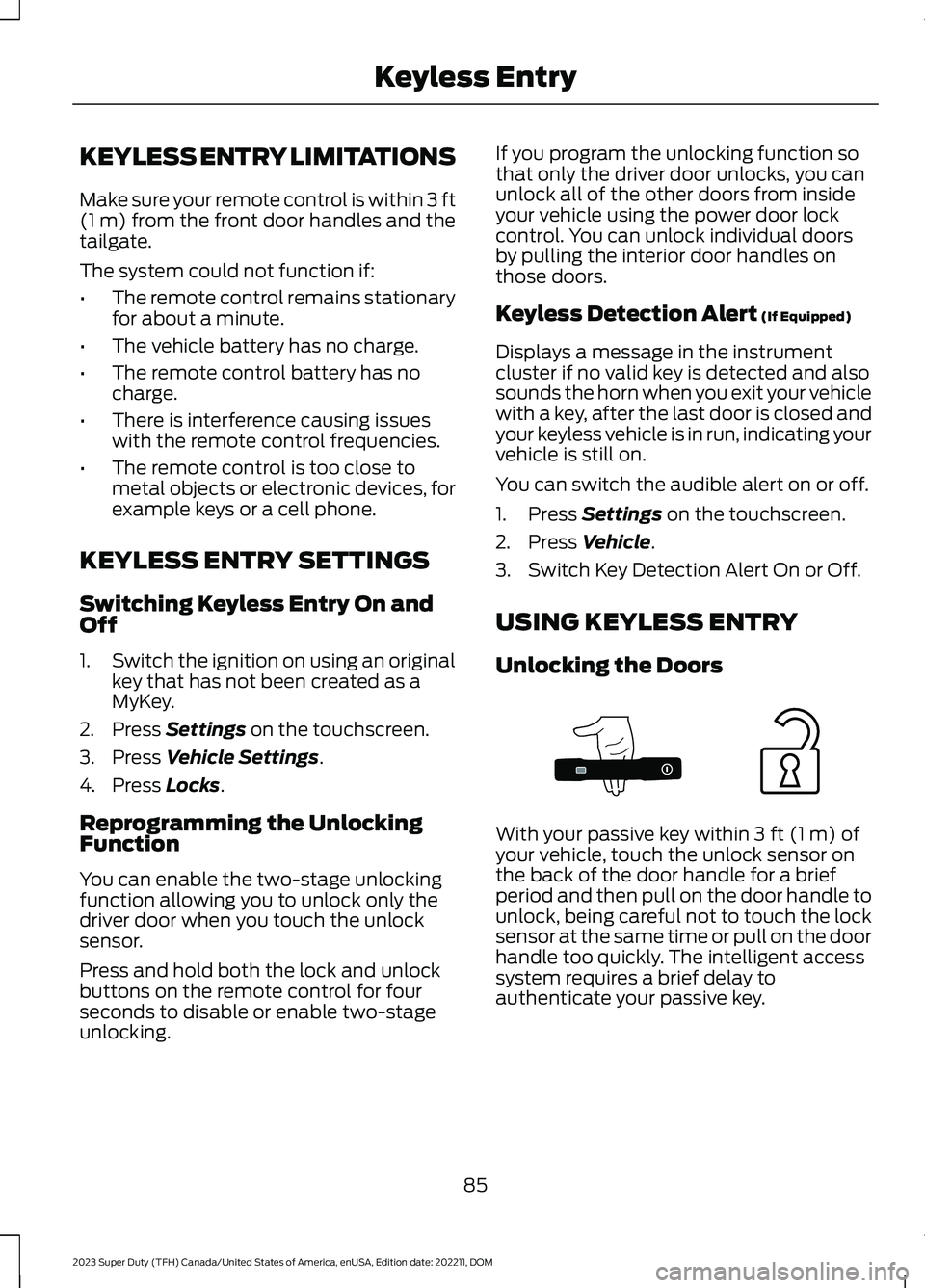
Unlocking the Doors
With your passive key within 3 ft (1 m) ofyour vehicle, touch the unlock sensor onthe back of the door handle for a briefperiod and then pull on the door handle tounlock, being careful not to touch the locksensor at the same time or pull on the doorhandle too quickly. The intelligent accesssystem requires a brief delay toauthenticate your passive key.
85
2023 Super Duty (TFH) Canada/United States of America, enUSA, Edition date: 202211, DOMKeyless EntryE333747
Page 107 of 738
PASSIVE ANTI-THEFT
SYSTEM
WHAT IS THE PASSIVE ANTI-THEFT SYSTEM
The passive anti-theft system preventssomeone from starting your vehicle withan incorrectly coded key.
Note:Do not leave a duplicate coded keyin your vehicle. Always take the keys andlock all the doors when leaving your vehicle.
HOW DOES THE PASSIVE ANTI-THEFT SYSTEM WORK
The passive anti-theft system arms whenyou switch the ignition off.
It disarms when you switch the ignition onwith a correctly coded key.
Note:The system is not compatible withnon-Ford aftermarket remote start systems.
Note:Do not leave a duplicate coded keyin your vehicle. Always take the keys andlock all doors when leaving your vehicle.
ANTI-THEFT ALARM SYSTEM
WHAT IS THE ANTI-THEFT ALARMSYSTEM
The anti-theft alarm system warns you ofan unauthorized entry to your vehicle.
HOW DOES THE ANTI-THEFTALARM SYSTEM WORK
When armed, the anti-theft alarm istriggered in any of the following ways:
•If someone opens a door, the tailgateor the hood without a correctly codedkey or remote control.
•If you turn the power on without acorrectly coded key.
•If the interior sensors detect movementinside your vehicle.
•If the inclination sensors detect anattempt to raise your vehicle.
•If someone disconnects the vehiclebattery or the battery backup alarm.
•If someone disconnects the trailer. SeeConnecting a Trailer (page 359).
Any further attempts to carry out one ofthe above, sounds the alarm again.
If the anti-theft alarm is triggered, thealarm horn sounds for 30 seconds and theturn signals flash for five minutes.
WHAT IS THE PERIMETER ALARM
The perimeter alarm is designed to detectunauthorized access to your vehicle.
WHAT ARE THE INTERIORSENSORS (If Equipped)
The interior sensors are designed to detectany movement inside your vehicle.
The interior sensors are in the overheadconsole.
Note:Do not cover the interior sensors.
103
2023 Super Duty (TFH) Canada/United States of America, enUSA, Edition date: 202211, DOMSecurity
Page 114 of 738
End of Travel Position
The steering column sets a stoppingposition just short of the end of the columnposition to prevent damage to the steeringcolumn. A new stopping position sets ifthe steering column encounters an objectwhen tilting or telescoping.
To reset the steering column to its normalstopping position:
1.Confirm there is nothing obstructingthe motion of the steering column.
2.Press and hold the steering columncontrol until the steering column stopsmoving.
3.Press the steering column controlagain.
Note:The steering column may begin tomove again.
4.When the steering column stops,continue holding the control for a fewseconds.
5.Repeat for each direction as necessary.
A new stopping position sets. The nexttime you tilt or telescope the steeringcolumn, it stops just short of the end of thecolumn position.
Memory Feature (If Equipped)
You can save and recall the steeringcolumn position with the memoryfunction. See Memory Function (page177).
Pressing the adjustment control during amemory recall cancels the operation.
Easy Entry and Exit Feature
The column moves up when you switchthe ignition off. Switch the ignition on toreturn the system to its previous settings.You can switch this feature on or off in theinstrument cluster display.
Note: If you press any adjustment ormemory button when in easy exit mode, thesystem cancels the operation.
Note:Depending on your vehicle, thecolumn may move up and in.
RESETTING THE STOPPING
POSITION - VEHICLES WITH:
POWER ADJUSTABLE
STEERING COLUMN
Note:The steering wheel stops when itdetects an obstruction. This sets a newstopping position.
To reset the steering column to its normalstopping position:
1.Confirm there is nothing obstructingthe motion of the steering column.
2.Press and hold the steering columncontrol until the steering column stopsmoving.
3.Press the steering column controlagain.
Note:The steering column may start tomove again.
4.When the steering column stops,continue holding the control for a fewseconds.
5.Repeat for each direction, as necessary.
HORN
Press on the center of thesteering wheel near the horn iconto activate the horn.
110
2023 Super Duty (TFH) Canada/United States of America, enUSA, Edition date: 202211, DOMSteering WheelE270945
Page 153 of 738
WHAT IS REMOTE START
The system allows you to remotely startyour vehicle and to adjust the interiortemperature according to the settings thatyou chose.
REMOTE START
PRECAUTIONS
WARNING: Do not start the enginein a closed garage or in other enclosedareas. Exhaust fumes are toxic. Alwaysopen the garage door before you startthe engine. Failure to follow thisinstruction could result in personal injuryor death.
REMOTE START LIMITATIONS
Remote start does not work under thefollowing conditions:
•The alarm horn is sounding.
•The hood is open.
•The transmission is not in park (P).
•The ignition is on.
•The battery voltage is below theminimum operating voltage.
•Remote start is not enabled.
Note:Do not use remote start if the fuellevel is low.
ENABLING REMOTE START
1.Press Settings on the touchscreen.
2.Press Vehicle.
3.Press Remote Start Setup.
4.Switch Remote Start on or off.
Note:To remote start with FordPass, makesure that the modem is enabled. SeeConnecting FordPass to the Modem(page 548).
REMOTELY STARTING AND
STOPPING THE VEHICLE
Remotely Starting the Vehicle
Press the button on the remotecontrol.
Within three seconds, press thebutton on the remote control.
Within three seconds, press thebutton again.
Note:You can also use FordPass to startthe vehicle.
Note:The vehicle doors lock when yousuccessfully remote start your vehicle.
Note:The turn signal lamps flash twice.
Note:The parking lamps turn on when thevehicle is running.
Note:The horn sounds if the system failsto start.
Note:All other vehicle systems remain offwhen you have remotely started the vehicle.
Note:The vehicle remains secured whenyou have remotely started the vehicle. Avalid key must be inside your vehicle toswitch the ignition on and drive your vehicle.
Remotely Stopping the Vehicle
Press the button on the remotecontrol.
149
2023 Super Duty (TFH) Canada/United States of America, enUSA, Edition date: 202211, DOMRemote Start (If Equipped)E138623 E138625 E138625
Page 178 of 738
WHAT IS THE REAR
OCCUPANT ALERT SYSTEM
The rear occupant alert system monitorsvehicle conditions and notifies you to checkfor rear seat occupants when you switchthe ignition off. The notifications can be inthe form of warnings inside the vehicle andsounding of the horn if activated for a shortperiod of time.
HOW DOES THE REAR
OCCUPANT ALERT SYSTEM
WORK
The system monitors the activity of thebuckle on the rear seatbelt and theopening and closing of the rear doors toindicate the potential presence of anoccupant in the rear seat.
When Child Seat Installed is selected, thesystem monitors only the opening andclosing of the rear doors to indicate thepotential presence of an occupant in therear seat.
When Child Seat Installed is not selected,the system monitors the rear seatbeltbuckle activity and the opening and closingof the rear doors to indicate the potentialpresence of an occupant in the rear seat.
A message displays in the touchscreen andan audible warning sounds when youswitch the ignition off after any of thefollowing conditions have been met:
•A rear door is opened or closed whilethe ignition is on.
•You switch the ignition on within 15minutes of a rear door opening andclosing.
•You switch the ignition on within 15minutes of the alert having displayedor sounded.
If you do not open a rear door within a shortperiod of time of the message appearingin the center display, the first audiblewarning sounding and driver door open toclose, the horn sounds for a short periodof time.
Note:Horn sounds only when the RearOccupant Alert is set to Alert & Horn. Ifyou change the setting, then there is no hornsound.
REAR OCCUPANT ALERT
SYSTEM PRECAUTIONS
WARNING: On hot days, thetemperature inside the vehicle can risevery quickly. Exposure of people oranimals to these high temperatures foreven a short time can cause death orserious heat related injuries, includingbrain damage. Small children areparticularly at risk.
WARNING: Do not leave childrenor pets unattended in your vehicle.Failure to follow this instruction couldresult in personal injury or death.
REAR OCCUPANT ALERT
SYSTEM LIMITATIONS
The system does not detect the presenceof objects or passengers in the rear seat.It monitors the activity of the buckle on therear seatbelt and the opening and closingof the rear doors.
Note:It is possible to receive an alert whenthere is no rear seat occupant, but alertconditions are met.
174
2023 Super Duty (TFH) Canada/United States of America, enUSA, Edition date: 202211, DOMRear Occupant Alert System (If Equipped)
Page 179 of 738
Note:It is possible to receive no alert whenthere is an occupant in the rear seat, if alertconditions are not met. For example, if a rearseat occupant does not enter the vehiclethrough a rear door.
REAR OCCUPANT ALERT
SYSTEM SETTINGS
1.Press Settings on the touchscreen.
2.Press Vehicle.
3.Press Rear Occupant Alert.
4.Select Alert & Horn or Alert Only orOff.
Note:The default setting is Alert Only.
Note:If you choose Alert Only, the horndoes not sound even when the alertconditions are met.
Note:Performing a master reset causes thesystem to switch on again.
Switching Child Seat Installed Onand Off
When the system is switched on, itmonitors the opening and closing of therear doors to indicate the potentialpresence of an occupant in the rear seat.
1.Press Settings on the touchscreen.
2.Press Vehicle.
3.Press Rear Occupant Alert.
4.Switch Child Seat Installed on or off.
Note:The default setting is on.
Switch the system on when the childrestraint is mounted on any of thefollowing:
•Forward facing seat.
•Rear facing seat.
•Toddler in a latch system baby seat.
Switch the system off when the child isusing any of the following:
•Seatbelt.
•Booster seat.
Semiannual Reminder
When you switch the system off, amessage appears every six months as areminder that the system is off. You canswitch the system back on or leave it off.
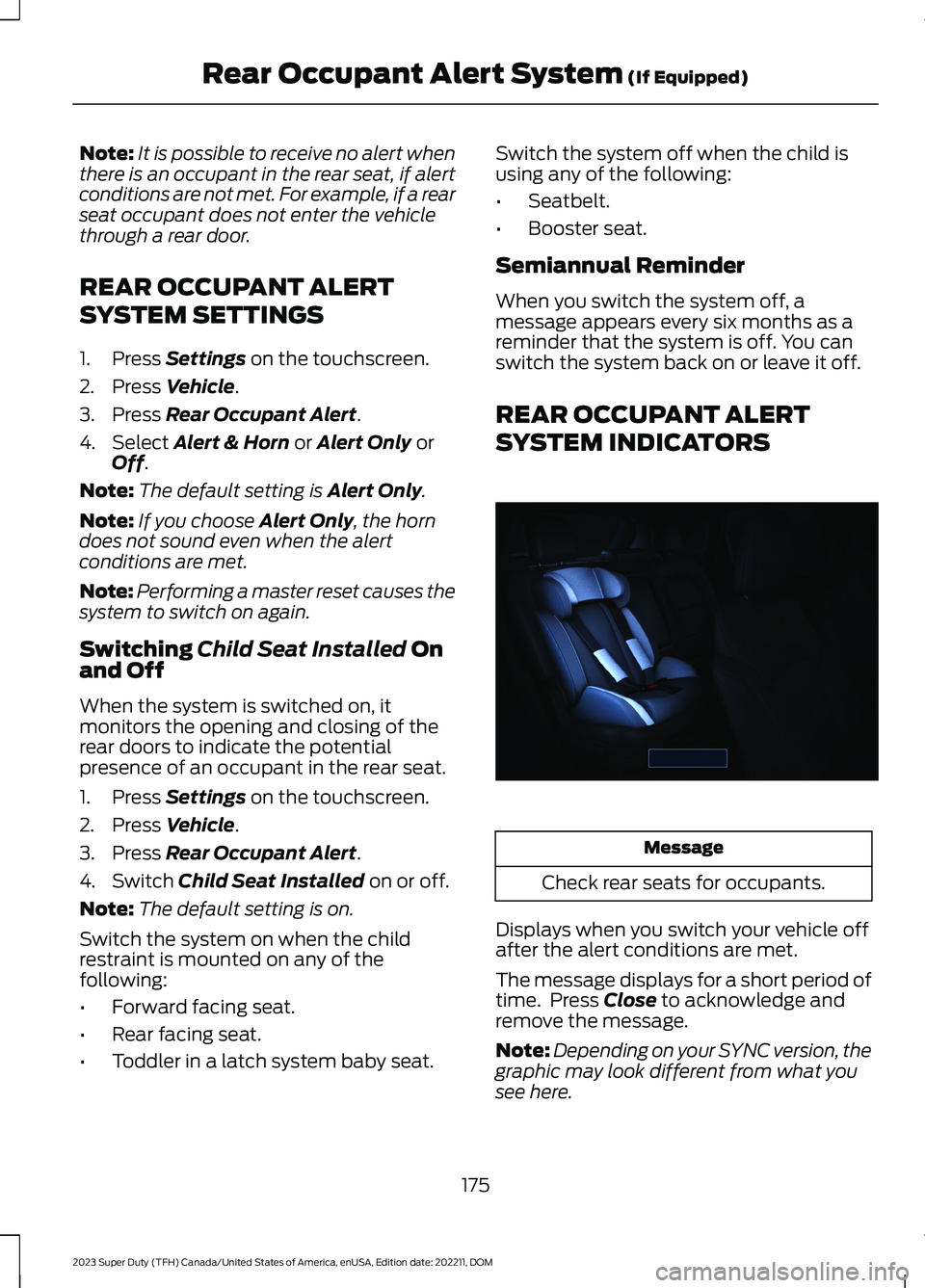
REAR OCCUPANT ALERT
SYSTEM INDICATORS
Message
Check rear seats for occupants.
Displays when you switch your vehicle offafter the alert conditions are met.
The message displays for a short period oftime. Press Close to acknowledge andremove the message.
Note:Depending on your SYNC version, thegraphic may look different from what yousee here.
175
2023 Super Duty (TFH) Canada/United States of America, enUSA, Edition date: 202211, DOMRear Occupant Alert System (If Equipped)E350472
Page 180 of 738
REAR OCCUPANT ALERT
SYSTEM AUDIBLE WARNINGS
The first audible warning is an alert tonewithin the vehicle, which sounds when youswitch your vehicle off after the alertconditions are met. The warning soundsfor a short period of time.
The second audible warning is from thehorn. It sounds when you do not open arear door within a short period of time ofthe message appearing in the centerdisplay, the first audible warning sounding,and driver door open to close. The warningsounds for a short period of time.
176
2023 Super Duty (TFH) Canada/United States of America, enUSA, Edition date: 202211, DOMRear Occupant Alert System (If Equipped)