lock FORD SUPER DUTY 2023 Manual PDF
[x] Cancel search | Manufacturer: FORD, Model Year: 2023, Model line: SUPER DUTY, Model: FORD SUPER DUTY 2023Pages: 738, PDF Size: 18.49 MB
Page 176 of 738
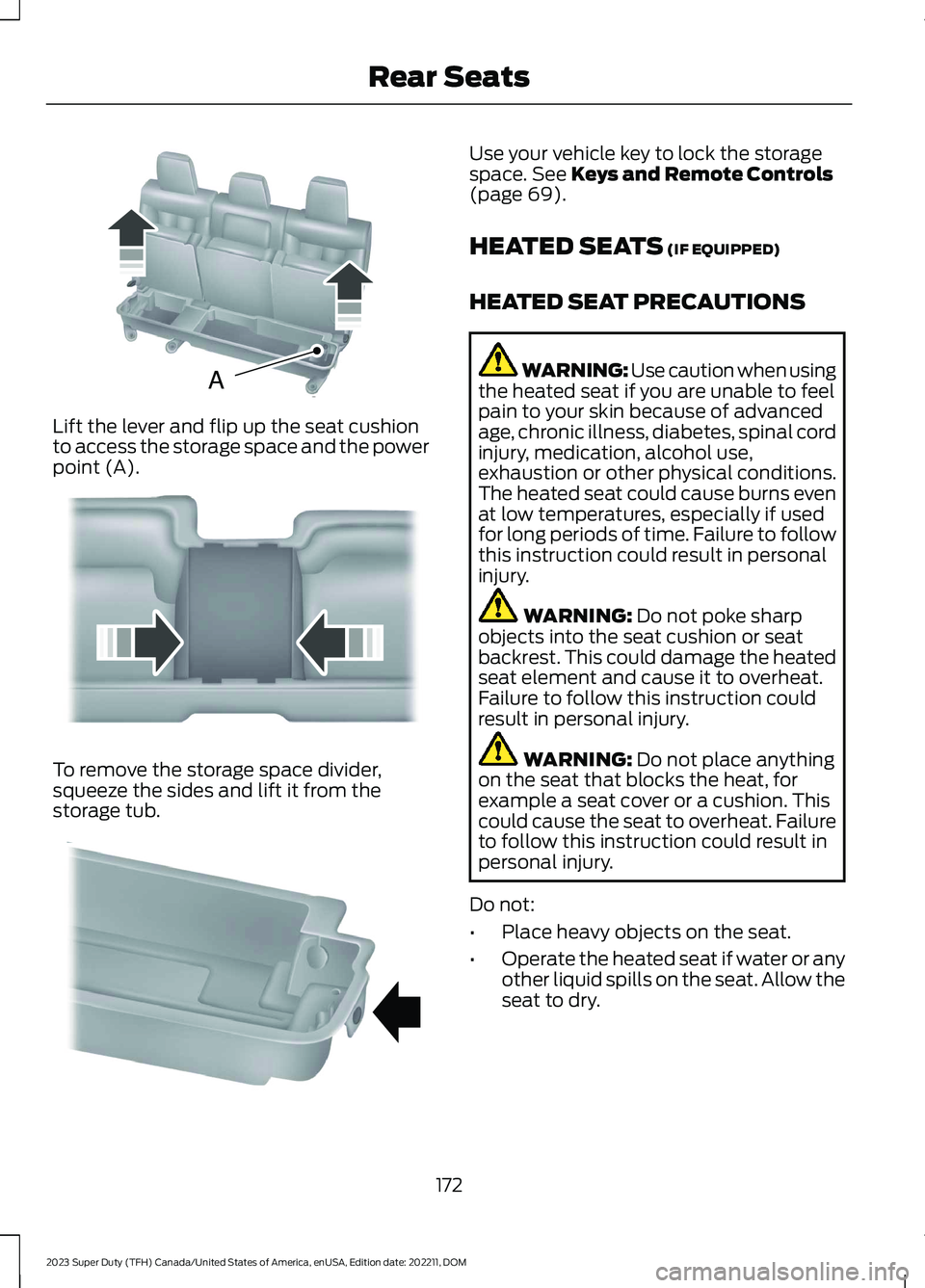
Lift the lever and flip up the seat cushionto access the storage space and the powerpoint (A).
To remove the storage space divider,squeeze the sides and lift it from thestorage tub.
Use your vehicle key to lock the storagespace. See Keys and Remote Controls(page 69).
HEATED SEATS (IF EQUIPPED)
HEATED SEAT PRECAUTIONS
WARNING: Use caution when usingthe heated seat if you are unable to feelpain to your skin because of advancedage, chronic illness, diabetes, spinal cordinjury, medication, alcohol use,exhaustion or other physical conditions.The heated seat could cause burns evenat low temperatures, especially if usedfor long periods of time. Failure to followthis instruction could result in personalinjury.
WARNING: Do not poke sharpobjects into the seat cushion or seatbackrest. This could damage the heatedseat element and cause it to overheat.Failure to follow this instruction couldresult in personal injury.
WARNING: Do not place anythingon the seat that blocks the heat, forexample a seat cover or a cushion. Thiscould cause the seat to overheat. Failureto follow this instruction could result inpersonal injury.
Do not:
•Place heavy objects on the seat.
•Operate the heated seat if water or anyother liquid spills on the seat. Allow theseat to dry.
172
2023 Super Duty (TFH) Canada/United States of America, enUSA, Edition date: 202211, DOMRear SeatsAE162739 E162740 E162741
Page 181 of 738
WHAT IS THE MEMORY
FUNCTION
The memory function recalls the positionof these features:
•Driver seat.
•Power mirrors.
•Optional power steering column.
•Optional power adjustable pedals.
MEMORY FUNCTION
PRECAUTIONS
WARNING: Before activating thememory seat, make sure that the areaimmediately surrounding the seat is clearof obstructions and that all occupantsare clear of moving parts.
WARNING: Do not use the memoryfunction when your vehicle is moving.
LOCATING THE MEMORY
FUNCTION BUTTONS
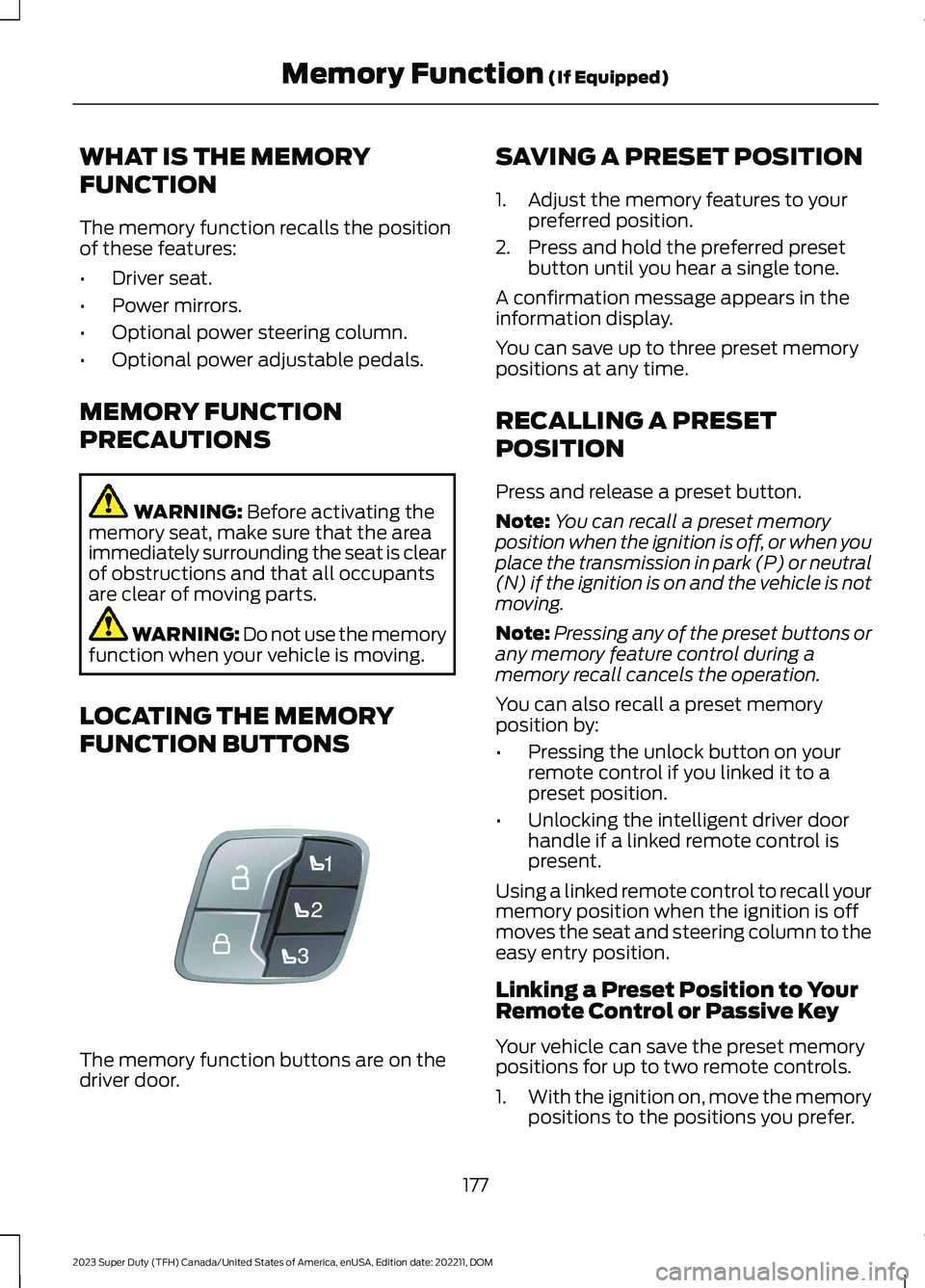
The memory function buttons are on thedriver door.
SAVING A PRESET POSITION
1.Adjust the memory features to yourpreferred position.
2.Press and hold the preferred presetbutton until you hear a single tone.
A confirmation message appears in theinformation display.
You can save up to three preset memorypositions at any time.
RECALLING A PRESET
POSITION
Press and release a preset button.
Note:You can recall a preset memoryposition when the ignition is off, or when youplace the transmission in park (P) or neutral(N) if the ignition is on and the vehicle is notmoving.
Note:Pressing any of the preset buttons orany memory feature control during amemory recall cancels the operation.
You can also recall a preset memoryposition by:
•Pressing the unlock button on yourremote control if you linked it to apreset position.
•Unlocking the intelligent driver doorhandle if a linked remote control ispresent.
Using a linked remote control to recall yourmemory position when the ignition is offmoves the seat and steering column to theeasy entry position.
Linking a Preset Position to YourRemote Control or Passive Key
Your vehicle can save the preset memorypositions for up to two remote controls.
1.With the ignition on, move the memorypositions to the positions you prefer.
177
2023 Super Duty (TFH) Canada/United States of America, enUSA, Edition date: 202211, DOMMemory Function (If Equipped)E307868
Page 182 of 738
2.Press and hold the preferred presetbutton for about five seconds. A tonesounds, and the instrument panelprompts you to press the lock buttonon your remote control.
3.Within ten seconds, press the lockbutton on the remote control you arelinking. The instrument panel indicatesa successful link.
To unlink a remote control, follow thesame procedure – except in step 3, pressthe unlock button on the remote control.
Note:If more than one linked remotecontrol is in range, the memory functionmoves to the settings of the first key toinitiate a memory recall.
MEMORY FUNCTION VIDEOS
Memory Seats Video Link
178
2023 Super Duty (TFH) Canada/United States of America, enUSA, Edition date: 202211, DOMMemory Function (If Equipped)
Page 183 of 738
GARAGE DOOR OPENER
INTRODUCTION
HomeLink Wireless ControlSystem
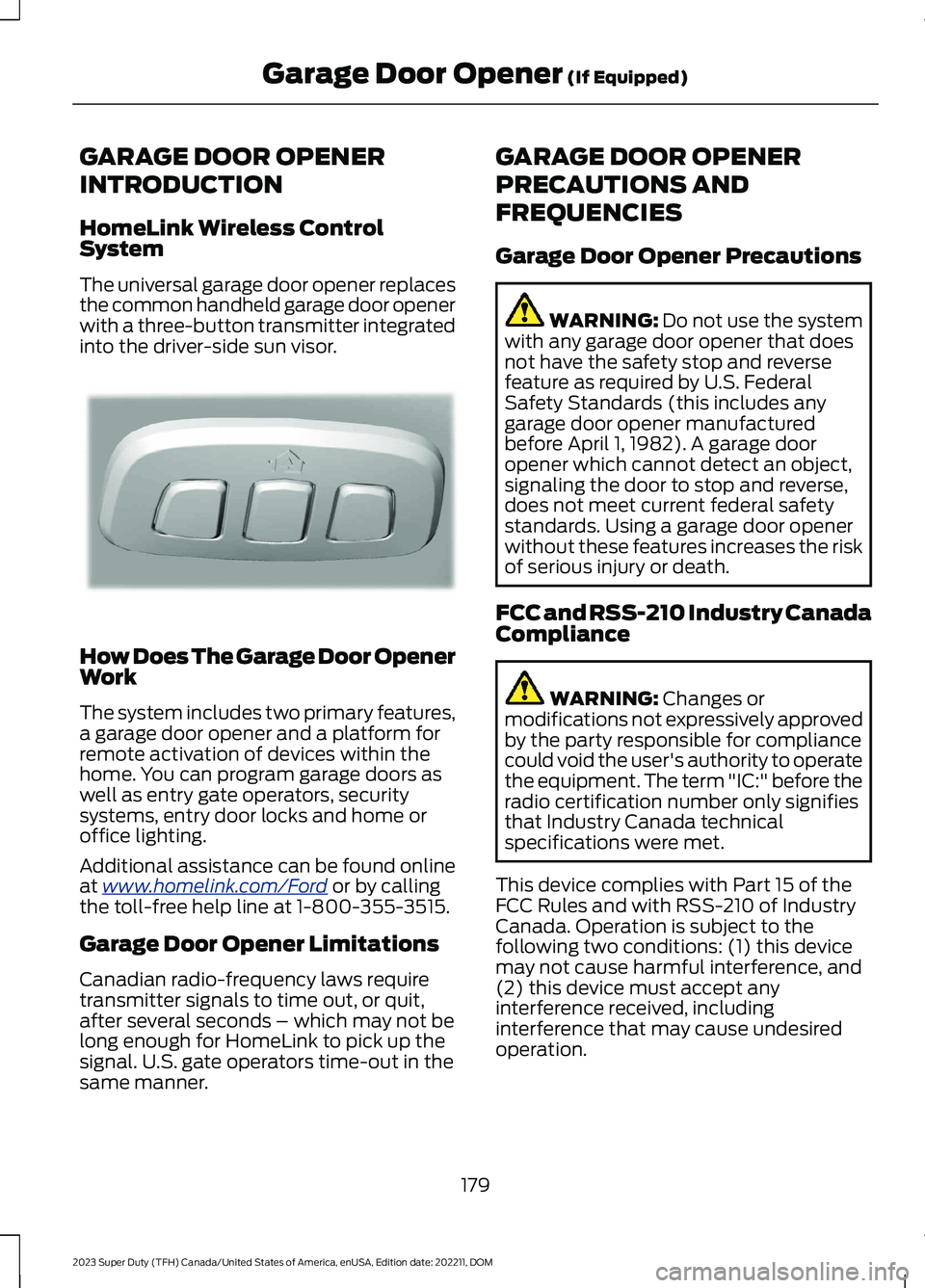
The universal garage door opener replacesthe common handheld garage door openerwith a three-button transmitter integratedinto the driver-side sun visor.
How Does The Garage Door OpenerWork
The system includes two primary features,a garage door opener and a platform forremote activation of devices within thehome. You can program garage doors aswell as entry gate operators, securitysystems, entry door locks and home oroffice lighting.
Additional assistance can be found onlineat www.homelink.com/Ford or by callingthe toll-free help line at 1-800-355-3515.
Garage Door Opener Limitations
Canadian radio-frequency laws requiretransmitter signals to time out, or quit,after several seconds – which may not belong enough for HomeLink to pick up thesignal. U.S. gate operators time-out in thesame manner.
GARAGE DOOR OPENER
PRECAUTIONS AND
FREQUENCIES
Garage Door Opener Precautions
WARNING: Do not use the systemwith any garage door opener that doesnot have the safety stop and reversefeature as required by U.S. FederalSafety Standards (this includes anygarage door opener manufacturedbefore April 1, 1982). A garage dooropener which cannot detect an object,signaling the door to stop and reverse,does not meet current federal safetystandards. Using a garage door openerwithout these features increases the riskof serious injury or death.
FCC and RSS-210 Industry CanadaCompliance
WARNING: Changes ormodifications not expressively approvedby the party responsible for compliancecould void the user's authority to operatethe equipment. The term "IC:" before theradio certification number only signifiesthat Industry Canada technicalspecifications were met.
This device complies with Part 15 of theFCC Rules and with RSS-210 of IndustryCanada. Operation is subject to thefollowing two conditions: (1) this devicemay not cause harmful interference, and(2) this device must accept anyinterference received, includinginterference that may cause undesiredoperation.
179
2023 Super Duty (TFH) Canada/United States of America, enUSA, Edition date: 202211, DOMGarage Door Opener (If Equipped)E188211
Page 191 of 738
WHAT IS THE ONBOARD
GENERATOR
The vehicle functions as a portablegenerator and can power devices thatrequire up to the rating listed on the poweroutlet label.
ONBOARD GENERATOR
PRECAUTIONS
WARNING: Do not connect anyvehicle power outlets to any premises.This can create a backfeed to utility lines.Failure to follow this instruction couldresult in property damage, fire, electricalshock or death.
WARNING: Do not keep electricaldevices plugged into the power outletwhenever the device is not in use. Theoutlet provides power when the vehicleis on. Failure to follow this instructioncould result in personal injury.
WARNING: Do not start the enginein a closed garage or in other enclosedareas. Exhaust fumes are toxic. Alwaysopen the garage door before you startthe engine. Failure to follow thisinstruction could result in personal injuryor death.
WARNING: Exhaust leaks mayresult in entry of harmful and potentiallylethal fumes into the passengercompartment. If you smell exhaustfumes inside your vehicle, have yourvehicle inspected immediately. Do notdrive if you smell exhaust fumes.
WARNING: The vehicle's engineruns while the generator is switched on.Running engines emit carbon monoxide.Only use the generator when the vehicleis outdoors. Failure to follow thisinstruction could result in personal injuryor death.
When you switch the power outlets on, thevehicle power down timer is disabled andthe vehicle continues to be powered on.
Note:We recommend using UL approveddevices for use with the power outlet.
Note:Make sure that plugged in devices donot exceed the ratings displayed on theoutlet covers.
Note:Unplug electrical devices from thepower outlet when they are not switchedon.
Note:Make sure there is no damage to theoutlets before driving your vehicle.
Note:Power could be limited duringextreme hot or cold temperatures tooptimize system performance.
Note:Close all outlet covers when not inuse.
Note:Automatic engine stop is disabledand the gasoline engine will continue to idlewhen the outlet is switched on.
Note:Make sure that objects are notblocking the inverter inlet and exhaust nearthe rear underseat storage compartment.
Note:The climate control system may turnon and power may be limited during extremehot or cold temperatures to optimize systemperformance.
Note:When the outlet is switched on andthe vehicle is in park (P) the engine turns off30 minutes after the low fuel warning isdisplayed. After the vehicle is turned off,generator mode only operates while drivingor until the vehicle is refueled.
187
2023 Super Duty (TFH) Canada/United States of America, enUSA, Edition date: 202211, DOMOnboard Generator (If Equipped)
Page 197 of 738
USING THE CENTER CONSOLE
WORK SURFACE
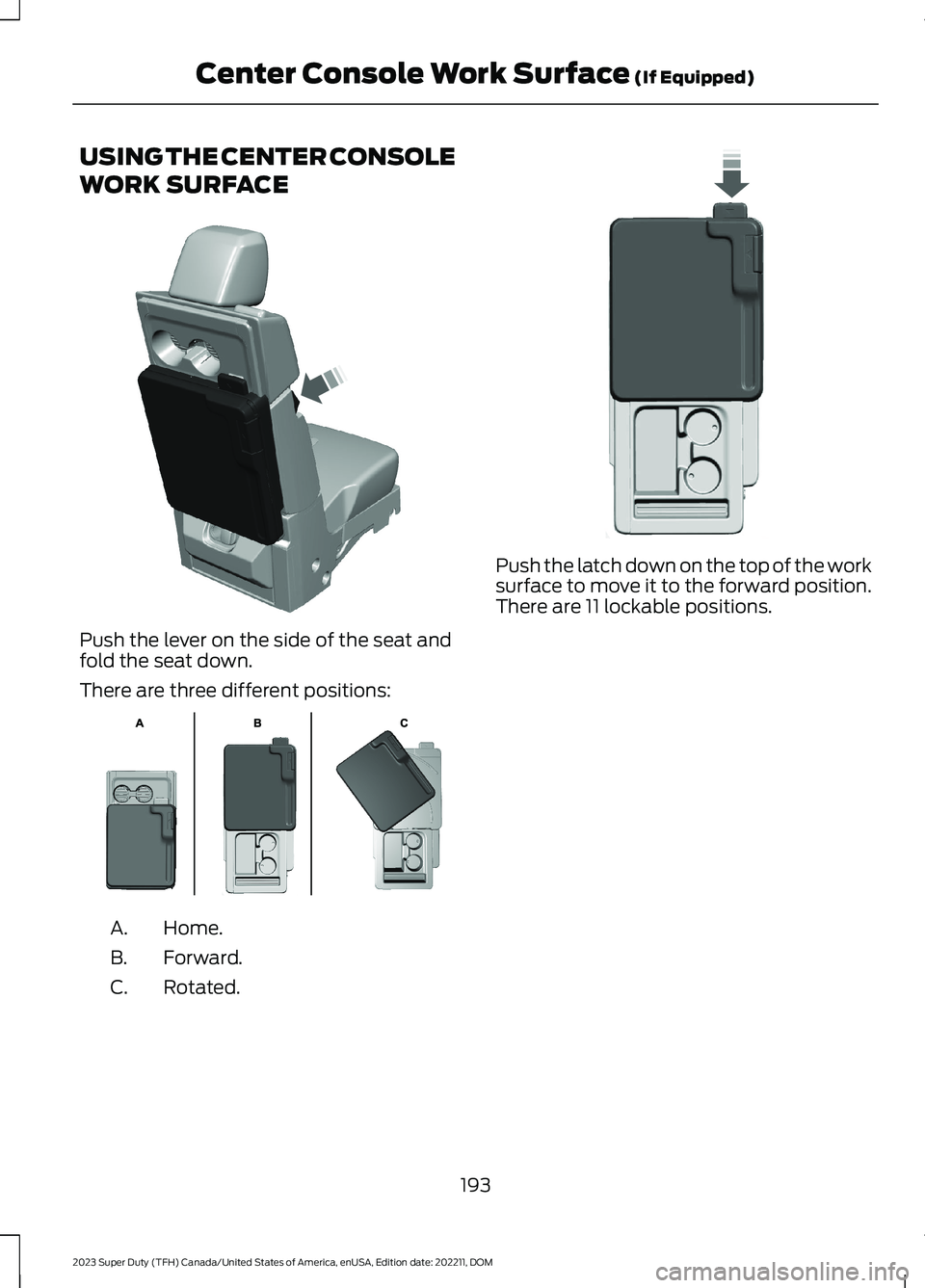
Push the lever on the side of the seat andfold the seat down.
There are three different positions:
Home.A.
Forward.B.
Rotated.C.
Push the latch down on the top of the worksurface to move it to the forward position.There are 11 lockable positions.
193
2023 Super Duty (TFH) Canada/United States of America, enUSA, Edition date: 202211, DOMCenter Console Work Surface (If Equipped)E313248 E312215 E327628
Page 198 of 738
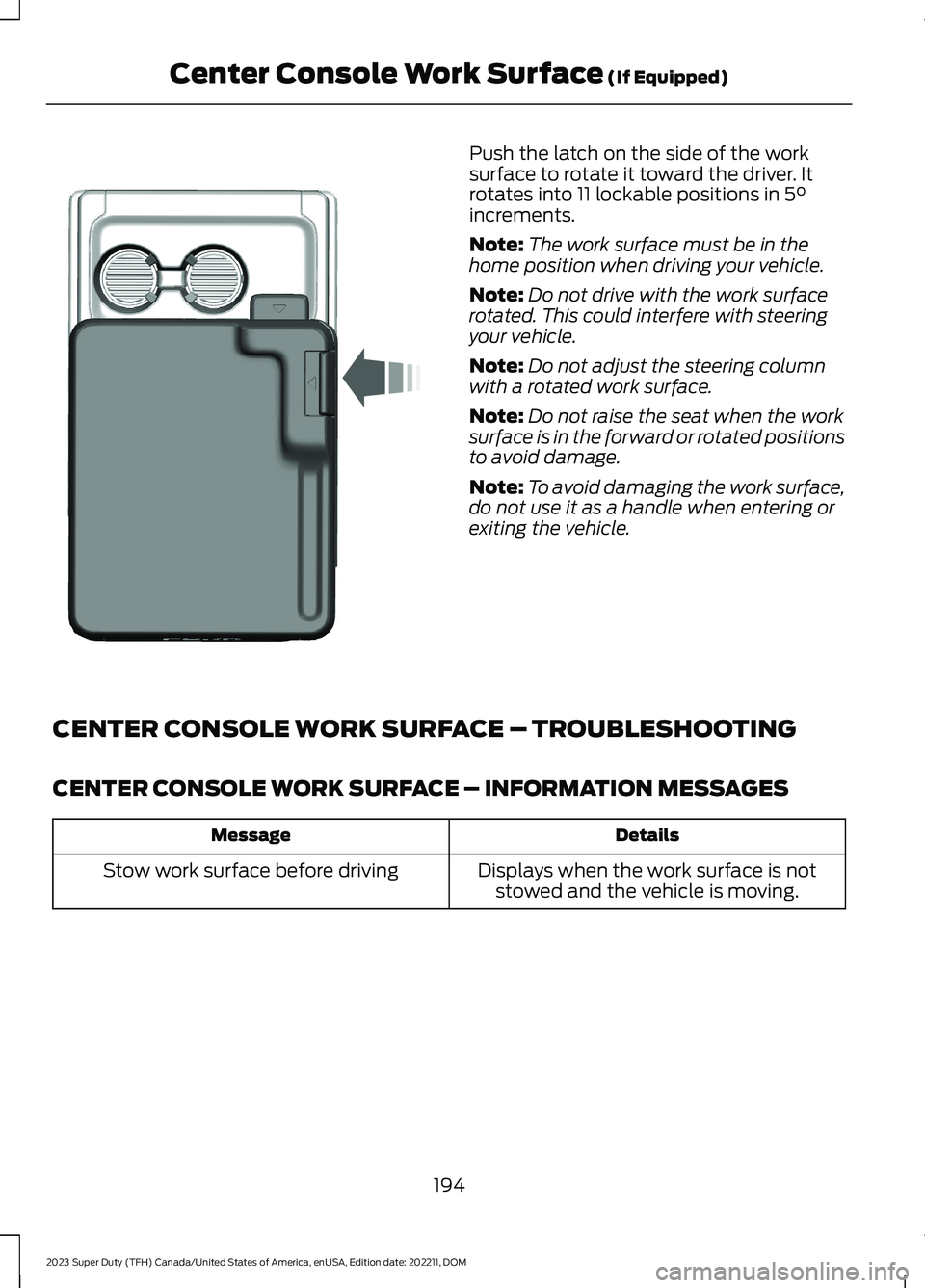
Push the latch on the side of the worksurface to rotate it toward the driver. Itrotates into 11 lockable positions in 5°increments.
Note:The work surface must be in thehome position when driving your vehicle.
Note:Do not drive with the work surfacerotated. This could interfere with steeringyour vehicle.
Note:Do not adjust the steering columnwith a rotated work surface.
Note:Do not raise the seat when the worksurface is in the forward or rotated positionsto avoid damage.
Note:To avoid damaging the work surface,do not use it as a handle when entering orexiting the vehicle.
CENTER CONSOLE WORK SURFACE – TROUBLESHOOTING
CENTER CONSOLE WORK SURFACE – INFORMATION MESSAGES
DetailsMessage
Displays when the work surface is notstowed and the vehicle is moving.Stow work surface before driving
194
2023 Super Duty (TFH) Canada/United States of America, enUSA, Edition date: 202211, DOMCenter Console Work Surface (If Equipped)E331800
Page 201 of 738
CUP HOLDERS
CUP HOLDER PRECAUTIONS
WARNING: Use caution whenstowing items or hot drinks in the cupholders. Items could become loose orspill during hard braking, acceleration orcrashes. Failure to follow this instructioncould result in personal injury.
GLOVE COMPARTMENT
OPENING THE GLOVECOMPARTMENT
Upper Glove Compartment (If
Equipped)
Push the button on the instrument panelto open.
Lower Glove Compartment
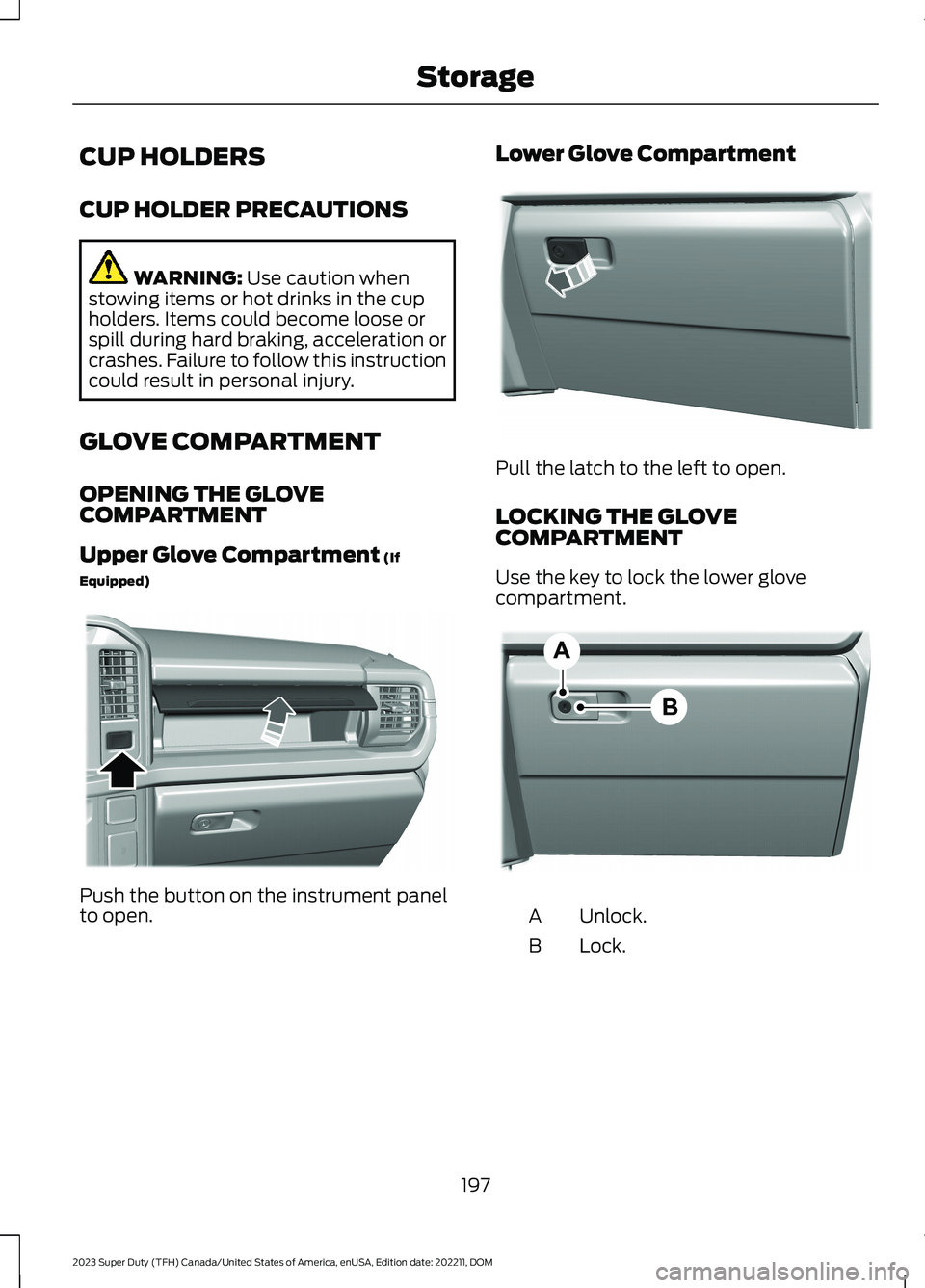
Pull the latch to the left to open.
LOCKING THE GLOVECOMPARTMENT
Use the key to lock the lower glovecompartment.
Unlock.A
Lock.B
197
2023 Super Duty (TFH) Canada/United States of America, enUSA, Edition date: 202211, DOMStorageE380778 E380779 E385980
Page 203 of 738
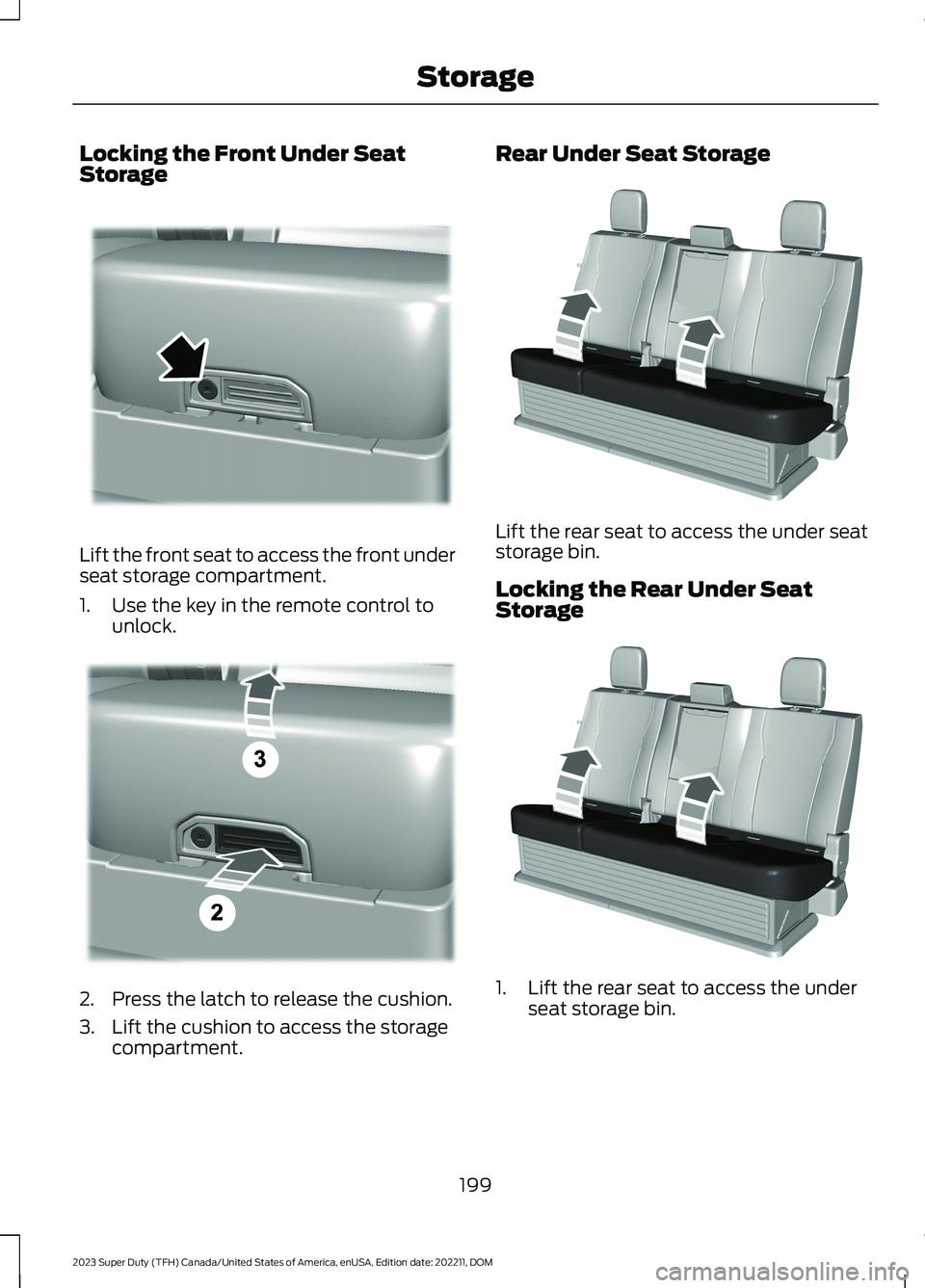
Locking the Front Under SeatStorage
Lift the front seat to access the front underseat storage compartment.
1.Use the key in the remote control tounlock.
2.Press the latch to release the cushion.
3.Lift the cushion to access the storagecompartment.
Rear Under Seat Storage
Lift the rear seat to access the under seatstorage bin.
Locking the Rear Under SeatStorage
1.Lift the rear seat to access the underseat storage bin.
199
2023 Super Duty (TFH) Canada/United States of America, enUSA, Edition date: 202211, DOMStorageE390521 E390522 E229819 E229819
Page 204 of 738
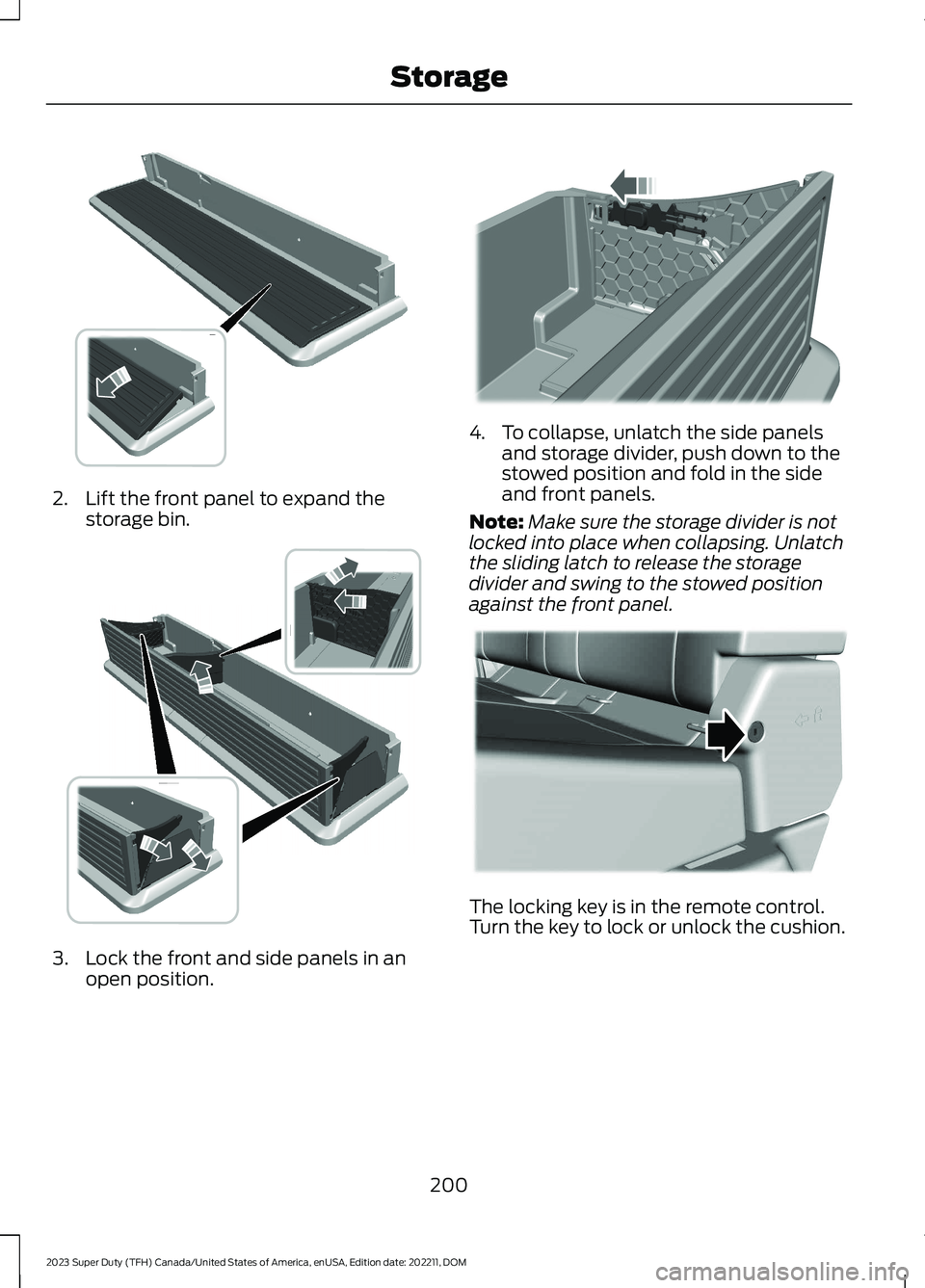
2.Lift the front panel to expand thestorage bin.
3.Lock the front and side panels in anopen position.
4.To collapse, unlatch the side panelsand storage divider, push down to thestowed position and fold in the sideand front panels.
Note:Make sure the storage divider is notlocked into place when collapsing. Unlatchthe sliding latch to release the storagedivider and swing to the stowed positionagainst the front panel.
The locking key is in the remote control.Turn the key to lock or unlock the cushion.
200
2023 Super Duty (TFH) Canada/United States of America, enUSA, Edition date: 202211, DOMStorage E375018 E375019 E375020 E224956