display FORD SUPER DUTY 2023 Owners Manual
[x] Cancel search | Manufacturer: FORD, Model Year: 2023, Model line: SUPER DUTY, Model: FORD SUPER DUTY 2023Pages: 738, PDF Size: 18.49 MB
Page 8 of 738
Manually Dimming the Interior Mirror..........................................................................131
Auto-Dimming Interior Mirror...................131
Exterior Mirrors
Adjusting the Exterior Mirrors..................132
Folding the Exterior Mirrors - VehiclesWith: Manual Folding Mirrors..............132
Folding the Exterior Mirrors - VehiclesWith: Power Folding Mirrors................132
Extending the Exterior Mirrors.................133
Exterior Mirrors Videos...............................133
Moonroof
Opening and Closing the Sunshade......134
Opening and Closing the Moonroof......134
Venting the Moonroof................................135
Moonroof Bounce-Back............................135
Moonroof Videos.........................................135
Instrument Cluster
Instrument Cluster Overview - VehiclesWith: 8 Inch Screen................................136
Instrument Cluster Overview - VehiclesWith: 12 Inch Screen................................137
Tachometer....................................................137
Speedometer.................................................137
Fuel Gauge......................................................137
Engine Coolant Temperature Gauge.........................................................................138
Engine Oil Pressure Gauge.......................138
Engine Oil Temperature Gauge..............138
Transmission Fluid Temperature Gauge.........................................................................138
Turbo Boost Gauge.....................................138
Diesel Exhaust Fluid Gauge.....................138
What Are the Instrument ClusterWarning Lamps........................................139
Instrument Cluster Warning Lamps......139
What Are the Instrument ClusterIndicators...................................................140
Instrument Cluster Indicators.................140
Instrument Cluster Display
Using the Instrument Cluster DisplayControls.......................................................143
Instrument Cluster Display Main Menu -Vehicles With: 8 Inch Screen...............143
Instrument Cluster Display Main Menu -Vehicles With: 12 Inch Screen.............144
Customizing the Instrument ClusterDisplay - Vehicles With: 8 Inch Screen.........................................................................144
Customizing the Instrument ClusterDisplay - Vehicles With: 12 Inch Screen.........................................................................144
Personalized Settings
Changing the Language............................145
Changing the Measurement Unit..........145
Changing the Temperature Unit............145
Changing the Tire Pressure Unit............145
Trip Computer
Accessing the Trip Computer - VehiclesWith: 8 Inch Screen................................146
Accessing the Trip Computer - VehiclesWith: 12 Inch Screen...............................146
Resetting the Trip Computer..................146
Trip Data.........................................................146
Head Up Display
What Is the Head Up Display..................147
Switching the Head Up Display On andOff..................................................................147
Head Up Display Settings.........................147
Head Up Display – Troubleshooting.........................................................................148
Remote Start
What Is Remote Start................................149
Remote Start Precautions.......................149
Remote Start Limitations........................149
4
2023 Super Duty (TFH) Canada/United States of America, enUSA, Edition date: 202211, DOMTable of Contents
Page 20 of 738
Vehicle Identification
Vehicle Identification Number...............547
Connected Vehicle
What Is a Connected Vehicle.................548
Connected Vehicle Requirements.......548
Connected Vehicle Limitations.............548
Connecting the Vehicle to a MobileNetwork.....................................................548
Connecting the Vehicle to a Wi-FiNetwork.....................................................548
Connected Vehicle – Troubleshooting.......................................................................549
Connected Vehicle Videos......................550
Vehicle Wi-Fi Hotspot
Creating a Vehicle Wi-Fi Hotspot..........551
Changing the Vehicle Wi-Fi HotspotName or Password.................................551
Vehicle Wi-Fi Hotspot – Troubleshooting........................................................................552
Audio System
Audio System Precautions......................553
Identifying the Audio Unit.......................553
Switching the Audio Unit On and Off........................................................................553
Selecting the Audio Source....................553
Playing or Pausing the Audio Source........................................................................553
Adjusting the Volume...............................554
Switching Shuffle Mode On and Off........................................................................554
Switching Repeat Mode On and Off........................................................................554
Setting a Memory Preset.........................554
Muting the Audio........................................554
Adjusting the Sound Settings................554
Setting the Clock and Date.....................555
AM/FM Radio...............................................555
Switching the Display On and Off.......556
Digital Radio.................................................556
Satellite Radio..............................................557
Audio System – Troubleshooting........559
Center Display Overview
Center Display Precautions....................563
Center Display Limitations......................563
Status Bar.....................................................563
Feature Bar...................................................564
Information On Demand Screen..........564
Rebooting the Center Display...............564
Center Display Overview Videos..........564
Voice Interaction
Ford Assistant.............................................565
Alexa Built-In
What is Alexa Built-In................................567
Alexa Built-In Requirements..................567
Signing Into Your Account.......................567
Using Alexa Built-In...................................567
Alexa Built-In Settings..............................567
Phone
Phone Precautions....................................569
Connecting Your Phone...........................569
Phone Menu.................................................569
Making and Receiving a Phone Call......571
Sending and Receiving a Text Message........................................................................572
Switching Text Message Notification Onand Off........................................................573
Bluetooth®
Connecting a Bluetooth® Device.........574
Playing Media Using Bluetooth®..........574
Apps
App Precautions..........................................575
App Requirements.....................................575
16
2023 Super Duty (TFH) Canada/United States of America, enUSA, Edition date: 202211, DOMTable of Contents
Page 33 of 738
MOBILE DEVICE DATA
If you connect a mobile device to yourvehicle, you can display data from yourdevice on the touchscreen for example,music and album art. You can share yourvehicle data with mobile apps on yourdevice through the system. See AppRequirements (page 575).
The mobile apps function operates by yourconnected device sending data to us in theUnited States. The data is encrypted andincludes, for example, the vehicleidentification number of your vehicle, theSYNC module serial number, odometer,enabled apps, usage statistics anddebugging information. We retain it onlyas long as necessary to provide the service,to troubleshoot, for continuousimprovement and to offer you productsand services that may be of interest to youaccording to your preferences and whereallowed by law.
If you connect a cell phone to the system,the system creates a profile that links tothat cell phone. The cell phone profileenables more mobile features and efficientoperation. The profile contains, forexample data from your phonebook, readand unread text messages and call history,including history of calls when your cellphone was not connected to the system.
If you connect a media device, the systemcreates and retains a media device indexof supported media content. The systemalso records a short diagnostic log ofapproximately 10 minutes of all recentsystem activity.
The cell phone profile, media device indexand diagnostic log remain in your vehicleunless you delete them and are generallyaccessible only in your vehicle when youconnect your cell phone or media device.If you no longer plan to use the system oryour vehicle, we recommend you use thesystem reset function to erase the storedinformation. See Performing a SystemReset (page ?).
System data cannot be accessed withoutspecial equipment and access to yourvehicle's module.
For additional information about ourprivacy policy, refer to the local Fordwebsite.
Note:To find out if your vehicle hasconnectivity technology, visitwww.FordConnected.com.
EMERGENCY CALL SYSTEM
DATA
When the emergency call system is active,it may disclose to emergency services thatyour vehicle has been in a crash involvingthe deployment of an airbag or activationof the fuel pump shut-off. Certain versionsor updates to the emergency call systemmay also be capable of electronically orverbally disclosing to emergency servicesoperators your vehicle location or otherdetails about your vehicle or crash to assistemergency services operators to providethe most appropriate emergency services.If you do not want to disclose thisinformation, do not activate the emergencycall system.
Note:You cannot deactivate emergencycall systems that are required by law.
29
2023 Super Duty (TFH) Canada/United States of America, enUSA, Edition date: 202211, DOMData Privacy
Page 35 of 738
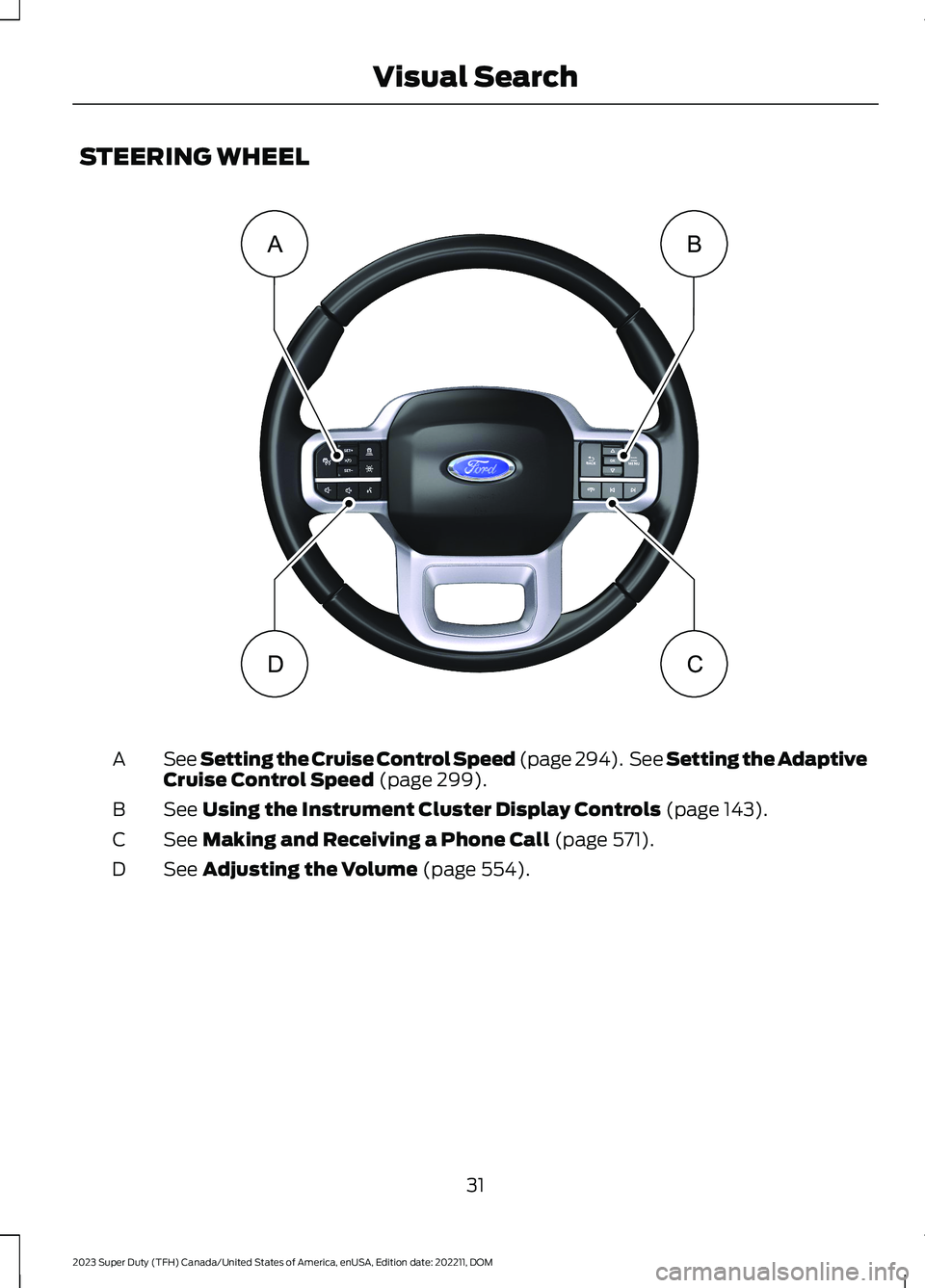
STEERING WHEEL
See Setting the Cruise Control Speed (page 294). See Setting the AdaptiveCruise Control Speed (page 299).A
See Using the Instrument Cluster Display Controls (page 143).B
See Making and Receiving a Phone Call (page 571).C
See Adjusting the Volume (page 554).D
31
2023 Super Duty (TFH) Canada/United States of America, enUSA, Edition date: 202211, DOMVisual SearchBADC E374894
Page 72 of 738
•A connected Bluetooth® enabledphone must have adequate networkcoverage, battery power and signalstrength.
•The vehicle must have battery powerand be located in the U.S., Canada orin a territory in which 911 is theemergency number.
Note:If any user sets 911 Assist to on or off,that setting applies for all paired phones. If911 Assist is off and the phone connectedto SYNC, an icon displays on the status bar.
Note:Every phone operates differently.While SYNC 911 Assist works with mostcellular phones, some may have troubleusing this feature.
EMERGENCY CALL
LIMITATIONS
The SYNC 911 Assist feature only operatesin the U.S., Canada or in a territory in which911 is the emergency number. The followingare limitations of this feature:
•Your cellular phone or 911 Assisthardware sustains damage in a crash.
•The vehicle's battery or the SYNCsystem has no power.
•The phone(s) thrown from your vehicleare the ones paired and connected tothe system.
911 ASSIST VIDEOS
911 Assist Video Link
68
2023 Super Duty (TFH) Canada/United States of America, enUSA, Edition date: 202211, DOM911 Assist
Page 86 of 738
AUTOUNLOCK
WHAT IS AUTOUNLOCK
Autounlock is a feature that centrallyunlocks the vehicle doors when yourvehicle comes to a stop and you open thedriver door.
AUTOUNLOCK REQUIREMENTS
Autounlock unlocks all the doors after:
1.The vehicle speed exceeds 12 mph(20 km/h).
2.Your vehicle comes to a stop.
3.You open the driver door.
Note:Autounlock operates for only 10minutes after the ignition is switched off.
SWITCHING AUTOUNLOCK ONAND OFF
1.Using the instrument cluster displaycontrols on the steering wheel, selectSettings.
2.Select Vehicle Settings.
3.Switch Autounlock on or off.
AUTOLOCK
WHAT IS AUTOLOCK
Autolock is a locking feature that centrallylocks your vehicle doors when driving.
AUTOLOCK REQUIREMENTS
Autolock locks all the doors after:
1.All doors are closed and the ignition ison.
2.Your vehicle speed exceeds 12 mph(20 km/h).
Autolock repeats if:
1.Your vehicle is stopped.
2.Any door is opened and closed again.
3.Your vehicle speed exceeds 12 mph(20 km/h).
MISLOCK
WHAT IS MISLOCK
Mislock is a locking feature that warns youif your vehicle has not locked.
MISLOCK LIMITATIONS
When you press the lock button once, theturn signals do not flash if:
•Any door or the tailgate is open.
•The hood is open.
If you switch mislock off, the horn does notsound if you press the lock button on theremote control when a door is open.
SWITCHING MISLOCK ON ANDOFF
1.Using the instrument cluster displaycontrols on the steering wheel, selectSettings.
2.Select Vehicle Settings.
3.Switch Mislock Chirp on or off.
DOORS AND LOCKS AUDIBLE
WARNINGS
Door Ajar Audible Warning
Sounds when any front door is not fullyclosed and your vehicle is moving.
82
2023 Super Duty (TFH) Canada/United States of America, enUSA, Edition date: 202211, DOMDoors and Locks
Page 87 of 738
DOORS AND LOCKS –
TROUBLESHOOTING
DOORS AND LOCKS – WARNINGLAMPS
Door Ajar Warning Lamp
Illuminates when you switch theignition on and remains on if anydoor or the hood is open.
DOORS AND LOCKS – INFORMATION MESSAGES
ActionMessage
Displays if a door is open. Fully close the door.Driver Door Ajar
Passenger Door Ajar
Rear Left Door Ajar
Rear Right Door Ajar
Displays if a hood is open. Fully close the hood.Hood Ajar
83
2023 Super Duty (TFH) Canada/United States of America, enUSA, Edition date: 202211, DOMDoors and LocksE249859
Page 89 of 738
KEYLESS ENTRY LIMITATIONS
Make sure your remote control is within 3 ft(1 m) from the front door handles and thetailgate.
The system could not function if:
•The remote control remains stationaryfor about a minute.
•The vehicle battery has no charge.
•The remote control battery has nocharge.
•There is interference causing issueswith the remote control frequencies.
•The remote control is too close tometal objects or electronic devices, forexample keys or a cell phone.
KEYLESS ENTRY SETTINGS
Switching Keyless Entry On andOff
1.Switch the ignition on using an originalkey that has not been created as aMyKey.
2.Press Settings on the touchscreen.
3.Press Vehicle Settings.
4.Press Locks.
Reprogramming the UnlockingFunction
You can enable the two-stage unlockingfunction allowing you to unlock only thedriver door when you touch the unlocksensor.
Press and hold both the lock and unlockbuttons on the remote control for fourseconds to disable or enable two-stageunlocking.
If you program the unlocking function sothat only the driver door unlocks, you canunlock all of the other doors from insideyour vehicle using the power door lockcontrol. You can unlock individual doorsby pulling the interior door handles onthose doors.
Keyless Detection Alert (If Equipped)
Displays a message in the instrumentcluster if no valid key is detected and alsosounds the horn when you exit your vehiclewith a key, after the last door is closed andyour keyless vehicle is in run, indicating yourvehicle is still on.
You can switch the audible alert on or off.
1.Press Settings on the touchscreen.
2.Press Vehicle.
3.Switch Key Detection Alert On or Off.
USING KEYLESS ENTRY
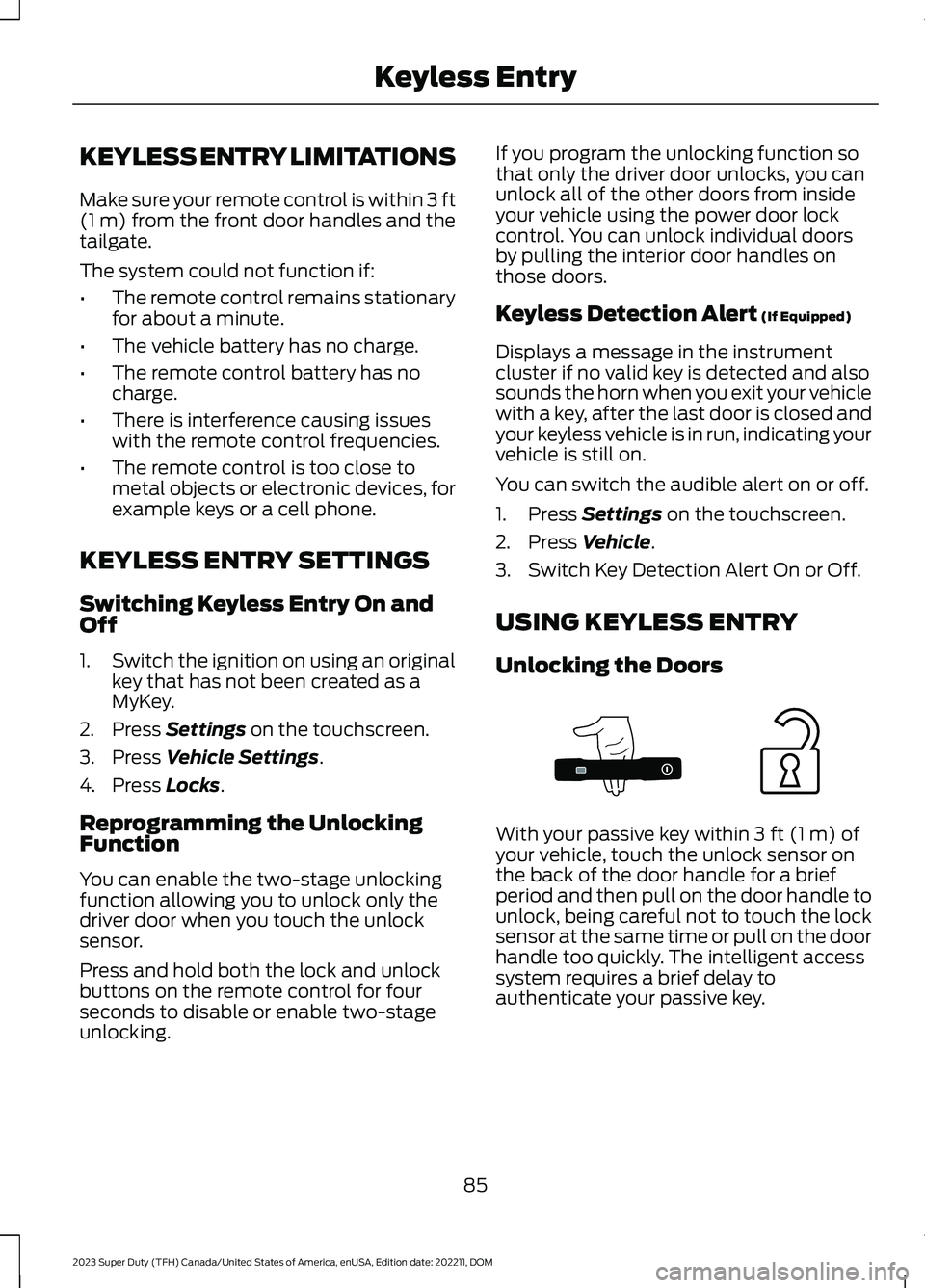
Unlocking the Doors
With your passive key within 3 ft (1 m) ofyour vehicle, touch the unlock sensor onthe back of the door handle for a briefperiod and then pull on the door handle tounlock, being careful not to touch the locksensor at the same time or pull on the doorhandle too quickly. The intelligent accesssystem requires a brief delay toauthenticate your passive key.
85
2023 Super Duty (TFH) Canada/United States of America, enUSA, Edition date: 202211, DOMKeyless EntryE333747
Page 91 of 738
WHAT IS THE KEYLESS ENTRY
KEYPAD
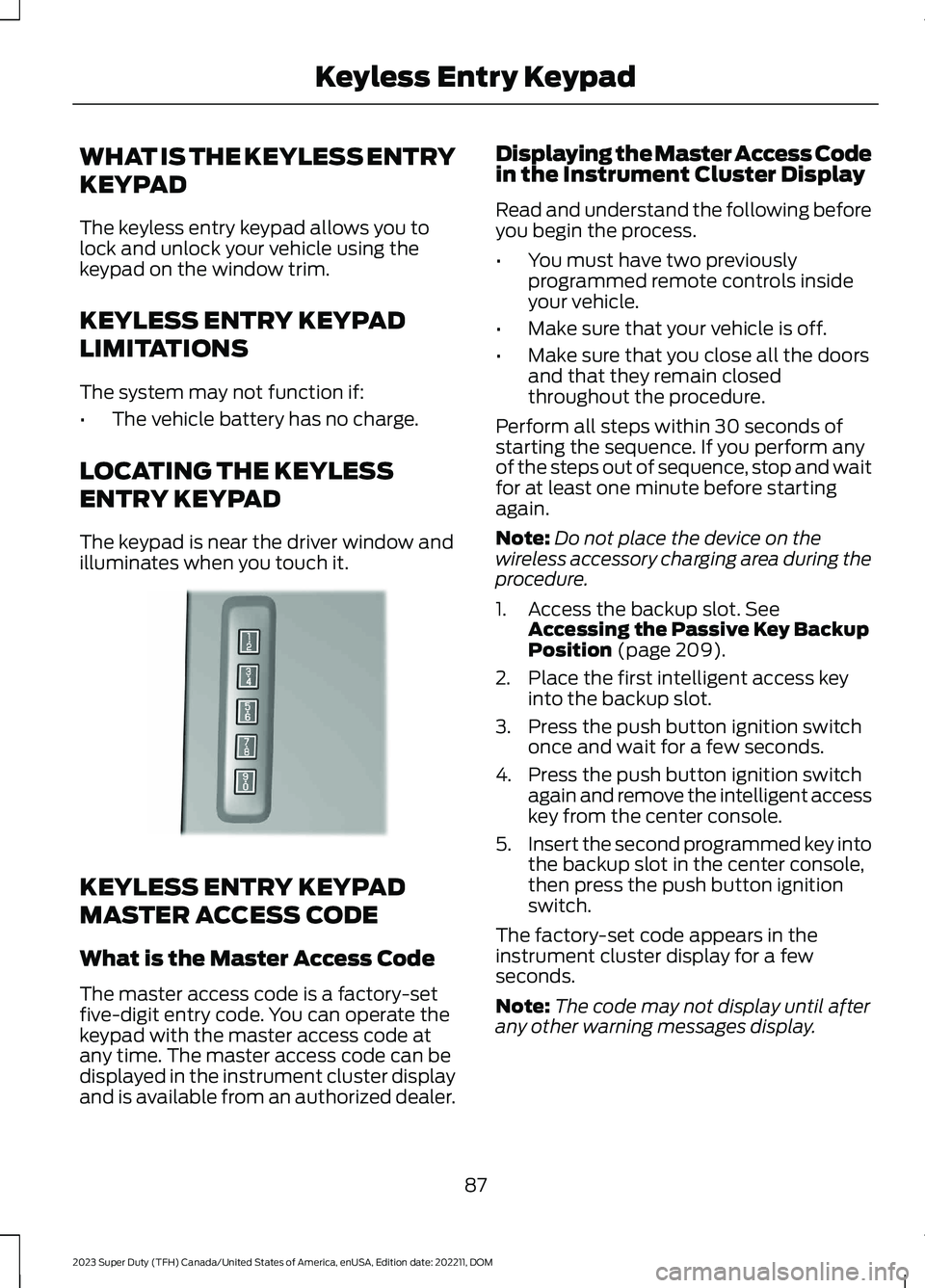
The keyless entry keypad allows you tolock and unlock your vehicle using thekeypad on the window trim.
KEYLESS ENTRY KEYPAD
LIMITATIONS
The system may not function if:
•The vehicle battery has no charge.
LOCATING THE KEYLESS
ENTRY KEYPAD
The keypad is near the driver window andilluminates when you touch it.
KEYLESS ENTRY KEYPAD
MASTER ACCESS CODE
What is the Master Access Code
The master access code is a factory-setfive-digit entry code. You can operate thekeypad with the master access code atany time. The master access code can bedisplayed in the instrument cluster displayand is available from an authorized dealer.
Displaying the Master Access Codein the Instrument Cluster Display
Read and understand the following beforeyou begin the process.
•You must have two previouslyprogrammed remote controls insideyour vehicle.
•Make sure that your vehicle is off.
•Make sure that you close all the doorsand that they remain closedthroughout the procedure.
Perform all steps within 30 seconds ofstarting the sequence. If you perform anyof the steps out of sequence, stop and waitfor at least one minute before startingagain.
Note:Do not place the device on thewireless accessory charging area during theprocedure.
1.Access the backup slot. SeeAccessing the Passive Key BackupPosition (page 209).
2.Place the first intelligent access keyinto the backup slot.
3.Press the push button ignition switchonce and wait for a few seconds.
4.Press the push button ignition switchagain and remove the intelligent accesskey from the center console.
5.Insert the second programmed key intothe backup slot in the center console,then press the push button ignitionswitch.
The factory-set code appears in theinstrument cluster display for a fewseconds.
Note:The code may not display until afterany other warning messages display.
87
2023 Super Duty (TFH) Canada/United States of America, enUSA, Edition date: 202211, DOMKeyless Entry KeypadE190936
Page 98 of 738
TAILGATE PRECAUTIONS
WARNING: It is extremelydangerous to ride in a cargo area, insideor outside of a vehicle. In a crash, peopleriding in these areas are more likely to beseriously injured or killed. Do not allowpeople to ride in any area of your vehiclethat is not equipped with seats andseatbelts. Make sure everyone in yourvehicle is in a seat and properly using aseatbelt. Failure to follow this warningcould result in serious personal injury ordeath.
OPENING THE TAILGATE
OPENING THE TAILGATE FROMINSIDE YOUR VEHICLE
The vehicle must be in park (P) to operatethe power tailgate.
Press the button on theinstrument panel.
Note:A tone sounds while the tailgateopens.
Note:The tailgate stops and reverses if itdetects an obstruction when opening.
Note:An alert sounds if the electronictailgate is in manual mode.
Note:A pop-up message appears on thetouchscreen if the tailgate is in manualmode asking if you want to change back topower mode.
OPENING THE TAILGATE FROMOUTSIDE YOUR VEHICLE
1.Unlock the vehicle with the remotecontrol, power door unlock control oryour phone as a key device.
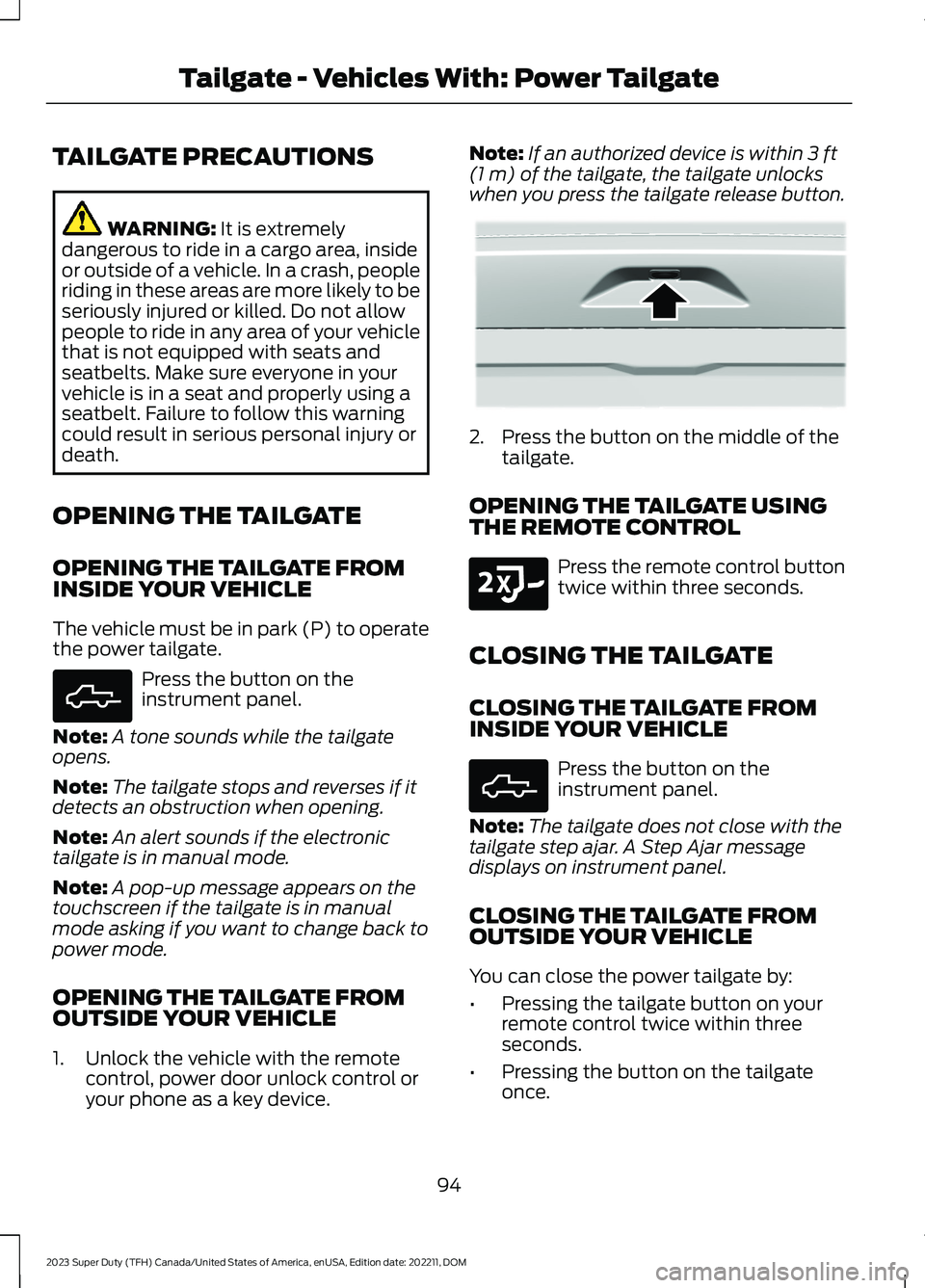
Note:If an authorized device is within 3 ft(1 m) of the tailgate, the tailgate unlockswhen you press the tailgate release button.
2.Press the button on the middle of thetailgate.
OPENING THE TAILGATE USINGTHE REMOTE CONTROL
Press the remote control buttontwice within three seconds.
CLOSING THE TAILGATE
CLOSING THE TAILGATE FROMINSIDE YOUR VEHICLE
Press the button on theinstrument panel.
Note:The tailgate does not close with thetailgate step ajar. A Step Ajar messagedisplays on instrument panel.
CLOSING THE TAILGATE FROMOUTSIDE YOUR VEHICLE
You can close the power tailgate by:
•Pressing the tailgate button on yourremote control twice within threeseconds.
•Pressing the button on the tailgateonce.
94
2023 Super Duty (TFH) Canada/United States of America, enUSA, Edition date: 202211, DOMTailgate - Vehicles With: Power TailgateE308661 E359757 E191530 E308661