lock FORD TAURUS 1998 3.G Owners Manual
[x] Cancel search | Manufacturer: FORD, Model Year: 1998, Model line: TAURUS, Model: FORD TAURUS 1998 3.GPages: 192, PDF Size: 1.66 MB
Page 10 of 192

Anti-lock brake system (ABS) (If equipped)
Momentarily illuminates
when the ignition is
turned on and the
engine is off. If the
light does not illuminate momentarily at start up,
remains on or continues to flash, the ABS needs to
be serviced. With the ABS light on, the anti-lock
brake system is disabled and normal braking is still
effective unless the brake warning light also remains
illuminated with parking brake released.
Speed control (if equipped)
This light comes on
when either the
SET/ACCEL or
RESUME controls are
pressed. It turns off
when the speed control OFF control is pressed, the
brake is applied or the ignition is turned to the OFF
position.
Brake system warning
Momentarily illuminates
when the ignition is
turned to the ON
position and the engine
is off. If brake warning lamp does not illuminate at
this time, seek service immediately. Also illuminates
when the parking brake is engaged. Illumination
after releasing the parking brake indicates low brake
fluid level and the brake system should be inspected
immediately.
Engine oil pressure
Illuminates when the
oil pressure falls below
the normal range. Stop
the vehicle as soon as
safely possible and switch off the engine
immediately. Check the oil level and add oil if
ABS
CRUISE
ON
P!
BRAKE
Instrumentation
10
Page 12 of 192
Key-in-ignition warning chime
Sounds when the key is left in the ignition in the
OFF/LOCK or ACC position and either front door is
opened.
Headlamps on warning chime
Sounds when the headlamps or parking lamps are
on, the ignition is off (and the key is not in the
ignition) and either front door is opened.
GAUGES
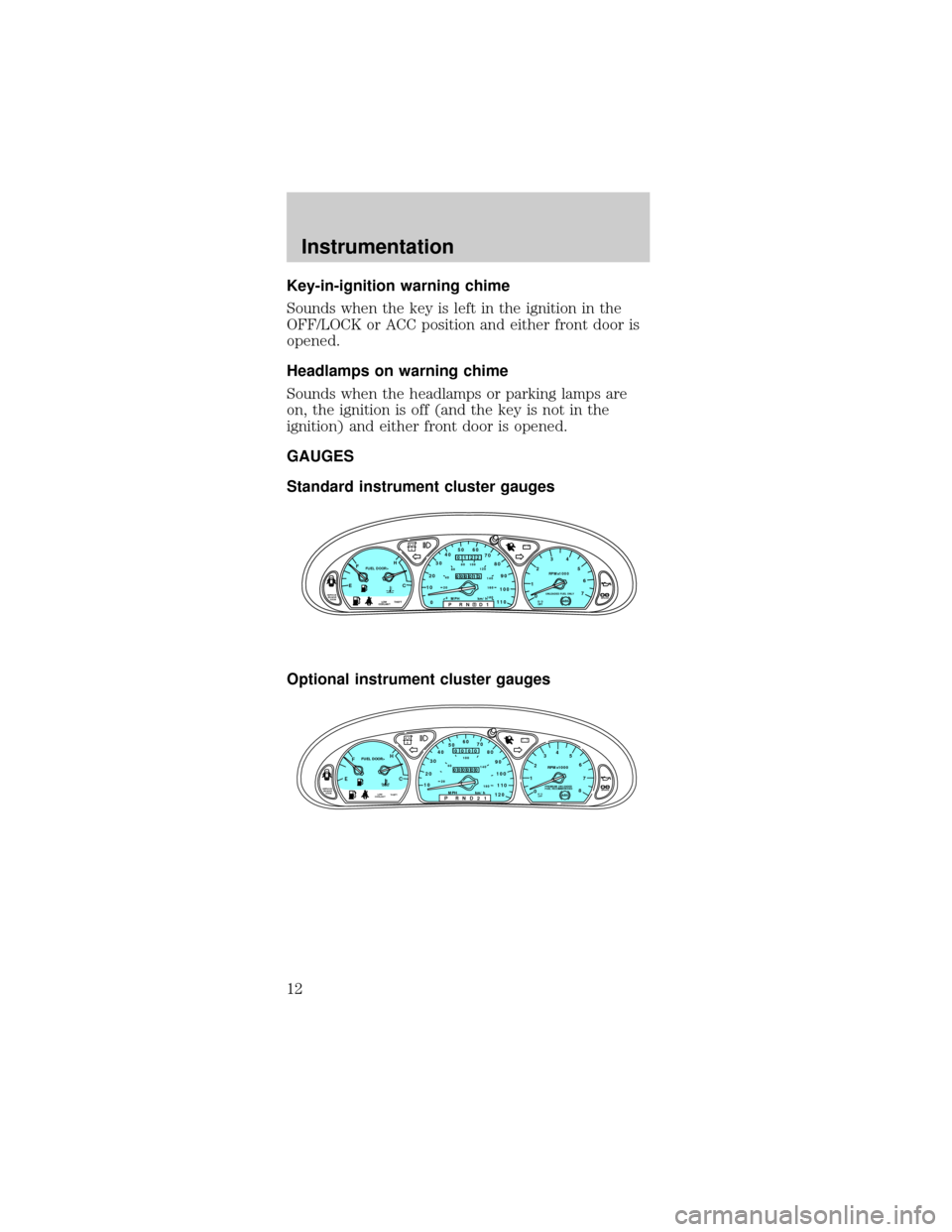
Standard instrument cluster gauges
Optional instrument cluster gauges
CRUISE
RPMx1000
0 1234
5
6
7EFC H
FUEL DOOR>
SERVICE
ENGINE
SOON1020304050 60
70
80
90
100
110
00 20406080100
120
140
160
180P R N D D 1MPH km/h
00
122
00013
P!
BRAKEABS
+ –
UNLEADED FUEL ONLY
THEFT LOW
COOLANTO/D
OFF
EFC H
FUEL DOOR>
SERVICE
ENGINE
SOON
THEFT102030405060
70
80
90
100
1202060100
140
180
P R N D 2 1MPH km/h
00
000
00000
P!
BRAKELOW
COOLANT
+ –
110CRUISE
RPMx1000
ABSO/D
OFFPREMIUM UNLEADED
FUEL RECOMMENDED0 1234
5
6
78
Instrumentation
12
Page 21 of 192
²Don't put objects under the front seat that will
interfere with the airflow to the back seats.
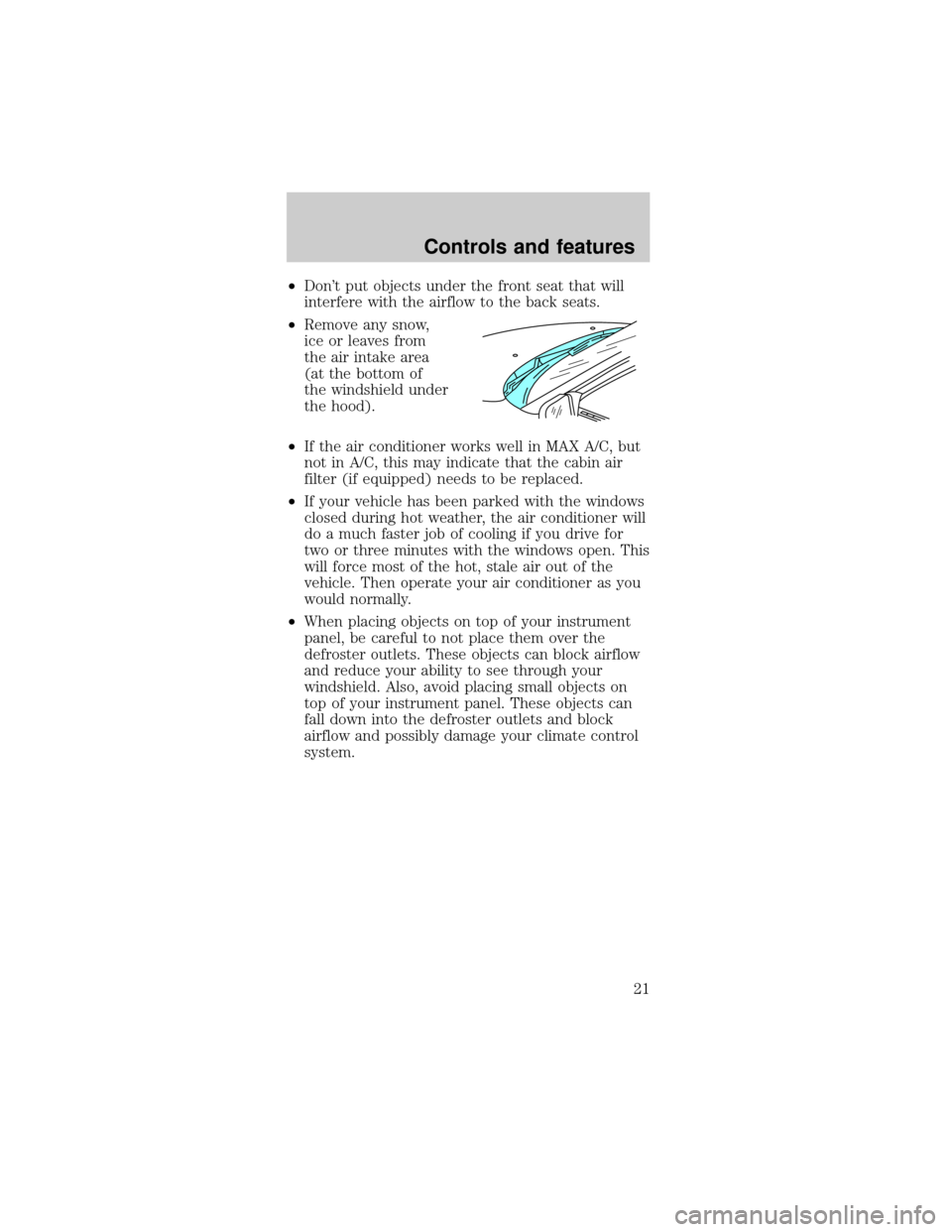
²Remove any snow,
ice or leaves from
the air intake area
(at the bottom of
the windshield under
the hood).
²If the air conditioner works well in MAX A/C, but
not in A/C, this may indicate that the cabin air
filter (if equipped) needs to be replaced.
²If your vehicle has been parked with the windows
closed during hot weather, the air conditioner will
do a much faster job of cooling if you drive for
two or three minutes with the windows open. This
will force most of the hot, stale air out of the
vehicle. Then operate your air conditioner as you
would normally.
²When placing objects on top of your instrument
panel, be careful to not place them over the
defroster outlets. These objects can block airflow
and reduce your ability to see through your
windshield. Also, avoid placing small objects on
top of your instrument panel. These objects can
fall down into the defroster outlets and block
airflow and possibly damage your climate control
system.
Controls and features
21
Page 28 of 192
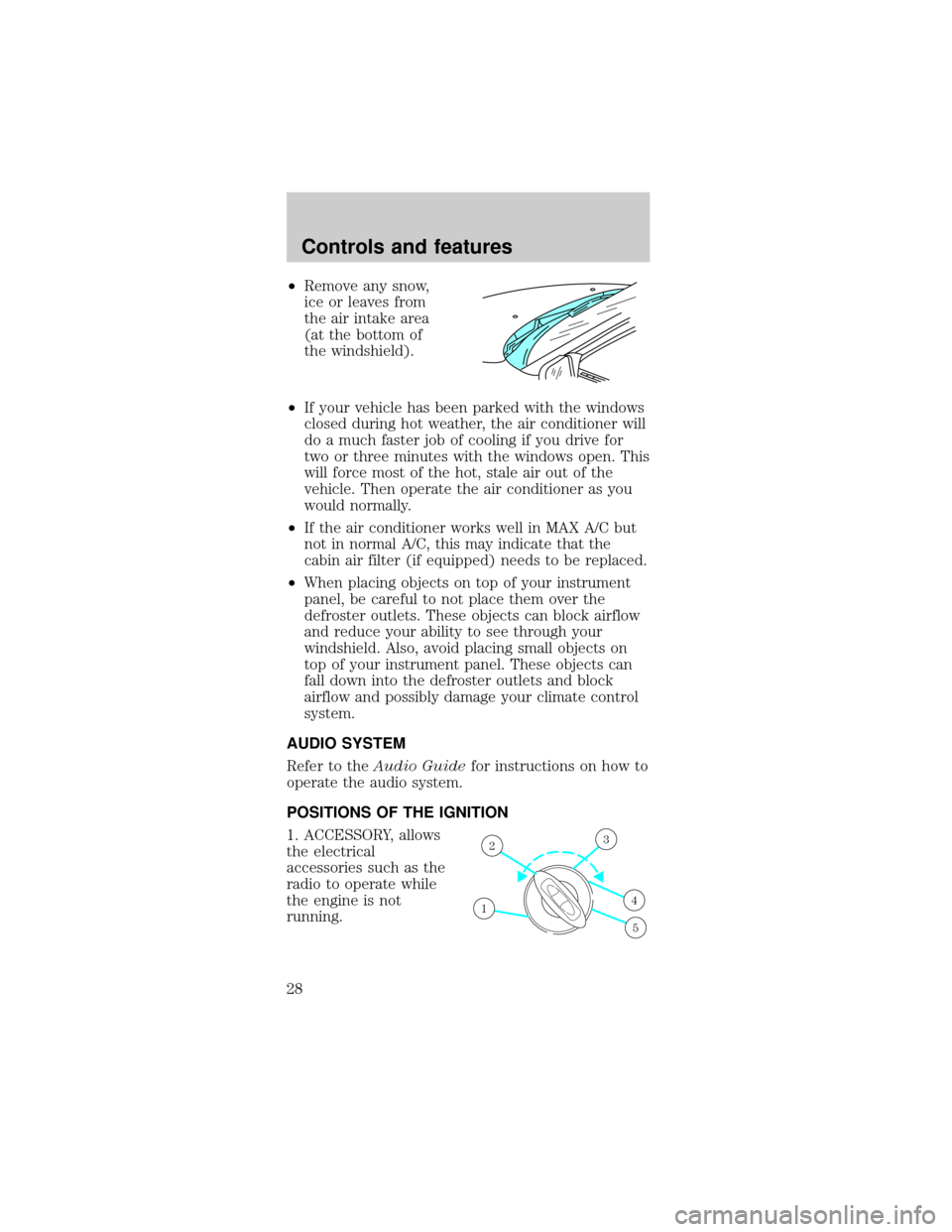
²Remove any snow,
ice or leaves from
the air intake area
(at the bottom of
the windshield).
²If your vehicle has been parked with the windows
closed during hot weather, the air conditioner will
do a much faster job of cooling if you drive for
two or three minutes with the windows open. This
will force most of the hot, stale air out of the
vehicle. Then operate the air conditioner as you
would normally.
²If the air conditioner works well in MAX A/C but
not in normal A/C, this may indicate that the
cabin air filter (if equipped) needs to be replaced.
²When placing objects on top of your instrument
panel, be careful to not place them over the
defroster outlets. These objects can block airflow
and reduce your ability to see through your
windshield. Also, avoid placing small objects on
top of your instrument panel. These objects can
fall down into the defroster outlets and block
airflow and possibly damage your climate control
system.
AUDIO SYSTEM
Refer to theAudio Guidefor instructions on how to
operate the audio system.
POSITIONS OF THE IGNITION
1. ACCESSORY, allows
the electrical
accessories such as the
radio to operate while
the engine is not
running.
1
23
4
5
Controls and features
28
Page 29 of 192
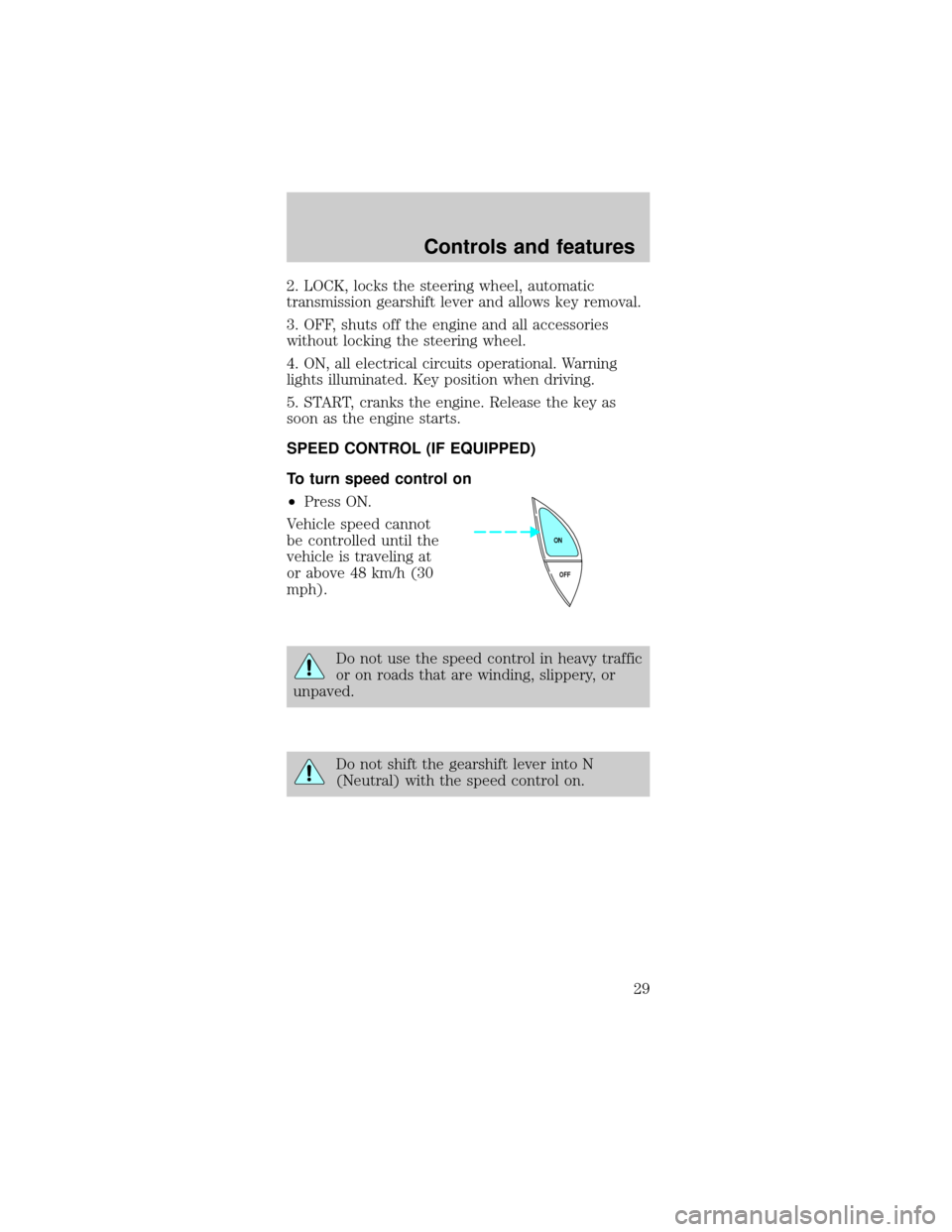
2. LOCK, locks the steering wheel, automatic
transmission gearshift lever and allows key removal.
3. OFF, shuts off the engine and all accessories
without locking the steering wheel.
4. ON, all electrical circuits operational. Warning
lights illuminated. Key position when driving.
5. START, cranks the engine. Release the key as
soon as the engine starts.
SPEED CONTROL (IF EQUIPPED)
To turn speed control on
²Press ON.
Vehicle speed cannot
be controlled until the
vehicle is traveling at
or above 48 km/h (30
mph).
Do not use the speed control in heavy traffic
or on roads that are winding, slippery, or
unpaved.
Do not shift the gearshift lever into N
(Neutral) with the speed control on.
OFF ON
Controls and features
29
Page 37 of 192

One touch down
²Press AUTO
completely down
and release quickly.
The window will
open fully. Depress
again to stop
window operation.
Window lock
The window lock
feature allows only the
driver to operate the
power windows.
To lock out all the window controls except for the
driver's press the right side of the control. Press the
left side to restore the window controls.
POWER DOOR LOCKS (IF EQUIPPED)
Press U to unlock all
doors and L to lock all
doors.
Central locking/Two step unlocking (if equipped)
When unlocking the driver or front passenger door
with the key, turn it once toward the front of the
vehicle to unlock that door only. Turn the key a
second time to unlock all doors. When locking, turn
the key toward the back of the vehicle to lock all
doors.
AUTO
WINDOW LOCK
UL
Controls and features
37
Page 38 of 192

Liftgate (wagon only)
The power liftgate lock
is located on the right
inside trim panel in the
cargo area. When this
lock is pressed, all
doors and the liftgate
will lock.
POWER SIDE VIEW MIRRORS
To adjust your mirrors:
1. Select
to adjust the left mirror orto adjust
the right mirror.
2. Move the control in
the direction you wish
to tilt the mirror.
3. Return to the center position to lock mirrors in
place.
Heated outside mirrors (if equipped)
Both mirrors are
heated automatically to
remove ice, mist and
fog when the rear
window defrost is
activated.
Do not remove ice
from the mirrors with a
scraper or attempt to readjust the mirror glass if it is
Controls and features
38
Page 39 of 192

frozen in place. These actions could cause damage
to the glass and mirrors.
CHILDPROOF DOOR LOCKS
When these locks are
set, the rear doors
cannot be opened from
the inside. The rear
doors can be opened
from the outside when
the doors are unlocked.
The childproof locks
are located on rear
edge of each rear door
and must be set
separately for each
door. Setting the lock
for one door will not
automatically set the
lock for both doors.
Move lock control up to engage the lock. Move
control down to disengage childproof locks.
CENTER CONSOLE
Your vehicle may be equipped with a variety of
console features. These include:
²utility compartment
²cupholders
²coin holder slots
²cellular phone (if equipped)
Use only soft cups in the cupholder. Hard
objects can injure you in a collision.
If your vehicle is equipped with the column shift, it
has a center console in the center front seating
position.
Controls and features
39
Page 40 of 192

The center console has the same features as the full
console. To open the storage compartment, raise the
armrest and pull the strap on the seat up and
toward the front of the vehicle. The cupholders in
the center console can be removed for cleaning.
Use only soft cups in the cupholder. Hard
objects can injure you in a collision.
Cellular phone
Refer to the ªCellular phone guideº for instructions
on operation.
POSITIVE RETENTION FLOOR MAT
Position the floor mat so
that the eyelet is over the
pointed end of the
retention post and rotate
forward to lock in. Make
sure that the mat does not
interfere with the operation
of the accelerator or the
brake pedal. To remove the
floor mat, reverse the installation procedure.
TRUNK REMOTE CONTROL
Press the remote trunk
release control on the
instrument panel to the
left of the steering
wheel.
Controls and features
40
Page 41 of 192

LIFTGATE (WAGON ONLY)
You can open the
entire liftgate or just
the liftgate window. To
open the entire liftgate,
press the release
button hidden under
the exterior trim panel
just above the license
plate.
You must lock the liftgate with the key or power
lock control; it does not lock automatically.
The window locks when the liftgate is locked. To
open the window, make sure the liftgate and window
are unlocked, then press the outside lock cylinder.
The window can only be opened from the outside.
To prevent any damage to the liftgate and window,
close them completely before driving.
CARGO AREA FEATURES
Storage compartment
Your vehicle comes
equipped with a
storage compartment
in the floor of the
cargo area. An
additional
compartment is in the
rear trim panel on the
right. Always put the
load you are carrying as far forward as possible.
Controls and features
41