ECU FORD TAURUS 2015 6.G User Guide
[x] Cancel search | Manufacturer: FORD, Model Year: 2015, Model line: TAURUS, Model: FORD TAURUS 2015 6.GPages: 558, PDF Size: 4.42 MB
Page 64 of 558
Turning the Vehicle Off After Remote StartingPress the button once. The parking lamps will turn off.
You may have to be closer to your vehicle than when starting due to
ground reflection and the added noise of the running vehicle.
You can disable or enable the remote start system through the
information display. See the Information Displaychapter.
REPLACING A LOST KEY OR REMOTE CONTROL
You can purchase replacement or additional keys or remote controls from
an authorized dealer. A dealer can program the transmitters to your
vehicle or you may be able to program them yourself. See the Security
chapter for information on programming your transmitters.
Keys and Remote Control 63
2015 Taurus
Owners Guide gf, 1st Printing, April 2014
USA(fus)
Page 68 of 558
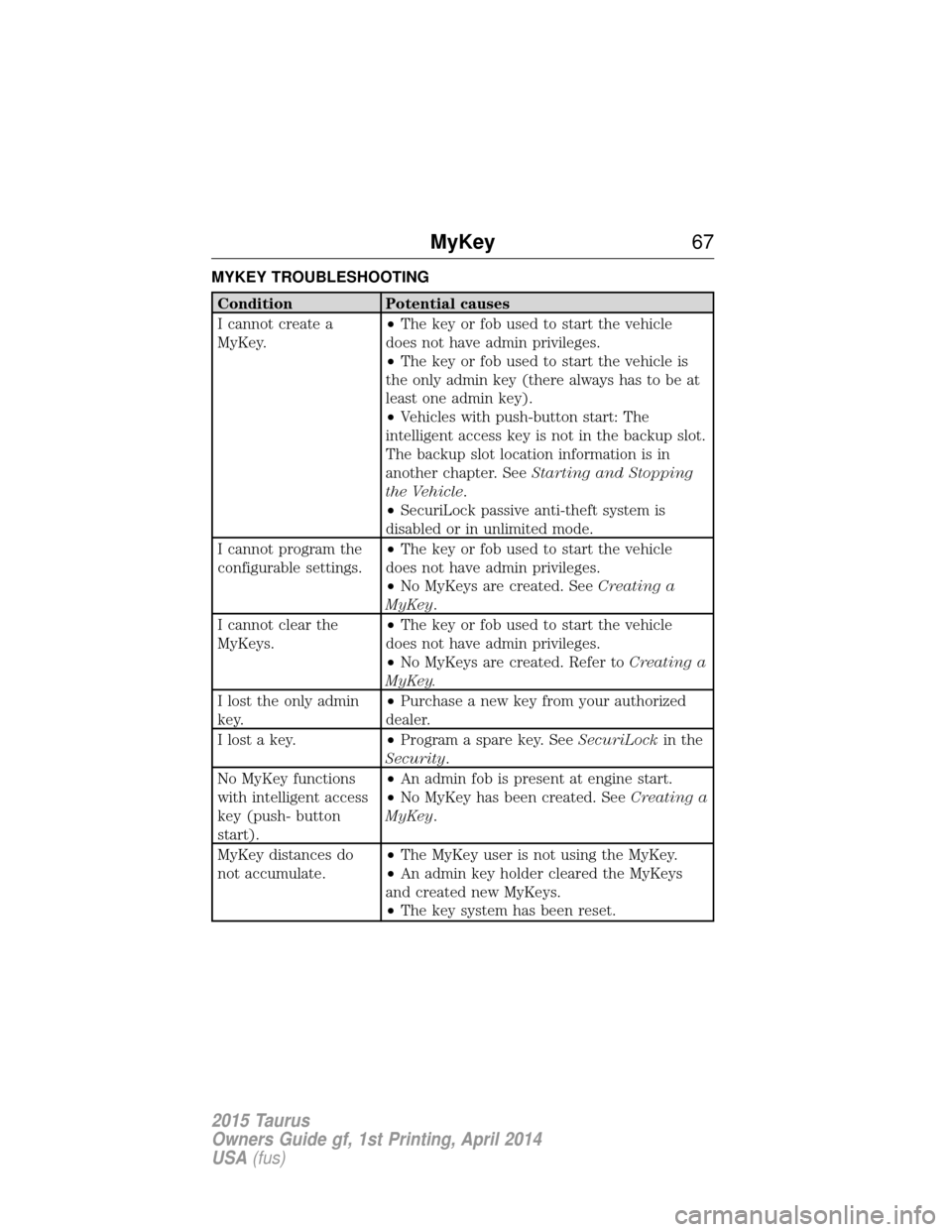
MYKEY TROUBLESHOOTING
ConditionPotential causes
I cannot create a
MyKey. •
The key or fob used to start the vehicle
does not have admin privileges.
• The key or fob used to start the vehicle is
the only admin key (there always has to be at
least one admin key).
• Vehicles with push-button start: The
intelligent access key is not in the backup slot.
The backup slot location information is in
another chapter. See Starting and Stopping
the Vehicle .
• SecuriLock passive anti-theft system is
disabled or in unlimited mode.
I cannot program the
configurable settings. •
The key or fob used to start the vehicle
does not have admin privileges.
• No MyKeys are created. See Creating a
MyKey.
I cannot clear the
MyKeys. •
The key or fob used to start the vehicle
does not have admin privileges.
• No MyKeys are created. Refer to Creating a
MyKey.
I lost the only admin
key. •
Purchase a new key from your authorized
dealer.
I lost a key. •Program a spare key. See SecuriLockin the
Security.
No MyKey functions
with intelligent access
key (push- button
start). •
An admin fob is present at engine start.
• No MyKey has been created. See Creating a
MyKey.
MyKey distances do
not accumulate. •
The MyKey user is not using the MyKey.
• An admin key holder cleared the MyKeys
and created new MyKeys.
• The key system has been reset.
MyKey 67
2015 Taurus
Owners Guide gf, 1st Printing, April 2014
USA(fus)
Page 74 of 558
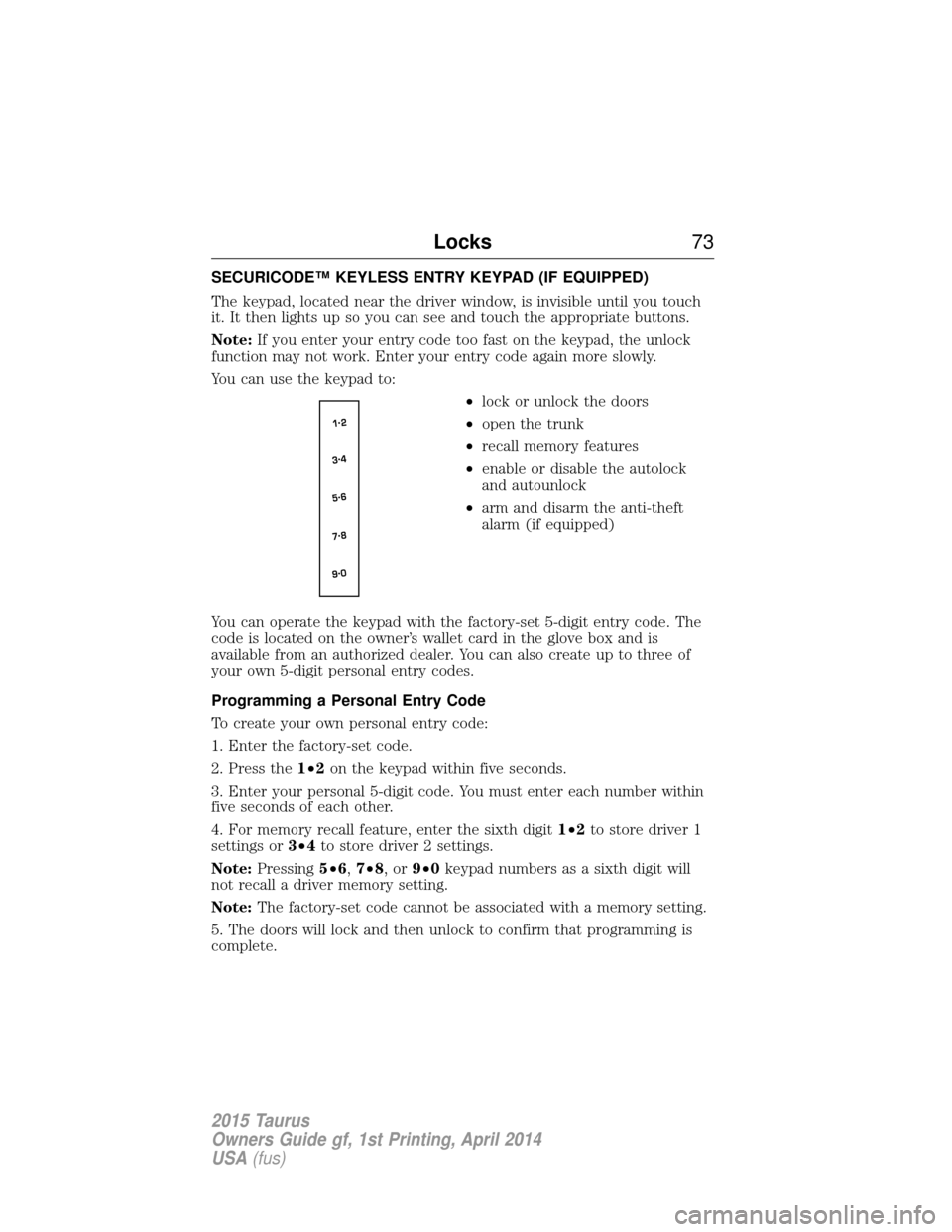
SECURICODE™ KEYLESS ENTRY KEYPAD (IF EQUIPPED)
The keypad, located near the driver window, is invisible until you touch
it. It then lights up so you can see and touch the appropriate buttons.
Note:If you enter your entry code too fast on the keypad, the unlock
function may not work. Enter your entry code again more slowly.
You can use the keypad to:
•lock or unlock the doors
• open the trunk
• recall memory features
• enable or disable the autolock
and autounlock
• arm and disarm the anti-theft
alarm (if equipped)
You can operate the keypad with the factory-set 5-digit entry code. The
code is located on the owner’s wallet card in the glove box and is
available from an authorized dealer. You can also create up to three of
your own 5-digit personal entry codes.
Programming a Personal Entry Code
To create your own personal entry code:
1. Enter the factory-set code.
2. Press the 1•2on the keypad within five seconds.
3. Enter your personal 5-digit code. You must enter each number within
five seconds of each other.
4. For memory recall feature, enter the sixth digit 1•2to store driver 1
settings or 3•4to store driver 2 settings.
Note: Pressing 5•6,7•8,or9•0 keypad numbers as a sixth digit will
not recall a driver memory setting.
Note: The factory-set code cannot be associated with a memory setting.
5. The doors will lock and then unlock to confirm that programming is
complete.
Locks 73
2015 Taurus
Owners Guide gf, 1st Printing, April 2014
USA(fus)
Page 75 of 558
You may also program a personal entry code through the MyFord Touch
or MyLincoln Touch system. Refer to theMyFord TouchorMyLincoln
Touch chapter.
Tips:
• Do not set a code that uses five of the same number.
• Do not use five numbers in sequential order.
• The factory-set code will work even if you have set your own personal
code.
Erasing a Personal Code
1. Enter the factory-set 5-digit code.
2. Press and release 1•2on the keypad within five seconds.
3. Press and hold 1•2for two seconds. This must be done within five
seconds of completing Step 2.
All personal codes are now erased and only the factory-set 5-digit code
will work.
Anti-Scan Feature
The keypad will go into an anti-scan mode if you enter the wrong code
seven times (35 consecutive button presses). This mode disables the
keypad for one minute and the keypad lamp will flash.
The anti-scan feature will turn off after:
• one minute of keypad inactivity
• pressing the unlock button on the remote control
• switching the ignition on
• unlocking the vehicle using intelligent access.
Unlocking and Locking the Doors
To unlock the driver door: Enter the factory-set 5-digit code or your
personal code. You must press each number within five seconds of each
other. The interior lamps will illuminate. Note:All doors will unlock if
the two-stage unlocking feature is disabled. Refer to Locking and
Unlocking earlier in this chapter.
To unlock all doors: Enter the factory-set code or your personal code,
then press 3•4within five seconds.
To lock all doors: Press and hold7•8and9•0 at the same time with
the driver door closed. You do not need to enter the keypad code first.
74 Locks
2015 Taurus
Owners Guide gf, 1st Printing, April 2014
USA(fus)
Page 78 of 558
SECURILOCK® PASSIVE ANTI-THEFT SYSTEM
Note:The system is not compatible with non-Ford aftermarket remote
start systems. Use of these systems may result in vehicle starting
problems and a loss of security protection.
Note: Metallic objects, electronic devices or a second coded key on the
same key chain may cause vehicle starting issues if they are too close to
the key when starting your vehicle. Prevent these objects from touching
the coded key while starting the engine. Switch the ignition off, move all
objects on the key chain away from the coded key and restart your
vehicle if a problem occurs.
Note: Do not leave a duplicate coded key in your vehicle. Always take
your keys and lock all doors when leaving your vehicle.
The system helps prevent the engine from starting unless you use a
coded key programmed to your vehicle. Using the wrong key may
prevent your vehicle from starting. A message may appear in the
information display.
If you are unable to start your vehicle with a correctly coded key, a
malfunction has occurred. A message may appear in the information display.
Automatic Arming
Your vehicle arms immediately after you switch the ignition off.
Automatic Disarming
Your vehicle disarms when you switch the ignition on with a coded key.
Replacement Keys
Note: Your vehicle comes with two integrated keyhead transmitters or
two intelligent access keys.
The integrated keyhead transmitter functions as a programmed ignition key
that operates all the locks and starts the vehicle, as well as a remote control.
The intelligent access key functions as a programmed key that operates
the driver door lock and activates the intelligent access with push button
start systems, as well as a remote control.
If your programmed transmitters or standard SecuriLock coded keys
(integrated keyhead transmitters only) are lost or stolen and you do not
have an extra coded key, you will need to have your vehicle towed to an
authorized dealer. The key codes need to be erased from your vehicle
and new coded keys will need to be programmed.
Store an extra programmed key away from the vehicle in a safe place to
help prevent any inconveniences. See an authorized dealer to purchase
additional spare or replacement keys.
Security 77
2015 Taurus
Owners Guide gf, 1st Printing, April 2014
USA(fus)
Page 79 of 558
Programming a Spare Integrated Keyhead Transmitter
Note:A maximum of eight coded keys can be programmed to your
vehicle. Only four of these eight can be integrated keyhead transmitters.
You can program your own integrated keyhead transmitters or standard
SecuriLock coded keys to your vehicle. This procedure will program both
the engine immobilizer key code and the remote entry portion of the
remote control to your vehicle.
Only use integrated keyhead transmitters or standard SecuriLock keys.
You must have two previously programmed coded keys and the new
unprogrammed key readily accessible. See your authorized dealer to have
the spare key programmed if two previously programmed coded keys are
not available.
Read and understand the entire procedure before you begin.
1. Insert the first previously programmed coded key into the ignition.
2. Turn the ignition from off to on. Keep the ignition on for at least three
seconds, but no more than 10 seconds.
3. Turn the ignition off and remove the first coded key from the ignition.
4. After three seconds but within 10 seconds of turning the ignition off,
insert the second previously coded key into the ignition.
5. Turn the ignition from off to on. Keep the ignition on for at least three
seconds, but no more than 10 seconds.
6. Turn the ignition off and remove the second previously programmed
coded key from the ignition.
7. After three seconds but within 20 seconds of turning the ignition off
and removing the previously programmed coded key, insert the new
unprogrammed key into the ignition.
8. Turn the ignition from off to on. Keep the ignition on for at least six
seconds until you hear the door locks cycle.
9. Remove the newly programmed coded key from the ignition.
The key will start your vehicle’s engine and will operate the remote entry
system (if the new key is an integrated keyhead transmitter) if it has
been successfully programmed.
Wait 20 seconds and repeat Steps 1 through 8 if the key was not
successfully programmed. Take your vehicle to your authorized dealer to
have the new key programmed if you are still unsuccessful.
Wait 20 seconds and then repeat this procedure from Step 1 to program
an additional key.
78 Security
2015 Taurus
Owners Guide gf, 1st Printing, April 2014
USA(fus)
Page 80 of 558
Programming a Spare Intelligent Access Key (If Equipped)
Note:A maximum of four intelligent access keys can be programmed to
your vehicle. You must take your vehicle and all access keys to your
authorized dealer to be erased and reprogrammed if you would like to
replace a previously programmed access key with a new access key, or if
you already have four access keys programmed to your vehicle.
You must have two previously programmed intelligent access keys inside
your vehicle and the new unprogrammed intelligent access keys readily
accessible. See your authorized dealer to have the spare key
programmed if two previously programmed keys are not available.
Make sure that your vehicle is off before beginning this procedure. Make
sure that all doors are closed before beginning and that they remain
closed throughout the procedure. Perform all steps within 30 seconds of
starting the sequence. Stop and wait for at least one minute before
starting again if any steps are performed out of sequence.
Read and understand the entire procedure before you begin.
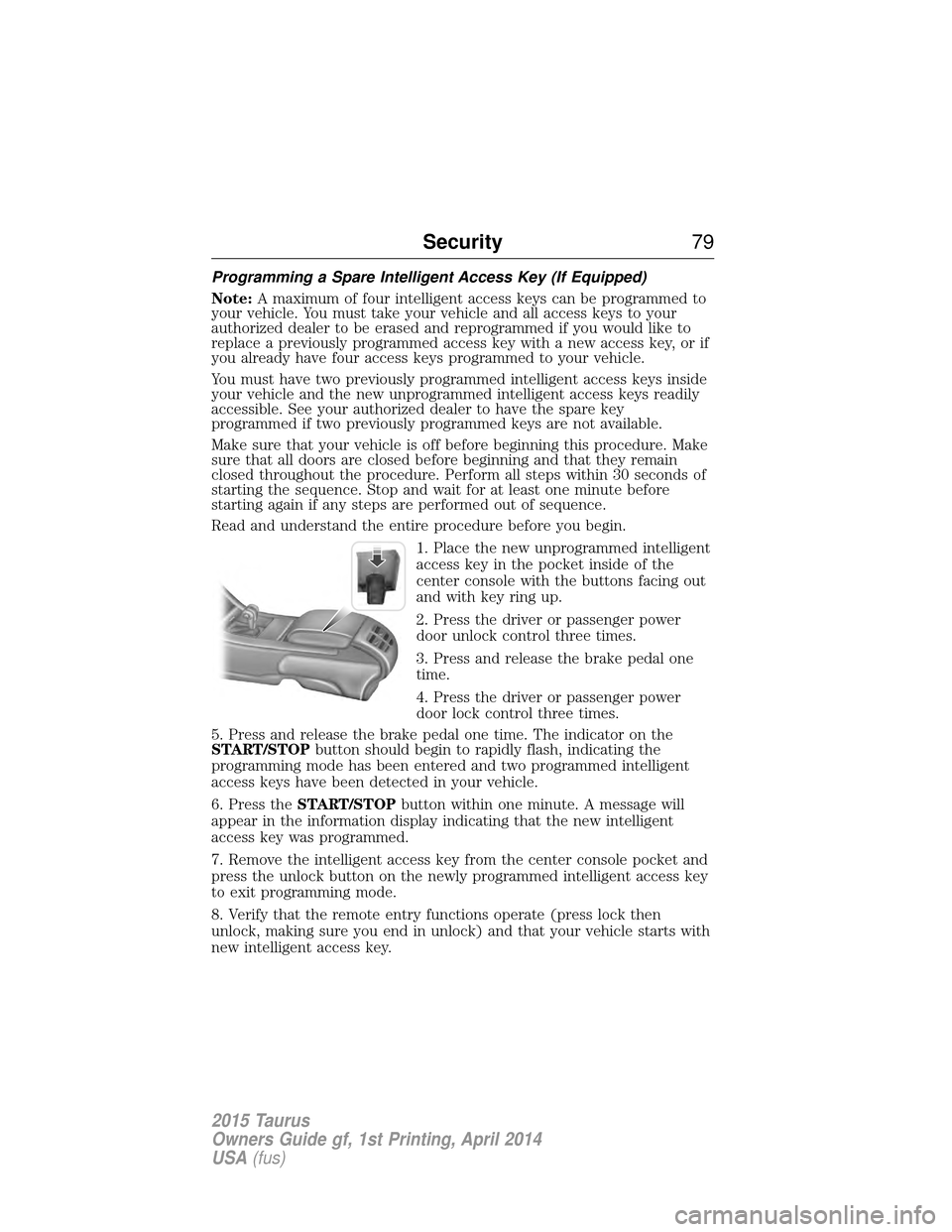
1. Place the new unprogrammed intelligent
access key in the pocket inside of the
center console with the buttons facing out
and with key ring up.
2. Press the driver or passenger power
door unlock control three times.
3. Press and release the brake pedal one
time.
4. Press the driver or passenger power
door lock control three times.
5. Press and release the brake pedal one time. The indicator on the
START/STOP button should begin to rapidly flash, indicating the
programming mode has been entered and two programmed intelligent
access keys have been detected in your vehicle.
6. Press the START/STOP button within one minute. A message will
appear in the information display indicating that the new intelligent
access key was programmed.
7. Remove the intelligent access key from the center console pocket and
press the unlock button on the newly programmed intelligent access key
to exit programming mode.
8. Verify that the remote entry functions operate (press lock then
unlock, making sure you end in unlock) and that your vehicle starts with
new intelligent access key.
Security 79
2015 Taurus
Owners Guide gf, 1st Printing, April 2014
USA(fus)
Page 81 of 558
ANTI-THEFT ALARM (IF EQUIPPED)
The system will warn you of unauthorized entry to your vehicle.
The turn signal lamps will flash and sound the horn up to a total of 10
times when:
•any door, the hood or the luggage compartment is opened without
using the keypad, the remote control or the intelligent access
transmitter (if equipped)
• the ignition is turned on with an invalid key.
Take all keys and remote controls to an authorized dealer if there is any
potential alarm problem with your vehicle.
Arming the Alarm
The system is ready to arm whenever the ignition is off. Lock the vehicle
to arm the alarm.
The turn signal lamps will flash once after locking the vehicle to indicate
the alarm is in the pre-armed mode. It will become fully armed in
20 seconds.
Disarming the Alarm
To disarm the alarm, do any of the following:
• Press the power door unlock button within the 20-second pre-armed
mode.
• Press the unlock button on the remote control.
• Unlock the doors with the keyless entry pad.
• Enter the vehicle using intelligent access (if equipped).
• Turn the ignition on with a valid key (if equipped with an integrated
keyhead transmitter only).
• Press the panic button on the remote control. The alarm system will
still be armed, but this shuts off the horn and turn lamps when the
alarm is sounding.
Note: If the driver door is unlocked with a key, a tone will sound when
you open the door and a message will appear in the information display.
You will have 12 seconds to disarm the alarm using any of the actions
above, otherwise the alarm will trigger.
80 Security
2015 Taurus
Owners Guide gf, 1st Printing, April 2014
USA(fus)
Page 123 of 558
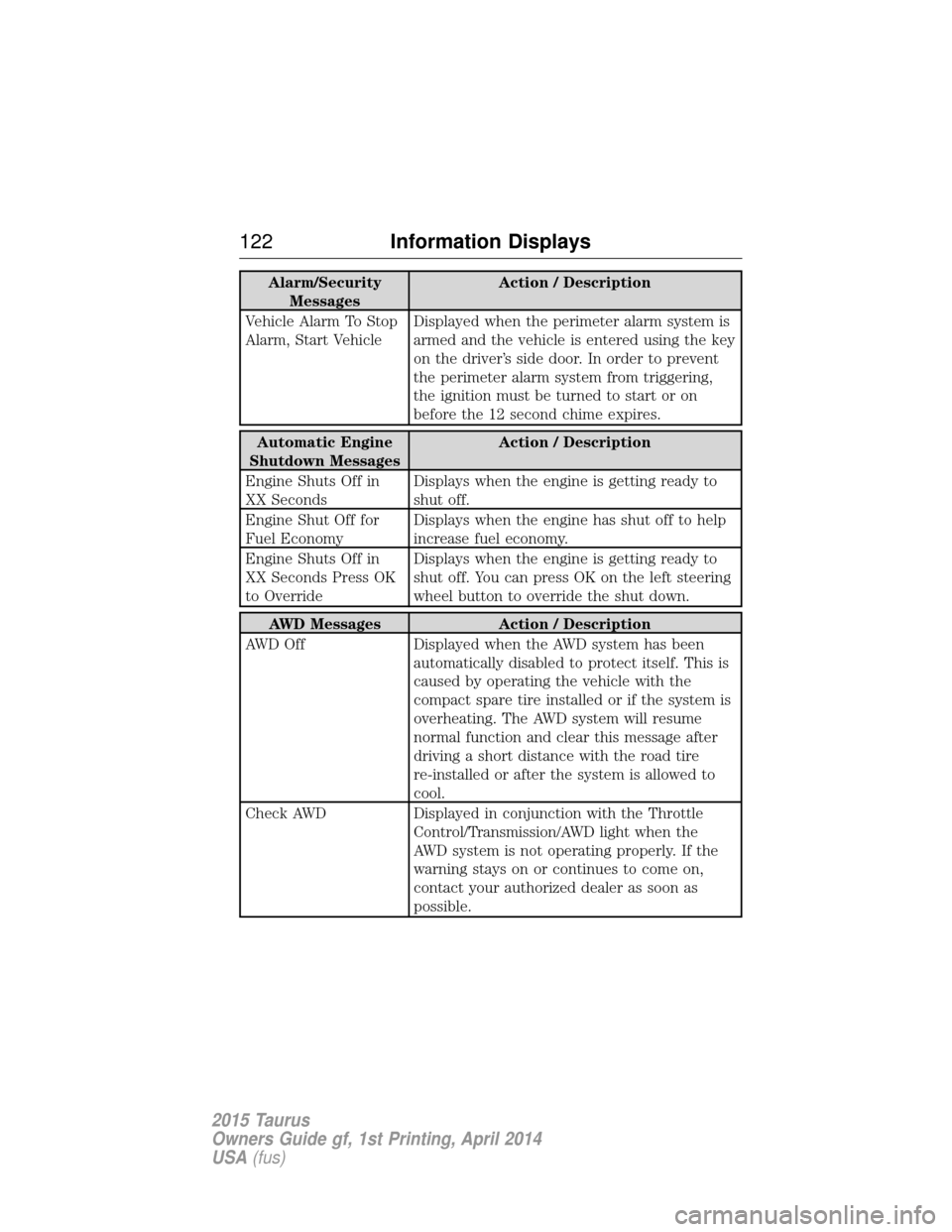
Alarm/SecurityMessages Action / Description
Vehicle Alarm To Stop
Alarm, Start Vehicle Displayed when the perimeter alarm system is
armed and the vehicle is entered using the key
on the driver’s side door. In order to prevent
the perimeter alarm system from triggering,
the ignition must be turned to start or on
before the 12 second chime expires.
Automatic Engine
Shutdown Messages Action / Description
Engine Shuts Off in
XX Seconds Displays when the engine is getting ready to
shut off.
Engine Shut Off for
Fuel Economy Displays when the engine has shut off to help
increase fuel economy.
Engine Shuts Off in
XX Seconds Press OK
to Override Displays when the engine is getting ready to
shut off. You can press OK on the left steering
wheel button to override the shut down.
AWD Messages
Action / Description
AWD Off Displayed when the AWD system has been
automatically disabled to protect itself. This is
caused by operating the vehicle with the
compact spare tire installed or if the system is
overheating. The AWD system will resume
normal function and clear this message after
driving a short distance with the road tire
re-installed or after the system is allowed to
cool.
Check AWD Displayed in conjunction with the Throttle
Control/Transmission/AWD light when the
AWD system is not operating properly. If the
warning stays on or continues to come on,
contact your authorized dealer as soon as
possible.
122 Information Displays
2015 Taurus
Owners Guide gf, 1st Printing, April 2014
USA(fus)
Page 157 of 558
HOMELINK® WIRELESS CONTROL SYSTEM (IF EQUIPPED)
WARNING:Make sure that the garage door and security device
are free from obstruction when you are programming. Do not
program the system with the vehicle in the garage.
WARNING: Do not use the system with any garage door opener
that does not have the safety stop and reverse feature as
required by U.S. Federal Safety Standards (this includes any garage
door opener manufactured before April 1, 1982).
Note: Make sure you keep the original remote control transmitter for
use in other vehicles as well as for future system programming.
Note: We recommend that upon the sale or lease termination of your
vehicle, you erase the programmed function buttons for security reasons.
See Erasing the function button codes later in this section.
Note: You can program a maximum of three devices. To change or
replace any of the three devices after it has been initially programmed,
you must first erase the current settings. See Erasing the function
button codes later in this section.
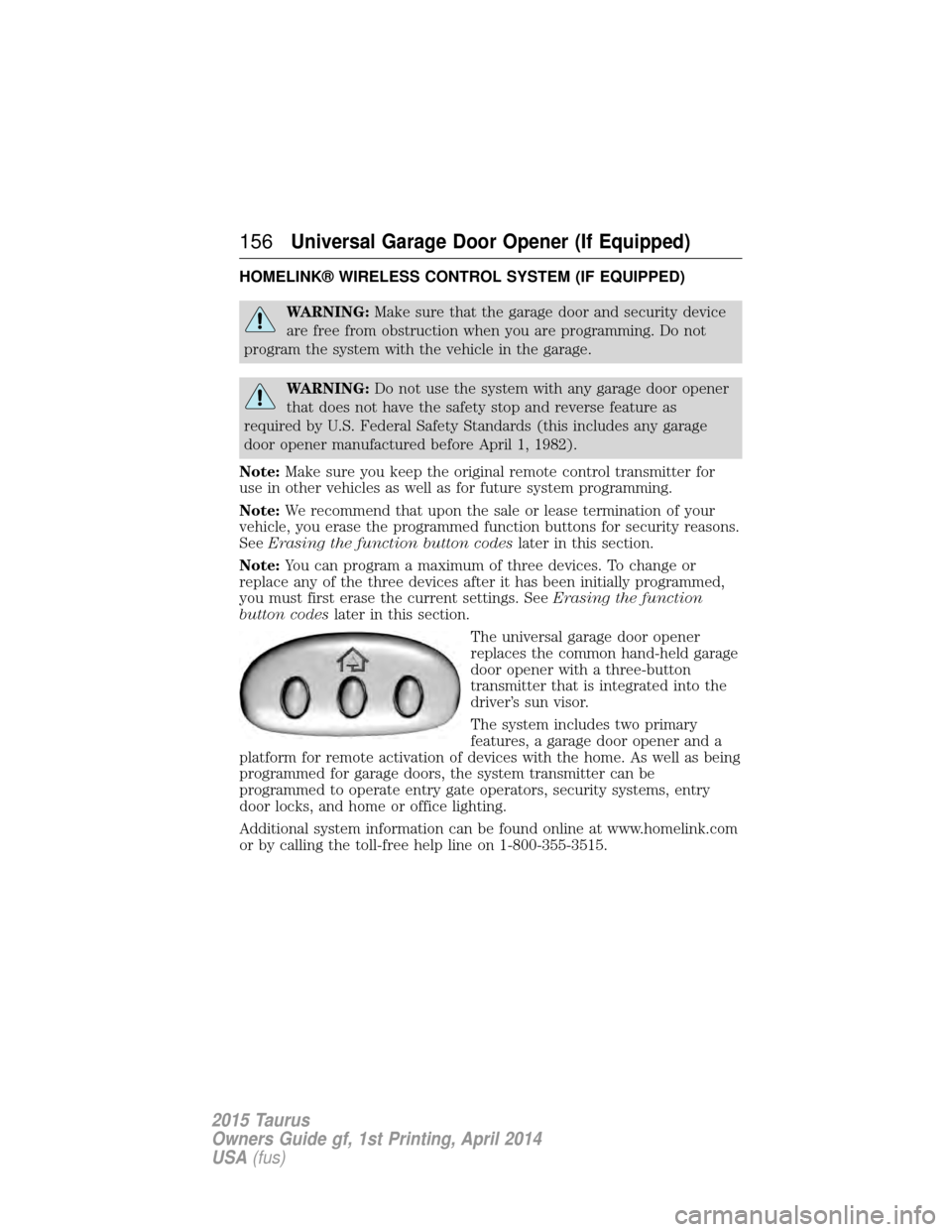
The universal garage door opener
replaces the common hand-held garage
door opener with a three-button
transmitter that is integrated into the
driver’s sun visor.
The system includes two primary
features, a garage door opener and a
platform for remote activation of devices with the home. As well as being
programmed for garage doors, the system transmitter can be
programmed to operate entry gate operators, security systems, entry
door locks, and home or office lighting.
Additional system information can be found online at www.homelink.com
or by calling the toll-free help line on 1-800-355-3515.
156Universal Garage Door Opener (If Equipped)
2015 Taurus
Owners Guide gf, 1st Printing, April 2014
USA (fus)