remote start FORD TAURUS 2015 6.G User Guide
[x] Cancel search | Manufacturer: FORD, Model Year: 2015, Model line: TAURUS, Model: FORD TAURUS 2015 6.GPages: 558, PDF Size: 4.42 MB
Page 79 of 558
Programming a Spare Integrated Keyhead Transmitter
Note:A maximum of eight coded keys can be programmed to your
vehicle. Only four of these eight can be integrated keyhead transmitters.
You can program your own integrated keyhead transmitters or standard
SecuriLock coded keys to your vehicle. This procedure will program both
the engine immobilizer key code and the remote entry portion of the
remote control to your vehicle.
Only use integrated keyhead transmitters or standard SecuriLock keys.
You must have two previously programmed coded keys and the new
unprogrammed key readily accessible. See your authorized dealer to have
the spare key programmed if two previously programmed coded keys are
not available.
Read and understand the entire procedure before you begin.
1. Insert the first previously programmed coded key into the ignition.
2. Turn the ignition from off to on. Keep the ignition on for at least three
seconds, but no more than 10 seconds.
3. Turn the ignition off and remove the first coded key from the ignition.
4. After three seconds but within 10 seconds of turning the ignition off,
insert the second previously coded key into the ignition.
5. Turn the ignition from off to on. Keep the ignition on for at least three
seconds, but no more than 10 seconds.
6. Turn the ignition off and remove the second previously programmed
coded key from the ignition.
7. After three seconds but within 20 seconds of turning the ignition off
and removing the previously programmed coded key, insert the new
unprogrammed key into the ignition.
8. Turn the ignition from off to on. Keep the ignition on for at least six
seconds until you hear the door locks cycle.
9. Remove the newly programmed coded key from the ignition.
The key will start your vehicle’s engine and will operate the remote entry
system (if the new key is an integrated keyhead transmitter) if it has
been successfully programmed.
Wait 20 seconds and repeat Steps 1 through 8 if the key was not
successfully programmed. Take your vehicle to your authorized dealer to
have the new key programmed if you are still unsuccessful.
Wait 20 seconds and then repeat this procedure from Step 1 to program
an additional key.
78 Security
2015 Taurus
Owners Guide gf, 1st Printing, April 2014
USA(fus)
Page 80 of 558
Programming a Spare Intelligent Access Key (If Equipped)
Note:A maximum of four intelligent access keys can be programmed to
your vehicle. You must take your vehicle and all access keys to your
authorized dealer to be erased and reprogrammed if you would like to
replace a previously programmed access key with a new access key, or if
you already have four access keys programmed to your vehicle.
You must have two previously programmed intelligent access keys inside
your vehicle and the new unprogrammed intelligent access keys readily
accessible. See your authorized dealer to have the spare key
programmed if two previously programmed keys are not available.
Make sure that your vehicle is off before beginning this procedure. Make
sure that all doors are closed before beginning and that they remain
closed throughout the procedure. Perform all steps within 30 seconds of
starting the sequence. Stop and wait for at least one minute before
starting again if any steps are performed out of sequence.
Read and understand the entire procedure before you begin.
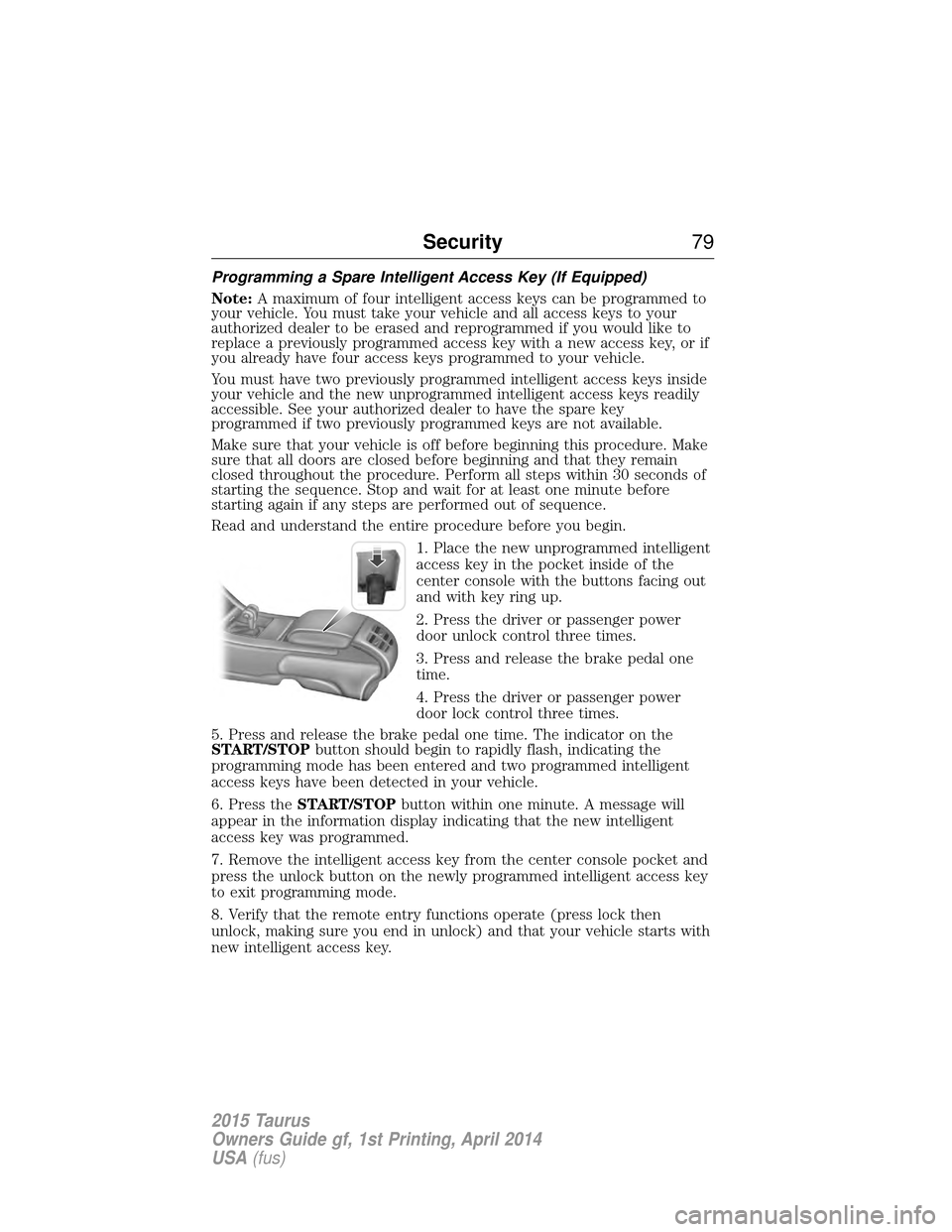
1. Place the new unprogrammed intelligent
access key in the pocket inside of the
center console with the buttons facing out
and with key ring up.
2. Press the driver or passenger power
door unlock control three times.
3. Press and release the brake pedal one
time.
4. Press the driver or passenger power
door lock control three times.
5. Press and release the brake pedal one time. The indicator on the
START/STOP button should begin to rapidly flash, indicating the
programming mode has been entered and two programmed intelligent
access keys have been detected in your vehicle.
6. Press the START/STOP button within one minute. A message will
appear in the information display indicating that the new intelligent
access key was programmed.
7. Remove the intelligent access key from the center console pocket and
press the unlock button on the newly programmed intelligent access key
to exit programming mode.
8. Verify that the remote entry functions operate (press lock then
unlock, making sure you end in unlock) and that your vehicle starts with
new intelligent access key.
Security 79
2015 Taurus
Owners Guide gf, 1st Printing, April 2014
USA(fus)
Page 97 of 558
POWER WINDOWS
WARNING:Do not leave children unattended in your vehicle
and do not let children play with the power windows. They may
seriously injure themselves.
WARNING: When closing the power windows, you should verify
they are free of obstructions and make sure that children and
pets are not in the proximity of the window openings.
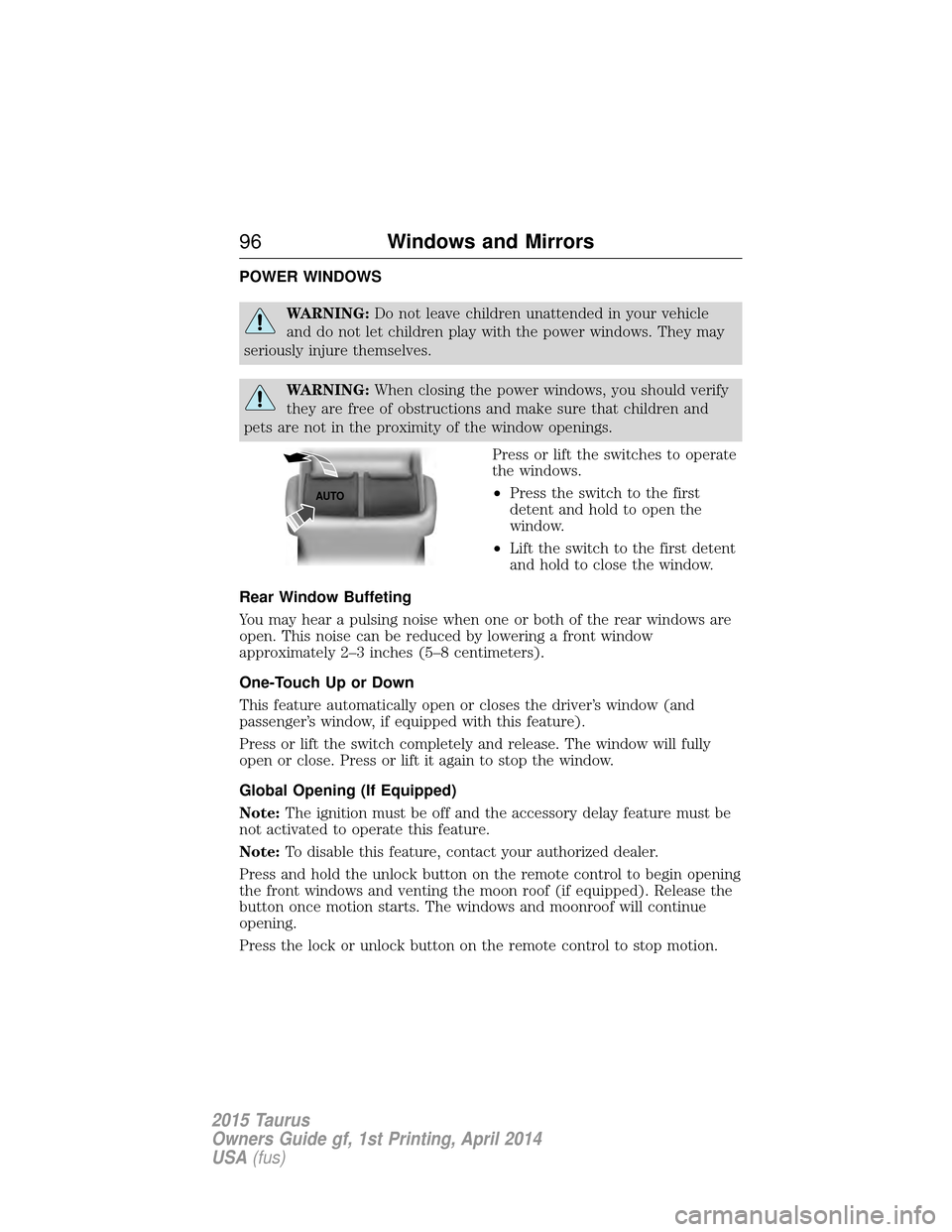
Press or lift the switches to operate
the windows.
•Press the switch to the first
detent and hold to open the
window.
• Lift the switch to the first detent
and hold to close the window.
Rear Window Buffeting
You may hear a pulsing noise when one or both of the rear windows are
open. This noise can be reduced by lowering a front window
approximately 2–3 inches (5–8 centimeters).
One-Touch Up or Down
This feature automatically open or closes the driver’s window (and
passenger’s window, if equipped with this feature).
Press or lift the switch completely and release. The window will fully
open or close. Press or lift it again to stop the window.
Global Opening (If Equipped)
Note: The ignition must be off and the accessory delay feature must be
not activated to operate this feature.
Note: To disable this feature, contact your authorized dealer.
Press and hold the unlock button on the remote control to begin opening
the front windows and venting the moon roof (if equipped). Release the
button once motion starts. The windows and moonroof will continue
opening.
Press the lock or unlock button on the remote control to stop motion.
AUTO
96 Windows and Mirrors
2015 Taurus
Owners Guide gf, 1st Printing, April 2014
USA(fus)
Page 114 of 558
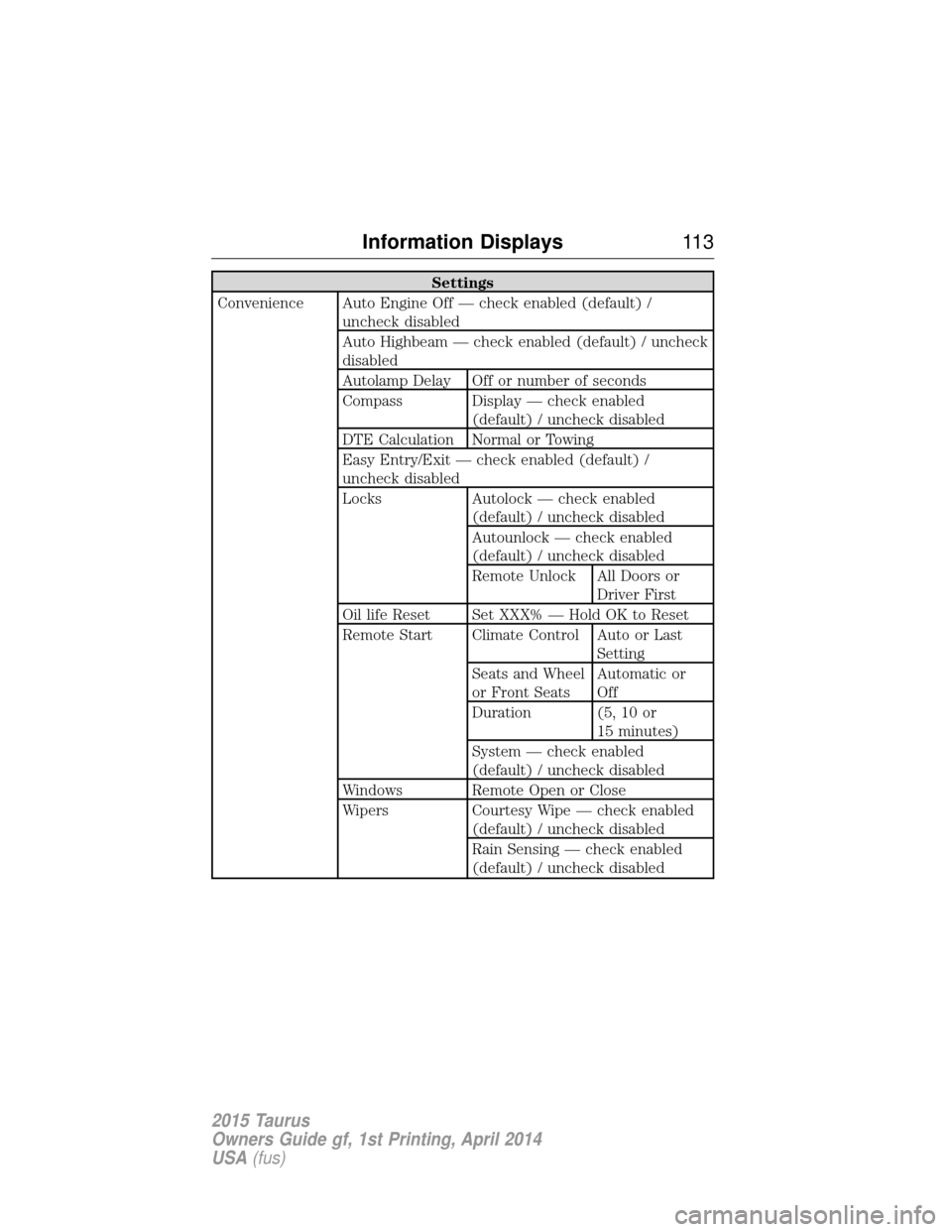
Settings
Convenience Auto Engine Off — check enabled (default) / uncheck disabled
Auto Highbeam — check enabled (default) / uncheck
disabled
Autolamp Delay Off or number of seconds
Compass Display — check enabled (default) / uncheck disabled
DTE Calculation Normal or Towing
Easy Entry/Exit — check enabled (default) /
uncheck disabled
Locks Autolock — check enabled (default) / uncheck disabled
Autounlock — check enabled
(default) / uncheck disabled
Remote Unlock All Doors orDriver First
Oil life Reset Set XXX% — Hold OK to Reset
Remote Start Climate Control Auto or Last Setting
Seats and Wheel
or Front Seats Automatic or
Off
Duration (5, 10 or 15 minutes)
System — check enabled
(default) / uncheck disabled
Windows Remote Open or Close
Wipers Courtesy Wipe — check enabled (default) / uncheck disabled
Rain Sensing — check enabled
(default) / uncheck disabled
Information Displays 11 3
2015 Taurus
Owners Guide gf, 1st Printing, April 2014
USA(fus)
Page 120 of 558
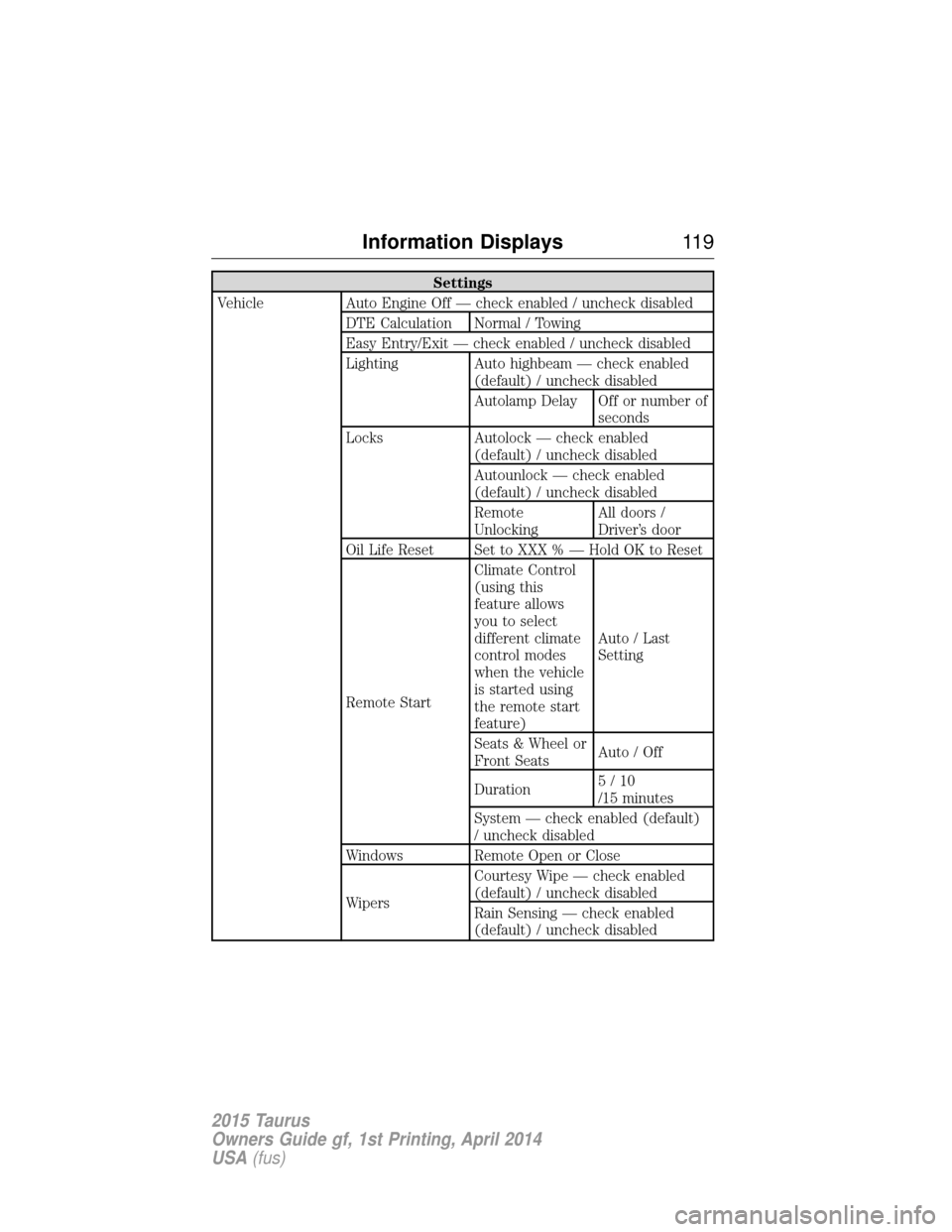
Settings
Vehicle Auto Engine Off — check enabled / uncheck disabled DTE Calculation Normal / Towing
Easy Entry/Exit — check enabled / uncheck disabled
Lighting Auto highbeam — check enabled(default) / uncheck disabled
Autolamp Delay Off or number ofseconds
Locks Autolock — check enabled (default) / uncheck disabled
Autounlock — check enabled
(default) / uncheck disabled
Remote
UnlockingAll doors /
Driver’s door
Oil Life Reset Set to XXX % — Hold OK to Reset
Remote Start Climate Control
(using this
feature allows
you to select
different climate
control modes
when the vehicle
is started using
the remote start
feature)
Auto / Last
Setting
Seats & Wheel or
Front Seats Auto / Off
Duration 5/10
/15 minutes
System — check enabled (default)
/ uncheck disabled
Windows Remote Open or Close
Wipers Courtesy Wipe — check enabled
(default) / uncheck disabled
Rain Sensing — check enabled
(default) / uncheck disabled
Information Displays
11 9
2015 Taurus
Owners Guide gf, 1st Printing, April 2014
USA(fus)
Page 142 of 558
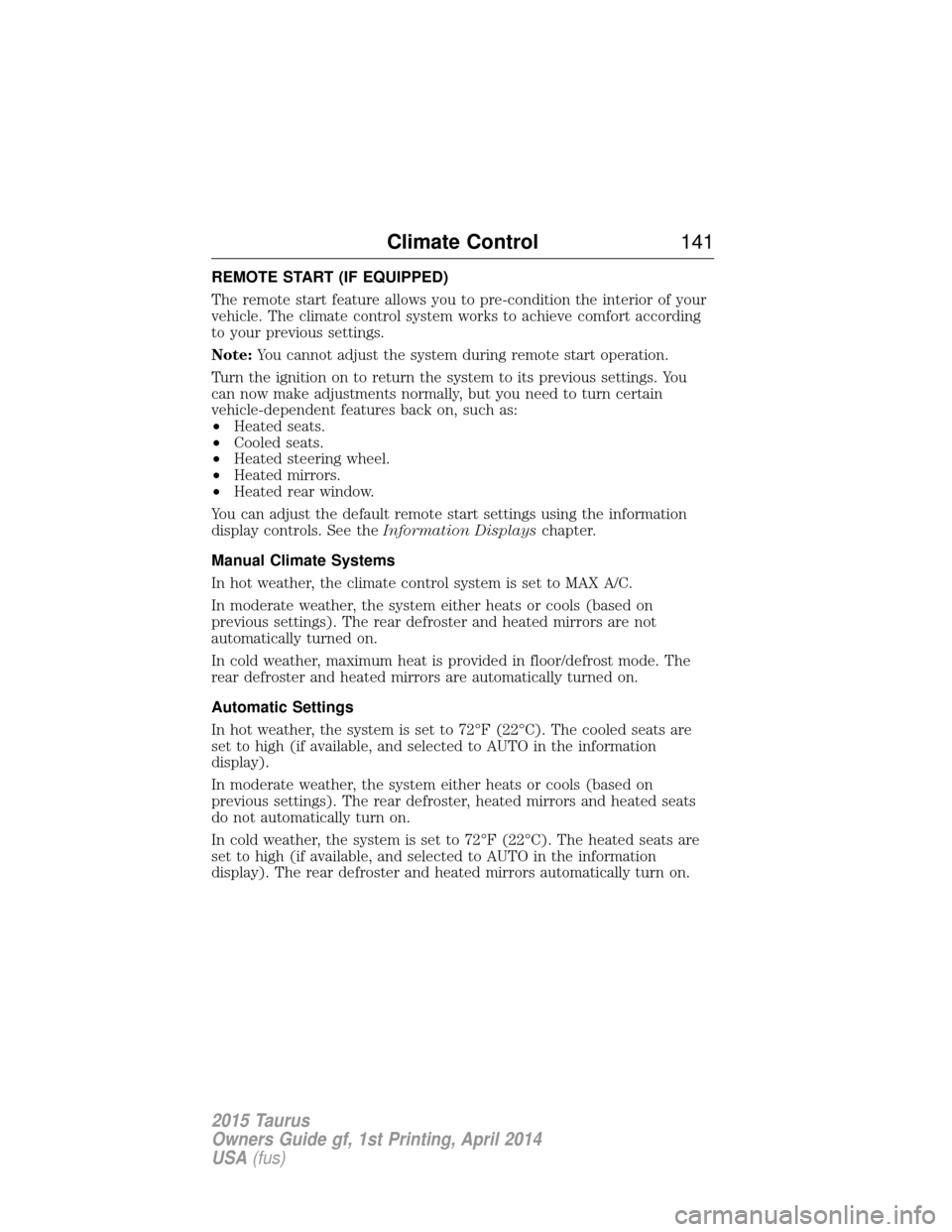
REMOTE START (IF EQUIPPED)
The remote start feature allows you to pre-condition the interior of your
vehicle. The climate control system works to achieve comfort according
to your previous settings.
Note:You cannot adjust the system during remote start operation.
Turn the ignition on to return the system to its previous settings. You
can now make adjustments normally, but you need to turn certain
vehicle-dependent features back on, such as:
• Heated seats.
• Cooled seats.
• Heated steering wheel.
• Heated mirrors.
• Heated rear window.
You can adjust the default remote start settings using the information
display controls. See the Information Displayschapter.
Manual Climate Systems
In hot weather, the climate control system is set to MAX A/C.
In moderate weather, the system either heats or cools (based on
previous settings). The rear defroster and heated mirrors are not
automatically turned on.
In cold weather, maximum heat is provided in floor/defrost mode. The
rear defroster and heated mirrors are automatically turned on.
Automatic Settings
In hot weather, the system is set to 72°F (22°C). The cooled seats are
set to high (if available, and selected to AUTO in the information
display).
In moderate weather, the system either heats or cools (based on
previous settings). The rear defroster, heated mirrors and heated seats
do not automatically turn on.
In cold weather, the system is set to 72°F (22°C). The heated seats are
set to high (if available, and selected to AUTO in the information
display). The rear defroster and heated mirrors automatically turn on.
Climate Control 141
2015 Taurus
Owners Guide gf, 1st Printing, April 2014
USA(fus)
Page 166 of 558
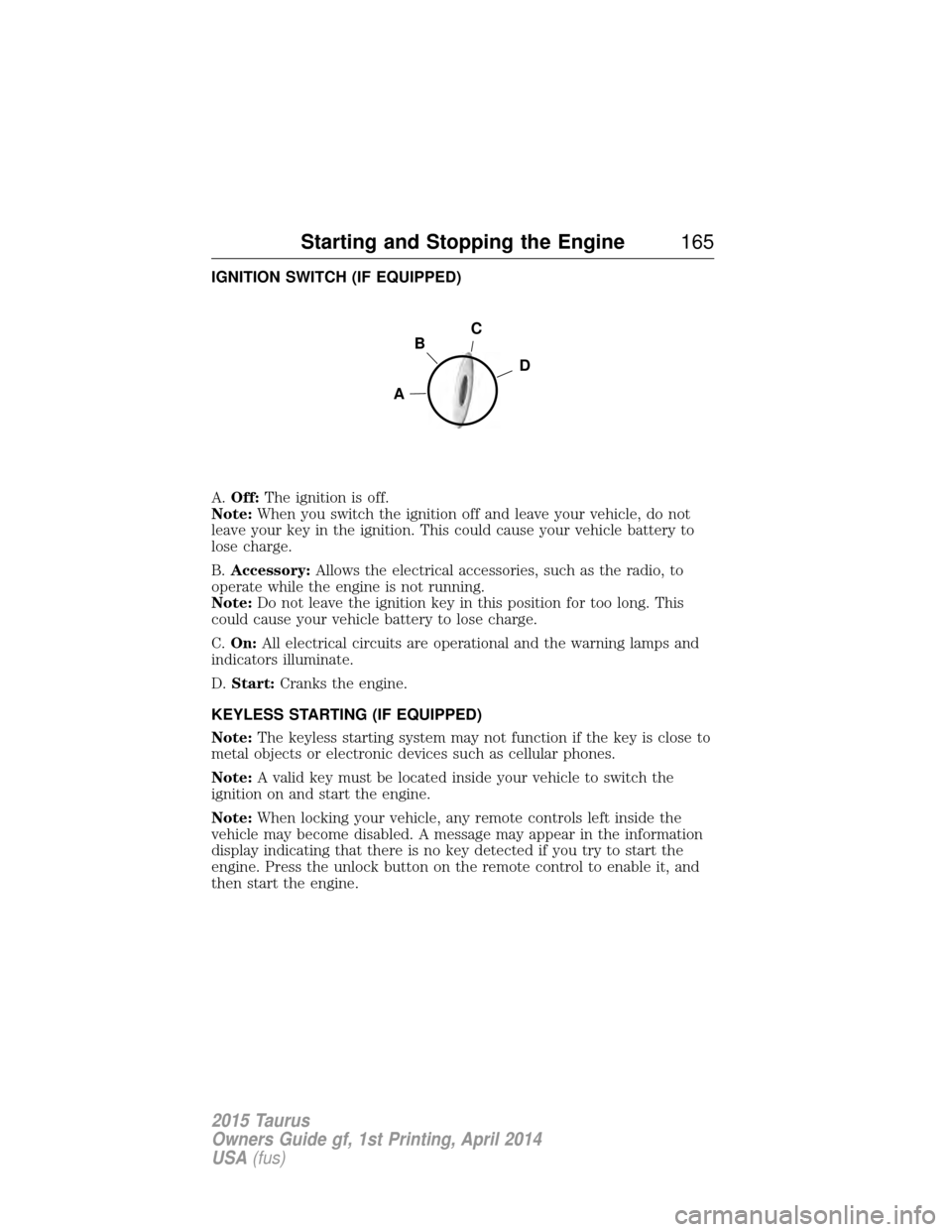
IGNITION SWITCH (IF EQUIPPED)
A.Off: The ignition is off.
Note: When you switch the ignition off and leave your vehicle, do not
leave your key in the ignition. This could cause your vehicle battery to
lose charge.
B. Accessory: Allows the electrical accessories, such as the radio, to
operate while the engine is not running.
Note: Do not leave the ignition key in this position for too long. This
could cause your vehicle battery to lose charge.
C. On: All electrical circuits are operational and the warning lamps and
indicators illuminate.
D. Start: Cranks the engine.
KEYLESS STARTING (IF EQUIPPED)
Note: The keyless starting system may not function if the key is close to
metal objects or electronic devices such as cellular phones.
Note: A valid key must be located inside your vehicle to switch the
ignition on and start the engine.
Note: When locking your vehicle, any remote controls left inside the
vehicle may become disabled. A message may appear in the information
display indicating that there is no key detected if you try to start the
engine. Press the unlock button on the remote control to enable it, and
then start the engine.
C
D
B
A
Starting and Stopping the Engine 165
2015 Taurus
Owners Guide gf, 1st Printing, April 2014
USA(fus)
Page 170 of 558
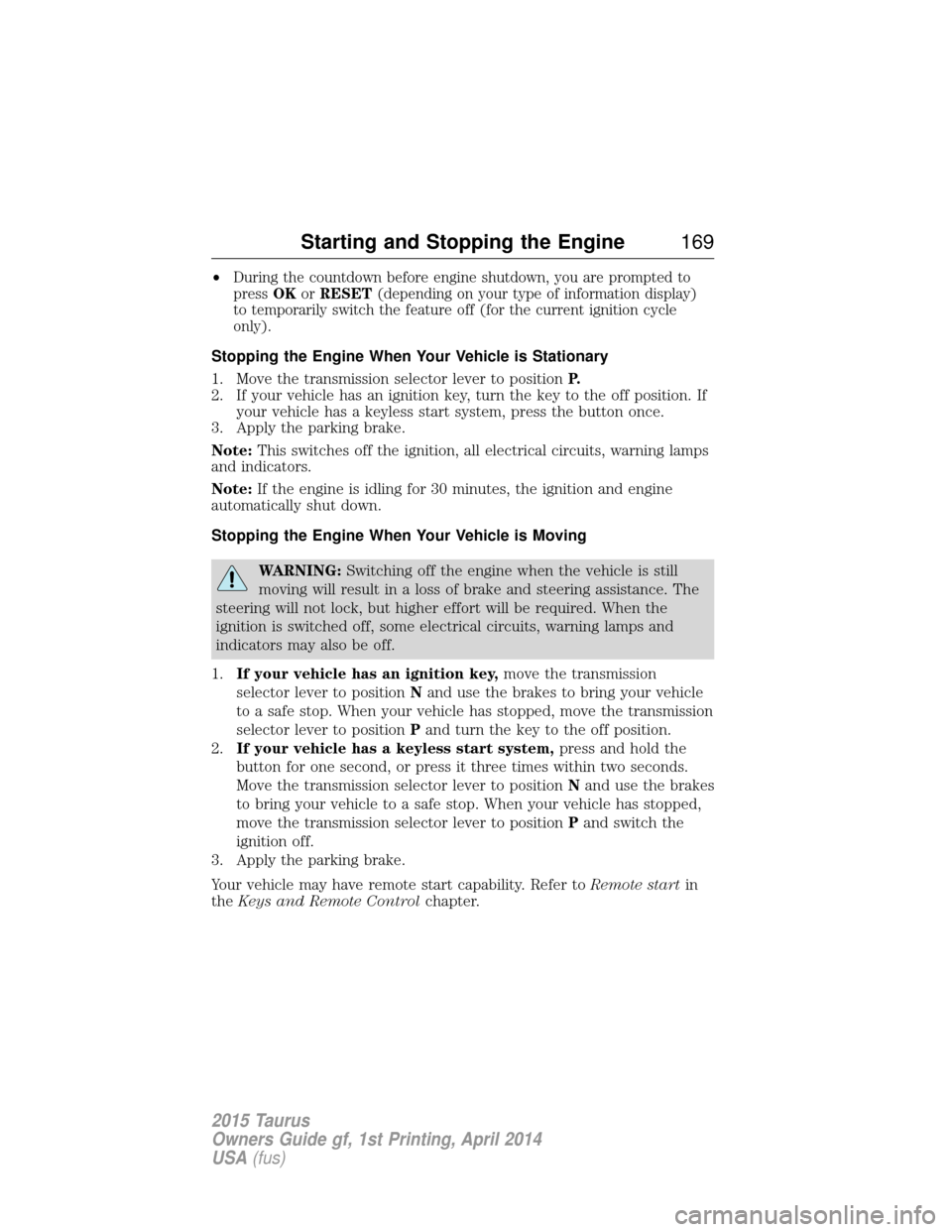
•During the countdown before engine shutdown, you are prompted to
press OKorRESET (depending on your type of information display)
to temporarily switch the feature off (for the current ignition cycle
only).
Stopping the Engine When Your Vehicle is Stationary
1. Move the transmission selector lever to position P.
2. If your vehicle has an ignition key, turn the key to the off position. If your vehicle has a keyless start system, press the button once.
3. Apply the parking brake.
Note: This switches off the ignition, all electrical circuits, warning lamps
and indicators.
Note: If the engine is idling for 30 minutes, the ignition and engine
automatically shut down.
Stopping the Engine When Your Vehicle is Moving
WARNING: Switching off the engine when the vehicle is still
moving will result in a loss of brake and steering assistance. The
steering will not lock, but higher effort will be required. When the
ignition is switched off, some electrical circuits, warning lamps and
indicators may also be off.
1. If your vehicle has an ignition key, move the transmission
selector lever to position Nand use the brakes to bring your vehicle
to a safe stop. When your vehicle has stopped, move the transmission
selector lever to position Pand turn the key to the off position.
2. If your vehicle has a keyless start system, press and hold the
button for one second, or press it three times within two seconds.
Move the transmission selector lever to position Nand use the brakes
to bring your vehicle to a safe stop. When your vehicle has stopped,
move the transmission selector lever to position Pand switch the
ignition off.
3. Apply the parking brake.
Your vehicle may have remote start capability. Refer to Remote startin
the Keys and Remote Control chapter.
Starting and Stopping the Engine 169
2015 Taurus
Owners Guide gf, 1st Printing, April 2014
USA(fus)
Page 222 of 558
CauseAction
Swirling water, or snow or ice on
the surface of the road may
interfere with the radar signals. Do not use system in these
conditions because it may not
detect any vehicle ahead.
You are in a desert or remote area
with no other vehicles and no
roadside objects. Wait a short time or switch to
normal cruise control.
Due to the nature of radar technology, it is possible to get a blockage
warning and not be blocked. This can happen, for example, when driving
in sparse rural or desert environments. A false blocked condition will
either self-clear or clear after a key cycle.
Switching to Normal Cruise Control
WARNING: Normal cruise control will not brake due to slower
vehicles. Always be aware of which mode is selected and apply
the brakes when necessary.
You can manually change from adaptive cruise control to normal cruise
control through the information display. The cruise control indicator light will replace the adaptive
cruise control indicator light if normal cruise control is selected.
The gap setting will not be displayed, the system will not
automatically respond to lead vehicles and automatic braking will not be
activated. The system will default to adaptive cruise control when the
engine is started.
Cruise Control 221
2015 Taurus
Owners Guide gf, 1st Printing, April 2014
USA(fus)
Page 368 of 558
Peace of mind
•Remote start
• Wheel locks
• Locking fuel plug for capless fuel system
• Bumper mounted parking sensors*
• Vehicle security system
*The accessory manufacturer designs, develops and therefore warrants
Ford Licensed Accessories, and does not design or test these accessories
to Ford Motor Company engineering requirements. Contact an
authorized Ford dealer for the manufacturer’s limited warranty details,
and request a copy of the Ford Licensed Accessories product limited
warranty from the accessory manufacturer.
For maximum vehicle performance, keep the following information in
mind when adding accessories or equipment to your vehicle:
• When adding accessories, equipment, passengers and luggage to your
vehicle, do not exceed the total weight capacity of the vehicle or of
the front or rear axle (GVWR or GAWR as indicated on the Safety
Compliance Certification label). Ask an authorized dealer for specific
weight information.
• The Federal Communications Commission (FCC) and Canadian Radio
Telecommunications Commission (CRTC) regulate the use of mobile
communications systems that are equipped with radio transmitters, for
example, two-way radios, telephones and theft alarms. Any such
equipment installed in your vehicle should comply with Federal
Communications Commission (FCC) and Canadian Radio
Telecommunications Commission (CRTC) regulations and should be
installed only by an authorized dealer.
• An authorized dealer needs to install mobile communications systems.
Improper installation may harm the operation of your vehicle,
particularly if the manufacturer did not design the mobile
communication system specifically for automotive use.
• If you or an authorized Ford dealer add any non-Ford electrical or
electronic accessories or components to your vehicle, you may
adversely affect battery performance and durability. In addition, you
may also adversely affect the performance of other electrical systems
in the vehicle.
Accessories 367
2015 Taurus
Owners Guide gf, 1st Printing, April 2014
USA(fus)