reset FORD TAURUS 2015 6.G User Guide
[x] Cancel search | Manufacturer: FORD, Model Year: 2015, Model line: TAURUS, Model: FORD TAURUS 2015 6.GPages: 558, PDF Size: 4.42 MB
Page 150 of 558
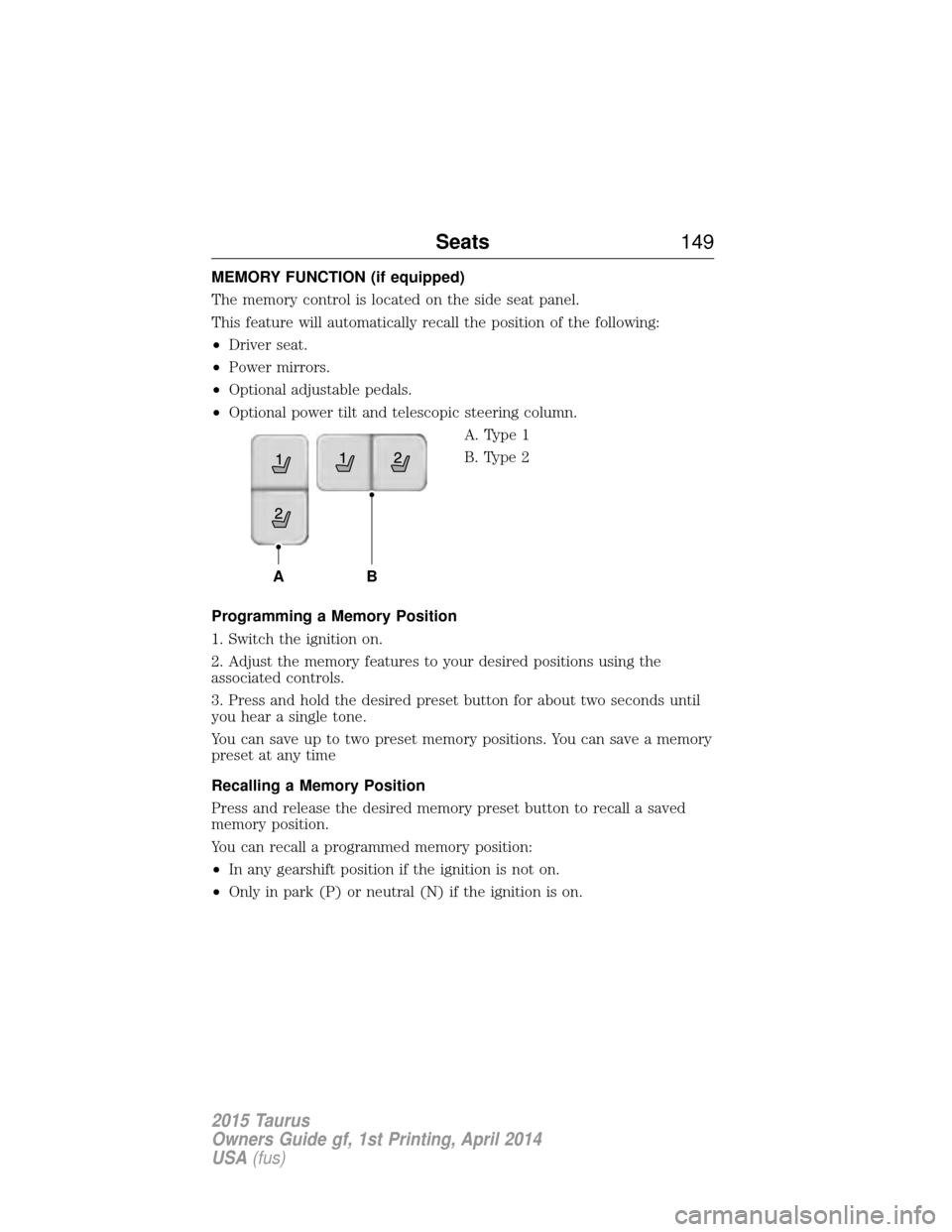
MEMORY FUNCTION (if equipped)
The memory control is located on the side seat panel.
This feature will automatically recall the position of the following:
•Driver seat.
• Power mirrors.
• Optional adjustable pedals.
• Optional power tilt and telescopic steering column.
A. Type 1
B. Type 2
Programming a Memory Position
1. Switch the ignition on.
2. Adjust the memory features to your desired positions using the
associated controls.
3. Press and hold the desired preset button for about two seconds until
you hear a single tone.
You can save up to two preset memory positions. You can save a memory
preset at any time
Recalling a Memory Position
Press and release the desired memory preset button to recall a saved
memory position.
You can recall a programmed memory position:
• In any gearshift position if the ignition is not on.
• Only in park (P) or neutral (N) if the ignition is on.
AB
Seats 149
2015 Taurus
Owners Guide gf, 1st Printing, April 2014
USA(fus)
Page 169 of 558
Fast Restart (Vehicles with Keyless Start)
The fast restart feature allows you to restart the engine within
20 seconds of switching it off, even if a valid key is not present.
Within 20 seconds of switching the engine off, press the brake pedal and
press the button. After 20 seconds have expired, you can no longer start
the engine without the key present inside your vehicle.
Once the engine has started, it remains running until you press the
button, even if the system does not detect a valid key. If you open and
close a door while the engine is running, the system searches for a valid
key. You cannot start the engine if the system does not detect a valid key
within 20 seconds.
Failure to Start
If you cannot start the engine after three attempts, wait 10 seconds and
follow this procedure:
1. Fully press the brake pedal.
2. Fully press the accelerator pedal and hold it there.
3. Start the engine.
Automatic Engine Shutdown
If your vehicle is equipped with a keyless ignition, it has a feature that
automatically shuts down the engine if it has been idling for an extended
period. The ignition also turns off in order to save battery power. Before
the engine shuts down, a message appears in the information display
showing a timer counting down from 30 seconds. If you do not intervene
within 30 seconds, the engine shuts down. Another message appears in
the information display to inform you that the engine has shut down in
order to save fuel. Start your vehicle as you normally do.
Automatic Engine Shutdown Override
Note:You cannot permanently switch off the automatic engine shutdown
feature. When you switch it off temporarily, it turns on at the next
ignition cycle.
You can stop the engine shutdown, or reset the timer, at any point before
the 30-second countdown has expired by doing any of the following:
• You can reset the timer by interacting with your vehicle (such as
pressing the brake pedal or accelerator pedal).
• You can temporarily switch off the shutdown feature any time the
ignition is on (for the current ignition cycle only). Use the information
display to do so.
168 Starting and Stopping the Engine
2015 Taurus
Owners Guide gf, 1st Printing, April 2014
USA(fus)
Page 170 of 558
•During the countdown before engine shutdown, you are prompted to
press OKorRESET (depending on your type of information display)
to temporarily switch the feature off (for the current ignition cycle
only).
Stopping the Engine When Your Vehicle is Stationary
1. Move the transmission selector lever to position P.
2. If your vehicle has an ignition key, turn the key to the off position. If your vehicle has a keyless start system, press the button once.
3. Apply the parking brake.
Note: This switches off the ignition, all electrical circuits, warning lamps
and indicators.
Note: If the engine is idling for 30 minutes, the ignition and engine
automatically shut down.
Stopping the Engine When Your Vehicle is Moving
WARNING: Switching off the engine when the vehicle is still
moving will result in a loss of brake and steering assistance. The
steering will not lock, but higher effort will be required. When the
ignition is switched off, some electrical circuits, warning lamps and
indicators may also be off.
1. If your vehicle has an ignition key, move the transmission
selector lever to position Nand use the brakes to bring your vehicle
to a safe stop. When your vehicle has stopped, move the transmission
selector lever to position Pand turn the key to the off position.
2. If your vehicle has a keyless start system, press and hold the
button for one second, or press it three times within two seconds.
Move the transmission selector lever to position Nand use the brakes
to bring your vehicle to a safe stop. When your vehicle has stopped,
move the transmission selector lever to position Pand switch the
ignition off.
3. Apply the parking brake.
Your vehicle may have remote start capability. Refer to Remote startin
the Keys and Remote Control chapter.
Starting and Stopping the Engine 169
2015 Taurus
Owners Guide gf, 1st Printing, April 2014
USA(fus)
Page 179 of 558
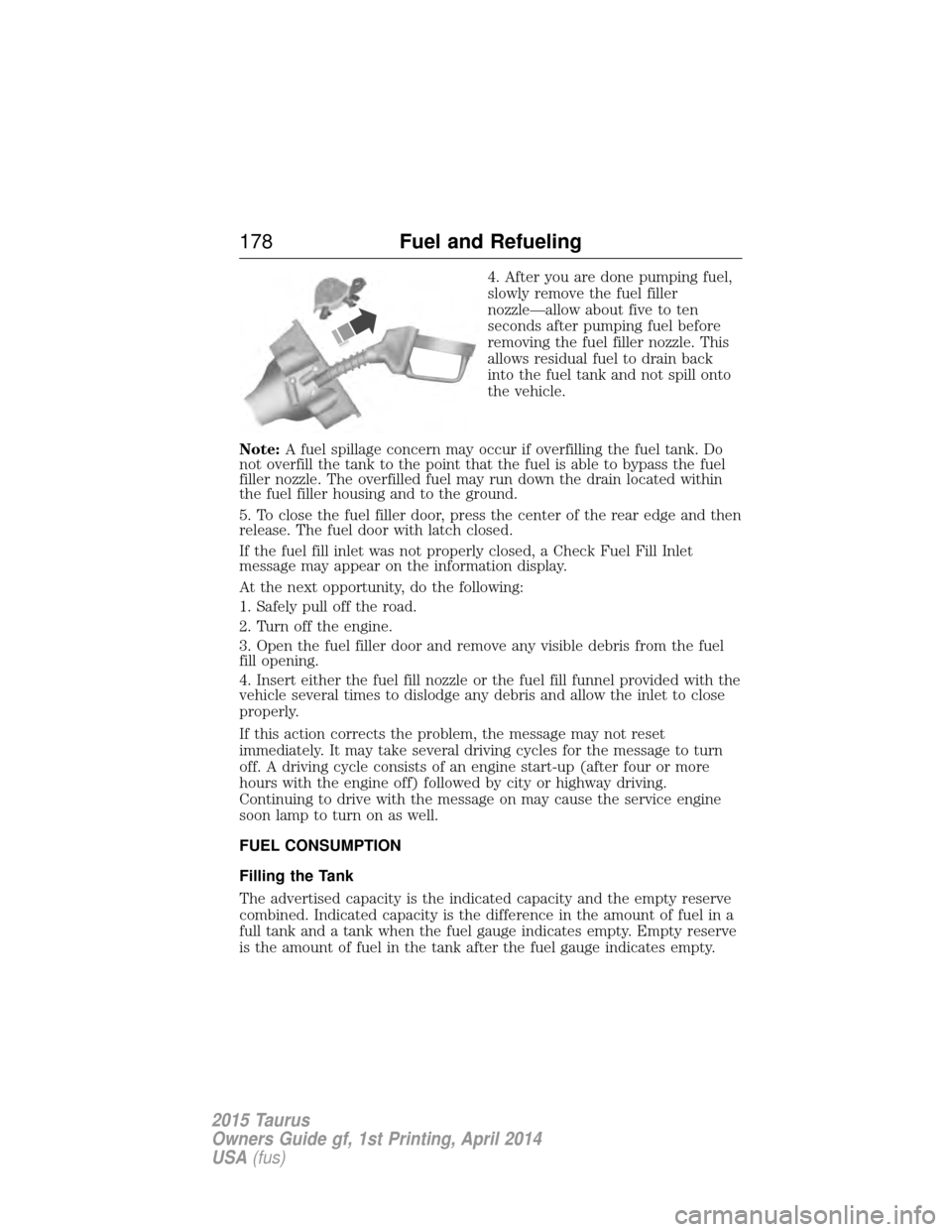
4. After you are done pumping fuel,
slowly remove the fuel filler
nozzle—allow about five to ten
seconds after pumping fuel before
removing the fuel filler nozzle. This
allows residual fuel to drain back
into the fuel tank and not spill onto
the vehicle.
Note: A fuel spillage concern may occur if overfilling the fuel tank. Do
not overfill the tank to the point that the fuel is able to bypass the fuel
filler nozzle. The overfilled fuel may run down the drain located within
the fuel filler housing and to the ground.
5. To close the fuel filler door, press the center of the rear edge and then
release. The fuel door with latch closed.
If the fuel fill inlet was not properly closed, a Check Fuel Fill Inlet
message may appear on the information display.
At the next opportunity, do the following:
1. Safely pull off the road.
2. Turn off the engine.
3. Open the fuel filler door and remove any visible debris from the fuel
fill opening.
4. Insert either the fuel fill nozzle or the fuel fill funnel provided with the
vehicle several times to dislodge any debris and allow the inlet to close
properly.
If this action corrects the problem, the message may not reset
immediately. It may take several driving cycles for the message to turn
off. A driving cycle consists of an engine start-up (after four or more
hours with the engine off) followed by city or highway driving.
Continuing to drive with the message on may cause the service engine
soon lamp to turn on as well.
FUEL CONSUMPTION
Filling the Tank
The advertised capacity is the indicated capacity and the empty reserve
combined. Indicated capacity is the difference in the amount of fuel in a
full tank and a tank when the fuel gauge indicates empty. Empty reserve
is the amount of fuel in the tank after the fuel gauge indicates empty.
178 Fuel and Refueling
2015 Taurus
Owners Guide gf, 1st Printing, April 2014
USA(fus)
Page 189 of 558
Using your All Wheel Drive (AWD) system
AWD uses all four wheels to power the vehicle. This increases traction,
enabling you to drive over terrain and road conditions that a
conventional two-wheel drive vehicles cannot. The AWD system is active
all the time and requires no input from the operator.
Note:Your AWD vehicle is not intended for off-road use. The AWD feature
gives your vehicle some limited off-road capabilities in which driving
surfaces are relatively level, obstruction-free and otherwise similar to
normal on-road driving conditions. Operating your vehicle under other than
those conditions could subject the vehicle to excessive stress which might
result in damage which is not covered under your warranty.
Note: When an AWD system fault is present, the warning Check AWD
will display in the information display. The AWD system is not
functioning correctly and defaulted to front-wheel drive. When this
warning is displayed, have your vehicle serviced at an authorized dealer.
Note: The AWD Off message may also be displayed in the information
display if the AWD system has overheated and defaulted to front-wheel
drive. This condition may occur if the vehicle was operated in extreme
conditions with excessive wheel slip, such as deep sand. To resume
normal AWD function as soon as possible, stop the vehicle in a safe
location and stop the engine for at least 10 minutes. After the engine has
been restarted and the AWD system has adequately cooled, the AWD Off
message will turn off and normal AWD function will return. In the event
the engine is not stopped, the AWD Off message will turn off when the
system cools and normal AWD function returns.
The Power Transfer Unit (PTU) does not require any normal scheduled
maintenance. Do not check or change the PTU lubricant unless the unit
has been submerged in water or shows signs of leakage
The Power Transfer Unit (PTU) in Taurus SHO™ performance package
vehicles is electronically monitored and notifies the driver of required
service by displaying the message Change AWD Power Transfer Unit
Lube in the information display. The PTU lube will be more likely to
require a fluid change if the vehicle has experienced extended periods of
extreme/severe duty cycle driving. Do not check or change the PTU
lubricant unless the unit has been submerged in water, shows signs of
leakage or a message indicating required service is displayed. Contact
your authorized dealer for service and to reset the PTU lube life monitor.
Do not use a spare tire of a different size other than the tire provided. If
the mini-spare tire is installed, the AWD system may disable
automatically and enter front-wheel drive only mode to protect driveline
188 All-Wheel Drive (If Equipped)
2015 Taurus
Owners Guide gf, 1st Printing, April 2014
USA(fus)
Page 212 of 558
Enhanced Park Aids
Note:Enhanced park aids is only available when the transmission is in R
(Reverse).
Note: The reverse sensing system is not effective at speeds above 3 mph
(5 km/h) and may not detect certain angular or moving objects.
The enhanced park aids allows the driver to view the area that is being
detected by the reverse sensing system. The system uses red, yellow and
green highlights which appear on top of the video image when an object
is detected by the reverse sensing system. The alert highlights the
closest object detected. The reverse sensing alert can be disabled and if
enhanced park aids is enabled, highlighted areas are still displayed.
Selectable settings for this feature are ON and OFF.
Manual Zoom
WARNING: When manual zoom is on, the full area behind the
vehicle is not shown. Be aware of your surroundings when using
the manual zoom feature.
Note: Manual zoom is only available when the transmission is in R
(Reverse).
Note: When manual zoom is enabled, only the centerline is shown.
Allows the driver to get a closer view of an object behind the vehicle.
The zoomed image keeps the bumper in the image to provide a
reference. When the transmission is shifted out of R (Reverse), the
feature automatically turns off and must be reset when it is used again.
Selectable settings for this feature are (+) and (-). The default setting
for the manual zoom is OFF.
Rear Camera Delay
When shifting the transmission out of R (Reverse) and into any gear
other than P (Park), the camera image remains in the display until the
vehicle speed reaches 6 mph (10 km/h). This occurs when the rear
camera delay feature is on, or until a radio button is selected.
Selectable settings for this feature are ON and OFF. The default setting
for the rear camera delay is OFF.
Parking Aids 211
2015 Taurus
Owners Guide gf, 1st Printing, April 2014
USA(fus)
Page 216 of 558
4. Take your foot off the accelerator pedal.5. A lead vehicle graphic will
illuminate if there is a vehicle
detected in front of you.
Note: When adaptive cruise control is active, the speedometer may vary
slightly from the set speed displayed in the information display.
Following a Vehicle
WARNING: When following a vehicle in front of you, your
vehicle will not decelerate automatically to a stop, nor will your
vehicle always decelerate quickly enough to avoid a collision without
driver intervention. Always apply the brakes when necessary. Failing to
do so may result in a collision, serious injury or death.
WARNING: Adaptive cruise control only warns of vehicles
detected by the radar sensor. In some cases there may be no
warning or the warning may be delayed. The driver should always apply
the brakes when necessary. Failing to do so may result in a collision,
serious injury or death.
Note: The brakes may emit a sound when they are being modulated by
the adaptive cruise control system.
When a vehicle ahead of you enters the same lane or a slower vehicle is
ahead in the same lane, the vehicle speed adjusts to maintain a preset
gap distance. The distance setting is adjustable.
The lead vehicle graphic will be illuminated.
Your vehicle will maintain a constant distance between the vehicle ahead
until:
• the vehicle in front of you accelerates to a speed above the set speed
• the vehicle in front of you moves out of your lane or out of view
• the vehicle speed falls below 16 mph (26 km/h)
• a new gap distance is set.
Cruise Control 215
2015 Taurus
Owners Guide gf, 1st Printing, April 2014
USA(fus)
Page 224 of 558
System Display
When active the system will run automatically in the background and
only issue a warning if required. You can view the status at any time
using the information display. Refer to theInformation Displays
chapter.
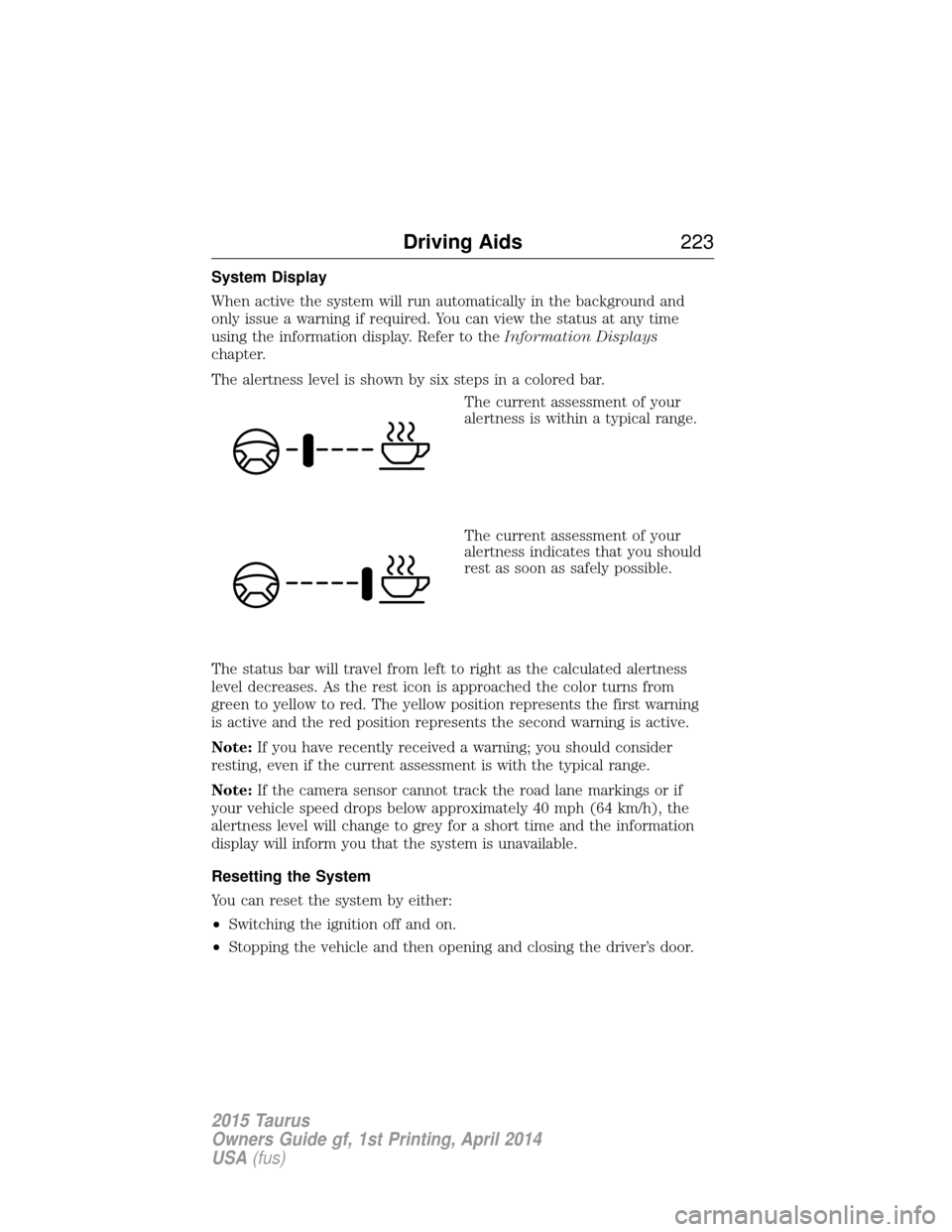
The alertness level is shown by six steps in a colored bar.
The current assessment of your
alertness is within a typical range.
The current assessment of your
alertness indicates that you should
rest as soon as safely possible.
The status bar will travel from left to right as the calculated alertness
level decreases. As the rest icon is approached the color turns from
green to yellow to red. The yellow position represents the first warning
is active and the red position represents the second warning is active.
Note: If you have recently received a warning; you should consider
resting, even if the current assessment is with the typical range.
Note: If the camera sensor cannot track the road lane markings or if
your vehicle speed drops below approximately 40 mph (64 km/h), the
alertness level will change to grey for a short time and the information
display will inform you that the system is unavailable.
Resetting the System
You can reset the system by either:
• Switching the ignition off and on.
• Stopping the vehicle and then opening and closing the driver’s door.
Driving Aids 223
2015 Taurus
Owners Guide gf, 1st Printing, April 2014
USA(fus)
Page 232 of 558
System Sensors
WARNING:Just prior to the system recognizing a blocked
condition and alerting the driver, the number of missed objects
will increase. To help avoid injuries, NEVER use the BLIS® as a
replacement for using the side and rear view mirrors and looking over
your shoulder before changing lanes. BLIS® is not a replacement for
careful driving.
Note: It is possible to get a blockage warning with no blockage present;
this is rare and known as a false blockage warning. A false blocked
condition either self-corrects or clears after a key cycle.
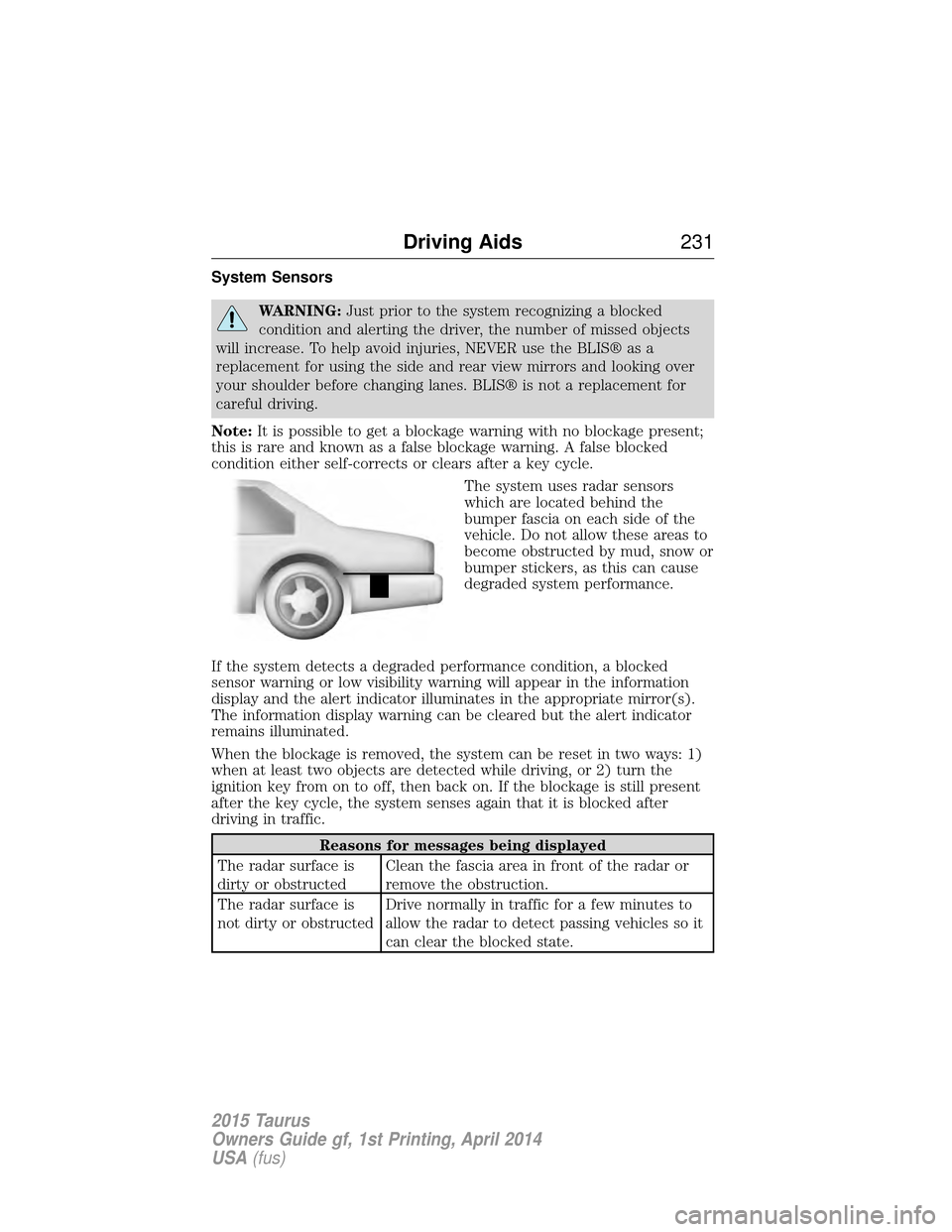
The system uses radar sensors
which are located behind the
bumper fascia on each side of the
vehicle. Do not allow these areas to
become obstructed by mud, snow or
bumper stickers, as this can cause
degraded system performance.
If the system detects a degraded performance condition, a blocked
sensor warning or low visibility warning will appear in the information
display and the alert indicator illuminates in the appropriate mirror(s).
The information display warning can be cleared but the alert indicator
remains illuminated.
When the blockage is removed, the system can be reset in two ways: 1)
when at least two objects are detected while driving, or 2) turn the
ignition key from on to off, then back on. If the blockage is still present
after the key cycle, the system senses again that it is blocked after
driving in traffic.
Reasons for messages being displayed
The radar surface is
dirty or obstructed Clean the fascia area in front of the radar or
remove the obstruction.
The radar surface is
not dirty or obstructed Drive normally in traffic for a few minutes to
allow the radar to detect passing vehicles so it
can clear the blocked state.
Driving Aids
231
2015 Taurus
Owners Guide gf, 1st Printing, April 2014
USA(fus)
Page 233 of 558
Reasons for messages being displayed
Heavy rainfall/snowfall
interferes with the
radar signals No action required. The system automatically
resets to an unblocked state once the
rainfall/snowfall rate decreases or stops. Do
not use BLIS® and/or CTA in these conditions.
System Limitations
The BLIS® and CTA systems do have their limitations; situations such as
severe weather conditions or debris build-up on the sensor area may
limit vehicle detection.
The following are other situations that may limit the BLIS®:
• Certain maneuvering of vehicles entering and exiting the blind zone.
• Vehicles passing through the blind zone at very fast rates.
• When several vehicles forming a convoy pass through the blind zone.
The following are other situations that may limit the CTA system:
• Adjacently parked vehicles or objects obstructing the sensors.
• Approaching vehicles passing at speeds greater than 15 mph
(24 km/h).
• Driving in reverse faster than 3 mph (5 km/h).
• Backing out of an angled parking spot.
False Alerts
Note: If you connected a trailer to your vehicle the BLIS® system may
detect the trailer causing a false alert. To avoid false alerts you may want
to turn the BLIS off manually.
There may be certain instances when either the BLIS® or CTA systems
illuminate the alert indicator with no vehicle in the coverage zone; this is
known as a false alert. Some amount of false alerts are normal; they are
temporary and self-correct.
System Errors
If either system senses a problem with the left or right sensor, the
BLIS® indicator in the information display will illuminate and remain on.
Also, BLIND SPOT SYSTEM FAULT orCROSS TRAFFIC SYSTEM
FAULT message will appear. When problems that may cause the left or
right indicator not to illuminate, only the information display message
faults appear.
232 Driving Aids
2015 Taurus
Owners Guide gf, 1st Printing, April 2014
USA(fus)