buttons FORD TAURUS 2015 6.G Owner's Manual
[x] Cancel search | Manufacturer: FORD, Model Year: 2015, Model line: TAURUS, Model: FORD TAURUS 2015 6.GPages: 558, PDF Size: 4.42 MB
Page 375 of 558
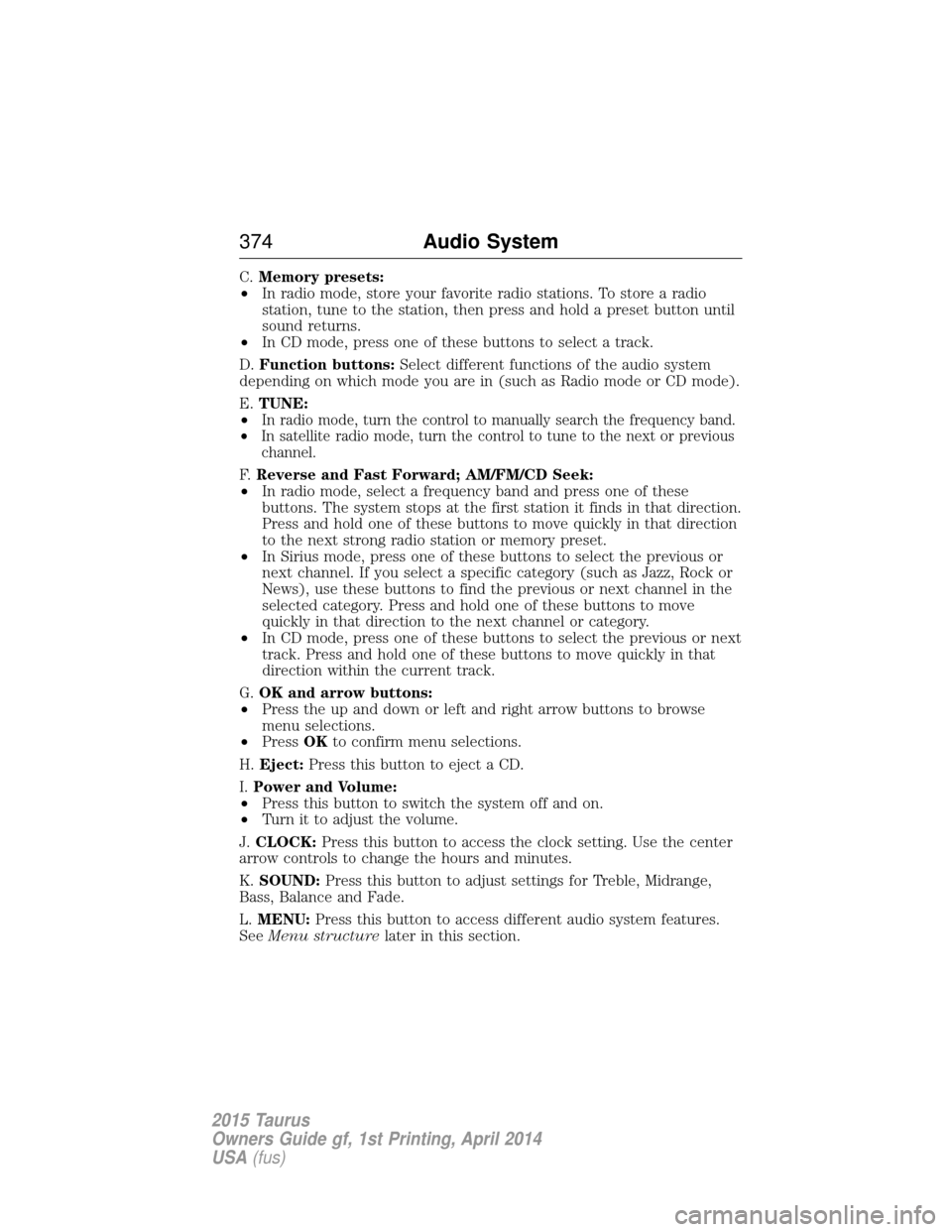
C.Memory presets:
• In radio mode, store your favorite radio stations. To store a radio
station, tune to the station, then press and hold a preset button until
sound returns.
• In CD mode, press one of these buttons to select a track.
D. Function buttons: Select different functions of the audio system
depending on which mode you are in (such as Radio mode or CD mode).
E. TUNE:
•
In radio mode, turn the control to manually search the frequency band.
• In satellite radio mode, turn the control to tune to the next or previous
channel.
F. Reverse and Fast Forward; AM/FM/CD Seek:
• In radio mode, select a frequency band and press one of these
buttons. The system stops at the first station it finds in that direction.
Press and hold one of these buttons to move quickly in that direction
to the next strong radio station or memory preset.
• In Sirius mode, press one of these buttons to select the previous or
next channel. If you select a specific category (such as Jazz, Rock or
News), use these buttons to find the previous or next channel in the
selected category. Press and hold one of these buttons to move
quickly in that direction to the next channel or category.
• In CD mode, press one of these buttons to select the previous or next
track. Press and hold one of these buttons to move quickly in that
direction within the current track.
G. OK and arrow buttons:
• Press the up and down or left and right arrow buttons to browse
menu selections.
• Press OKto confirm menu selections.
H. Eject: Press this button to eject a CD.
I. Power and Volume:
• Press this button to switch the system off and on.
• Turn it to adjust the volume.
J. CLOCK: Press this button to access the clock setting. Use the center
arrow controls to change the hours and minutes.
K. SOUND: Press this button to adjust settings for Treble, Midrange,
Bass, Balance and Fade.
L. MENU: Press this button to access different audio system features.
See Menu structure later in this section.
374 Audio System
2015 Taurus
Owners Guide gf, 1st Printing, April 2014
USA(fus)
Page 376 of 558
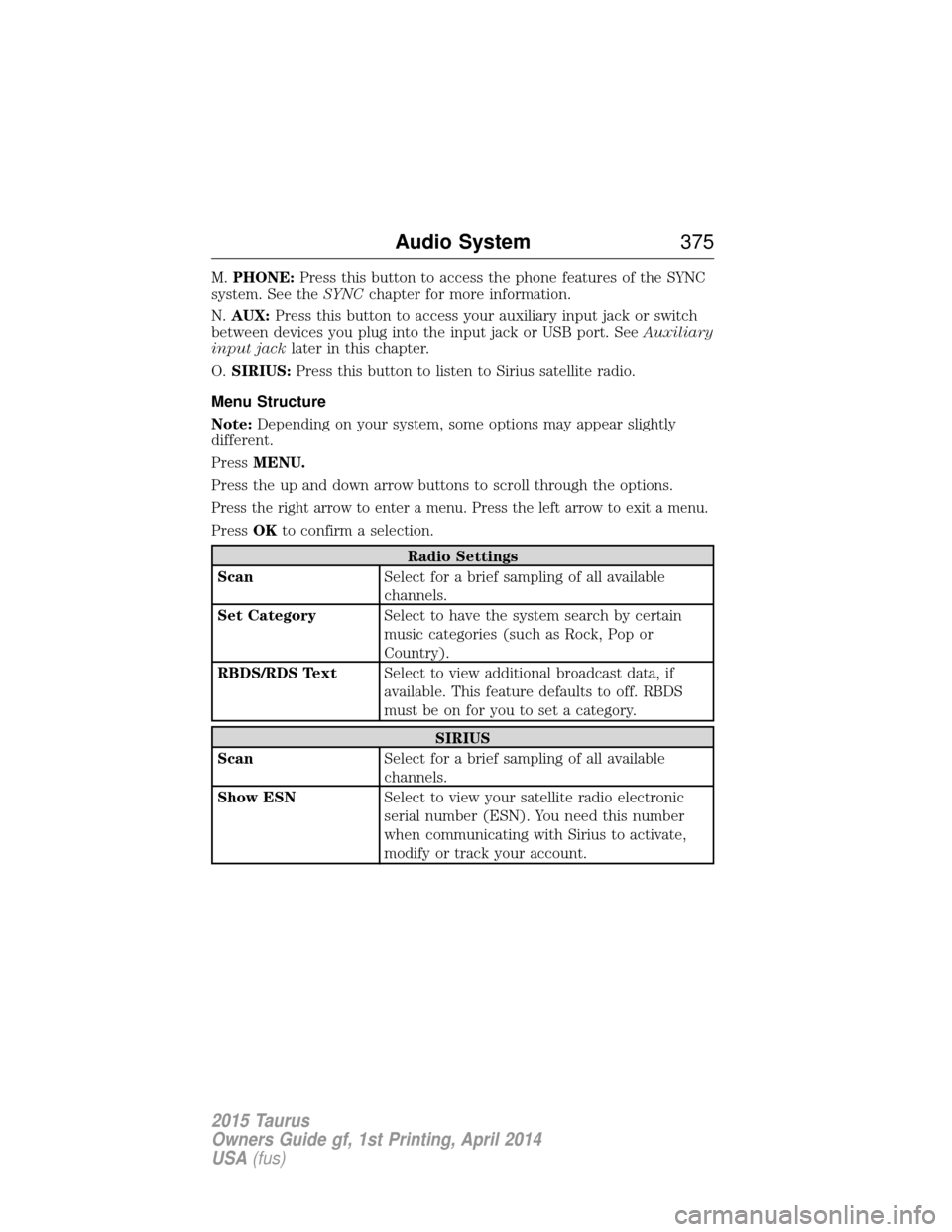
M.PHONE: Press this button to access the phone features of the SYNC
system. See the SYNCchapter for more information.
N. AUX: Press this button to access your auxiliary input jack or switch
between devices you plug into the input jack or USB port. See Auxiliary
input jack later in this chapter.
O. SIRIUS: Press this button to listen to Sirius satellite radio.
Menu Structure
Note: Depending on your system, some options may appear slightly
different.
Press MENU.
Press the up and down arrow buttons to scroll through the options.
Press the right arrow to enter a menu. Press the left arrow to exit a menu.
Press OKto confirm a selection.
Radio Settings
Scan Select for a brief sampling of all available
channels.
Set Category Select to have the system search by certain
music categories (such as Rock, Pop or
Country).
RBDS/RDS Text Select to view additional broadcast data, if
available. This feature defaults to off. RBDS
must be on for you to set a category.
SIRIUS
Scan Select for a brief sampling of all available
channels.
Show ESN Select to view your satellite radio electronic
serial number (ESN). You need this number
when communicating with Sirius to activate,
modify or track your account.
Audio System 375
2015 Taurus
Owners Guide gf, 1st Printing, April 2014
USA(fus)
Page 379 of 558
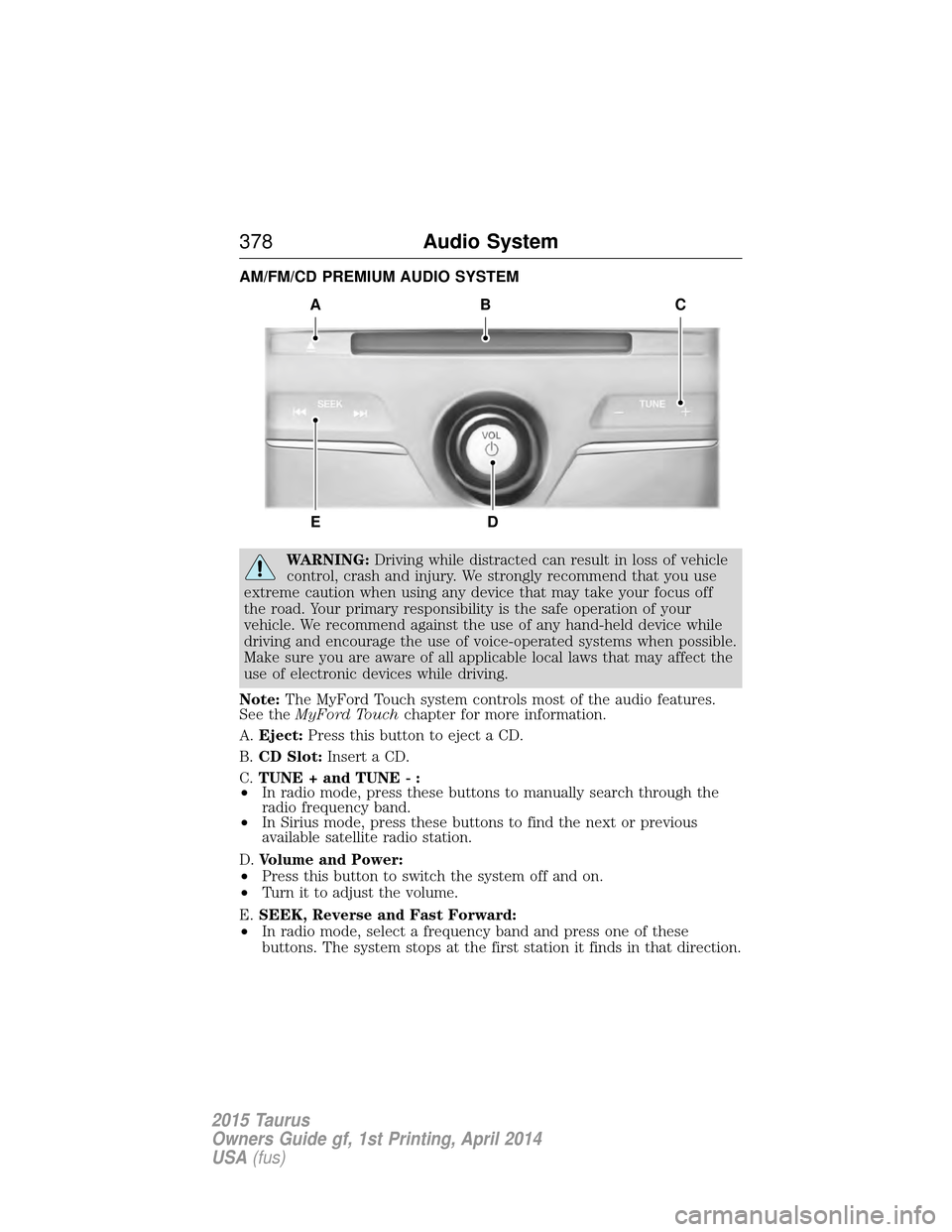
AM/FM/CD PREMIUM AUDIO SYSTEM
WARNING:Driving while distracted can result in loss of vehicle
control, crash and injury. We strongly recommend that you use
extreme caution when using any device that may take your focus off
the road. Your primary responsibility is the safe operation of your
vehicle. We recommend against the use of any hand-held device while
driving and encourage the use of voice-operated systems when possible.
Make sure you are aware of all applicable local laws that may affect the
use of electronic devices while driving.
Note: The MyFord Touch system controls most of the audio features.
See the MyFord Touch chapter for more information.
A. Eject: Press this button to eject a CD.
B. CD Slot: Insert a CD.
C. TUNE + and TUNE - :
• In radio mode, press these buttons to manually search through the
radio frequency band.
• In Sirius mode, press these buttons to find the next or previous
available satellite radio station.
D. Volume and Power:
• Press this button to switch the system off and on.
• Turn it to adjust the volume.
E. SEEK, Reverse and Fast Forward:
• In radio mode, select a frequency band and press one of these
buttons. The system stops at the first station it finds in that direction.
A
ED
BC
378 Audio System
2015 Taurus
Owners Guide gf, 1st Printing, April 2014
USA(fus)
Page 380 of 558
•In Sirius mode, press these buttons to select the previous or next
channel. If a specific category is selected (such as Jazz, Rock or
News), use these buttons to find the previous or next channel in the
selected category.
• In CD mode, press these buttons to select the previous or next track.
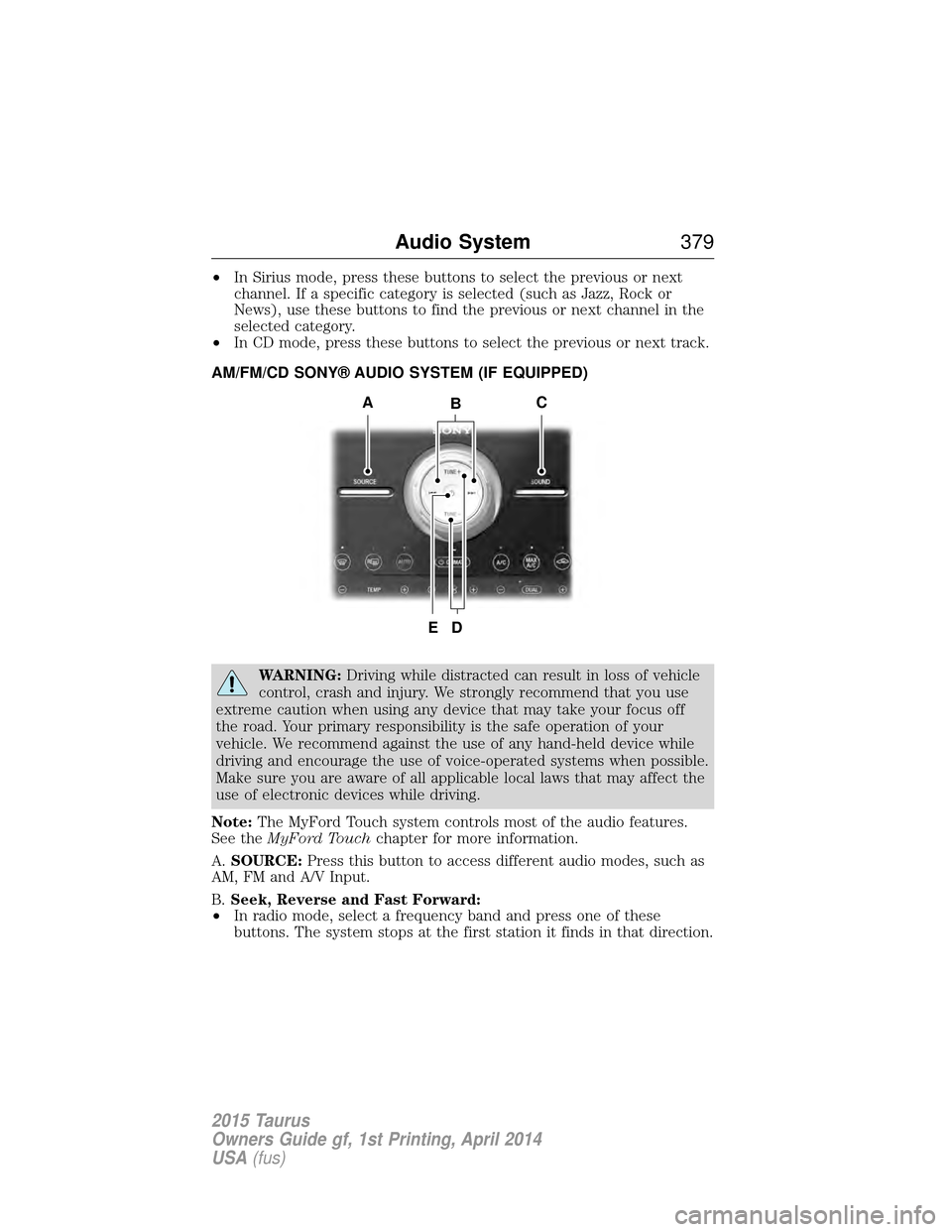
AM/FM/CD SONY® AUDIO SYSTEM (IF EQUIPPED)
WARNING: Driving while distracted can result in loss of vehicle
control, crash and injury. We strongly recommend that you use
extreme caution when using any device that may take your focus off
the road. Your primary responsibility is the safe operation of your
vehicle. We recommend against the use of any hand-held device while
driving and encourage the use of voice-operated systems when possible.
Make sure you are aware of all applicable local laws that may affect the
use of electronic devices while driving.
Note: The MyFord Touch system controls most of the audio features.
See the MyFord Touch chapter for more information.
A. SOURCE: Press this button to access different audio modes, such as
AM, FM and A/V Input.
B. Seek, Reverse and Fast Forward:
• In radio mode, select a frequency band and press one of these
buttons. The system stops at the first station it finds in that direction.
B
D
AC
E
Audio System 379
2015 Taurus
Owners Guide gf, 1st Printing, April 2014
USA(fus)
Page 381 of 558
•In Sirius mode, press these buttons to select the previous or next
channel. If a specific category is selected (such as Jazz, Rock or
News), use these buttons to find the previous or next channel in the
selected category.
• In CD mode, press these buttons to select the previous or next track.
C. SOUND: Press this button to access settings for Treble, Midrange,
Bass, Balance and Fade.
D. TUNE + and TUNE - :
• In radio mode, press these buttons to manually search through the
radio frequency band.
• In Sirius mode, press these buttons to find the next or previous
available satellite radio station.
E. Power and Volume:
• Press this button to switch the system off and on.
• Turn it to adjust the volume.
HD RADIO™ INFORMATION (IF AVAILABLE)
Note: HD Radio broadcasts are not available in all markets.
HD Radio technology is the digital evolution of analog AM/FM radio. Your
system has a special receiver that allows it to receive digital broadcasts
(where available) in addition to the analog broadcasts, it already
receives. Digital broadcasts provide a better sound quality than analog
broadcasts with free, crystal-clear audio and no static or distortion. For
more information, and a guide to available stations and programming,
please visit www.hdradio.com.
When HD Radio is on and you tune to a station broadcasting HD Radio
technology, you may notice the HD Radio logo on your screen. When this
logo is available, you may also see Title and Artist fields on-screen.
The multicast indicator appears in FM mode (only) if the current station
is broadcasting multiple digital broadcasts. The highlighted numbers
signify available digital channels where new or different content is
available. HD1 signifies the main programming status and is available in
analog and digital broadcasts. Other multicast stations (HD2 through
HD7) are only available digitally.
380 Audio System
2015 Taurus
Owners Guide gf, 1st Printing, April 2014
USA(fus)
Page 399 of 558
Phone Options during an Active Call
During an active call, you have additional menu features which become
available such as putting a call on hold, joining calls, etc. Use the arrow
buttons to scroll through the menu options.
To access:
1. Press MENU during an active call.
2. When Active Call Menu is selected, press OK.
3. Scroll to cycle through the following options:
When you select:You can:
Mute Call
?Mute the call.
Privacy Switch a call from an active hands-free
environment to your cellular phone for a more
private conversation.
Press OK when Privacy on/off appears. (The
display indicates In Privacy and the system
transfers your call.)
Call Hold Put an active call on hold.
Press OK when Place Call on Hold? appears. To
answer another call at this time, press the
phone button.
Join Calls Join two separate calls.
1. Press the phone button.
2. Access the desired contact through SYNC or
use voice commands to place the second call.
Once actively in the second call, press MENU.
3. Scroll until Join Calls appears and press OK.
Press OK again when Join Calls
?appears.
Note: SYNC supports a maximum of three
callers on a multiparty/conference call.
Enter Tones Enter “tones” such as numbers for passwords.
Scroll until the desired number appears in the
display, then press OK; a tone sounds as
confirmation. Repeat as necessary.
Phonebook Access your phonebook contacts.
1. Press OK to select, then scroll through your
phonebook contacts.
2. Press OK again when the desired selection
appears in the display.
3. Press the phone button.
398
SYNC®
2015 Taurus
Owners Guide gf, 1st Printing, April 2014
USA(fus)
Page 406 of 558
System Settings
System Settings provide access to your Bluetooth Devices and
Advanced menu features. Use the arrow buttons to scroll through the
menu options.
The Bluetooth Devices menu allows you to add, connect, delete and set a
phone as primary as well as turn your Bluetooth feature on and off.
The Advanced menu allows you to access and set prompts, languages,
defaults, perform a master reset, install an application and view system
information.
Bluetooth Devices Menu Options
This menu allows you to add, connect, delete, set a phone as primary,
and turn Bluetooth on or off.
1. Press the phone button to enter the Phone Menu.
2. Scroll until System Settings appears and press OK.
3. Scroll until Bluetooth Devices appears and select OK.
4. Scroll to select from the following options:
If you select:You can:
Add Bluetooth
Device
*See Using SYNC with your phone earlier in
this chapter for pairing instructions.
Connect Bluetooth
Device Connect a previously paired
Bluetooth-enabled phone.
1. Press OK to select and view a list of
previously paired phones.
2. Scroll until the desired device is chosen,
then press OK to connect the phone.
Note:
Only one device can be connected at a
time. When another phone is connected, the
previous one is disconnected.
Set Primary Phone Set a previously paired phone as your primary
phone.
Press OK to select and scroll to select the
desired phone. Press OK to confirm.
Note:SYNC attempts to connect with the
primary phone at every ignition cycle. When a
phone is selected as primary, it appears first
in the list and is marked with an asterisk (*).
SYNC® 405
2015 Taurus
Owners Guide gf, 1st Printing, April 2014
USA(fus)
Page 438 of 558
Using the Touch-sensitive Controls on Your System
To turn a feature on and off, just touch the graphic with your finger. To
get the best performance from the touch-sensitive controls:
•
Do not press hard on the controls. They are sensitive to light touch.
• Use your bare finger to touch the center of a touch-control graphic.
Touching off-center of the graphic may affect operation of a nearby control.
• Make sure your hands are clean and dry.
• Keep metal and other conductive material away from the surface of the
touchscreen as this may cause electronic interference (for example,
inadvertently turning on a feature other than the one you meant to turn on).
Depending on your vehicle and option package, you may also have these
controls on your bezel:
•
Power: Switch the media or climate features off and on.
• VOL: Control the volume of playing media.
• Seek and Tune buttons: Use as you normally would in media modes.
• Eject: Eject a CD from the entertainment system.
• SOURCE: Touch the word repeatedly to see all available media modes.
The screen does not change, but you see the media change in the lower
left status bar.
• SOUND: Touch the word to access the Sound menu where you can
adjust settings such as: Bass, Treble, Midrange, Balance and Fade, THX
Deep Note Demo, DSP (Digital Signal Processing), Occupancy Mode
and Speed Compensated Volume. (Your vehicle may not have all of
these sound options.)
• Climate control: Control the temperature, fan speed or settings of the
climate control system.
Using Your Steering Wheel Controls
Depending on your vehicle and option package, you can use your
steering wheel controls to interact with the touchscreen system.
• VOL: Control the volume of audio output.
• SEEK:
• While in radio mode, press to seek between memory presets or
press and hold to seek between stations.
• While in USB or CD mode, press to seek between stations or press
and hold to fast seek.
• Voice: Press to start a voice session. Press again and hold to end a
voice session.
• Phone: Press to answer a call, or to switch between calls. Press and
hold to end a call, or to reject and incoming call.
See the Steering Wheel chapter for more information.
MyFord Touch® (If Equipped) 437
2015 Taurus
Owners Guide gf, 1st Printing, April 2014
USA(fus)
Page 443 of 558
Audio Sources and Memory Presets
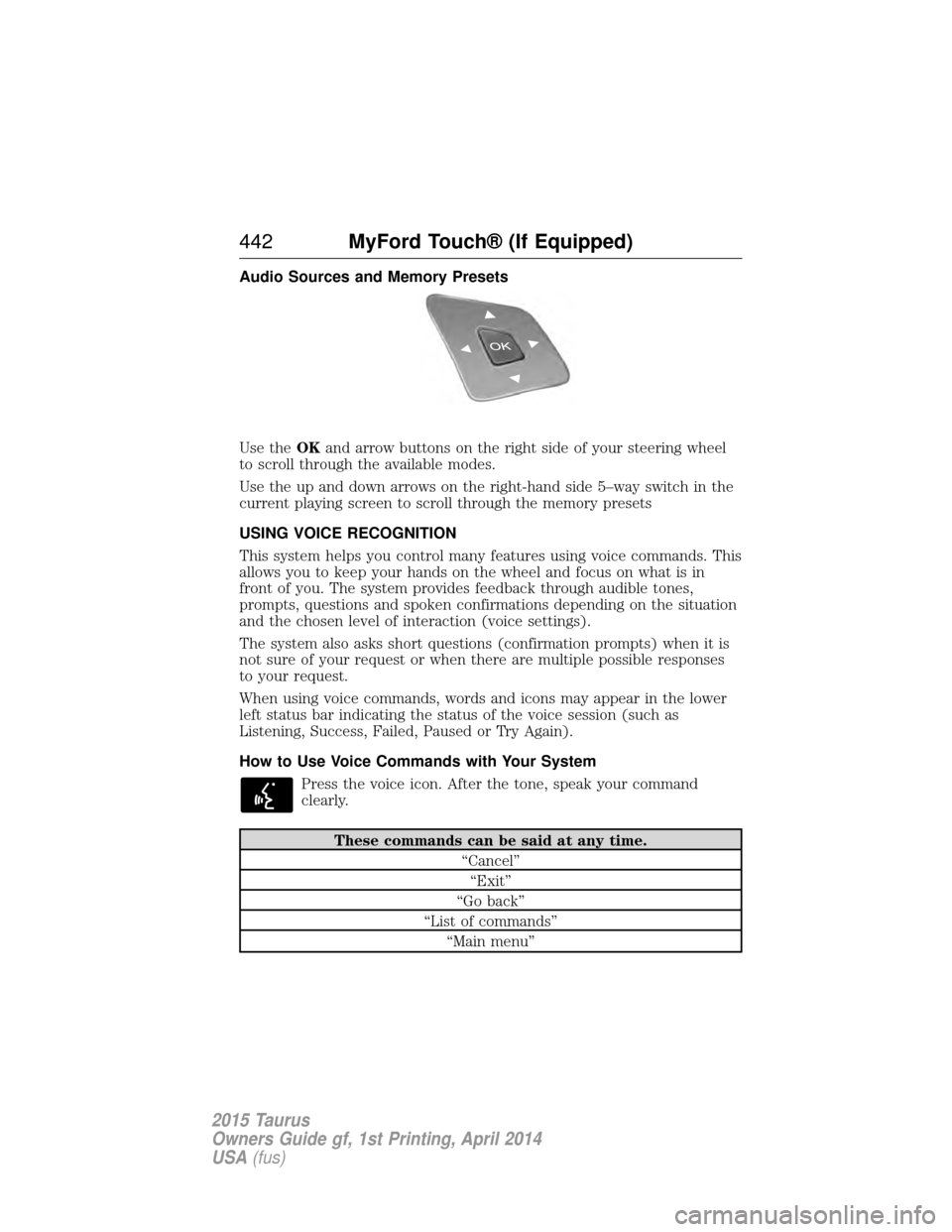
Use theOKand arrow buttons on the right side of your steering wheel
to scroll through the available modes.
Use the up and down arrows on the right-hand side 5–way switch in the
current playing screen to scroll through the memory presets
USING VOICE RECOGNITION
This system helps you control many features using voice commands. This
allows you to keep your hands on the wheel and focus on what is in
front of you. The system provides feedback through audible tones,
prompts, questions and spoken confirmations depending on the situation
and the chosen level of interaction (voice settings).
The system also asks short questions (confirmation prompts) when it is
not sure of your request or when there are multiple possible responses
to your request.
When using voice commands, words and icons may appear in the lower
left status bar indicating the status of the voice session (such as
Listening, Success, Failed, Paused or Try Again).
How to Use Voice Commands with Your System
Press the voice icon. After the tone, speak your command
clearly.
These commands can be said at any time. “Cancel”“Exit”
“Go back”
“List of commands” “Main menu”
442 MyFord Touch® (If Equipped)
2015 Taurus
Owners Guide gf, 1st Printing, April 2014
USA(fus)
Page 447 of 558
ENTERTAINMENT
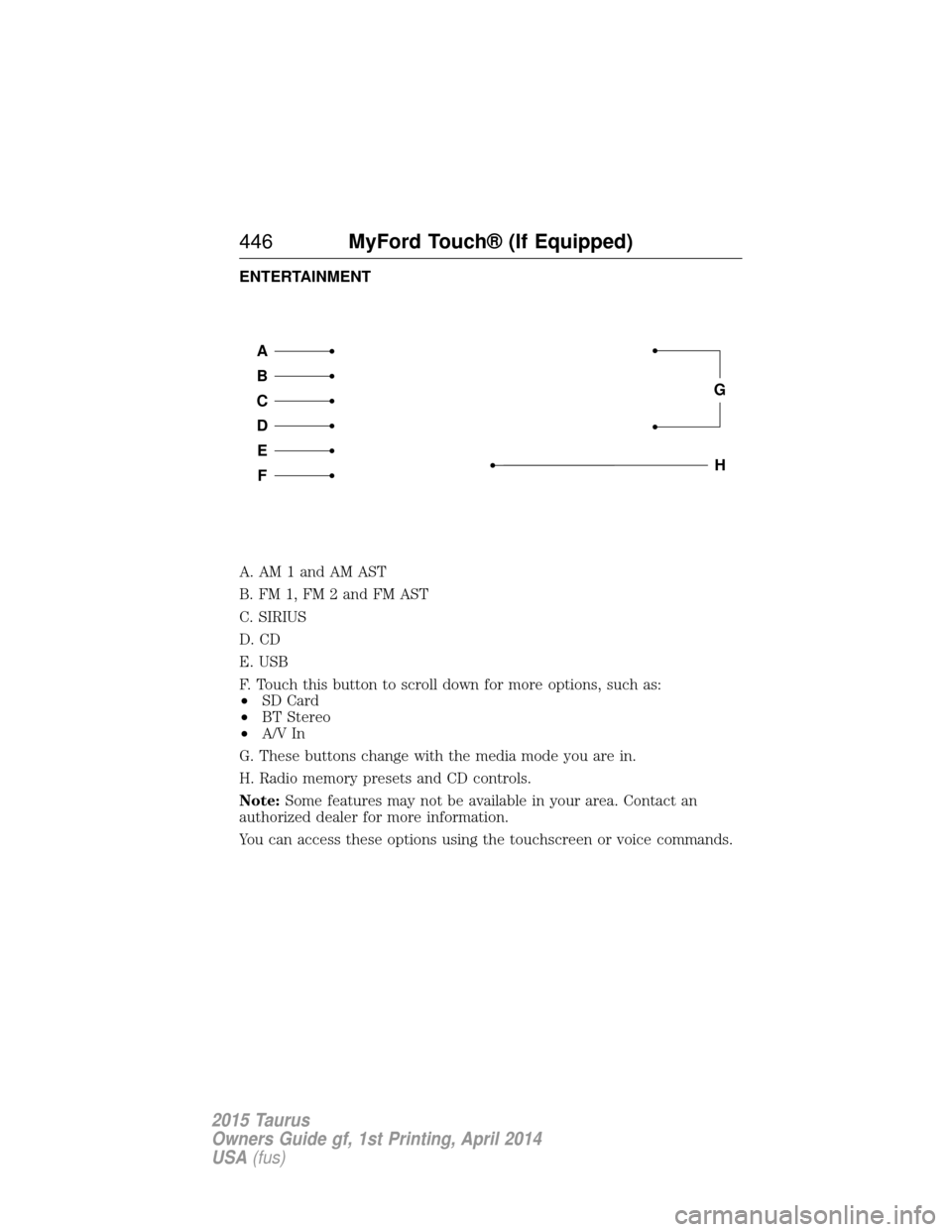
A. AM 1 and AM AST
B. FM 1, FM 2 and FM AST
C. SIRIUS
D. CD
E. USB
F. Touch this button to scroll down for more options, such as:
•SD Card
• BT Stereo
• A/V In
G. These buttons change with the media mode you are in.
H. Radio memory presets and CD controls.
Note: Some features may not be available in your area. Contact an
authorized dealer for more information.
You can access these options using the touchscreen or voice commands.
A
B
C
D
E
F
G
H
446 MyFord Touch® (If Equipped)
2015 Taurus
Owners Guide gf, 1st Printing, April 2014
USA(fus)