park assist FORD TAURUS 2015 6.G Owners Manual
[x] Cancel search | Manufacturer: FORD, Model Year: 2015, Model line: TAURUS, Model: FORD TAURUS 2015 6.GPages: 558, PDF Size: 4.42 MB
Page 6 of 558
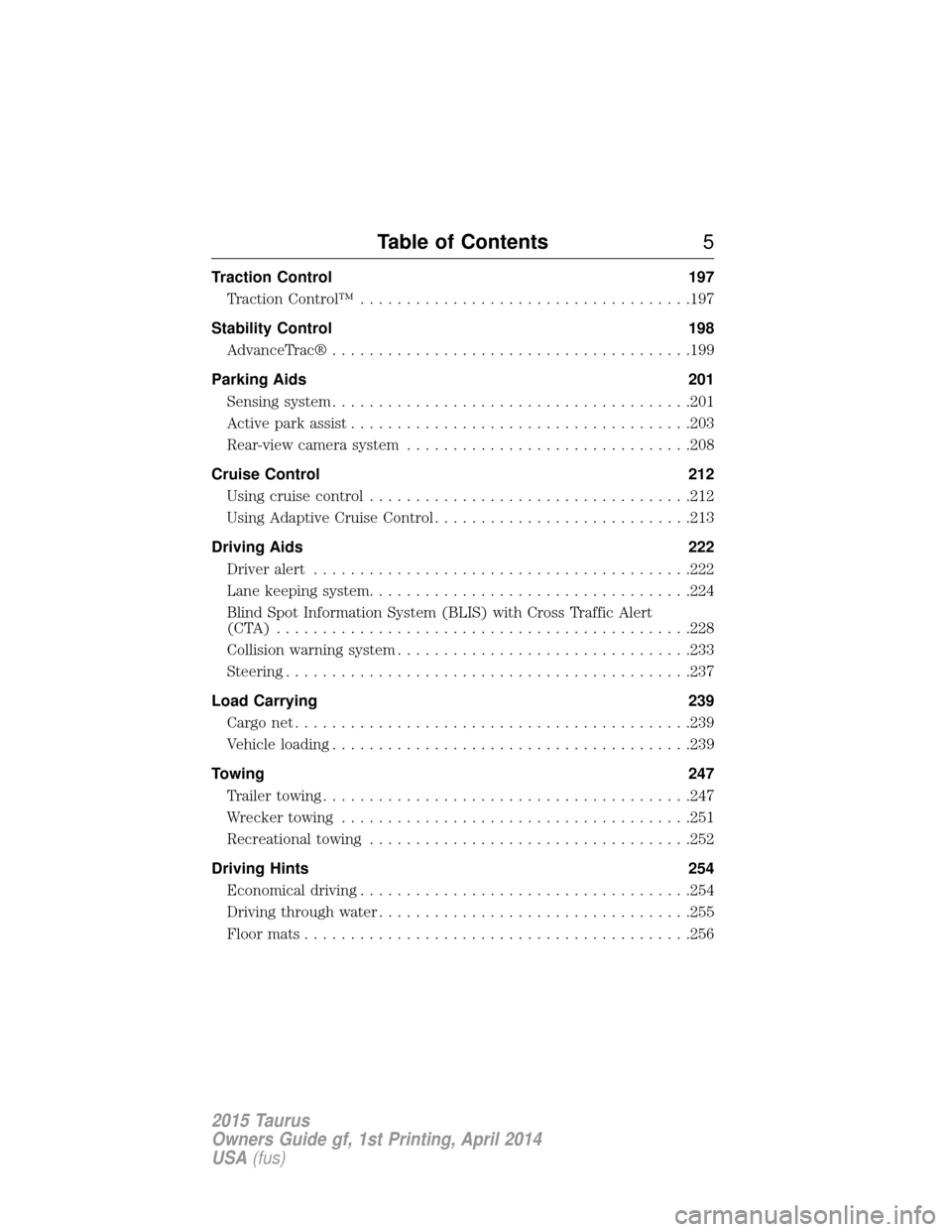
Traction Control197
TractionControl™ ....................................197
Stability Control 198
AdvanceTrac® .......................................199
Parking Aids 201
Sensing system .......................................201
Active park assist .....................................203
Rear-view camera system ...............................208
Cruise Control 212
Using cruise control ...................................212
Using Adaptive Cruise Control ............................213
Driving Aids 222
Driveralert .........................................222
Lane keeping system...................................224
Blind Spot Information System (BLIS) with Cross Traffic Alert
(CTA) .............................................228
Collision warning system ................................233
Steering ............................................237
Load Carrying 239
Cargo net ...........................................239
Vehicle loading .......................................239
Towing 247
Trailertowing........................................247
Wrecker towing ......................................251
Recreational towing ...................................252
Driving Hints 254
Economical driving ....................................254
Driving through water ..................................255
Floormats..........................................256
Table of Contents 5
2015 Taurus
Owners Guide gf, 1st Printing, April 2014
USA(fus)
Page 65 of 558
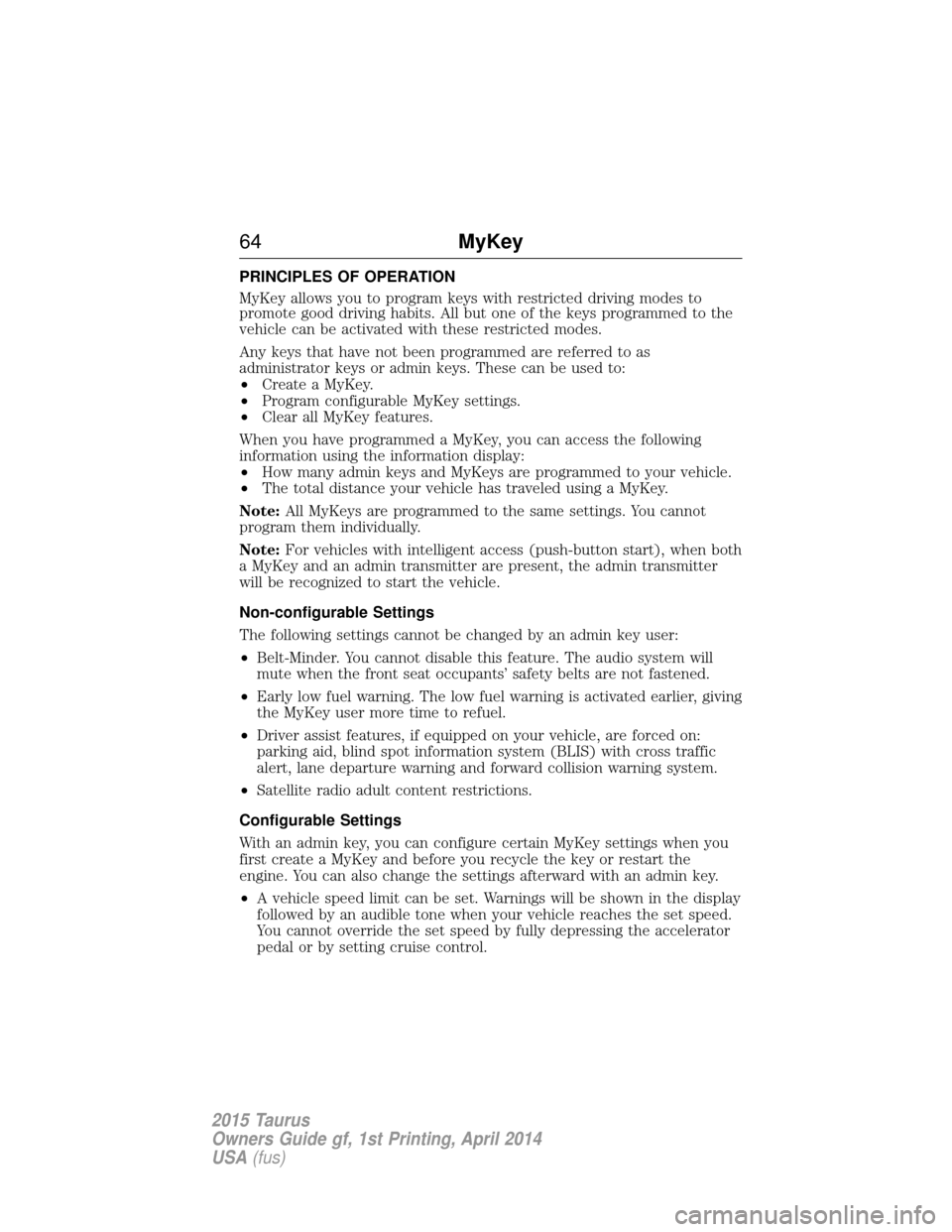
PRINCIPLES OF OPERATION
MyKey allows you to program keys with restricted driving modes to
promote good driving habits. All but one of the keys programmed to the
vehicle can be activated with these restricted modes.
Any keys that have not been programmed are referred to as
administrator keys or admin keys. These can be used to:
•Create a MyKey.
• Program configurable MyKey settings.
• Clear all MyKey features.
When you have programmed a MyKey, you can access the following
information using the information display:
• How many admin keys and MyKeys are programmed to your vehicle.
• The total distance your vehicle has traveled using a MyKey.
Note: All MyKeys are programmed to the same settings. You cannot
program them individually.
Note: For vehicles with intelligent access (push-button start), when both
a MyKey and an admin transmitter are present, the admin transmitter
will be recognized to start the vehicle.
Non-configurable Settings
The following settings cannot be changed by an admin key user:
• Belt-Minder. You cannot disable this feature. The audio system will
mute when the front seat occupants’ safety belts are not fastened.
• Early low fuel warning. The low fuel warning is activated earlier, giving
the MyKey user more time to refuel.
• Driver assist features, if equipped on your vehicle, are forced on:
parking aid, blind spot information system (BLIS) with cross traffic
alert, lane departure warning and forward collision warning system.
• Satellite radio adult content restrictions.
Configurable Settings
With an admin key, you can configure certain MyKey settings when you
first create a MyKey and before you recycle the key or restart the
engine. You can also change the settings afterward with an admin key.
• A vehicle speed limit can be set. Warnings will be shown in the display
followed by an audible tone when your vehicle reaches the set speed.
You cannot override the set speed by fully depressing the accelerator
pedal or by setting cruise control.
64 MyKey
2015 Taurus
Owners Guide gf, 1st Printing, April 2014
USA(fus)
Page 108 of 558
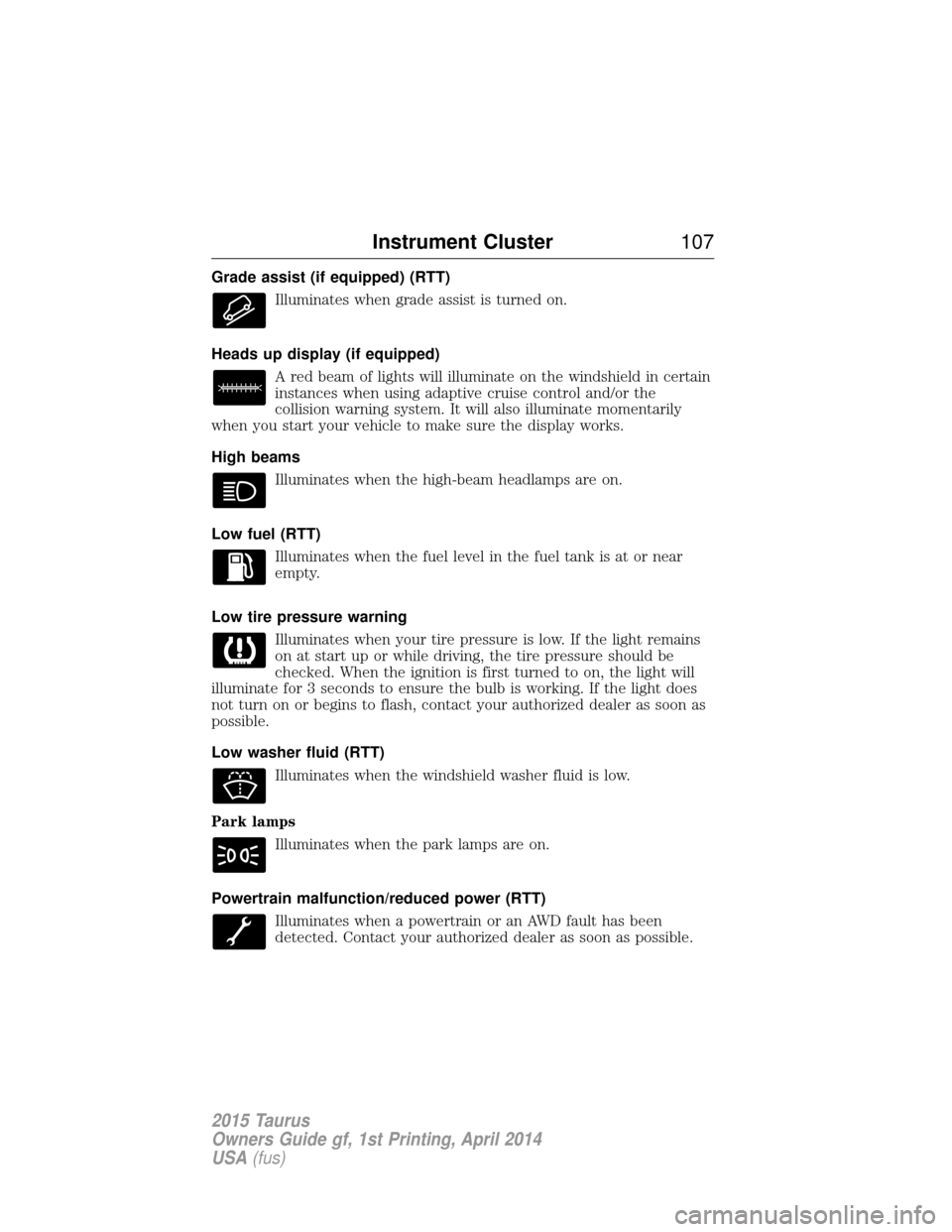
Grade assist (if equipped) (RTT)Illuminates when grade assist is turned on.
Heads up display (if equipped) A red beam of lights will illuminate on the windshield in certain
instances when using adaptive cruise control and/or the
collision warning system. It will also illuminate momentarily
when you start your vehicle to make sure the display works.
High beams
Illuminates when the high-beam headlamps are on.
Low fuel (RTT) Illuminates when the fuel level in the fuel tank is at or near
empty.
Low tire pressure warning Illuminates when your tire pressure is low. If the light remains
on at start up or while driving, the tire pressure should be
checked. When the ignition is first turned to on, the light will
illuminate for 3 seconds to ensure the bulb is working. If the light does
not turn on or begins to flash, contact your authorized dealer as soon as
possible.
Low washer fluid (RTT)
Illuminates when the windshield washer fluid is low.
Park lamps Illuminates when the park lamps are on.
Powertrain malfunction/reduced power (RTT) Illuminates when a powertrain or an AWD fault has been
detected. Contact your authorized dealer as soon as possible.
Instrument Cluster 107
2015 Taurus
Owners Guide gf, 1st Printing, April 2014
USA(fus)
Page 113 of 558
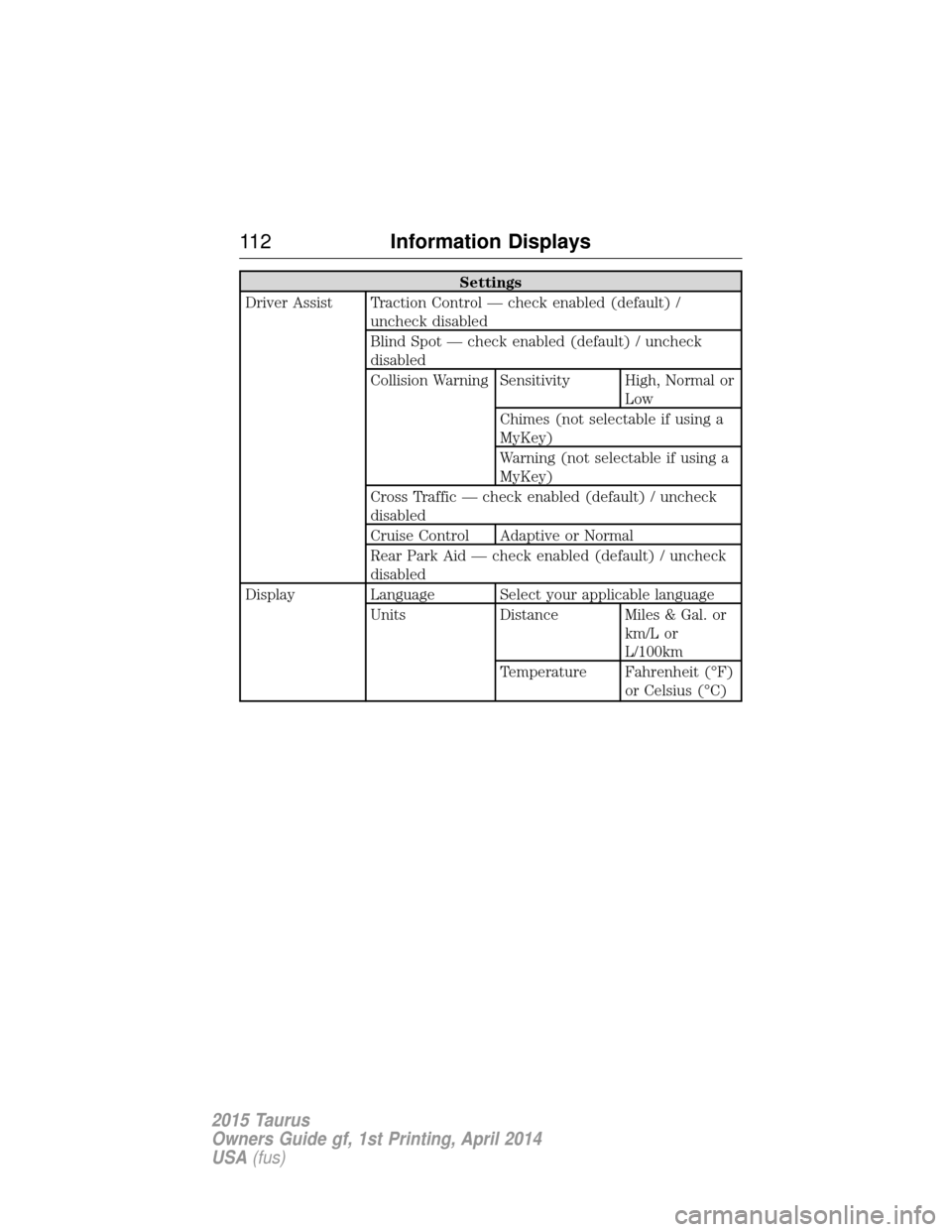
Settings
Driver Assist Traction Control — check enabled (default) / uncheck disabled
Blind Spot — check enabled (default) / uncheck
disabled
Collision Warning Sensitivity High, Normal or Low
Chimes (not selectable if using a
MyKey)
Warning (not selectable if using a
MyKey)
Cross Traffic — check enabled (default) / uncheck
disabled
Cruise Control Adaptive or Normal
Rear Park Aid — check enabled (default) / uncheck
disabled
Display Language Select your applicable language Units Distance Miles & Gal. or km/L or
L/100km
Temperature Fahrenheit (°F) or Celsius (°C)
11 2Information Displays
2015 Taurus
Owners Guide gf, 1st Printing, April 2014
USA(fus)
Page 119 of 558
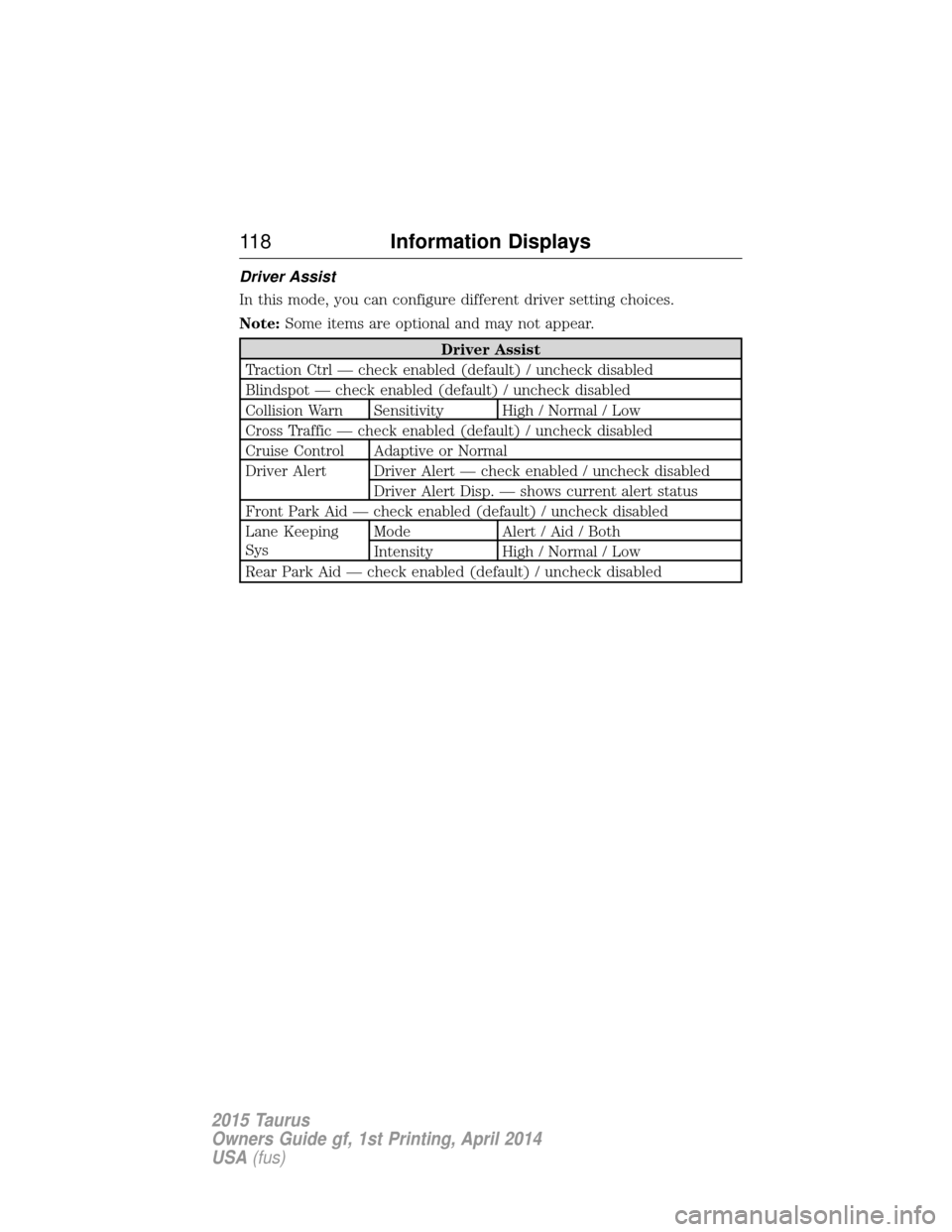
Driver Assist
In this mode, you can configure different driver setting choices.
Note:Some items are optional and may not appear.
Driver Assist
Traction Ctrl — check enabled (default) / uncheck disabled
Blindspot — check enabled (default) / uncheck disabled
Collision Warn Sensitivity High / Normal / Low
Cross Traffic — check enabled (default) / uncheck disabled
Cruise Control Adaptive or Normal
Driver Alert Driver Alert — check enabled / uncheck disabled Driver Alert Disp. — shows current alert status
Front Park Aid — check enabled (default) / uncheck disabled
Lane Keeping
Sys Mode Alert / Aid / Both
Intensity High / Normal / Low
Rear Park Aid — check enabled (default) / uncheck disabled
11 8 Information Displays
2015 Taurus
Owners Guide gf, 1st Printing, April 2014
USA(fus)
Page 129 of 558
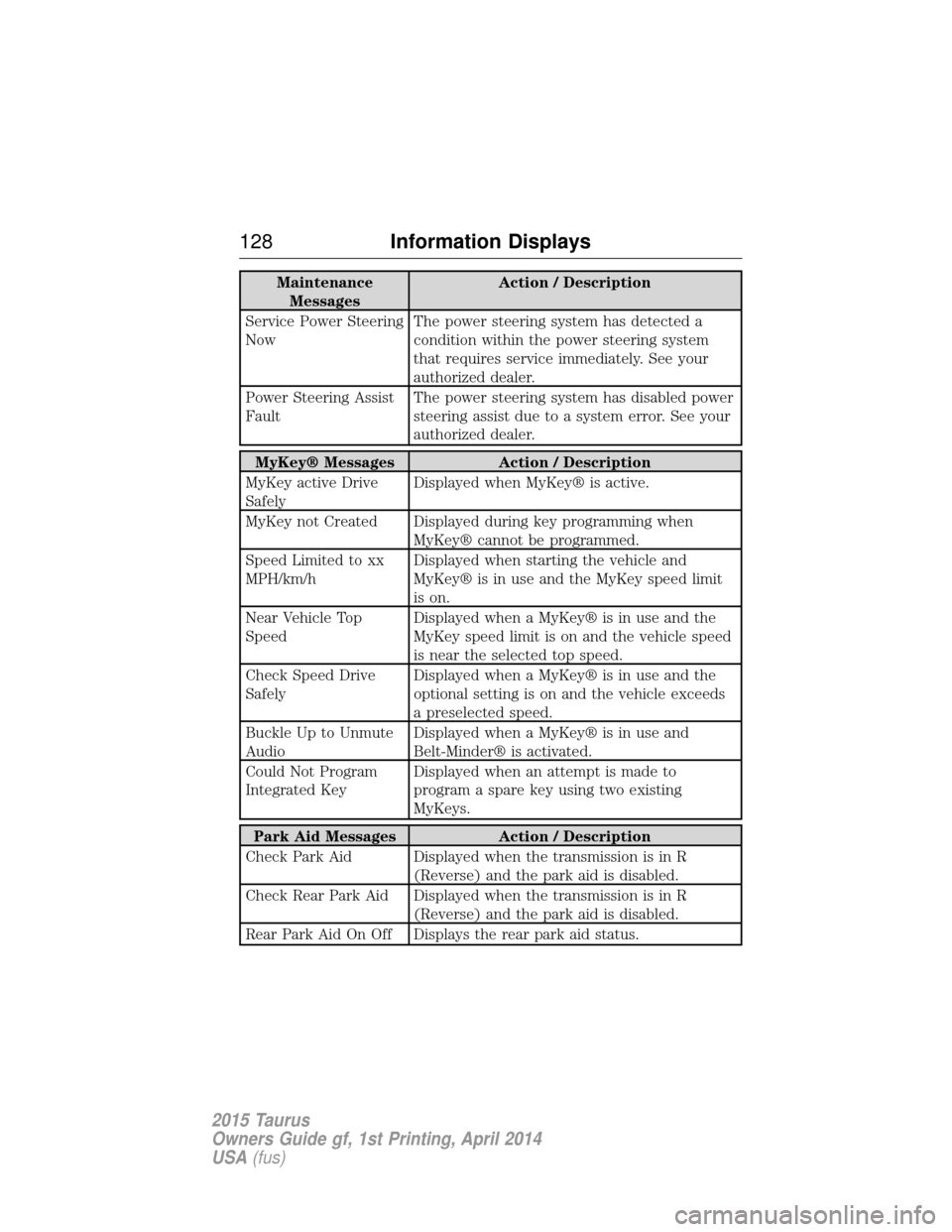
MaintenanceMessages Action / Description
Service Power Steering
Now The power steering system has detected a
condition within the power steering system
that requires service immediately. See your
authorized dealer.
Power Steering Assist
Fault The power steering system has disabled power
steering assist due to a system error. See your
authorized dealer.
MyKey® Messages
Action / Description
MyKey active Drive
Safely Displayed when MyKey® is active.
MyKey not Created Displayed during key programming when MyKey® cannot be programmed.
Speed Limited to xx
MPH/km/h Displayed when starting the vehicle and
MyKey® is in use and the MyKey speed limit
is on.
Near Vehicle Top
Speed Displayed when a MyKey® is in use and the
MyKey speed limit is on and the vehicle speed
is near the selected top speed.
Check Speed Drive
Safely Displayed when a MyKey® is in use and the
optional setting is on and the vehicle exceeds
a preselected speed.
Buckle Up to Unmute
Audio Displayed when a MyKey® is in use and
Belt-Minder® is activated.
Could Not Program
Integrated Key Displayed when an attempt is made to
program a spare key using two existing
MyKeys.
Park Aid Messages
Action / Description
Check Park Aid Displayed when the transmission is in R (Reverse) and the park aid is disabled.
Check Rear Park Aid Displayed when the transmission is in R (Reverse) and the park aid is disabled.
Rear Park Aid On Off Displays the rear park aid status.
128 Information Displays
2015 Taurus
Owners Guide gf, 1st Printing, April 2014
USA(fus)
Page 170 of 558
•During the countdown before engine shutdown, you are prompted to
press OKorRESET (depending on your type of information display)
to temporarily switch the feature off (for the current ignition cycle
only).
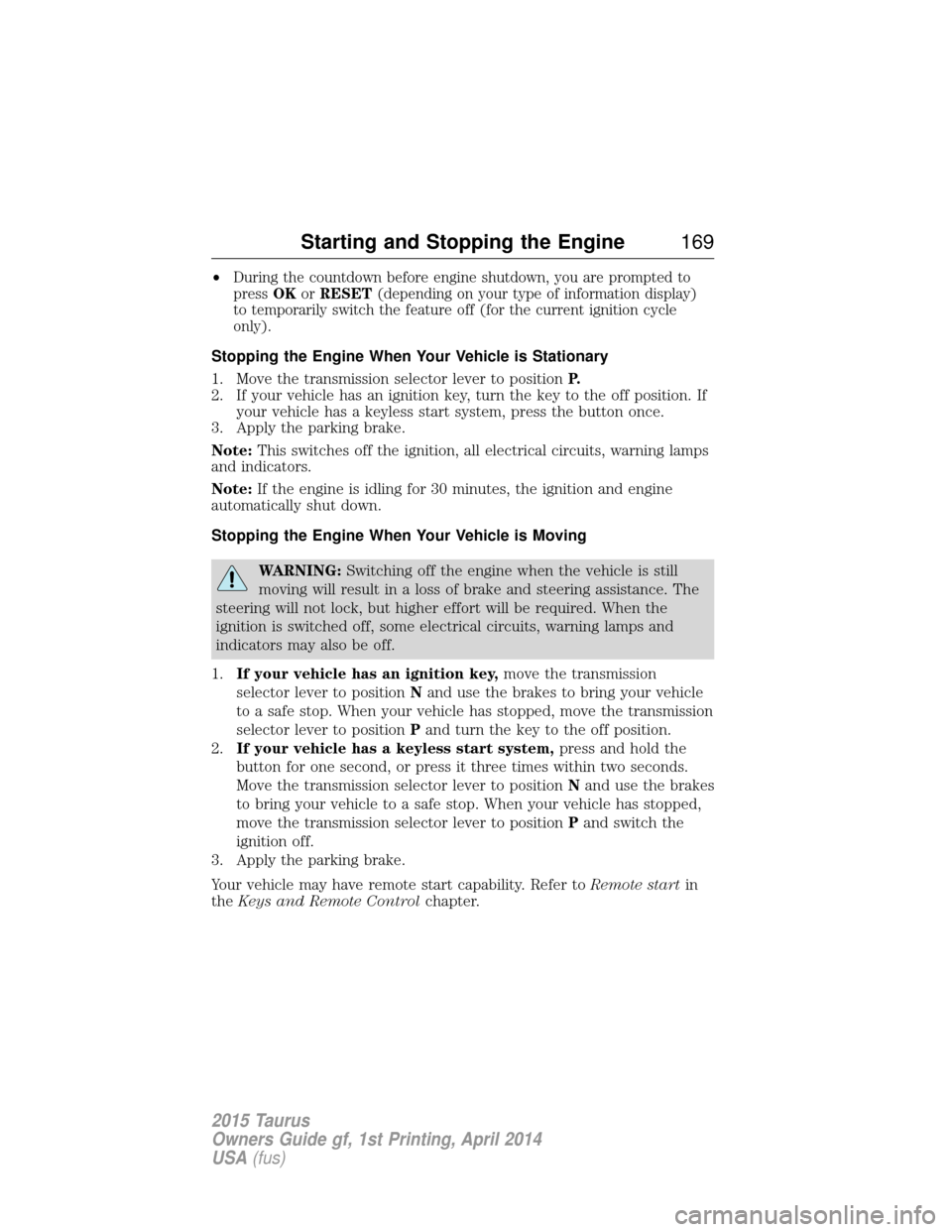
Stopping the Engine When Your Vehicle is Stationary
1. Move the transmission selector lever to position P.
2. If your vehicle has an ignition key, turn the key to the off position. If your vehicle has a keyless start system, press the button once.
3. Apply the parking brake.
Note: This switches off the ignition, all electrical circuits, warning lamps
and indicators.
Note: If the engine is idling for 30 minutes, the ignition and engine
automatically shut down.
Stopping the Engine When Your Vehicle is Moving
WARNING: Switching off the engine when the vehicle is still
moving will result in a loss of brake and steering assistance. The
steering will not lock, but higher effort will be required. When the
ignition is switched off, some electrical circuits, warning lamps and
indicators may also be off.
1. If your vehicle has an ignition key, move the transmission
selector lever to position Nand use the brakes to bring your vehicle
to a safe stop. When your vehicle has stopped, move the transmission
selector lever to position Pand turn the key to the off position.
2. If your vehicle has a keyless start system, press and hold the
button for one second, or press it three times within two seconds.
Move the transmission selector lever to position Nand use the brakes
to bring your vehicle to a safe stop. When your vehicle has stopped,
move the transmission selector lever to position Pand switch the
ignition off.
3. Apply the parking brake.
Your vehicle may have remote start capability. Refer to Remote startin
the Keys and Remote Control chapter.
Starting and Stopping the Engine 169
2015 Taurus
Owners Guide gf, 1st Printing, April 2014
USA(fus)
Page 184 of 558
AUTOMATIC TRANSMISSION
WARNING:Always set the parking brake fully and make sure
the gearshift is latched in P (Park). Turn the ignition to the off
position and remove the key whenever you leave your vehicle.
Your vehicle has been designed to improve fuel economy by reducing
fuel usage while coasting or decelerating. When you take your foot off
the accelerator pedal and the vehicle begins to slow down, the torque
converter clutch locks up and aggressively shuts off fuel flow to the
engine while decelerating. This fuel economy benefit may be perceived
as a light to medium braking sensation when removing your foot from
the accelerator pedal. P (Park)
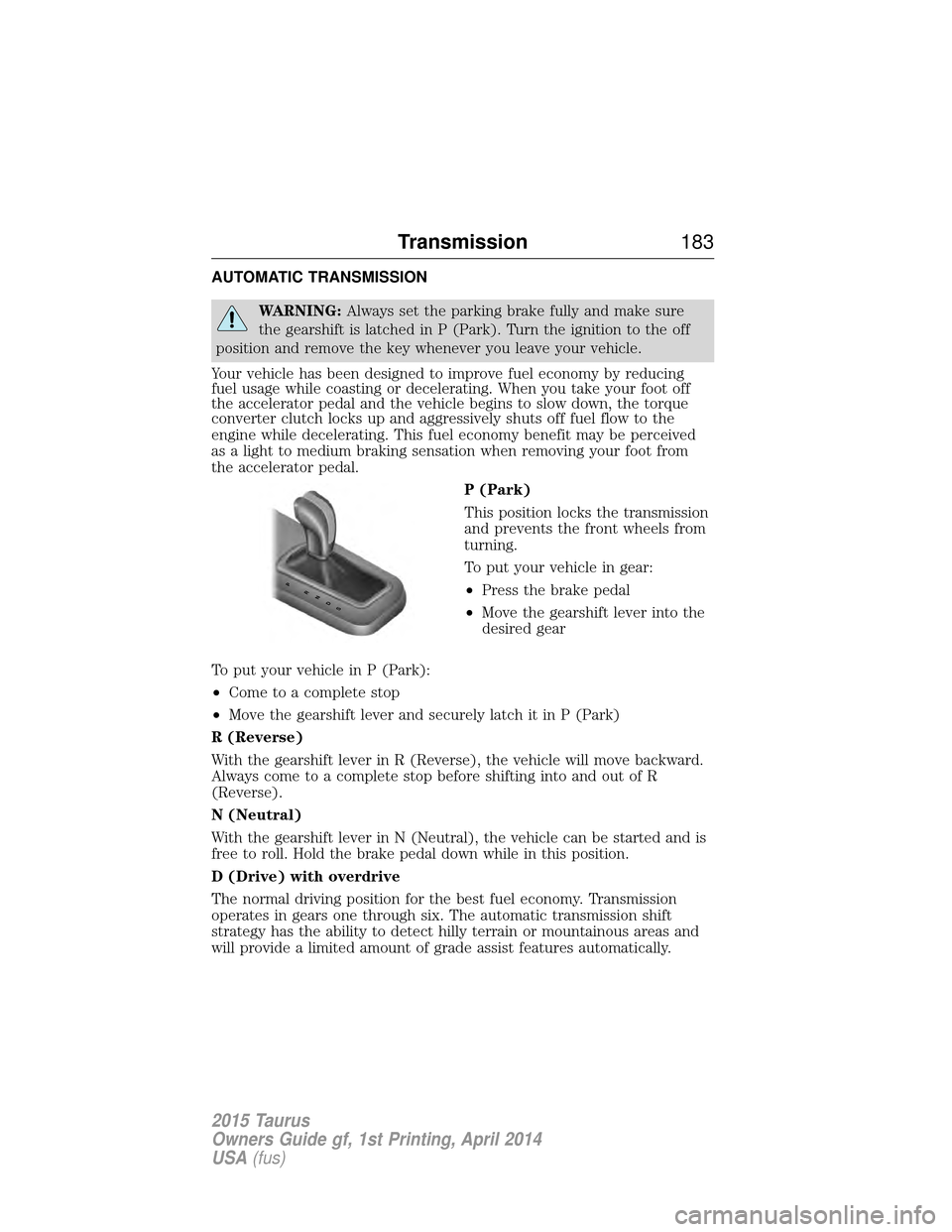
This position locks the transmission
and prevents the front wheels from
turning.
To put your vehicle in gear:
•Press the brake pedal
• Move the gearshift lever into the
desired gear
To put your vehicle in P (Park):
• Come to a complete stop
• Move the gearshift lever and securely latch it in P (Park)
R (Reverse)
With the gearshift lever in R (Reverse), the vehicle will move backward.
Always come to a complete stop before shifting into and out of R
(Reverse).
N (Neutral)
With the gearshift lever in N (Neutral), the vehicle can be started and is
free to roll. Hold the brake pedal down while in this position.
D (Drive) with overdrive
The normal driving position for the best fuel economy. Transmission
operates in gears one through six. The automatic transmission shift
strategy has the ability to detect hilly terrain or mountainous areas and
will provide a limited amount of grade assist features automatically.
PRNDS
Transmission 183
2015 Taurus
Owners Guide gf, 1st Printing, April 2014
USA(fus)
Page 196 of 558
GENERAL INFORMATION
Note:Occasional brake noise is normal. If a metal-to-metal, continuous
grinding or continuous squeal sound is present, the brake linings may be
worn out. Have them inspected by an authorized dealer. If your vehicle
has continuous vibration or shudder in the steering wheel while braking,
have your vehicle inspected by an authorized dealer.
Note: Brake dust may accumulate on the wheels, even under normal
driving conditions. Some dust is inevitable as the brakes wear and does
not contribute to brake noise. See the Vehicle Carechapter for wheel
cleaning instructions.
See theInstrument Cluster chapter for information on the
brake system warning light.
Wet brakes result in reduced braking efficiency. Gently press the brake
pedal a few times when driving from a car wash or standing water to dry
the brakes.
Brake Over Accelerator
In the event the accelerator pedal becomes stuck or entrapped, apply
steady and firm pressure to the brake pedal to slow your vehicle and
reduce engine power. If you experience this condition, apply the brakes
and bring your vehicle to a safe stop. Turn the engine off, shift to park
(P) and apply the parking brake. Inspect the accelerator pedal and the
area around it for any items or debris that may be obstructing its
movement. If none are found and the condition persists, have your
vehicle towed to the nearest authorized dealer.
Brake Assist
Brake assist detects when you brake heavily by measuring the rate at
which you press the brake pedal. It provides maximum braking efficiency
as long as you press the pedal. Brake assist can reduce stopping
distances in critical situations.
Brakes 195
2015 Taurus
Owners Guide gf, 1st Printing, April 2014
USA(fus)
Page 202 of 558
SENSING SYSTEM (IF EQUIPPED)
WARNING:To help avoid personal injury, please read and
understand the limitations of the system as contained in this
section. Sensing is only an aid for some (generally large and fixed)
objects when moving in reverse on a flat surface at parking speeds.
Traffic control systems, inclement weather, air brakes, and external
motors and fans may also affect the function of the sensing system; this
may include reduced performance or a false activation.
WARNING: To help avoid personal injury, always use caution
when in R (Reverse) and when using the sensing system.
WARNING: This system is not designed to prevent contact with
small or moving objects. The system is designed to provide a
warning to assist the driver in detecting large stationary objects to
avoid damaging the vehicle. The system may not detect smaller objects,
particularly those close to the ground.
WARNING: Certain add-on devices such as large trailer hitches,
bike or surfboard racks and any device that may block the normal
detection zone of the system, may create false beeps.
Note: Keep the sensors (located on the bumper/fascia) free from snow,
ice and large accumulations of dirt. If the sensors are covered, the
system’s accuracy can be affected. Do not clean the sensors with sharp
objects.
Note: If your vehicle sustains damage to the bumper/fascia, leaving it
misaligned or bent, the sensing zone may be altered causing inaccurate
measurement of obstacles or false alarms.
The sensing system warns the driver of obstacles within a certain range
of the bumper area. The system turns on automatically whenever the
ignition is switched on.
When receiving a detection warning, the radio volume is reduced to a
predetermined level. After the warning goes away, the radio volume
returns to the previous level.
The system can be turned off using the information display control.
Refer to the Information Display chapter.
Parking Aids 201
2015 Taurus
Owners Guide gf, 1st Printing, April 2014
USA(fus)