tow FORD THUNDERBIRD 2002 11.G User Guide
[x] Cancel search | Manufacturer: FORD, Model Year: 2002, Model line: THUNDERBIRD, Model: FORD THUNDERBIRD 2002 11.GPages: 248, PDF Size: 2.1 MB
Page 73 of 248
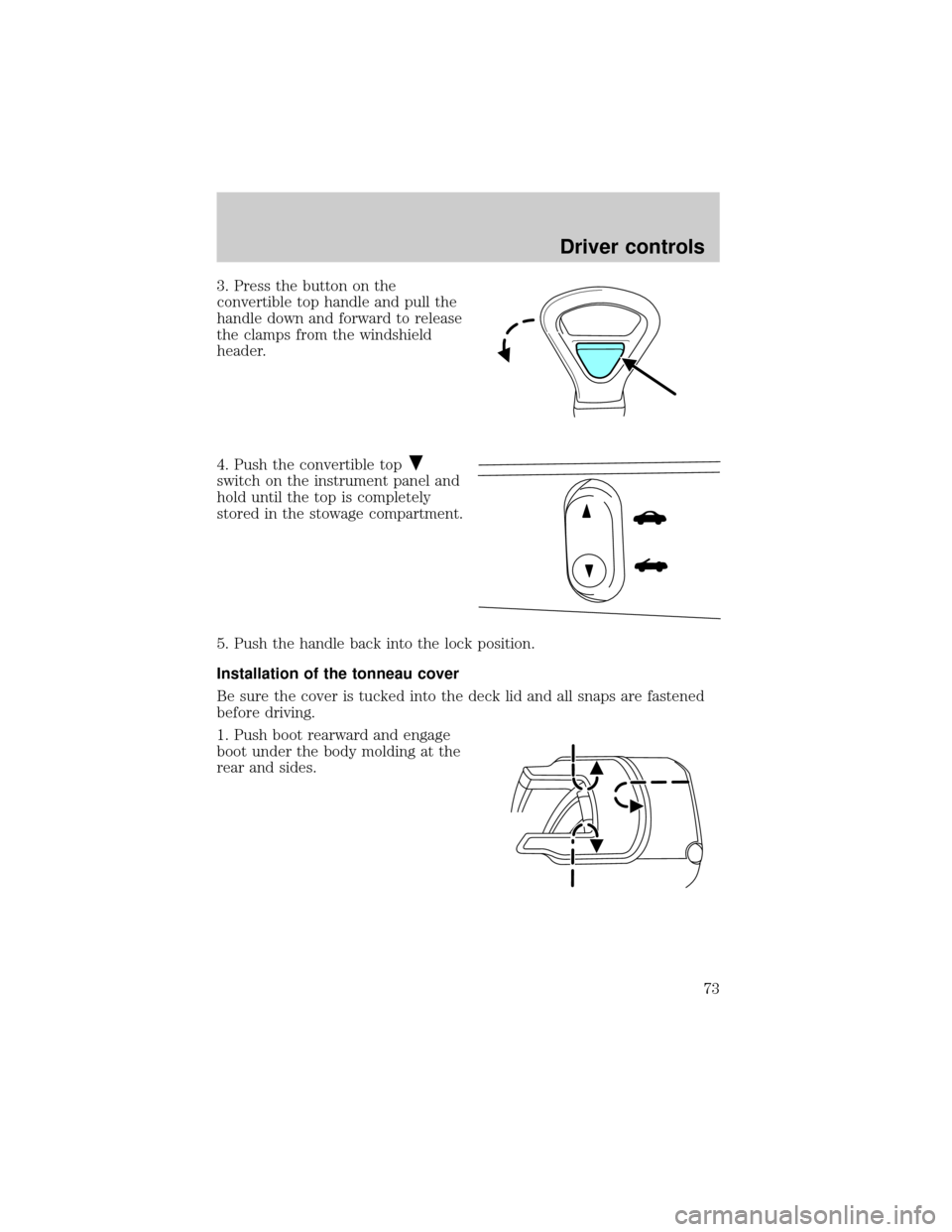
3. Press the button on the
convertible top handle and pull the
handle down and forward to release
the clamps from the windshield
header.
4. Push the convertible top
switch on the instrument panel and
hold until the top is completely
stored in the stowage compartment.
5. Push the handle back into the lock position.
Installation of the tonneau cover
Be sure the cover is tucked into the deck lid and all snaps are fastened
before driving.
1. Push boot rearward and engage
boot under the body molding at the
rear and sides.
Driver controls
73
Page 75 of 248
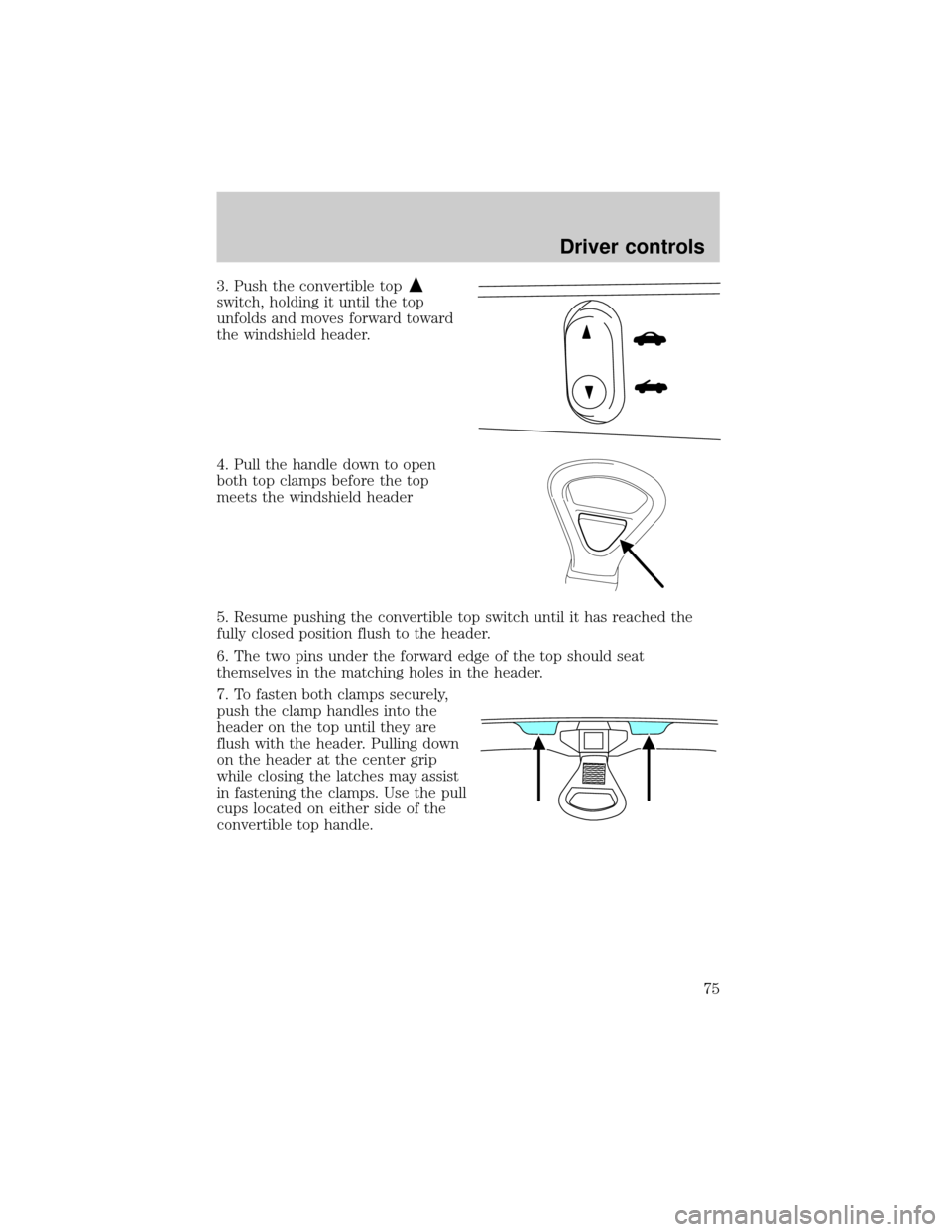
3. Push the convertible top
switch, holding it until the top
unfolds and moves forward toward
the windshield header.
4. Pull the handle down to open
both top clamps before the top
meets the windshield header
5. Resume pushing the convertible top switch until it has reached the
fully closed position flush to the header.
6. The two pins under the forward edge of the top should seat
themselves in the matching holes in the header.
7. To fasten both clamps securely,
push the clamp handles into the
header on the top until they are
flush with the header. Pulling down
on the header at the center grip
while closing the latches may assist
in fastening the clamps. Use the pull
cups located on either side of the
convertible top handle.
Driver controls
75
Page 79 of 248
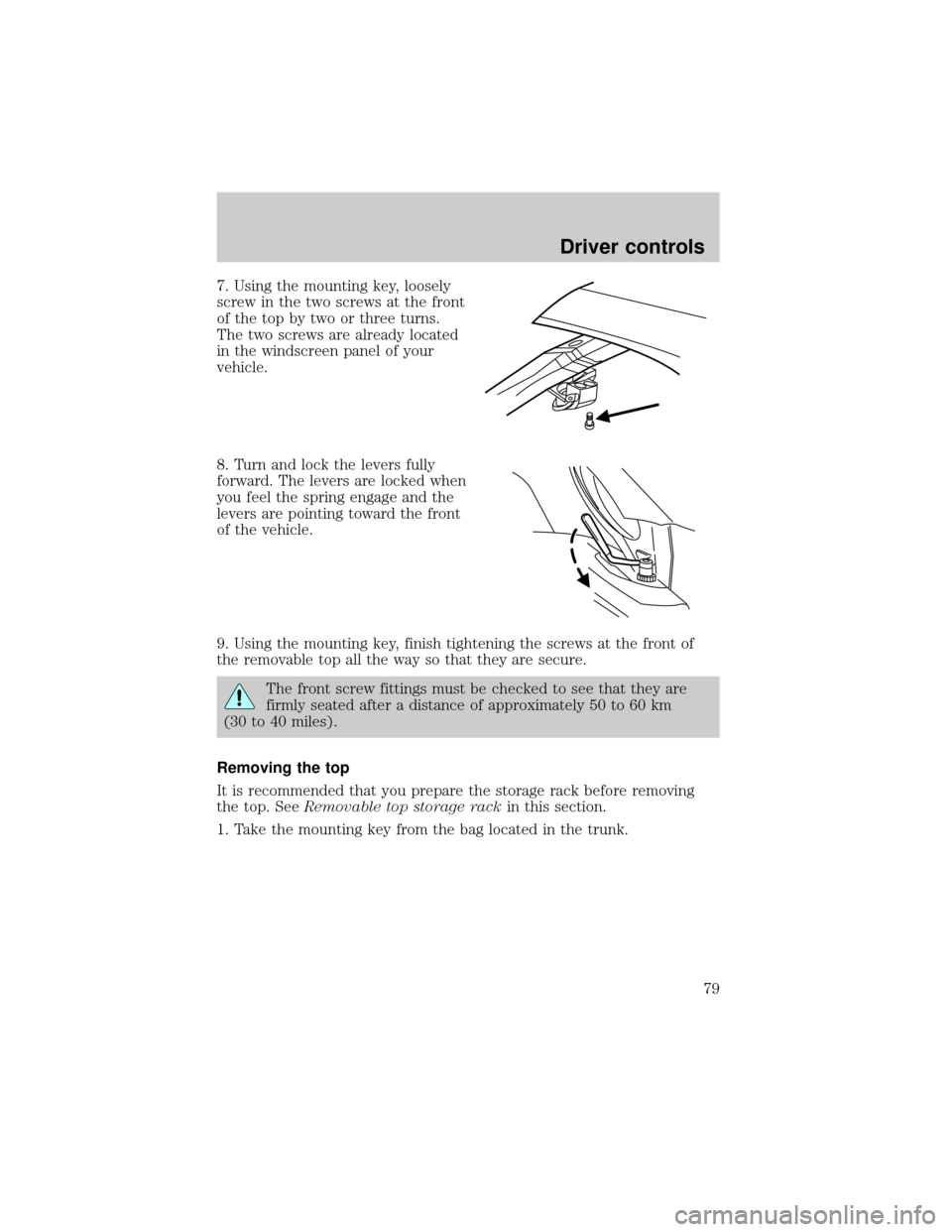
7. Using the mounting key, loosely
screw in the two screws at the front
of the top by two or three turns.
The two screws are already located
in the windscreen panel of your
vehicle.
8. Turn and lock the levers fully
forward. The levers are locked when
you feel the spring engage and the
levers are pointing toward the front
of the vehicle.
9. Using the mounting key, finish tightening the screws at the front of
the removable top all the way so that they are secure.
The front screw fittings must be checked to see that they are
firmly seated after a distance of approximately 50 to 60 km
(30 to 40 miles).
Removing the top
It is recommended that you prepare the storage rack before removing
the top. SeeRemovable top storage rackin this section.
1. Take the mounting key from the bag located in the trunk.
Driver controls
79
Page 81 of 248
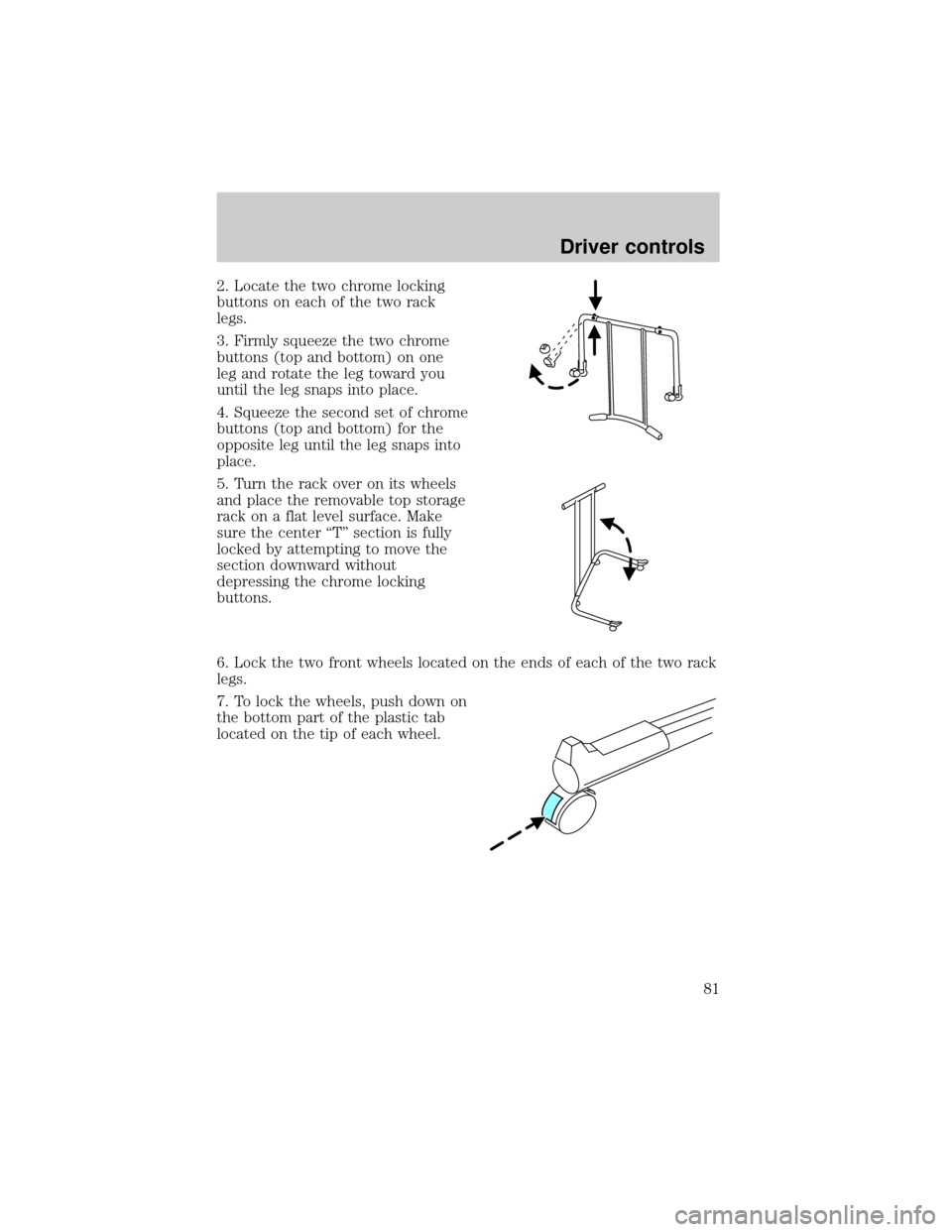
2. Locate the two chrome locking
buttons on each of the two rack
legs.
3. Firmly squeeze the two chrome
buttons (top and bottom) on one
leg and rotate the leg toward you
until the leg snaps into place.
4. Squeeze the second set of chrome
buttons (top and bottom) for the
opposite leg until the leg snaps into
place.
5. Turn the rack over on its wheels
and place the removable top storage
rack on a flat level surface. Make
sure the center ªTº section is fully
locked by attempting to move the
section downward without
depressing the chrome locking
buttons.
6. Lock the two front wheels located on the ends of each of the two rack
legs.
7. To lock the wheels, push down on
the bottom part of the plastic tab
located on the tip of each wheel.
Driver controls
81
Page 88 of 248
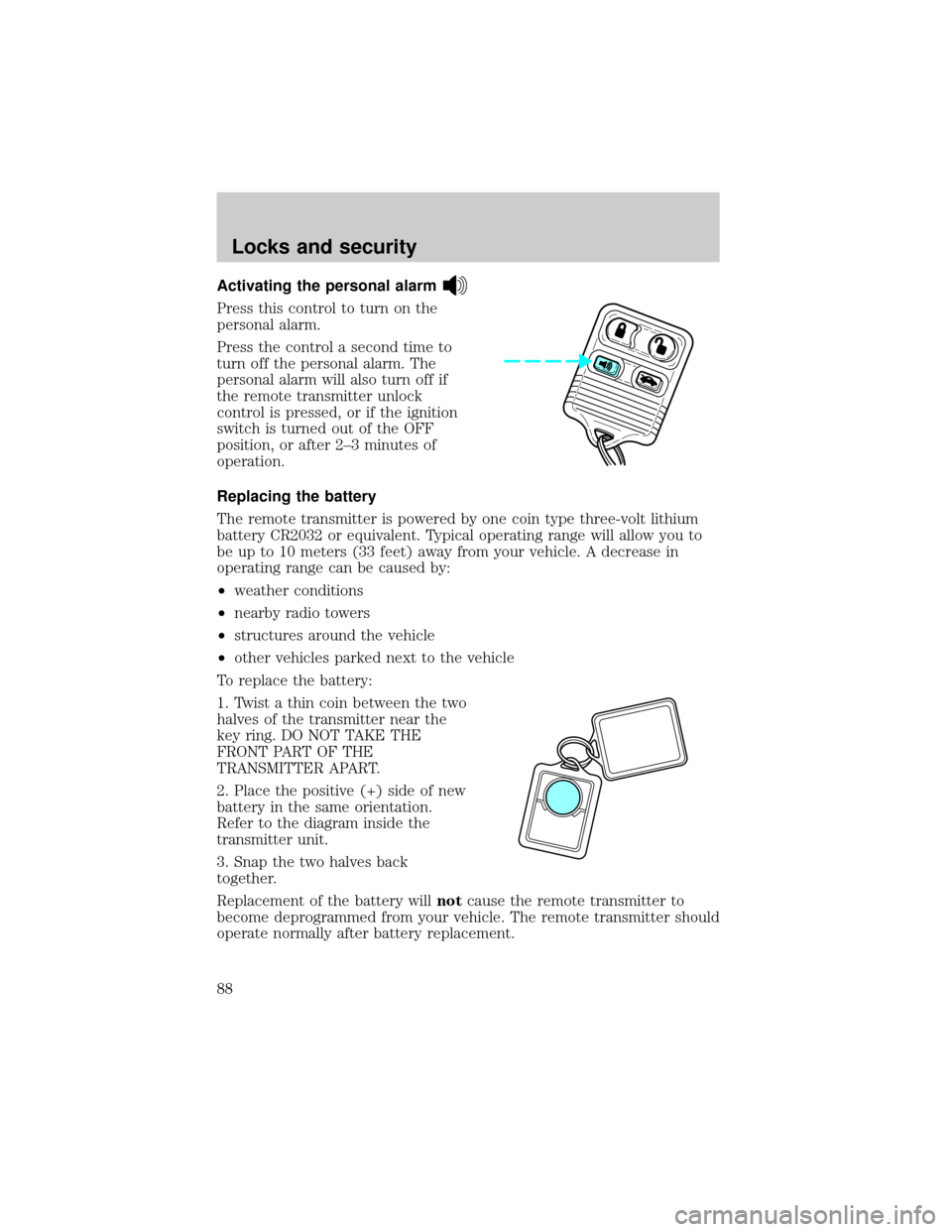
Activating the personal alarm
Press this control to turn on the
personal alarm.
Press the control a second time to
turn off the personal alarm. The
personal alarm will also turn off if
the remote transmitter unlock
control is pressed, or if the ignition
switch is turned out of the OFF
position, or after 2±3 minutes of
operation.
Replacing the battery
The remote transmitter is powered by one coin type three-volt lithium
battery CR2032 or equivalent. Typical operating range will allow you to
be up to 10 meters (33 feet) away from your vehicle. A decrease in
operating range can be caused by:
²weather conditions
²nearby radio towers
²structures around the vehicle
²other vehicles parked next to the vehicle
To replace the battery:
1. Twist a thin coin between the two
halves of the transmitter near the
key ring. DO NOT TAKE THE
FRONT PART OF THE
TRANSMITTER APART.
2. Place the positive (+) side of new
battery in the same orientation.
Refer to the diagram inside the
transmitter unit.
3. Snap the two halves back
together.
Replacement of the battery willnotcause the remote transmitter to
become deprogrammed from your vehicle. The remote transmitter should
operate normally after battery replacement.
Locks and security
88
Page 92 of 248
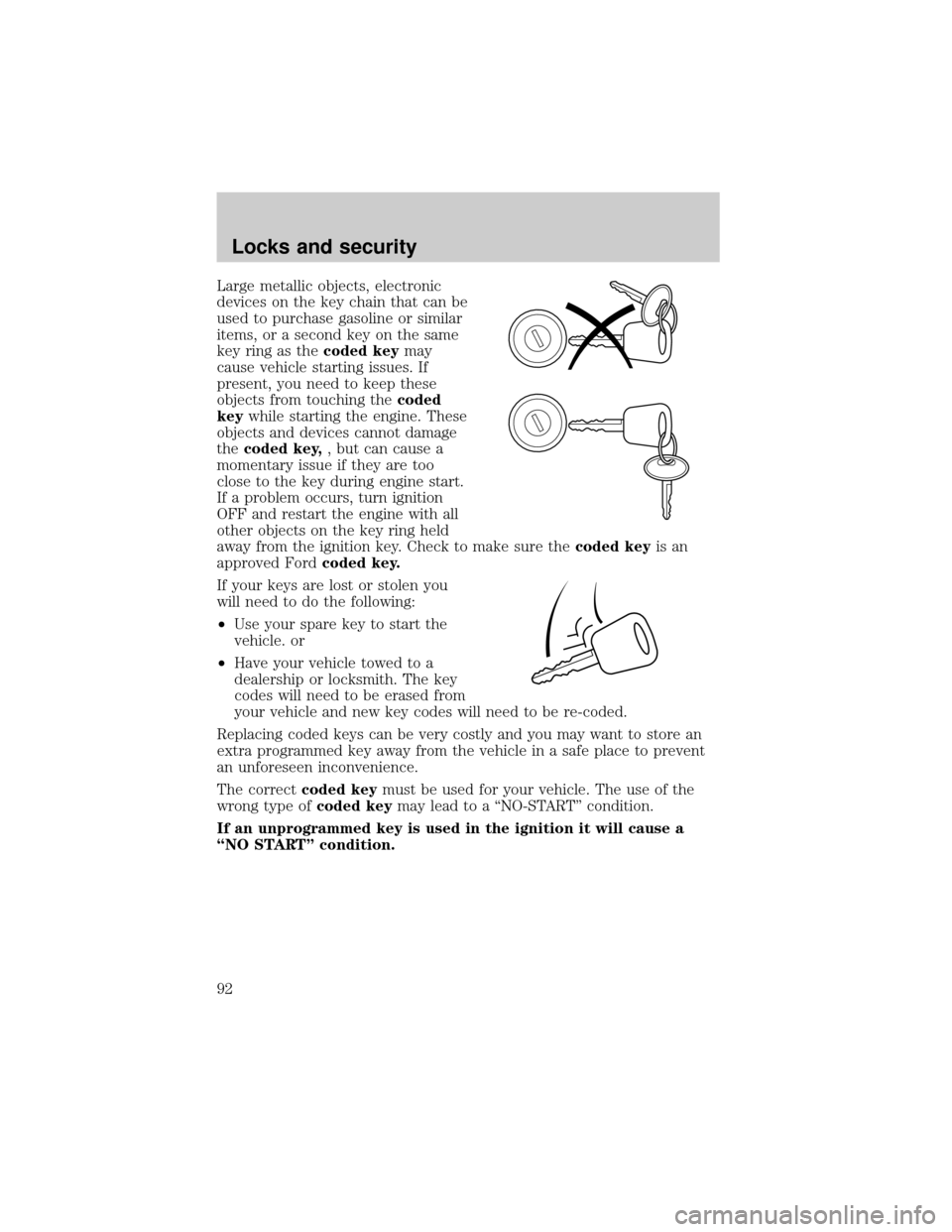
Large metallic objects, electronic
devices on the key chain that can be
used to purchase gasoline or similar
items, or a second key on the same
key ring as thecoded keymay
cause vehicle starting issues. If
present, you need to keep these
objects from touching thecoded
keywhile starting the engine. These
objects and devices cannot damage
thecoded key,, but can cause a
momentary issue if they are too
close to the key during engine start.
If a problem occurs, turn ignition
OFF and restart the engine with all
other objects on the key ring held
away from the ignition key. Check to make sure thecoded keyis an
approved Fordcoded key.
If your keys are lost or stolen you
will need to do the following:
²Use your spare key to start the
vehicle. or
²Have your vehicle towed to a
dealership or locksmith. The key
codes will need to be erased from
your vehicle and new key codes will need to be re-coded.
Replacing coded keys can be very costly and you may want to store an
extra programmed key away from the vehicle in a safe place to prevent
an unforeseen inconvenience.
The correctcoded keymust be used for your vehicle. The use of the
wrong type ofcoded keymay lead to a ªNO-STARTº condition.
If an unprogrammed key is used in the ignition it will cause a
ªNO STARTº condition.
Locks and security
92
Page 110 of 248
Never place your arm over the air bag module as a deploying air
bag can result in serious arm fractures or other injuries.
Steps you can take to properly position yourself away from the air bag:
²Move your seat to the rear as far as you can while still reaching the
pedals comfortably.
²Recline the seat slightly (one or two degrees) from the upright
position.
Do not put anything on or over the air bag module. Placing
objects on or over the air bag inflation area may cause those
objects to be propelled by the air bag into your face and torso causing
serious injury.
Do not attempt to service, repair, or modify the Air Bag
Supplemental Restraint System or its fuses. See your Ford or
Lincoln Mercury dealer.
Modifications to the front end of the vehicle, including frame,
bumper, front end body structure and tow hooks may affect the
performance of the air bag sensors increasing the risk of injury. Do not
modify the front end of the vehicle.
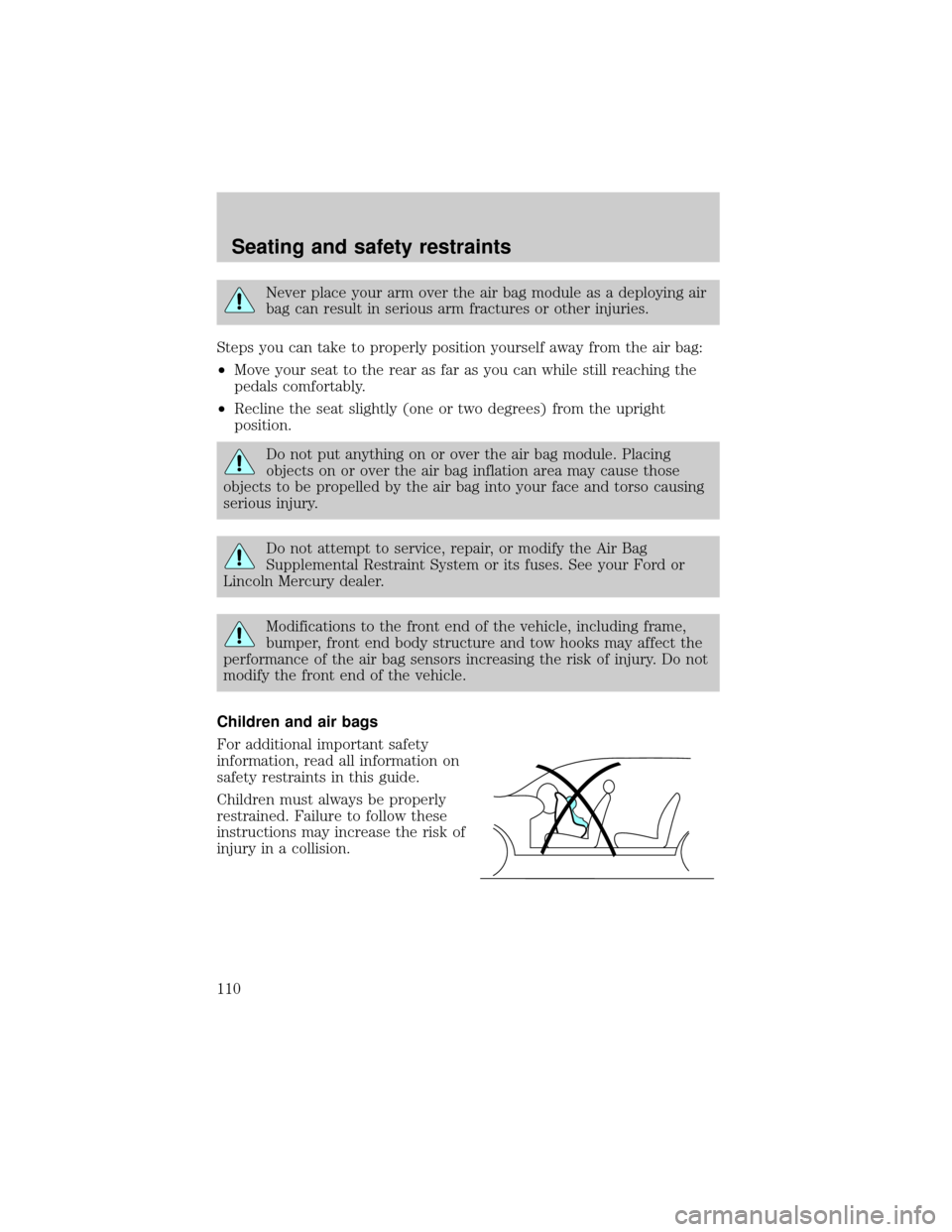
Children and air bags
For additional important safety
information, read all information on
safety restraints in this guide.
Children must always be properly
restrained. Failure to follow these
instructions may increase the risk of
injury in a collision.
Seating and safety restraints
110
Page 127 of 248
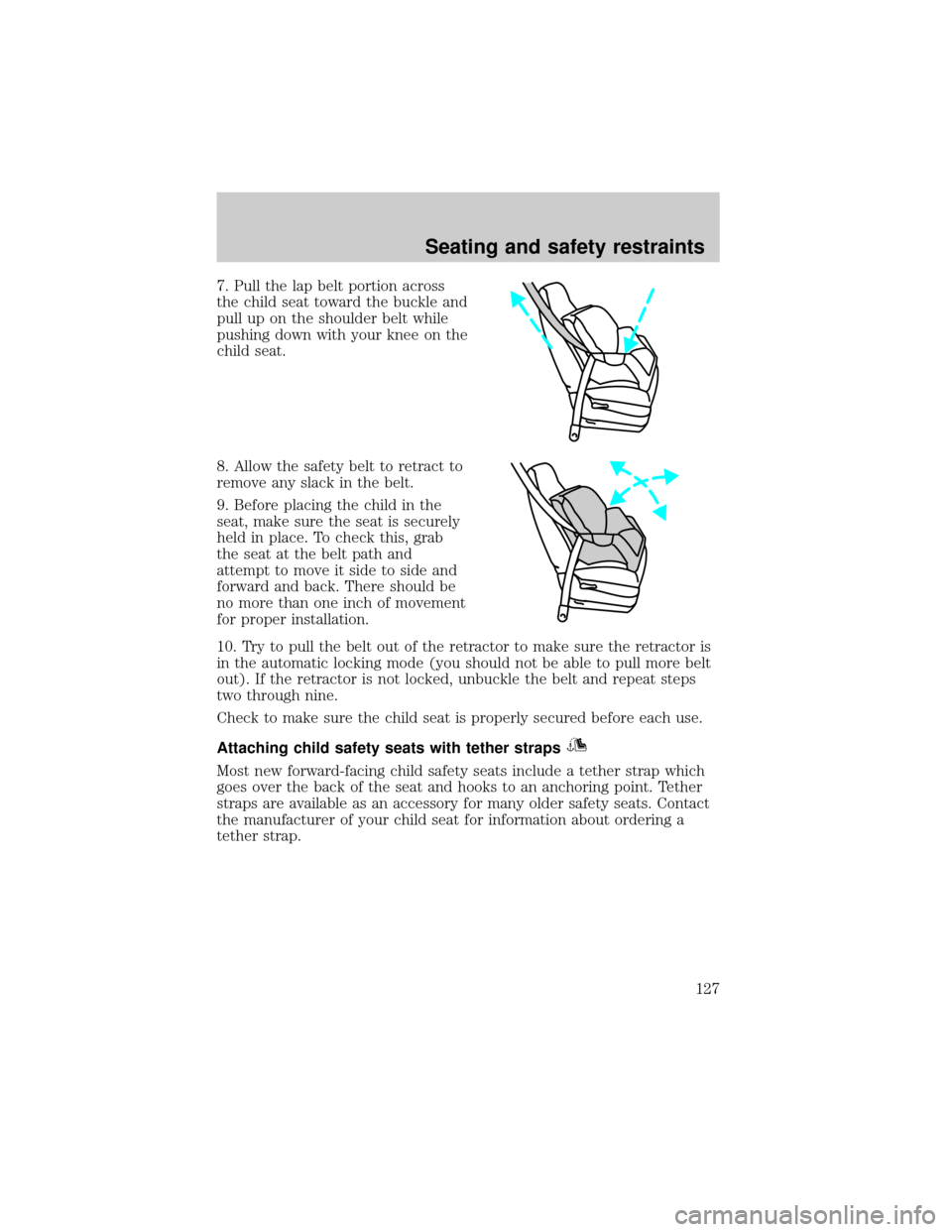
7. Pull the lap belt portion across
the child seat toward the buckle and
pull up on the shoulder belt while
pushing down with your knee on the
child seat.
8. Allow the safety belt to retract to
remove any slack in the belt.
9. Before placing the child in the
seat, make sure the seat is securely
held in place. To check this, grab
the seat at the belt path and
attempt to move it side to side and
forward and back. There should be
no more than one inch of movement
for proper installation.
10. Try to pull the belt out of the retractor to make sure the retractor is
in the automatic locking mode (you should not be able to pull more belt
out). If the retractor is not locked, unbuckle the belt and repeat steps
two through nine.
Check to make sure the child seat is properly secured before each use.
Attaching child safety seats with tether straps
Most new forward-facing child safety seats include a tether strap which
goes over the back of the seat and hooks to an anchoring point. Tether
straps are available as an accessory for many older safety seats. Contact
the manufacturer of your child seat for information about ordering a
tether strap.
Seating and safety restraints
127
Page 142 of 248
considered normal and will not affect function durability of the
transmission. Once the vehicle is at operating temperature it may take
several shifts at the same operating condition for the transmission to
properly adapt. Over time the adaptive learning process will fully update
transmission operation. The more varied the driving habits, speed and
torque, the longer it may take to adapt but the more complete the
process will be.
When the battery is disconnected or a new battery installed, the
transmission must learn its adaptive strategy. As a result of this, the
transmission may shift firmly. This operation is considered normal and
will fully update transmission operation to its optimum shift feel.
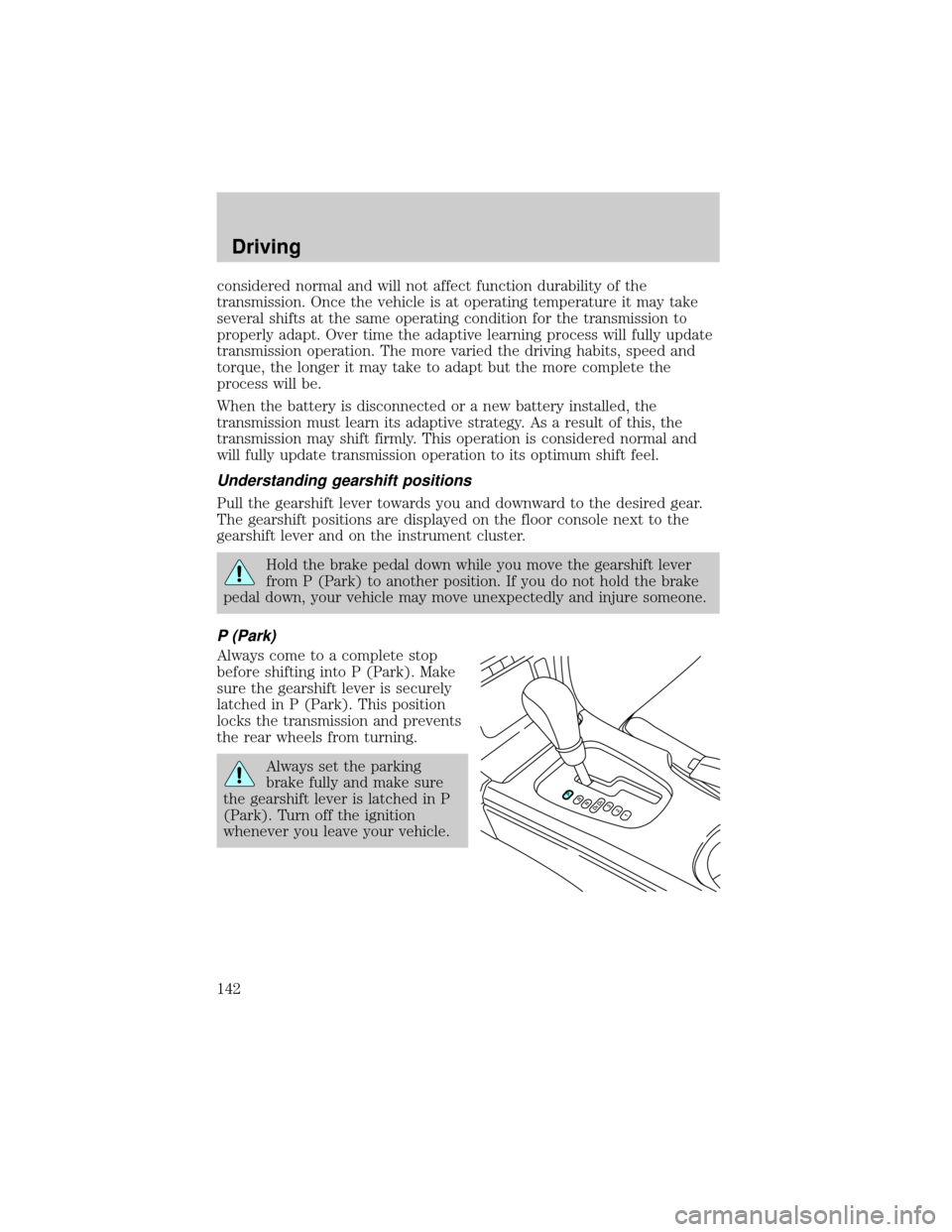
Understanding gearshift positions
Pull the gearshift lever towards you and downward to the desired gear.
The gearshift positions are displayed on the floor console next to the
gearshift lever and on the instrument cluster.
Hold the brake pedal down while you move the gearshift lever
from P (Park) to another position. If you do not hold the brake
pedal down, your vehicle may move unexpectedly and injure someone.
P (Park)
Always come to a complete stop
before shifting into P (Park). Make
sure the gearshift lever is securely
latched in P (Park). This position
locks the transmission and prevents
the rear wheels from turning.
Always set the parking
brake fully and make sure
the gearshift lever is latched in P
(Park). Turn off the ignition
whenever you leave your vehicle.
Driving
142
Page 144 of 248
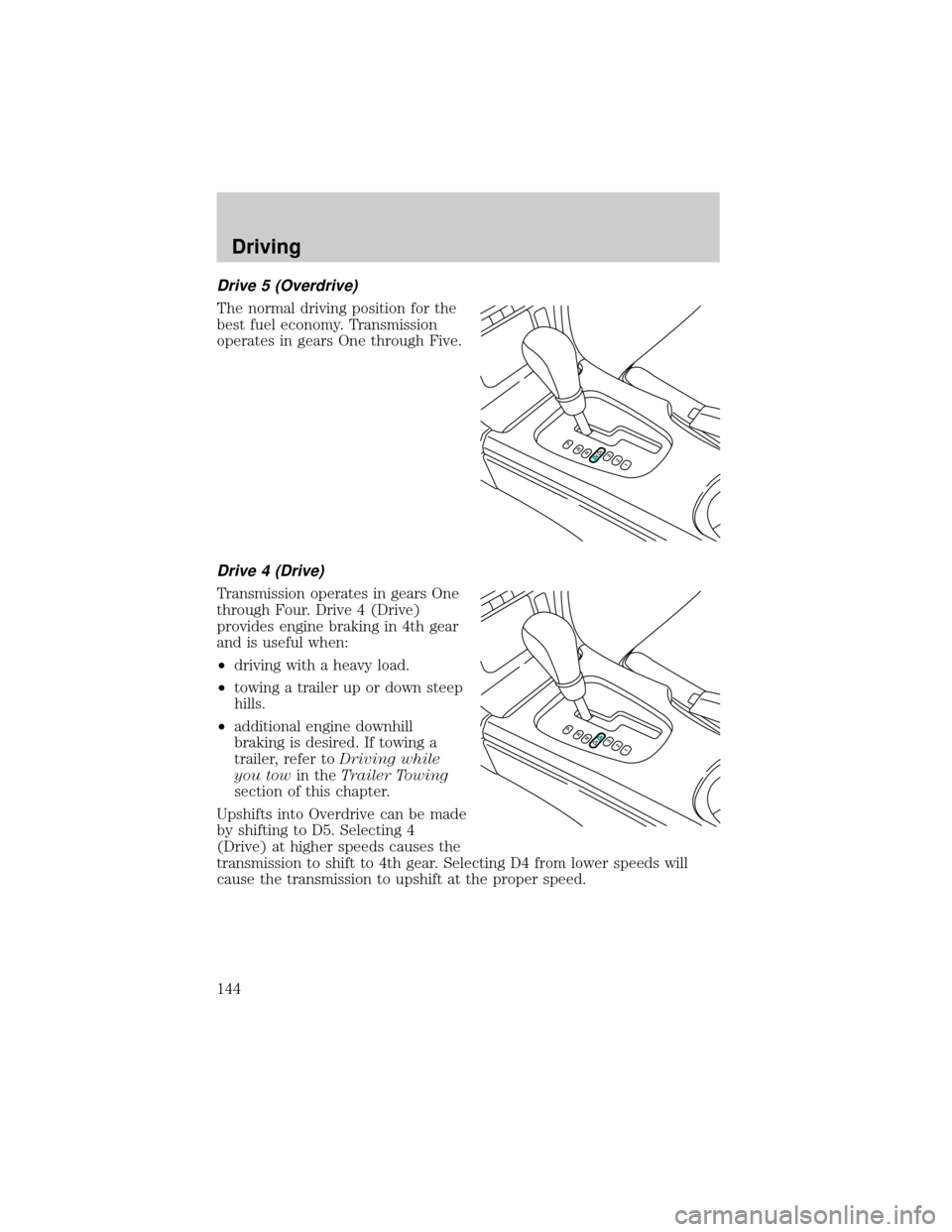
Drive 5 (Overdrive)
The normal driving position for the
best fuel economy. Transmission
operates in gears One through Five.
Drive 4 (Drive)
Transmission operates in gears One
through Four. Drive 4 (Drive)
provides engine braking in 4th gear
and is useful when:
²driving with a heavy load.
²towing a trailer up or down steep
hills.
²additional engine downhill
braking is desired. If towing a
trailer, refer toDriving while
you towin theTrailer Towing
section of this chapter.
Upshifts into Overdrive can be made
by shifting to D5. Selecting 4
(Drive) at higher speeds causes the
transmission to shift to 4th gear. Selecting D4 from lower speeds will
cause the transmission to upshift at the proper speed.
Driving
144