light FORD THUNDERBIRD 2005 11.G Owner's Guide
[x] Cancel search | Manufacturer: FORD, Model Year: 2005, Model line: THUNDERBIRD, Model: FORD THUNDERBIRD 2005 11.GPages: 224, PDF Size: 1.91 MB
Page 54 of 224
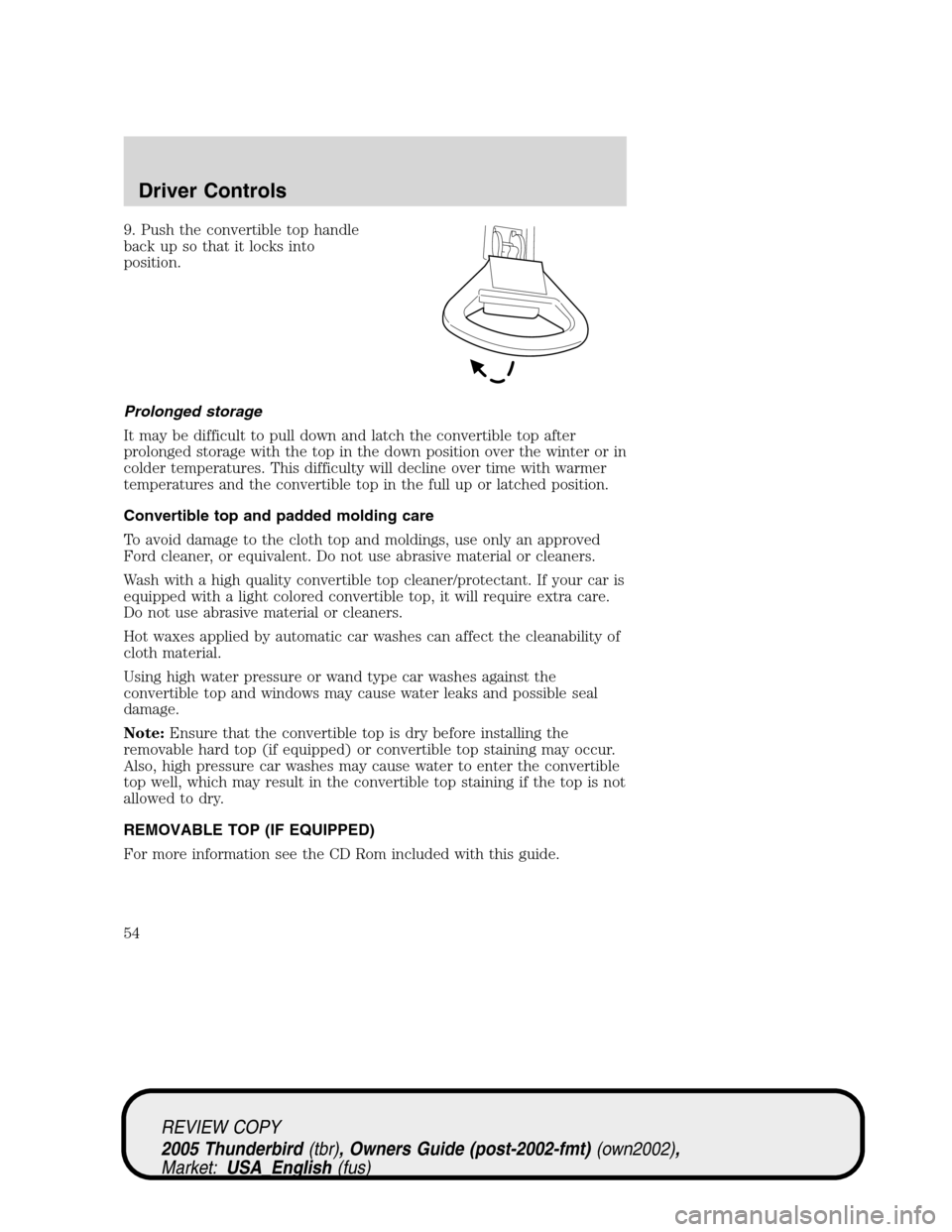
9. Push the convertible top handle
back up so that it locks into
position.
Prolonged storage
It may be difficult to pull down and latch the convertible top after
prolonged storage with the top in the down position over the winter or in
colder temperatures. This difficulty will decline over time with warmer
temperatures and the convertible top in the full up or latched position.
Convertible top and padded molding care
To avoid damage to the cloth top and moldings, use only an approved
Ford cleaner, or equivalent. Do not use abrasive material or cleaners.
Wash with a high quality convertible top cleaner/protectant. If your car is
equipped with a light colored convertible top, it will require extra care.
Do not use abrasive material or cleaners.
Hot waxes applied by automatic car washes can affect the cleanability of
cloth material.
Using high water pressure or wand type car washes against the
convertible top and windows may cause water leaks and possible seal
damage.
Note:Ensure that the convertible top is dry before installing the
removable hard top (if equipped) or convertible top staining may occur.
Also, high pressure car washes may cause water to enter the convertible
top well, which may result in the convertible top staining if the top is not
allowed to dry.
REMOVABLE TOP (IF EQUIPPED)
For more information see the CD Rom included with this guide.
REVIEW COPY
2005 Thunderbird(tbr), Owners Guide (post-2002-fmt)(own2002),
Market:USA_English(fus)
Driver Controls
54
Page 58 of 224
Removing the top
It is recommended that you prepare the storage rack before removing
the top. SeeRemovable top storage rackin this section.
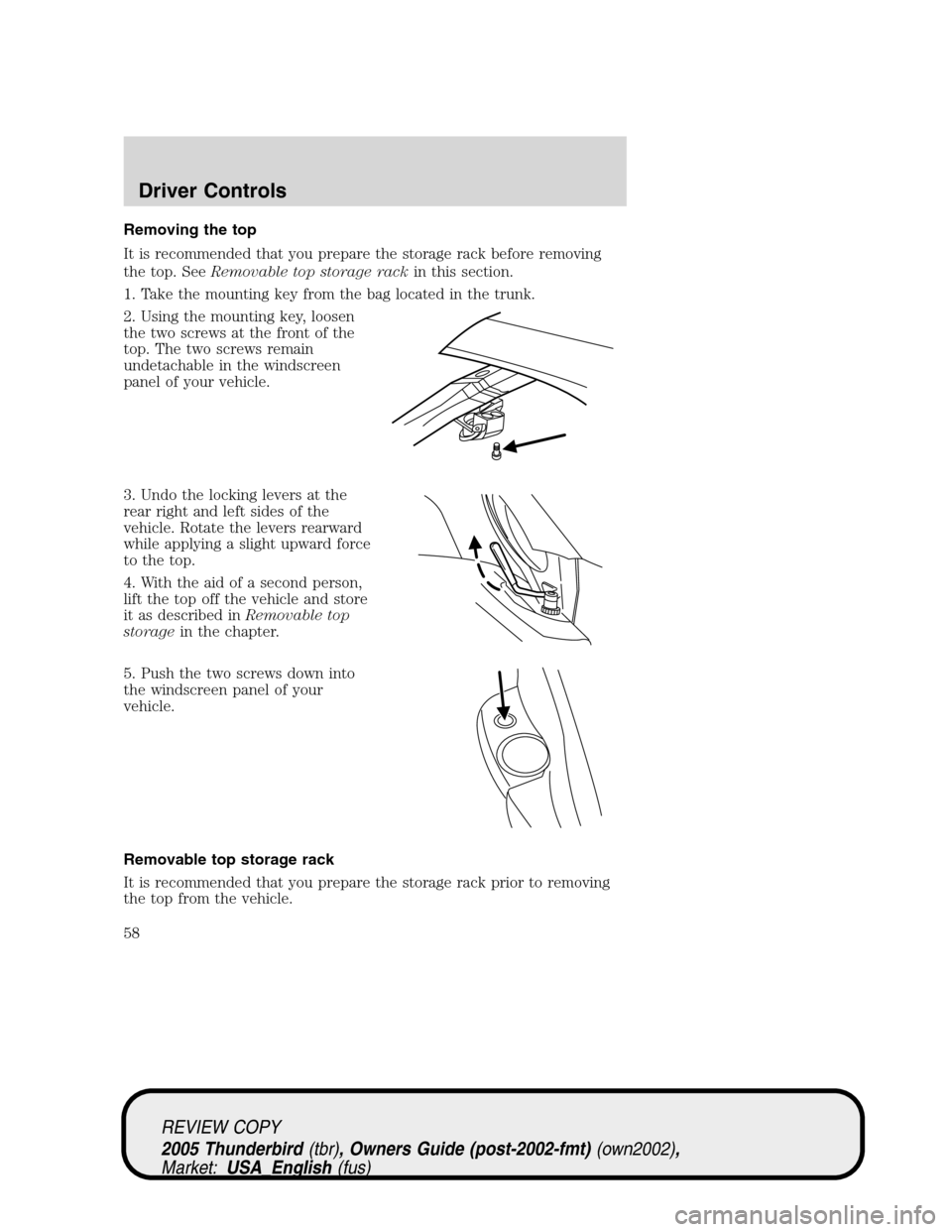
1. Take the mounting key from the bag located in the trunk.
2. Using the mounting key, loosen
the two screws at the front of the
top. The two screws remain
undetachable in the windscreen
panel of your vehicle.
3. Undo the locking levers at the
rear right and left sides of the
vehicle. Rotate the levers rearward
while applying a slight upward force
to the top.
4. With the aid of a second person,
lift the top off the vehicle and store
it as described inRemovable top
storagein the chapter.
5. Push the two screws down into
the windscreen panel of your
vehicle.
Removable top storage rack
It is recommended that you prepare the storage rack prior to removing
the top from the vehicle.
REVIEW COPY
2005 Thunderbird(tbr), Owners Guide (post-2002-fmt)(own2002),
Market:USA_English(fus)
Driver Controls
58
Page 63 of 224
The inside lights will not turn off if:
•they have been turned on using the dimmer control or
•any door is open.
The battery saver feature will turn off the interior lamps 30 minutes after
the ignition is turned to the 2 (OFF) position.
Locking the doors
Turn the key in the door cylinder to lock the driver’s door.Note:
Locking the driver’s door using a key does not arm the perimeter alarm.
INTERIOR LUGGAGE COMPARTMENT RELEASE
Your vehicle is equipped with a mechanical interior luggage compartment
release handle that provides a means of escape for children and adults in
the event they become locked inside the luggage compartment.
Adults are advised to familiarize themselves with the operation and
location of the release handle.
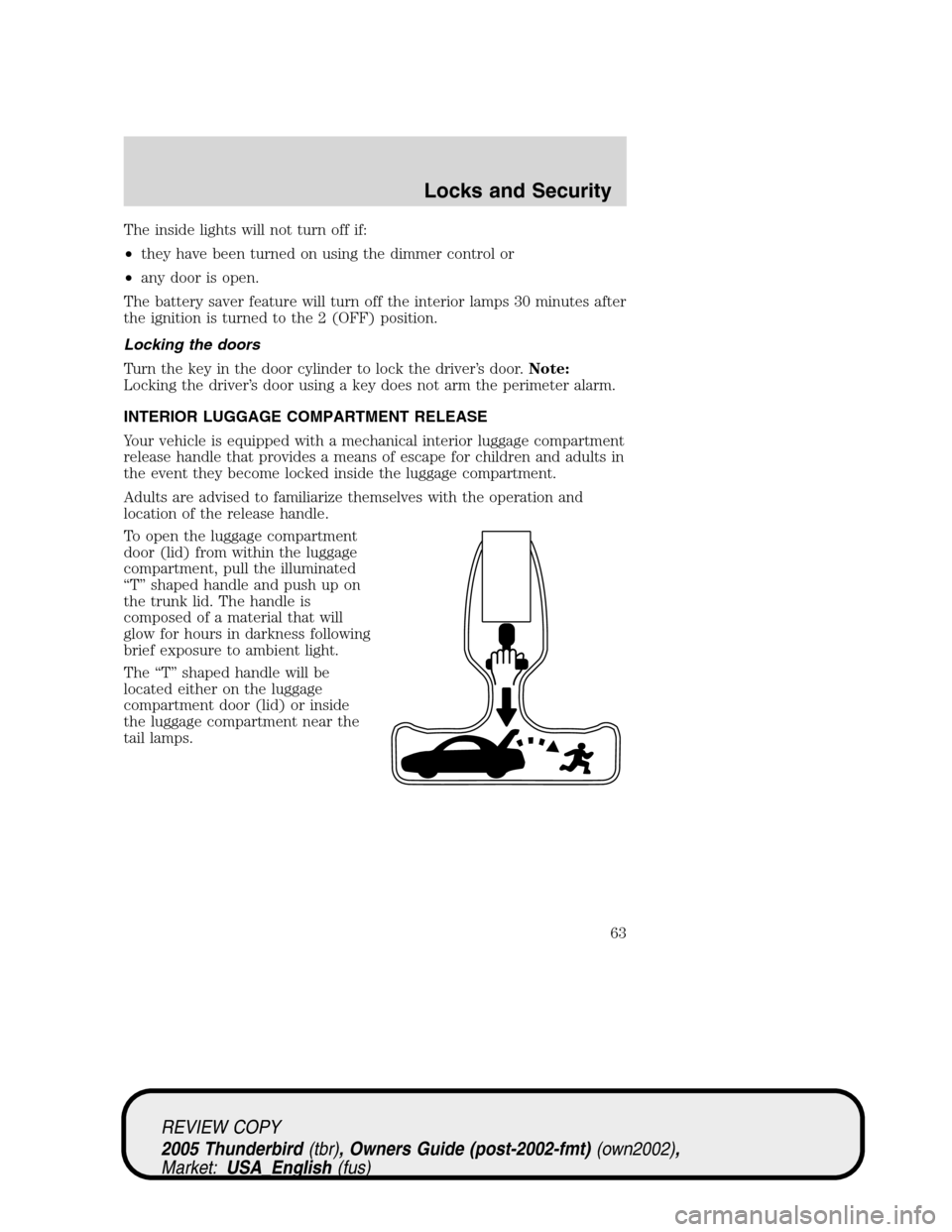
To open the luggage compartment
door (lid) from within the luggage
compartment, pull the illuminated
“T”shaped handle and push up on
the trunk lid. The handle is
composed of a material that will
glow for hours in darkness following
brief exposure to ambient light.
The“T”shaped handle will be
located either on the luggage
compartment door (lid) or inside
the luggage compartment near the
tail lamps.
REVIEW COPY
2005 Thunderbird(tbr), Owners Guide (post-2002-fmt)(own2002),
Market:USA_English(fus)
Locks and Security
63
Page 65 of 224
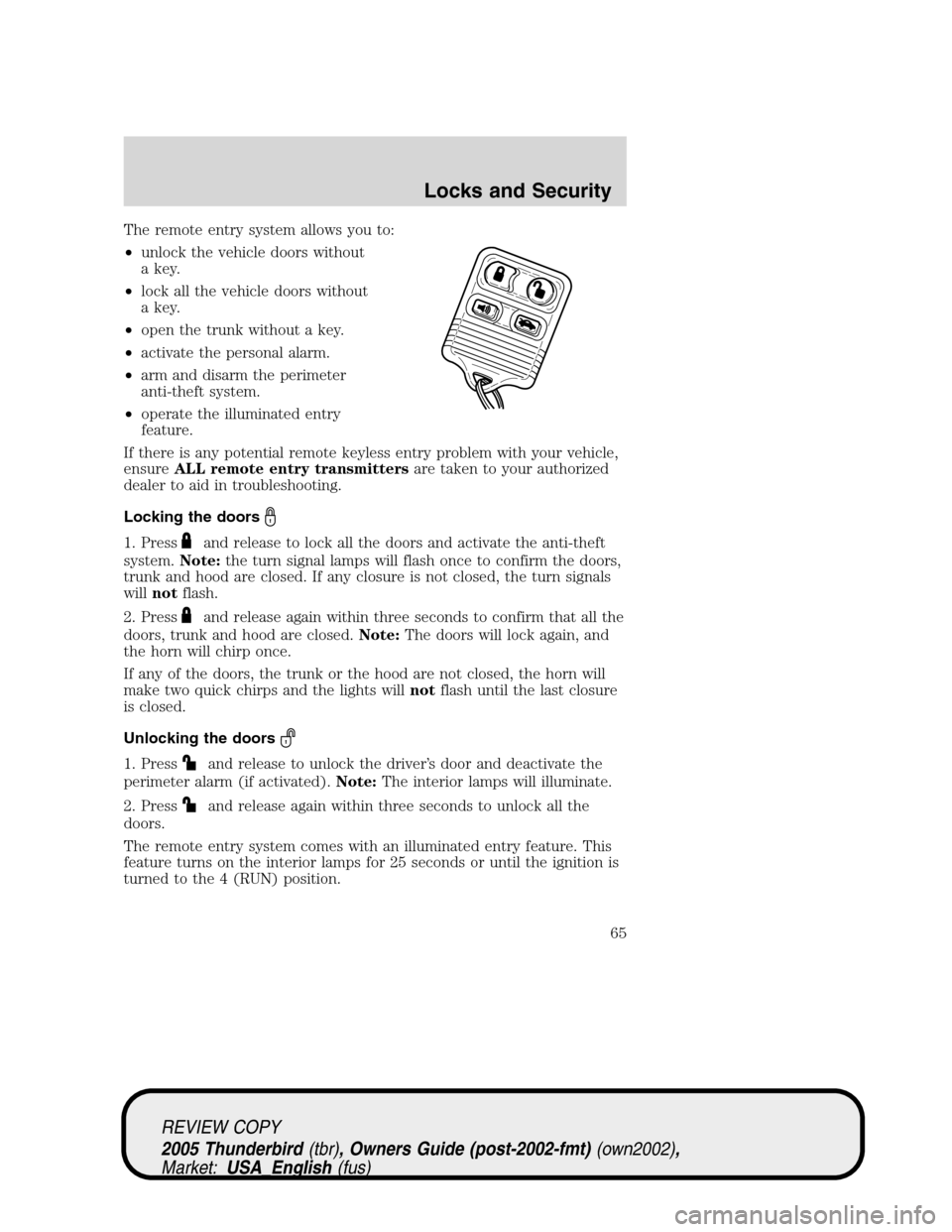
The remote entry system allows you to:
•unlock the vehicle doors without
a key.
•lock all the vehicle doors without
a key.
•open the trunk without a key.
•activate the personal alarm.
•arm and disarm the perimeter
anti-theft system.
•operate the illuminated entry
feature.
If there is any potential remote keyless entry problem with your vehicle,
ensureALL remote entry transmittersare taken to your authorized
dealer to aid in troubleshooting.
Locking the doors
1. Pressand release to lock all the doors and activate the anti-theft
system.Note:the turn signal lamps will flash once to confirm the doors,
trunk and hood are closed. If any closure is not closed, the turn signals
willnotflash.
2. Press
and release again within three seconds to confirm that all the
doors, trunk and hood are closed.Note:The doors will lock again, and
the horn will chirp once.
If any of the doors, the trunk or the hood are not closed, the horn will
make two quick chirps and the lights willnotflash until the last closure
is closed.
Unlocking the doors
1. Pressand release to unlock the driver’s door and deactivate the
perimeter alarm (if activated).Note:The interior lamps will illuminate.
2. Press
and release again within three seconds to unlock all the
doors.
The remote entry system comes with an illuminated entry feature. This
feature turns on the interior lamps for 25 seconds or until the ignition is
turned to the 4 (RUN) position.
REVIEW COPY
2005 Thunderbird(tbr), Owners Guide (post-2002-fmt)(own2002),
Market:USA_English(fus)
Locks and Security
65
Page 66 of 224
The inside lights will not turn off if:
•they have been turned on using the dimmer control or
•any door is open.
The battery saver feature will turn off the interior lamps 30 minutes after
the ignition is turned to the 2 (OFF) position.
Opening the trunk
Pressonce to open the trunk.
•Ensure that the trunk is closed and latched before driving your
vehicle. Failure to properly latch the trunk may cause objects to fall
out or block the driver’s rear view.
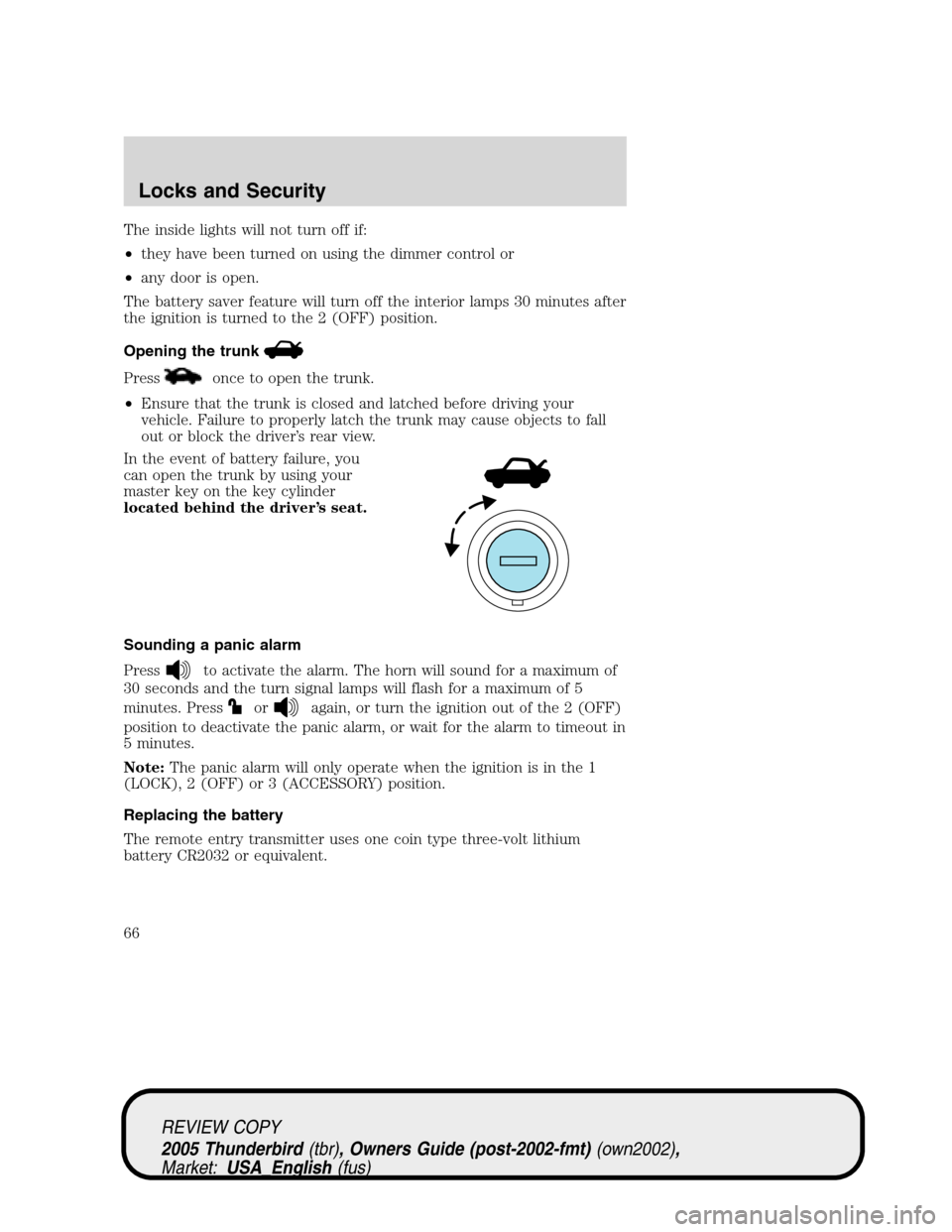
In the event of battery failure, you
can open the trunk by using your
master key on the key cylinder
located behind the driver’s seat.
Sounding a panic alarm
Press
to activate the alarm. The horn will sound for a maximum of
30 seconds and the turn signal lamps will flash for a maximum of 5
minutes. Press
oragain, or turn the ignition out of the 2 (OFF)
position to deactivate the panic alarm, or wait for the alarm to timeout in
5 minutes.
Note:The panic alarm will only operate when the ignition is in the 1
(LOCK), 2 (OFF) or 3 (ACCESSORY) position.
Replacing the battery
The remote entry transmitter uses one coin type three-volt lithium
battery CR2032 or equivalent.
REVIEW COPY
2005 Thunderbird(tbr), Owners Guide (post-2002-fmt)(own2002),
Market:USA_English(fus)
Locks and Security
66
Page 68 of 224
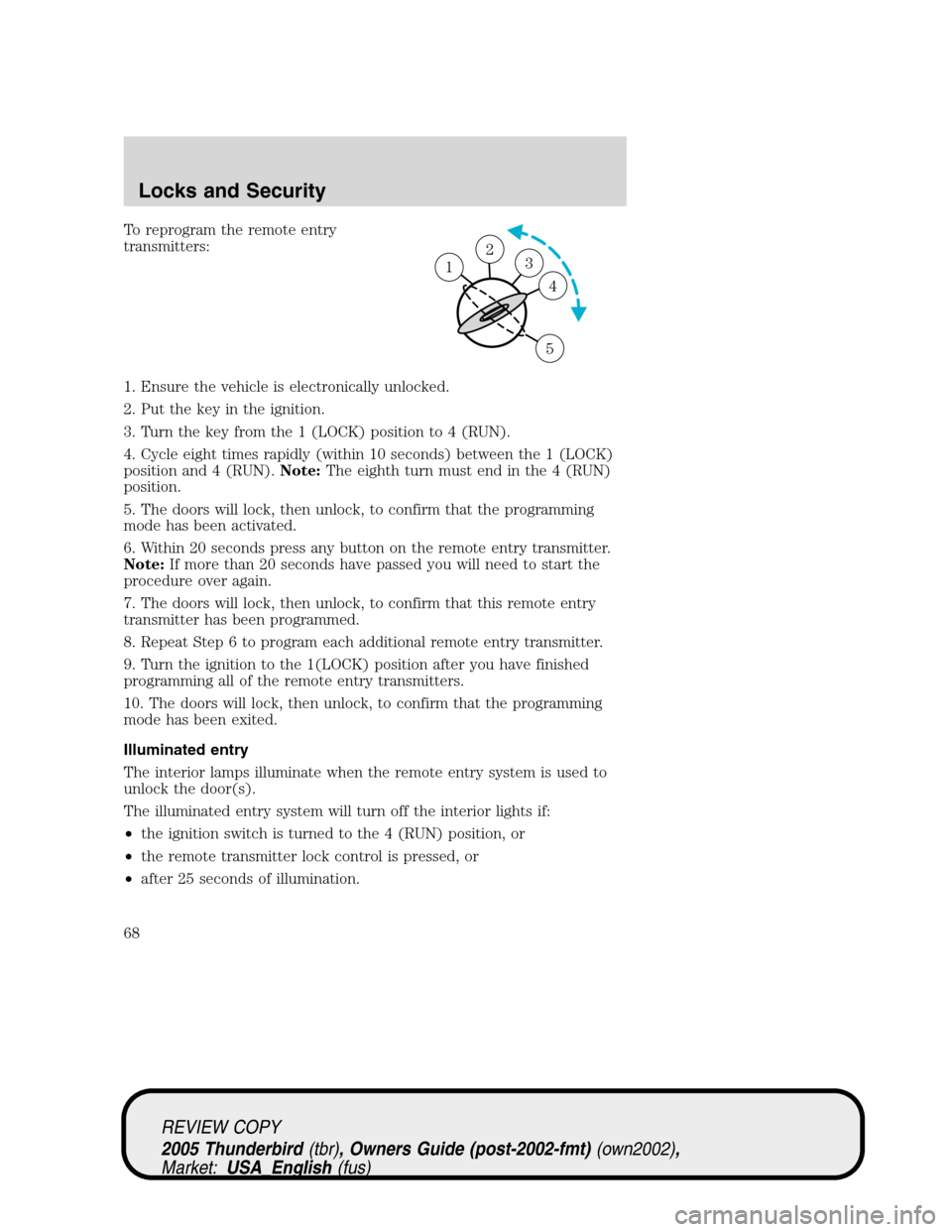
To reprogram the remote entry
transmitters:
1. Ensure the vehicle is electronically unlocked.
2. Put the key in the ignition.
3. Turn the key from the 1 (LOCK) position to 4 (RUN).
4. Cycle eight times rapidly (within 10 seconds) between the 1 (LOCK)
position and 4 (RUN).Note:The eighth turn must end in the 4 (RUN)
position.
5. The doors will lock, then unlock, to confirm that the programming
mode has been activated.
6. Within 20 seconds press any button on the remote entry transmitter.
Note:If more than 20 seconds have passed you will need to start the
procedure over again.
7. The doors will lock, then unlock, to confirm that this remote entry
transmitter has been programmed.
8. Repeat Step 6 to program each additional remote entry transmitter.
9. Turn the ignition to the 1(LOCK) position after you have finished
programming all of the remote entry transmitters.
10. The doors will lock, then unlock, to confirm that the programming
mode has been exited.
Illuminated entry
The interior lamps illuminate when the remote entry system is used to
unlock the door(s).
The illuminated entry system will turn off the interior lights if:
•the ignition switch is turned to the 4 (RUN) position, or
•the remote transmitter lock control is pressed, or
•after 25 seconds of illumination.
23 1
4
5
REVIEW COPY
2005 Thunderbird(tbr), Owners Guide (post-2002-fmt)(own2002),
Market:USA_English(fus)
Locks and Security
68
Page 69 of 224
The inside lights will not turn off if:
•they have been turned on with the dimmer control, or
•any door is open.
The battery saver will shut off the interior lamps 30 minutes after the
ignition has been turned to the 2 (OFF) position.
Autolock
The autolock feature will lock the vehicle’s doors when:
•all the doors are closed,
•the ignition is in the 4 (RUN) position, and
•you shift into forward or reverse, putting the vehicle in motion.
Relock
The autolock feature repeats when:
•either door is opened then closed while the ignition is in the 4 (RUN)
position,
•you shift into forward or reverse, and
•you put the vehicle in motion by releasing the brake pedal.
Deactivating/activating autolock
Your vehicle comes with the autolock feature activated. There are two
methods to enable/disable this feature: One is through your authorized
dealer, and the second is using a power door unlock/lock sequence.
Before following the activation or deactivation procedures, make sure
that the anti-theft system is not activated, ignition is off, and the vehicle
doors are closed.
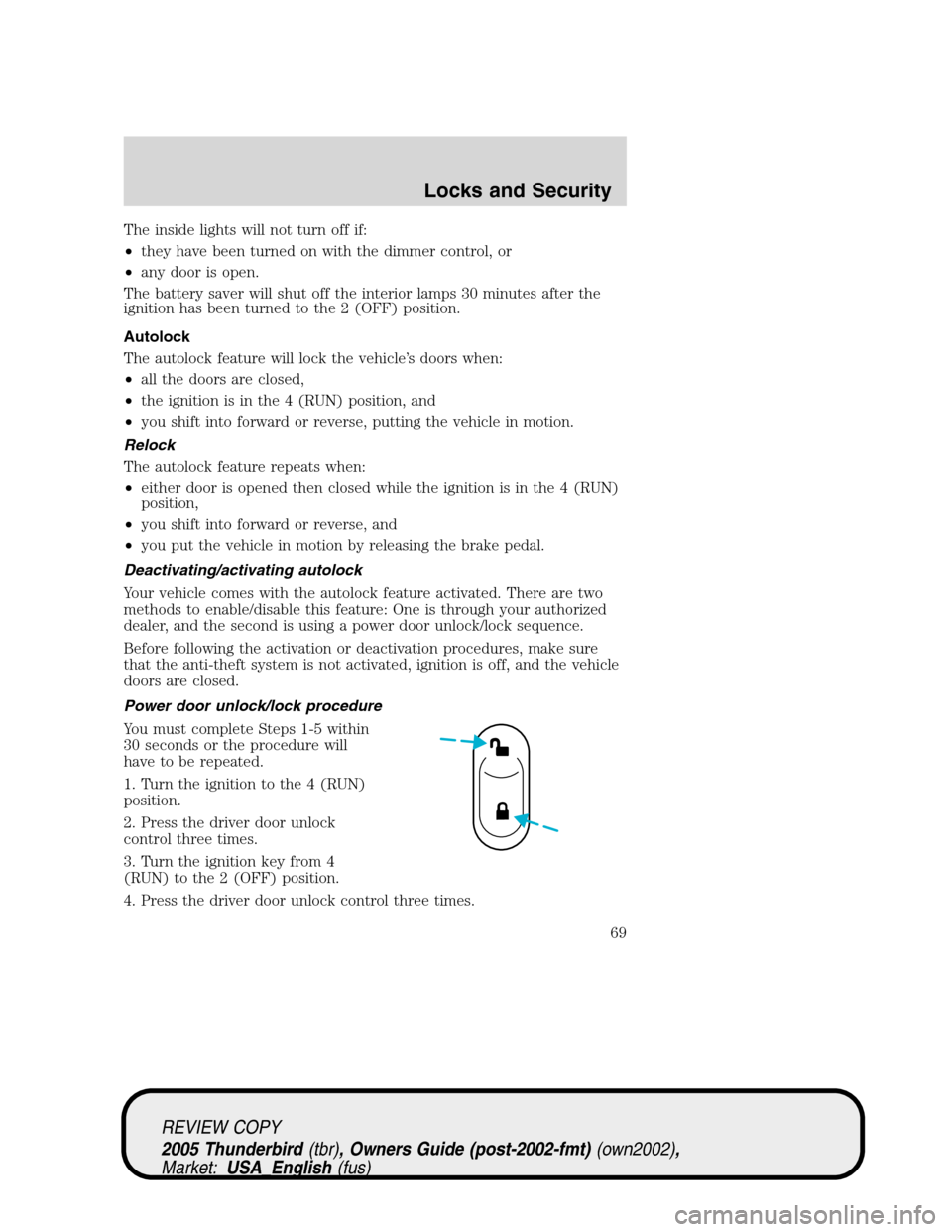
Power door unlock/lock procedure
You must complete Steps 1-5 within
30 seconds or the procedure will
have to be repeated.
1. Turn the ignition to the 4 (RUN)
position.
2. Press the driver door unlock
control three times.
3. Turn the ignition key from 4
(RUN) to the 2 (OFF) position.
4. Press the driver door unlock control three times.
REVIEW COPY
2005 Thunderbird(tbr), Owners Guide (post-2002-fmt)(own2002),
Market:USA_English(fus)
Locks and Security
69
Page 77 of 224
Adjusting the passenger’s power seat
The control is located on the outboard side of the seat cushion.
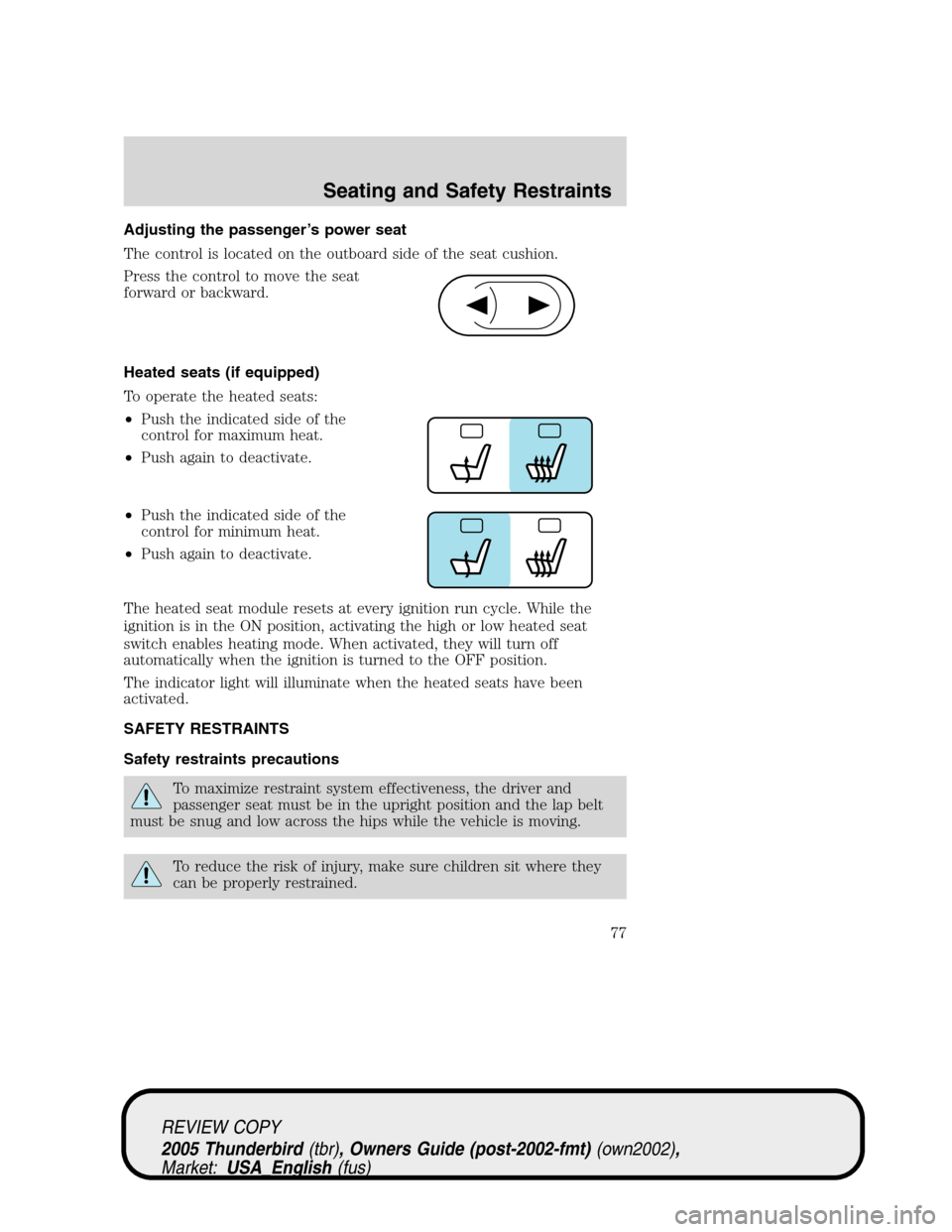
Press the control to move the seat
forward or backward.
Heated seats (if equipped)
To operate the heated seats:
•Push the indicated side of the
control for maximum heat.
•Push again to deactivate.
•Push the indicated side of the
control for minimum heat.
•Push again to deactivate.
The heated seat module resets at every ignition run cycle. While the
ignition is in the ON position, activating the high or low heated seat
switch enables heating mode. When activated, they will turn off
automatically when the ignition is turned to the OFF position.
The indicator light will illuminate when the heated seats have been
activated.
SAFETY RESTRAINTS
Safety restraints precautions
To maximize restraint system effectiveness, the driver and
passenger seat must be in the upright position and the lap belt
must be snug and low across the hips while the vehicle is moving.
To reduce the risk of injury, make sure children sit where they
can be properly restrained.
REVIEW COPY
2005 Thunderbird(tbr), Owners Guide (post-2002-fmt)(own2002),
Market:USA_English(fus)
Seating and Safety Restraints
77
Page 82 of 224
Safety belt warning light and indicator chime
The safety belt warning light illuminates in the instrument cluster and a
chime sounds to remind the occupants to fasten their safety belts.
Conditions of operation
If... Then...
The driver’s safety belt is not
buckled before the ignition
switch is turned to the RUN
position...The safety belt warning light
illuminates 1-2 minutes and the
warning chime sounds 4-8 seconds.
The driver’s safety belt is
buckled while the indicator
light is illuminated and the
warning chime is sounding...The safety belt warning light and
warning chime turn off.
The driver’s safety belt is
buckled before the ignition
switch is turned to the RUN
position...The safety belt warning light and
indicator chime remain off.
BeltMinder
The BeltMinder feature is a supplemental warning to the safety belt
warning function. This feature provides additional reminders to the
driver that the driver’s safety belt is unbuckled by intermittently
sounding a chime and illuminating the safety belt warning lamp in the
instrument cluster.
REVIEW COPY
2005 Thunderbird(tbr), Owners Guide (post-2002-fmt)(own2002),
Market:USA_English(fus)
Seating and Safety Restraints
82
Page 83 of 224
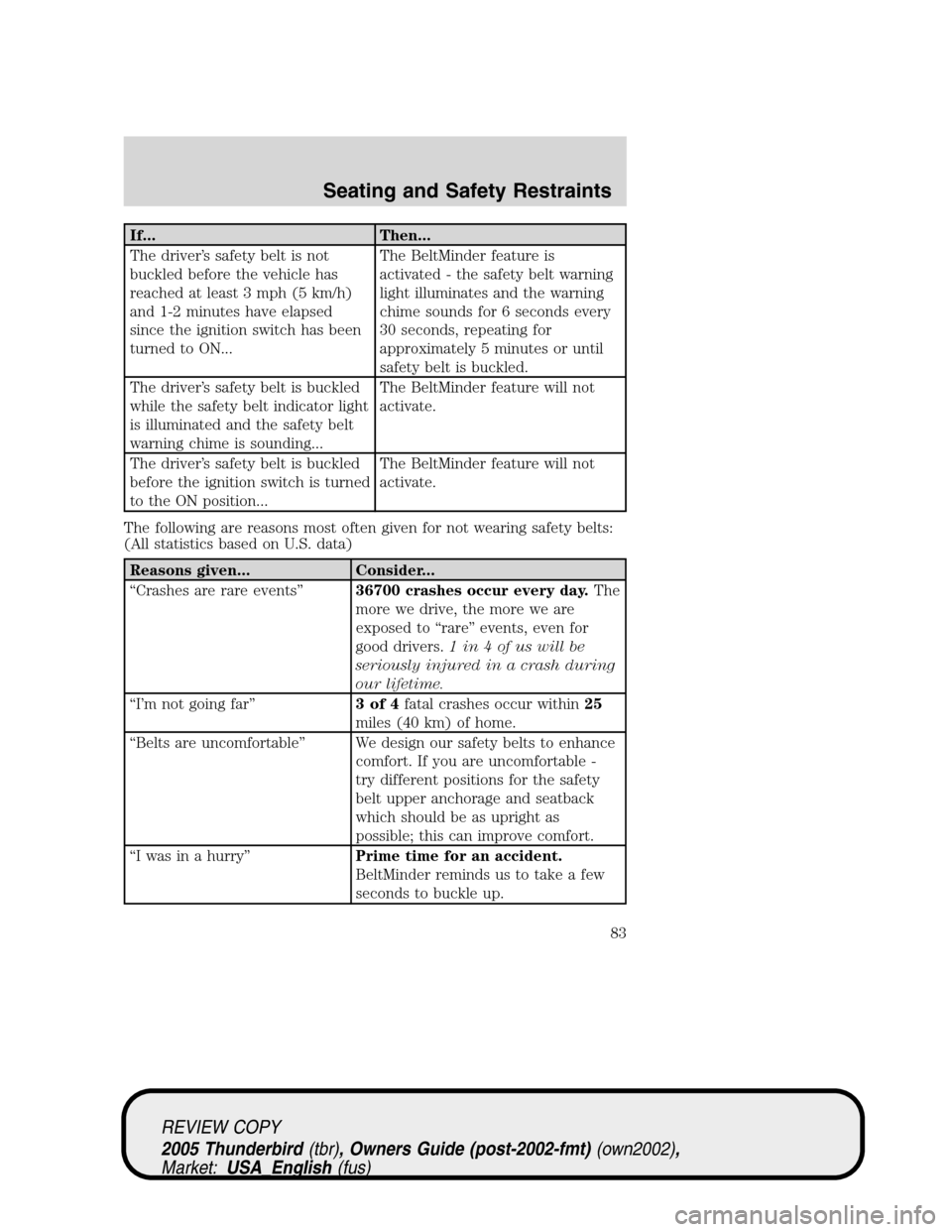
If... Then...
The driver’s safety belt is not
buckled before the vehicle has
reached at least 3 mph (5 km/h)
and 1-2 minutes have elapsed
since the ignition switch has been
turned to ON...The BeltMinder feature is
activated - the safety belt warning
light illuminates and the warning
chime sounds for 6 seconds every
30 seconds, repeating for
approximately 5 minutes or until
safety belt is buckled.
The driver’s safety belt is buckled
while the safety belt indicator light
is illuminated and the safety belt
warning chime is sounding...The BeltMinder feature will not
activate.
The driver’s safety belt is buckled
before the ignition switch is turned
to the ON position...The BeltMinder feature will not
activate.
The following are reasons most often given for not wearing safety belts:
(All statistics based on U.S. data)
Reasons given... Consider...
“Crashes are rare events”36700 crashes occur every day.The
more we drive, the more we are
exposed to“rare”events, even for
good drivers.1 in 4 of us will be
seriously injured in a crash during
our lifetime.
“I’m not going far”3of4fatal crashes occur within25
miles (40 km) of home.
“Belts are uncomfortable”We design our safety belts to enhance
comfort. If you are uncomfortable -
try different positions for the safety
belt upper anchorage and seatback
which should be as upright as
possible; this can improve comfort.
“I was in a hurry”Prime time for an accident.
BeltMinder reminds us to take a few
seconds to buckle up.
REVIEW COPY
2005 Thunderbird(tbr), Owners Guide (post-2002-fmt)(own2002),
Market:USA_English(fus)
Seating and Safety Restraints
83