display FORD TRANSIT 2015 5.G User Guide
[x] Cancel search | Manufacturer: FORD, Model Year: 2015, Model line: TRANSIT, Model: FORD TRANSIT 2015 5.GPages: 461, PDF Size: 5.82 MB
Page 64 of 461

ADJUSTING THE STEERING
WHEEL
WARNING
Do not adjust the steering wheel
when your vehicle is moving.
Note:
Make sure that you are sitting in the
correct position. See Sitting in the Correct
Position (page 95). 1. Unlock the steering column.
2.
Adjust the steering wheel to the desired
position. 3. Lock the steering column.
AUDIO CONTROL - VEHICLES
WITHOUT: TOUCHSCREEN
DISPLAY
Volume up
A
Seek up or next
B
Volume down
C
Seek down or previous
D
61 Transit (TTH) Canada/United States of America, enUSA, Edition date: 03/2014 Steering Wheel122E95178 3E95179 C
DA
B
E129463
Page 65 of 461

Seek, Next or Previous
Press the seek button to:
•
Tune the radio to the next or previous
stored preset.
• Play the next or the previous track.
Press and hold the seek button to:
• Tune the radio to the next station up
or down the frequency band.
• Seek through a track.
AUDIO CONTROL - VEHICLES
WITH: TOUCHSCREEN
DISPLAY
Select the required source on the audio
unit.
You can operate the following functions
with the control: Volume up
A
Seek up or next
B
Volume down
C
Seek down or previous
D
Mode
E
Press M to select the audio source. VOICE CONTROL - VEHICLES
WITHOUT: TOUCHSCREEN
DISPLAY
Pull the control to select or deselect voice
control. See
SYNC™ (page 300).
VOICE CONTROL - VEHICLES
WITH: TOUCHSCREEN
DISPLAY Pull the control to select or deselect voice
control. See MyFord Touch
™
(page 349).
See MyFord Touch ™ (page 349).
62 Transit (TTH) Canada/United States of America, enUSA, Edition date: 03/2014 Steering WheelE129462
BD
C
A
E E129464 E161798
Page 66 of 461
MyFord Touch® Controls (If Equipped)
Your steering wheel controls may also
have these additional features. Press to go to the home screen.
Press to go to the information
screen.
See
MyFord Touch ™ (page 349).
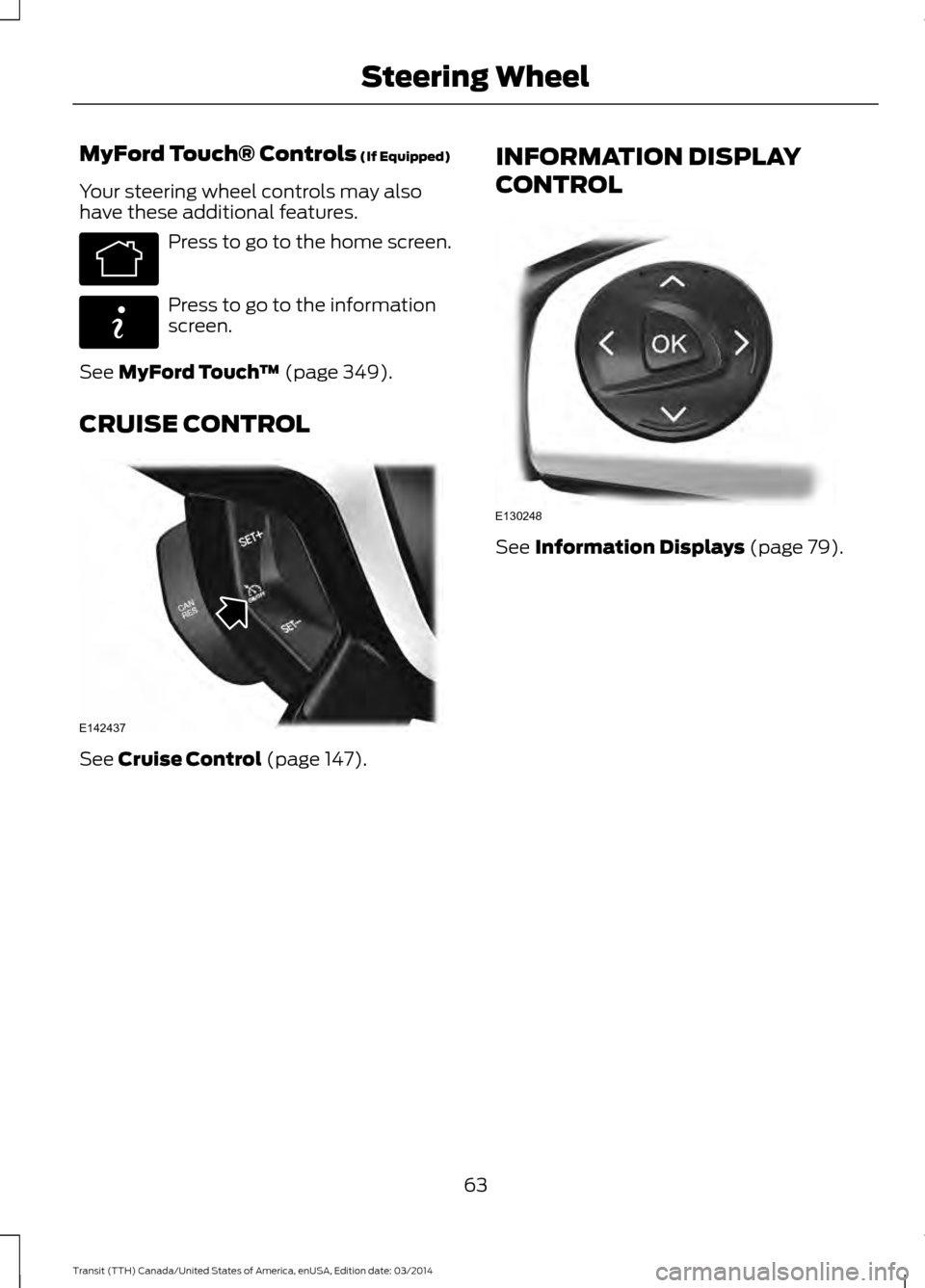
CRUISE CONTROL See
Cruise Control (page 147). INFORMATION DISPLAY
CONTROL See Information Displays (page 79).
63 Transit (TTH) Canada/United States of America, enUSA, Edition date: 03/2014 Steering WheelE142613 E142608 E142437 E130248
Page 70 of 461
Headlamp Flasher
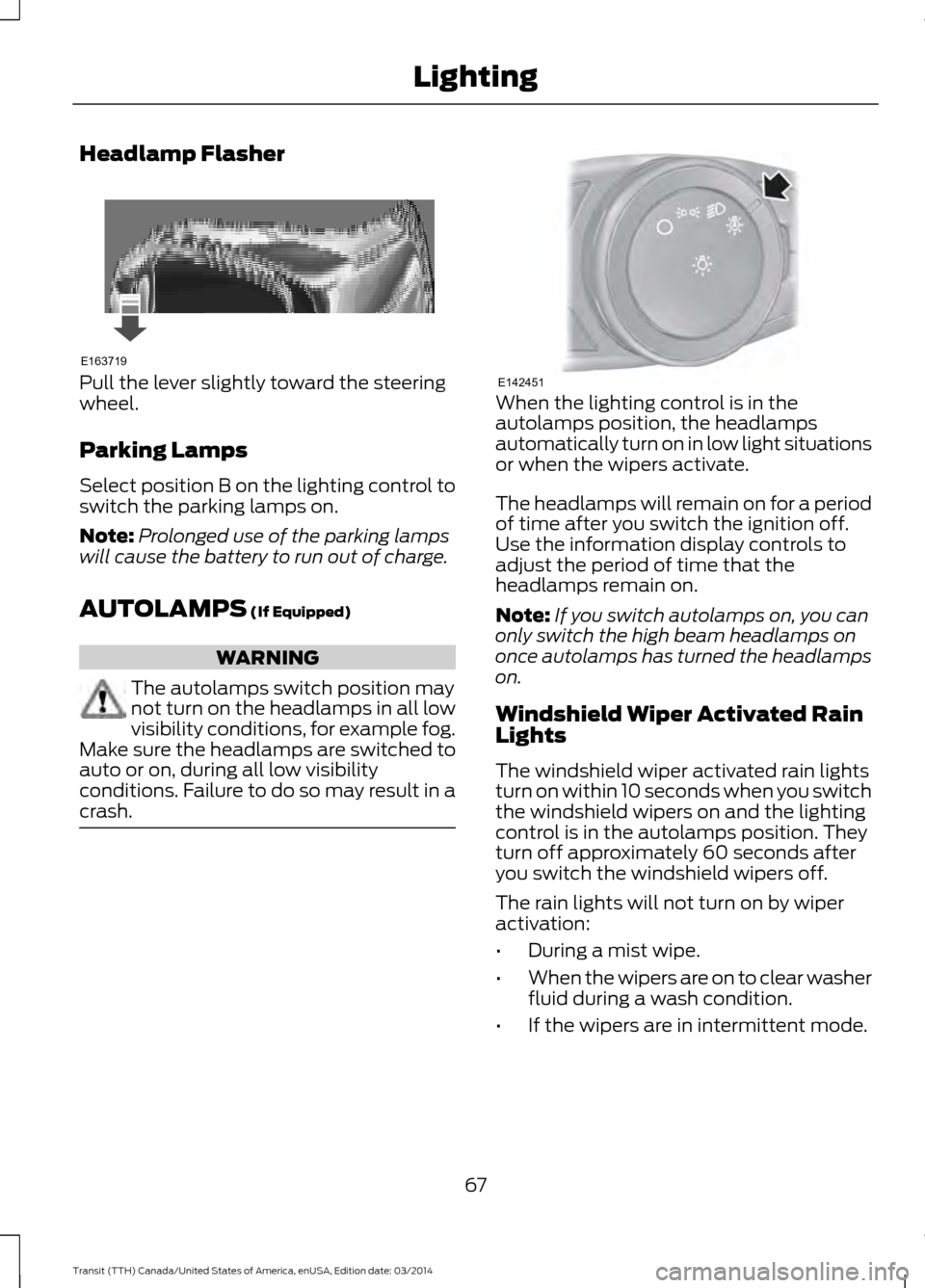
Pull the lever slightly toward the steering
wheel.
Parking Lamps
Select position B on the lighting control to
switch the parking lamps on.
Note:
Prolonged use of the parking lamps
will cause the battery to run out of charge.
AUTOLAMPS (If Equipped) WARNING
The autolamps switch position may
not turn on the headlamps in all low
visibility conditions, for example fog.
Make sure the headlamps are switched to
auto or on, during all low visibility
conditions. Failure to do so may result in a
crash. When the lighting control is in the
autolamps position, the headlamps
automatically turn on in low light situations
or when the wipers activate.
The headlamps will remain on for a period
of time after you switch the ignition off.
Use the information display controls to
adjust the period of time that the
headlamps remain on.
Note:
If you switch autolamps on, you can
only switch the high beam headlamps on
once autolamps has turned the headlamps
on.
Windshield Wiper Activated Rain
Lights
The windshield wiper activated rain lights
turn on within 10 seconds when you switch
the windshield wipers on and the lighting
control is in the autolamps position. They
turn off approximately 60 seconds after
you switch the windshield wipers off.
The rain lights will not turn on by wiper
activation:
• During a mist wipe.
• When the wipers are on to clear washer
fluid during a wash condition.
• If the wipers are in intermittent mode.
67 Transit (TTH) Canada/United States of America, enUSA, Edition date: 03/2014 LightingE163719 E142451
Page 71 of 461
Switching the Rain Lights On and Off
You can switch the rain light feature on
and off using the information display
control on the steering wheel. See
General Information (page 79). See
Information Messages (page 84).
To switch the rain lights feature on and off, scroll to: Action and Description
Message
Press the OK button.
Settings
Press the OK button.
Lighting
Choose your applicable setting.
Rain Light
INSTRUMENT LIGHTING
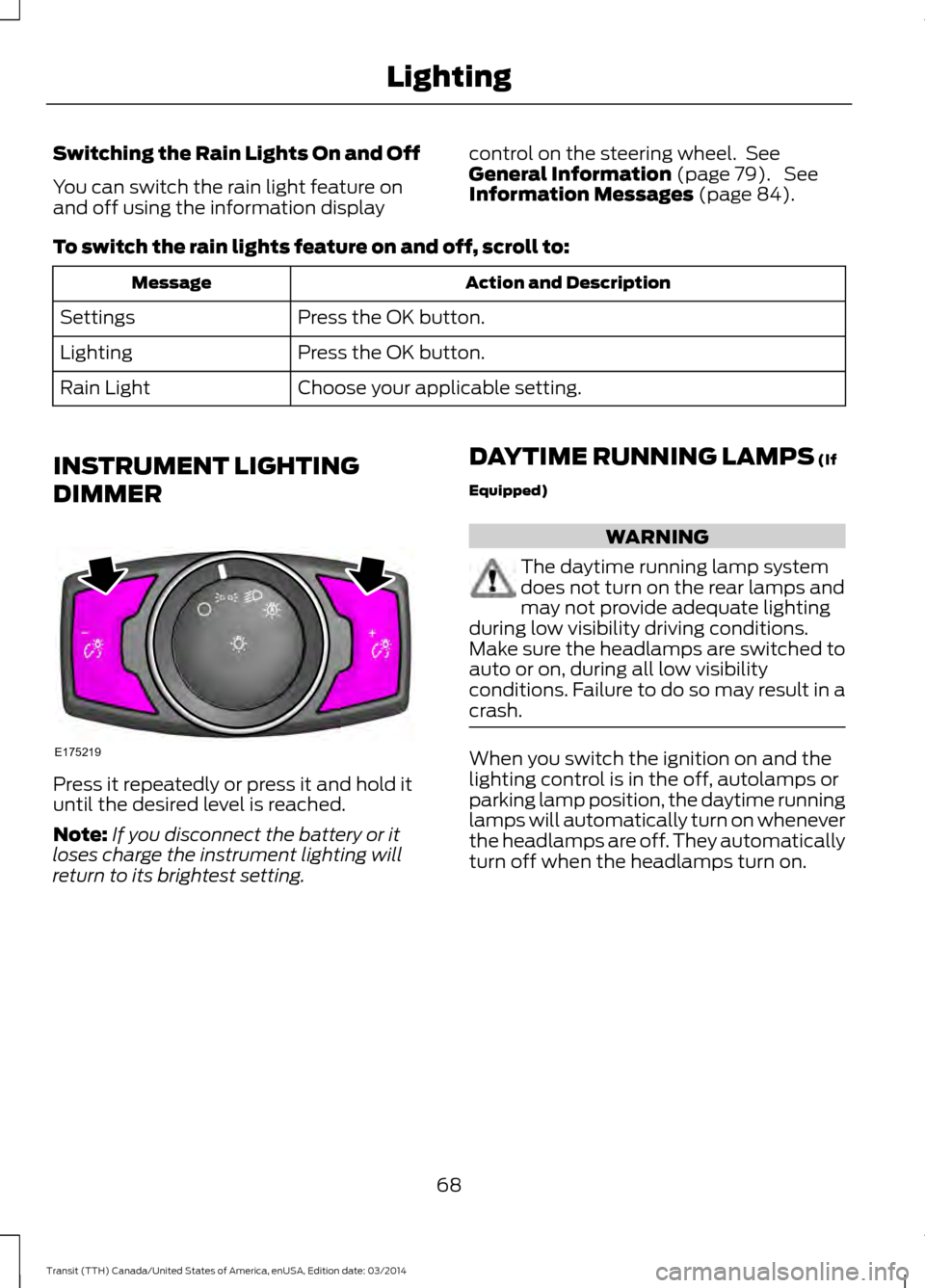
DIMMER Press it repeatedly or press it and hold it
until the desired level is reached.
Note:
If you disconnect the battery or it
loses charge the instrument lighting will
return to its brightest setting. DAYTIME RUNNING LAMPS
(If
Equipped) WARNING
The daytime running lamp system
does not turn on the rear lamps and
may not provide adequate lighting
during low visibility driving conditions.
Make sure the headlamps are switched to
auto or on, during all low visibility
conditions. Failure to do so may result in a
crash. When you switch the ignition on and the
lighting control is in the off, autolamps or
parking lamp position, the daytime running
lamps will automatically turn on whenever
the headlamps are off. They automatically
turn off when the headlamps turn on.
68 Transit (TTH) Canada/United States of America, enUSA, Edition date: 03/2014 LightingE175219
Page 76 of 461
GAUGES
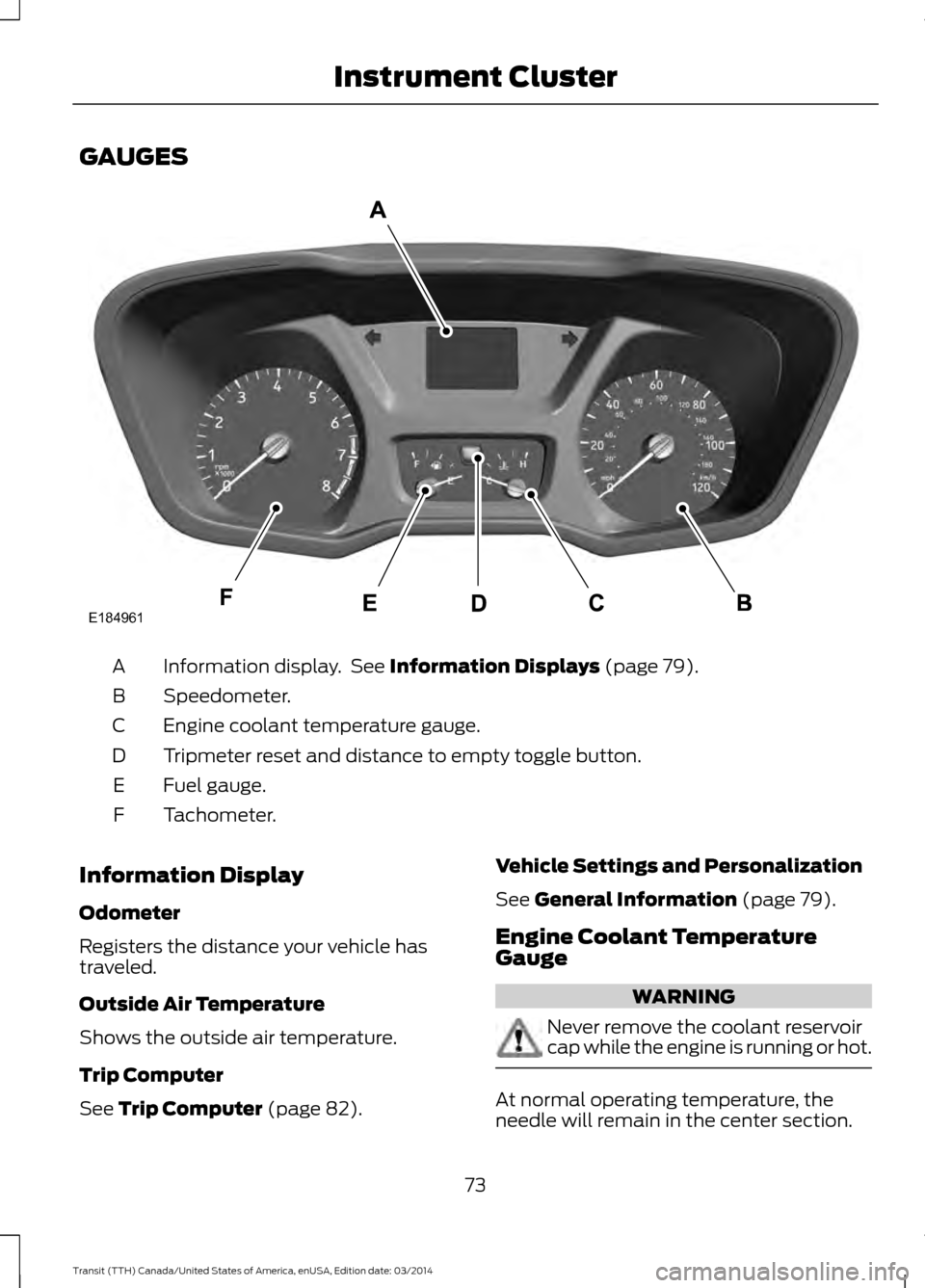
Information display. See Information Displays (page 79).
A
Speedometer.
B
Engine coolant temperature gauge.
C
Tripmeter reset and distance to empty toggle button.
D
Fuel gauge.
E
Tachometer.
F
Information Display
Odometer
Registers the distance your vehicle has
traveled.
Outside Air Temperature
Shows the outside air temperature.
Trip Computer
See
Trip Computer (page 82). Vehicle Settings and Personalization
See
General Information (page 79).
Engine Coolant Temperature
Gauge WARNING
Never remove the coolant reservoir
cap while the engine is running or hot.
At normal operating temperature, the
needle will remain in the center section.
73 Transit (TTH) Canada/United States of America, enUSA, Edition date: 03/2014 Instrument ClusterE184961
Page 78 of 461
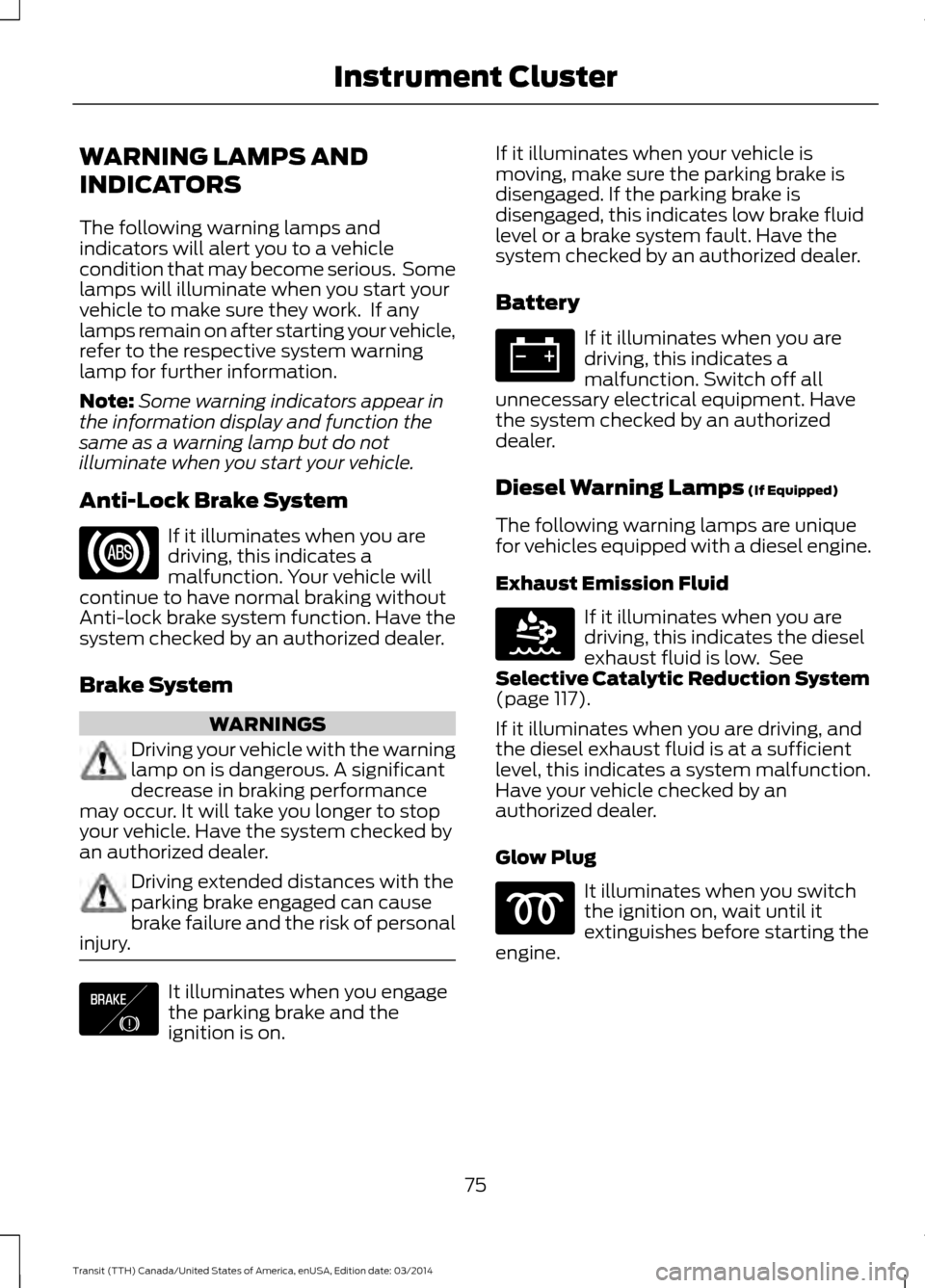
WARNING LAMPS AND
INDICATORS
The following warning lamps and
indicators will alert you to a vehicle
condition that may become serious. Some
lamps will illuminate when you start your
vehicle to make sure they work. If any
lamps remain on after starting your vehicle,
refer to the respective system warning
lamp for further information.
Note:
Some warning indicators appear in
the information display and function the
same as a warning lamp but do not
illuminate when you start your vehicle.
Anti-Lock Brake System If it illuminates when you are
driving, this indicates a
malfunction. Your vehicle will
continue to have normal braking without
Anti-lock brake system function. Have the
system checked by an authorized dealer.
Brake System WARNINGS
Driving your vehicle with the warning
lamp on is dangerous. A significant
decrease in braking performance
may occur. It will take you longer to stop
your vehicle. Have the system checked by
an authorized dealer. Driving extended distances with the
parking brake engaged can cause
brake failure and the risk of personal
injury. It illuminates when you engage
the parking brake and the
ignition is on. If it illuminates when your vehicle is
moving, make sure the parking brake is
disengaged. If the parking brake is
disengaged, this indicates low brake fluid
level or a brake system fault. Have the
system checked by an authorized dealer.
Battery If it illuminates when you are
driving, this indicates a
malfunction. Switch off all
unnecessary electrical equipment. Have
the system checked by an authorized
dealer.
Diesel Warning Lamps (If Equipped)
The following warning lamps are unique
for vehicles equipped with a diesel engine.
Exhaust Emission Fluid If it illuminates when you are
driving, this indicates the diesel
exhaust fluid is low. See
Selective Catalytic Reduction System
(page
117).
If it illuminates when you are driving, and
the diesel exhaust fluid is at a sufficient
level, this indicates a system malfunction.
Have your vehicle checked by an
authorized dealer.
Glow Plug It illuminates when you switch
the ignition on, wait until it
extinguishes before starting the
engine.
75 Transit (TTH) Canada/United States of America, enUSA, Edition date: 03/2014 Instrument Cluster E138644 E163176
Page 80 of 461
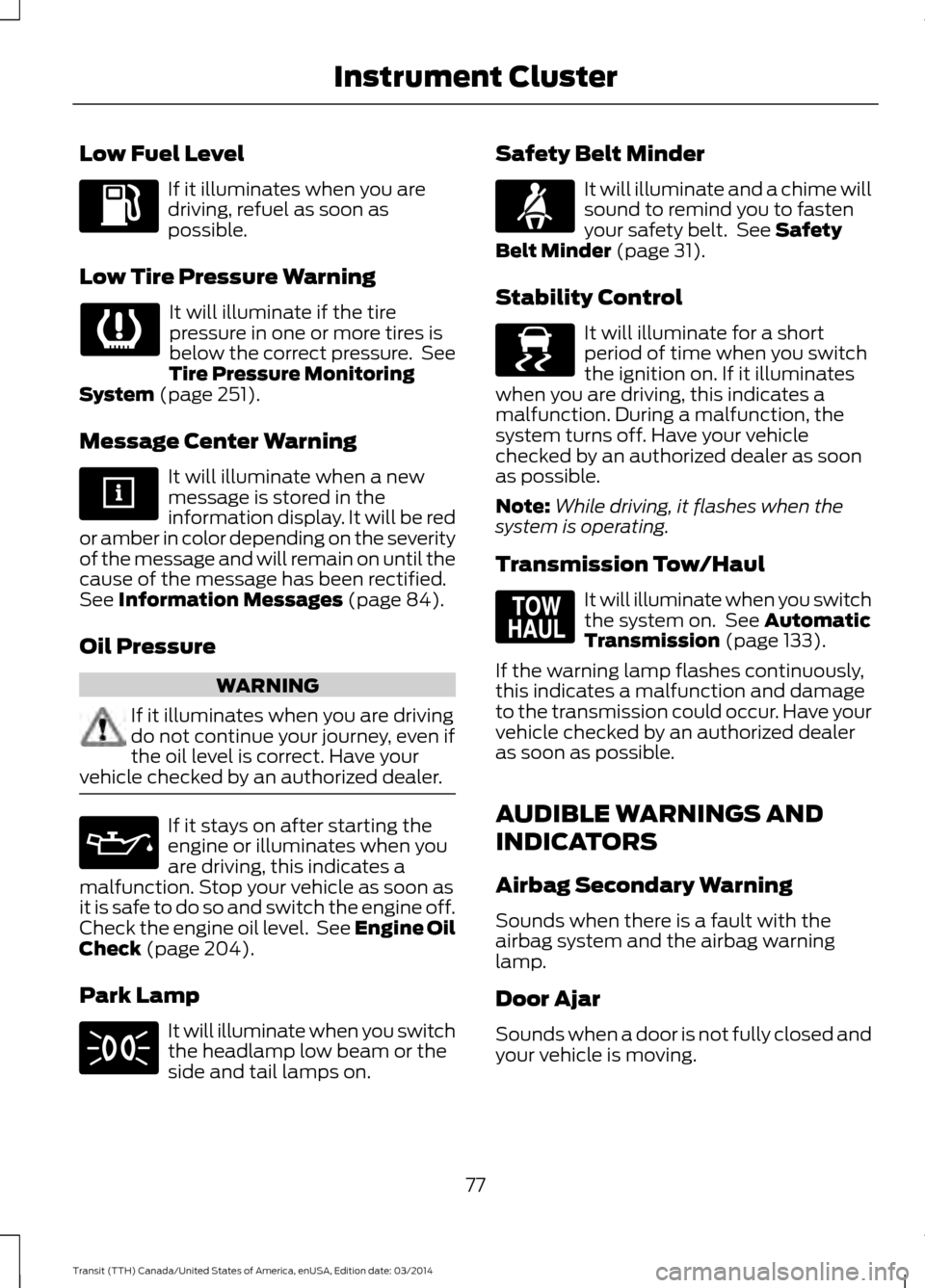
Low Fuel Level
If it illuminates when you are
driving, refuel as soon as
possible.
Low Tire Pressure Warning It will illuminate if the tire
pressure in one or more tires is
below the correct pressure. See
Tire Pressure Monitoring
System (page 251).
Message Center Warning It will illuminate when a new
message is stored in the
information display. It will be red
or amber in color depending on the severity
of the message and will remain on until the
cause of the message has been rectified.
See
Information Messages (page 84).
Oil Pressure WARNING
If it illuminates when you are driving
do not continue your journey, even if
the oil level is correct. Have your
vehicle checked by an authorized dealer. If it stays on after starting the
engine or illuminates when you
are driving, this indicates a
malfunction. Stop your vehicle as soon as
it is safe to do so and switch the engine off.
Check the engine oil level. See Engine Oil
Check
(page 204).
Park Lamp It will illuminate when you switch
the headlamp low beam or the
side and tail lamps on. Safety Belt Minder It will illuminate and a chime will
sound to remind you to fasten
your safety belt. See
Safety
Belt Minder (page 31).
Stability Control It will illuminate for a short
period of time when you switch
the ignition on. If it illuminates
when you are driving, this indicates a
malfunction. During a malfunction, the
system turns off. Have your vehicle
checked by an authorized dealer as soon
as possible.
Note: While driving, it flashes when the
system is operating.
Transmission Tow/Haul It will illuminate when you switch
the system on. See
Automatic
Transmission (page 133).
If the warning lamp flashes continuously,
this indicates a malfunction and damage
to the transmission could occur. Have your
vehicle checked by an authorized dealer
as soon as possible.
AUDIBLE WARNINGS AND
INDICATORS
Airbag Secondary Warning
Sounds when there is a fault with the
airbag system and the airbag warning
lamp.
Door Ajar
Sounds when a door is not fully closed and
your vehicle is moving.
77 Transit (TTH) Canada/United States of America, enUSA, Edition date: 03/2014 Instrument Cluster E138639 E161509
Page 82 of 461
GENERAL INFORMATION
WARNING
Driving while distracted can result in
loss of vehicle control, crash and
injury. We strongly recommend that
you use extreme caution when using any
device that may take your focus off the
road. Your primary responsibility is the safe
operation of your vehicle. We recommend
against the use of any hand-held device
while driving and encourage the use of
voice-operated systems when possible.
Make sure you are aware of all applicable
local laws that may affect the use of
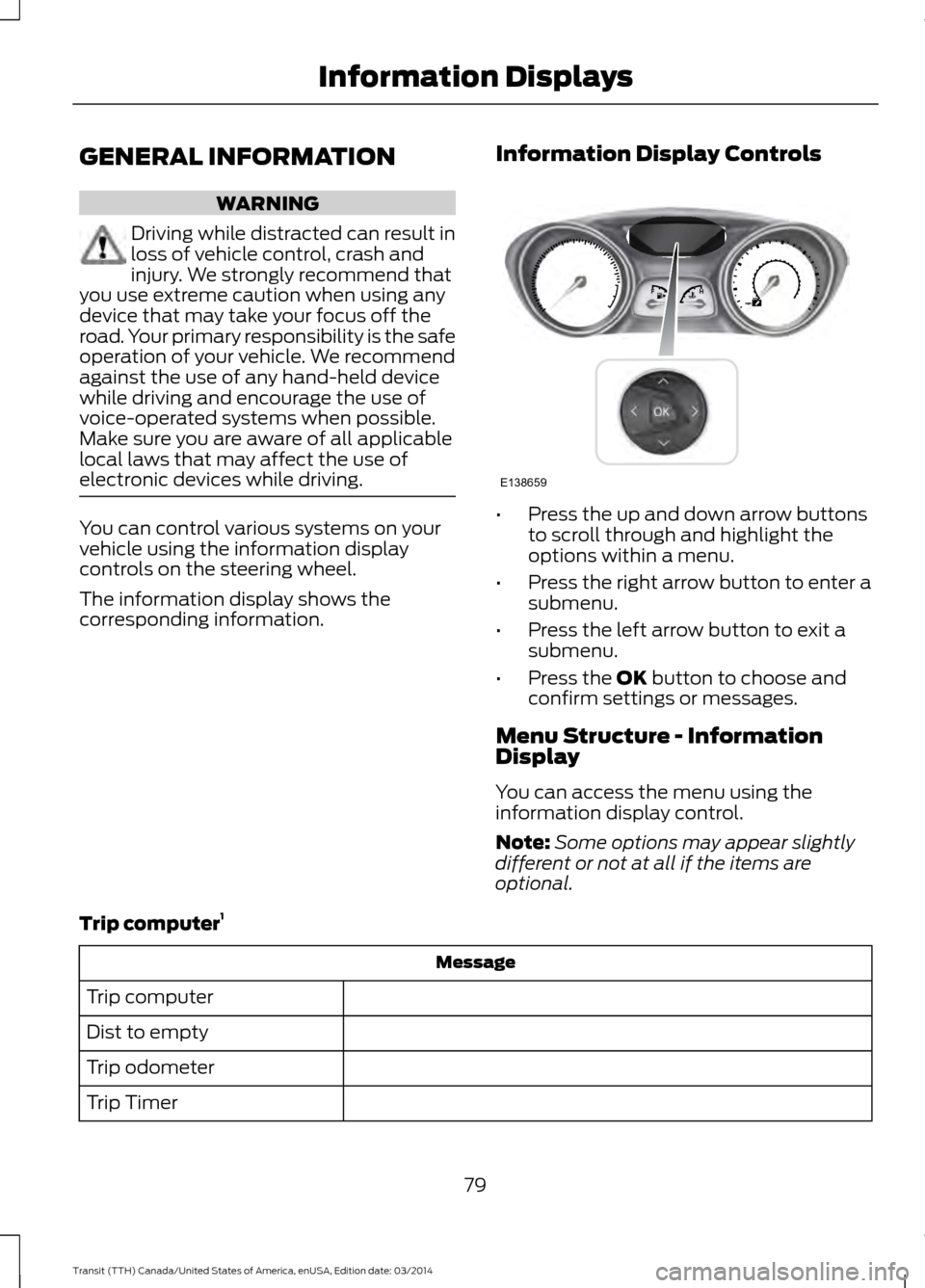
electronic devices while driving. You can control various systems on your
vehicle using the information display
controls on the steering wheel.
The information display shows the
corresponding information.
Information Display Controls •
Press the up and down arrow buttons
to scroll through and highlight the
options within a menu.
• Press the right arrow button to enter a
submenu.
• Press the left arrow button to exit a
submenu.
• Press the OK button to choose and
confirm settings or messages.
Menu Structure - Information
Display
You can access the menu using the
information display control.
Note: Some options may appear slightly
different or not at all if the items are
optional.
Trip computer 1 Message
Trip computer
Dist to empty
Trip odometer
Trip Timer
79Transit (TTH) Canada/United States of America, enUSA, Edition date: 03/2014 Information DisplaysE138659
Page 83 of 461
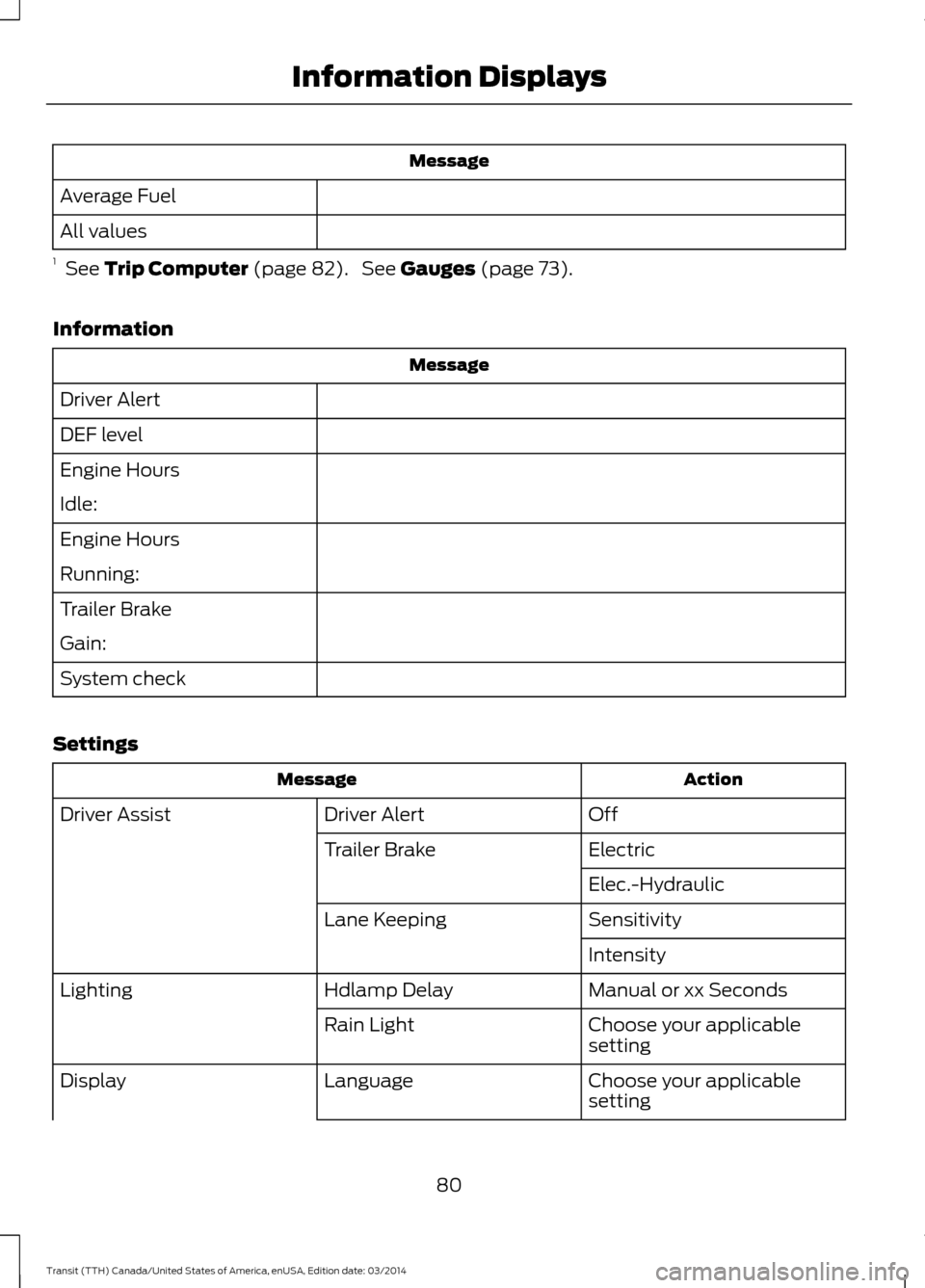
Message
Average Fuel
All values
1 See Trip Computer (page 82). See Gauges (page 73).
Information Message
Driver Alert
DEF level
Engine Hours
Idle:
Engine Hours
Running:
Trailer Brake
Gain:
System check
Settings Action
Message
Off
Driver Alert
Driver Assist
Electric
Trailer Brake
Elec.-Hydraulic
Sensitivity
Lane Keeping
Intensity
Manual or xx Seconds
Hdlamp Delay
Lighting
Choose your applicable
setting
Rain Light
Choose your applicable
setting
Language
Display
80Transit (TTH) Canada/United States of America, enUSA, Edition date: 03/2014 Information Displays