fuel FORD TRANSIT 2015 5.G User Guide
[x] Cancel search | Manufacturer: FORD, Model Year: 2015, Model line: TRANSIT, Model: FORD TRANSIT 2015 5.GPages: 461, PDF Size: 5.82 MB
Page 83 of 461
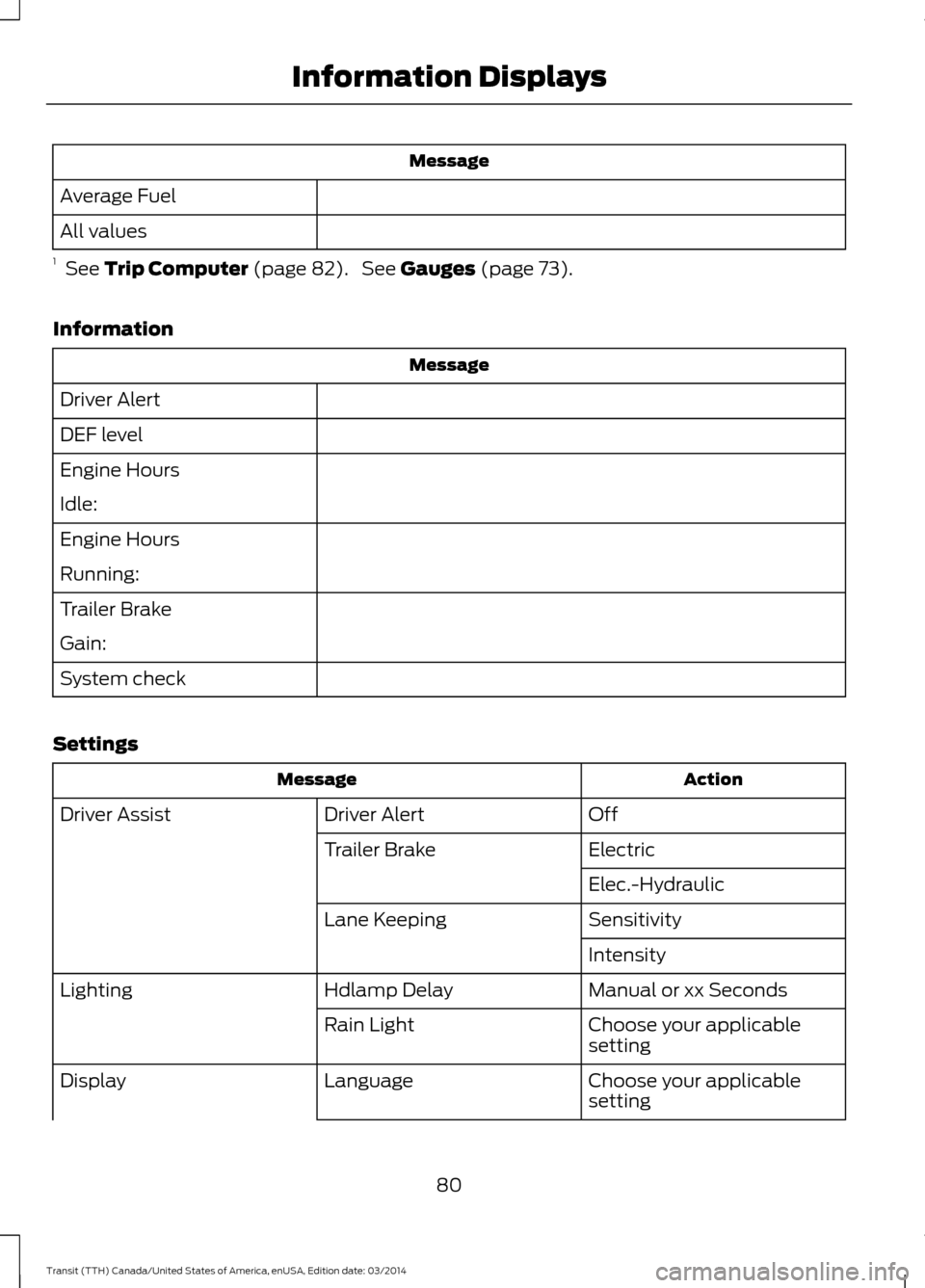
Message
Average Fuel
All values
1 See Trip Computer (page 82). See Gauges (page 73).
Information Message
Driver Alert
DEF level
Engine Hours
Idle:
Engine Hours
Running:
Trailer Brake
Gain:
System check
Settings Action
Message
Off
Driver Alert
Driver Assist
Electric
Trailer Brake
Elec.-Hydraulic
Sensitivity
Lane Keeping
Intensity
Manual or xx Seconds
Hdlamp Delay
Lighting
Choose your applicable
setting
Rain Light
Choose your applicable
setting
Language
Display
80Transit (TTH) Canada/United States of America, enUSA, Edition date: 03/2014 Information Displays
Page 85 of 461
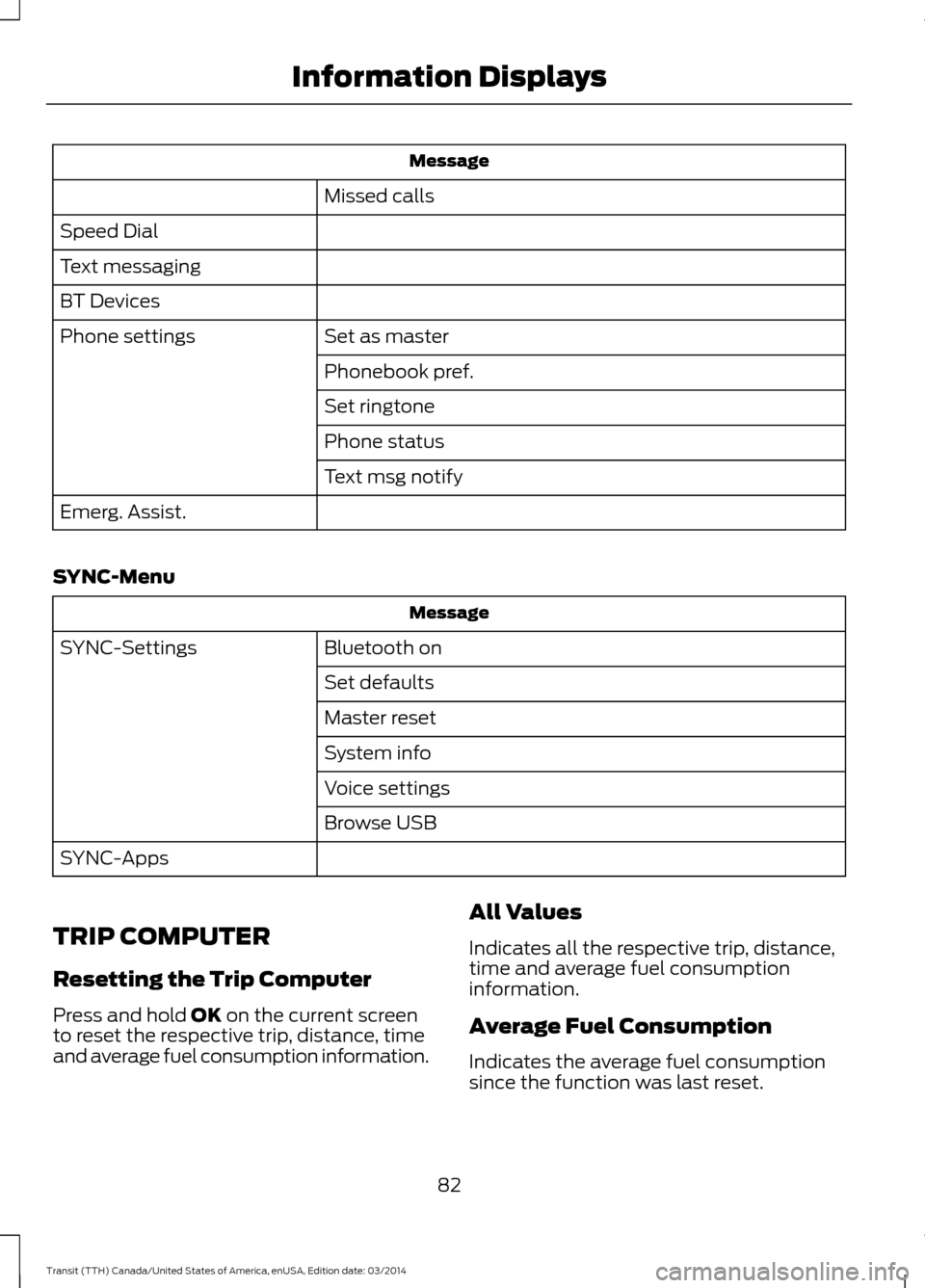
Message
Missed calls
Speed Dial
Text messaging
BT Devices Set as master
Phone settings
Phonebook pref.
Set ringtone
Phone status
Text msg notify
Emerg. Assist.
SYNC-Menu Message
Bluetooth on
SYNC-Settings
Set defaults
Master reset
System info
Voice settings
Browse USB
SYNC-Apps
TRIP COMPUTER
Resetting the Trip Computer
Press and hold OK on the current screen
to reset the respective trip, distance, time
and average fuel consumption information. All Values
Indicates all the respective trip, distance,
time and average fuel consumption
information.
Average Fuel Consumption
Indicates the average fuel consumption
since the function was last reset.
82 Transit (TTH) Canada/United States of America, enUSA, Edition date: 03/2014 Information Displays
Page 86 of 461
Distance to Empty
Indicates the approximate distance your
vehicle will travel on the fuel remaining in
the tank. Changes in driving pattern may
cause the value to vary.
Outside Air Temperature
Shows the outside air temperature.
Trip Odometer
Registers the distance traveled of
individual journeys.
Trip Timer
Registers the elapsed time of individual
journeys or the total time since the function
was last reset.
PERSONALIZED SETTINGS
Measure Units
You can choose personalized settings
using the information display control on
the steering wheel. See Information
Displays (page 79).
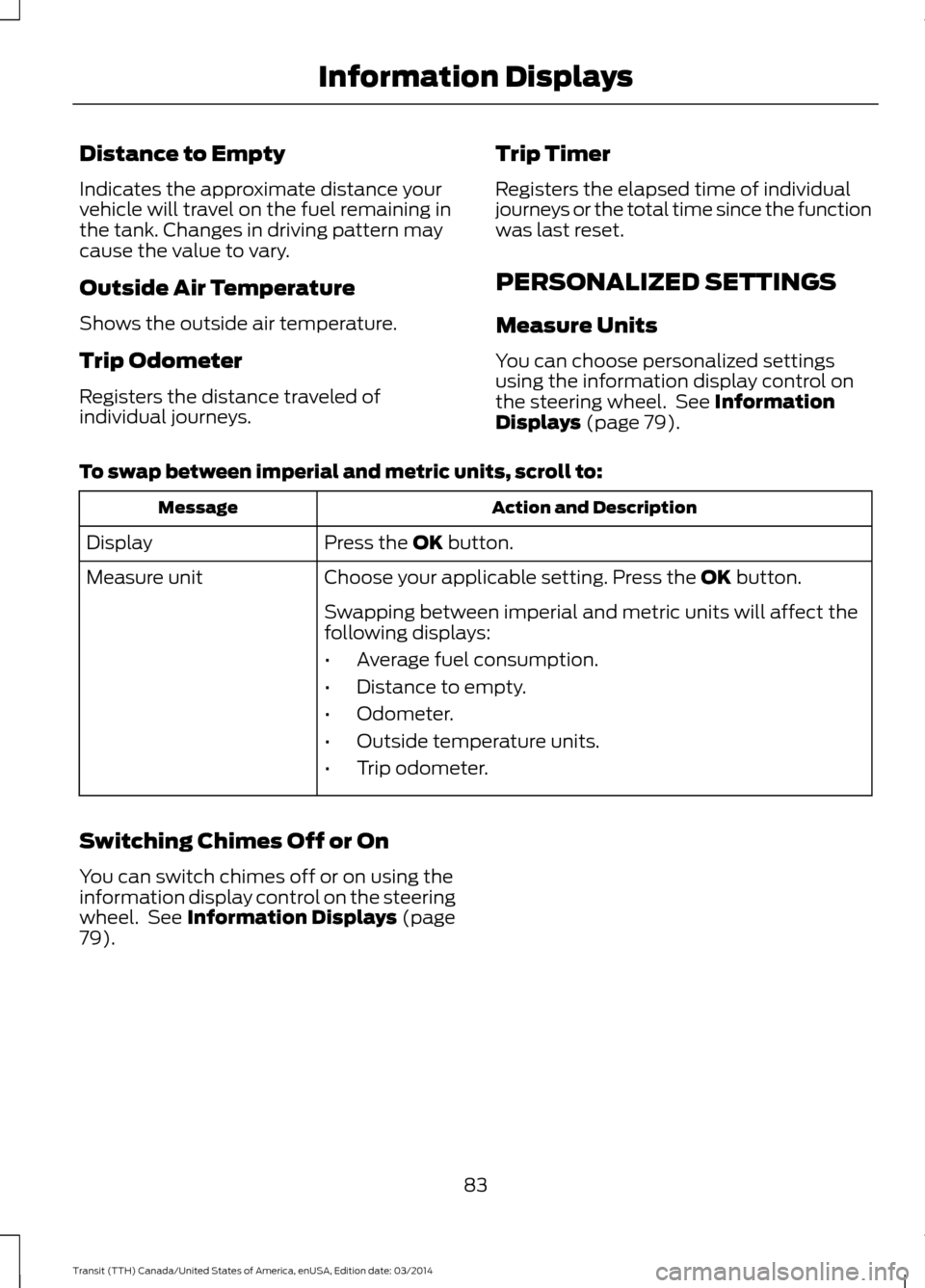
To swap between imperial and metric units, scroll to: Action and Description
Message
Press the
OK button.
Display
Choose your applicable setting. Press the
OK button.
Measure unit
Swapping between imperial and metric units will affect the
following displays:
•Average fuel consumption.
• Distance to empty.
• Odometer.
• Outside temperature units.
• Trip odometer.
Switching Chimes Off or On
You can switch chimes off or on using the
information display control on the steering
wheel. See
Information Displays (page
79).
83Transit (TTH) Canada/United States of America, enUSA, Edition date: 03/2014 Information Displays
Page 91 of 461
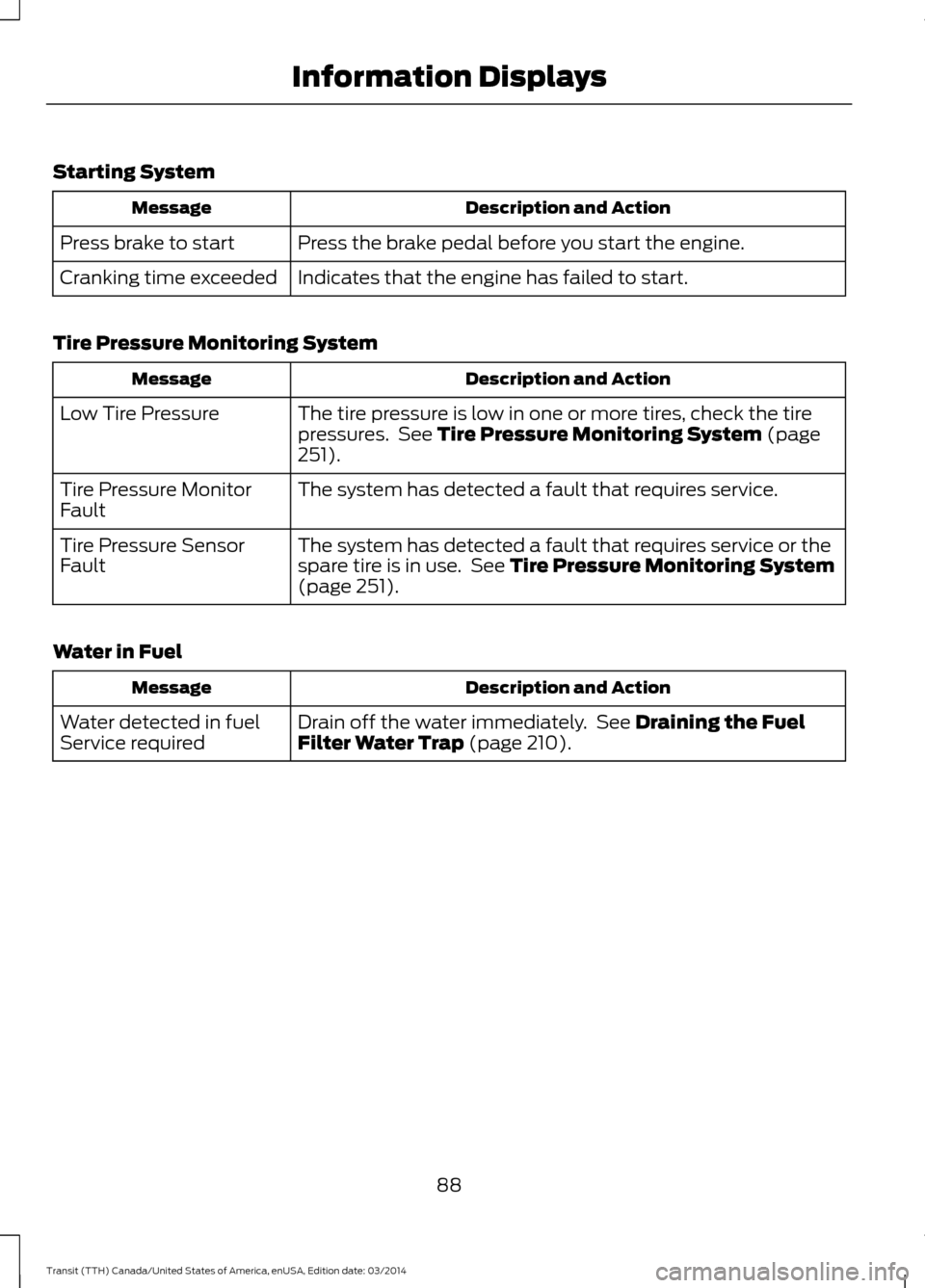
Starting System
Description and Action
Message
Press the brake pedal before you start the engine.
Press brake to start
Indicates that the engine has failed to start.
Cranking time exceeded
Tire Pressure Monitoring System Description and Action
Message
The tire pressure is low in one or more tires, check the tire
pressures. See Tire Pressure Monitoring System (page
251).
Low Tire Pressure
The system has detected a fault that requires service.
Tire Pressure Monitor
Fault
The system has detected a fault that requires service or the
spare tire is in use. See
Tire Pressure Monitoring System
(page 251).
Tire Pressure Sensor
Fault
Water in Fuel Description and Action
Message
Drain off the water immediately. See Draining the Fuel
Filter Water Trap (page 210).
Water detected in fuel
Service required
88Transit (TTH) Canada/United States of America, enUSA, Edition date: 03/2014 Information Displays
Page 92 of 461
PRINCIPLE OF OPERATION
Outside Air
Keep the air intakes in front of the
windshield free from obstruction (such as
snow or leaves) to allow the climate
control system to function effectively.
Recirculated Air
WARNING
Prolonged use of recirculated air may
cause the windows to mist up. If the
windows mist up, follow the settings
for demisting the windshield. The air currently in the passenger
compartment recirculates. Outside air does
not enter your vehicle.
Heating
Heating performance depends on the
temperature of the engine coolant.
General Information on Controlling
the Interior Climate
Fully close all the windows.
Warming the Interior
Direct the air toward your feet. In cold or
humid weather conditions, direct some of
the air toward the windshield and the door
windows.
Cooling the Interior
Direct the air toward your face. Air Conditioning
The system directs air through the
evaporator for cooling. The evaporator
extracts humidity from the air to help keep
the windows free of mist. The system
directs the resulting condensation to the
outside of your vehicle, which may cause
a small pool to form under your vehicle.
This is normal.
Note:
The air conditioning operates only
when the temperature is above 39°F (4°C).
Note: When you use air conditioning, your
vehicle uses more fuel.
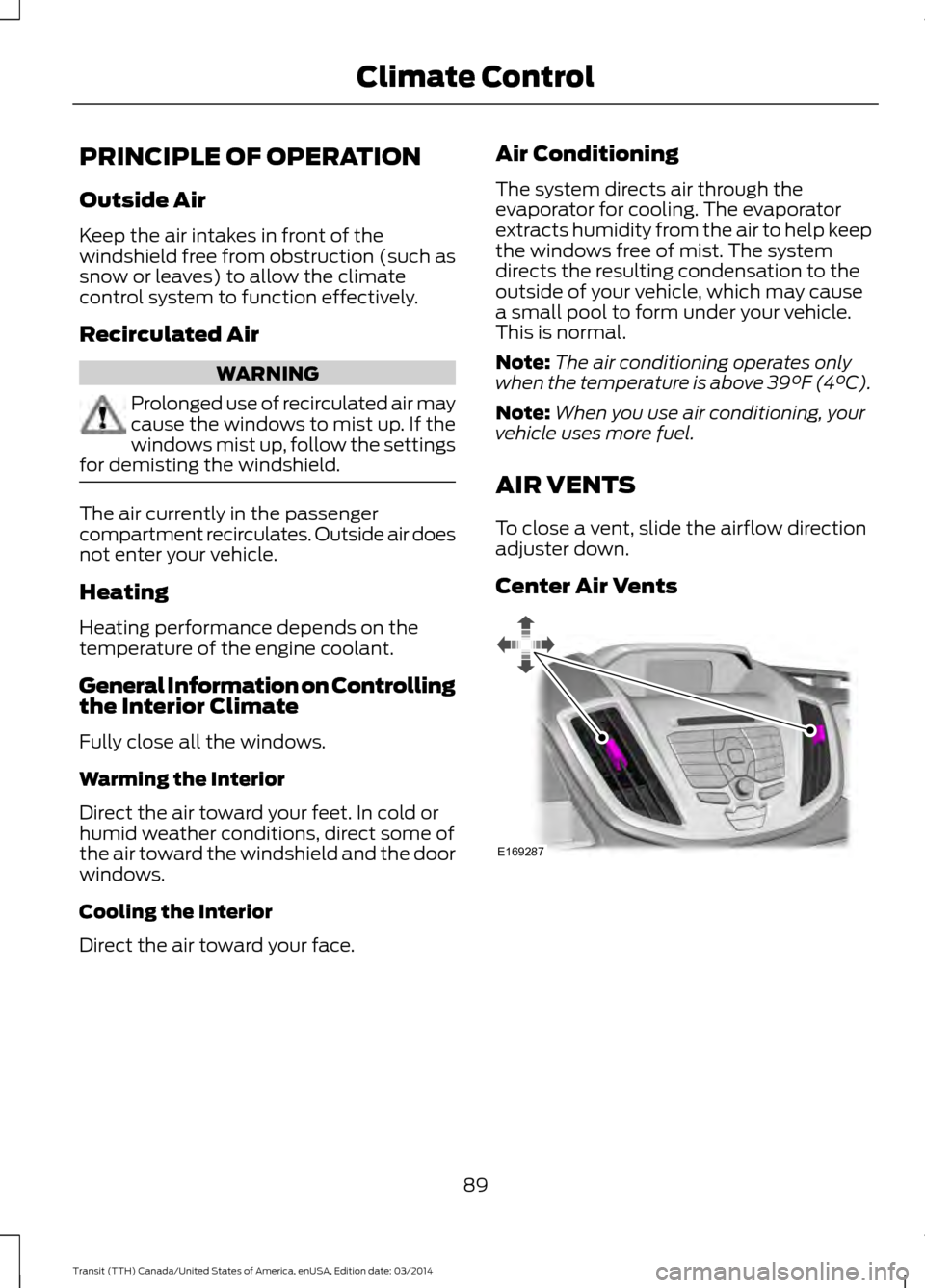
AIR VENTS
To close a vent, slide the airflow direction
adjuster down.
Center Air Vents 89
Transit (TTH) Canada/United States of America, enUSA, Edition date: 03/2014 Climate ControlE169287
Page 97 of 461
The heated exterior mirrors will clear the
mirror glass of thin ice and fog. They will
turn off automatically after a short period
of time.
Note:
Do not use razor blades or sharp
objects to remove ice from the mirror glass
or attempt to adjust the mirror glass when
it is frozen in place. The vehicle warranty
does not cover damage to the mirror glass
or mirror assembly.
Note: Do not clean the mirror glass or mirror
assembly with harsh abrasives, fuel or other
petroleum-based cleaning products.
Note: On vehicles without a heated exterior
mirror switch, they will turn on automatically
when you switch the heated rear window
on.
94Transit (TTH) Canada/United States of America, enUSA, Edition date: 03/2014 Climate Control
Page 110 of 461
When you start the engine, the idle speed
increases, this helps to warm up the
engine. If the engine idle speed does not
slow down automatically, have your
vehicle checked by an authorized dealer.
Note:
You can only operate the starter for
a limited period of time, for example 10
seconds. The number of start attempts is
limited to approximately six. If you exceed
this limit, the system will not allow you to
try again until a period of time has elapsed,
for example 30 minutes.
1. Fully press the brake pedal.
2. Turn the ignition key to position II to
switch the ignition on.
3. Turn the ignition key to position
III to
start your vehicle. Release the key
when the engine starts.
Note: Do not touch the accelerator pedal.
Engine Idle Speed after Starting
The speed at which the engine idles
immediately after starting will adjust
automatically to minimize vehicle
emissions and maximize cabin comfort
and fuel economy.
The idle speed will vary depending on
certain factors. These include vehicle
component and ambient temperatures as
well as electrical and climate system
demands.
Cold or Hot Engine
If the engine does not start within 10
seconds, wait for a short period and try
again.
If the engine does not start after three
attempts, wait 10 seconds and follow the
flooded engine procedure.
If you have difficulty starting the engine
when the temperature is below -13°F
(-25°C), press the accelerator pedal to the
mid-way point of its travel and try again. Flooded Engine
1. Move the transmission selector lever
to position
P.
2. Fully depress the accelerator pedal and
hold it there.
3. Start the engine.
Note: If the engine does not start, repeat
the cold or hot engine procedure.
STARTING A DIESEL ENGINE WARNINGS
Do not use starting fluid, for example
ether, in the air intake system (see
air filter decal). Starting fluids could
cause immediate explosive damage to the
engine. Failure to follow this warning could
result in fire, serious personal injury or
death. Do not add gasoline, gasohol, alcohol
or Kerosene to diesel fuel. This action
creates a serious fire hazard and will
result in poor engine performance. Engine
damage caused by the use of incorrect fuel
is not covered by the vehicle warranty. Note:
Avoid shutting the engine down after
an extensive idling period. Drive your vehicle
for several miles with the engine at normal
operating temperatures under a moderate
load.
Engine Glow Plugs The powertrain control and glow plug
control modules operate the glow plug
system. When you switch the ignition on
the glow plug control module immediately
energizes the glow plugs. The glow plug
control module using the engine coolant
temperature, barometric pressure sensor
107 Transit (TTH) Canada/United States of America, enUSA, Edition date: 03/2014Starting and Stopping the Engine
Page 112 of 461
Regeneration
WARNING
Do not park or idle your vehicle over
dry leaves, dry grass or other
combustible materials. The
regeneration process creates very high
exhaust gas temperatures and the exhaust
will radiate a considerable amount of heat
during and after regeneration and after you
have switched the engine off. This is a
potential fire hazard. Note:
Avoid running out of fuel.
Note: During regeneration at low speed or
engine idle, you may smell a hot metallic
odor and could notice a clicking metallic
sound. This is due to the high temperatures
reached during regeneration and is normal.
Note: Changes in the engine or exhaust
sound may be heard during the regeneration
process.
Note: After you have switched your engine
off the fans may continue to run for a short
period of time.
The diesel particulate filter on your vehicle
requires periodic regeneration to maintain
its correct function. Your vehicle will carry
out this process automatically.
If your journeys meet one of the following
conditions:
• You drive only short distances.
• You frequently switch the ignition on
and off.
• Your journeys contain a high level of
acceleration and deceleration. You must carry out occasional trips with
the following conditions to assist the
regeneration process:
•
Drive your vehicle in more favorable
conditions, which you will find at higher
vehicle speeds in normal driving, on a
main road or freeway for a minimum
of 20 minutes. This drive may include
short stops that will not affect the
regeneration process.
• Avoid prolonged idling and always
observe speed limits and road
conditions.
• Do not switch the ignition off.
• Select a suitable gear to ideally
maintain engine speed between 1500
and 3000 RPM.
SWITCHING OFF THE ENGINE
Vehicles With a Turbocharger WARNING
Do not switch the engine off when it
is running at high speed. If you do, the
turbocharger will continue running
after the engine oil pressure has dropped
to zero. This will lead to premature
turbocharger bearing wear. Release the accelerator pedal. Wait until
the engine has reached idle speed and then
switch it off.
ENGINE BLOCK HEATER (If
Equipped) WARNINGS
Failure to follow engine block heater
instructions could result in property
damage or serious personal injury.
109 Transit (TTH) Canada/United States of America, enUSA, Edition date: 03/2014Starting and Stopping the Engine
Page 114 of 461
SAFETY PRECAUTIONS
WARNINGS
Do not overfill the fuel tank. The
pressure in an overfilled tank may
cause leakage and lead to fuel spray
and fire. The fuel system may be under
pressure. If you hear a hissing sound
near the fuel filler door (Easy Fuel
capless fuel system), do not refuel until
the sound stops. Otherwise, fuel may spray
out, which could cause serious personal
injury. Automotive fuels can cause serious
injury or death if misused or
mishandled.
Flow of fuel through a fuel pump
nozzle can produce static electricity.
This can cause a fire if you are filling
an ungrounded fuel container. Fuel ethanol and gasoline may
contain benzene, which is a
cancer-causing agent.
When refueling always shut the
engine off and never allow sparks or
open flames near the filler neck.
Never smoke or use a cell phone while
refueling. Fuel vapor is extremely
hazardous under certain conditions. Avoid
inhaling excess fumes. Observe the following guidelines when
handling automotive fuel:
•
Extinguish all smoking materials and
any open flames before refueling your
vehicle.
• Always turn off the vehicle before
refueling. •
Automotive fuels can be harmful or
fatal if swallowed. Fuel such as
gasoline is highly toxic and if
swallowed can cause death or
permanent injury. If fuel is swallowed,
call a physician immediately, even if no
symptoms are immediately apparent.
The toxic effects of fuel may not be
visible for hours.
• Avoid inhaling fuel vapors. Inhaling too
much fuel vapor of any kind can lead
to eye and respiratory tract irritation.
In severe cases, excessive or prolonged
breathing of fuel vapor can cause
serious illness and permanent injury.
• Avoid getting fuel liquid in your eyes. If
fuel is splashed in the eyes, remove
contact lenses (if worn), flush with
water for 15 minutes and seek medical
attention. Failure to seek proper
medical attention could lead to
permanent injury.
• Fuels can also be harmful if absorbed
through the skin. If fuel is splashed on
the skin, clothing or both, promptly
remove contaminated clothing and
wash skin thoroughly with soap and
water. Repeated or prolonged skin
contact with fuel liquid or vapor causes
skin irritation.
• Be particularly careful if you are taking
“Antabuse ” or other forms of disulfiram
for the treatment of alcoholism.
Breathing gasoline vapors, or skin
contact could cause an adverse
reaction. In sensitive individuals, serious
personal injury or sickness may result.
If fuel is splashed on the skin, promptly
wash skin thoroughly with soap and
water. Consult a physician immediately
if you experience an adverse reaction.
111 Transit (TTH) Canada/United States of America, enUSA, Edition date: 03/2014 Fuel and Refueling
Page 115 of 461
FUEL QUALITY - GASOLINE
Note:
Use of any fuel other than
recommended fuel can cause powertrain
damage, impair the emission control system
or cause loss of vehicle performance. Any
damage to vehicle that is caused by use of
fuel not recommended will not be covered
under warranty.
Choosing the Right Fuel Without
a Flex Fuel Vehicle (If Equipped)
Use only UNLEADED gasoline or
UNLEADED gasoline blended with a
maximum of 85% ethanol (E-85) in your
Flex Fuel Vehicle (FFV). If your vehicle is
flex fuel capable, the fuel fill inlet will have
a yellow housing.
Do not use:
• Fuel containing more than 15% ethanol
or E-85 fuel.
• Fuel with methanol.
• Fuels containing metallic based
additives, including manganese-based
compounds.
• Fuels containing the octane booster
additive, methylcyclopentadienyl
manganese tricarbonyl (MMT)
• Leaded fuel (The use of leaded fuel is
prohibited by law).
Choosing the Right Fuel With a
Flex Fuel Vehicle (If Equipped)
Use only UNLEADED gasoline or
UNLEADED gasoline blended with a
maximum of 85% ethanol (E-85) in your
Flex Fuel Vehicle (FFV). If your vehicle is
flex fuel capable, it will have a yellow bezel
placed over the fuel fill inlet.
Do not use:
• Fuels containing more than 85%
ethanol or E-100 fuel.
• Fuel with methanol. •
Fuels containing metallic based
additives, including manganese-based
compounds.
• Fuels containing the octane booster
additive, methylcyclopentadienyl
manganese tricarbonyl (MMT)
• Leaded fuel (The use of leaded fuel is
prohibited by law).
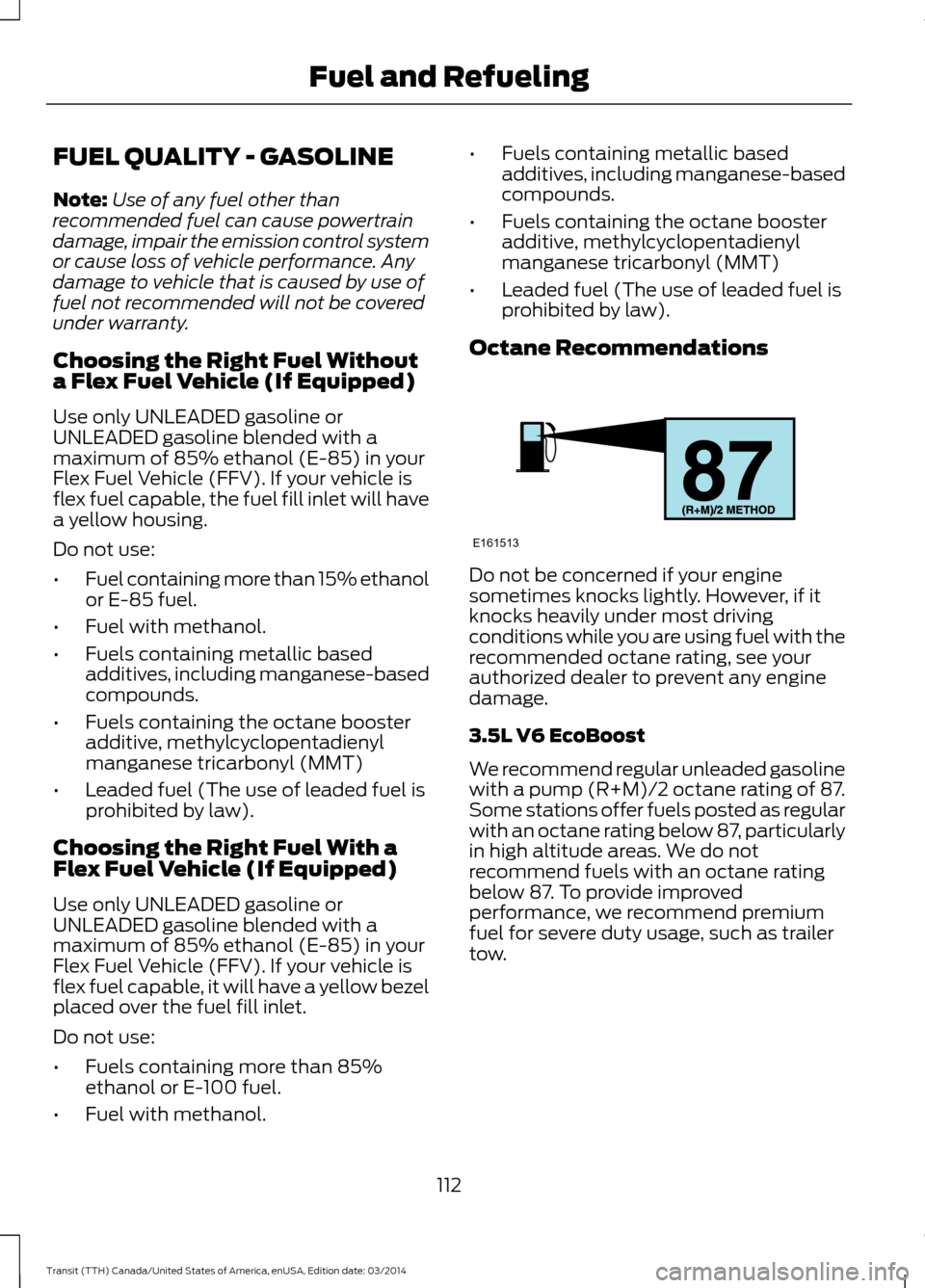
Octane Recommendations Do not be concerned if your engine
sometimes knocks lightly. However, if it
knocks heavily under most driving
conditions while you are using fuel with the
recommended octane rating, see your
authorized dealer to prevent any engine
damage.
3.5L V6 EcoBoost
We recommend regular unleaded gasoline
with a pump (R+M)/2 octane rating of 87.
Some stations offer fuels posted as regular
with an octane rating below 87, particularly
in high altitude areas. We do not
recommend fuels with an octane rating
below 87. To provide improved
performance, we recommend premium
fuel for severe duty usage, such as trailer
tow.
112 Transit (TTH) Canada/United States of America, enUSA, Edition date: 03/2014 Fuel and RefuelingE161513