AUX FORD TRANSIT 2015 5.G Owner's Manual
[x] Cancel search | Manufacturer: FORD, Model Year: 2015, Model line: TRANSIT, Model: FORD TRANSIT 2015 5.GPages: 461, PDF Size: 5.82 MB
Page 343 of 461
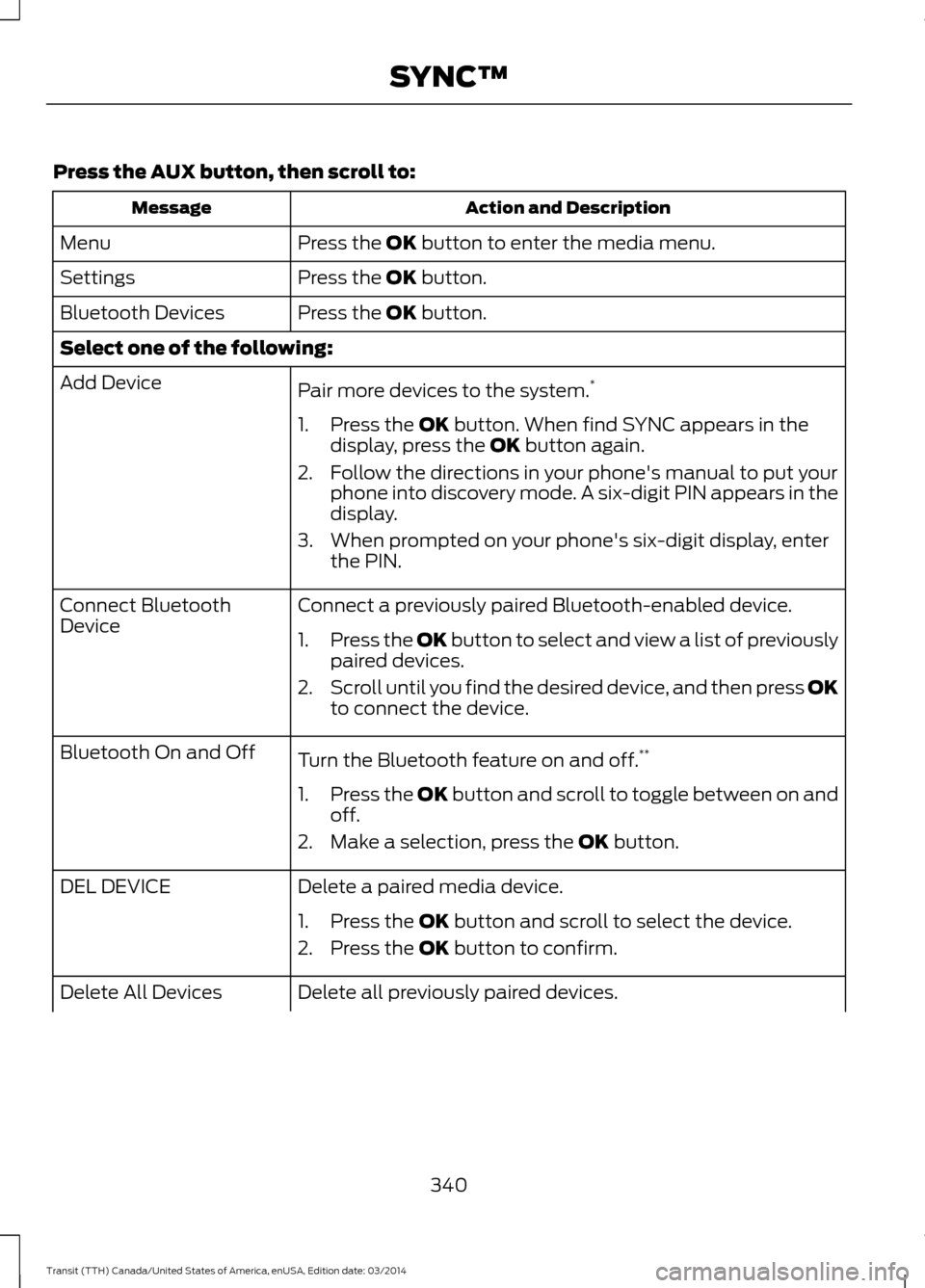
Press the AUX button, then scroll to:
Action and Description
Message
Press the
OK button to enter the media menu.
Menu
Press the
OK button.
Settings
Press the
OK button.
Bluetooth Devices
Select one of the following:
Pair more devices to the system. *
Add Device
1. Press the
OK button. When find SYNC appears in the
display, press the OK button again.
2. Follow the directions in your phone's manual to put your phone into discovery mode. A six-digit PIN appears in the
display.
3. When prompted on your phone's six-digit display, enter the PIN.
Connect a previously paired Bluetooth-enabled device.
Connect Bluetooth
Device
1.Press the OK button to select and view a list of previously
p
aired devices.
2. Scroll until you find the desired device, and then press OK
to connect the device.
Turn the Bluetooth feature on and off. **
Bluetooth On and Off
1.Press the OK button and scroll to toggle between on and
off.
2. Make a selection, press the
OK button.
Delete a paired media device.
DEL DEVICE
1. Press the
OK button and scroll to select the device.
2. Press the
OK button to confirm.
Delete all previously paired devices.
Delete All Devices
340Transit (TTH) Canada/United States of America, enUSA, Edition date: 03/2014 SYNC™
Page 389 of 461
![FORD TRANSIT 2015 5.G Owners Manual Press the voice button and when
prompted say:
Voice command
Next song
play
pause
[play] previous track
A/V Inputs WARNINGS
Driving while distracted can result in
loss of vehicle control, crash and
inj](/img/11/5392/w960_5392-388.png "FORD TRANSIT 2015 5.G Owners Manual Press the voice button and when
prompted say:
Voice command
Next song
play
pause
[play] previous track
A/V Inputs WARNINGS
Driving while distracted can result in
loss of vehicle control, crash and
inj")
Press the voice button and when
prompted say:
Voice command
Next song
play
pause
[play] previous track
A/V Inputs WARNINGS
Driving while distracted can result in
loss of vehicle control, crash and
injury. We strongly recommend that
you use extreme caution when using any
device that may take your focus off the
road. Your primary responsibility is the safe
operation of your vehicle. We recommend
against the use of any handheld device
while driving and encourage the use of
voice-operated systems when possible.
Make sure you are aware of all applicable
local laws that may affect the use of
electronic devices while driving. For safety reasons, do not connect
or adjust the settings on your
portable music player while your
vehicle is moving. Store the portable music player in a
secure location, for example the
center console or the glove box,
when your vehicle is moving. Hard objects
may become projectiles in a crash or
sudden stop, which may increase the risk
of serious injury. The audio extension cable
must be long enough to allow the portable
music player to be safely stored while your
vehicle is moving. The A/V inputs allow you to connect an
auxiliary audio/video source (for example
gaming systems or a personal camcorder)
by connecting RCA cords (not included)
to these input jacks. The jacks are yellow,
red and white and are located either
behind a small access door on the
instrument panel or in your center console.
You can also use the A/V inputs as an
auxiliary input jack to play music from your
portable music player over your vehicle's
speakers. Plug in your 1/8 inch (3.5
millimeter) RCA adapter into the two left
A/V input jacks (red and white).
Press the lower left corner of the
touchscreen, and then select A/V In.
To use the auxiliary input jack feature,
make sure that your portable music player
is designed for use with headphones and
that it is fully charged. You also need an
audio extension cable with stereo male
1/8-inch (3.5 millimeter) connectors at one
end and a RCA jack at the other.
1. Switch off the engine, radio and portable music player. Set the parking
brake and put the transmission in park
(P).
2. Attach one end of the audio extension
cable to the headphone output of your
player and the other end into the
adapter in one of the two left A/V input
jacks (white or red) inside the center
console.
386 Transit (TTH) Canada/United States of America, enUSA, Edition date: 03/2014 MyFord Touch
™E142622
Page 390 of 461
3. Press the lower left corner on the
touchscreen. Select a tuned FM station.
4. Adjust the volume as desired.
5. Turn the portable music player on and adjust the volume to ½ the maximum.
6. Press the lower left corner on the touchscreen. Select the A/V In tab.
(You should hear audio from your
portable music player although it may
be low.)
7. Adjust the sound on your portable music player until it reaches the level
of the FM station by switching back and
forth between the controls.
In order to playback video from your iPod
or iPhone, you must have a special
combination USB/RCA composite video
cable (which you can buy from Apple).
When you connect the cable to your iPod
or iPhone, plug the other end into both the
RCA jacks and the USB port. Troubleshooting
•
Do not connect the audio input jack to
a line level output. The jack only works
correctly with devices that have a
headphone output with a volume
control.
• Do not set the portable music player's
volume level higher than is necessary
to match the volume of the FM radio
as this causes distortion and reduces
sound quality.
• If the music sounds distorted at lower
listening levels, turn the portable music
player volume down. If the problem
persists, replace or recharge the
batteries in the portable media player.
• Control the portable media player in
the same manner when used with
headphones, as the auxiliary input jack
does not provide control (for example
Play or Pause) over the attached
portable media player.
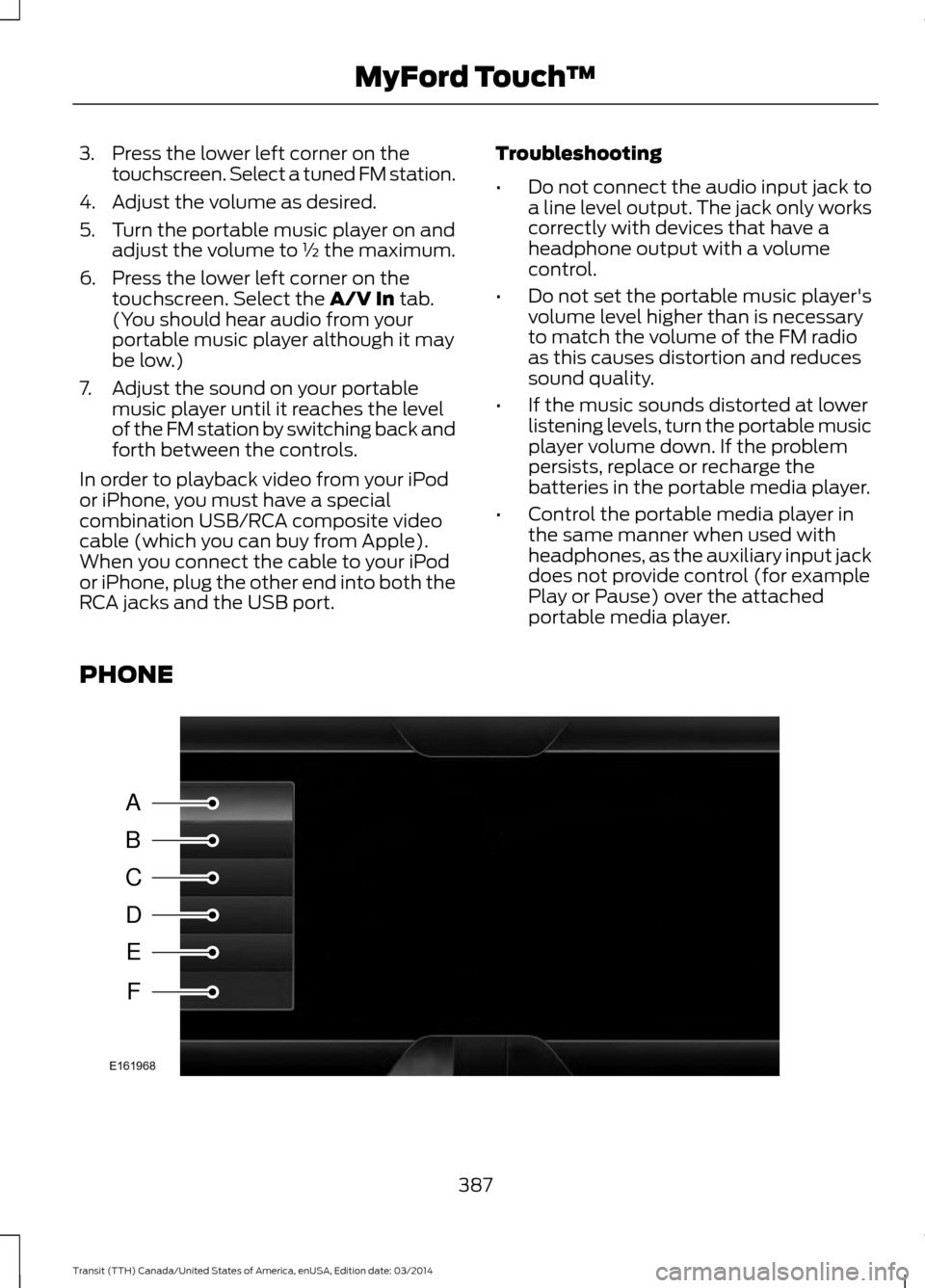
PHONE 387
Transit (TTH) Canada/United States of America, enUSA, Edition date: 03/2014 MyFord Touch
™A
B
C
D
E
F
E161968
Page 418 of 461
•
Mobile communications systems may
harm the operation of your vehicle,
particularly if they are not properly
designed for automotive use.
• If you or an authorized Ford dealer add
any non-Ford electrical or electronic
accessories or components to your
vehicle, you may adversely affect
battery performance and durability,
and may adversely affect the
performance of other electrical
systems in the vehicle.
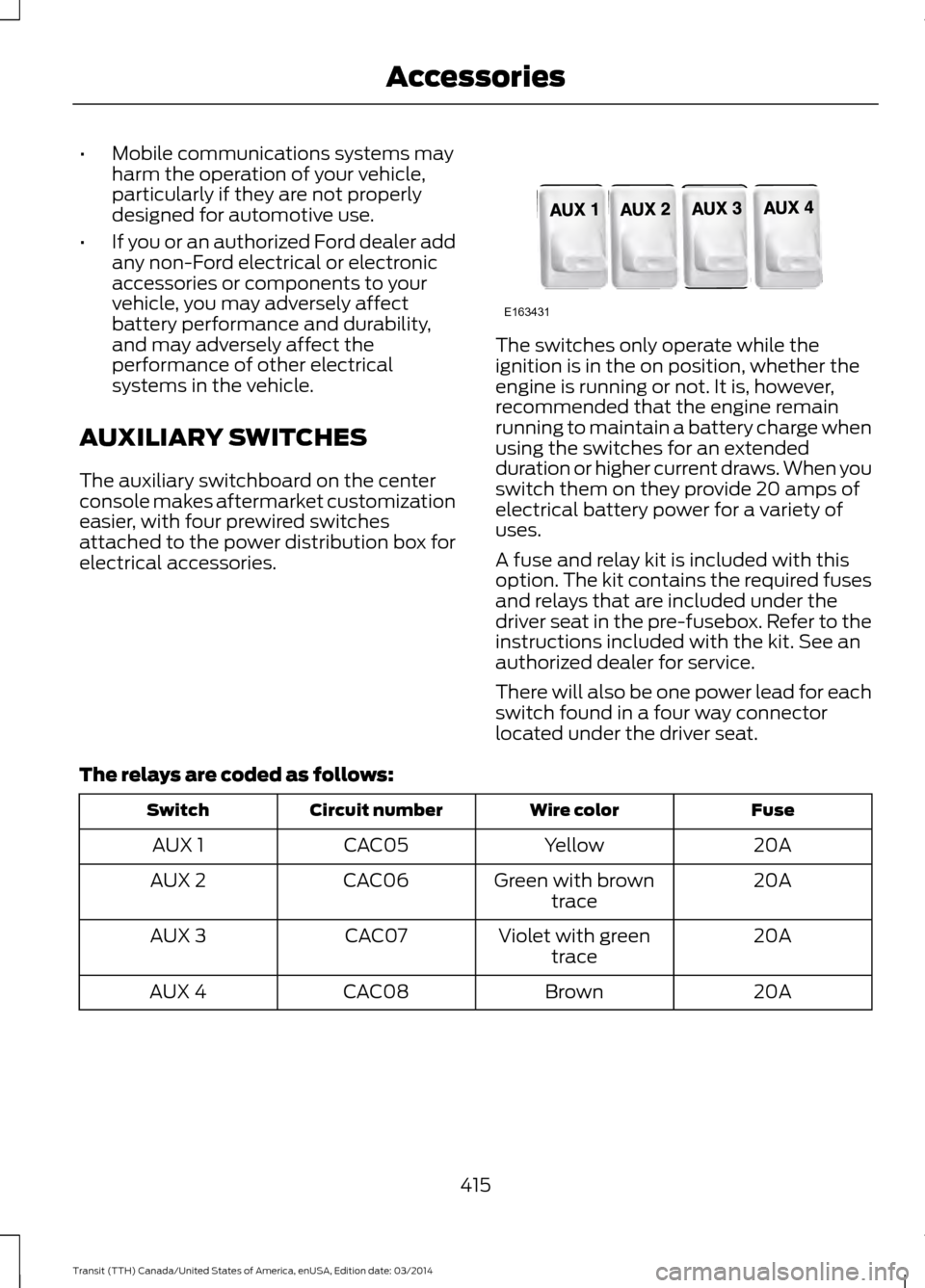
AUXILIARY SWITCHES
The auxiliary switchboard on the center
console makes aftermarket customization
easier, with four prewired switches
attached to the power distribution box for
electrical accessories. The switches only operate while the
ignition is in the on position, whether the
engine is running or not. It is, however,
recommended that the engine remain
running to maintain a battery charge when
using the switches for an extended
duration or higher current draws. When you
switch them on they provide 20 amps of
electrical battery power for a variety of
uses.
A fuse and relay kit is included with this
option. The kit contains the required fuses
and relays that are included under the
driver seat in the pre-fusebox. Refer to the
instructions included with the kit. See an
authorized dealer for service.
There will also be one power lead for each
switch found in a four way connector
located under the driver seat.
The relays are coded as follows: Fuse
Wire color
Circuit number
Switch
20A
Yellow
CAC05
AUX 1
20A
Green with brown
trace
CAC06
AUX 2
20A
Violet with green
trace
CAC07
AUX 3
20A
Brown
CAC08
AUX 4
415Transit (TTH) Canada/United States of America, enUSA, Edition date: 03/2014 AccessoriesE163431
Page 452 of 461
A
A/C
See: Climate Control.......................................... 89
About This Manual...........................................7 Protecting the Environment................................ 7
ABS See: Brakes............................................................ 137
ABS driving hints See: Hints on Driving With Anti-Lock
Brakes................................................................. 137
Accessories.....................................................414 Exterior Style........................................................ 414
Interior Style......................................................... 414
Lifestyle.................................................................. 414
Peace of Mind...................................................... 414
Accessories See: Replacement Parts
Recommendation............................................ 10
Adjusting the Headlamps..........................215 Horizontal Aim Adjustment............................ 216
Vertical Aim Adjustment.................................. 215
Adjusting the Steering Wheel....................61
Airbag Disposal...............................................43
Air Conditioning See: Climate Control.......................................... 89
Air Vents............................................................89 Center Air Vents.................................................... 89
Side Air Vent.......................................................... 90
Alarm See: Anti-Theft Alarm........................................ 60
Anti-Theft Alarm...........................................60 Alarm System....................................................... 60
Arming the Alarm................................................ 60
Disarming the Alarm.......................................... 60
Triggering the Alarm........................................... 60
Appendices.....................................................416
Audible Warnings and Indicators..............77
Airbag Secondary Warning................................ 77
Door Ajar................................................................... 77
Exterior Lamps On............................................... 78
Gearshift Lever not in Park (P)........................78
Key in Ignition......................................................... 78
Parking Brake On.................................................. 78
Safety Belt Minder............................................... 78
Audio Control - Vehicles With: Touchscreen Display..................................62 Audio Control - Vehicles Without:
Touchscreen Display...................................61
Seek, Next or Previous........................................ 62
Audio Input Jack...........................................297
Audio System................................................282 General Information......................................... 282
Audio Troubleshooting
..............................299
Audio Unit - Vehicles With: AM/FM/CD/ SYNC/Satellite Radio.............................290
A
udio Unit - Vehicles With: AM/FM/CD/
SYNC.............................................................288
Audio Unit - Vehicles With: AM/ FM...................................................................283
A
UX Button.......................................................... 286
Clock Button........................................................ 285
Menu Button....................................................... 286
Sound Button..................................................... 286
Station Preset Buttons.................................... 286
Station Tuning Buttons................................... 285
Audio Unit - Vehicles With: Premium AM/FM/CD.................................................286
Autolamps........................................................67 Windshield Wiper Activated Rain
Lights.................................................................... 67
Automatic Transmission
............................133
Brake-Shift Interlock......................................... 135
Hints on Driving with an Automatic Transmission................................................... 135
Understanding the Gearshift Lever Positions of the Automatic
Transmission................................................... 133
Automatic Transmission Fluid Check............................................................209
Autowipers.......................................................64
Auxiliary Power Points................................103 A
C Power Point................................................... 103
Auxiliary Power Point Locations...................103
Auxiliary Switches........................................
415
B
Bonnet Lock See: Opening and Closing the Hood.........200
Booster Seats..................................................22 Types of Booster Seats...................................... 22
Bottle Holder
..................................................105
Brake Fluid Check.........................................210
44
9 Transit (TTH) Canada/United States of America, enUSA, Edition date: 03/2014 Index