warning FORD TRANSIT 2016 5.G Owners Manual
[x] Cancel search | Manufacturer: FORD, Model Year: 2016, Model line: TRANSIT, Model: FORD TRANSIT 2016 5.GPages: 411, PDF Size: 5.65 MB
Page 154 of 411
PRINCIPLE OF OPERATION
WARNING
The system does not relieve you of
your responsibility to drive with due
care and attention.
Cruise control allows you to control your
speed using the switches on the steering
wheel. You can use cruise control when
you exceed approximately 20 mph (30
km/h).
USING CRUISE CONTROL
WARNINGS
Do not use cruise control in heavy
traffic, on winding roads or when the
road surface is slippery. This could
result in loss of vehicle control, serious
injury or death. When you are going downhill, your
vehicle speed may increase above
the set speed. The system will not
apply the brakes. Change down a gear to
assist the system in maintaining the set
speed. Failure to do so could result in loss
of vehicle control, serious injury or death. Note:
Cruise control will disengage if your
vehicle speed decreases more than 10 mph
(16 km/h) below your set speed while
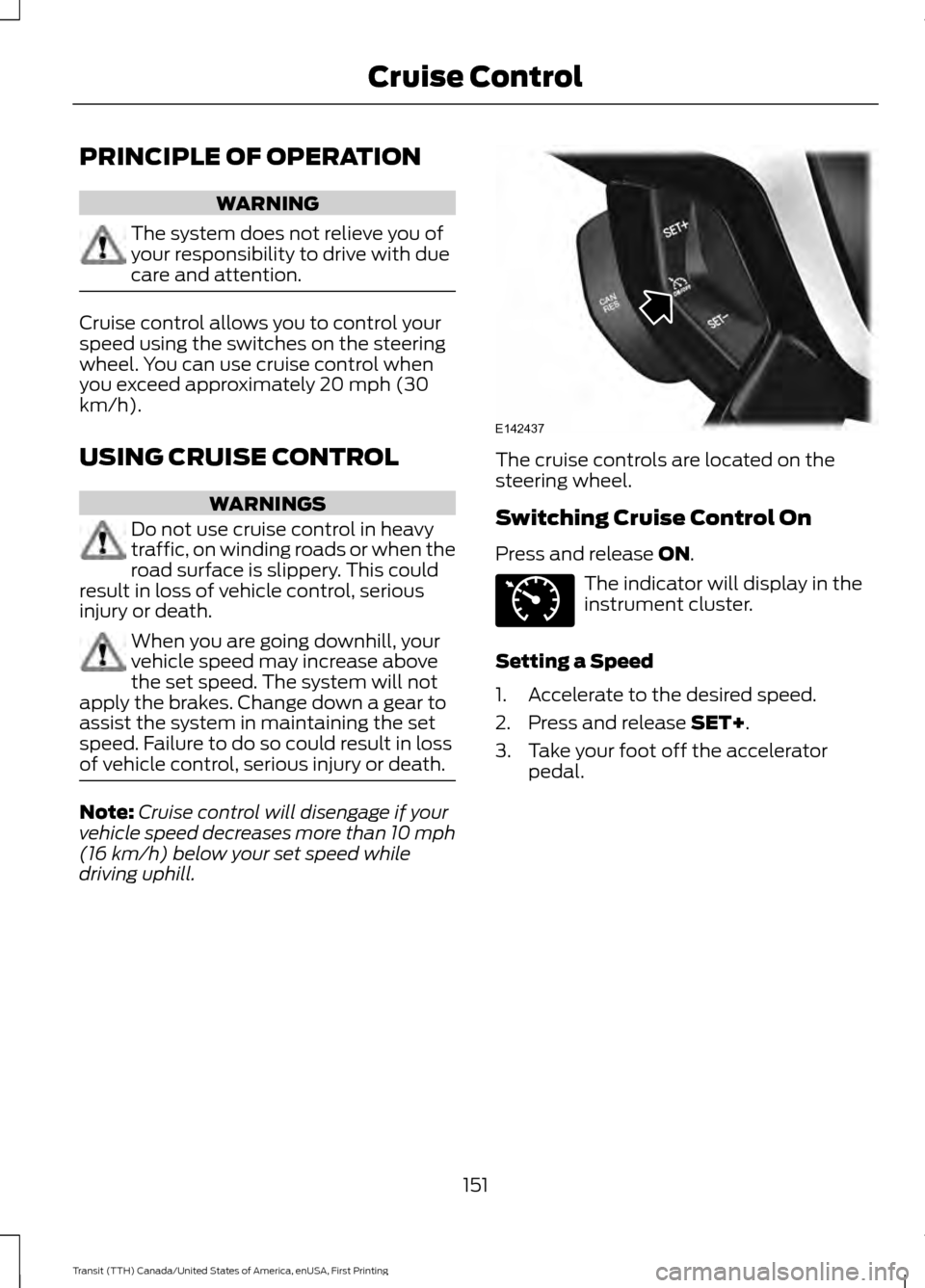
driving uphill. The cruise controls are located on the
steering wheel.
Switching Cruise Control On
Press and release ON.
The indicator will display in the
instrument cluster.
Setting a Speed
1. Accelerate to the desired speed.
2. Press and release
SET+.
3. Take your foot off the accelerator pedal.
151
Transit (TTH) Canada/United States of America, enUSA, First Printing Cruise ControlE142437 E71340
Page 156 of 411
SPEED LIMITER
Engine Speed Limiter
Engine speed is limited to protect the
engine.
Vehicle Speed Limiter - Fixed
The system prevents you from driving
faster than a programmed speed.
DRIVER ALERT
Principle of Operation
WARNINGS
The system does not relieve you of
your responsibility to drive with due
care and attention.
At all times you are responsible for
controlling your vehicle, supervising
the system and intervening if
required. If the sensor becomes blocked the
system may not function.
Take regular rest breaks as required
and do not wait for the system to
warn you if you feel tired.
Take rest breaks only where it is safe
to do so.
Certain driving styles and behavior
may result in the system issuing a
warning even if you are not feeling
tired. In cold and severe weather
conditions the system may not
function. Rain, snow, spray and large
contrasts in lighting can all influence the
sensor. The system will not operate if the
sensor cannot track the road lane
markings. WARNINGS
The system may not operate in areas
during roadwork construction.
The system may not operate on
roads with sharp bends or narrow
lanes.
Do not carry out windshield repairs
in the immediate area surrounding
the sensor.
If your vehicle has a suspension kit
not approved by us, the system may
not function correctly.
Note:
Keep the windshield free from
obstructions such as bird droppings, insects
and snow or ice.
Note: The system assists you when driving
on fast main roads and freeways.
Note: The system calculates an alertness
level at vehicle speeds above approximately
40 mph (65 km/h).
The system automatically monitors your
driving behavior.
The system is designed to alert you if it
detects that you are becoming drowsy or
if your driving deteriorates.
Using Driver Alert
Switching the System On and Off
Note: The system will remain on or off
depending on how it was last set.
Switch the system on using the information
display. See Information Displays (page
82).
The system will calculate your alertness
level based upon your driving behavior in
relation to the lane markings and other
factors.
153
Transit (TTH) Canada/United States of America, enUSA, First Printing Driving Aids
Page 157 of 411
System Warnings
Note:
The system will not issue warnings
below approximately 40 mph (65 km/h).
The warning system has two stages:
1. A temporary warning is issued to advise
you to take a rest. This message only
appears for a short time.
2. If you do not rest and the system continues to detect that your driving
deteriorates, it will issue a further
warning. This will remain in the
information display until you cancel it.
See Information Messages (page
87).
Press
OK on the steering wheel control to
remove the warning.
System Display
When active the system will run
automatically in the background and only
issue warnings if required. You can view
the status at any time using the
information display. See
(page 82).
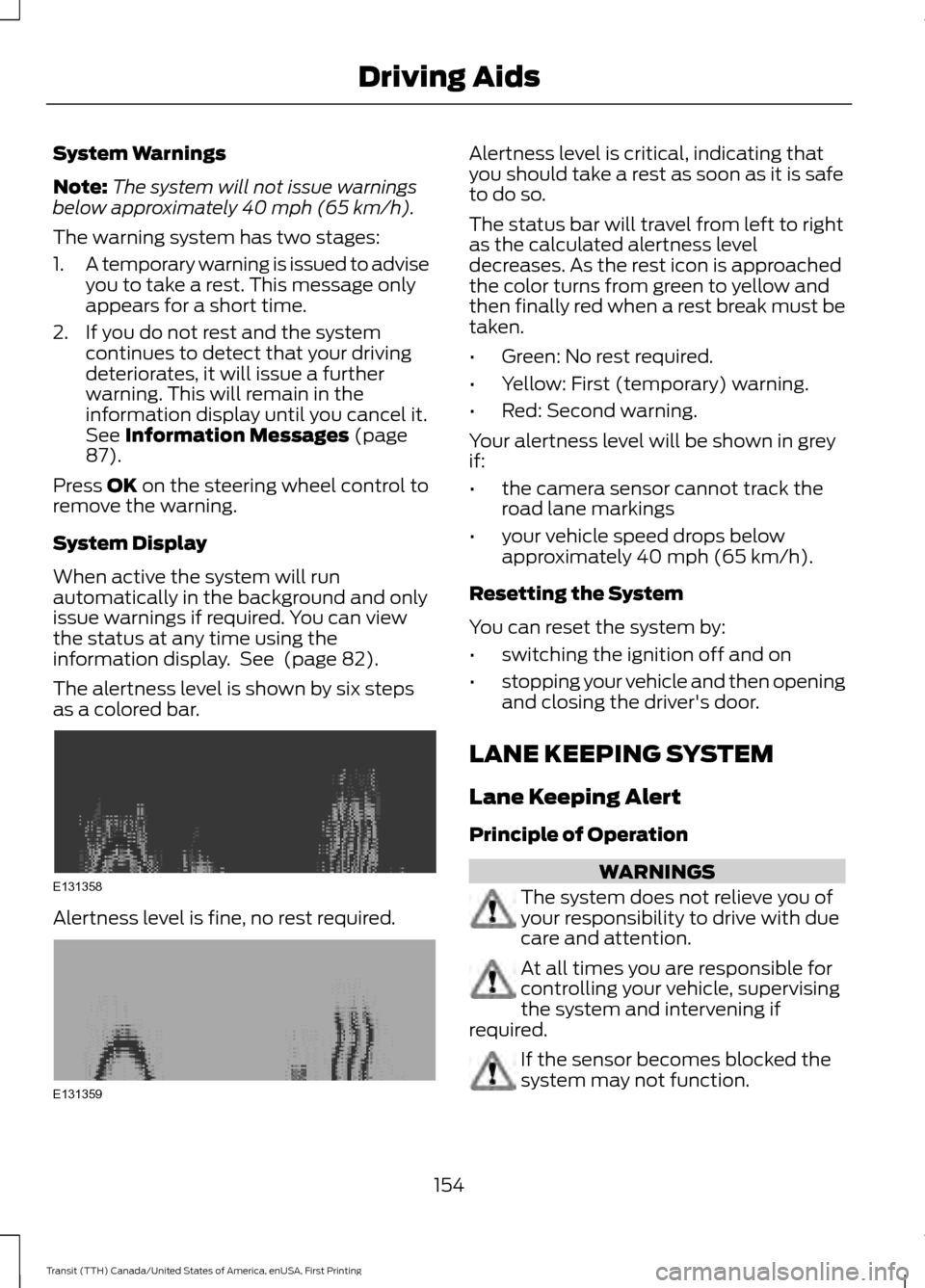
The alertness level is shown by six steps
as a colored bar. Alertness level is fine, no rest required. Alertness level is critical, indicating that
you should take a rest as soon as it is safe
to do so.
The status bar will travel from left to right
as the calculated alertness level
decreases. As the rest icon is approached
the color turns from green to yellow and
then finally red when a rest break must be
taken.
•
Green: No rest required.
• Yellow: First (temporary) warning.
• Red: Second warning.
Your alertness level will be shown in grey
if:
• the camera sensor cannot track the
road lane markings
• your vehicle speed drops below
approximately 40 mph (65 km/h).
Resetting the System
You can reset the system by:
• switching the ignition off and on
• stopping your vehicle and then opening
and closing the driver's door.
LANE KEEPING SYSTEM
Lane Keeping Alert
Principle of Operation WARNINGS
The system does not relieve you of
your responsibility to drive with due
care and attention.
At all times you are responsible for
controlling your vehicle, supervising
the system and intervening if
required. If the sensor becomes blocked the
system may not function.
154
Transit (TTH) Canada/United States of America, enUSA, First Printing Driving AidsE131358 E131359
Page 158 of 411
WARNINGS
The sensor may incorrectly track lane
markings such as other structures or
objects. This can result in a false or
missed warning. In cold and severe weather
conditions the system may not
function. Rain, snow, spray and large
contrasts in lighting can all influence the
sensor. The system will not operate if the
sensor cannot track the road lane
markings.
The system may not operate in areas
during roadwork construction.
The system may not operate on
roads with sharp bends or narrow
lanes.
Do not carry out windshield repairs
in the immediate area surrounding
the sensor.
If your vehicle has a suspension kit
not approved by us, the system may
not function correctly.
Note:
Keep the windshield free from
obstructions such as bird droppings, insects
and snow or ice.
Note: The system may assist you when
driving on fast main roads and freeways.
Note: The system may not operate during
hard braking or acceleration and when you
are intentionally steering your vehicle.
Note: The system will operate with a
minimum of one tracked lane marking.
Note: The system will only operate above
vehicle speeds of approximately 39 mph
(62 km/h).
The sensor is located behind the interior
mirror. It continuously monitors conditions
to alert you of unintentional lane drifting
at high speeds. The system will automatically detect and
track the lane markings on the road. If the
system detects that your vehicle is
unintentionally drifting toward the lane
markings, you will see a warning in the
information display. There is also a warning
given in the form of a vibration felt through
the steering wheel.
Note:
The vibration intensity from the
steering wheel may decease depending on
the quality of the road surface.
Using Lane Keeping Alert
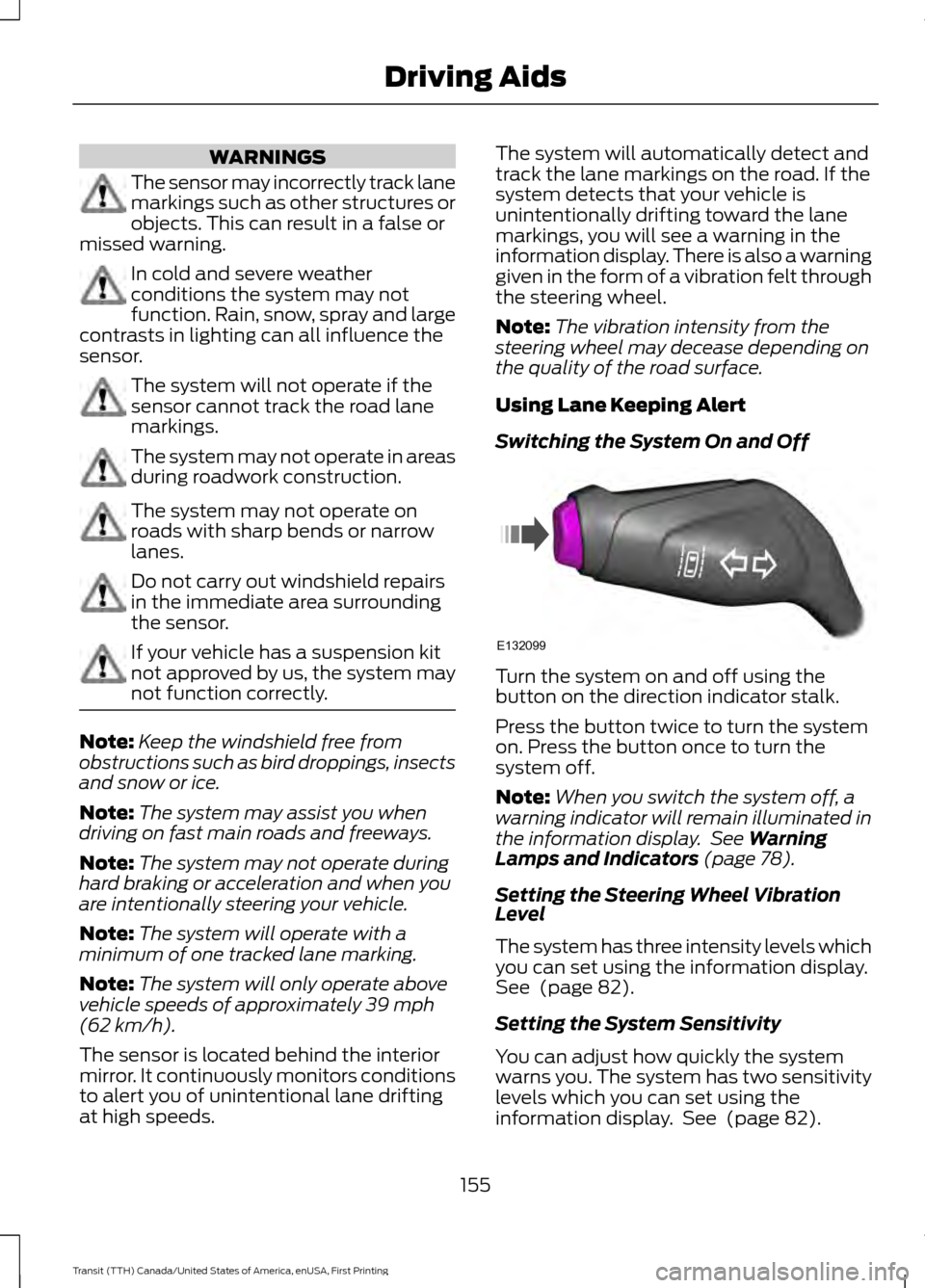
Switching the System On and Off Turn the system on and off using the
button on the direction indicator stalk.
Press the button twice to turn the system
on. Press the button once to turn the
system off.
Note:
When you switch the system off, a
warning indicator will remain illuminated in
the information display. See
Warning
Lamps and Indicators (page 78).
Setting the Steering Wheel Vibration
Level
The system has three intensity levels which
you can set using the information display.
See
(page 82).
Setting the System Sensitivity
You can adjust how quickly the system
warns you. The system has two sensitivity
levels which you can set using the
information display. See
(page 82).
155
Transit (TTH) Canada/United States of America, enUSA, First Printing Driving AidsE132099
Page 159 of 411
System Warnings
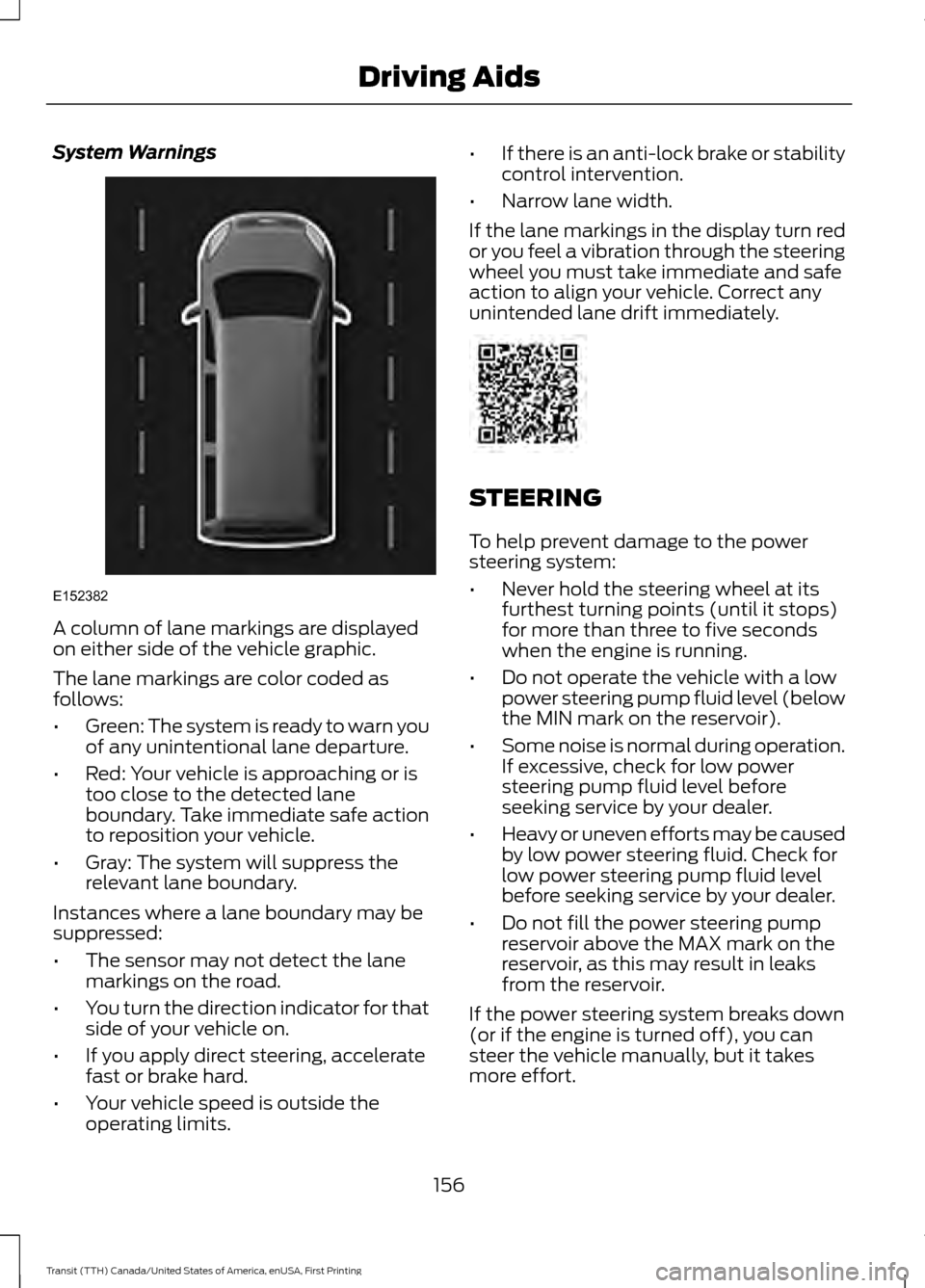
A column of lane markings are displayed
on either side of the vehicle graphic.
The lane markings are color coded as
follows:
•
Green: The system is ready to warn you
of any unintentional lane departure.
• Red: Your vehicle is approaching or is
too close to the detected lane
boundary. Take immediate safe action
to reposition your vehicle.
• Gray: The system will suppress the
relevant lane boundary.
Instances where a lane boundary may be
suppressed:
• The sensor may not detect the lane
markings on the road.
• You turn the direction indicator for that
side of your vehicle on.
• If you apply direct steering, accelerate
fast or brake hard.
• Your vehicle speed is outside the
operating limits. •
If there is an anti-lock brake or stability
control intervention.
• Narrow lane width.
If the lane markings in the display turn red
or you feel a vibration through the steering
wheel you must take immediate and safe
action to align your vehicle. Correct any
unintended lane drift immediately. STEERING
To help prevent damage to the power
steering system:
•
Never hold the steering wheel at its
furthest turning points (until it stops)
for more than three to five seconds
when the engine is running.
• Do not operate the vehicle with a low
power steering pump fluid level (below
the MIN mark on the reservoir).
• Some noise is normal during operation.
If excessive, check for low power
steering pump fluid level before
seeking service by your dealer.
• Heavy or uneven efforts may be caused
by low power steering fluid. Check for
low power steering pump fluid level
before seeking service by your dealer.
• Do not fill the power steering pump
reservoir above the MAX mark on the
reservoir, as this may result in leaks
from the reservoir.
If the power steering system breaks down
(or if the engine is turned off), you can
steer the vehicle manually, but it takes
more effort.
156
Transit (TTH) Canada/United States of America, enUSA, First Printing Driving AidsE152382
Page 162 of 411
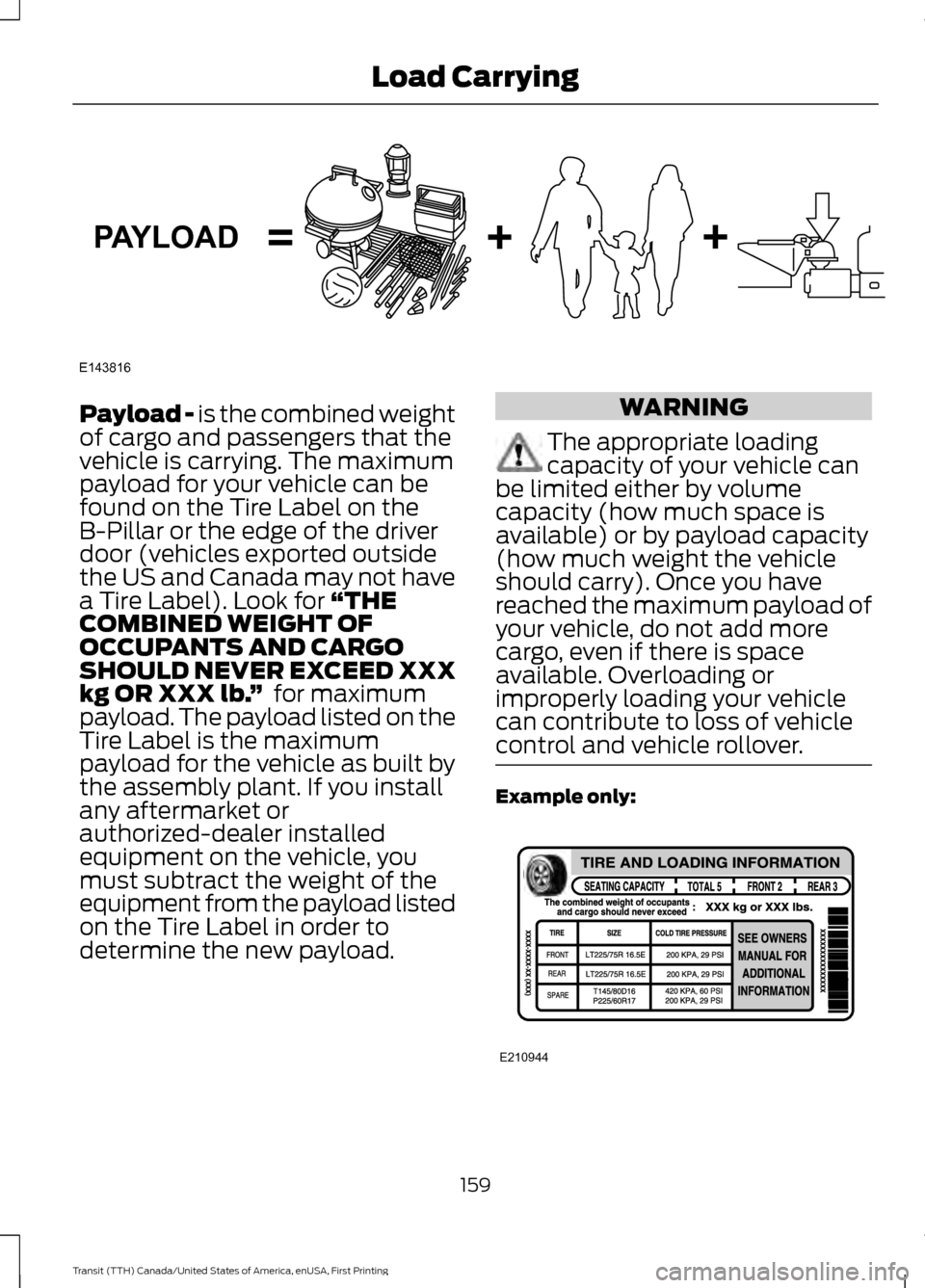
Payload - is the combined weight
of cargo and passengers that the
vehicle is carrying. The maximum
payload for your vehicle can be
found on the Tire Label on the
B-Pillar or the edge of the driver
door (vehicles exported outside
the US and Canada may not have
a Tire Label). Look for
“THE
COMBINED WEIGHT OF
OCCUPANTS AND CARGO
SHOULD NEVER EXCEED XXX
kg OR XXX lb. ” for maximum
payload. The payload listed on the
Tire Label is the maximum
payload for the vehicle as built by
the assembly plant. If you install
any aftermarket or
authorized-dealer installed
equipment on the vehicle, you
must subtract the weight of the
equipment from the payload listed
on the Tire Label in order to
determine the new payload. WARNING
The appropriate loading
capacity of your vehicle can
be limited either by volume
capacity (how much space is
available) or by payload capacity
(how much weight the vehicle
should carry). Once you have
reached the maximum payload of
your vehicle, do not add more
cargo, even if there is space
available. Overloading or
improperly loading your vehicle
can contribute to loss of vehicle
control and vehicle rollover. Example only:
159
Transit (TTH) Canada/United States of America, enUSA, First Printing Load CarryingE143816PAYLOAD E210944
Page 165 of 411
WARNING
Exceeding the Safety
Compliance Certification
Label vehicle weight rating limits
could result in substandard
vehicle handling or performance,
engine, transmission and/or
structural damage, serious
damage to the vehicle, loss of
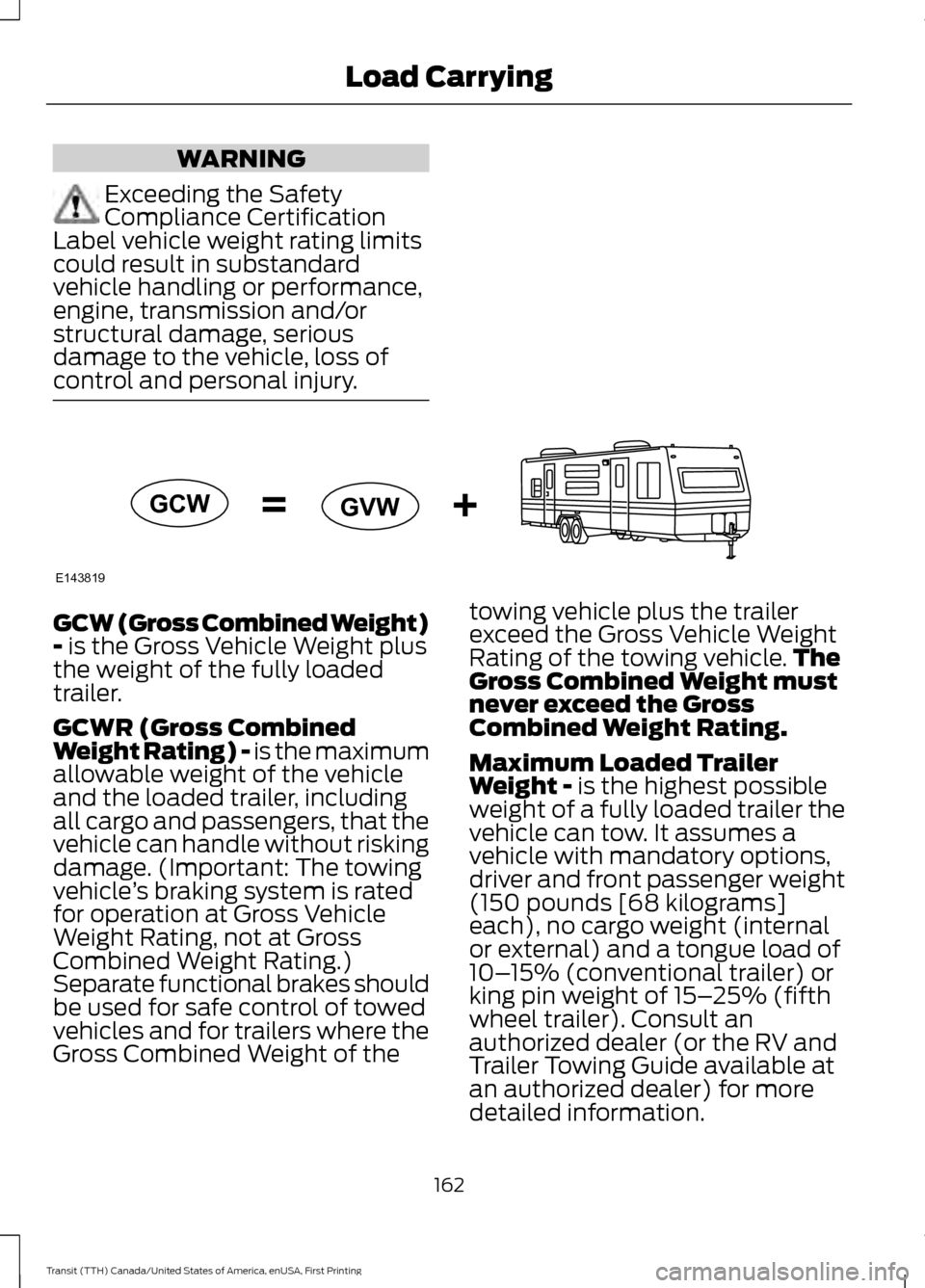
control and personal injury. GCW (Gross Combined Weight)
- is the Gross Vehicle Weight plus
the weight of the fully loaded
trailer.
GCWR (Gross Combined
Weight Rating) - is the maximum
allowable weight of the vehicle
and the loaded trailer, including
all cargo and passengers, that the
vehicle can handle without risking
damage. (Important: The towing
vehicle ’s braking system is rated
for operation at Gross Vehicle
Weight Rating, not at Gross
Combined Weight Rating.)
Separate functional brakes should
be used for safe control of towed
vehicles and for trailers where the
Gross Combined Weight of the towing vehicle plus the trailer
exceed the Gross Vehicle Weight
Rating of the towing vehicle.
The
Gross Combined Weight must
never exceed the Gross
Combined Weight Rating.
Maximum Loaded Trailer
Weight -
is the highest possible
weight of a fully loaded trailer the
vehicle can tow. It assumes a
vehicle with mandatory options,
driver and front passenger weight
(150 pounds [68 kilograms]
each), no cargo weight (internal
or external) and a tongue load of
10– 15% (conventional trailer) or
king pin weight of 15– 25% (fifth
wheel trailer). Consult an
authorized dealer (or the RV and
Trailer Towing Guide available at
an authorized dealer) for more
detailed information.
162
Transit (TTH) Canada/United States of America, enUSA, First Printing Load CarryingE143819GCW
GVW
Page 166 of 411
Tongue Load or Fifth Wheel
King Pin Weight - refers to the
amount of the weight that a trailer
pushes down on a trailer hitch.
Examples:
For a 5000 pound
(2268 kilogram) conventional
trailer, multiply 5000 by 0.10 and
0.15 to obtain a proper tongue
load range of 500 to 750 pounds
(227 to 340 kilograms). For an
11500 pound (5216 kilogram) fifth
wheel trailer, multiply by 0.15 and
0.25 to obtain a proper king pin
load range of 1725 to 2875 pounds
(782 to 1304 kilograms). WARNINGS
Do not exceed the GVWR or
the GAWR specified on the
Safety Compliance Certification
Label. Do not use replacement tires
with lower load carrying
capacities than the original tires
because they may lower the
vehicle ’s GVWR and GAWR
limitations. Replacement tires
with a higher limit than the original
tires do not increase the GVWR
and GAWR limitations. Exceeding any vehicle weight
rating limitation could result
in serious damage to the vehicle
and/or personal injury. Steps for determining the
correct load limit: 1. Locate the statement "The
combined weight of occupants
and cargo should never exceed
XXX kg or XXX lb." on your
vehicle ’s placard.
2. Determine the combined
weight of the driver and
passengers that will be riding
in your vehicle.
3. Subtract the combined weight
of the driver and passengers
from XXX kg or XXX lb.
4. The resulting figure equals the
available amount of cargo and
luggage load capacity. For
example, if the “XXX” amount
equals 1,400 lb. and there will
be five 150 lb. passengers in
your vehicle, the amount of
available cargo and luggage
load capacity is 650 lb.
(1400-750 (5 x 150) = 650 lb.).
5. Determine the combined
weight of luggage and cargo
being loaded on the vehicle.
That weight may not safely
exceed the available cargo and
luggage load capacity
calculated in Step 4.
6. If your vehicle will be towing a
trailer, load from your trailer
will be transferred to your
vehicle. Consult this manual to
determine how this reduces the
available cargo and luggage
load capacity of your vehicle.
The following gives you a few
examples on how to calculate the
available amount of cargo and
luggage load capacity:
163
Transit (TTH) Canada/United States of America, enUSA, First Printing Load Carrying
Page 168 of 411
Special Loading Instructions
for Owners of Pick-up Trucks
and Utility-type Vehicles
WARNING
Loaded vehicles may handle
differently than unloaded
vehicles. Extra precautions, such
as slower speeds and increased
stopping distance, should be
taken when driving a heavily
loaded vehicle. Your vehicle can haul more cargo
and people than most passenger
cars. Depending upon the type
and placement of the load,
hauling cargo and people may
raise the center of gravity of the
vehicle.
165
Transit (TTH) Canada/United States of America, enUSA, First Printing Load Carrying
Page 169 of 411
TOWING A TRAILER
WARNINGS
Do not exceed the Gross
Vehicle Weight Rating or the
Gross Axle Weight Rating
specified on the certification label. Towing trailers beyond the
maximum recommended
gross trailer weight exceeds the
limit of the vehicle and could
result in engine damage,
transmission damage, structural
damage, loss of vehicle control,
vehicle rollover and personal
injury. Your vehicle may have electrical
items, for example fuses or relays,
related to towing. See Fuses
(page 193).
Your vehicle's load capacity
designation is by weight, not by
volume, so you cannot necessarily
use all available space when
loading your vehicle.
Towing a trailer places an extra
load on your vehicle's engine,
transmission, axle, brakes, tires
and suspension. Inspect these
components periodically during,
and after, any towing operation. Load Placement
To help minimize how trailer
movement affects your vehicle
when driving:
•
Load the heaviest items closest
to the trailer floor.
• Load the heaviest items
centered between the left and
right side trailer tires.
• Load the heaviest items above
the trailer axles or just slightly
forward toward the trailer
tongue. Do not allow the final
trailer tongue weight to go
above or below 10-15% of the
loaded trailer weight.
• Select a tow bar with the
correct rise or drop. When both
the loaded vehicle and trailer
are connected, the trailer frame
should be level, or slightly
angled down toward your
vehicle, when viewed from the
side.
When driving with a trailer or
payload, a slight takeoff vibration
or shudder may be present due to
the increased payload weight.
Additional information regarding
correct trailer loading and setting
your vehicle up for towing is
located in another chapter of this
Owner's Manual. See
Load Limit
(page 158). You can also find the
information in the RV & Trailer
Towing Guide. See an authorized
dealer.
166
Transit (TTH) Canada/United States of America, enUSA, First Printing Towing