AUX FORD TRANSIT 2016 5.G User Guide
[x] Cancel search | Manufacturer: FORD, Model Year: 2016, Model line: TRANSIT, Model: FORD TRANSIT 2016 5.GPages: 411, PDF Size: 5.65 MB
Page 287 of 411
Specification
Name
WSH-M17B19-A
A/C refrigerant (U.S. and Mexico):
Motorcraft R-134a Refrigerant
YN-19
WSH-M17B19-A
A/C refrigerant (Canada):
Motorcraft R-134a Refrigerant
CYN-16-R
WSH-M1C231-B
A/C refrigerant compressor oil:
Motorcraft PAG Refrigerant Compressor Oil
YN-12-D
ESA-M1C75-B
Grease:
Premium Long-Life Grease
XG-1-E1
Only use fluid that meets Ford
specifications. Motor oils of the
recommended viscosity grade that meet
API SN requirements and display the API
Certification Mark for gasoline engines are
also acceptable. Do not use oil labeled
with API SN service category unless the
label also displays the API certification
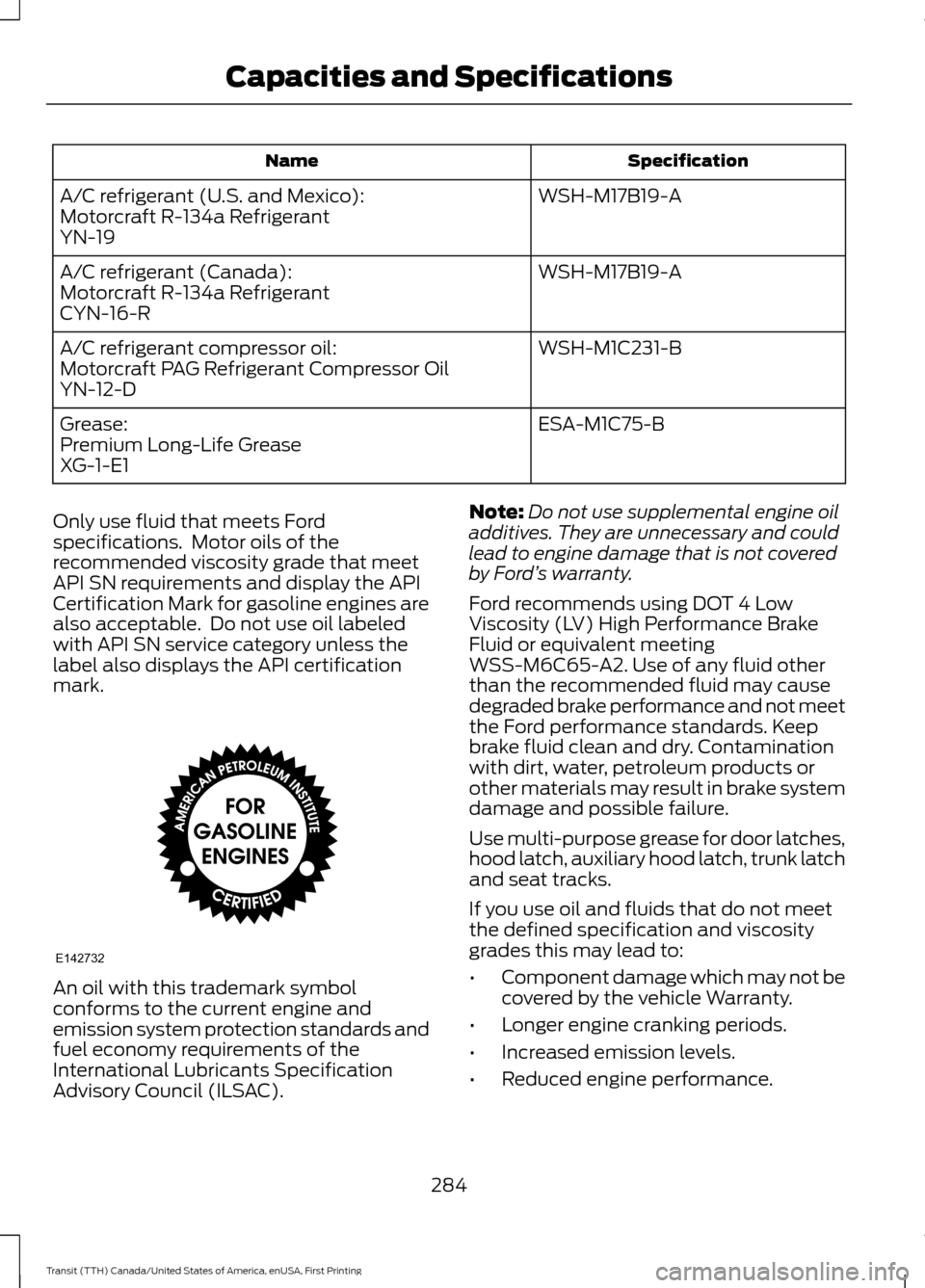
mark. An oil with this trademark symbol
conforms to the current engine and
emission system protection standards and
fuel economy requirements of the
International Lubricants Specification
Advisory Council (ILSAC). Note:
Do not use supplemental engine oil
additives. They are unnecessary and could
lead to engine damage that is not covered
by Ford ’s warranty.
Ford recommends using DOT 4 Low
Viscosity (LV) High Performance Brake
Fluid or equivalent meeting
WSS-M6C65-A2. Use of any fluid other
than the recommended fluid may cause
degraded brake performance and not meet
the Ford performance standards. Keep
brake fluid clean and dry. Contamination
with dirt, water, petroleum products or
other materials may result in brake system
damage and possible failure.
Use multi-purpose grease for door latches,
hood latch, auxiliary hood latch, trunk latch
and seat tracks.
If you use oil and fluids that do not meet
the defined specification and viscosity
grades this may lead to:
• Component damage which may not be
covered by the vehicle Warranty.
• Longer engine cranking periods.
• Increased emission levels.
• Reduced engine performance.
284
Transit (TTH) Canada/United States of America, enUSA, First Printing Capacities and SpecificationsE142732
Page 288 of 411
•
Reduced fuel economy.
• Degraded brake performance. CAPACITIES AND
SPECIFICATIONS - 3.7L WARNING
The air conditioning refrigerant
system contains refrigerant R-134a
under high pressure. Opening the air
conditioning refrigerant system can cause
personal injury. Have the air conditioning
refrigerant system serviced only by
qualified personnel. Capacities
Capacity
Item
6 qt (5.7 L)
Engine lubrication system – including the oil filter
5.5 qt (5.2 L)
Engine lubrication system – excluding the oil filter
1 qt (0.9 L)
Engine oil top-up – raise the level on the dipstick
from minimum to maximum
16.4 qt (15.5 L)
Engine cooling system, vehicles with an auxiliary
heater 1
14.9 qt (14.1 L)
Engine cooling system, vehicles without an auxiliary
heater 1
13.1 qt (12.4 L)
Automatic transmission 2, 3
2.9 qt (2.72 L)
Rear axle fluid (limited slip) 4
3.0 qt (2.84 L)
Rear axle fluid (conventional)
4.0 fl oz (118 ml)
Rear axle friction modifier
25.1 gal (95 L)
Fuel tank
4.8 qt (4.5 L)
Windshield and rear window washer system –
including headlamp washer
2.62 lb (1.19 kg)
A/C Refrigerant, vehicles with rear heating, ventila-
tion and air conditioning
1.76 lb (0.8 kg)
A/C Refrigerant, vehicles without rear heating,
ventilation and air conditioning
285
Transit (TTH) Canada/United States of America, enUSA, First Printing Capacities and Specifications
Page 291 of 411
Specification
Name
WSH-M17B19-A
A/C refrigerant (U.S. and Mexico):
Motorcraft R-134a Refrigerant
YN-19
WSH-M17B19-A
A/C refrigerant (Canada):
Motorcraft R-134a Refrigerant
CYN-16-R
WSH-M1C231-B
A/C refrigerant compressor oil:
Motorcraft PAG Refrigerant Compressor Oil
YN-12-D
ESA-M1C75-B
Grease:
Premium Long-Life Grease
XG-1-E1
Only use fluid that meets Ford
specifications. Motor oils of the
recommended viscosity grade that meet
API SN requirements and display the API
Certification Mark for gasoline engines are
also acceptable. Do not use oil labeled
with API SN service category unless the
label also displays the API certification
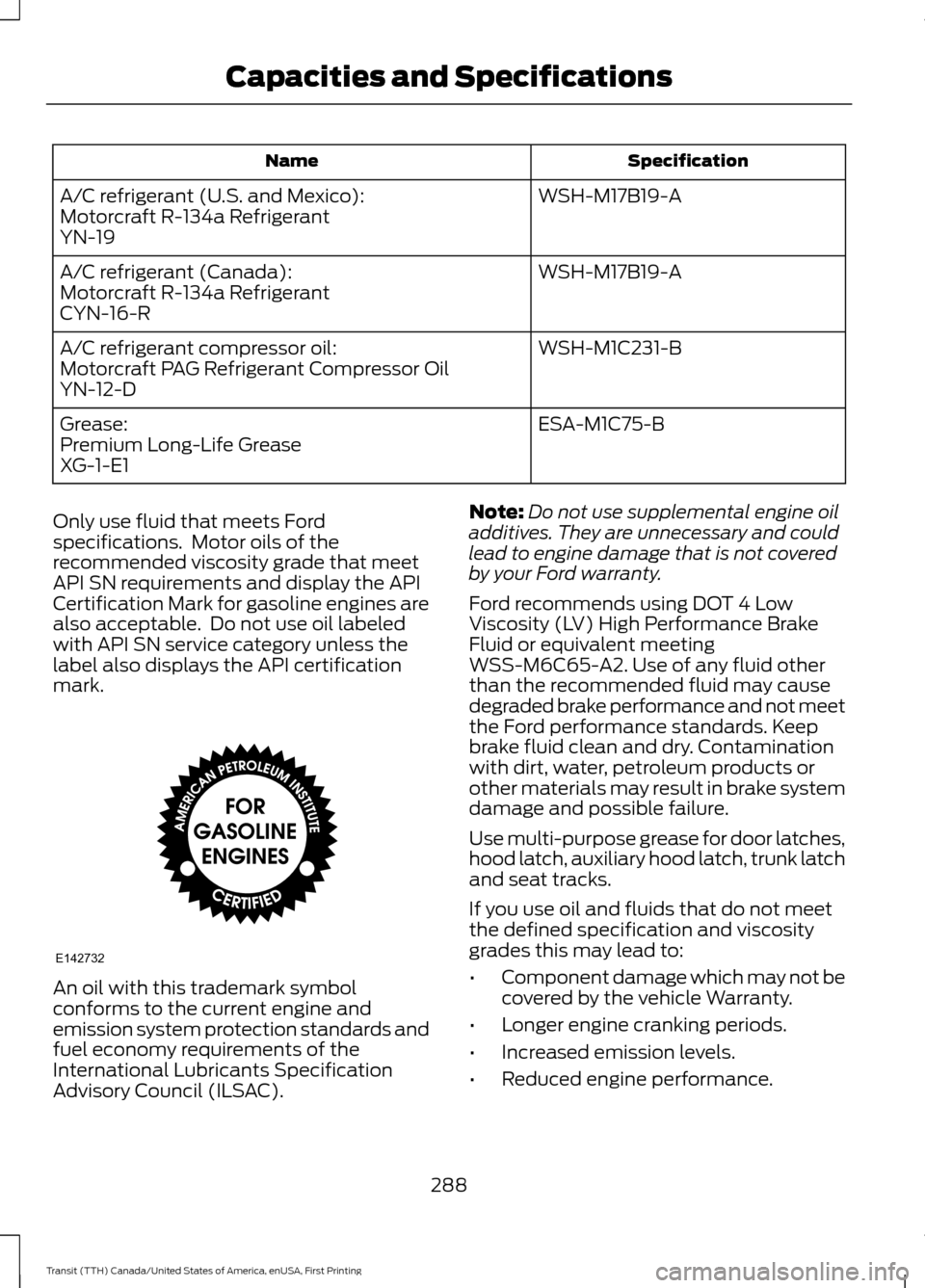
mark. An oil with this trademark symbol
conforms to the current engine and
emission system protection standards and
fuel economy requirements of the
International Lubricants Specification
Advisory Council (ILSAC). Note:
Do not use supplemental engine oil
additives. They are unnecessary and could
lead to engine damage that is not covered
by your Ford warranty.
Ford recommends using DOT 4 Low
Viscosity (LV) High Performance Brake
Fluid or equivalent meeting
WSS-M6C65-A2. Use of any fluid other
than the recommended fluid may cause
degraded brake performance and not meet
the Ford performance standards. Keep
brake fluid clean and dry. Contamination
with dirt, water, petroleum products or
other materials may result in brake system
damage and possible failure.
Use multi-purpose grease for door latches,
hood latch, auxiliary hood latch, trunk latch
and seat tracks.
If you use oil and fluids that do not meet
the defined specification and viscosity
grades this may lead to:
• Component damage which may not be
covered by the vehicle Warranty.
• Longer engine cranking periods.
• Increased emission levels.
• Reduced engine performance.
288
Transit (TTH) Canada/United States of America, enUSA, First Printing Capacities and SpecificationsE142732
Page 292 of 411
•
Reduced fuel economy.
• Degraded brake performance. CAPACITIES AND
SPECIFICATIONS - 3.2L
POWER STROKE DIESEL WARNING
The air conditioning refrigerant
system contains refrigerant R-134a
under high pressure. Opening the air
conditioning refrigerant system can cause
personal injury. Have the air conditioning
refrigerant system serviced only by
qualified personnel. Capacities
Capacity
Item
12.0 qt (11.4 L)
Engine lubrication system — including the oil filter
11.6 qt (11 L)
Engine lubrication system — excluding the oil filter
2.6 qt (2.5 L)
Engine oil top-up — raise the level on the dipstick
from minimum to maximum
15.3 qt (14.5 L)
Engine cooling system, vehicles with an auxiliary
heater 1
13.9 qt (13.2 L)
Engine cooling system, vehicles without an auxiliary
heater 1
13.1 qt (12.4 L)
Automatic transmission fluid 2, 3
2.9 qt (2.72 L)
Rear axle fluid (limited slip) 4
3.0 qt (2.84 L)
Rear axle fluid (conventional)
4.0 fl oz (118 ml)
Rear axle friction modifier
25.1 gal (95 L)
Fuel tank
5.5 gal (21 L)
Diesel exhaust fluid
4.8 qt (4.5 L)
Windshield and rear window washer system —
including headlamp washer
2.62 lb (1.19 kg)
A/C Refrigerant, vehicles with rear heating, ventila-
tion and air conditioning
289
Transit (TTH) Canada/United States of America, enUSA, First Printing Capacities and Specifications
Page 295 of 411
Specification
Name
Motorcraft R-134a Refrigerant
YN-19 WSH-M17B19-A
A/C refrigerant (Canada):
Motorcraft R-134a Refrigerant
CYN-16-R
WSH-M1C231-B
A/C refrigerant compressor oil:
Motorcraft PAG Refrigerant Compressor Oil
YN-12-D
ESA-M1C75-B
Grease:
Premium Long-Life Grease
XG-1-E1
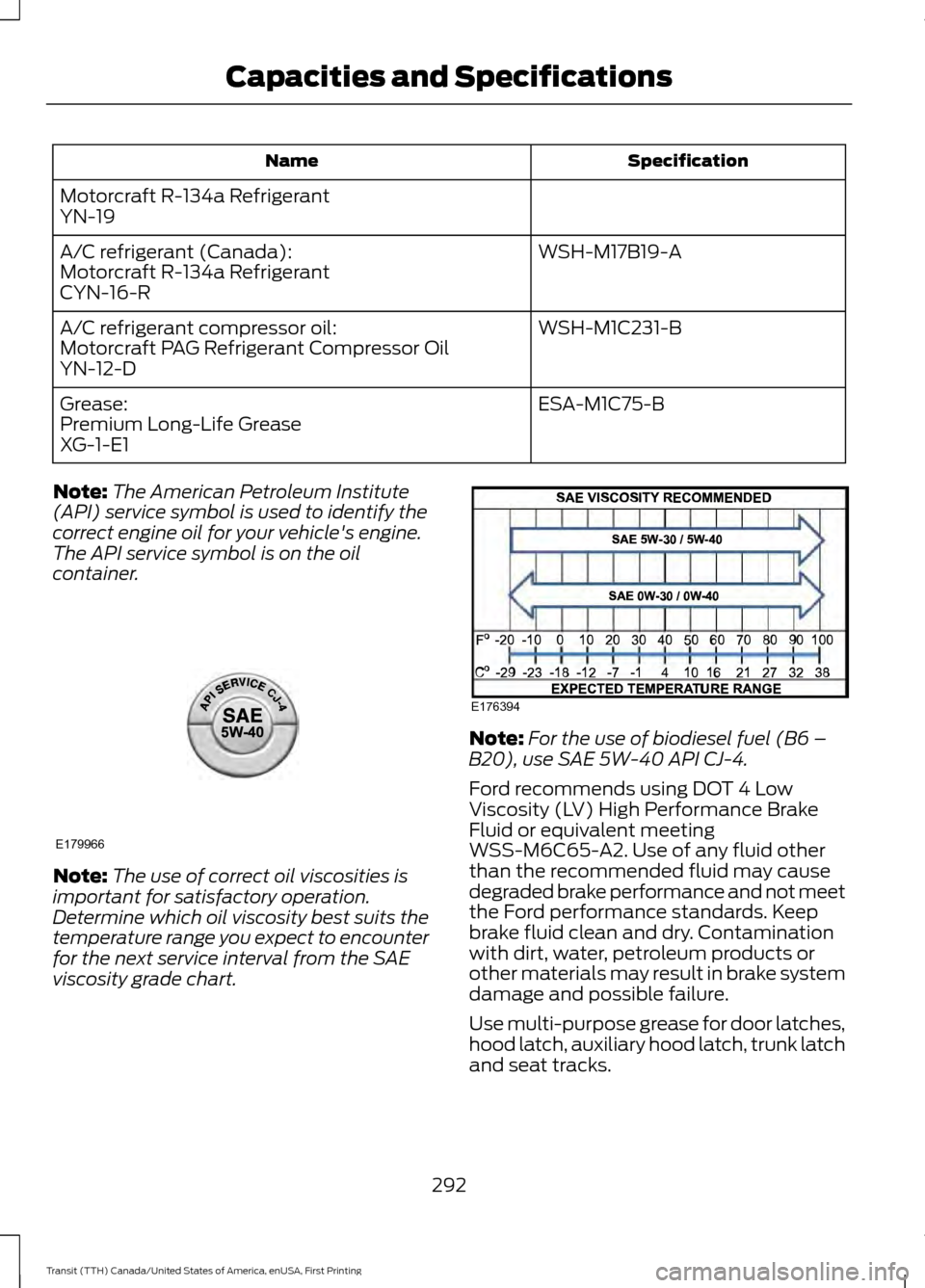
Note: The American Petroleum Institute
(API) service symbol is used to identify the
correct engine oil for your vehicle's engine.
The API service symbol is on the oil
container. Note:
The use of correct oil viscosities is
important for satisfactory operation.
Determine which oil viscosity best suits the
temperature range you expect to encounter
for the next service interval from the SAE
viscosity grade chart. Note:
For the use of biodiesel fuel (B6 –
B20), use SAE 5W-40 API CJ-4.
Ford recommends using DOT 4 Low
Viscosity (LV) High Performance Brake
Fluid or equivalent meeting
WSS-M6C65-A2. Use of any fluid other
than the recommended fluid may cause
degraded brake performance and not meet
the Ford performance standards. Keep
brake fluid clean and dry. Contamination
with dirt, water, petroleum products or
other materials may result in brake system
damage and possible failure.
Use multi-purpose grease for door latches,
hood latch, auxiliary hood latch, trunk latch
and seat tracks.
292
Transit (TTH) Canada/United States of America, enUSA, First Printing Capacities and SpecificationsE179966 E176394
Page 299 of 411
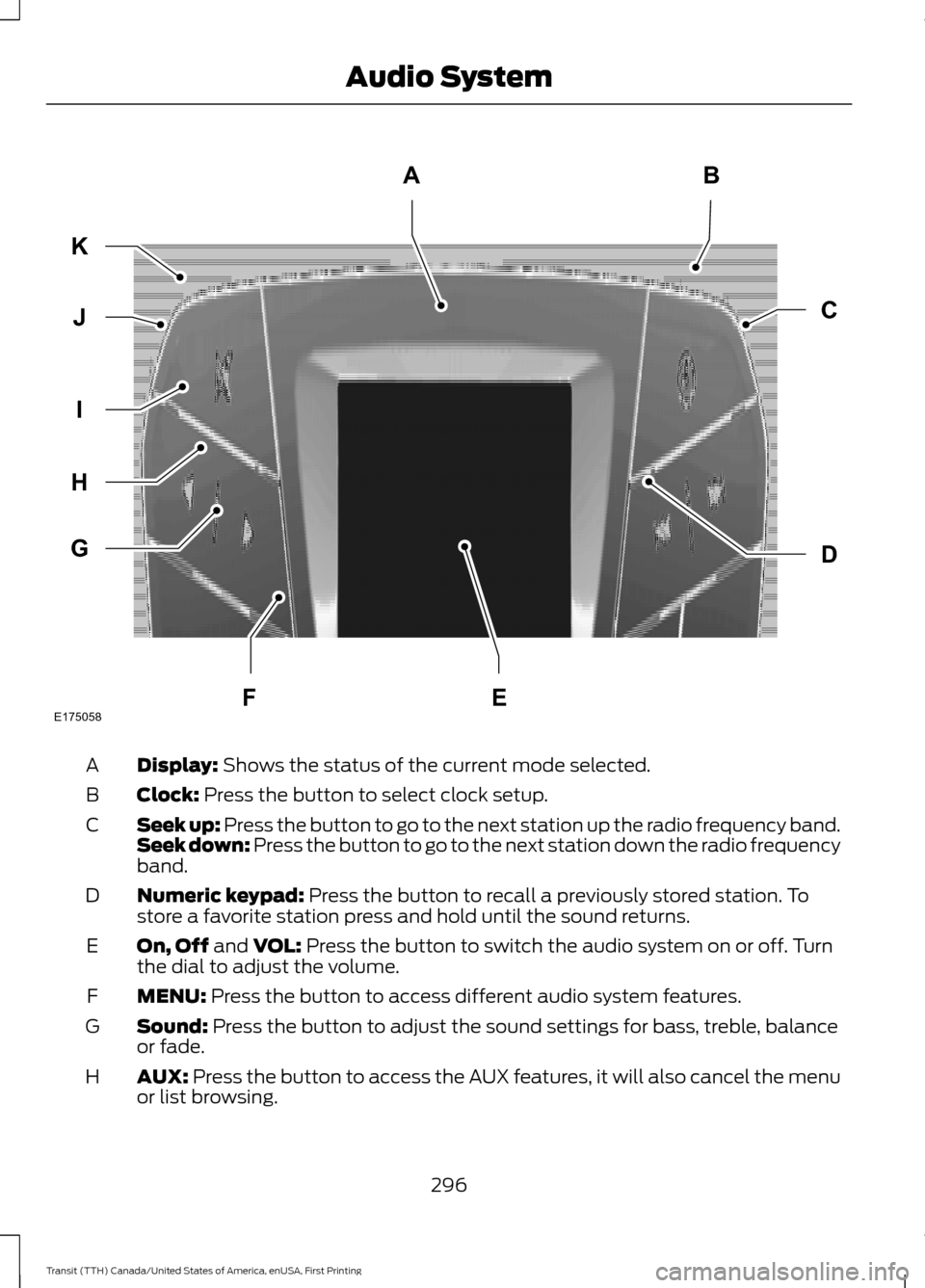
Display: Shows the status of the current mode selected.
A
Clock:
Press the button to select clock setup.
B
Seek up: Press the button to go to the next station up the radio frequency band.
Seek down: Press the button to go to the next station down the radio frequency
band.
C
Numeric keypad:
Press the button to recall a previously stored station. To
store a favorite station press and hold until the sound returns.
D
On, Off
and VOL: Press the button to switch the audio system on or off. Turn
the dial to adjust the volume.
E
MENU:
Press the button to access different audio system features.
F
Sound:
Press the button to adjust the sound settings for bass, treble, balance
or fade.
G
AUX:
Press the button to access the AUX features, it will also cancel the menu
or list browsing.
H
296
Transit (TTH) Canada/United States of America, enUSA, First Printing Audio SystemE175058
AB
D
C
G
H
I
J
K
FE
Page 301 of 411
Station Preset Buttons
This feature allows you to store your
favorite stations. They can be recalled by
selecting the appropriate frequency band
and pressing one of the preset buttons.
1. Select a frequency band.
2. Tune to the station required.
3. Press and hold one of the preset
buttons. The audio unit will also mute
momentarily as confirmation.
You can repeat this on each frequency
band and for each preset button.
Menu Button
This allows you to adjust all of the audio
system settings. Press the button
repeatedly until the required setting is
displayed. Use the cursor up or down arrow
buttons to adjust the following settings:
• Clock hour.
• Clock minutes.
• 24 hour, 12 hour.
• Bass.
• Treble.
• Balance.
• Fade.
• RDS.
Sound Button
This allows you to adjust the sound
settings for bass, treble, balance or fade.
1. Press the sound button until the required setting is displayed. 2. Use the cursor up or down arrow
buttons to select the required level.
Note: Fade settings are only adjustable if
there are speakers in the rear of your vehicle.
AUX Button
Connect your media device to the audio
unit. See USB Port (page 309).
Select your media device as the audio
source by pressing the
AUX button. After
connecting your media device, the first
track will start to play automatically.
AUDIO UNIT - VEHICLES WITH:
PREMIUM AM/FM/CD WARNING
Driving while distracted can result in
loss of vehicle control, crash and
injury. We strongly recommend that
you use extreme caution when using any
device that may take your focus off the
road. Your primary responsibility is the safe
operation of your vehicle. We recommend
against the use of any hand-held device
while driving and encourage the use of
voice-operated systems when possible.
Make sure you are aware of all applicable
local laws that may affect the use of
electronic devices while driving. Note:
The touchscreen system controls
most of the audio features. See SYNC
Supplement.
298
Transit (TTH) Canada/United States of America, enUSA, First Printing Audio System
Page 312 of 411
4. Adjust the volume as desired.
5. Switch the portable music player on
and adjust the volume to half its
maximum level.
6. Press the AUX button on the audio
unit. You should hear music from the
portable music player even if it is low.
7. Adjust the volume on the portable music player as desired. Do this by
switching back and forth between the
AUX and FM or CD controls.
USB PORT WARNINGS
Driving while distracted can result in
loss of vehicle control, crash and
injury. We strongly recommend that
you use extreme caution when using any
device that may take your focus off the
road. Your primary responsibility is the safe
operation of your vehicle. We recommend
against the use of any hand-held device
while driving and encourage the use of
voice-operated systems when possible.
Make sure you are aware of all applicable
local laws that may affect the use of
electronic devices while driving. For safety reasons, do not connect
or adjust the settings on your device
while your vehicle is moving.
Store all devices in a secure location
when your vehicle is moving, for
example the glove compartment.
Hard objects may become projectiles in a
crash or sudden stop, which may increase
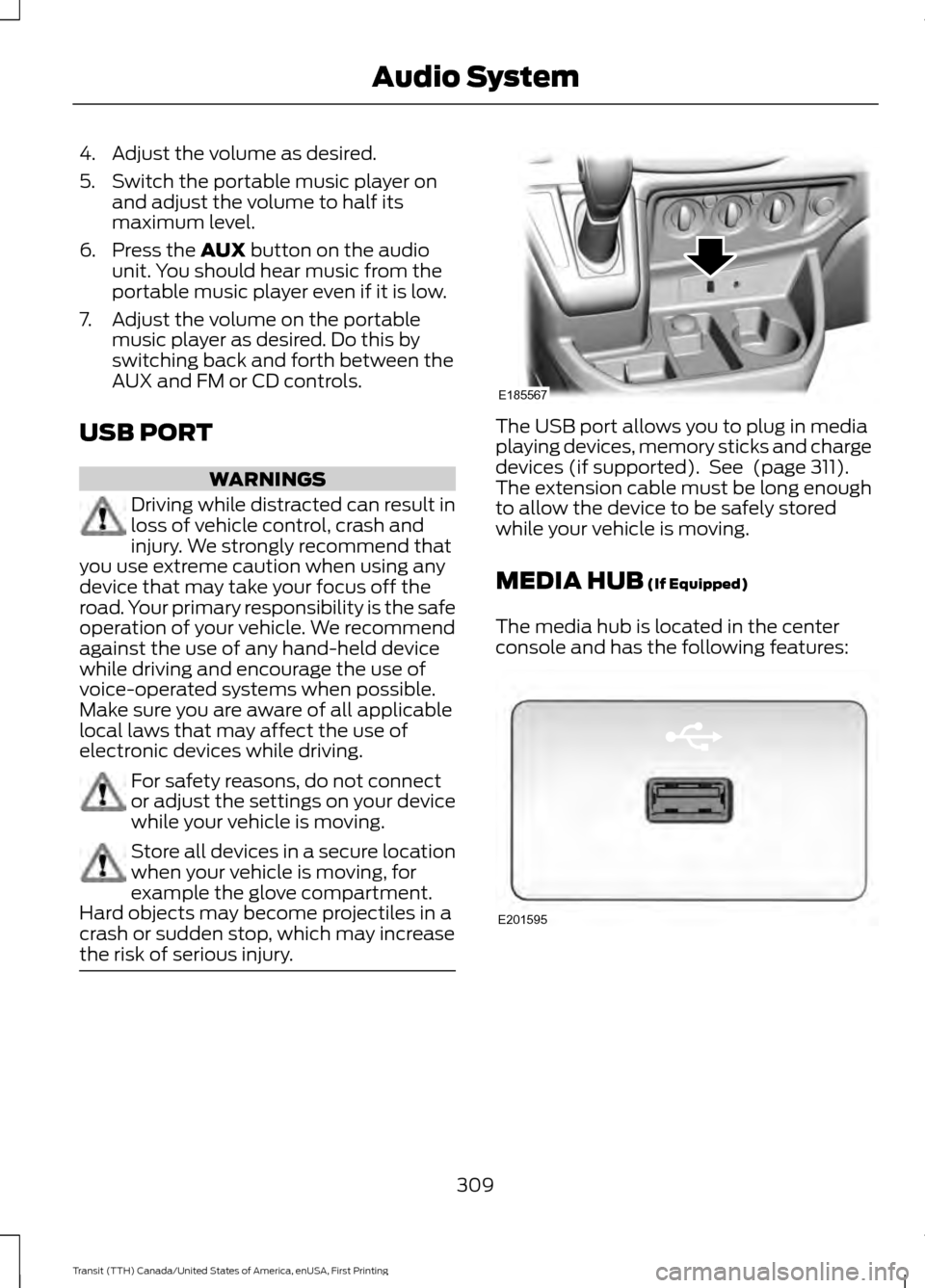
the risk of serious injury. The USB port allows you to plug in media
playing devices, memory sticks and charge
devices (if supported). See
(page 311).
The extension cable must be long enough
to allow the device to be safely stored
while your vehicle is moving.
MEDIA HUB
(If Equipped)
The media hub is located in the center
console and has the following features: 309
Transit (TTH) Canada/United States of America, enUSA, First Printing Audio SystemE185567 E201595
Page 341 of 411
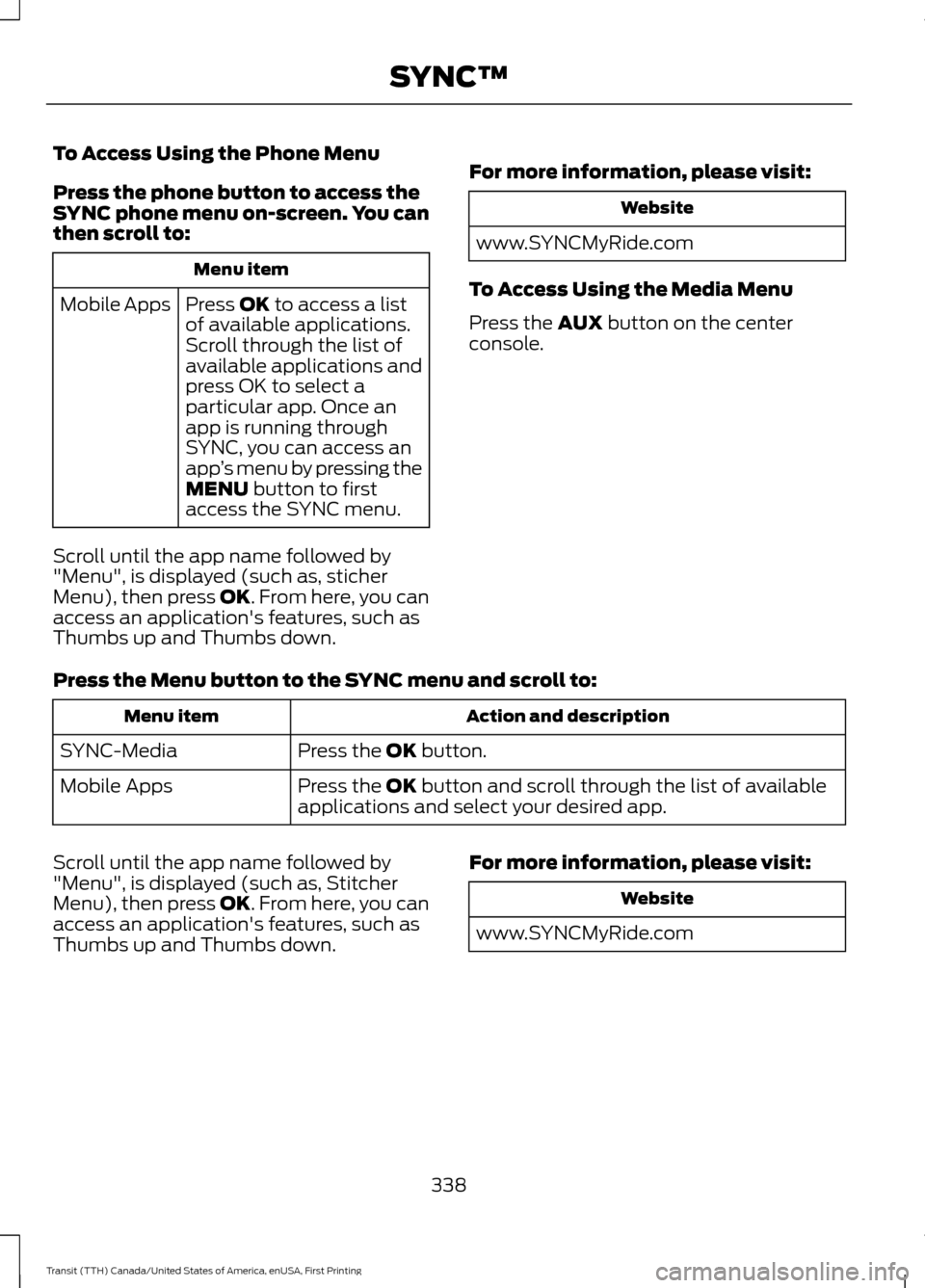
To Access Using the Phone Menu
Press the phone button to access the
SYNC phone menu on-screen. You can
then scroll to:
Menu item
Press OK to access a list
of available applications.
Mobile Apps
Scroll through the list of
available applications and
press OK to select a
particular app. Once an
app is running through
SYNC, you can access an
app’s menu by pressing the
MENU
button to first
access the SYNC menu.
Scroll until the app name followed by
"Menu", is displayed (such as, sticher
Menu), then press
OK. From here, you can
access an application's features, such as
Thumbs up and Thumbs down. For more information, please visit: Website
www.SYNCMyRide.com
To Access Using the Media Menu
Press the
AUX button on the center
console.
Press the Menu button to the SYNC menu and scroll to: Action and description
Menu item
Press the
OK button.
SYNC-Media
Press the
OK button and scroll through the list of available
applications and select your desired app.
Mobile Apps
Scroll until the app name followed by
"Menu", is displayed (such as, Stitcher
Menu), then press
OK. From here, you can
access an application's features, such as
Thumbs up and Thumbs down. For more information, please visit: Website
www.SYNCMyRide.com
338
Transit (TTH) Canada/United States of America, enUSA, First Printing SYNC™
Page 343 of 411
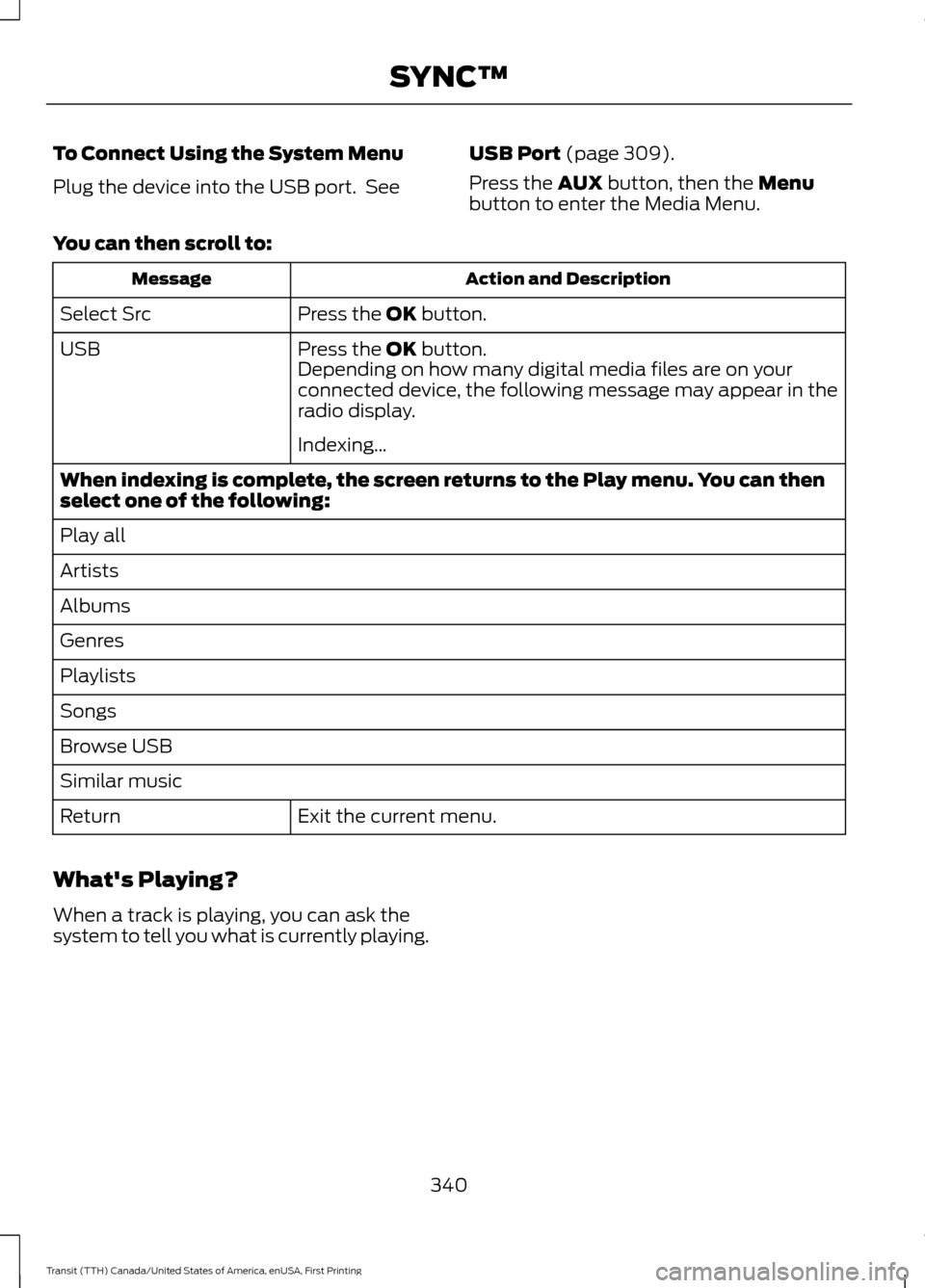
To Connect Using the System Menu
Plug the device into the USB port. See
USB Port (page 309).
Press the
AUX button, then the Menu
button to enter the Media Menu.
You can then scroll to: Action and Description
Message
Press the
OK button.
Select Src
Press the
OK button.
USB
Depending on how many digital media files are on your
connected device, the following message may appear in the
radio display.
Indexing…
When indexing is complete, the screen returns to the Play menu. You can then
select one of the following:
Play all
Artists
Albums
Genres
Playlists
Songs
Browse USB
Similar music Exit the current menu.
Return
What's Playing?
When a track is playing, you can ask the
system to tell you what is currently playing.
340
Transit (TTH) Canada/United States of America, enUSA, First Printing SYNC™