radio FORD TRANSIT 2016 5.G Owner's Manual
[x] Cancel search | Manufacturer: FORD, Model Year: 2016, Model line: TRANSIT, Model: FORD TRANSIT 2016 5.GPages: 411, PDF Size: 5.65 MB
Page 319 of 411
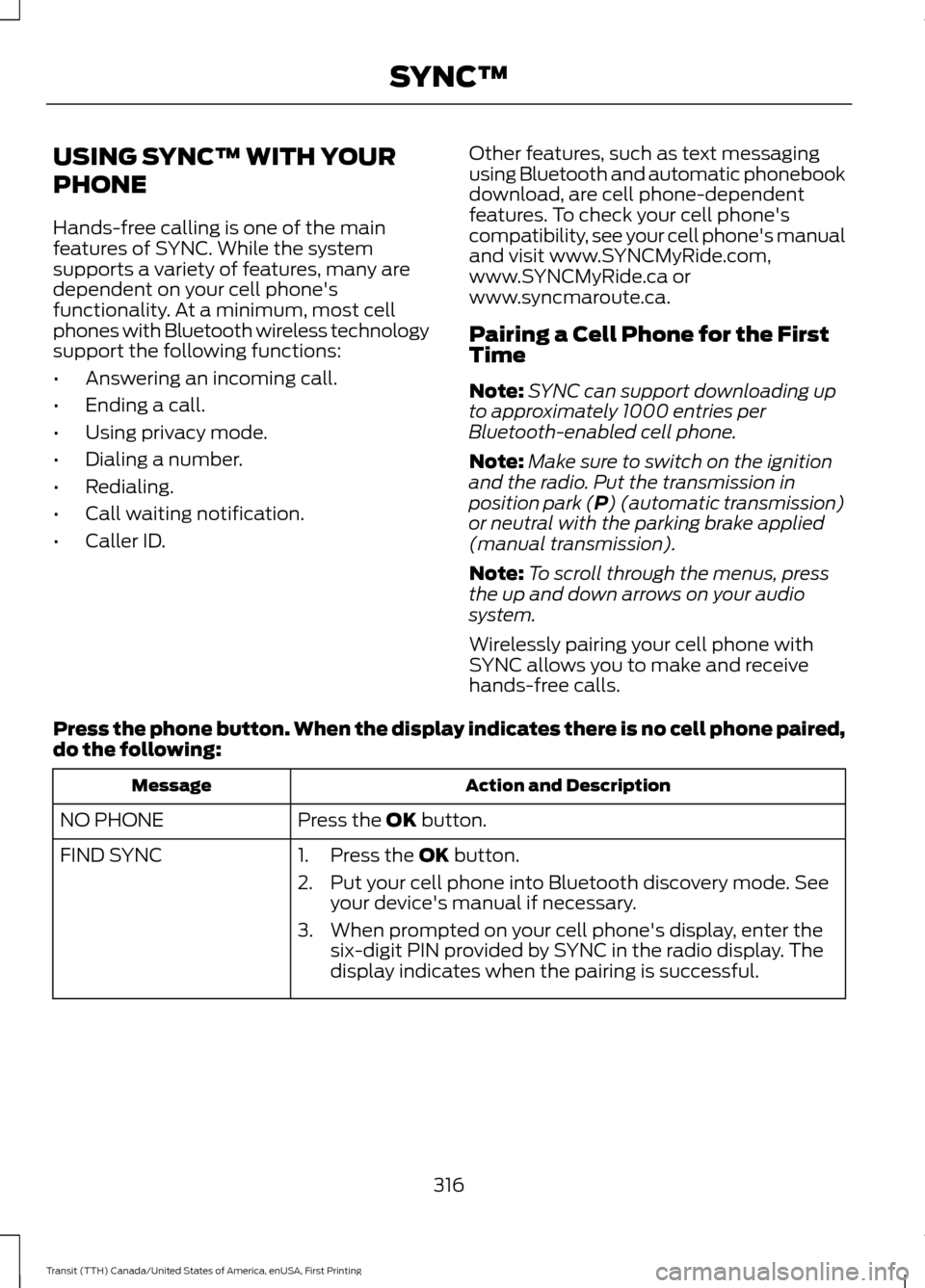
USING SYNC™ WITH YOUR
PHONE
Hands-free calling is one of the main
features of SYNC. While the system
supports a variety of features, many are
dependent on your cell phone's
functionality. At a minimum, most cell
phones with Bluetooth wireless technology
support the following functions:
•
Answering an incoming call.
• Ending a call.
• Using privacy mode.
• Dialing a number.
• Redialing.
• Call waiting notification.
• Caller ID. Other features, such as text messaging
using Bluetooth and automatic phonebook
download, are cell phone-dependent
features. To check your cell phone's
compatibility, see your cell phone's manual
and visit www.SYNCMyRide.com,
www.SYNCMyRide.ca or
www.syncmaroute.ca.
Pairing a Cell Phone for the First
Time
Note:
SYNC can support downloading up
to approximately 1000 entries per
Bluetooth-enabled cell phone.
Note: Make sure to switch on the ignition
and the radio. Put the transmission in
position park (P) (automatic transmission)
or neutral with the parking brake applied
(manual transmission).
Note: To scroll through the menus, press
the up and down arrows on your audio
system.
Wirelessly pairing your cell phone with
SYNC allows you to make and receive
hands-free calls.
Press the phone button. When the display indicates there is no cell phone paired,
do the following: Action and Description
Message
Press the
OK button.
NO PHONE
FIND SYNC 1. Press the
OK button.
2. Put your cell phone into Bluetooth discovery mode. See your device's manual if necessary.
3. When prompted on your cell phone's display, enter the six-digit PIN provided by SYNC in the radio display. The
display indicates when the pairing is successful.
316
Transit (TTH) Canada/United States of America, enUSA, First Printing SYNC™
Page 320 of 411
Depending on your cell phone's capability
and your market, the system may prompt
you with questions, such as setting the
current cell phone as the primary cell
phone (the cell phone SYNC automatically
tries to connect with first upon vehicle
start-up) and downloading your
phonebook.
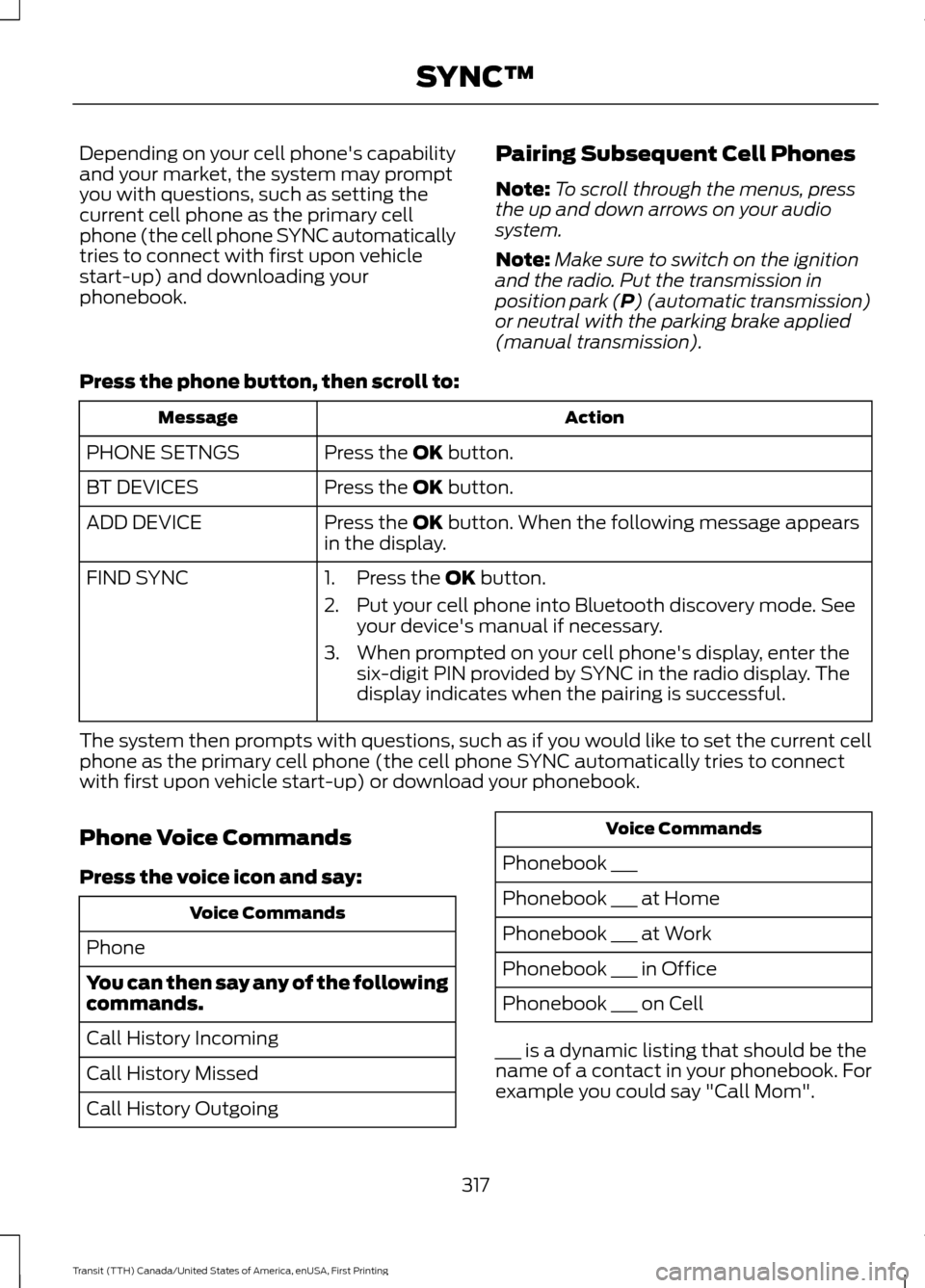
Pairing Subsequent Cell Phones
Note:
To scroll through the menus, press
the up and down arrows on your audio
system.
Note: Make sure to switch on the ignition
and the radio. Put the transmission in
position park (P) (automatic transmission)
or neutral with the parking brake applied
(manual transmission).
Press the phone button, then scroll to: Action
Message
Press the
OK button.
PHONE SETNGS
Press the
OK button.
BT DEVICES
Press the
OK button. When the following message appears
in the display.
ADD DEVICE
FIND SYNC
1. Press the
OK button.
2. Put your cell phone into Bluetooth discovery mode. See your device's manual if necessary.
3. When prompted on your cell phone's display, enter the six-digit PIN provided by SYNC in the radio display. The
display indicates when the pairing is successful.
The system then prompts with questions, such as if you would like to set the current cell
phone as the primary cell phone (the cell phone SYNC automatically tries to connect
with first upon vehicle start-up) or download your phonebook.
Phone Voice Commands
Press the voice icon and say: Voice Commands
Phone
You can then say any of the following
commands.
Call History Incoming
Call History Missed
Call History Outgoing Voice Commands
Phonebook ___
Phonebook ___ at Home
Phonebook ___ at Work
Phonebook ___ in Office
Phonebook ___ on Cell
___ is a dynamic listing that should be the
name of a contact in your phonebook. For
example you could say "Call Mom".
317
Transit (TTH) Canada/United States of America, enUSA, First Printing SYNC™
Page 331 of 411
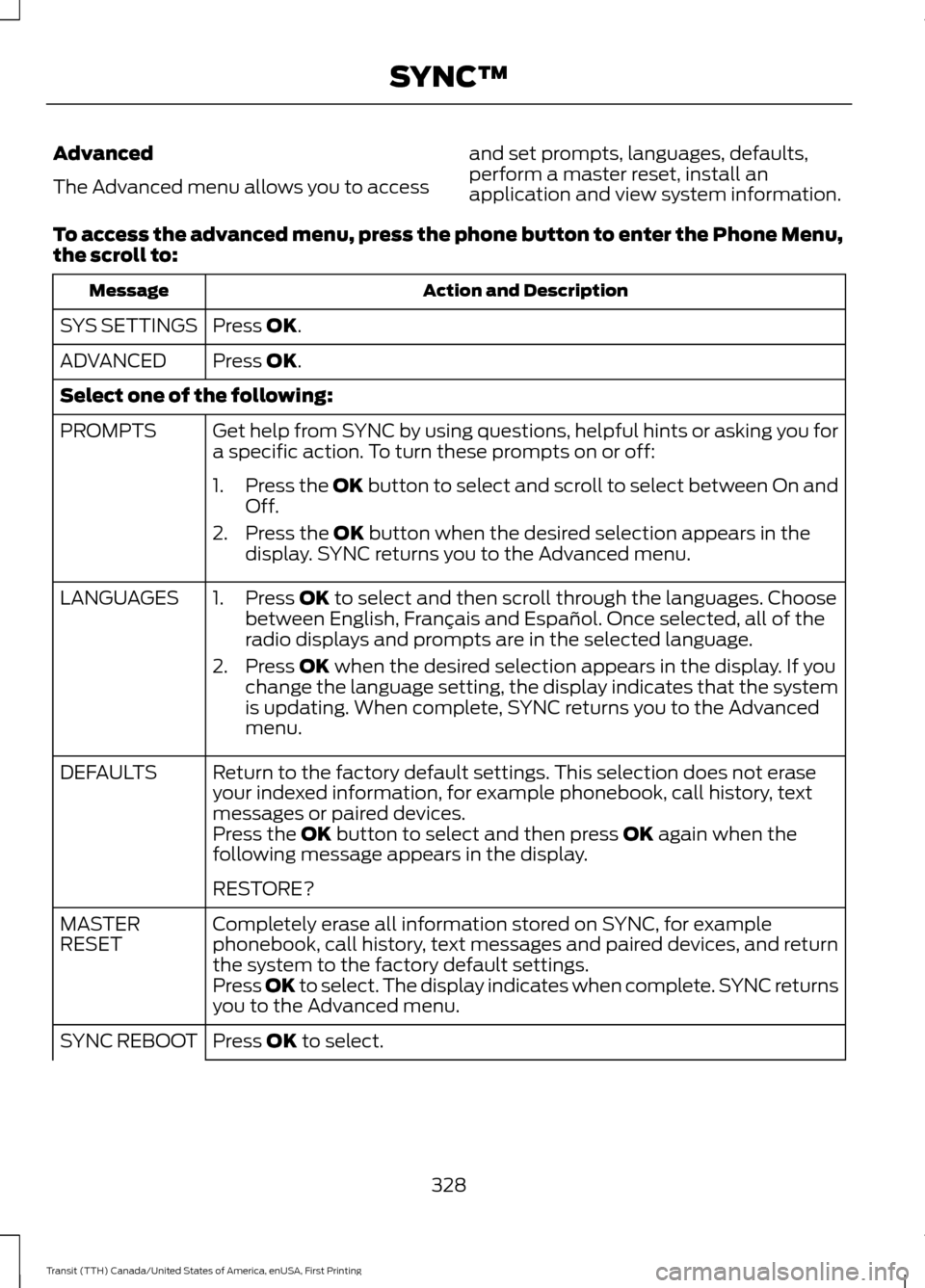
Advanced
The Advanced menu allows you to access
and set prompts, languages, defaults,
perform a master reset, install an
application and view system information.
To access the advanced menu, press the phone button to enter the Phone Menu,
the scroll to: Action and Description
Message
Press OK.
SYS SETTINGS
Press
OK.
ADVANCED
Select one of the following:
Get help from SYNC by using questions, helpful hints or asking you for
a specific action. To turn these prompts on or off:
PROMPTS
1.Press the
OK button to select and scroll to select between On and
Off.
2. Press the
OK button when the desired selection appears in the
display. SYNC returns you to the Advanced menu.
1. Press
OK to select and then scroll through the languages. Choose
between English, Français and Español. Once selected, all of the
radio displays and prompts are in the selected language.
2. Press
OK when the desired selection appears in the display. If you
change the language setting, the display indicates that the system
is updating. When complete, SYNC returns you to the Advanced
menu.
LANGUAGES
Return to the factory default settings. This selection does not erase
your indexed information, for example phonebook, call history, text
messages or paired devices.
DEFAULTS
Press the
OK button to select and then press OK again when the
following message appears in the display.
RESTORE?
Completely erase all information stored on SYNC, for example
phonebook, call history, text messages and paired devices, and return
the system to the factory default settings.
MASTER
RESET
Press OK to select. The display indicates when complete. SYNC returns
you to the Advanced menu.
Press
OK to select.
SYNC REBOOT
328
Transit (TTH) Canada/United States of America, enUSA, First Printing SYNC™
Page 333 of 411
Note:
Before setting this feature on, make
sure that you read the 911 Assist Privacy
Notice later in this section for important
information.
Note: If any user turns 911 Assist on or off,
that setting applies for all paired phones. If
911 Assist is turned off, either a voice
message plays or a display message (or
icon) comes on (or both) when your vehicle
is started after a previously paired phone
connects.
Note: Every phone operates differently.
While SYNC 911 Assist works with most
cellular phones, some may have trouble
using this feature. If a crash deploys an airbag (excluding
knee airbags and rear inflatable safety
belts [if equipped]) or activates the fuel
pump shut-off, your SYNC-equipped
vehicle may be able to contact emergency
services by dialing 911 through a paired and
connected Bluetooth-enabled phone. You
can learn more about the 911 Assist
feature, visit www.SYNCMyRide.com,
www.SYNCMyRide.ca or
www.syncmaroute.ca.
See Supplementary Restraints System
(page 36). Important information about
airbag deployment is in this chapter.
See
Roadside Emergencies (page 181).
Important information about the fuel pump
shut-off is in this chapter.
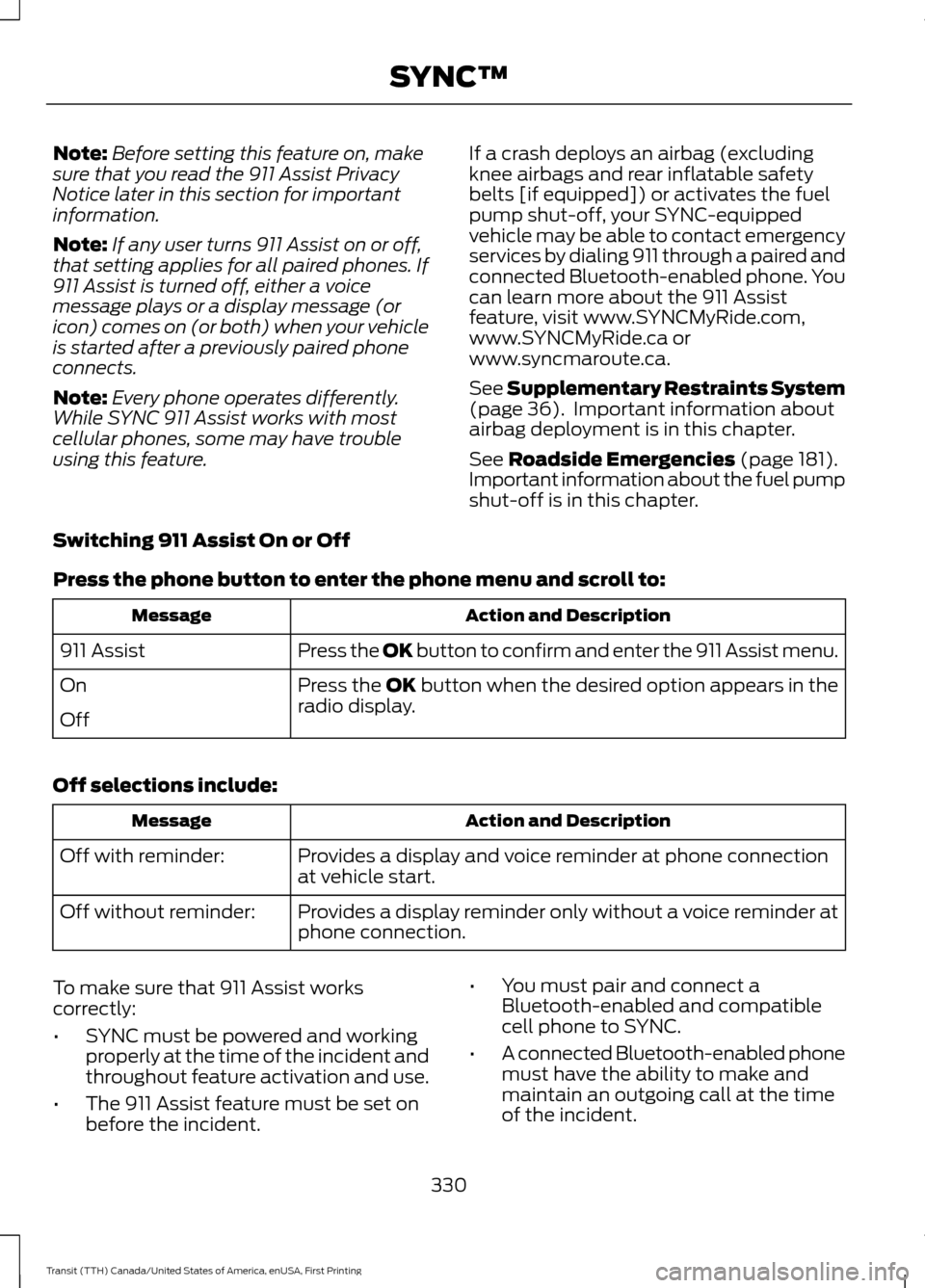
Switching 911 Assist On or Off
Press the phone button to enter the phone menu and scroll to: Action and Description
Message
Press the OK button to confirm and enter the 911 Assist menu.
911 Assist
Press the OK button when the desired option appears in the
radio display.
On
Off
Off selections include: Action and Description
Message
Provides a display and voice reminder at phone connection
at vehicle start.
Off with reminder:
Provides a display reminder only without a voice reminder at
phone connection.
Off without reminder:
To make sure that 911 Assist works
correctly:
• SYNC must be powered and working
properly at the time of the incident and
throughout feature activation and use.
• The 911 Assist feature must be set on
before the incident. •
You must pair and connect a
Bluetooth-enabled and compatible
cell phone to SYNC.
• A connected Bluetooth-enabled phone
must have the ability to make and
maintain an outgoing call at the time
of the incident.
330
Transit (TTH) Canada/United States of America, enUSA, First Printing SYNC™
Page 343 of 411
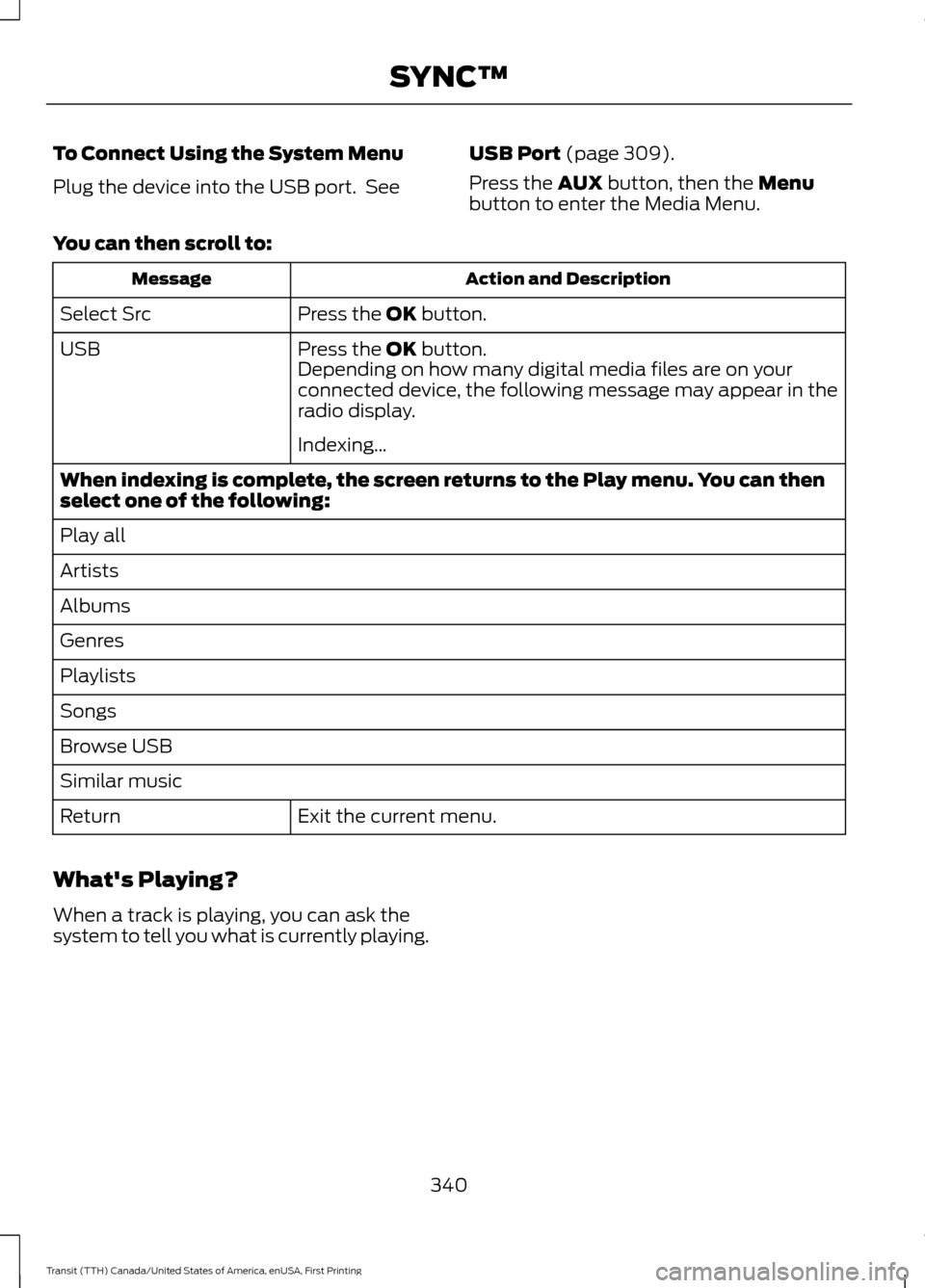
To Connect Using the System Menu
Plug the device into the USB port. See
USB Port (page 309).
Press the
AUX button, then the Menu
button to enter the Media Menu.
You can then scroll to: Action and Description
Message
Press the
OK button.
Select Src
Press the
OK button.
USB
Depending on how many digital media files are on your
connected device, the following message may appear in the
radio display.
Indexing…
When indexing is complete, the screen returns to the Play menu. You can then
select one of the following:
Play all
Artists
Albums
Genres
Playlists
Songs
Browse USB
Similar music Exit the current menu.
Return
What's Playing?
When a track is playing, you can ask the
system to tell you what is currently playing.
340
Transit (TTH) Canada/United States of America, enUSA, First Printing SYNC™
Page 362 of 411
•
When adding accessories, equipment,
passengers and luggage to your
vehicle, do not exceed the total weight
capacity of the vehicle or of the front
or rear axle (GVWR or GAWR as
indicated on the Safety Compliance
Certification label). Ask an authorized
dealer for specific weight information.
• The Federal Communications
Commission (FCC) and Canadian
Radio Telecommunications
Commission (CRTC) regulate the use
of mobile communications systems
that are equipped with radio
transmitters, for example, two-way
radios, telephones and theft alarms.
Any such equipment installed in your
vehicle should comply with Federal
Communications Commission (FCC)
and Canadian Radio
Telecommunications Commission
(CRTC) regulations and should be
installed only by an authorized dealer.
• Mobile communications systems may
harm the operation of your vehicle,
particularly if they are not properly
designed for automotive use.
• If you or an authorized Ford dealer add
any non-Ford electrical or electronic
accessories or components to your
vehicle, you may adversely affect
battery performance and durability,
and may adversely affect the
performance of other electrical
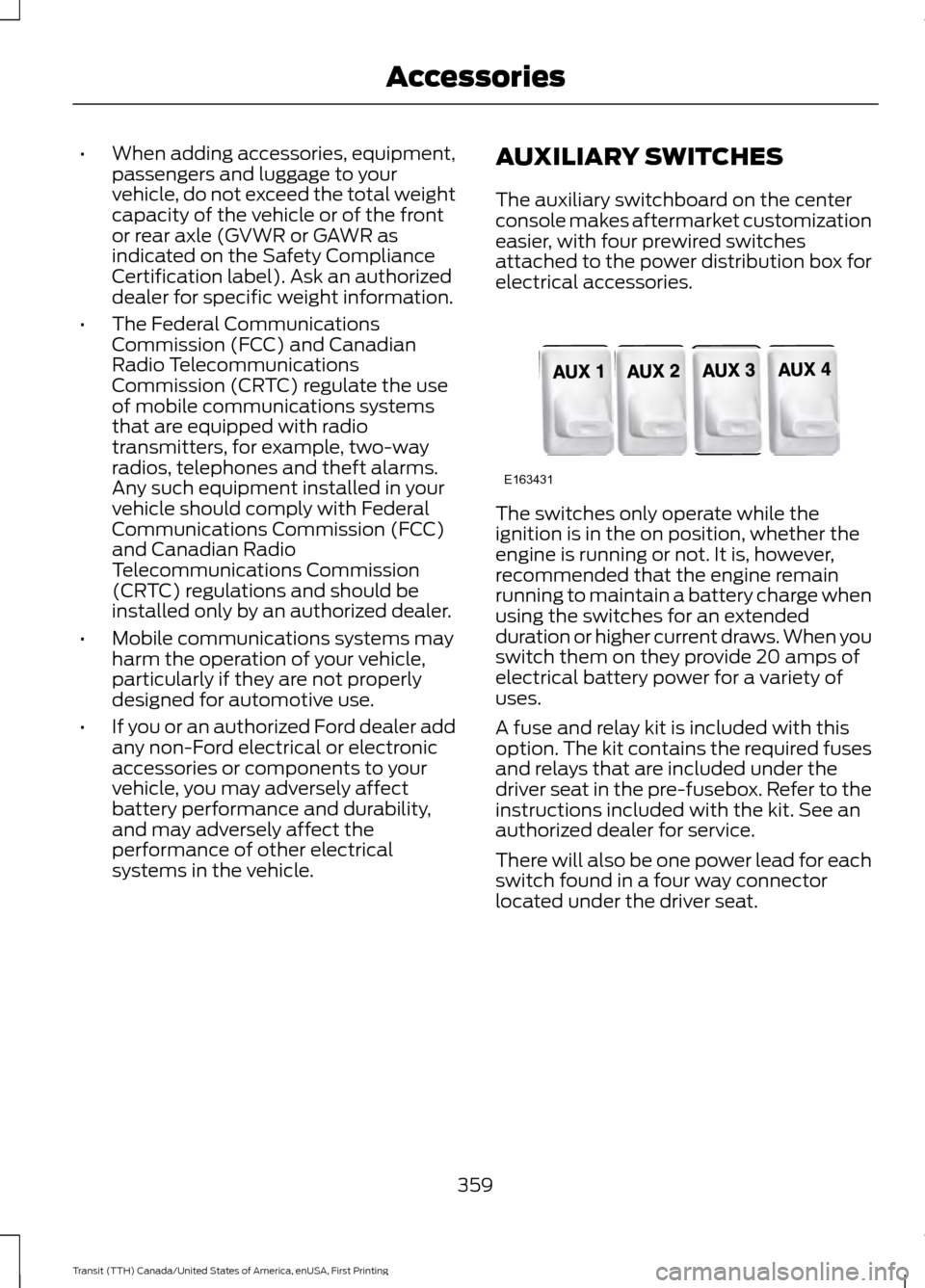
systems in the vehicle. AUXILIARY SWITCHES
The auxiliary switchboard on the center
console makes aftermarket customization
easier, with four prewired switches
attached to the power distribution box for
electrical accessories. The switches only operate while the
ignition is in the on position, whether the
engine is running or not. It is, however,
recommended that the engine remain
running to maintain a battery charge when
using the switches for an extended
duration or higher current draws. When you
switch them on they provide 20 amps of
electrical battery power for a variety of
uses.
A fuse and relay kit is included with this
option. The kit contains the required fuses
and relays that are included under the
driver seat in the pre-fusebox. Refer to the
instructions included with the kit. See an
authorized dealer for service.
There will also be one power lead for each
switch found in a four way connector
located under the driver seat.
359
Transit (TTH) Canada/United States of America, enUSA, First Printing AccessoriesE163431
Page 400 of 411
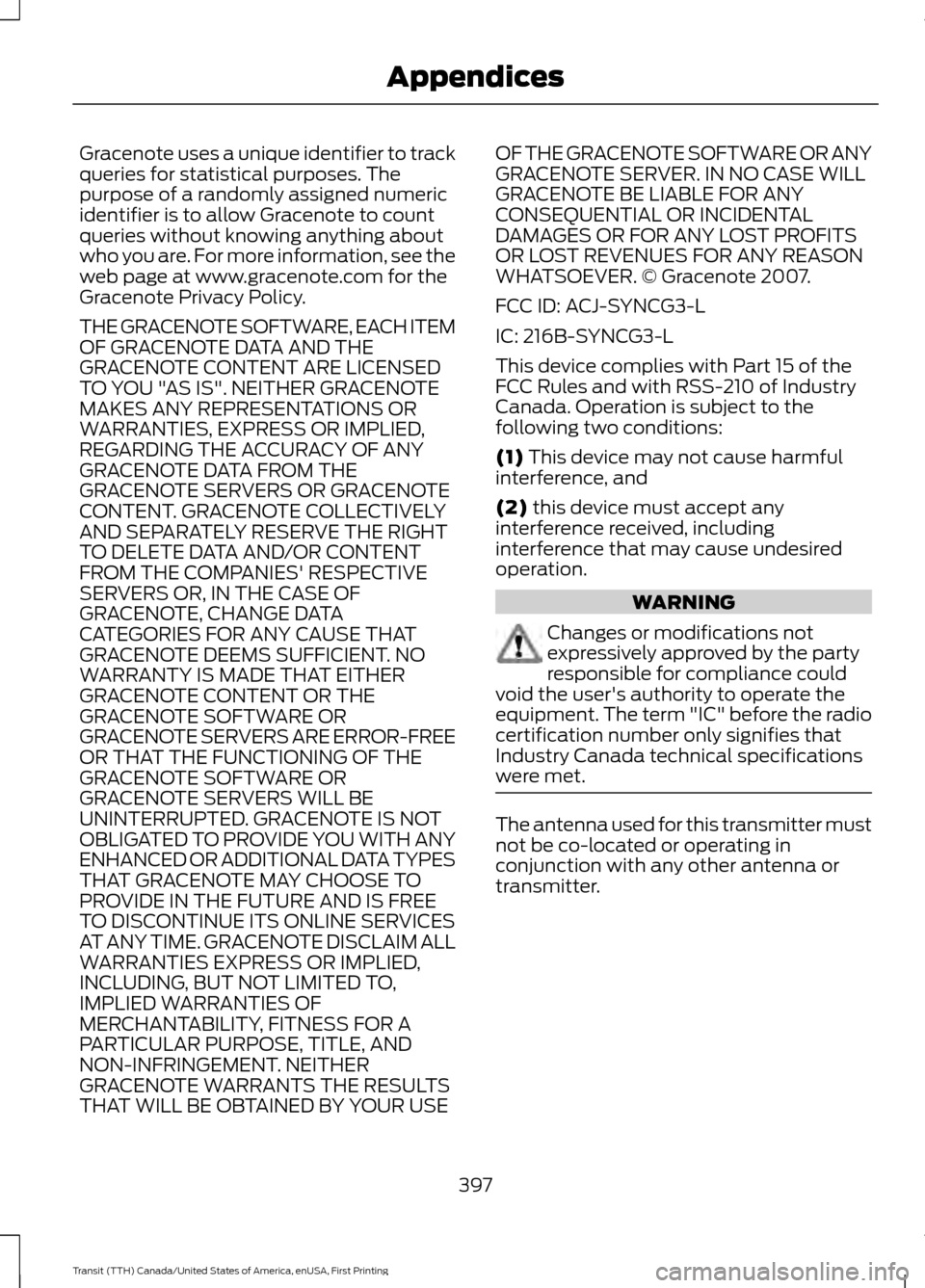
Gracenote uses a unique identifier to track
queries for statistical purposes. The
purpose of a randomly assigned numeric
identifier is to allow Gracenote to count
queries without knowing anything about
who you are. For more information, see the
web page at www.gracenote.com for the
Gracenote Privacy Policy.
THE GRACENOTE SOFTWARE, EACH ITEM
OF GRACENOTE DATA AND THE
GRACENOTE CONTENT ARE LICENSED
TO YOU "AS IS". NEITHER GRACENOTE
MAKES ANY REPRESENTATIONS OR
WARRANTIES, EXPRESS OR IMPLIED,
REGARDING THE ACCURACY OF ANY
GRACENOTE DATA FROM THE
GRACENOTE SERVERS OR GRACENOTE
CONTENT. GRACENOTE COLLECTIVELY
AND SEPARATELY RESERVE THE RIGHT
TO DELETE DATA AND/OR CONTENT
FROM THE COMPANIES' RESPECTIVE
SERVERS OR, IN THE CASE OF
GRACENOTE, CHANGE DATA
CATEGORIES FOR ANY CAUSE THAT
GRACENOTE DEEMS SUFFICIENT. NO
WARRANTY IS MADE THAT EITHER
GRACENOTE CONTENT OR THE
GRACENOTE SOFTWARE OR
GRACENOTE SERVERS ARE ERROR-FREE
OR THAT THE FUNCTIONING OF THE
GRACENOTE SOFTWARE OR
GRACENOTE SERVERS WILL BE
UNINTERRUPTED. GRACENOTE IS NOT
OBLIGATED TO PROVIDE YOU WITH ANY
ENHANCED OR ADDITIONAL DATA TYPES
THAT GRACENOTE MAY CHOOSE TO
PROVIDE IN THE FUTURE AND IS FREE
TO DISCONTINUE ITS ONLINE SERVICES
AT ANY TIME. GRACENOTE DISCLAIM ALL
WARRANTIES EXPRESS OR IMPLIED,
INCLUDING, BUT NOT LIMITED TO,
IMPLIED WARRANTIES OF
MERCHANTABILITY, FITNESS FOR A
PARTICULAR PURPOSE, TITLE, AND
NON-INFRINGEMENT. NEITHER
GRACENOTE WARRANTS THE RESULTS
THAT WILL BE OBTAINED BY YOUR USE
OF THE GRACENOTE SOFTWARE OR ANY
GRACENOTE SERVER. IN NO CASE WILL
GRACENOTE BE LIABLE FOR ANY
CONSEQUENTIAL OR INCIDENTAL
DAMAGES OR FOR ANY LOST PROFITS
OR LOST REVENUES FOR ANY REASON
WHATSOEVER. © Gracenote 2007.
FCC ID: ACJ-SYNCG3-L
IC: 216B-SYNCG3-L
This device complies with Part 15 of the
FCC Rules and with RSS-210 of Industry
Canada. Operation is subject to the
following two conditions:
(1) This device may not cause harmful
interference, and
(2)
this device must accept any
interference received, including
interference that may cause undesired
operation. WARNING
Changes or modifications not
expressively approved by the party
responsible for compliance could
void the user's authority to operate the
equipment. The term "IC" before the radio
certification number only signifies that
Industry Canada technical specifications
were met. The antenna used for this transmitter must
not be co-located or operating in
conjunction with any other antenna or
transmitter.
397
Transit (TTH) Canada/United States of America, enUSA, First Printing Appendices
Page 402 of 411
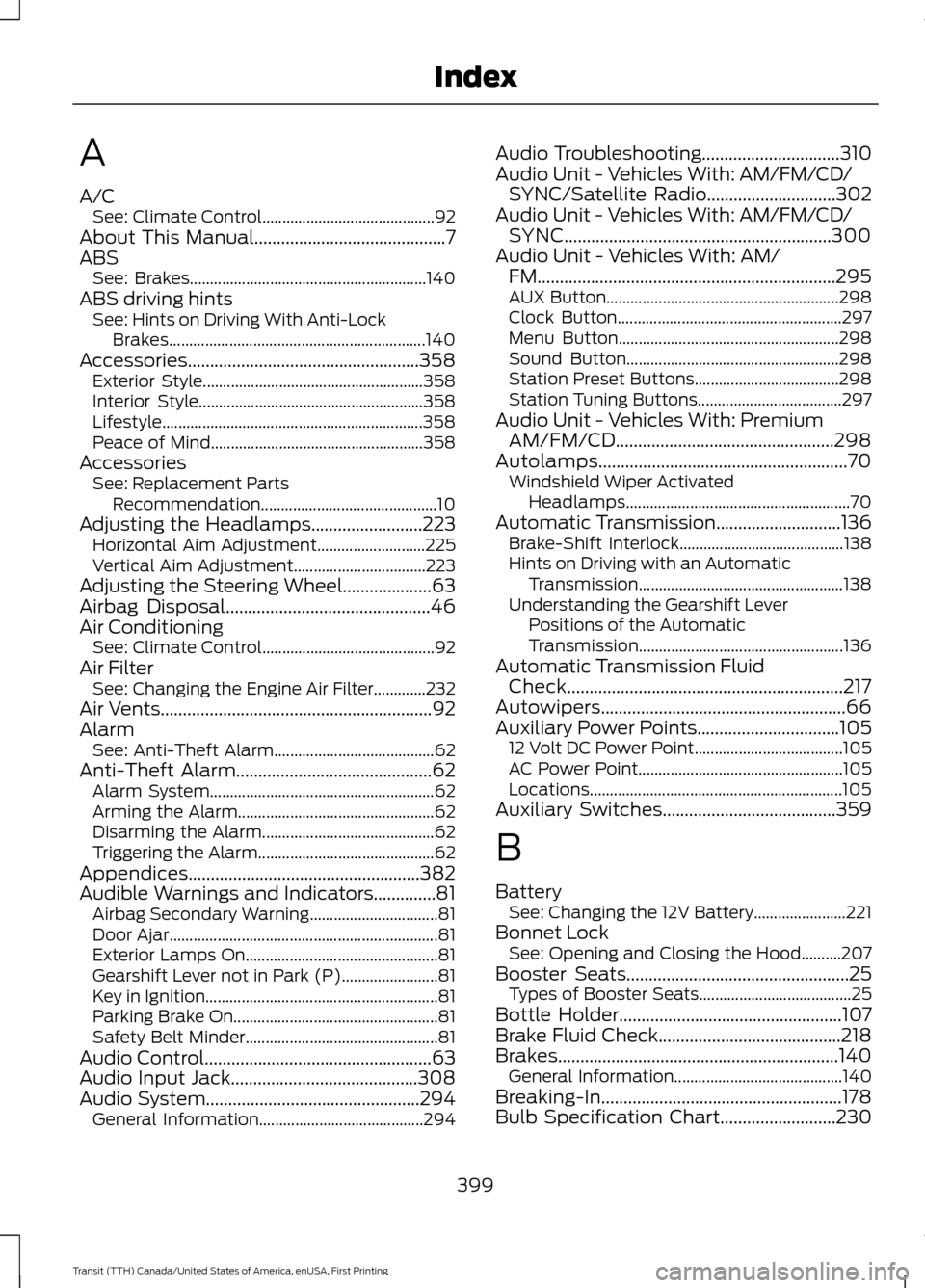
A
A/C
See: Climate Control........................................... 92
About This Manual...........................................7
ABS See: Brakes........................................................... 140
ABS driving hints See: Hints on Driving With Anti-Lock
Brakes................................................................ 140
Accessories....................................................358 Exterior Style....................................................... 358
Interior Style........................................................ 358
Lifestyle................................................................. 358
Peace of Mind..................................................... 358
Accessories See: Replacement Parts
Recommendation............................................ 10
Adjusting the Headlamps
.........................223
Horizontal Aim Adjustment........................... 225
Vertical Aim Adjustment................................. 223
Adjusting the Steering Wheel
....................63
Airbag Disposal..............................................46
Air Conditioning See: Climate Control........................................... 92
Air Filter See: Changing the Engine Air Filter.............232
Air Vents
.............................................................92
Alarm See: Anti-Theft Alarm........................................ 62
Anti-Theft Alarm............................................62 Alarm System........................................................ 62
Arming the Alarm................................................. 62
Disarming the Alarm........................................... 62
Triggering the Alarm............................................ 62
Appendices....................................................382
Audible Warnings and Indicators
..............81
Airbag Secondary Warning................................ 81
Door Ajar................................................................... 81
Exterior Lamps On................................................ 81
Gearshift Lever not in Park (P)........................ 81
Key in Ignition.......................................................... 81
Parking Brake On................................................... 81
Safety Belt Minder................................................ 81
Audio Control
...................................................63
Audio Input Jack..........................................308
Audio System
................................................294
General Information......................................... 294Audio Troubleshooting
...............................310
Audio Unit - Vehicles With: AM/FM/CD/ SYNC/Satellite Radio
.............................302
Audio Unit - Vehicles With: AM/FM/CD/ SYNC............................................................300
Audio Unit - Vehicles With: AM/ FM
...................................................................295
AUX Button.......................................................... 298
Clock Button........................................................ 297
Menu Button....................................................... 298
Sound Button..................................................... 298
Station Preset Buttons.................................... 298
Station Tuning Buttons.................................... 297
Audio Unit - Vehicles With: Premium AM/FM/CD.................................................298
Autolamps........................................................70 Windshield Wiper Activated
Headlamps........................................................ 70
Automatic Transmission............................136 Brake-Shift Interlock......................................... 138
Hints on Driving with an Automatic Transmission................................................... 138
Understanding the Gearshift Lever Positions of the Automatic
Transmission................................................... 136
Automatic Transmission Fluid Check..............................................................217
Autowipers.......................................................66
Auxiliary Power Points
................................105
12 Volt DC Power Point..................................... 105
AC Power Point................................................... 105
Locations............................................................... 105
Auxiliary Switches
.......................................359
B
Battery See: Changing the 12V Battery....................... 221
Bonnet Lock See: Opening and Closing the Hood..........207
Booster Seats..................................................25 Types of Booster Seats...................................... 25
Bottle Holder..................................................107
Brake Fluid Check.........................................218
Brakes...............................................................140 General Information.......................................... 140
Breaking-In......................................................178
Bulb Specification Chart
..........................230
399
Transit (TTH) Canada/United States of America, enUSA, First Printing Index
Page 403 of 411
C
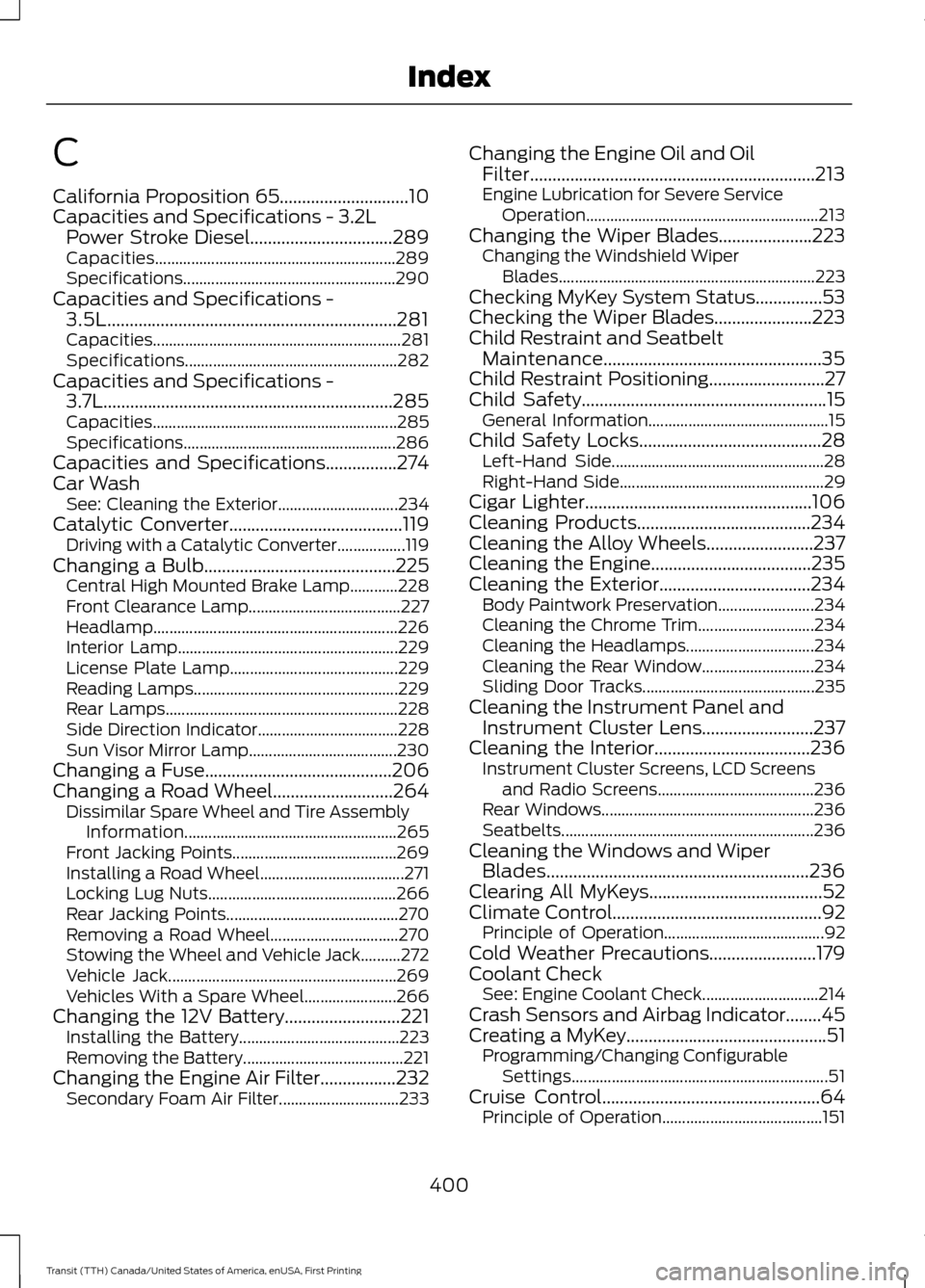
California Proposition 65.............................10
Capacities and Specifications - 3.2L
Power Stroke Diesel................................289
Capacities............................................................ 289
Specifications..................................................... 290
Capacities and Specifications - 3.5L.................................................................281
Capacities.............................................................. 281
Specifications..................................................... 282
Capacities and Specifications - 3.7L.................................................................285
Capacities............................................................. 285
Specifications..................................................... 286
Capacities and Specifications
................274
Car Wash See: Cleaning the Exterior.............................. 234
Catalytic Converter
.......................................119
Driving with a Catalytic Converter.................119
Changing a Bulb...........................................225 Central High Mounted Brake Lamp............228
Front Clearance Lamp...................................... 227
Headlamp............................................................. 226
Interior Lamp....................................................... 229
License Plate Lamp.......................................... 229
Reading Lamps................................................... 229
Rear Lamps.......................................................... 228
Side Direction Indicator................................... 228
Sun Visor Mirror Lamp..................................... 230
Changing a Fuse..........................................206
Changing a Road Wheel...........................264 Dissimilar Spare Wheel and Tire Assembly
Information..................................................... 265
Front Jacking Points......................................... 269
Installing a Road Wheel.................................... 271
Locking Lug Nuts............................................... 266
Rear Jacking Points........................................... 270
Removing a Road Wheel................................ 270
Stowing the Wheel and Vehicle Jack..........272
Vehicle Jack......................................................... 269
Vehicles With a Spare Wheel....................... 266
Changing the 12V Battery
..........................221
Installing the Battery........................................ 223
Removing the Battery........................................ 221
Changing the Engine Air Filter.................232 Secondary Foam Air Filter.............................. 233Changing the Engine Oil and Oil
Filter................................................................213
Engine Lubrication for Severe Service Operation.......................................................... 213
Changing the Wiper Blades.....................223 Changing the Windshield Wiper
Blades................................................................ 223
Checking MyKey System Status...............53
Checking the Wiper Blades......................223
Child Restraint and Seatbelt Maintenance.................................................35
Child Restraint Positioning
..........................27
Child Safety.......................................................15
General Information............................................. 15
Child Safety Locks.........................................28 Left-Hand Side..................................................... 28
Right-Hand Side................................................... 29
Cigar Lighter
...................................................106
Cleaning Products.......................................234
Cleaning the Alloy Wheels........................237
Cleaning the Engine....................................235
Cleaning the Exterior..................................234 Body Paintwork Preservation........................ 234
Cleaning the Chrome Trim............................. 234
Cleaning the Headlamps................................ 234
Cleaning the Rear Window............................ 234
Sliding Door Tracks........................................... 235
Cleaning the Instrument Panel and Instrument Cluster Lens.........................237
Cleaning the Interior...................................236 Instrument Cluster Screens, LCD Screens
and Radio Screens....................................... 236
Rear Windows..................................................... 236
Seatbelts............................................................... 236
Cleaning the Windows and Wiper Blades...........................................................236
Clearing All MyKeys.......................................52
Climate Control
...............................................92
Principle of Operation........................................ 92
Cold Weather Precautions
........................179
Coolant Check See: Engine Coolant Check............................. 214
Crash Sensors and Airbag Indicator
........45
Creating a MyKey.............................................51 Programming/Changing Configurable
Settings................................................................ 51
Cruise Control.................................................64 Principle of Operation........................................ 151
400
Transit (TTH) Canada/United States of America, enUSA, First Printing Index
Page 404 of 411
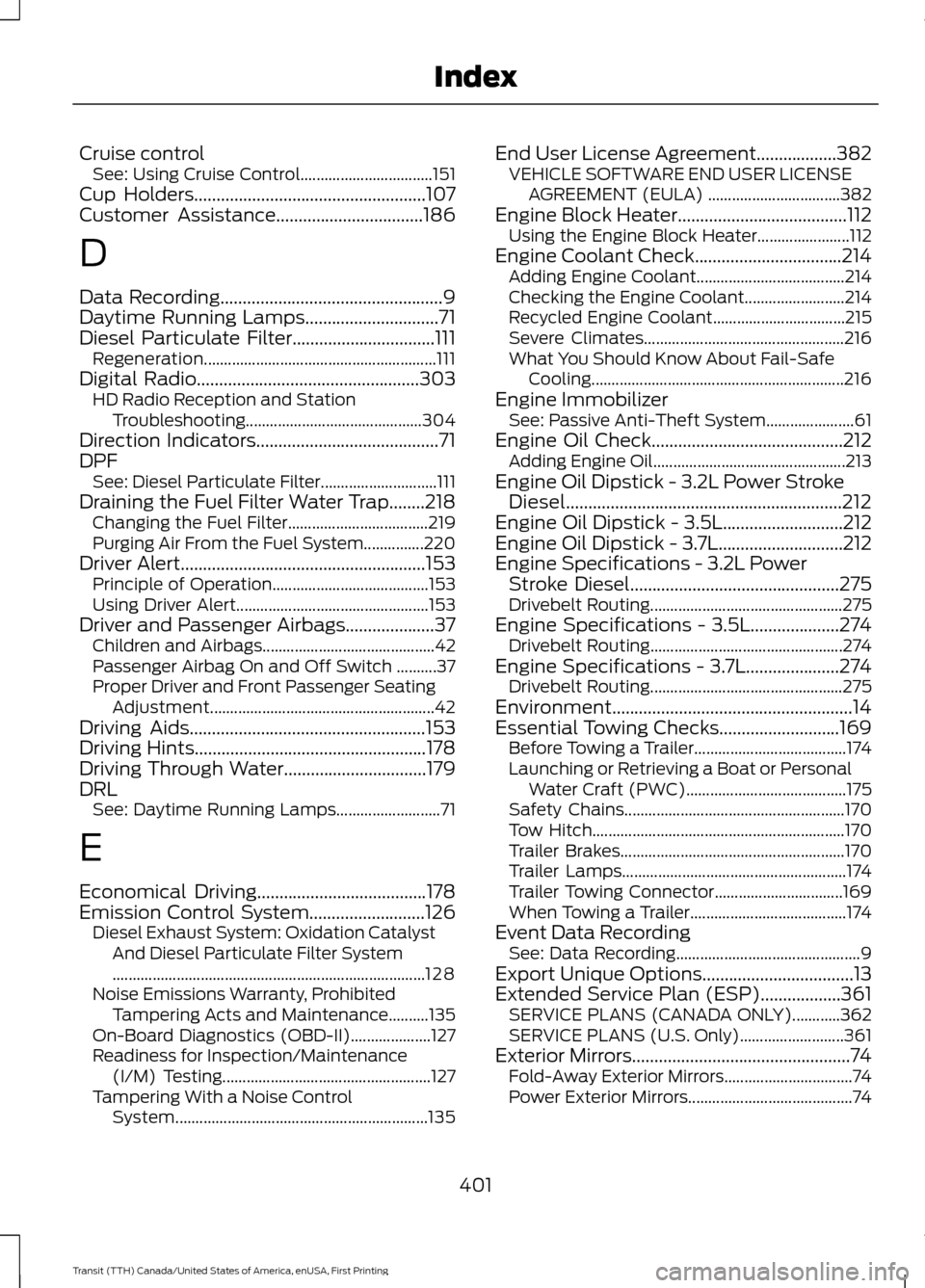
Cruise control
See: Using Cruise Control................................. 151
Cup Holders....................................................107
Customer Assistance.................................186
D
Data Recording
..................................................9
Daytime Running Lamps..............................71
Diesel Particulate Filter................................111 Regeneration.......................................................... 111
Digital Radio
..................................................303
HD Radio Reception and Station
Troubleshooting............................................ 304
Direction Indicators
.........................................71
DPF See: Diesel Particulate Filter............................. 111
Draining the Fuel Filter Water Trap........218 Changing the Fuel Filter................................... 219
Purging Air From the Fuel System...............220
Driver Alert
.......................................................153
Principle of Operation....................................... 153
Using Driver Alert................................................ 153
Driver and Passenger Airbags....................37 Children and Airbags........................................... 42
Passenger Airbag On and Off Switch ..........37
Proper Driver and Front Passenger Seating Adjustment........................................................ 42
Driving Aids
.....................................................153
Driving Hints....................................................178
Driving Through Water................................179
DRL See: Daytime Running Lamps.......................... 71
E
Economical Driving
......................................178
Emission Control System..........................126 Diesel Exhaust System: Oxidation Catalyst
And Diesel Particulate Filter System
........................................................................\
...... 128
Noise Emissions Warranty, Prohibited Tampering Acts and Maintenance..........135
On-Board Diagnostics (OBD-II).................... 127
Readiness for Inspection/Maintenance (I/M) Testing.................................................... 127
Tampering With a Noise Control System............................................................... 135End User License Agreement..................382
VEHICLE SOFTWARE END USER LICENSE
AGREEMENT (EULA) ................................. 382
Engine Block Heater......................................112 Using the Engine Block Heater....................... 112
Engine Coolant Check
.................................214
Adding Engine Coolant..................................... 214
Checking the Engine Coolant......................... 214
Recycled Engine Coolant................................. 215
Severe Climates.................................................. 216
What You Should Know About Fail-Safe Cooling............................................................... 216
Engine Immobilizer See: Passive Anti-Theft System...................... 61
Engine Oil Check...........................................212 Adding Engine Oil................................................ 213
Engine Oil Dipstick - 3.2L Power Stroke Diesel..............................................................212
Engine Oil Dipstick - 3.5L...........................212
Engine Oil Dipstick - 3.7L............................212
Engine Specifications - 3.2L Power Stroke Diesel
...............................................275
Drivebelt Routing................................................ 275
Engine Specifications - 3.5L....................274 Drivebelt Routing................................................ 274
Engine Specifications - 3.7L.....................274 Drivebelt Routing................................................ 275
Environment......................................................14
Essential Towing Checks...........................169 Before Towing a Trailer...................................... 174
Launching or Retrieving a Boat or Personal Water Craft (PWC)........................................ 175
Safety Chains....................................................... 170
Tow Hitch............................................................... 170
Trailer Brakes........................................................ 170
Trailer Lamps........................................................ 174
Trailer Towing Connector................................ 169
When Towing a Trailer....................................... 174
Event Data Recording See: Data Recording.............................................. 9
Export Unique Options..................................13
Extended Service Plan (ESP)..................361 SERVICE PLANS (CANADA ONLY)............362
SERVICE PLANS (U.S. Only).......................... 361
Exterior Mirrors
.................................................74
Fold-Away Exterior Mirrors................................ 74
Power Exterior Mirrors......................................... 74
401
Transit (TTH) Canada/United States of America, enUSA, First Printing Index