Battery FORD TRANSIT 2021 Owner's Manual
[x] Cancel search | Manufacturer: FORD, Model Year: 2021, Model line: TRANSIT, Model: FORD TRANSIT 2021Pages: 509, PDF Size: 8.21 MB
Page 134 of 509
Note:
We recommend that the seat is
unoccupied.
Swivel Seat Audible Warning
Sounds when the driver or passenger seat
is not locked into place, and the ignition is
on.
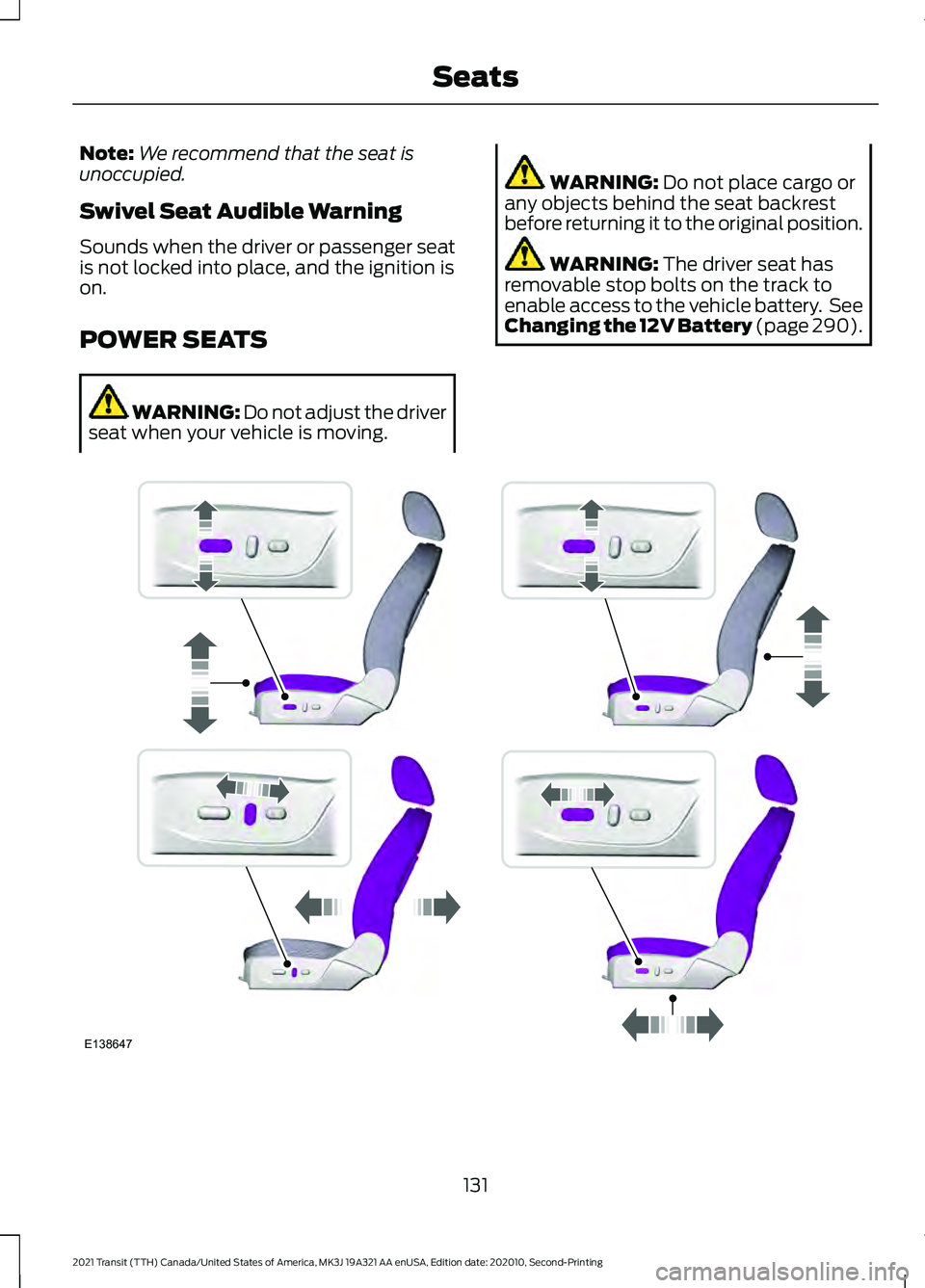
POWER SEATS WARNING: Do not adjust the driver
seat when your vehicle is moving. WARNING: Do not place cargo or
any objects behind the seat backrest
before returning it to the original position. WARNING:
The driver seat has
removable stop bolts on the track to
enable access to the vehicle battery. See
Changing the 12V Battery
(page 290). 131
2021 Transit (TTH) Canada/United States of America, MK3J 19A321 AA enUSA, Edition date: 202010, Second-Printing SeatsE138647
Page 141 of 509
WARNING: Do not plug optional
electrical accessories into the cigar
lighter socket. Incorrect use of the cigar
lighter can cause damage not covered
by the vehicle warranty, and can result
in fire or serious injury. WARNING:
Do not use a power
point for operating a cigar lighter.
Incorrect use of the power points can
cause damage not covered by the
vehicle warranty, and can result in fire or
serious injury.
Do not use the power point over the vehicle
capacity of 12 volt DC 180 watts or a fuse
may blow.
Note: Do not hang any accessory from the
accessory plug.
Note: Always keep the power point caps
closed when not in use.
Note: The power points turn off after 30
minutes when the ignition is switched off.
The power points could turn off earlier if the
vehicle battery charge level is low.
Run the vehicle for full capacity use of the
power point.
To prevent the battery from running out of
charge:
• Do not use the power point longer than
necessary when the vehicle is not
running.
• Do not leave devices plugged in
overnight or when you park your vehicle
for extended periods.
Power points may be in the following
locations:
• Inside the instrument panel storage
compartment.
• On the front of the center console.
• Inside the cargo area. 110 Volt - 150 Watt Capacity AC
Power Outlet WARNING:
Do not keep electrical
devices plugged in the power point
whenever the device is not in use. Do not
use any extension cord with the 110 volt
AC power point, since it will defeat the
safety protection design. Doing so may
cause the power point to overload due
to powering multiple devices that can
reach beyond the 150 watt load limit and
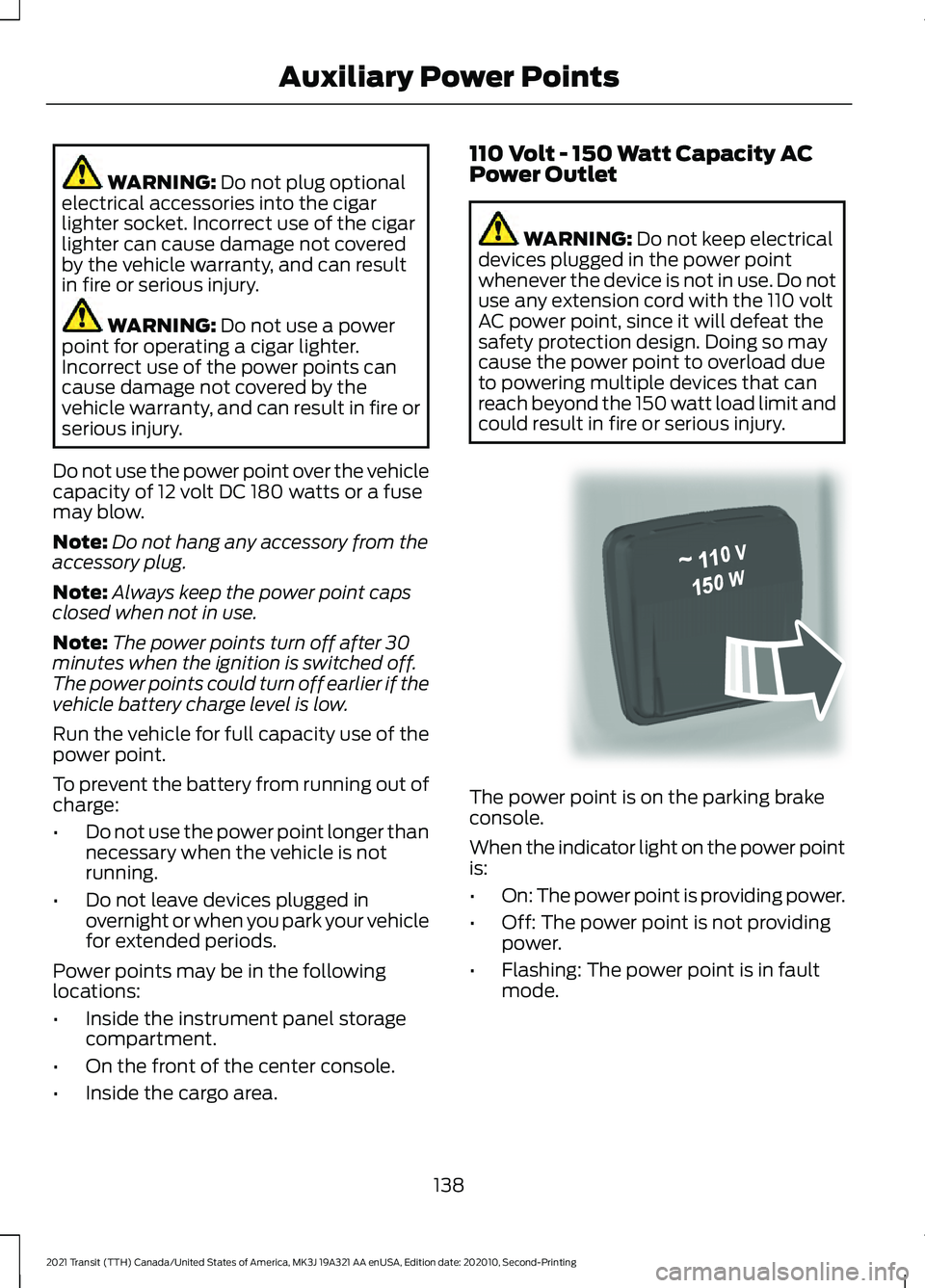
could result in fire or serious injury. The power point is on the parking brake
console.
When the indicator light on the power point
is:
•
On: The power point is providing power.
• Off: The power point is not providing
power.
• Flashing: The power point is in fault
mode.
138
2021 Transit (TTH) Canada/United States of America, MK3J 19A321 AA enUSA, Edition date: 202010, Second-Printing Auxiliary Power PointsE305821
Page 143 of 509
•
Measuring devices, which process
precise data, such as medical
equipment or measuring equipment.
• Other appliances requiring an
extremely stable power supply such as
microcomputer-controlled electric
blankets or touch-sensor lamps.
CIGAR LIGHTER WARNING: Do not plug optional
electrical accessories into the cigar
lighter socket. Incorrect use of the cigar
lighter can cause damage not covered
by the vehicle warranty, and can result
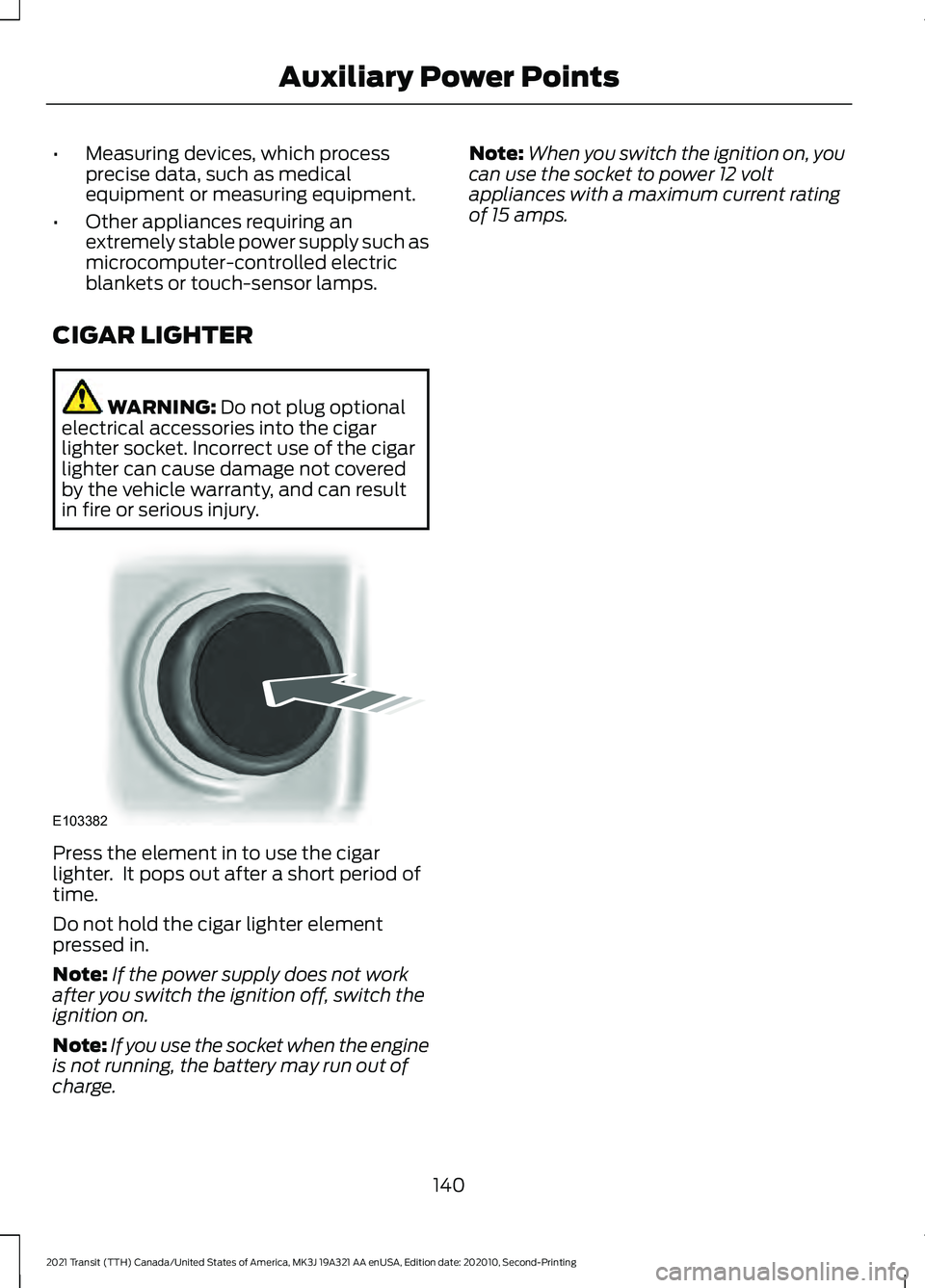
in fire or serious injury. Press the element in to use the cigar
lighter. It pops out after a short period of
time.
Do not hold the cigar lighter element
pressed in.
Note:
If the power supply does not work
after you switch the ignition off, switch the
ignition on.
Note: If you use the socket when the engine
is not running, the battery may run out of
charge. Note:
When you switch the ignition on, you
can use the socket to power 12 volt
appliances with a maximum current rating
of 15 amps.
140
2021 Transit (TTH) Canada/United States of America, MK3J 19A321 AA enUSA, Edition date: 202010, Second-Printing Auxiliary Power PointsE103382
Page 147 of 509
GENERAL INFORMATION
WARNING: Extended idling at high
engine speeds can produce very high
temperatures in the engine and exhaust
system, creating the risk of fire or other
damage. WARNING:
Do not park, idle or
drive your vehicle on dry grass or other
dry ground cover. The emission system
heats up the engine compartment and
exhaust system, creating the risk of fire. WARNING: Do not start the engine
in a closed garage or in other enclosed
areas. Exhaust fumes can be toxic.
Always open the garage door before you
start the engine. WARNING:
Exhaust leaks may
result in entry of harmful and potentially
lethal fumes into the passenger
compartment. If you smell exhaust
fumes inside your vehicle, have your
vehicle inspected immediately. Do not
drive if you smell exhaust fumes.
If you disconnect the battery, your vehicle
may exhibit some unusual driving
characteristics for approximately
5 mi
(8 km) after you reconnect it. This is
because the engine management system
must realign itself with the engine. You
can disregard any unusual driving
characteristics during this period.
The powertrain control system meets all
Canadian interference-causing equipment
standard requirements regulating the
impulse electrical field or radio noise.
When you start the engine, avoid pressing
the accelerator pedal before and during
operation. Only use the accelerator pedal
when you have difficulty starting the
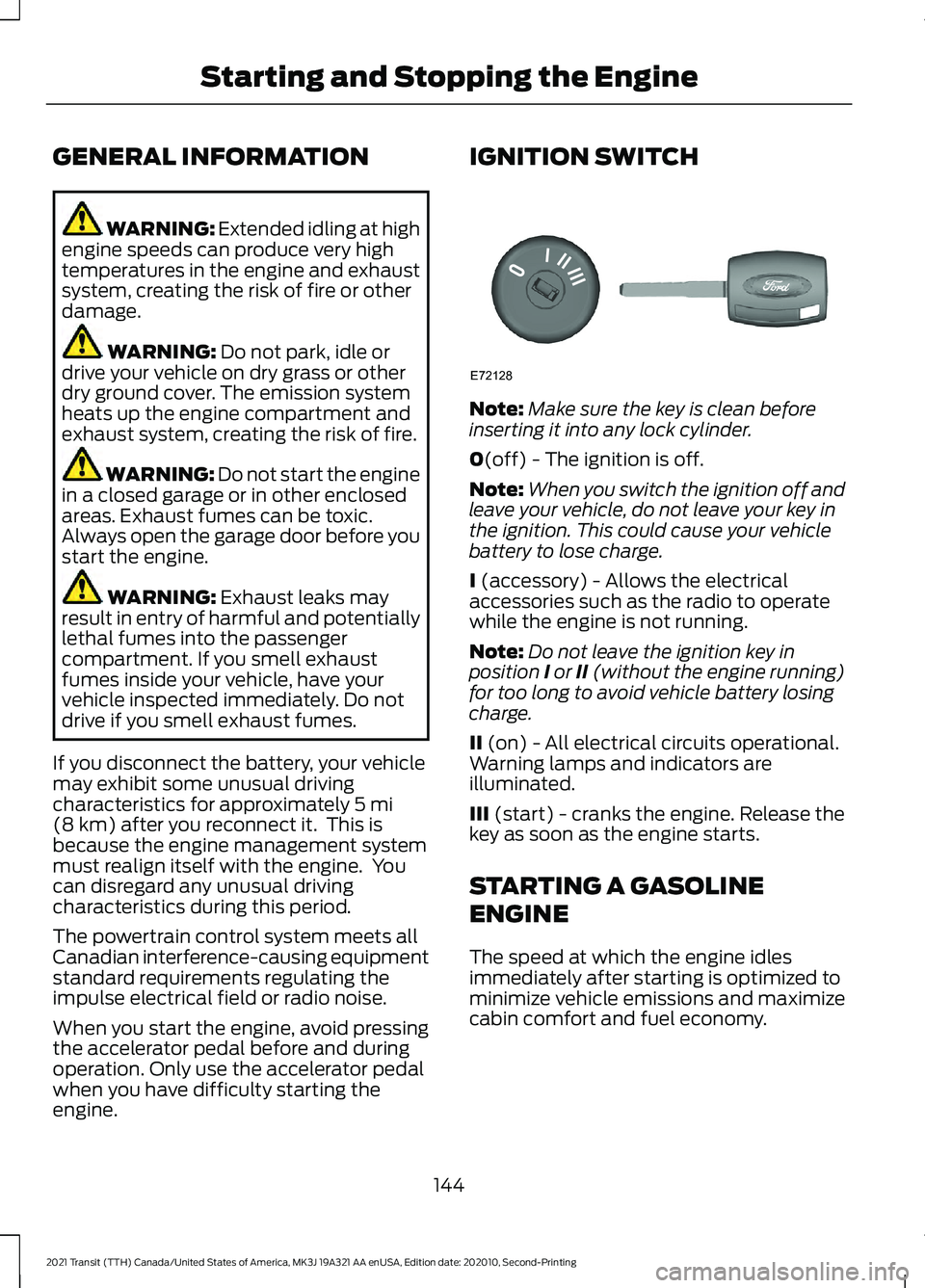
engine. IGNITION SWITCH
Note:
Make sure the key is clean before
inserting it into any lock cylinder.
0
(off) - The ignition is off.
Note: When you switch the ignition off and
leave your vehicle, do not leave your key in
the ignition. This could cause your vehicle
battery to lose charge.
I
(accessory) - Allows the electrical
accessories such as the radio to operate
while the engine is not running.
Note: Do not leave the ignition key in
position I or II (without the engine running)
for too long to avoid vehicle battery losing
charge.
II
(on) - All electrical circuits operational.
Warning lamps and indicators are
illuminated.
III
(start) - cranks the engine. Release the
key as soon as the engine starts.
STARTING A GASOLINE
ENGINE
The speed at which the engine idles
immediately after starting is optimized to
minimize vehicle emissions and maximize
cabin comfort and fuel economy.
144
2021 Transit (TTH) Canada/United States of America, MK3J 19A321 AA enUSA, Edition date: 202010, Second-Printing Starting and Stopping the EngineE72128
Page 153 of 509
AUTO-START-STOP –
FREQUENTLY ASKED QUESTIONS
Why does the engine not always
stop when I expect it to?
The system is designed to work in a way
that complements other vehicle systems,
allowing them to operate at optimum
performance.
The system does not stop the engine if:
•
The driver door is open.
• The driver seatbelt is unfastened.
• Your vehicle is at high altitude.
• The heated windshield is on.
• The transmission is in manual (M).
• Your vehicle is on a steep grade.
• The engine is warming up.
• The outside temperature is too low or
too high.
• The battery charge is low.
• The battery temperature is outside the
optimal operating range.
• The engine is required to run to
maintain interior climate and reduce
fogging.
Why does the engine sometimes
restart when I do not expect it to?
The system is designed to work in a way
that complements other vehicle systems,
allowing them to operate at optimum
performance.
The system restarts the engine if:
• You switch the heated windshield on.
• You switch maximum defrost on.
• Your vehicle starts to roll downhill in
neutral. •
The engine is required to run to
maintain adequate brake system
assistance.
• The engine is required to run to
maintain interior climate and reduce
fogging.
Can I permanently switch the
system off?
No. The system plays an important role in
reducing the fuel consumption and the CO 2
emissions.
Will the frequent engine starts
cause parts to wear out?
Your vehicle has an enhanced battery and
starter motor that are designed for the
increased number of engine starts.
150
2021 Transit (TTH) Canada/United States of America, MK3J 19A321 AA enUSA, Edition date: 202010, Second-Printing Auto-Start-Stop - 3.5L Ecoboost™
Page 165 of 509
Press the – button again to lock out gears
beginning with the highest gear. For
example, press the
– button twice to lock
out 10th and 9th gears.
Note: The instrument cluster only displays
the available gears and the transmission
automatically shifts between the available
gears.
Press the + button to unlock gears to allow
the transmission to shift to higher gears.
Note: The transmission automatically shifts
within the gear range you select.
Brake Shift Interlock WARNING:
Do not drive your
vehicle until you verify that the
stoplamps are working. WARNING:
When doing this
procedure, you need to take the
transmission out of park (P) which
means your vehicle can roll freely. To
avoid unwanted vehicle movement,
always fully apply the parking brake prior
to doing this procedure. Use wheels
chocks if appropriate. WARNING:
If the parking brake is
fully released, but the brake warning
lamp remains illuminated, the brakes
may not be working properly. Have your
vehicle checked as soon as possible.
Brake shift interlock prevents you from
shifting out of park (P) when you have
switched the ignition on and not pressed
the brake pedal.
Use the brake shift interlock lever to move
the selector lever out of park (P) if you
cannot start the engine.
In the event of an electrical malfunction,
it is possible that a fuse has blown or the
stoplamps are not working. See
Fuse
Specification Chart (page 264). If the vehicle battery has no charge, jump
start your vehicle. See Jump Starting the
Vehicle
(page 251).
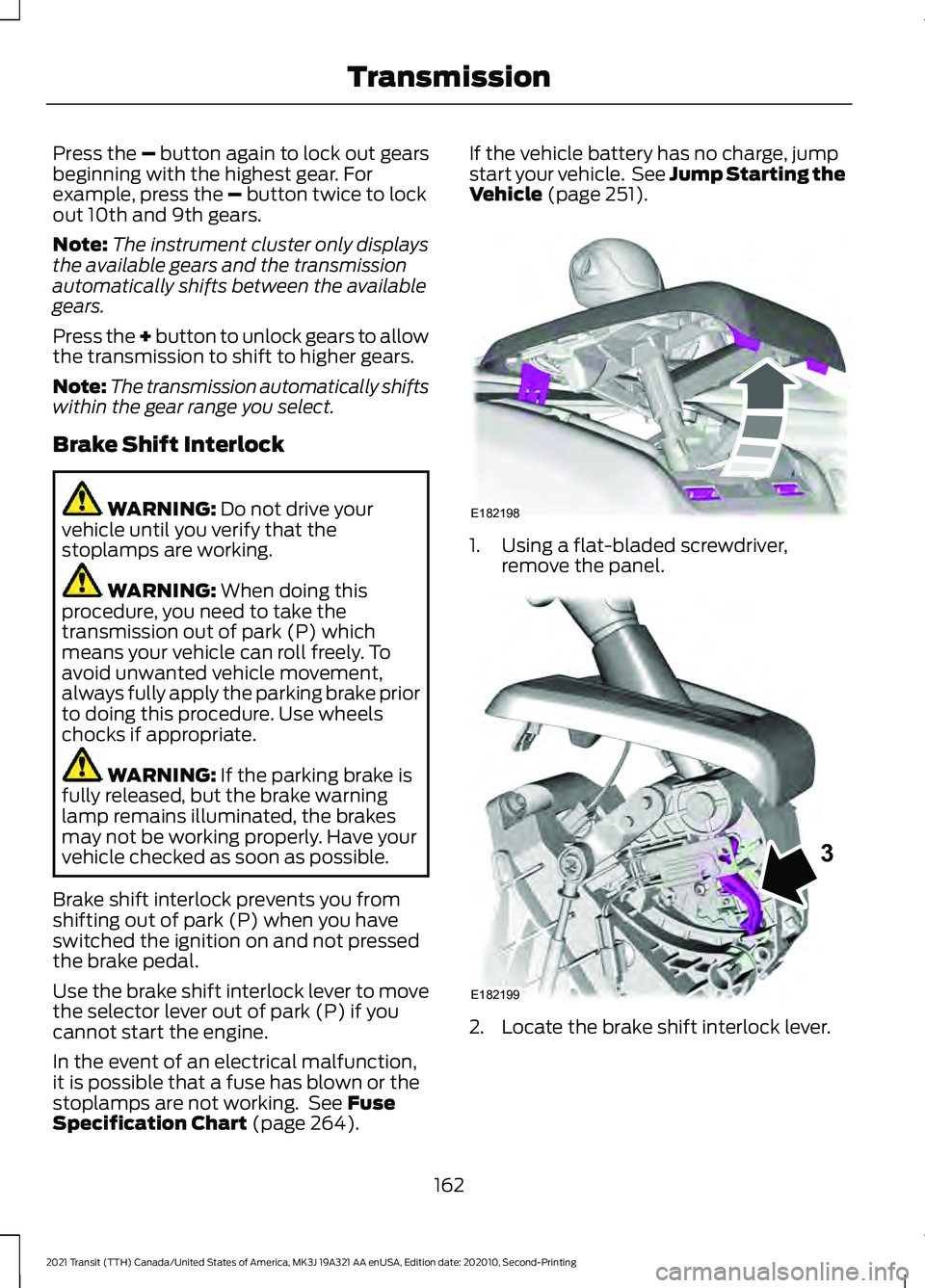
1. Using a flat-bladed screwdriver,
remove the panel. 2. Locate the brake shift interlock lever.
162
2021 Transit (TTH) Canada/United States of America, MK3J 19A321 AA enUSA, Edition date: 202010, Second-Printing TransmissionE182198 E182199
3
Page 181 of 509
ELECTRIC PARKING BRAKE
AUDIBLE WARNING
Sounds when the parking brake is on and
your vehicle is moving. If the warning tone
continues after you have released the
parking brake, this indicates a malfunction.
Have your vehicle checked as soon as
possible.
RELEASING THE ELECTRIC
PARKING BRAKE IF THE
VEHICLE BATTERY HAS RUN
OUT OF CHARGE
WARNING: The electric parking
brake does not operate if the vehicle
battery has run out of charge. Connect a booster battery to the vehicle
battery to release the electric parking brake
if the vehicle battery has run out of charge.
See
Jump Starting the Vehicle (page
251).
ELECTRIC PARKING BRAKE –
TROUBLESHOOTING
ELECTRIC PARKING BRAKE –
WARNING LAMPS The red warning lamp
illuminates when the electronic
parking brake is applied or for a
few seconds on start up.
If it remains illuminated or
flashes when the electronic
parking brake is not applied, it indicates a
malfunction. Have your vehicle checked
as soon as possible.
ELECTRIC PARKING BRAKE – INFORMATION MESSAGES Action
Message
The electric parking brake has malfunctioned. Have your
vehicle checked as soon as possible.
Park Brake Malfunction
Service Now
The electric parking brake has not released. Manually release
the electric parking brake. If the message continues to appear,
have your vehicle checked as soon as possible.
Park Brake Not Released
The electric parking brake has not applied. Apply the electric
parking brake. If the message continues to appear, have your
vehicle checked as soon as possible.
Park Brake Not Applied
The electric parking brake has not automatically released.
Manually release the electric parking brake.
Park Brake Use Switch to
Release
You have not pressed the brake pedal. Press the brake pedal
to release the parking brake.
To Release: Press Brake
and Switch
The electric parking brake has malfunctioned. Have your
vehicle checked as soon as possible.
Park Brake Limited Func-
tion Service Required
178
2021 Transit (TTH) Canada/United States of America, MK3J 19A321 AA enUSA, Edition date: 202010, Second-Printing Electric Parking BrakeE270480
Page 195 of 509
4. Follow the instructions on the
information display.
Note: After the system drives your vehicle
to a position where you can exit the parking
space in a forward movement, a message
appears instructing you to take full control
of your vehicle.
Canceling Active Park Assist
To cancel parking assistance at any time,
press the active park assist button or turn
the steering wheel. Note:
It also cancels when your vehicle
exceeds 6 mph (9 km/h).
Brake System Intervention
When active park assist is controlling the
steering, it may under certain conditions
apply the brakes to slow or stop your
vehicle.
Note: This could cause the parking
assistance to cancel.
Active Park Assist Troubleshooting Possible Cause
Symptom
You may have switched traction control off.
The system does not search for
a parking space.
The transmission is in reverse (R). Your vehicle must
be moving forward to be able to detect a parking space.
The sensors may be blocked. For example, snow, ice
or large accumulations of dirt. Blocked sensors can
affect how the system functions.
The system does not offer a
parking space.
The sensors in the front or rear bumper could be
damaged.
There is not enough room in the parking space for your
vehicle to safely park.
There is not enough space for the parking maneuver on
the opposite side of the parking space.
The parking space is more than
5 ft (1.5 m) or less than
2 ft (0.5 m) away.
The vehicle speed is greater than
22 mph (35 km/h)
for parallel parking or greater than 19 mph (30 km/h)
for perpendicular parking.
You recently disconnected or replaced the battery. After
you reconnect the battery you must drive your vehicle
on a straight road for a short period of time.
An irregular curb along the parking space prevents the
system from correctly aligning your vehicle.
The system does not correctly
position your vehicle in a
parking space.
192
2021 Transit (TTH) Canada/United States of America, MK3J 19A321 AA enUSA, Edition date: 202010, Second-Printing Parking Aids
Page 198 of 509
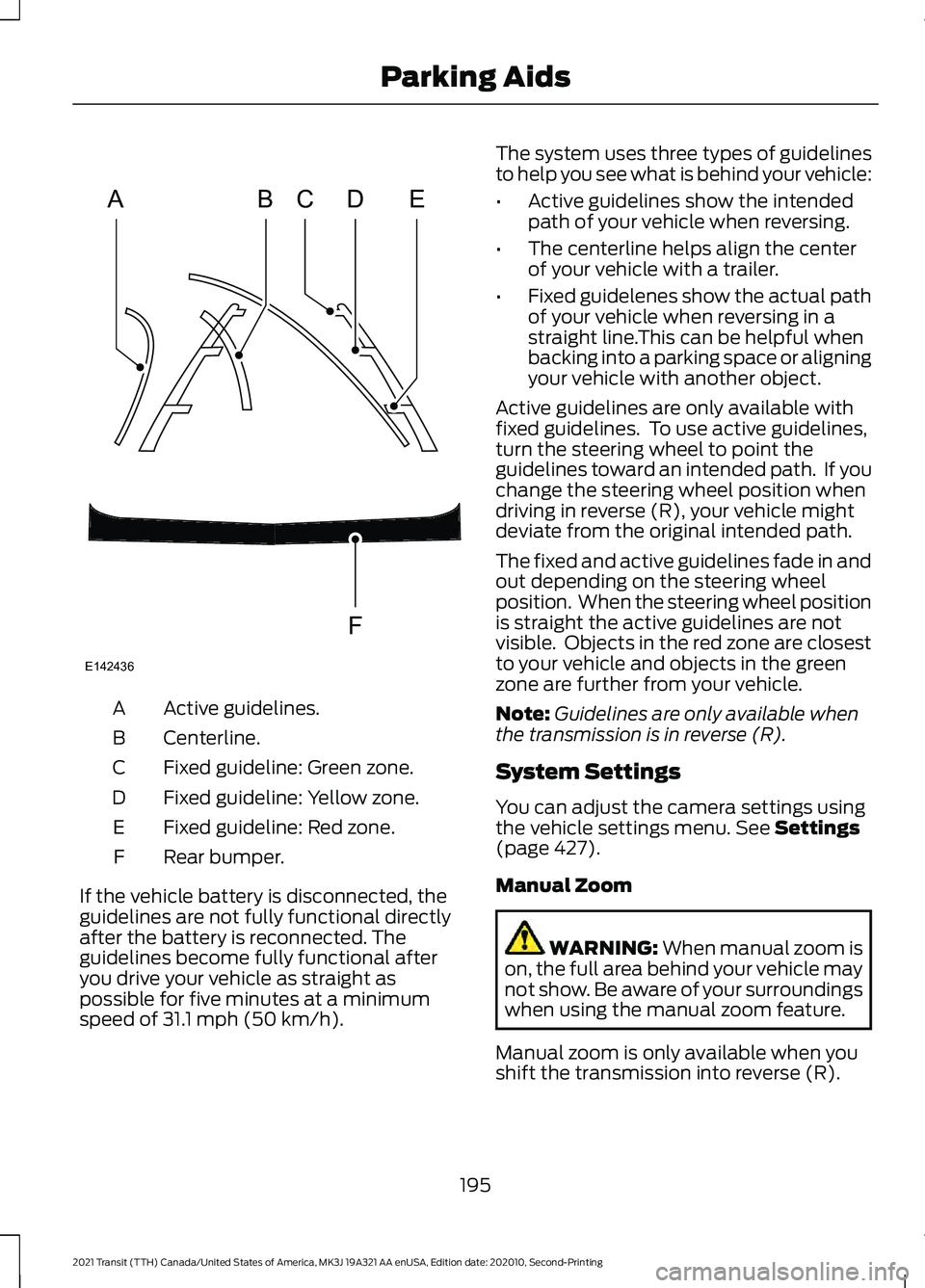
Active guidelines.
A
Centerline.
B
Fixed guideline: Green zone.
C
Fixed guideline: Yellow zone.
D
Fixed guideline: Red zone.
E
Rear bumper.
F
If the vehicle battery is disconnected, the
guidelines are not fully functional directly
after the battery is reconnected. The
guidelines become fully functional after
you drive your vehicle as straight as
possible for five minutes at a minimum
speed of 31.1 mph (50 km/h). The system uses three types of guidelines
to help you see what is behind your vehicle:
•
Active guidelines show the intended
path of your vehicle when reversing.
• The centerline helps align the center
of your vehicle with a trailer.
• Fixed guidelenes show the actual path
of your vehicle when reversing in a
straight line.This can be helpful when
backing into a parking space or aligning
your vehicle with another object.
Active guidelines are only available with
fixed guidelines. To use active guidelines,
turn the steering wheel to point the
guidelines toward an intended path. If you
change the steering wheel position when
driving in reverse (R), your vehicle might
deviate from the original intended path.
The fixed and active guidelines fade in and
out depending on the steering wheel
position. When the steering wheel position
is straight the active guidelines are not
visible. Objects in the red zone are closest
to your vehicle and objects in the green
zone are further from your vehicle.
Note: Guidelines are only available when
the transmission is in reverse (R).
System Settings
You can adjust the camera settings using
the vehicle settings menu.
See Settings
(page 427).
Manual Zoom WARNING:
When manual zoom is
on, the full area behind your vehicle may
not show. Be aware of your surroundings
when using the manual zoom feature.
Manual zoom is only available when you
shift the transmission into reverse (R).
195
2021 Transit (TTH) Canada/United States of America, MK3J 19A321 AA enUSA, Edition date: 202010, Second-Printing Parking AidsABCD
F
E
E142436
Page 224 of 509
Adaptive Learning (If Equipped)
The electronic power steering system
adaptive learning helps correct road
irregularities and improves overall handling
and steering feel. It communicates with
the brake system to help operate advanced stability control and accident
avoidance systems. Additionally, whenever
the battery is disconnected or a new
battery installed, you must drive your
vehicle a short distance before the system
relearns the strategy and reactivates all
systems.
Steering Information Messages Description
Message
The system has malfunctioned. Stop your vehicle as soon
as it is safe to do so. You continue to have full steering but
you need to exert greater force on the steering wheel. Have
your vehicle checked as soon as possible.
Steering Fault Service
Now
Steering Loss Stop
Safely
Steering Assist Fault
Service Required
PRE-COLLISION ASSIST WARNING: You are responsible for
controlling your vehicle at all times. The
system is designed to be an aid and does
not relieve you of your responsibility to
drive with due care and attention. Failure
to follow this instruction could result in
the loss of control of your vehicle,
personal injury or death. WARNING:
The system does not
operate during hard acceleration or
steering. Failure to take care may lead
to a crash or personal injury. WARNING: The system may fail or
operate with reduced function during
cold and severe weather conditions.
Snow, ice, rain, spray and fog can
adversely affect the system. Keep the
front camera and radar free of snow and
ice. Failure to take care may result in the
loss of control of your vehicle, serious
personal injury or death. WARNING:
The system may not
operate properly if your vehicle has a
non-Ford windshield. Do not carry out
windshield repairs in the area around the
sensor. WARNING:
In situations where the
vehicle camera has limited detection
capability, this may reduce system
performance. These situations include
but are not limited to direct or low
sunlight, vehicles at night without tail
lights, unconventional vehicle types,
pedestrians with complex backgrounds,
221
2021 Transit (TTH) Canada/United States of America, MK3J 19A321 AA enUSA, Edition date: 202010, Second-Printing Driving Aids