settings FORD TRANSIT 2021 Owner's Manual
[x] Cancel search | Manufacturer: FORD, Model Year: 2021, Model line: TRANSIT, Model: FORD TRANSIT 2021Pages: 509, PDF Size: 8.21 MB
Page 114 of 509
The system detects unauthorized
odometer adjustments to avoid total
distance reading fraud. If the system
detects an unauthorized odometer
adjustment, the total distance reading
displays XXXX. Recovery of the original
mileage could result in system damage not
covered by the vehicle Warranty and may
carry a significant expense.
Trip Computer
See Trip Computer (page 117).
Vehicle and System Settings
See
General Information (page 115).
Speedometer
Shows the vehicle speed.
Fuel Gauge
The fuel gauge indicates approximately
how much fuel is in the fuel tank.
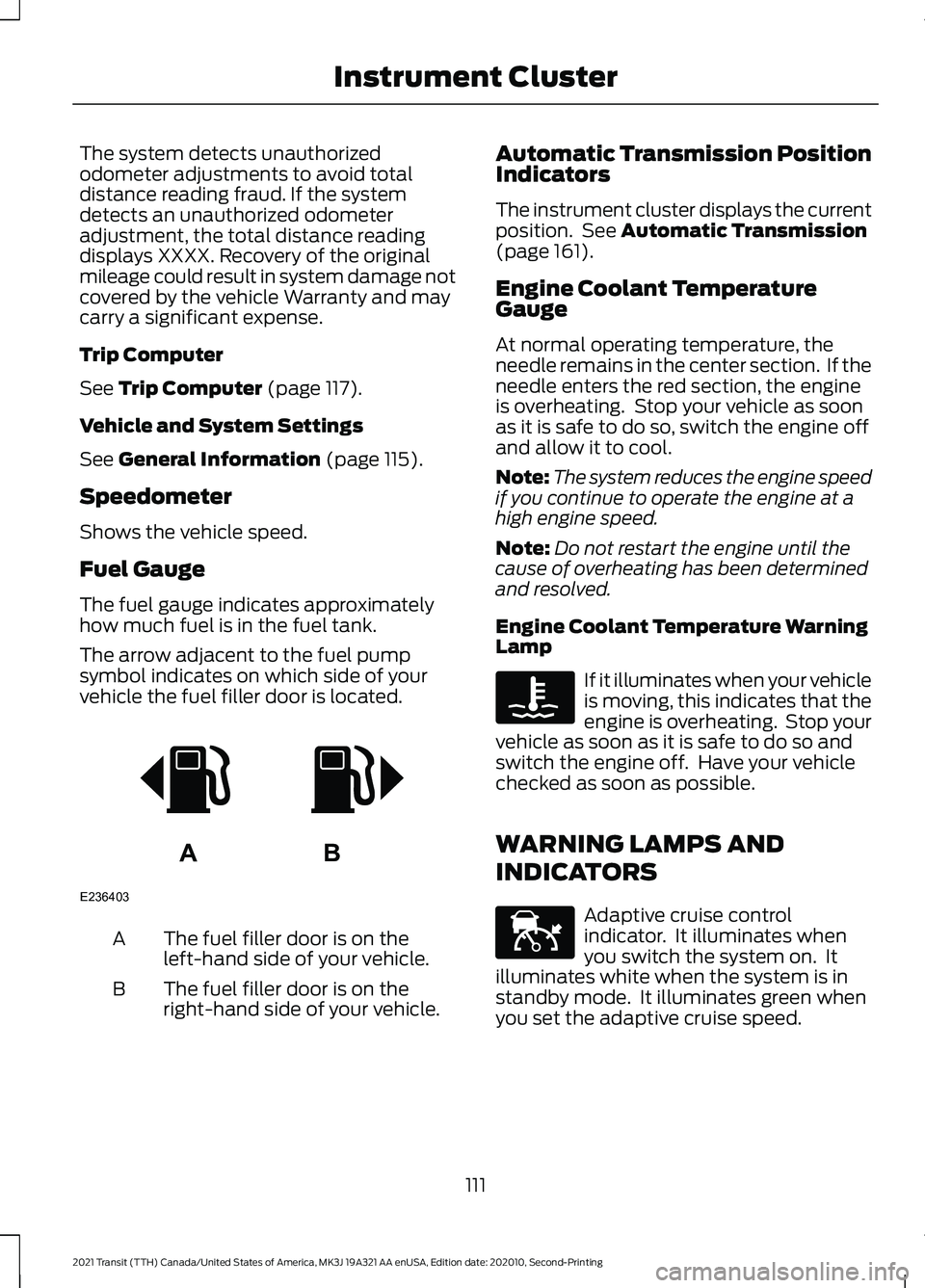
The arrow adjacent to the fuel pump
symbol indicates on which side of your
vehicle the fuel filler door is located. The fuel filler door is on the
left-hand side of your vehicle.
A
The fuel filler door is on the
right-hand side of your vehicle.
B Automatic Transmission Position
Indicators
The instrument cluster displays the current
position. See
Automatic Transmission
(page 161).
Engine Coolant Temperature
Gauge
At normal operating temperature, the
needle remains in the center section. If the
needle enters the red section, the engine
is overheating. Stop your vehicle as soon
as it is safe to do so, switch the engine off
and allow it to cool.
Note: The system reduces the engine speed
if you continue to operate the engine at a
high engine speed.
Note: Do not restart the engine until the
cause of overheating has been determined
and resolved.
Engine Coolant Temperature Warning
Lamp If it illuminates when your vehicle
is moving, this indicates that the
engine is overheating. Stop your
vehicle as soon as it is safe to do so and
switch the engine off. Have your vehicle
checked as soon as possible.
WARNING LAMPS AND
INDICATORS Adaptive cruise control
indicator. It illuminates when
you switch the system on. It
illuminates white when the system is in
standby mode. It illuminates green when
you set the adaptive cruise speed.
111
2021 Transit (TTH) Canada/United States of America, MK3J 19A321 AA enUSA, Edition date: 202010, Second-Printing Instrument ClusterAB
E236403 E144524
Page 119 of 509
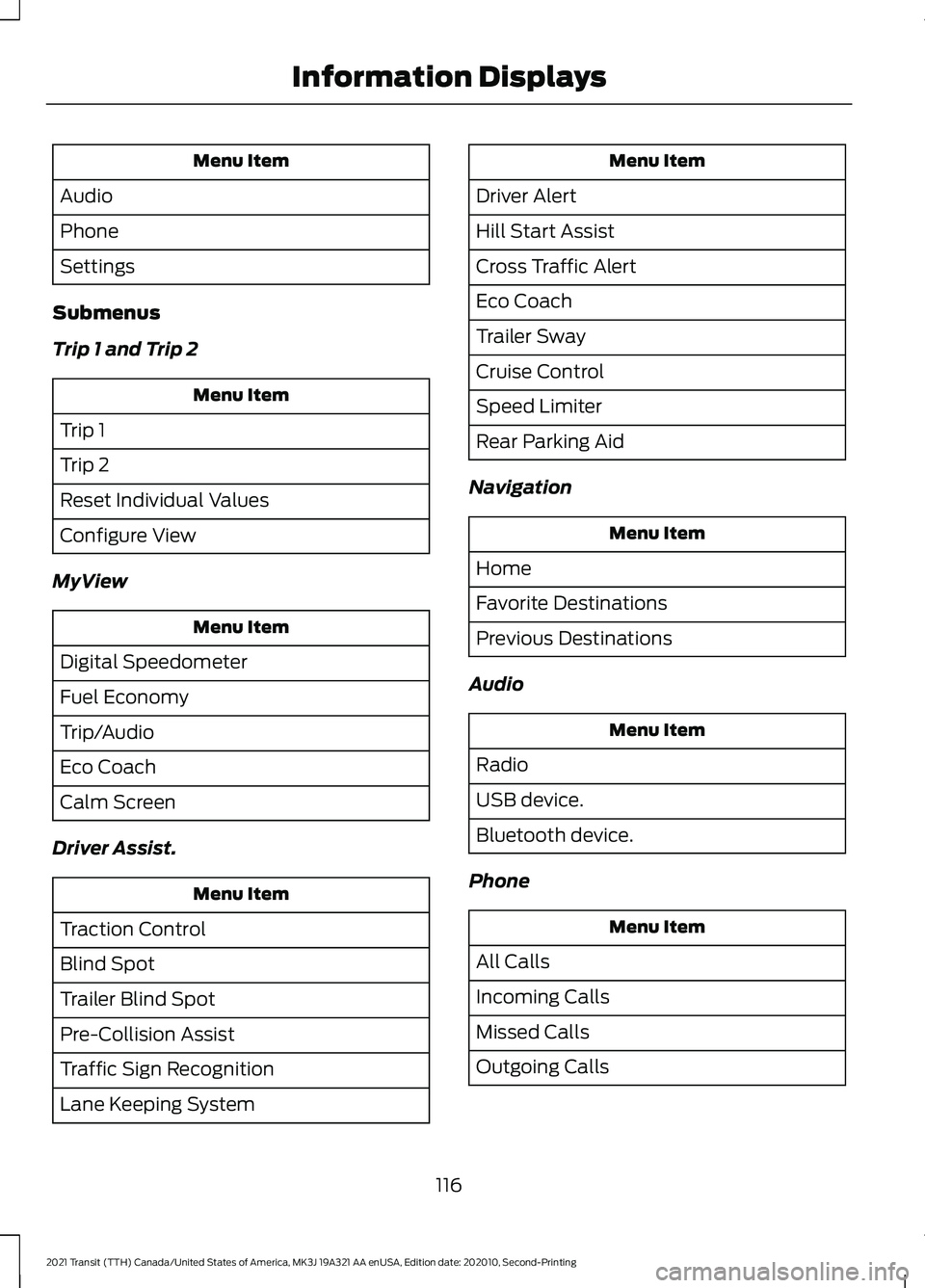
Menu Item
Audio
Phone
Settings
Submenus
Trip 1 and Trip 2 Menu Item
Trip 1
Trip 2
Reset Individual Values
Configure View
MyView Menu Item
Digital Speedometer
Fuel Economy
Trip/Audio
Eco Coach
Calm Screen
Driver Assist. Menu Item
Traction Control
Blind Spot
Trailer Blind Spot
Pre-Collision Assist
Traffic Sign Recognition
Lane Keeping System Menu Item
Driver Alert
Hill Start Assist
Cross Traffic Alert
Eco Coach
Trailer Sway
Cruise Control
Speed Limiter
Rear Parking Aid
Navigation Menu Item
Home
Favorite Destinations
Previous Destinations
Audio Menu Item
Radio
USB device.
Bluetooth device.
Phone Menu Item
All Calls
Incoming Calls
Missed Calls
Outgoing Calls
116
2021 Transit (TTH) Canada/United States of America, MK3J 19A321 AA enUSA, Edition date: 202010, Second-Printing Information Displays
Page 120 of 509
Settings
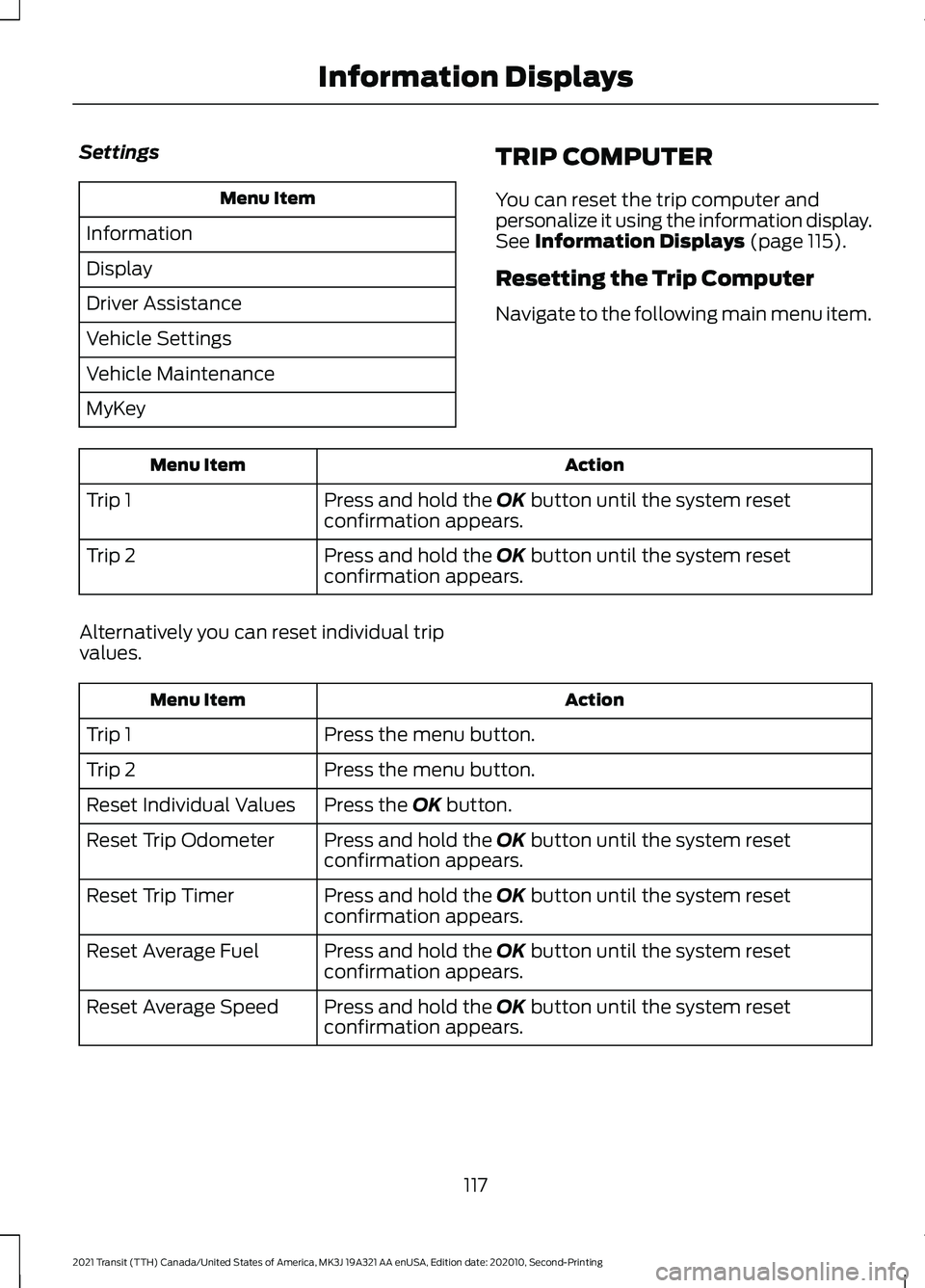
Menu Item
Information
Display
Driver Assistance
Vehicle Settings
Vehicle Maintenance
MyKey TRIP COMPUTER
You can reset the trip computer and
personalize it using the information display.
See Information Displays (page 115).
Resetting the Trip Computer
Navigate to the following main menu item. Action
Menu Item
Press and hold the
OK button until the system reset
confirmation appears.
Trip 1
Press and hold the
OK button until the system reset
confirmation appears.
Trip 2
Alternatively you can reset individual trip
values. Action
Menu Item
Press the menu button.
Trip 1
Press the menu button.
Trip 2
Press the
OK button.
Reset Individual Values
Press and hold the
OK button until the system reset
confirmation appears.
Reset Trip Odometer
Press and hold the
OK button until the system reset
confirmation appears.
Reset Trip Timer
Press and hold the
OK button until the system reset
confirmation appears.
Reset Average Fuel
Press and hold the
OK button until the system reset
confirmation appears.
Reset Average Speed
117
2021 Transit (TTH) Canada/United States of America, MK3J 19A321 AA enUSA, Edition date: 202010, Second-Printing Information Displays
Page 121 of 509
Personalization
Navigate to the following main menu item. Action
Menu Item
Press the menu button.
Trip 1
Press the menu button.
Trip 2
Press the OK button.
Configure View
Press the
OK button.
Trip Odometer
Press the
OK button.
Trip Timer
Press the
OK button.
Average Fuel
Press the
OK button.
Average Speed
Press the
OK button.
Distance to Empty
Press the
OK button.
Instantaneous Fuel
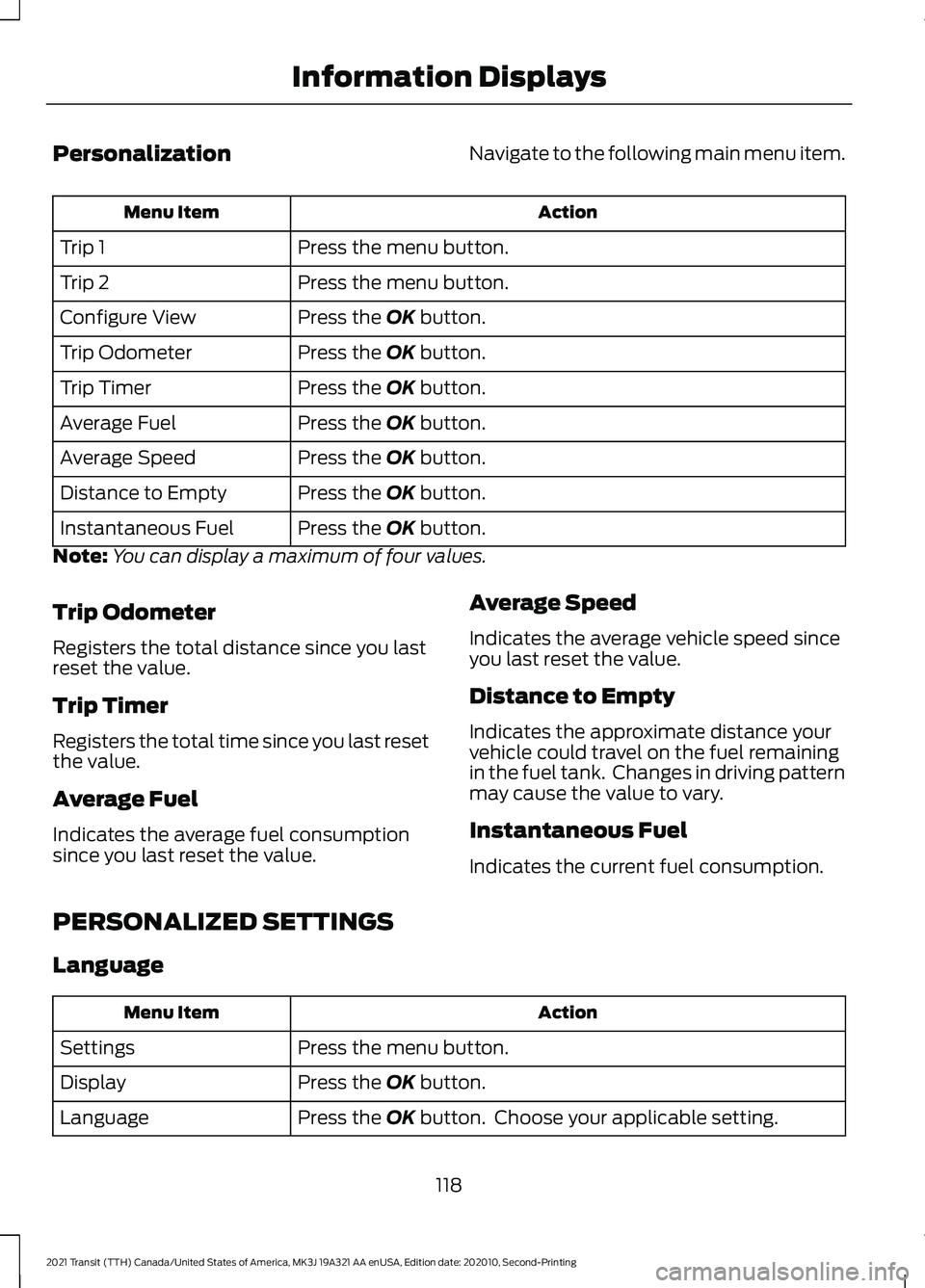
Note: You can display a maximum of four values.
Trip Odometer
Registers the total distance since you last
reset the value.
Trip Timer
Registers the total time since you last reset
the value.
Average Fuel
Indicates the average fuel consumption
since you last reset the value. Average Speed
Indicates the average vehicle speed since
you last reset the value.
Distance to Empty
Indicates the approximate distance your
vehicle could travel on the fuel remaining
in the fuel tank. Changes in driving pattern
may cause the value to vary.
Instantaneous Fuel
Indicates the current fuel consumption.
PERSONALIZED SETTINGS
Language Action
Menu Item
Press the menu button.
Settings
Press the
OK button.
Display
Press the
OK button. Choose your applicable setting.
Language
118
2021 Transit (TTH) Canada/United States of America, MK3J 19A321 AA enUSA, Edition date: 202010, Second-Printing Information Displays
Page 122 of 509
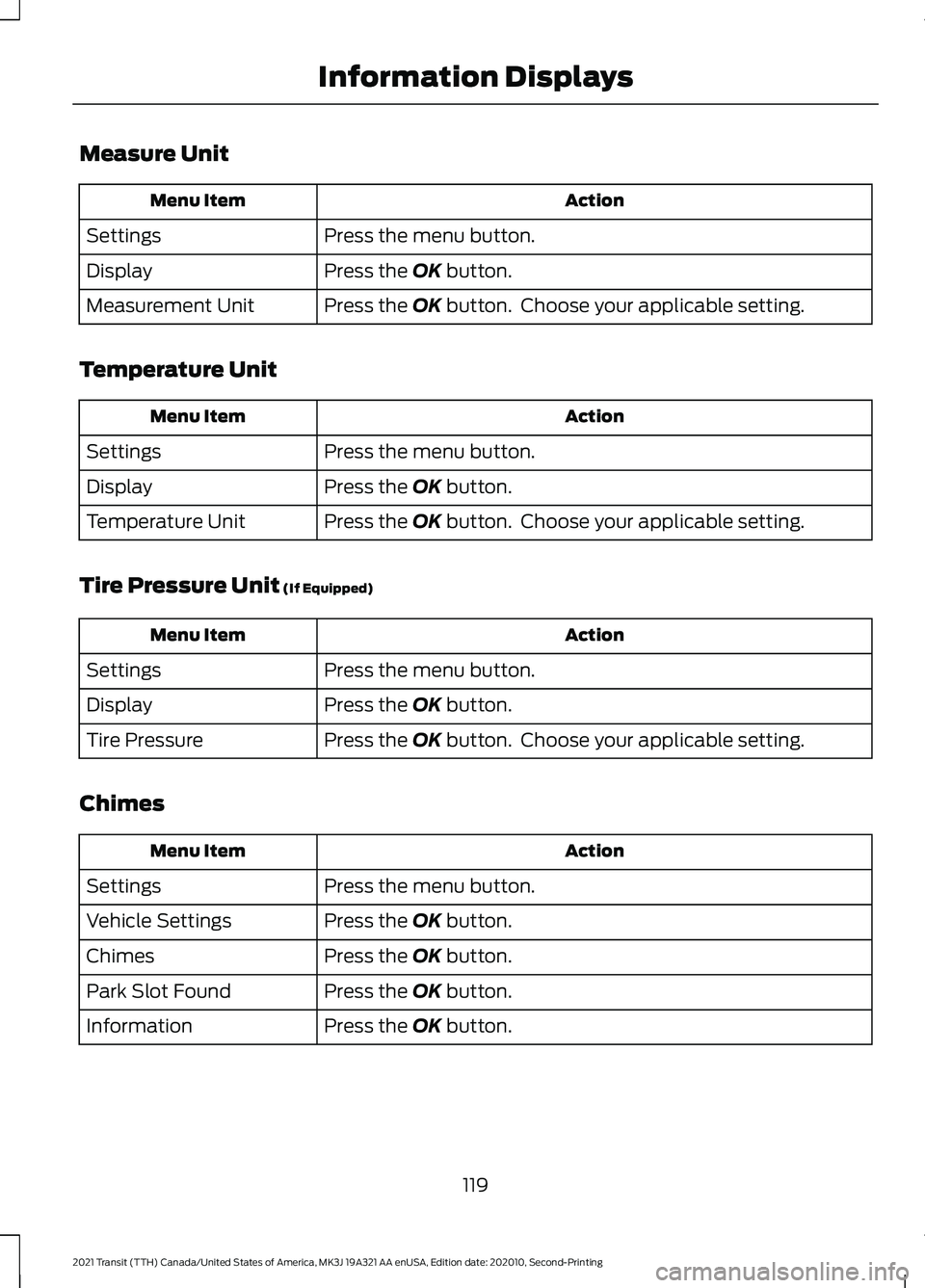
Measure Unit
Action
Menu Item
Press the menu button.
Settings
Press the OK button.
Display
Press the
OK button. Choose your applicable setting.
Measurement Unit
Temperature Unit Action
Menu Item
Press the menu button.
Settings
Press the
OK button.
Display
Press the
OK button. Choose your applicable setting.
Temperature Unit
Tire Pressure Unit
(If Equipped) Action
Menu Item
Press the menu button.
Settings
Press the
OK button.
Display
Press the
OK button. Choose your applicable setting.
Tire Pressure
Chimes Action
Menu Item
Press the menu button.
Settings
Press the
OK button.
Vehicle Settings
Press the
OK button.
Chimes
Press the
OK button.
Park Slot Found
Press the
OK button.
Information
119
2021 Transit (TTH) Canada/United States of America, MK3J 19A321 AA enUSA, Edition date: 202010, Second-Printing Information Displays
Page 123 of 509
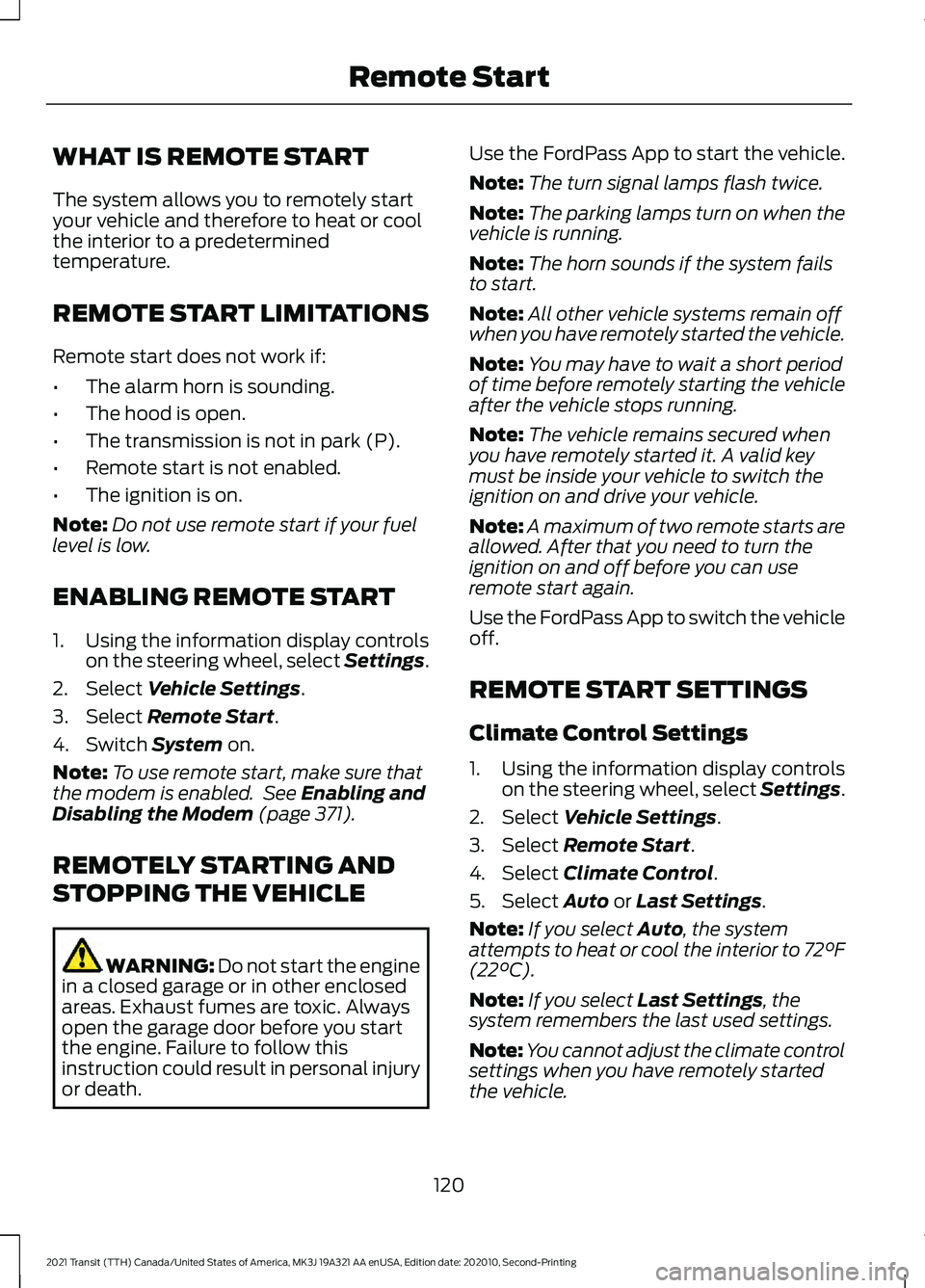
WHAT IS REMOTE START
The system allows you to remotely start
your vehicle and therefore to heat or cool
the interior to a predetermined
temperature.
REMOTE START LIMITATIONS
Remote start does not work if:
•
The alarm horn is sounding.
• The hood is open.
• The transmission is not in park (P).
• Remote start is not enabled.
• The ignition is on.
Note: Do not use remote start if your fuel
level is low.
ENABLING REMOTE START
1. Using the information display controls on the steering wheel, select Settings.
2. Select Vehicle Settings.
3. Select
Remote Start.
4. Switch
System on.
Note: To use remote start, make sure that
the modem is enabled. See
Enabling and
Disabling the Modem (page 371).
REMOTELY STARTING AND
STOPPING THE VEHICLE WARNING: Do not start the engine
in a closed garage or in other enclosed
areas. Exhaust fumes are toxic. Always
open the garage door before you start
the engine. Failure to follow this
instruction could result in personal injury
or death. Use the FordPass App to start the vehicle.
Note:
The turn signal lamps flash twice.
Note: The parking lamps turn on when the
vehicle is running.
Note: The horn sounds if the system fails
to start.
Note: All other vehicle systems remain off
when you have remotely started the vehicle.
Note: You may have to wait a short period
of time before remotely starting the vehicle
after the vehicle stops running.
Note: The vehicle remains secured when
you have remotely started it. A valid key
must be inside your vehicle to switch the
ignition on and drive your vehicle.
Note: A maximum of two remote starts are
allowed. After that you need to turn the
ignition on and off before you can use
remote start again.
Use the FordPass App to switch the vehicle
off.
REMOTE START SETTINGS
Climate Control Settings
1. Using the information display controls on the steering wheel, select Settings.
2. Select Vehicle Settings.
3. Select
Remote Start.
4. Select
Climate Control.
5. Select
Auto or Last Settings.
Note: If you select
Auto, the system
attempts to heat or cool the interior to 72°F
(22°C)
.
Note: If you select
Last Settings, the
system remembers the last used settings.
Note: You cannot adjust the climate control
settings when you have remotely started
the vehicle.
120
2021 Transit (TTH) Canada/United States of America, MK3J 19A321 AA enUSA, Edition date: 202010, Second-Printing Remote Start
Page 124 of 509
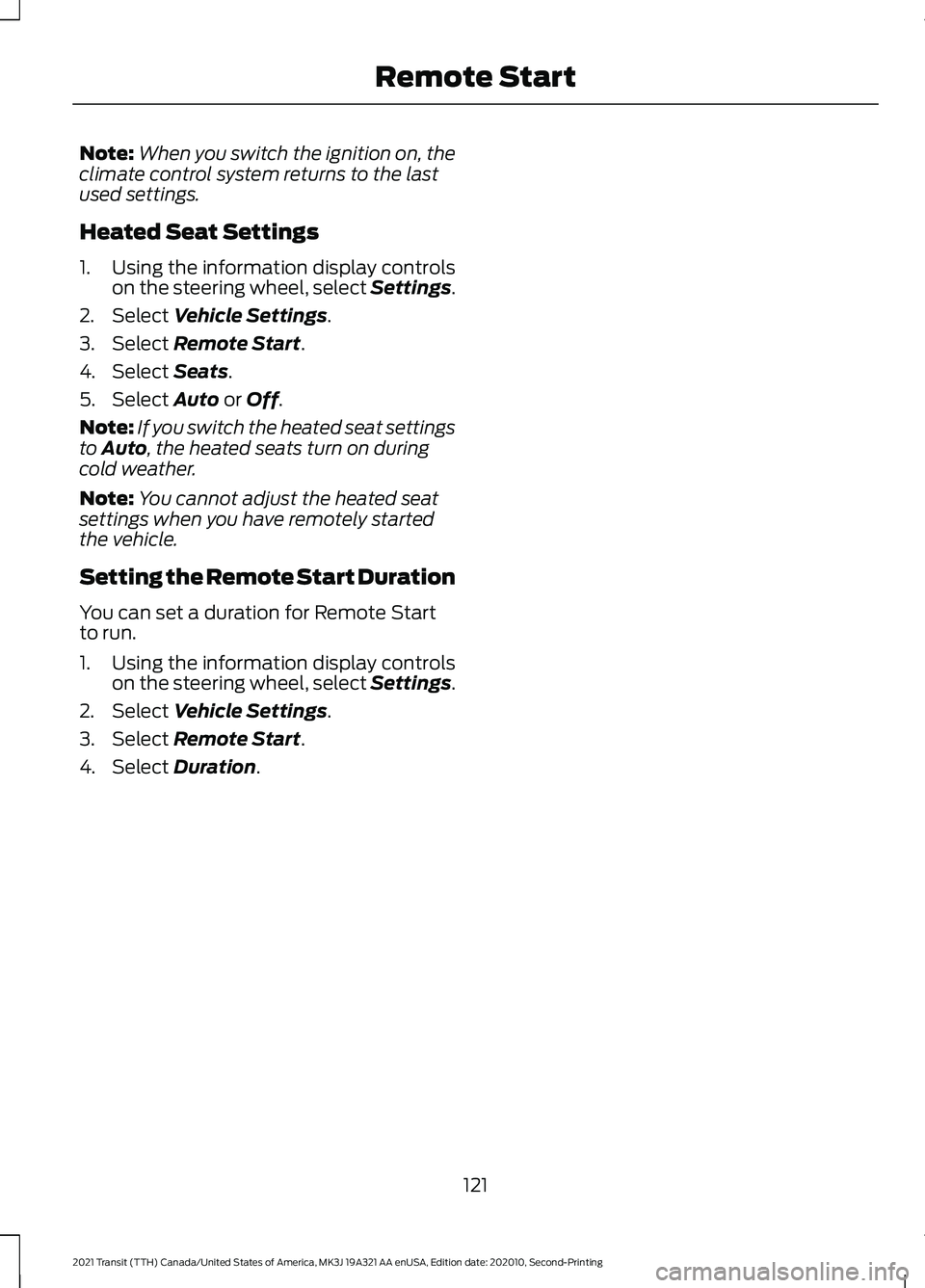
Note:
When you switch the ignition on, the
climate control system returns to the last
used settings.
Heated Seat Settings
1. Using the information display controls on the steering wheel, select Settings.
2. Select Vehicle Settings.
3. Select
Remote Start.
4. Select
Seats.
5. Select
Auto or Off.
Note: If you switch the heated seat settings
to
Auto, the heated seats turn on during
cold weather.
Note: You cannot adjust the heated seat
settings when you have remotely started
the vehicle.
Setting the Remote Start Duration
You can set a duration for Remote Start
to run.
1. Using the information display controls on the steering wheel, select Settings.
2. Select
Vehicle Settings.
3. Select
Remote Start.
4. Select
Duration.
121
2021 Transit (TTH) Canada/United States of America, MK3J 19A321 AA enUSA, Edition date: 202010, Second-Printing Remote Start
Page 126 of 509
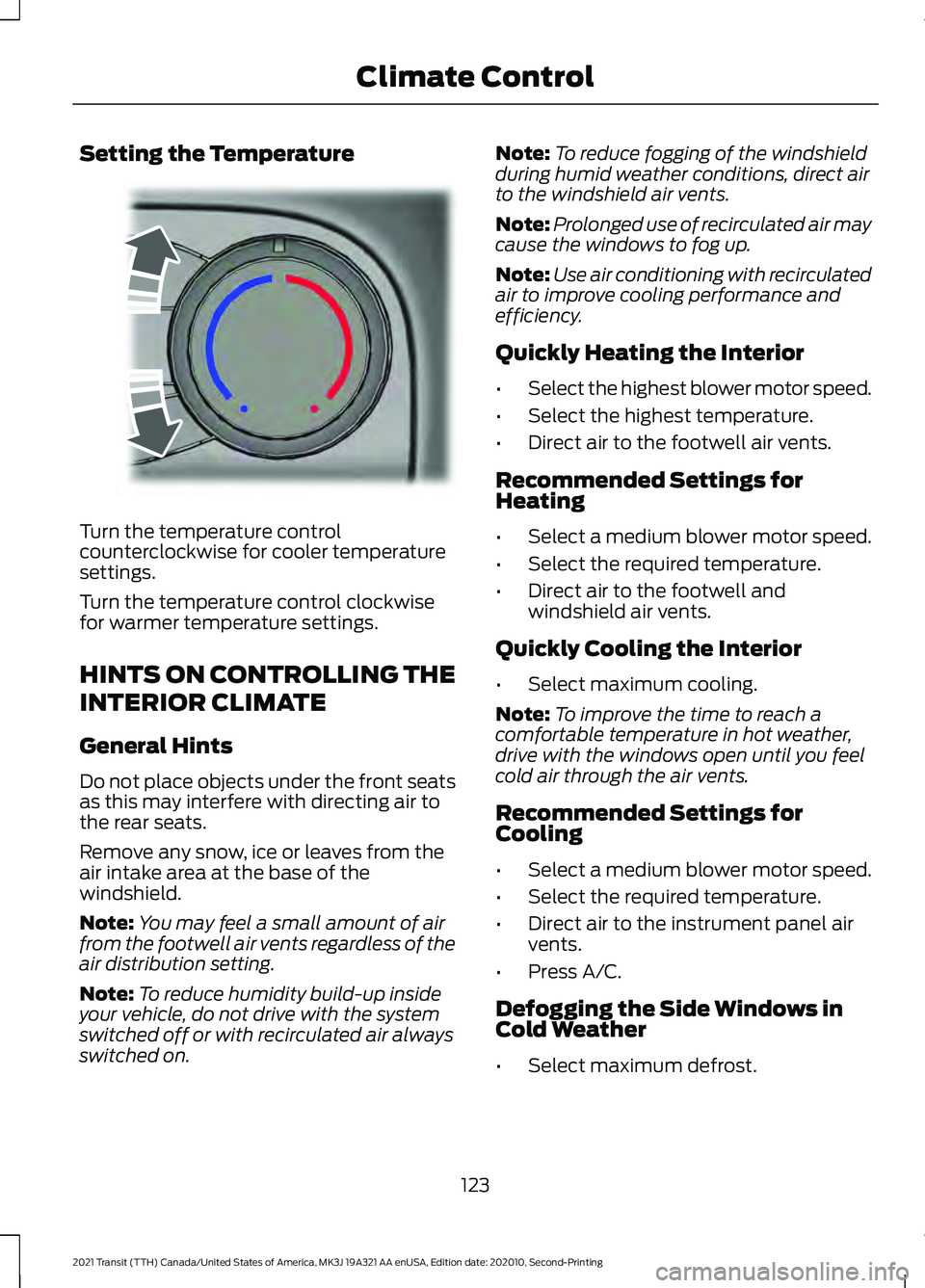
Setting the Temperature
Turn the temperature control
counterclockwise for cooler temperature
settings.
Turn the temperature control clockwise
for warmer temperature settings.
HINTS ON CONTROLLING THE
INTERIOR CLIMATE
General Hints
Do not place objects under the front seats
as this may interfere with directing air to
the rear seats.
Remove any snow, ice or leaves from the
air intake area at the base of the
windshield.
Note:
You may feel a small amount of air
from the footwell air vents regardless of the
air distribution setting.
Note: To reduce humidity build-up inside
your vehicle, do not drive with the system
switched off or with recirculated air always
switched on. Note:
To reduce fogging of the windshield
during humid weather conditions, direct air
to the windshield air vents.
Note: Prolonged use of recirculated air may
cause the windows to fog up.
Note: Use air conditioning with recirculated
air to improve cooling performance and
efficiency.
Quickly Heating the Interior
• Select the highest blower motor speed.
• Select the highest temperature.
• Direct air to the footwell air vents.
Recommended Settings for
Heating
• Select a medium blower motor speed.
• Select the required temperature.
• Direct air to the footwell and
windshield air vents.
Quickly Cooling the Interior
• Select maximum cooling.
Note: To improve the time to reach a
comfortable temperature in hot weather,
drive with the windows open until you feel
cold air through the air vents.
Recommended Settings for
Cooling
• Select a medium blower motor speed.
• Select the required temperature.
• Direct air to the instrument panel air
vents.
• Press A/C.
Defogging the Side Windows in
Cold Weather
• Select maximum defrost.
123
2021 Transit (TTH) Canada/United States of America, MK3J 19A321 AA enUSA, Edition date: 202010, Second-Printing Climate ControlE244106
Page 139 of 509
WHAT IS THE REAR
OCCUPANT ALERT SYSTEM
The rear occupant alert system monitors
vehicle conditions and notifies you to check
for rear seat occupants when you switch
the ignition off.
HOW DOES THE REAR
OCCUPANT ALERT SYSTEM
WORK
The system monitors when rear doors have
been opened and closed to indicate the
potential presence of an occupant in the
rear seat.
A message displays in the information and
entertainment display screen and an
audible warning sounds when you switch
the ignition off after any of the following
conditions have been met:
•
A rear door is opened or closed while
the ignition is on.
• You switch the ignition on within 15
minutes of a rear door opening and
closing.
• You switch the ignition on within 15
minutes of the alert having displayed
or sounded.
REAR OCCUPANT ALERT
SYSTEM PRECAUTIONS WARNING: On hot days, the
temperature inside the vehicle can rise
very quickly. Exposure of people or
animals to these high temperatures for
even a short time can cause death or
serious heat related injuries, including
brain damage. Small children are
particularly at risk. WARNING:
Do not leave children
or pets unattended in your vehicle.
Failure to follow this instruction could
result in personal injury or death.
REAR OCCUPANT ALERT
SYSTEM LIMITATIONS
The system does not detect the presence
of objects or passengers in the rear seat.
It monitors when rear doors are opened
and closed.
Note: It is possible to receive an alert when
there is no rear seat occupant, but alert
conditions are met.
Note: It is possible to receive no alert when
there is an occupant in the rear seat, if alert
conditions are not met. For example, if a rear
seat occupant does not enter the vehicle
through a rear door.
Note: The audible warning does not sound
when the front door is opened before you
switch the ignition off.
SWITCHING REAR OCCUPANT
ALERT SYSTEM ON AND OFF Press the button on the audio
unit.
1. Using the controls on the audio unit, select
Settings.
2. Switch Rear Occupant Alert on or off.
Semiannual Reminder
(If Equipped)
When you switch the system off, a
message appears every six months as a
reminder that the system is off. You can
switch the system back on or leave it off.
136
2021 Transit (TTH) Canada/United States of America, MK3J 19A321 AA enUSA, Edition date: 202010, Second-Printing Rear Occupant Alert System
(If Equipped)
Page 140 of 509
SWITCHING REAR OCCUPANT
ALERT SYSTEM ON AND OFF -
VEHICLES WITH: SYNC 3
1. Press Settings on the touchscreen.
2. Press
Vehicle.
3. Switch
Rear Occupant Alert on or off.
Note: The default setting is on.
Note: Performing a master reset causes the
system to switch on again.
Semiannual Reminder
(If Equipped)
When you switch the system off, a
message appears every six months as a
reminder that the system is off. You can
switch the system back on or leave it off.
REAR OCCUPANT ALERT
SYSTEM INDICATORS -
VEHICLES WITH: SYNC Message
Check rear seats for occupants.
Displays when you switch the vehicle off
after the alert conditions are met. The message displays for a short
period of time. Press the
OK
button to acknowledge and
remove some messages from the
information display. REAR OCCUPANT ALERT
SYSTEM INDICATORS -
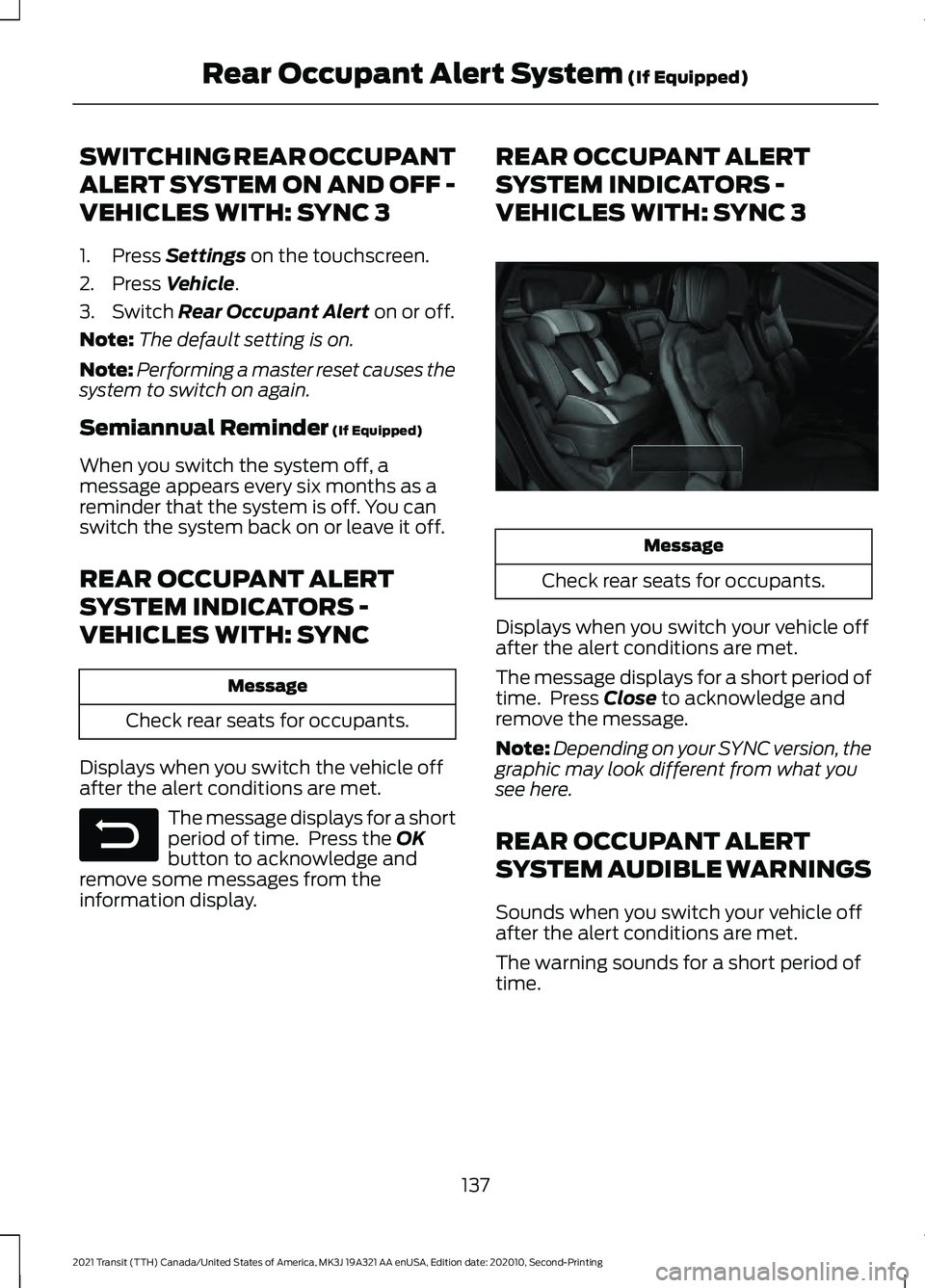
VEHICLES WITH: SYNC 3
Message
Check rear seats for occupants.
Displays when you switch your vehicle off
after the alert conditions are met.
The message displays for a short period of
time. Press
Close to acknowledge and
remove the message.
Note: Depending on your SYNC version, the
graphic may look different from what you
see here.
REAR OCCUPANT ALERT
SYSTEM AUDIBLE WARNINGS
Sounds when you switch your vehicle off
after the alert conditions are met.
The warning sounds for a short period of
time.
137
2021 Transit (TTH) Canada/United States of America, MK3J 19A321 AA enUSA, Edition date: 202010, Second-Printing Rear Occupant Alert System
(If Equipped)E281480 E350472