horn FORD TRANSIT 2021 Owners Manual
[x] Cancel search | Manufacturer: FORD, Model Year: 2021, Model line: TRANSIT, Model: FORD TRANSIT 2021Pages: 509, PDF Size: 8.21 MB
Page 5 of 509
Sliding Door - Vehicles
Without: Power Sliding Door
Sliding Door Precautions ...........................80
Opening the Sliding Door ..........................
80
Closing the Sliding Door ............................
80
Sliding Door - Vehicles With: Power Sliding Door
Sliding Door Precautions ...........................
82
Opening the Sliding Door ...........................
82
Closing the Sliding Door .............................
83
Stopping the Sliding Door Movement ........................................................................\
..
84
Resetting the Power Sliding Door ..........
84
Sliding Door – Troubleshooting ..............
85
Keyless Entry
Locating the Keyless Entry Keypad ........
87
Master Access Code .....................................
87
Keyless Entry Settings .................................
87
Locking and Unlocking the Doors Using Keyless Entry ..............................................
88
Keyless Entry – Troubleshooting ............
88
Security
Passive Anti-Theft System - Vehicles With: Passive Anti-Theft System
(PATS) ..........................................................
89
Anti-Theft Alarm - Vehicles Without: Anti-Theft Alarm Horn with Integral
Battery ..........................................................
90
Anti-Theft Alarm - Vehicles With: Anti-Theft Alarm Horn with Integral
Battery ...........................................................
91
Power Running Boards
Using Power Running Boards ...................
93
Steering Wheel
Adjusting the Steering Wheel ..................
96Locking the Steering Wheel
......................
96
Wipers and Washers
Windshield Wipers ........................................
97
Autowipers .......................................................
97
Windshield Washers ....................................
99
Lighting
General Information ..................................
100
Lighting Control ...........................................
100
Autolamps ......................................................
101
Instrument Lighting Dimmer ...................
102
Daytime Running Lamps ..........................
102
Automatic High Beam Control ...............
103
Front Fog Lamps .........................................
104
Direction Indicators ....................................
105
Interior Lamps - Van ...................................
105
Cargo Lamps ................................................
106
Windows and Mirrors
Power Windows ...........................................
107
Exterior Mirrors .............................................
108
Interior Mirror ................................................
109
Instrument Cluster
Gauges .............................................................
110
Warning Lamps and Indicators ................
111
Information Displays
General Information ....................................
115
Trip Computer ................................................
117
Personalized Settings .................................
118
Remote Start
What Is Remote Start ................................
120
Remote Start Limitations .........................
120
Enabling Remote Start ..............................
120
Remotely Starting and Stopping the Vehicle .........................................................
120
2
2021 Transit (TTH) Canada/United States of America, MK3J 19A321 AA enUSA, Edition date: 202010, Second-Printing Table of Contents
Page 14 of 509
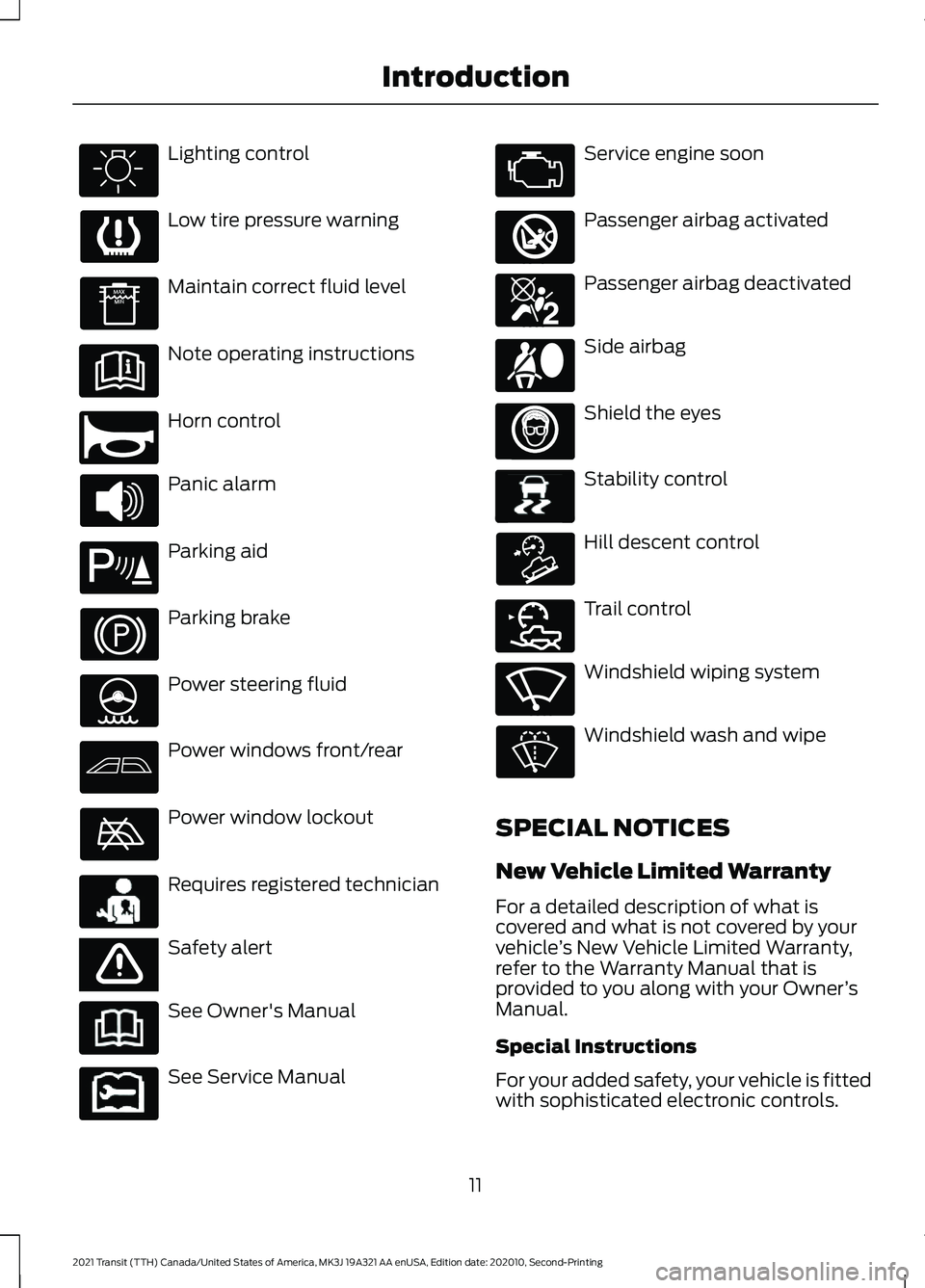
Lighting control
Low tire pressure warning
Maintain correct fluid level
Note operating instructions
Horn control
Panic alarm
Parking aid
Parking brake
Power steering fluid
Power windows front/rear
Power window lockout
Requires registered technician
Safety alert
See Owner's Manual
See Service Manual Service engine soon
Passenger airbag activated
Passenger airbag deactivated
Side airbag
Shield the eyes
Stability control
Hill descent control
Trail control
Windshield wiping system
Windshield wash and wipe
SPECIAL NOTICES
New Vehicle Limited Warranty
For a detailed description of what is
covered and what is not covered by your
vehicle ’s New Vehicle Limited Warranty,
refer to the Warranty Manual that is
provided to you along with your Owner ’s
Manual.
Special Instructions
For your added safety, your vehicle is fitted
with sophisticated electronic controls.
11
2021 Transit (TTH) Canada/United States of America, MK3J 19A321 AA enUSA, Edition date: 202010, Second-Printing Introduction E270945 E139213 E231159 E65963 E231158 E270849 E270850 E167012 E138639 E163957 E272858 E270969
Page 68 of 509
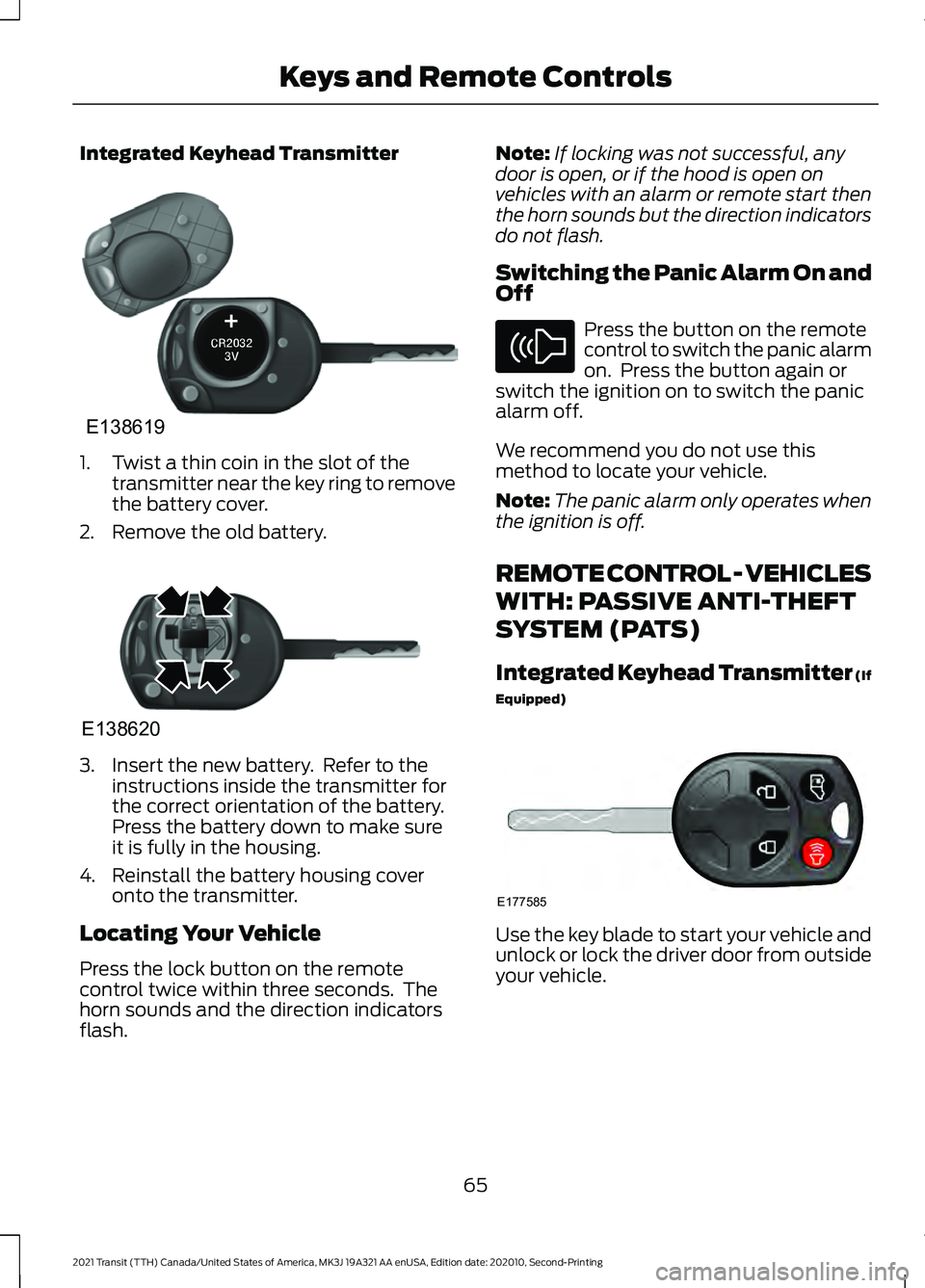
Integrated Keyhead Transmitter
1. Twist a thin coin in the slot of the
transmitter near the key ring to remove
the battery cover.
2. Remove the old battery. 3. Insert the new battery. Refer to the
instructions inside the transmitter for
the correct orientation of the battery.
Press the battery down to make sure
it is fully in the housing.
4. Reinstall the battery housing cover onto the transmitter.
Locating Your Vehicle
Press the lock button on the remote
control twice within three seconds. The
horn sounds and the direction indicators
flash. Note:
If locking was not successful, any
door is open, or if the hood is open on
vehicles with an alarm or remote start then
the horn sounds but the direction indicators
do not flash.
Switching the Panic Alarm On and
Off Press the button on the remote
control to switch the panic alarm
on. Press the button again or
switch the ignition on to switch the panic
alarm off.
We recommend you do not use this
method to locate your vehicle.
Note: The panic alarm only operates when
the ignition is off.
REMOTE CONTROL - VEHICLES
WITH: PASSIVE ANTI-THEFT
SYSTEM (PATS)
Integrated Keyhead Transmitter (If
Equipped) Use the key blade to start your vehicle and
unlock or lock the driver door from outside
your vehicle.
65
2021 Transit (TTH) Canada/United States of America, MK3J 19A321 AA enUSA, Edition date: 202010, Second-Printing Keys and Remote ControlsE138619 E138620 E138624 E177585
Page 69 of 509
Note:
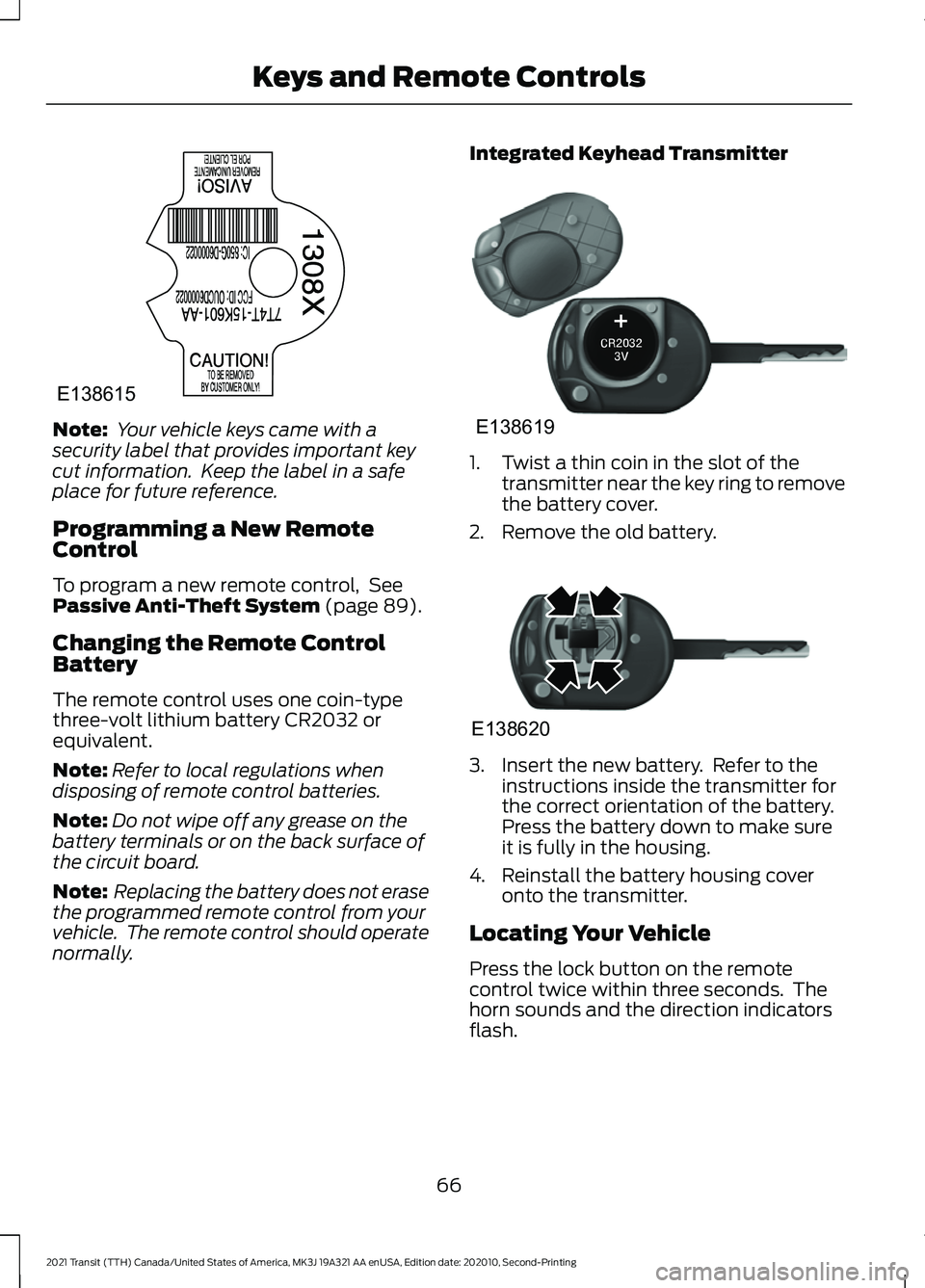
Your vehicle keys came with a
security label that provides important key
cut information. Keep the label in a safe
place for future reference.
Programming a New Remote
Control
To program a new remote control, See
Passive Anti-Theft System (page 89).
Changing the Remote Control
Battery
The remote control uses one coin-type
three-volt lithium battery CR2032 or
equivalent.
Note: Refer to local regulations when
disposing of remote control batteries.
Note: Do not wipe off any grease on the
battery terminals or on the back surface of
the circuit board.
Note: Replacing the battery does not erase
the programmed remote control from your
vehicle. The remote control should operate
normally. Integrated Keyhead Transmitter
1. Twist a thin coin in the slot of the
transmitter near the key ring to remove
the battery cover.
2. Remove the old battery. 3. Insert the new battery. Refer to the
instructions inside the transmitter for
the correct orientation of the battery.
Press the battery down to make sure
it is fully in the housing.
4. Reinstall the battery housing cover onto the transmitter.
Locating Your Vehicle
Press the lock button on the remote
control twice within three seconds. The
horn sounds and the direction indicators
flash.
66
2021 Transit (TTH) Canada/United States of America, MK3J 19A321 AA enUSA, Edition date: 202010, Second-Printing Keys and Remote ControlsE138615 E138619 E138620
Page 70 of 509
Note:
If locking was not successful, any
door is open, or if the hood is open on
vehicles with an alarm or remote start then
the horn sounds but the direction indicators
do not flash.
Switching the Panic Alarm On and
Off Press the button on the remote
control to switch the panic alarm
on. Press the button again or
switch the ignition on to switch the panic
alarm off.
We recommend you do not use this
method to locate your vehicle.
Note: The panic alarm only operates when
the ignition is off.
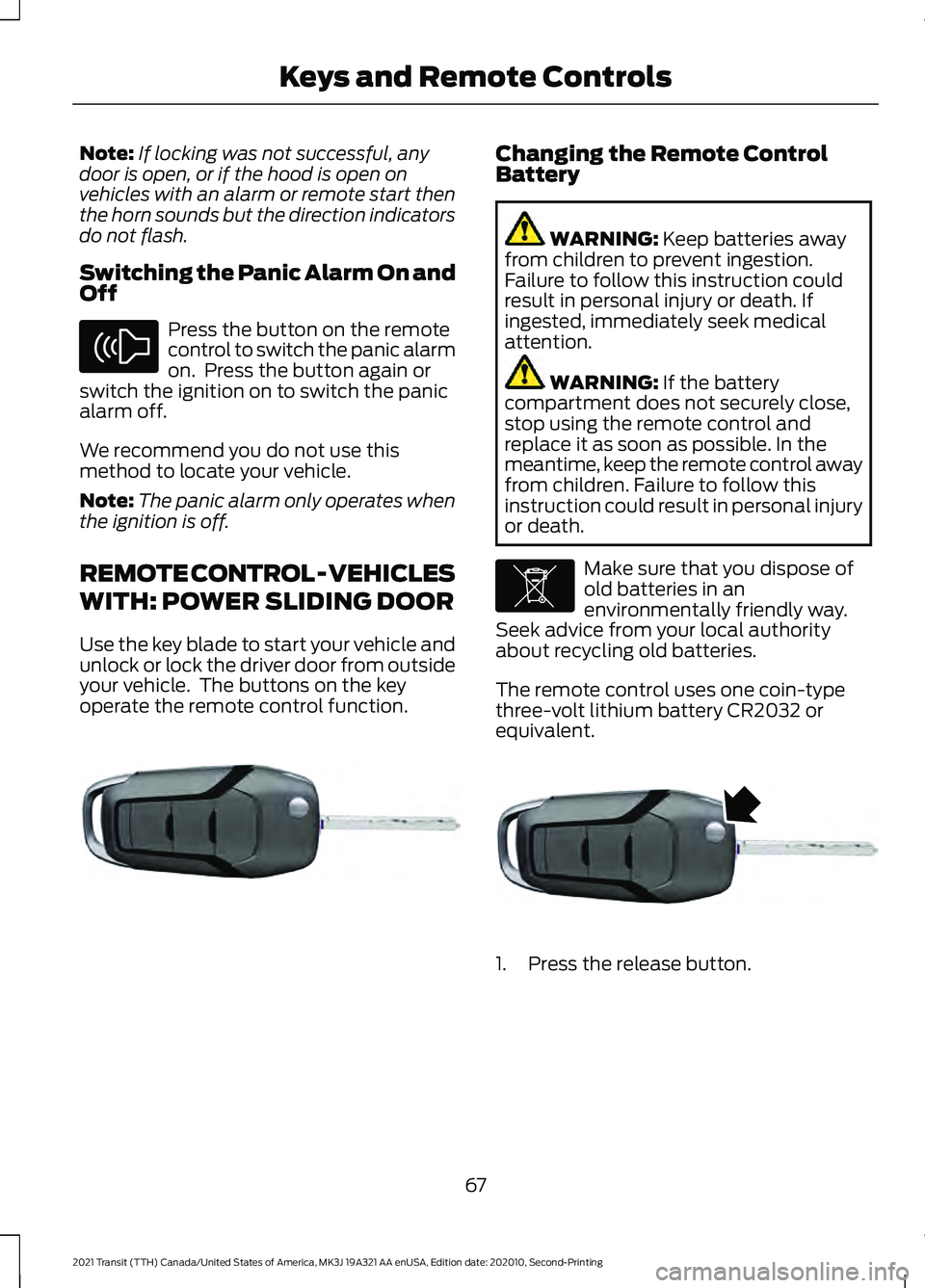
REMOTE CONTROL - VEHICLES
WITH: POWER SLIDING DOOR
Use the key blade to start your vehicle and
unlock or lock the driver door from outside
your vehicle. The buttons on the key
operate the remote control function. Changing the Remote Control
Battery
WARNING: Keep batteries away
from children to prevent ingestion.
Failure to follow this instruction could
result in personal injury or death. If
ingested, immediately seek medical
attention. WARNING:
If the battery
compartment does not securely close,
stop using the remote control and
replace it as soon as possible. In the
meantime, keep the remote control away
from children. Failure to follow this
instruction could result in personal injury
or death. Make sure that you dispose of
old batteries in an
environmentally friendly way.
Seek advice from your local authority
about recycling old batteries.
The remote control uses one coin-type
three-volt lithium battery CR2032 or
equivalent. 1. Press the release button.
67
2021 Transit (TTH) Canada/United States of America, MK3J 19A321 AA enUSA, Edition date: 202010, Second-Printing Keys and Remote ControlsE138624 E302820 E107998 E302821
Page 79 of 509
LOCKING AND UNLOCKING
Locking
Locking With the Key
Turn the top of the key toward the rear of
your vehicle.
Locking With the Remote Control
Press the button once. The
direction indicators will flash.
Press the button again within
three seconds to confirm that all the doors
are closed. The horn sounds and the
direction indicators flash.
Note: You can lock the driver door with the
key. Use the key when the remote control
is not functioning.
Note: Make sure you have locked your
vehicle before leaving it unattended.
Note: Do not leave the keys in your vehicle.
Note: Do not use the door latch assembly
to attach any accessory, such as handles or
steps, as this can cause damage to your
vehicle.
Unlocking
Unlocking With the Key
Turn the top of the key toward the front of
your vehicle.
Unlocking With the Remote Control Press the button once. The
direction indicators will flash.
Note: You can unlock the driver door with
the key. Use the key when the remote
control is not functioning.
Note: When you leave your vehicle
unattended for several weeks, the remote
control turns off. Note:
Unlock your vehicle and start the
engine using the key. Unlocking and starting
your vehicle once enables the remote
control.
Unlocking the Cargo Doors Press the button.
Reprogramming the Unlocking
Function
You can program the unlocking function
so that all doors unlock or only the driver
door unlocks. See Reprogramming the
Unlocking Function (page 87).
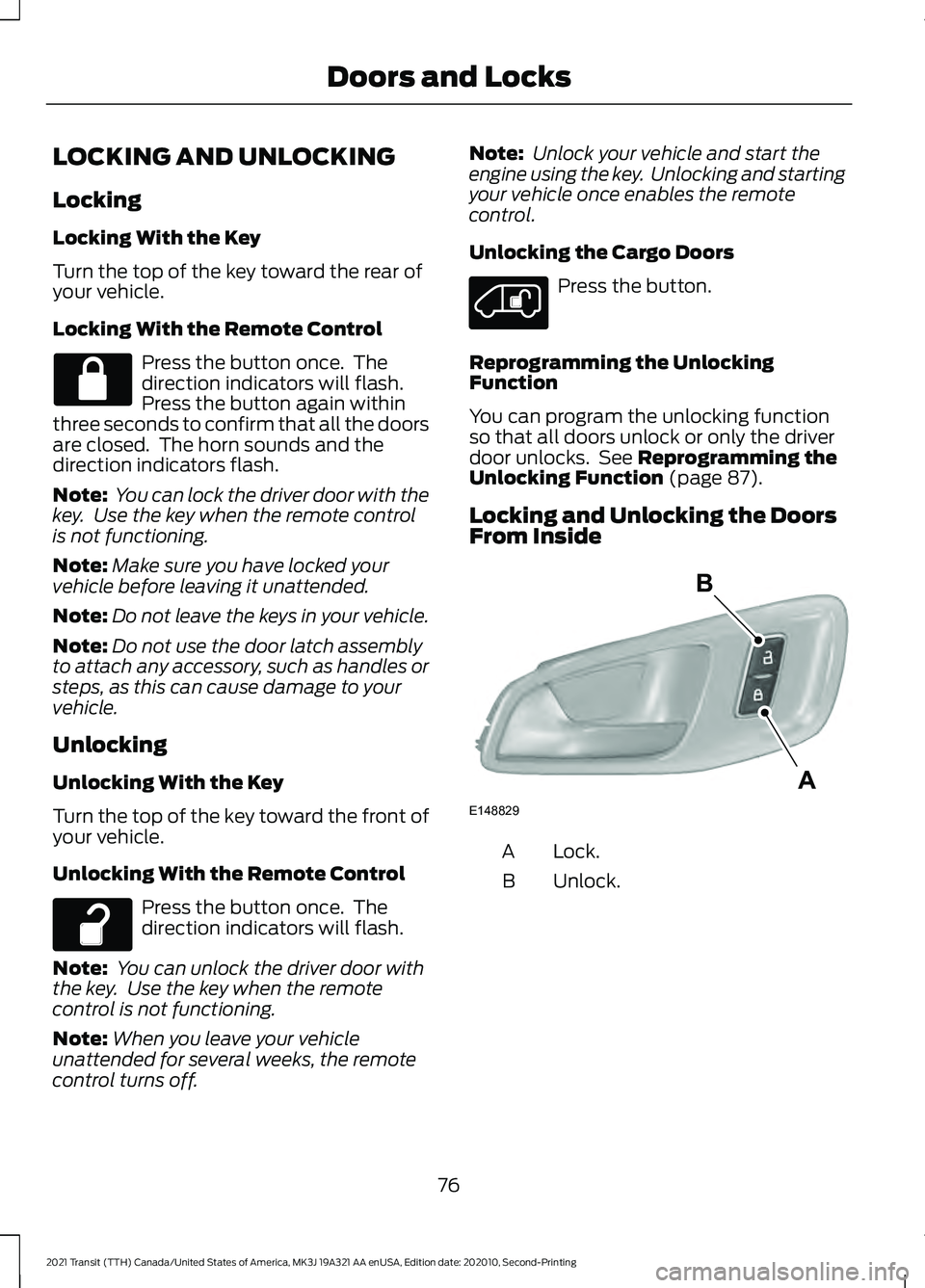
Locking and Unlocking the Doors
From Inside Lock.
A
Unlock.
B
76
2021 Transit (TTH) Canada/United States of America, MK3J 19A321 AA enUSA, Edition date: 202010, Second-Printing Doors and Locks E148829
A
B
Page 93 of 509
2.
Switch the ignition from off to on. Keep
the ignition on for at least three
seconds, but no more than 10 seconds.
3. Switch the ignition off and remove the
first correctly coded key from the
ignition.
4. After three seconds but within 10 seconds of switching the ignition off,
insert the second previously correctly
coded key into the ignition.
5. Switch the ignition from off to on. Keep
the ignition on for at least three
seconds, but no more than 10 seconds.
6. Switch the ignition off and remove the
second previously programmed
correctly coded key from the ignition.
7. After three seconds but within 10 seconds of switching the ignition off
and removing the previously
programmed correctly coded key,
insert the new unprogrammed key into
the ignition.
8. Switch the ignition from off to on. Keep
the ignition on for at least six seconds.
9. Remove the newly programmed correctly coded key from the ignition.
If the key has been successfully
programmed it will start the engine and
operate the remote entry system (if the
new key is an integrated keyhead
transmitter).
If the key was not successfully
programmed, wait 10 seconds and repeat
Steps 1 through 8. If you are still
unsuccessful, take your vehicle to an
authorized dealer.
Note: You can program a maximum of eight
coded keys to your vehicle. All eight can be
integrated keyhead transmitters. ANTI-THEFT ALARM -
VEHICLES WITHOUT: ANTI-
THEFT ALARM HORN WITH
INTEGRAL BATTERY
Alarm System
The perimeter alarm is a deterrent against
unauthorized access to your vehicle
through the doors, luggage compartment
and the hood.
Triggering the Alarm
Once armed, the alarm is triggered in any
of the following ways:
•
If someone opens a door, cargo area
or the hood without a valid key or
remote control.
• If you switch the ignition on without a
valid key.
If the alarm is triggered, the horn will sound
for 30 seconds and the hazard warning
flasher will flash for five minutes.
Any further attempts to perform one of the
above will trigger the alarm again.
Arming the Alarm
To arm the alarm, lock your vehicle. See
Doors and Locks (page 76).
Disarming the Alarm
Disarm and silence the alarm by unlocking
the doors with the key and switching the
ignition on with a correctly coded key or by
unlocking the doors or the cargo area with
the remote control.
90
2021 Transit (TTH) Canada/United States of America, MK3J 19A321 AA enUSA, Edition date: 202010, Second-Printing Security
Page 94 of 509
ANTI-THEFT ALARM -
VEHICLES WITH: ANTI-THEFT
ALARM HORN WITH INTEGRAL
BATTERY
Alarm System
Your vehicle may have one of the following
alarm systems:
•
Category one alarm with interior
sensors and battery back-up sounder.
• Perimeter alarm.
Perimeter Alarm
The perimeter alarm is a deterrent against
unauthorized access to your vehicle
through the doors and the hood.
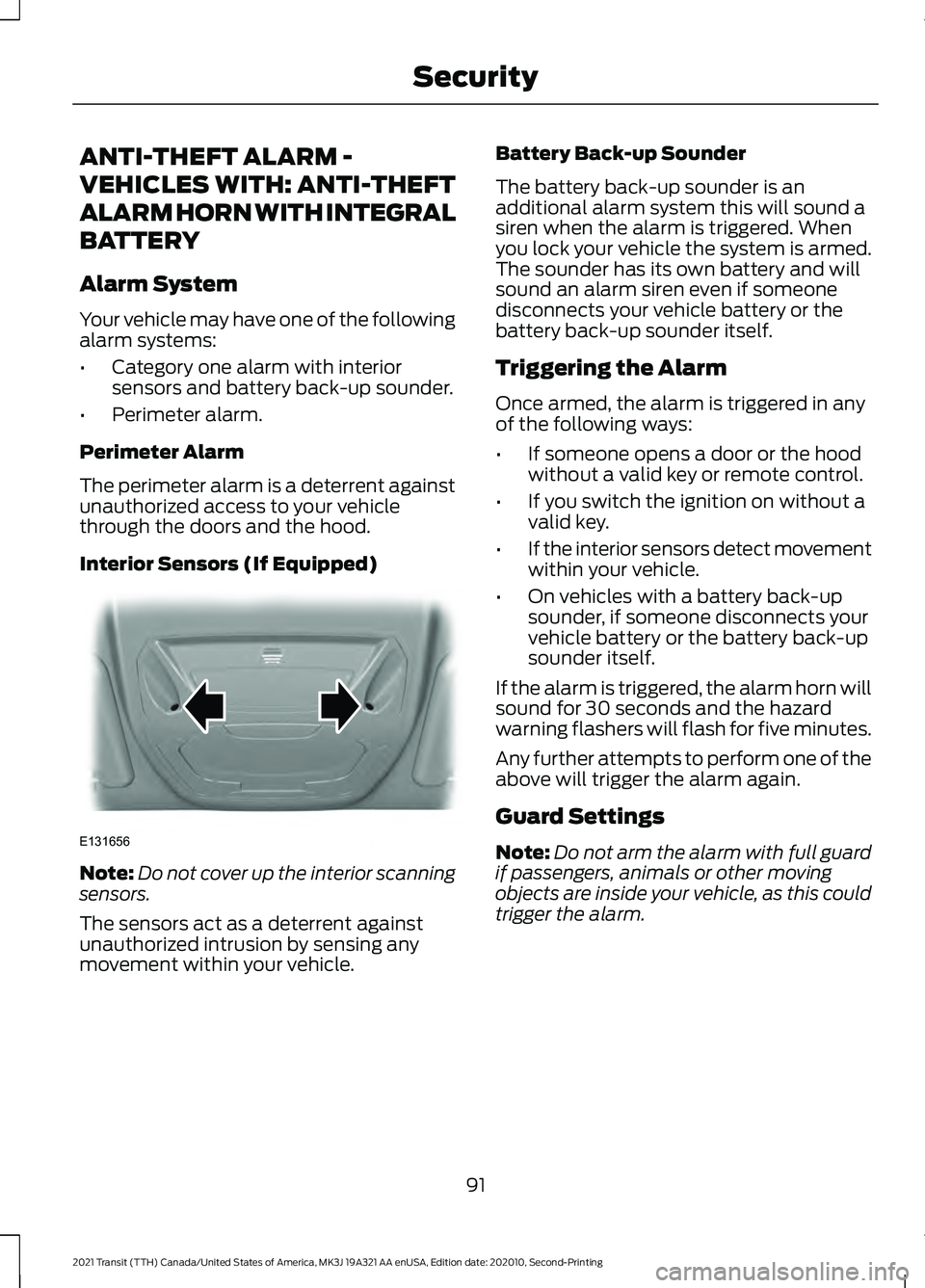
Interior Sensors (If Equipped) Note:
Do not cover up the interior scanning
sensors.
The sensors act as a deterrent against
unauthorized intrusion by sensing any
movement within your vehicle. Battery Back-up Sounder
The battery back-up sounder is an
additional alarm system this will sound a
siren when the alarm is triggered. When
you lock your vehicle the system is armed.
The sounder has its own battery and will
sound an alarm siren even if someone
disconnects your vehicle battery or the
battery back-up sounder itself.
Triggering the Alarm
Once armed, the alarm is triggered in any
of the following ways:
•
If someone opens a door or the hood
without a valid key or remote control.
• If you switch the ignition on without a
valid key.
• If the interior sensors detect movement
within your vehicle.
• On vehicles with a battery back-up
sounder, if someone disconnects your
vehicle battery or the battery back-up
sounder itself.
If the alarm is triggered, the alarm horn will
sound for 30 seconds and the hazard
warning flashers will flash for five minutes.
Any further attempts to perform one of the
above will trigger the alarm again.
Guard Settings
Note: Do not arm the alarm with full guard
if passengers, animals or other moving
objects are inside your vehicle, as this could
trigger the alarm.
91
2021 Transit (TTH) Canada/United States of America, MK3J 19A321 AA enUSA, Edition date: 202010, Second-Printing SecurityE131656
Page 123 of 509
WHAT IS REMOTE START
The system allows you to remotely start
your vehicle and therefore to heat or cool
the interior to a predetermined
temperature.
REMOTE START LIMITATIONS
Remote start does not work if:
•
The alarm horn is sounding.
• The hood is open.
• The transmission is not in park (P).
• Remote start is not enabled.
• The ignition is on.
Note: Do not use remote start if your fuel
level is low.
ENABLING REMOTE START
1. Using the information display controls on the steering wheel, select Settings.
2. Select Vehicle Settings.
3. Select
Remote Start.
4. Switch
System on.
Note: To use remote start, make sure that
the modem is enabled. See
Enabling and
Disabling the Modem (page 371).
REMOTELY STARTING AND
STOPPING THE VEHICLE WARNING: Do not start the engine
in a closed garage or in other enclosed
areas. Exhaust fumes are toxic. Always
open the garage door before you start
the engine. Failure to follow this
instruction could result in personal injury
or death. Use the FordPass App to start the vehicle.
Note:
The turn signal lamps flash twice.
Note: The parking lamps turn on when the
vehicle is running.
Note: The horn sounds if the system fails
to start.
Note: All other vehicle systems remain off
when you have remotely started the vehicle.
Note: You may have to wait a short period
of time before remotely starting the vehicle
after the vehicle stops running.
Note: The vehicle remains secured when
you have remotely started it. A valid key
must be inside your vehicle to switch the
ignition on and drive your vehicle.
Note: A maximum of two remote starts are
allowed. After that you need to turn the
ignition on and off before you can use
remote start again.
Use the FordPass App to switch the vehicle
off.
REMOTE START SETTINGS
Climate Control Settings
1. Using the information display controls on the steering wheel, select Settings.
2. Select Vehicle Settings.
3. Select
Remote Start.
4. Select
Climate Control.
5. Select
Auto or Last Settings.
Note: If you select
Auto, the system
attempts to heat or cool the interior to 72°F
(22°C)
.
Note: If you select
Last Settings, the
system remembers the last used settings.
Note: You cannot adjust the climate control
settings when you have remotely started
the vehicle.
120
2021 Transit (TTH) Canada/United States of America, MK3J 19A321 AA enUSA, Edition date: 202010, Second-Printing Remote Start
Page 250 of 509
BREAKING-IN
You need to break in new tires for
approximately 300 mi (480 km). During
this time, your vehicle may exhibit some
unusual driving characteristics. The engine
also needs to break in. Avoid hard
accelerations and driving too fast for the
first 1,000 mi (1,600 km). If possible, avoid
carrying heavy loads up steep grades
during the break-in period.
DRIVING THROUGH WATER WARNING:
Do not drive through
flowing or deep water as you may lose
control of your vehicle.
Note: Driving through standing water can
cause vehicle damage.
Note: Engine damage can occur if water
enters the air filter.
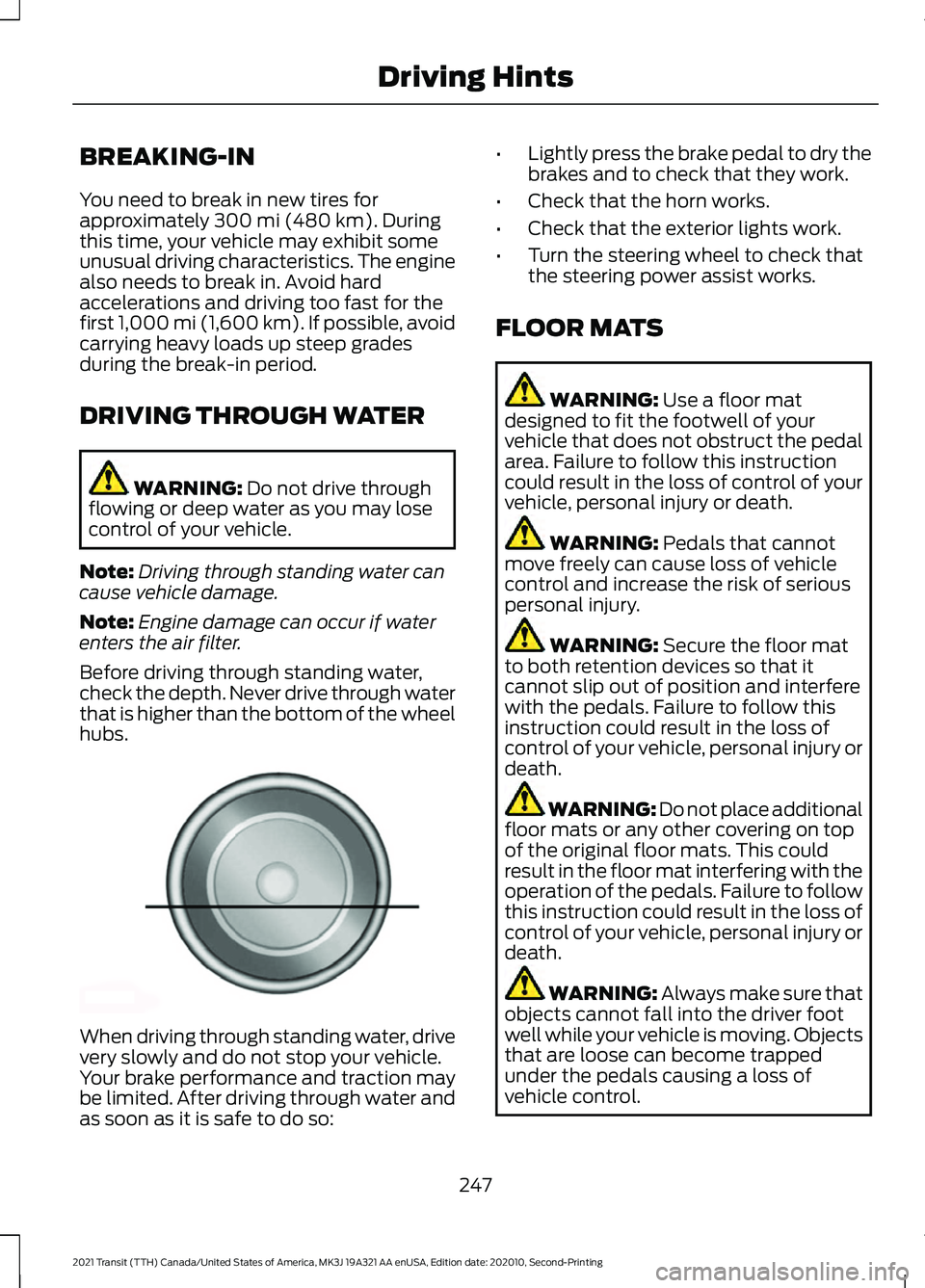
Before driving through standing water,
check the depth. Never drive through water
that is higher than the bottom of the wheel
hubs. When driving through standing water, drive
very slowly and do not stop your vehicle.
Your brake performance and traction may
be limited. After driving through water and
as soon as it is safe to do so: •
Lightly press the brake pedal to dry the
brakes and to check that they work.
• Check that the horn works.
• Check that the exterior lights work.
• Turn the steering wheel to check that
the steering power assist works.
FLOOR MATS WARNING:
Use a floor mat
designed to fit the footwell of your
vehicle that does not obstruct the pedal
area. Failure to follow this instruction
could result in the loss of control of your
vehicle, personal injury or death. WARNING:
Pedals that cannot
move freely can cause loss of vehicle
control and increase the risk of serious
personal injury. WARNING:
Secure the floor mat
to both retention devices so that it
cannot slip out of position and interfere
with the pedals. Failure to follow this
instruction could result in the loss of
control of your vehicle, personal injury or
death. WARNING: Do not place additional
floor mats or any other covering on top
of the original floor mats. This could
result in the floor mat interfering with the
operation of the pedals. Failure to follow
this instruction could result in the loss of
control of your vehicle, personal injury or
death. WARNING:
Always make sure that
objects cannot fall into the driver foot
well while your vehicle is moving. Objects
that are loose can become trapped
under the pedals causing a loss of
vehicle control.
247
2021 Transit (TTH) Canada/United States of America, MK3J 19A321 AA enUSA, Edition date: 202010, Second-Printing Driving HintsE176913